All Emperor2011's Software in one thread !! (updated daily)

6280474658208ecb1cee217f7b208e39.jpg


Automatic Email Processor 4.0.2 Beta | Size: 84.99 MB
Language: English


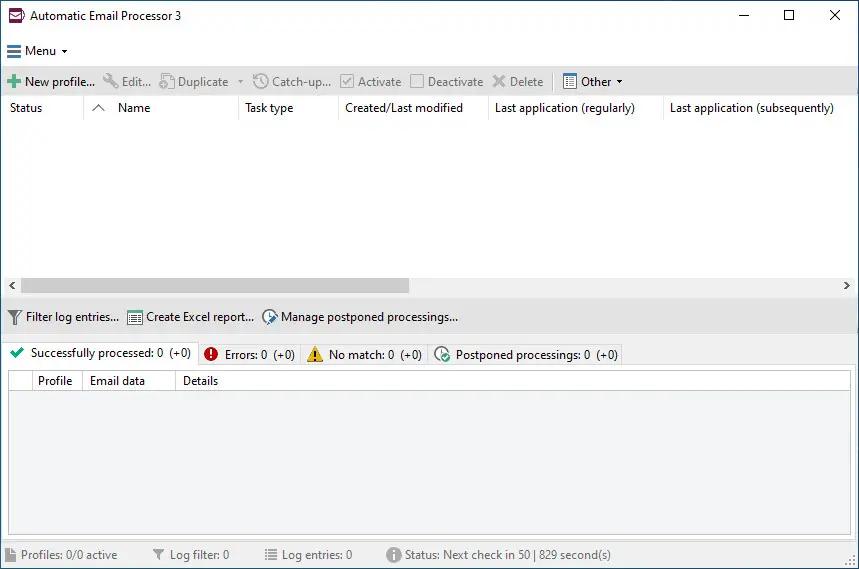
Automatic Email Processor is the complete solution for Outlook to store and print incoming emails and their attachments automatically. For this, various filters, flexible configuration options, such as individually definable storage folders and the possibility of subsequent processing are available. For example, the path of the location where you want Automatic Email Processor to save certain emails or email attachments, can be assembled dynamically from individual properties of an email.

For storing email messages, among other things, the output format can be specified (e.g. PDF, RTF or HTML). The standard Outlook message format (save email as MSG file) is particularly suitable for archiving important messages. The program supports the creation of an unlimited number of rules in order to be able to make separate settings for different email accounts. In addition, rules can be applied to emails of a certain period of time or to all emails already received in an Outlook folder.

Monitor Outlook folders
Examine incoming emails and apply appropriate rules.

Automatically save emails and attachments
Save emails and email attachments from Outlook automatically into dynamically created folders.

Print emails automatically
Send certain emails and attachments directly to the printer (for example, fax emails).

Optional further processing
Perform subsequent tasks, e.g., run a program with the filename of a saved attachment passed as parameter.

With Automatic Email Processor, you can:
• save emails automatically (as PDF file or in the original format)
• automatically print emails and email attachments (PDF files, Office documents etc.)
• save attachments automatically (save all or certain attachments of an email by using a filter)
• extract or print certain or all files from ZIP files
• monitor an unlimited number of Outlook folders
• create custom rules for different tasks
• filter by subject, sender, recipient, attachment file name .
• receive status reports by email, forward messages or inform the sender
• use command line parameters: only one run, exit, catch-up
• create storage folders dynamically from properties of an email
• perform subsequent actions such as start a program with parameters, mark the message as read, or move the email into another Outlook folder
• re-process all emails (with certain criteria) of an Outlook email folder
• archive emails from any Outlook folder and period (e.g. as MSG files)
• have the email moved to a different Outlook folder after processing and have subfolders generated dynamically from properties of the email
• have an Excel report with an overview and detailed information sent to you on a regular basis
• limit the automatic processing of email messages to certain days and times

Automatically print emails and attachments from Outlook
Automatic Email Processor monitors Outlook and allows you to send emails or attachments that meet pre-defined criteria directly to a printer upon receipt. Different print settings can be defined for each rule, for example to be able to print certain emails in a different quality. The respective printer can be defined individually for each rule as well as separately for printing the email message or attachment. You can also specify that only certain pages of the email should be printed automatically (for example, print only the first or last page of a PDF attachment of the email).

Automatically save incoming emails as PDF files
With Automatic Email Processor, emails received in Outlook can automatically be saved into a specified directory as PDF file, for example, in order to keep a copy of the message for backup purposes. Attachments and the email itself can also be embedded (as MSG file with or without digital signature) in the PDF file. The path as well as the folder and file name of the PDF file to be saved can be composed of various properties of the email, such as the date and, for example, a part of the subject.

Automatically save and optionally detach Outlook email attachments
In addition to archiving the complete email, Automatic Email Processor can also automatically save attachments. The properties of the email and the name of the attachment can become part of the path, i.e. properties such as the sender name can be integrated in the folder and file name. After successfully saving the attachments, they can be detached or, more precisely, replaced by a link file containing only the path of the saved attachment. This can prevent problems caused by too large Outlook PST files and save storage space. The detachment of the attachment can optionally be done with a time delay - for example, two weeks.

Operating System: Windows 11, 10, 8, 7 or Server (32-bit or 64-bit version)

HOMEPAGE:
Код:
https://gillmeister-software.com/

FREE DOWNLOAD LINKS:

Код:
https://rapidgator.net/file/d6882f67d6d8224044b40d578044a915/Automatic_Email_Processor_4.0.2_Beta.rar

Код:
https://nitroflare.com/view/0067C1262C27879/Automatic_Email_Processor_4.0.2_Beta.rar

 
9a84f21483848587bafbe987ec29db1a.png


ChessBase 26.7 | Size: 581.31 MB
Language: English


ChessBase is a personal, stand-alone chess database that has become the standard throughout the world. Everyone uses ChessBase, from the World Champion to the amateur next door. It is the program of choice for anyone who loves the game and wants to know more about it. Start your personal success story with ChessBase and enjoy the game even more.

What Can You Do with ChessBase:

Retrieve games:
According to openings, players and tournaments; generate tournament cross tables and full graphic statistics of players or openings;

"Similarity search"
Shows all games with similar pawn structures, sacrifice patterns, endgame positions, etc.;

"Let's check:
Access the world's largest database of in-depth analysis (more than 200 million positions);

"Assisted Analysis":
As you enter a game, whenever you click on a piece an evaluation is produced for all its possible target squares, and this is highlighted on the board in colour.

"Tactical Analysis:
Will annotate game, inserting commentary, variations and diagrams, before strong moves or errors, into a game or an entire database. It will also point out combinations, played in the game or missed, tries, attacks, initiative, and of course the latest in openings theory;

Cloud analysis:
You can analyse positions simultaneously with several engines from on different computers running in parallel;

"Deep analysis:
Generates an analysis tree that changes dynamically, as with time weaker variations are dropped; automatic analysis jobs for correspondence games;

"Theoretical Novelty;
Merge games on the fly into an opening tree; generate a dossier containing all available information on a specific player from the database; generate a comprehensive openings report with main and critical lines, plans and most important games; single click publication of games on the Internet; print games in superb quality with diagrams and multiple columns.

New in ChessBase 15:
- "Instant Analysis": Any unannotated game is analysed almost without delay immediately on loading (optional). Blunders and tactical motifs are recognised. An evaluation profile is created.
- "Replay Training": Playing through a game with the notation hidden and automatic training questions with tips for each individual move. In addition, a closing award of points scored.
- Improved search mask with tactical motifs (skewer, fork, discovered attack, etc.) and examples for manoeuvres and material distribution.
- Extended reference search for openings shows increase/- decrease in popularity and typical recurring endgames.
- Improved search booster delivers more precise results for positions and material. Completely new search booster for patterns and plans.
- Game analysis with tactical motifs and recognition of tactics.
- Crisp new 3D boards thanks to raytracing technology.

System Requirements:
Minimum: Dual-Core, 4 GB RAM, Windows 7, DirectX11 graphics card with 256 MB RAM, DVD-ROM drive, Windows Media Player 9 and Internet access to activate the program, ChessBase Cloud and updates. Recommended: PC Intel Core i7, 2.8 GHz, 16 GB RAM, Windows 10, DirectX11 graphics card (or compatible) with 512 MB RAM or more, 512 GB SSD, Windows Media Player, Adobe Flash Player (Live coverage), DVD ROM drive, Full HD Monitor.

HOMEPAGE:
Код:
https://shop.chessbase.com/en/products/chessbase15

FREE DOWNLOAD LINKS:

Код:
https://rapidgator.net/file/800acbacd04f4f58503954e17414f185/ChessBase_26.7.rar

Код:
https://nitroflare.com/view/81B388E87FF464A/ChessBase_26.7.rar
 
c50a2d0cc42f6844bbbd320c3e1c879b.jpg


CoolUtils Total Image Converter 8.2.0.300 Multilingual | Size: 106.98 MB
Language: English


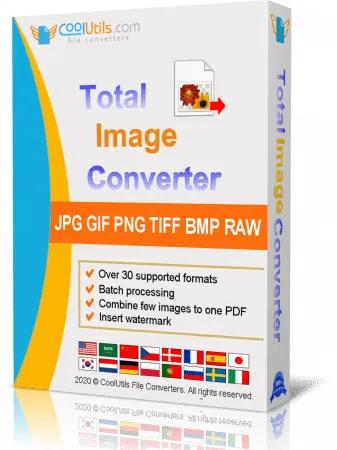
Total Image Converter converts images to other formats, crops, resizes and rotates them. Convert large TIFFs into small JPEGs, make photos suitable for the web or recover old photos in unsupported formats - Total Image Converter will do everything you need.

Supports TIFF, JPEG, RAW, PNG, BMP, PSD, TGA, and many other image formats;
Works incredibly fast with new multi-threading feature;
Converts CMYK to RGB;
Handy resize and crop options to make your photos smaller;
Watermarking: add your comment, logo or date.

Features:
Total Image Converter supports TIFF, JPEG, JPEG2000, RAW, PNG, BMP, ICO, PSD, TGA, PCX, PCD and many other rare image file types files complete list).
Along with conversions you can rotate your images! All is done in batch so you save a lot of your valuable time.
With Total Image Converter it's very easy to resize your photos or images.
With Total Image Converter you can specify the color space for your output images.
What to combine images within folders? No problem! Our powerful batch image converter can do that too.
Total Image Converter will also add a frame to your images in batch.
Convert TIFF, JPEG, PSD and many other files in seconds via our clear wizard-mode interface (thumbnails or file lists with details).
The widest list of output file types: PDF, TIFF, BMP, PNG, JPEG, JPEG2000, ICO, GIF, PCX, TGA, PXM, PS, PCL! Besides, it supports many rare formats like PALM, PICT, XPM, FIX, etc.
Total Image Converter supports almost all RAW camera photos (CRW, CR2, NEF, PEF, RAF, X3F, RAW, BAY, ORF, NRW, SRF, MRW).
The built-in Preview panel helps you to view each file full-sized and learn the indo about it.
Add text watermarks to the header or the footer of the output file to prevent unauthorized use.
When you convert images to PDF you can set user permissions, password-protect your files or sign them with your digital signature.
Try the Total Image ConverterX SDK to use it on your server (no GUI).
Total Image Converter can be run via command line (get the ready-to-use command line from GUI settings).

HOMEPAGE:
Код:
https://www.coolutils.com/TotalImageConverter

FREE DOWNLOAD LINKS:

Код:
https://rapidgator.net/file/14f262ed9fb3298d1737706b4eef566c/CoolUtils_Total_Image_Converter_8.2.0.300_Multilingual.rar

Код:
https://nitroflare.com/view/30A47CCA384FA15/CoolUtils_Total_Image_Converter_8.2.0.300_Multilingual.rar
 
be0d239a7c8cd171d0c42d0c75eab9bb.jpg


DBF Recovery 4.71 | Size: 1.69 MB
Language: English


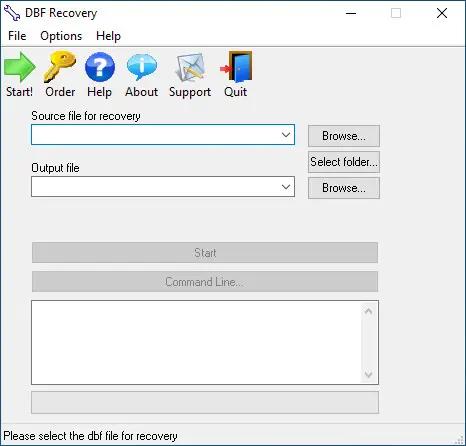
DBF Recovery empowers its users with the ability to recover a damaged database back to its pristine condition without needing the expertise to accomplish such a task or requiring the additional expense of hired recovery services. When the program runs, you see a simple interface with two main fields. Select the file for recovery in the first field and the folder for the output in the second.

As an added option, you can choose to recover deleted records in the database. Once everything is set, you click on the Start button. DBF Repair Tool does the rest. It repairs the headers and data structures in an automatic process that involves no interaction with the user. After all you may not want to sit around and watch the process. With DBF Recovery, you'll truly have a lean, mean DBF repairing machine without functional fluff.

Bring your DBF files back from the dead
Have you ever tried to open the database only to discover that it won't let do so? Remember how you felt when several months of mind-numbingly tedious data entry turned into undecipherable mess of characters? So, wouldn't it be nice if you could bring your database back from the dead without the assistance of hired experts? Well, if you are in the interest of the state-of-the-art, affordable recovery technology, you're ready for DBF Recovery. Just run the DBF Repair, load the corrupt file and ta-da! The database is back to its original healthy condition!

Save your budget and even business from disaster
Too often a database is something that the company's action and the well-being of its employees depend on. A crush of a database is one of the worst nightmares not only for the system administrator but for the company in general. One study reports that a company that experiences a computer outage lasting for more than 10 days will never fully recover financially and 50 percent of such companies will be out of business in 5 years.

Repair most any DBF database
Unlike some other tools, DBF Recovery works with all popular DBF databases, including those made in Clipper, Foxbase, FoxPro, Visual Foxpro, dBASE III/IV, etc. Its Artificial Intelligence will determine the DBF format and choose the best recovery method on its own.

Run DBF Recovery in your native language
Another nice feature in DBF Repair sofware is multilingual support, letting you use the program even if English is not your native language. Currently, DBF Recovery is localized into English, German, Italian, Spanish and French with support for more languages on the way!

START USING DBF REPAIR TOOL TODAY!
Why wait? Add DBF Recovery to your software toolkit today. Because it's not "IF" the database will fail, it's "WHEN" this dreadful occurrence will take place. Sooner or later, it will get damaged due to a power failure or application error and heaven help you if you don't have a reliable DBF recovery tool. It's a hard lesson to learn. But with DBF Recovery, you get a fail-safe solution to repair databases without having to beat the brains to death for days trying to re-enter lost data or spending large amounts of dollars hiring a recovery service.

Operation Systems: 32-bit and 64-bit versions of Windows XP, Vista, Windows 7/8/10/11 and Windows Server 2003/2012/2016/2019.

HOMEPAGE:
Код:
https://www.dbf2002.com/dbf-recovery/

FREE DOWNLOAD LINKS:

Код:
https://rapidgator.net/file/c9e637283cd1cbafe9962d02e46b89d9/DBF_Recovery_4.71.rar

Код:
https://nitroflare.com/view/A097E092CDEA0C7/DBF_Recovery_4.71.rar
 
395cdd3f47223b722537b550bc70d731.jpg


DigitalOfficePro HTML5Point 4.1.74 | Size: 137.49 MB
Language: English


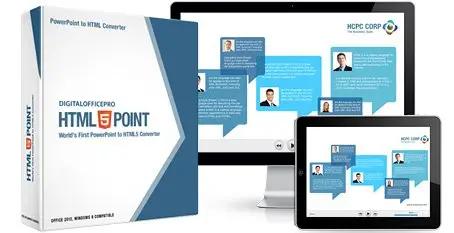
HTML5Point - is the world's first PowerPoint to HTML5 converter that lets you to convert your PowerPoint presentation into an interactive HTML5 content that can be viewed on iPads, iPhones, other mobile devices and on all modern browsers - all in a Single click!

PowerPoint to HTML5 Converter
- Convert PPT to HTML5 in a single click
- Say goodbye to expensive programmers
- Flexible publishing / delivery options

Accurate Conversion
Output works exactly like PowerPoint retaining all the special effects

High Speed Conversion
HTML5 output done 5X quicker than in other converters

SCORM /AICC Support
SCORM / AICC compliant interactive HTML5 output support

View Converted HTML5 presentations on iPad, iPhone and other devices
Develop interactive presentations for desktops, laptops, Android tablets, iPads & iPhone with a single click. HTML5Point accurately converts your PowerPoint content to HTML5 preserving all the animations, transitions and other special effects associated with the original PowerPoint presentation. Developing an e-Learning package with support on all devices is now very easy with HTML5Point.

HTML5 slideshows support on all modern browsers
Converted HTML5 output works flawlessly on almost all modern browsers without any additional plugins (unlike flash which requires additional plugins) installed on your machine. It is due to this cross platform compatible nature that publishers recommend the new HTML5 format over any other conventional formats.

Animations and Transitions in HTML5
HTML5Point PPT to HTML5 converter completely retains the animations and transition effects of original PowerPoint presentation. The superior plug-in also has the capability to support auto timing feature associated with the presentation.

Compatible with SCORM
With HTML5Point PowerPoint to HTML5 conversion tool you can create SCORM [SCORM 2004 (2nd, 3rd and 4th edition)] compatible presentation that can be uploaded to any SCORM compliant LMS (Learning Management System) on the cloud.

Installed to right within PowerPoint
PPT to HTML5 converter called HTML5Point is downloaded as a PowerPoint add-in. The HTML5Point installer places a tab to your PowerPoint ribbon, and you can access all its functions from this tab. We have updated this plugin with the latest features to get your work done quickly and accurately.

HTML5Point Key Features
- YouTube & Video Support
- Narration & Continuous Audio
- Animated Gifs
- Hyperlinks
- Optimize compression of images
- Animations & Transitions
- No Additional Plugins
- Cross browser compatibility
- Consistency
- Search Engine friendly
- Improved Semantics
- Improved Accessibility

System Requirements:
Operating System: Microsoft Vista/Win7/Win8/Win10/Win11
.NET Runtime : .NET 3.5 (gets installed if not present)
Available Disk Space: 512 MB minimum
Microsoft PowerPoint: Microsoft PowerPoint 2010/2013/2016/2019/2021

HOMEPAGE:
Код:
https://www.digitalofficepro.com

FREE DOWNLOAD LINKS:

Код:
https://rapidgator.net/file/541baf1d8d2408431ea6ff91cd1a8f46/DigitalOfficePro_HTML5Point_4.1.74.rar

Код:
https://nitroflare.com/view/81462A432AEA253/DigitalOfficePro_HTML5Point_4.1.74.rar
 
30ba663b465f2097738ea0c1fde18517.jpg


Disk Pulse 18.1.24 | Size: 76.19 MB
Language: English


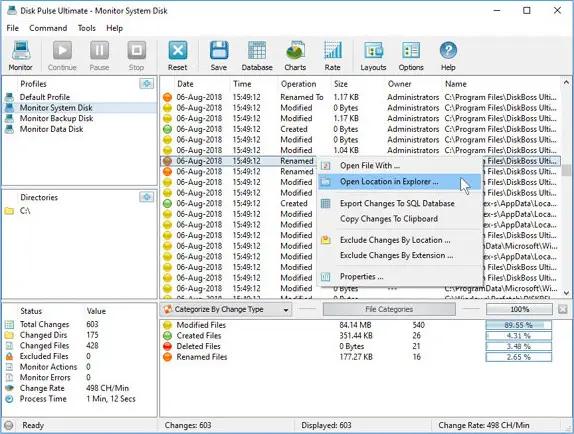
DiskPulse is a real-time disk change monitoring solution allowing one to monitor one or more disks or directories, save reports and disk change monitoring statistics, export detected changes to a centralized SQL database, execute custom commands and send E-Mail notifications when unauthorized changes are detected in critical system files.

DiskPulse Main GUI Application
The DiskPulse GUI application provides the user with the ability to start/stop disk change monitoring operations, review detected file system changes and export reports.

Disk Change Monitoring Filters
The bottom part of the DiskPulse GUI application includes the 'Categories' pane, which is capable of categorizing detected file system changes by the file type, size, extension, user name, etc. and allows one to filter changes by one or more change categories.

Disk Change Monitoring Statistics
The pie charts dialog is capable of showing numbers of changed files and the amount of changed disk space per extension, change type, file size and file type. In addition, the user is provided with the ability to copy the chart image to the clipboard allowing one to easily integrate DiskPulse charts into presentations and documents.

Disk Change Monitoring Directories
The profile dialog's 'Monitor' tab allows one to specify one or more disks or directories that should be monitored. All the specified directories will be monitored recursively including all subdirectories.

Disk Change Monitoring Events
The profile dialog's 'Events' tab allows one to select one or more file system event types that should be monitored.

Disk Change Monitoring Rules
The profile dialog's 'Rules' tab provides the user with the ability to limit a disk change monitoring operation to one or more specific file types.

Supported Operating Systems:
Windows XP, Vista, 7, 8, 8.1, 10 Server 2003, 2008, 2008 R2, 2012, 2012 R2, 2016

HOMEPAGE:
Код:
https://www.diskpulse.com/

FREE DOWNLOAD LINKS:

Код:
https://rapidgator.net/file/e2935e030482d384781dc3b317a08442/Disk_Pulse_18.1.24.rar

Код:
https://nitroflare.com/view/3E3D7E6AA02422D/Disk_Pulse_18.1.24.rar
 
7953a5dec6075f7b972828da5c735398.jpg


Dup Scout 18.1.16 | Size: 83.68 MB
Language: English


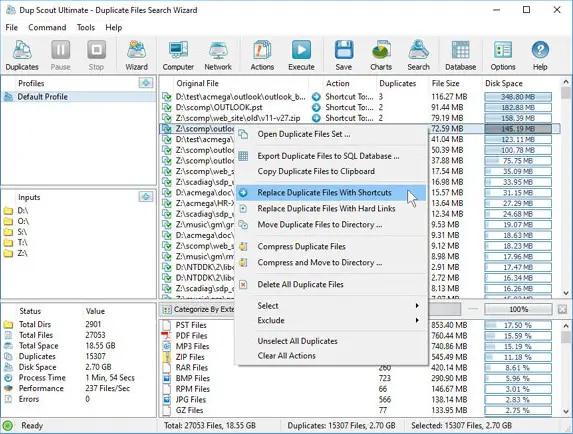
Dup Scout is a duplicate files finder allowing one to search and cleanup duplicate files in local disks, network shares, NAS storage devices and enterprise storage systems. Users are provided with the ability to search duplicate files, save reports, replace duplicates with links, delete duplicate files or move duplicate files to another location.

DupScout Main GUI Application
The DupScout main GUI application provides the ability to search duplicate files, categorize and filter detected duplicate files, save reports to the HTML, PDF, Excel, text, CSV and XML formats, export duplicate files to an SQL database, replace duplicate files with links, move duplicate files to another directory, delete duplicate files, etc.

Search Duplicate Files Dialog
The search duplicate files dialog allows one to specify disks, directories and/or network shares that should be processed. In addition, the user is provided with the ability to detect servers and NAS storage devices on the network and search duplicate files in network shares in one or more servers or NAS storage devices.

Remove Duplicate Files
DupScout provides the ability to replace duplicate files with links, move duplicate files to another directory, compress duplicate files, delete duplicate files, etc. Before executing duplicate files removal actions, DupScout shows the duplicate files removal actions preview dialog allowing one to select/unselect specific duplicate files.

Duplicate Files Statistics and Pie Charts
The pie charts dialog is capable of showing the amount of duplicate disk space and the number of duplicate files per file type, extension, user name, last access, modification and creation dates, etc. In addition, the user is provided with the ability to copy the chart image to the clipboard allowing one to easily integrate DupScout charts into user-custom presentations and documents.

Searching Duplicate Files in Network Servers and NAS Storage Devices
DupScout allows one to scan the network, discover network servers and NAS storage devices, automatically detect all accessible network shares and search duplicate files in hundreds of network servers and NAS storage devices.

Duplicate Files Search Options
The duplicate files search options dialog allows one to specify the default report title, the type of file signature algorithm to use, the maximum number of duplicate file sets to display and provides an option to enable processing and display of duplicate files user names.

Supported Operating Systems:
Windows XP, Vista, 7, 8, 8.1, 10 Server 2003, 2008, 2008 R2, 2012, 2012 R2, 2016

HOMEPAGE:
Код:
https://www.dupscout.com/

FREE DOWNLOAD LINKS:

Код:
https://rapidgator.net/file/9407c5eaeeb09e8b132ccfd1336b582e/Dup_Scout_18.1.16.rar

Код:
https://nitroflare.com/view/E7680634ACB5DFD/Dup_Scout_18.1.16.rar
 
0e46e1195dfc4dc60f47a7846f822fd2.jpg


Evernote 11.16.3.4884 Multilingual | Size: 314.99 MB
Language: English


Evernote allows you to easily capture information in any environment using whatever device or platform you find most convenient, and makes this information accessible and searchable at any time, from anywhere.

EverNote is an application/service which lets you capture, store and sync anything on multiple devices. EverNote works on any OS, whether PC, Mac or phone and can capture anything you throw at it, from notes, to images, media or passwords. All your information is stored in the program and you can use tags and notes to categorize it.

Now that we can access the internet from almost anywhere and any device the difficulty is getting access to your information all at once. It can be store all online or you can keep everything synced up on all your devices.

If you have EverNote installed on your devices, all it takes is having an internet connection and pressing the 'Synchronize' button from the menu, to ensure that you have the same information stored on all devices.

EverNote is a very promising application that captures, stores and syncs any sort of information on all your devices.

Stop forgetting things. Capture everything now so you will be able to find it all later.
- Tasks and to-dos
- Notes and research
- Web pages
- Whiteboards
- Business cards
- Scribbles
- Snapshots
- Wine labels

FREE DOWNLOAD LINKS:

Код:
https://rapidgator.net/file/7ec1bd9f285ec0ba76252050c8adc638/Evernote_11.16.3.4884_Multilingual.rar

Код:
https://nitroflare.com/view/0334ED918217AD4/Evernote_11.16.3.4884_Multilingual.rar
 
5ff03d595565865a9e4cdf5c5a8f07f2.jpg


Executor 2.3.3 | Size: 6.89 MB
Language: English


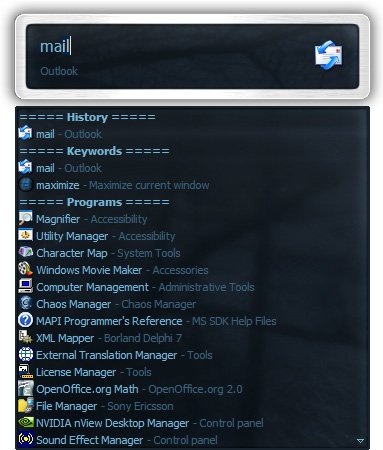
Executor is a multi purpose launcher sporting many optional customizable features and advanced setup. The program originated as I was sick of spending too much time searching for programs through my ever growing windows start-menu, and eye-balling desktop trying to mouse locate what ever I wanted to launch. Also I missed a tool that could ease and optimize my daily workflow. There was of course already programs like this available, but each had it's annoyance or missing features or too(!) geeky.

Features
Keywords have properties like shortcuts, and you can for example drag-drop a shortcut/file/folder/favorite to add it as a keyword.
Auto-completion for keywords, file system and history (can also be configured).
Url detection, Enter URLs directly (like , mail.google.com, google.com orhttps://www.google.com).
Keywords support parameters. Example "google latest executor" "wiki nirvana".
Besides keywords Executor can also optionally and dynamically add matching start-menu items, control panel items and other handy items to the drop-down/list.
Ability to add your own paths to scan for user defined file extensions.
Each keyword can be assigned a hotkey, so Executor can also perform like many popular hotkey managers.
Keyword control, have keyword open program(s) minimized, with admin access, make sure only one instance is running of program and more
Can add keyword integration with popular services like GMail, Twitter, GCal, RTM and many others (see forums for howto's, tutorials and tips).
Optional show icon for current keyword/input.
Optional show drop-down box for current keyword/input (auto-completion).
Optional drop-down box can be set to auto-open (like windows run) displaying auto-completion suggestions.
Optional list displaying matching items.
Layout can be customized. Set colors, font, dimensions, position, transparency and more.
Skinable. Supporting alpha blending effects and free positioning of all elements.
Many settings to customize the program as you like.
Can be launched from an user defined hotkey.
One keyword or text input can start multiple keywords/urls/programs/documents/files etc. Example one keyword opens three websites and/or programs.
Each keyword have properties like optional group (to organize into groups), customizable icon and other properties.
Keyword "find[text]" for using Windows Instant Search feature or Windows Desktop Search.
A number of special commands (like for example pause and replace tag with parameter).
Optional windows context-menu integration (as another way of easily adding new keywords).
Optional show title for the current input.
Can import keywords from windows start-menu.
Can auto import keywords from an url on startup, so you can share keywords between different Executor installations (for example for cooperate use).
Executor has a number settings on how you want it to find desired item(s). Text could "start with" or "contain text" (substring) or short form detection (for example typing ffox for firefox).
All file-paths can be auto-completed (also when file-path is a parameter), and you can use tab and shift-tab to browse filesystem path.
Keywords to manipulate the current active window (center, resize to specific size, maximize width or height etc).
Special keywords to list (and open) running applications, text previously copied to clipboard and recent documents. Can also strip formatting from clipboard text.
Many special keywords like for example lock computer, restart, shutdown, standby, turn off monitor(s), mute sound, show date/time/week number etc.
Shortcut keys for faster navigation.
Integrated calculator.
Integrated Notes, for quick notes etc.
Import/Export keywords (import can also import directly from an url rather than a file).
Option to override windows run hotkey (Win-R).
Optional sounds.
Integrated Windows context-menu (for example when right-clicking list items).
At startup a number of keywords/commands optionally be launched.
Set simple a simple alarm, timer, stop-watch (with optional alert sound).
Pressing enter with no valid input will launch first suggested item (optional).
Be able to grab text from hidden launched console applications and display text in input or in multi-lined text.
Several hidden experimental/minor settings to play with (Example show time/date/other stuff when idle).
Plus more...
Free (freeware for you old timers) MIT-licensed.
Free for commercial use (but feel free to donate if you forced your entire organization to use Executor! I have put a lot of hours in to this :)).

System Requirements: Windows 11, Windows 10, 8 , 7

FREE DOWNLOAD LINKS:

Код:
https://rapidgator.net/file/b0c19b7cb174b9485322d9f6465b4d80/Executor_2.3.3.rar

Код:
https://nitroflare.com/view/3327A3E11DACD70/Executor_2.3.3.rar
 
f747ad454bdcc7f7454cebf339d5072d.jpg


Fast Video Cutter Joiner 7.1.1 Multilingual | Size: 22.95 MB
Language: English


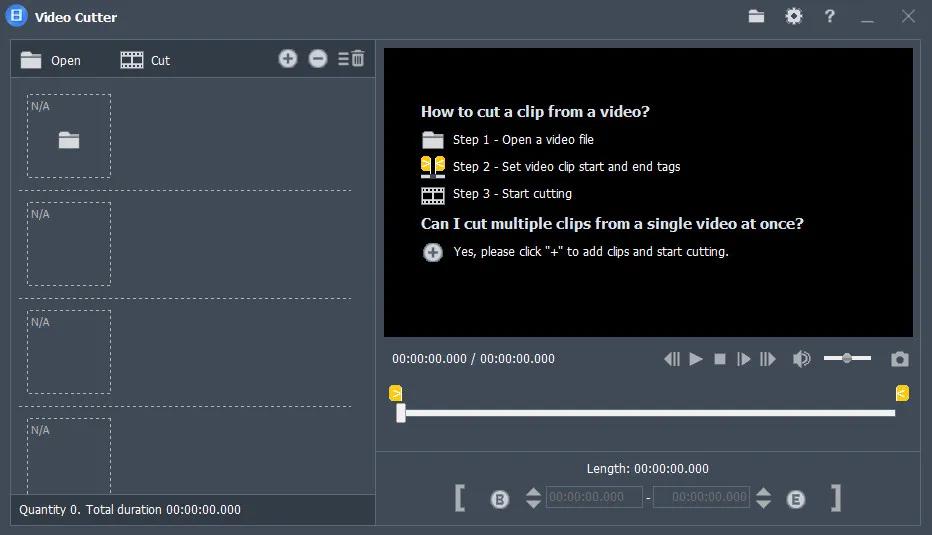
Easy and professional Video Cutter and Video Joiner Software. Why choose Fast Video Cutter Joiner? This is a fast video-cutting and joining software with an easy-to use interface. It allows users to trim parts of a video quickly while maintaining the quality of the original video. User can also join multiple video files.

Cut clips
If you want to cut and save specific parts of a video.

Join multiple videos
If you want to join multiple videos or merge more than two video files.

Features:
You can cut multiple video clips at once.
Video cutting speed is fast, taking only a few seconds.
Lossless cutting, with the same quality as the original video.
Clipped clips can be converted to other video formats.
Supports all video formats, such as mp4, avi, mpeg, rmvb and more.
Free to set the start and end points of video clips, very simple.
Play video from anywhere.
Any number of videos can be merged.
The merged video can be in any video format.
Supports all video formats, such as mp4, avi, mpeg, rmvb and more.
Can play any video clip.

HOMEPAGE:
Код:
https://www.videocutterjoiner.com/

FREE DOWNLOAD LINKS:

Код:
https://rapidgator.net/file/18bf0421bd48abd9897cad8e01a70f84/Fast_Video_Cutter_Joiner_7.1.1_Multilingual.zip

Код:
https://nitroflare.com/view/A16B056D2286804/Fast_Video_Cutter_Joiner_7.1.1_Multilingual.zip
 
8ee81565e331e80396f983153fbb8db3.jpg


FiberShop 3.1.0 Studio Perpetual | Size: 130.76 MB
Language: English


FiberShop The Most powerful Solution On The Market
The Ultimate Tool for real-Time hair, FiberShop is a standalone tool specially developed for creating high-quality hair and fur for games. Workflow in FiberShop is super fast and easy to learn. All boring and time-consuming tasks will be done automatically and you only work on your design. FiberShop is a mix of powerful procedural modifiers and hand drawing brushes. You can control the hair by changing the parameters or directly drawing the hairs by brush or mixing both.

Super fast workflow
Auto UV Layout
non destructive workflow
easy to integrate into all studio environments
Layer-Based Modifiers
Layer-Based Texturing
Preview All Passes in Real-time
Advanced Export Options

power of procedural
Create any variation of hairs in seconds with the power of procedural modifiers.
Modify each block of hair separately by adding new modifiers and simply repositioning them by clicking and dragging in 2D space.
Both design and coloring processes are Layer-Based. Each block can have unlimited layers of modifiers or color filters.
Texture size and aspect ratio can change at any time without losing any data or quality.

Hand draw brush
Use hand-draw brush to draw hairs in any form and flow. It creates 3D hairs by simply drawing some curve strokes on UV space.
All procedural modifiers can apply on hand draw hairs, density and other parameters of the hair can be changed anytime after drawing the hairs.

Preview All Passes in Real-time
See all changes and modifications in Real-Time in 2D or 3D.
Preview All passes before exporting them directly on the 3D mesh or in the 2D viewport in Real-Time.

Physical Based Ambient Occlusion
FiberShop calculates the ambient occlusion in real-time progressive mode directly from 3D meshes and the result is physical based, opposite of many other solutions that fake the AO from 2D passes.
AO settings can be adjusted in real-time.

HOMEPAGE:
Код:
https://cgpal.com/fibershop/

FREE DOWNLOAD LINKS:

Код:
https://rapidgator.net/file/e756cf48f8ced6b6310ec546330067bc/FiberShop_3.1.0_Studio_Perpetual.rar

Код:
https://nitroflare.com/view/6960D0EE595445C/FiberShop_3.1.0%E2%80%8B_Studio_Perpetual.rar
 
2de44904f3b71a50cabd762cc73f7c67.jpg


FileZilla Pro 3.70.5 Multilingual | Size: 29.75 MB
Language: English


FileZilla Pro transfers files seamlessly between your machine and remote servers, using either FTP/S, SFTP, Amazon S3, Backblaze B2, Box, Dropbox, Google Cloud, Google Drive, Microsoft Azure, Microsoft OneDrive, Microsoft OneDrive for Business, Microsoft SharePoint, OpenStack Swift and WebDAV.

FileZilla Pro manages all of your transfers no matter how many files are in your source directory, it is heavily optimized for speed and you can also adjust the pace of your transfers at will.

FileZilla Pro Features:

General UI
FileZilla Pro comes with an intuitive tabbed user interface and is available in more than 50 languages.
You can use the Site Manager to organize your sites and bookmarks.
Your credentials are are stored securely, protected by strong cryptography.
- Intuitive tabbed user interface
- Available in many languages
- Powerful Site Manager
- Bookmarks

Navigating files
Use powerful tools to quickly and easily navigate the server and locate your files: Directory listing filters hide irrelevant files from view.
Compare local and remote directories and highlight the difference.
Change both local and remote directories in lockstep. Or just use the the search dialog to find your files.
- Filename filters
- Directory comparison
- Synchronized directory browsing
- Remote file search

Transferring
The transfer queue lets you manage your transfers, even if you queue millions of files.
The size of your files does not matter, FileZilla Pro knows no size limit.
Use the context menu to queue files or use drag & drop, not just within FileZilla, but also to/from Windows Explorer.
You can also directly transfer and open remote files in your favorite editor.
Configurable speed limits let you throttle FileZilla Pro if you need bandwidth for other purposes.
- Drag & drop support
- Remote file editing
- Configurable transfer speed limits
- Powerful transfer queue
- Supports resume and transfer of large files more 4GB

Technical:
FileZilla Pro runs on Windows and macOS.
Supports FTP, FTP over SSL/TLS (FTPS), SSH File Transfer Protocol (SFTP), Amazon S3, Backblaze B2, Dropbox, Google Cloud Storage, Google Drive, Microsoft Azure, Microsoft OneDrive, Microsoft OneDrive for Business, Microsoft SharePoint, OpenStack Swift and WebDAV.
FileZilla Pro is ready for the Internet of the future with complete IPv6 support.
Compatible with HTTP/1.1, SOCKS5 and FTP proxies.
The network configuration wizard guides you through configuring not just FileZilla Pro but also any firewall or NAT router you are using.
Cross-platform. Runs on Windows, Mac OS X
Supports FTP, FTP over SSL/TLS (FTPS), SSH File Transfer Protocol (SFTP), Amazon S3, Google Cloud Storage, Microsoft Azure, OpenStack Swift and WebDAV.
Network configuration wizard
IPv6 support
Keep-alive
HTTP/1.1, SOCKS5 and FTP-Proxy support
Logging to file

HOMEPAGE:
Код:
https://filezillapro.com/

FREE DOWNLOAD LINKS:

Код:
https://rapidgator.net/file/9138267412220b6b04aed7cbff57967d/FileZilla_Pro_3.70.5_Multilingual.rar

Код:
https://nitroflare.com/view/6DCAF8806189FBE/FileZilla_Pro_3.70.5_Multilingual.rar
 
7edc55498cddbbec2010e2d1160ca929.png


Freemake Video Converter 6.0.0.9 Multilingual | Size: 110.03 MB
Language: English


Freemake Video Converter - Convert video free to AVI, MP4, WMV, MKV, 3GP, DVD, MP3, iPad, iPhone, PSP, Android phones. Video to MP3 with one click! Rip & burn DVD. Convert YouTube to MP4, AVI, etc. with Freemake! Guaranteed result.

200+ Input Formats:
Input any video files: AVI, MP4, MKV, WMV, MPG, 3GP, 3G2, SWF, FLV, TOD, AVCHD, MOV, DV, RM, QT, TS, MTS, etc. Import music (MP3, AAC, WMA, WAV), and photos (JPG, BMP, PNG,GIF) to turn them into video free and easily! All supported formats

Output to AVI, MP4, MKV, FLV, 3GP, MP3, HTML5:
Convert video free to the most popular video formats. Rip DVD movie (unprotected) to AVI, WMV, MP4, MPEG, MKV, FLV, SWF, 3GP. Convert video to Flash and embed it directly to your web page. Create HTML5 video (Ogg, WebM, H.264) for modern web browsers.

Convert Free to iPod, iPhone, iPad, PSP, Android:
Optimize videos for Apple, Sony, and Android devices. Convert videos free to iPod Classic, iPod Touch, iPod Nano, iPod 5G, iPhone, iPad, Sony PSP, PS2, PS3, BlackBerry, Samsung, Nokia, Xbox, Apple TV, Android mobile devices, smartphones, etc.

Fastest Video Converter with CUDA and DXVA:
Freemake is the only free video converter that features integrated both CUDA and DXVA technologies for the fastest ever video conversion and less CPU usage. The software automatically detects the optimal conversion parameters and switches on/off CUDA and DXVA for better conversion results.

Burn Blu-ray Video:
Convert your movies to video Blu-ray format and burn high-quality BDs for free. Create Blu-ray discs out of any input content: video, audio, photos, URLs. Burn multiple Blu-ray copies and save the resulted Blu-ray video to HDD as an ISO image or Blu-ray folder.

Burn DVD - up to 40 hours:
Unlike other software, our free video converter doesn't have a two-hour limit and can burn DVD video up to 20h to a Standard DVD or 40h to DVD-DL. With our free video converter, you can make multiple DVD copies and save the output DVD video to your PC as an ISO image or DVD folder.

Video Converter with Subtitles Support:
Convert DVD, MKV, MOV with embedded subtitles to any video format or device for free. Add SSA/SRT/ASS external subtitles to any video with our free video converter.

Advanced Preset Editor:
Take total control of the output result by customizing conversion parameters. Create your own presets by establishing video and audio codecs, frame size, etc. Choose an icon, and save you custom preset for further usage with our free video converter.

Upload Photos and MP3 to YouTube:
Upload videos, photo slideshows, MP3 to YouTube with our free video converter. Upload AVI, WMV, MP4, 3GP, JPG, BMP, GIF, MP3 to YouTube. The program will cut videos (if required) into 15-minute parts and insert them into one YouTube playlist.

Make Slideshows and Visualizations:
Turn photos and MP3 into slideshows with background music for free. Edit your slideshow: add, delete, and shuffle photos, enable panorama effect. Create music visualizations and upload photos to YouTube for free!

Cut, Join, Rotate, Limit size, Adjust to aspect ratio:
Cut video parts from your file. Flip or rotate video. Join several videos into one file, add transitions between parts. Fit the output file size to any limit (e.g. 700 Mb, 1.4 Gb, 4.7 Gb). Adjust output video to the established aspect ratio: add black bars, stretch, zoom, auto-adjust.

Operating System: Windows Vista, 7, 8/8.1, 10, 11

HOMEPAGE:
Код:
http://www.freemake.com/

FREE DOWNLOAD LINKS:

Код:
https://rapidgator.net/file/33c69e8ef42f7ccbba35e9f59896db83/Freemake_Video_Converter_6.0.0.9_Multilingual.rar

Код:
https://nitroflare.com/view/93609F7E585EE7A/Freemake_Video_Converter_6.0.0.9_Multilingual.rar
 

e66763490a1a4fc87ddb8a750aba21b5.jpg


GadgetPack (8GadgetPack) 42.0 Multilingual | Size: 21.11 MB
Language: English


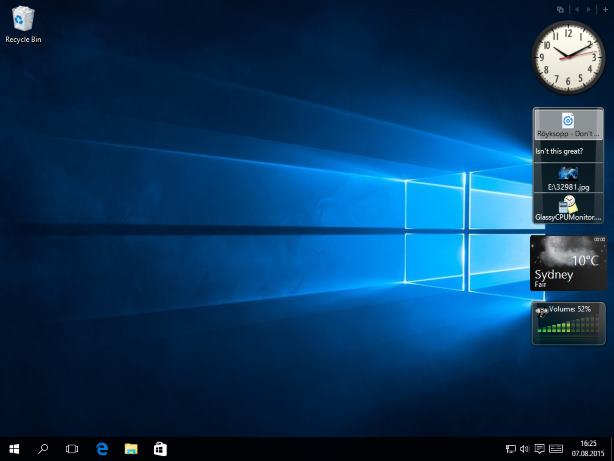
8GadgetPack makes it possible to use gadgets on Windows 10 / 8.1 / 8. 8GadgetPack - a tool that will help bring back the familiar gadgets on the desktop in Windows 8, which will help you quickly get the right information (clock, calendar, weather, currency exchange rates, system, and so on). Gadgets are installed in the same simple manner as earlier. Included with the program are 45 gadgets (official from Microsoft, as well as the most popular), also included is a gadget 7 Sidebar, which mimics the Sidebar gadgets Windows Vista. The program has a set of standard and some additional gadgets, and also supports the installation of new ones.

Feature of the program
handy window c settings "8GadgetPack Tools", which contains the following options
- Disable startup programs;
- Reset all the gadgets (back to how things were after the installation);
- Visit the website of the program;
- Leave a review;
- Uninstall applications

System Requirements: Windows 11 / 10

FREE DOWNLOAD LINKS:

Код:
https://rapidgator.net/file/ffe8c663af9fb4b14734182dd51744ea/GadgetPack_8GadgetPack_42.0_Multilingual.rar

Код:
https://nitroflare.com/view/173CF29607781F8/GadgetPack_8GadgetPack_42.0_Multilingual.rar
 
4e5b437fef933b574f76749946cefc64.jpg


Gillmeister Automatic PDF Processor 2.1.7 | Size: 226.43 MB
Language: English


With Automatic PDF Processor, PDF files can be processed automatically. Any number of folders can be monitored in order to automatically print, rename or move incoming PDF files to dynamically named folders. Numerous metadata of the PDF document can be used in addition to the content, for example to include invoice information in the file path. The PDF files to be processed can be narrowed down with various profile-specific filters - the document text, PDF metadata and general file information are available as filters.

Extraction of data from the text of PDF files is optional. An unlimited number of extraction rules can be created within a profile. The extracted data can be used (after optional validation and formatting) for naming folders or the file name, and can be saved as an extract in a CSV file. Another task that can be automated with the Automatic PDF Processor is the extraction of attachments from PDF files, for example to save ZUGFeRD XML files, XRechnung attachments or similar as part of a PDF invoice in the same folder.

Features:
Print, rename, move, or copy PDF files automatically
Store embedded PDF attachments in any folder for archiving
Extract textual data from PDF documents automatically and save them as CSV file
Monitor any number of folders (hot folder monitoring)
Create individual rules for different tasks
Filter by document text, file date, attachment name or count, title .
Create the storage location (storage folder) dynamically from PDF document properties or based on content
Get informed about different processing statuses by email
Limit the automatic processing of PDF files to certain days and times, for example to print only during office hours
Combine a scan and OCR process with subsequent automatic naming by the Automatic Email Processor in order to be able to file older PDF documents in a structured way as well
Perform subsequent actions e.g., start a program with the path of the saved PDF file or PDF attachment as parameter
Process all already existing PDF files of a folder (with user-defined criteria)
Sort PDF - files automatically or have them moved to another folder and subfolder created dynamically from file properties
Send an Excel report with overview and detailed information on a regular basis

System requirements:
Microsoft Windows 11, 10, 8, 7 or Server (32-bit or 64-bit version)

HOMEPAGE:
Код:
https://www.gillmeister-software.com/

FREE DOWNLOAD LINKS:

Код:
https://rapidgator.net/file/e6685c04ab41fcd09b394e9d7f670ec0/Gillmeister_Automatic_PDF_Processor_2.1.7.rar

Код:
https://nitroflare.com/view/BA89C6196B03BF9/Gillmeister_Automatic_PDF_Processor_2.1.7.rar
 
bbe292bf2bedf0fe9cf86fd98950b8bf.jpg


Goversoft Privazer 4.0.122 Multilingual | Size: 27.61 MB
Language: English


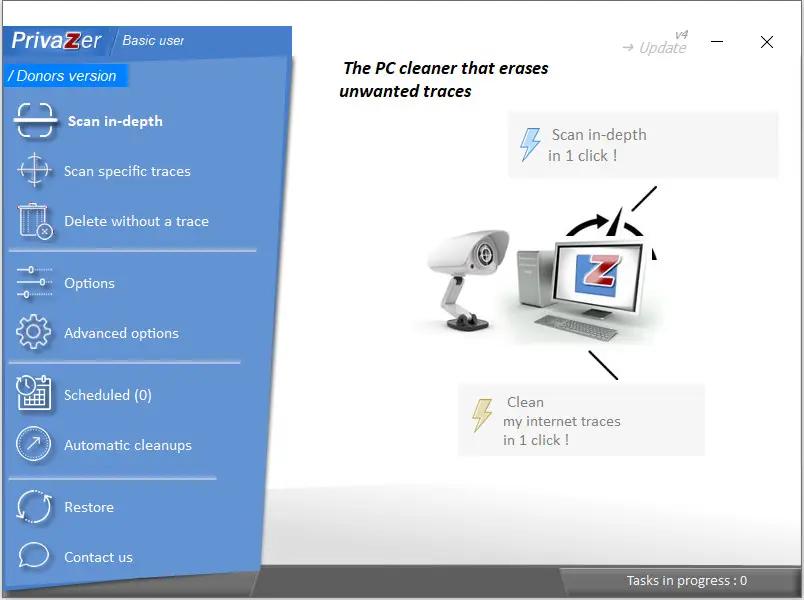
PrivaZer is a program that is designed to ensure the protection of personal data. It scans your hard disk for which data were on it after conventional treatment optimizers. You can then view the data and found to remove them completely, permanently. The program shows the tracks left in the process of surfing the Web, CD burning, the use of IM-clients. Also analyzes the "Start" menu, memory, registry.

Operating System: XP, Vista, Win7, Win8/8.1, Win10, Win11, 32bits & 64bits

HOMEPAGE:
Код:
https://privazer.com/

FREE DOWNLOAD LINKS:

Код:
https://rapidgator.net/file/c6cff601a91faf6f3f2a95aa608d3212/Goversoft_Privazer_4.0.122_Multilingual.zip

Код:
https://nitroflare.com/view/27554714C99E015/Goversoft_Privazer_4.0.122_Multilingual.zip
 
85f8d570b340354e002728125b7e15c0.jpg


JMMGC Write-a-Document 6.3.0.3 | Size: 4.31 MB
Language: English


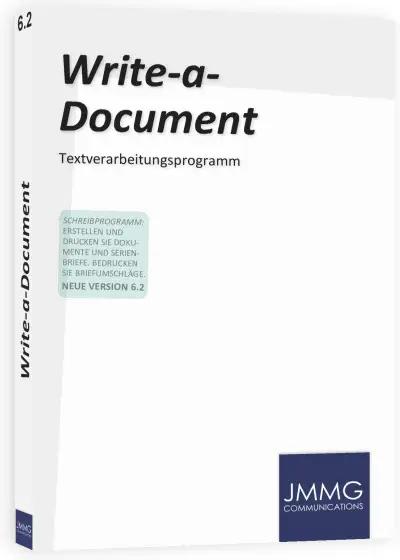
A good writing program doesn´t have to be expensive: Create and edit your documents with Write-a-Document. For documents of any type, form letters and for printing on envelopes. Documents created with Write-a-Document are compatible with most other word processors. Conversely, you can also open Word and OpenDocument documents.** If you have already worked with a word processing software, you will find your way around quickly. This software might also be of interest to you if you need a word processor but not a full office package.

The features of "Write-a-Document" at a glance
Writing program for Windows
Open Word and OpenDocument documents**, export documents as PDF
Open and edit RTF files
Copy documents to OneDrive
Acoustic feedback when saving
Autotext and text module support
Correct frequent misspellings and other anomalies
Restore the last document in the event of a "crash"
Insert date and time, optionally with automatic update
Insert shapes, charts and screenshots
Document templates for annual calendars, lists, letters and more
Phrasing suggestions for different cases
Focused editing mode
Create form letters, print on envelopes
Full 64-bit support
HOMEPAGE:
Код:
https://www.jmmgc.com/write-a-document/

FREE DOWNLOAD LINKS:

Код:
https://rapidgator.net/file/2006cfd6a0a304cab9bbca966f7ae4cb/JMMGC_Write-a-Document_6.3.0.3.rar

Код:
https://nitroflare.com/view/55CC4FD195D5D30/JMMGC_Write-a-Document_6.3.0.3.rar
 
7c3b7e9405f208c450d50ba6e1d76c49.jpg


JP Software CMDebug 36.00.43 (x64) Multilingual | Size: 42.87 MB
Language: English


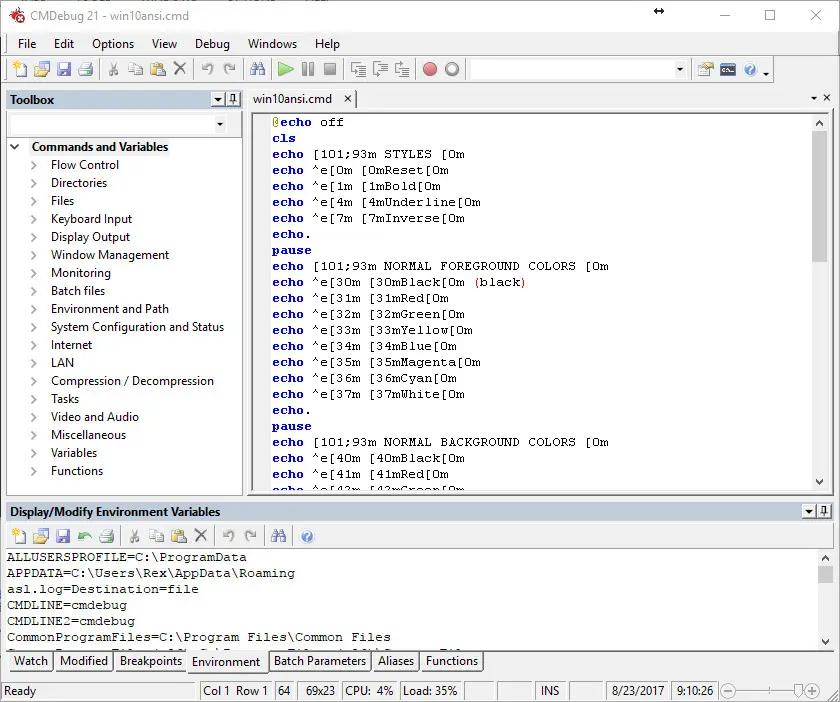
CMDebug is a stand-alone version of the Take Command IDE and batch debugger component. CMDebug is intended for developers creating batch files to run in CMD (the Windows default command processor) or TCC-RT (the free runtime version of TCC).

Operating System:
CMDebug is compatible with any version of Microsoft Windows 8, Server 2012, Windows 10, Server 2016, and Server 2019 (64-bit only)

HOMEPAGE:
Код:
https://jpsoft.com/

FREE DOWNLOAD LINKS:

Код:
https://rapidgator.net/file/27db1b1f434f80a9fe55c95427bd69b8/x64_Multilingual_36.00.43.rar

Код:
https://nitroflare.com/view/9EF910CDF25A2F4/x64_Multilingual_36.00.43.rar
 
129c074c814784bd0029236378c02e37.png


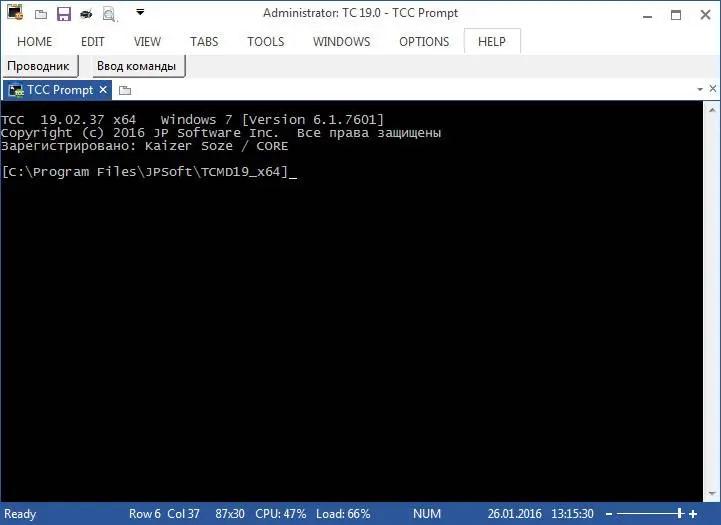
JP Software TCC 36.00.43 (x64) | Size: 54.95 MB
Language: English


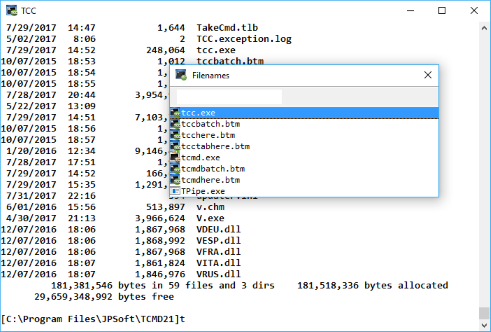
TCC is our console mode Windows command shell (formerly known as 4NT). TCC is a replacement for the CMD command line (the default Windows command prompt). TCC is a superset of CMD, with 255 internal commands (CMD has fewer than 40), 750+ internal variables and functions, and hundreds of enhancements to existing CMD commands.

TCC works with your existing command line applications and batch files, but offers major improvements in command line editing and batch file scripting, and adds thousands of new features to your console windows.

TCC is a CMD replacement command processor that is compatible with your existing CMD commands and batch files, while adding thousands of new features. You're immediately more productive, and you can learn and add TCC's new features at your own pace.
Create and debug your batch scripts in a fraction of the time with the integrated editor and batch file debugger.
The integrated and familiar environment means you are immediately more productive with your interactive command prompt and batch file development tasks.
The consistent syntax reduces learning and development time.
The comprehensive help (including context-sensitive popup help for command line syntax), speeds your development time and reduces syntax errors.

System requirements:
TCC is compatible with any version of Microsoft Windows 10, Windows 11, Server 2016, Server 2019, and Server 2022.

HOMEPAGE:
Код:
https://jpsoft.com/

FREE DOWNLOAD LINKS:

Код:
https://rapidgator.net/file/21b7eb62029d52106ebacd67ab7444f8/x64_36.00.43.rar

Код:
https://nitroflare.com/view/3F9D6659F760C28/x64_36.00.43.rar
 
0c6b52b44392e509fa0d152298440bbf.jpg


JP Software Take Command 36.00.43 (x64) Multilingual | Size: 57.32 MB
Language: English


Take Command is a comprehensive interactive GUI and Windows command line toolkit that makes your Windows command prompts easier to use and far more powerful. Take Command includes optional Windows Explorer integration, tabbed console windows, and major enhancements to standard Windows CMD commands such as COPY, DEL, FOR, MOVE, REN, SET, and START And it and adds 210+ new commands, command dialogs, command line syntax coloring, vastly improved command line editing, programmable filename and directory completion, and thousands of other features.

Take Command is also a powerful batch file programming tool, including an integrated IDE with a sophisticated editor and batch debugger. Take Command offers extensions such as DO loops, SWITCH statements, error and exception handling, system monitoring and event triggers, third-party plugins, and more than 700 built-in variables and functions.

Operating System:
Take Command is compatible with Microsoft Windows 8 and 2012, and Windows 10, 2016, and 2019 (64-bit only)

HOMEPAGE:
Код:
http://jpsoft.com/

FREE DOWNLOAD LINKS:

Код:
https://rapidgator.net/file/89736d170017f907a9f18f0268de9e65/x64_Multilingual_36.00.43.rar

Код:
https://nitroflare.com/view/44866E8F63910D7/x64_Multilingual_36.00.43.rar
 
Назад
Сверху Снизу