All mitsumi'1s Applications !! (updated daily)

ad345bfcd8e9c4a6f75085944fd06898.webp

VX Search 18.2.34 | 39.2 Mb
VX Search is an automated, rule-based file search solution allowing one to search files by the file type, category, ✅File Name, size, location, extension, regular expressions, text and binary patterns, creation, modification and last access dates, EXIF tags, etc. Users are provided with the ability to categorize and filter results, copy, move or delete files, save reports and export results to an SQL database.


VX Search Main GUI Application
The VX Search main GUI application allows one to execute file search operations, review file search results, categorize and filter search results, perform file management operations, export reports, generate pie and bars charts, export search results to an SQL database and much more.
File Search Dialog
VX Search allows one to search files by the file type, category, ✅File Name, location, ✅File Size, creation, modification and last access dates, file attributes, JPEG EXIF tags, etc. In addition, users are provided with the ability to specify sophisticated, multi-level file search rules capable of searching files by multiple criteria combined with logical operators.
Searching Files in Network Servers and NAS Storage Devices
VX Search allows one to scan the network, discover network servers and NAS storage devices, automatically detect all accessible network shares and search files in hundreds of network servers and NAS storage devices.
File Search Results Charts
The VX Search charts dialog provides the ability to generate various types of pie and bars charts, edit the chart's title and footer and copy charts to the clipboard making it very simple to integrate VX Search charts into user's custom reports and presentations.
File Search Reports
VX Search allows one to export HTML, PDF, Excel, text, XML and CSV reports. In addition, the user is provided with the ability to save search results into the VX Search native report format and export search results to an SQL database.
Conditional File Search Actions
Power computer users and IT administrators are provided with the ability to execute custom actions when a search operation finds a user-specified number of files. VX Search allows one to specify the number of search results that should trigger an action and select the action type to perform such as save a report file, export results to an SQL database or send an E-Mail notification.
Supported Operating Systems:
Windows XP, Vista, 7, 8, 8.1, 10 Server 2003, 2008, 2008 R2, 2012, 2012 R2, 2016
Home Page -
Код:
https://www.vxsearch.com/

Rapidgator
Код:
https://rapidgator.net/file/98c89e1ea362cf46b6cf49d0568a27a1/gia0l.VX.Search.18.2.34.rar.html

Код:
https://nitroflare.com/view/3AB2328E5E02E1E/gia0l.VX.Search.18.2.34.rar
 
887d5bee9411fee81bf5af2495e7f536.webp


Windows 11 AIO 16in1 23H2 Build 22631.7219 (No TPM Required) Preactivated June 2026 This is the latest version of Windows OS releases, with new interface and other new features like new Microsoft Store, a new personalized feed powered by AI and best-in-class browser performance from Microsoft Edge, Chat from Microsoft Teams integrated in the taskbar and many more.

Editions Includes
1. "Windows 11 Home"
2. "Windows 11 Home N"
3. "Windows 11 Pro"
4. "Windows 11 Pro N"
5. "Windows 11 Home Single Language"
6. "Windows 11 Enterprise"
7. "Windows 11 IoT Enterprise"
8. "Windows 11 IoT Enterprise Subscription"
9. "Windows 11 Enterprise multi-session"

Windows (x64) | Languages: English | File Size: 6.54 GB


10. "Windows 11 Education"
11. "Windows 11 Pro Education"
12. "Windows 11 Pro for Workstations"
13. "Windows 11 Enterprise N"
14. "Windows 11 Education N"
15. "Windows 11 Pro Education N"
16. "Windows 11 Pro N for Workstations"

What's New

System Requirements For Windows 11
Processor: 2 gigahertz (GHz) or faster.
RAM: 2 gigabyte (GB).
Free space on hard disk: 25 gigabytes (GB).
Graphics card: DirectX 9 graphics device or a newer version.
Additional requirements to use certain features.
To use touch you need a tablet or monitor that supports multitouch.
To access the Windows store to download and run apps, you need an active Internet connection and a screen resolution of at least 1024 x 768 pixels


HOMEPAGE


Код:
https://www.microsoft.com/en-pk


DOWNLOAD

Код:
https://rapidgator.net/file/364953a74c4456e91ee5220671ce9a3e/Win.11.Aio.23H2.22631.7219.Eng.part1.rar.html
https://rapidgator.net/file/e7b964ebba5c472822dab2c79b45dd18/Win.11.Aio.23H2.22631.7219.Eng.part2.rar.html
https://rapidgator.net/file/3023d5d1b0d3a1759c04d2e47cf33d6a/Win.11.Aio.23H2.22631.7219.Eng.part3.rar.html
https://rapidgator.net/file/f1e93700e96fb30054155d4c6c185968/Win.11.Aio.23H2.22631.7219.Eng.part4.rar.html
https://rapidgator.net/file/d3c889840bcdf9308b11cd1eb7a7abc6/Win.11.Aio.23H2.22631.7219.Eng.part5.rar.html
https://rapidgator.net/file/d53520e16a02182a6d822f3394cc5895/Win.11.Aio.23H2.22631.7219.Eng.part6.rar.html
https://rapidgator.net/file/e8e3a3680acfe1cb3708606c3a0c3f8b/Win.11.Aio.23H2.22631.7219.Eng.part7.rar.html

Код:
https://nitroflare.com/view/3E39E9BBF57DC5F/Win.11.Aio.23H2.22631.7219.Eng.part1.rar
https://nitroflare.com/view/C0B09F7AFC39593/Win.11.Aio.23H2.22631.7219.Eng.part2.rar
https://nitroflare.com/view/C0C51B6F4847F24/Win.11.Aio.23H2.22631.7219.Eng.part3.rar
https://nitroflare.com/view/6B1C1D1A3A9B830/Win.11.Aio.23H2.22631.7219.Eng.part4.rar
https://nitroflare.com/view/FBC35A75228E794/Win.11.Aio.23H2.22631.7219.Eng.part5.rar
https://nitroflare.com/view/07C5E03869A2D65/Win.11.Aio.23H2.22631.7219.Eng.part6.rar
https://nitroflare.com/view/144462765DF0438/Win.11.Aio.23H2.22631.7219.Eng.part7.rar
 
0c5ffb8136e074dadb22e9d418e5e637.webp


Wipe Professional 2026.07 Multilingual The primary function of this utility is to put the utmost importance on the privacy and performance of your computer. Our software deletes temporary files, caches, cookies, Internet history, and more, thus freeing up valuable disk space. Deleting unnecessary files can be especially great for those running their systems on smaller SSDs. As a result of the software, you'll receive maximum confidentiality, so prying eyes won't be able to spy on you, record your activities, or do anything malicious.

File size: 6.1 MB


Over 2500 zones supported
Unlike other privacy software on the market that only remove cookies and browser history, our software can dive deeper. The program removes junk files that are created while surfing the Internet. These files don't only waste valuable space, but also allow software developers to track you and use that data to sell or promote their products and services.

Huge list of supported areas
In the latest version of our software, we have put a higher importance on cleaning. Unlike our competitors who routinely add tools to their software that are unrelated to cleaning and end up wasting your time; we do things differently. Our main focus is simple - make your computer clean and private. And we do it best.

Whats New

System Requirements: Windows 7, 8, 10, or 11 (Supports the latest OS updates)


HOMEPAGE


Код:
https://www.privacyroot.com/software/website/freeware-en-welcome.html


DOWNLOAD

Код:
https://rapidgator.net/file/56eeb6da8f5d8b20b55cca02d310bf48/Wipe_Professional_2026.07.7z.html

Код:
https://nitroflare.com/view/F18F7A5FB2F6338/Wipe_Professional_2026.07.7z
 
6ca5822d3cee2fb9752818fbd1df11ff.webp

XYplorer 28.30.1200 (x64) Multilingual Fast Links | 11.3 Mb
XYplorer is a file manager for Windows. It features tabbed browsing, a powerful file search, a versatile preview, a highly customizable interface, optional dual pane, and a large array of unique ways to efficiently automate frequently recurring tasks. It's fast, light, and portable.


It's Tabbed
Tabs let you switch between folders most easily. Drag them around, hide them, lock them, name them, or drop files onto them. The tabs remember their configuration individually and across sessions. On top of this you get tabsets and dual pane.
t's Functional
XYplorer has been designed to make you faster. Numerous usability enhancements in an attractive interface help to streamline your workflow and increase your efficiency. You will definitely save a lot of time.
It's Scriptable
Yes, you can program this app. Individual solutions for individual tasks. No plugins needed, scripts run out-of-the-box. Even beginners can benefit from this feature since many ready-to-use scripts are available in the forum.
It's Fast
Speed has always been a major design goal with XYplorer. The code is constantly optimized for performance, zero tolerance for slowness. On top of that the app uses very little RAM, the executable is light (7 MB), and it loads almost instantly.
It's Reliable and Robust
You can trust XYplorer. It works as intended and expected, and is very hard to destroy. Any issues are immediately attended and usually fixed within hours. A large community is closely watching the development and permanently testing the frequent beta versions.
It's Customizable
You can fine-tune the app to look and behave exactly as you want it. This ranges from fonts and colors to custom toolbar buttons and even file icons and program associations. And every bit of it is fully portable. Even the dark mode.
It's Responsive
Your customer voice is listened to and taken seriously, most of the time you get instant feedback, and your wish might actually get implemented sooner than you'd think.
Operating System:
Windows 11, Windows 10, Server 2019, Server 2016, 8.1, 8, Server 2012, 7, Server 2008, Vista, XP, Server 2003; 32-bit and 64-bit versions.
Home Page -

Rapidgator
Код:
https://rapidgator.net/file/70bf285c7f0a576bff152a1947a0ef5d/adfkw.XYplorer.28.30.1200.x64.Multilingual.rar.html

Код:
https://nitroflare.com/view/C689CA90ABAE9CD/adfkw.XYplorer.28.30.1200.x64.Multilingual.rar
 
a8baabeb919104ac4344b998f643fb55.webp

Zoner Photo Studio X 19.2606.2.697 (x64) | 156.2 Mb
Make every photo better with Zoner Photo Studio X! Your Lightroom® and Photoshop® alternative. ZPS X is the most universal photo software there is. RAW processing. Layer support. Presets. Retouching tools. Video editing. Cataloging. It's all there.


RAW and JPG Editing
Need to handle a giant RAW file? Or maybe 100 photos at once? ZPS X has your back.
An Editor With Layer Support
Thanks to layers and masks, you'll handle cloning, collages, and other photo tricks with ease.
Retouching Tools
The unique retouching brush and the faces tool make portrait enhancement a snap.
Video Editor
Turn your photos into a video, a presentation, or a time-lapse without switching software. Take care of it all in ZPS X.
Presets
Change a photo's whole mood in just one click with one of the best-loved features in ZPS X.
Cataloging
Easily organize hundreds of photos-or thousands. Browse them by date, shot location, keywords, or folders.
Improving Every Day
Several times each year we add a new heap of features and improvements to ZPS X.
Take a look at everything we've already added to ZPS X:
- Faster Work with RAWs
- Transfer Edits Easily Between RAW and JPG
- Face Liquify
- New Distortion Tools
- New Video Clip Tools- Slow & Fast Motion plus Flipping
- A New Video Making Tool
- Importing and Exporting Presets
- Organizing presets into folders
- Linking Zoner Photo Cloud with the Catalog
- Zoner Photo Cloud
- Faster RAW reloading
- New presets
- New Auto-Enhancements
- Improved layer control
- Artificial intelligence
- Non-destructive Smoothing Brush
- Non-destructive Structure Cloning
- Polarizing filter
- Full support for HEIF
- Improved work with masks and layers
- Unlimited photo books layout editing
- Non-destructive retouching brush
- Adjustment Layers
- Tablet pressure support
- Major new video features
- Better contact sheet maker
- Clarity setting
- Batch edits in the Develop module
- Multi-selections
- Photo-print orders from inside of the program
- Filter Brush
- Refine Selection
- New Automatic Edits
- Radial Filter
- Smart Sharpen
- Smart Blur
- Dodge and Burn tools
- Advanced noise reduction in Develop
Automatic Import
ZPS X sees when you attach your camera, imports your photos, and sorts them into folders.
Your Photos, Organized
Sort photos by location, date, folders, or keywords in a flash.
Easy Sharing
ZPS X is the only program that lets you share photos to Instagram. And every other social network is a snap too.
Printing Straight from the Program
You don't have to go anywhere else to order prints, photo books, or calendars. You can do it all straight from ZPS X.
Requirements:Zoner Photo Studio X supports Windows 7, 8 and 10.
Home Page -
Код:
https://www.zoner.com

Rapidgator
Код:
https://rapidgator.net/file/823b214d9fa8152524faf056c30b5154/y19xc.Zoner.Photo.Studio.X.19.2606.2.697.x64.rar.html

Код:
https://nitroflare.com/view/9DB25C812887792/y19xc.Zoner.Photo.Studio.X.19.2606.2.697.x64.rar
 
9cc847a9696984f2ffaa97fabd6ed52f.webp


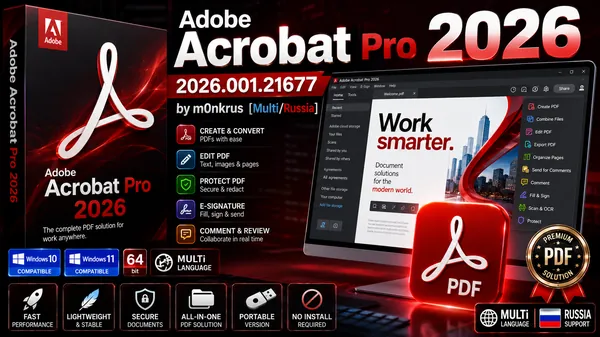
Adobe Acrobat Pro 2026.001.21677 by m0nkrus (MULTi/RUS) Free Download


Adobe Acrobat Pro 2026 is the latest professional PDF solution from Adobe, offering powerful tools for creating, editing, converting, signing, organizing, and securing PDF documents. Enhanced with Adobe Document Cloud services, Acrobat Pro provides a complete document management platform accessible from desktop, mobile, and web devices.

Whether you're working in the office, at home, or on the move, Adobe Acrobat Pro 2026 allows you to manage your PDF workflow efficiently while keeping your documents synchronized across all devices.


Adobe Acrobat Pro 2026 Overview

Adobe Acrobat Pro remains the industry-leading PDF editor trusted by businesses, professionals, educators, and organizations worldwide. The software enables users to create high-quality PDF documents, edit existing files, convert paper documents into searchable PDFs, and securely share information with advanced protection features.

With integrated cloud services and AI-powered productivity tools, Acrobat Pro 2026 streamlines document workflows and enhances collaboration across teams.

Key Features of Adobe Acrobat Pro 2026

  • Create, edit, and organize PDF documents professionally.
  • Convert PDF files to Microsoft Word, Excel, and PowerPoint formats.
  • Merge multiple documents into a single PDF file.
  • Create fillable and interactive PDF forms.
  • Advanced OCR technology for scanned documents.
  • Password protection and document security controls.
  • Electronic signature and document approval workflows.
  • Cloud synchronization across desktop and mobile devices.
  • Edit scanned PDFs instantly.
  • Add multimedia content including audio and video.
  • Redact confidential information permanently.
  • Automate repetitive PDF tasks with guided actions.

Professional PDF Management Tools

Adobe Acrobat Pro 2026 simplifies document management by allowing users to:

  • Combine documents, spreadsheets, emails, and presentations into one PDF.
  • Convert paper documents into editable and searchable digital files.
  • Protect sensitive information with advanced security options.
  • Share and track documents securely.
  • Access files from any location or device.
  • Collaborate efficiently with colleagues and clients.

Electronic Signature Solution

Trusted on more than a billion devices worldwide, Adobe Acrobat Sign enables legally binding electronic signatures from virtually any device. Users can send, sign, track, and archive signed documents through a simple and secure workflow.

The integrated e-signature platform helps businesses accelerate approvals, reduce paperwork, and improve productivity.

What's New in Adobe Acrobat Pro 2026

  • PDF Workspaces - Create dedicated PDF spaces when merging files to better organize related documents and notes.
  • Expanded Language Support - Generate presentation slides with Adobe Express in German, Portuguese, Spanish, English, and French.
  • PDF-to-Podcast Technology - Convert PDF documents into audio content for convenient listening and accessibility.
  • Audio Summaries - Create and listen to short audio summaries of lengthy reports and documents.
  • Microsoft Word Integration - Create PDF Workspaces directly from Microsoft Word documents and launch them automatically in Acrobat.

Advanced PDF Editing Features

  • Edit text and images directly within PDF files.
  • Rearrange, delete, rotate, and organize pages.
  • Convert scanned images into editable content.
  • Export PDFs to Office formats while preserving formatting.
  • Optimize files for sharing and archiving.
  • Support for touch-enabled devices and tablets.

Benefits of Adobe Acrobat Pro 2026

  • Industry-leading PDF editing technology.
  • Comprehensive document management platform.
  • Cloud-based workflow synchronization.
  • Professional OCR scanning capabilities.
  • Advanced security and encryption features.
  • Integrated electronic signature solution.
  • Cross-platform compatibility.
  • Modern touch-optimized user interface.

System Requirements

  • Intel or AMD processor running at 1.5 GHz or faster.
  • Microsoft Windows 11 (64-bit).
  • Microsoft Windows 10 version 1809 or later (64-bit).
  • Windows Server 2016-2019.
  • Compatible with Windows 7 SP1, Windows 8.x, and Windows Server 2008 R2-2012 R2 in modified builds.
  • 2 GB RAM minimum.
  • 4.5 GB available disk space.
  • Display resolution of 1024 x 768 or higher.
  • Optional hardware video acceleration support.

m0nkrus Release Information

  • Updated from version 21.1.20135 to version 26.1.21677.
  • Modern Creative Cloud-style installer interface added.
  • Installation support unlocked for older Windows versions.
  • Adobe Genuine Software Integrity Service removed.
  • Automatic Acrobat update service disabled.
  • Log Transport Application and Adobe Crash Processor modules disabled.
  • Ready-to-use build after installation.

Why Choose Adobe Acrobat Pro 2026?

Adobe Acrobat Pro 2026 delivers everything needed for professional PDF creation, editing, collaboration, and document security. From advanced OCR scanning and cloud synchronization to electronic signatures and AI-enhanced productivity features, Acrobat remains the ultimate PDF solution for business and personal use.

What's New in Adobe Acrobat Pro

Код:
https://helpx.adobe.com/acrobat/using/whats-new.html

Program Information:
Year of release: 2026
Platform: Windows® 11/10
Interface language: Multilanguage / Russian / English
Medicine: not required / pre-activated
File size: 1.5/1.6 GB


Rapidgator
Код:
https://rapidgator.net/file/976705f180cd3ea68e507466cc03b10f/Adobe.Acrobat.2026.u9.x64.rar.html
https://rapidgator.net/file/5b239cc5cd4ca5f92ff6483fcd6fcd69/Adobe.Acrobat.2026.u9.x86.rar.html

Код:
https://nitroflare.com/view/C3C278FE60573C9/Adobe.Acrobat.2026.u9.x64.rar
https://nitroflare.com/view/335B8EC03616742/Adobe.Acrobat.2026.u9.x86.rar
 
c87ae9781f60b89a1bcda8ae2f9a4591.webp


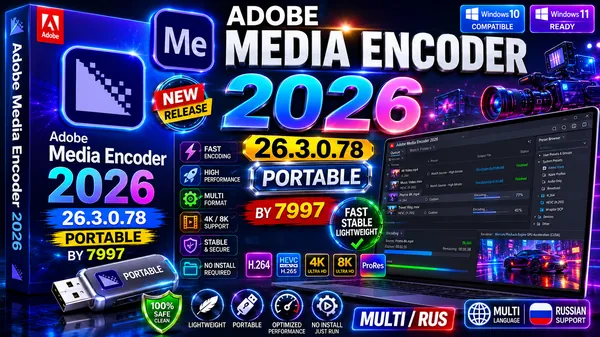
Adobe Media Encoder 2026 v26.3.0.78 Portable by 7997 (MULTi/RUS) Free Download


Adobe Media Encoder 2026 v26 Portable is a powerful media processing and transcoding application designed for professional video and audio workflows. As Adobe's dedicated encoding engine, it allows users to import, convert, compress, create proxy files, and export media content into virtually any popular format.

Fully integrated with Adobe Premiere Pro, After Effects, and other Creative Cloud applications, Adobe Media Encoder streamlines content production while offering high-performance batch processing and advanced export capabilities.


Adobe Media Encoder 2026 Overview

Adobe Media Encoder is the industry-standard media encoding solution trusted by video editors, filmmakers, broadcasters, content creators, and post-production professionals worldwide.

The software supports a wide range of formats and codecs, allowing users to efficiently process media for web, broadcast, social media, streaming platforms, mobile devices, and digital cinema workflows.

This portable edition requires no installation and can be used directly from any storage device without modifying the Windows registry.

Key Features of Adobe Media Encoder 2026

  • Professional video and audio transcoding engine.
  • Batch processing for multiple media files simultaneously.
  • Create proxy media for smoother editing workflows.
  • Export content to virtually any popular media format.
  • Deep integration with Adobe Premiere Pro and After Effects.
  • Support for modern broadcast and cinema delivery formats.
  • High-performance hardware-accelerated encoding.
  • Advanced queue management system.
  • Automated workflow optimization.
  • Portable version with no installation required.

Professional Media Encoding Tools

Adobe Media Encoder provides everything needed for efficient media production:

  • Convert video and audio files between multiple formats.
  • Compress large media files without sacrificing quality.
  • Generate optimized output for YouTube, Vimeo, Facebook, and streaming platforms.
  • Create proxy files for high-resolution editing projects.
  • Process multiple projects in batch mode.
  • Manage encoding jobs through an advanced queue system.

What's New in Adobe Media Encoder 2026

  • Enhanced YouTube Publishing - Select channels, playlists, titles, and custom thumbnails directly during export.
  • Facebook & Vimeo Publishing - Improved social media publishing workflow.
  • Adaptive H.264 Bitrate Encoding - Automatically selects the optimal bitrate based on source resolution and frame rate.
  • GIF Animation Export - Native support for animated GIF creation on Windows and macOS.
  • Improved Time Tuner Effect - More accurate duration adjustments without affecting content quality.
  • Optimized H.264 Presets - Updated encoding presets for better performance and compatibility.
  • RF64 WAV Support - Support for large audio file encoding and decoding.
  • Sony X-OCN Decoding - Improved compatibility with professional Sony camera formats.
  • QuickTime DNx Smart Rendering - Faster rendering and export workflows.
  • Enhanced Timecode Management - Better support for professional broadcast production.

Broadcast & Cinema Production Features

Adobe Media Encoder includes advanced tools designed for professional studios and broadcasters:

  • AS-11 DPP broadcast package creation.
  • Dolby Digital Plus encoding support.
  • Blu-ray compatible Dolby audio formats.
  • Expanded XAVC HD, 2K, and 4K support.
  • Additional XDCAM workflow options.
  • Digital Cinema Package (DCP) export via QuVIS Wraptor.
  • Professional MXF workflow support.

Supported Workflows

  • YouTube content production.
  • Professional video editing.
  • Broadcast television delivery.
  • Cinema mastering workflows.
  • Corporate video production.
  • Social media publishing.
  • Podcast and audio production.
  • Proxy-based editing pipelines.

System Requirements

  • Windows 10 or Windows 11 (64-bit, version 22H2 or later).
  • 6th Generation Intel processor or AMD Ryzen 1000 series with AVX2 support.
  • 8 GB RAM minimum (16 GB recommended for HD workflows).
  • 32 GB RAM recommended for 4K media production.
  • 8 GB available storage space.
  • DirectX-compatible graphics card with at least 2 GB VRAM.
  • 8 GB VRAM recommended for demanding workflows.
  • 1024x768 display resolution minimum.
  • Internet connection required for online services.

Portable Edition Advantages

  • No installation required.
  • Does not modify the Windows registry.
  • Runs directly from external drives or portable storage devices.
  • Supports multiple interface languages.
  • No additional system libraries required.
  • Ideal for professional mobile workflows.

Supported Languages

English, German, French, Spanish, Italian, Japanese, Korean, Dutch, Polish, Portuguese (Brazil), Russian, Swedish, Turkish, Czech, Simplified Chinese, Traditional Chinese, and more.

Why Choose Adobe Media Encoder 2026?

Adobe Media Encoder 2026 is an essential tool for anyone working with professional video and audio content. Its advanced encoding engine, extensive format support, batch processing capabilities, and seamless integration with Adobe Creative Cloud applications make it one of the most powerful media conversion solutions available today.

Whether you're exporting content for YouTube, television, cinema, social media, or enterprise production environments, Adobe Media Encoder delivers reliable, high-quality results with maximum efficiency.

What's New in Adobe Media Encoder

Код:
https://helpx.adobe.com/tr/media-encoder/using/whats-new.html

Information about the Portable build
The program launch file "EncoderPortable.exe".
Doesn't require installing libraries on the system. Leaves no traces in the system.
and registry.
Switch language:
Edit\Settings\Appearance\Language:
Edit\Preferences\Appearance\Language:
OK
Available languages:
cs_CZ, de_DE, en_US, es_ES, fr_FR, it_IT,
ja_JP, ko_KR, nl_NL, pl_PL, pt_BR, ru_RU,
sv_SE, tr_TR, zh_CN, zh_TW.
Folders:
Documents\Adobe\Adobe Media Encoder
Documents\Adobe\Common
Documents\Adobe\Premiere Pro
located in
Media Encoder\App\Documents\Adobe
will be generated when the program is launched.
To reset language settings, delete
Media Encoder\App\Documents\Adobe\Adobe Media Encoder\26.0\AMEPrefs.xml

Program Information:
Year of release: 2026
Platform: Windows® 11/10 (64-bit only)
Interface language: Multilanguage / Russian / English
Medicine: not required / pre-activated
File size: 1.32 GB


Rapidgator
Код:
https://rapidgator.net/file/6182070d6e38f88bb5d3e965303c8546/Adobe_Media_Encoder_2026_26.3.0.78_Portable.7z.html

Код:
https://nitroflare.com/view/D3469090525AD47/Adobe_Media_Encoder_2026_26.3.0.78_Portable.7z
 
f14db2f8f4bcd5b3f8519b93e43aa51f.webp

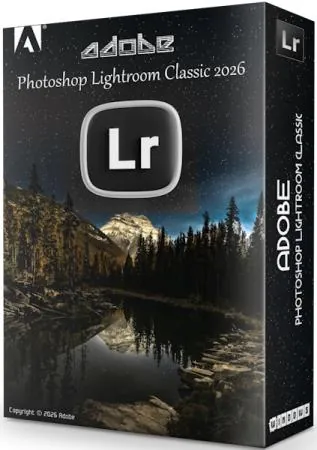
Adobe Photoshop Lightroom Classic 2026 v15.4.0.7 Portable by 7997

Adobe Photoshop Lightroom Classic 2026 is a graphics editor and cataloger for your digital photos. It's arguably the best program in its class for this functionality. Users can organize their collection of graphic files into one or more catalogs and easily navigate, process, select, and search for the content they need. This graphics application is ideal for photographers who regularly manage large numbers of photos, as well as for casual users who regularly take photos and share them on social media.

In general, Lightroom is designed exclusively for photographers interested in processing and cataloging photos, rather than integrating everything. Another unique feature of Photoshop Lightroom is its division of the photo-editing process into distinct stages. Each stage has its own dedicated module with a corresponding set of tools and adjustment palettes.


Lightroom 's functionality includes not only a RAW converter and image processing tools, but also a powerful photo cataloging system, as well as tools for creating slideshows and web pages. Like many modern RAW converters, Lightroom utilizes non-destructive editing. This means that information about all user operations and adjustments is recorded in a service file, while the original image remains unchanged. This approach not only minimizes the risk of permanently losing the original images being processed, but also allows for the creation and printing of multiple versions of the same image without the need to save a corresponding number of full-size graphic files, which quickly eat up hard drive space. After finishing work on a photo, the user can save the processed version as a separate graphic file.

The updated Lightroom Classic app with improved performance lets you import photos, create previews, and instantly switch between Library and Develop modes.
The Boundary Warp feature lets you stretch the edges of a merged panorama, eliminating the need to sacrifice important image details.
With HDR Merge, you can easily create natural or fantastical images. Combine multiple shots with different exposures to create images with dynamic range.

New and improved features in Adobe Lightroom Classic:
• New name: Lightroom Classic
Your favorite photo editor has a new name, but it remains the industry-leading desktop digital photo app.
• Significant increase in productivity
Experience improved performance when launching your app, creating previews, switching from the Develop module to the Library module, moving sliders and brushes, and more.
• Speed ��up image selection
The improved Embedded Preview process speeds up image selection during import.
• Range masking for precise adjustments to a selected area
Select colors and subtle shades for localized adjustments. Use the Local Adjustment Brush, Radial Filters, or Graduated Filters to create a rough mask, then refine the selected area with the new Range Masking feature set.

The program has five modules:
Uploading, cataloging, and searching photos (Library)
Correcting color and tonal parameters of images (Develop)
Creating a Slideshow
Print
Creating web pages to publish image collections on the Internet (Web)

Key features of Adobe Photoshop Lightroom Classic:
An intuitive environment with tools designed specifically for photographers.
Organize, rate, and copyright images.
Creating image presets.
Photoshop integration.
Adjust settings for multiple images with one click.
Cross-platform - support for 64-bit architecture, Mac OS and Windows platforms.
DSLR video file support - Interoperability with most digital SLR cameras allows you to easily manage and organize your still photos and videos.
Adding watermarks - embedding a logo (text or graphic watermark) into an image, adjusting the size, position and opacity.
Quick image import-the import interface is easy to navigate and includes clear visual indicators of where and how photos will be arranged after import.
Perspective correction is a non-destructive way to correct the perspective of an image.
Flexible print settings. Tools allow you to drag and drop one or more images onto the page, then resize and reposition them.
Lens correction is the correction of lens defects such as geometric distortion, chromatic aberration, vignetting, etc.
Upload to the Web - the ability to upload images to Facebook, SmugMug, and Flickr. When you add comments to your photos, these messages instantly appear in your Adobe Photoshop Lightroom library next to the corresponding photos.
Create slideshows with music. Finished slideshows are easy to share with others by exporting (including high-resolution versions).
Computer-assisted photography-instant import and display of photos after the camera captures them.
Film grain simulation. These tools allow you to easily control the grain parameters that can be applied to an image to simulate the look of film.

System requirements :
• 64-bit version of Microsoft Windows 10/11 (version 22H2 or later); 64-bit version of Microsoft Windows 10/11
• Intel or AMD processor with a clock speed of at least 2 GHz with support for 64-bit OS and SSE 4.2
• 8 GB RAM (16 GB recommended)
• 4 GB of available hard disk space; additional free space is required during installation
• Video card with 2 GB of video memory and DirectX 12 support (4 GB recommended for displays with 4K resolution and higher)
• Resolution 1024x768 (1920x1080 or higher recommended)

Assembly information

Run in the system language. Available languages:
en,de,fr,ja,zh_cn,zh_tw,nl,it,co,pt,es,sv,ru,th.
Change language: Edit, Settings, Language (Russian), OK.
If necessary, delete or edit CameraRaw, path:
Lightroom\App\ProgramData\Adobe\CameraRaw.
If necessary, remove Plug-Ins, path:
Lightroom\App\Program Files\Common Files\Adobe\Plug-Ins
Does not require installation of libraries in the system.
Leaves no traces in the system or registry.

Whats New in Adobe Photoshop Lightroom Classic

Код:
https://helpx.adobe.com/ru/lightroom-classic/help/whats-new.html?trackingid=P3KMQNLV&mv=in-product

Program Information:
Year of release: 2026
Platform: Windows® 11/10 (64-bit only)
Interface language: Multilanguage / Russian / English
Medicine: not required / pre-activated
File size: 2.15 GB


Rapidgator
Код:
https://rapidgator.net/file/345e4e963d87ec0eed80844168226513/Lightroom_Classic_2026_15.4.0.7_Portable.7z.html

Код:
https://nitroflare.com/view/3DDF7DB01D464B2/Lightroom_Classic_2026_15.4.0.7_Portable.7z

 
766373f3c53b9d457e9ee2fc1c3592a8.webp


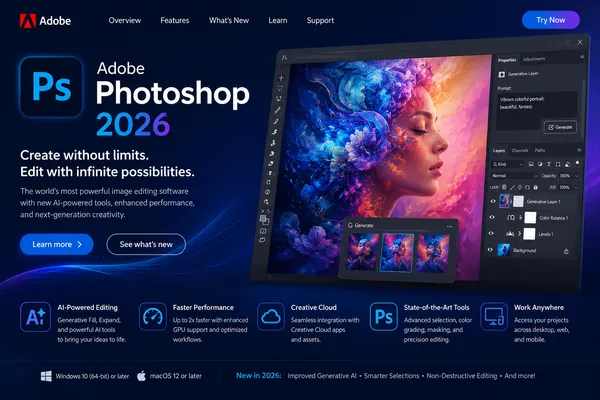
Adobe Photoshop 2026 v27.8.0.13 RePack by KpoJIuK (MULTi/RUS)

Adobe Photoshop 2026 v27 is the world's leading professional image editing and graphic design software, built to bring any creative idea to life with powerful tools and AI-driven features.


Overview
Adobe Photoshop 2026 allows users to create, edit, and enhance photos, illustrations, and digital artwork with industry-leading precision. It is widely used for photo retouching, digital painting, web design, branding, and 3D graphics creation.


Key Features

Creative Design & Illustration
  • Create posters, banners, logos, icons, and website layouts
  • Design digital illustrations and concept artwork
  • Build 3D graphics for print and animation
  • Use advanced brushes for smooth strokes and curves

Professional Photo Editing
  • Retouch, crop, and enhance images with precision tools
  • Remove unwanted objects and restore old photos
  • Adjust colors, lighting, and apply effects
  • Transform photos into artistic compositions

Digital Art & Creativity
  • Turn images into paintings and creative artwork
  • Create textures, patterns, and visual effects
  • Work with layers for full creative control
  • Support for high-resolution projects

Improved Features in Photoshop 2026
  • Enhanced brush management with folders and presets
  • Improved performance for large documents and brushes
  • Lightroom Cloud integration for instant photo access
  • Smoother brush stroke anti-aliasing for cleaner lines
  • Variable font support with full typography control
  • Curvature Pen Tool for faster path creation
  • Improved layer copy & paste functionality
  • HEIF image format support with depth data
  • Improved Select & Mask accuracy and speed
  • Overall performance and stability improvements

AI & Next-Generation Features
  • Generative AI tools with multiple model support (Firefly, Gemini 2.5, FLUX.1 Kontext)
  • Harmonize tool for realistic object blending into backgrounds
  • Generative Upscale up to 2x-4x resolution enhancement
  • Improved AI subject selection (hair, edges, complex objects)
  • Cloud-based collaboration projects
  • Live co-editing for real-time teamwork

System Requirements
  • Windows 10 (21H2/22H2) or Windows 11 (23H2/24H2), 64-bit
  • Multi-core Intel/AMD CPU with SSE4.2 and AVX2 support
  • 8 GB RAM minimum (16 GB recommended)
  • 10 GB free disk space (SSD recommended)
  • GPU with 1.5 GB VRAM (4 GB recommended for 4K)
  • DirectX 12 support
  • 1280x800 display minimum (1920x1080 recommended)
  • Internet connection required for activation and cloud features

Why Choose Photoshop 2026
  • Industry-leading professional editing software
  • Advanced AI-powered creative tools
  • Fast and optimized performance
  • Seamless Adobe ecosystem integration
  • Suitable for beginners and professionals

Assembly information

1. Two-click installation
2. The Creative Cloud app doesn't clutter your system-it only leaves the bare minimum.
3. All localizations are included and can be selected during installation (de-DE, en-US, ru-RU, uk-UA are pre-installed)
4. The original installer is used, problems with other products are excluded

Generative fill doesn't work
Free alternative: Stable Diffusion, paid alternative: Flexy

Command line options :
-S or -S1 - hide the window with the progress of unpacking temporary files
-S2 - show a window with the progress of unpacking temporary files
-S or -S1 or -S2 is a required parameter.

/XPATH="PATH" - specify the installation location.
Default: C:\Program Files\Adobe\Adobe Photoshop 2026

/XVCR - install Visual C++ Redistributable Package (required for the program to work)

Пример: INSTALL.EXE -S /XPATH="C:\Program Files\Adobe\Adobe Photoshop 2026»

Program Information:
Year of release: 2026
Platform: Windows® 11/10 (64-bit)
Interface language: Multilanguage / Russian / English
Medicine: not required / pre-activated
File size: 4.35 GB


Rapidgator
Код:
https://rapidgator.net/file/33f484b92f5f5b5100041fb8838f5a95/Adobe.Photoshop.2026.v27.8.0.13.part1.rar.html
https://rapidgator.net/file/4b7b6f968a897bbe1d6dfaf90b3ecf5d/Adobe.Photoshop.2026.v27.8.0.13.part2.rar.html
https://rapidgator.net/file/cc3c15a215db73d4c5bee2804a8acc87/Adobe.Photoshop.2026.v27.8.0.13.part3.rar.html
https://rapidgator.net/file/9a10094c27a57f25c41862d525275a72/Adobe.Photoshop.2026.v27.8.0.13.part4.rar.html
https://rapidgator.net/file/a84034cc55739c544f9dda57f3c9c9ca/Adobe.Photoshop.2026.v27.8.0.13.part5.rar.html

Код:
https://nitroflare.com/view/235FAE7DD23FD63/Adobe.Photoshop.2026.v27.8.0.13.part1.rar
https://nitroflare.com/view/F03A67CA1DC911A/Adobe.Photoshop.2026.v27.8.0.13.part2.rar
https://nitroflare.com/view/3B23AC5838FD3DF/Adobe.Photoshop.2026.v27.8.0.13.part3.rar
https://nitroflare.com/view/3B78BCCBCD3E068/Adobe.Photoshop.2026.v27.8.0.13.part4.rar
https://nitroflare.com/view/D3754FBD7000E75/Adobe.Photoshop.2026.v27.8.0.13.part5.rar
 
5208ed94e4c91c776df985231219c3eb.webp

Adobe Photoshop Lightroom Classic v15.4.0.7 RePack by KpoJIuK

Adobe Photoshop Lightroom Classic is a graphics editor and cataloger for your digital photos. It's arguably the best program in its class for this functionality. Users can organize their collection of graphic files into one or more catalogs and easily navigate, process, select, and search for the content they need. This graphics application is ideal for photographers who regularly manage large numbers of photos, as well as for casual users who regularly take photos and share them on social media.

In general, Lightroom is designed exclusively for photographers interested in processing and cataloging photos, rather than integrating everything. Another unique feature of Photoshop Lightroom is its division of the photo-editing process into distinct stages. Each stage has its own dedicated module with a corresponding set of tools and adjustment palettes.


Lightroom 's functionality includes not only a RAW converter and image processing tools, but also a powerful photo cataloging system, as well as tools for creating slideshows and web pages. Like many modern RAW converters, Lightroom utilizes non-destructive editing. This means that information about all user operations and adjustments is recorded in a service file, while the original image remains unchanged. This approach not only minimizes the risk of permanently losing the original images being processed, but also allows for the creation and printing of multiple versions of the same image without the need to save a corresponding number of full-size graphic files, which quickly eat up hard drive space. After finishing work on a photo, the user can save the processed version as a separate graphic file.

The updated Lightroom Classic app with improved performance lets you import photos, create previews, and instantly switch between Library and Develop modes.
The Boundary Warp feature lets you stretch the edges of a merged panorama, eliminating the need to sacrifice important image details.
With HDR Merge, you can easily create natural or fantastical images. Combine multiple shots with different exposures to create images with dynamic range.

The program has five modules:
Uploading, cataloging, and searching photos (Library)
Correcting color and tonal parameters of images (Develop)
Creating a Slideshow
Print
Creating web pages to publish image collections on the Internet (Web)

Key features of Adobe Photoshop Lightroom Classic:
An intuitive environment with tools designed specifically for photographers.
Organize, rate, and copyright images.
Creating image presets.
Photoshop integration.
Adjust settings for multiple images with one click.
Cross-platform - support for 64-bit architecture, Mac OS and Windows platforms.
DSLR video file support - Interoperability with most digital SLR cameras allows you to easily manage and organize your still photos and videos.
Adding watermarks - embedding a logo (text or graphic watermark) into an image, adjusting the size, position and opacity.
Quick image import-the import interface is easy to navigate and includes clear visual indicators of where and how photos will be arranged after import.
Perspective correction is a non-destructive way to correct the perspective of an image.
Flexible print settings. Tools allow you to drag and drop one or more images onto the page, then resize and reposition them.
Lens correction is the correction of lens defects such as geometric distortion, chromatic aberration, vignetting, etc.
Upload to the Web - the ability to upload images to Facebook, SmugMug, and Flickr. When you add comments to your photos, these messages instantly appear in your Adobe Photoshop Lightroom library next to the corresponding photos.
Create slideshows with music. Finished slideshows are easy to share with others by exporting (including high-resolution versions).
Computer-assisted photography-instant import and display of photos after the camera captures them.
Film grain simulation. These tools allow you to easily control the grain parameters that can be applied to an image to simulate the look of film.

Benefits of the latest version of Adobe Lightroom Classic

- Rejection with the help of
Quickly select the best frames from a large set of images using the "Culler with" feature. This feature is currently in early access.

- Auto-selection
Easily group images by time and visual similarity. You can also use the "Collection" filter in the Attributes panel.

- Dust removal
Quickly find and remove spots caused by dust on your camera sensor or lens.

- Performance improvements
Achieve significant productivity gains with a smoother, faster, and more accurate user experience when performing interactive editing tasks.

- Scaling when cropping
You can now zoom in while cropping an image for the best selection.

- Support for shooting with a connected Leica camera
Lightroom Classic now supports tethered shooting for Leica cameras.

- Color deviation
Fine-tune the overall tone and color of your photo using the Variance slider in the Spot Color tool.

System requirements :
• 64-bit version of Microsoft Windows 10 (version 22H2) / Windows 11 (version 23H2 or 24H2); 64-bit version of Microsoft Windows 10 / 11
• Intel or AMD processor with a clock speed of at least 2 GHz, with support for SSE 4.2 and AVX2; without AVX2
• 8 GB RAM (16 GB recommended)
• 8 GB of available hard disk space (additional free space required during installation); SSD recommended
• Graphics card with 2GB of video memory and DirectX 12 support (4GB recommended for 4K displays or higher; 8-16GB for maximum GPU acceleration and AI support)
• Resolution 1024x768 (1920x1080 or higher recommended)
• Internet connection and registration are required to access online services.

Assembly information

1. Two-click installation
2. The Creative Cloud app doesn't clutter your system-it only leaves the bare minimum.
3. All localizations are included and can be changed in the program settings.
4. The original installer is used, problems with other products are excluded

Command line options :
-S or -S1 - hide the window with the progress of unpacking temporary files
-S2 - show a window with the progress of unpacking temporary files
-S or -S1 or -S2 is a required parameter.

/XPATH="PATH" - specify the installation location. Default: C:\Program Files\Adobe\
Please note that due to the peculiarities of the official installer, "Adobe Lightroom Classic" will be added to the selected path, so in most cases you should select C:\Program Files\Adobe

/XVCR - install Visual C++ Redistributable Package (required for the program to work)

Пример: INSTALL.EXE -S /XPATH="C:\Program Files\Adobe» /XVCR

Whats New in Adobe Photoshop Lightroom Classic

Код:
https://helpx.adobe.com/ru/lightroom-classic/help/whats-new.html?trackingid=P3KMQNLV&mv=in-product

Program Information:
Year of release: 2026
Platform: Windows® 11/10 (64-bit only)
Interface language: Multilanguage / Russian / English
Medicine: not required / pre-activated
File size: 2.38 GB


Rapidgator
Код:
https://rapidgator.net/file/76656498bc36ed7de23349c3594a769e/Adobe.Photoshop.Lightroom.Classic.v15.4.0.7.rar.html

Код:
https://nitroflare.com/view/5C54C1C5855FEE0/Adobe.Photoshop.Lightroom.Classic.v15.4.0.7.rar
 
1a174da5768da1430ccd4f6da39bd4d7.jpg


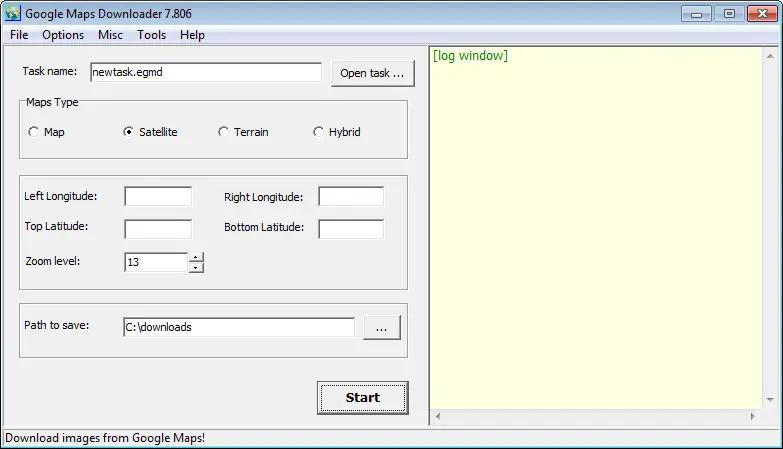
AllMapSoft Google Maps Downloader 8.889 | Size: 25.97 MB
Language: English


Google Maps Downloader is a tool that help you to get small tile map images from Google Maps. All downloaded small images are saved on the disk. You can view downloaded maps by Map Viewer Or you can combine them into a big BMP map.

HOMEPAGE: Code:
Код:
http://allallsoft.com/


DOWNLOAD LINKS:


Код:
https://rapidgator.net/file/d9de94bc77c141310b04e69a90e23096/AllMapSoft_Google_Maps_Downloader_8.889.rar.html

Код:
https://nitroflare.com/view/942C5CA815FE537/AllMapSoft_Google_Maps_Downloader_8.889.rar
 
866ca615cd7cf94c8528da5c416810a2.webp


AllMapSoft Google Satellite Maps Downloader 8.418 | Size: 25.6 MB
Language: English


Google Satellite Maps Downloader is a cute tool that helps you to get small tile satellite images from google maps. All downloaded small images are saved on the disk. You can view downloaded maps by Map Viewer Or you can combine them into a big bmp, jpg, tif, png, ecw, sgi, img, kmz map.

You can use the offline maps in GIS softwares such like Global Mapper, QGIS, TatukGIS, etc. And the exported sqlite database can be used for some APPs, such like RMaps, Locus Map, OruxMaps, MapBox, etc.

Operating System: Windows 7, 8/8.1, 10

HOMEPAGE:
Код:
http://www.allmapsoft.com/


DOWNLOAD LINKS:


Код:
https://rapidgator.net/file/47887d9372c6ce3b074d4dd6484f3474/AllMapSoft_Google_Satellite_Maps_Downloader_8.418.rar.html

Код:
https://nitroflare.com/view/EA16F7C54423EC9/AllMapSoft_Google_Satellite_Maps_Downloader_8.418.rar
 
392f705fea47ec12109a2376bd4ea3e1.webp


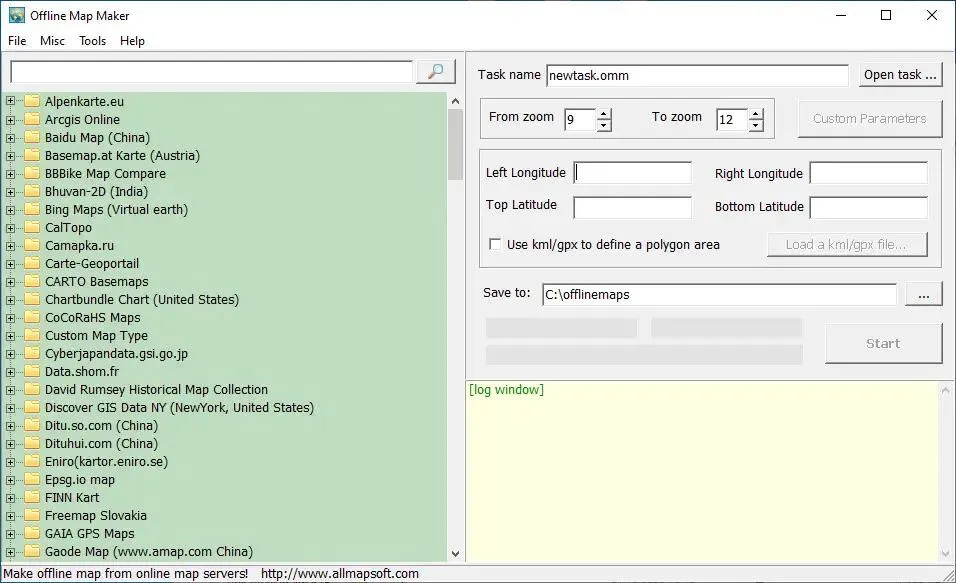
AllMapSoft Offline Map Maker 8.387 | Size: 28.5 MB
Language: English


Offline Map Maker is a tool that help you to get offline tile images from many online maps providers, including 500+ maps types.

It supports multi-zoom level images download, supports kml and gpx as input parameters, can output html files for leaflet, openlayers and googleapi, can output bmp, jpg, tif, png, ecw, sgi, img, kmz as a big map, can output mbtiles for mobile apps to use.

Operating System: Windows 7, 8/8.1, 10, 11

HOMEPAGE:
Код:
http://www.allmapsoft.com/


DOWNLOAD LINKS:


Код:
https://rapidgator.net/file/71599d322b1e0396ca2c31ce4ce3fc07/AllMapSoft_Offline_Map_Maker_8.387.rar.html

Код:
https://nitroflare.com/view/10CEB8EB861A483/AllMapSoft_Offline_Map_Maker_8.387.rar
 
99810c75250134ab92d27ed874c67294.webp


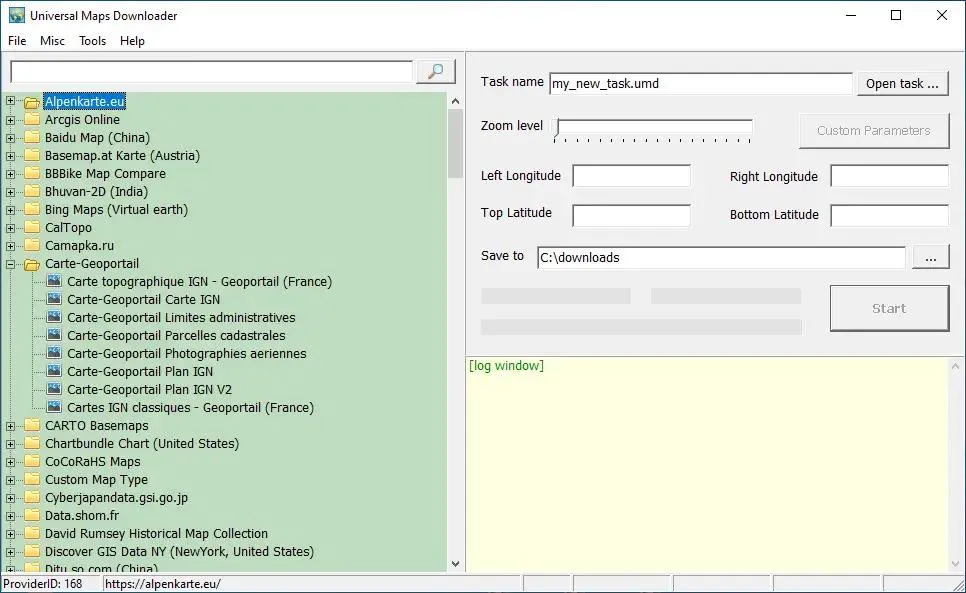
AllMapSoft Universal Maps Downloader 10.255 | Size: 27.37 MB
Language: English


Universal Maps Downloader is also a tool like Offline Map Maker, that helps you to get offline tile images from many online maps providers, including 500+ maps types.

It is different with Offline Map Maker, it can only download single zoom level images, does not support kml and gpx, does not output html files.

Operating System: Windows 7, 8/8.1, 10, 11

HOMEPAGE:
Код:
http://www.allmapsoft.com/


DOWNLOAD LINKS:


Код:
https://rapidgator.net/file/dd7943db1928ac707f92ffc77a2f52de/AllMapSoft_Universal_Maps_Downloader_10.255.rar.html

Код:
https://nitroflare.com/view/B7A41D2F09A0864/AllMapSoft_Universal_Maps_Downloader_10.255.rar
 
3aaa9420348d84f6c9214521e732d64a.webp

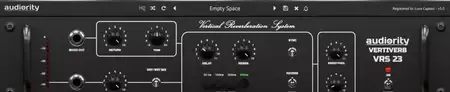
Audiority VertiVerb VRS23 v1.0.1 | 10.57 MB
Audiority VertiVerb VRS23 is an audio effects plugin that recreates the distinctive character of the Dynacord® VRS 23, a classic early-1980s hardware unit known for its unusual blend of analog echo and reverberation. Originally built around a network of 10 BBD (Bucket Brigade Device) chips, the hardware produced a spacious and musical ambience that differed significantly from conventional reverbs of its era.
This plugin accurately captures the tonal behavior and response of the original unit, including its characteristic bandwidth limitations and analog-style modulation. The result is a unique combination of delay and reverb textures that can add vintage depth, movement, and atmosphere to vocals, guitars, synthesizers, drums, and other instruments.


In addition to reproducing the original design, Audiority has expanded the functionality with modern enhancements. Dedicated feedback and clock controls allow detailed adjustment of regeneration and BBD timing, while features such as tempo synchronization, ducking, and flexible gain staging provide greater control within contemporary music production workflows.
Key Features:
  • Faithful recreation of the Dynacord® VRS 23
  • BBD-based analog echo and reverb simulation
  • Authentic bandwidth behavior based on delay time
  • NE570 compander circuit emulation
  • Adjustable delay time control
  • Feedback (Regen) parameter
  • Four selectable delay time ranges
  • Built-in modulation section
  • Dedicated feedback trimmer
  • Clock trimmer for BBD speed adjustment
  • Tempo synchronization support
  • Integrated ducking control
  • Pre and post-effect gain controls
  • Wet/dry mix adjustment
  • Resizable user interface

Home Page

Код:
https://www.audiority.com/shop/vertiverb-vrs23/

Rapidgator
Код:
https://rapidgator.net/file/d3fae3548fcbac75b55618a18a7d4760/nidyw.Audiority.VertiVerb.VRS23.v1.0.1.rar.html

Код:
https://nitroflare.com/view/C84A64B67285A8A/nidyw.Audiority.VertiVerb.VRS23.v1.0.1.rar
 
c9553b7fcb44921209fe39f75f974828.webp


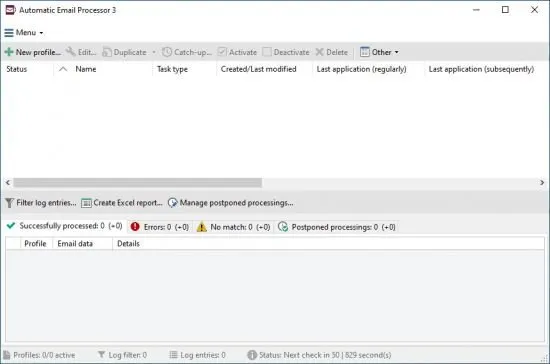
Automatic Email Processor 4.0.29 Automatic Email Processor is the complete solution for Outlook to store and print incoming emails and their attachments automatically. For this, various filters, flexible configuration options, such as individually definable storage folders and the possibility of subsequent processing are available. For example, the path of the location where you want Automatic Email Processor to save certain emails or email attachments, can be assembled dynamically from individual properties of an email.

File size: 85 MB


For storing email messages, inter alia, the output format can be specified (for example, PDF, RTF, or HTML). The Outlook message format (MSG files) is for example particularly suitable to back up e-mails. The program supports the creation of an unlimited number of rules to allow separate settings for different email accounts. Rules can be additionally applied to emails of a specific time period or to any previously received emails of an Outlook folder.

WITH AUTOMATIC EMAIL PROCESSOR, YOU CAN
Automatically store respectively archive email attachments
Save emails automatically (as PDF file or in the original format)
Automatically print emails and email attachments (PDF files, Office documents etc.)
Monitor an unlimited number of Outlook folders
Create custom rules for different tasks
Filter by subject, sender, recipient, attachment file name ...
Receive information about the processing status via email
Create storage folders dynamically from properties of an email
Perform subsequent actions such as start a program with parameters, mark the message as read, or move the email into another Outlook folder
Re-process all emails (with certain criteria) of an Outlook email folder
Archive emails from any Outlook folder and period (e.g. as MSG files)

Whats New

System Requirements: Windows 11, 10 or Server (64-bit)


HOMEPAGE


Код:
https://gillmeister-software.com/


DOWNLOAD

Код:
https://rapidgator.net/file/3ece6a6612d61b98ebb47ad9b9efaa36/Automatic_Email_Processor_4.0.29..rar.html

Код:
https://nitroflare.com/view/6801AF979CEDCED/Automatic_Email_Processor_4.0.29..rar
 
e677305133a9125b3c01c7f793faad3d.webp

BandLab Cakewalk Sonar v32.06.0.067 | 330.95 MB
BandLab Cakewalk Sonar is a professional digital audio workstation (DAW) designed for recording, editing, mixing, and producing music in a streamlined creative environment. Built upon the foundation of the widely used Cakewalk by BandLab platform, this updated release introduces a refreshed visual design, modern enhancements, and improved usability while preserving the workflow that musicians and producers have relied on for years.
The software combines advanced audio production capabilities with an efficient interface that helps users stay focused on composition, recording, and sound design. Whether working on music production, podcast creation, audio editing, or complex multitrack projects, Sonar provides a complete set of tools for every stage of the production process.


With improved high-DPI support and a refined user experience, Cakewalk Sonar delivers a modern workspace for today's studio environments. The application retains the familiar workflow and powerful production features that have made Cakewalk a preferred choice among recording engineers, composers, and music creators.
Key Features:
  • Professional digital audio workstation
  • Recording, editing, and mixing environment
  • Comprehensive music production toolkit
  • Modernized interface design
  • Enhanced high-DPI display support
  • Efficient workflow for creative projects
  • Advanced audio production capabilities
  • Multitrack recording and arrangement tools
  • Suitable for music, podcast, and audio production
  • Built on the Cakewalk by BandLab platform
  • Refined user experience and navigation
  • Maintains familiar Cakewalk workflows

Home Page

Код:
https://www.cakewalk.com/sonar

Rapidgator
Код:
https://rapidgator.net/file/df43cf53cbb2096d9cc7061da37d9170/yepgq.BandLab.Cakewalk.Sonar.v32.06.0.067.rar.html

Код:
https://nitroflare.com/view/5213917CFA52545/yepgq.BandLab.Cakewalk.Sonar.v32.06.0.067.rar
 
d990afd214263f94a6fb5f5bab0cae94.webp


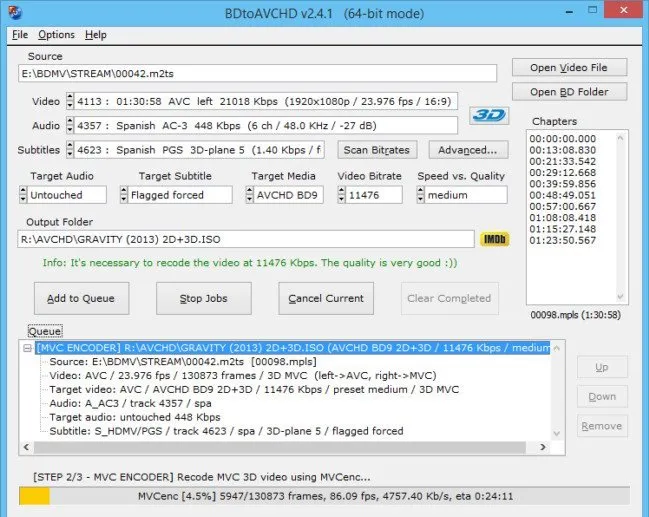
BDtoAVCHD 3.2.0 | Size: 44.65 MB
Language: English


BDtoAVCHD is a tool to create AVCHD discs from Blu-Ray or HD MKV files. As output we get the folder structure ready to burn to a DVD5 or DVD9. The AVCHD format allows playback the same type of content that a Blu-Ray and holding high definition (1080p) but on DVD5 or DVD9 media. It is ideal for backing up Blu-Ray with much smaller size and maintaining high quality. The recorded discs obtained are compatible with almost any Blu-Ray player and PS3. Also can convert Blu-Ray to MKV and Blu-Ray 3D to MKV 3D SBS (side-by-side).

Key Features
Finds the main .m2ts file for the movie by just selecting the BDMV folder or Blu-Ray root.
Extract all information from the audio tracks, video and subtitles: length, language, format, etc.
Extract chapter information or allows to add it.
Select default audio track based on the language preferences and most appropriate criteria for the best quality but can also be set manually.
Calculates the video bitrate to fill the DVD5 / DVD9 (most of the times gets filled between 99-100%).

Converts audio (only if necessary): PCM to AC3, DTS-HD MA to DTS Core, DTS to AC3, etc.
Detect delays in the original audio tracks and transfers them to the final job.
Recompress the video using x264 64-bit if the computer supports it.
Do not use external codecs like avisynth or ffdshow or Haali splitter in the process of video conversion.
We can select a forced subtitle track is active by default when playing the disc.
Allows to program multiple conversions in the queue and execute them one after another automatically.
Multitasking: be can add new jobs in the queue while processing others.
Various output sizes: DVD5 / DVD9 / USB 4GB / BD-25 and Custom.
Ability to create a BD-25 without re-compressing video (BDRemux).
MKV as alternate output: allows to convert Blu-Ray to MKV recoding the video or without recoding (BDremux).
3D ready: from Blu-Ray 3D we can get a AVCHD 3D or MKV 3D SBS/TAB.
MVC encoding: ability to shrink 3D Blu-Ray to BD25/BD9 maintaining 3D MVC format (Intel Quick Sync encoder).
Ability to encode MKV's using x265/HEVC codec.

System Requirements: Windows 11, Windows 10, 8 , 7


DOWNLOAD LINKS:


Код:
https://rapidgator.net/file/e6c6e619561045f21deb4bc7d3bd0b26/BDtoAVCHD_3.2.0.rar.html

Код:
https://nitroflare.com/view/1C0D29A0625F31E/BDtoAVCHD_3.2.0.rar
 
98a9ef8f3f5a50161aff0d1368e4089b.webp

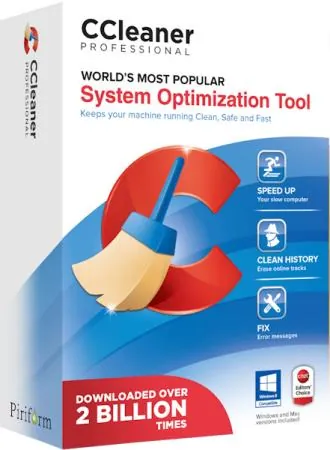
CCleaner Professional / Business / Technician 6.41.11566 + Portable

CCleaner Professional / Business / Technician is a powerful application for system optimization and user security. It removes unused and temporary files, making Windows run faster and freeing up hard drive space.


Key Features:
Removing traces of internet surfing
Deletes browsing history, cookies, temporary files, and download history in all popular browsers-Internet Explorer, Opera, Firefox, Google Chrome, Safari.
Removing traces of work in Windows
Clipboard, temporary and Windows log files, recent documents list (in the Start menu), search history, recycle bin files, memory dumps, outdated Prefetch data in Windows XP.
Clearing data from other programs
CCleaner also cleans temporary files and recently opened files lists of other programs, such as: Media Player, Safari, eMule, Kazaa, Google Toolbar, Netscape, MS Office, Nero, Adobe Acrobat, WinRAR, WinAce, WinZip and others...
Registry cleaning and optimization
The program's built-in registry cleaner allows you to diagnose problems and identify unused entries. It removes unused file extensions, ActiveX controls, ClassIDs, ProgIDs, shared DLLs, references to fonts removed from the system, help files, icons, invalid shortcuts, and much more.
Using CCleaner is safe for your system.
The program is designed to be easy and safe to use. CCleaner contains multiple levels of verification, so you can be absolutely sure you won't delete any information essential to your system's operation.
Another useful feature is the ability to completely erase files.
CCleaner has the ability to completely delete files from a disk with multiple overwriting cycles, making it impossible to recover them in any way.

Cleaning other programs :
CCleaner not only removes old files and other data from standard Windows components, but also allows you to clean temporary files and recent document lists in many other programs:
Firefox
» Opera
Safari
» Media Player
» eMule
» Kazaa
» Google Toolbar
Netscape
Microsoft Office
» Nero
Adobe Acrobat Reader
WinRAR
» WinAce
» WinZip
"And others...

Cleaning the registry :
CCleaner uses an advanced registry cleaner to check for various issues and inconsistencies. It checks:
» File extensions
» ActiveX controls
» ClassIDs
» ProgIDs
» Uninstallers
» Shared DLLs
» Fonts
» Help file links
» Application Paths
» Icons
» Incorrect labels

Safety :
CCleaner was designed from the ground up to be safe and reliable. It features several powerful layers of verification to ensure no important information or documents are deleted. We also guarantee that CCleaner is free of spyware or adware.

What's New in CCleaner

Код:
https://www.ccleaner.com/ccleaner/release-notes/

Program Information:
Year of release: 2026
Platform: Windows® 11/10/8.1/7
Interface language: Multilanguage / Russian / English
Medicine: patch-XoRaX | portable
File size: 345.0 MB


Rapidgator
Код:
https://rapidgator.net/file/b9a3a96a38d32f836985a153575b6cae/CCleaner.6.41.11566.7z.html

Код:
https://nitroflare.com/view/EF8534BC95E64AD/CCleaner.6.41.11566.7z
 
288336e8f9bd7e9d456c61e3143c33e1.webp

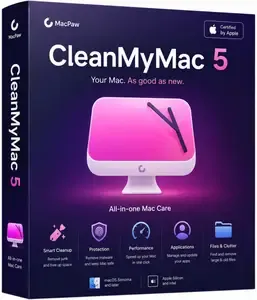
CleanMyMac 5.5.4 (50504.0.2605291449) Multilingual macOS | 156.7 Mb
CleanMyMac is all-in-one package to awesomize your Mac. It cleans megatons of junk and makes your computer run faster. Just like it did on day one. CleanMyMac X chases junk in all corners of your macOS. It cleans unneeded files, like outdated caches, broken downloads, logs, and useless localizations. You can remove tons of clutter that lurks in iTunes, Mail, Photos, and even locate gigabytes of large hidden files. Mac cleaning tools in CleanMyMac will cut the extra weight in seconds.
Each time your Mac stalls, you got a full deck of speedup tools: Free up RAM, Maintenance scripts, controls for Login Items, Launch Agents, and Hung Applications. This will lessen your system load and tune the Mac for maximum performance. When your machine is productive, you too are productive.


Are there viruses on Mac? Not on yours, if you try Mac cleaning with CleanMyMac. It fights off malware, adware, ransomware, and all them -wares that are specific to the macOS. When the issue is found, the app deletes it right away. We update our malware database regularly and CleanMyMac's Protection module always has your back.
To make your Mac life more orderly, you got a cool duet of Uninstaller and Updater. The first fully removes apps you don't want, and the second, instantly updates all your software. Bad apps are removed completely and new ones always arrive in time. This helps fix software conflicts and keeps your Mac forever young.
FEATURES:
- Easy to use, user-friendly interface
- Drag and drop nature
- Slims universal binaries
- Removes useless language translations
- Most accurate application uninstallation
- Quick and Secure file eraser
- Manages widgets, plugins and preference panes
- Erases garbage left from previously removed applications and widgets
- Monitors your Trash helping you to uninstall trashed applications correctly
- Keeps an eye on your removable devices to clean them up from junk service files
System Requirements:
* macOS 11 or later
* Apple Silicon or Intel Core processor
Home Page -
Код:
https://macpaw.com/cleanmymac

Rapidgator
Код:
https://rapidgator.net/file/090218d1190197cb64019634e3f61631/a4rfe.CleanMyMac.5.5.4.50504.0.2605291449.Multilingual.macOS.dmg.html

Код:
https://nitroflare.com/view/EE0735E102AFCA4/a4rfe.CleanMyMac.5.5.4.50504.0.2605291449.Multilingual.macOS.dmg
 
Назад
Сверху Снизу