All mitsumi'1s Applications !! (updated daily)

24aa373963d2747586bf5499ad7a3c63.jpg


Formware 3D SLICER 1.3.5.7 (x64) Multilingual | Size: 145.05 MB
Language: English


Powerful 3D Printing slice and support generation software. 3D Print job preparation can be a time consuming task. Orienting, supporting and slicing your build jobs in a way that they actually print can be challenging.

Features
Premium Support generation and editting
AUTOMATIC GENERATION
The fastest way to support generation for your prints. Automatic.

100% DRAGGABLE SUPPORTS
Just drag supports and the geometry adapts automatically.

POINT/LINE MODE
Edit supports more easily in point/line mode.

ADVANCED EDGE & SURFACE EDITS
Edit/resample/delete critical detected surfaces or edges.

Quick Mesh editting
MESH HOLLOWING
Hollow your mesh to save printing material and create a light weight structure.

LATTICE INFILLS
Add perfect lattice infills to get a strong part.

DRAINAGE HOLES
Add holes to your hollow parts to lets material flow out easily during printing

MIRRORING & SCALING
Easily mirror/scale your supported part including supports. Saving you time.

Easy User interface
3D Dlp printer support generation slicer
OBJECT MANIPULATOR
Easily move/rotate/scale your objects with the click and drag manipulator.

3D Dlp printer support generation slicer
COPYING
Array copy objects to build an entire table with a few clicks.

IMPORT & EXPORT
Import and export .stl, .slc, .obj, .ply, .amf and project files to save all your work.

SHORTCUTS & MORE
Formware 3D includes an extensive list of keyboard shortcuts to save you time.

Supported printers
Designed for resin and inkjet 3d printers.
Used with the following machines:
Generic LCD/DLP machines
Kudo 3d (slice export)
Wanhao D7/D7 Plus (.cws export + printcontroller)
Wanhao D8
Anycubic photon (.photon)
Anycubic photonS (.photons/.pws)
Phrozen Shuffle & Shuffle XL
Elegoo Mars (.cbddlp export)
Epax X1/X10 (.cbddlp export)
NanoDLP machines (connect with IP address, upload: .stl, .slc or .png)
Peopoly Moai/SLA (slice as .gcode)

HOMEPAGE: Code:
Код:
https://www.formware.co/slicer


DOWNLOAD LINKS:


Код:
https://rapidgator.net/file/184a2701d645dcdb2b3627fd539ce974/Formware_3D_SLICER_1.3.5.7_x64_Multilingual.rar.html

Код:
https://nitroflare.com/view/4E9AC3B31D09EE6/Formware_3D_SLICER_1.3.5.7_x64_Multilingual.rar
 
b095e2027136b8540e827a8780174c60.jpg


GibbsCAM 2027 v27.0.39.0 (x64) | Size: 2.57 GB
Language: English


GibbsCAM® is cutting-edge CAM software for programming CNC machine tools with the power and flexibility to make parts the way you want. With its single, shop-friendly interface that is customizable and easy to navigate, you'll maximize productivity. Whether you're a CNC programmer, machinist, or manufacturing engineer, you'll find familiar terminology, icons that make sense, and logical processes. With GibbsCAM, CNC programming is flexible, fast, reliable, and efficient.

Why GibbsCAM?
Single CAM software solution for any CNC machine
Easy-to-use, customizable interface designed specifically for NC programming
Proven, error-free library of post processors developed in-house
Accurate, industry-leading machine simulation for even the most complex machines
Multi-task machining (MTM) programming capabilities
Integration with CoroPlus® Tool Library
Benefits for all users
More Tooling Flexibility
More Powerful Milling

System Requirements
Windows 11 (with all available Windows updates).
Intel: Xeon, Core i9 or i7 with four or more cores or AMD: Ryzen or Threadripper.
16 GB minimum; 32 GB or more recommended for complex parts, large assemblies, or multitasking with other software (e.g., CAD programs)
A quality Nvidia with 4+GB of video memory with the latest drivers installed. (e.g., GeForce RTX series or Quadro P4000/P5000).
2 GB of available hard drive space (for virtual memory usage and temporary file storage).

HOMEPAGE: Code:
Код:
http://www.gibbscam.com


DOWNLOAD LINKS:


Код:
https://rapidgator.net/file/7df57272238c89c41ca25cb6be162ced/Gibbscam.2027.v27.0.39.0.Win64-SSQ..part1.rar.html
https://rapidgator.net/file/407d83f219b0980abdc9c0307ee9740b/Gibbscam.2027.v27.0.39.0.Win64-SSQ..part2.rar.html

Код:
https://nitroflare.com/view/825891745FD7F22/Gibbscam.2027.v27.0.39.0.Win64-SSQ..part1.rar
https://nitroflare.com/view/9A3D25E90D4251D/Gibbscam.2027.v27.0.39.0.Win64-SSQ..part2.rar
 
df74e7a8e299f2f9b9a00c101d60810b.webp

Free Download Hasleo Backup Suite Technician 5.9.2.3 Multilingual WinPE | 738.9 Mb
Hasleo Backup Suite Technician is a Windows backup, restore, and disk cloning solution designed for protecting operating systems, disks, partitions, and individual files or folders. It supports Windows PCs and Servers and provides native support for x86, x64, and ARM64 platforms.
The software can create full, incremental, and differential backups, restore data from backup images, and clone Windows installations or complete disks to other storage devices. Advanced options include scheduling, retention policies, filtering, encryption, compression, and backup image management.
Hasleo Backup Suite also provides WinPE emergency media creation and command-line support, making it suitable for system recovery and disk migration tasks.


Software Overview

Hasleo Backup Suite Technician combines backup, restore, and cloning functions for Windows systems. Users can protect complete operating systems, individual disks and partitions, or selected files and folders, then restore the required data when needed.
The cloning tools support Windows system migration to SSDs or larger-capacity drives, complete disk duplication, and partition cloning. Backup images can also be compressed, encrypted, split, merged, mounted, checked, and managed directly within the software.

Key Features

  • System Backup and Restore: Back up Windows system, boot, and recovery partitions for system recovery.
  • Disk and Partition Backup: Create backup images of complete disks or individual partitions.
  • File and Folder Backup: Back up selected files and folders without creating a full-drive backup.
  • System Clone: Clone a Windows installation to another SSD or higher-capacity drive without reinstalling Windows, applications, and drivers.
  • Disk Clone: Create an exact replica of a source disk on a target disk.
  • Partition Clone: Clone individual partitions to another location on the same disk or a different disk.
  • Backup Modes: Supports full, incremental, and differential backup methods.
  • Delta Clone and Restore: Clone or restore only changed blocks to improve processing speed.
  • Backup Image Management: Compress, encrypt, split, merge, delete, mount, and check backup image files.
  • Advanced Backup Options: Configure file filters, schedules, and retention policies.
  • WinPE Emergency Disk: Create bootable WinPE media for emergency recovery operations.
  • Command Line Interface: Provides CLI support for command-line backup and recovery operations.
  • File System Support: Supports FAT, NTFS, exFAT, and ReFS file systems.
  • Platform Support: Supports x86, x64, and ARM64 processors.

System Requirements

  • Operating System: Windows Vista or later
  • Server Operating System: Windows Server 2008 or later
  • Processor Architecture: x86, x64, and ARM64

Home Page

Код:
https://www.easyuefi.com/

Product Information
  • Software Name: Hasleo Backup Suite Technician
  • Version: 5.9.2.3
  • Architecture: x86 / x64 / ARM64
  • Languages: Multilingual
  • License type: Full Version
  • File Size: 738.9 Mb
Rapidgator
Код:
https://rapidgator.net/file/7df4a9555483eb0c9d0852c09350dea0/hgeh9.Hasleo.Backup.Suite.Technician.5.9.2.3.Multilingual.WinPE.iso.html

Код:
https://nitroflare.com/view/4D64CBF34D3CE5C/hgeh9.Hasleo.Backup.Suite.Technician.5.9.2.3.Multilingual.WinPE.iso
 
27163c6f90e78771323b6a794fcc762d.webp

Free Download Insert Audio Insert Crusher v0.1.5 | 6.9 MB
Insert Crusher is a compact audio processing plugin that combines saturation, filtering, and compression for shaping the character and dynamics of individual tracks. It can add warmth, grit, weight, or more aggressive distortion depending on the processing intensity.
The plugin combines tube-style warmth, crunch, resonant filtering, compression, input drive, output trim, and wet/dry mixing in a single interface. It can be used for subtle tonal enhancement or more pronounced processing effects.
Insert Crusher is suitable for processing drums, bass, synthesizers, and parallel effect channels where controlled saturation and distortion are required.


Software Overview

Insert Crusher provides several audio processing stages in one plugin, including saturation, filtering, compression, and drive. The processing can be adjusted from moderate tone shaping to heavily crushed effects.
Its combination of input drive, output trim, and wet/dry mix controls allows the processed signal to be blended with the original audio while shaping the overall intensity.

Key Features

  • Saturation: Add warmth, grit, and harmonic character to audio tracks.
  • Tube-Style Warmth: Provides a tube-inspired tonal character for audio processing.
  • Crunch: Add additional grit and distortion for more aggressive sounds.
  • Resonant Filter: Shape the frequency content with resonant filtering.
  • Compression: Add weight and control to the processed signal.
  • Input Drive: Increase the intensity of the incoming signal for stronger processing.
  • Output Trim: Adjust the output level after processing.
  • Wet/Dry Mix: Blend the processed signal with the original signal.
  • Drum Processing: Suitable for creating crushed and heavily processed drum sounds.
  • Bass Processing: Add grit, warmth, and weight to bass tracks.
  • Lo-Fi Effects: Create rougher and more degraded textures for synthesizers and other sources.
  • Parallel Effects: Suitable for aggressive parallel processing applications.

System Requirements

  • Operating System: Windows and macOS

Home Page

Код:
https://store.insertapp.io/

Product Information
  • Software Name: Insert Crusher
  • Version: 0.1.5
  • Languages: English
  • License type: Full Version
  • File Size: 6.9 MB
Rapidgator
Код:
https://rapidgator.net/file/a48fcd7f46617653fb5ce3f84aacd3cf/38zfy.Insert.Audio.Insert.Crusher.v0.1.5.rar.html

Код:
https://nitroflare.com/view/B7A5CA568395C66/38zfy.Insert.Audio.Insert.Crusher.v0.1.5.rar
 
90f1302cc8749d907cf6af49b94d2226.webp

Free Download Insert Audio Insert Dynamics Lab v0.2.1 | 10.3 MB
Insert Dynamics Lab is a character-focused dynamics processor built around a modeled 43-style compressor path. It combines compression, saturation, tape coloration, parallel processing, and flexible channel configurations in a focused interface for shaping the dynamics and tonal character of audio tracks.
The plugin provides feed-forward and feedback compression modes, transformer-style saturation, post-compression tape processing, sidechain filtering, and adjustable gain-reduction control. Stereo, Dual Mono, and Mid/Side operation allow the processor to be adapted to different mixing and mastering workflows.
Insert Dynamics Lab can be used for bus compression, drum control, vocal leveling, bass processing, and more heavily colored compression where additional character is desired.


Software Overview

Insert Dynamics Lab combines modeled compression with saturation and tape coloration to provide both dynamics control and tonal shaping. Its parallel mix control allows the compressed signal to be blended with the dry signal, while detector filtering provides additional control over how the compressor responds to incoming audio.
The plugin includes gain-reduction metering, Delta and sidechain monitoring modes, presets with A/B comparison, and multiple stereo processing configurations.

Key Features

  • Modeled Compressor Path: Uses a modeled 43-style compressor design for character-focused dynamics processing.
  • Feed-Forward Mode: Provides feed-forward compression behavior for dynamics control.
  • Feedback Mode: Provides feedback compression behavior for an alternative response.
  • Saturation: Add transformer-style saturation and additional tonal color.
  • Tape Color: Apply post-compression tape coloration to the processed signal.
  • Parallel Mix: Blend dry and compressed signals using parallel processing.
  • Stereo Processing: Process stereo signals in a conventional stereo configuration.
  • Dual Mono: Process the two channels independently using Dual Mono operation.
  • Mid/Side: Apply compression processing to Mid and Side components.
  • Sidechain Filtering: Adjust the detector high-pass filter and its slope.
  • Gain-Reduction Limit: Set a limit for controlled compression depth.
  • Delta Mode: Monitor the difference produced by the processing.
  • Sidechain Listen: Listen to the sidechain signal used for detection.
  • Gain Metering: Includes input, output, and dual gain-reduction meters.
  • Preset System: Save and recall processing configurations.
  • A/B Comparison: Compare two processing settings during mixing.

System Requirements

  • Operating System: Windows and macOS

Home Page

Код:
https://store.insertapp.io/

Product Information
  • Software Name: Insert Dynamics Lab
  • Version: 0.2.1
  • Languages: English
  • License type: Full Version
  • File Size: 10.3 MB
Rapidgator
Код:
https://rapidgator.net/file/64fca002711986054ce1abd451df2b42/xa920.Insert.Audio.Insert.Dynamics.Lab.v0.2.1.rar.html

Код:
https://nitroflare.com/view/5BF954728DDD88F/xa920.Insert.Audio.Insert.Dynamics.Lab.v0.2.1.rar
 
d78defacd7be0d7ebf5281a351a905d3.webp

Free Download Insert Audio Insert EQ 33 v0.2.1 | 6.4 MB
Insert EQ '33 is a five-band equalizer designed for fast musical adjustments, analog-style response, and practical mixing workflows. It can be used on individual tracks, buses, stems, and mix buses for broad tonal shaping or more focused corrective processing.
The plugin provides a clean EQ path for predictable frequency curves and an Analog mode that changes the response as the circuit stages are driven. Input level, band gain, Analog Drive, Amp Stage, Color, and Trafo controls allow the processing to range from subtle and clean to more driven and dense.
Insert EQ '33 also includes multiple channel configurations, an integrated FFT analyzer, Delta monitoring, A/B comparison, factory presets, and graph-based editing controls.


Software Overview

Insert EQ '33 combines a five-band equalizer with optional analog-style processing stages. The Body, Weight, Presence, Focus, and Air bands provide broad tonal control, while the Low Frequency and High Frequency bands can switch between Shelf and Peak shapes.
The Analog section includes drive, amplifier, transformer, and color stages, with HQ/Auto oversampling available for cleaner high-frequency behavior when these stages are used. Processing can be configured for Stereo, Dual Mono, or Mid/Side operation.

Key Features

  • Five-Band EQ: Provides Body, Weight, Presence, Focus, and Air bands.
  • Clean EQ Mode: Provides predictable equalization curves for transparent tonal shaping.
  • Analog EQ Mode: Adds circuit-style response to the equalization process.
  • Analog Drive: Responds to input level and band boost amount.
  • Extended Drive: Provides a denser op-amp-style response with higher CPU usage.
  • Amp Stage: Adds a detailed circuit-style drive stage.
  • Trafo and Color: Add additional analog-style tonal processing.
  • HQ/Auto Oversampling: Helps provide cleaner high-frequency behavior when driving the analog stages.
  • Stereo, Dual Mono, and Mid/Side: Supports multiple channel processing and graph editing configurations.
  • Mono-Aware Processing: Provides a lower-CPU processing path for mono tracks.
  • Input and Output Trim: Adjust input and output levels with optional inverse linking.
  • Shift-Drag Trim Linking: Temporarily enables inverse trim linking while adjusting controls.
  • Delta Listen: Monitor only the difference produced by the processing.
  • FFT Analyzer: Displays frequency information with adjustable speed, block size, and musical smoothing.
  • Graph Scaling: Supports +/-12 dB, +/-6 dB, and +/-3 dB graph ranges.
  • Graph Controls: Right-click graph space to change scale and right-click nodes for band options.
  • Shelf and Peak Shapes: Switch the LF and HF bands between Shelf and Peak shapes.
  • Mouse-Wheel Q Control: Adjust Q values on supported graph nodes.
  • Momentary Band Solo: Hold Shift over graph nodes to temporarily solo a band.
  • A/B Comparison: Compare two settings and copy A to B.
  • Compact View: Provides a reduced interface layout.
  • Factory Presets: Includes 85 factory presets.
  • User Manual: Available from the plugin menu and installer DMG.

System Requirements

  • Operating System: Windows and macOS
  • CPU Usage: Analog stages and HQ processing can require additional CPU resources.

Home Page

Код:
https://store.insertapp.io/

Product Information
  • Software Name: Insert EQ '33
  • Version: 0.2.1
  • Languages: English
  • License type: Full Version
  • File Size: 6.4 MB
Rapidgator
Код:
https://rapidgator.net/file/4c547ec75c6b458655808882457501c7/1d1a3.Insert.Audio.Insert.EQ.33.v0.2.1.rar.html

Код:
https://nitroflare.com/view/4FC50AAB083F871/1d1a3.Insert.Audio.Insert.EQ.33.v0.2.1.rar
 
6cf229164ad24fcb4d224f383bc48f03.webp

Free Download Insert Audio Insert Tape v0.2.6 | 15.7 MB
Insert Tape is a saturation and tone-shaping plugin designed for adding musical color to tracks, buses, and full mixes. It combines tape-inspired saturation with flexible processing controls for creating anything from subtle harmonic density to more pronounced tape-style weight.
The plugin includes a Vintage DSP mode inspired by early digital hardware, providing an additional character path with a grainier and more animated response. A Crusher algorithm is also included for vintage-style crushing effects.
Insert Tape provides stereo, Mid/Side, linked, unlinked, and dual-mono workflows, along with oversampling, filtering, gain matching, Delta monitoring, presets, and A/B comparison for controlled sound shaping.


Software Overview

Insert Tape provides a focused workflow for driving the input signal, shaping its tonal response, and matching the output level. Its tape-inspired processing can be used for subtle coloration or stronger saturation and weight.
The Vintage DSP mode adds an alternative processing character based on classic digital-era hardware, while the Crusher algorithm provides a more aggressive vintage-style effect. Multiple channel configurations and oversampling options allow the processing to be adapted to different mixing workflows.

Key Features

  • Tape Saturation: Add tape-inspired harmonic density, warmth, and weight to tracks, buses, and mixes.
  • Vintage DSP Mode: Provides an alternative character inspired by early digital hardware.
  • Crusher Algorithm: Adds vintage-style crushing and more aggressive coloration.
  • Stereo Processing: Process stereo signals using a conventional linked configuration.
  • Mid/Side Processing: Apply processing independently to Mid and Side components.
  • Linked and Unlinked Modes: Configure channel behavior according to the desired processing workflow.
  • Dual Mono: Process channels independently.
  • Oversampling: Supports Normal and HQ oversampling modes up to 32x.
  • Delta Listen: Monitor the signal difference produced by the processing.
  • Gain Matching: Helps compare processed and unprocessed levels more consistently.
  • Input and Output Filtering: Shape the signal before and after the main processing path.
  • Tone-Path Filtering: Provides additional control over the tonal character of the processing.
  • A/B Slots: Compare different processing configurations.
  • Presets: Save and recall processing settings.
  • Undo and Redo: Revert or restore processing adjustments.
  • Scalable Interface: Adjust the plugin interface size for different workflows.

System Requirements

  • Operating System: Windows and macOS

Home Page

Код:
https://store.insertapp.io/

Product Information
  • Software Name: Insert Tape
  • Version: 0.2.6
  • Languages: English
  • License type: Full Version
  • File Size: 15.7 MB
Rapidgator
Код:
https://rapidgator.net/file/e949febfd90c34613a044009570129f2/dvesq.Insert.Audio.Insert.Tape.v0.2.6.rar.html

Код:
https://nitroflare.com/view/BC5B30EAB2CD585/dvesq.Insert.Audio.Insert.Tape.v0.2.6.rar
 
e0a05fe65bbdca7e5e0489231f924f5b.webp

Free Download Insert Audio Lacquer v0.1.5 | 11.0 MB
Lacquer is a vinyl-inspired saturation processor designed to add harmonic weight, tonal movement, and record-style character to audio. It combines frequency-dependent drive, dynamic modulation, material curves, dither, noise, mix control, and level matching for flexible sound shaping.
The plugin can be used for subtle tonal polishing or stronger saturation with warmer and denser coloration. Its frequency-dependent processing allows the character of the effect to be shaped according to the source material.
Lacquer provides several material curves and texture controls for creating different tonal responses, while mix and level-matching controls help compare processed and unprocessed signals.


Software Overview

Lacquer focuses on vinyl-inspired saturation and tone shaping. Its frequency-dependent drive provides control over how saturation is applied across the signal, while dynamic modulation introduces additional movement and variation.
Material curves provide different tonal responses ranging from clear and warm to dense, weighted, and extended. Dither and noise controls can add additional vinyl-style texture to the processed signal.

Key Features

  • Vinyl-Inspired Saturation: Add smooth harmonic weight and record-style tonal character.
  • Frequency-Dependent Drive: Shape saturation according to different frequency areas of the signal.
  • Record-Style Tone Shaping: Adjust the tonal character of processed audio.
  • Dynamic Modulation: Introduce subtle motion and movement into the processing.
  • Material Curves: Provide clear, warm, dense, weighted, and extended tonal responses.
  • Dither: Add dither-based character to the processed signal.
  • Noise Character: Introduce vinyl-style noise texture.
  • Mix Control: Blend processed and unprocessed signals.
  • Level Matching: Match levels to support more consistent comparisons between processed and unprocessed audio.

System Requirements

  • Operating System: Not specified

Home Page

Код:
https://store.insertapp.io/

Product Information
  • Software Name: Lacquer
  • Version: 0.1.5
  • Languages: English
  • License type: Full Version
  • File Size: 11.0 MB
Rapidgator
Код:
https://rapidgator.net/file/0480a0d66e20c2e53969a840775e3e12/jbsbx.Insert.Audio.Lacquer.v0.1.5.rar.html

Код:
https://nitroflare.com/view/8EBB3C23201C1D3/jbsbx.Insert.Audio.Lacquer.v0.1.5.rar
 
e778eb408ceafb9024582196397c2d03.webp

Free Download Insert Audio Model 51 EQ v0.1.3 | 4.4 MB
Model 51 EQ is a three-band inductor equalizer designed for musical tonal shaping with a modeled analog-style response. Its fixed frequency choices provide a focused workflow for adding weight, bringing sources forward, reducing harshness, or opening the high end with broad EQ curves.
The plugin combines measured frequency and phase responses with optional band-dependent saturation, transformer coloration, and a dedicated Drive stage. Three transformer character modes provide different levels of analog-style coloration, while 4x oversampling helps maintain smooth nonlinear processing.
Model 51 EQ supports Stereo Linked, Dual Mono, and Mid/Side operation, making it suitable for individual tracks, buses, and mastering applications. Component Tolerance can also introduce small, stable variations between plugin instances.


Software Overview

Model 51 EQ provides three musical EQ bands with fixed frequency selections and a modeled response designed for fast tonal adjustments. The processing can range from relatively subtle shaping to more pronounced analog-style coloration.
Its Drive stage adds density, second-harmonic warmth, and a gentle sub-frequency contour. The plugin also provides three transformer character options, 4x oversampling, and multiple channel processing modes.

Key Features

  • Three-Band EQ: Provides three fixed-frequency bands for broad and musical tonal shaping.
  • Inductor Equalizer: Uses an inductor-based EQ design with modeled frequency and phase responses.
  • Band-Dependent Saturation: Adds optional saturation according to the selected EQ band processing.
  • Transformer Color: Provides additional transformer-style tonal character.
  • Transformer Modes: Choose between '51 transformer character, '51 Blue, and Boosted modes.
  • Drive Stage: Adds density, second-harmonic warmth, and a gentle sub-frequency contour.
  • 4x Oversampling: Helps keep nonlinear processing smooth.
  • Stereo Linked: Process stereo signals using linked channel operation.
  • Dual Mono: Process channels independently.
  • Mid/Side: Apply EQ processing to Mid and Side components.
  • Component Tolerance: Introduces small, stable differences between plugin instances for analog-style variation.

System Requirements

  • Operating System: Not specified

Home Page

Код:
https://store.insertapp.io/

Product Information
  • Software Name: Model 51 EQ
  • Version: 0.1.3
  • Languages: English
  • License type: Full Version
  • File Size: 4.4 MB
Rapidgator
Код:
https://rapidgator.net/file/b0d58c50540949b89bbc364addedd3e1/03kzy.Insert.Audio.Model.51.EQ.v0.1.3.rar.html

Код:
https://nitroflare.com/view/A4D1030B2EE509B/03kzy.Insert.Audio.Model.51.EQ.v0.1.3.rar
 
64b2230ed3aed7590bf628ab45de0590.webp

Free Download Karaosoft Karma 2027.0.28 | 33 Mb
Karaosoft Karma is karaoke show management software designed to simplify song selection, singer rotation, playlist management, and live show control. It combines clickless searching, drag-and-drop controls, automated playlist handling, and dedicated display options for karaoke operators.
The software supports paperless singer slips, multiple display outputs, private messaging, automated pitch settings, crossfading, and on-the-fly lyric synchronization. Its audio and video engine is designed to handle karaoke playback, key changes, and video synchronization during live performances.
Karma also provides customizable panel layouts, touchscreen support, version switching, automatic playlist sorting, and playback automation. These tools are intended to reduce manual show-management tasks while keeping commonly used controls accessible during performances.


Software Overview

Karaosoft Karma provides a centralized environment for managing karaoke performances, singers, songs, and DJ music. Operators can search for songs by simply typing, rearrange singers through drag-and-drop controls, and automatically maintain playlist order as the rotation changes.
The application also supports multiple display configurations, private messages, automatic pitch changes, lyric timing adjustments, and different versions of the same song. Customizable layouts allow show controls to be arranged according to the operator's display setup.

Key Features

  • Paperless Singer Slips: Allow singers to submit song requests through SingNext.com from their phones.
  • Triple Display Support: Use separate video outputs for the KJ, singer, and crowd displays with configurable information and performance views.
  • Private Messaging: Send private messages to the singer display or communicate through the crowd display.
  • Audio and Video Engine: Uses a custom hybrid audio/video engine for playback, key changes, and synchronization.
  • Simplified Song Search: Start typing to search without manually selecting the search box.
  • Drag and Drop Controls: Move songs and singers and change singer rotation positions through drag-and-drop operations.
  • Touchscreen Support: Provides touchscreen scrolling with inertia.
  • Automatic Playlist Sorting: Automatically organize queued DJ music and singer-assigned songs around the current rotation.
  • Auto-Play: Play DJ music consecutively with automatic crossfade.
  • Auto-Pitch: Assign pitch settings to individual songs so they are applied automatically during playback.
  • Custom Panel Layouts: Arrange show controls using 64 available panel layouts and resize panels for different screen configurations.
  • On-the-Fly Lyrics Timing: Adjust audio and lyric synchronization during playback.
  • Version Changer: Quickly switch between available versions of the currently playing song.
  • Automatic Crossfader: Provides automatic crossfade functionality for supported playback workflows.
  • Multiplex Routing: Supports multiplex audio routing for karaoke show management.

System Requirements

  • Operating System: Windows 11, Windows 10, or Windows 8.1
  • Processor: 2 GHz or faster
  • Memory: 4 GB RAM
  • Display: 1280 pixels minimum width for the primary display

Home Page

Код:
http://www.karaosoft.com/

Product Information
  • Software Name: Karaosoft Karma
  • Version: 2027.0.28
  • Languages: English
  • License type: Full Version
  • File Size: 33 Mb
Rapidgator
Код:
https://rapidgator.net/file/e8cc2a0f6bc83564dc6001344ca16c67/b2i9f.Karaosoft.Karma.2027.0.28.rar.html

Код:
https://nitroflare.com/view/9EC43A2939FBC55/b2i9f.Karaosoft.Karma.2027.0.28.rar
 
ecb927ffb05becd93f741037bdd4c40d.webp

Free Download Lumenzia 12.1.1 (Win/macOS) | 101.2 Mb
Lumenzia is a Photoshop plugin for creating and refining luminosity, color, and tonal masks for detailed image editing. It provides an interactive workflow for selecting tones and colors while handling the underlying masking operations through its jаvascript-based processing engine.
The plugin supports luminosity, color, saturation, vibrance, zone, difference, BlendIf, and vector masks, along with tools for refining, combining, visualizing, and applying selections. It is designed to provide precise control over exposure, contrast, color, and localized image adjustments.
Lumenzia also includes exposure blending, non-destructive saturation painting, custom vignettes, dodging and burning, visualization tools, sharpening methods, and support for recordable Photoshop actions. Its mask workflow is designed to reduce reliance on traditional channel-based masking and help keep image files more manageable.


Software Overview

Lumenzia provides an interactive masking environment for Photoshop that allows users to create custom luminosity and color selections directly from the image. Zone and range tools can automatically identify tonal areas, while visual previews make it possible to inspect and refine masks before applying them.
The plugin supports both localized and advanced mask operations, including adding, subtracting, intersecting, combining, and refining masks. It also provides tools for exposure blending, contrast enhancement, sharpening, saturation adjustments, and other photographic workflows.

Key Features

  • Dynamic Mask Interface: Create custom masks quickly using an interactive interface with adjustable controls.
  • Luminosity Masks: Create detailed tonal selections for targeted image adjustments.
  • BlendIf and Vector Masks: Use alternative mask methods to reduce file size and avoid unnecessary mask updates.
  • Color Masks: Create masks based on specific colors and color ranges.
  • Zone Masks: Select precise tonal zones and midtones.
  • Zone and Range Pickers: Select tonal ranges directly by clicking on the image.
  • Difference Masks: Select pixels that are lighter or darker than surrounding areas or other layers.
  • Saturation Masks: Target saturated or out-of-gamut colors.
  • Vibrance Masks: Create color-specific masks for vibrance adjustments.
  • Zone Maps: Visualize images according to zones from 0 to 10.
  • Mask Visualization: Preview and edit luminosity selections similarly to layer masks.
  • Mask Operations: Add, subtract, or intersect masks and selections for advanced control.
  • Local Contrast Enhancement: Automatically enhance localized image detail.
  • Live Masks: Preview blended results immediately while testing different masks.
  • Mask Refinement: Refine masks according to specific image locations or colors.
  • Mask Combination: Combine group masks to reduce space usage and inspect the resulting masked areas.
  • Path Support: Use paths with luminosity masks for hard-edged architectural selections.
  • Split-Screen View: Display the mask and image simultaneously during editing.
  • PreBlend: Automatically stack, align, and sort exposures for blending.
  • Large File Utility: Save files larger than 4 GB for viewing in Lightroom.
  • Non-Destructive Sponge Tool: Apply advanced saturation painting without permanently altering the original image.
  • Custom Vignettes: Create and modify vignettes based on selected image areas.
  • Dodging and Burning: Provides advanced tools with visualization and adjusted-area selection.
  • Luminosity and Dust Visualization: Locate tonal areas and image defects for correction.
  • Sharpening Tools: Provides surface blur methods for portraits and high-pass methods for landscapes.
  • Layer Mask Operations: Apply or replace masks on existing layers with a single action.
  • Recordable Actions: Record Photoshop actions that include light and dark masks or selections.
  • Mask Editing in 16-bit: Create masks in 16-bit precision for smooth transitions in demanding tonal selections.
  • Exposure Blending: Automatically organize exposures from light to dark for blending workflows.
  • Compact Interface: Uses a compact panel designed to keep the image workspace visible.
  • Training Resources: Includes training and support videos together with a comprehensive written manual.

System Requirements

  • Host Application: Adobe Photoshop CS6 through CC 2019 and later
  • Operating System: Windows and macOS
  • Recommended: Photoshop CC 2019 or later
  • Not Supported: Photoshop CS5 and earlier

Home Page

Код:
https://gregbenzphotography.com/

Product Information
  • Software Name: Lumenzia
  • Version: 12.1.1
  • Languages: English
  • License type: Full Version
  • File Size: 101.2 Mb
Rapidgator
Код:
https://rapidgator.net/file/9c015cec0225be4ca3c4f1e04eebab3d/hvz7s.Lumenzia.12.1.1.WinmacOS.zip.html

Код:
https://nitroflare.com/view/7C165770FEF4FE8/hvz7s.Lumenzia.12.1.1.WinmacOS.zip
 
9ed4ce1cafb126cec768640ee6514c69.jpg


MAGIX Video Deluxe 2027 Premium 26.0.1.342 Multilingual | Size: 2.55 GB
Language: English


Your video editing journey starts here With a simple workflow, easy effects and helpful templates, Video deluxe feels less like work and more like play. Whether you're just starting out or leveling up your hobby, it brings you all important tools without the steep learning curve.

Create Videos in
4 easy steps
This video editing software keeps things simple. Your tools are always at hand, your footage is easy to import, and your films automatically fit any screen.

1. Import your footage
2. Cut, trim and arrange your clips
3. Add transitions and effects
4. Export and share your videos

Simple tools for great ideas
You don't need years of experience to make great videos. With smart tools and built-in effects, Video deluxe makes it easy to bring your ideas to life

Edit your way
Start with easy-to-use presets, or build your video from scratch. Whether you're using Storyboard mode for quick edits or Timeline mode for full control, Video deluxe lets you work however you like.

Meet your editing sidekicks
From enhancing images to adding transitions, our AI tools help you with a variety of time-consuming tasks. They take the guesswork out of editing, so you can focus on your creativity.

Advanced features
Chroma Key
Whether you're filming against a green or blue screen, you can replace backgrounds and transport your story anywhere.
MultiCam
Sync footage from multiple cameras and easily switch between shots. Perfect for gaming, streaming and tutorials.
Screen-Recording
Capture every click and action, add your voice, and guide your audience through gameplay, tutorials, or anything in between.

New in Video Deluxe 2026
Get ready for a smoother video editing experience with all-new features designed to save time and support you from start to finish.

AI Media Management
Let AI organize your assets with automatic media sorting and tagging. Find clips in fewer clicks and streamline your editing process.

Karaoke-style subtitles
Keep viewers engaged and make your vlogs and tutorials more accesible with subtitles that highlight each word as it's spoken.

and more.

System Requirements:
- You need a 64-Bit-Version for Microsoft Windows 11 or Windows 10
- Processor: 2.4 GHz (Quad-core processor with 2.8 GHz or better)
- Available drive space: 2 GB for program installation
- RAM: 4 GB or higher (8 GB recommended for 8K)
- Graphics card: Onboard, min. resolution 1280 x 1024, 512 MB VRAM and DirectX 11 support (recommended: Intel Graphics HD 520 or better for MPEG2/AVC/HEVC) INFUSION Engine 2 supports video acceleration for AVC and HEVC on Intel, NVIDIA or AMD GPUs with 1GB VRAM or higher
- Example: Intel Graphics HD 630, NVIDIA Geforce GTX 1050, AMD Radeon RX470

HOMEPAGE: Code:
Код:
https://www.vegascreativesoftware.com/


DOWNLOAD LINKS:


Код:
https://rapidgator.net/file/bce3a70905b4fcb20a3b775c2fa5aa02/.Video.Deluxe.Premium.26.0.1.342.part1.rar.html
https://rapidgator.net/file/2dfc338f948a9b632951453b6c228c26/.Video.Deluxe.Premium.26.0.1.342.part2.rar.html
https://rapidgator.net/file/d988d46870000dd377ee0950a45fc146/.Video.Deluxe.Premium.26.0.1.342.part3.rar.html

Код:
https://nitroflare.com/view/36917823C5615ED/.Video.Deluxe.Premium.26.0.1.342.part1.rar
https://nitroflare.com/view/E7BAFF81BB68EE7/.Video.Deluxe.Premium.26.0.1.342.part2.rar
https://nitroflare.com/view/D7BCE12167BFD8D/.Video.Deluxe.Premium.26.0.1.342.part3.rar
 
42aff47d6acdfbd6a3932db0c09a6642.jpg


MAGIX Video Pro X18.24.0.1.342 Multilingual | Size: 2.49 GB
Language: English


MAGIX Video Pro X is the perfect editing software for intuitive and powerful video production. This multi-award-winning video editing suite is geared towards the unique requirements of ambitious and professional users, and offers an unrivaled range of powerful post-production tools.

Professional video editing
Access detailed editing options, outstanding performance and cinematic effects in top image and sound quality.

Video production
Choose from a wide range of tools to perfect your footage, including GPU-optimized video effects, precise measurement instruments and multicam editing.

Audio editing
A realtime audio mixer, keyframe control and sample-precise editing as well as a ton of broadcast-quality effects give you everything you need for optimizing sound.

Extras
Take advantage of impressive color filters and proDAD Mercalli V2 for perfect image stabilization.

The most important features:
- Professional format support for ProRes, AVC-Intra etc.
- Freely adjustable proxy editing: Smoothly edit 4K videos
- Professional lookup table handling: for cinematic effects
- Primary and secondary 3-way color correction
- Multicam editing on up to 9 tracks simultaneously
- Comprehensive action cam support
- Surround sound editing in broadcast quality
- Hardware-based decoding for HD and UHD (H.264, H.265)

High-end video effects ahead of their time
The new effects in Video Pro X set a whole new standard. Discover groundbreaking features in the effects section for coloration, ultra-sharp images (blur masking effects) or entirely new looks for your movie!

More post-production freedom:
Lookup tables Keep to the professional film production standard: Record material that is flat or relatively neutral. This enables you to apply any look you want when editing your film at a later stage. The new lookup tables (LUT) in Video Pro X provide high-quality styles and looks for your films. Applying a look to your film is quick and easy and you can combine color values, gamma, brightness and contrast. Discover the new tool for camera looks, cinematic color effects and movie characteristics.

Get the Hollywood vibe:
Lookup tables for film looks Produce films in the style of Hollywood's dream factory. The lookup tables in Video Pro contain a number of impressive film looks. You can also create your own lookup tables and save them as templates. You'll be able to work faster - and save a ton of time when editing large-scale projects with many clips. Expand your collection by adding free lookup tables from other film producers online!

Precise color grading with 16-bit deep color
16-bit deep color processing allows for detailed color grading and even more freedom for correcting color. 16.7 million more color nuances are now processed, resulting in natural looking, brilliant images without annoying steps in color gradient.

10/12-bit professional format support
VideoPro X also supports output for professional formats like ProRes, HEVC and AVC with 10 and 12-bit color depth. Thanks to higher color depth, your video material can now benefit from more variation in light and shadow areas and colors that are rich in contrast. You can now work with the perfect color depth for your project, from import right up to exporting your finished file.

Advanced exposure features
Detailed color and tonal value correction enables you to edit luminance and individual RGB channels precisely with Bézier curves. Contrasts can be adjusted with non-linear editing and flat or log profiles can be used manually to achieve the final look for your video.

Advanced exposure features
Detailed color and tonal value correction enables you to edit luminance and individual RGB channels precisely with Bézier curves. Contrasts can be adjusted with non-linear editing and flat or log profiles can be used manually to achieve the final look for your video.

System Requirements:
- You require a 64-bit version of one the following operating systems:
- Windows 10, Windows 8, Windows 8.1, Windows 7.

HOMEPAGE: Code:
Код:
http://www.magix.com/


DOWNLOAD LINKS:


Код:
https://rapidgator.net/file/69461cf35ffc58bc7918d234cdb3a5ca/.Video.Pro.X18.v24.0.1.342.part1.rar.html
https://rapidgator.net/file/d44f5dff97b649d666105d5caf39db13/.Video.Pro.X18.v24.0.1.342.part2.rar.html
https://rapidgator.net/file/9bcd3e2e70d7ecfba69b7e13ec2dcf44/.Video.Pro.X18.v24.0.1.342.part3.rar.html

Код:
https://nitroflare.com/view/5BEADD238D8BCCC/.Video.Pro.X18.v24.0.1.342.part1.rar
https://nitroflare.com/view/307EFB95AE09FB1/.Video.Pro.X18.v24.0.1.342.part2.rar
https://nitroflare.com/view/C8A690316931354/.Video.Pro.X18.v24.0.1.342.part3.rar
 
32534daf93ccd950855bbaa62abc6156.webp

Free Download MedCalc 23.7.2 Multilingual | 119.1 Mb
MedCalc is a statistical analysis program for Windows developed for biomedical research and clinical data analysis. It combines data management, statistical methods, graphical tools, and specialized procedures for evaluating diagnostic and measurement data.
The software provides extensive support for Receiver Operating Characteristic (ROC) curve analysis, including area under the curve calculations, confidence intervals, threshold evaluation, predictive values, and comparisons between multiple ROC curves. It also supports method comparison techniques such as Bland-Altman analysis, Passing-Bablok regression, and Deming regression.
MedCalc includes an integrated spreadsheet, flexible data import options, subgroup selection, graph editing, and export functions. Its documentation includes context-sensitive help, dialog assistance, an online HTML manual, and a printed manual.


Software Overview

MedCalc provides a Windows-based environment for managing and analyzing biomedical research data. Its integrated spreadsheet can handle large datasets, while built-in tools allow researchers to manage missing values, exclude outliers, select subgroups, and import data from several commonly used formats.
The application also provides a comprehensive set of graphing and statistical visualization tools. Graphs can be edited, saved, recalled, and exported in multiple formats, including high-resolution image files and PowerPoint presentations.

Key Features

  • Integrated Spreadsheet: Supports up to 1,048,576 rows and 16,384 columns.
  • Missing Data Handling: Provides dedicated handling for missing values during statistical analysis.
  • Outlier Management: Allows outliers to be excluded from analysis.
  • WYSIWYG Text Editor: Includes a built-in editor for formatted text.
  • Data Import: Imports Excel, Excel 2007, SPSS, dBase, Lotus, SYLK, DIF, and plain text files.
  • Subgroup Analysis: Select specific data subgroups for statistical procedures.
  • ROC Curve Analysis: Provides specialized tools for Receiver Operating Characteristic analysis.
  • Area Under the Curve: Calculates AUC with standard error, 95% confidence interval, and P-value.
  • ROC Methodologies: Supports the methodologies of DeLong et al. and Hanley & McNeil.
  • Threshold Analysis: Lists sensitivity, specificity, likelihood ratios, and predictive values for possible threshold values.
  • ROC Visualization: Displays ROC curves with 95% confidence bounds.
  • Interactive Threshold Selection: Select threshold values through an interactive dot diagram with corresponding sensitivity and specificity calculations.
  • Criterion Analysis: Displays sensitivity, specificity, or cost against criterion values.
  • Predictive Value Analysis: Displays predictive values according to prevalence.
  • Likelihood Ratios: Provides interval likelihood ratio calculations.
  • ROC Curve Comparison: Compares up to six ROC curves using differences between areas, standard errors, confidence intervals, and P-values.
  • ROC Sample Size Calculation: Calculates sample sizes for ROC area analysis and ROC curve comparisons.
  • Graph Editing: Add text boxes, lines, arrows, and connectors to graphs.
  • Graph Management: Name, save, and recall graphs and statistical results.
  • Graph Statistics: Display statistical information directly in graph windows.
  • Graph Export: Save graphs as SVG, PNG, JPG, GIF, BMP, PCX, TIF, or PowerPoint PPTX files.
  • Biomedical Method Comparison: Supports Bland-Altman, Passing-Bablok, and Deming regression methods for method comparison studies.

System Requirements

  • Operating System: Windows Vista, Windows 7, Windows 8, Windows 8.1, Windows 10, Windows 11, or Windows Server 2008 and later
  • Architecture: 32-bit and 64-bit
  • Memory: 2048 MB RAM
  • Storage: 60 MB free disk space
  • Additional Requirement: On Windows versions prior to Windows 8, Microsoft .NET Framework 4.0 is required for Excel XLSX file support

Home Page

Код:
https://www.medcalc.org/

Product Information
  • Software Name: MedCalc
  • Version: 23.7.2
  • Architecture: 32-bit / 64-bit
  • Languages: Multilingual
  • License type: Full Version
  • File Size: 119.1 Mb
Rapidgator
Код:
https://rapidgator.net/file/fcc313ed92f0af4f7d2bf765a5fe488e/amcyt.MedCalc.23.7.2.Multilingual.rar.html

Код:
https://nitroflare.com/view/5681F610C1F93A5/amcyt.MedCalc.23.7.2.Multilingual.rar
 
445fabcfec6e3b4f8711cc9a7ac36a36.webp

Free Download MobiKin Eraser for Android 5.1.24 Multilingual | 40.6 Mb
MobiKin Eraser for Android is a Windows-based utility for permanently erasing data, histories, and system-related information from Android phones and tablets. It is designed for situations where a device is being sold, transferred, or otherwise removed from personal use.
The software provides three security levels for wiping Android data, allowing users to choose between faster erasure and repeated overwriting. Devices can be connected to a Windows computer through USB or Wi-Fi before selecting the desired erasure level.
MobiKin Eraser for Android supports a wide range of personal and system-related data, including contacts, messages, call history, photos, music, videos, documents, browsing history, accounts, applications, email credentials, voicemail, and cookies. It also supports Android devices from major manufacturers.


Software Overview

MobiKin Eraser for Android provides a guided workflow for removing existing and deleted data from compatible Android devices. The process consists of connecting the device to a computer, selecting an erasure level, and starting the wipe operation.
Three security levels are available for different erasure requirements. The higher levels perform additional overwriting operations to make previously stored information more difficult to recover.

Key Features

  • Permanent Data Erasure: Erase existing and deleted data from supported Android phones and tablets.
  • Privacy Protection: Remove personal information and device histories before transferring or selling an Android device.
  • USB Connection: Connect an Android device to the computer through USB.
  • Wi-Fi Connection: Supports connecting compatible Android devices through Wi-Fi.
  • Three Erasure Levels: Choose Low, Medium, or High security according to the required erasure method.
  • Low Level: Provides a faster data erasure and overwriting process.
  • Medium Level: Erases and overwrites Android data using a stronger erasure procedure.
  • High Level: Overwrites data three times for the most intensive erasure method provided by the software.
  • Contact Erasure: Supports removing stored contacts.
  • Message Erasure: Removes text messages from supported devices.
  • Call History Erasure: Deletes stored call records.
  • Media Erasure: Supports photos, music, and video files.
  • Document Erasure: Removes supported documents and other stored files.
  • History Erasure: Supports Google history and search history.
  • Account dаta: Supports removal of Google account information and other supported account data.
  • Application dаta: Supports erasing installed application data.
  • Additional Privacy dаta: Supports email addresses, passwords, voicemail, cookies, and other supported information.
  • Broad Device Compatibility: Supports Android devices from manufacturers including Samsung, Xiaomi, Huawei, LG, Motorola, HTC, Sony, and ZTE.

System Requirements

  • Operating System: Windows 11, Windows 10, Windows 8, Windows 7, Windows XP, or Windows Vista
  • Processor: 750 MHz Intel or AMD processor
  • Memory: 512 MB RAM or above
  • Storage: 1 GB or more free hard disk space

Home Page

Код:
https://www.mobikin.com/

Product Information
  • Software Name: MobiKin Eraser for Android
  • Version: 5.1.24
  • Languages: Multilingual
  • License type: Full Version
  • File Size: 40.6 Mb
Rapidgator
Код:
https://rapidgator.net/file/88a4adfd7dbea720c2b3af4df95a30c1/nq3ep.MobiKin.Eraser.for.Android.5.1.24.Multilingual.rar.html

Код:
https://nitroflare.com/view/4700A463E7FACCF/nq3ep.MobiKin.Eraser.for.Android.5.1.24.Multilingual.rar
 
130d9b64e536dcf9b60c0a4a843c8136.webp

Free Download MOTU Digital Performer 12 v12.0.0 | 2.16GB
MOTU Digital Performer is a professional digital audio workstation designed for studio production, songwriting, film scoring, live performance, remixing, post-production, and surround mixing. It combines recording, editing, MIDI sequencing, mixing, and immersive audio production tools in a unified environment for demanding music and audio projects.
Digital Performer 12 introduces Dolby Atmos mixing, AI-powered stem separation, an Arrangement Strip for organizing song sections, enhanced track freezing, MusicXML interchange, improved search and tagging, customizable track presets, and numerous workflow refinements. The software also supports high frame rates, updated surround formats, VST3 auto-migration, and additional tools for learning and production.


Software Overview

Digital Performer 12 provides a comprehensive environment for recording, arranging, editing, mixing, scoring, and post-production. Its immersive audio capabilities include Dolby Atmos workflows with support for multichannel beds, object audio, panning metadata, speaker configurations up to 9.1.6, and binaural monitoring through standard headphones.
The workstation also includes AI-powered stem separation for extracting instruments and vocals from full mixes, an Arrangement Strip for reorganizing musical sections, enhanced track freeze functionality, and MusicXML import and export for interchange with music notation applications such as Dorico, Sibelius, and MuseScore.

Key Features

  • Dolby Atmos Support: Mix in Dolby Atmos multichannel formats with support for beds, object audio, panning metadata, speaker configurations up to 9.1.6, and binaural headphone monitoring.
  • AI-Powered Stem Separation: Extract drums, bass, guitar, vocals, ensemble strings, and ensemble brass from a full mix, with options for selected stems and stem removal.
  • Arrangement Strip: Create, duplicate, move, reorder, snip, and delete song sections while retaining the associated track data.
  • Enhanced Track Freeze: Freeze tracks directly without creating a separate frozen-audio track, continue mixing while tracks remain frozen, and flatten frozen tracks permanently.
  • MIDI Controller Management: Select one or multiple external MIDI controllers as primary MIDI input devices and filter unwanted MIDI input.
  • Hover Effects: Adds interface animations and visual responses when navigating through Digital Performer.
  • MusicXML Import and Export: Exchange notation data with compatible third-party music notation applications.
  • Enhanced Drag-and-Drop Import: Place external audio files and standard MIDI files on existing tracks or between tracks to create new tracks and target specific timeline locations.
  • Tags and Search: Create searchable tags for tracks and chunks and use them for searching and sorting.
  • Enhanced Searching: Search Track List and Chunks List entries by names, tags, comment text, or combinations of these fields.
  • Preference Window Search: Filter settings and options by entering keywords.
  • Command Search by Key Binding: Search for commands according to their assigned keyboard shortcuts.
  • Commands Window Keysets: Create and switch between customized key binding sets for different production tasks.
  • Track Presets: Save track settings including I/O, EQ, and plug-in chains, then apply presets to existing or newly created tracks.
  • Fade and Crossfade Presets: Save and recall customized fade and crossfade settings through the Content Browser.
  • Enhanced AAF/OMF Support: Provides improved compatibility with newer projects created using current standards.
  • Large Counter Enhancements: Resize the Large Counter window independently in both dimensions and adjust counter text size.
  • Updated Surround Formats: Supports industry-standard surround formats including 7.1.2 and 9.1.6.
  • High Frame Rate Support: Supports frame rates above 30 fps, including 47.952, 48, 50, 59.94, 60, 100, 119.88, and 120 fps.
  • Tutorials Window: Provides an interactive learning environment for Digital Performer.
  • Flyover Help: Displays brief descriptions of interface elements when hovering over them.
  • VST3 Auto-Migration: Allows compatible plug-ins to migrate between versions while preserving settings and automation.
  • Performer Producer Pack: Includes audio loops, MIDI chords, and MIDI arpeggios.

System Requirements

The provided source does not specify detailed system requirements for Digital Performer 12.

What's New

  • Dolby Atmos immersive mixing with support for multichannel beds, object audio, panning metadata, and up to 9.1.6 speaker configurations.
  • AI-powered stem separation for extracting individual instruments and vocals from full mixes.
  • Arrangement Strip for organizing and rearranging musical sections.
  • Enhanced Track Freeze workflow.
  • Main MIDI Controller menu for managing MIDI input devices.
  • MusicXML import and export.
  • Enhanced drag-and-drop file importing.
  • Expanded tags, search, and preference search capabilities.
  • Customizable Commands window keysets.
  • Track presets and custom fade/crossfade presets.
  • Enhanced AAF/OMF compatibility.
  • Updated surround formats and high frame rate support.
  • Tutorials and Flyover Help windows.
  • VST3 auto-migration support.
  • Performer Producer Pack with audio loops, MIDI chords, and MIDI arpeggios.

Home Page

Код:
https://motu.com/en-us/products/software/dp/

Product Information
  • Software Name: MOTU Digital Performer
  • Version: 12.0.0
  • Languages: English
  • License type: Full Version
  • File Size: 2.16GB
Rapidgator
Код:
https://rapidgator.net/file/d6ea6f14929d8e7d22d0055c2b034fe8/1df9z.MOTU.Digital.Performer.12.v12.0.0.part1.rar.html
https://rapidgator.net/file/185384d8e2c2de23649976e6ac83f37a/1df9z.MOTU.Digital.Performer.12.v12.0.0.part2.rar.html
https://rapidgator.net/file/08301097787d420d89233527e923cb2f/1df9z.MOTU.Digital.Performer.12.v12.0.0.part3.rar.html

Код:
https://nitroflare.com/view/CA7AB832FCF9ACC/1df9z.MOTU.Digital.Performer.12.v12.0.0.part1.rar
https://nitroflare.com/view/C8D191E691A8CF1/1df9z.MOTU.Digital.Performer.12.v12.0.0.part2.rar
https://nitroflare.com/view/2186B03454230C4/1df9z.MOTU.Digital.Performer.12.v12.0.0.part3.rar
 
cf3089fa35035f3945624d9f5b6e781f.png


Mozilla Firefox 156.0.1 | Size: 166.26 MB
Language: English


Mozilla Firefox - faster, more secure, easier to use and sporting a new look, this latest Firefox release sets a new standard for web browser innovation. Mozilla Firefox project (formerly Firebird, which was formerly Phoenix) is a redesign of Mozilla's browser component, written using the XUL user interface language and designed to be cross-platform. It is small, fast and easy to use, and offers many advantages over other web browsers, such as the tabbed browsing and the ability to block pop-up windows.

Mozilla Firefox is focused on improved memory handling, performance, and stability, improved XUL, and new core components such as application data stored in SQLite. Mozilla Firefox could break a few existing extensions and applications built on top of Firefox, and it will definitely include new optimizations if you like to build on the popular browser. Mozilla Firefox should have additional javascript and SVG features if you're into that sort of thing.

Features in Firefox include:
- Easy migration: Switching to Firefox has never been easier now that Firefox imports data like Favorites, history, settings, cookies and passwords from Internet Explorer. Firefox can also import settings from Mozilla 1.x, Netscape and Opera.
- Smaller Download: Continuing efforts to make this the most efficient browser, the Windows version of Firefox is now only a 4.7 MB download, making downloading Firefox a breeze for dial-up and broadband users alike.
- New Default Theme: A new default theme provides a bright new look for Windows and Linux users.
- SmartUpdate: A new SmartUpdate feature notifies users of new versions of Firefox to ensure that the browser is always up to date.
- Help: A new online help system makes this one powerful, friendly browser.
- Extension/Theme Manager: New Extension and Theme Managers provide a convenient and secure way to manage and update the hundreds of add-ons that set Firefox apart from other browsers.
Mozilla Firefox also includes numerous bug fixes and incremental improvements, including faster page load speed.
- Popup Blocking: Stop annoying popup ads in their tracks with Firefox's built in popup blocker.
- Tabbed Browsing: View more than one web page in a single window with this time saving feature. Open links in the background so that they're ready for viewing when you're ready to read them.
- Smarter Search: Google Search is built right into the toolbar, and there are a plethora of other search tools including Keywords (type "dict " in the Location Bar), and FastFind (start typing the first few letters of some text in the page and Firefox takes you there).
- Privacy and Security: Built with your Security in mind, Firefox keeps your computer safe from malicious spyware by not loading harmful ActiveX controls. A comprehensive set of privacy tools keep your online activity your business.
- Hassle-Free Downloading: Files you download are automatically saved to your Desktop so they're easy to find. Fewer prompts mean files download quicker.
- Fits Like a Glove: Simple and intuitive, yet fully featured, Firefox has all the functions you're used to - Bookmarks, History, Full Screen, Text Zooming to make pages with small text easier to read, etc.
- S M L XL XXL XXXL: Firefox is the most customizable browser on the planet. Customize your toolbars to add additional buttons, install new Extensions that add new features, add new Themes to browse with style, and use the adaptive search system to allow you to search an infinite number of engines. Firefox is as big or small as you want.
- Setup's a Snap: At only 4.7MB (Windows), Firefox only takes minutes to download over a fast connection. The installer gets you set up quickly, and the new Easy Transition system imports all of your settings - Favorites, passwords and other data from Internet Explorer and other browsers - so you can start surfing right away.
- A Developer's Best Friend: Firefox comes with a standard set of developer tools including a powerful javascript and CSS error/warning console, and an optional Document Inspector that gives unheard of insight into how your pages work.

OS : Win XP/2000/Vista/Win 7
Language : English

HOMEPAGE: Code:
Код:
http://www.mozilla-europe.org/


DOWNLOAD LINKS:


Код:
https://rapidgator.net/file/176dc818af0465ee594b1d2066802e58/Mozilla_Firefox_156.0.1.rar.html

Код:
https://nitroflare.com/view/5557FB92497F08B/Mozilla_Firefox_156.0.1.rar
 
4f6b9b18498e8d634b9ca4ed0cf43d4e.webp

Free Download Northern Softworks Golden Gate Cache Cleaner 27.0 macOS | 413 MB
Golden Gate Cache Cleaner is a general-purpose maintenance and system management utility for macOS. It provides a point-and-click interface for maintenance, optimization, customization, malware scanning, and system recovery tasks, with support for Apple Silicon, Intel, and PowerPC-based Macs.
The application includes automated maintenance through the GGCC Documents and GGCC Engine, cache and stale-data cleanup tools, system optimization options, macOS customization features, and utilities for preparing bootable recovery and installation media.


Software Overview

Golden Gate Cache Cleaner brings together a range of macOS maintenance functions in a single utility. Its maintenance tools can automate common system tasks, scan internet downloads for malware, and repair permissions after software installations.
The software also provides options for adjusting cache settings, creating RAM disks, removing unnecessary localization files, managing system features, and preparing bootable media for installation or emergency recovery.

Key Features

  • System Maintenance: Automate common macOS maintenance tasks through the GGCC Documents and GGCC Engine.
  • Automated Permission Repair: Repair system permissions automatically after software installations.
  • Cache Optimization: Tune internet and file cache settings and remove cached and stale data.
  • RAM Disk Support: Provides tools for implementing RAM disks as part of system optimization.
  • File and Memory Optimization: Includes utilities for optimizing files and memory usage.
  • Disk Space Recovery: Remove language localization files and slim Universal Binaries to recover storage space.
  • macOS Customization: Adjust selected macOS features, including Spotlight, Dashboard, and Login Items Folder behavior.
  • Bootable Installer Media: Create a bootable Installer USB drive from a Tahoe download for supported Macs.
  • Emergency Disks: Create bootable emergency disks containing system repair utilities and cache-cleaning functions.
  • Single User Mode Tools: Access cache-cleaning and maintenance functions from the command prompt in Single User Mode.
  • Portable Version: Registered users can install a portable version on a flash drive or iPod for use on supported Macs.
  • Hardware Testing: The portable version can be used to test hard drives, screen pixels, batteries, RAM, and other components.
  • Antivirus Protection: Includes ClamAV and additional malware protection features for compatible macOS systems.
  • Download Scanning: Scan internet downloads for malware and threats affecting Mac and Windows systems.

System Requirements

Universal Binary requires macOS 10.4 - 27.0.

Home Page

Код:
https://www.northernsoftworks.com/goldengatecachecleaner.html

Product Information
  • Software Name: Northern Softworks Golden Gate Cache Cleaner
  • Version: 27.0
  • Architecture: Universal Binary
  • Languages: English
  • License type: Full Version
  • File Size: 413 MB
Rapidgator
Код:
https://rapidgator.net/file/7cd675ff2add32e44ec03c1580c67a39/xppyt.Northern.Softworks.Golden.Gate.Cache.Cleaner.27.0.zip.html

Код:
https://nitroflare.com/view/527F7D181ABDD70/xppyt.Northern.Softworks.Golden.Gate.Cache.Cleaner.27.0.zip
 
afaf22c61cf96d252e73b03c85dea22e.png


Nuance Vocalizer for Enterprise 6 & 21 Premium Voice Packs | Size: 19.39 GB
Language: English


Text-to-speech with personality. Vocalizer Expressive is an embedded text-to-speech solution that provides enhanced expressivity for more natural sounding speech in a variety of applications and technologies.

Natural sounding voice
Seamlessly combines dynamic text-to-speech with pre-recorded audio and tuned text-to-speech segments to generate audibly pleasing speech output.

Embedded and cloud-based
Cloud based text-to-speech allows using large uncompressed voice models and regular lexicon updates on the server. Semantic analysis of the text improves overall pronunciation quality.

Localized for global audience
Nuance's broad language coverage supports 45 languages and features 84 different voices to reflect global need and audience.

Multi-use solution
Vocalizer Expressive enriches the user experience in a variety of applications ranging from automotive and consumer electronics to assistive technologies.

Customization
For a complete text-to-speech solution, Vocalizer Expressive Studio offers improved prompt tuning capabilities for optimizing applications.

Naturalness
Provides a more human-like interaction through natural language understanding, pronunciation accuracy, appropriate breaks for longer sentences, and emphasis on the correct words.

Accuracy
High linguistic accuracy offers correct readout for all types of text input including map data, music data and a large dictionary of person names.

Lively, natural speech
Gilded speech databases containing laughs, hesitations, and others aspects of speech provide a more natural experience.

Superior output quality
New signal processing algorithms and advanced syntactical analysis result in improved smoothness and natural prosody.

Enhanced expressivity
The Vocalizer Expressive voice has personality with a natural, fluent and lively speaking style, which provides an engaging user experience.

Improved long text readout
Vocalizer Expressive has been optimized for reading out long texts, such as news, emails and social media status updates more smoothly and naturally.

Direct phonetic input
Allows for optimal and seamless read out of off-line phonetic databases such as navigation map data.

Multi-lingual support
More accurate language identification and high-quality acoustic extensions provide superior foreign language readout.

User text rules
Customized read out of application specific abbreviations and text pattern is possible using a user text processing rule set.

User dictionaries
Application specific lexica can be phonetically optimized for accurate readout of exceptional pronunciations.

Global language and voice portfolio
Vocalizer Expressive currently supports 45 languages and features 84 different voices to facilitate the creation of global solutions using a single engine.

Celebrity voices
Nuance has partnered with Locutio to offer TTS services in celebrity and character voices ranging from The Simpsons to Star Wars.

Built-in domain intelligence
Optimization settings provide extra control options for special use cases such as SMS reading.

Improved prompt tuning
With off-line tuning options any prompt set can be further optimized and customized for maximum flexibility.

Seamless prompt insertion
Recorded audio prompts or tuned prompts can be blended with dynamic text to speech seamlessly by active prompt matching.

Scalability
A wide range of footprints scaling from 2MB to 900MB ensures optimal performance on embedded platforms from very small mobile devices to powerful multi-media systems.

SSML support
Built-in embedded speech synthesis markup language (SSML) support allows for TTS-vendor independent markup. W3C conform solution can also be used for more generic applications.

Easy configuration on all platforms
Porting the core engine to a variety of embedded platforms is highly efficient and reliable. Voices and languages can be easily configured by adding data files.

Vocalizer Expressive Studio
This comprehensive, user-friendly tools suite allows developers to prototype and optimize speech output applications by easily creating optimization data such as user text rules, user dictionaries and prompts.

Custom voices
Custom voices can be built upon request to reinforce corporate branding, underscore product uniqueness and reflect a global user base.

Server-based TTS offering available
New Server TTS based on Vocalizer Expressive code base offers high-quality read out of long form text in the cloud. Use cases include news and email reading.

Consistent with VoCon voice recognition
Common Linguistic Component (CLC) shared with Nuance VoCon allows for pronunciation consistency between speech input and output.

What's Included
- Nuance Vocalizer for Enterprise Engine 6.5.8
- Nuance Vocalizer for Enterprise Engine 21.12.15
- Nuance Vocalizer v6 and v21 Premium Voice Packs

HOMEPAGE: Code:
Код:
https://www.nuance.com/for-business/mobile-solutions/vocalizer-expressive/index.htm


DOWNLOAD LINKS:


Код:
https://rapidgator.net/file/9173981c798812eb0c1a0b73e2c2fe41/Nuance.Vocalizer.Premium.Voice.Packs..part1.rar.html
https://rapidgator.net/file/0eafabf2ebcf61fb5721e9683b5d72da/Nuance.Vocalizer.Premium.Voice.Packs..part2.rar.html
https://rapidgator.net/file/4d91d3f558bc3001d1476f093084abf8/Nuance.Vocalizer.Premium.Voice.Packs..part3.rar.html
https://rapidgator.net/file/a7de359663ce3cac20fc8901d0b4cc06/Nuance.Vocalizer.Premium.Voice.Packs..part4.rar.html
https://rapidgator.net/file/2daf80ea90c596b7cee49f64a368cd74/Nuance.Vocalizer.Premium.Voice.Packs..part5.rar.html

Код:
https://nitroflare.com/view/47B6698466B643A/Nuance.Vocalizer.Premium.Voice.Packs..part1.rar
https://nitroflare.com/view/5BFE5C4D15D006E/Nuance.Vocalizer.Premium.Voice.Packs..part2.rar
https://nitroflare.com/view/374538842049010/Nuance.Vocalizer.Premium.Voice.Packs..part3.rar
https://nitroflare.com/view/00A5DA842825DA0/Nuance.Vocalizer.Premium.Voice.Packs..part4.rar
https://nitroflare.com/view/3F3507C11F22F11/Nuance.Vocalizer.Premium.Voice.Packs..part5.rar

 
_c0b69c20d1a6b2c7de3812e535fa8831.jpeg


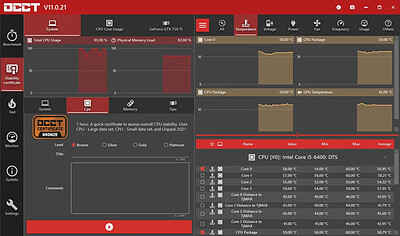
OCCT 17.1.4 (x64) Multilingual | Size: 205.3 MB
Language: English


OCCT is the most popular all-in-one stability check & stress test tool available. OCCT is great at generating heavy loads on your components ( CPU, GPU, Memory, GPU Memory & Power supply ) , and aims at detecting hardware errors or stability issues faster than anything else. A monitoring engine is also embedded, to ease diagnostic and see how your computer reacts under heavy load using graphs.

6 TESTS
OCCT includes 6 different tests : OCCT and Linpack for your CPU, Memory for testing system RAM, 3D and VRAM for your Graphic card, and Power to stress your power supply. You can even monitor your PC while using an external app to generate reports using the Monitoring-only test !

MONITORING
OCCT will monitor your computer's reading and present you real-time graphs showing you temperatures, voltages, fan speed, frequencies, component usage, and power consumption during your tests. We are using the AWESOME engine from HwInfo !

BUILT-IN PROTECTION FOR YOUR COMPUTER
Worried about frying your components ? Turn the maximum temperature threshold in OCCT's options ! Should a component reach this critical temperature during a test, OCCT will stop itself immediately.

TEST REPORT
At the end of a test, you will be able to save a full graphical report of what happened during the test, for diagnostic purposes.

HOMEPAGE: Code:
Код:
https://www.ocbase.com/


DOWNLOAD LINKS:


Код:
https://rapidgator.net/file/5ba85f3608a9ef30bdb321729f46f307/OCCT_17.1.4_x64_Multilingual.rar.html

Код:
https://nitroflare.com/view/759E29B3090F782/OCCT_17.1.4_x64_Multilingual.rar
 
Назад
Сверху Снизу