







All mitsumi'1s Applications !! (updated daily)

b243b9526778bb2bf1bf545fc3234f7d.webp

Free Download UPDF 3.0.0 (x64) Multilingual | 261 Mb
UPDF is an all-in-one PDF editing and document management application designed to help users work with PDF files efficiently. It combines document editing, annotation, conversion, page organization, form creation, and AI-powered tools in a single desktop environment.
The software allows users to modify PDF text, images, and links, customize document backgrounds and watermarks, and adjust page dimensions. Its reading and annotation tools support document review, while AI features can assist with summarizing lengthy files, translating content, explaining complex information, and answering questions about uploaded documents.
UPDF also provides PDF creation and conversion options, along with digital signatures and interactive form tools. These capabilities make it suitable for editing documents, reviewing reports, preparing digital paperwork, and managing PDF-based workflows.


Software Overview

UPDF provides a comprehensive workspace for reading, editing, annotating, and converting PDF documents. Its editing tools allow users to modify existing content, including text, images, and hyperlinks, without having to recreate the entire document.
For document review, the application includes multiple page display modes, zoom settings, and annotation options such as sticky notes, stickers, stamps, highlights, and underlines. Users can also customize PDF backgrounds, apply watermarks, and adjust page sizes.
The integrated AI tools extend document workflows by helping users summarize long PDFs, translate content, generate explanations, and interact with information through document-based conversations. UPDF also supports creating PDFs, converting documents into other formats, preparing fillable forms, and adding electronic signatures.

Key Features

  • PDF Text Editing: Modify text content directly within PDF documents.
  • Image and Link Editing: Edit images and hyperlinks in supported PDF files.
  • Document Customization: Adjust backgrounds, add watermarks, and modify page sizes.
  • AI PDF Summarization: Generate summaries of lengthy PDF documents.
  • AI Translation and Explanation: Translate document content and request explanations of complex information.
  • Document Conversations: Ask questions and interact with information contained in uploaded PDFs.
  • PDF Annotation: Add sticky notes, stickers, stamps, highlights, and underlines.
  • Flexible Reading Modes: Use different page display modes and scaling options for document viewing.
  • PDF Creation: Create PDF files through multiple supported methods.
  • PDF Conversion: Convert PDF documents into 14 supported output formats.
  • Interactive Forms: Create fillable PDF forms and share them for collaborative completion.
  • Electronic Signatures: Embed signatures in documents for digital paperwork workflows.

Why Choose UPDF?

UPDF combines essential PDF editing tools with document review, conversion, and AI-assisted features. This integrated approach helps reduce the need to switch between separate applications when editing files, reviewing content, or preparing documents for distribution.
Its annotation and reading options are useful for detailed document reviews, while AI-powered summarization and translation can help users process lengthy PDFs more efficiently. Form creation and signature features also make it suitable for common digital document workflows.

System Requirements

  • Operating System: Windows 10 and higher

FAQ

What is UPDF used for?

UPDF is used to edit, read, annotate, convert, and manage PDF documents. It also includes AI-assisted tools for summarizing, translating, and understanding document content.

Can UPDF edit existing PDF documents?

Yes. It provides tools for editing text, images, links, backgrounds, watermarks, and page sizes in supported PDF files.

Can UPDF convert PDFs into other formats?

Yes. The software supports converting PDF documents into 14 output formats.

Does UPDF include AI features?

Yes. Its AI tools can help summarize documents, translate content, explain information, and answer questions about uploaded PDFs.

Can I create fillable forms with UPDF?

Yes. UPDF includes tools for creating fillable forms and sharing them for collaborative completion.

Home Page


Program Information

  • Software Name: UPDF
  • Version: 3.0.0
  • Architecture: x64
  • Languages: Multilingual
  • License Type: Full Version
  • File Size: 261 Mb

Rapidgator
Код:
https://rapidgator.net/file/50956bf63fb0785452c93cd8f26f5baf/kznno.UPDF.3.0.0.x64.Multilingual.rar.html

Код:
https://clicknupload.click/rvzxswi2hubr/kznno.UPDF.3.0.0.x64.Multilingual.rar
 
0accedc1f910540ddf895ca281ab9efe.jpg


VovSoft Download Mailbox Emails 2.2 | Size: 5.77 MB
Language: English


Ensuring your mailbox safety can sometimes require saving emails in an offline means of storage. However, managing to easily download the required email messages from your account, can be a lengthy and somewhat challenging undertaking.

Mailbox downloader
For such uses, Vovsoft Download Mailbox Emails will provide users with an efficient and simple way of connecting to their email accounts, selecting the preferred content, and downloading it.

Easily save your email messages for offline use, with this grabber
Download all email messages inside your mailbox. You can get emails from your Gmail, Hotmail, Yahoo Mail or any private email account. Enter your login credentials and click "Connect" button. Then select the mailbox you need to download and click "Start Download" button. The application will export all emails as EML files into the directory you selected. You can store and look through all your emails by having them offline in your computer. Your e-mails will remain on the email server, the application does not perform any deletion.

How to open EML files
After downloading your mailbox contents, you will have lots of EML files. These files contain the email contents in MIME format; including the email header, body, and attachments. EML files can be used and opened by the following email clients:
Mozilla Thunderbird
Microsoft Outlook
Windows Mail

Operating System: Windows 11/10/8.1/8/7/Vista/XP (32-bit and 64-bit)

HOMEPAGE: Code:
Код:
https://vovsoft.com/


DOWNLOAD LINKS:


Код:
https://rapidgator.net/file/f6b2dc59af71e2cc2f744cf9a7da7e73/VovSoft_Download_Mailbox_Emails_2.2.rar.html

Код:
https://clicknupload.click/98f8nrnlqj5k/VovSoft_Download_Mailbox_Emails_2.2.rar
 
b060bc4479e7ebbb469a8353809d84b1.png


Windows 11 Pro Master Assassin Edition 26H2 Build 26300.9457 | Size: 7.21 GB
Windows x64 | No TPM | Languages: English


This build, as I said above, is a love letter to Assassin's Creed. It includes some screenshots from the in-game photo mode from AC Odyssey, Valhalla, Shadows and Black Flag Resynced.

I hope you'll love using this build as much as I loved making it.

Removed
Edge
UWP Bloat apps
WinRE

Windows Defender Kept
MS Store Kept
Windows Update working but paused by default

System Requirements For Windows 11
Processor: 2 gigahertz (GHz) or faster.
RAM: 2 gigabyte (GB).
Free space on hard disk: 30 gigabytes (GB).
Graphics card: DirectX 9 graphics device or a newer version.
Additional requirements to use certain features.
To use touch you need a tablet or monitor that supports multitouch.
To access the Windows store to download and run apps, you need an active Internet connection and a screen resolution of at least 1024 x 768 pixels

HOMEPAGE: Code:
Код:
https://www.microsoft.com/


DOWNLOAD LINKS:


Код:
https://rapidgator.net/file/8703d1a67c46efe98642eb6df2d551eb/Windows.11.Master.Assassin.Edition..part1.rar.html
https://rapidgator.net/file/8ed583ef97103692b2db673370b0990c/Windows.11.Master.Assassin.Edition..part2.rar.html
https://rapidgator.net/file/18dd2fa7b5836553cb50e4a47edda99a/Windows.11.Master.Assassin.Edition..part3.rar.html
https://rapidgator.net/file/7b4c296e2f446a54237b0302b25e8910/Windows.11.Master.Assassin.Edition..part4.rar.html
https://rapidgator.net/file/5929031bd910a09e18c115d78f15e9ab/Windows.11.Master.Assassin.Edition..part5.rar.html
https://rapidgator.net/file/e29faac9d7609cc777706c592c267122/Windows.11.Master.Assassin.Edition..part6.rar.html
https://rapidgator.net/file/8b6a941a5397ede0d4a27d54e26c9dd7/Windows.11.Master.Assassin.Edition..part7.rar.html
https://rapidgator.net/file/fb0be9c1c79a74fc6794e20e611be8f8/Windows.11.Master.Assassin.Edition..part8.rar.html

Код:
https://clicknupload.click/5fcpyhqsc5ws/Windows.11.Master.Assassin.Edition..part1.rar
https://clicknupload.click/t3v1x7mfgnpc/Windows.11.Master.Assassin.Edition..part2.rar
https://clicknupload.click/6564zsryvw8c/Windows.11.Master.Assassin.Edition..part3.rar
https://clicknupload.click/o6ctyu0xptvl/Windows.11.Master.Assassin.Edition..part4.rar
https://clicknupload.click/y3b6s7asu93p/Windows.11.Master.Assassin.Edition..part5.rar
https://clicknupload.click/ukb1mc2vyh8h/Windows.11.Master.Assassin.Edition..part6.rar
https://clicknupload.click/r3tmiwkiufcm/Windows.11.Master.Assassin.Edition..part7.rar
https://clicknupload.click/emyanez55l0u/Windows.11.Master.Assassin.Edition..part8.rar
 
f67a8707f813b337f1885c5614fcc016.webp

Free Download Windows Movie Maker 11.0.0.8 (x64) Multilingual | 370 Mb
Windows Movie Maker is an easy-to-use video creation and editing application designed to help users turn photos and video clips into polished movies. It provides a straightforward editing environment for combining media, adding visual effects, applying transitions, and creating titles and captions.
The software includes tools for arranging clips, adjusting playback speed, editing audio, and applying ready-made movie themes. Users can work with their own media files and customize the result with music, narration, and other creative elements.
Windows Movie Maker is suitable for personal video projects, family presentations, slideshows, and simple multimedia productions. Its accessible workflow makes it possible to create and share videos without requiring advanced video-editing experience.


Software Overview

Windows Movie Maker combines basic video editing and movie creation tools in a user-friendly interface. Users can import photos and video clips, arrange them on a timeline, and enhance their projects with transitions, effects, titles, and audio.
The application also includes automatic movie creation features that can apply a selected theme to imported media. For more control, users can manually trim and split clips, adjust playback speed, and customize the soundtrack.

Key Features

  • Photo and Video Import: Add photos and video clips from a computer or compatible camera to create a movie project.
  • Timeline Editing: Arrange media, trim unwanted sections, split clips, and control the sequence of scenes.
  • Visual Effects: Enhance footage with available effects and transitions.
  • Titles and Captions: Add text elements to introduce scenes, provide context, or display credits.
  • AutoMovie Themes: Create a movie automatically by selecting photos, videos, and a predefined theme.
  • Audio Editing: Add music or narration, adjust audio volume, and apply fade-in and fade-out effects.
  • Playback Speed Controls: Speed up or slow down supported video clips.
  • Movie Sharing: Prepare finished projects for sharing through supported online services and video-sharing platforms.

Why Choose Windows Movie Maker?

Windows Movie Maker offers a simple approach to everyday video editing. Its combination of timeline controls, automatic themes, transitions, and basic audio tools makes it useful for users who want to create personal movies without learning a complex professional editing workflow.
The application also provides flexibility through manual editing options, allowing users to customize their projects instead of relying entirely on automatic movie creation.

System Requirements

  • Operating System: Microsoft Windows XP (SP2 or later), Windows Vista, Windows 7, Windows 8, Windows 8.1, Windows 10, Windows 11
  • Processor: 1 GHz Intel/AMD processor or above
  • RAM: 256 MB RAM (512 MB or above recommended)
  • Free Hard Disk Space: 300 MB for installation
  • Graphics: Super VGA (800x600) resolution, 16-bit graphics card or higher

FAQ

What is Windows Movie Maker used for?

Windows Movie Maker is used to create and edit simple videos from photos and video clips. It supports transitions, visual effects, titles, captions, and audio tracks.

Can Windows Movie Maker create videos automatically?

Yes. Its AutoMovie feature can apply a predefined theme to selected photos and video clips to help create a movie with minimal manual editing.

Can I add music to a movie?

Yes. You can add an audio track, adjust its volume, and apply fade-in or fade-out effects.

Can I edit individual video clips?

Yes. The editing tools include options for trimming and splitting clips, as well as changing playback speed.

Home Page


Program Information

  • Software Name: Windows Movie Maker
  • Version: 11.0.0.8
  • Architecture: x64
  • Languages: Multilingual
  • License Type: Full Version
  • File Size: 370 Mb
Rapidgator
Код:
https://rapidgator.net/file/df3fc354c044435a6336f96d8094d298/ebknq.Windows.Movie.Maker.11.0.0.8.x64.Multilingual.rar.html

Код:
https://clicknupload.click/7ijthp1q45sz/ebknq.Windows.Movie.Maker.11.0.0.8.x64.Multilingual.rar
 
1c2da931589af587e7be0da1b067891b.jpg


Windows Movie Maker 11.0.0.8 Multilingual | Size: 370.27 MB
Language: English


With Windows Movie Maker, you can quickly turn your photos and videos into polished movies. Add special effects, transitions, sound, and captions to help tell your story. Share the movie with friends and family.

Windows Movie Maker is a easy-to-use & powerful video creating/editing software application, designed for latest Windows 7, Windows 8, Windows 10. The old version works for Windows XP and Vista. Windows Movie Maker contains features such as effects, transitions, titles/credits, audio track, timeline narration, and Auto Movie. New effects and transitions can be made and existing ones can be modified using XML code. Windows Movie Maker is also a basic audio track editing program. Windows Movie Maker can apply basic effects to audio tracks such as fade in or fade out. The audio tracks can then be exported in the form of a sound file instead of a video file.

Key Features:
- With Windows Movie Maker, it's easy to organize and select the photos and videos you want to use in your next movie.
- With Windows Movie Maker, you can add text, transitions, effects, and more. Change as much as you want, or let Movie Maker do it for you.
- Post your movie to your favorite sites, including YouTube, Facebook, Windows Live SkyDrive, and many others, right from Windows Movie Maker.

What you can do with Windows Movie Maker Software:

Try an AutoMovie theme
Just pick the photos and videos you want to use, and Movie Maker does the rest.

Share with friends
Once your movie's done, it's easy to post it on popular social networking and video sharing sites.

Add your photos and videos
Import photos and videos from your PC or camera into Movie Maker to start making movies.

Edit the video
Make your movie look like you want it to, with editing tools that let you easily trim, split, and speed up or slow down your movie.

Edit the audio
Add and edit your movie's sound track. Adjust the volume, fade music in or out, and more.

System Requirements:
- OS: Microsoft Windows XP (SP2 or later), Windows Vista, Windows 7, Windows 8, Windows 8.1, Windows 10, Windows 11
- Processor: 1GHz Intel/AMD processor or above
- RAM: 256MB RAM (512MB or above recommended)
- Free Hard Disk: 300MB space for installation
- Graphic Card: Super VGA (800x600) resolution, 16-bit graphics card or higher

HOMEPAGE: Code:
Код:
https://www.topwin-movie-maker.com


DOWNLOAD LINKS:


Код:
https://rapidgator.net/file/f321144f026c2ac2a6d2bd9e3f808831/Windows_Movie_Maker_11.0.0.8_Multilingual.rar.html

Код:
https://clicknupload.click/86k4898bcnwj/Windows_Movie_Maker_11.0.0.8_Multilingual.rar
 
7bbe55cd29a41c7da9e2e9bf1b4baff1.webp

Free Download Windows Video Converter 11.0.0.8 (x64) Multilingual | 370 Mb
Windows Video Converter is an all-in-one video conversion, downloading, and editing application designed to simplify everyday multimedia tasks. It allows users to convert video and audio files into a wide range of formats, download online videos, and make basic adjustments to their media.
The software supports more than 1,000 video and audio formats, including formats compatible with popular devices such as iPhones, Android phones, and digital cameras. Its GPU acceleration technology is designed to improve conversion performance, while its editing tools provide options for trimming, cropping, rotating, adding text, applying effects, and inserting subtitles.
With its combination of conversion, online video downloading, and editing features, Windows Video Converter provides a convenient solution for managing and preparing multimedia files in one application.


Software Overview

Windows Video Converter brings several multimedia functions together in a single interface. Users can convert video and audio files between supported formats, prepare media for different devices, and download videos from supported online platforms.
The built-in editing tools allow users to modify clips before or after conversion. Options include cutting unwanted sections, cropping the frame, rotating footage, adding text, applying effects, and inserting subtitles.
The application also uses GPU acceleration to improve conversion speed on supported hardware. Its processing options are intended to maintain the original visual quality as much as possible during conversion.

Key Features

  • Wide Format Support: Convert video and audio files between more than 1,000 supported formats.
  • Device Compatibility: Prepare media for popular devices, including Apple iPhone, Android phones, and digital cameras.
  • GPU Acceleration: Use supported graphics hardware to improve video conversion performance.
  • Video Quality Preservation: Conversion technology is designed to minimize quality loss when processing HD, 2K, and 4K videos.
  • Online Video Downloading: Download videos from supported online video platforms.
  • Video Cutting: Remove unwanted sections and keep the portions needed for a project.
  • Cropping and Rotation: Adjust video framing and orientation.
  • Text and Effects: Add text overlays and visual effects to customize video content.
  • Subtitle Support: Add subtitles to supported video projects.

Why Choose Windows Video Converter?

Windows Video Converter combines format conversion, online video downloading, and basic editing tools in one application. This makes it useful for users who regularly work with different media formats and want to perform common video tasks without switching between multiple programs.
Its broad format support helps prepare media for different devices, while GPU acceleration can reduce processing time on compatible systems. The included editing options also make it possible to perform basic adjustments before sharing or converting videos.

What's New

The official website does not provide specific change information for this version.

System Requirements

  • Operating System: Microsoft Windows 7, Windows 8, Windows 8.1, Windows 10, Windows 11 (64-bit)
  • Processor: 1 GHz Intel/AMD processor or above
  • RAM: 256 MB RAM (512 MB or above recommended)
  • Free Hard Disk Space: 300 MB for installation
  • Graphics: Super VGA (800x600) resolution, 16-bit graphics card or higher

FAQ

What is Windows Video Converter used for?

It is used to convert video and audio files, download online videos, and perform basic video editing tasks such as cutting, cropping, rotating, and adding subtitles.

How many formats does Windows Video Converter support?

The software advertises support for more than 1,000 video and audio formats.

Can Windows Video Converter download online videos?

Yes. It includes an online video downloading feature for supported websites and platforms.

Does the software support GPU acceleration?

Yes. It supports GPU acceleration on compatible hardware to help improve video conversion performance.

Home Page


Program Information

  • Software Name: Windows Video Converter
  • Version: 11.0.0.8
  • Architecture: x64
  • Languages: Multilingual
  • License Type: Full Version
  • File Size: 370 Mb
Rapidgator
Код:
https://rapidgator.net/file/ee9124c1bc2a3e50c262c661a9d6b292/8g3vl.Windows.Video.Converter.11.0.0.8.x64.Multilingual.rar.html

Код:
https://clicknupload.click/t1nrzv1xvtkt/8g3vl.Windows.Video.Converter.11.0.0.8.x64.Multilingual.rar
 
d985aa866c0a9d14f9cabaf3e66a3c93.png


Windows Video Converter 11.0.0.8 Multilingual | Size: 370.26 MB
Language: English


Windows Video Converter 2021 is All-In-One video conversion software. With Windows Video Converter , you have everything you need to Convert, Download and Edit videos. Convert Videos to 1000 formats at 30X Faster Speed with No Quality Loss. Download and Convert Online Videos. Cut, Crop, Add Text, Effect, Subtitle and more. Just download and try Windows Video Converter Now!

Windows Video Converter 2021
- Convert Videos to 1000+ formats.
- 30X Faster Speed.
- No Quality Loss.
- Download and Convert Online Videos.
- Edit Videos, Cut/Crop/Rotate/Add Text and more.

What you can do with Windows Video Converter 2021:

Convert Videos to 1000 formats.
Support all video and audio formats. Support formats of all popular devices like Apple iPhone, Android Phones, Digital Cameras, etc.

30X Faster Speed.
Optimized GPU acceleration. The conversion speed is much faster than previous versions.

No Quality Loss.
Quality loss is absolutely unacceptable! No quality loss for your 1080p, 2k and 4k HD videos.

Download and Convert Online Videos.
Support more than 1000 online video sites.

Edit Your Videos
Cut,Crop,Add Text,Effect,Subtitle and more. Almost Everything you need to edit your video.

System Requirements:
- Microsoft Windows XP (SP2 or later), Windows 7, Windows 8, WIndows 8.1, Windows 10 (64-bit)
- 1GHz Intel/AMD processor or above
- 256MB RAM (512MB or above recommended)
- 300MB space for installation
- Super VGA (800x600) resolution, 16-bit graphics card or higher

HOMEPAGE: Code:
Код:
https://www.topwin-movie-maker.com


DOWNLOAD LINKS:


Код:
https://rapidgator.net/file/4affea3a236509836283754190831747/Windows_Video_Converter_11.0.0.8_Multilingual.rar.html

Код:
https://clicknupload.click/qqo4qd8tva4r/Windows_Video_Converter_11.0.0.8_Multilingual.rar
 
d02a81c2434ce7833fffda3163cb7bdd.webp

Free Download Windows Video Editor Pro 11.0.0.8 (x64) Multilingual | 370 Mb
Windows Video Editor Pro is a video editing application that provides a collection of tools for modifying, enhancing, and assembling video content. It allows users to cut, crop, rotate, split, trim, and join video clips, as well as customize footage with visual effects, text, animations, watermarks, subtitles, and background music.
The software also includes controls for adjusting playback speed, brightness, contrast, and saturation. Batch editing capabilities help users process multiple video files, while picture-in-picture support provides additional flexibility when creating layered video compositions.
Windows Video Editor Pro integrates video editing tools with Windows Movie Maker features, offering a combined environment for editing individual clips and creating complete movies.


Software Overview

Windows Video Editor Pro combines essential video editing functions with movie creation capabilities. Its editing tools cover common tasks such as trimming unwanted footage, splitting clips into smaller sections, changing video orientation, cropping frames, and joining multiple clips into a single project.
Users can enhance their videos with text overlays, animations, visual effects, watermarks, subtitles, and music. Image and video properties can also be adjusted to achieve the desired appearance, including playback speed, brightness, contrast, and color saturation.
The application supports batch video editing, making it possible to apply editing operations to multiple files. Its integration with Windows Movie Maker also provides tools for assembling edited footage into finished movies.

Key Features

  • Video Cutting and Trimming: Remove unwanted sections and shorten clips to the required length.
  • Clip Splitting and Joining: Divide videos into smaller segments or combine multiple clips into one.
  • Crop and Rotate: Adjust video framing, dimensions, and orientation.
  • Visual Effects: Enhance footage with available effects and animations.
  • Text and Watermarks: Add text overlays and watermarks to video content.
  • Subtitle Support: Include subtitles in supported video projects.
  • Audio and Music: Add music and customize the soundtrack of a video.
  • Video Adjustments: Modify playback speed, brightness, contrast, and saturation.
  • Batch Editing: Process multiple video files using supported editing operations.
  • Picture-in-Picture: Create layered video compositions by combining visual content.
  • Movie Creation Integration: Use integrated Windows Movie Maker features to assemble edited clips into movies.

Why Choose Windows Video Editor Pro?

Windows Video Editor Pro brings a broad range of everyday editing tools into one application. Instead of relying on separate programs for trimming, cropping, adding subtitles, adjusting image properties, and combining clips, users can perform these tasks within a unified editing environment.
Batch processing is useful when working with multiple files, while the integrated movie creation features provide an additional workflow for turning edited footage into complete presentations, personal videos, and other multimedia projects.

What's New

The official website does not provide specific change information for this version.

System Requirements

  • Operating System: Microsoft Windows 7, Windows 8, Windows 8.1, Windows 10, Windows 11
  • Processor: 1 GHz Intel/AMD processor or above
  • RAM: 256 MB RAM (512 MB or above recommended)
  • Free Hard Disk Space: 300 MB for installation
  • Graphics: Super VGA (800x600) resolution, 16-bit graphics card or higher

FAQ

What is Windows Video Editor Pro used for?

It is used to edit video clips, combine footage, add visual and audio elements, adjust video properties, and create complete movies.

Can Windows Video Editor Pro edit multiple videos at once?

Yes. The software includes batch editing capabilities for processing multiple video files.

Can I add subtitles, text, and watermarks?

Yes. It provides tools for adding text overlays, subtitles, watermarks, animations, and visual effects to supported video projects.

Does Windows Video Editor Pro include movie creation tools?

Yes. The application integrates Windows Movie Maker features, allowing users to edit video clips and assemble them into movies.

Home Page


Program Information

  • Software Name: Windows Video Editor Pro
  • Version: 11.0.0.8
  • Architecture: x64
  • Languages: Multilingual
  • License Type: Full Version
  • File Size: 370 Mb
Rapidgator
Код:
https://rapidgator.net/file/5bdeba94509ae36bc651a3b32b73e999/mooji.Windows.Video.Editor.Pro.11.0.0.8.x64.Multilingual.rar.html

Код:
https://clicknupload.click/rofabq5yick5/mooji.Windows.Video.Editor.Pro.11.0.0.8.x64.Multilingual.rar
 
9f1076e179878c9447ae8268193ae093.jpg


Windows Video Editor Pro 11.0.0.8 Multilingual | Size: 370.27 MB
Language: English


Windows Video Editor (Editing Tools Collection) has everything you need to edit your video files. You can easily Cut, Crop, Rotate, Split, Trim or Join your videos. You can add Effects, Text, Animations, Watermarks, Subtitles, Music to your videos. You can adjust video speed, brightness, contrast, saturation or anything else of your videos. You can do almost everything to edit your videos! And You can edit videos in batch!

What you can do with Windows Video Editor (Editing Tools Collection):
With Windows Video Editor, it's easy to Cut/Crop/Rotate/Split/Trim/Join your videos. And you can edit the videos in batch.

With Windows Video Editor, you can add Effects, Text, Animations, Watermarks, Subtitles, Music to your videos. And you can make Picture-in-Picture videos.

With Windows Video Editor, you can adjust video speed, brightness, contrast, saturation or anything else of your video. You can adjust any settings or properties or your videos.

Windows Video Editor & Windows Movie Maker
Integrated Window Video Editor and Windows Movie Maker. Edit Video and Make Movie with one software.

HOMEPAGE: Code:
Код:
https://www.topwin-movie-maker.com


DOWNLOAD LINKS:


Код:
https://rapidgator.net/file/4564d2503e24aa1f296734c5c9d503e7/Windows_Video_Editor_Pro_11.0.0.8_Multilingual.rar.html

Код:
https://clicknupload.click/5ckm2q5isa8b/Windows_Video_Editor_Pro_11.0.0.8_Multilingual.rar
 
_a393524b06bb4a19b14920b86b78baf3.jpeg


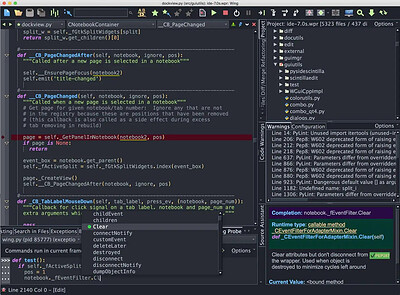
Wing Pro 12.1.2 | Size: 112.97 MB
Language: English


Wing Pro is a full-featured Python IDE designed for professional developers. It includes powerful editing, code intelligence, refactoring, debugging, search, unit testing, project management, revision control, and remote development features.

Get More Done
Type less and let Wing worry about the details. Get immediate feedback by writing your Python code interactively in the live runtime. Easily navigate code and documentation.

Write Better Code
Avoid common errors and find problems early with assistance from Wing's deep Python code analysis. Keep code clean with smart refactoring and code quality inspection.

Find Bugs Faster
Debug any Python code. Inspect debug data and try out bug fixes interactively without restarting your app. Work locally or on a remote host, VM, or container.

Intelligent Editor
Wing's editor speeds up interactive Python development with context-appropriate auto-completion and documentation, inline error detection and code quality analysis, PEP 8 enforcement, invocation assistance, auto-editing, refactoring, code folding, multi-selection, customizable code snippets, and much more. Wing can emulate vi, emacs, Eclipse, Visual Studio, XCode, and MATLAB.

Powerful Debugger
Wing's debugger makes it easy to fix bugs and write new Python code interactively. Use conditional breakpoints to isolate a problem, then step through code, inspect data, try out bug fixes with the Debug Console's command line, watch values, and debug recursively. You can debug multi-process and multi-threaded code launched from the IDE, hosted in a web framework, called from an embedded Python instance, or run on a remote host, VM, or container. Wing also provides an array and dataframe viewer for scientific and data analysis tasks.

Easy Code Navigation
Wing makes it easy to get around code with goto-definition, find uses, find symbol in project, editor symbol index, module and class browser, keyboard-driven search, and powerful multi-file search. Visit history is stored automatically, so you can instantly return to previously visited code. Or define and traverse categorized bookmarks that track automatically as code changes.

Integrated Unit Testing
Wing supports test-driven development with the unittest, doctest, nose, pytest, and Django testing frameworks. Failing tests are easy to diagnose and fix with Wing's powerful debugger, and you can write new code interactively in the live runtime context set up by a unit test.

System Requirements:
Wing runs on Windows 10+ for 64-bit Intel processors. Windows 8 may work in some cases but is not recommended or supported. Earlier versions of Windows will not work.

HOMEPAGE: Code:
Код:
http://www.wingware.com/


DOWNLOAD LINKS:


Код:
https://rapidgator.net/file/4fd99f0e2aec28a3b9134dc80511f443/Wing_Pro_12.1.2.zip.html

Код:
https://clicknupload.click/krvesyli7o9c/Wing_Pro_12.1.2.zip
 
f0b09f9d7335a5a9582f14b714fb6cc1.png


WinScript 2.28 | Size: 5.55 MB
Language: English


WinScript is an open-source tool built to help you build custom scripts for Windows. It includes debloat, privacy, performance scripts & more, along with the ability to install all your favourite apps in one click.

Features
Debloat: Remove Windows bloatware, CoPilot, Edge, OneDrive & pre-installed features.
Privacy: Disable Windows and 3rd party telemetry & data collection, tracking, app access & more.
Performance: Set background services to manual to free resources, set your preferred DNS, clean temp files & more.
Install Apps: Install all your favourite apps simultaneously in one click through chocolatey.

Usage
WinScript must be run as Administrator to function properly.

The desktop app may be flagged as a threat by Windows Defender due to its ability to modify system settings. This is a false positive-WinScript is safe, transparent, and open-source.

System Requirements: Windows 10, 11


DOWNLOAD LINKS:


Код:
https://rapidgator.net/file/5b8fa96e2b7e663949e490968efdaeea/WinScript_2.28.rar.html

Код:
https://clicknupload.click/w39rdse67yt2/WinScript_2.28.rar
 
15fff6c290f62fd3b2b5a98ddf11e8cb.jpg


Zbrainsoft Dose for Excel 3.6.9 Multilingual | Size: 53.6 MB
Language: English


If you're tired of eliminating duplicate rows, comparing sheets, or executing hard activities in Excel, Dose for Excel is the powerful convenient solution you need to simplify all of these complicated chores into a few clicks. It has over 100 powerful new functions and features that have been added to the Excel ribbon for your convenience.

You may, for example, instantly export sheets, merge cells, rows, or columns without losing data, use the comments helper, count cells by color, use powerful built-in calculations, and easily backup your workbooks. Dose for Excel is a simple application that will save you time and effort.

Navigation:
If you have a lot of Excel workbooks open, it can be tough to navigate between them. This application will let you browse through your workbooks quickly and elegantly, as well as to a specific worksheet inside the workbook.

Work Area:
Convert your Excel workbook to Full Screen mode for easier reading; the ribbon, status bar, and formula bar will be minimized. Return the workbook to the first show state by showing them again.

Reading Layout:
If your worksheet contains a large amount of data with many rows and columns, this tool will make it easier to view your data by highlighting the column and row of the selected cell.

Row to Column:
View a row with an excessive number of columns in a new window with two columns, one for headers and the other for row data.

Select Tools:
In Excel, a selection tool that makes any form of selection easier.

Select Used Range:
This tool allows you to quickly choose cells. This application will select all used ranges regardless if there are blank cells, rows, or columns.

Extend selection to the last used row:
Even if there are empty cells or rows, you can easily extend the selection to the last utilized row.

Extend selection to the last used column:
Even if there are empty cells or columns, you can easily extend the selection to the last utilized column.

Select Merged Cells:
Select a range of cells and then click "Select Merged Cells" to select all merged cells.

Select Interval Rows / Columns:
You can quickly choose individual rows or columns at a predetermined interval. You can, for example, choose 5 rows every 2 rows.

Select Specific Cells:
Choose cells that fulfill the parameters you've chosen. You can then execute various operations on the selected cells, such as delete, format, and so on.

Requirements:
Excel 2021, 2020, 2019, 2016, 2013, 2010, 2007 or Office 365

HOMEPAGE: Code:
Код:
https://www.zbrainsoft.com/


DOWNLOAD LINKS:


Код:
https://rapidgator.net/file/d0d7ac3c2e6ee1a5e727861bcd739a62/Zbrainsoft_Dose_for_Excel_3.6.9_Multilingual.rar.html

Код:
https://clicknupload.click/vh722oic3nuf/Zbrainsoft_Dose_for_Excel_3.6.9_Multilingual.rar
 
3bba46047fd311f71a639002bc6f2b26.jpg


Zoom Player MAX 23.0 RC2 | Size: 121.14 MB
Language: English


Zoom Player is the most Powerful, Flexible and Customizable Media Player application for the Windows PC platform. Based on our highly-touted Smart Play technology, more media formats play with less hassle, improved stability and greater performance.

Behind Zoom Player's classic media player look, hides a powerful Media Center application designed with a simple 5-Key (up/down/left/right/select) fullscreen navigation interface. The 5-Key system provides simple navigation with advanced interfaces. Interface such as the Media Library, File Browser, Playlist, Color Control, Audio Equalizer, Bookmarks, Play History and many more. Zoom Player's media center simplicity makes it ideal for users with no previous computer experience.

With Zoom Player, you can instantly Convert any PC into a Home Entertainment Center (HTPC) with no specialized hardware requirement or operating system. Zoom Player runs with every version of Windows.

Utilizing Zoom Player's modular design and flexibility, you can easily design a safe viewing environment, limiting or extending functionality, making it ideal for both newbies and professionals.

Zoom Player is fully scalable, supporting the latest media formats and interfaces. New features are incorporated constantly with release schedules and feature integration clearly announced on our support Forum, Twitter and Facebook pages.

Install Center:
Zoom Player's Install Center quickly scans your system for missing or outdated media components and automatically present you with an installation list of recommended updates, keeping your system up to date with the latest technology.

Supported Video Formats:
DVD • BluRay (Decrypted Main Movie playback) • Matroska (MKV) • H.264 & AVCHD (MPEG4 AVC) • H.265 & HEVC
MPEG2 Transport (TS/TP/TSP/TRP/M2T/M2TS/MTS/PVA/PVR/TOD) • XVID • DIVX • AVI • Flash Video (FLV)
Windows Media (WMV/ASF) • QuickTime (MOV/HDMOV) • WebM • Ogg Movie (OGM) • Theora (OGV)
Real Media (RM/RMVB) • VideoCD (VCD) • Super VideoCD (SVCD) • MPEG (MPG) • MPEG2 Program (M2V/VOB/MOD)
MPEG4 (SP/ASP) • MPEG4 ISO (MP4) • , General Exchange Format (GXF) • Material Exchange Format (MXF)
Media Center DVR (DVR-MS) • CamCorder (MOD/TOD) • Digital Video (DV) • DVCPRO • VP3 • VP6 • VP7 • VP8 • VP9
Motion JPEG (MJPEG) • Motion JPEG 2000 (MJPEG2000) • Flash (SWF) • Cellphone 3GPP (3GP/3G2) • FLIC (FLI/FLC)

Supported Audio Formats:
MP3, Free Lossless Audio CODEC (FLAC), Advanced Audio Coding (AAC), Windows Media (WMA), OGG Vorbis (OGG), CD-Audio (CDA), Dolby Digital (AC3), Digital Theatre Surround (DTS), Matroska (MKA), Wave Audio (WAV), SHOUTcast (Streaming), Cell Phone (AMR), Monkey Audio (APE), Real Media (RA), MusePack (MPC), OptimFROG (OFR), Shorten (SHN), True Audio (TTA), WavPack (WV), Apple Lossless Audio Coding (ALAC), LPCM, MIDI, AIFF, MO3, IT, XM, S3M, MTM, UMX and more . . .

Supported Interactive Formats:
DVD, Hypertext Markup Language (HTML), Flash (SWF).

Supported Image Formats:
JPEG (JPG), PNG, GIF, BMP, ICO, WMF, EMF, JFIF, RLE, WIN, VST, VDA, TGA, ICB, TIFF, FAX, EPS, PCX, PCC, SCR, RPF, RLA, SGI, BW, PSD, PDD, PPM, PGM, PBM, CEL, PIC, PCD, CUT, PSP, PN and more . . .

Operating System: Windows Vista, XP, 7, 8/8.1, 10, 11

HOMEPAGE: Code:
Код:
http://www.inmatrix.com/


DOWNLOAD LINKS:


Код:
https://rapidgator.net/file/72192f04110791e51aff7b41bd20f550/Zoom_Player_MAX_23.0_RC2.rar.html

Код:
https://clicknupload.click/armhp1izic77/Zoom_Player_MAX_23.0_RC2.rar
 
e1a3528c33d324a46b4f25d6f05cd9b6.jpg


4DDiG Partition Manager 4.5.0.7 (x64) Multilingual | Size: 104.95 MB
Language: English


4DDiG Partition Manager is a powerful Windows disk partition software expert in system migration, disk cloning and disk partition management.

An All-in-One Disk Partition Manager
- One-click migrate Windows OS to SSD without reinstalling system.
- Upgrade to a larger hard drive without data loss.
- Flexibly resize/split/create/delete/format partitions to optimize disk space.
- Effectively clone your entire hard drive to back up your data.
- Safely move installed apps & programs, system updates, drivers, custom settings from one PC to another.

Easy & Safe Disk Cloning Software for Complete Backup
Making regular backups of your data is crucial to prevent data loss. 4DDiG Partition Manager can effectively clone your entire disk or partition, providing a reliable solution for data backup.

- Disk Cloning Mode
You can effortlessly and securely copy or transfer data from one drive to another. This feature allows you to back up your data and seamlessly upgrade to a larger hard drive without losing data.

- Partition Cloning Mode
Designed for cloning specific partition data, this mode enables you to effortlessly transfer or back up the contents of a specific partition on a drive to another partition without any data loss.

One-click OS Migration Wizard for Windows 10 & 11
Quick System & Data Transfer Solution. 4DDiG Partition Manager can migrate system and large files or folders from one disk partition to a larger one in one click.

- Migrate OS to SSD/HDD
One-click migrate your Windows OS to another HDD or SSD for better computer performance.

- Upgrade to a Larger SSD
Replace or upgrade a smaller drive to a larger one or SSD disk.

- Safely Transfer Everything
System migration will safely transfer all data on the system drive from one PC to another, including installed apps, system updates, drivers, custom settings, and more.

- No Need to Reinstall the System
Transfer your operating system to a new drive without reinstalling Windows, saving time and effort.

All-inclusive Disk Partition Manager for Beginners
Quick System & Data Transfer Solution. 4DDiG Partition Manager can migrate system and large files or folders from one disk partition to a larger one in one click.

- Resize / Move Partition
Adjust partition size without losing data, move partition within disk boundaries, redistribute free space.

- Extend/Shrink Partition
Extend partition by taking free or unallocated space from the same disk or shrink partition to make room for other partitions.

- Split Partition
Divide a partition into two or multiple smaller partitions to store different types of data.

- Merge Partition
Merge two adjacent partitions on a disk into a larger partition without data loss to expand the space of a specific partition.

- Create Partition
Create new partition(s) from unallocated space to improve the efficiency of data storage.

- Delete Partition
Delete a partition you no longer need on your disk with ease and turn it into unallocated space.

- Format Partition
Format an inaccessible partition to make it available for reuse or change file system among NTFS and exFAT.

- Change Drive Letter
Change drive letters of partitions according to your preference to reorganize your drive.

System Supported
- Operating System: Windows 11/10/8.1/8/7
- Files System: NTFS, exFAT, and FAT16/FAT32

HOMEPAGE: Code:
Код:
https://4ddig.tenorshare.com/


DOWNLOAD LINKS:


Код:
https://rapidgator.net/file/cb5ef2a2b1c1e38b01110790a706641a/4DDiG_Partition_Manager_4.5.0.7_x64_Multilingual.zip.html

Код:
https://clicknupload.click/8eu6rlnxpdoo/4DDiG_Partition_Manager_4.5.0.7_x64_Multilingual.zip
 
64820b7216ad187084fba78d8b328f25.png


addLEDs 2.0.0.7 | Size: 645.57 KB
Language: English


Conventional computers provide some basic information with the help of LEDs. Modern computers often lack these LEDs or they are not in a clearly visible place. AddLEDs replaces or supplements them by means of software. AddLEDs displays the state of the Caps Lock, Num Lock and Scroll Lock keys and provides information on network and disc activity with the help of icons. Each of these information has its own tray icon ("Virtual LED") which indicates the given state in an informative way.

These icons can be grouped in any way and their display can be enabled or disabled. The state of the given key can be changed by clicking on the icons displaying the keyboard's operating mode. The state of the keyboard can also be queried and switched in the menu. State change from any source results in a short sound signal if it is enabled.
AddLEDs can also be set up to start with the operating system (Autostart). The sensitivity of network activity can be chosen from five levels. The display of the program can be customized by selecting icon profiles.
he "Reset All" menu restarts the program with default settings. Options are designed in a way that leaves at least one icon enabled. Therefore, the program's menu and settings are always available. If, as the result of an error, no icons are displayed upon starting the program, a default window makes it possible to carry out appropriate settings.

Advantages of addLEDs
Replaces or supplements information LEDs which are missing or not clearly visible in an informative way
Provides a software option for the state change of the "Lock" keys
Short sound signal when there is a state change of "Lock"
Autostart operating mode
Several display modes

Doesn't require installation

System Requirements: Windows 11, Windows 10, 8 , 7

HOMEPAGE: Code:
Код:
https://www.wintools.info/


DOWNLOAD LINKS:


Код:
https://rapidgator.net/file/215e5185e19e01fc2648d0ad821f5695/addLEDs_2.0.0.7.exe.html

Код:
https://clicknupload.click/ugewrvc41nfw/addLEDs_2.0.0.7.exe
 
a7d5b94c98c68284011faeab70c7ffb9.webp

Free Download Adobe Acrobat Pro DC 2026.003.22075 (x86) Multilingual | 1.9 GB
Adobe Acrobat Pro DC is a professional PDF creation, editing, conversion, and document management application designed for business professionals, organizations, and individual users. It provides tools for producing high-quality PDF documents, modifying existing files, sharing information securely, and managing collaborative document workflows.
The software allows users to combine electronic and scanned documents, edit text and images, convert PDFs into Microsoft Office formats, and create interactive forms. Its review and commenting features also make it easier to collect feedback from multiple contributors while maintaining the original document structure.
With its comprehensive document processing capabilities, Acrobat Pro DC provides an integrated solution for handling PDF files throughout their lifecycle, from creation and editing to collaboration, distribution, and data collection.


Software Overview

Adobe Acrobat Pro DC offers a complete environment for working with PDF documents. Users can create PDFs from Office files, scanned paperwork, web pages, engineering drawings, emails, and other supported sources. Multiple files can also be combined into organized PDF documents for easier distribution and archiving.
The editing tools allow users to modify text and images directly inside existing PDFs without needing access to the original source files. Documents can be converted into editable Word, Excel, and PowerPoint formats while retaining much of their original formatting and layout.
Acrobat Pro DC also supports document reviews, electronic forms, and collaborative workflows. Users can distribute files for feedback, manage comments from multiple reviewers, and prepare fillable forms to simplify information collection.

Key Features

  • PDF Creation: Create PDF documents from Microsoft Word, Excel, PowerPoint, scanned files, web pages, and virtually any application that supports printing.
  • PDF Editing: Modify text directly in PDF documents, correct mistakes, change fonts, and add paragraphs without requiring the original source document.
  • Image Editing: Resize, replace, and adjust images within existing PDF files.
  • PDF Conversion: Export PDF documents into editable Microsoft Word, Excel, and PowerPoint formats while retaining fonts, formatting, and layouts.
  • Document Combination: Assemble multiple electronic or scanned files into a single PDF document.
  • PDF Printing: Convert printable documents into PDFs using the Adobe PDF printer.
  • Scanning and OCR: Turn paper documents into searchable PDF files that can be edited and processed.
  • HTML to PDF: Save web pages as PDF documents for offline access, archiving, and printing.
  • Document Reviews: Manage collaborative reviews and consolidate feedback from multiple reviewers while preserving document integrity.
  • Commenting Tools: Enable document commenting and feedback workflows for users working with Adobe Reader.
  • Interactive PDF Forms: Create fillable forms from existing documents or design new forms for collecting information.
  • Form Data Collection: Distribute forms, gather responses, and organize submitted information for further processing.
  • Form Validation: Create intelligent forms with business logic, including calculations and data validation, to improve data accuracy.
  • Document Security: Apply restrictions to PDF documents and manage access during sharing and collaboration.

Edit and Convert PDF Documents

Acrobat Pro DC makes it possible to update existing PDF files without returning to the original document. Users can correct text, change fonts, insert paragraphs, and modify images directly within the PDF editing interface.
The conversion tools help reduce manual data entry by exporting PDF content into editable Office documents. Word conversion is useful for document editing, Excel conversion supports spreadsheet-based analysis, and PowerPoint conversion provides a starting point for presentation projects.

Create and Manage PDF Forms

The form tools help organizations digitize paperwork and streamline information collection. Users can create new forms, convert existing Word or Excel documents into fillable PDFs, and distribute forms to recipients.
Returned responses can be compiled into PDF documents or managed through supported network folders and Microsoft SharePoint workflows. Form calculations and validation rules can also help reduce input errors and manual processing.

Collaborate and Share Documents

Acrobat Pro DC includes document review capabilities that allow multiple participants to comment on shared files. Feedback can be collected and consolidated while maintaining the document's original formatting and structure.
Users can also extend commenting workflows to recipients using Adobe Reader, making it easier to collaborate with colleagues and external reviewers.

Why Choose Adobe Acrobat Pro DC

Adobe Acrobat Pro DC combines PDF editing, conversion, creation, forms, and collaboration in one professional application. Rather than relying on separate utilities for each task, users can manage a wide range of document workflows from a single environment.
Its support for Office conversion, scanned documents, interactive forms, and multi-user reviews makes it especially useful for businesses, educational institutions, and professionals who regularly work with digital paperwork.

System Requirements

x86 Requirements:
  • Processor: Intel or AMD processor, 1.5 GHz or faster.
  • Operating System: Windows 11 (64-bit), Windows 10 version 1810 or later (32-bit and 64-bit), Windows 8 and 8.1 (32-bit and 64-bit), Windows 7 SP1 (32-bit and 64-bit), Windows Server 2008 R2 (64-bit), 2012 (64-bit), 2012 R2 (64-bit), 2016 (64-bit), or 2019 (64-bit).
  • RAM: 2 GB.
  • Hard Disk Space: 4.5 GB available.
  • Display: 1024 x 768 screen resolution.
  • Graphics: Video hardware acceleration (optional).

Note: The supplied x86 compatibility information includes both 32-bit and 64-bit Windows editions. Check the actual installer and Adobe's current compatibility documentation before installation.

FAQ

What is Adobe Acrobat Pro DC used for?

It is used to create, edit, convert, organize, review, and secure PDF documents, as well as prepare interactive forms.

Can Acrobat Pro DC convert PDF files to Word and Excel?

Yes. It can export PDF documents into editable Microsoft Word and Excel formats, as well as PowerPoint presentations.

Can I edit text and images inside a PDF?

Yes. The editing tools allow users to modify text, correct errors, change fonts, add paragraphs, and adjust images directly within supported PDF files.

Can Acrobat Pro DC create fillable forms?

Yes. It can convert existing documents into fillable PDF forms and supports form creation, distribution, and response collection.

Does Acrobat Pro DC support collaborative document reviews?

Yes. Users can share documents for review, collect comments from multiple participants, and consolidate feedback.

Homepage:

Код:
http://www.adobe.com/

Program Information

  • Software Name: Adobe Acrobat Pro DC
  • Version: 2026.003.22075
  • Architecture: x86
  • Languages: Multilingual
  • License Type: Full Version
  • File Size: 1.5 GB
Rapidgator
Код:
https://rapidgator.net/file/050fc1dcb2408259bc651c7d3c820928/3db00.Adobe.Acrobat.Pro.DC.2026.003.22075.x86.Multilingual.rar.html

Код:
https://clicknupload.click/x33y0jhkz0ki/3db00.Adobe.Acrobat.Pro.DC.2026.003.22075.x86.Multilingual.rar
 
eb56e89ba69ccc38e052cb2e21e77d46.webp

Free Download Adolix Split and Merge PDF Professional 3.1.6.4 Multilingual | 6.4 Mb
Adolix Split and Merge PDF Professional is a Windows utility designed to split, merge, and rearrange PDF documents without relying on online services. It provides a straightforward way to manage PDF pages locally, whether you need to divide a large document into smaller files or combine several documents into one.
The application supports custom splitting patterns, page mixing, password-protected PDFs, and encrypted document handling. It can also apply password protection or watermarks to generated files, making it useful for organizing and preparing documents before sharing or archiving.
With multilingual support and command-line options, Adolix Split and Merge PDF Professional is suitable for both everyday document management and workflows that require repeatable PDF processing.


Software Overview

Adolix Split and Merge PDF Professional focuses on two essential PDF operations: splitting documents and combining multiple files. Users can extract selected pages or divide a PDF according to a customized pattern, then save the resulting documents separately.
The merge function combines multiple PDF files into a single document. For more flexible arrangements, the software can mix pages from different PDFs, either alternating between source documents or following custom page groups.
The application processes files locally on the computer. It also supports password-protected documents and offers options to secure output files with passwords or watermarks.

Key Features

  • PDF Splitting: Divide PDF documents into multiple files using a customized page pattern.
  • PDF Merging: Combine several PDF documents into one consolidated file.
  • Page Mixing: Mix pages from different PDF files, alternating between documents or using custom page groups.
  • Encrypted PDF Support: Append encrypted PDF documents to another PDF when the required access permissions are available.
  • Password-Protected Files: Process password-protected PDF documents when the appropriate password is supplied.
  • Output Protection: Protect generated PDF files with a password.
  • Watermarks: Add watermarks to output documents.
  • Custom Split Patterns: Define how pages are divided into separate files, with a workflow similar to customized document printing.
  • Command-Line Support: Use command-line arguments to integrate PDF splitting and merging operations into supported workflows, including Explorer context-menu integration.
  • Offline Processing: Manage PDF documents locally without uploading files to an online conversion service.
  • Multilingual Interface: Available in several languages for users in different regions.

PDF Splitting and Merging

The splitting function is useful when a large PDF needs to be separated into smaller documents. Instead of dividing every file in the same way, users can define a custom pattern to control how pages are distributed.
For combining documents, the merge function brings multiple PDF files together into one output. The page-mixing option provides additional flexibility by alternating pages from different source PDFs or arranging them in custom groups.

Password Protection and Document Security

Adolix Split and Merge PDF Professional can work with password-protected PDF files when the necessary credentials are available. It also provides options to protect newly generated documents with passwords or apply watermarks before distribution.
These features help users prepare documents for sharing while adding an additional layer of control over the resulting files.

Professional Edition Advantages

The Free edition has processing limitations, including a maximum of five documents for merging and a 50-page limit for the splitting process. The Professional edition is intended for users who need to work beyond these restrictions or use the software in business and commercial environments.

Why Choose Adolix Split and Merge PDF Professional

Adolix Split and Merge PDF Professional provides a focused set of tools for common PDF organization tasks. Its combination of custom splitting, document merging, page mixing, password handling, and watermark support makes it useful for managing PDF files without depending on browser-based services.
Command-line functionality also makes it a practical option for users who want to incorporate PDF operations into repeatable desktop workflows.

System Requirements

The supplied product information does not specify detailed processor, memory, or Windows version requirements. Check the publisher's documentation for the exact compatibility information for your system.

FAQ

What is Adolix Split and Merge PDF Professional used for?

It is used to split PDF documents into smaller files, combine multiple PDFs, and rearrange pages from different documents.

Can I split a PDF using a custom pattern?

Yes. The software supports customized splitting patterns that determine how pages are separated into output files.

Can I combine pages from different PDF files?

Yes. Its mixing function can alternate pages from different PDFs or use custom page groups.

Does the software support password-protected PDFs?

Yes. It can process password-protected documents when the required password is available.

Can I protect the PDFs created with this software?

Yes. Generated PDF files can be protected with passwords or watermarks.

What are the limitations of the Free edition?

According to the publisher's supplied description, the Free edition can merge up to five documents and considers up to 50 pages during splitting. The Professional edition removes these stated limitations.

Homepage:

Код:
https://www.adolix.com/

Program Information

  • Software Name: Adolix Split and Merge PDF Professional
  • Version: 3.1.6.4
  • Languages: English, German, French, Italian, Spanish, Portuguese, Danish, Norwegian, Romanian
  • License Type: Full Version
  • File Size: 6.4 Mb
Rapidgator
Код:
https://rapidgator.net/file/08d8fb33d2e580cf9412f93e83141319/ct320.Adolix.Split.and.Merge.PDF.Professional.3.1.6.4.Multilingual.rar.html

Код:
https://clicknupload.click/1eowg1zrex2a/ct320.Adolix.Split.and.Merge.PDF.Professional.3.1.6.4.Multilingual.rar
 
88ea20471ee6620dbba0a7e63ac39c8c.webp

Free Download Advanced Renamer 4.28 Multilingual macOS | 27 Mb (in Total)
Advanced Renamer is a batch file and folder renaming application designed to help users organize large collections of digital files efficiently. Instead of renaming items individually, you can configure multiple renaming methods and apply them together in a single batch operation.
The software provides 14 different methods for modifying filenames, file attributes, and timestamps. You can add or remove text, replace existing characters, change letter case, or generate new names using information already associated with each file.
Advanced Renamer also supports copying or moving files to different locations based on file information. Before applying changes, you can preview the resulting names to check that everything is correct. If a completed batch does not produce the expected result, the entire renaming operation can be undone.


Software Overview

Advanced Renamer simplifies file organization through configurable batch jobs. Each job can contain multiple renaming methods, allowing several changes to be combined and applied consistently across many files and folders.
Its preview functionality helps prevent naming mistakes by showing the expected results before execution. This is particularly useful when managing photo collections, music libraries, documents, archives, and other large groups of files.

Key Features

  • Batch File Renaming: Rename multiple files and folders in one operation instead of processing them individually.
  • 14 Renaming Methods: Combine different methods to customize filenames, attributes, and timestamps.
  • Add and Remove Text: Insert new text into filenames or remove unwanted characters and sections.
  • Find and Replace: Replace existing text to standardize filenames across large collections.
  • Change Letter Case: Convert filenames to different capitalization formats.
  • Custom Filename Generation: Create new names using available information associated with files.
  • Attribute and Timestamp Editing: Modify supported file attributes and timestamps as part of a batch job.
  • File Copying and Moving: Copy or move files to new locations using information contained in the files.
  • Multiple Method Combinations: Configure several operations and apply them together in a single batch.
  • Preview Before Processing: Check the expected filenames and results before making actual changes.
  • Undo Batch Operations: Reverse a completed renaming batch if you need to restore the previous names.

How Advanced Renamer Works

The workflow begins by adding the files or folders you want to process. You then select and configure the required renaming methods, combining them when necessary to achieve the desired naming format.
Before running the batch, review the preview to verify the output. Once everything looks correct, execute the operation to rename, copy, or move the selected files.

Who Should Use Advanced Renamer?

  • Photographers: Organize large image collections with consistent filenames.
  • Music Collectors: Standardize filenames across extensive audio libraries.
  • Office Users: Rename documents and folders using consistent naming conventions.
  • Content Creators: Manage project assets and media files more efficiently.
  • IT Professionals: Perform repeatable batch-renaming operations across file collections.

Home Page

Код:
https://www.advancedrenamer.com

Program Information

  • Software Name: Advanced Renamer
  • Version: 4.28
  • Platform: macOS
  • Languages: Multilingual
  • License Type: Full Version
  • File Size: 27 Mb (in Total)
Rapidgator
Код:
https://rapidgator.net/file/7df2f1c93dc9e57daf1eed972a6f3649/lo5m3.Hulubulu.Software.Advanced.Renamer.v4.28.MacOS.ARM64.Multilingual.Incl.KeyfilemakerCORE.rar.html
https://rapidgator.net/file/972bd9d50da0912e560d42befb360982/lo5m3.Hulubulu.Software.Advanced.Renamer.v4.28.MacOS.x64.Multilingual.Incl.KeyfilemakerCORE.rar.html

Код:
https://clicknupload.click/waqk9xnzsg7o/lo5m3.Hulubulu.Software.Advanced.Renamer.v4.28.MacOS.ARM64.Multilingual.Incl.KeyfilemakerCORE.rar
https://clicknupload.click/3icuz5nek4qe/lo5m3.Hulubulu.Software.Advanced.Renamer.v4.28.MacOS.x64.Multilingual.Incl.KeyfilemakerCORE.rar
 
a561dcd9edd8953e262c6c0c65d8ab3b.jpg


AI Ebook to Audio Converter 1.1.30 | Size: 1.34 GB
Language: English


AI Ebook to Audio Converter transforms your ebooks into high-quality audiobooks using advanced AI voice technology. Convert , PDF, and TXT files into MP3 audiobooks with natural-sounding voices, all while working completely offline with no subscription fees.

Advanced Voice Technology
- High-quality AI voice synthesis with natural-sounding results
- Voice blending system - blend multiple voices together for custom sound
- Save and load voice presets for consistent results
- Test voice samples before conversion

Comprehensive Format Support
- files (most common ebook format)
- PDF documents
- Plain text (TXT) files

Complete Control Over Conversion
- Convert entire books or only selected chapters
- Adjust reading speed to your preference
- Real-time progress tracking with time estimates
- Create a single audiobook file or separate chapter files

Privacy-Focused Design
- Works 100% offline - no internet connection required
- No data collection or tracking
- All processing happens locally on your device
- No subscription fees or hidden costs

User-Friendly Experience
- Intuitive interface with dark/light theme support
- Drag-and-drop file loading
- Clear progress indicators
- Detailed book information display

Transform your reading experience today - convert your favorite ebooks into audiobooks you can listen to anywhere!

System Requirements
- OS: Windows 10 version 17763.0 or higher (64-bit)
- Memory: 4 GB (Minimum), 8 GB (Recommended)

HOMEPAGE: Code:
Код:
https://apps.microsoft.com/detail/9n5wc1wwn6q2


DOWNLOAD LINKS:


Код:
https://rapidgator.net/file/bcd1823925d427961e418047cc3fa014/AI_Ebook_to_Audio_Converter_1.1.30.rar.html

Код:
https://clicknupload.click/wjwoqgn6lei2/AI_Ebook_to_Audio_Converter_1.1.30.rar
 
1b16019b9ced1712ce711649ea2c422a.webp

Free Download Albus Bit AD FastReporter Pro 26.10.30 | 15.4 Mb
Albus Bit AD FastReporter Pro is an Active Directory reporting tool designed to simplify the creation, management, scheduling, and distribution of directory reports. It helps IT administrators retrieve relevant information from Active Directory, customize report layouts, and generate results without having to build every report manually.
The application provides ready-made report forms alongside tools for creating custom templates and advanced filters. Reports can be exported into several common formats, stored locally, and scheduled for automated generation and delivery.
Designed to handle large Active Directory environments efficiently, AD FastReporter Pro aims to reduce repetitive reporting work and minimize unnecessary LDAP requests to domain controllers.


Software Overview

AD FastReporter Pro provides a structured workflow for generating Active Directory reports. Users can search or browse the available report forms, select the fields they need, and generate a report with a few steps.
For more specialized requirements, the Pro edition allows administrators to build custom report forms and define advanced filtering conditions. Its filter manager supports AND/OR logic and grouped criteria, helping users narrow down directory information without manually processing large result sets.
The software also includes report storage, multiple export formats, custom fields, calculated attributes, and task-based automation. These capabilities make it suitable for recurring administrative reporting and directory audits.

Key Features

  • Ready-Made Report Forms: Search and browse available templates to find reports for common Active Directory administration tasks.
  • Custom Report Forms: Create personalized report templates with the fields and structure required for specific reporting needs.
  • Advanced Filter Manager: Build simple or complex filters using AND/OR conditions and grouped criteria.
  • Multiple Export Formats: Export reports to CSV, Excel, PDF, XML, ODS, JSON, and HTML.
  • Local Report Storage: Use the built-in local database and storage engine to retain custom forms and generated reports. This feature can be disabled if preferred.
  • Scheduled Reporting: Configure automated tasks for report generation and distribution.
  • Email Options: Include email settings in automated tasks to streamline report delivery.
  • Command-Line Automation: Run configured tasks through the Windows command line using their task IDs.
  • Custom Fields: Add fields by specifying a name, description, LDAP attribute, and field type, then assign them to relevant report categories.
  • Calculated Attributes: Use built-in calculated fields to retrieve specific information without manually constructing every data query.
  • Efficient LDAP Queries: Minimize LDAP requests to domain controllers to improve reporting performance.
  • Large Directory Support: Designed to generate reports efficiently in environments containing large numbers of Active Directory objects.

Customize Reports and Filters

AD FastReporter Pro allows administrators to adapt reports to their organization's requirements. Custom report forms can include selected directory attributes, while additional fields can be defined for information that is not covered by the standard templates.
The filter manager provides flexible conditions for selecting directory objects. By combining AND/OR operators with grouped criteria, users can create detailed filters for more targeted reporting.

Export and Store Reports

Generated reports can be exported in seven formats: CSV, Excel, PDF, XML, ODS, JSON, and HTML. This makes it easier to use report data in spreadsheets, documentation, internal dashboards, or other compatible applications.
The built-in local database can store custom report forms and generated reports. Administrators can disable this storage functionality if they prefer to manage report files through another process.

Automate Report Generation

The task-based automation system helps reduce repetitive reporting work. Each task can include connection settings, the selected report form, export preferences, and email delivery options.
Once configured, a task can be launched through the Windows command line using its assigned task ID. This allows administrators to integrate report generation into scheduled or scripted workflows.

Performance and Active Directory Integration

AD FastReporter Pro is designed to work efficiently with Active Directory environments containing large numbers of directory objects. Its approach to minimizing LDAP requests can help reduce communication with domain controllers while maintaining report accuracy.
Calculated attributes and built-in report fields also help administrators retrieve useful information without having to construct every report manually.

Why Choose AD FastReporter Pro

AD FastReporter Pro brings report templates, custom filtering, data exports, local storage, and automation into one administration tool. It can be useful for IT teams that regularly prepare user, computer, and other directory reports for operational monitoring, documentation, or internal reviews.
Its command-line task execution and scheduling options are particularly helpful when reporting needs to be repeated at regular intervals.

System Requirements

  • Operating System: Windows 7 or later, including Windows 11 and Windows Server 2022.
  • Additional Software: Microsoft .NET Desktop Runtime 6 (LTS).

FAQ

What is AD FastReporter Pro used for?

It is used to generate, customize, export, store, schedule, and distribute reports from Microsoft Active Directory environments.

Can I create my own report templates?

Yes. The Pro edition supports custom report forms with configurable fields to meet specific reporting requirements.

Which export formats are supported?

Reports can be exported to CSV, Excel, PDF, XML, ODS, JSON, and HTML.

Can reports be generated automatically?

Yes. You can configure tasks with connection, report, export, and email settings, then execute them through the Windows command line using a task ID.

Does AD FastReporter Pro support custom LDAP attributes?

Yes. Custom fields can be defined using a field name, description, LDAP attribute, and field type, and assigned to selected report categories.

Which .NET component is required?

The supplied requirements specify Microsoft .NET Desktop Runtime 6 (LTS).

Homepage:

Код:
https://adfastreporter.com/index.html

Program Information

  • Software Name: Albus Bit AD FastReporter Pro
  • Version: 26.10.30
  • Languages: Not specified
  • License Type: Full Version
  • File Size: 15.4 Mb
Rapidgator
Код:
https://rapidgator.net/file/16b1d2d6a4a19eaa125ac6b59f11470a/aifc4.Albus.Bit.AD.FastReporter.Pro.26.10.30.rar.html

Код:
https://clicknupload.click/skq6so1wxz51/aifc4.Albus.Bit.AD.FastReporter.Pro.26.10.30.rar
 
Назад
Сверху Снизу