








All Emperor2011's Software in one thread !! (updated daily)

_6efdd75af0cd9b5708e54cb35f9e2fcb.jpeg


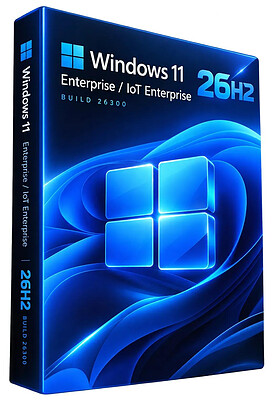
Windows 11 Enterprise/Iot Enterprise 26H2 Build 26300.9711 (No TPM Required) Preactivated Multilingual October 2026 | Size: 7.26 GB
Windows (x64) | Languages: Arabic,English,German,Greek,French,Spanish,Italian,Portuguese-Portuguese,Portuguese-Brazil,Turkish,Dutch,Czech,Norwegian
​
Windows 11 version 26H2 also known as the Windows 11 2026 Update,is built on the same servicing foundation as recent Windows 11 releases. It delivers the latest Windows innovations with a streamlined update experience designed to minimize disruption and help you stay secure, productive, and up to date.

For many eligible devices, moving to version 26H2 is as simple as installing a small enablement package, with a minimal download size, quick installation, and a single restart. Version 26H2 enables most of the features that were introduced in monthly updates for Windows 11, version 25H2.

What's new in Windows 11, version 26H2
Windows 11, version 26H2 is the next annual feature update for Windows 11. It builds on the same servicing foundation as Windows 11, versions 25H2 and 24H2, helping organizations adopt the latest release with minimal disruption. Devices running eligible versions of Windows 11 can move to version 26H2 through a small enablement package rather than a full operating system upgrade.

Because Windows 11, versions 26H2, 25H2, and 24H2 share a common servicing branch, many new features and improvements have already been delivered through monthly servicing updates. Version 26H2 enables selected features and resets the support lifecycle for the new release.

Servicing and deployment
Windows 11, version 26H2 provides a familiar update experience

Delivered as an enablement package for eligible devices running Windows 11, versions 25H2 and 24H2.
Fast installation with a single restart in most scenarios.
Reduced validation effort because supported versions share the same underlying platform.
Consistent management, security, and update experiences across supported releases.
Features enabled by default in version 26H2
For commercial organizations, Windows 11, version 26H2 enables capabilities that were introduced previously but controlled through temporary commercial controls.

Windows settings backup
Windows settings backup is now enabled by default for eligible commercial devices. This helps organizations preserve supported Windows settings and Microsoft Store app lists for recovery and device replacement scenarios. Existing administrator-configured policies continue to be honored.

App-specific actions from the taskbar
Windows 11, version 26H2 enables app-specific taskbar actions by default for commercial devices. Users can thus access common actions directly from taskbar experiences.

File Explorer enhancements
Several File Explorer improvements that were previously under temporary commercial controls are enabled by default in Windows 11, version 26H2. These enhancements focus on improving navigation and usability within File Explorer.

System Requirements For Windows 11
Processor: 2 gigahertz (GHz) or faster.
RAM: 2 gigabyte (GB).
Free space on hard disk: 15 gigabytes (GB).
Graphics card: DirectX 9 graphics device or a newer version.
Additional requirements to use certain features.
To use touch you need a tablet or monitor that supports multitouch.
To access the Windows store to download and run apps, you need an active Internet connection and a screen resolution of at least 1024 x 768 pixels

HOMEPAGE:
Код:
https://microsoft.com

FREE DOWNLOAD LINKS:​

Код:
https://rapidgator.net/file/e217da788adcd096bd77b3353d079d73/Win.11.Enter.Iot.26300.9711..part1.rar
https://rapidgator.net/file/c3b281782b755bea3d7db1196f0daae3/Win.11.Enter.Iot.26300.9711..part2.rar
https://rapidgator.net/file/e35889a981c8003286c3c0be8119a085/Win.11.Enter.Iot.26300.9711..part3.rar
https://rapidgator.net/file/004e4f85918e3b4a3e513f7e90fb1754/Win.11.Enter.Iot.26300.9711..part4.rar
https://rapidgator.net/file/2f801e0fd88081d5744ed9b7ace21afc/Win.11.Enter.Iot.26300.9711..part5.rar
https://rapidgator.net/file/025970d12634a377f82a81bbb04e13da/Win.11.Enter.Iot.26300.9711..part6.rar
https://rapidgator.net/file/225f5fe9cff608ff457f94948281db76/Win.11.Enter.Iot.26300.9711..part7.rar
https://rapidgator.net/file/02b80299aa5a82a3a3af44baf4d00b15/Win.11.Enter.Iot.26300.9711..part8.rar

Код:
https://clicknupload.click/p0lv1s5ttiot/Win.11.Enter.Iot.26300.9711..part1.rar
https://clicknupload.click/twdjbyjkpu1w/Win.11.Enter.Iot.26300.9711..part2.rar
https://clicknupload.click/oudcbuyzlbno/Win.11.Enter.Iot.26300.9711..part3.rar
https://clicknupload.click/whsp8fdh60cc/Win.11.Enter.Iot.26300.9711..part4.rar
https://clicknupload.click/ch6k6zc11nio/Win.11.Enter.Iot.26300.9711..part5.rar
https://clicknupload.click/ribdzam78z56/Win.11.Enter.Iot.26300.9711..part6.rar
https://clicknupload.click/y2ssitpbmn5g/Win.11.Enter.Iot.26300.9711..part7.rar
https://clicknupload.click/s3v3d4znikd0/Win.11.Enter.Iot.26300.9711..part8.rar
 

786933344_cover.png


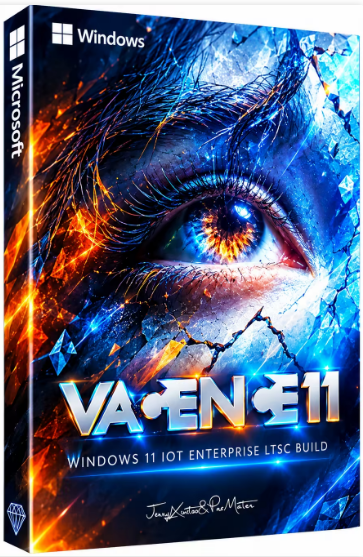
Windows 11 Iot Enterprise Ultra Lite 25H2 Build 26100.9550 VAGANCE11 Edition | Size: 2 GB
Windows x64 | No TPM | Languages: English
​

This build is an LTSC version for advanced users and not only.

This build is not updatable, windows update section is totally removed.
Plenty Tweaks have been applied for extreme performance, Responsiveness and much more.
Hope you enjoy this release.

Build Informations
Microsoft accound bypassed
Power Plan set to Ultimate Perfrmance with Power Plan applied
Windows Image Viewer is set as default
Tweaks applied for extreme performance, Responsiveness, and Resource Savings in all sections
Some services are disabled or setup to manual
Faster Login
Faster Shutdown
Faster Explorer
Hibernation is disabled
System Protection is enabled
Privacy features are turned off
Account image applied (you can change it)
New themes applied
CPU Boost settings is enabled and setup to Aggressive as default
(choose your own depending your system)
Firewall has more district rules
(you can reverse it)
User Password is setup to never expire
And much more.

Programs
7zip
OldNewExplorer
SIB AIO
Nilesoft Shell

System Requirements For Windows 11
Processor: 2 gigahertz (GHz) or faster.
RAM: 2 gigabyte (GB).
Free space on hard disk: 10 gigabytes (GB).
Graphics card: DirectX 9 graphics device or a newer version.
Additional requirements to use certain features.
To use touch you need a tablet or monitor that supports multitouch.
To access the Windows store to download and run apps, you need an active Internet connection and a screen resolution of at least 1024 x 768 pixels

HOMEPAGE:
Код:
https://www.microsoft.com/

FREE DOWNLOAD LINKS:​

Код:
https://rapidgator.net/file/4fa6b51b35ef5368fe9c199444006666/Windows_11_Iot_Enterprise_Ultra_Lite_25H2_Build_26100.9550_VAGANCE11_Edition.rar

Код:
https://clicknupload.click/9nlmqr2vohlp/Windows_11_Iot_Enterprise_Ultra_Lite_25H2_Build_26100.9550_VAGANCE11_Edition.rar
 
a07b8c170d5a3c4279b9ed23eff6318f.jpg


All Video Downloader Pro 10.5.24 (x64) | Size: 158.59 MB
Language: English
​
All Video Downloader Pro is a professional Windows app for downloading and converting your favorite videos from video sharing sites. It accelerates your downloads by up to 5 times!

Download videos from hundreds of video sharing sites.
All Video Downloader Pro can download videos from YouTube, Facebook, Dailymotion, and hundreds of other video sharing sites. After downloaded, you'll be able to play them smoothly on your PC or mobile devices, even if you don't have internet access.

Accelerate downloads by up to 5 times.
All Video Downloader Pro features a multithreading download acceleration engine that can boost and increase your download speeds by up to 500% faster.

Download 4K, 2K, HD 1080p, HD 720p, and 3D videos.
All Video Downloader Pro allows you to download videos in different resolutions, including 4K/2160p, 2K/1440p, HD 1080p, HD 720p, 480p, 360p, and 240p. You can download 1080p HD videos to enjoy quality graphics on your TV, you can also download 240p videos in order to save space on your mobile devices.

YouTube to MP3 downloader.
All Video Downloader Pro allows you to download only audio stream directly from YouTube and save it as MP3, without downloading the entire video file.

Download entire playlist from YouTube at one time.
All Video Downloader Pro enables you to download an entire YouTube playlist with just a few clicks. All videos in the playlist can be downloaded automatically at one time.

Download multiple videos at a time.
All Video Downloader Pro supports simultaneous downloads that allows you to download more than one video at the same time.

Download subtitles in selected language and format.

Pause and resume downloads.
You may pause your downloads at any time. All Video Downloader Pro can resume broken download from where it was interrupted. You don't need to start from the beginning again.

Preview incomplete video while downloading.
While downloading, you can click the Preview button to play incomplete video and make sure that the content you are downloading is really the video of your choice.

Convert downloaded videos to any format.
All Video Downloader Pro can automatically convert downloaded videos to the format you choose. It supports MP4, FLV, WMV, MOV, ASF, AVI, DV, M4V, MKV, MPG, OGV, SWF, TS, VOB, WEBM, DVD, VCD, SVCD, and many others.

Optimize downloaded videos for any device.
All Video Downloader Pro can automatically optimize downloaded videos for your mobile devices, so you can watch them on your iPhone, iPad, Android phone, Android tablet, Xbox, Windows phone, PSP/PS4/PS3, Samsung Galaxy, etc.

Video to MP3 converter.
All Video Downloader Pro is capable of extracting audio streams from videos and save them as MP3, WAV, WMA, AC3, AAC, OGG, M4A, FLAC, MP2, or any other audio format.

Video and audio converter.
All Video Downloader Pro is a powerful video and audio converter too. It allows you to convert any video/audio files on your disk to the format you wish so that they are playable on your media player or mobile devices.

Ready-made video/audio format presets.
All Video Downloader Pro provides ready-made presets for all popular video and audio formats. You can also custom output video/audio format settings.

Schedule downloads.
All Video Downloader Pro can automatically start downloads at a set time, and shut down your computer when all done. You will no longer have to wait for your long list of videos to finish downloading.

Support drag-and-drop.
You may simply drag and drop a video link/URL from your web browser to All Video Downloader Pro's Drop Box to start a download. You don't even need to copy and paste video link/URL manually.

All Video Player.
All Video Downloader Pro includes a simple and easy-to-use media player - All Video Player, for playing MP4, WebM, FLV, MP3, AAC, and any other format video/audio files that Windows Media Player cannot play.

Operating System: Windows 7, 8/8.1, 10, 11

HOMEPAGE:
Код:
http://www.kotato.com/

FREE DOWNLOAD LINKS:​

Код:
https://rapidgator.net/file/9f81c419de7880e24849c05ab5e145dc/All_Video_Downloader_Pro_10.5.24_x64.rar

Код:
https://clicknupload.click/pp38vyckk35k/All_Video_Downloader_Pro_10.5.24_x64.rar
 
e24da48072111b54f6efe1128866008d.png


Blancco File Eraser Enterprise 8.7.0 Multilingual | Size: 44.8 MB
Language: English
​
Securely erase sensitive files, folders and free disk space from PC desktop computers, laptops and servers - either manually or automatically.

How it Works
Blancco File Eraser goes beyond today's regular file shredding software to guarantee your sensitive individual files are permanently erased from desktops, laptops and servers with a certified, 100% tamper-proof report that achieves true data sanitization and compliance requirements.

Targeted, Specific Erasure
Increase the data security of individual projects and targeted tasks over entire data profiles, allowing for as opposed to the comprehensive data profile of an organization

Enforce Data Retention Policy
Blancco File Eraser allows you to reduce system complexity, simplify management and streamline the enforcement of your data retention policies, leading to heightened data security, audit compliance and increased productivity amongst your IT team and end users.

Key Benefits
Erase unwanted files easily, quickly and permanently with Blancco File Eraser.

Erasure
Permanent erasure of files, folders and free disk space to the most stringent requirements, including temporary files and cache

Integration
Installs easily within existing enterprise IT systems allowing you to use Active Directory management efficiently

Speed
Cuts system downtime during file removal

Automation
Erases files and folders according to automated processes/schedules

Certification
Provides a digitally signed certificate of erasure for a complete audit trail

Compliance
Compliant with state, federal and international data privacy regulations and guidelines, including ISO 27001 and ISO 27040

HOMEPAGE:
Код:
https://www.blancco.com/products/file-eraser/

FREE DOWNLOAD LINKS:​

Код:
https://rapidgator.net/file/79fe4fdf70766ee4da80a99a7bb76006/Blancco_File_Eraser_Enterprise_8.7.0_Multilingual.rar

Код:
https://clicknupload.click/i1ypu6neo89v/Blancco_File_Eraser_Enterprise_8.7.0_Multilingual.rar
 
7a53fe6e8c374dd99930a7d79b785c31.jpg


CoolUtils PDF Combine Pro 4.2.0.208/170 Multilingual | Size: 416.2 MB
Language: English
​
PDF Combine Pro is a life saver for those who need to combine PDF, DOC, TXT, DOCX, HTML, XLS files, images (TIFF, JPEG, PNG) and emails into one PDF. Now you do not have to use several programs and converters to get one PDF. PDF Combine Pro does it in one go. Supported input formats include DOC, DOCX, RTF, TXT, XLS, XLSX, HTML, HTM, MHT, PS, EPS, PRN, PDF, TIFF, JPEG, PNG, PST, EML, MSG.

PDF Combine Pro can combine files within folders. For example, you have 3 folders with different file types inside each. - The app can produce three combined PDF files.
- It can easily create bookmarks that can be used as table of contents.
- Users can add custom Cover pages to the combined PDF.
- Legal users will appreciate the flexible bates stamping option.
- Transparent user interface and full command line support.

Features
- Combines PDF, DOC, HTML, XLS, TIFF, PNG, JPEG files into PDF
- Creates table of contents
- Adds Back to Content link to the footer of each page
- Inserts a Cover page of your choice
- Combines PDF files by folders
- Combine PDFs by common name part
- Creates bookmarks out of file names or titles
- No need for Adobe Acrobat
- Command line
- Clean graphic user interface
- ActiveX and Server version

HOMEPAGE:
Код:
https://www.coolutils.com/PDFCombinePro

FREE DOWNLOAD LINKS:​

Код:
https://rapidgator.net/file/141a8f22daf99a5ab12fc4bd21b385b5/CoolUtils_PDF_Combine_Pro_4.2.0.208170_Multilingual.rar

Код:
https://clicknupload.click/qb9z0i9g3owl/CoolUtils_PDF_Combine_Pro_4.2.0.208170_Multilingual.rar
 
23faab8eba62f19b15a61e2df1724d0d.jpg


Coolmuster Android Backup Manager 4.0.9 Multilingual | Size: 24.16 MB
Language: English
​
Worried about losing important files on your Android phone due to unexpected malfunction or other problems? It's better to back up your Android phone data before it really gets lost, such as contacts, SMS, photos, documents, etc. Also, if you need to restore Android phone backup to a new Android phone, Coolmuster Android Backup Manager, the topnotch Android backup and restore software, can empower you to realize all your demands on Android backup and restore without any hassles.

Back Up Android Phone in 1 Click
Wondering how to back up everything on Android phone effortlessly? This Android backup software allows you to back up Android phone to PC in one click and endows you with the full right to back up Android phone data with ease.
User-friendly Backup Process: With no special technical skills required, you can freely choose to back up either all or any target data types on Android device without quality loss, customize the storage location of backup files, and also track the backup progress.
Multiple File Types Supported: Various file types are supported for Android backup management, such as contacts, messages, call logs, photos, music, videos, documents and user apps.

Restore Android from Backup in 1 Click
Want to make an Android backup and restore to a new phone? Whenever you need to switch to a new Android phone or share data with the other Android device, this Android data backup & restore app is always at your services, helping with Android restore from backup with one click.
Customized Restore Process: It can quickly scan out and list all the backup files you've made on your computer, you can freely choose to restore any listed backup file and any target file types into any connected Android device.
Other Restore Utilities: Can't find the backup file you want from the list? No worries, you can freely add new backup folders from computer for restoration. Also, the exiting data on your Android phone won't be deleted unless you've chosen to clear data before restoring as it supports.

2 Device Connection Methods: USB and Wi-Fi
Coolmuster Android Backup Manager provides two ways to connect Android device to this software for successful Android data backup and restore: USB connection and Wi-Fi connection. You can freely choose either way you want.
Connect via USB Cable: Usually, you can connect your Android device to computer with a USB cable for a more stable connection, which is easy and also ensure fast Android data backup and restore.
Connect via Wi-Fi: With no USB cable around? Don't worry, you can also connect the Android phone to computer with stable Wi-Fi by scanning the QR code of this program, and wirelessly back up and restore Android data.

Operating System: Windows 11/10/8/7/XP/Vista/2003/2000/NT

HOMEPAGE:
Код:
https://www.coolmuster.com/

FREE DOWNLOAD LINKS:​

Код:
https://rapidgator.net/file/d9773a4a972fdeb32b9fb19651df425c/Coolmuster_Android_Backup_Manager_4.0.9_Multilingual.rar

Код:
https://clicknupload.click/9gbtavaj888e/Coolmuster_Android_Backup_Manager_4.0.9_Multilingual.rar
 
ed91ec560216575f8df77107f380f860.jpg


Fast Duplicate File Finder Pro 7.3.0.2 | Size: 12.37 MB
Language: English
​
Fast Duplicate File Finder will find duplicate files in a folder, computer or entire network. The application will compare the content of the files and will find duplicates even if they are using different file names.

The Professional version can find similar files regardless of their file types. It will analyze the file data in order to find duplicates and not just file attributes like name and size as the standard clone removers do. It uses advanced algorithms while searching for related files and provides accurate results, which is not true for the commonly advertised FUZZY search methods.

The duplicate remover uses fast binary comparison algorithm and has internal preview supporting a lot of image, video, music and text file formats. It can also preview the common file formats.

After the scan process is finished the program shows all the duplicated files in groups and can automatically mark the oldest for deleting. The auto-mark algorithm has advanced settings to exclude from auto mark files with user specified extensions, file sizes, file dates, and file names. A "source" folder can also be excluded from the auto mark. There is an option to protect system files and folders which is enabled by default and guarantees that the application will not remove any critical system files.

Duplicate File Finder - Features
The duplicate cleaner is a powerful utility for finding repeating files in a folder and all its sub folders. The duplicate remover has the following features:

Find duplicate files or find similar files in user specified folders, hard drives, computers or entire networks
Fast binary comparison algorithm
Internal preview supporting images, videos, music, text and binary files
Older or smaller files can be automatically marked for deletion
Redundant files can be moved to Recycle Bin, custom folder or deleted permanently
Support for all kinds of removable media - usb drives, diskettes etc.
Has intuitive interface and rich documentation
Process priority settings that will let the application scan in your computers IDLE time
Protection for system files and folders that will prevent damages to your system files when removing redundant files
Automatically locate duplicated files in Windows Explorer
Open file with associated program
Powerful filter and exclude from auto-check options
Powerful Quick Check/Uncheck dialog
Multi-language file system support
Native support for 64 bit and 32 bit operating systems

System Requirements:
Operating system: Windows 11 / Windows 10 / Windows 8.1 / Windows 8/Windows 7 / Windows Vista / Windows 2000 / Windows 2003 / All Windows Server operating systems
CPU: 2 GHz or higher
512 MB RAM
20 MB free hard disk space
True Color display and video card
Mouse or other pointing device

HOMEPAGE:
Код:
https://www.mindgems.com/

FREE DOWNLOAD LINKS:​

Код:
https://rapidgator.net/file/9890a7637150c9fbf4d9856f7b0b7621/Fast_Duplicate_File_Finder_Pro_7.3.0.2.rar

Код:
https://clicknupload.click/cubrvwj48wae/Fast_Duplicate_File_Finder_Pro_7.3.0.2.rar
 

eceda04e51df71a4bd21022c03c5b2a1.jpg


Glary Absolute Uninstaller 6.0.1.28 Multilingual | Size: 8.39 MB
Language: English
​
Absolute Uninstaller is similar to standard Windows Add/Remove program but more powerful. The standard Add/Remove program can't uninstall applications completely which offen leaves broken registry keys, unnecessary files on the hard disk.The more junk files your computer have, the slower it runs. Absolute Uninstaller can wipe off all the junk files clearly in seconds.It offers a more user-friendly way to remove unneeded applications and to improve your computer efficiency. Big registry and large number of unnecessary files make the system slower and slower. Uninstall Manager can clear them in seconds!

Completely Uninstall
The Standard Add/Remove Program often can't uninstall applications completely .It often leave files on the hard drive ,associated desktop icons, Start menu entries and keys in the registry. Big registry and large number of unnecessary files make the system slower and slower. Uninstall Manager can clear them in seconds!

Fast and User-Friendly
Absolute Uninstaller starts up more faster than Add/Remove program with all appropriate icons of the application loaded and marks recently installed program. so that you can easily find out the application you want to uninstall. You may also look up the application you want through a handy search function.

System Requirements: Windows 11, 10, 8.1, 8, 7, XP and Vista

FREE DOWNLOAD LINKS:​

Код:
https://rapidgator.net/file/4f8c783081c83725fdbd96a7c011af7a/Glary_Absolute_Uninstaller_6.0.1.28_Multilingual.rar

Код:
https://clicknupload.click/ygt9w4g02fug/Glary_Absolute_Uninstaller_6.0.1.28_Multilingual.rar
 
5e47d893c847eb969e08ebf55c4473b8.jpg


Glary Malware Hunter Pro 1.224.0.870 Multilingual | Size: 66.51 MB
Language: English
​
Malware Hunter is an award-winning product that provides comprehensive protection against all types of threats, secures your data, protects your privacy and ensures your PC remains virus-free.

Malware Hunter
- Hyper scan makes you enjoy a faster scanning speed.
- Detect and remove stubborn malware, against potential danger.
-

Operating System: Windows 10, 8, 7, 2000, XP, Vista. 32/64bit version.

HOMEPAGE:
Код:
http://www.glarysoft.com/malware-hunter/

FREE DOWNLOAD LINKS:​

Код:
https://rapidgator.net/file/1077d7ec29038b9d161c8b45258ba3a4/Glary_Malware_Hunter_Pro_1.224.0.870_Multilingual.rar

Код:
https://clicknupload.click/egcgp1afq06g/Glary_Malware_Hunter_Pro_1.224.0.870_Multilingual.rar
 
6b86691e89f6cbae2d7292d6f31c87bd.jpg


Glary Utilities Pro 6.49.0.53 Multilingual | Size: 29.14 MB
Language: English
​
Glary Utilities is the number-one pro and all-in-one utility for cleaning and maintaining your PC. It includes more than 20 tools to maximize your computer's performance.

One-click Maintenance
One-click maintenance Integrates frequently used functions together. One-click to clean up junk files, fix system errors, clear privacy records, and optimize computer performance.

Free Up Drive Space
Disk Cleanup searches for old temporary files, obsolete installation files, log files, internet history and cache, error reports, save offline content and error logs etc. that you can safely delete on your computer.

Prevent errors or crashes
Based on years of experience, Glary Utilities can more safely clean up the errors in your registry to prevent some inexplicable program errors or system crashes. Also it can detect and fix disk corruption.

Make your computer run faster
Is your computer getting slower? Glary Utilities can help you identify and disable unnecessary startup programs that take up resources, or uninstall infrequently used software to free up more hard disk space.

Protect Your Privacy
Your browser will record the URL you have visited, and some software will also save the name of the file you opened last time. Glary Utilities can help you find and delete them. Glary Utilities can also help you completely delete files so that they cannot be recovered.

Keep Your Software Update To Date
The newer version of the software usually has better functions, higher performance, fixes bugs and vulnerabilities, and has better security, Glary Utilities can help you discover and update new versions in time.

Recover Lost or Deleted Files
Did you accidentally delete an important file? Did you also empty the Recycle Bin? Don't worry. Glary Utilities can help you find and restore them quickly.

Analyze Disk Space Usage
Are you running out of hard drive space? And you want to know which files or folders take up the most space? Disk Space Analyzer can quickly scan your hard disk and show you them sorted by size.

Find and Remove Duplicate Files
You may have downloaded the same file twice or backed up the same file twice. Duplicate Files Are Big Disk Space Hogs. Dupliate Finder can help you find and delete them.

Operating System: Windows 11, 10, 8.1, 8, 7, XP and Vista

HOMEPAGE:
Код:
http://www.glarysoft.com/

FREE DOWNLOAD LINKS:​

Код:
https://rapidgator.net/file/5d6e8eedc623b738520facd3a3243382/Glary_Utilities_Pro_6.49.0.53_Multilingual.rar

Код:
https://clicknupload.click/68ioaczfsy6k/Glary_Utilities_Pro_6.49.0.53_Multilingual.rar
 
a60cb0c3cbe807333bd6bfbe370b52c7.jpg


Grub2Win 3.0.5.3 | Size: 1.35 MB
Language: English
​
Grub2Win provides you with a boot manager that allows you to boot from various operating systems every single time you power your computer on.

First things first, boot managers resolve the problem that many users interfere with whenever they want to install different OSes on their PC. For instance, one may want to have Windows, a few Linux distributions and even a Mac OS X deployed on the same system. Without a boot manager, the boot sequence chooses the same OS over and over again and boots to it. Therefore, a boot manager is a must for any similar situation. Generally, a boot manager allows for every operating system to be installed to a separate partition, thus limiting the chances of potential conflicts. The thing with this trend amongst advanced users is quite simple to comprehend. If you ever find yourself dying to take a new operating system for a test run without completely switching to it, then you can install it alongside the current OSes on the computer. Thus, you don't have to install it over the one you are already running then reinstalling the old one if you don't find it any reason to keep the new one. Other than this, there are several other reasons to utilize boot managers and, implicitly, multiple operating systems. One of them can refer to developing and testing applications.
Overall, Grub2Win is a pretty nifty application that silently sits in the first primary partition of your system takes up little space and also packs several themes for you to choose the right one from. This way, you make sure you are not interfering with the Windows MBR code and that your partitions do not mix and create a gigantic headache.

Features
Supports 64 and 32 bit EFI as well as BIOS firmware
Installs to Windows 10, 8, 7, Vista and XP
Requires just one directory on the Windows C: drive, about 15 MB disk space
Simple Windows GUI easily sets up Grub2Win in seconds
Lets you set your EFI firmware boot order from within Windows
Preview and select boot themes and animations during the install
Grub boot messages and help can be displayed in 27 major languages worldwide
Works with all filesystems including Mac hfs and Btrfs
Can search for and boot a partition by it's label. Supports advanced scripting
Works with both MBR and GPT disks - up to 128 primary partitions per drive
Supports extremely large (over 4 TB) disks and partitions
No registry changes
Safely multiboot Windows, Remix, Android, Ubuntu, Debian, Suse, Fedora, Mint and more
Grub customization is done from Windows - Configuration in Linux is not required
Runs open source GNU Grub 2.02 code. Frequent releases and enhancements
No adware or spyware - No hassles... It just works

System Requirements: Windows 10, 8 , 7

FREE DOWNLOAD LINKS:​

Код:
https://rapidgator.net/file/ce420bf1fef15b363fcde0a3fd507d5d/Grub2Win_3.0.5.3.zip

Код:
https://clicknupload.click/6yea0qi2iqaz/Grub2Win_3.0.5.3.zip
 
ce7c6c023621ba58e40057f705536514.jpg


Grundig DigtaSoft Pro 9.2026.0430 | Size: 832.88 MB
Language: English
​
DigtaSoft Pro: software for efficient cooperation between authors and secretarial staff. The sector-independent DigtaSoft Pro speech processing software provides authors and secretarial staff with expanded workflow management. It includes many additional functions such as the set-up and management of multiple in-boxes and also fulfills the requirements of various sectors such as health care and law. Set priorities and use the dictation status report or set deadlines! DigtaSoft Pro is ideal for managing large networks because it offers clearly organized dictation management - even at high dictation volumes. With DigtaSoft Pro, you can process your dictations more efficiently.

Simple and intuitive operation
The appearance of DigtaSoft 7 is based on the familiar office look. Thanks to the intuitive user interface with menu bar, even beginners can find their way around quickly. The DigtaSoft Player and also the DigtaSoft Recorder are clear and space-saving as central components of the software.

128-/256-bit encryption offers the highest level of security
Generate your dictations in the DSSPro format and take advantage of a higher level of data security! DigtaSoft Pro allows you to use 128/256-bit encryption for your dictations, even in real time. Unprotected DSS and DSSPro dictations can also be encrypted after they have been generated. The dual encryption rate fulfills the current requirements in sensitive sectors such as health care and law. You can also increase security by protecting your dictations with a password so that only your secretarial staff can decrypt them.

HOMEPAGE:
Код:
https://www.grundig-gbs.com/en/solutions/workflow-dictation/digtasoft-pro/

FREE DOWNLOAD LINKS:​

Код:
https://rapidgator.net/file/af353ddf09ce67849b24a0087872e6d8/Grundig_DigtaSoft_Pro_9.2026.0430.rar

Код:
https://clicknupload.click/e3c4pa518gc5/Grundig_DigtaSoft_Pro_9.2026.0430.rar
 
744d76ee93d90d43d70d7e63b6f8ec2f.jpg


IDimager Photo Supreme 2026.4.3.9707 Multilingual | Size: 184.85 MB
Language: English
​
Photo Supreme v2026 is a thoughtful and forward-looking release. This update has focused on smarter discovery, faster performance, and modern workflow expectations, especially around large catalogs, mobile integration, searches, and team environments.

Import and Select
One of the standout additions in Photo Supreme v2026 is the new multi-pass Import and Select workflow. This allows users to review and refine image selections in multiple stages instead of making all decisions in one pass. It's especially useful for large shoots, letting photographers cull images more deliberately and with less pressure. In addition, the Import and Select feature now loads images faster than ever. Mac users will also appreciate direct iOS device importing, which makes it possible to bring photos straight from an iPhone or iPad into the catalog without relying on intermediary software. This significantly streamlines mobile-first workflows.

Powerful Searches
Photo Supreme now supports natural language searching, allowing users to find images using plain, conversational phrases rather than rigid metadata queries. This feature is powered by AI services such as OpenAI, Google Gemini, or local models with Ollama. This gives users flexibility in how advanced features are enabled. In addition, a new classification system enhances search accuracy by grouping images into meaningful categories upon import, making it easier to surface relevant results in large or complex catalogs.

Video & Media Handling
For users working with video, Photo Supreme v2026 introduces hover-based video previews. Simply hovering over a video thumbnail now reveals a short animated preview, making it much faster to identify clips without opening them individually. Support for modern formats has also been expanded, ensuring the software keeps pace with current media standards.

Sharing with ZIP
Exporting images is more flexible in v2026 thanks to ZIP output support in transfer profiles. This makes it easy to bundle images into a single archive for delivery, backup, or client sharing, all directly from within Photo Supreme. These enhancements simplify distribution workflows and reduce the need for external tools.

GEO Maps
GEOgraphic-Mapping features can now generate maps using not only Google Maps, but also OpenFreeMap with OpenStreetMaps. This removes the need for API keys while still delivering rich, interactive map displays. This update makes location-based browsing easier to configure and more accessible for all users.

Performance and Refinements
Photo Supreme v2026 delivers notable performance enhancements, resulting in faster browsing and a more responsive overall experience. Response times are improved by up to 10%, with especially noticeable gains for large libraries containing many catalog labels.
Catalogs with numerous stacks also see significant performance improvements, particularly when displayed in stacked views.
v2026 includes a wide range of refinements, such as: "Visually similar" stack detection, numerous stability fixes and workflow enhancements, polished UI behavior in collections, searches, and metadata handling

Wait, there's more, a lot more.
New "RAW Files" and "Video Files" catalog states
Added support for Google Gemini as an AI service
Added support for OpenAI GPT-5.2 as an AI Service
Added support for Ministral3 model with Ollama
Added file management support for ACR sidecar files
Update HTTP Server with Photo Supreme Online (Server Edition)
Faster face recognition
Added "AI-Estimated GEO Location" to the AI Panel
Faster result display in the Collection Viewer
"Cascade Metadata" from image to Stack or Version Set is now a background process
A highlighted stroke has been added to the active tabs, improving navigation
Now you can display metadata charts and graphs across multiple tabs
Added support for Ctrl/Cmd+Z functionality in text and memo fields
Defined the new Affinity v3 .AF and .AVIF file format as a supported "other file format"
Switching the collection viewer's view style is faster (eg from Basic to Grid to Clean to Custom Thumb Info)
Advanced Search now has an option to search by "File Size" and "File Size MB"
Finetuned the check for "need to compact" on PostgreSQL (Server Edition)
Bookmark keyboard shortcuts are now a "toggle", similar to ratings and color labels
Expanding nodes in the Catalog Tree is ~25% faster
When using the "Dump Full to Catalog File" feature, there's now the option to create either a "catalog dump" file, or a "catalog with thumbs" dump files
Added a XMP Storage Location for "original file AND non-standard sidecar file"
In "Stacked View", you can now select a specific item from the stack to show
Support for PostgreSQL 18.
And more.

Highlights for v2026
Multi-Pass "Import and Select": Seamlessly transition through passes with a fast-culling system that optimizes your workflow.
Direct iOS Image Import on macOS: Import images directly from your iOS devices with ease.
Video Thumbnail Preview: Hover over a video thumbnail or open the Quick View to view a live video preview.
Natural Language Search Powered by AI: Search your content using plain language, with smart integration through OpenAI, Google Gemini, or Ollama models.
Transfer Profiles can now create ZIP output files: Copy or send sets of images as a single ZIP file for easier sharing.
Maps with OpenFreeMap: Display images on interactive maps using OpenFreeMap/OpenStreetMaps with no API key needed.
Server Edition Thumbnail Caching: Enjoy faster performance with local thumbnail caching, automatic cleanup, and customizable settings for retention and cache size.
Classifications: Enhance search accuracy with an automatic image classification mechanism on import.

Operating System: Windows 10 or higher

HOMEPAGE:
Код:
https://www.idimager.com/

FREE DOWNLOAD LINKS:​

Код:
https://rapidgator.net/file/b21f58e3dbc1e27cb4c78a27aa1d8909/IDimager_Photo_Supreme_2026.4.3.9707_Multilingual.rar

Код:
https://clicknupload.click/0tvmgpt0jx45/IDimager_Photo_Supreme_2026.4.3.9707_Multilingual.rar
 
822d36b2cf8d155652746de32bad7386.jpg


Karaosoft Karma 2027.0.33 | Size: 33.67 MB
Language: English
​
Manage your karaoke shows with ease. Clickless search, drag-n-drop functionality, and many other unique features designed to bring you the most simplified management of your karaoke shows. Karma is the culmination of years of research into every known method of running karaoke shows on the PC, to produce a product that is both robust yet simple to use and time saving. Karma eliminates many time wasting tasks to free you up for more enjoyable things like interacting with the crowd or even taking a break!

Features:
- Paperless slips - Let your singers use SingNext.com to send paperless slips right from their phones, without having to leave their seat.
- Triple display support - Optional triple display mode with 3 separate video outputs for KJ, singer, and crowd. Automatically shows lyrics to singer display while showing the crowd a different view with customizable information and displays during performances. For music videos, video automatically switches to crowd display when no singer is assigned.
- Private Messaging - Send private messages to singer screen (like "back off the mic" without embarrassing the singer), or vice versa with the crowd display.

- Superior Audio/Video Quality - Utilizes Karaosoft's custom hybrid audio/video engine for flawless sound and key changes without low end distortion. Post decoding video throughput for the smoothest video playback and synchronization on any hardware!
- Simplified Song Search - No need to take the time to drag your mouse to the search box. Just start typing!
- Drag and Drop songs and singers with ease. Change a singer's position in rotation by a simple drag and drop (mouse or touch), and watch the playlist order automatically change to suite the new rotation order!
- Touch screen scrolling with inertia
- Automatic Playlist sorting on any song add or rotation change. Any queued DJ music automatically stays in place while songs assigned to singers are automatically sorted around them.
- Auto-Play / Auto-Pitch - Set pitch ahead of time for individual songs to automatically be set when the song is played. Set DJ music to Autoplay one after another with automatic crossfade so you can take a break without worry.
- Panel Layout insures no window will ever overlap another during your show and all show related controls are always onscreen. Panels can be arranged in one of 64 different layouts, and then personally sized to fit your custom screen needs.
- On-The-Fly Lyrics timing - Ever have the lyrics ahead or behind the music? AV synch control can be changed on the fly.
- Version Changer - Singer didn't want to sing that version? Click the "Now Playing" bar and view all of the available versions for a quick change.
- Automatic Crossfader, Multiplex routing, and more!

System Requirements:
- Windows 11, 10, or Windows 8.1
- 2 Ghz or faster processor
- 4 GB RAM
- 1280 minimum resolution width for primary display

HOMEPAGE:
Код:
http://www.karaosoft.com/

FREE DOWNLOAD LINKS:​

Код:
https://rapidgator.net/file/6db21ec54a059bf0989ec4c88b835b85/Karaosoft_Karma_2027.0.33.rar

Код:
https://clicknupload.click/xec7l8yb4bo0/Karaosoft_Karma_2027.0.33.rar
 
3bb43ad58ba414e72b32ff440d4b5877.jpg


LDPlayer 14.0.31 Multilingual | Size: 929.78 MB
Language: English
​
LDPlayer is an Android 5.1 emulator that enables you to access mobile applications and play games using your mouse and keyboard. Whether you are looking for a simple way to debug the apps you are developing for mobiles or perhaps, you would like to enjoy Android-specific games on a larger screen, there are numerous reasons why an emulator could come in handy.

The setup is a quick and straightforward process that does not require special attention from your part. The app comes with a sleek and stylish interface and thanks to its side-panels, it enables swift navigation and browsing, similarly to the Android OS.

As indicated after installation, you need to download the APK packages for the games you want to play. Afterwards, you can simply drag over the interface to install or you can use the dedicated installation button, if you find that more convenient.

Take note that the tool comes with a quick link to Google Play and providing that you have or create an account with the service, you can find the games you want from here.

Enables you to create macros and mapping for all game genres
A noteworthy feature is that the tool comes with several advanced options to create custom mapping for the games you are playing. Therefore, you can set key and mouse discs, set the view based on the game graphics or place buttons on the screen for shooting or casting spells.

At the same time, the program allows you to create macros, which can come in handy if you are playing more advanced games that rely on sensitivity of the push, tilt, drag or click. In case none of the mapping options work for your game, then you will be happy to learn that you can create a custom one just as easily.

An intuitive and smooth Android emulator application
All in all, LDPlayer can come in handy for both users and developers who do not have an Android device, but still want to try out the latest games or perhaps, test out apps developed for this operating system.

System Requirements
Intel or AMD CPU Processor x86 / x86_64
Windows XP XP3 / Win7 / Win8 / Win8.1 / Win10 / Win 11
Windows DirectX 11 / Graphic driver with OpenGL 2.0
Minimum 2GB of system memory (RAM)
Minimum 36GB of free hard disk space
Hardware Virtualization Technology (Intel VT-x/AMD-V) enabled in BIOS

FREE DOWNLOAD LINKS:​

Код:
https://rapidgator.net/file/cfe77449ef9dc69888b83144274e2fa0/LDPlayer_14.0.31_Multilingual.rar

Код:
https://clicknupload.click/oqz4d49ordj4/LDPlayer_14.0.31_Multilingual.rar
 
ef0ed0fede0b2f7aba9f6ed3bf235d9f.png


Light Image Resizer 7.6.7.182 Multilingual | Size: 46.43 MB
Language: English
​
Light Image Resizer - previously known as VSO Image Resizer - software organizes your photos by shrinking their resolution or moving them within your hard drive. Light Image Resizer is the perfect tool for those who store their digital pictures and images on their PC and who want to resize, compress, convert, create copies, create thumbnails, import or organize photos.

With this free resize image software, you can create e-mail friendly versions of your images, load them faster, move them easily from folder to folder, change their format, edit large numbers of image filesbatch image resize and thus save space on your hard drive. Using high resolution 1600x1200 for creating wallpaper or file-sharing you can save your memory. Light Image Resizer can also change file names using a template and you can add your own watermark with transparency support. Light Image Resizer is integrated into the Windows explorer shell, right click on your pictures and start working on your pictures !

Resize and convert
- Resize pictures or convert them into different formats easily. Select your output resolution, create a copy, resize the original, move andor rename files, or compress them and choose a specific destination for your processed images. Work on individual photos or edit large numbers of images by doing a batch resize in just one click.

Operating System: Windows Vista, XP, 7, 88.1, 10

Home Page - httpwww.obviousidea.com

HOMEPAGE:
Код:
N/A

FREE DOWNLOAD LINKS:​

Код:
https://rapidgator.net/file/63e3350350bc4ca0779c87089ab3d251/Light_Image_Resizer_7.6.7.182_Multilingual.rar

Код:
https://clicknupload.click/hur3qevo8h4l/Light_Image_Resizer_7.6.7.182_Multilingual.rar
 
d8f765b620226f321b036718e24358a7.jpg


LosslessCut 3.70.1 (x64) | Size: 144.71 MB
Language: English
​
LosslessCut is a simple, cross platform video editor for lossless trimming / cutting of videos. Great for rough processing of large video files taken from a video camera, GoPro, drone, etc. Lets you quickly extract the good parts from your videos and discard GB of data without losing quality. It doesn't do any decoding / encoding and is therefore extremely fast. Also allows for taking JPEG snapshots of the video at the selected time. Also supports lossless cutting in the most common audio formats .

Since LosslessCut is based on Chromium and uses the HTML5 video player, not all ffmpeg supported formats will be supported. The following formats/codecs should generally work: MP4, MOV, WebM, MKV, OGG, WAV, MP3, AAC, H264, Theora, VP8, VP9 For more information about supported formats / codecs, see .

System Requirements: Windows 11, Windows 10, 8 , 7

HOMEPAGE:
Код:
https://github.com/mifi/lossless-cut

FREE DOWNLOAD LINKS:​

Код:
https://rapidgator.net/file/ac100f844085de98ac6d0b75ebcb310e/LosslessCut_3.70.1_x64.rar

Код:
https://clicknupload.click/80pihp4uf35h/LosslessCut_3.70.1_x64.rar
 
0bda174c93e18e90bb8c7c27dd3d4cd4.jpg


MassTube 2027 v22.1.7.228 Ultra Multilingual | Size: 84.12 MB
Language: English
​
MassTube is a small-sized software utility designed to help users grab their favorite video files from YouTube in the easiest way possible, and download them to the local disk for offline playback. It can be used to create a collection of video tutorials, for example.

Plain and simple interface
Aesthetically, it's not very impressive, as it sports a simplistic interface and just a few options for downloading videos. This is a simple-to-use tool built specifically with a single goal in mind: to grab video files from YouTube. Therefore, it doesn't come equipped with other noteworthy features, such as a built-in YouTube browser or audio extraction mode.

Straightforward video converter with history mode
Some video details are shown after introducing a YouTube link in the dedicated box, namely the resolution and audio parameters. MassTube supports multiple output formats (FLV, MP4, WebM, 3GP), which means that it gives you the possibility to convert the downloaded files to other types, as well as to select a preferred quality if there are multiple options available.

On task completion, it offers to open the downloaded clips with an external video player. It also integrates a history window that shows all the videos you have downloaded from YouTube, which can be cleared, exported to file, and imported at a later time.

Other program settings
MassTube's window can be placed on top of other frames, and it can be asked to remember the current window position whenever opening a new instance. Furthermore, it's possible to disable the internal download engine and switch to an external one, modify the default destination folder for all grabbed videos, as well as apply a proxy configuration for connecting to the Internet.

Evaluation and conclusion
The app worked smoothly in our evaluation and didn't prompt any errors. Although MassTube doesn't have an impressive skill set, it's an efficient software solution for downloading clips and converting them into other formats on the go. CPU and RAM consumption was minimal in our tests.

Operating System: Windows 7, 8/8.1, 10, 11

HOMEPAGE:
Код:
http://www.masstube.cl

FREE DOWNLOAD LINKS:​

Код:
https://rapidgator.net/file/f1618d18da3da5dc2ffb7acb4dbe0b63/MassTube_2027_v22.1.7.228_Ultra_Multilingual.rar

Код:
https://clicknupload.click/d8lznn7vfp0f/MassTube_2027_v22.1.7.228_Ultra_Multilingual.rar
 
b1289fa2b6800ce0ace7514f6c7e5bdd.jpg


MindGems Audio Dedupe Professional 6.3.0.2 | Size: 8.57 MB
Language: English
​
Find and remove duplicate songs and similar music files with Audio Dedupe. Locate repeating tracks even if they are stored in different file formats and are not marked with ID3 tags. Unlike other duplicate mp3 finders it will "listen" to the music and can recognize a song saved in different file formats. Set the similarity level to 100% to find exact matches or lower it to find variations and remixes of the same song.

Audio Dedupe streamlines the process of removing duplicated songs. It categorizes identical tracks based on similarity, offering a convenient preview through its integrated audio player. This tool enables you to effortlessly mark, delete, or automatically move similar songs, ensuring that you retain tracks with the highest audio quality.

The app is highly optimized, standing out as the sole duplicate music finder capable of efficiently managing millions of music files. Moreover, it maintains a cache of previously analyzed songs, ensuring lightning-fast subsequent searches. No more waiting when adding new songs to your music library, and rest assured, it prevents the importation of duplicates.

Beyond identifying similar songs, our duplicate song finder offers a total of six search modes, including swift options for pinpointing exact duplicates and searching for similarities in ID3 Artist, Title, or Album. It also facilitates folder comparisons for duplicate songs. Find duplicate MP3, MP2, MP1, MPA, WAV, OGG, AIFF, AAC, MP4, FLAC, AC3, WV, MPC, and WMA files effortlessly with our advanced duplicate song finder. Developed over two decades, this tool stands as the ultimate app for organizing songs, encompassing every feature you need to tidy up your music library.

Audio Dedupe is a powerful duplicate mp3 finder for removing similar songs or exact duplicate audio files in a folder and its subfolders. It has the following features:
Find similar or duplicate songs - true audio analysis that compares the actual audio content and not just tags. Specify audio similarity in percentage.
Find similar or duplicate ID3 tags - search alike Titles, Albums, and Artist.
Find exact duplicate music files - fast binary search for cloned tracks.
True audio analysis - our duplicate song finder does not rely on file properties - it compares the actual audio content.
Preserve the songs with the best quality automatically - mark lower bit rate audio files, songs with shorter lengths, smaller file sizes, or older file dates.
Integrated audio player to preview the audio duplicates - continuous playback while switching between files lets you easily compare the audio quality.
Option to manually select the duplicate audio files - mark files manually or alter the automatically selected clones.
Remove duplicate songs - move to Recycle Bin, custom folder, or delete permanently.
Copy or edit audio TAGS - easily copy ID3 tags from one song to another or edit them to correct errors or add more details.
Filter duplicates - exclude or include files or folders in the search based on various properties.
Multi-threaded duplicate scan - the tool compares multiple files simultaneously to find duplicate music faster than other apps.
Deduplicate millions of songs - removing duplicate music is limited only by your system resources.
20 years on the market - this is the most reliable duplicate song remover and is actively developed.
Intuitive interface, rich documentation, native support for 64-bit and 32-bit Windows operating systems

Operating System: Windows 11/10/8.1/8/7/Vista (Both 32 & 64 Bit)

HOMEPAGE:
Код:
https://www.mindgems.com/

FREE DOWNLOAD LINKS:​

Код:
https://rapidgator.net/file/9d61a9d616616dc672c151ad81dffc9c/MindGems_Audio_Dedupe_Professional_6.3.0.2.rar

Код:
https://clicknupload.click/9t6mrsfsblsl/MindGems_Audio_Dedupe_Professional_6.3.0.2.rar
 
13c7ad5e1976c58abe2baa9c4a5401d8.jpg


MindGems Folder Size Professional 5.9.0.6 | Size: 5.98 MB
Language: English
​
Folder Size is a free disk space analyzer that will show folder sizes in Windows, Check the distribution of your disk space and visualize it with detailed disk usage charts. View the sizes of the folders and files and the percentage of the total disk size that they occupy. Sort folders by size to list the largest folders and the largest files. Find which files or folders have filled up your drive. Scan your entire hard drive in minutes and list the tree size and file sizes.

Folder Size integrates with Windows File Explorer and can show folder sizes instantly. Use this free disk space analyzer to scan your PC, drives, USB and Flash disks, NAS, SAN, and network shares. Show disk usage reports to easily identify your disk space distribution, organize files, and free up space.

Folder Size has the following features:
Show folder sizes and file details - easily identify which folders and files occupy the most space.
Show local and network folder sizes - show the folder sizes on your Windows PC, HDD/SSD, external USB/Flash drives, NAS, SAN, and network share.
Display disk usage charts - visualize drive space distribution with Bar and Pie charts to easily understand how your files and folders are organized.

Detailed information for all the folder sizes and file details listed in table:
Name
Folder size or File Size
File size or folder size percentage from the parent folders size
Files count inside the folder
Subfolders count
Creation time
Last modification time
Last access time
Folder owner and group

Detailed file and folder reports:
Find Largest Files
Find Largest Folders
Largest Files And Folders
Oldest Files
Oldest Folders
Oldest Files And Folders
Newest Files
Newest Folders
Newest Files and Folders
Longest Paths and Longest File Names
Find Empty Folders (zero size)
Find Empty Folders (zero items)
Find Empty Files (zero size)
Sort folders and files - sort by size, name, dates, owner, subfolder count, and all the other properties listed above.
"Scan with Folder Size" Windows Explorer context menu - show the size of any folder and all its subfolders and files instantly.
Hide or rearrange columns - customize how the file, folder sizes, and other properties are displayed.
Display the file sizes and folder sizes - in Bytes, Kilobytes, Megabytes, Gigabytes, or automatically determine the most appropriate size format
Cut, Copy, Paste, or Delete folders or files - all the features for file management are available.
Remove folders or files from the list - check how deleting an item will impact the folder size by simply removing it without deleting it.
Easy Explorer-style user interface and shortcuts - the user interface is fully compatible with Windows File Explorer. Use the Back, Forward, and Folder Up tool buttons or keyboard shortcuts for easy navigation. Scan folders using Drag And Drop.
Full Windows File Explorer popup menu - use the Windows File Explorer context menu inside Folder Size. You have all your apps and features that are available in File Explorer.
Detailed drive size information list - includes total disk size, drive used space, and drive free space.
Export files and folders to Excel or XML - export all reports to Excel, CSV, or XML files.
Print folders and files - print disk usage reports on paper or print them to PDF, TIFF, or PPV files. You can print the folder tree, the details list, or other disk usage reports.
Save/Load the scanned data - store all the file sizes and folder sizes so that you can compare them with subsequent scans.
Command line option - automate your disk space analysis using command line options. Schedule automatic disk usage scans from the task scheduler.
Fast progressive scan - If you have stopped a scan it will continue from the point of interruption. If you have removed items from the list subsequent scans will be quick and only update the missing items

Operating System: Windows 11/10/8.1/8/7/Vista (Both 32 & 64 Bit)

HOMEPAGE:
Код:
https://www.mindgems.com/products/Folder-Size/Folder-Size.html

FREE DOWNLOAD LINKS:​

Код:
https://rapidgator.net/file/3be6058574e0422e834a8762094528c0/MindGems_Folder_Size_Professional_5.9.0.6.rar

Код:
https://clicknupload.click/2oartc6xnu4v/MindGems_Folder_Size_Professional_5.9.0.6.rar
 
Назад
Сверху Снизу