







All Emperor2011's Software in one thread !! (updated daily)

adbe91e3be7d6bbe2a324f000584b9e5.jpg


Internet Download Manager 6.43 Build 17 Multilingual + Retail | Size: 23.27 MB
Language: English
​
Internet Download Manager has a smart download logic accelerator that features intelligent dynamic file segmentation and safe multipart downloading technology to accelerate your downloads. Unlike other download accelerators and managers that segment files before downloading starts, Internet Download Manager segments downloaded files dynamically during download process.

Internet Download Manager reuses available connections without additional connect and login stages to achieve better acceleration performance. Internet Download Manager supports proxy servers, ftp and http protocols, firewalls, redirects, cookies, authorization, MP3 audio and MPEG video content processing. IDM integrates seamlessly into Microsoft Internet Explorer, Netscape, MSN Explorer, AOL, Opera, Mozilla, Mozilla Firefox, Mozilla Firebird, Avant Browser, MyIE2, and all other popular browsers to automatically handle your downloads. You can also drag and drop files, or use Internet Download Manager from command line. Internet Download Manager can dial your modem at the set time, download the files you want, then hang up or even shut down your computer when it's done.

Main Features:
• All popular browsers and applications are supported! Internet Download Manager has been tested with the following browsers: Internet Explorer, MSN Explorer, AOL, Netscape Communicator, Netscape 6, Netscape 7, Mozilla, Mozilla Firefox, Mozilla Firebird, Opera, NetCaptor, UltraBrowser,

Slim Browser, Avant Browser, MyIE2, Optimal Desktop, Ace Explorer, Advanced Browser, 27 Tools-in-1 Wichio Browser, WindowSurfer, 550 Access Browser, FineBrowser Freeware, Kopassa Browser, Fast Browser Pro, Enigma Browser, GoSuRF, K-Meleon, Smart Explorer, The Off By One Web Browser, Smartalec Voyager, CrystalPort AppCapture, The Family Browser, XANA Web Browser, Bluto, AutoSurf, 32bit Web Browser, BrowseMan, WrestlingBrowser, Eminem Browser, UltraBrowser, Cygsoft LDAP Browser, and Net M@nager. Internet Download Manager supports all versions of popular browsers, and can be integrated into any 3rd party Internet applications.
• Easy downloading with one click. When you click on a download link in a browser, IDM will take over the download and accelerate it. IDM supports HTTP, FTP, HTTPS and MMS protocols.
• Download Speed Acceleration. Internet Download Manager can accelerate downloads by up to 5 times due to its intelligent dynamic file segmentation technology. Unlike other download managers and accelerators Internet Download Manager segments downloaded files dynamically during download process and reuses available connections without additional connect and login stages to achieve best acceleration performance.
• Download Resume. Internet Download Manager will resume unfinished download from the place where they left off.
• YouTube grabber. Internet Download Manager can grab FLV videos from popular sites like YouTube, MySpaceTV, and Google Video.
• Simple installation wizard. Quick and easy installation program will make necessary settings for you, and check your connection at the end to ensure trouble free installation of Internet Download Manager
• Drag and Drop. You may simply drag and drop links to IDM, and drag and drop downloaded files out of Internet Download Manager.
• Automatic Antivirus checking. Antivirus checking makes your downloads free from viruses and trojans.
• Advanced Browser Integration. When enabled, the feature can be used to catch any download from any application. None of download managers have this feature.
• Built-in Scheduler. Internet Download Manager can connect to the Internet at a set time, download the files you want, disconnect, or shut down your computer when it's done.
• IDM includes web site spider and grabber. IDM downloads all required files that are specified with filters from web sites, for example all pictures from a web site, or subsets of web sites, or complete web sites for offline browsing. It's possible to schedule multiple grabber projects to run them once at a specified time, stop them at a specified time, or run periodically to synchronize changes.
• IDM supports many types of proxy servers. For example, IDM works with Microsoft ISA, and FTP proxy servers.
• IDM supports main authentication protocols: Basic, Negotiate, NTLM, and Keberos. Thus IDM can access many Internet and proxy servers using login name and password.
• Download All feature. IDM can add all downloads linked to the current page. It's easy to download multiple files with this feature.
• Customizable Interface. You may choose the order, and what buttons and columns appear on the main IDM window.
• Download Categories. Internet Download Manager can be used to organize downloads automatically using defined download categories.
• Quick Update Feature. Quick update may check for new versions of IDM and update IDM once per week.
• Download limits. Progressive downloading with quotas feature. The feature is useful for connections that use some kind of fair access policy (or FAP) like Direcway, Direct PC, Hughes, etc.
• IDM is multilingual. IDM is translated to Albanian, Arabic, Azerbaijan, Bosnian, Bulgarian, Chinese, Croatian, Czech, Danish, Dutch, Farsi, French, German, Greek, Hebrew, Hungarian, Italian, Japanese, Korean, Lithuanian, Macedonian, Norwegian, Polish, Portuguese, Romanian, Russian, Serbian, Slovak, Slovenian, Spanish, Thai, Turkish, and Uzbek languages.

Operating System: Windows XP, Vista, 7, 8/8.1, 10, 11

HOMEPAGE:
Код:
http://www.internetdownloadmanager.com/

FREE DOWNLOAD LINKS:​

Код:
https://rapidgator.net/file/8685968e214b6c3c3e52bf8952e1f1e5/Internet_Download_Manager_6.43_Build_17_Multilingual___Retail.rar

Код:
https://clicknupload.click/nuwjig2jinhi/Internet_Download_Manager_6.43_Build_17_Multilingual_%2B_Retail.rar
 
1c2da931589af587e7be0da1b067891b.jpg


Windows Movie Maker 11.0.0.8 Multilingual | Size: 370.27 MB
Language: English
​
With Windows Movie Maker, you can quickly turn your photos and videos into polished movies. Add special effects, transitions, sound, and captions to help tell your story. Share the movie with friends and family.

Windows Movie Maker is a easy-to-use & powerful video creating/editing software application, designed for latest Windows 7, Windows 8, Windows 10. The old version works for Windows XP and Vista. Windows Movie Maker contains features such as effects, transitions, titles/credits, audio track, timeline narration, and Auto Movie. New effects and transitions can be made and existing ones can be modified using XML code. Windows Movie Maker is also a basic audio track editing program. Windows Movie Maker can apply basic effects to audio tracks such as fade in or fade out. The audio tracks can then be exported in the form of a sound file instead of a video file.

Key Features:
- With Windows Movie Maker, it's easy to organize and select the photos and videos you want to use in your next movie.
- With Windows Movie Maker, you can add text, transitions, effects, and more. Change as much as you want, or let Movie Maker do it for you.
- Post your movie to your favorite sites, including YouTube, Facebook, Windows Live SkyDrive, and many others, right from Windows Movie Maker.

What you can do with Windows Movie Maker Software:

Try an AutoMovie theme
Just pick the photos and videos you want to use, and Movie Maker does the rest.

Share with friends
Once your movie's done, it's easy to post it on popular social networking and video sharing sites.

Add your photos and videos
Import photos and videos from your PC or camera into Movie Maker to start making movies.

Edit the video
Make your movie look like you want it to, with editing tools that let you easily trim, split, and speed up or slow down your movie.

Edit the audio
Add and edit your movie's sound track. Adjust the volume, fade music in or out, and more.

System Requirements:
- OS: Microsoft Windows XP (SP2 or later), Windows Vista, Windows 7, Windows 8, Windows 8.1, Windows 10, Windows 11
- Processor: 1GHz Intel/AMD processor or above
- RAM: 256MB RAM (512MB or above recommended)
- Free Hard Disk: 300MB space for installation
- Graphic Card: Super VGA (800x600) resolution, 16-bit graphics card or higher

HOMEPAGE:
Код:
https://www.topwin-movie-maker.com

FREE DOWNLOAD LINKS:​

Код:
https://rapidgator.net/file/0a67549d4771d9641421418a3261a587/Windows_Movie_Maker_11.0.0.8_Multilingual.rar

Код:
https://clicknupload.click/cx1acoee494j/Windows_Movie_Maker_11.0.0.8_Multilingual.rar
 
d985aa866c0a9d14f9cabaf3e66a3c93.png


Windows Video Converter 11.0.0.8 Multilingual | Size: 370.26 MB
Language: English
​
Windows Video Converter 2021 is All-In-One video conversion software. With Windows Video Converter , you have everything you need to Convert, Download and Edit videos. Convert Videos to 1000 formats at 30X Faster Speed with No Quality Loss. Download and Convert Online Videos. Cut, Crop, Add Text, Effect, Subtitle and more. Just download and try Windows Video Converter Now!

Windows Video Converter 2021
- Convert Videos to 1000+ formats.
- 30X Faster Speed.
- No Quality Loss.
- Download and Convert Online Videos.
- Edit Videos, Cut/Crop/Rotate/Add Text and more.

What you can do with Windows Video Converter 2021:

Convert Videos to 1000 formats.
Support all video and audio formats. Support formats of all popular devices like Apple iPhone, Android Phones, Digital Cameras, etc.

30X Faster Speed.
Optimized GPU acceleration. The conversion speed is much faster than previous versions.

No Quality Loss.
Quality loss is absolutely unacceptable! No quality loss for your 1080p, 2k and 4k HD videos.

Download and Convert Online Videos.
Support more than 1000 online video sites.

Edit Your Videos
Cut,Crop,Add Text,Effect,Subtitle and more. Almost Everything you need to edit your video.

System Requirements:
- Microsoft Windows XP (SP2 or later), Windows 7, Windows 8, WIndows 8.1, Windows 10 (64-bit)
- 1GHz Intel/AMD processor or above
- 256MB RAM (512MB or above recommended)
- 300MB space for installation
- Super VGA (800x600) resolution, 16-bit graphics card or higher

HOMEPAGE:
Код:
https://www.topwin-movie-maker.com

FREE DOWNLOAD LINKS:​

Код:
https://rapidgator.net/file/ecb84abe5c97468657349c2d33655ab1/Windows_Video_Converter_11.0.0.8_Multilingual.rar

Код:
https://clicknupload.click/arhu31z4zyi6/Windows_Video_Converter_11.0.0.8_Multilingual.rar
 
9f1076e179878c9447ae8268193ae093.jpg


Windows Video Editor Pro 11.0.0.8 Multilingual | Size: 370.27 MB
Language: English
​
Windows Video Editor (Editing Tools Collection) has everything you need to edit your video files. You can easily Cut, Crop, Rotate, Split, Trim or Join your videos. You can add Effects, Text, Animations, Watermarks, Subtitles, Music to your videos. You can adjust video speed, brightness, contrast, saturation or anything else of your videos. You can do almost everything to edit your videos! And You can edit videos in batch!

What you can do with Windows Video Editor (Editing Tools Collection):
With Windows Video Editor, it's easy to Cut/Crop/Rotate/Split/Trim/Join your videos. And you can edit the videos in batch.

With Windows Video Editor, you can add Effects, Text, Animations, Watermarks, Subtitles, Music to your videos. And you can make Picture-in-Picture videos.

With Windows Video Editor, you can adjust video speed, brightness, contrast, saturation or anything else of your video. You can adjust any settings or properties or your videos.

Windows Video Editor & Windows Movie Maker
Integrated Window Video Editor and Windows Movie Maker. Edit Video and Make Movie with one software.

HOMEPAGE:
Код:
https://www.topwin-movie-maker.com

FREE DOWNLOAD LINKS:​

Код:
https://rapidgator.net/file/d15d23d20134fee349495e0e52b06b9e/Windows_Video_Editor_Pro_11.0.0.8_Multilingual.rar

Код:
https://clicknupload.click/ua6eoupt5syc/Windows_Video_Editor_Pro_11.0.0.8_Multilingual.rar
 
15fff6c290f62fd3b2b5a98ddf11e8cb.jpg


Zbrainsoft Dose for Excel 3.6.9 Multilingual | Size: 53.6 MB
Language: English
​
If you're tired of eliminating duplicate rows, comparing sheets, or executing hard activities in Excel, Dose for Excel is the powerful convenient solution you need to simplify all of these complicated chores into a few clicks. It has over 100 powerful new functions and features that have been added to the Excel ribbon for your convenience.

You may, for example, instantly export sheets, merge cells, rows, or columns without losing data, use the comments helper, count cells by color, use powerful built-in calculations, and easily backup your workbooks. Dose for Excel is a simple application that will save you time and effort.

Navigation:
If you have a lot of Excel workbooks open, it can be tough to navigate between them. This application will let you browse through your workbooks quickly and elegantly, as well as to a specific worksheet inside the workbook.

Work Area:
Convert your Excel workbook to Full Screen mode for easier reading; the ribbon, status bar, and formula bar will be minimized. Return the workbook to the first show state by showing them again.

Reading Layout:
If your worksheet contains a large amount of data with many rows and columns, this tool will make it easier to view your data by highlighting the column and row of the selected cell.

Row to Column:
View a row with an excessive number of columns in a new window with two columns, one for headers and the other for row data.

Select Tools:
In Excel, a selection tool that makes any form of selection easier.

Select Used Range:
This tool allows you to quickly choose cells. This application will select all used ranges regardless if there are blank cells, rows, or columns.

Extend selection to the last used row:
Even if there are empty cells or rows, you can easily extend the selection to the last utilized row.

Extend selection to the last used column:
Even if there are empty cells or columns, you can easily extend the selection to the last utilized column.

Select Merged Cells:
Select a range of cells and then click "Select Merged Cells" to select all merged cells.

Select Interval Rows / Columns:
You can quickly choose individual rows or columns at a predetermined interval. You can, for example, choose 5 rows every 2 rows.

Select Specific Cells:
Choose cells that fulfill the parameters you've chosen. You can then execute various operations on the selected cells, such as delete, format, and so on.

Requirements:
Excel 2021, 2020, 2019, 2016, 2013, 2010, 2007 or Office 365

HOMEPAGE:
Код:
https://www.zbrainsoft.com/

FREE DOWNLOAD LINKS:​

Код:
https://rapidgator.net/file/cda5679e92a0f3cc992dbb8c34e2dd7b/Zbrainsoft_Dose_for_Excel_3.6.9_Multilingual.rar

Код:
https://clicknupload.click/pj8kbt6h7iej/Zbrainsoft_Dose_for_Excel_3.6.9_Multilingual.rar
 
_ec067ce0ca75af66367636d5cb4375bf.jpeg


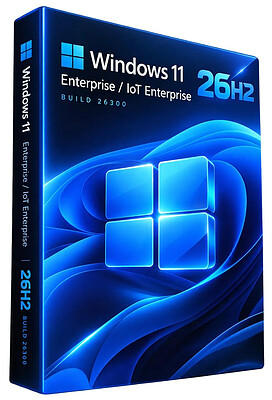
Windows 11 Enterprise/Iot Enterprise 26H2 Build 26300.9818 (No TPM Required) Preactivated Multilingual | Size: 6.58 GB
Windows (x64) | Languages: Arabic,English,German,Greek,French,Spanish,Italian,Portuguese-Portuguese,Portuguese-Brazil,Turkish,Dutch,Czech,Norwegian
​
Windows 11 version 26H2 also known as the Windows 11 2026 Update,is built on the same servicing foundation as recent Windows 11 releases. It delivers the latest Windows innovations with a streamlined update experience designed to minimize disruption and help you stay secure, productive, and up to date.

For many eligible devices, moving to version 26H2 is as simple as installing a small enablement package, with a minimal download size, quick installation, and a single restart. Version 26H2 enables most of the features that were introduced in monthly updates for Windows 11, version 25H2.

What's new in Windows 11, version 26H2
Windows 11, version 26H2 is the next annual feature update for Windows 11. It builds on the same servicing foundation as Windows 11, versions 25H2 and 24H2, helping organizations adopt the latest release with minimal disruption. Devices running eligible versions of Windows 11 can move to version 26H2 through a small enablement package rather than a full operating system upgrade.

Because Windows 11, versions 26H2, 25H2, and 24H2 share a common servicing branch, many new features and improvements have already been delivered through monthly servicing updates. Version 26H2 enables selected features and resets the support lifecycle for the new release.

Servicing and deployment
Windows 11, version 26H2 provides a familiar update experience

Delivered as an enablement package for eligible devices running Windows 11, versions 25H2 and 24H2.
Fast installation with a single restart in most scenarios.
Reduced validation effort because supported versions share the same underlying platform.
Consistent management, security, and update experiences across supported releases.
Features enabled by default in version 26H2
For commercial organizations, Windows 11, version 26H2 enables capabilities that were introduced previously but controlled through temporary commercial controls.

Windows settings backup
Windows settings backup is now enabled by default for eligible commercial devices. This helps organizations preserve supported Windows settings and Microsoft Store app lists for recovery and device replacement scenarios. Existing administrator-configured policies continue to be honored.

App-specific actions from the taskbar
Windows 11, version 26H2 enables app-specific taskbar actions by default for commercial devices. Users can thus access common actions directly from taskbar experiences.

File Explorer enhancements
Several File Explorer improvements that were previously under temporary commercial controls are enabled by default in Windows 11, version 26H2. These enhancements focus on improving navigation and usability within File Explorer.

System Requirements For Windows 11
Processor: 2 gigahertz (GHz) or faster.
RAM: 2 gigabyte (GB).
Free space on hard disk: 15 gigabytes (GB).
Graphics card: DirectX 9 graphics device or a newer version.
Additional requirements to use certain features.
To use touch you need a tablet or monitor that supports multitouch.
To access the Windows store to download and run apps, you need an active Internet connection and a screen resolution of at least 1024 x 768 pixels

HOMEPAGE:
Код:
https://microsoft.com

FREE DOWNLOAD LINKS:​

Код:
https://rapidgator.net/file/06a608408c5d3618dab6a6e7a77120be/Win.11.Enter.Iot.26300.9818..part1.rar
https://rapidgator.net/file/0c5f59301618ff0003a47c34b2a16170/Win.11.Enter.Iot.26300.9818..part2.rar
https://rapidgator.net/file/824a56ce6dd7a9352f47b5893f817157/Win.11.Enter.Iot.26300.9818..part3.rar
https://rapidgator.net/file/2767145984a8389558ca550fa4bea86a/Win.11.Enter.Iot.26300.9818..part4.rar
https://rapidgator.net/file/ab4aa4d9475982d6dfde55b73ebd19f9/Win.11.Enter.Iot.26300.9818..part5.rar
https://rapidgator.net/file/f1f4b51daf2482f20c4e1869d50cb4d2/Win.11.Enter.Iot.26300.9818..part6.rar
https://rapidgator.net/file/fabdaf9567f734d1727857e512dd67d8/Win.11.Enter.Iot.26300.9818..part7.rar

Код:
https://clicknupload.click/31dbcho5hllh/Win.11.Enter.Iot.26300.9818..part1.rar
https://clicknupload.click/6yjv9wwqrnya/Win.11.Enter.Iot.26300.9818..part2.rar
https://clicknupload.click/u5fzvn59ty9l/Win.11.Enter.Iot.26300.9818..part3.rar
https://clicknupload.click/p2uccrr95vwm/Win.11.Enter.Iot.26300.9818..part4.rar
https://clicknupload.click/by3ez6imxk3m/Win.11.Enter.Iot.26300.9818..part5.rar
https://clicknupload.click/f930c6jaiu09/Win.11.Enter.Iot.26300.9818..part6.rar
https://clicknupload.click/oxs2ox2tjnqy/Win.11.Enter.Iot.26300.9818..part7.rar
 
Назад
Сверху Снизу