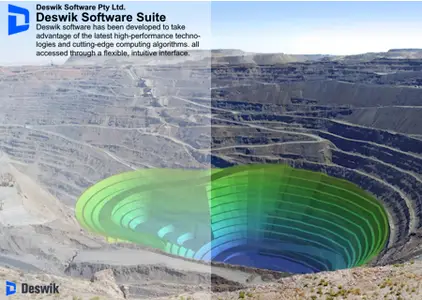
Free Download Deswik Suite 2025.2 (3380) | 1.0 Gb
Languages Supported: English, Español, Italiano, 中文, Deutsch, Русский, Türkçe, Français
Deswik Softwarehas released
Deswik Suite 2025.2 (3380) is designed to address the complexities of modern surface and underground mining operations.
Deswik.Blend - 2025.2.3380
120833 Ensured that Weighted settings for Calculated Material Fields are handled correctly in Blend
Deswik.CAD - 2025.2.3380
33935 View | View | Windows | Process Map - Fixed issue where Menu Command Drafting | Tooltips | Show Tooltips would not work when run via process map.
59984 59770 Process Map - Command Recording- Draw Polyline Annotation- Will overwrite all Annotation Layer with new settings.
92729 92705 Bug fixed.
101318 101261 vCAD | General | Open - Fixed issue where file couldn't be saved in CAD if it was open in vCAD.
107267 View | View | Windows | Process Map - Refresh block text issue in command recording.
107652 106541 General | Layers | Move to Active and General | Layers | Move to Selected - fixed a bug related to polyhatches.
108454 108132 General | Modify | Crop - Fixed issue where entities sometimes were not being cropped when clipping was active.
109622 Reconciliation UG - fixed issue that Maximum Depth of Failure Vectors are not created on multiple solids.
111049 109664 Geology | Geomodels | Geomodel Display | Geomodel Display | Geomodel Display - Toggling the Use button of a model line no longer creates layers and slices for all listed block models in the Geomodel Display.
111310 111300 Auto Designer - Validate input value of gradient and radius.
112061 111457 Files with large embedded images no longer have issues saving.
113238 Geology | Geomodel Utilities | Validate - Fixed an exception thrown when validating supplied Surpac Block Model.
113382 Geology | Solids Model Utilities | Solid Geomodel | Commands - Extract Entities - Fixed an exception caused by a rotated model and solids which were not able to be closed (in this case
113783 Geology | Geomodel Utilities | Properties - Fixed errors trying to use a specific Micromine Block Model.
114056 Label updated
115032 Interface | Drawing | Defaults - View | View | Windows | Process Map - Polyline projections failing.
115448 115193 Geology | Geomodel Utilities | Block Geomodel | Commands - VOIDVOL is now correctly populated during Block Model Regularize when regularizing to the same prototype.
115515 115489 Geology | Geomodel Interrogate | Batch - Fixed an issue interrogating Vulcan HARP models where no intersection was detected with a solid, resulting in an unhelpful error message
117897 117894 Geology | Geomodels | Geomodel Display - fixed an issue with turning on a shell display which resulted in loading all shell layers.
118041 118023 Geology | Geomodel Utilities | Delete files - Fixed a regression issue where the files grid would no longer accept wildcards.
118070 Geology | Geomodel Utilities | Convert - Converting Surpac Octree block model to Block Geomodel is now writing in correctly sorted IJK order.
120672 120523 Geology | Geomodel Interrogate | Batch - fixed an issue where the model did not validate correctly and stop interrogation of an invalid regular block model with duplicate IJKs.
121035 121016 Geology | Geomodel Utilities | Block Geomodel | Commands | Pseudoflow - Fixed incorrect error text
121348 121343 Process map command execute with file instead of .exe does not work in 2025.2.
Deswik.Enviro - 2025.2.3380
110160 Reshape now correctly detects the edge of no-no areas and ensures there is a smooth transition to these locations
115157 The convex curvature controls now have increased effect on some datasets. In particular Curvature can now be used when an optional smoothing step is applied.
115252 Curvature now works for subcells
109209 109206 Fixed
112339 Issue fixed
Deswik.IS - 2025.2.3380
112804 112715 Implicit Fields in Datamine Block Models are getting validated correctly
Deswik.LHS - 2025.2.3380
114598 Ensure road is triggered whether source or destination block is matched to a road (don't require both source AND destination to match the road group). Add additional timeslice into the scenario sched items generation to ensure that backfill tasks can only receive direct feed from mining tasks within the backfill task start to finish period. (prevent long running mining tasks from continuing to direct feed an already finished backfill task)
Deswik.MDM - 2025.2.3380
110007 Fixed an issue where drillholes would not let you update them in certain circumstances
110767 110612 Previously, for regions using a comma "," as the decimal separator, when a data source entity was selected in Preview or in SiteView, numeric attribute values were displayed incorrectly in the Properties panel. This issue has been fixed.
117929 Previously when selecting Update Data Sources and Children on a layer that is an ancestor of a drillholes layer from MDM, the BOREHOLE entities would be changed to polylines on reload and the layer type would change. This issue has now been resolved.
Deswik.Sched - 2025.2.3380
108233 The import & export for "Sched | Setup | Time | Time usage model" has been removed because it had the ability to corrupt files and change settings unintentionally. The Excel import/export for this feature is still present and safe to use
109533 Fixed command line option AfterStarted to handle no time set for Exit parameter; e.g. AfterStarted:Exit=0.
110882 Fixed stack overflow exception that can occur when levelling in some circumstances when tasks interact with the Schedule Maximum End Date.
111556 Fixed command line process map execution event logging.
112162 Fixed production fields validation to use the current culture formula, not the invariant culture.
113758 Fixed exporting to MS Access after issues from .Net8
114846 When Exporting tasks for APEX, only non-deleted tasks will be exported
Deswik.SO - 2025.2.3380
107895 Updated Stope Optimizer node in process maps to save settings correctly.
111092 Deswik.SO - Fixed issue that scenario data is not refreshed in scenario generator.
Deswik.UGDB - 2025.2.3380
105875 Deswik.UGDB - Improved cleanup of layers when deleting a Winze.
109221 108778 Deswik.UGDB - Resolved an issue where the automatic hole placement tool could generate pivots that lie outside the drive outline when using the "perpendicular" hole generation mode.
110311 109848 Deswik.UGDB - Create Blast Solids - Resolved a possible crash when toggling the 'Keep stope shape' option.
111094 Turned off delete row button in explosives database when no row is selected.
111239 Deswik.UGDB - Small improvement to visibility of the visual indicator when manually placing holes.
111383 111337 Deswik.UGDB - Export survey data - Restored the compatibility of exported CSV files by ensuring '*' doesn't get written out when there are no explosives (it now writes '0' like it used to in 2024.2 and earlier).
111436 Deswik.UGDB - Resolved an issue with manual hole placement using the 'Select toe then collar' or 'Select collar then toe' methods where holes would sometimes be placed incorrectly.
111442 Deswik.UGDB - Resolved an issue with automatic hole placement using the 'Fan' method where holes would sometimes be placed incorrectly.
111780 Edit Drillholes | Ring Properties | Charges tab
113467 UGDB - Fixed enable status of dock panels when switching between model space and layout.
113846 113840 Deswik.UGDB - Fixed an issue where changing the primer delay base values modifying the individual primer offset values in the Edit Ring | Charge holes tab.
114509 Deswik.UGDB - Fixed an issue where Primers and Boosters could be placed outside of the hole when the length was changed significantly.
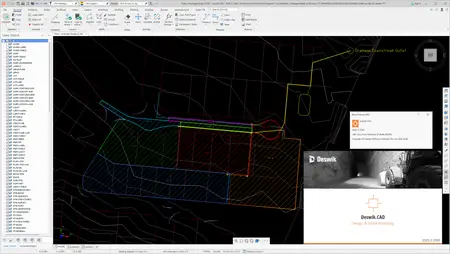
Deswik Software Suiteis an integrated mine planning and management platform that helps mining organizations design, schedule, and optimize open-pit and underground operations. The suite brings CAD-based design, advanced scheduling, haulage analysis, drill and blast planning, survey and reconciliation, and enterprise data management together in a single environment. It supports workflows from strategic, life-of-mine planning through short-term scheduling and execution, enabling engineers and planners to build consistent, audit-ready plans, compare scenarios, and generate clear reports and dashboards.
Deswik: Empowering Mining Operations with Advanced Software Solutions
Deswikis a software company that provides integrated planning, design, and operational solutions for the mining industry. Their software suite covers a wide range of mining activities, including mine planning, scheduling, equipment allocation, and operational optimization. Deswik was founded in 2008 with one simple vision: to improve mine planning for all mining sectors.
Owner:Deswik Software Pty Ltd.
Product Name:Deswik Software
Version:2025.2 (3380) Suite
Supported Architectures:x64
Website Home Page :
У вас нет разрешения на просмотр ссылки, пожалуйста
Вход или
Регистрация
Languages Supported:multilanguage
System Requirements:Windows *
Size:1.0 Gb
Rapidgator
Код:
https://rapidgator.net/file/747e5b81dbb2f2d7fd62237d718a9029/kpua8.Deswik-Suite-2025-2-3380.rar.html
Код:
https://nitroflare.com/view/1C18191E6A23A42/kpua8.Deswik-Suite-2025-2-3380.rar














 Therefore, to accelerate loads all protected presets, were cleared and unlocked. Now these purified presets can be used even with third-party imperfect releases (eg R2R) that did not support protected presets.