All mitsumi'1s Applications !! (updated daily)

c299b9c4338a269959fb51f2cbb904c7.webp


DNS Changer 2.3.6 (x64) | Size: 97.79 MB
Language: English


This is an open-source DNS Changer for Windows, Mac, and Linux operating systems. Its goal is to gather the best DNS servers in a secure application.

Open-source, modern, and easy to use
The scope behind the program is to offer users a more convenient way to change their DNS. Owing to an interface design that can best be described as modern, the software essentially facilitates the process in a streamlined manner that requires minimal work from the end user.
Pick your favorite DNS server and click the Connect button. Connecting you to the respective server should take no more than a few seconds, and you're good to go. While connected, the address, ping, and status of the server are shown on the interface.
Explore more servers or add new ones
The selection of DNS servers is decent and includes solutions from Cloudflare, Asiatech, and Electro Team, to name a few.
You can discover all of them in the Explore tab, which additionally displays some additional details to help you choose the right option for you: tags for the server's proposed usage, as well as the ping for your connection are useful to know, especially prior to connecting.
Of course, adding custom servers is a possibility. Type in a name, input its address, and click Add. It should appear in your Servers list thereafter.
An implementation that is useful and brings about more convenience
As far as my opinion is concerned, DNS Changer is a well-made piece of software that can help users change their DNS with minimal effort. I did not experience any crashes or irregularities during testing, resulting in a positive experience overall.

System Requirements: Windows 11, Windows 10, 8 , 7


DOWNLOAD LINKS:


Код:
https://rapidgator.net/file/daf710fb4db7ff7d094e30c3aa50701d/DNS_Changer_2.3.6_x64.rar.html

Код:
https://nitroflare.com/view/48BB019FA97F677/DNS_Changer_2.3.6_x64.rar
 
36facd2945ac6e72f583ec38a44e81ac.webp

Free Download Doc Metadata Cleaner Pro X 1.2.0 | 262 MB
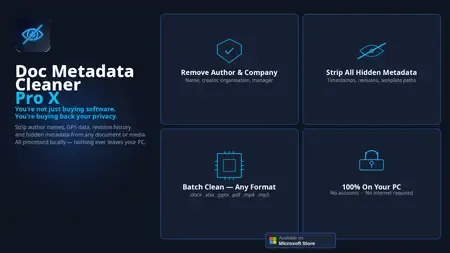
Doc Metadata Cleaner Pro X. Remove Hidden Metadata from Word, Excel & PDF Files. Strip author names, company details, revision history, internal file paths and tracked changes from documents before sharing. Risk-scored. Compliance-ready.


Everything hidden in your documents - removed
Word, Excel, PDF, and PowerPoint files contain far more than you see on screen. Doc Metadata Cleaner Pro X strips it all.
Author & company removal
Strips author name, company name, manager field, and last-saved-by from Word, Excel, and PowerPoint files before you share them.
Revision history & tracked changes
Removes complete document revision history, tracked changes, and comments - so recipients can't see earlier drafts or internal edits.
PDF metadata cleaning
Strips Creator, Producer, Author, and custom metadata fields from PDF files. Works on PDFs created by Word, Adobe, and any other tool.
Risk scoring
Each document gets a risk score showing how much sensitive metadata it contains. Prioritise which files need cleaning before sharing.
Compliance certificates
Generate a cleaning certificate for audits and GDPR compliance records - proof that metadata was removed before document sharing.
100% offline processing
Every document is cleaned locally on your PC. No files are uploaded, no internet connection required. Your documents never leave your machine.
System Requirements
Windows 10 & 11
Home Page -
Код:
https://www.beginza.co.uk

Rapidgator
Код:
https://rapidgator.net/file/4ab95f5672387183f2b478ea3e9bf903/gkiop.Doc.Metadata.Cleaner.Pro.X.1.2.0.rar.html

Код:
https://nitroflare.com/view/33906E7101C1DDB/gkiop.Doc.Metadata.Cleaner.Pro.X.1.2.0.rar
 
90e5f198c20e2fca3a7fc19b7e197c52.webp

Free Download DP Animation Maker 3.5.50 | 24 Mb
Smart 2D animation software that lets you turn still images into live moving scenes. Create living, breathing worlds from your still image with minimum effort. DP Animation Maker lets you make natural scenes burst with vibrancy and give motion to people and objects.


Fun software, with a wide variety of uses
DP Animation Maker helps you make animated videos for lots of stuff. Whether for business or personal use, some of the most popular items people create with the software include:
- Animated videos
- Web banners
- YouTube videos
- Digital greeting cards
- Mobile phone backgrounds
- PowerPoint presentations
- Music videos
- Video footage
- And more!
Sky's the limit! So why settle for boring, static photos or slideshows? With DP Animation Maker you can bring your images to life by making waves crash at the ocean, snow fall on mountains, and flames flicker on candle wicks.
It's fast and easy-to-use
The good news is, you don't have to be a tech guru to use this software. Thanks to our easy-to-understand interface, no special skills are required. Anyone can use it. But tech savvy graphic artists benefit, too. That's because DP Animation Maker takes the guesswork out of the time-consuming programming aspect of the animation process. Artists can concentrate on image design and artwork instead. No matter your level of tech sophistication, our process is painless. Simply open an image, select an effect, add moving objects, export to your preferred format, and voila - you're ready to share your animation with the world. It's that fast. With the press of a button, you can adjust motion, speed, and other key elements of any moving object. Ready-to-use, animated images are available within minutes.
Plenty of features to choose from
Our prebuilt animations are designed to give you a lot of options. Whether you have a single image or need to create a long slideshow, DP Animation Maker has the rich set of tools you need to put all the pieces together. Once you select your images, it's easy to go from 'static' to 'alive' with our wide range of effects, stationary objects, moving objects, brushes, music, timing, and camera adjustment features. You can also import your own animated GIF files if you want to add more effects to them as well.
Effects
Give images the appearance of being underwater, of having a reflection, or of being on fire. After you select a desired effect, you can fine-tune the height of your flames or the speed of your waves by tweaking the adjustment settings.
Stationary & Moving Objects
DP Animation Maker gives you more than 60 objects to choose from in our standard pack, and over 200 in extension packs.
Brushes
Add even more variety to your creations with our powerful set of animation brushes. Use nature brushes to insert fire, streams, water, or blinking lights. Intensify object movements with geometric brushes that give you waves, drifts, zooms, and rotation. Or go with pattern brushes that provide pink and colored hearts, glittering and gold stars, and other custom patterns.
Music
Have the perfect song you want to include, too? You can. Our music upload feature lets you integrate MP3 audio files that will play during your movie. Simply choose songs and put them in your preferred playing order.
Camera Settings
You can preview your animation by adjusting the scene zoom and camera speed before you export your work. With DP Animation Maker, you can add and delete effects as frequently as you wish. It's a helpful way to experiment and be creative so you can get the look you want.
Many file formats give you flexibility
When you're ready to publish, DP Animation Maker exports your animation into several popular formats.
Animated GIF
This highly compressed format is great for the times you need smaller files sizes, such as when you're creating web banners.
AVI
One of the most common video formats, AVI files can be played on any computer or uploaded on YouTube
MOV
Ideal for playing videos on Apple's QuickTime, MOV files are widely-used. They offer non-professionals a straightforward way to create ready-to-watch movies while giving professional filmmakers a tool that's lossless and supports alpha channels.
PNG Sequences
If you want your animation as individual frames that you can put into other types of software, such as a video editor, PNG sequences provide an easy way to do so.
EXE
Not sure what kind of video player your audience has? No problem. When you export your animation as an EXE, it will play on any computer. There's no need for a specific player (e.g. QuickTime) or plugins.
Add animation to images, without spending a fortune
Can you find other software out there to do your animation work? Of course. But professional editions of software like Adobe Flash, Adobe Photoshop, or Autodesk 3ds Max can set you back hundreds or thousands of dollars. Not DP Animation Maker. Our software has an affordable price that everyone can afford.
Operating System:Windows 7, 8/8.1, 10, 11
Home Page-
Код:
http://www.animationsoftware7.com/

Rapidgator
Код:
https://rapidgator.net/file/d2b1ec2000a28bc4adf46b8234f132c6/95z3g.DPAnimationMaker3..rar.html

Код:
https://nitroflare.com/view/D33EAC487F9F01A/95z3g.DPAnimationMaker3..rar
 
5da7c6548ab0f6b290407b2900942931.webp

Free Download Duplicate Cleaner Pro X 1.2.0 | 266 MB
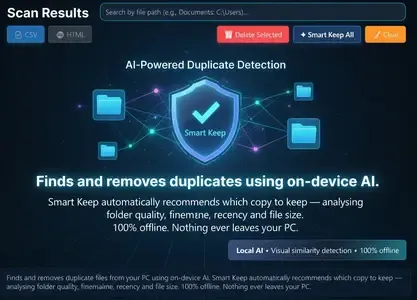
Duplicate Cleaner Pro X. AI-Powered Duplicate File Finder for Windows. Smart Keep AI automatically recommends which copy to keep - analysing folder quality, filename, recency and ✅File Size. Nothing ever leaves your PC.


Everything you need to reclaim disk space
Finds duplicates your built-in Windows tools completely miss - including near-identical photos taken seconds apart.
Smart Keep AI
On-device AI analyses folder quality, filename, recency and ✅File Size to automatically recommend which copy to keep. No manual rules needed.
Visual similarity detection
Perceptual hashing finds near-duplicate photos - including slightly cropped, resized, or re-saved versions that byte-for-byte matching misses entirely.
Deep file scanning
Scans across all drives and folders simultaneously. Finds exact duplicates by content hash, not just filename - catches renamed copies too.
100% offline
Every scan runs entirely on your PC. No files are ever uploaded, analysed remotely, or transmitted anywhere. Your data stays yours.
Fast batch processing
Scan thousands of files in seconds. Preview duplicates before deleting. Undo-safe - move to a review folder before permanent removal.
Native Windows app
Built for Windows 10 and 11. Available on the Microsoft Store - no side-loading, no setup scripts, installs in one click.
System Requirements
Windows 10 & 11
Home Page -
Код:
https://www.beginza.co.uk

Rapidgator
Код:
https://rapidgator.net/file/3ddc593a65c383bd72336511670009e8/lqgs6.Duplicate.Cleaner.Pro.X.1.2.0.rar.html

Код:
https://nitroflare.com/view/F658968E2EB8FA4/lqgs6.Duplicate.Cleaner.Pro.X.1.2.0.rar
 
136dbf919a9b8279a04a6d04eb0b0506.webp

Free Download Firetrust MailWasher Pro 8.0.115 Multilingual Fast Links | 29.3 Mb
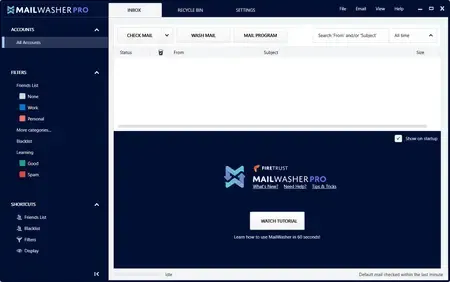
MailWasher Pro - the program allows users to view messages that are on various email accounts, before you download them to your computer. With MailWasher Pro, you can delete or return unneeded letters back to the sender with a message that the recipient is unknown.


Includes virus protection, provides access to POP3, IMAP4, SMTP, WebMail and WAP using SSL, provides filtering attachment / content-mail and MAPS / USER-DEFINED anti-spam database.
Works with multiple domains, you can create automated replies notification by SMS, create a shared and public folders, backup mail database, and secure remote administration. Available anti-virus plug-ins from McAfee and F-Secure.
There is the usual simple solutions in the form of black, white, a private list, renvoi letter with a note that the sender is unknown, preview, check-test of loyalty return address, an overlay of 25 e-mail message headers in the second, work on schedule, and more., Including Shared plugins antivirus from McAfee and F-Secure.
The main features of this program:
View mail before it gets to your computer
Destruction of unwanted mail before downloading it
Analysis of each message as soon as it arrives and warns you of suspicious content
Easy to organize and ease the work
Work with your existing e-mail programs - The Bat, Outlook, Outlook Express, Eudora, Netscape, Incredimail or other
Function Quick Reply - quick response c interface MailWasher Pro
Restoration of the destroyed mail
Unlimited number of mailboxes, support for POP3, AOL, Hotmail & MSN and IMAP.
Fast loading headers, speed up to 25 messages per second
A comprehensive guide and FAQ (also includes instructions and an animated guide)
Automatic e-mail client after checking mail;
Support new mail sound file;
Cyclic check mail with an additional opportunity to specify the time when its conduct is not necessary.
Operating System: Windows 7, 8, 10, 11, Vista
Home Page -

Rapidgator
Код:
https://rapidgator.net/file/5b20683a7c9ab90ed1d576b2e168f9d3/mcmy6.Firetrust.MailWasher.Pro.8.0.115.Multilingual.rar.html

Код:
https://nitroflare.com/view/255F2E0CFB90BAA/mcmy6.Firetrust.MailWasher.Pro.8.0.115.Multilingual.rar
 
2532d8e0f7a7d78a67815d69cfedf6c4.webp

Free Download Gillmeister Automatic PDF Processor 2.2.1 | 226.5 Mb
With Automatic PDF Processor, PDF files can be processed automatically. Any number of folders can be monitored in order to automatically print, rename or move incoming PDF files to dynamically named folders. Numerous metadata of the PDF document can be used in addition to the content, for example to include invoice information in the file path. The PDF files to be processed can be narrowed down with various profile-specific filters - the document text, PDF metadata and general file information are available as filters.


Extraction of data from the text of PDF files is optional. An unlimited number of extraction rules can be created within a profile. The extracted data can be used (after optional validation and formatting) for naming folders or the ✅File Name, and can be saved as an extract in a CSV file. Another task that can be automated with the Automatic PDF Processor is the extraction of attachments from PDF files, for example to save ZUGFeRD XML files, XRechnung attachments or similar as part of a PDF invoice in the same folder.
Features:
Print, rename, move, or copy PDF files automatically
Store embedded PDF attachments in any folder for archiving
Extract textual data from PDF documents automatically and save them as CSV file
Monitor any number of folders (hot folder monitoring)
Create individual rules for different tasks
Filter by document text, file date, attachment name or count, title ...
Create the storage location (storage folder) dynamically from PDF document properties or based on content
Get informed about different processing statuses by email
Limit the automatic processing of PDF files to certain days and times, for example to print only during office hours
Combine a scan and OCR process with subsequent automatic naming by the Automatic Email Processor in order to be able to file older PDF documents in a structured way as well
Perform subsequent actions e.g., start a program with the path of the saved PDF file or PDF attachment as parameter
Process all already existing PDF files of a folder (with user-defined criteria)
Sort PDF - files automatically or have them moved to another folder and subfolder created dynamically from file properties
Send an Excel report with overview and detailed information on a regular basis
System requirements:
Microsoft Windows 11, 10, 8, 7 or Server (32-bit or 64-bit version)
Home Page-
Код:
https://www.gillmeister-software.com/

Rapidgator
Код:
https://rapidgator.net/file/49abbc75e727e33e5ac46a415c417391/qv9c8.Gillmeister.Automatic.PDF.Processor.2.2.1.rar.html

Код:
https://nitroflare.com/view/A1DC3721EAA16FC/qv9c8.Gillmeister.Automatic.PDF.Processor.2.2.1.rar
 
1378e099edc7eb03fcc040de22b27fdf.webp

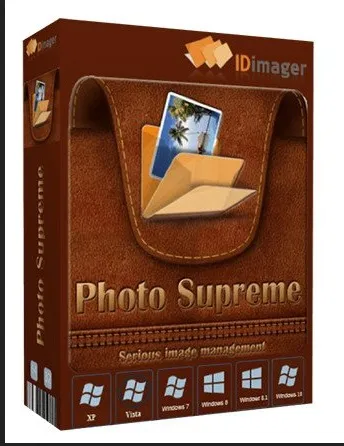
Idimager Photo Supreme 2026.3.0.9120 (x64) Multilingual
File size: 162.1 MB


Photo Supreme v2026 is a thoughtful and forward-looking release. This update has focused on smarter discovery, faster performance, and modern workflow expectations, especially around large catalogs, mobile integration, searches, and team environments.
Import and Select
One of the standout additions in Photo Supreme v2026 is the new multi-pass Import and Select workflow. This allows users to review and refine image selections in multiple stages instead of making all decisions in one pass. It's especially useful for large shoots, letting photographers cull images more deliberately and with less pressure. In addition, the Import and Select feature now loads images faster than ever. Mac users will also appreciate direct iOS device importing, which makes it possible to bring photos straight from an iPhone or iPad into the catalog without relying on intermediary software. This significantly streamlines mobile-first workflows.
Powerful Searches
Photo Supreme now supports natural language searching, allowing users to find images using plain, conversational phrases rather than rigid metadata queries. This feature is powered by AI services such as OpenAI, Google Gemini, or local models with Ollama. This gives users flexibility in how advanced features are enabled. In addition, a new classification system enhances search accuracy by grouping images into meaningful categories upon import, making it easier to surface relevant results in large or complex catalogs.
Video & Media Handling
For users working with video, Photo Supreme v2026 introduces hover-based video previews. Simply hovering over a video thumbnail now reveals a short animated preview, making it much faster to identify clips without opening them individually. Support for modern formats has also been expanded, ensuring the software keeps pace with current media standards.
Sharing with ZIP
Exporting images is more flexible in v2026 thanks to ZIP output support in transfer profiles. This makes it easy to bundle images into a single archive for delivery, backup, or client sharing, all directly from within Photo Supreme. These enhancements simplify distribution workflows and reduce the need for external tools.
GEO Maps
GEOgraphic-Mapping features can now generate maps using not only Google Maps, but also OpenFreeMap with OpenStreetMaps. This removes the need for API keys while still delivering rich, interactive map displays. This update makes location-based browsing easier to configure and more accessible for all users.
Performance and Refinements
Photo Supreme v2026 delivers notable performance enhancements, resulting in faster browsing and a more responsive overall experience. Response times are improved by up to 10%, with especially noticeable gains for large libraries containing many catalog labels.
Catalogs with numerous stacks also see significant performance improvements, particularly when displayed in stacked views.
v2026 includes a wide range of refinements, such as: "Visually similar" stack detection, numerous stability fixes and workflow enhancements, polished UI behavior in collections, searches, and metadata handling
Wait, there's more, a lot more.
New "RAW Files" and "Video Files" catalog states
Added support for Google Gemini as an AI service
Added support for OpenAI GPT-5.2 as an AI Service
Added support for Ministral3 model with Ollama
Added file management support for ACR sidecar files
Update HTTP Server with Photo Supreme Online (Server Edition)
Faster face recognition
Added "AI-Estimated GEO Location" to the AI Panel
Faster result display in the Collection Viewer
"Cascade Metadata" from image to Stack or Version Set is now a background process
A highlighted stroke has been added to the active tabs, improving navigation
Now you can display metadata charts and graphs across multiple tabs
Added support for Ctrl/Cmd+Z functionality in text and memo fields
Defined the new Affinity v3 .AF and .AVIF file format as a supported "other file format"
Switching the collection viewer's view style is faster (eg from Basic to Grid to Clean to Custom Thumb Info)
Advanced Search now has an option to search by "File Size" and "File Size MB
Finetuned the check for "need to compact" on PostgreSQL (Server Edition)
Bookmark keyboard shortcuts are now a "toggle", similar to ratings and color labels
Expanding nodes in the Catalog Tree is ~25% faster
When using the "Dump Full to Catalog File" feature, there's now the option to create either a "catalog dump" file, or a "catalog with thumbs" dump files
Added a XMP Storage Location for "original file AND non-standard sidecar file"
In "Stacked View", you can now select a specific item from the stack to show
Support for PostgreSQL 18.
And more.
Highlights for v2026
Multi-Pass "Import and Select": Seamlessly transition through passes with a fast-culling system that optimizes your workflow.
Direct iOS Image Import on macOS: Import images directly from your iOS devices with ease.
Video Thumbnail Preview: Hover over a video thumbnail or open the Quick View to view a live video preview.
Natural Language Search Powered by AI: Search your content using plain language, with smart integration through OpenAI, Google Gemini, or Ollama models.
Transfer Profiles can now create ZIP output files: Copy or send sets of images as a single ZIP file for easier sharing.
Maps with OpenFreeMap: Display images on interactive maps using OpenFreeMap/OpenStreetMaps with no API key needed.
Server Edition Thumbnail Caching: Enjoy faster performance with local thumbnail caching, automatic cleanup, and customizable settings for retention and cache size.
Classifications: Enhance search accuracy with an automatic image classification mechanism on import.

System Requirements: Windows 10 or higher. Windows 11 or higher recommended

Код:
https://rapidgator.net/file/8f0d2299048dafc5245a5c288ed5dd61/IDimagerPhotoSupreme2026.rar.html

Код:
https://nitroflare.com/view/C2BEA08565D4221/IDimagerPhotoSupreme2026.rar

 
13465f4b306dfd508ce79efcbc55799f.webp

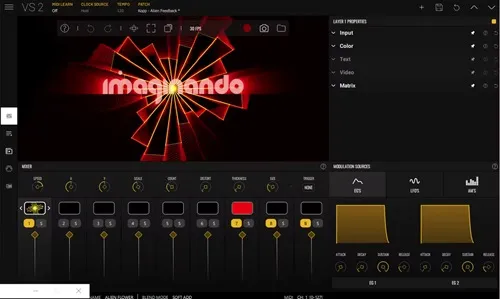
Imaginando Vs 2.2.2
File size: 1.16 GB


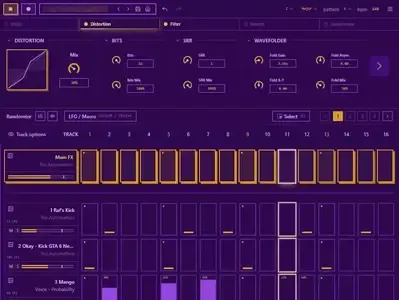
Easily create visuals that react to MIDI and audio. Creating audio-reactive visuals has traditionally been a complex and intimidating process, often requiring deep technical knowledge and navigating software designed with steep learning curves. For many musicians and creators, this complexity becomes a barrier to exploring the visual side of performance.
VS - Visual Synthesizer offers a refreshing solution by making the creation of music-driven visuals accessible, intuitive, and creatively inspiring. Its compact yet powerful feature set is purposefully designed with a musician's mindset, adopting familiar concepts from audio workflows to ease the transition into the visual realm. By streamlining how MIDI and audio triggers are assigned to control visual parameters and movement, VS removes the technical friction, empowering users to focus on creativity and expression rather than setup and configuration.
Features
8 Polyphonic visual layers with blend modes
4 voices per layer
Multiple layer sources: shaders, audio visualizers, image, video, and text
Real-time input sources: camera, Syphon / Spout, and render output feedback
1 background layer with a solid color or image / video
Factory content amounting to 57 shaders, 63 presets and over 100 images and videos
Multiple expansions with new shaders, videos, images and presets in a variety of styles
Built-in shader editor for creating your own materials
4 multi-shape LFOs with sync and MIDI trigger options
2 MIDI-triggered envelope generators
4 audio-triggered modulators with peak and frequency band modes
Modulation Matrix per layer
Built-in video recorder
Preset Playlist with duration and transition time settings
Audio & MIDI player for loading your music
Midi Mapping Manager
Media Manager
Up to 60 FPS, 4k output with horizontal and vertical portrait rendering
Syphon / Spout and NDI output
Whats New
Updates: official site does not provide any info about changes in this version
System Requirements
Windows 10 or higher, compatible 64 bit host DAW which supports VST or VST3 plugin format, plus a minimum of 0.9 GB of free disk space to install. Product licence activation requires internet connection.

Код:
https://rapidgator.net/file/3ba7e793b38c74461feb85b9519cd32a/Imaginando_VS_2.2.2.rar.html

Код:
https://nitroflare.com/view/C383E42E7D8EEED/Imaginando_VS_2.2.2.rar
 
c0bc2f45c8d6fb2b3ce7805ca5cb15f9.webp

Launchbox Premium With Big Box 13.27 (x64) Multilingual
File Size: 611.2 MB


LaunchBox is a gaming frontend originally built for DOS. However, now LaunchBox supports a slew of emulators and PC games for an all-in-one multimedia solution. Whereas the likes of RetroPie, Batocera, Lakka, and Recalbox feature emulators built-in, LaunchBox doesn't. As such, you'll need to add your own. The difference in LaunchBox vs Retroarch is that Retroarch provides emulators, while LaunchBox offers a pretty user-interface. Thus, LaunchBox is used in conjunction with Retroarch.
I've used a ton of different standalone retro gaming operating systems, emulators, and frontends. But LaunchBox is by far my favorite. It's incredibly simple to set up and boasts an automatic scraper for downloading game metadata and box art. Scraping games with LaunchBox is pretty accurate. Unfortunately, it's Windows-only for PCs and desktops. There's no LaunchBox macOS or LaunchBox Ubuntu installer. However, LaunchBox Android debuted for gaming on phones or Android TV boxes such as the Nvidia Shield TV.
Features We Know You'll Love
A Game Launcher with Style
We originally built Launchbox as an attractive frontend for DOSBox, but it now boasts support for modern games and retro game emulation. We make all your games look pretty.
Organize Your Game Collection
We're not just pretty; we let you add as much or as little information to your games as you'd like. LaunchBox maintains its own crowd-sourced database for a massive number of games.
We Emulation
LaunchBox includes support for countless emulators. We're the best launcher for all your retro and console games. Go ahead, play your favorite game from 1985.
Steam Library Imports
We automatically import all your games, including your Steam library. It doesn't have to be complicated, so we made it easy to get started. If you're OCD like us, you're free to customize everything.
Excellent How-To Video Tutorials
The LaunchBox team produces regular how-to videos to address frequently asked questions which help you get your games up and running. Check out our YouTube channel.
We have a GREAT Community
Our forums are home to some of the gaming world's coolest people. If you need help figuring something out, we suggest that you start there. You'll find a friend or three.

Код:
https://rapidgator.net/file/708eb35cf6bf48035b77b4f0c2e9c79b/LaunchBox.v13.27.rar.html

Код:
https://nitroflare.com/view/F42FBA1C7202ED2/LaunchBox.v13.27.rar
 
db31b136fbeea1ec82a2980e212f1f54.webp


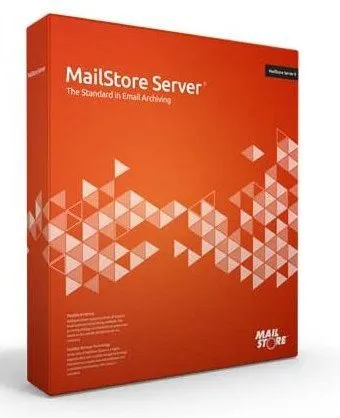
MailStore Server / Service Provider 26.2.1.24065 Multilingual

File size: 182.1 MB


Businesses can benefit from all advantages of modern, secure email archiving with MailStore Server. The software creates 1:1 copies of all emails in a central email archive to ensure the security and availability of large amounts of data over a period of years. Users can still access their email using Microsoft Outlook, MailStore Web Access, or mobile devices such as tablets or smartphones, and search through them at breathtaking speed.

Advantages for your Company
- Legal safeguard for email compliance
- Extremely fast full-text searching for emails and attachments
- Total protection against data loss
- Reduce the workload of email servers
- Save up to 70% storage space
- Simplify backup and restore
- Independence of cumbersome PST files
- Eliminate mailbox quotas

Why MailStore Server?
MailStore offers the most comprehensive market solutions in terms of performance, stability, functionality and simplicity to meet the specific email archiving needs of SMBs. It's quick and easy to install as standard software and remains low-maintenance and reliable even with large volumes of email.

- Integrated Storage Technology
- Extremely Fast Search Access
- Flexible Archiving
- Running right out of the box
- Low Cost
- Heavily field-tested


HOMEPAGE


Код:
https://www.mailstore.com/en/


DOWNLOAD

Код:
https://rapidgator.net/file/01fa26238864b9e9f8d4a97efd454649/MailStore_26.2.1.24065..rar.html

Код:
https://nitroflare.com/view/6135BBB988A07C8/MailStore_26.2.1.24065..rar
 
b6fa5d925d653de629b8b8b8e1fb5aaa.webp

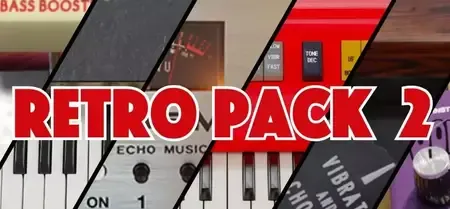
Free Download Martinic Retro Pack 2 v1.0.4 | 106.9 MB
Achieve authentic vintage vibes "in-the-box" with the Retro Pack 2. This bundle of precisely modeled instruments and effects will allow you to recreate that nostalgic mojo without the need for a time machine.


Pianet T
The Martinic Pianet T is an ACE® modeled plugin that meticulously captures every nuance and characteristic of this legendary instrument.
Elka Panther
Our Elka Panther plugin is a faithful emulation of the Elka Panther 300, also known as the Capri, a classic Italian combo organ of the 60s.
Martinic Colorsound Tremolo
The Martinic Colorsound Tremolo is a precise recreation of the famous effect pedal from 1974.
Kee Bass
Kee Bass is a virtual instrument that has been accurately modeled on the Rheem Kee Bass from the '60s, with some modern extra features.
Lem Echo Music
The Lem Echo Music plugin recreates the nostalgic tones of the vintage Italian tape delay effect from Lem.
Scanner Vibrato
Scanner Vibrato is a plugin that recreates the scanner-vibrato effect from a well-known tonewheel organ.
Home Page-
Код:
https://www.martinic.com/en/products/retro-pack

Rapidgator
Код:
https://rapidgator.net/file/75a02beab731ad2f24f0a5bf5cf28725/83pt6.Martinic.Retro.Pack.2.v1.0.4.rar.html

Код:
https://nitroflare.com/view/509E47F51D98AC1/83pt6.Martinic.Retro.Pack.2.v1.0.4.rar
 
1431791f613d1cc14c2468c9153b3c31.avif


Microsoft Windows 11 v25H2 Build 26200.8457 Consumer/Business Edition English May 2026 MSDN (x64)

File Size: 8/7.9 GB


Windows 11, version 25H2 is an enablement update that builds on the features of 24H2 by enabling new, "continuous innovation" features, rather than introducing entirely new features itself. Key updates include a Braille Viewer for the Narrator, improvements to Click-to-Do (including a new "Convert to Table" feature), support for plug-in credential managers for passkeys, and enhancements to the mobile device companion experience. Microsoft is also implementing IT admin-focused features like the ability to remove pre-installed Store apps and a new Quick Machine Recovery system to reduce downtime.

For Users
Accessibility
The Narrator now includes a Braille Viewer, allowing users to see the braille equivalent of on-screen text on a refreshable braille display.

Passkeys
Users can now utilize plug-in credential managers for setting up and using passkeys, offering improved security and management.

Time & Language
Ported settings from the Control Panel to the Settings app, including configuring additional clocks and changing the NTP time server.

Mobile Experience
The mobile device companion has a new, more accessible layout to view calls, messages, photos, and more from your phone.

Click-to-Do
New AI features for Click-to-Do are included, such as a new "Convert to Table" capability for converting text to an Excel table and more flexible selection methods.

For IT Administrators
Quick Machine Recovery
This new feature in the recovery system aims to reduce downtime and simplifies the process for recovering a system, according to PCMag.

Removable Apps
IT admins can now remove certain pre-installed Microsoft Store apps via Group Policy or MDM CSP on Enterprise/EDU devices.

Feature Removals
25H2 removes older components like PowerShell 2.0 and WMIC for greater security and efficiency.

Consumer edition includes
- Windows 11 Home
- Windows 11 Home N
- Windows 11 Home Single Language
- Windows 11 Education
- Windows 11 Education N
- Windows 11 Pro
- Windows 11 Pro N
- Windows 11 Pro Education
- Windows 11 Pro Education N
- Windows 11 Pro for Workstations
- Windows 11 Pro N for Workstations

Business edition includes
- Windows 11 Education
- Windows 11 Education N
- Windows 11 Enterprise
- Windows 11 Enterprise N
- Windows 11 Pro
- Windows 11 Pro N
- Windows 11 Pro Education
- Windows 11 Pro Education N
- Windows 11 Pro for Workstation
- Windows 11 Pro N for Workstation

What's New

System Requirements: Windows 11


HOMEPAGE


Код:
https://www.microsoft.com/en-pk


DOWNLOAD

Код:
https://rapidgator.net/file/a329d4345ed4e04fbbe7f99414828b06/windows_11_consumer_editions_25h2_updated_may_2026_x64..part1.rar.html
https://rapidgator.net/file/ad5c025a960a8dc93c9d727c2dfb90d3/windows_11_consumer_editions_25h2_updated_may_2026_x64..part2.rar.html
https://rapidgator.net/file/7f4b1920c8195d55f847decabf6ecb25/windows_11_consumer_editions_25h2_updated_may_2026_x64..part3.rar.html
https://rapidgator.net/file/7574073330a48920310b66fa7cac8aac/windows_11_consumer_editions_25h2_updated_may_2026_x64..part4.rar.html
https://rapidgator.net/file/9ca16eb7c2b7bb9f96acfc88ddd67398/windows_11_consumer_editions_25h2_updated_may_2026_x64..part5.rar.html

Код:
https://rapidgator.net/file/9fab99a95642042131fc089011f26cf1/windows_11_business_editions_25h2_updated_may_2026_x64.part1.rar.html
https://rapidgator.net/file/3d962ea53f29a7266139b19c1570065b/windows_11_business_editions_25h2_updated_may_2026_x64.part2.rar.html
https://rapidgator.net/file/4fa61700ca5b3d005eb7e579be20c486/windows_11_business_editions_25h2_updated_may_2026_x64.part3.rar.html
https://rapidgator.net/file/b547718e468ef7dd95d484c580b5e754/windows_11_business_editions_25h2_updated_may_2026_x64.part4.rar.html

Код:
https://nitroflare.com/view/6C122D003EEF21B/windows_11_consumer_editions_25h2_updated_may_2026_x64..part1.rar
https://nitroflare.com/view/98772C7C550C642/windows_11_consumer_editions_25h2_updated_may_2026_x64..part2.rar
https://nitroflare.com/view/F9E6AE8086F362D/windows_11_consumer_editions_25h2_updated_may_2026_x64..part3.rar
https://nitroflare.com/view/A9EE1D3C2428DF7/windows_11_consumer_editions_25h2_updated_may_2026_x64..part4.rar
https://nitroflare.com/view/9978634D831A87F/windows_11_consumer_editions_25h2_updated_may_2026_x64..part5.rar
https://nitroflare.com/view/28720FD16907CEC/windows_11_business_editions_25h2_updated_may_2026_x64.part1.rar
https://nitroflare.com/view/77F7AA0E9620798/windows_11_business_editions_25h2_updated_may_2026_x64.part2.rar
https://nitroflare.com/view/3150BD7BC84F0CB/windows_11_business_editions_25h2_updated_may_2026_x64.part3.rar
https://nitroflare.com/view/9017D7B2C764BA8/windows_11_business_editions_25h2_updated_may_2026_x64.part4.rar
 
4c283f13418b314300ccd91f0140fbfd.avif


Microsoft Windows Server 2022 LTSC v21H2 Build 20348.5139 May 2026 MSDN (x64)

English | File Size: 6 GB


Windows Server 2022 brings advanced multi-layered protection, Azure-based hybrid capabilities, and a flexible application platform for the first time. This release also includes secure kernel features that help protect Windows Server hardware, firmware, and functionality from complex security threats. The core server is built on technologies such as Windows Defender System Guard and Virtualization-based Security to mitigate the risk of sophisticated malware and firmware vulnerabilities.

The new release also supports secure connection with a number of new features, including faster HTTPS connections with more secure encryption, industry-standard AES 256 encryption for SMB, and more. Windows Server 2022 improves hybrid server management with significantly improved virtual machine management, advanced event viewing, and many other new features in Windows Admin Center. In addition, the release significantly improves the work with Windows containers, such as reduced image size for faster downloads, simplified network policy implementation, and introduced containerization tools for .NET applications.

As a LTSC release, Windows Server 2022 includes the Desktop Experience and Server Core installation options for Datacenter and Standard editions. Security features that are part of the current Windows 10 release (20H2) are now included in Windows Server 2022, like tamper and reputation-based protection.

Security in Windows Server 2022
It's no secret that most businesses worldwide are struggling with IT security - as organizations and society becomes more and more reliant on digital systems there are just too many avenues for increasingly sophisticated attackers to find a way in. Compromising systems before they start up through boot kits or root kits is becoming more popular and building on the work Microsoft's done for Secured Core PCs, Windows Server 2022 brings Secured Core Servers.

Secure-Core Servers
If you haven't heard of Secure-core, think of marrying a Trusted Platform Module (TPM) 2.0 chip for securely storing secrets, Bitlocker for full volume drive encryption and Virtualization Based Security (VBS) to protect credentials while the system is running. In other words, all the optional Microsoft security features that you could turn on for a normal PC, but all enabled out of the box. First out of the gate was Surface Pro X (which I'm writing this article on) but Secured Core PCs are available from Lenovo, Dell, Panasonic, HP and others.

For servers this means that when you purchase a system with this label the OEM will have provided secure firmware and drivers and also will have enabled all these security features out of the box. You can also check on the status of your servers, plus enable security features using the new add-in for Windows Admin Center (WAC).

Note that Secured-core servers lay the foundation for the forthcoming generation of processors from Intel, AMD and Qualcomm that'll include the Pluton security processor, built on security features first seen in Xbox One. TPM has been very successful over the last 10 years as the first broadly available hardware security root of trust but as it's a separate chip advanced attacks leverage the connection between the TPM chip and the main CPU to gain access to secure information or tamper with the data. Because Pluton is built into the processor itself it will mitigate this vector.

Trusted Platform Module
TPM provides storage for security information such as Bitlocker keys, while Secure Boot checks the signatures of all boot software (UEFI firmware, EFI applications and the OS itself) to ensure that they haven't been subverted by a root kit.

Virtualization-based Security
Virtualization-based Security (VBS) uses hardware virtualization (based on Hyper-V technology but don't think of this as a separate VM, just an isolated part of the memory space in the OS) to stop attacks against credentials (Pass-the-Hash / Mimikatz for example). VBS is also the platform for Hypervisor-Enforced Code Integrity (HVCI) which protects modification of the Control Flow Guard (CFG) bitmap, provides a valid certificate for Credential Guard and checks that device drivers have an EV certificate.

Control Flow and System Guard
Control Flow Guard is a way that Windows protects against malicious applications corrupting memory of legitimate applications. System Guard is the umbrella term for taking the above technologies and providing these security guarantees for Windows: protect the integrity of the system as it starts up and validate this through local and remote attestation. It uses Static Root of Trust for Measurement (SRTM), Dynamic Root of Trust for Measurement (DRTM) and System Management Mode (SMM) protection to achieve this.

Memory Protection
Boot Direct Memory Access (DMA) protection is part of Kernel DMA Protection which can stop attacks against Bitlocker and other security technologies that rely on storing secrets in memory while the system is running. Plug a drive with malicious software into a port that supports DMA mapping for fast transfers and hey presto - it just read your Bitlocker key, with DMA protection this isn't possible.

Other security enhancements
Windows Server 2022 will have the latest version of Transport Layer Security (TLS) 1.3 enabled by default but this version will be available across earlier Windows Server versions as well. When managing lots of Windows or Hyper-V containers across a server farm, the preferred approach is to give them an identity in Active Directory using group Managed Service Accounts (gMSA) but today that requires you to domain-join the container host - in 2022 this won't be necessary. And if you're encrypting your SMB (file server) traffic you can now use AES-256 encryption.

Windows Server 2022 Scalability
Another headline in the preview announcement is the increase in scalability, a physical server can now have 48 TB of RAM, 64 sockets with 2048 Logical Processors (cores, or Hyperthreaded cores). While these figures are incredible (VMware vSphere 7 update 1 supports 24 TB and 768 CPUs per host) they matter to exactly 0.000001% of Windows Server customers. And mostly that customer is Microsoft itself, where in Azure the benefit of humongous machines is the ability to provide gigantic VMs for SAP and other huge database workloads for enterprises with very deep pockets. On the other end of the spectrum, the Server Core container image for Windows Server 2022 is 1 GB / 20% smaller than in previous versions, shaving start-up and transfer times for containers running the Windows Server 2022 container image.

Other Enhancements in Windows Server 2022
Windows Server 2022 will also bring (in the right context, details are scant at the moment) another feature that's been forged in the fire of Azure's hosts - reboot-less patching. Here patches are applied to a running OS without requiring a restart, improving uptime. If you're running a mix of Windows and Linux containers in Kubernetes you can use Calico to manage networking across the entire cluster. If you're running globally distributed applications, managing time zones in containers has been difficult (it's based on the host's time-zone, making it difficult to move containers around), virtualized time zones in Windows Server 2022 will take care of this. Speaking of Linux, Microsoft is aiming to bring the improved boot security to Linux as well, just as they're doing in Azure.

Windows Server 2022 and the Hybrid World
Most of the presentation at Ignite on Windows Server 2022 was taken up by talking about features around, not in, the product itself, such as the ones recently released in GA 2103 version of Windows Admin Center. Windows Admin Center can now be run in the Azure portal, can automatically update your extensions, supports outbound proxy configuration, lets you pop out tools into separate browser windows, brings a revamped Event Viewer UI (first update since 1993 believe it or not) and lets you reassign virtual switches when moving a VM from one host or cluster to another. WAC also supports HTTP/2 which equals faster performance. tools into separate browser windows, brings a revamped Event Viewer UI (first update since 1993 believe it or not) and lets you reassign virtual switches when moving a VM from one host or cluster to another. WAC also supports HTTP/2 which equals faster performance

What's new

System Requirements
Windows Server 2022
1.4-GHz 64-bit processor

Compatible with x64 instruction set

Support for NX and DEP

Support for CMPXCHG16b, LAHF/SAHF, and PrefetchW instructions

Support for Second Level Address Translation (EPT or NPT)


HOMEPAGE


Код:
https://www.microsoft.com/en-pk


DOWNLOAD

Код:
https://rapidgator.net/file/c5aa6acb8f1735aa8d2724e6b6b0556f/en-us_windows_server_2022_updated_may_2026_x64..part1.rar.html
https://rapidgator.net/file/11c0a2733cf9f7f242fd8e80792b22c8/en-us_windows_server_2022_updated_may_2026_x64..part2.rar.html
https://rapidgator.net/file/1b966d7e5a31429e7862e91f50f19732/en-us_windows_server_2022_updated_may_2026_x64..part3.rar.html
https://rapidgator.net/file/29ce8f974f48a3f35ee0d67c48b9c108/en-us_windows_server_2022_updated_may_2026_x64..part4.rar.html

Код:
https://nitroflare.com/view/BBA4DB1DDFFA5B3/en-us_windows_server_2022_updated_may_2026_x64..part1.rar
https://nitroflare.com/view/DB9EEA931F61FA4/en-us_windows_server_2022_updated_may_2026_x64..part2.rar
https://nitroflare.com/view/4A725EA15EA1BEF/en-us_windows_server_2022_updated_may_2026_x64..part3.rar
https://nitroflare.com/view/693645025EF3F69/en-us_windows_server_2022_updated_may_2026_x64..part4.rar
 
25d56ed671e55ec79d276e846271b833.avif


Microsoft Windows Server 2025 LTSC v24H2 Build 26100.32860 MSDN May 2026 (x64)

English | File Size: 7.85 GB


Windows Server 2025 - a server OS based on Windows 11, version 24H2 on the Long-Term Servicing Channel (LTSC). Improves security, performance, and integration with Azure and cloud technologies.

Active Directory Domain Services (AD DS) improvements
- Ability to use a 32k database page size, which improves performance and addresses some of the limitations of older architectures.
- AD schema updates, including new database log files.
- Ability to restore AD objects with missing key attributes.
- Improved algorithms for finding the location of domain controllers (DCs).

Azure Arc integration
- Simplify the process of adding servers to Azure Arc with an easy-to-use setup wizard.

Bluetooth support
- Ability to connect to a variety of Bluetooth devices, including mice, keyboards, and audio devices.

Desktop improvements
- The initial logon experience offers an experience consistent with the look and feel of Windows 11.

Kerberos and security updates
- Support for stronger encryption and signing mechanisms, including SHA-256 and SHA-384.
LDAP encryption is used by default for all client communications after authentication.

SMB (Server Message Block) Management
- New capabilities for managing SMB protocols, including auditing encryption and signing support.

Improvements for Windows containers
- Container portability allows container images to be easily moved between hosts without requiring modification.

Windows Local Administrator Password Solution (LAPS)
- New features for managing local administrator passwords, including image rollback detection and passphrase generation.

Windows Server 2025 LTSC Include Editions list
- Windows Server 2025 Standard
- Windows Server 2025 Standard (Desktop Experience)
- Windows Server 2025 Datacenter
- Windows Server 2025 Datacenter (Desktop Experience) What's new

System Requirements
Windows Server 2025
1.4-GHz 64-bit processor
Compatible with x64 instruction set
Support for NX and DEP
Support for CMPXCHG16b, LAHF/SAHF, and PrefetchW instructions
Support for Second Level Address Translation (EPT or NPT)
Support for the SSE4.2 (Streaming SIMD Extensions 4.2) instruction set
Support for the POPCNT instruction


HOMEPAGE


Код:
https://www.microsoft.com/en-pk


DOWNLOAD

Код:
https://rapidgator.net/file/457a24879ed33aa55b02761ec77a2197/windows_server_2025_updated_may_2026_x64..part1.rar.html
https://rapidgator.net/file/b50726fd6c82006f5d30a1527ec89347/windows_server_2025_updated_may_2026_x64..part2.rar.html
https://rapidgator.net/file/3b5d24d75d922913e2153cca25d09b22/windows_server_2025_updated_may_2026_x64..part3.rar.html
https://rapidgator.net/file/57517ec21562a5a59bfd499d781e82f5/windows_server_2025_updated_may_2026_x64..part4.rar.html

Код:
https://nitroflare.com/view/B4A34A246A76B39/windows_server_2025_updated_may_2026_x64..part1.rar
https://nitroflare.com/view/6794F9E95CB5188/windows_server_2025_updated_may_2026_x64..part2.rar
https://nitroflare.com/view/C250CD44F825D5F/windows_server_2025_updated_may_2026_x64..part3.rar
https://nitroflare.com/view/199FEBB3C298403/windows_server_2025_updated_may_2026_x64..part4.rar
 
d6688328ded898b1c922054595d86815.webp

Free Download Moneyspire 2026 v26.0.15 (x64) | 119 Mb
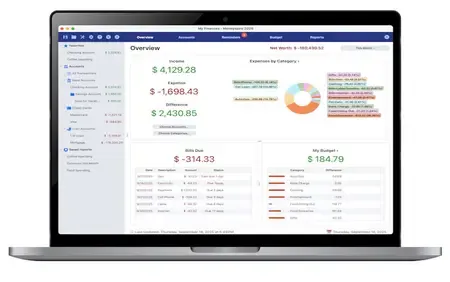
Personal finance software, made personal. Keep track of your bank accounts, credit cards, loans, cash and investment accounts. Categorize your spending and income with customizable categories. Keep track of your bills so you never forget to make a payment again and avoid late fees.


Set a budget to keep track of your spending so you don't overspend on specified categories like Dining Out. Forecast your account balance to prevent overdrafts and insufficient funds. Balance your checkbook and reconcile with bank statements to catch errors and bank fraud.
Generate detailed reports to see exactly where your money is going and to make tax time easier. Optionally sync to your financial institutions (if you would like) via the Moneyspire Connect feature and automatically download your transactions. Optionally sync to the cloud (if you would like) via the Moneyspire Cloud feature so you can share your finances between multiple computers and mobile devices.
Moneyspire can also import data from Quicken, Microsoft Money (MS Money) and other personal finance software, so you can easily make the change to Moneyspire.
Home Page-
Код:
https://www.moneyspire.com/moneyspire-desktop/

Rapidgator
Код:
https://rapidgator.net/file/9f1e6f92b58317ddd6855f649a78c6d8/81bla.Moneyspire.2026.v26.0.15.x64.rar.html

Код:
https://nitroflare.com/view/2C06C57A758F7DC/81bla.Moneyspire.2026.v26.0.15.x64.rar
 
078f8d165b1388f5abc7a7d7f18c8909.webp


My Video Cutter 1.0 | Size: 49.25 MB
Language: English


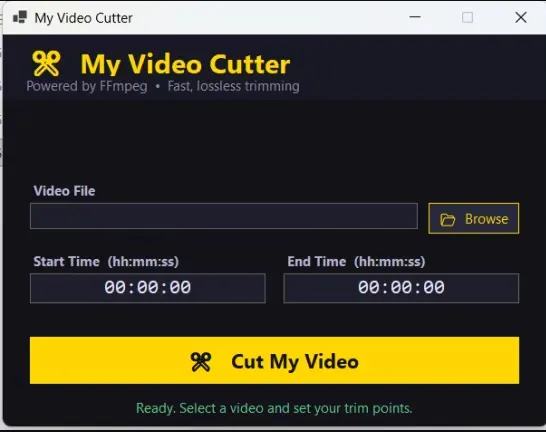
A lightweight Windows desktop app to trim videos instantly - no re-encoding, no quality loss. It's an offline video cutter with no limits and watermark.

Features
Browse & Select - File picker with support for all major video formats
Precise Trimming - Set start and end times in hh:mm:ss format
Instant Cuts - Uses FFmpeg stream copy, so trimming is fast regardless of file size
Lossless Output - No re-encoding means zero quality loss
Smart Output Naming - Output file is saved next to the original with a timestamped name (e.g. video_cut_00-01-30_to_00-03-45.mp4)
Portable EXE - Single .exe file, self-contained, no installation required
Dark UI - Easy on the eyes, modern dark theme
Auto FFmpeg Detection - Automatically finds ffmpeg.exe from the app folder, C:\ffmpeg\bin\, or system PATH

System Requirements: Windows 11, Windows 10


DOWNLOAD LINKS:


Код:
https://rapidgator.net/file/b774daadda13fb2f49041252c21915cb/My_Video_Cutter_1.0.rar.html

Код:
https://nitroflare.com/view/4A60CB816F4079A/My_Video_Cutter_1.0.rar
 
1d6f97a4819644f20c3244ff24acfca8.webp

Free Download NetSDK Software S3 Browser Pro 13.2.5 | 7 Mb
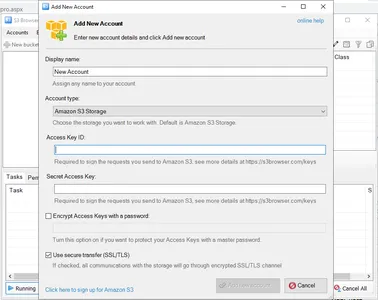
S3 Browser is a Windows client for Amazon S3 and Amazon CloudFront. Amazon S3 provides a simple web services interface that can be used to store and retrieve any amount of data, at any time, from anywhere on the web. Amazon CloudFront is a content delivery network (CDN). It can be used to deliver your files using a global network of edge locations.


Powerful and easy to use, it will help you:
Reliably Upload and Download your files to and from Amazon S3.
Publish your Content using Amazon S3.
Browse, Create, Delete Amazon S3 Buckets.
Share your Buckets with other Amazon S3 users.
Use Buckets shared by other Amazon S3 users.
Set Access Control on Buckets and Files.
Keep your Files backed up in encrypted form.
Manage your Amazon CloudFront Distributions.
And Many More!
Cutting edge features make it exceptional!:
Support for Multiple Amazon S3 Accounts and S3-Compatible Storages
Client Side Compression and Encryption (AES 256)
Support for Data Integrity Checking to guarantee reliable file transfer.
Convenient Folder Sync Tool - Upload Only New and Changed Files!
Support for Amazon S3 Versioning and convenient versions manager.
Full support for all Amazon S3 storage classes
Full support for Standard Infrequent Access Storage Class
Full support for OneZone-Infrequent Access Storage Class
Processing very large amounts of files (millions) effectively!
Support for AWS Identity and Access Management (IAM)
Easy to use CloudFront Manager
Support for very large files. Up to the 5 TB in size!
Amazon S3 Server Side Encryption support.
High-speed Multipart Uploads and Downloads with ability to Pause and Resume.
Full support for Amazon S3 Transfer Acceleration
An easy to use Bucket Sharing Wizard - share your Buckets with just two clicks!
Convenient HTTP Headers Editor.
Inclusion and Exclusion Filters
Support for Bucket Lifecycle Rules
Support for restore from Amazon Glacier and Deep Archive storage classes.
Support for bulk ACLs assignment (edit ACLs in batch mode).
Default Http Headers to apply pre-defined HTTP Headers automaticaly!
Advanced Web URLs Generator.
Support for Static Website Hosting.
Support for Amazon S3 Bucket Policies.
Support for Cost Allocation Tagging and Cross-Origin Resource Sharing.
Command Line Tools - Automate your Amazon S3 Tasks with ease!
Bandwidth throttling and proxy support.
Support for copy/move between amazon s3 accounts and buckets.
Drag and Drop from Windows Explorer.
Fast working multithreaded Http Engine.
Support for Amazon S3 Bucket Logging (Server Access Logging).
Support for Requester Pays Buckets.
And tons of other cool features and tools!
Operation Systems:Windows XP/Vista/7/8/10/11 and Windows Server 2003/2008/2012/2016/2019/2022
Home Page -
Код:
https://s3browser.com/

Rapidgator
Код:
https://rapidgator.net/file/c927feeeeb358908b562e594e4b49420/gth40.NetSDK.Software.S3.Browser.Pro.13.2.5.rar.html

Код:
https://nitroflare.com/view/9D1BD801D0B671D/gth40.NetSDK.Software.S3.Browser.Pro.13.2.5.rar
 
0c30a6f2f5bb504b1224991731837373.webp


Notepad++ 8.9.6 Multilingual
File Size : 12.6 Mb


Notepad++ has all the same great features of Notepad++ including support for multiple languages and an extensive plugin system, but there's nothing to install.

Syntax Highlighting and Syntax Folding
Supported languages
C C++ Java C# XML HTML
PHP CSS makefile ASCII art (.nfo) doxygen ini file
batch file jаvascript ASP VB/VBS SQL Objective-C
RC resource file Pascal Perl Python Lua TeX
TCL Assembler Ruby Lisp Scheme Properties
Diff Smalltalk Postscript VHDL Ada Caml
AutoIt KiXtart Matlab Verilog Haskell InnoSetup
CMake YAML WYSIWYG
If you have a colour printer, print your source code (or whatever you want) in colour.
User Defined Syntax Highlighting
It allows user to define his own language : not only the syntax highlighting keywords, but also the syntax folding keywords, comment keywords and the operators. ( screenshot1, screenshot2, screenshot3, screenshot4 ).
Auto-completion
For most supported languages, user can make his/her own API list (or download the api files from dowload section). Once the api file is ready, type Ctrl+Space to launch this action (see screenshot). For more information about Auto-completion, please see Auto-completion HOWTO.
Multi-Document
You can edit several documents at the same time.
Multi-View
You have two views at same time. That means you can visualize (edit) 2 different documents at the same time (screenshot). You can visualize (edit) in the 2 views one document at 2 different positions as well. The modification of document in one view will carry out in another view (i.e. you modify the SAME document when you are in clone mode).
Regular Expression Search/Replace supported
You can search and replace one string in the document by using the regular expression.
Full Drag 'N' Drop supported
You can open a document by drag & drop. You can also move your document from a position (or even a view) to another by drag & drop.
Dynamic position of Views
The user can set the position of the views dynamically (only in 2 views mode : the splitter can be set in horizontal or in vertical), see screenshot.
File Status Auto-detection
If you modify or delete a file which opened in Notepad++, you will be notified to update your document (reload the file or remove the file).
Zoom in and zoom out
That's another fantastic function of Scintilla component. Just see screenshot.
Multi-Language environment supported
The Chinese, Japanese, Korean, Arabic and Hebrew Windows environments are supported. See Notepad++ under the Chinese Windows , under the Arabic Windows and under the Hebrew Windows in action screenshot.
Bookmark
User can just click on the bookmark margin (located right side of line number margin) or type Ctrl+F2 to toggle a book mark. To reach the bookmark, type just F2 (Next bookmark) or Shift+F2 (Previous bookmark). To clear all bookmarks, click the Menu Search->Clear All bookmarks. See screenshot.
Brace and Indent guideline Highlighting
When the caret stay beside of one of those symbol { }[ ] ( ) , the symbol beside of caret and its symmetric opposite symbol will be highlighted, as well as the indent guideline (if any) in order to locate the block more easily. See screenshot1, screenshot2 .
Macro recording and playback
You can save several macros and edit their keyboard shorcuts for the next use. System Requirements: Windows 11, Windows 10, 8 , 7


HOMEPAGE


Код:
https://notepad-plus-plus.org


DOWNLOAD

Код:
https://rapidgator.net/file/1d2b72f0c151ab5a6456cee539ab013f/npp..rar.html

Код:
https://nitroflare.com/view/C8BD0AE6E30129D/npp..rar
 
61abcfed0ee7b35dabb2ef3a82294898.webp


O&O ShutUp10++ v3.0.1076 Multilingual | Size: 76.36 MB
Language: English


O&O ShutUp10++ means you have full control over which comfort functions under Windows 10 and Windows 11 you wish to use, and you decide when the passing on of your data goes too far. Using a very simple interface, you decide how Windows 10 and Windows 11 should respect your privacy by deciding which unwanted functions should be deactivated.

O&O ShutUp10++ is entirely free and does not have to be installed - it can be simply run directly and immediately on your PC. And it will not install or download retrospectively unwanted or unnecessary software, like so many other programs do these days!

More control over your operating system
Adapt your security settings
Protect your privacy
Control location services
Do not pass on your user data and diagnostics

Windows 11 and Windows 10 wants to give users the easiest possible daily experience and in doing so very rarely forces you to actually read and confirm a security notice. Unfortunately, this simplified approach from Microsoft means much more data is passed onto them than many users would like.

Microsoft uses most data to display personalized information to you that is aimed at making your computer life easier. As an example, Windows can remind you to set off to the airport 30 minutes earlier due to traffic en route. In order to deliver this information to you, however, Windows has to access your calendar entries, your mails (i.e. the airline confirmation email), your location and it has to have access to the internet to get traffic news.

Further information
Portable Version - no installation required
Free of charge for private users,
companies and educational institutions
Operating System: Supports all Microsoft® Windows 11 and Windows 10
Available in English, German, French, Italian, Spanish,
Russian and Chinese (simplified)

System Requirements: Windows 10 and Windows 11


DOWNLOAD LINKS:


Код:
https://rapidgator.net/file/07c3b8d28574de6db8ebee5f6e57fc18/OO_ShutUp10___v3.0.1076_Multilingual.rar.html

Код:
https://nitroflare.com/view/C2F71B3E83118A0/OO_ShutUp10___v3.0.1076_Multilingual.rar
 
Назад
Сверху Снизу