All mitsumi'1s Applications !! (updated daily)

be8c3dceea3d32610803ca2893d46d6e.webp

IObit Driver Booster Pro 13.5.0.359 Multilingual + Portable Fast Links | 37.2 Mb
Updating drivers is usually an initial step to avoid hardware failure, system instability and hidden security vulnerabilities. To update drivers regularly is also an effective way to enhance your overall PC performance, and maximize your gaming experience. While this process could be risky and frustrating if done manually.


Driver Booster PRO is introduced to download and update drivers for you automatically with just one click. Based on cloud library, Driver Booster PRO can always be the first to identify outdated drivers, and download and update driver at an unrivaled speed. With the backup feature, it is an easy, effective and risk free solution to keep your drivers up-to-date.
Update Outdated Drivers Safely and Rapidly
- Support More Hardware Devices & Improve PC Performance
- Update Drivers 300% Faster with Just One Click
- Specialized Driver Tweaking for Top Gaming Experience
- Backup Drivers for Safe Restore
Driver Booster Pro Features:
- Download and Update Outdated Drivers with One Click
- Enhance Hardware Functionality for Top Performance
- Specialized Driver Tweaking for Top Gaming Experience
- Automatically Identify Outdated Drivers
- Support More Comprehensive Hardware Devices
- Enjoy Priority to Update Outdated Drivers Promptly
- Backup Drivers for Safe Restore
- Download and Update Drivers up to 300% Faster
- Automatically Update to the Latest Version
Operating System: Windows 7, 8/8.1, 10, 11
Home Page -

Rapidgator
Код:
https://rapidgator.net/file/049d333159120048f1399fe3f06dd9cb/j2u6h.DriverBoosterPortable13.5.0.359.rar.html
https://rapidgator.net/file/fd826e6a620d62ca60d9752da1ccf827/j2u6h.IObitDriverBoosterPro13.zip.html

Код:
https://nitroflare.com/view/3A6A8A0FB6DCB41/j2u6h.DriverBoosterPortable13.5.0.359.rar
https://nitroflare.com/view/B23268FF26924A2/j2u6h.IObitDriverBoosterPro13.zip
 
b90ac7cc22191e316514d27152d3edbc.webp

Lucen Timeline Expert 14.19.00.00 | 147.3 Mb
Office Timeline is now called Lucen Timeline, part of Lucen Software! The #1 PowerPoint Timeline Maker for Windows and Office. Create PowerPoint timelines or roadmaps as fast as clients and executives need them. Simple but powerful PowerPoint add-in that anyone can use to quickly make and manage impressive timelines.


Beauty trumps complexity.
Build stunning PowerPoint timelines without the effort and cost.
Free yourself from manually building and managing visual project plans.
Office Timeline helps you make timelines, Gantt charts and Swimlanes in PowerPoint almost instantly. Customize them with just a few clicks to create clear, elegant high-level presentations that everyone will understand.
User-friendly PowerPoint timeline generator. Works the way clients and colleagues do.
Office Timeline works with all versions of PowerPoint. Give them stunning PowerPoint slides that can be viewed, edited and shared by anyone who has Microsoft Office.
Manage and change data with ease.
The plugin's powerful Data wizard and drag & drop Visual Editor make timeline management agile and intuitive. Updating timelines when projects and plans change is quick and easy.
PowerPoint timelines made easy.
No complex steps. No learning curve. No hassle!
Start from scratch or pick a template.
The timeline wizard was designed to make it simple. It all starts by selecting the type of timeline you want to make.
Enter your data and click Create.
Once you've selected a timeline template, enter or import your key milestones and tasks. Set their dates, click the Create button, and voilà ! Timeline created.
Arrange and style to impress.
Use Drag & Drop to instantly rearrange or update your visual. Then customize it your way â?? colors, shapes, date formats, task duration, percent completeâ?¦ change any detail, anyway you want.
Enjoy more freedom with Plus Edition.
While the Free edition is fully functional, Office Timeline Plus brings more! Plus Edition unlocks predesigned templates and gives you the freedom to add as much data as needed, so you can create detailed, unique PowerPoint timelines and Gantt charts.
See the power of Pro Edition.
Office Timeline Pro gives you everything you get with the Plus add-in, but adds powerful extra features. Pro Edition creates impressive Swimlanes and roadmaps, so you can manage complex projects with big-picture visuals that anyone can understand.
System Requirements:
- Microsoft Windows Vista, Windows 7 (SP1), Windows 8, or Windows 10 (LTSB, CBB and CB). Office Timeline does not run on Windows 10 S. The add-in is functional on Windows XP and Windows Server but unsupported.
- 32-bit versions of Microsoft Office 2007 (SP3), 2010, 2013, or 2016. Although Office Timeline works with 64-bit versions of Office, we do not formally test or support it on 64-bit. The vast majority of the Office install base is the 32-bit version of Office. 32-bit is recommended by Microsoft unless you have very specific needs for 64-bit.
- .NET Framework 4.5.2 or greater.
Home Page -
Код:
https://www.lucensoftware.com/

Rapidgator
Код:
https://rapidgator.net/file/c30a16256c7b44193840f18dcd398629/alybk.Lucen.Timeline.Expert.14.19.00.00.rar.html

Код:
https://nitroflare.com/view/C5C7EAD739AD14C/alybk.Lucen.Timeline.Expert.14.19.00.00.rar
 
_d1c7ec9f75ae7960ce613fd4d0ad3926.jpeg


Microsoft Windows 11 v25H2 Build 26200.8655 Consumer/Business Edition English June 2026 MSDN | Size: 16.09 GB
Language: English


Microsoft Windows 11 v25H2 Build 26200.8655 Consumer/Business Edition English June 2026 MSDN ~ 8.0/8.08 GB
Windows 11, version 25H2 is an enablement update that builds on the features of 24H2 by enabling new, "continuous innovation" features, rather than introducing entirely new features itself. Key updates include a Braille Viewer for the Narrator, improvements to Click-to-Do (including a new "Convert to Table" feature), support for plug-in credential managers for passkeys, and enhancements to the mobile device companion experience. Microsoft is also implementing IT admin-focused features like the ability to remove pre-installed Store apps and a new Quick Machine Recovery system to reduce downtime.

For Users

Accessibility:
The Narrator now includes a Braille Viewer, allowing users to see the braille equivalent of on-screen text on a refreshable braille display.

Passkeys:
Users can now utilize plug-in credential managers for setting up and using passkeys, offering improved security and management.

Time & Language:
Ported settings from the Control Panel to the Settings app, including configuring additional clocks and changing the NTP time server.

Mobile Experience:
The mobile device companion has a new, more accessible layout to view calls, messages, photos, and more from your phone.

Click-to-Do:
New AI features for Click-to-Do are included, such as a new "Convert to Table" capability for converting text to an Excel table and more flexible selection methods.

For IT Administrators

Quick Machine Recovery:
This new feature in the recovery system aims to reduce downtime and simplifies the process for recovering a system, according to PCMag.

Removable Apps:
IT admins can now remove certain pre-installed Microsoft Store apps via Group Policy or MDM CSP on Enterprise/EDU devices.

Feature Removals:
25H2 removes older components like PowerShell 2.0 and WMIC for greater security and efficiency.

Consumer edition includes:
- Windows 11 Home
- Windows 11 Home N
- Windows 11 Home Single Language
- Windows 11 Education
- Windows 11 Education N
- Windows 11 Pro
- Windows 11 Pro N
- Windows 11 Pro Education
- Windows 11 Pro Education N
- Windows 11 Pro for Workstations
- Windows 11 Pro N for Workstations

Business edition includes:
- Windows 11 Education
- Windows 11 Education N
- Windows 11 Enterprise
- Windows 11 Enterprise N
- Windows 11 Pro
- Windows 11 Pro N
- Windows 11 Pro Education
- Windows 11 Pro Education N
- Windows 11 Pro for Workstation
- Windows 11 Pro N for Workstation

HOMEPAGE: Code:
Код:
https://microsoft.com


DOWNLOAD LINKS:

Код:
https://rapidgator.net/file/ed060300a0b6d953d91e2290b87b1158/Win.11.Business.June.2026..part1.rar.html
https://rapidgator.net/file/fb5fbfcf8c6d662d30efff9f131ff3ea/Win.11.Business.June.2026..part2.rar.html
https://rapidgator.net/file/382e073fb0a898c9c9dfde047038248d/Win.11.Business.June.2026..part3.rar.html
https://rapidgator.net/file/061286560146caba937b24258a2b4771/Win.11.Business.June.2026..part4.rar.html
https://rapidgator.net/file/db99fe71e836cae6b3c040badbfbc88d/Win.11.Business.June.2026..part5.rar.html
https://rapidgator.net/file/282087f32017a742daa43ac13173daa9/Win.11.Consumer.June.2026..part1.rar.html
https://rapidgator.net/file/a0acabb23b24881a3b8ce0caab85e1a4/Win.11.Consumer.June.2026..part2.rar.html
https://rapidgator.net/file/f5dfc92b89e46fb4d0343849a179d328/Win.11.Consumer.June.2026..part3.rar.html
https://rapidgator.net/file/08665fd4d590e82d7f6d9b0ae638090d/Win.11.Consumer.June.2026..part4.rar.html
https://rapidgator.net/file/0fcdc86e12bbe402dfe122e26d956503/Win.11.Consumer.June.2026..part5.rar.html

Код:
https://nitroflare.com/view/BE24DF585A1A633/Win.11.Business.June.2026..part1.rar
https://nitroflare.com/view/45E71DA3C27FEAB/Win.11.Business.June.2026..part2.rar
https://nitroflare.com/view/E3916853E4CD5A6/Win.11.Business.June.2026..part3.rar
https://nitroflare.com/view/AEF7CD48E9F0929/Win.11.Business.June.2026..part4.rar
https://nitroflare.com/view/0967F1E7E06C3E3/Win.11.Business.June.2026..part5.rar
https://nitroflare.com/view/47CED16D3C3037B/Win.11.Consumer.June.2026..part1.rar
https://nitroflare.com/view/25C13EF1CBC875A/Win.11.Consumer.June.2026..part2.rar
https://nitroflare.com/view/8C1176CE6AEA788/Win.11.Consumer.June.2026..part3.rar
https://nitroflare.com/view/6DCA1FF867B75E5/Win.11.Consumer.June.2026..part4.rar
https://nitroflare.com/view/C942A5CB9865ABC/Win.11.Consumer.June.2026..part5.rar
 
1bef902ccd9a6885efc1b52667a5c167.jpg


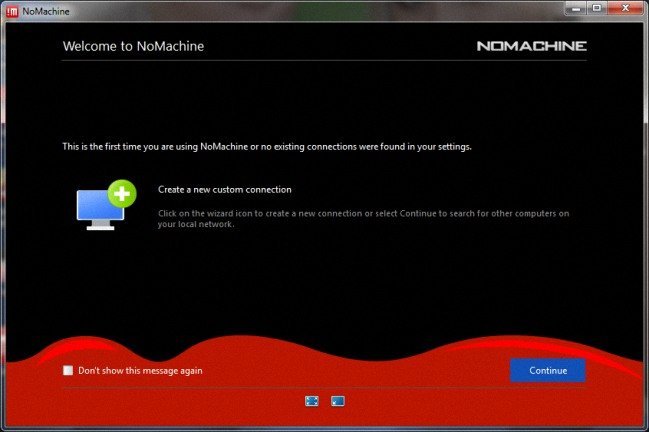
NoMachine 9.7.3 (x64) | Size: 77.21 MB
Language: English


NoMachine is an incredibly fast easy-to-use remote desktop allowing you quick access to any computer in the world. Travel from your desktop to any NoMachine-enabled computer at the speed of light. NoMachine is the fastest remote desktop you have ever tried. In just a few clicks you can reach any computer in the world and start working on it as if it was right in front of you. NoMachine can turn your computer into your personal cloud. Take what's important where you go, whether it's at home or at the office. Wherever your desktop and your data is, you can reach it from the other side of the world in a few simple clicks.

NoMachine Features
Your own personal server
Private and secure
Access any time, anywhere
Share with who you want

System Requirements: Windows 11, Windows 10, 8 , 7


DOWNLOAD LINKS:


Код:
https://rapidgator.net/file/65e9978e7f6288f0c6d06f8945d77577/NoMachine_9.7.3_x64.rar.html

Код:
https://nitroflare.com/view/E4F2010E01342EA/NoMachine_9.7.3_x64.rar
 
4dfd207b04b92c2fe7afb689dfcb1718.webp

NTFS Permissions Reporter 5.4.698 (x64) Enterprise | 65 Mb
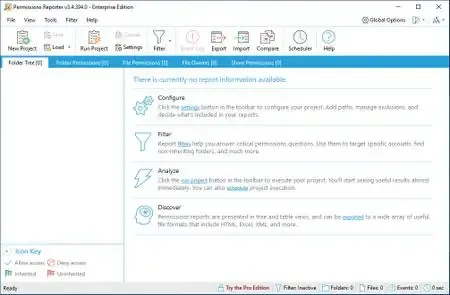
System administrators are constantly being asked to audit user permissions for specific files and folders. This is often a time-consuming task, with multiple layers of NTFS permissions and repeated adjustments over time creating a security labyrinth.


You need a visual, interactive software tool to help you manage file system permissions. You need Permissions Reporter - the ultimate network-enabled NTFS permissions reporter for Windows. It allows you to validate the security posture of entire file systems quickly and efficiently. All with multiple export formats, command-line support, built-in scheduling, advanced filtering, and much more.
Operating System: Windows 11 & 10 or Windows Server 2022, 2019, 2016, 2012 (R2) (64-bit)
Home Page -

Rapidgator
Код:
https://rapidgator.net/file/bd37ff5c3ab0cc9b48507e592a216915/edrmh.NTFS.Permissions.Reporter.5.4.698.x64.Enterprise.zip.html

Код:
https://nitroflare.com/view/5CBE08A347C8AE9/edrmh.NTFS.Permissions.Reporter.5.4.698.x64.Enterprise.zip
 
8bba0bf2e969617adad2e0e8ef1f3450.webp

O&O ShutUp10 Premium Edition 3.1.1104 Multilingual Fast Links | 60.1 Mb
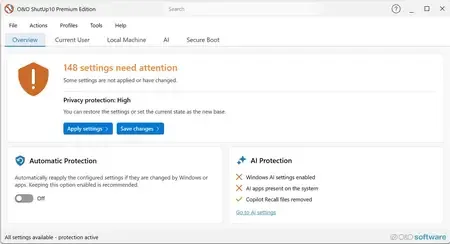
Protect your privacy in Windows 11 & 10 - permanently and fully automatically! Windows updates no longer destroy your privacy settings. With every new Windows version, Microsoft changes settings. Disabled features are switched back on, and Microsoft adds new ways to collect data about you. For you, this means that the privacy settings you configured once must be checked, adjusted and reset according to your wishes on a regular basis. O&O ShutUp10 Premium does this work for you automatically!


You set your desired privacy settings just once - or use our recommended settings with a single click. O&O ShutUp10 Premium then continuously monitors your selected settings and automatically restores them - even after Windows updates or system changes. You have full control over what your Windows is allowed to reveal about you!
Powerful data protection for Windows-automatic, transparent, and durable
O&O ShutUp10 Premium gives you back control over the privacy and system settings of Windows - and ensures that this control is maintained permanently. Instead of having to check again after every Windows update which settings have been changed, set your desired data protection requirements once. O&O ShutUp10 Premium then continuously monitors them and automatically restores them when Windows changes them.
Reliable data protection is crucial, especially in companies, for the self-employed and on professionally used PCs. Windows is constantly evolving, new features are added, and existing settings can be adjusted through updates or policy changes. O&O ShutUp10 Premium significantly reduces this effort and ensures that defined data protection standards are permanently adhered to.
The following feature list shows how O&O ShutUp10 Premium combines data protection management, automation, transparency and central control - for Windows systems that are not only protected once, but work permanently according to your specifications.
Privacy Control for Windows 11 & 10
- Management of around 300 privacy and system settings
- How Windows disables unwanted data collection
- Control over telemetry, diagnostics, app access, and system services
- Understandable recommendations for each setting
- Quickly apply recommended data protection configurations
Permanently protect your settings
- Continuous monitoring of the selected privacy settings
- Automatic recovery after Windows updates
- Protection against unintentional reset caused by system changes
- Reapply defined settings without manual intervention
- Ideal for companies that want to enforce data protection policies on a permanent basis
Automatic reapplication after Windows updates
- Microsoft can use updates to change existing privacy settings or add new options
- O&O ShutUp10 Premium detects relevant changes and restores the desired settings
- Data protection remains in place even after feature updates and system changes
- Reduces manual checking effort for administrators and users
- Ensures consistently consistent privacy settings on Windows systems
Central data protection guidelines for companies
- Uniform data protection configurations for Windows workstations
- Profile-based management of desired settings
- Export and import of defined configurations
- Support in the implementation of internal data protection regulations
- Suitable for SMBs, organizations, and managed IT environments
Client/Service Architecture
- Continuous monitoring via a robust background component
- Automatic enforcement of defined settings during operation
- Separation between user interface and technical background service
- Reliable application of the specifications even without constant user interaction
- Designed for professional use on managed systems
No end-user administrator privileges required
- Data protection requirements can be implemented without users needing permanent administrator rights
- More safety in daily operations
- Less support effort due to controlled assignment of rights
- Better suited for professional and managed Windows environments
- Increases comfort and safety at the same time
Profiles and policy management
- Creation of your own data protection profiles
- Key Requirements for Recurring Configurations
- Quickly apply defined settings on Windows systems
- Profile Editor for Structured Management
- Ideal for uniform data protection standards in the company
Protection against new Windows features
- Regular adaptation to new versions of Windows
- Consideration of new data protection options
- Protection against Microsoft features that have been enabled after the fact
- Support in disabling unwanted AI features
- Removal or disabling of Copilot and Recall-related features
One-click recommended settings
- Predefined recommended privacy settings
- Rapid activation of sensible protective measures
- Can undo recommended settings
- Suitable for quick initial configurations
- Transparent control over every single change
System protection and recovery
- Creating System Restore Points Before Changes
- Restoration of previous system states possible
- More security when adjusting sensitive Windows settings
- Reduces the risk of unwanted side effects
- Suitable for traceable and controlled system adjustments
Transparency and control
- No changes without defined specifications
- Clear representation of the impact of each setting
- Recommendation levels for better classification
- Editing mode for advanced users
- Full control over which features are enabled or disabled
Notifications and traceability
- About automatically reapplied settings
- Transparent feedback on changes by Windows
- Better overview of protection status
- Traceable automatic corrections
- Supports administrators and users in daily operations
Premium comfort in the background
- Automated enforcement of selected privacy settings
- Background monitoring without constant manual control
- Less effort after Windows updates
- Permanent compliance with desired data protection requirements
- More convenience, more automation and reliable data protection
For private users and companies
- Ideal for users who want to protect their privacy permanently
- Suitable for the self-employed, small businesses and managed workplaces
- Supports uniform data protection standards on Windows systems
- Reduces manual rework after updates
- Ensures that selected settings remain permanently
Set once. Permanently protected.
- Set your desired privacy settings once
- Automatic recovery from changes by Windows
- Protection against unintentional reactivation of unwanted functions
- More safety and less effort in everyday life
- Your privacy remains protected even when Windows changes
Home Page -
Код:
https://www.oo-software.com/en/ooshutup10premium

Rapidgator
Код:
https://rapidgator.net/file/8fe82a169ad195769ab4cd3710cdf91d/qib9i.OO.ShutUp10.Premium.Edition.3.1.1104.Multilingual.rar.html

Код:
https://nitroflare.com/view/9165032B9B8AC4F/qib9i.OO.ShutUp10.Premium.Edition.3.1.1104.Multilingual.rar

 
a44135667b63b8ac7872aae03dcc5748.webp

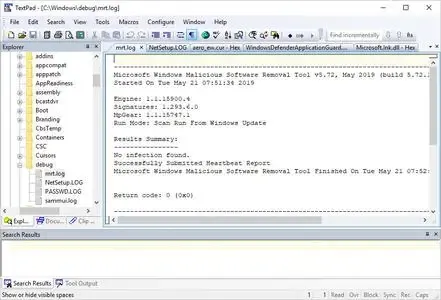
OkMap Desktop 19.6.2 (x64) Multilingual Fast Links | 405.6 Mb
OkMap is an interactive software which allows you to work on your computer screen with web maps or digital maps that you have either bought or scanned. OkMap can also import vectorial data from the most common formats and DEM data relevant to height information. Through these maps, you can organize your paths by creating waypoints, routes and tracks on your computer monitor, and upload this data to your GPS. OkMap sets automatically altitude data and estimates travel times.


Features:
Calibration / display raster maps (over 30 image formats)
Display vectorial maps
Display hybrid maps (raster + vectorial data)
Ability to open multiple maps simultaneously
9 cartographic projections of the most used
Database with over 500 predefined projections by geographic area
Database with over 300 datum
Viewing 3D raster maps on Google Earth (for supported image formats)
Map add-ons management (icons, comments)
Vectorial data management (point, multipoint, line, polygon)
GPX data management (waypoints, tracks, routes)
Selecting multiple objects with the mouse
Context menu (right mouse)
Auto-info function
Zoom, autofit functions
Moving map function in 3 modes
Customizing toolbar
Showing yes / no toolbar
Showing yes / no statusbar
Check new releases at startup
Operating System:Windows 7, 8/8.1, 10, 11
Home Page -
Код:
https://www.okmap.org/

Rapidgator
Код:
https://rapidgator.net/file/8879c5346655de98a2ada256d46e02c1/x37zz.OkMap.Desktop.19.6.2.x64.Multilingual.rar.html

Код:
https://nitroflare.com/view/2303D060FD71B4E/x37zz.OkMap.Desktop.19.6.2.x64.Multilingual.rar
 
8eeb46951b0f57f90db3334cca412e64.jpg


Pano2VR Pro 8.0.2 Multilingual | Size: 266.14 MB
Language: English


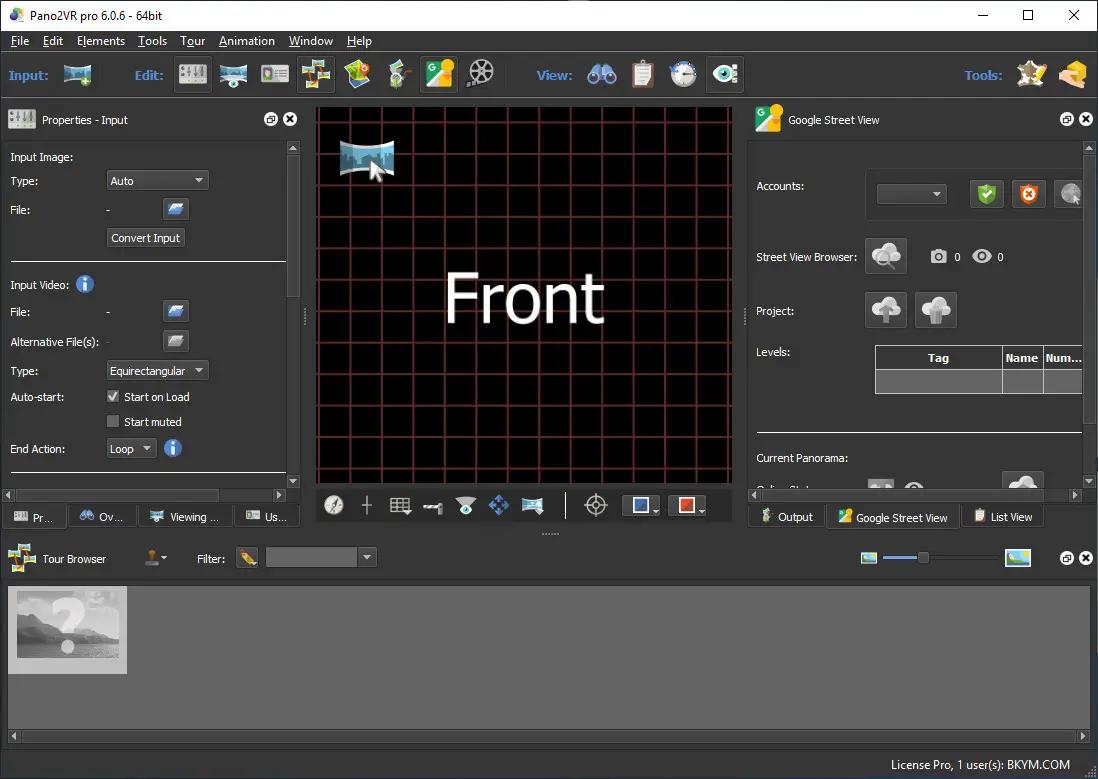
Pano2VR allows you to publish your panoramic images within minutes. No matter what type of project you're working on, whether, a gigapixel panorama or virtual tours with hundreds of nodes, Pano2VR will help you to quickly get your project up and running on the desktop as well as mobile devices.

mprove your images.
Sometimes panoramas are not level and have unwanted tripods.it happens. Straightening the horizon and removing the tripod from the panorama can be accomplished with a few simple clicks.

Build a Virtual Tour.
No matter how large the tour, Pano2VR Pro can help you quickly and easily put it together with automatic linking, filtering, master node editing and a built-in Tour Map.

Enhance the experience.
Add interactive elements like hotspots, directional sound and video to your panoramas. Use the powerful Skin Editor to design custom buttons and controllers - all of which can be made responsive so the design fits to any screen. No coding required. We promise!

Seamlessly change projections.
Easily reproject spherical panoramas during viewing or open a panorama from a little planet view to a rectilinear view on opening or create a standard format video that moves through different projections.

Reveal the highlights.
Guide viewers by creating an animation path through your panoramas or tour to show off the best areas. At any time, the viewer can interact and explore further. You can even export this walk-through as a video file.

Contribute to Google Street View.
Pano2VR offers an easy way to add and edit existing panoramas and tours to Google Street View. Once you've connected your account, you will see all tours and panoramas that you've uploaded to Google Street View. You can continue to add to your gallery or even download the existing images.

Show your work.
Export your panoramas as HTML5, Flash or QuickTime VR formats or use our handy plugins to post them directly to your Wordpress, Joomla or Drupal site. Pano2VR will also help you to transform your images into different projections for printing.

Pano2VR 6.0
Pano2VR 6.0 brings major updates to the Tour Map, Animation Editor and Viewer. You can now add floor plans to your project and correctly geolocate indoor nodes, control and animate skin elements with the Animation Editor, and view and interact with 360 video in the Viewer.

Tour Map
The Tour Map received, perhaps, the biggest update. It can now better assist in general tour building and with Google Street View tours with the addition of being able to add custom floor plans.

Floor plans, are maps of the interior of buildings where it is also likely that location data has not been recorded during a shoot. So, we added the ability to geolocate the floor plan to the tour map so that when a tour node is added to the floor plan, it will be given location data. This is especially helpful for those building tours for Google Street View and need accurate placement of nodes inside of buildings. Floor plans that have been added to the Tour Maps, can also be used in the Skin Editor using the Map element. In addition to the floor plans, map pins can now be moved in bulk.

Animation Editor
The Animation Editor is now a panel and it, too, is more powerful. You can now connect skin elements to the animation. This lets you apply, for example, subtitles or text boxes that can appear and disappear at a defined time in the animation.

Previously, the animation editor only had the ability to create a single series of clips. Now, we can create sequences, which are a group of clips, in the same project. We can then, select a specific sequence to output as an animation or as auto rotation. This makes it much easier to create multiple versions of an animation without having to create multiple projects.

Skin Editor
The Skin Editor got new features, too. The most notable feature would be the changes made to the Maps element. This is how you would add a map or floor plan overlay to your project. Previously, only a map could be added to the map element.

We've also added a way to change skins without having to open the Skin Editor - making it easier to adapt a skin to the current project using the Edit Skin Configuration button. Finally, positioning in the Skin Editor has been completely reworked to better reflect the way positioning works in HTML5. This means that when you open older skins, you may find that the positioning measurements have changed. Don't worry, it's not broken; just, the numbers have changed.

Viewer
The Viewer has been updated to be able to playback 360º video, making it much easier to work with the medium. Once the panoramic video has been added to the Viewer or Tour Browser, a transport control will appear in the Viewer.

More Features:
- Improved gigapixel support with tiled multi-resolution
- Fast loading for tours with more than 10,000 nodes
- Custom Fly-in effect
- Custom map tiles
- Filtered actions
- Flash and QuickTime outputs no longer supported

Requirements: Windows 7 and higher (64-bit).

HOMEPAGE: Code:
Код:
http://ggnome.com


DOWNLOAD LINKS:

Код:
https://rapidgator.net/file/a09c4ac214d2907f8881c7b7ca382b97/Pano2VR_Pro_8.0.2_Multilingual.rar.html

Код:
https://nitroflare.com/view/E3C025581BB1BDC/Pano2VR_Pro_8.0.2_Multilingual.rar
 
9d64788ad976f1d7c585d9fcd472004a.jpg


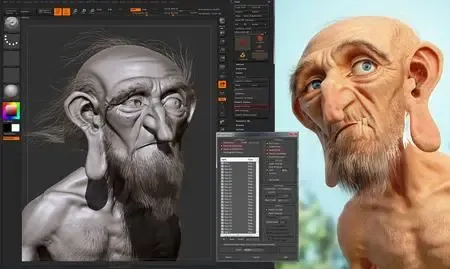
Pixologic Zbrush 2026.2.1 (x64) Multilingual | Size: 2.49 GB
Language: English


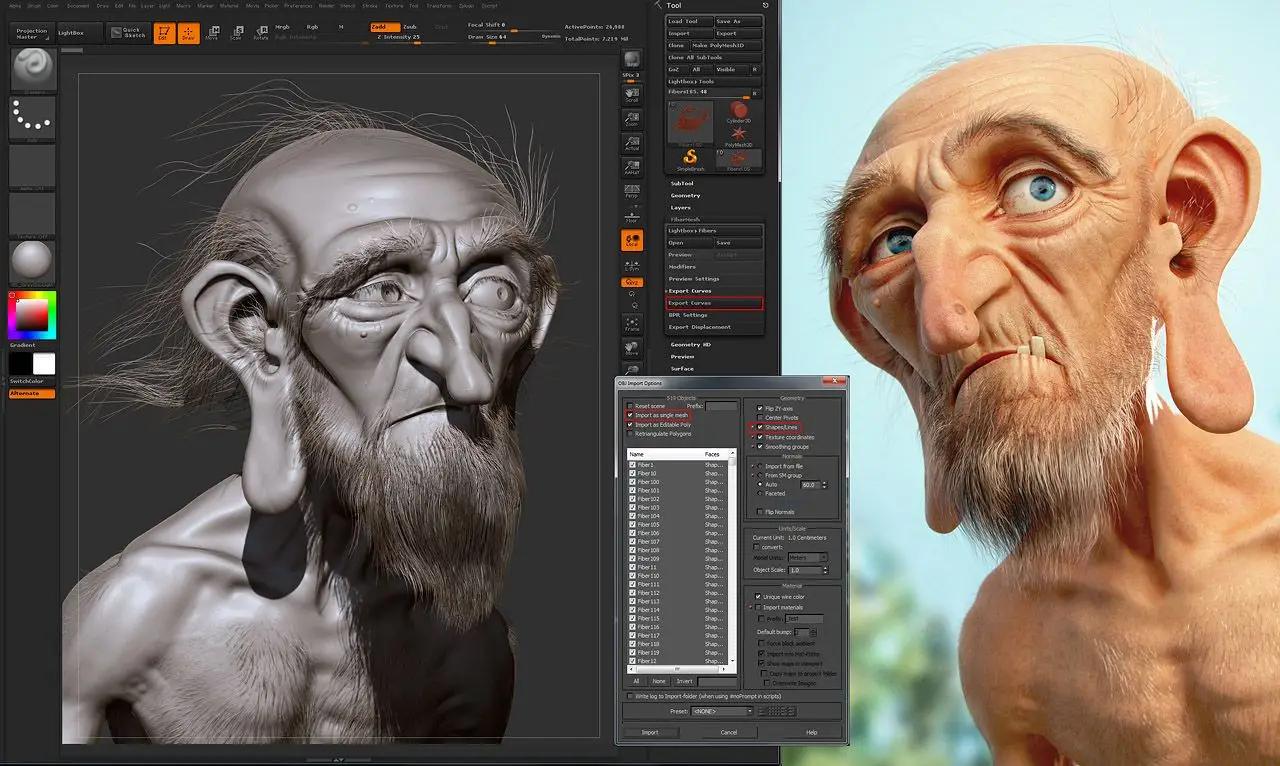
ZBrush is the leading industry standard digital sculpting software. This update provides enhancements that will help you explore new workflows, including the ability to create high quality renders with the integration of Redshift. From Hard Surface modeling and Character Creation to World Building and Environment Design, ZBrush provides you with access to diverse workflows and limitless creative possibilities with ease.

Integrate fully GPU-accelerated, biased rendering into your ZBrush pipeline
Render high resolution images without UV and Texture Map information on the fly. Take your art further with Subsurface Scattering, Emissive Light generation, full metallic material management and caustic effects for realistic glass. Using ZBrush with Redshift integration provides new and exciting opportunities to create high-quality images.

Slime Bridge
A dynamic way to create! Using the power of ZBrush's Masking system, Slime Bridge works to expand modeling capacity to include complex geometric connections and designs from one masked island to another. Simply draw out a mask on a given surface and create another mask on an adjacent group of faces to set your Slime Bridge parameters. Click the Slime Bridge button and watch real-time construction and eclectic shapes come to life. The Tension, Bridges Calipers and Branches sliders provide access points for even more creative control when it comes time to slime things up!

Sculptris Pro
Sculptris Pro, a dynamic tessellation sculpting workflow that enables you to ignore the constraints of polygon distribution and just - sculpt! Sculptris Pro makes it possible for you begin with any shape or model, whether it has ten polygons or ten thousand. There is absolutely no need to worry about having enough polygons to capture details. With Sculptris Pro you can simply brush across the surface. Sculptris Pro will dynamically add and reduce polygons wherever and whenever it's needed, freeing you to focus entirely on the look you're trying to achieve.

ZBrush places a library of over 400 sculpting brushes at your fingertips. Activating Sculptris Pro will transform each of these brushes into a system that places no limitations on your creativity. ZBrush comes with a set of brushes designed specifically for Sculptris Pro.

Subdivision Size Picker
Additions to the already robust Sculptris Pro feature set include increased resolution capabilities. Take advantage of triangle size at five times the density. Using the Sculptris Pro slider provides control for increasing density in desired areas while also reducing the size of triangles. This means more detail where it counts. Extended use includes interactive manipulation of triangle size while hovering over designated areas of an asset.

Multi-Resolution Mesh Editing
The inherent problem with traditional 3D modeling methods is that once you divide your mesh you are locked into the design thus far. There is no way to go back and make changes at the macro level without sacrificing everything that has been done at higher resolutions. ZBrush does away with that restriction through multi-resolution subdivision editing, the feature for which it received an Academy Award. With this system you are free to move between subdivision levels at any time, making changes wherever they are most appropriate. Those changes then automatically ripple across all other levels of your model.

Mask Region
Mask Region allows for expanded use of ZBrush's robust masking system by allowing you to draw shapes on the surface of a mesh while filling those areas uniformly and independently. Selecting the Auto Region option will auto-fill your mask to complete your selection. With Analyze Region, you make multiple masking selections while ZBrush detects and fills the selected areas. Fill Region will auto-fill all areas that ZBrush detected to complete multiple mask selections at once with the push of a button.

Apply Last Action
The Apply Last Action to All Subtools function allows for application of material attributes, color information and any other "undoable" operations to multiple subtools inside the ZBrush Tool Palette with the click of a button. Only Subtools with the "Eyeball" icon activated/visibility turned on inside the Subtool menu will be affected.

Taking this functionality further sees the addition of Folder support. The Folder "add-on" function provides you with an opportunity to manage Apply Last Action to specific folders for increased control over modeling and visual representation of assets. Grouping your subtools together into a Folder will allow you to use Apply Last Action to subtools within a currently selected folder.

Highly recommended specifications:
OS: 64-bit editions of Windows 10 or 11.
CPU: Intel i5/Xeon technology and newer or AMD Ryzen/Threadripper and newer.
RAM: 8 GB required for working with multi-million poly models. (16+ GB preferred.)
HDD: 100 GB of free hard drive space for ZBrush and its scratch disk. (SSD drive highly recommended.)
Pen Tablet: Wacom or Wacom compatible. (WinTab API.)
Monitor: 1920x1080 monitor resolution or higher with 32-bit color.
Video card: Must support OpenGL 3.3 or higher and Vulkan 1.1 or higher.
Redshift: Redshift (including Redshift in ZBrush) has its own system requirements.

HOMEPAGE: Code:
Код:
https://www.maxon.net/en/zbrush


DOWNLOAD LINKS:


Код:
https://rapidgator.net/file/50232c6e0dd83fb318dbc12378536093/Pixologic_Zbrush_2026.2.1_x64_Multilingual.rar.html

Код:
https://nitroflare.com/view/C75244A9C8CDD3E/Pixologic_Zbrush_2026.2.1_x64_Multilingual.rar
 
02db784dceba4d8efef5c66f345217ba.webp

Pazu StreamGet 3.1.3 Multilingual + Portable Fast Links | 247/359.3 Mb
Download movies and shows from various streaming platforms to MP4/MKV on your Windows device and enjoy them anywhere you want.


Download videos from the most popular streaming services including Netflix, Prime Video, Disney Plus, Max, Hulu, Apple TV Plus, and more.
Download movies and shows to MP4/MKV
High-quality downloads up to 1080p.
Freely choose to keep any or all audio and subtitles.
8x fast downloading speed
Multiple downloads at a time
Select how subtitles are saved (hardcoded, softcoded, or external files).
Multilingual interface: English, Deutsch, Espanol, Francais
Download All, Download Now
StreamGet All-In-One Video Downloader is the ultimate download solution for you. It supports downloading any movies and shows from the most popular streaming websites including Netflix, Prime Video, Disney Plus, Max, Hulu, and Apple TV Plus. The downloader is continuously updated to support more platforms in the future.
Support downloading from various streaming platforms
Download as many movies and shows as you want
Watch on any supported device
Download movies in up to 1080P
Continuously updated
User-friendly Interface and built-in browser
StreamGet All-In-One Video Downloader simplifies your download process by offering a built-in browser. This allows you to directly search for movies or TV shows within the application. Simply select your preferred streaming service from the homepage, enter a title or keywords, and let StreamGet present the search results for you.
One-stop browsing experience with the built-in browser
Simple and clear user interface
Multilingual Support
Search the movie/show title or copy&paste the link
Download videos in high quality at a fast speed
StreamGet All-In-One Video Downloader delivers the perfect combination of speed and quality. You can download high-quality videos starting from 720p(HD) and up to 1080p (FHD). Moreover, it uses multi-threading to increase download speed. Experience downloads 8x faster than standard speeds.
8x fast downloading speed
One click to download all seasons and epidodes
Choose the format, audio track, and subtitle you want
Download videos in H.265(High-Efficiency Video Coding, HEVC) or H.264(Advanced Video Coding, AVC).
Audio and subtitle customization
StreamGet All-In-One Video Downloader offers comprehensive multi-language support for downloaded videos. You can choose to download audio tracks and subtitles in any language available on the original streaming service. This flexibility ensures you can enjoy your content in your preferred language.
Freely choose to keep any audio and subtitles available.
Save subtitles as Soft subtitles, External subtitles or Hard subtitles.
Support preserving all available audio track and subtitle languages.
Keep Audio description and Audio surround sound
Ultimate offline playback experiences
With StreamGet All-In-One Video Downloader, you can download videos from Netflix, Amazon Prime Video, Disney+, Max, Hulu, and Apple TV+ even with an ad-supported subscription. These downloaded videos can be transferred to various compatible devices and applications for offline playback, offering greater flexibility in how you enjoy your favorite content.
Download videos even with an ad-supported account
Watch streaming videos offline on any devices you want
No video streaming app is required
Downloaded videos are stored locally and will never expire.
Home Page -

Rapidgator
Код:
https://rapidgator.net/file/c1d759ec24d22c46785185e142450d25/3g7av.Pazu.StreamGet.3.1.3.Portable.rar.html
https://rapidgator.net/file/c97c20cbaa503d83e49249a291ce63a0/3g7av.StreamGet3.rar.html

Код:
https://nitroflare.com/view/0EB19594920EA9F/3g7av.Pazu.StreamGet.3.1.3.Portable.rar
https://nitroflare.com/view/EF7611B0665C039/3g7av.StreamGet3.rar
 
6c044e4b1191bc385df83f69fe36cbf9.webp

RadioBOSS Ultimate 7.2.1.8 Multilingual + Portable Fast Links | 44.3 Mb
RadioBOSS radio automation software provides professional radio programming engineering and automation at a fraction of what other applications cost. If you're creating programming for a terrestrial or Internet radio station, RadioBOSS lets you build sophisticated playlists with the professional features you need. RadioBOSS is also a simple to use solution to create background music for a wide range of venues: clubs, bars, restaurants, gyms and health clubs. With RadioBOSS, you can quickly create the right background music for your business and RadioBOSS will run unattended and trouble-free for months at a time.


RadioBOSS is used at radio stations, clubs, hotels, shops and casinos all over the world. You're in good company when you choose DJSoft.Net products!
RadioBOSS includes:
An extremely stable Player application that controls when and how playlists are played.
Support for all popular audio formats, use the audio assets you already have on disk or hard drive.
A simple-to-use music library to locate, track, annotate and manage your audio assets.
A robust playlist generator with professional functionality including playlist templates and more.
An advertisement scheduler to easily create and schedule commercial breaks.
A report generator to create detailed reports of what songs were played.
The components of RadioBOSS:
The Player is the central component of RadioBOSS. With it you can:
Launch and edit playlists.
Schedule various events. Events can be launched at a set time or by a DTMF signal.
For advertising, specify volume increase.
Automatically create teasers from songs
Automatic volume leveling, crossfading and silence trimming.
Use the automatic playlist generation to create sophisticated multi-hour audio programming.
Easily create random playlists.
Include Internet streams (HTTP, MMS and FTP) and podcasts in your playlists.
Automatically insert jingles before music tracks
Use the microphone and linear input
Improve the quality of any given audio asset with RadioBOSS' 12-band equalizer and sound compressor.
Use your WinAMP and VST plugins for even more sophisticated audio engineering.
Use the cart wall for instant audio playback
Take advantage of the multichannel card installed in your PC (4.0, 5.1, 7.1, etc.) output multiple channels.
Export metadаta: upload to FTP, send HTTP request, save to text or XML file.
Broadcast using integrated Internet streaming support: Shoutcast, Icecast, Windows Media servers, and an integrated streaming server.
Create playlists with prerecorded voice tracks.
Use individual user profiles.
Configure User Access Control.
RadioBOSS supports ASIO and WASAPI low-latency input and output
RadioBOSS offers remote control API for advanced usage scenarios
The Playlist Generator creates playlists.
Automatically generate playlists for a given duration.
Generates playlists quickly using and reusing playlist templates.
Supports multiple generation options.
Create playlists with rotations.
Create playlists with jingles.
Create playlists with hour markers and commercials.
The Music Library organizes your audio assets.
Batch process audio tracks: normalize, detect BPM, trim silence.
Use Track Tags for filtering and search purposes.
Automatic indexing supports quick searches.
Filter and sort to work with just records you want.
Automatically tracks usage statistics.
Tag any audio asset, regardless of format.
Tag mutiple audio assets.
Add comments to any audio asset.
The Advertisement Scheduler
Create and schedule commercial breaks
Automatic playlist and event generation to schedule commercial breaks in RadioBOSS
Remote ads management over a network
Use custom intros and outros
Specify the Start and End dates for commercials
The Report Generator
View and print reports for the custom date range
Customizable report fields
Filters to exclude unneeded items
Export reports in various formats: XLS, PDF and others
System Requirements:
Hardware (minimal): CPU 2 Ghz 2 cores; 1 GB RAM; 1 GB hard disk space
Operating System: Windows 10, Windows 8.1, Windows 7 (SP1+), Windows Server 2019, Windows Server 2016, Windows Server 2012 R2; 32- or 64-bits.
Home Page -

Rapidgator
Код:
https://rapidgator.net/file/72df6c5a074867984d3c97fbb325879c/36zat.RadioBOSS.Ultimate.7.2.1.8.Portable.rar.html
https://rapidgator.net/file/9c57bc16a72b460e1efed5be287b270c/36zat.RadioBOSS7.2.1.8.rar.html

Код:
https://nitroflare.com/view/F0946C8684A36F6/36zat.RadioBOSS.Ultimate.7.2.1.8.Portable.rar
https://nitroflare.com/view/AA4439F13978D6B/36zat.RadioBOSS7.2.1.8.rar
 
e6b9bd775de4849fa7678cf31c473776.webp

Reg Organizer 9.93 (x64) + Portable Fast Links | 25.9/57 Mb
Reg Organizer is a feature-packed program that provides integrated services for Microsoft Windows. The software speeds up and optimizes your operating system, freeing up additional system resources.


The utility allows you to remove unwanted programs from the system and search for traces of the uninstalled program. If there are "heavy" programs that run automatically on start-up in your Windows operating system, disabling them in an advanced startup manager can in some cases speed up the boot time and operation of your operating system. The disk cleanup feature frees up space on your system disk. And this is only part of features in the utility.
Features:
Using Reg Organizer to uninstall programs and remove its traces will help remove unwanted applications and their traces, thereby preventing littering up the registry and computer disks. This is very useful because not all programs delete their leftover and configuration files in the system registry after removal. This feature is powered by the Full Uninstall™ technology, developed by our experts.
Advanced Startup Manager will help you control applications that automatically run with whenever your operating system is started. This would enable you to free up valuable resources for other purposes and in some cases speed up the boot time and operation of your Windows operating system.
With the automatic cleanup feature, you can delete large amount of unnecessary information and free up space on the system disk. It can also enable you to remove unwanted updates, old Windows versions and much more.
Ability to change many undocumented Windows settings (tweaks). In particular, it can accelerate the work of your system by sending the system a command to increase cache memory size or by unloading unused libraries, etc.
Advanced Registry Editor in Reg Organizer allows you to perform various operations with the system registry - you'll be able to export, import, copy key values and do much more. The Registry Editor has much more features than the Registry Editor found in Windows.
Search & Replace in the registry allows you to find the keys related to the application in question and delete them if necessary. This is useful, for example, in the case where an application does not have an uninstall tool and after it has been "manually" deleted, unwanted files remain in the registry, which can affect other applications. At the same time, Reg Organizer makes a deeper search and often allows you to find even those keys associated with this application that can't be found by other similar programs.
The registry file editor is designed to edit keys and parameters, and to add and delete the content of.reg files. It is a very useful tool for transferring program settings from one computer to another. Unlike Windows Registry Editor (regedit), this registry file editor can create modular reg files containing various branches of registry keys.
Viewing registry files (*.reg) before importing their contents will enable you to examine the data before importing. When you view a reg file that you want to import, its contents are displayed as a tree in Reg Organizer. This allows you to visualize all the keys that will be imported into the registry.
Tracking registry keys will help monitor the actions of any program and see all changes made to the registry in detail.
System Requirements:
Microsoft Windows 11 / 10 / 8 / 7
RAM: from 256Mb
Disk space: 50Mb
Administrator rights
Home Page -

Rapidgator
Код:
https://rapidgator.net/file/2901ec137812b9cb3a6f86113a7727a2/dtep1.RegOrganizer9.zip.html
https://rapidgator.net/file/06ddaeb01694ebc5718ccd236ba75df4/dtep1.RegOrganizerPortable9.93x64.rar.html

Код:
https://nitroflare.com/view/8F6D0CA5ABDC3E6/dtep1.RegOrganizer9.zip
https://nitroflare.com/view/F5763CD08941546/dtep1.RegOrganizerPortable9.93x64.rar
 
65d69f043abc293f7bc6a222cf0e6ccd.webp

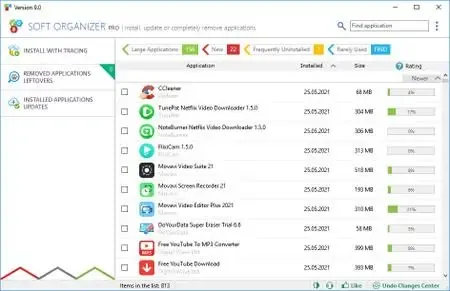
Soft Organizer Pro 10.50 (x64) + Portable Fast Links | 22.2/9.8 Mb
A common problem we often face with, when uninstalling unnecessary software, is various traces left in the system: unneeded files or folders on a disk, registry entries and so on. This can happen even if an application was removed correctly with its own uninstaller - a special program provided by a vendor to uninstall the application. The Soft Organizer program is intended to solve this problem: It allows you to COMPLETELY uninstall unnecessary applications from your system.


Features
1. Very simple and intuitive operation
The simple, convenient, and non-overloaded interface doesn't distract a user from the installing and/or uninstalling process. The Soft Organizer utility looks like a simple list of installed programs, where a user merely needs to select a program and click "Uninstall". At the same time, the tool features the entire range of capabilities that even programs with much more complex interfaces have. (Most of those programs look like a space shuttle cockpit with many gauges, meters, and obscure instruments.)
2. Has only the functions you really need
Thanks to judicious selection of capabilities, Soft Organizer features only those options you really need in your work. The overall functionality of the program is similar to competitive application removal solutions.
3. Enhanced capabilities for experienced users
Due to the number of enhanced functions in Soft Organizer, experienced users can enjoy more precise control over the process. Such functions keep a low profile and do not distract other users, so installing and uninstalling applications using Soft Organizer remains simple and intuitive.
System Requirements:
Microsoft Windows 10 / 7 / 11 / 8 / Vista
RAM: from 256 Mb
Disk space: 50 Mb
Administrator rights
Home Page -

Rapidgator
Код:
https://rapidgator.net/file/7144f367552c85774a68279981eaa013/2rrla.Soft.Organizer.Pro.10.50.rar.html
https://rapidgator.net/file/3ca8c34444ae454897aad26b75f27ffb/2rrla.SoftOrganizerPortable10.50.rar.html

Код:
https://nitroflare.com/view/A6F0BBE988F9153/2rrla.Soft.Organizer.Pro.10.50.rar
https://nitroflare.com/view/504BF6033619B4D/2rrla.SoftOrganizerPortable10.50.rar
 
c87ea7c332783a6e6fe8b12621e0826f.webp

Zoner Photo Studio X 19.2606.2.696 (x64) Portable Fast Links | 156.2 Mb
Make every photo better with Zoner Photo Studio X! Your Lightroom® and Photoshop® alternative. ZPS X is the most universal photo software there is. RAW processing. Layer support. Presets. Retouching tools. Video editing. Cataloging. It's all there.


RAW and JPG Editing
Need to handle a giant RAW file? Or maybe 100 photos at once? ZPS X has your back.
An Editor With Layer Support
Thanks to layers and masks, you'll handle cloning, collages, and other photo tricks with ease.
Retouching Tools
The unique retouching brush and the faces tool make portrait enhancement a snap.
Video Editor
Turn your photos into a video, a presentation, or a time-lapse without switching software. Take care of it all in ZPS X.
Presets
Change a photo's whole mood in just one click with one of the best-loved features in ZPS X.
Cataloging
Easily organize hundreds of photos-or thousands. Browse them by date, shot location, keywords, or folders.
Improving Every Day
Several times each year we add a new heap of features and improvements to ZPS X.
Take a look at everything we've already added to ZPS X:
- Faster Work with RAWs
- Transfer Edits Easily Between RAW and JPG
- Face Liquify
- New Distortion Tools
- New Video Clip Tools- Slow & Fast Motion plus Flipping
- A New Video Making Tool
- Importing and Exporting Presets
- Organizing presets into folders
- Linking Zoner Photo Cloud with the Catalog
- Zoner Photo Cloud
- Faster RAW reloading
- New presets
- New Auto-Enhancements
- Improved layer control
- Artificial intelligence
- Non-destructive Smoothing Brush
- Non-destructive Structure Cloning
- Polarizing filter
- Full support for HEIF
- Improved work with masks and layers
- Unlimited photo books layout editing
- Non-destructive retouching brush
- Adjustment Layers
- Tablet pressure support
- Major new video features
- Better contact sheet maker
- Clarity setting
- Batch edits in the Develop module
- Multi-selections
- Photo-print orders from inside of the program
- Filter Brush
- Refine Selection
- New Automatic Edits
- Radial Filter
- Smart Sharpen
- Smart Blur
- Dodge and Burn tools
- Advanced noise reduction in Develop
Automatic Import
ZPS X sees when you attach your camera, imports your photos, and sorts them into folders.
Your Photos, Organized
Sort photos by location, date, folders, or keywords in a flash.
Easy Sharing
ZPS X is the only program that lets you share photos to Instagram. And every other social network is a snap too.
Printing Straight from the Program
You don't have to go anywhere else to order prints, photo books, or calendars. You can do it all straight from ZPS X.
Requirements: Zoner Photo Studio X supports Windows 7, 8 and 10.
Home Page -

Rapidgator
Код:
https://rapidgator.net/file/9cfaa69ec74189b02cf61f1f0bf1b8f5/yebl9.Zoner.Photo.Studio.X.19.2606.2.696.x64.Portable.rar.html

Код:
https://nitroflare.com/view/ADF84152FF13EE6/yebl9.Zoner.Photo.Studio.X.19.2606.2.696.x64.Portable.rar
 
34d742cbc6978758f0204b288dc76094.webp

Pixologic Zbrush 2026.2.1 Multilingual Win x64 | 2.5 GB
ZBrush is the leading industry standard digital sculpting software. This update provides enhancements that will help you explore new workflows, including the ability to create high quality renders with the integration of Redshift. From Hard Surface modeling and Character Creation to World Building and Environment Design, ZBrush provides you with access to diverse workflows and limitless creative possibilities with ease.


Integrate fully GPU-accelerated, biased rendering into your ZBrush pipeline
Render high resolution images without UV and Texture Map information on the fly. Take your art further with Subsurface Scattering, Emissive Light generation, full metallic material management and caustic effects for realistic glass. Using ZBrush with Redshift integration provides new and exciting opportunities to create high-quality images.
Slime Bridge
A dynamic way to create! Using the power of ZBrush's Masking system, Slime Bridge works to expand modeling capacity to include complex geometric connections and designs from one masked island to another. Simply draw out a mask on a given surface and create another mask on an adjacent group of faces to set your Slime Bridge parameters. Click the Slime Bridge button and watch real-time construction and eclectic shapes come to life. The Tension, Bridges Calipers and Branches sliders provide access points for even more creative control when it comes time to slime things up!
Sculptris Pro
Sculptris Pro, a dynamic tessellation sculpting workflow that enables you to ignore the constraints of polygon distribution and just - sculpt! Sculptris Pro makes it possible for you begin with any shape or model, whether it has ten polygons or ten thousand. There is absolutely no need to worry about having enough polygons to capture details. With Sculptris Pro you can simply brush across the surface. Sculptris Pro will dynamically add and reduce polygons wherever and whenever it's needed, freeing you to focus entirely on the look you're trying to achieve.
ZBrush places a library of over 400 sculpting brushes at your fingertips. Activating Sculptris Pro will transform each of these brushes into a system that places no limitations on your creativity. ZBrush comes with a set of brushes designed specifically for Sculptris Pro.
Subdivision Size Picker
Additions to the already robust Sculptris Pro feature set include increased resolution capabilities. Take advantage of triangle size at five times the density. Using the Sculptris Pro slider provides control for increasing density in desired areas while also reducing the size of triangles. This means more detail where it counts. Extended use includes interactive manipulation of triangle size while hovering over designated areas of an asset.
Multi-Resolution Mesh Editing
The inherent problem with traditional 3D modeling methods is that once you divide your mesh you are locked into the design thus far. There is no way to go back and make changes at the macro level without sacrificing everything that has been done at higher resolutions. ZBrush does away with that restriction through multi-resolution subdivision editing, the feature for which it received an Academy Award. With this system you are free to move between subdivision levels at any time, making changes wherever they are most appropriate. Those changes then automatically ripple across all other levels of your model.
Mask Region
Mask Region allows for expanded use of ZBrush's robust masking system by allowing you to draw shapes on the surface of a mesh while filling those areas uniformly and independently. Selecting the Auto Region option will auto-fill your mask to complete your selection. With Analyze Region, you make multiple masking selections while ZBrush detects and fills the selected areas. Fill Region will auto-fill all areas that ZBrush detected to complete multiple mask selections at once with the push of a button.
Apply Last Action
The Apply Last Action to All Subtools function allows for application of material attributes, color information and any other "undoable" operations to multiple subtools inside the ZBrush Tool Palette with the click of a button. Only Subtools with the "Eyeball" icon activated/visibility turned on inside the Subtool menu will be affected.
Taking this functionality further sees the addition of Folder support. The Folder "add-on" function provides you with an opportunity to manage Apply Last Action to specific folders for increased control over modeling and visual representation of assets. Grouping your subtools together into a Folder will allow you to use Apply Last Action to subtools within a currently selected folder.
Highly recommended specifications:
OS: 64-bit editions of Windows 10 or 11.
CPU: Intel i5/Xeon technology and newer or AMD Ryzen/Threadripper and newer.
RAM: 8 GB required for working with multi-million poly models. (16+ GB preferred.)
HDD: 100 GB of free hard drive space for ZBrush and its scratch disk. (SSD drive highly recommended.)
Pen Tablet: Wacom or Wacom compatible. (WinTab API.)
Monitor: 1920x1080 monitor resolution or higher with 32-bit color.
Video card: Must support OpenGL 3.3 or higher and Vulkan 1.1 or higher.
Redshift: Redshift (including Redshift in ZBrush) has its own system requirements.
Home Page-
Код:
https://www.maxon.net/en/zbrush

Rapidgator
Код:
https://rapidgator.net/file/3c8a63b22d0ed596a7d742e90f2bae95/2ktzj.Pixologic.Zbrush.2026.2.1.x64.Multilingual.rar.html

Код:
https://nitroflare.com/view/E7D74CB168AC1CC/2ktzj.Pixologic.Zbrush.2026.2.1.x64.Multilingual.rar
 
a538105d539eac22e831fed73ab7850c.webp

Reclaim Time FocusMe 7.7.6 (x64) | 51.6 Mb
Take Back Control of Your Time. Conquer digital distractions with the world's most powerful focus software. FocusMe blocks distractions, reveals your online habits and helps you build the routines that make deep work possible.

=
How FocusMe Works
In a world of highly addictive websites and apps, FocusMe studies your digital patterns and reveals your online behavior. Where your attention drifts, when you work best and what needs stronger boundaries. Your AI Coach is an optional feature which then turns those insights into practical recommendations for blocking plans and focus routines, which you can immediately apply using the tools built directly into FocusMe.
The app runs in the background limiting exposure to distractions, setting screen time limits and scheduling focused work sessions. These are fully customizable to your daily schedule. If you want extra accountability, you can lock your set-up using Force Mode. With built-in Pomodoro timers, break reminders and real-time progress tracking, FocusMe becomes your digital productivity coach.
Home Page-
Код:
https://focusme.com/

Rapidgator
Код:
https://rapidgator.net/file/20d1fc84a43c642d0b18079dc539f77d/c1hq1.Reclaim.Time.FocusMe.7.7.6.x64.zip.html

Код:
https://nitroflare.com/view/2458C4D0C09437C/c1hq1.Reclaim.Time.FocusMe.7.7.6.x64.zip
 
4c57b90b8a38e175089b38b4d606cb48.webp


Rufus 4.15.2391 Beta Multilingual | Size: 1.86 MB
Language: English


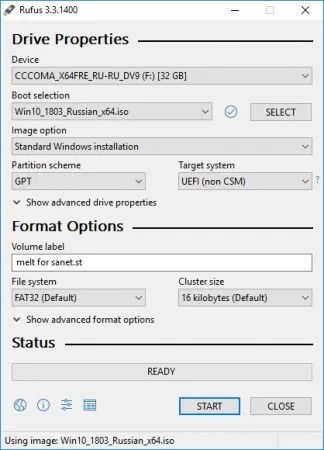
Rufus is a USB formatting utility which also can create a bootable USB drive using a bootable ISO image. This app requires admin rights.

Rufus is a small utility that helps format and create bootable USB flash drives, such as USB keys/pendrives, memory sticks, etc.

It can be be especially useful for cases where
you need to create USB installation media from bootable ISOs (Windows, Linux, etc.)
you need to work on a system that doesn´t have an OS installed
you need to flash a BIOS or other firmware from DOS
you want to run a low-level utility

Features
Format USB, flash card and virtual drives to FAT/FAT32/NTFS/UDF/exFAT/ReFS
Create DOS bootable USB drives, using FreeDOS or MS-DOS
Create BIOS or UEFI bootable drives, including UEFI bootable NTFS

Create bootable drives from bootable ISOs (Windows, Linux, etc.)
Create bootable drives from bootable disk images, including compressed ones
Create Windows To Go drives
Twice as fast as Microsoft's USB/DVD tool or UNetbootin, on ISO -> USB creation (1)
Perform bad blocks checks, including detection of "fake" flash drives
Compute MD5, SHA-1 and SHA-256 checksums of the selected image
Modern and familiar UI, with more than 35 languages natively supported
Small footprint. No installation required.

Supported Languages
Deutsch, Ελληνικά, English, Español, Français, Italiano, Lietuvių, Magyar, Netherlands, Polski, Ð ÑÑÑкий, RomânÄ, SlovenÅ¡Äina, Türkçe, æ£é«ä¸æ, íêµ

System Requirements: Windows 11, Windows 10, 8 , 7


DOWNLOAD LINKS:


Код:
https://rapidgator.net/file/e875b20c2d60585eaf541adb638bb6e7/Rufus_4.15.2391_Beta_Multilingual.rar.html

Код:
https://nitroflare.com/view/5B96EAE5FAC0D9F/Rufus_4.15.2391_Beta_Multilingual.rar

 
8559ae1edfc470b16544bdef0bb504f3.webp

Tekla Structures 2026 SP3 (x64) Multilingual Fast Links | 3.45 GB
Trimble has released an update to Tekla Structures 2026, is much more than design and detailing software: it is the most accurate and comprehensive 3D building information modeling (BIM) tool in the market that streamlines the workflow from sales, bidding, cost estimation and conceptual design to detailing, manufacture and erection. This release arrives with improvements and fixes - be it drawings, collaboration, or modeling complex geometries or reinforcement.


Compatibility This version is not backwards compatible. When you create or save a model in Tekla Structures 2026, you cannot open it in older versions due to database differences.About Tekla Structures 2026 This version includes improvements and fixes for example in drawings, collaboration and modeling complex geometries or reinforcement. As a practical example of what the new version has to offer is modeling structures like spiral shaped stairs, which can become quick and easy with the new Spiral Beam. Working with steel bent plates is now easier, while Precast Concrete Floor and Wall Layout and the flexible, intelligent Tekla method for modeling and modifying reinforcement have been improved. Creating more complete drawings becomes faster, and DWG export functionality is more efficient.
In addition, there are new tools on top of Trimble's collaboration platform, Trimble Connect, for model and cloud-based supply chain management between Tekla Structures and Trimble Connect.
Tekla Software by Trimble. Trimble produces Tekla software solutions for advanced BIM and structural engineering workflow within the Trimble Buildings portfolio. Trimble's construction solutions range from total stations to advanced software, giving the industry tools to transform planning, design, construction and operation of buildings. Tekla software is at the heart of the design and construction workflow, building on the free flow of information, truly constructible models and collaboration.
About Trimble Buildings. Trimble Buildings, a part of Trimble's engineering and construction segment, is focused on solutions that optimize the complete design-build-operate (DBO) lifecycle of buildings. Trimble is dedicated to transforming the industry-increasing productivity, reducing waste and optimizing schedules, budgets and real estate portfolios-with powerful solutions that streamline communication and collaboration. These targeted solutions enable architects, engineers, contractors, owners, and occupiers to realize greater agility, efficiency and insight. Used in over 150 countries around the world, Trimble Buildings' solutions are transforming the way the world designs, builds and operates infrastructure and buildings.
About Trimble. Trimble is transforming the way the world works by delivering products and services that connect the physical and digital worlds. Core technologies in positioning, modelling, connectivity and data analytics enable customers to improve productivity, quality, safety and sustainability. From purpose built products to enterprise lifecycle solutions, Trimble software, hardware and services are transforming a broad range of industries such as agriculture, construction, geospatial and transportation and logistics.
Home Page -

Rapidgator
Код:
https://rapidgator.net/file/8ad80bd256a3bae480054524f6113ee4/a02a8.Tekla.Structures.2026.SP3.x64.Multilingual.rar.html

Код:
https://nitroflare.com/view/44D850E081D2120/a02a8.Tekla.Structures.2026.SP3.x64.Multilingual.rar
 
9eb9a9476409945b9c89618c27b7e4d1.webp

TextPad 9.9.6 (x64) Multilingual Fast Links | 16 Mb
When just getting the job done is work enough, the last thing you need is to waste time having to learn yet another computer application. Your experience with other tools should be relevant to each new application, making it possible to sit down and use that new application right away. That's why TextPad® is so popular. Whether you simply need a powerful replacement for Notepad, a tool for editing your web pages, or a programming IDE, TextPad does what you want, the way you would expect.


Features:
Huge files can be edited, up to the limits of virtual memory.
Supports Universal Naming Convention (UNC) style names, and long ✅File Names with spaces.
Dutch, English, French, German, Italian, Korean, Japanese, Polish, Portuguese and Spanish user interfaces.
International language support with Unicode compliance.
A spell checker using the dictionaries installed by Windows.
Multiple files can be simultaneously edited, with up to 2 views per file.
Workspaces let you restart exactly where you left off.
Document classes enable you to set defaults for preferences such as fonts, tab stops, syntax colors and character encoding, based on ✅File Name extensions.
In addition to the usual cut, copy and paste capabilities, selected text can be case shifted and block indented, and characters, words and lines can be transposed. Cut and copied text can be appended to the clipboard, as well as replacing its contents.
Text can be automatically word-wrapped at the margin, or at a specified column, if it does not fit on a line. In this mode, text can be split into separate lines where wrapping occurs, or lines can be intelligently joined, preserving paragraphs.
Drag and drop editing for copying and moving text between documents.
Unlimited undo/redo capability. The undo buffer can be optionally cleared when a file is saved, or by using the Mark Clean command.
Block (column) selection mode, and visible display of tabs and spaces.
A keystroke macro recorder, with up to 16 active macros.
Sorting, using up to 3 keys.
Text can be automatically aligned and indented, relative to the previous line, to aid block indentation.
The right mouse button pops up an in-context menu.
The cursor can be constrained to the text, or can be positioned freely in the document view.
Toolbar with fly-by usage hints, and an active status bar.
A powerful search/replace engine using Perl-style regular expressions. Sets of files in a directory tree can be searched, and text can be replaced in all open documents at once.
Incremental search toolbar for literal text.
Visible bookmarks can be placed on individual lines, and on all occurrences of a search pattern. Bookmarked lines can be cut, copied or deleted.
Built in file comparison utility, and up to 16 user-defined tools with argument macros.
A built in file manager for fast file copying, renaming, deleting etc.
Print previewing, and printing with customizable headers/footers and page breaks.
Viewer for binary files using a hexadecimal display format.
Hypertext links from file search and user tool output to the relevant source line.
The editor detects when an open file has been modified by another tool, and prompts you to reopen it.
Scripts in languages such as Python, PHP and awk can be configured to filter the selected text in a document.
Minimum Requirements:
TextPad 9 runs on the Intel/AMD and ARM 64-bit editions of Windows 10 and 11, and on Server 2016 to 2022.
Home Page -

Rapidgator
Код:
https://rapidgator.net/file/3fa4c90376d31532d6f220028e3ab8ad/7fsf3.TextPad.9.9.6.x64.Multilingual.rar.html

Код:
https://nitroflare.com/view/BF8BE072E75FB3D/7fsf3.TextPad.9.9.6.x64.Multilingual.rar

 
2f5db034a2a98225cbdca7e58bb5d730.webp


Tor Browser 15.0.16 (x64) | Size: 108.26 MB
Language: English


Surfing anonymously provides a powerful shield against network surveillance and traffic analysis. Protecting your online privacy can only be achieved by additional software tools that can hide your location and can prevent your online information and browsing habits from being revealed to anyone.

This browser is basesd on the Mozilla Firefox code, so you can use the 'Firefox add-ons/extensions'.

This is the x86 edition, therefore you can use it on 32-bit and 64-bit systems.

If you're ever in need of such a tool, Tor Browser is one suggestion you can add to the list. The application relies on a network of virtual servers in order to make your browsing sessions anonymous. Tor makes available a set of rules and algorithms that routes the communications through various servers all over the world. Thus, all the traffic is randomized so tracking the source becomes an almost impossible task.


DOWNLOAD LINKS:


Код:
https://rapidgator.net/file/d923a1e532e93f2c62f56cb8977fd67b/Tor_Browser_15.0.16_x64.rar.html

Код:
https://nitroflare.com/view/77A49EF1E489FB3/Tor_Browser_15.0.16_x64.rar
 
Назад
Сверху Снизу