







All mitsumi'1s Applications !! (updated daily)

93212dbedb96f934c518fa1d1ac44a17.webp

Free Download Rhinoceros 9.1.26315.13001 (x64) | File Size: 742.5 MB
Rhinoceros 9 is a powerful 3D modeling application designed for creating, editing, analyzing, documenting, rendering, animating, and translating complex digital models. Commonly known as Rhino, it supports NURBS curves, surfaces and solids, SubD geometry, point clouds, and polygon meshes.
The software provides flexible free-form modeling tools that allow designers and engineers to create virtually any shape, from simple product concepts to highly detailed industrial designs. Its precision modeling capabilities support workflows involving design, prototyping, engineering, analysis, and manufacturing.
Rhino also offers broad compatibility with other design, drafting, CAM, engineering, rendering, animation, and illustration applications. It is designed to run efficiently on standard computer hardware while providing an extensible platform for specialized 3D modeling solutions.


Software Overview

Rhinoceros provides a versatile environment for professional 3D modeling across architecture, product design, jewelry, automotive development, engineering, and manufacturing. Its geometry tools support both conceptual modeling and technically precise projects.
Users can work with different geometry types, inspect and repair challenging meshes, process IGES files, and prepare models for downstream design and production applications. The software combines advanced modeling capabilities with an accessible interface and a relatively short learning curve.

Key Features

  • Free-form 3D modeling: Create complex shapes using flexible modeling tools without restrictive limits on model complexity, degree, or size beyond available hardware.
  • NURBS geometry: Create, edit, analyze, and document NURBS curves, surfaces, and solids.
  • SubD modeling: Work with subdivision geometry for flexible free-form surface creation.
  • Point cloud support: Import and work with point cloud data in supported workflows.
  • Polygon mesh support: Create, edit, inspect, and process polygon mesh geometry.
  • Precision design: Develop accurate models for design, prototyping, engineering, analysis, and manufacturing.
  • Rendering and animation: Prepare visual presentations and animated content from 3D models.
  • Mesh repair: Read, inspect, and repair meshes, including complex geometry.
  • IGES compatibility: Import and work with challenging IGES files.
  • File translation: Exchange geometry and project data with a wide range of other applications.
  • Software compatibility: Integrate with design, drafting, CAM, engineering, analysis, rendering, animation, and illustration workflows.
  • Extensible platform: Serve as a development platform for hundreds of specialized 3D applications.
  • Efficient performance: Run on ordinary laptop and desktop computers without requiring specialized hardware.
  • Cross-platform availability: Rhino is available for both Windows and macOS.

Why Choose Rhinoceros 9?

  • Offers extensive free-form 3D modeling capabilities for a wide range of industries.
  • Combines NURBS, SubD, point cloud, and polygon mesh workflows in one application.
  • Provides the precision required for professional design and manufacturing projects.
  • Works with many established design and engineering software tools.
  • Supports complex models without imposing arbitrary complexity or size limits beyond hardware capabilities.
  • Runs on standard computer hardware and does not require specialized equipment.
  • Provides an extensible platform for industry-specific 3D applications.
  • Uses a practical interface designed to help users focus on modeling and visualization.

What's New in Rhinoceros 9?

Explore the official release notes for details about new features, improvements, and fixes:

Код:
https://www.rhino3d.com/download/rhino-for-windows/9/evaluation/changes

System Requirements

  • Operating System: Windows 10 or Windows 11.

Home Page

Код:
https://www.rhino3d.com

Product Information

Software Name: Rhinoceros 9
Version: 9.1.26315.13001
Architecture: Windows 64-bit (x64)
Languages: English
File Size: 742.5 MB

Rapidgator
Код:
https://rapidgator.net/file/9229a2c687e9862ce0f1533b14d886ac/Rhinoceros_9_1_26315_13001_x64.rar.html

Код:
https://nitroflare.com/view/71BE4327849D62E/Rhinoceros_9_1_26315_13001_x64.rar
 
2f38eb8366065ee6c593ce6459e05b4e.jpg


ShotCut 26.11.15 (X64) Multilingual | Size: 136.23 MB
Language: English


Shotcut is a simple and user-friendly video editor that offers a series of features and functions to help you adjust and retouch your favorite movies, in just a few clicks of your mouse.

Features
- supports oodles of audio and video formats and codecs thanks to FFmpeg (or libav as-built)
- supports many image formats such as BMP, GIF, JPEG, PNG, SVG, TGA, TIFF as well as image sequences
- no import required - native editing
- frame-accurate seeking for many formats
- multi-format timeline: mix and match resolutions and frame rates within a project
- network stream playback (HTTP, HLS, RTMP, RTSP, MMS, UDP)
- frei0r video generator plugins (e.g. color bars and plasma)
- Blackmagic Design SDI and HDMI for input and preview monitoring
- JACK transport sync
- deinterlacing
- detailed media properties panel
- recent files panel with search
- drag-n-drop files from file manager

- save and load trimmed clip as MLT XML file
- load and play complex MLT XML file as a clip
- audio signal level meter
- volume control
- scrubbing and transport control
- flexible UI through dock-able panels
- encode/transcode to a variety of formats and codecs thanks to FFmpeg (or libav as-built)
- capture (record) SDI, HDMI, webcam (V4L2), JACK, PulseAudio, IP streams, X11 screen
- stream (encode to IP) files and any capture source
- batch encoding with job control
- create, play, edit, save, load, encode, and stream MLT XML projects (with auto-save)
- unlimited undo and redo for playlist edits including a history view
- connect to Melted servers over MVCP TCP protocol
- control the transport playback of Melted units
- edit Melted playlists including suport for undo/redo
- OpenGL GPU-based image processing
- multi-core parallel image processing (when not using GPU and frame-dropping is disabled)
- video filters: Blur, Color Grading, Crop, Diffusion, Glow, Invert Colors, Mirror, Opacity, Rotate, Saturation, Sepia Tone, Sharpen, Size and Position, Stabilize, Text, Vignette, Wave, White Balance
- audio filters: Balance, Copy Channel, Downmix, Gain, Normlize, Pan, Swap Channels
- 3-way (shadows, mids, highlights) color wheels for color correction and grading
- eye dropper tool to pick neutral color for white balancing
- UI translations: Catalan, Chinese, Czech, Danish, English, French, German, Portugese, Spanish (not all 100%, but you can help)
- HTML5 (sans audio and video) as video source and filters
- Leap Motion for jog/shuttle control
- DeckLink SDI keyer output
- UI themes/skins: native-OS look and custom dark and light
- control video zoom in the player: fit viewable area (default), 50%, original (100%), and 200%
- multitrack timeline with thumbnails and waveforms
- thumbnail and waveform caching between sessions
- audio mixing across all tracks
- video compositing across video tracks
- trimming (on timeline)
- append, insert, overwrite, lift, and delete (ripple) editing on the timeline
- 3-point editing
- external monitoring on an extra system display/monitor
- fade in and out audio and fade video from and to black with easy-to-use fader controls on timeline
- cross-fade audio and video dissolve transitions easily by overlapping shots on the same track of the timeline
- video wipe transitions: bar, barn door, box, clock (radial), diagonal, iris, matrix, and custom gradient image

System Requirements: Windows 11, Windows 10, 8 , 7


DOWNLOAD LINKS:


Код:
https://rapidgator.net/file/aef20eb60e79ae1d484b70cc015f21b5/X64_Multilingual_26.11.15.rar.html

Код:
https://nitroflare.com/view/6DE2188D1D8860A/X64_Multilingual_26.11.15.rar
 
108781d2f4b8843a9758aacc10a6d61b.jpg


SpeedyFox 3.0.0.201 | Size: 9.76 MB
Language: English


FastFox is a text expander software used to insert your most commonly used text quickly and easily. Expand phrases, paragraphs, documents, images, and more.

Text expander software is ideal for anyone who types the same text repeatedly, improving typing speed and productivity by providing easy access to regularly used text using abbreviations or other text shortcuts.

Text Expansion and Image Insertion

Expand keyboard shortcuts into words or phrases
Create an unlimited number of text shortcuts
No limit on expanded text length
Save plain text or formatted rich text expansions
Create a shortcut to insert images

Shortcut and Macro Creation

Define macros for actions using special keys
(i.e., Ctrl, Alt and Shift)
Create shortcuts from multiple key commands
Use keyboard macros within any program
Utilize a shared shortcut file on a network to standardize stock text across your business
Back up and restore shortcut data and groups

System Requirements

Works on Windows 10, XP, Vista, 7, 8 and 8.1
Works on 64 bit Windows
Mac OS X 10.5 or above

HOMEPAGE: Code:
Код:
https://www.nch.com.au/fastfox/


DOWNLOAD LINKS:


Код:
https://rapidgator.net/file/bab3a75e8189b7ef10178286614bd03f/SpeedyFox_3.0.0.201.rar.html

Код:
https://nitroflare.com/view/A211CB433998A76/SpeedyFox_3.0.0.201.rar
 
7888492854c17c72c2fa2f6846588ffc.webp

Free Download Steinberg HALion 7.5.10
Steinberg HALion is a software sampler and sound-design instrument for producers, composers and sound designers. It combines sample recording and editing with synthesis, modulation and instrument-programming tools.


Beyond playing existing sound libraries, HALion supports creating custom instruments with dedicated interface layouts. Its included library and sound-design modules provide a starting point for sampled instruments and synthesized textures.

Software Overview
HALion is suited to users who want to design reusable instruments instead of working solely with fixed presets.

Key Features
  • Record, import and edit samples
  • Build instruments using sampling and synthesis engines
  • Configure oscillators and modulation routings
  • Design custom instrument interfaces with Macro Page Designer
  • Package instrument libraries using supported creation tools
  • Play included sampled instruments and synthesizer sounds
  • Integrate instruments into compatible music-production workflows

System Requirements
64 Bit Windows 7/8/10
VST 2, VST 3 or AAX compatible host application for using as plug-in
64-bit Intel or AMD multi-core processor (Intel i5 or faster recommended)
4 GB RAM (8 GB recommended)
What's New
HAL-8539 General Fixed crash during AU validation at Apple
Logic startup
HAL-8550 General Fixed possible crash in Ableton Live
HAL-8605 General Fixed text glitch which occurred when renaming
programs in the slot rack
HALLY-8590 Flexphraser Fixed issue where the Flexphraser did not work
for a specific combination of settings
HALLY-8598, 8650 Scripting Improved lua script execution
System Requirements: Windows 10, 11

Home Page

Код:
https://www.steinberg.net/en/products/vst/halion_und_halion_sonic/halion.html

Product Information
  • Software Name: Steinberg HALion
  • Version: 7.5.10
  • Languages: English
  • License type: Full Version
  • File Size: 30 GB
Rapidgator
Код:
https://rapidgator.net/file/e54852564b8069562df96c86d156dc08/dmyci.Steinberg_HALion_7_5_10.rar.html

Код:
https://nitroflare.com/view/E4EB0F3E691B23B/dmyci.Steinberg_HALion_7_5_10.rar
 
6dc24ce5ad2a6b643fc2fdff5fc3e485.png


Steinberg HALion Sonic v7.5.10 (x64) | Size: 850.4 MB
Language: English


HALion Sonic SE 3 is a stripped-down version of HALion Sonic 3 without giving up on sound quality and accessibility. The streamlined VST workstation lets you load and play a plethora of sound content: the SE libraries shipping with Steinberg's digital audio workstations, VST Sound Instrument Sets for HALion and the custom user libraries created within the HALion 6 sampler and sound creation system

HALion Sonic SE 3 is available for free as a plug-in for any VST3, VST2, AU and AAX compatible host and as a stand-alone application for macOS and Windows.

GET FREE INSTRUMENTS

Alto Glockenspiel Essential
The free Alto Glockenspiel by Cinematique Instruments for HALion provides you with the original sound of the legendary Glockenspiel, but adds some fresh effects to turn the sound into something new.

Guitar Harmonics Essential
The free VST guitar created by Cinematique Instruments focuses on so-called flageolet notes or harmonics and creates very pure and clear sounds of an electric guitar.

LoFi Piano
The free LoFi Piano has such a beautiful low fidelity that it will relax your audience and mesmerize everybody who hears it.

Novel Piano
The free Novel Piano for HALion, created by Sonic Atoms, will bring joy to your

HOMEPAGE: Code:
Код:
https://www.steinberg.net/vst-instruments/halion/se/


DOWNLOAD LINKS:


Код:
https://rapidgator.net/file/f432254b1522a798ba959e51a5dfbbcd/Steinberg_HALion_Sonic_v7.5.10_x64.rar.html

Код:
https://nitroflare.com/view/8F12EA8B875A481/Steinberg_HALion_Sonic_v7.5.10_x64.rar
 
d0c2996e5ab5e14793f6a1cc416f5aca.webp

Free Download Summitsoft Creative Fonts Collection 2026 | Languages: English | File Size: 627.74 MB
Summitsoft Creative Fonts Collection is a comprehensive collection of professionally designed typefaces created by SummitType Foundry, a division of Summitsoft. It provides a variety of font styles for graphic design, digital artwork, branding, advertising, invitations, and other creative projects.
The collection includes traditional, decorative, seasonal, and themed typefaces designed for different visual styles. Users can choose from classic lettering, cursive designs, handwriting fonts, science-fiction styles, sports-inspired typography, comic lettering, and other decorative options.
All included fonts use the OpenType format, providing compatibility with the industry-standard typography technology used by major software platforms. The collection is intended for designers, illustrators, publishers, businesses, and individuals who need a broad selection of typefaces for personal or commercial projects.


Software Overview
Summitsoft Creative Fonts Collection brings together multiple font categories in one package, making it easier to find suitable typography for different design requirements. Its selection covers both conventional text styles and decorative lettering intended for projects where typography plays an important visual role.
The Traditional Fonts Collection focuses on classic and versatile designs, including cursive, handwriting, creative, and designer-inspired typefaces. These fonts can be used for general graphic design, printed materials, and projects requiring distinctive lettering.
The Wonderful Fonts Collection contains more expressive styles, with themes covering science fiction, sports, games, comics, and playful designs. These typefaces are suitable for artwork, promotional graphics, themed layouts, and other projects requiring a recognizable visual identity.
The Seasonal Fonts Collection adds themed typography and clip-art related to occasions and events such as Christmas, spring, Halloween, classroom activities, Valentine's Day, and weddings.
The collection also provides complete character sets, including international language symbols and special characters. Its OpenType fonts are designed to maintain clear, consistent rendering at different sizes.

Key Features
  • Collection of professionally designed typefaces by SummitType Foundry.
  • Traditional fonts covering classic, cursive, creative, and handwriting styles.
  • Decorative fonts for science fiction, sports, games, comics, and entertainment themes.
  • Seasonal typography and clip-art for holidays and special occasions.
  • OpenType font format for scalable typography.
  • Complete character sets with international symbols and special characters.
  • Support for personal and commercial projects under the included licensing terms.
  • Suitable for graphic design, branding, advertising, invitations, and digital artwork.

Why Choose Summitsoft Creative Fonts Collection
Summitsoft Creative Fonts Collection is suitable for users who regularly work with typography and need access to different lettering styles without sourcing individual fonts separately. Its range of traditional, decorative, and seasonal designs provides options for both everyday design tasks and specialized creative projects.
The inclusion of OpenType fonts and extended character sets makes the collection useful for a variety of text-based designs. The stated personal and commercial licensing also allows the included typefaces to be used in projects beyond personal experimentation, subject to the applicable license terms.

What's New
Official release notes were unavailable when this listing was prepared.

System Requirements
  • Windows 11, Windows 10, Windows 8.1 (32 & 64-bit)
  • 256Mb RAM
  • 400Mb Hard Disk Space

Product Information
  • Software Name: Summitsoft Creative Fonts Collection
  • Year of release: 2026
  • Languages: English
  • License type: Full Version
  • File Size: 627.74 MB
Rapidgator
Код:
https://rapidgator.net/file/5227a9957fff97fbe4dd7f96c57d477f/abcli.Summitsoft_Creative_Fonts_Collection_2026.rar.html

Код:
https://nitroflare.com/view/3CE463C0266E414/abcli.Summitsoft_Creative_Fonts_Collection_2026.rar
 
2bc38964fd968cfc1ef848d0a2483baf.jpg


SysGauge 13.7.14 | Size: 45.97 MB
Language: English


SysGauge is a system and performance monitoring utility allowing one to monitor the CPU usage, memory usage, network transfer rate, operating system performance, the status and resource usage of running processes, file system performance, USB performance, disk space usage, disk read activity, disk write activity, disk read transfer rate, disk write transfer rate, disk read IOPS and disk write IOPS for individual logical disks or all physical disks installed in the computer.

SysGauge Main GUI Application
The main SysGauge GUI application allows one to configure a number of system and performance monitoring counters, display system monitoring charts, analyze the current system status, save various types of system monitoring reports and configure sound and E-Mail notifications.

SysGauge System Monitor
The 'System Monitor' GUI module allows one to perform various types of system monitoring operations using one or more pre-defined or user-custom system monitoring profiles. The system monitor provides the ability to add, edit or delete system monitoring counters, save various types of system monitoring reports, configure monitoring rules, actions and error E-Mail notifications.

Add Counter Dialog
The 'Add Counter' dialog provides the ability to add the CPU usage counters, memory usage counters, disk activity counters, network activity counters, USB activity counters, operating system status counters, file system counters and running processes counters.

SysGauge CPU Monitor
The 'CPU Monitor' GUI module is a dedicated CPU monitoring GUI module showing the total CPU usage, user CPU usage, kernel CPU usage, CPU interrupt time, CPU interrupt rate, the current CPU frequency, the C1 low-power state, C2 low-power state and C3 low-power state.

SysGauge Memory Monitor
The 'Memory Monitor' GUI module is a dedicated memory monitoring module showing the memory usage, the amount of free memory, the amount of used memory, the size of the memory cache, the cache peak size, the cache fault rate, the page file usage, the page file peak usage and the page fault rate.

SysGauge Process Monitor
The 'Process Monitor' GUI module is a dedicated process monitoring module showing the list of currently running processes and displaying for each process the process CPU usage, the memory usage, the number of threads, the number of handles, the number of process instances, the process data transfer rate, the process read transfer rate, the process write transfer rate, the process page fault rate and the amount of non-paged memory allocated by each running process.

Supported Operating Systems:
Windows XP, Vista, 7, 8, 8.1, 10, 11 Server 2003, 2008, 2008 R2, 2012, 2012 R2, 2016, 2019, 2022, 2025

HOMEPAGE: Code:
Код:
https://www.sysgauge.com/


DOWNLOAD LINKS:


Код:
https://rapidgator.net/file/739e50658fc527f82139bb6d45b462c1/SysGauge_13.7.14.rar.html

Код:
https://nitroflare.com/view/55132CCA9528852/SysGauge_13.7.14.rar
 
165e3df4727e62a240c0d703950540d4.webp

Free Download The Print Shop 23.1.2 Deluxe
The Print Shop is a desktop publishing and home-printing application for designing cards, stationery, signs, labels, banners and similar projects. It combines ready-made layouts with tools for editing text, images and decorative elements.


Its template and clip-art collections provide design elements, along with simple photo adjustments such as cropping, flipping and red-eye correction. Users can start from a template or create a design for printing on a compatible printer.

Software Overview
The Print Shop serves users who need printable designs without constructing each page in a general-purpose graphics application. The address book function is not included in this edition.

Key Features
  • Create invitations, greeting cards, signs and banners
  • Start with ready-made templates or design from scratch
  • Add editable text, photographs, graphics and word art
  • Use the included clip-art and decorative asset library
  • Apply basic photo corrections and cropping
  • Prepare customized layouts for printing

System Requirements
Windows 11, Windows 10, Windows 8, Windows 7 and , Intel processor (or equivalent AMD processor) 2.0 GHz or faster, 4GB RAM, Hard Drive Space: 2GB², Display: 1024x768, 16-bit color or higher, Multimedia: DirectX 9.0c or higher 32 MB video card, sound card, and speakers. Software: Microsoft .NET Framework v4.0, Browser: Microsoft Internet Explorer 6.0 or higher, Windows compatible printer (monochrome or color), Windows compatible mouse & keyboard.
* Administrator privileges are required to properly install the program on Windows 7, Windows 8, and Windows 10.
* System Configuration: The amount of hard-disk space required can vary if you already have one or more required components installed on your system. Adjustments to your system configuration and/or updates to the hardware component drivers may be required.

Product Information
  • Software Name: The Print Shop
  • Version: 23.1.2
  • Languages: English
  • License type: Full Version
  • File Size: 8.03 GB
Rapidgator
Код:
https://rapidgator.net/file/135e58fa91365f074d10792a97d06f55/oklxy.The_Print_Shop_23_1_2_Deluxe.part1.rar.html
https://rapidgator.net/file/a587d397cee588c24c0e66d774d98600/oklxy.The_Print_Shop_23_1_2_Deluxe.part2.rar.html
https://rapidgator.net/file/0a5bdeba441332c5b7e3cbdd7c9b3e40/oklxy.The_Print_Shop_23_1_2_Deluxe.part3.rar.html
https://rapidgator.net/file/7ecec799d70a365ea80f8d3a749050a8/oklxy.The_Print_Shop_23_1_2_Deluxe.part4.rar.html
https://rapidgator.net/file/00ee1dd44f7ea9a631fc5a4dfad23376/oklxy.The_Print_Shop_23_1_2_Deluxe.part5.rar.html
https://rapidgator.net/file/d9fb064b842ad3539e2b80eb774716e4/oklxy.The_Print_Shop_23_1_2_Deluxe.part6.rar.html
https://rapidgator.net/file/8b392750b248450278ac76c90c1c5b5f/oklxy.The_Print_Shop_23_1_2_Deluxe.part7.rar.html
https://rapidgator.net/file/1bd47c8179ed3bdfa16cd8ebe17f4cba/oklxy.The_Print_Shop_23_1_2_Deluxe.part8.rar.html

Код:
https://nitroflare.com/view/8D4A398F2B41511/oklxy.The_Print_Shop_23_1_2_Deluxe.part1.rar
https://nitroflare.com/view/3DDC725545F0191/oklxy.The_Print_Shop_23_1_2_Deluxe.part2.rar
https://nitroflare.com/view/E16371C7DE1E003/oklxy.The_Print_Shop_23_1_2_Deluxe.part3.rar
https://nitroflare.com/view/04E5CA6C15F1DA2/oklxy.The_Print_Shop_23_1_2_Deluxe.part4.rar
https://nitroflare.com/view/D2FFEAE8F2CB268/oklxy.The_Print_Shop_23_1_2_Deluxe.part5.rar
https://nitroflare.com/view/F5FE965133ECDBA/oklxy.The_Print_Shop_23_1_2_Deluxe.part6.rar
https://nitroflare.com/view/146693D01322E29/oklxy.The_Print_Shop_23_1_2_Deluxe.part7.rar
https://nitroflare.com/view/799AFE4B0CC3CA8/oklxy.The_Print_Shop_23_1_2_Deluxe.part8.rar
 
d9fc95124fcbe8baf6508fd267514475.webp

Free Download Trados Studio 2026 Professional 19.0.1.3110
Trados Studio is a computer-assisted translation environment for professional linguists, localization teams and translation project managers. It brings translation editing, review and terminology management together in a single workspace.


Translation-assistance features and an updated terminology workflow accompany native 64-bit operation. These tools help translators work consistently across projects and reuse linguistic resources when preparing or reviewing translated material.

Software Overview
Trados Studio fits professional translation projects where consistency, terminology and review processes are as important as the translation itself.

Key Features
  • Create, edit and review translation projects
  • Maintain terminology resources for consistent language use
  • Use computer-assisted and AI-supported translation features
  • Organize multilingual projects and related resources
  • Work in a native 64-bit environment
  • Choose a dark interface theme

System Requirements
- Trados Studio runs on the latest build of Windows 10 and Windows 11. We recommend Windows 11 as it is the current and best supported OS from Microsoft.
- As a minimum requirement, we recommend an Intel or compatible CPU-based computer with 8 GB RAM and a screen resolution of 1024x768.
- For optimum performance, we recommend a 64-bit operating system, 16 GB RAM, an SSD and a recent Intel or compatible CPU. Full support for 4K high-resolution screens is planned and will be implemented incrementally in future releases. Trados Studio uses .Net Framework 4.8.

Product Information
  • Software Name: Trados Studio
  • Year of release: 2026
  • Version: 19.0.1.3110
  • Languages: Multilingual
  • License type: Full Version
  • File Size: 366.45 MB
Rapidgator
Код:
https://rapidgator.net/file/7b4ad6a08ff8085ba677b19699bf9197/f633c.Trados_Studio_2026_Professional_19_0_1_3110.rar.html

Код:
https://nitroflare.com/view/532C42529596EA0/f633c.Trados_Studio_2026_Professional_19_0_1_3110.rar
 
55d1966cdbf7540a2ab292832cb977c9.webp

Free Download VMware InstallBuilder Enterprise 26.11 | File Size: 529 MB
VMware InstallBuilder Enterprise is a professional development tool for creating cross-platform installers for desktop and server applications. It allows developers to build dynamic, customized installation packages from a single project file and build environment. In addition to native installers, InstallBuilder can generate RPM and Debian packages, as well as multiplatform CD and DVD distributions. Its automatic update functionality also helps developers deliver software updates directly to users.


Software Overview

InstallBuilder provides a flexible environment for designing, building and maintaining software installers across multiple operating systems. Developers can create installation projects through an intuitive graphical interface or edit XML-based project files directly.
The software supports platform-specific customization while maintaining a shared project structure. Installers can run in graphical, text-based or unattended modes, making them suitable for different deployment environments. Built-in actions, debugging tools, command-line support and dynamic installation parameters help streamline the development and testing process.

Key Features

  • Cross-Platform Installer Development: Build installers for Windows, Linux, macOS, Solaris, HP-UX, AIX, IRIX, FreeBSD and other supported platforms.
  • Graphical Development Interface: Create and configure installers using the built-in GUI or XML-based project files.
  • Single Project File: Maintain one installer project while applying platform-specific customizations.
  • Multiple Package Formats: Generate native installers, RPM packages, Debian packages and multiplatform CD/DVD distributions.
  • Flexible Installation Modes: Support graphical, text-based and unattended installation workflows.
  • Built-In Actions: Automate common installer tasks without implementing every operation manually.
  • Installer Debugger: Test installation projects during development and identify potential problems.
  • Command-Line Interface: Integrate installer builds into automated development, build and testing systems.
  • XML-Based Project Files: Customize installation behavior using readable project files that work with source control systems.
  • Dynamic Parameters: Create installation pages that automatically adapt to user input.
  • Downloadable Components: Download optional components at installation time only when selected by the user, reducing the initial installer size.
  • Component Groups and Subcomponents: Organize installation features into hierarchical groups and allow users to select individual components.
  • Installation Modification: Allow users to add or remove supported components from existing installations.
  • External Script Support: Customize installer behavior through external scripts and project configuration.
  • Extensive Documentation: Includes more than 350 pages of documentation covering installer features and practical examples.

Why Choose VMware InstallBuilder Enterprise?

VMware InstallBuilder Enterprise simplifies the creation of professional software installers for multiple operating systems. Its shared project structure, flexible packaging options, automated build support and customizable installation components make it a useful solution for developers distributing desktop and server applications across different platforms.

System Requirements

Supported Platforms:
  • Windows XP
  • Windows Server 2003
  • Windows Server 2008
  • Windows Vista
  • Windows 7
  • Windows 8 / 8.1
  • Windows 10
  • Architecture: x86 / x64

Home Page


Product Information

  • Software Name: VMware InstallBuilder Enterprise
  • Version: 26.11
  • Supported Architecture: Windows x86 / x64 (among supported platforms)
  • Languages: Not specified
  • License Type: Full Version
  • File Size: 529 MB
Rapidgator
Код:
https://rapidgator.net/file/b641a9ef73e4b6a9b919161a0436a3d2/03p8g.InstallBuilder26.11.rar.html

Код:
https://nitroflare.com/view/D24500D044A0C74/03p8g.InstallBuilder26.11.rar
 
555629b77eb1db06d8e9b24f760e41c5.jpg


VovSoft Batch Image Resizer 2.5 | Size: 18.15 MB
Language: English


Easily convert images, photos and pictures with this lightweight image resizer and image converter software. Simple and powerful, it resizes and converts images, one by one or in batch mode. Images can be bulk resized.

Select your output resolution, resize the original images by simply doing a batch resize in one go. The software supports JPEG, BMP, GIF, ICO, PNG, WMP, DDS image filetypes and preserves transparency.

You can use this highly intuitive and user-friendly application to quickly change the dimensions of multiple graphic files. You simply need to add one or more image files either via drag and drop, or by manually browsing to the location of each file.

Supports several resizing methods
Once you are done with adding the source files, you can move on to the next step, that of selecting the resizing mode that best suits your preferences. You can start with specifying if you want to resize according to percentage or pixel number, then explore the available interpolation methods. You can choose between Nearest Neighbor, Linear, Cubic or Fant methods.

Vovsoft Batch Image Resizer is an efficient solution that can help both novices and experts into quickly adjusting the height and width of their graphic files.

Operating System: Windows 11, Windows 10, Windows 8, Windows 7 (32-bit and 64-bit)

HOMEPAGE: Code:
Код:
https://vovsoft.com/


DOWNLOAD LINKS:


Код:
https://rapidgator.net/file/e3372ed97fca16336603c11b684fd607/VovSoft_Batch_Image_Resizer_2.5.rar.html

Код:
https://nitroflare.com/view/6AFCFDC3CD8579E/VovSoft_Batch_Image_Resizer_2.5.rar
 
caf1f83d660e629f225996549b8b8f4c.jpg

Free Download VueScan Pro 9.8.60 + OCR + Portable (x64) [Multi] | File Size: 265.0 MB
VueScan Pro is a powerful scanning application designed to work with a wide range of flatbed, document, film, and slide scanners. It provides advanced scanning controls, professional color correction, batch processing, and OCR capabilities, helping users get high-quality results even when their scanner's original software offers limited functionality.
Supporting more than 1,850 scanner models, VueScan provides extensive control over scanning parameters, including color depth, exposure, image processing, and output formats. It is particularly useful for digitizing photographs, film negatives, slides, books, and documents.


Software Overview

VueScan offers both automatic and manual scanning controls, allowing users to customize the scanning process according to their requirements. Its advanced features include multi-pass scanning, infrared-based defect removal, grain reduction, sharpening, and correction of unwanted color casts.
The software can also save raw scanner data for later processing without reconnecting or scanning the original again. This is especially useful when working with valuable photographs, negatives, and slides.
For film photography, VueScan includes color information for more than 150 film types, allowing users to select suitable negative profiles and fine-tune color mask settings. Custom configurations can also be saved for different scanning projects.

Key Features

  • Wide Scanner Compatibility: Supports more than 1,850 scanner models from manufacturers such as Nikon, Minolta, Polaroid, Microtek, and Epson.
  • Advanced Scanning Controls: Adjust exposure, color depth, resolution, image processing, and output formats.
  • Batch Scanning: Scan multiple pages or images automatically to improve productivity.
  • Multi-Pass Scanning: Combine multiple scans to reduce scanner noise and improve image quality.
  • Infrared Dust and Scratch Removal: Detect and remove image defects when supported by the scanner.
  • Grain Reduction and Sharpening: Apply image filters to improve scanned photographs.
  • Advanced Color Correction: Adjust dynamic range, tonal response, and individual RGB color channels.
  • Raw Scanner dаta: Save original scanner data for processing later without repeating the scanning process.
  • Film and Slide Scanning: Work with negatives and slides using film-specific color profiles.
  • Custom Film Profiles: Select film types and manually adjust color mask characteristics.
  • Document Scanning: Scan individual pages, books, and documents using flatbed scanners or Automatic Document Feeders (ADF).
  • PDF Export: Create single-page and multipage PDF documents.
  • Optical Character Recognition (OCR): Convert scanned documents into searchable and readable text.
  • Automatic Document Processing: Detect colors, reduce file sizes, and automatically straighten scanned pages.
  • Image Export: Save film and slide scans in JPEG, TIFF, and RAW formats.
  • IT8 Calibration: Calibrate scanner color reproduction for more accurate results.
  • Photoshop Integration: Work with scanned images in Adobe Photoshop.

Why Choose VueScan Pro?

VueScan provides an extensive set of scanning features that go beyond the basic controls available in many standard scanner drivers. Its compatibility with numerous scanner models, advanced color adjustments, batch processing, and raw data support make it a versatile solution for document and photo digitization.
It is especially valuable for photographers and archivists working with film negatives and slides, as well as users who need reliable OCR and multipage PDF scanning.

What's New

For the latest changes, improvements, and bug fixes in VueScan, visit the official version history:

Код:
https://www.hamrick.com/vuescan/vuescan.htm#changes

System Requirements

Windows 11/10/8/8.1/7 (64-bit)

Home Page

Код:
https://www.hamrick.com/

Product Information

  • Software Name: VueScan Pro
  • Year of Release: 2026
  • Version: 9.8.60
  • Architecture: Windows 64-bit
  • Interface Language: Multilanguage / Russian / English
  • License Type: Full Version + Portable (keygen & crack)
  • File Size: 265.0 MB
Rapidgator
Код:
https://rapidgator.net/file/822dd858f9d8778bff700239c007ba20/VueScan_Pro_9_8_60_OCR_Portable_Multi_Rus.rar.html

Код:
https://nitroflare.com/view/6073F8F09839FDB/VueScan_Pro_9_8_60_OCR_Portable_Multi_Rus.rar
 
wMZWqr1o_o.png


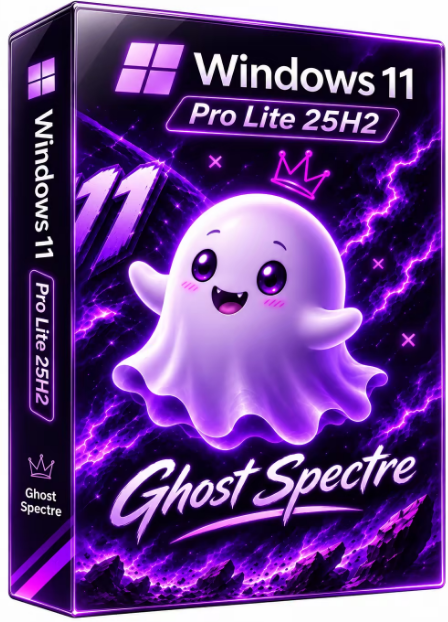
Windows 11 Pro Lite 25H2 Build 26200.9974 x64 Preactivated Ghost Spectre | Size: 5.65 GB
WPE+ Bootable | No TPM | Language: English


At a time when the PC is playing a more central role in our lives, Windows 11 is designed to bring you closer to what you love.
This is the latest version of Windows OS releases, with new interface and other new features like new Microsoft Store, a new personalized feed powered by AI and best-in-class browser performance from Microsoft Edge, Chat from Microsoft Teams integrated in the taskbar and many more!

Features
- Compact Integrated + LZX (algorithm)
- Bloatware FREE!!
- Optimized Pagefile/Services/Scheduled/Search Indexer
- Privacy Optimizations & Performance mode!
- Ghost Toolbox! (Add or Remove Windows Store and Much More!)
- Support any Other Language & Keyboard
- Support UWP Games / UWP Apps (ex. Forza/GOW/etc, etc)
- Updatable (can update to the latest build of Windows 11!)
- Window updates can be paused until 2077!
- With custom Icons, packs / Windows Themes pack!
- GHOST CUSTOM BOOTABLE! (WPE)

Removable Options
- Windows Apps And System Apps
- Windows Security/Defender/Smartscreen

- Remote Desktop/ Focus Assist/ NFC / Clipboard - (Superlite Only)
- Print Spooler
- OneDrive
- Action Centre/Notifications - (Superlite Only)
- Telemetry - (Superlite Only)
- Error Reports - (Superlite Only)
- UAC (Never Notify)
- WinSxS backup
- Winre

What's New
Update OS 26200.9974
Update Windows Recovery
Update .NET Framework
Improved for S/SE

System Requirements For Windows 11
- Processor: 1 gigahertz (GHz) or faster.
- RAM: 1 gigabyte (GB).
- Free space on hard disk: 16 gigabytes (GB).
- Graphics card: DirectX 9 graphics device or a newer version.
- Additional requirements to use certain features.
- To use touch you need a tablet or monitor that supports multitouch.
- To access the Windows store to download and run apps, you need an active Internet connection and a screen resolution of at least 1024 x 768 pixels

HOMEPAGE: Code:
Код:
https://www.microsoft.com/


DOWNLOAD LINKS:


Код:
https://rapidgator.net/file/1f6b4edb9838bfd079fd80f69335ab63/WIN11.PRO.25H2.U13.X64..part1.rar.html
https://rapidgator.net/file/69f7faa47bddcad0f23852b5d005b84a/WIN11.PRO.25H2.U13.X64..part2.rar.html
https://rapidgator.net/file/401213068342f8c18f690e7e330d0acc/WIN11.PRO.25H2.U13.X64..part3.rar.html
https://rapidgator.net/file/6d1668537e55ae18c3ced084852049d1/WIN11.PRO.25H2.U13.X64..part4.rar.html
https://rapidgator.net/file/cfa9af5175c222069032c9722b39330d/WIN11.PRO.25H2.U13.X64..part5.rar.html
https://rapidgator.net/file/af73a2d615237de905a794fa82b34c3c/WIN11.PRO.25H2.U13.X64..part6.rar.html

Код:
https://nitroflare.com/view/A534F111BF11047/WIN11.PRO.25H2.U13.X64..part1.rar
https://nitroflare.com/view/BDA3CAFD7AE6B82/WIN11.PRO.25H2.U13.X64..part2.rar
https://nitroflare.com/view/B9305645615BDD8/WIN11.PRO.25H2.U13.X64..part3.rar
https://nitroflare.com/view/86138D178799B36/WIN11.PRO.25H2.U13.X64..part4.rar
https://nitroflare.com/view/EDE350FE4BF4965/WIN11.PRO.25H2.U13.X64..part5.rar
https://nitroflare.com/view/D966D1774EDBDC6/WIN11.PRO.25H2.U13.X64..part6.rar
 
a08414bdf4a09029ac98382f1856e731.png


WinPOPBit v1.0.4 | Size: 8.29 MB
Language: English


WinPOPBit is a tool for users who want to install/run Windows 10/11 on very old CPUs by patching Windows itself rather than modifying the hardware.

This is an amazing tool. It patches various Windows versions to boot on unsupported hardware.

Main features: "Popping" the SSE4.2 requirement in Windows 11, and X'ing out the NX bit requirement in Windows 10.

To run Windows 11 24H2/25H2/26H2, the processor was required to support SSE4.2; there was no way to bypass this requirement. With the WinPOPBit tool, however, it now works on many computers.

And you can run Windows 10 on many very old (over 20 years) computers.

WinPOPBit is a utility that patches certain Windows system files so that newer versions of Windows can run on hardware that Microsoft officially considers unsupported.

Its main purposes are
• Bypassing the SSE4.2 CPU requirement in Windows 11 24H2 and later, allowing some older processors to boot Windows 11.
• Bypassing the NX-bit requirement in Windows 10, potentially enabling Windows 10 to run on much older processors.

You can review Patching and Installing Windows 11 26H2 Walkthrough for guidance on how to practically patch and install Windows 11 on an unsupported system.

System requirements: Windows 8.1, 10, 11

HOMEPAGE: Code:
Код:
https://github.com/Smu1zel/WinPOPBit


DOWNLOAD LINKS:


Код:
https://rapidgator.net/file/1de835d4b7453535c18aa7942edf85cf/WinPOPBit_v1.0.4.rar.html

Код:
https://nitroflare.com/view/A579351AE19320E/WinPOPBit_v1.0.4.rar
 
1a1951baa47c148f4a0c24e5f0656991.jpg


YT Geek YTDL 12.5.30 (x64) | Size: 98.34 MB
Language: English


YTDL is a little program for downloading videos from YouTube and other video sites.

Key Features
- Download videos from YouTube and other video sites.
- Increase download speeds by up to 400%.
- Download multiple videos at the same time.
- Pause and resume downloads at any time.
- Preview video content while downloading.

HOMEPAGE: Code:
Код:
https://www.ytdlapp.com/


DOWNLOAD LINKS:


Код:
https://rapidgator.net/file/3e0f65dbf4b4304725c5424fe4b70ede/YT_Geek_YTDL_12.5.30_x64.rar.html

Код:
https://nitroflare.com/view/741F0C2BFD833D6/YT_Geek_YTDL_12.5.30_x64.rar
 
Назад
Сверху Снизу