All mitsumi'1s Applications !! (updated daily)

7cad1c295a30829769c3840f191535d7.png


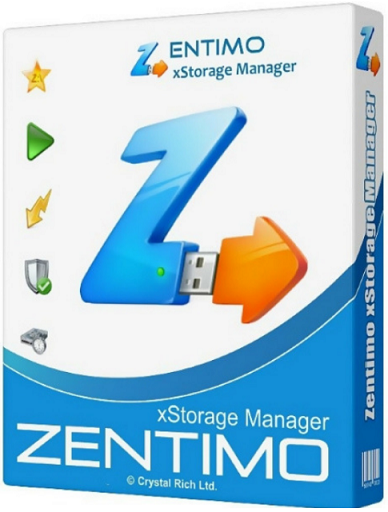
Zentimo xStorage Manager 3.4.1.1304 Multilingual | Size: 4 MB
Language: English


Zentimo offers a new way to manage your USB & eSATA devices. While it solves many external drive related problems in Windows, it also gives more control and makes working with external drives fun & pleasure.

Highly customizable, informative & powerful device menu
Unlike native safe removal tool's menu it shows you device drive sizes and empty space, device icons, lets you customize anything, and gives much more abilities at your fingertips: you can stop or browse drives in a click, quickly launch portable applications, speed test your drives, scan for hardware changes, stop all devices at once and many more.

Stopping via "disabling" for SATA drives
Some kinds of external devices (e.g. SATA drives from Silicon Image), are true hot-plug devices. However, their drivers do not support the "safe removal" function. Such devices are not displayed in the native safe removal tool and can be stopped only via disabling in the Device Manager. It is a tiresome way, because it requires many actions to do, moreover you must enable the device manually after you connect it next time.

Not only does Zentimo allow you to stop such devices, it also detects automatically what devices must be "safely removed" and which devices must be "disabled." Also, the program enables the "disabled" device automatically on its next connection, thus it makes working with the device absolutely the same as with a usual device.

Keyboard shortcuts for stopping\returning
Like to do everything using the keyboard? Now you can stop and view devices with only ONE hotkey! No need to remember keyboard shortcuts for each device. Being in any application, press the key combination (Win+S by default) and you will see the stop menu. Use the Up\Down Arrow keys to select the device you need and either press Enter to stop it or Ctrl B to view the contents of a device disk. Also you can assign a dedicated hotkey to stop a certain device or even all devices at once.

Return stopped device back
After you had stopped the device, but still did not unplug it, sometimes it is quite useful to return it back into the system. For example if you remembered that you forgot to write a file to the external drive. In order to do it, you have to physically reconnect the device, however sometimes it's quite inconvenient to do, e.g. if the device is connected to the rear panel of the computer.

Program autorun on device insertion\stopping
Another Zentimo's feature that distinguishes it from similar software is ability to start any applications not only after connecting a device, but also before its removal. The autorun feature allows you to set up data backup before disconnecting a removable hard drive, run Total Commander with the contents of the pen-drive, automatically unmount an encrypted TrueCrypt drive before disconnecting the USB media, etc.

Operating System: Windows 11/10/8.1/7

HOMEPAGE: Code:
Код:
http://zentimo.com/en/


DOWNLOAD LINKS:


Код:
https://rapidgator.net/file/91c80ccf55badf3dd905e54c2a1bdd22/Zentimo_xStorage_Manager_3.4.1.1304_Multilingual.rar.html

Код:
https://nitroflare.com/view/0E10D1466F18F17/Zentimo_xStorage_Manager_3.4.1.1304_Multilingual.rar
 
_5de20af70779aef2943e64a2f7769d83.jpeg


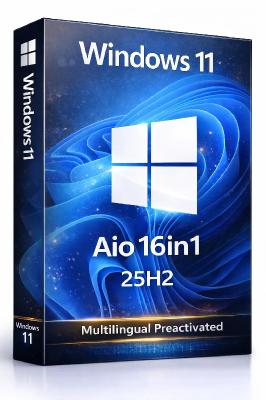
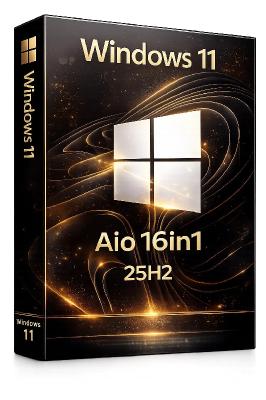
Windows 11 Aio 16in1.25H2 Build 26200.8328 (No TPM Required) Multilingual Preactivated | Size: 7.53 GB

Languages: Arabic,English,German,Greek,French,Spanish,Italian,Portuguese-Portuguese,Portuguese-Brazil,Turkish,Dutch,Czech,Norwegian


On August 29, 2025, Microsoft released the first official preview of Windows 11 version 25H2 (2025 Update) in the Release Preview Channel of the Windows Insider Program. The update is rolling out as an enablement package for devices already running version 24H2.

Windows 11 versions 24H2 and 25H2 use the same underlying system files and architecture. That means there's no need to reinstall or replace the core operating system to move between them. Instead of delivering a large, full-featured update, the software giant simply "flips the switch" with a small enablement package that activates the 25H2 features already present in 24H2. This makes the update faster, less risky, and easier to roll back.
By pushing 25H2 first to the Release Preview Channel, Microsoft can get feedback on new features, stability, and compatibility from a large but still controlled group of testers before shipping it to the public. Also, the Release Preview Channel is the last stop before general availability. So making 25H2 available here signals that the final release is close, and it helps Microsoft test servicing, cumulative updates, and ISOs before everyone gets it.
In early September, the company will also be making available the official preview of the Windows 11 25H2 ISO file, which you can use to perform a clean installation of the operating system.

Editions Includes
1. "Windows 11 Home"
2. "Windows 11 Home N"
3. "Windows 11 Pro"
4. "Windows 11 Pro N"
5. "Windows 11 Home Single Language"
6. "Windows 11 Enterprise"
7. "Windows 11 IoT Enterprise"
8. "Windows 11 IoT Enterprise Subscription"
9. "Windows 11 Enterprise multi-session"
10. "Windows 11 Education"
11. "Windows 11 Pro Education"
12. "Windows 11 Pro for Workstations"
13. "Windows 11 Enterprise N"
14. "Windows 11 Education N"
15. "Windows 11 Pro Education N"
16. "Windows 11 Pro N for Workstations"

System Requirements
Processor: 2 gigahertz (GHz) or faster.
RAM: 2 gigabyte (GB).
Free space on hard disk: 25 gigabytes (GB).
Graphics card: DirectX 9 graphics device or a newer version.
Additional requirements to use certain features.
To use touch you need a tablet or monitor that supports multitouch.
To access the Windows store to download and run apps, you need an active Internet connection and a screen resolution of at least 1024 x 768 pixels

HOMEPAGE: Code:
Код:
https://microsoft.com


DOWNLOAD LINKS:


Код:
https://rapidgator.net/file/883f2b4d5e1005c7d231bef2d19ac0f4/Win.11.Aio.16in1.26200.8328.Multi..part1.rar.html
https://rapidgator.net/file/961ba9287ce5d46ede6a3d6314d05ec5/Win.11.Aio.16in1.26200.8328.Multi..part2.rar.html
https://rapidgator.net/file/ae873e1c6ef9c9b1617ea7ba1bfd82ec/Win.11.Aio.16in1.26200.8328.Multi..part3.rar.html
https://rapidgator.net/file/77dff334fba5d5deb1f9294855bbbebb/Win.11.Aio.16in1.26200.8328.Multi..part4.rar.html
https://rapidgator.net/file/fbb2dadf9de1489cdeb4523431c5078c/Win.11.Aio.16in1.26200.8328.Multi..part5.rar.html
https://rapidgator.net/file/a525edf7362a089421f08de9d99fa017/Win.11.Aio.16in1.26200.8328.Multi..part6.rar.html
https://rapidgator.net/file/4c37867654b58328245b7d146f28dce1/Win.11.Aio.16in1.26200.8328.Multi..part7.rar.html
https://rapidgator.net/file/14701a6f123ef993f81dabd1f7fcab8f/Win.11.Aio.16in1.26200.8328.Multi..part8.rar.html

Код:
https://nitroflare.com/view/F9944EDB88FD31F/Win.11.Aio.16in1.26200.8328.Multi..part1.rar
https://nitroflare.com/view/6C7154ABEA90985/Win.11.Aio.16in1.26200.8328.Multi..part2.rar
https://nitroflare.com/view/DF9C65532A39900/Win.11.Aio.16in1.26200.8328.Multi..part3.rar
https://nitroflare.com/view/E393F66027C194C/Win.11.Aio.16in1.26200.8328.Multi..part4.rar
https://nitroflare.com/view/2C6169EB4FE3E1F/Win.11.Aio.16in1.26200.8328.Multi..part5.rar
https://nitroflare.com/view/25F95FDB6C41046/Win.11.Aio.16in1.26200.8328.Multi..part6.rar
https://nitroflare.com/view/2C10993A5C04642/Win.11.Aio.16in1.26200.8328.Multi..part7.rar
https://nitroflare.com/view/EA4748D7C500008/Win.11.Aio.16in1.26200.8328.Multi..part8.rar
 
_87a098ea22ca9655e2d45850c0ded5fc.jpeg


Windows 11 Aio 16in1.25H2 Build 26200.8328 (No TPM Required) Preactivated | Size: 6.91 GB
Language: English


On August 29, 2025, Microsoft released the first official preview of Windows 11 version 25H2 (2025 Update) in the Release Preview Channel of the Windows Insider Program. The update is rolling out as an enablement package for devices already running version 24H2.

Windows 11 versions 24H2 and 25H2 use the same underlying system files and architecture. That means there's no need to reinstall or replace the core operating system to move between them. Instead of delivering a large, full-featured update, the software giant simply "flips the switch" with a small enablement package that activates the 25H2 features already present in 24H2. This makes the update faster, less risky, and easier to roll back.
By pushing 25H2 first to the Release Preview Channel, Microsoft can get feedback on new features, stability, and compatibility from a large but still controlled group of testers before shipping it to the public. Also, the Release Preview Channel is the last stop before general availability. So making 25H2 available here signals that the final release is close, and it helps Microsoft test servicing, cumulative updates, and ISOs before everyone gets it.
In early September, the company will also be making available the official preview of the Windows 11 25H2 ISO file, which you can use to perform a clean installation of the operating system.

Editions Includes
1. "Windows 11 Home"
2. "Windows 11 Home N"
3. "Windows 11 Pro"
4. "Windows 11 Pro N"
5. "Windows 11 Home Single Language"
6. "Windows 11 Enterprise"
7. "Windows 11 IoT Enterprise"
8. "Windows 11 IoT Enterprise Subscription"
9. "Windows 11 Enterprise multi-session"
10. "Windows 11 Education"
11. "Windows 11 Pro Education"
12. "Windows 11 Pro for Workstations"
13. "Windows 11 Enterprise N"
14. "Windows 11 Education N"
15. "Windows 11 Pro Education N"
16. "Windows 11 Pro N for Workstations"

System Requirements
Processor: 2 gigahertz (GHz) or faster.
RAM: 2 gigabyte (GB).
Free space on hard disk: 25 gigabytes (GB).
Graphics card: DirectX 9 graphics device or a newer version.
Additional requirements to use certain features.
To use touch you need a tablet or monitor that supports multitouch.
To access the Windows store to download and run apps, you need an active Internet connection and a screen resolution of at least 1024 x 768 pixels

HOMEPAGE: Code:
Код:
https://microsoft.com


DOWNLOAD LINKS:


Код:
https://rapidgator.net/file/c481113d4a6260c275a5b7033312d1ce/Win.11.Aio.16in1.26200.8328.Eng..part1.rar.html
https://rapidgator.net/file/418b985e93e81ecb06a6a0607e34beed/Win.11.Aio.16in1.26200.8328.Eng..part2.rar.html
https://rapidgator.net/file/ef88d16bfdce28950eb4b70efbaab610/Win.11.Aio.16in1.26200.8328.Eng..part3.rar.html
https://rapidgator.net/file/0d8914cc10412803ee4cfd0216b7c798/Win.11.Aio.16in1.26200.8328.Eng..part4.rar.html
https://rapidgator.net/file/a5a0c0a788919baae30bdc64b4401fae/Win.11.Aio.16in1.26200.8328.Eng..part5.rar.html
https://rapidgator.net/file/abed4ae41da196627d7a3f7a82343e83/Win.11.Aio.16in1.26200.8328.Eng..part6.rar.html
https://rapidgator.net/file/8b744601cafa84b6890d3bf78a2c98a2/Win.11.Aio.16in1.26200.8328.Eng..part7.rar.html
https://rapidgator.net/file/4f9b5bdde3733d8d4e6ac92c52ac0ebb/Win.11.Aio.16in1.26200.8328.Eng..part8.rar.html

Код:
https://nitroflare.com/view/EF6346218E27E47/Win.11.Aio.16in1.26200.8328.Eng..part1.rar
https://nitroflare.com/view/07D72FA749DFB71/Win.11.Aio.16in1.26200.8328.Eng..part2.rar
https://nitroflare.com/view/4A69B07447D847E/Win.11.Aio.16in1.26200.8328.Eng..part3.rar
https://nitroflare.com/view/A23D41BC4696A9B/Win.11.Aio.16in1.26200.8328.Eng..part4.rar
https://nitroflare.com/view/185D80AB1A4C9F8/Win.11.Aio.16in1.26200.8328.Eng..part5.rar
https://nitroflare.com/view/AD67585BB711AAD/Win.11.Aio.16in1.26200.8328.Eng..part6.rar
https://nitroflare.com/view/64E961770B908B8/Win.11.Aio.16in1.26200.8328.Eng..part7.rar
https://nitroflare.com/view/C84A9C6B0C73E88/Win.11.Aio.16in1.26200.8328.Eng..part8.rar
 
_ed3c40666846b22726f117654d7b1354.jpeg


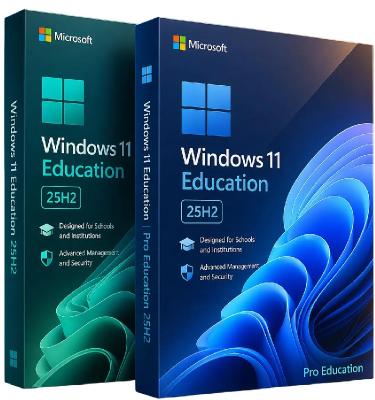
Windows 11 Education/Pro Education 25H2 Build 26200.8328 (No TPM Required) Multilingual Preactivated | Size: 6.77 GB

Windows x64 | Languages: Arabic,English,German,Greek,French,Spanish,Italian,Portuguese-Portuguese,Portuguese-Brazil,Turkish,Dutch,Czech,Norwegian


Windows 11, version 25H2 is an enablement update that builds on the features of 24H2 by enabling new, "continuous innovation" features, rather than introducing entirely new features itself. Key updates include a Braille Viewer for the Narrator, improvements to Click-to-Do (including a new "Convert to Table" feature), support for plug-in credential managers for passkeys, and enhancements to the mobile device companion experience. Microsoft is also implementing IT admin-focused features like the ability to remove pre-installed Store apps and a new Quick Machine Recovery system to reduce downtime.

For Users
Accessibility
The Narrator now includes a Braille Viewer, allowing users to see the braille equivalent of on-screen text on a refreshable braille display.
Passkeys
Users can now utilize plug-in credential managers for setting up and using passkeys, offering improved security and management.
Time & Language
Ported settings from the Control Panel to the Settings app, including configuring additional clocks and changing the NTP time server.
Mobile Experience
The mobile device companion has a new, more accessible layout to view calls, messages, photos, and more from your phone.
Click-to-Do
New AI features for Click-to-Do are included, such as a new "Convert to Table" capability for converting text to an Excel table and more flexible selection methods.
For IT Administrators
Quick Machine Recovery
This new feature in the recovery system aims to reduce downtime and simplifies the process for recovering a system, according to PCMag.
Removable Apps
IT admins can now remove certain pre-installed Microsoft Store apps via Group Policy or MDM CSP on Enterprise/EDU devices.
Feature Removals
25H2 removes older components like PowerShell 2.0 and WMIC for greater security and efficiency.

System Requirements
- Processor: 1 gigahertz (GHz) or faster.
- RAM: 1 gigabyte (GB).
- Free space on hard disk: 16 gigabytes (GB).
- Graphics card: DirectX 9 graphics device or a newer version.
- Additional requirements to use certain features.
- To use touch you need a tablet or monitor that supports multitouch.
- To access the Windows store to download and run apps, you need an active Internet connection and a screen resolution of at least 1024 x 768 pixels

HOMEPAGE: Code:
Код:
https://microsoft.com


DOWNLOAD LINKS:


Код:
https://rapidgator.net/file/aa8573895d7268b1c4862ccb0efae453/Win.11.Edu.Pro.26200.8328..part1.rar.html
https://rapidgator.net/file/42acf5a41d07f30df75ada8185490b1c/Win.11.Edu.Pro.26200.8328..part2.rar.html
https://rapidgator.net/file/5976cec9df1935f27d60135ea74f134f/Win.11.Edu.Pro.26200.8328..part3.rar.html
https://rapidgator.net/file/66f73e36b1566c880292a26aab3eabf9/Win.11.Edu.Pro.26200.8328..part4.rar.html
https://rapidgator.net/file/1c0a7221297e54ed88de5f9708426957/Win.11.Edu.Pro.26200.8328..part5.rar.html
https://rapidgator.net/file/44cdc6bd956adfd83cc00e5fde8f53d7/Win.11.Edu.Pro.26200.8328..part6.rar.html
https://rapidgator.net/file/6302ec1a80fdf8637283ace2701a8e0d/Win.11.Edu.Pro.26200.8328..part7.rar.html

Код:
https://nitroflare.com/view/EA351D07161AA44/Win.11.Edu.Pro.26200.8328..part1.rar
https://nitroflare.com/view/0B84EB1D3C23097/Win.11.Edu.Pro.26200.8328..part2.rar
https://nitroflare.com/view/94C5FBC06562C6C/Win.11.Edu.Pro.26200.8328..part3.rar
https://nitroflare.com/view/4397E3335EFD721/Win.11.Edu.Pro.26200.8328..part4.rar
https://nitroflare.com/view/E6511225AAF4BFB/Win.11.Edu.Pro.26200.8328..part5.rar
https://nitroflare.com/view/9A41A88AF348A62/Win.11.Edu.Pro.26200.8328..part6.rar
https://nitroflare.com/view/6AA5A96479F0BBD/Win.11.Edu.Pro.26200.8328..part7.rar
 
_4c7b69a1869e9df27c784354aee71a84.jpeg


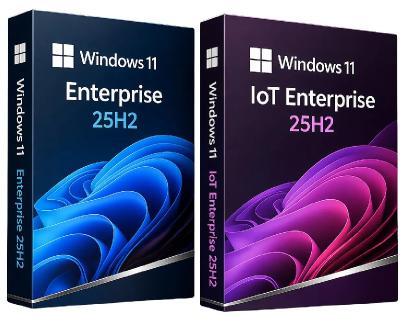
Windows 11 Enterprise/Iot Enterprise 25H2 Build 26200.8328 (No TPM Required) Multilingual Preactivated | Size: 6.75 GB

Windows x64 | Languages: Arabic,English,German,Greek,French,Spanish,Italian,Portuguese-Portuguese,Portuguese-Brazil,Turkish,Dutch,Czech,Norwegian


Windows 11, version 25H2 is an enablement update that builds on the features of 24H2 by enabling new, "continuous innovation" features, rather than introducing entirely new features itself. Key updates include a Braille Viewer for the Narrator, improvements to Click-to-Do (including a new "Convert to Table" feature), support for plug-in credential managers for passkeys, and enhancements to the mobile device companion experience. Microsoft is also implementing IT admin-focused features like the ability to remove pre-installed Store apps and a new Quick Machine Recovery system to reduce downtime.

For Users

Accessibility
The Narrator now includes a Braille Viewer, allowing users to see the braille equivalent of on-screen text on a refreshable braille display.

Passkeys
Users can now utilize plug-in credential managers for setting up and using passkeys, offering improved security and management.

Time & Language
Ported settings from the Control Panel to the Settings app, including configuring additional clocks and changing the NTP time server.

Mobile Experience
The mobile device companion has a new, more accessible layout to view calls, messages, photos, and more from your phone.

Click-to-Do
New AI features for Click-to-Do are included, such as a new "Convert to Table" capability for converting text to an Excel table and more flexible selection methods.

For IT Administrators
Quick Machine Recovery
This new feature in the recovery system aims to reduce downtime and simplifies the process for recovering a system, according to PCMag.

Removable Apps
IT admins can now remove certain pre-installed Microsoft Store apps via Group Policy or MDM CSP on Enterprise/EDU devices.

Feature Removals
25H2 removes older components like PowerShell 2.0 and WMIC for greater security and efficiency.

System Requirements
Processor: 2 gigahertz (GHz) or faster.
RAM: 2 gigabyte (GB).
Free space on hard disk: 40 gigabytes (GB).
Graphics card: DirectX 9 graphics device or a newer version.
Additional requirements to use certain features.
To use touch you need a tablet or monitor that supports multitouch.
To access the Windows store to download and run apps, you need an active Internet connection and a screen resolution of at least 1024 x 768 pixels

HOMEPAGE: Code:
Код:
https://microsoft.com


DOWNLOAD LINKS:


Код:
https://rapidgator.net/file/e1548d5659698cdf309d4dc198f0fcbd/Win.11.Ent.Iot.26200.8328..part1.rar.html
https://rapidgator.net/file/1b1773435214e66ff6fbb48849e68c5e/Win.11.Ent.Iot.26200.8328..part2.rar.html
https://rapidgator.net/file/f8c77cfb56b12576c463584f8202ef51/Win.11.Ent.Iot.26200.8328..part3.rar.html
https://rapidgator.net/file/9c206737914292e5201072f377c1d081/Win.11.Ent.Iot.26200.8328..part4.rar.html
https://rapidgator.net/file/8ada2f77d66a0321523597d7fbb80f48/Win.11.Ent.Iot.26200.8328..part5.rar.html
https://rapidgator.net/file/a14ad6d848cf57f0c55b5702a294d0b1/Win.11.Ent.Iot.26200.8328..part6.rar.html
https://rapidgator.net/file/41188e360cb9d9b04104291fa43e782b/Win.11.Ent.Iot.26200.8328..part7.rar.html

Код:
https://nitroflare.com/view/B43F71C6A56E91C/Win.11.Ent.Iot.26200.8328..part1.rar
https://nitroflare.com/view/7524242B8DAFF0C/Win.11.Ent.Iot.26200.8328..part2.rar
https://nitroflare.com/view/E164D23C688F325/Win.11.Ent.Iot.26200.8328..part3.rar
https://nitroflare.com/view/2BBF58F50EDBC87/Win.11.Ent.Iot.26200.8328..part4.rar
https://nitroflare.com/view/C9C9B138C25E0BE/Win.11.Ent.Iot.26200.8328..part5.rar
https://nitroflare.com/view/525B08A228AA5D4/Win.11.Ent.Iot.26200.8328..part6.rar
https://nitroflare.com/view/8ED5BE2620C5578/Win.11.Ent.Iot.26200.8328..part7.rar
 
24d5790ba46c3d456ab60292b6f2745b.png


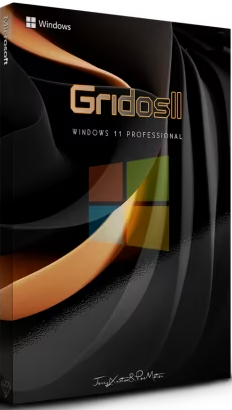
Windows 11 Pro 26H1 Preview Build 26800.1896 GridOS 11 Edition | Size: 4.42 GB
Windows x64 | No TPM | Languages: English


A build for everyday use, Tweaks have been applied for extreme performance, Responsiveness and much more.

Windows updates are working but paused on purpose.
A few services are disabled so in case something is not working first enable the specific service.
Hope you enjoy this release.

Removed features
Build Informations
Microsoft accound bypassed
Power Plan set to High Perfrmance with Power Plan applied
Windows Image Viewer is set as default
Tweaks applied for extreme performance, Responsiveness, and Resource Savings in all sections
Some services are disabled or setup to manual
Windows updates are disabled
And much more.

Programs
7zip
OldNewExplorer
Nilesoft Shell
StartIsBack
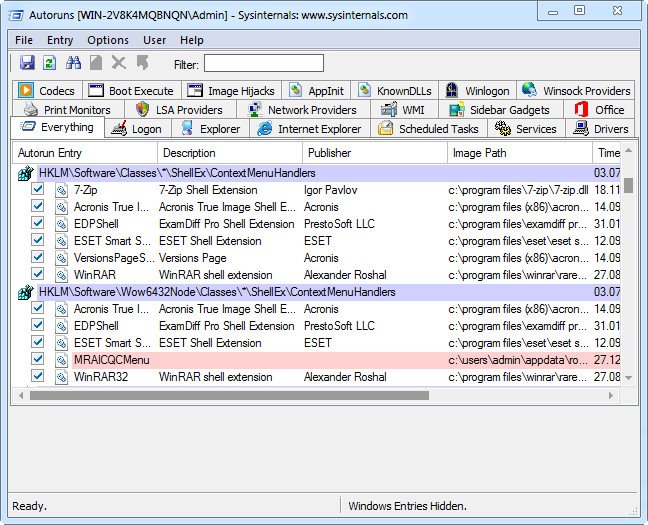
Autoruns (located at c)
TaskManager Deluxe (located at c)

System Requirements For Windows 11
Processor: 2 gigahertz (GHz) or faster.
RAM: 2 gigabyte (GB).
Free space on hard disk: 25 gigabytes (GB).
Graphics card: DirectX 9 graphics device or a newer version.
Additional requirements to use certain features.
To use touch you need a tablet or monitor that supports multitouch.
To access the Windows store to download and run apps, you need an active Internet connection and a screen resolution of at least 1024 x 768 pixels


DOWNLOAD LINKS:


Код:
https://rapidgator.net/file/56238032f070652d303d978b7ecf1d1c/1896._11.26800.part1.rar.html
https://rapidgator.net/file/8013cfd2cac25b4b81708fc6841f35b4/1896._11.26800.part2.rar.html
https://rapidgator.net/file/7156dceec59f39e8b29fb95285347c98/1896._11.26800.part3.rar.html
https://rapidgator.net/file/a5227f25c7b81a6565bd4f8934518b98/1896._11.26800.part4.rar.html
https://rapidgator.net/file/5b915cf17edcc0bb10d8143889188776/1896._11.26800.part5.rar.html

Код:
https://nitroflare.com/view/37E508899F7E42C/1896._11.26800.part1.rar
https://nitroflare.com/view/9FB4F2E757A593C/1896._11.26800.part2.rar
https://nitroflare.com/view/D0EB6DFB43ED703/1896._11.26800.part3.rar
https://nitroflare.com/view/E3CC41D346CEBBF/1896._11.26800.part4.rar
https://nitroflare.com/view/2C8E0EDC0CEC1E8/1896._11.26800.part5.rar
 
Назад
Сверху Снизу