All mitsumi'1s Applications !! (updated daily)

076f04c449d1d5b20aaead980ab39683.jpg


HSX WorkX Suite 1.8.3 | Size: 2 GB
Language: English


PDF, Word, and spreadsheets - all fully local. A modern, local-first productivity suite for creating, editing, and managing PDFs, Word documents, and spreadsheets with fast performance and a privacy-focused workflow.

What HSX WorkX Suite does
- Edit PDFs with annotations, forms, and security actions
- Create professional documents with rich formatting
- Build spreadsheets with formulas and chart workflows
- Local AI assistant with on-device processing

Who it is for
HSX WorkX Suite is built for designers, writers and small studios who need professional output without a monthly bill.

It sits in the creative & documents part of the catalogue, and your documents never leave the machine to be processed. There is no server behind HSX WorkX Suite to send them to.

Local-first, by design
Plenty of the alternatives send your documents to a server to be handled. HSX WorkX Suite does not. Processing runs on your CPU or GPU, and the documents you open stay where you put them. The application keeps working with the network switched off.

That is not a setting you enable, it is how HSX WorkX Suite is built, which is why there is no account to create and no subscription to lapse. Full detail is in the HSX WorkX Suite privacy policy.

System Requirements
Windows 10, Windows 11

HOMEPAGE: Code:
Код:
https://hasnainstudiox.com/apps/hsx-workx-suite.html


DOWNLOAD LINKS:


Код:
https://rapidgator.net/file/9883848c7096eefb9c6bd76d51fd6002/HSX_WorkX_Suite_1.8.3.rar.html

Код:
https://nitroflare.com/view/8AA91D793AC5941/HSX_WorkX_Suite_1.8.3.rar
 
2b952973f983ab61b8d11eae9156a247.jpg


HTML Compiler 2026.10 (x64) | Size: 27.1 MB
Language: English


With DecSoft HTML Compiler you can easily compile your modern HTML apps (Single Page Apps, for example) into standalone executables for both Microsoft Windows 32 and 64 bits. Your app' files are never extracted into the user's computer and run in a modern browser environment based in Chromium.

It's secure
Your HTML apps are compiled in both Microsoft Windows 32 and 64 bits executables. Your app's files are never extracted in the final user computer except if you want to extract some particular files.

Without limits!
Put your imagination here. You can convert into executable programs for Windows almost any modern HTML app like ebooks, surveys, quizzes, magazines, presentations, photo albums and galleries, games, etc.

Super easy
You can use the user graphic interface or the command line tool in order to compile your HTML apps, just by indicating the path for your application "index.html" file.

Take a look!
The next video shown how DecSoft HTML Compiler works! In just a minute you can see how DecSoft HTML Compiler take the "Database" app sample of DecSoft App Builder and convert it into a standalone Microsoft Windows executables.

CLI support
DecSoft HTML Compiler include a command line compiler in addition with the visual environment. In this way you can compile your apps from the command line, simply and fast.

Very simple
DecSoft HTML Compiler don't shown to the user any interface element. But this is fine, because then your application looks exactly as you wanted, without any undesired interferences!

Very powerful
DecSoft HTML Compiler provide some external Javascript for your apps to go beyond the modern HTML apps capabilities, for example, to give the ability to write files, execute programs, explore folders, etc.

Operating System: Windows 7, 8/8.1, 10

HOMEPAGE: Code:
Код:
https://www.davidesperalta.com/


DOWNLOAD LINKS:


Код:
https://rapidgator.net/file/bd9cb53edad1d9997ea3e043bad61c42/HTML_Compiler_2026.10_x64.rar.html

Код:
https://nitroflare.com/view/38478BFB974A391/HTML_Compiler_2026.10_x64.rar
 
41d38a31ec697ab420d7539bb25e79be.jpg


Intel Graphics Driver 32.0.101.8993 (x64) | Size: 872.28 MB
Language: English


Intel's latest graphics driver release supports Intel's® newest 8th Generation Core Processors, introducing Intel® UHD Graphics, with the ability to immerse you in leading-edge 4K UHD entertainment from your laptop for up to 10 hours. Along with several security fixes, this driver also optimizes system idle state to reduce power consumption.

Relive the Terran* vs. Protoss* vs. Zerg* battles of old, in StarCraft Remastered* enjoyed in up to stunning 4K UHD. Obliterate enemies in Quake Champions* (Early Access), or embark on an adventure at release of the latest games, Life is Strange: Before the Storm*, Batman: The Enemy Within - The Telltale Series*, Crossout*, The Long Dark*, and Slime Rancher* on processors with Intel® HD Graphics 620 or better.
Emerge victorious or blaze past the finish line on the latest titles like Lawbreakers*, Tacoma*, and F1 2017* on Intel® Iris™ Pro Graphics.
Check out the all new look and feel of gameplay.intel.com, where you'll find recommended game settings for many of your favorite PC games.
Install the Intel® Driver Update Utility, which now automatically checks for drivers on a regular basis and can provide notifications when new drivers are available.

This document provides information about Intel's Graphics Driver for
8th Generation Intel® Core™ processors with Intel® UHD Graphics 620.
7th Generation Intel® Core™ processors, related Pentium®/ Celeron® Processors, and Intel® Xeon® processors, with Intel® Iris™ Plus Graphics 640, 650 and Intel® HD Graphics 610, 615, 620, 630, P630.
6th Generation Intel® Core™ processors, Intel Core™ M, and related Pentium® processors, with Intel® Iris™ Graphics 540, Intel® Iris™ Graphics 550, Intel® Iris™ Pro Graphics 580, and Intel® HD Graphics 510, 515, 520, 530.
Intel® Xeon® processor E3-1500M v5 family with Intel® HD Graphics P530
Pentium®/ Celeron® Processors with Intel® HD Graphics 500, 505

System Requirements: Windows 11 Family*, Windows 10* (22H2)


DOWNLOAD LINKS:


Код:
https://rapidgator.net/file/c6b87e5fcc7ab76ab14285ec87517725/Intel_Graphics_Driver_32.0.101.8993_x64.rar.html

Код:
https://nitroflare.com/view/921402C27EDF80E/Intel_Graphics_Driver_32.0.101.8993_x64.rar
 
2f37c34d1b860f03a3265a0ac6cedbb0.jpg


Light Wrap Fantastic 1.4.0 | Size: 44.3 MB
Language: English


The Light Wrap Fantastic enables better composites by easily allowing users to blend the background with the foreground in such a way that it appears the light of the background is affecting the foreground. Essentially simulating backlighting. The plugin has all the controls you need to create a realistic light wrap making it a quick and easy process.

A Plugin for More Convincing Composites
- Creating convincing green/blue screen composites has always been a challenge.

Fast and Easy
GPU acceleration allows the plugin to render HD and 4K footage quickly. It easily fits into whatever workflow you use when compositing with a variety of options and modes. This flexibility and speed make it the perfect choice for video editors, colorists and compositors.

Just One Plugin
Light Wrap Fantastic has everything you need to create a great light wrap in one plugin. Lighting, masking, and blend modes are just some of the features for better video compositing. You don't need to buy an expensive package with tools you don't need. It's all here in one plugin.

Easy compositing of green or blue screen
Light wrap simulates backlighting, making the compositing of two images look more realistic. Background light would normally affect the foreground in a real scene. Most green or blue screen footage looks 'cut out' when put on a different background because it lacks the same lighting as the background. The Light Wrap Fantastic makes it easier to eliminate the 'cut out' look.

LWF takes the background layer and 'wraps' it around the edge of the foreground, simulating backlighting. This makes for a more realistic green screen composite.

Control every aspect of the light wrap within one plugin
While it's usually possible to create a light wrap effect within most host applications, it requires multiple layers, masks and effects. The Light Wrap Fantastic simplifies this by giving you complete control in one plugin. This includes being able to mask the effect from within the plugin to simulate light coming from one direction.

Works with any blue or green screen plugin
It doesn't matter what blue/green screen keying plugin you use. Primatte, Keylight, Ultimatte. The Light Wrap Fantastic works great and will help you blend your foreground and background more realistically. If you've roto'd something with Mocha Pro or the like, LWF will make that look great too!

Fast Rendering using Your GPU
Fast rendering is essential to fitting into a your workflow. We use both CUDA and OpenCL to completely optimize the rendering for Nvidia and AMD GPUs.

Standalone Plugin that Fits Different Workflows
As a standalone plugin, it makes it much more affordable to get great green or blue screen composites! Since Light Wrap is so effective at improving composites, we wanted to make it available without needing to buy a whole keying package. Usually you end up paying for tools that already ship for free in your host application or that you don't need. This way you get the most powerful light wrap plugin available at a great price!

Requirements:
- Windows 10 and later
- Adobe After Effects and Premiere Pro CC 2019 and later

HOMEPAGE: Code:
Код:
https://digitalanarchy.com


DOWNLOAD LINKS:


Код:
https://rapidgator.net/file/8aba930c4fc7aab3cb68983b05a4644e/Light_Wrap_Fantastic_1.4.0.rar.html

Код:
https://nitroflare.com/view/9A49C6789418A3A/Light_Wrap_Fantastic_1.4.0.rar
 
09a6f81ae9c309c5993e3add1193c3ef.webp

Free Download Light Wrap Fantastic 1.4 (x64) | 34 Mb
Light Wrap Fantastic is a video compositing plugin designed to create realistic light wrap effects by blending background lighting into the edges of a foreground subject. It simulates backlighting to help foreground elements integrate more naturally into green screen and blue screen composites.
The plugin combines lighting, masking, and blend controls in a single effect. GPU acceleration supports faster rendering of HD and 4K footage, making it suitable for video editors, colorists, and compositors working with different compositing workflows.


Software Overview

Light Wrap Fantastic helps eliminate the artificial "cut out" appearance often seen when green or blue screen footage is placed over a different background. It wraps the background layer around the edges of the foreground to simulate the influence of background light.
The plugin provides controls for adjusting the light wrap effect and includes internal masking options for controlling the direction and area of the simulated lighting. It can be used with different keying plugins and footage created with rotoscoping tools.

Key Features

  • Create realistic light wrap effects for video composites.
  • Simulate background backlighting on foreground subjects.
  • Improve green screen and blue screen composites.
  • Blend foreground and background elements more naturally.
  • Wrap the background layer around the foreground edges.
  • Control lighting, masking, and blend modes.
  • Mask the effect directly within the plugin.
  • Control the direction and area of the light wrap.
  • Work with blue and green screen keying plugins.
  • Compatible with workflows using Primatte, Keylight, and Ultimatte.
  • Improve composites created using rotoscoping workflows such as Mocha Pro.
  • GPU-accelerated rendering for HD and 4K footage.
  • Support CUDA and OpenCL for optimized NVIDIA and AMD GPU processing.
  • Provide a standalone plugin for flexible compositing workflows.

Why Choose Light Wrap Fantastic

  • Realistic Compositing: Simulate the way background lighting naturally affects a foreground subject.
  • All-in-One Effect: Combine lighting, masking, and blend controls within a single plugin instead of building the effect from multiple layers and effects.
  • GPU Acceleration: Use CUDA and OpenCL processing to improve rendering performance on supported NVIDIA and AMD GPUs.
  • Flexible Workflow: Work alongside popular blue and green screen keying plugins and rotoscoping workflows.
  • HD and 4K Support: GPU acceleration helps process high-resolution footage efficiently.

System Requirements

  • Operating System: Windows 10 and later
  • Host Applications: Adobe After Effects CC 2019 and later; Adobe Premiere Pro CC 2019 and later
  • Architecture: x64
  • GPU Support: CUDA and OpenCL for supported NVIDIA and AMD GPUs

Home Page

Код:
https://digitalanarchy.com

Product Information

  • Software Name: Light Wrap Fantastic
  • Version: 1.4
  • Architecture: x64
  • Languages: English
  • License type: Full Version
  • File Size: 34 Mb
Rapidgator
Код:
https://rapidgator.net/file/3a166ad96498b97ecc8f683e9c37ff8f/8xlyx.Light.Wrap.Fantastic.1.4.rar.html

Код:
https://nitroflare.com/view/27438A83D52B72E/8xlyx.Light.Wrap.Fantastic.1.4.rar
 
801c3dc0a94105810761f8ac8fecb6a8.jpg


Lucen Timeline Expert 15.03.00.00 | Size: 145.7 MB
Language: English


Office Timeline is now called Lucen Timeline, part of Lucen Software! The #1 PowerPoint Timeline Maker for Windows and Office. Create PowerPoint timelines or roadmaps as fast as clients and executives need them. Simple but powerful PowerPoint add-in that anyone can use to quickly make and manage impressive timelines.

Beauty trumps complexity.
Build stunning PowerPoint timelines without the effort and cost.

Free yourself from manually building and managing visual project plans.
Office Timeline helps you make timelines, Gantt charts and Swimlanes in PowerPoint almost instantly. Customize them with just a few clicks to create clear, elegant high-level presentations that everyone will understand.

User-friendly PowerPoint timeline generator. Works the way clients and colleagues do.
Office Timeline works with all versions of PowerPoint. Give them stunning PowerPoint slides that can be viewed, edited and shared by anyone who has Microsoft Office.

Manage and change data with ease.
The plugin's powerful Data wizard and drag & drop Visual Editor make timeline management agile and intuitive. Updating timelines when projects and plans change is quick and easy.

PowerPoint timelines made easy.
No complex steps. No learning curve. No hassle!

Start from scratch or pick a template.
The timeline wizard was designed to make it simple. It all starts by selecting the type of timeline you want to make.

Enter your data and click Create.
Once you've selected a timeline template, enter or import your key milestones and tasks. Set their dates, click the Create button, and voilà ! Timeline created.

Arrange and style to impress.
Use Drag & Drop to instantly rearrange or update your visual. Then customize it your way â?? colors, shapes, date formats, task duration, percent completeâ?¦ change any detail, anyway you want.

Enjoy more freedom with Plus Edition.
While the Free edition is fully functional, Office Timeline Plus brings more! Plus Edition unlocks predesigned templates and gives you the freedom to add as much data as needed, so you can create detailed, unique PowerPoint timelines and Gantt charts.

See the power of Pro Edition.
Office Timeline Pro gives you everything you get with the Plus add-in, but adds powerful extra features. Pro Edition creates impressive Swimlanes and roadmaps, so you can manage complex projects with big-picture visuals that anyone can understand.

System Requirements:
- Microsoft Windows Vista, Windows 7 (SP1), Windows 8, or Windows 10 (LTSB, CBB and CB). Office Timeline does not run on Windows 10 S. The add-in is functional on Windows XP and Windows Server but unsupported.
- 32-bit versions of Microsoft Office 2007 (SP3), 2010, 2013, or 2016. Although Office Timeline works with 64-bit versions of Office, we do not formally test or support it on 64-bit. The vast majority of the Office install base is the 32-bit version of Office. 32-bit is recommended by Microsoft unless you have very specific needs for 64-bit.
- .NET Framework 4.5.2 or greater.

HOMEPAGE: Code:
Код:
https://www.lucensoftware.com/


DOWNLOAD LINKS:


Код:
https://rapidgator.net/file/eb43bd7a29824eebf4e5db2713c4d40d/00_15.03.00.rar.html

Код:
https://nitroflare.com/view/EB48E5D60344054/00_15.03.00.rar
 
ce233681dd3682acbeb4e7ad6d38f3b0.jpg


Markdown Monster 4.5.1.3 | Size: 22.45 MB
Language: English


Markdown Monster is a powerful, yet easy to use Markdown editor with syntax highlighting and sophisticated and fast edit features. A collapsible, synced, live preview lets you see your output as you type and scroll. Easily embed or paste images, links, tables and code using raw markup or our smart UI helpers to simplify many operations with a few keystrokes or a click or two. Paste images from the clipboard or drag and drop from Explorer or our built-in file browser. Inline spell-checking and word counts keep your content streamlined.

You can export Markdown to PDF or HTML on disk or copy Markdown selections as HTML to the clipboard. The HTML preview can display syntax colored code snippets for most coding languages. Choose from light or dark app themes, and individual and fully customizable preview themes. Use the built-in folder browser to open, manage and drag files into content, use the document outline to quickly jump through content, or use our shell integration to shell out to Explorer, Terminal, Image Editor, Diff tool or your favorite Git client. Git support is built to see local Git status and sync to your repositories.

Everything is at your finger tips, but out of your way until you need it.

Weblog Publishing
Markdown Monster can also publish your Markdown directly to your Weblog Service. If your blog supports WordPress, MetaWeblog, Jekyll or Medium, you can publish your documents with one click. You can also edit and rlish, or download existing posts and even convert existing posts from HTML to Markdown.

Extensible via .NET
We also wanted to make sure the editor is highly extensible, so you can add custom features of your own. Markdown Monster includes an addin model that makes it easy to build extensions that let you hook into the UI, the editor behavior and the publishing process. We also provide useful Scripting and Text Templating addins that let you automate many tasks without creating an addin. Find out more about creating an addin with .NET.

Features:
Easy and fast Markdown editing
Syntax colored Markdown text
Live Preview while you type
Inline spell checking
Easy image and link embedding
Paste images from Clipboard
Gentle toolbar support
File and Folder Browser
Favorites Manager
Document Outline
Git Integration
Built in screen capture
Two-way Table Editor
Import Html to Markdown
Export Markdown to Html
Dark and Light UI Themes
Customizable Preview Themes
High DPI Support
Weblog Publishing and Editing
Yaml Meta Data Support
Snippet Expansion Templates
Swappable Markdown Parsers
Extensible with .NET Add-ins

System Requirements:
Microsoft Windows 10 or later
.NET 7.0 (pre-installed)
WebView2 Runtime (pre-installed)

HOMEPAGE: Code:
Код:
https://markdownmonster.west-wind.com/


DOWNLOAD LINKS:


Код:
https://rapidgator.net/file/fa507f10fcd8e03afadb3394af708e36/Markdown_Monster_4.5.1.3.zip.html

Код:
https://nitroflare.com/view/08DAE03DFA17115/Markdown_Monster_4.5.1.3.zip
 
7c202954ebf55450b5cc9aaa853bd909.jpg


MassTube 2027 v22.1.6.224 Ultra Multilingual | Size: 84.12 MB
Language: English


MassTube is a small-sized software utility designed to help users grab their favorite video files from YouTube in the easiest way possible, and download them to the local disk for offline playback. It can be used to create a collection of video tutorials, for example.

Plain and simple interface
Aesthetically, it's not very impressive, as it sports a simplistic interface and just a few options for downloading videos. This is a simple-to-use tool built specifically with a single goal in mind: to grab video files from YouTube. Therefore, it doesn't come equipped with other noteworthy features, such as a built-in YouTube browser or audio extraction mode.

Straightforward video converter with history mode
Some video details are shown after introducing a YouTube link in the dedicated box, namely the resolution and audio parameters. MassTube supports multiple output formats (FLV, MP4, WebM, 3GP), which means that it gives you the possibility to convert the downloaded files to other types, as well as to select a preferred quality if there are multiple options available.

On task completion, it offers to open the downloaded clips with an external video player. It also integrates a history window that shows all the videos you have downloaded from YouTube, which can be cleared, exported to file, and imported at a later time.

Other program settings
MassTube's window can be placed on top of other frames, and it can be asked to remember the current window position whenever opening a new instance. Furthermore, it's possible to disable the internal download engine and switch to an external one, modify the default destination folder for all grabbed videos, as well as apply a proxy configuration for connecting to the Internet.

Evaluation and conclusion
The app worked smoothly in our evaluation and didn't prompt any errors. Although MassTube doesn't have an impressive skill set, it's an efficient software solution for downloading clips and converting them into other formats on the go. CPU and RAM consumption was minimal in our tests.

Operating System: Windows 7, 8/8.1, 10, 11

HOMEPAGE: Code:
Код:
http://www.masstube.cl


DOWNLOAD LINKS:


Код:
https://rapidgator.net/file/c4eeeb15e5419e065fb19680267c832c/MassTube_2027_v22.1.6.224_Ultra_Multilingual.rar.html

Код:
https://nitroflare.com/view/C74853475C1C7E5/MassTube_2027_v22.1.6.224_Ultra_Multilingual.rar
 
c98e50fd55542ff3c34ea379c3652d5b.jpg


Microsoft Malicious Software Removal Tool 5.145 | Size: 167.24 MB
Language: English


The Microsoft Windows Malicious Software Removal Tool helps remove malicious software from your computers that are running Windows 10, Windows 8.1, Windows Server 2012 R2, Windows 8, Windows Server 2012, Windows 7, Windows Vista, Windows Server 2008.. Microsoft releases a new version of the Microsoft Malicious Software Removal Tool every month. After you download the tool, the tool runs one time to check your computer for infection by specific prevalent malicious software (including Blaster, Sasser, and Mydoom) and helps remove any infection it finds.

This article contains information about how the tool differs from an antivirus product, how you can download and run the tool, and what happens when the tool finds malicious software on your computer. The advanced user section includes information for the IT administrator and additional information about how to manage and run the Malicious Software Removal Tool.
Note In compliance with the Microsoft Support Lifecycle policy, the Windows Malicious Software Removal Tool (MSRT) will no longer be offered to or supported on Windows 2000-based systems after July 13, 2010. This date coincides with the end of the Extended Support phase for Windows 2000. For more information about the Support Lifecycle policy, go to the Microsoft Support Lifecycle website.
How the Microsoft Malicious Software Removal Tool differs from an antivirus product
The Microsoft Malicious Software Removal Tool does not replace an antivirus product. It is strictly a post-infection removal tool. Therefore, we strongly recommend that you install and use an up-to-date antivirus product.
The Microsoft Malicious Software Removal Tool differs from an antivirus product in three key ways
The tool removes malicious software from an already-infected computer. Antivirus products block malicious software from running on a computer. It is significantly more desirable to block malicious software from running on a computer than to remove it after infection.
The tool removes only specific prevalent malicious software. Specific prevalent malicious software is a small subset of all the malicious software that exists today.
The tool focuses on the detection and removal of active malicious software. Active malicious software is malicious software that is currently running on the computer. The tool cannot remove malicious software that is not running. However, an antivirus product can perform this task.
For more information about how to protect your computer, go to the Microsoft Safety & Security Center website.
Note The Microsoft Malicious Software Removal Tool focuses on the detection and removal of malicious software such as viruses, worms, and Trojan horses only. It does not remove spyware. However, you can use Microsoft Security Essentials to detect and remove spyware.
Click here to download Microsoft Security Essentials
You do not have to disable or remove your antivirus program when you install the Microsoft Malicious Software Removal Tool. However, if prevalent, malicious software has infected your computer, the antivirus program may detect this malicious software and may prevent the removal tool from removing it when the removal tool runs. In this case, you can use your antivirus program to remove the malicious software.
Because the Microsoft Malicious Software Removal Tool does not contain a virus or a worm, the removal tool alone should not trigger your antivirus program. However, if malicious software infected the computer before you installed an up-to-date antivirus program, your antivirus program may not detect this malicious software until the tool tries to remove it.

System Requirements: Windows 10, Windows 10 Tech Preview, Windows 7, Windows 8.1, Windows Server 2008


DOWNLOAD LINKS:


Код:
https://rapidgator.net/file/40ac279f80365018f666624955662bcc/Microsoft_Malicious_Software_Removal_Tool_5.145.rar.html

Код:
https://nitroflare.com/view/A60B091B4A502C2/Microsoft_Malicious_Software_Removal_Tool_5.145.rar
 
f8f578b18f4e22d6b76083b5fd55391d.jpg


Microsoft Office 2021 LTSC v2108 Build 14334.20914 (x64) Multilingual | Size: 4.23 GB
Languages: Arabic,English,German,Spanish,Greek,French,Italian,Portuguese-Portuguese,Portuguese-Brazil,Turkish,Dutch,Czech


Office 365 ProPlus, the cloud-connected version of Office, delivers the most productive and most secure Office experience-with the lowest total cost of ownership for deployment and management. However, for customers who aren't ready for the cloud, Office 2021 provides new features and updates to the on-premises apps for both users and IT professionals. Like Windows Long Term Servicing Channel (LTSC) releases, Office 2021 provides a set of valuable enhancements for customers who can't be cloud-connected or receive regular updates.

The new enhancements in Office 2021 are a subset of a long list of features that have been added to Office 365 ProPlus over the last three years. Office 2021 is a one-time release and won't receive future feature updates. However, we'll continue to add new features to Office 365 ProPlus monthly, including innovations in collaboration, artificial intelligence (AI), security, and more. Office 2021 delivers features across apps to help users create amazing content in less time. In PowerPoint 2019, you can create cinematic presentations with new features like Morph and Zoom. And improved inking features across the apps in Windows-like the roaming pencil case, pressure sensitivity, and tilt effects-allow you to naturally create documents.

Microsoft Office Volume 2021 Select Edition includes:
Microsoft Office 2021 Professional Plus
Microsoft Access 2021
Microsoft Excel 2021
Microsoft Lync 2021
Microsoft OneNote 2021
Microsoft Outlook 2021
Microsoft PowerPoint 2021
Microsoft Publisher 2021
Microsoft Visio Viewer 2021
Microsoft Word 2021
Microsoft Visio pro 2021
Microsoft Project 2021
Skype for business 2021
OneDrive for Business 2021
Office Shared Features
Profing Tools Only 2021
And many more

System Requirements:
OS:Windows 10/11.

HOMEPAGE: Code:
Код:
https://www.microsoft.com/


DOWNLOAD LINKS:


Код:
https://rapidgator.net/file/24a106a0a3d44fae8179fe52356160b1/Office_21_v14334.20914_x64..part1.rar.html
https://rapidgator.net/file/cce2230b366bfbf1585978204f9fefb9/Office_21_v14334.20914_x64..part2.rar.html
https://rapidgator.net/file/7bb4780599c8903fa5966c8176bf4cbd/Office_21_v14334.20914_x64..part3.rar.html

Код:
https://nitroflare.com/view/8C62CDACBBF1D69/Office_21_v14334.20914_x64..part1.rar
https://nitroflare.com/view/868BD522F969A33/Office_21_v14334.20914_x64..part2.rar
https://nitroflare.com/view/56D0E4E02411B72/Office_21_v14334.20914_x64..part3.rar
 
78715a5cccf2e83a56c26cb59eeb3b63.jpg


Microsoft Office 2024 Professional Plus LTSC v2408 Build 17932.20996 (x64) Multilingual | Size: 6.16 GB
Languages: Arabic,English,German,Spanish,Greek,French,Italian,Portuguese-Portuguese,Portuguese-Brazil,Turkish,Dutch,Czech


Office 365 ProPlus, the cloud-connected version of Office, delivers the most productive and most secure Office experience-with the lowest total cost of ownership for deployment and management. However, for customers who aren't ready for the cloud, Office 2024 provides new features and updates to the on-premises apps for both users and IT professionals. Like Windows Long Term Servicing Channel (LTSC) releases, Office 2024 provides a set of valuable enhancements for customers who can't be cloud-connected or receive regular updates.

The new enhancements in Office 2024 are a subset of a long list of features that have been added to Office 365 ProPlus over the last three years. Office 2024 is a one-time release and won't receive future feature updates. However, we'll continue to add new features to Office 365 ProPlus monthly, including innovations in collaboration, artificial intelligence (AI), security, and more. Office 2024 delivers features across apps to help users create amazing content in less time. In PowerPoint 2024, you can create cinematic presentations with new features like Morph and Zoom. And improved inking features across the apps in Windows-like the roaming pencil case, pressure sensitivity, and tilt effects-allow you to naturally create documents.

Microsoft Office Volume 2024 Select Edition includes:
Microsoft Office 2024 Professional Plus
Microsoft Access 2024
Microsoft Excel 2024
Microsoft OneNote 2024
Microsoft Outlook 2024
Microsoft PowerPoint 2024
Microsoft Visio Viewer 2024
Microsoft Word 2024
Microsoft Visio pro 2024
Microsoft Project 2021
Skype for business 2021
And many more

System Requirements:
OS:Windows 10/11.

HOMEPAGE: Code:
Код:
https://microsoft.com


DOWNLOAD LINKS:


Код:
https://rapidgator.net/file/772a0425bc341339287eeb35811460e6/Office_24_v17932.20996_x64..part1.rar.html
https://rapidgator.net/file/06ba7fd31dda7b3d5e75ed6a05f95b67/Office_24_v17932.20996_x64..part2.rar.html
https://rapidgator.net/file/8845eeda67990f10cab06f3f16abdf0d/Office_24_v17932.20996_x64..part3.rar.html
https://rapidgator.net/file/2201e4352fc55b2d7af82263543a821b/Office_24_v17932.20996_x64..part4.rar.html

Код:
https://nitroflare.com/view/2CDB07E339FE2F8/Office_24_v17932.20996_x64..part1.rar
https://nitroflare.com/view/AF43D260FA3F3A1/Office_24_v17932.20996_x64..part2.rar
https://nitroflare.com/view/22AB805FBD8354B/Office_24_v17932.20996_x64..part3.rar
https://nitroflare.com/view/266F535D1D68BC3/Office_24_v17932.20996_x64..part4.rar
 
_ed837eaa501e2c7b3afdfa768e771433.jpeg


Nero Blur Face - AI Motion Tracking Video Editor 1.0.53.0 | Size: 382.57 MB
Language: English


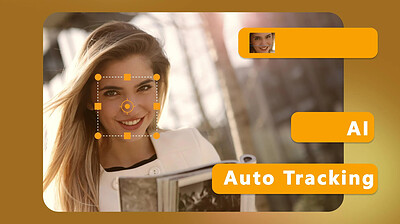
Blur Face (Motion Tracking Video Editor) allows you to continuously track a specific area in your video. Once tracking is complete, you can choose to apply a blur or mosaic effect to the area to cover or protect private information such as faces, license plates, signs and confidential information on paper in your video. Now also add personalized messages or captions to your videos using a variety of fonts, sizes and colors, or further personalize your videos with pre-designed clipart illustrations of popular themes.

Motion tracking
Continuously track an area of the video and adapt to its size.

Apply effects
Apply blur and mosaic effects to the tracking area and be able to adjust the intensity of the effect.

Personalization
Add text or clip art to the tracking area.

Export video
Export the processed video in MP4 format without losing the original quality.

System Requirements
- OS: Windows 10 version 14393.0 or higher
- DirectX: Version 11
- Memory: 2 GB (Minimum), 4 GB (Recommended)

HOMEPAGE: Code:
Код:
https://www.nero.com


DOWNLOAD LINKS:


Код:
https://rapidgator.net/file/7303ab40ce73f20902318696e1413e90/Nero_Blur_Face_-_AI_Motion_Tracking_Video_Editor_1.0.53.0.rar.html

Код:
https://nitroflare.com/view/AB0123EC0634DBF/Nero_Blur_Face_-_AI_Motion_Tracking_Video_Editor_1.0.53.0.rar
 
9fd0543050ad12ed1fdbf746f8228616.webp

Free Download Nero Blur Face - AI Motion Tracking Video Editor 1.0.53.0 (x64) Multilingual
Nero Blur Face is a motion tracking video editor designed to continuously track specific areas within video footage. After tracking an area, you can apply blur or mosaic effects to conceal private information such as faces, license plates, signs, and confidential documents.
The application also provides tools for adding personalized text and captions with different fonts, sizes, and colors. Pre-designed clipart illustrations can also be added to tracked areas for additional customization.


Software Overview

Nero Blur Face combines motion tracking with privacy-focused video editing tools. It allows users to follow moving areas throughout a video and apply visual effects that remain attached to the selected area.

Key Features

  • Motion Tracking: Continuously track a selected area and adapt the tracking region to changes in size.
  • Blur and Mosaic Effects: Apply blur or mosaic effects to tracked areas and adjust the effect intensity.
  • Text and Captions: Add personalized messages or captions using different fonts, sizes, and colors.
  • Clipart: Add pre-designed clipart illustrations based on popular themes.
  • Privacy Protection: Cover faces, license plates, signs, and confidential information appearing in videos.
  • Video Export: Export processed videos in MP4 format while maintaining the original quality.

Why Choose Nero Blur Face

Nero Blur Face is useful for editing videos that contain sensitive or identifying information. Its motion tracking feature keeps blur, mosaic, text, or clipart effects attached to a selected area as it moves through the footage.

System Requirements

  • Operating System: Windows 10 version 14393.0 or higher
  • DirectX: Version 11
  • Memory: 2 GB minimum, 4 GB recommended

Home Page

Код:
https://www.nero.com

Product Information

  • Software Name: Nero Blur Face - AI Motion Tracking Video Editor
  • Version: 1.0.53.0
  • Architecture: x64
  • Languages: Multilingual
  • License type: Full Version
  • File Size: 382 MB
Rapidgator
Код:
https://rapidgator.net/file/01220e8299a6d3b8dfa85f81571652c5/s82t1.Nero.Blur.Face.1.0.53.0.rar.html

Код:
https://nitroflare.com/view/971171733F6EF42/s82t1.Nero.Blur.Face.1.0.53.0.rar
 
f869ca14b1c2fdc57bf153b09602faf4.jpg


Network Notepad Free 6.1.8 | Size: 3.88 MB
Language: English


Network Notepad is a lightweight Windows application designed specifically for helping you create network diagrams using various preset objects and custom text.

Not so impressed by the GUI The layout does not look user-friendly and intuitive, so you need to invest extra time and effort in order to decode the program's features.
There's no support for a help manual so experimenting with the utility's dedicated parameters is your only chance to understand how it works.
Importing/exporting options
The application allows you to import/export data from/to CSV or NDG file format, save the diagrams to BMP, GIF or PNG file format, as well as print the information.
Editing features
Network Notepad offers you the option to embed objects in your network diagram from a built-in library. The components are grouped into three categories, namely Flowchart, General and Title blocks.

You can add objects in the working environment using the drag-and-drop support, move them to the desired position, work with basic editing features (cut, copy, paste, delete), undo or redo your actions, and perform searches.
Furthermore, you are allowed to insert custom text to the preferred position in the diagram, customize the text in terms of font, font style, size, and color, embed horizontal or vertical backbones, bring objects to the front or send them to the back, add connection points and links, and display the IP address.
Diagram configuration settings
Network Notepad lets you edit diagram properties by specifying the name and adding notes, adjusting the canvas size and ratio, and altering the foreground, background and grid line colors.
Bottom line
All things considered, Network Notepad integrates a basic suite of features for helping you generate network diagrams. It still needs some GUI improvements in order to make the process more intuitive. It hasn't been updated for a while, so you can make use of its capabilities especially if you are the owner of an old operating system.

System Requirements: Windows 11, 10, 8, 7, Vista

HOMEPAGE: Code:
Код:
https://www.networknotepad.com/index.shtml


DOWNLOAD LINKS:


Код:
https://rapidgator.net/file/26113d8c8bf9d5727e506c046407ccf1/Network_Notepad_Free_6.1.8.rar.html

Код:
https://nitroflare.com/view/8C93C16B0D4BC7E/Network_Notepad_Free_6.1.8.rar
 
a250aad03f5fde850fbde4b464f217ff.jpg


OCCT 17.1.2.99 (x64) Multilingual | Size: 190.24 MB
Language: English


MAJOR FEATURES

* OCCT's main UI has been completely revamped
* Graphs now shows a 2nd line showing the CPU usage / FPS during the test.
* CPU usage is now instantaneous instead of an average since the start of the test
* OCCT now has 5 different tests. The descriptions are at the end of the changelog

MAJOR FEATURES

* OCCT's main UI has been completely revamped
* Graphs now shows a 2nd line showing the CPU usage / FPS during the test.
* CPU usage is now instantaneous instead of an average since the start of the test
* OCCT now has 5 different tests. The descriptions are at the end of the changelog

USER INTERFACE

* Entirely revamped - now based on tabs, and completely modular
* Now has a small help module - just move your mouse around OCCT's window, you'll see

MONITORING

* The built-in engine has been updated - lots of new hardware are now supported
* Alot of bugs are fixed, included the famous "3 cores out of 4 detected"

GRAPHS

* Graphs now shows a second line showing the CPU usage/FPS during the test
* A legend explains everything
* The test configuration is now entirely present in the graph's subtitles

TESTS DESCRIPTION

CPU:OCCT

* The original, inherited from previous versions of OCCT
* Now Core i7 compatible
* Optimized

CPU:LINPACK

* The very same as IntelBurnTest, based on a test provided by Intel
* It will make your CPU hotter than never !
* 32 and 64 bits support

GPU:3D

* Home-made test written in Direct3d that will make your GPU really hot - this test is similar to ATITool and Furmark (thanks to Furmark and JegX for his support and for the aborted partnership
yH5BAEAAAAALAAAAAABAAEAAAIBRAA7
)
* Will make your graphic card real hot - especially the GPU
* Has an error detection mode similar to ATITool
* SLI and Crossfire support (Just enable Fullscreen mode !)

GPU:Memtest

* Again, Home-made test written in CUDA that'll launch a MemTest86 or MemTest86+ like test on your Graphic card memory and report any error found
* Requires a Nvidia Graphic Card, and a GeForce 8 or Higher !

Power Supply

* Dedicated to power supplies - it'll launch GPU:3D and CPU:LINPACK at the same time to load your power supply. BEWARE, THIS TEST IS REALLY DEMANDING !
* WARNING, DO NOT USE THIS TEST WITH NO-NAME POWER SUPPLY, AS A FEW DEATHS HAVE ALREADY BEEN REPORTED !
* This tests demands 30 to 40% more power than crysis on a quad-core system with an SLI graphic system installed.

HOMEPAGE: Code:
Код:
http://www.ocbase.com/perestroika_en/


DOWNLOAD LINKS:


Код:
https://rapidgator.net/file/9aafafef93b0472f5bcd0c21c28fa373/OCCT_17.1.2.99_x64_Multilingual.rar.html

Код:
https://nitroflare.com/view/1955442EB77912B/OCCT_17.1.2.99_x64_Multilingual.rar
 
d84b58e8d95321f946e46f5fa261584f.png


PDF Architect Pro+OCR 10.0.24.24936 | Size: 445.06 MB
Language: English


Edit PDF files with PDF Architect 10. Go beyond PDF creation and edit your PDF files according to your requirements. Our PDF editor helps you to stay up-to-date with future-oriented features. Take full control over your PDF files with our PDF editor. Modify text, images and pages and convert PDFs to Word and Excel and much more.

The easy way to edit PDF documents
- PDF Architect is a PDF viewer and editor that lets you create, view and modify PDF files.
- It gives you full control over your PDFs and allows you to adjust them to your requirements.
- This powerful PDF editing tool grows with your demands.

Create
With the Create feature, you can create PDFs from documents containing important or private information, and use its security features to keep your files safe as well as control access to them. By choosing to use a PDF document, you are assured that your file will always look the same and will be compatible with any PDF software no matter what system or software it was created with.

Edit PDF
As PDF documents become an essential part of your work, you may find that you sometimes need to edit their content. PDF Architect's powerful Edit feature allows you to make modifications directly within your PDF file without the need to export it or copy the content to another format.

Page
Working with multiple documents, particularly if they are all different formats, can be a headache. With PDF Architect's Page feature, you can merge all the files you are working with into one PDF document making it easier to manage and share. Organize and categorize your PDFs by inserting and customizing page elements as well as other such details into your document.

Convert
Although PDF is one of the most convenient and portable file formats, it is sometimes necessary to convert existing PDF documents into other types of files or back to their original format without loss of information. Use our powerful Convert feature to instantly convert your PDFs into several popular file formats.

Convert your PDF files to
- MS Word (.doc, .docx)
- MS Excel (.xls, .xlsx)
- HTML viewable in a web browser
- Text files (.txt)
- Images (.png / .jpeg / .gif / .tif)

Review/Comment
PDFs are known for their tight format locking abilities, but you can now also review and add notes to work on a document with your peers. The Review/Comment feature is specifically designed to help you collaborate on your documents using the review tools to annotate your PDFs as well as compare two documents.

Forms
PDF Architect's Forms feature lets you create beautiful, fillable forms from scratch or fill in pre-designed ones as well. Create invoices, survey forms and custom PDF form documents for any need.

Secure
With the vast number of files being e-mailed and shared every day, document security is more important now than ever. Protect and secure your documents digitally with passwords and permission levels with the Secure feature. You can also sign your documents with a digital signature.

OCR Advanced
Optical Character Recognition (OCR) is the finishing touch that makes PDF Architect the complete PDF solution. Use our OCR feature to unlock the text in a single document or increase your productivity and use the Batch Recognition feature to simultaneously recognize multiple files.

System Requirements
- Operating System: Windows 11, 10, 8/8.1, 7 (64-bit)
- Processor: Pentium III or above
- RAM: 1GB
- Disk Space: 100 MB or more
- Microsoft Office is required for plug-in use & conversion to Word

Supported Languages
English, French, German, Italian, Spanish, Portuguese, Russian, Japanese

HOMEPAGE: Code:
Код:
https://www.pdfforge.org/pdfarchitect


DOWNLOAD LINKS:


Код:
https://rapidgator.net/file/50595aac61292f9874cd699b44532300/PDF_Architect_Pro_OCR_10.0.24.24936.rar.html

Код:
https://nitroflare.com/view/6E0F70B6D50712A/PDF_Architect_Pro_OCR_10.0.24.24936.rar
 
61a2053667fa50a5ca9d65aa8749f23b.webp

Free Download PDF Architect Pro+OCR 10.0.24.24936 (x64) Multilingual
PDF Architect Pro+OCR is a PDF viewer and editor that allows you to create, view, modify, convert, review, and secure PDF documents. It provides tools for editing text, images, and pages directly within PDF files without requiring content to be exported to another format.
The software also supports document conversion, form creation, annotations, digital signatures, password protection, and permission controls. Its OCR functionality can recognize text in individual documents or process multiple files through batch recognition.


Software Overview

PDF Architect provides a complete set of tools for working with PDF documents. Users can create PDFs, edit existing content, organize pages, convert files to common formats, add comments and annotations, create fillable forms, and protect documents with passwords and digital signatures.

Key Features

  • PDF Creation: Create PDF documents from files containing important or private information and apply available security options.
  • PDF Editing: Modify text and other content directly inside PDF documents.
  • Page Management: Merge multiple files into a single PDF and organize pages and document elements.
  • PDF Conversion: Convert PDFs to Word, Excel, HTML, text files, and common image formats.
  • Review and Comments: Add notes, annotations, and other review elements, and compare two documents.
  • Forms: Create fillable forms from scratch or complete existing forms.
  • Document Security: Protect PDFs with passwords and permission levels, and add digital signatures.
  • Advanced OCR: Recognize text in PDF documents and process multiple files using batch recognition.
  • Supported Export Formats: Convert PDFs to DOC, DOCX, XLS, XLSX, HTML, TXT, PNG, JPEG, GIF, and TIF.

Why Choose PDF Architect Pro+OCR

PDF Architect combines PDF editing, conversion, document management, collaboration, form creation, security, and OCR features in one application. It is suitable for users who need to modify existing PDFs while keeping document content and layout in a portable format.

System Requirements

  • Operating System: Windows 11, 10, 8/8.1, 7 (64-bit)
  • Processor: Pentium III or above
  • Memory: 1 GB RAM
  • Disk Space: 100 MB or more
  • Additional Requirement: Microsoft Office is required for plug-in use and conversion to Word

Home Page

Код:
https://www.pdfforge.org/pdfarchitect

Product Information

  • Software Name: PDF Architect Pro+OCR
  • Version: 10.0.24.24936
  • Architecture: x64
  • Languages: English, French, German, Italian, Spanish, Portuguese, Russian, Japanese
  • License type: Full Version
  • File Size: 445 Mb
Rapidgator
Код:
https://rapidgator.net/file/69f7ba80829e5eb5cce82efd54ceb4aa/q453j.PDF.Architect.Pro.OCR.10.0.24.24936.rar.html

Код:
https://nitroflare.com/view/3D2511EA4E9E151/q453j.PDF.Architect.Pro.OCR.10.0.24.24936.rar
 
762aff15928cb63f8082973037b1554c.png


PDF Suite Pro+OCR 20.0.62.21558 | Size: 250.57 MB
Language: English


PDF Suite tailored to your needs. If you only need the most essential functions such as reading, creating, and basic PDF editing, we recommend you take our standard version. Need to secure your PDFs, create forms, collaborate on a particular project, or create usage restrictions? Get PDF Suite Pro. Not sure? You can always get PDF Suite Standard and upgrade to the pro, and only pay the difference!

View
- Search PDF for keywords
- Zoom
- Navigate
- Add Bookmarks
- Customize Document View
- Rotate PDF

Create & Convert
- Convert to multiple file types
- Convert PDF to PDF/A
- Batch convert
- Convert PDF to RTF
- Create PDFs from existing files
- Create from clipboard
- Create from URL
- Combine
- Export PDF to Word
- MS Office Conversion Plug-in
- Export tables from PDF to Excel

Edit & Insert
- Insert, move, rotate & resize images
- Paste to PDF from clipboard
- Manage pages
- Search for specific keywords and automatically replace them
- Manage different layers: Bring content forward/backward
- Use crop tool to cut and copy multiple elements
- Insert & edit hyperlinks

Review & Secure
- Add sticker note
- Insert attachments
- Use the redaction feature to permanently black out confidential information
- Whiteout
- Compare two documents
- Search for specific keywords and automatically redact them
- Highlight, draw, and add watermarks
- 256-bit Password Security
- Permission levels: view, print, edit, copy to clipboard, saving
- Metadata management
- Add nested replies to comments

Forms
- Set tab order
- Create personalized forms
- Add text, check boxes, buttons, and other fields

OCR (Optical Character Recognition)
- Transform scanned documents and images into editable PDFs.
- Recognize text in PDFs

The fastest PDF viewer ever.
You will be able to open, save, print and markup any PDF by using PDF Suite. You can view presentations, CVs, E-Books, and many other Electronic documents. With the pencil, watermark, sticker notes, and other markup tools, leave comments on the PDF for peer collaboration.

Convert any document into a PDF
PDF Suite has a state-of-the-art converter that can convert ANY printable file into 100% fully readable PDF documents. Convert Word, Excel, PowerPoint, and other MS Office documents to PDF while keeping the formatting. PDF Suite can also convert PDF files back into Word or image files!

Preserve text and secure your file
In just a few clicks, you will start modifying the text & the images of your electronic document. Add, remove, move, resize and rotate any graphical element within your PDF. In addition, PDF Suite offers the highest security functions: apply 256-bit passwords and restrictions to secure your data.

Master PDF forms easily
Our newest feature! With PDF Suite, now you can fill out online forms and submit them back to the sender in a couple clicks. We have also included a powerful yet easy-to-use form creator, allowing you to add text fields, numerical fields, radio buttons, and much more, to make any PDF a form that can be filed by anyone with a PDF reader!

System Requirements:
- Processor : Pentium III or equivalent
- RAM : 512 MB (1 GB for Vista, 7 & 8)
- Disk Space: 100 MB or more

HOMEPAGE: Code:
Код:
https://www.pdf-suite.com


DOWNLOAD LINKS:


Код:
https://rapidgator.net/file/87b6016a9fde3878c64d8e41dd13244c/PDF_Suite_Pro_OCR_20.0.62.21558.rar.html

Код:
https://nitroflare.com/view/967496719B8E937/PDF_Suite_Pro_OCR_20.0.62.21558.rar

 
038e8c9c4619cb19b6c45d148b06010a.webp

Free Download PDF Suite Pro+OCR 20.0.62.21558 (x64) Multilingual
PDF Suite Pro+OCR is a PDF viewer and editor that provides tools for reading, creating, editing, converting, reviewing, securing, and managing PDF documents. It supports everyday PDF operations as well as advanced features for forms, document collaboration, redaction, and OCR.
The software can convert printable documents to PDF while preserving their formatting and export PDF content to Word, Excel, RTF, and image formats. It also includes tools for editing text and images, managing pages, adding annotations, and protecting sensitive information.


Software Overview

PDF Suite Pro+OCR provides a broad set of PDF management tools for personal and professional documents. Users can view and navigate PDFs, create documents from existing files or URLs, edit content, combine documents, add comments and attachments, create interactive forms, and apply security restrictions.

Key Features

  • PDF Viewing: Search for keywords, zoom, navigate documents, add bookmarks, customize the document view, and rotate pages.
  • PDF Creation: Create PDFs from existing files, clipboard content, URLs, or printable documents.
  • Document Conversion: Convert PDFs to multiple formats, including Word, RTF, and images, and convert PDFs to PDF/A.
  • Batch Conversion: Process multiple documents through batch conversion.
  • PDF Editing: Insert, move, rotate, resize, and edit images and other PDF content.
  • Page Management: Manage PDF pages and combine multiple documents into a single file.
  • Text Replacement: Search for keywords and automatically replace matching text.
  • Layer Management: Arrange content by moving elements forward or backward between layers.
  • Crop Tool: Cut and copy multiple elements within PDF documents.
  • Hyperlinks: Insert and edit hyperlinks.
  • Review Tools: Add sticker notes, attachments, highlights, drawings, watermarks, and nested replies to comments.
  • Redaction: Permanently hide confidential information and automatically redact matching keywords.
  • Document Comparison: Compare two PDF documents.
  • Security: Apply 256-bit password protection and control permissions for viewing, printing, editing, copying, and saving.
  • Metadata Management: Manage document metadata.
  • Forms: Create personalized forms with text fields, check boxes, buttons, numerical fields, radio buttons, and other form elements.
  • OCR: Recognize text in PDFs and transform scanned documents and images into editable PDF content.
  • Excel Export: Export tables from PDF documents to Excel.
  • MS Office Integration: Use the MS Office conversion plug-in for supported document conversion tasks.

Why Choose PDF Suite Pro+OCR

PDF Suite Pro+OCR combines PDF editing, conversion, security, collaboration, forms, and OCR in one application. It is suitable for users who need more than basic PDF viewing and creation, particularly when working with confidential documents, forms, or scanned files.

System Requirements

  • Processor: Pentium III or equivalent
  • Memory: 512 MB RAM (1 GB for Windows Vista, 7, and 8)
  • Disk Space: 100 MB or more

Home Page

Код:
https://www.pdf-suite.com

Product Information

  • Software Name: PDF Suite Pro+OCR
  • Version: 20.0.62.21558
  • Architecture: x64
  • Languages: Multilingual
  • License type: Full Version
  • File Size: 250 Mb
Rapidgator
Код:
https://rapidgator.net/file/872fa227bb2f238160837833125f7156/snidq.PDF.Suite.Pro.OCR.20.0.62.21558.rar.html

Код:
https://nitroflare.com/view/2AEC7B171CA2DD1/snidq.PDF.Suite.Pro.OCR.20.0.62.21558.rar
 
36d03b30c68ca263e28fde38ec449d99.jpg


PrintFab Pro XL 3.0.8 | Size: 42.69 MB
Language: English


Why did we develop PrintFab? Of course you can often achieve good results with manufacturer-supplied printer drivers. However, if you print the same photo on different printers, you will discover that these prints are not identical but show quite different colors!

One reason for this is that each driver tries to "beautify" printouts by increasing contrast and color saturation etc. Advanced users might not be satisfied with with color balance, color gradients and the reproduction of fine nuances.

Improve your prints
PrintFab addresses advanced users and is designed to produce well-balanced printouts with natural colors. Of course you can still individually adjust brightness, contrast, luminosity of colors etc.

Highlights of PrintFab:

Calibrated prints and colors
The integrated color management makes sure that printouts are not just rendered colorful and over-sharpened but the document's colors will be reproduced accurately. Thus you will get almost identical colors of the same document printed on different printers or paper (within the technical limitations of each printer and paper).

Color matching for paper and ink
PrintFab comes with integrated color profiles for a range of commonly used printer papers. With our color profiling service you can achieve best results with any type of paper or even third party ink!

Precise color management
PrintFab's color management meets the highest demands - with appropriate printers PrintFab can produce proof prints with exact colors that are suitable as a reference for offset printing.

Print Preview
Check the print layout and verify or change print settings before sending a job to the printer. With PrintFab Home L and higher, you can even preview printed colors on-screen (softproof).

Layout Editor
You can scale, crop and move page contents, delete or add pages of your print job. Further you can also cut out snippets and combine them on a new page - this can be convenient when printing web pages where you may want to remove ads or navigation buttons.

PrintFab Pro with advanced features
The edition PrintFab Pro can print like a RIP software (Raster Image Processor): With the CMYK mode and a suitable ICC profile for offset printing (e.g. "Fogra ISO Coated"), PDF documents intended for a print house or online print shop can be "proof printed" which means that colors of the printing process are simulated.

Operating System: Windows Vista, 7, 8/8.1, 10, 11

HOMEPAGE: Code:
Код:
https://www.printfab.com/


DOWNLOAD LINKS:


Код:
https://rapidgator.net/file/41a19804d8d5f6cadea2b32b7e65a00f/PrintFab_Pro_XL_3.0.8.rar.html

Код:
https://nitroflare.com/view/28EB97E3FA668C6/PrintFab_Pro_XL_3.0.8.rar
 
Назад
Сверху Снизу