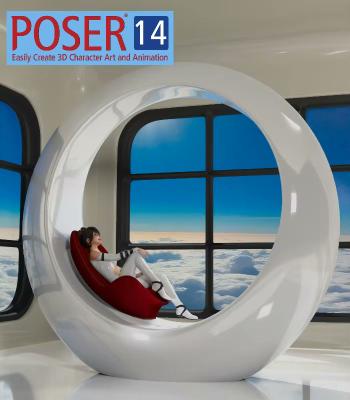
Bondware Poser Pro 14.0.265 | Size: 566.88 MB
Language: English
Poser 14 is the latest release of the world's leading 3D character design and animation software. It provides a powerful set of tools for artists, illustrators, and animators to bring their creative visions to life. Poser 14 comes packed with a host of features and improvements that make it easier to create stunning 3D artwork. It boasts a user interface that provides an intuitive and streamlined workflow, allowing users to focus on their creative process rather than getting bogged down in technical details.
One of the standout features of Poser 14 is the SuperFly rendering engine, which provides unparalleled realism and detail in your final renders. With SuperFly, you can achieve lifelike lighting and shadow effects that make your characters and scenes come to life.
Poser 14 also includes a vast library of pre-built content, including characters, clothing, props, and environments. These assets can be easily customized to fit your specific needs, or you can create your own assets from scratch using the powerful built-in tools.Other features of Poser 14 include enhanced posing and animation tools, advanced rigging options, and support for industry-standard file formats like OBJ, FBX and GLTF/GLB.
Overall, Poser 14 is an essential tool for anyone looking to create high-quality 3D art and animation. With its powerful features and user-friendly interface, it's the perfect choice for artists and animators of all skill levels.
Notable With This Release
- SuperFly render engine upgraded to use latest stable version of Cycles
- Intel One API ARC GPU Card Support
- Material Room: Return of the Simple Material Tab provides an easier, faster way to make Physically Based Materials
- Scene Backgrounds: Consolidated and simplified on the Simple Material Tab and the Display Menu
- GLTF/GLB Figure export
- Removal of the Cloth Room simulation feature
- Windows-only distribution
Material Room Changes
The Simple Materials tab has returned after a long absence. It's role in Poser's workspace has been changed to assist with modern texturing methods. It's designed to simplify setting up Physically Based Render (PBR) materials. The new Simple Materials Tab gives you quick access to setup a Physical Surface with the same texture maps that are typically created with texturing tools like Substance Painter. In most case it's as easy as dragging and dropping texture maps exported from a texture painting app into Poser's Simple Material tab.
Scene Background Changes
Poser's interface for handling scene backgrounds has been extensively redesigned. All of the scattered menu options related to creating and managing the background of your scenes has been consolidated into 2 places, the Material Room's Simple Material Tab and the on the Display Menu. The Simple Background tab provides 4 clear choices for background styles: Simple color, static image, movie and HDRI Environment. This makes setting up a background more concise and faster. The Background Environment (BGEnvironment) also includes a real time preview of High Dynamic Range Image (HDRI) Environments. It's no longer necessary to use a prop for HDRI previews. For most cases it's as simple as selecting the background style and adding the imagery.
Returning Features
- Firefly render engine for compatibility with scenes from previous versions.
- Powerful non-photographic render modes including Cartoon, Comic Book and Sketch Renders.
- Python scripting support
- SuperFly shadow catcher objects and background transparency.
- Material manager allows you to quickly and intuitively copy materials.
- Continued support of LaFemme and L'Homme figures (versions 1 & 2)
- HiveWire3D's Dawn, Dusk feature updated SuperFly materials.
- Control handles provide interactive controls to make posing and animation more intuitive.
- Intuitive Library Search for internal and external content.
- Render layers for Firefly.
- All former Pro options are included in Poser
- 21-day full feature, free trial.
"Poserful" Features
- Unique user interface that makes 3D easier.
- Massive library of included content.
- Experienced and knowledgeable support team.
- Start making art the very first day.
System Requirements
- Windows 10 or later (64-bit OS required).
- 2 GHz Intel Core 2 or newer, Athlon X2 64 or newer (2.5 GHz or faster, 4 core or more recommended).
- 16 GB system RAM
- OpenGL enabled graphics card or chipset required for hardware accelerated preview.
- 24-bit color display, 1440 x 900 minimum resolution. (2k monitor recommended)
- 3 GB free hard disk space (30 GB required to install all included content).
- USB drive (physical USB product only)
- CUDA and Optix enabled device recommended for hardware accelerated final rendering (2 GB RAM minimum, Compute Capability 5.0 minimum).
- Optix-accelerated raytracing requires Nvidia RTX or Turing GPU, or newer.
HOMEPAGE:
Код:
https://www.posersoftware.com
FREE DOWNLOAD LINKS:
Код:
https://rapidgator.net/file/6b180501af1ab544889cc24ce16e0b8a/Bondware_Poser_Pro_14.0.265.rar
Код:
https://nitroflare.com/view/21054CBB669A64B/Bondware_Poser_Pro_14.0.265.rar