All Emperor2011's Software in one thread !! (updated daily)

_078e68b4554f6396ffdf24e8e84c5ee6.jpeg


SmartGit 25.1.128 Multilingual | Size: 140.89 MB
Language: English


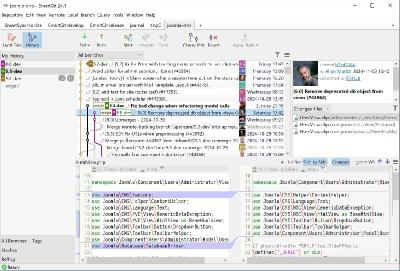
SmartGit is the most popular Git GUI client at slant.co. 100,000+ developers around the world trust in SmartGit. SmartGit supports GitHub, Bitbucket, GitLab and Azure DevOps.

Why prefer SmartGit as Git Client?
One for All.
SmartGit assists Git newbies as well as it makes experienced developers more productive.
SmartGit has the same intuitive user interface on Windows, macOS and Linux:
graphical merge and commit history
drag and drop commit reordering, merging or rebase
fast, even for larger repositories
Use your SmartGit license on as many machines and operating systems you like.

Interacting with popular platforms.
SmartGit comes with special integrations for GitHub, Azure DevOps, BitBucket (as well BitBucket Server) and GitLab to create and resolve Pull Requests and Review Comments.
Of course, you can use SmartGit like any other Git client with your own Git repositories or other hosting providers.

Everything Included.
No need to install and configure additional tools. SmartGit includes all you need:
intuitive File Compare (no plain wrapper around git diff)
powerful File Merge (freely editable "Conflict Solver")
Git-Flow (high-level branch handling)
graphical Merge and Commit History
bundled Git client
SSH-client

Adopt to Your Needs and Workflows.
A perfect Git client should support your workflows. You can customize SmartGit in various ways:
Preferences for Merging, Rebasing
External tools,
External or built-in Compare or Conflict Solver tools,
Syntax coloring,
Keyboard shortcuts,
Layout of certain views,
Toolbars,
Light and dark themes

HOMEPAGE:
Код:
https://www.syntevo.com/smartgit/

FREE DOWNLOAD LINKS:

Код:
https://rapidgator.net/file/ec6c3f02b1f7be4449c4799f9f7fe441/SmartGit_25.1.128_Multilingual.rar

Код:
https://nitroflare.com/view/0D99C3CBB9040C0/SmartGit_25.1.128_Multilingual.rar
 
3fb1d1581aa18de15cc5bc4593a309f7.jpg


Sublime Merge 2 Build 2124 Dev (x64) | Size: 33.06 MB
Language: English


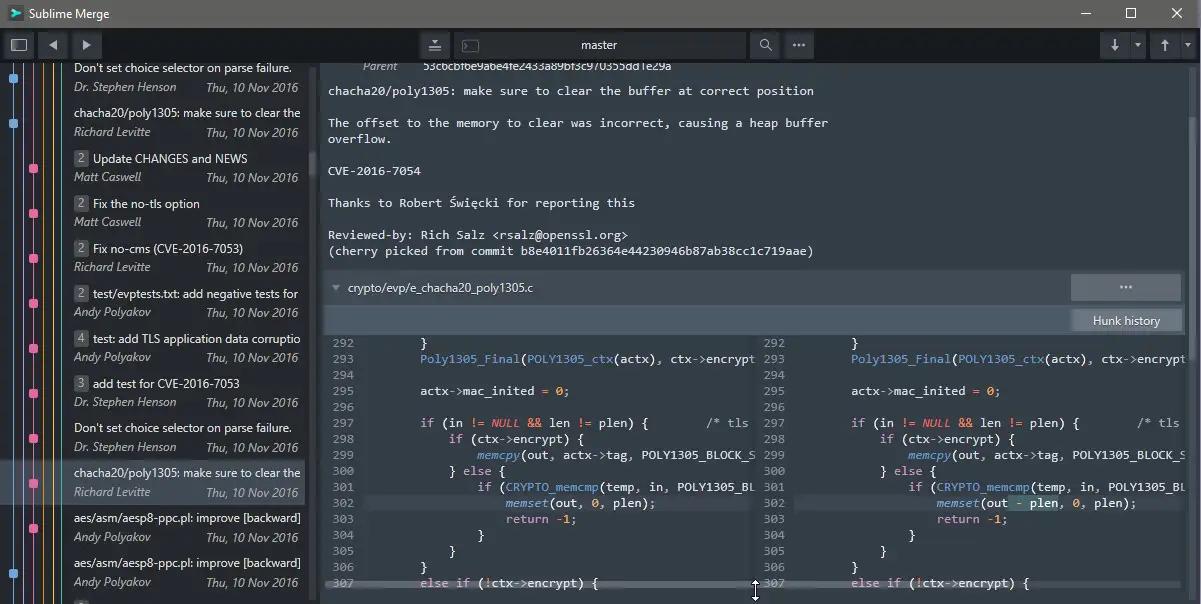
Git Client, done Sublime. Meet a new Git Client, from the makers of Sublime Text. A snappy UI, three-way merge tool, side-by-side diffs, syntax highlighting, and more. Stage Files, Hunks and Lines with no waiting - Sublime Merge is really, really fast.

Integrated Merge Tool
- The Integrated Merge Tool allows you to resolve any merge conflicts directly in Sublime Merge, rather than having to open up your editor of choice.
- Conflicts are presented with a 3-pane view. On the left are your changes and on the right are theirs. In the center pane is the resolved text, with buttons to choose between your changes or theirs. The same text editing functionality as Sublime Text is also available for more complicated merges.
- Clicking on the header in the middle pane will switch between the editable merge results and the base file.

Unmatched Performance
- Sublime Merge is built on the same custom platform as Sublime Text, providing unmatched responsiveness. With a powerful, cross-platform UI toolkit, an unmatched syntax highlighting engine, and a custom high-performance Git reading library, Sublime Merge sets the bar for performance.

Advanced Diffs
- Where it makes sense we will show you exactly which individual characters have been changed for a commit.
- This includes when you rename or move a file, when you're resolving conflicts or just viewing commit history.

Command Palette and Key Bindings
- Keyboard usage is important to us. Use Tab to navigate through parts of the application, Space to toggle expansion, and Enter to stage/unstage hunks. When writing a commit message, use Ctrl+Enter to commit.
- The Command Palette is triggered by Ctrl+P and allows quick access to a large set of Git commands as well as other Sublime Merge functionality.

Extensibility
- Just like Sublime Text, just about everything in Sublime Merge is extensible. Key bindings, menus, theming, and the command palette are all customizable with simple JSON files.

Command Line Integration
- Sublime Merge is designed to work hand in hand with the command line. All changes to the repository are updated live and everything works the same way whether it's triggered from the command line or the UI. Use the terminal where it makes sense and use the GUI where it works best.
- Use the smerge tool that comes with Sublime Merge to interact with it from the command line: open repositories, blame files or search for commits.

Powerful Search
- Use find-as-you-type search to dig up the exact commit you're looking for.

Blame
- Open the Blame of a file through the Command Palette or when viewing a commit to see exactly which lines of the file were added by which commits.
- Easily view the age, author, and commit hash of every line of code and see which lines come from the same commit with our commit color coding. Click a line in the gutter to highlight all other lines from the same commit.
- The blame tool will also detect when a piece of code was moved from another place in your repository, so you can truly follow the history of your code.

File and Hunk History
- From any file or hunk in the history use .File History or the Hunk History button to view the full history of that source code. This will also follow any file moves or renames throughout the repository.

Syntax Highlighting
- Sublime Merge performs full syntax highlighting identically to Sublime Text for every line of code you see.
- We'll even use any extra syntax definitions that we find in your Sublime Text installation for syntax highlighting!

Real Git
- Sublime Merge uses the same terminology as Git, and doesn't make use of any state beyond Git itself. When you're working with Sublime Merge, you're working with Real Git, not a simplified version
- You can also hover over most buttons to see which git command it will run.

Operating System: Windows 7, 8/8.1, 10, 11 (64-bit only)

HOMEPAGE:
Код:
https://www.sublimemerge.com/

FREE DOWNLOAD LINKS:

Код:
https://rapidgator.net/file/c68d4a5fd85ec648eb5435781b07ddf4/Sublime_Merge_2_Build_2124_Dev_x64.rar

Код:
https://nitroflare.com/view/CEF7F7A6D6419AF/Sublime_Merge_2_Build_2124_Dev_x64.rar
 
2993f2979596bbb0af6074538ec04545.jpg


Syncovery Premium 11.14.1.182 (x64) | Size: 68.96 MB
Language: English


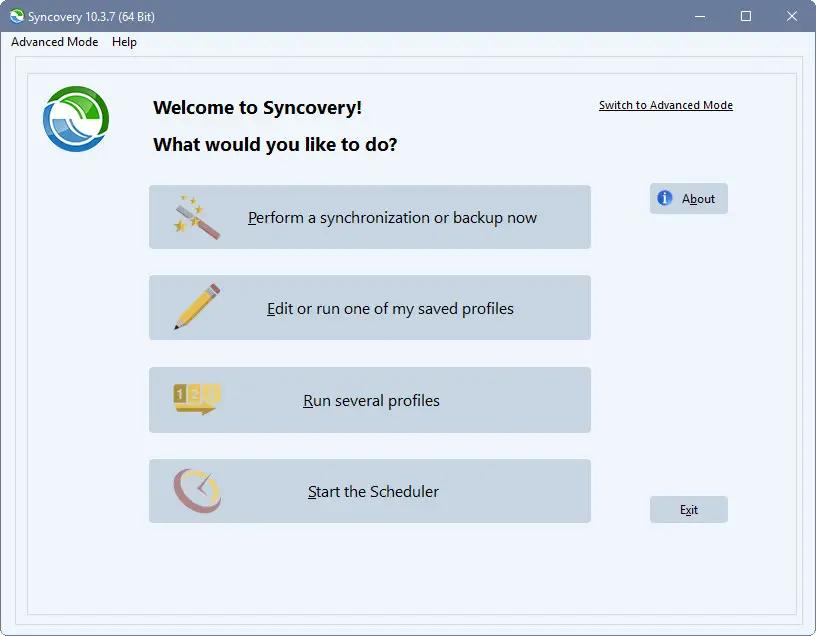
Syncovery is a great application used to back up data and to synchronize PCs, servers, and notebooks. Users can choose the user interface that suits them best: Wizard Mode or Advanced Mode. The settings are stored in multiple profiles, and the software comes with support for FTP and secure FTP servers, SSH, WebDAV, Amazon S3, http, partial file updating, ZIP compression, data encryption, and a scheduler for automated backups. The scheduler can run as a service without users having to log on. On Windows XP or later, locked files can be copied using the Volume Shadow Service.

Extremely Fast Scanning
Syncovery's multi-threaded folder listing algorithm provides an unparalleled speed, and easily handles millions of files and huge numbers of folders. Even more speed can be gained with our Destination File List Cache and Remote Service features.

Block Level Copying
This will help you save bandwidth as well as backup space. Syncovery can detect changed blocks in large files, and copy only these. The detection works by keeping checksums in a database, or with the help of the Syncovery Remote Service, or by using our revolutionary File System Monitoring Service (the File Sytem Monitoring Service is Windows only).

Real-Time Synchronization
Real-Time Synchronization will make sure that changes are synced quickly. Syncovery listens to file system events and quickly performs the appropriate actions. For cloud servers, it can use polling to detect changes. These features are available on Windows and macOS only.

SmartTracking
The SmartTracking sync mode is frequently used in two-way sync jobs. It can detect moved files, deleted files, and conflicts (files changed on both sides).

Versioning
Syncovery allows you to keep multiple versions of modified files, allowing you to restore your files from an earlier date. The restore date can be chosen for individual files or multiple files, in our Restore Wizard.

Server Migration
Syncovery's advanced NTFS copying features, high speed, and scaleability enable you to perform large-scale migrations.

System Requirements:
All versions of Windows since Windows Vista and Windows Server 2008 are fully supported, including Windows 10/11 and Server 2019/22 and all other versions and editions of Windows that have a graphical user interface.

HOMEPAGE:
Код:
https://www.syncovery.com/

FREE DOWNLOAD LINKS:

Код:
https://rapidgator.net/file/03041aa3f6879b8118bb43c2de2bb394/Syncovery_Premium_11.14.1.182_x64.rar

Код:
https://nitroflare.com/view/4A8F35C9921F67C/Syncovery_Premium_11.14.1.182_x64.rar
 
18ac28a494ff8cd5260484ab53539ffa.jpg


TickTick Premium 8.0.4.1 Multilingual | Size: 42.12 MB
Language: English


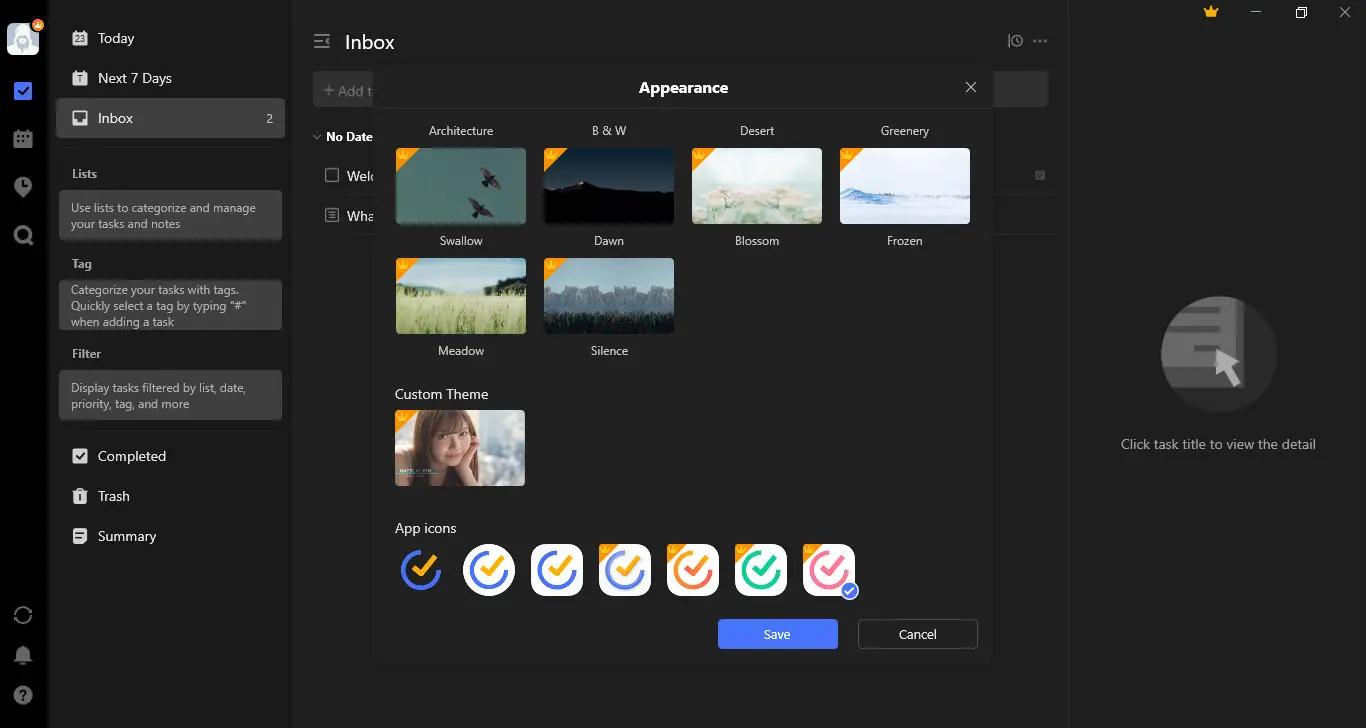
TickTick turns your Windows device into an office platform that is flexible, easy-to-use and highly efficient.

Organize everything
Stay organized and productive with work-related tasks, personal goals, and more.

Add task faster and easier
Use shortcut Ctrl+Shift+A to capture ideas in a second.

Powerful calendar views
View your tasks in a calendar, and manage them simply with draft & drop.

Collaborate with anyone
Share your lists and tasks with anyoncolleagues, friends or family. Stay productive in any kinds of groups.

Stay focused
Stay concentrated with the built-in Pomo Timer, which helps you power through distractions to accomplish more.

Manage tasks from the desktop widget
With the desktop widget on Windows, view and complete tasks have never been this easy.

Operating System: Windows 7, 8/8.1, 10, 11

HOMEPAGE:
Код:
https://ticktick.com/

FREE DOWNLOAD LINKS:

Код:
https://rapidgator.net/file/f76c3d152bdf325acec0795b4f454df5/TickTick_Premium_8.0.4.1_Multilingual.rar

Код:
https://nitroflare.com/view/E74ED10C90BFEA2/TickTick_Premium_8.0.4.1_Multilingual.rar
 
th_Be1KQcbtqoOrY9cS1QHwcEtwBf5dcRwN.png


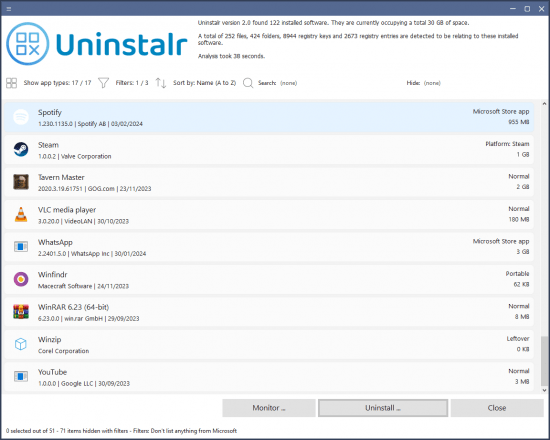
Uninstalr v3.0.0.563 Portable | Size: 7.13 MB
Language: English


Uninstalr is one of the best Windows uninstaller.

Uninstalr is a fast, easy to use and very accurate software uninstaller.

It can uninstall multiple programs at the same time and it supports monitoring of new software installations.

According to the benchmark, Uninstalr is the most accurate software uninstaller by leaving the least amount of leftovers when uninstalling applications.

FREE DOWNLOAD LINKS:

Код:
https://rapidgator.net/file/1b0a32a17567f060a6d26b812315a8d1/Uninstalr_v3.0.0.563_Portable.rar

Код:
https://nitroflare.com/view/97B30B43B414235/Uninstalr_v3.0.0.563_Portable.rar
 
442341f8a6ffd9b9ebb84818372ac255.jpg


Voxengo Premium Plugins 2026.04 | Size: 150.37 MB
Language: English


Voxengo offers you high-quality DAW audio plugins: VST plugins, AAX plugins, AudioUnit/AU plugins, and sample rate converters, for Windows and Mac OS computers.

Our goal is to provide user-happy, robust and efficient solutions for audio and music production, including streaming, mastering, and surround sound. Featuring chameleon GUI tech: more colors in life!

Voxengo professional audio plugins will empower your creativity and help improve the quality of your stereo and surround sound, audio and music production. Voxengo software was purchased by numerous Grammy-winning and Billboard top producers, mixing, and mastering engineers who took part in the production of countless top musical acts.

HOMEPAGE:
Код:
https://www.voxengo.com/

FREE DOWNLOAD LINKS:

Код:
https://rapidgator.net/file/ba1becd8340ee4f72307cf0f572319df/Voxengo_Premium_Plugins_2026.04.rar

Код:
https://nitroflare.com/view/A2D072EE54C9BF3/Voxengo_Premium_Plugins_2026.04.rar
 
_76f327db96858b5731219c1ab607c64a.jpeg


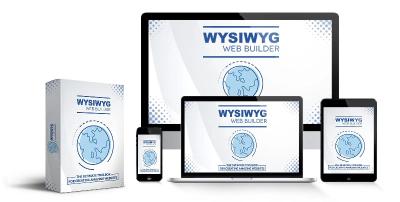
WYSIWYG Web Builder 21.0.3 (x64) | Size: 31.36 MB
Language: English


WYSIWYG Web Builder has a huge set of tools for both beginners and professional designers/developers.

Responsive Web Design
Built-in support for layout grid, flexbox, css grid or fixed layouts with breakpoints

Web Fonts
Easily add Google Fonts and other Web Fonts to your website.

Animations
Add amazing pre made animations and transitions or create your own animations. More than 150 pre-defined animations are included.

Pre-made Blocks
Use pre-made blocks to quickly get started. More than 150 blocks are available!

Forms Tools
Send Emails, Upload Files, Store Data in MySQL or CSV, Auto Responder, Password Protect Pages, Form Validation, Conditons/Calculations

Images & Media
Image filters, shapes, galleries, carousels, lightboxes, rollover animations, YouTube, Vimeo, HTML5 Video/Audio

Icon Libraries
Support for Font Awesome, Material Icons and many other icon libraries

Navigation
Navigation buttons, drop down menus, fullscreen menu, mega menu, panel menu, breadcrumb, pagination and much more!

Extensions
Hundreds of extensions to add extra functionality to the software. Including slideshows, navigation, audio/video, webshops, data viewers etc.

One Click Publishing
No external FTP program needed. No special hosting required, use with any Hosting Service!
Supports Secure FTP, FTPS and standard FTP

Drag and Drop
Visually design your website (What-You-See-Is-What-You-Get). Just drag & drop the objects to your web pages. The HTML code will be automatically generated for you!

SEO Tools
Google compatible sitemap and robots.txt generator. The built-in SEO Assistant helps you to make your web pages more search engine friendly.

Password Protect Pages
Multi-user login tools. Sign Up, Password Recovery, Online User Administrator, User Roles etc..

CMS
Built-in (PHP based) Content Management System to allow you or your customers to manage content online. There is also more basic 'Editable Content' functionality available.

Ecommerce
Integrated support for third party ecommerce solutions like PayPal, Ecwid, Stripe, Snipcart, Paddle, Gumroad, WebMoney and Vibracart Pro.

Operating System: Windows 8.1, 10, 11

HOMEPAGE:
Код:
https://www.wysiwygwebbuilder.com/

FREE DOWNLOAD LINKS:

Код:
https://rapidgator.net/file/249403065604ab1a484108c8e8ca7ee5/WYSIWYG_Web_Builder_21.0.3_x64.rar

Код:
https://nitroflare.com/view/FA36952C3C41E11/WYSIWYG_Web_Builder_21.0.3_x64.rar
 
e5b789c111ee128d1f9c0cda60d25c0e.jpg


WinNc 11.5 Multilingual | Size: 34.82 MB
Language: English


Windows Explorer has stopped meeting the needs of power users a long time ago, and people started looking for alternatives. One of the options is called WinNc and is the modern successor of Norton Commander, a highly popular application from more than 30 years ago.

Dual-panel file manager
The GUI is user-friendly and intuitive and, due to its dual panel approach, you can open two different folders side by side so you can explore their contents and compare them. Multiple tabs are also supported, so you can create as many as you need.
You can even enable WinNc to display an overview of each directory, including the total number of files and sub-folders, and their total size.

Extensive hotkey support
Moreover, you can also perform a wide range of operations with your files and directory, using either the provided buttons, or preferably the associated hotkeys.
This way, you can copy, move, rename, edit, or view your documents, as well as delete or compress them. You can effortlessly create a new sub-folder or examine the attributes of a certain item.

Extra settings for each action
A great thing about WinNc is that each of these operations comes with several additional settings you can configure. For example, you can compress and create a ZIP, TAR or 7Z archive of your selected file(s) using the password you prefer.
You can also convert items to other formats, and depending on the source and target extensions, you can change the audio channel or video quality.
Your documents can also be split or merged, and you also get to easily synchronize two folders.

Conclusion
All in all, WinNc might look like your typical file explorer that only allows you to move files from one location to another. Yet, its packs numerous goodies under the hood, and it is up to you to discover them all.

Compatible with Windows:
WinNc runs on all modern versions of Windows.

HOMEPAGE:
Код:
https://www.winnc.com/

FREE DOWNLOAD LINKS:

Код:
https://rapidgator.net/file/19620acc892583fca9c22b3527f05dc8/WinNc_11.5_Multilingual.rar

Код:
https://nitroflare.com/view/FF3E83FB5546269/WinNc_11.5_Multilingual.rar
 

c6a1e9114ac518b99858243dcd810488.png


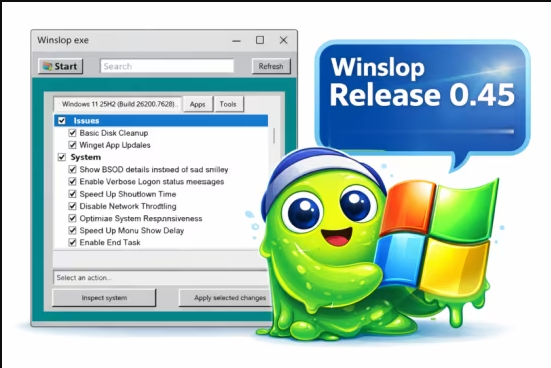
Winslopr 26.04.02 (x64) | Size: 43.22 MB
Language: English


Winslop is an innovative lightweight utility for Windows. This tool is designed to eliminate unnecessary system clutter, often referred to as "slop," that can degrade your operating system's performance and reduce user control.

What is Slop?
The term "slop" refers to low-value system components that are typically pre-installed and contribute little to no meaningful functionality. These elements consume valuable resources and can reduce user efficiency by limiting overall control over the system.
Streamlined Functionality
The core goal of Winslop is to streamline functionality, reduce distractions, and present users with clear, straightforward information. It operates entirely offline, without reliance on cloud services, virtual assistants, or complex algorithms. Everything is local, predictable, and can be easily reversed if needed.
Winslop simplifies routine system maintenance, optimizing performance while systematically removing forced, opaque, and redundant features without compromising the core integrity of the Windows operating system.
Unlike many maintenance tools on the market, Winslop offers a focused, localized fork of the formerly popular CrapFixer, providing you with a clear overview of the changes being made. This transparency empowers you to review alterations before they are finalized and easily revert actions if needed.
Another key CrapFixer difference is Winslop's emphasis on localization, which was not fully realized in the original project. Due to its smaller codebase, Winslop anticipates implementing localization features in the near future. Ultimately, Winslop delivers essential tools without unnecessary additions.
Offline Usage
One of Winslop's standout features is its ability to operate entirely offline, meaning that it does not rely on artificial intelligence, cloud services, or telemetry. This focus on privacy and security makes it an excellent choice for users who value a cleaner and more straightforward Windows experience.

Winslop does precisely what the name suggests
● removes slop
● reduces slop
● makes slop visible
● gives control back to the user
Intiutive Interface
For users seeking a streamlined, user-centric approach to system management, Winslop is the ideal solution. Its intuitive interface and robust capabilities ensure that you can maintain a clean, efficient, and empowering computing environment.
Not Anti AI or Windows...
Winslop represents a serious approach to simplifying software usage. It is not against Windows or AI; instead, it seeks to eliminate unnecessary complexity.
Insight Into What Is Being Changed and More
Winslop provides a comprehensive outline of the specific changes it intends to implement across its processes. Each change requires a manual initiation, ensuring that you have complete control over the actions taken. Additionally, Winslop includes a valuable feature that lets you revert any adjustments if needed. This approach not only enhances transparency but also promotes user confidence in managing modifications effectively.

FREE DOWNLOAD LINKS:

Код:
https://rapidgator.net/file/ed4eb15e84f7c7ff2c2112b5a38e6196/x64_26.04.02.zip

Код:
https://nitroflare.com/view/5DFDAB828CEDF79/x64_26.04.02.zip
 
dd34b759d0095c53c57b7e2f64c2b39c.jpg


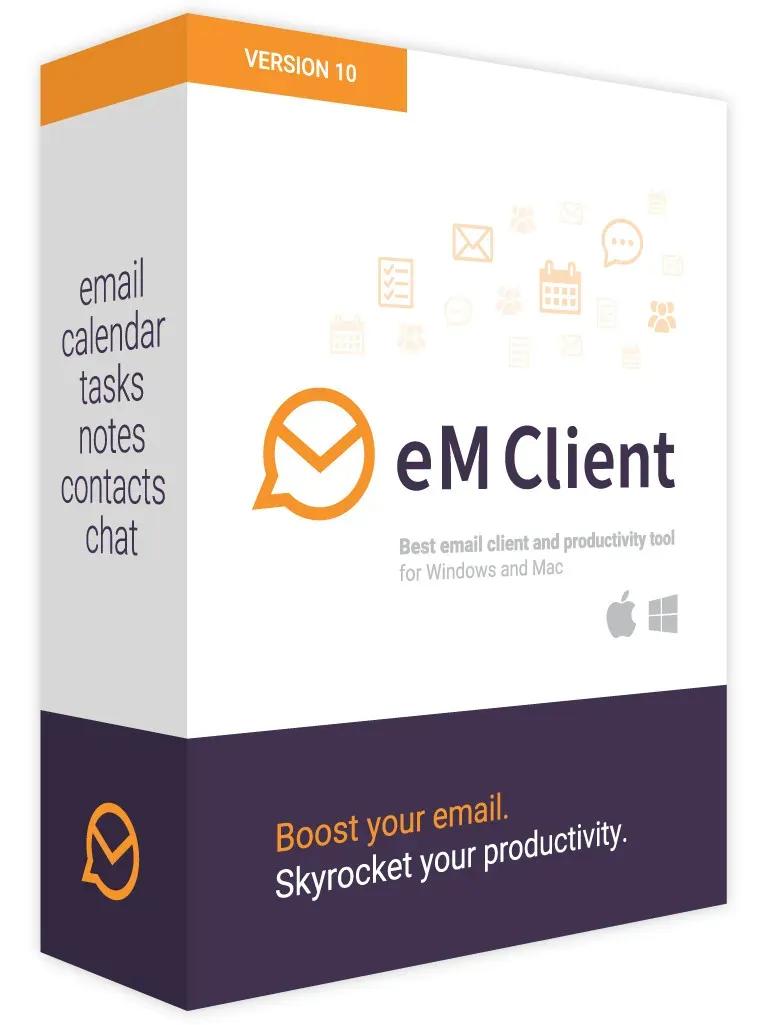
eM Client Pro 10.4.5298 Multilingual | Size: 155.42 MB
Language: English


Boost your email Skyrocket your productivity Get the best email client for Windows. For professionals and home users alike. Break out of your email routine. eM Client enhances your email communication and makes you more productive. See how, in 90 seconds. Master your workflow. Discover unique tools for increased productivity and better email management. Explore outstanding mix of features. eM Client is a productivity tool with features far beyond email.

What is eM Client?
eM Client is a fully-featured email client for Windows and macOS with a clean and easy-to-use interface. eM Client also offers features for calendars, tasks, contacts, notes, and chat.

Explore outstanding mix of features
eM Client is a productivity tool with features far beyond email.

- Email
- Calendar and Tasks
- Contacts
- Notes
- Chat

All-compatible productivity tool
eM Client's compatibility is unmatched. Connect to any email service - it will work.

- eM Client with Google Workspace
- eM Client with Office 365
- eM Client with Outlook
- eM Client with Exchange

Super simple import
eM Client will set up everything automatically for most email services, and quickly import your data from all major email clients. This includes Microsoft Outlook, Outlook Express, Windows Mail, Thunderbird, Incredimail, and more.

Unique Sidebar
Quickly access contextual information that will boost your productivity even more. The sidebar with communication history, attachment history, calendar, agenda, and chat will save you a lot of time.

Make eM Client your own
eM Client is customizable in the most comprehensive way on the market. Adjust eM Client's behaviour to fit your routine and enhance your workspace with beautiful themes, including a Dark theme, or custom themes created by our users. You can also build your own theme with our unique theme editor.

Superfast Search
Quickly find messages or information you are looking for and stay more productive.

Touch Support
Use eM Client on your touch screen devices, now with added swipe gesture support.

Localization
eM Client is currently localized to 20 languages.

Automatic back-up tool
We can automatically back up your data even while the app is running.

Instant translation for all messages
There are no language barriers with our built-in translation tools and spell-checker.

Watch for replies and Snooze function
Never miss important emails, and control your communication flow to enforce Inbox zero policy.

Search within attached documents
Full text search in attached documents such as Word, Excel, PDF etc.

Templates, Signatures and QuickTexts
Customize your emails with Signatures and Templates, and use Quick Texts for faster writing.

System Requirements:
- Windows 7 or higher
- 350 MB of free space for installation
- You will need additional space for data, which can be stored on a different drive if needed! Since eM Client has no limit on the number of emails/data stored in its database the only limitation is the capacity of the hard drive installed in your PC. Shared folders or network drives are not recommended due to potential database conflicts.
- Minimum of 2 GB of RAM and 1.6 GHz CPU

HOMEPAGE:
Код:
http://www.emclient.com/

FREE DOWNLOAD LINKS:

Код:
https://rapidgator.net/file/c57fafb4d29501f633031dfdc38e3117/eM_Client_Pro_10.4.5298_Multilingual.rar

Код:
https://nitroflare.com/view/DD80F9C72075855/eM_Client_Pro_10.4.5298_Multilingual.rar
 
_437ccd17adcfcc2e5bf866c925c27e6b.jpeg


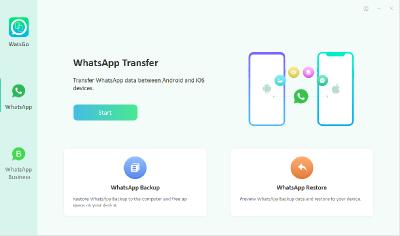
iToolab WatsGo 8.9.2 Multilingual | Size: 227.48 MB
Language: English


WhatsApp Transfer between Android and iPhone. One-click to Transfer WhatsApp/WhatsApp Business between Android and iOS. A wide range of data type including WhatsApp messages, images, videos, contacts, etc. Backup WhatsApp on Android & iOS to computer and fully free up device space. Preview and Restore WhatsApp backup or iTunes backup anytime you want. Back up WhatsApp (Business) data without Google Drive, iTunes or iCloud. Fully compatible with Android 12 and iOS 16.

WhatsApp Transfer/Business Cross Multiple Devices
Whenever you want to upgrade to or switch to a new device, you can enjoy iToolab WatsGo to transfer WhatsApp between Android and iOS like never before. It assures a secure and effective way to move data. So, you will never say Goodbye to your old stuff!

Android to iPhone
If you switch to a new iPhone from an old Android phone, then this helps you to quickly transfer WhatsApp from Android to iPhone with all data kept.

iPhone to Android
No matter what Android brands you are holding, you can always trust WatsGo to transfer WhatsApp from iPhone to Android without limitation.

Android to Android
This gives you an extra way of transferring WhatsApp from Android to Android directly.

iPhone to iPhone
How to transfer WhatsApp from iPhone to iPhone without iCloud?
WatsGo perfectly solves the issue and increases the chance or transerring

Backup WhatsApp to Computer
(Android & iOS)
Google Drive space is not enough?Local Backups take too much space? Don't want to upgrade extra iCloud storage? You can take a full advantage of WatsGo to back up WhatsApp to PC freely.

Apart from that, it enables you to view the backup history list and select any backup to restore to your iPhone or Android. That would be easier when you only want the exact data.

Restore WhatsApp Backup to
Android and iPhone

Restore WatsGo WhatsApp Backup
As you have backed up using iToolab WatsGo, then you can select from the backup history list and pick the backup anytime. This indeed saves your time and enhances efficiency.

Restore iTunes WhatsApp Backup
iToolab WatsGo enables you to view iTunes backup history if you've once backed up using iTunes. You can quickly restore iTunes backup to your target device, including iOS and Android devices.

Operation Systems: Windows 11/10/8/7

HOMEPAGE:
Код:
https://itoolab.com/whatsapp-transfer-backup-restore/

FREE DOWNLOAD LINKS:

Код:
https://rapidgator.net/file/869e1d29def69b7ad5c4d669a655652e/iToolab_WatsGo_8.9.2_Multilingual.rar

Код:
https://nitroflare.com/view/73C5CAAB2D5F466/iToolab_WatsGo_8.9.2_Multilingual.rar
 
7f96a3f20612698df7c23e9fb1ff62e7.jpg


reaConverter Pro 8.0.211 Multilingual | Size: 398.34 MB
Language: English


Easily process full batches of files and folders. reaConverter combines powerful automation with intuitive tools to streamline image conversion and eliminate repetitive editing.

700+ File Formats
reaConverter delivers high-efficiency batch conversion for an extensive range of file formats.

Efficient Conversion
A powerful file conversion toolkit with advanced processing features - giving you precise, granular control over every output.

Image Editing
reaConverter simplifies batch image editing - apply touch-ups, transformations, and effects to unlimited images simultaneously.

Automation
Professional-grade automation features for high-volume file conversion and batch processing.

Development
Integrate reaConverter's functionality into scripts, applications, or websites using its command-line tool or DLL.

HOMEPAGE:
Код:
https://www.reaconverter.com/

FREE DOWNLOAD LINKS:

Код:
https://rapidgator.net/file/9bf11155fcd26eff42474ecf9b236a6f/reaConverter_Pro_8.0.211_Multilingual.rar

Код:
https://nitroflare.com/view/DBC217224923235/reaConverter_Pro_8.0.211_Multilingual.rar
 
wdTM6zcNbSMjZUJeSxUqGWDOBZkx9gSG.png


Android Studio 2025.3.3.6 (x64) | Size: 1.31 GB
Language: English


Mobile devices are now a common companion in daily activities, even in entertainment. Android Studio is an Integrated Development Editor developed by Google for the Android platform, comprising everything that a programmer needs in order to design and test Android applications. Tool for creating, testing, and building

It was inspired by JeBrains's IntelliJ IDEA, a general purpose IDE that encases a state-of-the-art collection of tools for code writing and testing. Android Studio bundles the richness of IntelliJ combined with the capabilities that are required for Android development.
It also embeds the Gradle engine, which automates tasks and allows for a more streamlined workflow, customized builds and an enhanced level of flexibility. Be sure to install Java Runtime Environment to be able to benefit from all it has to offer.
The package that wraps Android Studio includes the IDE, the latest Android SDK tools for testing and debugging, as well as the Android platform for compilation and the Android system image that functions as an emulator.
Visually appealing, customizable interface, and assisted coding
In terms of appearance, Android Studio follows the line of IntelliJ for the most part, sporting tiny differences to the colors used inside the main window. The GUI is interactive, allowing for quick actions and for an elegant manipulation of the code.
Highlights include application signing, a collection of Lint tools that can be used to test version compatibility, a variety of wizards that provide guidance for common Android designs, as well as support for Google Cloud Platform, which allows you to integrate components such as Google Cloud Messaging inside your app.
Also, Android Studio benefits from static code analysis, which allows you to identify bugs more quickly by performing an in-depth examination of your project.
A few last words
All in all, Android Studio comes across as a steady and reliable IDE that embeds Android-specific features, providing developers with a complete and efficient set of tools that can enhance workflows and productivity while minimizing efforts.

FEATURES
• Instant Run
• Intelligent code editor
• Fast and feature-rich emulator
• Robust and flexible build system
• Designed for teams
• Develop for all Android devices
• Code templates and sample apps
• Lintelligence
• C++ and NDK support
• Cloud integration
• Vector Asset Studio
• Translations Editor

FREE DOWNLOAD LINKS:

Код:
https://rapidgator.net/file/595cb663ba58d5d436ae2f0af49e6828/Android_Studio_2025.3.3.6_x64.rar

Код:
https://nitroflare.com/view/19B584EFEE2F14A/Android_Studio_2025.3.3.6_x64.rar
 
c65bfee2bbf376d224d132a7d7dcbb63.jpg


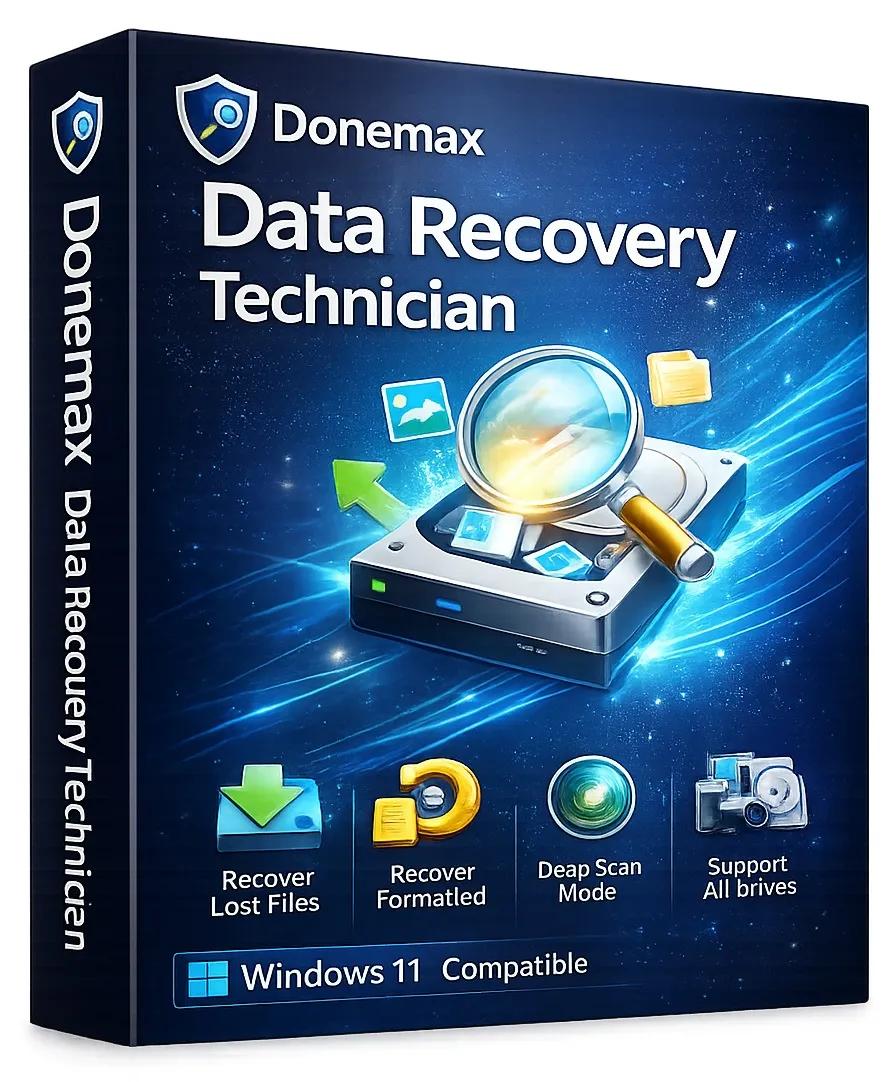
Donemax Data Recovery Technician 2.5 | Size: 52.48 MB
Language: English


Completely recover deleted, formatted or lost data within 3 simple steps. The easy-to-use data recovery software to help you recover deleted, formatted or lost data from HDD, SSD, USB flash drive, memory card, digital camera, RAID, Server, etc.

Meet All Recovery Needs
Easily recover lost data due to deletion, format, partition loss, virus infection, human error, logical error, hard drive crash, etc.

Recover All File Formats
Recover all types of lost files such as photos, videos, audio files, emails, Microsoft files, PDF files, text, and other documents or files.

Recover All Devices
Recover lost data from desktop, laptop, HDD, SSD, memory card, USB flash drive, camera, camcorder, RAID, Server or other storage device.

Find Every Recoverable File
The deep scan technology is able to find every recoverable file on your hard drive or external device.

Recover All Devices
- All desktops and laptops
- HDD
- SSD
- USB flash drive
- Memory card
- Digital camera
- RAID
- Other digital device

Recover All File Types
- Photos and images
- Videos
- Documents
- Audio/Voice files
- Emails
- Archives
- Other files

Operation Systems: Windows 7, Vista, 8, 10, 11 and Windows Server,

HOMEPAGE:
Код:
https://www.donemax.com/

FREE DOWNLOAD LINKS:

Код:
https://rapidgator.net/file/96bbd9624e9ebd821b9bf06e4416c32f/Donemax_Data_Recovery_Technician_2.5.rar

Код:
https://nitroflare.com/view/F577C7C31BAAE9B/Donemax_Data_Recovery_Technician_2.5.rar
 
29a0821830ab03fa61dd118b6741782f.png


Guitar Pro 8.1.5 Build 31 Multilingual | Size: 1020.08 MB
Language: English


Guitar Pro is a software program available on Windows that allows all musicians to read, write and share their tablatures. The world leader in tablature editing, Guitar Pro has been downloaded over 15 million times worldwide since 1997. The software is compatible with many instruments such as guitar, drums, bass, piano, ukulele and many others!You can make tablatures for each instrument, scroll the music score, write your music and use many pedagogical tools such as a chord dictionary or a scale library. Transposition features are also available to easily transcribe your songs from one instrument to another.

Guitar Pro 8 - What's New

Enjoy practicing
Play along your score with an audio file such as a song or a backing track. Relative tempo and detune mode are also compatible with the audio track.

Edit easily
Synchronize your audio file with your score to transcribe songs easily.

Share your knowledge
Insert an audio file containing a recording of your teaching instructions for your music students or your band members.

Focus/Unfocus track
Quickly amplify or attenuate the selected track to create a volume contrast with the other tracks.

Work on your rhythm with the visual metronome
Play with the new visual metronome and countdown displayed over the LCD screen.

Fix the tempo
Ignore tempo changes and automations in the score to easily learn new songs and riffs.

Change the relative speed
Press +/- keys to speed up or slow down the relative speed or fixed tempo of your song during the playback.

Lock the sound of the line-in
You can now lock your preset using the line-in to keep the same sound while changing tracks or even when you close a file.

Adjust the sound precisely
Customize the duration, the offset and the relative velocity of each note of your score.

Mix the drum set
Adjust the sound of the drum set and percussion tracks by setting the volume and pan of each element.

Pre-listen to the soundbanks while playing your tabs
Mouse over the sound presets to get an audio preview while your score is playing.

New design options
Move and adjust the placement of each beat. Align the bars easily with the automatic guideline.

New Stylesheet options
Set the spacing of the chords diagram in the score header, the systems, the staff and the scale diagrams.

Customize the font of the music symbols.
Edit the font and text of numerous score indications like: palm muting, slap, pop, rasgueado, pick scrape and more.

Scale diagrams
Edit and insert scale diagrams in your scores for guitars from 3 to 10 strings and up to 24 frets. Customize the diagrams by changing the shape, color and text of the dots representing the notes, and change the orientation of the diagram on your scores.

Nested tuplets
You can now create tuplets inside tuplets to create complex rhythmic patterns.

Piano fingering
Edit piano fingering and indicate sustain piano pedal.

Increase your productivity
The command palette is like shortcuts on steroids! Get quick and direct access to Guitar Pro's notation options to edit your scores and boost your productivity massively!

Dozens of commands available
Select and easily add chords and directions to your score with the "Expression Text" tool. Quickly go through Guitar Pro main features in the "Action List" and use them to edit your scores.

Filters
Apply 3 filters on the mySongBook song list to sort out the scores by genres, instruments/levels and types.

Audio tracks
Learn songs with our enhanced tab library. Enjoy audio tracks directly in your mySongBook tabs to learn easily and play along with your files.

And many more improvements.

Optimized interface
The contrast and colors of the interface have been adjusted to offer you a better reading comfort.

Apple Silicon optimization
Guitar Pro 8 benefits from an improved efficiency on Mac with Apple Silicon.

Customize your exports
Choose the resolution of your PDF and PNG. Export your scores in PNG with transparent backgrounds.

Enjoy quality soundbanks
The accuracy and dynamics of the soundbanks have been corrected and improved.

Chords transposition
Chords are now transposed with their names and fingerings.

Organize your files
To find the files you are working on more easily, pin them in the recent section of the homepage.

And more!
- Edit quarter tones on tremolo bar
- Show slash notation for drums and standard music notation
- Show cautionary accidentals
- Use decimal tempo
- Diatonic transposition
- Overall improved performance

System Requirements
Windows 8 / 10 / 11 (64 bits)

Supported Languages
The software is available in English, French, German, Italian, Japanese, Korean, Portuguese, Russian, Spanish, Swedish, Traditional and Simplified Chinese.

HOMEPAGE:
Код:
http://www.guitar-pro.com

FREE DOWNLOAD LINKS:

Код:
https://rapidgator.net/file/8458dc603c1f55e5a9d82d1efe733f05/Guitar_Pro_8.1.5_Build_31_Multilingual.rar

Код:
https://nitroflare.com/view/5967975E330E739/Guitar_Pro_8.1.5_Build_31_Multilingual.rar
 
c29531c4eb0ec33efee8d2c491e460b5.jpg


Resolume Arena 7.25.4 rev 3572 (x64) Multilingual | Size: 982.42 MB
Language: English


Resolume Arena Media Server. Arena has everything Avenue has, plus advanced options for projection mapping and blending projectors. Control it from a lighting desk and sync to the DJ via SMPTE timecode.

Live Video Mixing
Resolume puts you in charge. You can play your videos when you want, how you want. Forwards, backwards, scratch and adjust tempo to the beat. Mix and match your visuals quickly and easily and play Resolume like an instrument.

Intuitive Interface
Whatever your style is, Resolume offers you an easy interface to rock it. Use as little or as many videos and effects as you like. The only limit is your computer's raw power and your imagination.

From Your Local Club to Main Stage
You can play on any amount of screens. From a simple screen behind the DJ in your local club to main stage at Ultra. As long as your computer can recognise it as an output, Resolume will let you use it.

Audio Visual Playback
Resolume plays both audio and video files. Animate pixels and drop beats, combine any video file with any audio file.

Audio Visual Effects
Resolume has both audio effects and video effects. Use them separately or combine them to create exciting new audio visual effects.

Audio Analysis
Make clips and effects dance to the beat. Resolume can analyse audio to make any parameter bounce to the music.

Projection Mapping with Arena
Project video on any type of surface. Complex geometrical structures or whole buildings. Resolume does all the hard work, so you can concentrate on the important part: being creative.

Blend Projectors with Arena
With edge blending you can seamlessly project one beautiful widescreen image with two or more projectors. It can even wrap around for a full 360 degree experience.

Project on Cars, Buildings or Pumpkins
With Arena you can take on any size mapping project. From projecting on DJ booths to cars, buildings and LED mappings on giant stages like Ultra.

LED There Be Light
Think outside the screen and colour the lights too! With Arena you can send out colours to DMX fixtures and the lights will be in sync with your visuals.

Live Composite & Effects
Adjust the scale and position of your clips to suit your needs. Apply effects to drastically change the look of your video. Everything runs on the video card so you get the fastest performance and best image quality possible.

Real Time Rendering
Apply effects, blend, mix, cut and edit, everything happens on the spot.

Audio & Visual Plugins
All visual effects in Resolume are plugins and you can easily add more effects by download 3rd party plugins. You can even program your own using OpenGL. On the audio side you can use VST plugins to play your favourite effects.

Integrate With Other Apps
With Syphon on the Mac and Spout on Windows you can share visuals in real-time between Resolume and other apps running on the same computer. You can even program your own apps that integrate with Resolume.

All Hands on Deck
Liberate yourself from the mouse. Use your favourite MIDI controller or get physical with your iPhone via OSC.

Control from a Lighting Desk
You can control Arena from a lighting desk using DMX. So you can operate the lights and video with the touch of a fader.

What's New In Resolume 7?

UNDO
You now have a little guardian angel looking over your shoulder. Made a mistake? Just hit undo and you're back to where you were. Accidentally removed a deck instead of renamed it? Hit CTRL + Z and all your clips are back. Phew! Undo is also a great design tool. Feel free to experiment with the look of your clips, apply effects, change the colors and if you do not like what you see you can always go back with undo.

Color Eye Dropper
Pick a color from anywhere on your screen and apply it in your composition.

Multiple MIDI Devices
What's better than an APC40? Two APC40's! Connecting multiple MIDI devices was always possible but their MIDI signals would get mixed. Resolume can now distinguish MIDI coming from different devices making them work nicely together almost magically.

Improved Random Playback
Random playback was always a bit too . well . random. But you now have a lot more control over random playback. You determine how often it will jump to a new random position and how far it is allowed to jump.

Color Palette Animation
Pink Green Pink Green Pink Green. Pink Green Animate your favorite colors in a color palette.

Autopilot Loops
You can now determine how often a clip should loop before advancing to the next.

MetaBalls, Sine Wave, Spiral
They say it's more sustainable to buy local produce. So we worked together with The Hague based artist Darien Brito to create a few versatile generators so you can create even more visuals right within Resolume.

System Requirements:
- Windows 7 SP 1 or later, 64 bit
- AMD or NVIDIA graphics card with 256MB of VRAM
- 4GB RAM

Recommended Specs:
- Windows 10, 11
- i7 Processor, 2.6 GHz
- NVidia RTX 2070
- SSD
16GB Ram

HOMEPAGE:
Код:
https://resolume.com/

FREE DOWNLOAD LINKS:

Код:
https://rapidgator.net/file/db4e16fe38c64ed3fb4afc3889704424/Resolume_Arena_7.25.4_rev_3572_x64_Multilingual.rar

Код:
https://nitroflare.com/view/4B81AC04AB34FDA/Resolume_Arena_7.25.4_rev_3572_x64_Multilingual.rar
 
bec04e069191924206dbbdd7e0925d1d.png


Tecplot 360ex + Chorus 2025 R2 MR1 (2025.2.1.85234) | Size: 415.68 MB
Language: English


Scientists and Engineers who are looking to cut time in understanding computational fluid dynamic (CFD) results look to Tecplot 360, a visual data analysis tool that improves productivity with integrated XY, 2D and 3D plotting. It's fast, easy to use, memory efficient and produces visually powerful output to help you communicate your results to others.

Tecplot 360 2018 includes extended capability
Design space exploration with Chorus.
Workflow automation with our Python API PyTecplot.
Remote data access with SZL Server.

Analyze Complex Results
Load your data with support for 27 CFD, FEA, structural analysis, and industry-standard data formats.
Unique multi-frame environment with multiple pages for reporting and comparing solutions.
Understand XY, Polar, 2D and 3D plots using unique linking capabilities.
Animate and step through transient solutions with video player-style controls like forward, backward, loop, bounce, and throttle control.
Explore with interactive slicing, iso-surface, and streamtrace tools.
Automatically extract key flow features such as vortex cores, shock surfaces.
Explore Billion Cell Models with SZL Technology

Leverage multi-core desktop systems with multi-threaded capability.
Dramatic performance improvements for large finite-element data
Load times up to 23 times faster.
Peak memory usage reduced up to 93%.
Files sizes compressed up to 70%.
Analyze large finite-element data sets quickly and easily on a typical engineering laptop.
Verify Engineering Designs

Assess your grid quality with 28 grid quality functions including aspect ratios, Y+, skewness, orthogonality, and stretch factors.
Validate computational output with experimental data in by a single plotting environment.
Estimate the order of accuracy of your numerical solutions with Richardson extrapolation analysis.
Interactively explore and sweep through flow field to check that flow features align with the grid.
Compare multiple models simultaneously, including Fluid-structure Interaction (FSI) visualization.
Communicate and Publish Reports

Copy and paste images directly into Microsoft Office applications.
Export professional, presentation-quality vector and raster formats.
Present multiple, time-linked views of your plots with Tecplot 360's unique multi-frame layout workspace.
Optimize animations for PowerPoint and the Web.
Create reports using unique multipage layouts.
Automate Routine Tasks

Instantly apply a plot's style attributes and layouts to a different set of data with layout and style files.
Leverage over 180 macro functions to automate common analysis and plotting tasks.
Create human readable text based macros by recording on screen actions.

HOMEPAGE:
Код:
http://www.tecplot.com

FREE DOWNLOAD LINKS:

Код:
https://rapidgator.net/file/7cbe4f18836b0536462284e26758ad85/Tecplot_360ex___Chorus_2025_R2_MR1_2025.2.1.85234.rar

Код:
https://nitroflare.com/view/1139E3D09E09ABF/Tecplot_360ex_%2B_Chorus_2025_R2_MR1_2025.2.1.85234.rar
 
9ET4Op24ykTIpYsyzbFJQHh3eGR1atDk.jpg


Tecplot Focus 2025 R2 MR1 (2025.2.1.85234) (x64) | Size: 425.34 MB
Language: English


Tecplot Focus enables you to quickly plot your line and surface engineering and test data exactly the way you want. You can analyze and explore complex data sets, arrange multiple XY, 2D and 3D plots, and communicate your results to colleagues with high-quality output.

Analysis
Aeroprobe
Tecplot Focus helps probe manufacturer showcase technology and sell products. Read the full case study.
Create, Alter, IF Conditions and Transform Data: Alter your data or create new data using mathematical expressions. Store mathematical expressions for reuse. Create mirror images of existing data. Create new data as a subset of existing data.
Interpolate Data: Choose from linear, inverse-distance, and kriging interpolation.
Triangulate: Create sets of triangles from data points defined in a 2D plane.
Discrete Fourier Transform (DFT): Transform onedimensional ordered linear data into the frequency domain for visualization and further analysis.

Exploration
Slicing Tool: Interactively slice 3D volume and surface data displaying mesh, contours, and vectors on the slice plane.
Iso-surface Tool: Change iso-surface values interactively.
Probing Tool: Click on the surface to display interpolated variable values and cell indices. Snap selections to nearest grid point.
Streamtrace Tool: Interactively seed rakes of streamlines, streamrods, and streamribbons in 2D and 3D. Specify lines to terminate streamlines. Display markers along streamlines spaced by vector magnitude. Place streamline rakes. Generate surface streamtraces on a no-slip wall based on shear stress vector field. Auto seed a specified number of streamtraces on a selected surface.
Contour Tool: Interactively add and delete contour lines or levels.
Extraction Tools: Interactively define sets of points or polylines to which 2D and 3D surface data is interpolated and extracted for display as a separate plot.
Curve Fits: Use least squares linear, polynomial, power, and exponential curve-fits. Use least squares curve fit of a linear combination of specified functions.
Data Blanking and Clipping: Set multiple constraints (or masks) to blank the display of data based on local field variables, functions of variables, grid indices, or depth from viewing position. Clip surfaces of 3D volume data to reveal internal variations. Omit zones or peel away surfaces to highlight specific details.
Data Extraction: Extract iso-surfaces, slices, subsets, streamtraces, polylines, the surface 3D volume finite-element data, and point sets from 3D data to new data segments (zones) for further plot customization.

Automation
Configuration File and Batch Files: Set new defaults and perform initialization with configuration files and start-up batch files.
Macros: Use macros to perform multiple, repetitive changes.
Layout Files: Return to plots exactly as you created them by saving a layout file recording the frames, plotting attributes, and the data. Apply layout styles to the same data set or diff erent data sets.
Stylesheets: Record all aspects and appearances of a plot frame without the data in a stylesheet. Apply a stylesheet to recreate a previous plot or to apply plot styles to another set of data.

Collaboration
Cross-Platform Capability: Run Tecplot Focus on Windows, Mac, and Linux platforms. Interchange Tecplot Focus macro files, layout files, stylesheets, color map files, and data files between all platforms.
Expanded Data and File Sharing: Compatible with Tecplot Focus 2008 and later. Compatible with Tecplot 360.

Working with Multiple Data Sets
View multiple data sets simultaneously in multiple frames.
Load up to 5 million data points per frame.
Create PowerPoint-like presentations with multiple pages.

Plot Annotation
Text: Place text interactively on plots. Use all your system fonts with TrueType capabilities. Set color, angle, size, font, background color, and justification.
Geometries: Interactively create polylines, rectangular boxes, circles, and ellipses. Duplicate, reposition, and resize geometries. Create and modify geometries (point-by-point) interactively and read from a file.
Images: Import JPEG, BMP, and PNG files into your plot.

Output Formats
Vector-based and Raster Plot Files: Export vector-based files in PostScript, EPS and Windows Metafile formats. Export raster files in PNG, JPEG, BMP and TIFF formats. Configure image resolution independent of screen resolution.
Animations: Export images to Flash (SWF), MPEG-4, WMV, and PowerPoint-compatible AVIs.

Data Input
General Text Loader: Scan ASCII data files for titles, variables and data, set filters, and preview processed data.
Subset Data on Input: Read subsets of variables, data blocks, and data points to accelerate plotting.
Custom Data Reader: Use the Tecplot Add-on Developer's Kit to create data loaders for your proprietary file formats.
Auxiliary Data: Attach supplementary information (name/value pairs) to data sets, frames, or zones.

Line, 2D, 3D, and Polar Plotting
Time and Dates: Display time and date on any axis.
XY Features: Create scatter plots, line plots, bar charts, semi-log plots, log-log plots, error bar plots, splines, curve-fits, and more. Configure tick marks, symbols, legends and more. Work with multiple horizontal and vertical axes.
Mesh layer: Display 1D, 2D, and 3D grids. Color mesh lines by variable, and remove hidden lines.
Contouring: Display contour lines, color fl ood between contour levels, and color fill cells (or elements). Use multiple contour variables to view and analyze interrelationships among several variables simultaneously.
Vectors: Display 2D and 3D vectors on planes, 3D surfaces, and in volumes. Display 3D vector components tangent to 3D surface. Specify length, color, line type, and head style. Color by variable.
Polar Plot Features: Create polar line plots (r, theta). Configure angles in radians, degrees or arbitrary units. Select between linear or logarithmic radius.
Edges: Display the edges of data segments on 2D and 3D surfaces and volumes. Configure color and line type. Draw creases based on user-defined angle.
Lighting Effects: Set the level of translucency, and include specular highlighting on 3D surfaces. Set the lighting model as uniform, paneled, or Gouraud.
Create shade plots.
Combine Plot Layers: Assign combinations of mesh, contours, vectors, scatter, boundary, shade, lighting, and volume attributes to various data segments.

HOMEPAGE:
Код:
http://www.tecplot.com

FREE DOWNLOAD LINKS:

Код:
https://rapidgator.net/file/7cf2a744c2e7d7333263d536c5a55415/Tecplot_Focus_2025_R2_MR1_2025.2.1.85234_x64.rar

Код:
https://nitroflare.com/view/0DF65051D6F4FF8/Tecplot_Focus_2025_R2_MR1_2025.2.1.85234_x64.rar

 
d3e54316861b7cf1923cfe84e2d1fc61.jpg


Valentin Software GeoTSOL 2026 R3 v2026.3.14 (x64) Multilingual | Size: 849.02 MB
Language: English


Are you looking for a user-friendly special tool for the planning and design of heat pump systems? Then our GeoT*SOL program is the perfect project partner for your design work.

You can choose between different heat sources (soil, air and groundwater) and modes of operation (monovalent, monoenergetic and bivalent) for your location. The integration of solar thermal systems and bivalent systems with boiler as heat generators should be emphasized. Requirements, losses and consumption are determined as a result of a dynamic minute simulation. Based on this, electricity consumption, seasonal heat performance factor and costs are calculated taking into account off-periods and tariffs. With these parameters, GeoT*SOL evaluates the economic efficiency of the system. The heat price and return are shown for the heat pump system and a comparison system.

Simulation of the contribution margin of the heat pump and other heat generators
With GeoT*SOL you can simulate the heat pump system to the minute in order to determine annual performance figures (COP) and contribution margins. The systems can have other heat generators such as gas condensing boilers and solar systems. Movovalent, monoenergetic and bivalent modes of operation can be selected for operation.
Determination of the annual performance factor according to VDI 4650

The annual performance factor according to VDI 4650 is an important factor for comparing plants according to their efficiency. It forms the basis for many funding measures and approval procedures.
Databases with heat pumps, collectors, boilers and storage tanks

GeoT*SOL is delivered with an extensive database. This contains more than
-4,000 collectors (flat plate collectors, tube collectors, air collectors)
-5,000 boilers (condensing boilers, wood boilers, pellet boilers, etc.)
-4,000 heat pumps (brine/water, air/water, water/water)
-600 storage tanks (combination and buffer storage, monovalent, bivalent, etc.)

In addition, manufacturers can have additional storage tanks, boilers, collectors and heat pumps added free of charge

Tariffs and blocking periods
Up to three blocking times can be set using the usual rules (intervals and limited duration) in order to be able to precisely depict the supply situation. Furthermore, the electricity price for the heat pump can be divided into high tariff (HT) and low tariff (NT).
Global climate data available

GeoT*SOL provides you with the latest TMY data of the DWD (current state 2017, averaging period 1995-2012) for Germany and more than 8,000 further climate locations for the whole world based on Meteonorm 7.3. You can use the interactive map to conveniently select the climate data. Locations not included are interpolated using satellite data and neighboring ground measuring stations. The import of your own measurement data takes place via files in DWD, Meteonorm or WBV format.
Configurable project report

The content can range from a short report with the annual performance figures to a detailed project report with diagrams and system components.

Profitability analysis
GeoT*SOL calculates the profitability according to the recommendation of the Federal Association of the Solar Industry (BSW) taking into account the funding: comparison of the costs of the heat pump system with a comparison system; capital value and production costs (heat price); modified internal rate of return (MIRR), profit taking into account the reinvestment.

HOMEPAGE:
Код:
https://valentin-software.com/en/products/geotsol/

FREE DOWNLOAD LINKS:

Код:
https://rapidgator.net/file/983d6a8e0c7619be5e4269a2e1fbd564/Valentin_Software_GeoTSOL_2026_R3_v2026.3.14_x64_Multilingual.rar

Код:
https://nitroflare.com/view/7597B3E5C5D75BF/Valentin_Software_GeoTSOL_2026_R3_v2026.3.14_x64_Multilingual.rar
 
f7ddc1c265e59f36c0324ff453a48edf.jpg


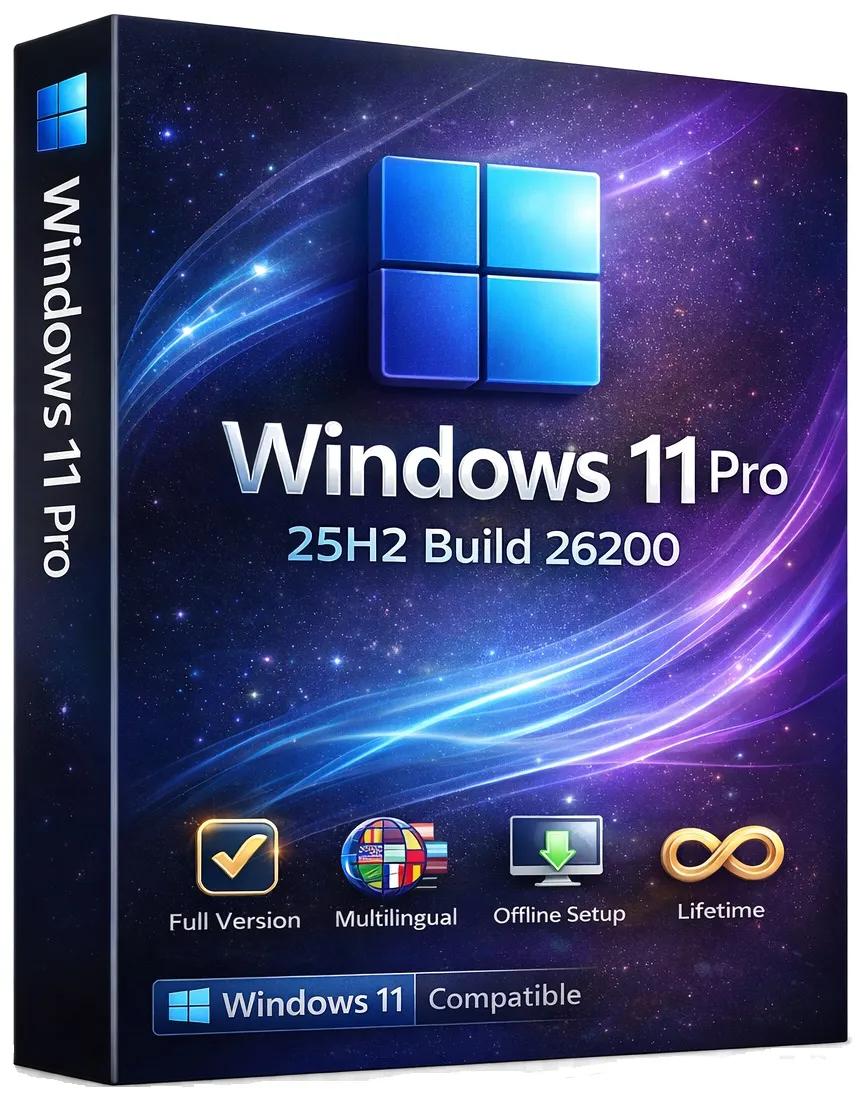
Windows 11 Pro 25H2 Build 26200.8117 (No TPM Required) Preactivated Multilingual | Size: 6.59 GB

Languages: Arabic,English,German,Greek,French,Spanish,Italian,Portuguese-Portuguese,Portuguese-Brazil,Turkish,Dutch,Czech,Norwegian


Windows 11, version 25H2 is an enablement update that builds on the features of 24H2 by enabling new, "continuous innovation" features, rather than introducing entirely new features itself. Key updates include a Braille Viewer for the Narrator, improvements to Click-to-Do (including a new "Convert to Table" feature), support for plug-in credential managers for passkeys, and enhancements to the mobile device companion experience. Microsoft is also implementing IT admin-focused features like the ability to remove pre-installed Store apps and a new Quick Machine Recovery system to reduce downtime.

For Users

Accessibility
The Narrator now includes a Braille Viewer, allowing users to see the braille equivalent of on-screen text on a refreshable braille display.

Passkeys
Users can now utilize plug-in credential managers for setting up and using passkeys, offering improved security and management.

Time & Language
Ported settings from the Control Panel to the Settings app, including configuring additional clocks and changing the NTP time server.

Mobile Experience
The mobile device companion has a new, more accessible layout to view calls, messages, photos, and more from your phone.

Click-to-Do
New AI features for Click-to-Do are included, such as a new "Convert to Table" capability for converting text to an Excel table and more flexible selection methods.

For IT Administrators
Quick Machine Recovery
This new feature in the recovery system aims to reduce downtime and simplifies the process for recovering a system, according to PCMag.

Removable Apps
IT admins can now remove certain pre-installed Microsoft Store apps via Group Policy or MDM CSP on Enterprise/EDU devices.

Feature Removals
25H2 removes older components like PowerShell 2.0 and WMIC for greater security and efficiency.

System Requirements
Processor: 2 gigahertz (GHz) or faster.
RAM: 2 gigabyte (GB).
Free space on hard disk: 40 gigabytes (GB).
Graphics card: DirectX 9 graphics device or a newer version.
Additional requirements to use certain features.
To use touch you need a tablet or monitor that supports multitouch.
To access the Windows store to download and run apps, you need an active Internet connection and a screen resolution of at least 1024 x 768 pixels

HOMEPAGE:
Код:
https://microsoft.com

FREE DOWNLOAD LINKS:

Код:
https://rapidgator.net/file/d7f9bee60d89db3ddd470a0b3649830f/Win.11.Pro.26200.8117..part1.rar
https://rapidgator.net/file/88befa40b94344f84c530c6328910969/Win.11.Pro.26200.8117..part2.rar
https://rapidgator.net/file/cf3fadc6ebb730c00804aa257fec1c65/Win.11.Pro.26200.8117..part3.rar
https://rapidgator.net/file/bf1326e612d771dda62c2b917e68f846/Win.11.Pro.26200.8117..part4.rar
https://rapidgator.net/file/842a19038e238b1712d756cf82a5d509/Win.11.Pro.26200.8117..part5.rar
https://rapidgator.net/file/b5d6c27b95ce2c8df39a7584ccce797d/Win.11.Pro.26200.8117..part6.rar
https://rapidgator.net/file/b144f436929ab39d6e46ddfb686db9f8/Win.11.Pro.26200.8117..part7.rar

Код:
https://nitroflare.com/view/76EECBB0FF3873B/Win.11.Pro.26200.8117..part1.rar
https://nitroflare.com/view/D9E52E6A42A83D6/Win.11.Pro.26200.8117..part2.rar
https://nitroflare.com/view/3A5AFECCEE8A80D/Win.11.Pro.26200.8117..part3.rar
https://nitroflare.com/view/66B6B52032F7435/Win.11.Pro.26200.8117..part4.rar
https://nitroflare.com/view/9EC3064B021FB5C/Win.11.Pro.26200.8117..part5.rar
https://nitroflare.com/view/86D6A6DE0F3812C/Win.11.Pro.26200.8117..part6.rar
https://nitroflare.com/view/D2DB5E76F69D6A8/Win.11.Pro.26200.8117..part7.rar
 
Назад
Сверху Снизу