All Emperor2011's Software in one thread !! (updated daily)

c654200c5b58a0197f9b232ec435d5f0.jpg


Boris FX Mocha Pro 2026.0.4 (x64) | Size: 4.74 GB
Language: English


Award-winning Tracking and Masking. Mocha Pro is a world-renowned software and plugin for planar motion tracking, 3D tracking, rotoscoping, object removal, image stabilization, and PowerMesh organic warp tracking.

Why Mocha Pro?
Unparalleled planar tracking technology
Robust rotoscoping tools
Advanced object removal capabilities
Innovative PowerMesh feature for dynamic mesh tracking
3D camera solves powered by SynthEyes
Image & camera stabilization
Optimized for 360/VR workflows
Work as a plugin in your favorite host or as a standalone application

HOMEPAGE:
Код:
https://borisfx.com/

FREE DOWNLOAD LINKS:

Код:
https://rapidgator.net/file/cfd7da48ed14456838aa6aaf16345d72/Boris.FX.Mocha.Pro.Standalone.v2026.0.4-R2R..rar
https://rapidgator.net/file/e97daf3566be3e093a964b47a569bb50/BorisFX.Mocha.Pro.2026.0.4.AVX..rar
https://rapidgator.net/file/caa77c4a84ff0772a790e34936a0bada/BorisFX.Mocha.Pro.2026.0.4.OFX..rar
https://rapidgator.net/file/f3a2520876402da9bc0acc7c1482f763/BorisFX.Mocha.Pro.AE.2026.0.4..rar

Код:
https://nitroflare.com/view/EB44AC35EEF9D28/Boris.FX.Mocha.Pro.Standalone.v2026.0.4-R2R..rar
https://nitroflare.com/view/AF5206682030332/BorisFX.Mocha.Pro.2026.0.4.AVX..rar
https://nitroflare.com/view/BF9FD2B353400DB/BorisFX.Mocha.Pro.2026.0.4.OFX..rar
https://nitroflare.com/view/0B774222DB616D3/BorisFX.Mocha.Pro.AE.2026.0.4..rar
 
7baf3ce03d2876dbdda26453346e7d33.png


Boris FX Particle Illusion Emitter Libraries v2026.0.1 | Size: 189.28 MB
Team R2R | 2026.05.03 | Language: English


Emitter libraries for Particle Illusion Pro.
Fast and Easy 3D Particle Application
Instant Particle Magic
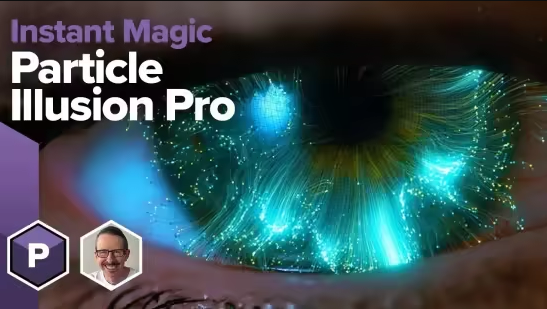
Particle Illusion Pro is a powerful particle generator that gives users instant access to 3D particles. Quickly create photorealistic particle effects to use for motion graphics, visual effects, titles, and lower thirds. Available as a fully functional standalone application and as a plugin part of the Continuum suite of effects.

Bring your animations to life with Particle Illusion

Fluid Dynamics
Fluid Dynamics allows you to transform any existing emitter into a complex animation that flows and swirls, just like in the real world, or to create your own custom animation. It includes more than 20 new presets designed by professionals.

Work in 3D
Work with emitters, forces, and deflectors in 3D, using the integrated camera to navigate through generated particle fields. Utilize position, pan, and orbit camera modes for navigation. Includes depth of field and motion blur features.

Forces and Deflectors
Force objects enable the addition of force fields to create complex, realistic particle movements, ranging from chaotic swirls to controlled flows, and even fluid dynamics. Deflector objects simplify the simulation of particles interacting with logos or other graphics, enabling them to bounce or interact seamlessly.

Lines and Turbulence
Connect your particles together with lines! Join particles to parent emitters, their birth positions, or even to other particles to create fresh, new geometric mograph looks. Turbulence varies the position and size of particles through auto-evolving, organic noise fields. Think of subtle wave-like motion, wild particle scatters, or anything in between.

Easy Preset-Driven Workflow
Particle Illusion comes with thousands of preset emitters (via a separate, free installer). An integrated search makes it easy to zero in on the effect you're looking for, and the live preview lets you click and drag to see how it will move. Use as-is or adjust the position, shape, life, number, size, etc., by scrubbing values in the control panel. You can also create new presets by saving any adjusted emitter back into your custom emitter library.

Node-based Navigation
Particle Illusion lets you create extremely complex effects, but the Node View makes it easier than ever to work with and customize them. Simply select an emitter or particle node to see the corresponding parameters displayed in the Controls View.

Whats new in this version
Official site does not provide any info about changes in this version.

System Requirements
Windows 10 & 11

FREE DOWNLOAD LINKS:

Код:
https://rapidgator.net/file/4840d940c7fd5e5408ba10128f28953f/Boris_FX_Particle_Illusion_Emitter_Libraries_v2026.0.1.rar

Код:
https://nitroflare.com/view/52C93E71306CD5C/Boris_FX_Particle_Illusion_Emitter_Libraries_v2026.0.1.rar
 
daaafa619f8adeec5fd36cae656b1ce6.png


Boris FX Particle Illusion Pro 2026.0.1 | Size: 214.07 MB
Language: English


Particle Illusion Pro is a powerful particle generator that gives users instant access to 3D particles. Quickly create photorealistic particle effects to use for motion graphics, visual effects, titles, and lower thirds. Available as a fully functional standalone application and as a plugin part of the Continuum suite of effects.

Particle Illusion Pro
New Background Layer Import

New
Particle Trails and Particle Lines Enhancements
New "lines" option adds trails, fading, and thickness variation to particle simulations.
Deflector and Force Improvements
3D Deflectors with rotation/depth, improved reliability, and Forces with "Direction Turbulence" for organic particle motion.
3D Models as Emitters
Import C4D/OBJ files as emitters with options like model wireframe drawing, including models and presets for innovative looks and streamlined object manipulation on stage.
Updated Gradient Editor and Gradient Presets
Enhanced gradient editor with flip, space actions, undo/redo, random generator, plus new color and alpha presets for fun particle workflows.
Easier to Use
New and easy workflow groups Controls View parameters into labeled sections, with "de-emphasis" dimming irrelevant ones for focused workflow.
3D Widgets
3D widgets now simplify interaction with emitters and objects in 3D environments.

HOMEPAGE:
Код:
https://borisfx.com/products/particle-illusion/

FREE DOWNLOAD LINKS:

Код:
https://rapidgator.net/file/f9ab955eda9fd6053db9e23a395c7a5e/Boris_FX_Particle_Illusion_Pro_2026.0.1.rar

Код:
https://nitroflare.com/view/49208C4537E95B1/Boris_FX_Particle_Illusion_Pro_2026.0.1.rar
 
1745aacf5a90e30a8650b4de559ddbd3.jpg


Karaosoft Karma 2026.5.2 | Size: 31.33 MB
Language: English


Manage your karaoke shows with ease. Clickless search, drag-n-drop functionality, and many other unique features designed to bring you the most simplified management of your karaoke shows. Karma is the culmination of years of research into every known method of running karaoke shows on the PC, to produce a product that is both robust yet simple to use and time saving. Karma eliminates many time wasting tasks to free you up for more enjoyable things like interacting with the crowd or even taking a break!

Features:
- Paperless slips - Let your singers use SingNext.com to send paperless slips right from their phones, without having to leave their seat.
- Triple display support - Optional triple display mode with 3 separate video outputs for KJ, singer, and crowd. Automatically shows lyrics to singer display while showing the crowd a different view with customizable information and displays during performances. For music videos, video automatically switches to crowd display when no singer is assigned.
- Private Messaging - Send private messages to singer screen (like "back off the mic" without embarrassing the singer), or vice versa with the crowd display.
- Superior Audio/Video Quality - Utilizes Karaosoft's custom hybrid audio/video engine for flawless sound and key changes without low end distortion. Post decoding video throughput for the smoothest video playback and synchronization on any hardware!
- Simplified Song Search - No need to take the time to drag your mouse to the search box. Just start typing!
- Drag and Drop songs and singers with ease. Change a singer's position in rotation by a simple drag and drop (mouse or touch), and watch the playlist order automatically change to suite the new rotation order!
- Touch screen scrolling with inertia
- Automatic Playlist sorting on any song add or rotation change. Any queued DJ music automatically stays in place while songs assigned to singers are automatically sorted around them.
- Auto-Play / Auto-Pitch - Set pitch ahead of time for individual songs to automatically be set when the song is played. Set DJ music to Autoplay one after another with automatic crossfade so you can take a break without worry.
- Panel Layout insures no window will ever overlap another during your show and all show related controls are always onscreen. Panels can be arranged in one of 64 different layouts, and then personally sized to fit your custom screen needs.
- On-The-Fly Lyrics timing - Ever have the lyrics ahead or behind the music? AV synch control can be changed on the fly.
- Version Changer - Singer didn't want to sing that version? Click the "Now Playing" bar and view all of the available versions for a quick change.
- Automatic Crossfader, Multiplex routing, and more!

System Requirements:
- Windows 11, 10, or Windows 8.1
- 2 Ghz or faster processor
- 4 GB RAM
- 1280 minimum resolution width for primary display

HOMEPAGE:
Код:
http://www.karaosoft.com/

FREE DOWNLOAD LINKS:

Код:
https://rapidgator.net/file/3eba95e52f722abefa9fac589c2d298c/Karaosoft_Karma_2026.5.2.rar

Код:
https://nitroflare.com/view/6F40F7855BD3A24/Karaosoft_Karma_2026.5.2.rar
 
_01f5c2c116ef51f9c8cf42159e07670a.jpeg


TechSmith Snagit 26.2.1.10855 (x64) Multilingual | Size: 409.08 MB
Language: English


Screen capture loved by over 40 million people. Snagit is the ultimate screen capture and recording software for anyone who wants to look good, work smarter, and communicate clearly.

Easy to use, but full of advanced features
Don't let clumsy built-in tools hold you back. Snagit's comprehensive feature set makes it the top screen capture software for professionals.

Scrolling capture
Quickly capture images of anything and everything on your computer screen, even scrolling areas.

Simplify UI
Transform screenshots into simplified user interface (SUI) graphics in a single click.

Library
Say goodbye to the chaos and let Snagit keep your content effortlessly organized and synced across devices.
Filter and sort by date, file type, and application
Sync to Google Drive, OneDrive, and more
Tag images and videos

Smart move
Snagit automatically recognizes elements in your screenshot, granting you the magical ability to rearrange or remove UI elements.

Text recognition
Magically edit the text within an image, screenshot, or scanned document. You can even adjust the font, text size, and color.

Capture anything, exactly how you want it
This is the capture window where you can effortlessly customize and save your capture settings.

Image capture
Capture your full screen, a specific region, fixed image size, or scrolling area.

Video recording
Record video of all or part of your screen, plus your camera.

Audio recording
Record microphone and system audio.

Custom presets
Create custom presets and keyboard shortcuts for your go-to captures.

Unleash your creativity with the ultimate built-in editor
Effortlessly transform your captures into polished, professional-quality images with easy-to-use templates and mark-up tools.

System Requirements:
Microsoft Windows 11, Windows 10, Windows Server 2016, or Windows 2019
Windows N requires the Media Foundation Pack
.NET 4.7.2 or later
WebView2 Runtime (included with.exe)
64-bit 2.4 GHz single core processor (minimum)
4 GB of RAM
1.5 GB of hard-disk space for program installation

HOMEPAGE:
Код:
https://techsmith.com/

FREE DOWNLOAD LINKS:

Код:
https://rapidgator.net/file/9b11bbb1c788336e35d78d1f6318d081/TechSmith_Snagit_26.2.1.10855_x64_Multilingual.rar

Код:
https://nitroflare.com/view/7836166ADFCFAF1/TechSmith_Snagit_26.2.1.10855_x64_Multilingual.rar
 
Назад
Сверху Снизу