All Emperor2011's Software in one thread !! (updated daily)

796a2a16cd495e01eefb1d183571478e.jpg


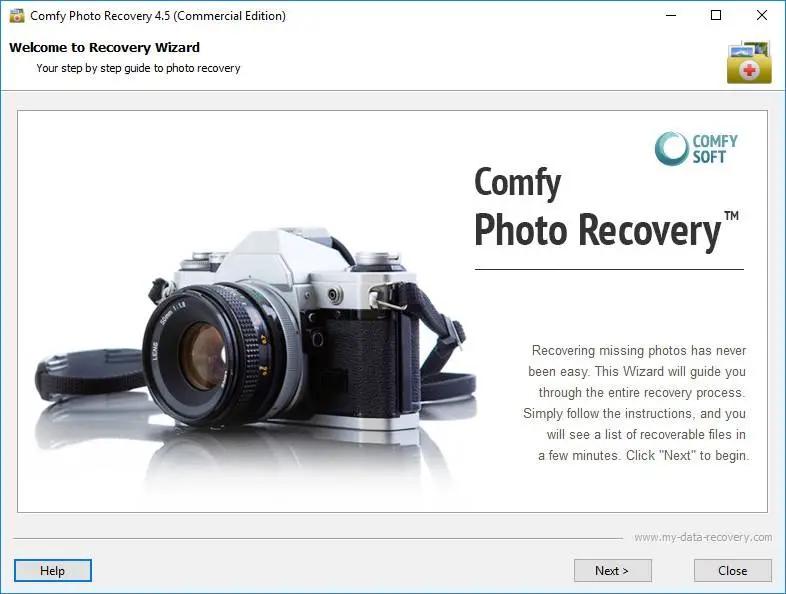
Comfy Photo Recovery 7.2 Multilingual | Size: 66.35 MB
Language: English

Recover digital images using the Comfy Photo Recovery program. The program recovers not only accidentally deleted photo files, but also images that were lost after formatting the hard drive, memory cards, or USB flash drive. The program's "Search for partitions" function lets you find and continue recovering digital images from the partition that was deleted.

Comfy Photo Recovery is extremely simple to use, with an interface that was developed in the form of a step-by-step wizard that offers to fill in the parameters required for recovery. The program leads the user through the process of searching, recovering, and saving deleted photos. The only thing that will give you more pleasure than working with the program is the result of the photo recovery!

While working, Comfy Photo Recovery only reads the drive data. The program does not save anything to the drive and does not zap your deleted files. The utility lets you create a virtual copy of the logical partition or physical information carrier to restore the information later. This function significantly decreases the chance of harming the data that is on the corrupted ("hit") drive.

The program's capabilities
Recovers digital images in the following formats: jpe, jpeg, jpg, bmp, psd, gif, ico, psp, wmf, png, tif, tiff.

Recovers digital photos, including RAW files of professional cameras in the following formats: 032, 3fr, arw, bay, bmq, cr2, crw, cs1, dc2, dcr, dng, erf, fff, k25, kdc, mef, mos, mrw, nef, orf, pef, pxn, qtk, raf, raw, rdc, sr2, srf, x3f.

Recovers images that were deleted from memory cards (Smart Media, Compact Flash, Memory Stick, Sd, Xd) of cameras, mobile phones, smartphones, and tablets. Recovers photos that were deleted from hard and removable drives, USB flash drives (Sony, Datatraveler, Kingston, Kingmax, Sandisk, Silicon, Transcend), and internal camera memory of the following brands: Nikon, Canon, Olympus, Casio, Kodak, Sony, Pentax, Panasonic.

Recovers photo files that were lost after quick and total formatting or total deletion of a logical drive. Displays pictures that were found for recovery in the form of small images ("preview") and also lets you filter and sort the list of found files by date, size, and resolution.

The program lets you do the following with the recovered files:
Save them to any logical partition that is connected to the your system;
Record them to CD or DVD or create an ISO copy of the recovered data;
Save them to a remote server using an FTP protocol.

Operating System: Windows XP, Vista, 7, 8/8.1, 10

HOMEPAGE:
Код:
http://www.my-data-recovery.com/

FREE DOWNLOAD LINKS:

Код:
https://rapidgator.net/file/59a7c91b8c7d1235b2a27a032a31cec7/Comfy_Photo_Recovery_7.2_Multilingual.rar

Код:
https://nitroflare.com/view/F15155F9BE411A4/Comfy_Photo_Recovery_7.2_Multilingual.rar
 
e0e8ca47e3bad9645e4cab9ef6d67a0a.jpg


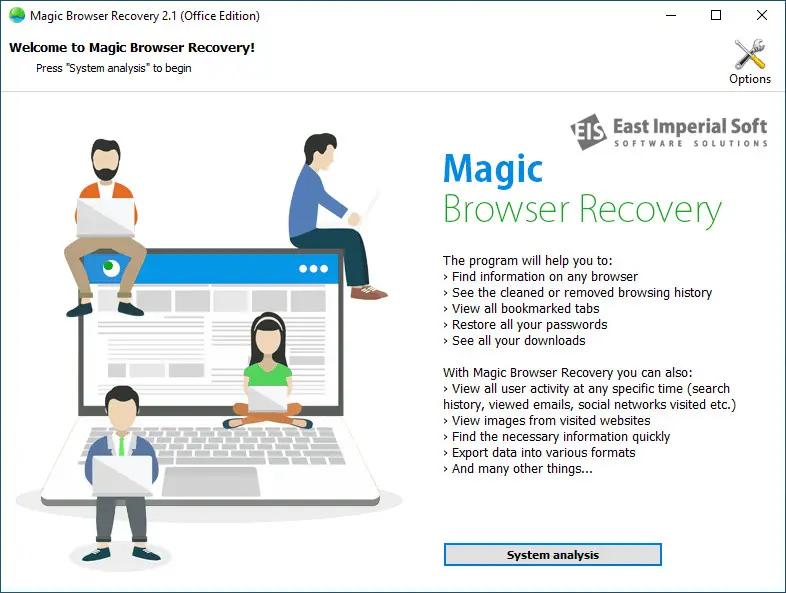
East Imperial Magic Browser Recovery 4.3 Multilingual | Size: 35.84 MB
Language: English

Discover Web browsing histories in all major Web browsers! Magic Browser Recovery finds and recovers deleted browsing history records, and helps analysing user's Internet activities by providing access to existing and cleared browsing histories.

Features and Benefits:

Browsing history recovery
Recover cleared browsing history;
Access history records even if the browser database has been physically deleted;
Analyzes the entire hard drive, including the file system, allocated and unallocated data blocks;
Content-aware analysis discovers browser-related records even in corrupted and incomplete files.

Online activity analysis
Extract user's logins and passwords;
Discover social network activities, accounts and credentials;
Access user's search and browsing history - even in Incognito mode;
Perform comprehensive analysis of user's online activities in multiple Web browsers.

Access to Cleared Browser Histories
No matter if you cleared Web browser history, deleted a user account or uninstalled the Web browser, Magic Browser Recovery will help you recover the records. The tool will scan the entire hard drive via low-level access, discovering and displaying all supported Web browsers that you have ever used on your computer, and recovering their browsing histories - even if they are no longer available.

Recovers Deleted Files
More often than not, it's not just a browsing history database that is cleared - it's the whole bunch of files being physically deleted. If this is the case, no other tool can help but Magic Browser Recovery!
Magic Browser Recovery scans the entire hard drive including the file system, allocated and unallocated data blocks in order to discover deleted browsing history databases. Once a Web browser database is detected, Magic Browser Recovery automatically recovers (undeletes) the file, analyzes the database, extracts browsing history records and displays them so that they are easy to view.

Recover Private and
Incognito Browser Sessions
Unlike similar tools that extract information from Web browsers based on existing files found in the file system, Magic Browser Recovery analyses information from individual data blocks on the hard drive. This allows our tool to find and recover deleted files, and extract valuable data from broken, incomplete and even partially overwritten browser databases.

As a result, you'll be able to see which Web sites were visited even if the user cleaned their browser history or used the Incognito mode.

More than Just History
Magic Browser Recovery can recover more than just Web browsing history. Bookmarks, saved forms, addresses, phone numbers, logins and passwords are automatically extracted and displayed. By accessing the user's logins and passwords, you might be able to review their communications in social networks, their activities in chats, forums and online games.

Online Activity Analysis
With Magic Browser Recovery, you can conveniently analyze the user's online activities. The tool reconstructs, categorizes and filters online activities in social networks, Web sites and search engines based on the user's browsing history records.

You'll be able to discover which sites and individual Web pages the user accessed during a given period of time, how much time they've spent, what Web searches they ran, and so on. You'll be able to discover the number of times a certain page has been opened, which resource they came from, and when was the first time the user opened a certain page or Web site.

Powerful filters are available in instantly discover Web sites that belong to certain categories. For example, firing up the "gambling" filter will discover all gambling-related Web pages opened by the user.

Operating System: Windows XP, Vista, 7, 8/8.1, 10

HOMEPAGE:
Код:
https://www.magicuneraser.com/

FREE DOWNLOAD LINKS:

Код:
https://rapidgator.net/file/685f533faeec61f72a615fd05b7df787/East_Imperial_Magic_Browser_Recovery_4.3_Multilingual.rar

Код:
https://nitroflare.com/view/CB231C38EB0C98D/East_Imperial_Magic_Browser_Recovery_4.3_Multilingual.rar
 
23762dc38ee425e7b9efd89a93496d19.jpg


East Imperial Magic Data Recovery Pack 5.2 Multilingual | Size: 145.8 MB
Language: English

Magic Data Recovery Pack offers quick, easy and powerful data recovery capabilities in a convenient package. Offering the ability to recover data from healthy, damaged, corrupted and repartitioned disks, deleted and formatted partitions, crashed and inaccessible hard drives, Magic Data Recovery Pack helps recovering documents, compressed archives, and many other types of data in just a few clicks. The included photo recovery tool allows recovering digital pictures directly from the memory of most digital cameras.

Data Recovery Made Easy
Magic Data Recovery Pack offers quick and easy data recovery by offering an Explorer-like file browser and convenient step-by-step operation. The data recovery suite will guide you through the recovery of lost and deleted files from healthy, damaged, formatted or inaccessible disks and memory cards. No data recovery task is too simple or too complex for Magic Data Recovery Pack. The data recovery software can undelete files removed from the Recycle Bin or deleted bypassing the Recycle Bin, recover data from damaged disks, or extract pictures from any type of storage media including the memory of most digital cameras.

Picture Recovery Software
Magic Data Recovery Pack includes a Magic Photo Recovery, a special tool designed to recover digital pictures. The photo recovery tool undeletes digital pictures and RAW files from all types of media and directly from digital cameras. Supporting all popular image formats and most popular brands, Magic Photo Recovery recovers photos from cameras manufactured by Nikon, Canon, Olympus, Casio, Kodak, Sony, Pentax, Panasonic, and many others.

Universal Data Recovery Software
Combining two useful data recovery tools in one convenient package, Magic Data Recovery Pack offers Magic Uneraser and Magic Photo Recovery for a single attractive price. Magic Data Recovery Pack is one of the most effective and cost-efficient data recovery solutions on the market.

The software recovers data from all types of storage media, including hard disks, USB and flash drives, flash memory drives, as well as MP3 players and digital cameras connected directly to the computer.

System Requirements:
Supporting all 32-bit and 64-bit versions of Windows and all versions and revisions of FAT and NTFS file systems, Magic Data Recovery Pack can recover data from disks, partitions and memory cards formatted with FAT12/16/32, NTFS (NT4) and NTFS5 (2000, XP, Vista, and Windows 7, 8, 10).

HOMEPAGE:
Код:
https://www.magicuneraser.com/

FREE DOWNLOAD LINKS:

Код:
https://rapidgator.net/file/2a7da1b8e236e87f3f5dd9af0b762756/East_Imperial_Magic_Data_Recovery_Pack_5.2_Multilingual.rar

Код:
https://nitroflare.com/view/D6D3F6C8D57BF88/East_Imperial_Magic_Data_Recovery_Pack_5.2_Multilingual.rar
 
4594d6f7563521e13cee7197372711aa.jpg


East Imperial Magic Office Recovery 5.2 Multilingual | Size: 31.23 MB
Language: English

Recover office documents in a wide range of formats. Sophisticated data recovery algorithms allow reliably recovery of documents stored on badly damaged, formatted and inaccessible devices. Easy step-by-step wizard and thumbnail gallery view make the recovery process as easy as possible.

Recover Office Documents
Magic Office Recovery recovers documents, spreadsheets and other files produced by Microsoft Office applications such as Word and Excel, as well as documents in OpenOffice and Adobe PDF formats. Combining low-level disk scan engine, comprehensive document analysis engine and polished user interface, Magic Office Recovery delivers best-in-class performance and easiest usage experience possible.

Features and Benefits
Magic Office Recovery is designed to recover lost and deleted documents located on healthy, damaged, formatted and repartitioned storage media.
Recovers Office Documents, Spreadsheets and PDF Files

- Undeletes a wide range of documents produced by Microsoft Word, Excel, OpenOffice, Adobe PDF and other office applications;
- Recovers documents in Microsoft Office 6 - 2013 formats, Adobe PDF, OpenOffice;
- Recovers documents healthy, formatted and damaged partitions;
- Supports all types of storage media including hard drives, SSD, USB drives, memory cards etc.;
- Recoverable documents are displayed as a thumbnail gallery;
- Built-in full-size preview of recoverable documents;
- Filters out irreparable documents. Each document is checked for consistency before being added to the list.

Low-level File Recovery Engine
- Comprehensive recovery engine shared with Magic's top of the line data recovery product;
- Quick scan returns the list of deleted documents in matter of seconds;
- Comprehensive analysis scans entire disk surface in low-level mode;
- Data recovery engine tested on multiple damaged, formatted and inaccessible disks.

Office Recovery Made Easy
Magic Office Recovery is a highly sophisticated tool that's extremely easy to use. Featuring a step-by-step wizard, Magic Office Recovery guides you through the entire recovery process. Deleted documents are displayed in an Explorer-like window as a thumbnail gallery. You can click any document to see its full-size preview before the recovery. You can do it even if Microsoft Office or another office application is not installed as Magic Office Recovery features a built-in document viewer with no external dependencies.

Recover Office Documents from Formatted, Corrupted and Inaccessible Media
Kept an important document on an accidentally formatted USB drive? Can't access a memory card or repartitioned the disk? Magic Office Recovery is designed to help recover your work in all of these situations. Performing a comprehensive low-level scan of the damaged disk, Magic Office Recovery can reliably detect, validate and recover a wide range of documents in Microsoft Office, OpenOffice and Adobe PDF formats.

System requirements:
Magic Office Recovery supports all versions of Windows including Windows XP, Vista, Windows 8 and 10. 32-bit and 64-bit editions are supported.

HOMEPAGE:
Код:
https://www.magicuneraser.com/

FREE DOWNLOAD LINKS:

Код:
https://rapidgator.net/file/951a49e4a39f56ec61dd8715185cc35e/East_Imperial_Magic_Office_Recovery_5.2_Multilingual.rar

Код:
https://nitroflare.com/view/ED527698183BBFA/East_Imperial_Magic_Office_Recovery_5.2_Multilingual.rar
 
1ea02b7b5aeac6f025e803a1a98147e1.jpg


East Imperial Magic Partition Recovery 5.4 Multilingual | Size: 80.64 MB
Language: English

Recover files and folders, repair broken partitions and rebuild corrupted and missing file systems in full auto mode. Featuring both quick and comprehensive analysis modes, Magic Partition Recovery carefully recovers your files and rebuilds the original file system based on information that's still available.

Features and Benefits
Magic Partition Recovery solves two major problems: it recovers lost and deleted files and rebuilds damaged disk system structures, effectively repairing corrupted disks to full operation.

File Recovery
Undeletes deleted files from healthy, formatted and damaged partitions;
Recovers all types of files from all types of storage media;
Quick scan mode displays list of deleted files in just seconds;
Comprehensive analysis mode locates files by their content, scans entire disk surface.

Disk, Partition and File System Recovery
Fixes errors in disk system structures;
Rebuilds badly damaged, overwritten and missing file systems based on information gathered during comprehensive analysis;
Unformats formatted disks;
Recovers broken partition tables and MBR records;
Effectively fixes corrupted disk, putting them back to service.

System requirements:
Magic Partition Recovery supports all versions of Windows from XP to Windows 10 and 2008 Server. Both 32-bit and 64-bit variations are supported. The administrative privileges are required to run the program under MS Windows XP / Vista / 7.

HOMEPAGE:
Код:
https://www.magicuneraser.com/

FREE DOWNLOAD LINKS:

Код:
https://rapidgator.net/file/d2c4aea21c573a94a8c09fe76cc15d65/East_Imperial_Magic_Partition_Recovery_5.4_Multilingual.rar

Код:
https://nitroflare.com/view/4CE3BEC12D64362/East_Imperial_Magic_Partition_Recovery_5.4_Multilingual.rar
 
5d9c0c66241c0e5e9c33233d6b2d6dfe.jpg


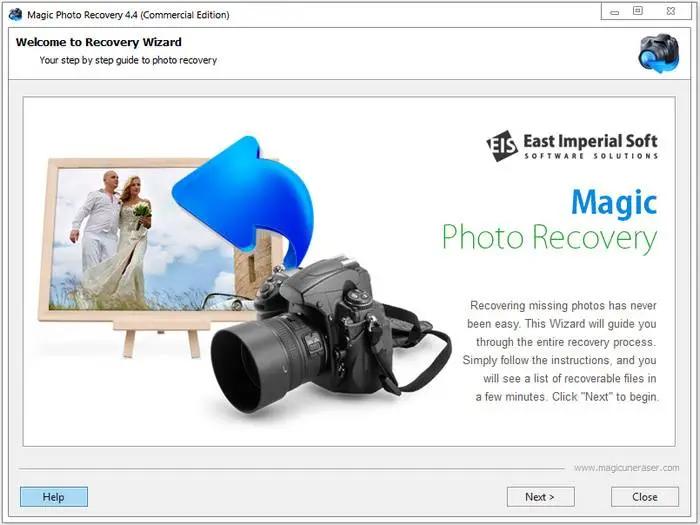
East Imperial Magic Photo Recovery 7.2 Multilingual | Size: 67.53 MB
Language: English

Recover digital images and camera RAW files from all types of media. Formatted a memory card or lost a bunch of digital pictures from the hard drive? Magic Photo Recovery will recover all photos in few counted steps. Dozens of image formats are supported with full previews, as well as RAW files produced by all major camera makes.

Digital Photo Recovery by Magic
The new digital photo recovery software allows you to recover digital pictures deleted from your computer, memory card, or the internal memory of your digital camera. Magic Photo Recovery can handle images removed from the Recycle Bin, recover pictures from damaged, formatted and repartitioned hard drives, and extract pictures from corrupted memory cards and digital camera memory.

Photo Recovery Made Easy
Using digital photo recovery software could not be made easier. A fully-guided photo recovery wizard guides you through the entire process of image recovery in a quick, safe and efficient manner. A few simple questions and a couple of mouse clicks, and deleted photos appear right before your eyes with thumbnails and instant full-screen previews. Sounds easy? Magic Photo Recovery is a pleasure to use and a snap to learn, but under the hood it's powered by the most sophisticated photo recovery algorithms invented so far.

Recovery: Under the Hood
Magic Photo Recovery is powered by a sophisticated picture recovery algorithm that allows photo recovery software to successfully locate and recover images from badly damaged, repartitioned and formatted disks and memory cards. Digital photo recovery software can recover pictures even if the disk has been repartitioned and reformatted several times in a raw. The innovative digital picture recovery algorithm used in Magic Photo Recovery enables photo recovery software to recover pictures that no other program can even see.

Preview Deleted Pictures
Magic Photo Recovery can be used as a picture viewer - only it views digital pictures that no longer show up on your disk. The built-in image browser displays thumbnail and instant full-screen previews of deleted photos. Just launch the photo recovery wizard, and you'll be able to browse, preview and recover your lost pictures in just minutes!

The available pre-recovery preview ensures that only valid, uncorrupted pictures are recovered. The plain, straightforward user interface can be used efficiently by computer amateurs and data recovery professionals altogether.

Photo Recovery Software
The digital photo recovery algorithm used in Magic Photo Recovery has been recently improved to allow determining the original names and locations of pictures being recovered - even if there's no file system left on the disk!

Photo Recovery from Disks and Memory Cards
Magic Photo Recovery can successfully recover digital pictures from all types of memory cards, including Compact Flash, Micro Drive, Memory Stick, MultiMedia Card (MMC), PC Card, Secure Digital, SmartMedia, xD Picture Card, and many others.

Recovers Finished Photos and RAW Images
Magic Photo Recovery can successfully recover finished photos in a variety of formats as well as RAW images produced by most SLR and advanced compact cameras. With built-in support of RAW images, Magic Photo Recovery recovers RAW digital photos in formats introduced by Nikon, Canon, Olympus, Casio, Kodak, Sony, Pentax, Panasonic, Ufo and many others.

Operating System: Windows XP, Vista, 7, 8/8.1, 10

HOMEPAGE:
Код:
https://www.magicuneraser.com/

FREE DOWNLOAD LINKS:

Код:
https://rapidgator.net/file/e1029adcf5adef72f101b92e6a656d8d/East_Imperial_Magic_Photo_Recovery_7.2_Multilingual.rar
Код:
https://nitroflare.com/view/38BCE9B3F5D60CB/East_Imperial_Magic_Photo_Recovery_7.2_Multilingual.rar
 
4af541ab04003970b629aa38df7df9e2.jpg


East Imperial Magic RAID Recovery 3.1 Multilingual | Size: 79.52 MB
Language: English

Repair corrupted RAID 0, RAID 1, RAID 4, RAID 5, RAID 6 and many other types of arrays by connecting the disks to your computer. Recover data from single-disk and multi-disk attached storage devices and NAS servers. Extract data from hard drives used in Synology, QNAP, ASUSTOR, Western Digital, Thecus, TerraMaster and Buffalo NAS systems.

Features and Benefits
Magic RAID Recovery by East Imperial Soft is designed to help users repair many types of corrupted RAID arrays and recover information from single-disk and multiple-disk volumes created in popular DAS and NAS devices as well as a wide range of RAID controllers manufactured by HP, Dell, Adaptec, IBM, Intel, Fujitsu, Silicon Image, LSI, ASMedia, Broadcom, and many others.

Rebuild Corrupted RAID Arrays
Rebuild and repair corrupted RAID arrays created in Windows, Linux, macOS and NAS devices;
Mount multiple-disk volumes if the original storage device or RAID controller is broken or unavailable;
Supports RAID 0, RAID 1, RAID 4, RAID 5, and RAID 6;
Supports RAID 1E, RAID 5E, RAID 5EE and many types of composite arrays including RAID 01, RAID 10, RAID 50, and RAID 60.

Recovering Data from NAS and DAS Devices
Mount multi-disk volumes and RAID arrays regardless of the type of RAID controller;
Automatic detection of disk order and array configuration parameters;
Recover data from logical volumes spanned across multiple disks;
Recover data from corrupted single-disk volumes and JBOD arrays;
Extract files and folders from degraded and corrupted arrays without a lengthy rebuild/resilvering (for mirrored or checksum-based arrays).

Operating System: Windows XP, Vista, 7, 8/8.1, 10

HOMEPAGE:
Код:
https://www.magicuneraser.com/

FREE DOWNLOAD LINKS:

Код:
https://rapidgator.net/file/8fb59a37815821558542be6ecf3261c0/East_Imperial_Magic_RAID_Recovery_3.1_Multilingual.rar

Код:
https://nitroflare.com/view/74A555E09ABED1D/East_Imperial_Magic_RAID_Recovery_3.1_Multilingual.rar
 
62b1b6c1ef3341b31a26ac93cf98dc81.jpg


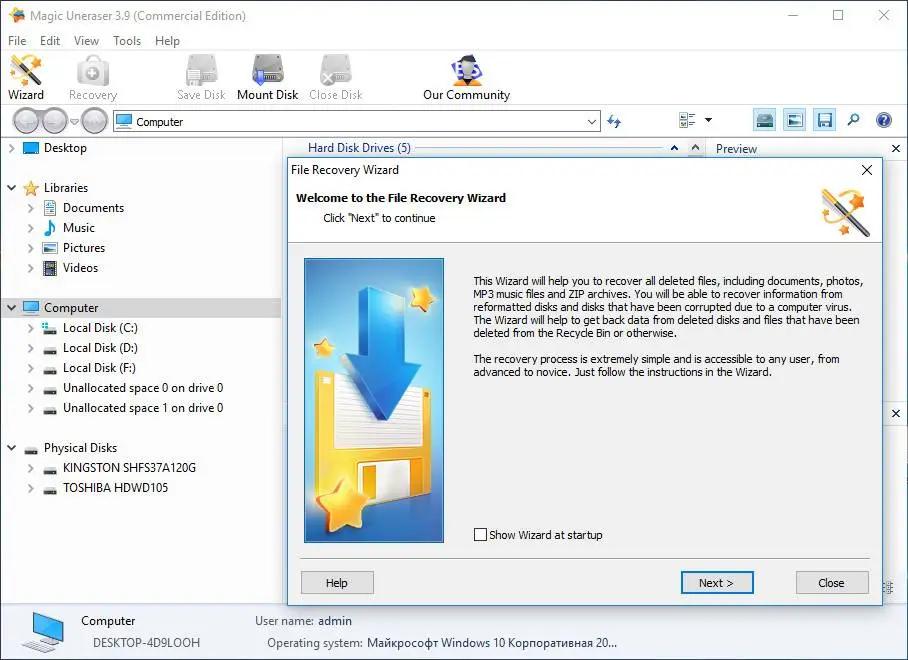
East Imperial Magic Uneraser 7.4 Multilingual | Size: 80.87 MB
Language: English

Undelete files in few easy steps! Magic Uneraser is the simplest and easiest to use data recovery tool among the bunch of tools offered on this site. Recover files of any type from FAT and NTFS partitions! Magic Uneraser supports all types of storage media including hard disks, flash drives, digital cameras and memory cards.

File Recovery Software: the Easy Way
Using the new file recovery software is easy. Just run the recovery wizard, and recovery software will scan your disk looking for lost and deleted files. After the scan is complete, you can browse the disk with a convenient Explorer-like tool. The built-in file browser looks exactly like Windows Explorer - no need to learn new tricks to browse and recover deleted files!

Deleted File Preview
Magic Uneraser comes with fully featured pre-recovery preview available in its free evaluation and full versions. The preview will allow you to open and view deleted files, documents, pictures, music, archived and movies just like they were regular files sitting on your disk. Pre-recovery preview saves time and effort allowing you to undelete only those files that can be recovered.

Advanced File Recovery Algorithms
The file recovery software incorporates a variety of advanced algorithms allowing Magic Uneraser to recover deleted files and folders that other file recovery products can't even see. The tool carefully scans the entire hard disk or reads the whole memory card block after block. Comparing information it reads from the disk with a database of recognized file formats, the file recovery algorithm is able to locate deleted files such as documents, pictures, archives, movies and music even if no record of them is left in the file system.

By using advanced file recovery algorithms, Magic Uneraser can successfully recover files and folders from deleted partitions, repartitioned and formatted disks. Even if the disk is completely inaccessible and suffered a crash, file recovery software can still access the disk, locate and recover files from its surface.

Recovers Files from Any Media
The recovery software can undelete files from all types of desktop and laptop hard drives, internal and external storage devices, memory cards, USB sticks, as well as MP3 players and digital cameras connected to a PC via a USB cord.

Program Features
- Supports all revisions of FAT, NTFS, and NTFS5 file systems
- Recovers deleted files from healthy and damaged disks, deleted and formatted partitions
- Supports all versions of Windows including Vista and Windows 7
- Restores from any data carriers (hard disks, digital cameras, USB-disks, flash-cards, memory cards, etc.)
- Features fully guided, step-by-step file recovery wizard
- Restores data lost after a virus attack or because of program errors
- Recovers compressed files on NTFS drives
- Recovers files from physical disks or virtual disk images for greater safety
- Offers easy access to advanced features with Windows Explorer-like user interface
- Saves recovered files onto hard disks or external drives, burns to CD/DVD media, uploads over FTP, or packs into an ISO image

System requirements:
Magic Uneraser supports all versions of Windows including Windows Vista, Windows 10, and Windows 2008 Server as well as all older versions of Windows. File recovery software recognizes all versions and revisions of FAT and NTFS file systems, including the recovery of deleted NTFS-compressed files.

HOMEPAGE:
Код:
https://www.magicuneraser.com/

FREE DOWNLOAD LINKS:

Код:
https://rapidgator.net/file/b678397c97a0b8b59a65235d798cf2ad/East_Imperial_Magic_Uneraser_7.4_Multilingual.rar

Код:
https://nitroflare.com/view/5C7DA46209F1CB8/East_Imperial_Magic_Uneraser_7.4_Multilingual.rar
 
d0e16558ce79b8919fc2d336a9651b07.jpg


Elcomsoft Wireless Security Auditor Pro 7.51.876 Multilingual | Size: 37.99 MB
Language: English

Elcomsoft Wireless Security Auditor is an all-in-one tool to help administrators verify how secure and how busy a company's wireless network is. The tool will attempt to break into a secured Wi-Fi network by analyzing the wireless environment, sniffing Wi-Fi traffic and running an attack on the network's WPA/WPA2-PSK password.

Featuring patented cost-efficient GPU acceleration technologies and employing a range of smart attacks targeting the human factor, Elcomsoft Wireless Security Auditor runs a highly efficient accelerated attack on the network for a pre-defined amount of time in order to test how secure your wireless environment is.

How Secure Is Your Wireless Network?
A single weak link poses a valid security threat to the entire corporate network. Wi-Fi networks can provide sufficient security if configured properly and accompanied by an adequate password policy. Elcomsoft Wireless Security Auditor identifies and exposes security problems in your wireless network to allow network administrators taking appropriate measures and adopting a proper password policy.

If one of your network workstations is compromised and a malicious person gets network access to at least one system, it may not even be necessary for an attacker to be physically close to the wireless network in order to obtain full access to data sent and received. A password hash is normally stored in the Windows Registry, and can be retrieved remotely for off-line analysis.

Elcomsoft Wireless Security Auditor can simulate attacks from the inside by automatically importing saved password hashes as retrieved by Elcomsoft Proactive System Password Recovery. This kind of attacks allows determining how secure your wireless network is to insider attacks.

Built-in Wi-Fi Sniffer
Elcomsoft Wireless Security Auditor comes with a custom NDIS driver for 32-bit and 64-bit systems (Windows 7, 8, 8.1 and 10). The driver is digitally signed by Microsoft, and can be installed on all compatible versions of Windows including the latest builds of Windows 10. By automatically intercepting Wi-Fi traffic and performing an attack on selected Wi-Fi networks, Elcomsoft Wireless Security Auditor becomes a one-stop solution for auditing Wi-Fi networks. WinPCap drivers are required to enable Wi-Fi sniffing. The WinPCap driver is included with Wireless Security Auditor.

In addition, Elcomsoft Wireless Security Auditor fully supports dedicated AirPCap adapters provided that the correct drivers are installed.

Attack Wi-Fi Passwords
Elcomsoft Wireless Security Auditor examines the security of your wireless network by attempting to break into the network from outside or inside. Elcomsoft Wireless Security Auditor can work as a wireless sniffer or operate offline by analyzing a dump of network communications. The tool attempts to recover the original WPA/WPA2-PSK passwords in plain text.

Elcomsoft Wireless Security Auditor allows carrying out a password audit within a limited timeframe. Representing state-of-the-art in password recovery, Elcomsoft Wireless Security Auditor is one of the fastest, smartest and most advanced tools for recovering Wi-Fi passwords. If Elcomsoft Wireless Security Auditor fails to recover a Wi-Fi password within reasonable time, a real attack would similarly fail.

Additional Requirements
WPA/WPA2 password hash(es) in any format supported by the program (e.g. tcpdump)
At least one of supported NVIDIA or ATI cards is recommended
AirPCap adapter (for sniffing; Pro version only)

Operating System: Windows XP, Vista, 7, 8/8.1, 10

HOMEPAGE:
Код:
https://www.elcomsoft.com/

FREE DOWNLOAD LINKS:

Код:
https://rapidgator.net/file/698a996cd20e8cdf50a10cd37997aaec/Elcomsoft_Wireless_Security_Auditor_Pro_7.51.876_Multilingual.rar

Код:
https://nitroflare.com/view/5F71A8BDC97DF7C/Elcomsoft_Wireless_Security_Auditor_Pro_7.51.876_Multilingual.rar
 
7bde454afc56f99d13e3b0d76fc43717.png


InventorCAM 2026 SP0 for Autodesk Inventor 2018-2026 (x64) Multilingual | Size: 5.68 GB
Language: English

InventorCAM is a new generation CAD / CAM system developed by Israeli firm SolidCAM Ltd (Official distributor in Russia - Consistent Software). This system is a complete solution for automation of metalworking production. With the use of a wide range of strategies offered by InventorCAM for turning, milling, turning-milling and electro-erosion machining, a technologist can quickly prepare the necessary set of control programs for machining a product.

InventorCAM Functionality
Support for 64bit calculations due to the availability of a special version for SW 64bit
2.5-axis milling
InventorCAM provides high efficiency and accuracy of 2.5-axis milling of parts. Different processing strategies for elements such as contour, sampling (with islands) and groove, as well as various types of hole machining are supported: drilling, reaming, threading, etc. The system has a wide range of possibilities for 2.5-coordinate processing of analytical surfaces.

3-axis milling
InventorCAM provides a wide range of tools that can be effectively used to handle products with complex geometries (stamps, molds) and prismatic parts. As a geometry for 3-axis machining a three-dimensional surface or solid model is used. The system supports various types of roughing and finishing strategies, such as raster processing with a specified or automatically determined angle of the raster, equidistant processing, projection processing, processing on waterlines, etc.
In addition to the already listed features of 2.5- and 3-axis machining, InventorCAM offers tools for identifying and modifying sites that were not processed in previous transitions. It is possible to create a database of standard technological processes. Once created, this parameterized technological process can be repeatedly used in the future, which significantly reduces the time of preparation of production, increases the reliability of the developed programs, unifies the style of technological development, guarantees the use of only optimal processing technologies and ensures the production independence from the human factor. The absence of cuttings is guaranteed by the presence of means of control and visualization of machining.

Multi-axis machining
InventorCAM offers various means of creating control programs for multi-axis machining at 4- and 5-axis machining centers. The model is installed in the user defined processing plane, after which the system automatically calculates all the necessary displacement and rotation parameters for the workpiece zero. As a result, the preparatory-final transition time is significantly reduced and the accuracy of processing is increased.

Turning and turning-milling processing
InventorCAM has a wide range of functions for automating the creation of control programs for turning and turning and milling. InventorCAM supports various types of tools, which allows you to effectively produce longitudinal turning, trimming, grooving, etc. In addition, InventorCAM allows you to automatically produce roughing and finishing of complex contours. Support for the rotating tool allows you to perform milling and drilling transitions at machining centers.

Electroerosive processing
The InventorCAM set of strategies for wire EDM allows the processing of external and internal contours with a constant and variable angle of inclination. There is a possibility of 4-axis machining. A special algorithm prevents the falling of the processed material. InventorCAM provides the user with the means to control the physical processing parameters along the entire path of the wire.

ATTENTION! Users of Delcam PowerMILL 2015-2016 under Multikey key emulator!
Version Multikey Emulator 18.1.0 64-bit in this release is NOT compatible with Delcam PowerMILL 2015-2016!
The solution for installing both SolidCAM and PowerMILL on the same computer under Multikey is in the distribution of PowerMILL 2016-but the version of the emulator laid out there assumes the mandatory loading of Windows into the test mode, which is not required with the version of the emulator from this distribution.

What's New
Read: InventorCAM-Release_Notes-2025-SP4-HF2.pdf

System Requirements: Windows 11/10

HOMEPAGE:
Код:
http://www.solidcam.com

FREE DOWNLOAD LINKS:

Код:
https://rapidgator.net/file/7bbdd6c3e483a874c3bffce38947952d/InventorCAM.2026.SP0.Win64-SSQ..part1.rar
https://rapidgator.net/file/4d2c6ec0fed308f09ff2d72e21d18b44/InventorCAM.2026.SP0.Win64-SSQ..part2.rar
https://rapidgator.net/file/b109fccd1b13b6609791a377d0be2151/InventorCAM.2026.SP0.Win64-SSQ..part3.rar
https://rapidgator.net/file/de67bec7d6ae88ec2cf19a185a0c8cdf/InventorCAM.2026.SP0.Win64-SSQ..part4.rar
https://rapidgator.net/file/5f1bc9c5b0fffe6a065a8315193fc17d/InventorCAM.2026.SP0.Win64-SSQ..part5.rar
https://rapidgator.net/file/e2f3e6785ac33d472ef475c3efec5ff8/InventorCAM.2026.SP0.Win64-SSQ..part6.rar

Код:
https://nitroflare.com/view/7F78E016F7F07F8/InventorCAM.2026.SP0.Win64-SSQ..part1.rar
https://nitroflare.com/view/2E32BD52C81E601/InventorCAM.2026.SP0.Win64-SSQ..part2.rar
https://nitroflare.com/view/49C242D1D245DCA/InventorCAM.2026.SP0.Win64-SSQ..part3.rar
https://nitroflare.com/view/D35746B926A6D9E/InventorCAM.2026.SP0.Win64-SSQ..part4.rar
https://nitroflare.com/view/D3A0FE0789184BE/InventorCAM.2026.SP0.Win64-SSQ..part5.rar
https://nitroflare.com/view/87B5F6929A5EEFA/InventorCAM.2026.SP0.Win64-SSQ..part6.rar
 
d16ab55d9e03781e77531e79423fe9eb.jpg


Paragon Hard Disk Manager 18 Business Workstation 18.14.0 | Size: 235.12 MB
Language: English

Best Data Recovery and Disk Management software for Windows 11 and Windows Server. Paragon Hard Disk Manager is an industry-grade Windows disk management and data backup solution that businesses can depend on. Multi-purpose backup and disk management tool that protects both physical and Hyper-V (Server version only) machines for companies of all sizes. Using Hard Disk Manager's robust feature set, you can ensure timely disaster recovery of all data stored on your machine(s).

Partition manager for optimizing disks in Windows Workstations and Servers
Hard Disk Manager includes one of the best Windows Server partition management solutions available.

Split drives into partitions in order to optimize data storage and remove unnecessary data. Using the partition manager wizard to optimize your HDD, you can separate your user files from system service files, allowing implementation of advanced data organization and access right management.

Operations available in HDM's partition manager:
- Create partition
- Move partition within disk boundaries, redistribute free space
- Merge/Split partitions
- Convert Logical partitions to Primary and back (for MBR disks)
- Change Cluster Size

Best data recovery technology
Backup is a reliable way to maintain business continuity in the event of malware or ransomware infection. Hard Disk Manager is a professional backup software and disaster recovery solution designed to ensure business continuity for any organization.

Basic operations
- Create backup and restore all data onto the same or another disk
- Restore to larger or smaller HDD/SSD
- Create incremental and differential backup archives
- Create backups automatically using daily, weekly, or monthly schedules
- Mount existing backup archives and restore only required disks, volumes, or files.

Cloning Windows
Hard Disk Manager allows you to migrate a Windows Workstation or Server operating system quickly. This provides either fast disaster recovery when it's needed most or accommodates a permanent disk migration scenario.

System Requirements
- Windows 11
- Windows 10
- Windows 8.1
- Windows 8
- Windows 7 SP1
- Windows Server 2008 R2 with SP1
- Windows Server 2012
- Windows Server 2012 R2
- Windows Server 2016
- Windows Server 2019
- Windows Server 2022
- Windows Server 2025

Supported Languages
English (American), German, French, Polish

HOMEPAGE:
Код:
https://www.paragon-software.com

FREE DOWNLOAD LINKS:

Код:
https://rapidgator.net/file/a36176b868d1327dc8f801e5f6d15378/Paragon_Hard_Disk_Manager_18_Business_Workstation_18.14.0.rar

Код:
https://nitroflare.com/view/EDB46BE8A8D2508/Paragon_Hard_Disk_Manager_18_Business_Workstation_18.14.0.rar
 
f0d8384d64269cd4c8160d9ebe350705.jpg


Resolume Arena 7.27.0 rev 14395 (x64) Multilingual | Size: 1005.18 MB
Language: English

Resolume Arena Media Server. Arena has everything Avenue has, plus advanced options for projection mapping and blending projectors. Control it from a lighting desk and sync to the DJ via SMPTE timecode.

Live Video Mixing
Resolume puts you in charge. You can play your videos when you want, how you want. Forwards, backwards, scratch and adjust tempo to the beat. Mix and match your visuals quickly and easily and play Resolume like an instrument.

Intuitive Interface
Whatever your style is, Resolume offers you an easy interface to rock it. Use as little or as many videos and effects as you like. The only limit is your computer's raw power and your imagination.

From Your Local Club to Main Stage
You can play on any amount of screens. From a simple screen behind the DJ in your local club to main stage at Ultra. As long as your computer can recognise it as an output, Resolume will let you use it.

Audio Visual Playback
Resolume plays both audio and video files. Animate pixels and drop beats, combine any video file with any audio file.

Audio Visual Effects
Resolume has both audio effects and video effects. Use them separately or combine them to create exciting new audio visual effects.

Audio Analysis
Make clips and effects dance to the beat. Resolume can analyse audio to make any parameter bounce to the music.

Projection Mapping with Arena
Project video on any type of surface. Complex geometrical structures or whole buildings. Resolume does all the hard work, so you can concentrate on the important part: being creative.

Blend Projectors with Arena
With edge blending you can seamlessly project one beautiful widescreen image with two or more projectors. It can even wrap around for a full 360 degree experience.

Project on Cars, Buildings or Pumpkins
With Arena you can take on any size mapping project. From projecting on DJ booths to cars, buildings and LED mappings on giant stages like Ultra.

LED There Be Light
Think outside the screen and colour the lights too! With Arena you can send out colours to DMX fixtures and the lights will be in sync with your visuals.

Live Composite & Effects
Adjust the scale and position of your clips to suit your needs. Apply effects to drastically change the look of your video. Everything runs on the video card so you get the fastest performance and best image quality possible.

Real Time Rendering
Apply effects, blend, mix, cut and edit, everything happens on the spot.

Audio & Visual Plugins
All visual effects in Resolume are plugins and you can easily add more effects by download 3rd party plugins. You can even program your own using OpenGL. On the audio side you can use VST plugins to play your favourite effects.

Integrate With Other Apps
With Syphon on the Mac and Spout on Windows you can share visuals in real-time between Resolume and other apps running on the same computer. You can even program your own apps that integrate with Resolume.

All Hands on Deck
Liberate yourself from the mouse. Use your favourite MIDI controller or get physical with your iPhone via OSC.

Control from a Lighting Desk
You can control Arena from a lighting desk using DMX. So you can operate the lights and video with the touch of a fader.

What's New In Resolume 7?

UNDO
You now have a little guardian angel looking over your shoulder. Made a mistake? Just hit undo and you're back to where you were. Accidentally removed a deck instead of renamed it? Hit CTRL + Z and all your clips are back. Phew! Undo is also a great design tool. Feel free to experiment with the look of your clips, apply effects, change the colors and if you do not like what you see you can always go back with undo.

Color Eye Dropper
Pick a color from anywhere on your screen and apply it in your composition.

Multiple MIDI Devices
What's better than an APC40? Two APC40's! Connecting multiple MIDI devices was always possible but their MIDI signals would get mixed. Resolume can now distinguish MIDI coming from different devices making them work nicely together almost magically.

Improved Random Playback
Random playback was always a bit too . well . random. But you now have a lot more control over random playback. You determine how often it will jump to a new random position and how far it is allowed to jump.

Color Palette Animation
Pink Green Pink Green Pink Green. Pink Green Animate your favorite colors in a color palette.

Autopilot Loops
You can now determine how often a clip should loop before advancing to the next.

MetaBalls, Sine Wave, Spiral
They say it's more sustainable to buy local produce. So we worked together with The Hague based artist Darien Brito to create a few versatile generators so you can create even more visuals right within Resolume.

System Requirements:
- Windows 7 SP 1 or later, 64 bit
- AMD or NVIDIA graphics card with 256MB of VRAM
- 4GB RAM

Recommended Specs:
- Windows 10, 11
- i7 Processor, 2.6 GHz
- NVidia RTX 2070
- SSD
16GB Ram

HOMEPAGE:
Код:
https://resolume.com/

FREE DOWNLOAD LINKS:

Код:
https://rapidgator.net/file/50637d4f2e329d24ce3a8724222885ba/Resolume_Arena_7.27.0_rev_14395_x64_Multilingual.rar

Код:
https://nitroflare.com/view/2534E794E35D00E/Resolume_Arena_7.27.0_rev_14395_x64_Multilingual.rar
 
18c1536e4f293c6c9e83dc448ec4142b.jpg


Trados Studio 2026 Professional 19.0.0.3043 | Size: 371.38 MB
Language: English

Trados Studio - Translate faster and smarter with Trados Studio - the most advanced AI-powered translation environment for language professionals who want to create, edit, review, and manage translation projects while in the office or on the move.

Trados Studio
Translate faster and smarter with Trados Studio - the most advanced AI-powered translation environment for language professionals who want to create, edit, review, and manage translation projects while in the office or on the move.

Key benefits
Discover a wealth of innovative features and create high-quality translations, faster.

- Consistent high-quality translations
- Powered by AI
- Extensive support and expertise
- Reduced translation cost
- Easy management of translation projects

Translation memory
Intelligent translation memory (TM) technology allows you to easily reuse previously translated and approved content. This feature can increase your translation productivity by as much as 80% and improve consistency across your projects.

Terminology management
Easily apply approved terminology across all your translations to ensure a consistent tone of voice and enhance overall translation quality. You can also manage and update terminology directly from within Trados Studio, giving you full control and flexibility.

Machine translation
Double your productivity levels with machine translation (MT) from Language Weaver, the perfect solution for translators looking to use the latest in MT to automatically translate content.

Generative Translation
Enhance your translation quality with Generative Translation capabilities through Trados Copilot - AI Assistant. Combine your linguistic resources with the power of any large language model (LLM) to improve translation output. Automatically apply the right terminology, adjust tone, or shorten sentences with ease. Thanks to the LLM's linguistic fluency and the option to create custom prompts, the possibilities for refining your translations are limitless.

Project management
Create and deliver high-volume translation projects quickly and easily in multiple languages with the project management capabilities found in Trados Studio. Combine Studio with our collaboration solutions for high-volume projects and complete control over security.

Cloud capabilities
Trados Studio's cloud capabilities offer flexible options for translation, review and management of projects, whether you prefer to work on your desktop or in a browser. You can also take advantage of Smart Help, our virtual AI chatbot that provides instant, intelligent assistance at the click of a button, helping you to keep projects on track no matter your role.

What are the system requirements for Trados Studio?
Trados Studio runs on the latest build of Windows 10 and Windows 11. We recommend Windows 11 as it is the current and best supported OS from Microsoft.

As a minimum requirement, we recommend an Intel or compatible CPU-based computer with 8 GB RAM and a screen resolution of 1024x768.

For optimum performance, we recommend a 64-bit operating system, 16 GB RAM, an SSD and a recent Intel or compatible CPU. Full support for 4K high-resolution screens is planned and will be implemented incrementally in future releases. Trados Studio uses .Net Framework 4.8.

HOMEPAGE:
Код:
https://www.trados.com

FREE DOWNLOAD LINKS:

Код:
https://rapidgator.net/file/d95aa4bebfb57d6e38d7180e69430ac2/Trados_Studio_2026_Professional_19.0.0.3043.rar

Код:
https://nitroflare.com/view/334ED5816355E16/Trados_Studio_2026_Professional_19.0.0.3043.rar
 
2681c9c67f57e38f7f4d805a9695a225.jpg


tiny11 Core 25H2 Build 26200.8737 Multilingual Preactivated | Size: 3.45 GB
Language: English

The fastest and most optimized Windows 11. You can install it on older and unsupported devices. The image was build via official tiny11 Builder and MSDN image of Windows 11 25H2 Pro Build 26200.8737.

While Windows 10 and Windows 11 aren't the most compact operating systems (minimum system requirements require at least 20GB of free disk space), modern versions of Windows are increasingly difficult to run on less powerful devices.
In this context, projects such as tiny10 and tiny11 come to the fore, providing lightweight and stripped-down versions of the OS for older computers that retain compatibility or key features.
Tiny11 is a majorly stripped-back, bare-bones version of Windows 11 Pro 22H2 that dramatically lowers the system requirements. The operating system needs just 8GB of disk space and 2GB of RAM, and it does not require TPM (Trusted Platform Module) and Secure Boot support.
Note! This image is a significantly reduced Windows 11 image. However, it's not suitable for regular use due to its lack of serviceability - you can't add languages, updates, or features post-creation. tiny11 Core is not a full Windows 11 substitute but a rapid testing or development tool, potentially useful for VM environments. Keep in mind that you cannot add back features in tiny11 core.

What is removed
- Clipchamp
- News
- Weather
- Xbox (although Xbox Identity provider is still here, so it should be possible to be reinstalled with no issues)
- GetHelp
- GetStarted
- Office Hub
- Solitaire
- PeopleApp- PowerAutomate
- ToDo
- Alarms
- Mail and Calendar
- Feedback Hub
- Maps
- Sound Recorder
- Your Phone
- Media Player
- QuickAssist
- Internet Explorer
- Tablet PC Math
- Edge
- OneDrive

For tiny11 core
- all of the above +
- Windows Component Store (WinSxS)
- Windows Defender (only disabled, can be enabled back if needed)
- Windows Update (Windows Update wouldn't work anyway without WinSxS, so enabling it would only put the system in a state where it would try to update but fail spectacularily)
- WinRE

System Requirements
Processor: 1 gigahertz (GHz) or faster.
RAM: 1 gigabyte (GB).
Free space on hard disk: 16 gigabytes (GB).
Graphics card: DirectX 9 graphics device or a newer version.
Additional requirements to use certain features.
To use touch you need a tablet or monitor that supports multitouch.
To access the Windows store to download and run apps, you need an active Internet connection and a screen resolution of at least 1024 x 768 pixels

HOMEPAGE:
Код:
https://microsoft.com

FREE DOWNLOAD LINKS:

Код:
https://rapidgator.net/file/705a448655f0f9fe009ada3250bd89ad/8737._11.26200.part1.rar
https://rapidgator.net/file/3a499a114d3dc25f70a6c4b4fde87057/8737._11.26200.part2.rar
https://rapidgator.net/file/7027017229e8d3bd7466cbf04f7ec85d/8737._11.26200.part3.rar
https://rapidgator.net/file/bad473f142c6bcc2715483d7278fba0c/8737._11.26200.part4.rar

Код:
https://nitroflare.com/view/470FD4611388AF8/8737._11.26200.part1.rar
https://nitroflare.com/view/23B0E816E27E4C0/8737._11.26200.part2.rar
https://nitroflare.com/view/348E827D113A95C/8737._11.26200.part3.rar
https://nitroflare.com/view/187F75F733D4427/8737._11.26200.part4.rar
 
Назад
Сверху Снизу