All Emperor2011's Software in one thread !! (updated daily)

efbd73917158e00c5f9a7148846ce001.jpg


Hetman Office Recovery 5.2 Multilingual | Size: 30.68 MB
Language: English

Hetman Office Recovery is designed to help when your office documents go missing. Implementing a range of highly sophisticated low-level disk analysis algorithms, Hetman Office Recovery can retrieve the missing documents even if the disk is corrupted, inaccessible, or does not appear as a drive letter. A special extra-safe recovery more is available for heavily worn and physically unstable devices.

Using Hetman Office Recovery is just as easy as installing it. A step by step wizard guides you through the entire recovery process, helping you choose the right options to achieve maximum recovery rates. From simple undelete to heavy duty recovery, Hetman Office Recovery solves all your data recovery needs when it comes to office documents.

Heavy Duty Recovery Engine
Hetman Office Recovery features a true heavy-duty data recovery engine. The very same engine is used in Hetman's top of the line partition recovery tool used by system administrators, service centers and data recovery specialists. Thanks to this powerful engine, Hetman Office Recovery can easily recover documents other tools won't.

Recovers Documents and Spreadsheets
Hetman Office Recovery is designed to recover documents saved by Microsoft Office 97, 2000, XP, 2003, 2007, 2010, and 2013, as well as OpenOffice. The following types of files are supported:
DOC - Microsoft Word 97-2003 Document (*.doc);
DOCX - Microsoft Word Document (*.docx);
DOT - Document Template (*.dot);
XLS - Microsoft Excel 97-2003 Spreadsheet (*.xls);
XLSX - Microsoft Excel Spreadsheet (*.xlsx);

In addition to Microsoft Word and Excel documents, Hetman Office Recovery natively supports the OpenDocumet Format. This document format is employed by Open Office, Libre and Star Office applications. The following file types are supported:
ODT - OpenDocument Text Document (*.odt);
ODS - OpenDocument Spreadsheet (*.ods);

Finally, Hetman Office Recovery supports the following file formats:
PDF - Adobe Portable Document Format (*.pdf);
PDB - Document File (*.pdb);
RTF - Rich Text Format File (*.rtf);
WPD - WordPerfect Document (*.wpd);
WRI - Windows Write Document (*.wri);

System requirements:
Hetman Office Recovery does not impose any special system requirements. In fact, we tried to make it compatible with all current and legacy systems. Hetman Office Recovery was tested in all 32-bit and 64-bit versions of Windows starting with Windows XP and up to the latest Windows 10.

HOMEPAGE:
Код:
https://hetmanrecovery.com/

FREE DOWNLOAD LINKS:

Код:
https://rapidgator.net/file/bc16f83cc17c71073d37f82e70a87368/Hetman_Office_Recovery_5.2_Multilingual.rar

Код:
https://nitroflare.com/view/B5875731C76D10E/Hetman_Office_Recovery_5.2_Multilingual.rar
 
25f3f534815dba06811e1d4f698d975b.jpg


Hetman Partition Recovery 5.4 Multilingual | Size: 80.21 MB
Language: English

Hetman Partition Recovery is designed to reliably recover information and fix all types of issues with healthy, damaged, corrupted, formatted and inaccessible hard drives. This hard drive data recovery software offers a complete, all-in-one solution to take care of typical problems you're your computer's storage. The This hard drive data recovery software will help you recover lost and deleted files, recover missing documents, photos, audio and video files.

In addition, Hetman Partition Recovery comes with a comprehensive set of tools to fix corrupted volumes, recover deleted partitions, unformat formatted disks, and repair all types of damage to your disk system structures.

Hetman Partition Recovery can recover partition tables and MBR records, FAT and NTFS file systems complete with alternative data streams, recovering the entire hard drive complete with all volumes, files and original folder structure. All 32-bit and 64-bit versions of Windows are supported including the latest Windows 7.

Key features
- Recover all types of deleted files including documents, compressed archives, photos, music and videos;
- Recover files and folders from formatted, repartitioned, corrupted and inaccessible disks;
- Unformat formatted partitions and restore original volumes from repartitioned hard drives;
- Fix corrupted file systems, partition tables, master boot records (MBR) and other system information;
- Recover files and folders from built-in and external hard disks, USB flash drives, and all types of memory cards.

Supported File Systems and System Requirements
Hetman Partition Recovery supports all versions of FAT and NTFS file systems. This includes the original FAT, FAT12, FAT 16, VFAT and FAT32, NTFS 3, 4 and NTFS 5. For NTFS disks, the tool supports alternative data streams (ADS), and can recover compressed and encrypted files and folders. Windows XP / 2003 and 2008 Server / Vista / Windows 7 / Windows 8 and Windows 10 are supported. Hetman Partition Recovery runs in both 32-bit and 64-bit editions of Windows. Please note that you must have Administrator's privileges on your computer in order to install and use Hetman Partition Recovery.

HOMEPAGE:
Код:
https://hetmanrecovery.com/

FREE DOWNLOAD LINKS:

Код:
https://rapidgator.net/file/b98e10c9e80435057ea2375a8ac2620d/Hetman_Partition_Recovery_5.4_Multilingual.rar

Код:
https://nitroflare.com/view/37473FEDA4F4930/Hetman_Partition_Recovery_5.4_Multilingual.rar
 
54fcec7dfaef5c1965075b103eb40ced.jpg


Hetman Photo Recovery 7.2 Multilingual | Size: 66.9 MB
Language: English

With Hetman Photo Recovery, the process of recovering digital photos becomes simple and can be performed by anyone. The software recovers lost photos from camera memory cards (Compact Flash, xD, Memory Stick), various HDD and USB drives, mobile phone cards and other sources.

You lost files will be recovered even if the camera memory card or a logical drive has been formatted or there has been a hardware crash that resulted in a loss of files. Thanks to a new algorithm of advanced disk analysis, the software recovers images that other tools don't even detect! The trial version allows you to preview deleted images. The photos that you can preview will be 100% recoverable after you register the program!

Every owner of a digital camera, regardless of his or her skills and experience, may face the problem of digital photo recovery. Hetman Photo Recovery is the simplest and most efficient solution of this problem. This software will be equally appreciated by both novices and professional photographers, photo artists and designers. This software combines the ability to perform deep scanning of logical drives, preview and recover photos in the RAW format with a clear and intuitive recovery wizard, which will help even novices recover digital images in no time.

A great number of digital cameras store images in the RAW format to preserve the original picture quality. Our program can preview and recover RAW formats of all popular cameras. This feature will be especially appreciated by professional photo artists. Hetman Photo Recovery was developed as an "image recovery wizard". All you have to do is to select the necessary disk and the program will scan it and show the thumbnails of recoverable images. You can use zooming to preview these images prior to recovering them.

MAIN FEATURES:
Support of the most popular media cards, various USB and HDD devices, photo cameras and etc
Support of major file systems: VFAT, FAT12/16/32, NTFS/NTFS4/NTFS5
You can preview and select images to be recovered
Support of major types of digital images: *.bmp, *.cel, *.ico, *.jpe, *.jpeg, *.jpg, *.png, *.psd, *.tga, *.tif, *.tiff, *.wmf and etc
Support of the RAW format: *.032, *.3fr, *.bmq, *.cr2, *.crw, *.cs1, *.dc2, *.dcr, *.raw, *.rdc, *.sr2, *.srf, *.x3f and etc
The recovery process is fast and simple

Supported File Systems and System Requirements
Hetman Photo Recovery supports all versions of FAT and NTFS file systems used in all versions of Windows since Windows 95. The tool supports Windows XP / 2003 and 2008 Server / Vista / Windows 7 / Windows 8 and Windows 10. Hetman Photo Recovery runs in both 32-bit and 64-bit editions of Windows.

HOMEPAGE:
Код:
https://hetmanrecovery.com/

FREE DOWNLOAD LINKS:

Код:
https://rapidgator.net/file/ac00eee7715c49ebc2e55cda1fc43807/Hetman_Photo_Recovery_7.2_Multilingual.rar

Код:
https://nitroflare.com/view/835F2661FC7E410/Hetman_Photo_Recovery_7.2_Multilingual.rar
 
a7e5d46d02c9f53c072157fdcde0f7a2.jpg


Hetman RAID Recovery 3.1 Multilingual | Size: 79.04 MB
Language: English

This program recovers data from non-operational RAID systems or from disks within such systems. It reads all the information about the controller, the motherboard or the software used to create a disk array. Our product can rebuild the crashed RAID and it lets you copy all critical information from there.

The integrated constructor wizard helps you recover a failing RAID in a step-by-step mode. You can use one of the presets or chose the required data in the damaged array, and RAID Recovery™ will collect the disks together to provide you with access to the data.

Why RAID gets damaged
Recover software or hardware RAID of any type: JBOD, RAID 0, RAID 1, RAID 10, RAID 5, RAID 50, RAID 6, RAID 60, etc.

Hard disk failure
Both hard disk types, HDD and SSD, have a limited operational life. Certainly, server-type NAS or SCSI disks can last longer than their SATA counterparts intended for home use only, but there is no such thing as a hard disk that works endlessly. For most RAID arrays, the day when one or two disks fail means loss of all information, from all disks within this array. Reliability of the entire array decreases with every disk which is added to it.

Accidental array rebuilding
Mistakes when replacing one of the disks within the storage system, accidental "rebuilding" of the array instead of "restoring" it, disconnecting and reconnecting the disks in a wrong order, incorrect RAID initialization or rebuild - any of these things will certainly result in the loss of information. After such errors, RAID can't restore itself automatically.

A controller bug or failure
A controller is the element containing information of critical importance which is vital for building a disk array and gaining access to all of the files stored on the disks. A controller failure may both result in losing service data and cause several disks to fail. The most expensive controllers use an additional battery and non-volatile memory. Such elements improve the whole system's reliability and are supposed to help save data even if a power interruption occurs.

A motherboard failure
Creating a RAID based on specific motherboard features is a cheaper (though less reliable) solution in comparison with buying an expensive controller. Motherboard failures, botched BIOS updates, low CMOS battery, power surges, disconnecting or reconnecting disks - all these things may cause your RAID to crash. As the entire system is very sensitive to all kinds of power issues, problems with your power supply unit may cause crashes as well.

A system crash
Software RAID systems based on the functionality offered by an operating system - Windows, macOS, Linux, FreeBSD, Ubuntu - depend largely on the health of that operating system. Upgrading your hardware, or updating other software may cause errors that prevent the computer from booting and make the data inside such array inaccessible.

Unlike hardware RAID systems, the software-based arrays are made of logical partitions rather than physical disks. Operations that involve formatting or removing partitions can easily destroy such array.

A virus attack
Both software and hardware solutions store information about the RAID structure on every disk within the array. A virus attack may not only damage system files and prevent the operating system from booting, but also modify the disk partition table or overwrite the disk area which stores data vitally important for the RAID to work properly. Any of these nasty things will make the array inoperable.

Bad sectors
Usually, when there is an attempt to write information to a faulty sector, RAID will enter the data on such sector into a special table so that it doesn't get used any longer, and will use a free sector for writing. However, everything changes when one of the disks within the array breaks down. To continue work, you need to replace the disk and rebuild the array. The process of automatic recovery reads all the data from the remaining disks to recreate the data from the missing disk. Such recovery can't be accomplished when there is at least one bad sector.

Upgrading the storage system or other equipment
Unfortunately, not all manufacturers give you the opportunity to move to new hardware without having to rebuild your RAID. To prevent loss of data, you have to copy all of that from the old array, then create an array with the new hardware, and finally transfer the data to this new RAID. This procedure applies to situations when you are upgrading controllers, motherboards, hard disks - and even operating systems, if you prefer using a software-based RAID.

Initializing RAID without disks, and connecting a disk to another system
When one of the disks within the array is connected to another piece of equipment or computer, it may cause its service information to be overwritten. When such disk is reconnected to your RAID again, the system doesn't start and it just fails.

Disks should be connected and disconnected only with the storage system powered off. If you attempt to start a computer with some of its disks missing, RAID will switch into an emergency mode, and reconnecting the disks to the array will not help to restore the situation back to normal.

Operating System: Windows XP, Vista, 7, 8/8.1, 10

HOMEPAGE:
Код:
https://hetmanrecovery.com/

FREE DOWNLOAD LINKS:

Код:
https://rapidgator.net/file/0ece109ca9d3f8e7b281589b5d8ea73c/Hetman_RAID_Recovery_3.1_Multilingual.rar

Код:
https://nitroflare.com/view/F5BE65C218D5CFC/Hetman_RAID_Recovery_3.1_Multilingual.rar
 
4f5d4dc97b892ebcb2a7aa86b2def17c.jpg


Hetman Uneraser 7.4 Multilingual | Size: 80.08 MB
Language: English

Hetman Uneraser recovers deleted files from IDE / ATA / SATA / SCSI hard and external drives,USB and FireWire storage devices, ZIPs and 3.5" disks. The File Recovery Software can unerase deleted files from any cell phones and photo camera memory cards. No matter which file system you use - FAT16, FAT32 or NTFS - Hetman Uneraser will be equally efficient data recovery program. Hetman File Recovery Software will easily recover deleted office documents produced by Microsoft Office or Open Office.

Here are some key features of "Hetman Uneraser":
· VFAT, FAT12/16/32 - the software scans and analyses disk data sector by sector. Hetman Unersser identifies image data and shows the image preview to the user. Full disk scanning is performed to find and restore images that have been removed from FAT tables.
· NTFS/NTFS4/NTFS5 - the software analyses the disk and uses native Windows features for reading encrypted or compressed sectors. You will be able to recover even those files that were stored on encrypted or compressed NTFS volumes.
· The tool allows you to preview deleted files prior to recovering them - Now you can select the files to be recovered. The software finds and displays the deleted files. You can enlarge them for preview purposes or use a filter to reduce the number of images to be displayed. The files that you can see in the preview area will be 100% recoverable after you register the program!
· Recovers files from deleted volumes - Data are often lost after power failures, hardware crashes and virus attacks. Hetman Uneraser will recover files from deleted, formatted and damaged volumes on HDD/USB drives and flash cards.
· Deep disk scanning - The use of cutting-edge scanning and data analysis algorithms allows you to find and recover twice as many files than you normally would with our competitors' products.
· Recovers files that were removed from the Recycle Bin - Recovers files that were deleted without being placed to the Recycle Bin or lost after the Recycle Bin was purged.
· The recovery process is fast and simple - Affordable, simple and always efficient, it will help you recover lost data in situations when time is critical and there is no help around.
· Safety - The software makes absolutely no changes to your drives while scanning and recovering data. Hetman Uneraser performs disk scanning on a low level and restores the selected images to a location of your choice.

Operating System: Windows 7, 8/8.1, 10

HOMEPAGE:
Код:
http://hetmanrecovery.com/

FREE DOWNLOAD LINKS:

Код:
https://rapidgator.net/file/6cbb4e2a7d0daf29ff519e9c4c23397b/Hetman_Uneraser_7.4_Multilingual.rar

Код:
https://nitroflare.com/view/9C1CE62A5B0ED50/Hetman_Uneraser_7.4_Multilingual.rar
 
_c6d5d2bccb2354f841bbad14f87ac112.jpeg


Microsoft Office Professional Plus 2021-2024 VL v2606 Build 20131.20126 Multilingual | Size: 12.59 GB
Languages: Arabic,English,German,Greek,French,Spanish,Italian,Portuguese-Portuguese,Portuguese-Brazil,Turkish,Dutch,Czech

Microsoft has officially announced the availability of the final version of its Office 2021/2024 release for Windows and Mac users. Following the release of the preview version in the first half of this year, the product has been refined and is now available to users. Office 2021/2024 includes updated versions of apps from the suite, Word, Excel, PowerPoint, Outlook, Access, and Publisher.

Office 2021/2024 includes virtually every change that has been added to the suite of programs in Office 365 over the past 3 years, although some features remain exclusive to subscribers. In addition to the main programs Word, Excel, PowerPoint, and Outlook, which are available for both Windows and macOS, the Access and Publisher versions are only available for Windows and are included, as usual, only in premiums. Visio and Project for Windows are also available, although they are not part of the ongoing release of Office.

Microsoft Office 2021-2024 includes:
Microsoft Office 2021-2024 Professional Plus
Microsoft Access 2021-2024
Microsoft Excel 2021-2024
Microsoft Lync 2021-2024
Microsoft OneNote 2021-2024
Microsoft Outlook 2021-2024
Microsoft PowerPoint 2021-2024
Microsoft Publisher 2021-2024
Microsoft Visio Viewer 2021-2024
Microsoft Word 2021-2024
Microsoft Visio pro 2021-2024
Microsoft Project 2021-2024
Skype for business 2021-2024
OneDrive for Business 2021-2024
Office Shared Features
Profing Tools Only 2021-2024
And many more

System Requirements:
OS: Windows 10/11.

HOMEPAGE:
Код:
http://www.microsoft.com

FREE DOWNLOAD LINKS:

Код:
https://rapidgator.net/file/93504e979e5cb2aed44a6ec00b938ff0/Office_21-24_v20131.20126_x64..part1.rar
https://rapidgator.net/file/ce5ecece59c64b159a34b6506aaf78eb/Office_21-24_v20131.20126_x64..part2.rar
https://rapidgator.net/file/d1ff53f7921d182e9b06ae2739d85f3e/Office_21-24_v20131.20126_x64..part3.rar
https://rapidgator.net/file/84c6398c152d7aaf0188fe58391fcbab/Office_21-24_v20131.20126_x64..part4.rar
https://rapidgator.net/file/79feac1654fd21ca76dd5fb5b3ca0975/Office_21-24_v20131.20126_x86..part1.rar
https://rapidgator.net/file/6f65487b3671d7693318d2c36acb0de9/Office_21-24_v20131.20126_x86..part2.rar
https://rapidgator.net/file/4185b070be8b3ab314690b3e3e45c505/Office_21-24_v20131.20126_x86..part3.rar
https://rapidgator.net/file/efe841ce79ad8791819f1c944cfe1c34/Office_21-24_v20131.20126_x86..part4.rar

Код:
https://nitroflare.com/view/CB6207C3F1AA6B6/Office_21-24_v20131.20126_x64..part1.rar
https://nitroflare.com/view/3093AA059249A64/Office_21-24_v20131.20126_x64..part2.rar
https://nitroflare.com/view/9A4F42B4CDE258D/Office_21-24_v20131.20126_x64..part3.rar
https://nitroflare.com/view/0BFBE08844BD66A/Office_21-24_v20131.20126_x64..part4.rar
https://nitroflare.com/view/F296EFA848C5A9F/Office_21-24_v20131.20126_x86..part1.rar
https://nitroflare.com/view/7F8D468C0F0C164/Office_21-24_v20131.20126_x86..part2.rar
https://nitroflare.com/view/610C6BE80347DCE/Office_21-24_v20131.20126_x86..part3.rar
https://nitroflare.com/view/4428651BC29C10E/Office_21-24_v20131.20126_x86..part4.rar
 
6e9ca2d0a4cdd07e99d4bdf44e8a872c.jpg


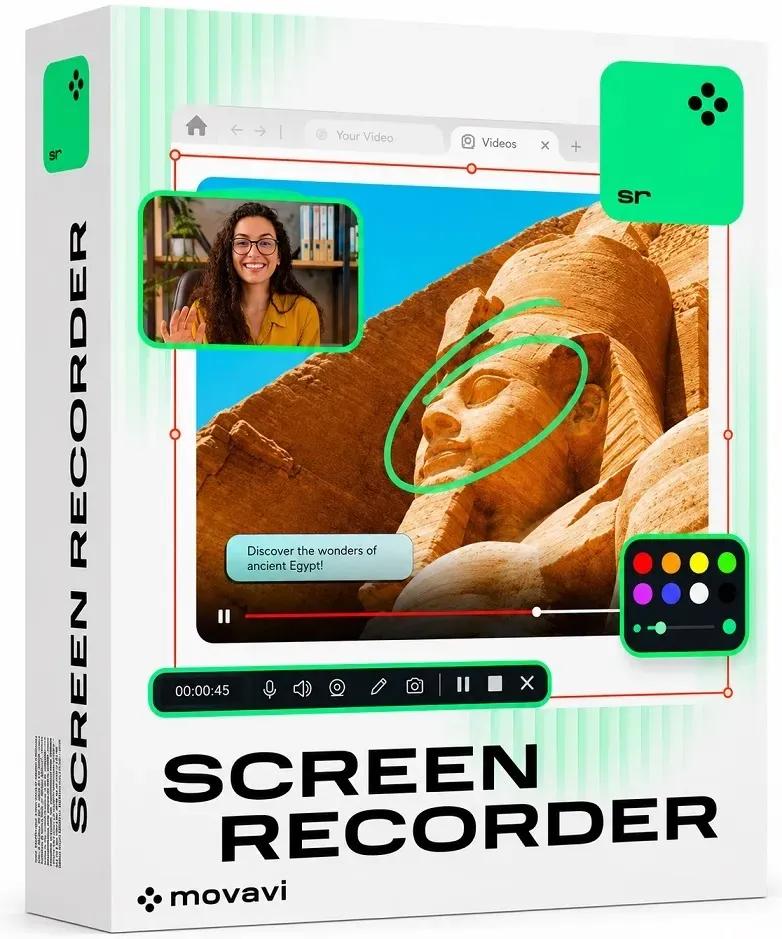
Movavi Screen Recorder 24.7 (x64) Multilingual | Size: 77.78 MB
Language: English

Movavi Screen Recorder: the Ultimate Screen Recorder for Windows. Movavi Screen Recorder is lightweight yet powerful video recording software that helps you capture streaming video and music from websites, save Skype calls and program activity, and much more.

Learning
- Record webinars, online tutorials, and other educational videos
- Cut out unwanted parts from any video
- Save recordings to watch on a computer or mobile device
- Replay captured videos at any time

Fun
- Capture short clips from websites
- Save movies and TV series
- Record video chats with your friends and family
- Extract music from video, record online radio
- Cut out ads and other unwanted content

Work
- Show screen activities to colleagues: take screenshots in a single click and illustrate them with arrows, frames, and captions
- Use screenshots and screen videos to demonstrate bugs and errors
- Save Skype conversations with colleagues and business partners
- Record online job interviews

System Requirements
Microsoft® Windows® XP*, Windows Vista, Windows 7, Windows 8, or Windows 10 with up-to-date patches and service packs installed
Intel®, AMD®, or compatible processor, 1 GHz
1024x768 screen resolution, 32-bit color
512 MB RAM for Windows XP and Windows Vista, 2 GB for Windows 7, Windows 8, and Windows 10
280 MB available hard disk space for installation, 2 GB for ongoing operations
Administrator permissions are required for installation
* Unfortunately, sound capture from multiple devices is not supported under Windows XP.

HOMEPAGE:
Код:
https://www.movavi.com/

FREE DOWNLOAD LINKS:

Код:
https://rapidgator.net/file/bea9c42775f85b6b8383413a01ad7ec1/Movavi_Screen_Recorder_24.7_x64_Multilingual.rar

Код:
https://nitroflare.com/view/F69179BB49AF671/Movavi_Screen_Recorder_24.7_x64_Multilingual.rar
 
17e9604493892ce571dc31f9479a1031.jpg


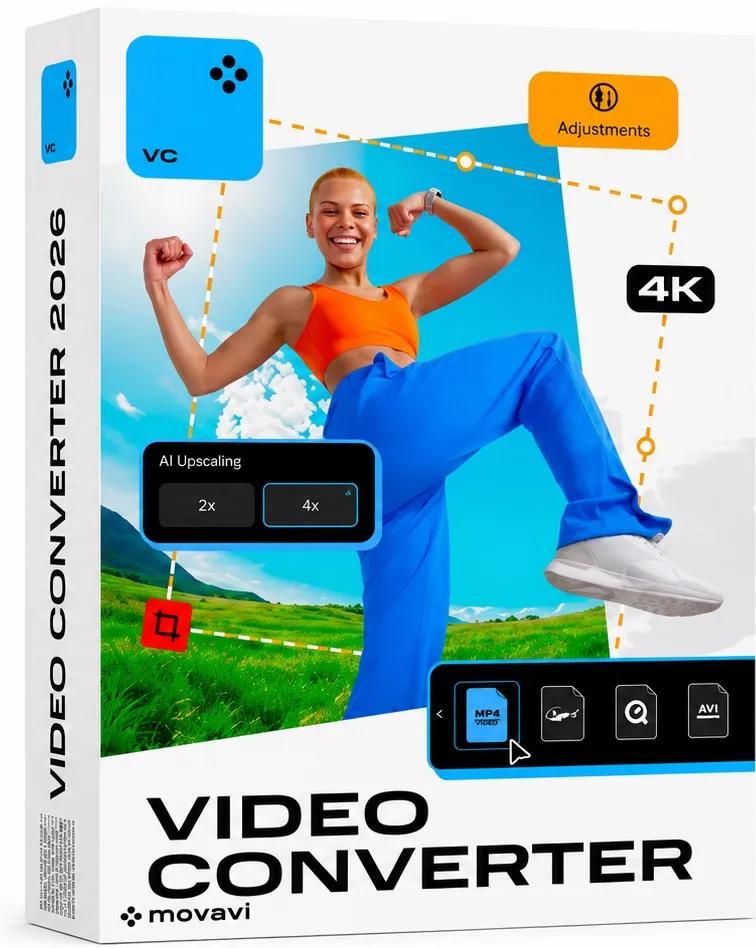
Movavi Video Converter 24.4 (x64) Multilingual | Size: 86.16 MB
Language: English

Movavi Video Converter is a multimedia conversion tool that changes video, audio, and image files from one format to another without significantly reducing quality.

Main Features

1. Video Conversion
Convert videos between many formats, including
MP4
AVI
MOV
MKV
WMV
FLV
MPEG
WebM

2. Audio Conversion
Convert audio files to
MP3
WAV
AAC
FLAC
OGG
M4A

3. Image Conversion
Convert images between
JPG
PNG
BMP
TIFF
GIF
WebP

4. Batch Conversion
Convert multiple files simultaneously, saving time.

5. Compression
Reduce video file size while maintaining good quality.

6. Device Presets
Optimize videos for
iPhone
iPad
Android phones
Samsung devices
Smart TVs
PlayStation
Xbox

7. Basic Editing
Before converting, you can
Trim videos.
Crop videos.
Rotate videos.
Adjust brightness and contrast.
Add watermarks.
8. AI Upscaling
Increase video resolution using AI technology in supported versions.

Advantages
Extremely fast conversion.
Supports over 180 file formats.
Batch processing.
Easy for beginners.

HOMEPAGE:
Код:
http://www.movavi.com/

FREE DOWNLOAD LINKS:

Код:
https://rapidgator.net/file/4e052f0e93dd4447fc8aefd75db2facd/Movavi_Video_Converter_24.4_x64_Multilingual.rar

Код:
https://nitroflare.com/view/9F3F04361DBED5D/Movavi_Video_Converter_24.4_x64_Multilingual.rar
 
6415e6e20d6f01de83e20e4252453771.jpg


Movavi Video Editor 26.18.1 (x64) Multilingual | Size: 140.42 MB
Language: English

Movavi Video Editor is a friendly video editing software designed to create professional-looking videos with an easy-to-use interface. It is suitable for YouTubers, students, teachers, marketers, and anyone who wants to edit videos without advanced technical skills

Main Features

1. Video Editing
Trim, cut, and split video clips.
Merge multiple videos into one.
Rotate and crop videos.
Adjust playback speed.
Reverse video clips.

2. Audio Editing
Add background music.
Record voiceovers.
Remove unwanted noise.
Synchronize audio with video.
Adjust volume and apply fade-in/fade-out effects.

3. Visual Effects
Hundreds of filters and transitions.
Motion tracking.
Chroma Key (Green Screen).
Picture-in-Picture (PiP).
Animated stickers and overlays.

4. Text and Titles
Add animated titles.
Create subtitles.
Customize fonts, colors, and animations.

5. AI Tools
AI Background Removal.
AI Noise Reduction.
AI Motion Tracking.
AI Upscaling (in supported versions).

6. Color Correction
Brightness adjustment.
Contrast enhancement.
Saturation control.
White balance correction.
LUT support.

7. Export Options
Export videos in:
MP4
AVI
MOV
MKV
WMV
Upload directly to YouTube.

Advantages
Simple interface.
Fast rendering.
Large collection of effects.
Ideal for beginners.
Supports 4K videos.

HOMEPAGE:
Код:
https://www.movavi.com

FREE DOWNLOAD LINKS:

Код:
https://rapidgator.net/file/67e4abcce01d00d9d3b58502c47663eb/Movavi_Video_Editor_26.18.1_x64_Multilingual.rar

Код:
https://nitroflare.com/view/2F1FA04BA091297/Movavi_Video_Editor_26.18.1_x64_Multilingual.rar
 
d54849969f0a0d2cb07e853bd8f0b008.jpg


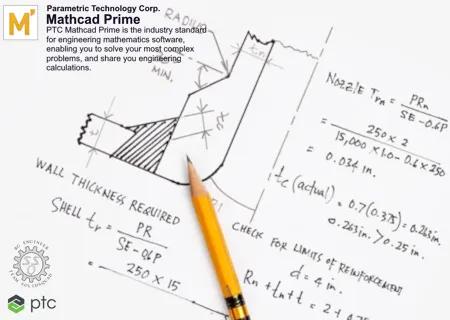
PTC Mathcad Prime 12.0.0.1 (x64) Multilingual | Size: 1.03 GB
Language: English

PTC has released Mathcad Prime 12.0.0.1 is engineering math software that allows you to solve, analyze, document, and share your engineering calculations.

PTC Mathcad Prime has two releases every year: a major release and a maintenance release. Currently, the latest version available is PTC Mathcad Prime 12.0.0.1, amping up your engineering calculations with enhancements like performance upgrades, 2D native plot updates, find and replace identifiers with subscripts, function analysis functions, customized header and footer options, documentation flexibility, and much more.

What's New in PTC Mathcad Prime 12

Update Details

PTC Mathcad Prime 12 introduces several enhancements, including important features requested by users.
Application Updates

- 2D Native Plot Updates: Add plot title, axes titles, gridlines, and a legend to your 2D native plots.
- Performance Enhancements: Your calculations will be rendered faster than before.
- Header/Footer Updates: Customize your page numbering on the first page, set a custom total page number, and decide which page that page numbers will begin.
- Hide Symbolic Keywords: Hide symbolic keywords and modifiers from the symbolic evaluation arrow.

Engine Enhancements

- Functions to Analyze Functions: A new class of functions for symbolic analysis, returning information such as local or global extrema or evaluating continuity.
- MultiStart for Solver Functions: Instruct Mathcad's solving & optimization functions to look for a global solution, increasing the likelihood of converging to an answer.
- Optimized or Non-Optimized for Solver Functions: Selecting Optimize prioritizes a faster, more approximated result for minimize and maximize.
- Manual Definition of First and Second Derivatives for Solver Functions: Entering the first and second derivative for solver functions will now provide a faster solution.
- Improvements of Calculus Operators in Symbolics: Expanded use cases for limits, range-summations, indefinite integrals, and more.
- King Rule Support: Mathcad's symbolic engine now supports the King Rule for definite integrals.
- Clear Function Improvements: The clear function can now reset system variables like ORIGIN to their default values.
- Substitution of Integral Variables: Perform integration by substitution for cases of one variable.
Usability Updates
- Find and Replace Identifier with Subscript: Find identifiers with subscripts and quickly replace them with new identifiers.
- Hide Solve Block Labels: Improve the readability of worksheets by hiding labels.
- Larger Page Sizes: Display more content with larger printable canvas options.
- Worksheet Background Colors: Choose from Mathcad's default paper color, white, and gray to meet your needs.
- Quality Improvements for Embedded OLE: Objects maintain higher resolution while zooming, resizing, or exporting worksheets.
- Refresh Buttons for Include Regions: Quickly retrieve the latest data from the included worksheet.

Foundational Upgrade

PTC has updated Mathcad Prime's back-end architecture from .NET Framework to .NET. This is a foundational upgrade to support future innovation in Mathcad, such as engine enhancements, usability updates, and UI/UX improvements. In addition, the migration to .NET removes long-term platform risk and makes future .NET transitions simpler.

PTC Mathcad Prime is the industry standard for engineering mathematics software, enabling you to solve your most complex problems, and share your engineering calculations. And with PTC Mathcad Prime 9, engineering calculations just got better. This release introduces enhancements to the application, the symbolic and numeric engines, and to product usability that will make you more productive than ever.

What is Mathcad Prime? An Overview

Parametric Technology Corp. (PTC) enables global manufacturers to realize double-digit impact with software solutions that enable them to accelerate product and service innovation, improve operational efficiency, and increase workforce productivity. In combination with an extensive partner network, PTC provides customers flexibility in how its technology can be deployed to drive digital transformation - on premises, in the cloud, or via its pure SaaS platform. At PTC, we don't just imagine a better world, we enable it.

Сopyright holder \ Distributor: Parametric Technology Corp.
Product: Mathcad Prime
Version: 12.0.0.1
Supported Architectures: x64 Languages Supported: multilanguage
System Requirements: Windows *

HOMEPAGE:
Код:
http://www.ptc.com

FREE DOWNLOAD LINKS:

Код:
https://rapidgator.net/file/b7190fb0ba7a8c1b8690d04d7fc2ef82/PTC_Mathcad_Prime_12.0.0.1_x64_Multilingual.rar

Код:
https://nitroflare.com/view/9BDFA5D02459881/PTC_Mathcad_Prime_12.0.0.1_x64_Multilingual.rar
 
eccdcdc44a29a9abca5a15b297e5fa29.jpg


Paragon Hard Disk Manager 18 Business Workstation v18.14.0 - WinPE | Size: 596.46 MB
Language: English

Best Data Recovery and Disk Management software for Windows 11 and Windows Server. Paragon Hard Disk Manager is an industry-grade Windows disk management and data backup solution that businesses can depend on. Multi-purpose backup and disk management tool that protects both physical and Hyper-V (Server version only) machines for companies of all sizes. Using Hard Disk Manager's robust feature set, you can ensure timely disaster recovery of all data stored on your machine(s).

Partition manager for optimizing disks in Windows Workstations and Servers
Hard Disk Manager includes one of the best Windows Server partition management solutions available.

Split drives into partitions in order to optimize data storage and remove unnecessary data. Using the partition manager wizard to optimize your HDD, you can separate your user files from system service files, allowing implementation of advanced data organization and access right management.

Operations available in HDM's partition manager:
- Create partition
- Move partition within disk boundaries, redistribute free space
- Merge/Split partitions
- Convert Logical partitions to Primary and back (for MBR disks)
- Change Cluster Size

Best data recovery technology
Backup is a reliable way to maintain business continuity in the event of malware or ransomware infection. Hard Disk Manager is a professional backup software and disaster recovery solution designed to ensure business continuity for any organization.

Basic operations
- Create backup and restore all data onto the same or another disk
- Restore to larger or smaller HDD/SSD
- Create incremental and differential backup archives
- Create backups automatically using daily, weekly, or monthly schedules
- Mount existing backup archives and restore only required disks, volumes, or files.

Cloning Windows
Hard Disk Manager allows you to migrate a Windows Workstation or Server operating system quickly. This provides either fast disaster recovery when it's needed most or accommodates a permanent disk migration scenario.

System Requirements
- Windows 11
- Windows 10
- Windows 8.1
- Windows 8
- Windows 7 SP1
- Windows Server 2008 R2 with SP1
- Windows Server 2012
- Windows Server 2012 R2
- Windows Server 2016
- Windows Server 2019
- Windows Server 2022
- Windows Server 2025

Supported Languages
English (American), German, French, Polish

HOMEPAGE:
Код:
https://www.paragon-software.com

FREE DOWNLOAD LINKS:

Код:
https://rapidgator.net/file/dbf097e47bbe81cb1510aeb63241655f/Paragon_Hard_Disk_Manager_18_Business_Workstation_v18.14.0_-_WinPE.rar

Код:
https://nitroflare.com/view/D8FF42699339C74/Paragon_Hard_Disk_Manager_18_Business_Workstation_v18.14.0_-_WinPE.rar
 
db12131b8a405e1c79d4505d8f2de5e6.png


SolidCAM 2026 SP0 for Solid Edge 2020-2026 (x64) Multilingual | Size: 5.66 GB
Language: English

SolidCAM is a new generation CAD/CAM system developed by the Israeli company SolidCAM Ltd (Official distributor in Russia - Consistent Software). This system is a comprehensive solution for the automation of metalworking production. Using a wide range of SolidCAM strategies for turning, milling, turning-milling and electrical discharge machining, a technologist can quickly prepare the necessary set of control programs for mechanical processing of a product.

SolidCAM functionality
2.5-axis milling
SolidCAM provides high efficiency and accuracy of 2.5-axis milling of parts. Various strategies for processing such elements as contour, selection (with islands) and groove are supported, as well as various types of hole processing: drilling, countersinking, thread cutting, etc. The system has a wide range of capabilities for 2.5-axis processing of analytical surfaces.

SolidCAM 3-axis milling
offers a wide range of tools that can be effectively used to process items with complex geometry (dies, press forms) and prismatic parts. A 3D surface or solid model is used as geometry for 3-axis machining. The system supports various types of roughing and finishing strategies, such as raster machining with a specified or automatically determined raster angle, equidistant machining, projection machining, waterline machining, etc.

In addition to the already listed capabilities of 2.5- and 3-coordinate machining, SolidCAM offers tools for identifying and refining areas that were not processed in previous transitions. It is possible to create a database of typical technological processes. Once created, such a parameterized technological process can be repeatedly used in the future, which significantly reduces the time of production preparation, increases the reliability of the developed programs, unifies the style of technological developments, guarantees the use of only optimal machining technologies and ensures the independence of production from the human factor. The absence of cuts is guaranteed by the presence of control and visualization tools for mechanical processing.

Multi-axis machining
SolidCAM offers various tools for creating control programs for multi-axis machining on 4- and 5-axis machining centers. The model is installed in a user-defined machining plane, after which the system automatically calculates all the necessary offset and rotation parameters for the part zero. As a result, the preparatory and final transition time is significantly reduced and the machining accuracy is increased.

Turning and turn-milling processing
SolidCAM has a wide range of functions for automating the creation of control programs for turning and turn-milling processing. SolidCAM supports various types of tools, which allows for efficient longitudinal turning, end trimming, groove processing, etc. In addition, SolidCAM allows for automatic roughing and finishing of complex contours. Support for rotating tools allows for milling and drilling transitions on machining centers.

Electrical Discharge Machining
SolidCAM's set of wire electrical discharge machining strategies enables machining of external and internal contours with constant and variable inclination angles. 4-axis machining is possible. A special algorithm prevents the material from falling. SolidCAM provides the user with the means to control the physical parameters of machining along the entire wire path.

System Requirements: Windows 11/10

HOMEPAGE:
Код:
http://www.solidcam.com

FREE DOWNLOAD LINKS:

Код:
https://rapidgator.net/file/f876ae61371fc7d71185aa904b0ddf8f/SolidCAM.2026.SP0.for.Solid.Edge.Win64-SSQ..part1.rar
https://rapidgator.net/file/e331cd22cc060301d492a8c3516ed045/SolidCAM.2026.SP0.for.Solid.Edge.Win64-SSQ..part2.rar
https://rapidgator.net/file/3b1073caa3cedb9ba867aff969ad8b33/SolidCAM.2026.SP0.for.Solid.Edge.Win64-SSQ..part3.rar
https://rapidgator.net/file/ed92fe7fce0012cf7fc5ef8656c4b2f3/SolidCAM.2026.SP0.for.Solid.Edge.Win64-SSQ..part4.rar
https://rapidgator.net/file/f13a4da2c1fc7eed78f1519e0e25ca6c/SolidCAM.2026.SP0.for.Solid.Edge.Win64-SSQ..part5.rar
https://rapidgator.net/file/7a50899f70f40736cb37026e45fe65f8/SolidCAM.2026.SP0.for.Solid.Edge.Win64-SSQ..part6.rar

Код:
https://nitroflare.com/view/57F1D7F27C2C796/SolidCAM.2026.SP0.for.Solid.Edge.Win64-SSQ..part1.rar
https://nitroflare.com/view/DCF123E609AAC33/SolidCAM.2026.SP0.for.Solid.Edge.Win64-SSQ..part2.rar
https://nitroflare.com/view/BB96EF590AEFE30/SolidCAM.2026.SP0.for.Solid.Edge.Win64-SSQ..part3.rar
https://nitroflare.com/view/5998CA5DA796299/SolidCAM.2026.SP0.for.Solid.Edge.Win64-SSQ..part4.rar
https://nitroflare.com/view/B13A3797C35FC94/SolidCAM.2026.SP0.for.Solid.Edge.Win64-SSQ..part5.rar
https://nitroflare.com/view/9278A57617AF403/SolidCAM.2026.SP0.for.Solid.Edge.Win64-SSQ..part6.rar
 
Назад
Сверху Снизу