All Emperor2011's Software in one thread !! (updated daily)

a7c9f15f6f27272011f4af7ef228c54d.jpg


Wise Disk Cleaner 12.0.0.961 Multilingual | Size: 8.44 MB
Language: English
​
Have you ever been bothered by a large number of temporary files and junk files generated in your computer everyday? Have you ever worried that these files will accumulate, occupy more space in your disk and then slow down your PC? Now you don't have to ever worry about that! Free Wise Disk Cleaner can help you to solve all these problems. This software program can delete the junk files and temporary files to release more space in your disk. The most important is that this free disk cleaning tool can run in almost all Windows OS including Windows 7, Windows 2008 Server, Windows Vista, Widows XP etc.

Don't free up your disk with second best!
With a fast and advanced disk scan algorithm, Wise Disk Cleaner scans the disk very quickly.
Option to select any drive or just single click to scan all.
Command line support.
Scheduled task enabling.
Very easy to use for novice users and pros alike.
Search and clean all the junk files (including Temporary File,IE History and other junk files) in your PC
Lifetime Free technical support.

Why choose Wise Disk Cleaner?
5 Stars Rated by CNET
Wise Disk Cleaner is the only 5-star disk cleaner rated by CNET editor. Also recommended by other Science and Technology websites, such as ZDNet, CHIP, Microsoft TechNet Magazine.

High Scanning Speed
Thanks to the advanced scanning algorithm, it takes just a few seconds for Wise Disk Cleaner to scan your whole disk (for example 40G) . It can search files by its types, too.

Free Up Disk Space Dramatically
Wise Disk Cleaner will immediately free up huge valuable disk space and speed your system under the condition of the system's normal running.

Easy to Use
Wise Disk Cleaner is very easy to manipulate for both novices and pros. It provides Wizard Mode for novice, and provides advanced Mode (even command line) for pros alike.

Freeware, Free Update and Technical Support
Wise Disk Cleaner Free provides lifetime free update service and Unlimited Free technical support. In addition, it also provides more and more language packs for worldwide users.

HOMEPAGE:
Код:
http://www.wisecleaner.com/

FREE DOWNLOAD LINKS:​

Код:
https://rapidgator.net/file/e62cd1c888d22724ceddf505c831b6b4/Wise_Disk_Cleaner_12.0.0.961_Multilingual.rar

Код:
https://clicknupload.click/0jj26wala1cl/Wise_Disk_Cleaner_12.0.0.961_Multilingual.rar
 
914de31635a969a1ace9f5833a6f16e7.jpg


Wondershare Recoverit 15.0.2.5 Multilingual | Size: 228.07 MB
Language: English
​
Get started with Recoverit to restore your lost, deleted, formatted or even corrupted files on Windows computer.

All-in-One Data Recovery Software
Work as a powerful data recovery tool to get back accidentally deleted or lost files from damaged or formatted devices.

Recover More Than 1000 Types of File Formats
Recoverit is able to recover all file types and formats such as lost or deleted music files, documents, photos, videos, emails, and other files, with "no data, no charge" commitment. Moreover, you can preview the found files to facilitate precise recovery.

Recover Your Data from 2000+ Storage Devices
Recover files from hard drive, USB flash drive, SSD, external hard disk, pen drive, floppy disk, digital cameras, action camera, drone camera, dashcam, camcorder, video player, music player, DSLR, SD card, PC, HDD, etc.

Restore Your Data in 500+ Scenarios
Recover lost data due to accidental deletion, formatting, device corruption, virus attack, etc. Save your data and save your time.

Incredible Features to Save Your Data
Recoverit data recovery tool offers much more than you notice at first sight. There are advanced features that would help you distinguish Recoverit data recovery software better from its rivals, and recover data professionally.

Advanced Video Recovery,Restore Ultra HD, 4K, 8K Videos
- Recover your lost, deleted or deeply hidden videos
- Recover your Ultra HD, 4K, 8K videos and keep them intact
- Restore videos from DSLR, Digital cameras, Drones, etc.
- Retrieve unlimited video files without any corruption

Quick & Advanced Video Repair
The Recoverit Advanced version is capable of aiding you in corrupted, truncated, and broken video repair. It provides you with two repair modes - quick and advanced repair, meeting different needs and improving the repair quality.

Crashed Computer Recovery, Rescue Your Data from Crashed PC
Recoverit Advanced is able to help you access your crashed computer data by creating a bootale USB drive. Save your data and save your time. Easy, Quick and Secure.

Operating System: Windows 11/10/8/7/Vista/XP

HOMEPAGE:
Код:
https://recoverit.wondershare.com/data-recovery.html

FREE DOWNLOAD LINKS:​

Код:
https://rapidgator.net/file/689ce35e51272c29a0969275ec0884eb/Wondershare_Recoverit_15.0.2.5_Multilingual.rar

Код:
https://clicknupload.click/y2gkycblwmyx/Wondershare_Recoverit_15.0.2.5_Multilingual.rar
 
0758381f7ea709b4653346502ed63086.jpg


Zbrainsoft Dose for Excel 3.6.10 Multilingual | Size: 53.59 MB
Language: English
​
If you're tired of eliminating duplicate rows, comparing sheets, or executing hard activities in Excel, Dose for Excel is the powerful convenient solution you need to simplify all of these complicated chores into a few clicks. It has over 100 powerful new functions and features that have been added to the Excel ribbon for your convenience.

You may, for example, instantly export sheets, merge cells, rows, or columns without losing data, use the comments helper, count cells by color, use powerful built-in calculations, and easily backup your workbooks. Dose for Excel is a simple application that will save you time and effort.

Navigation:
If you have a lot of Excel workbooks open, it can be tough to navigate between them. This application will let you browse through your workbooks quickly and elegantly, as well as to a specific worksheet inside the workbook.

Work Area:
Convert your Excel workbook to Full Screen mode for easier reading; the ribbon, status bar, and formula bar will be minimized. Return the workbook to the first show state by showing them again.

Reading Layout:
If your worksheet contains a large amount of data with many rows and columns, this tool will make it easier to view your data by highlighting the column and row of the selected cell.

Row to Column:
View a row with an excessive number of columns in a new window with two columns, one for headers and the other for row data.

Select Tools:
In Excel, a selection tool that makes any form of selection easier.

Select Used Range:
This tool allows you to quickly choose cells. This application will select all used ranges regardless if there are blank cells, rows, or columns.

Extend selection to the last used row:
Even if there are empty cells or rows, you can easily extend the selection to the last utilized row.

Extend selection to the last used column:
Even if there are empty cells or columns, you can easily extend the selection to the last utilized column.

Select Merged Cells:
Select a range of cells and then click "Select Merged Cells" to select all merged cells.

Select Interval Rows / Columns:
You can quickly choose individual rows or columns at a predetermined interval. You can, for example, choose 5 rows every 2 rows.

Select Specific Cells:
Choose cells that fulfill the parameters you've chosen. You can then execute various operations on the selected cells, such as delete, format, and so on.

Requirements:
Excel 2021, 2020, 2019, 2016, 2013, 2010, 2007 or Office 365

HOMEPAGE:
Код:
https://www.zbrainsoft.com/

FREE DOWNLOAD LINKS:​

Код:
https://rapidgator.net/file/69bdee4abf3af659647bfbe9c0313e93/Zbrainsoft_Dose_for_Excel_3.6.10_Multilingual.rar

Код:
https://clicknupload.click/6ur9zakoq674/Zbrainsoft_Dose_for_Excel_3.6.10_Multilingual.rar
 
f68f991cd10fbab603edd55f86bdfaac.png


ACDSee Photo Studio Ultimate 2027 v20.0.0.4683 [DE] | Size: 776.1 MB
Language/Sprache: German/Deutsch
​
"ACDSee Photo Studio Ultimate" ist die Bildbearbeitungs-Komplettlösung für Fotografen und Kreative aller Stufen. Die Software ist vollgepackt mit neuen und verbesserten Funktionen, die durch zeitsparende, lokale künstliche Intelligenz (KI) unterstützt werden, damit Sie Ihre Fotos mit minimalem Aufwand und maximaler Kontrolle organisieren, suchen und bearbeiten können.

"ACDSee Photo Studio Ultimate" verfügt über ein umfassendes Paket zum Bearbeiten, Betrachten und Organisieren Ihrer Fotos. Die Software arbeitet neben den gängigen Bildformaten auch mit RAW-Dateien, die Sie direkt im Programm entwickeln können.

Ihre Galerie halten Sie mit Bewertungen, Kategorien, Etiketten und Metadaten übersichtlich und auf dem neuesten Stand. Das Programm erkennt zudem Gesichter auf den Aufnahmen und ordnet bekannte Personen den richtigen Namen zu. Per Doppelklick wechseln Sie in den "Ansicht"-Modus, von wo aus Sie die Aufnahmen an externe Editoren senden, die Stapelverarbeitung starten oder eine eigene Diashow gestalten ...

Der Bildeditor bietet neben einer Vielzahl an Werkzeugen zu Reparatur, Geometrie, Farbe oder Belichtung auch eine Ebenenfunktion. Über diese lassen sich Filter kombinieren, verstärken oder maskieren. Störende Objekte wie Tiere oder Personen entfernen Sie dank dem "Schlauen Löschen" mühelos aus Ihren Bildern oder gestalten mit dem "Verflüssigen"-Effekt ein surreales Szenario.

Das fertige Projekt exportieren Sie wahlweise als E-Mail-Anhang, per FTP-Server oder sichern es in einem von verschiedenen Formaten auf dem Computer. Im Dashboard sammelt "ACDSee Photo Studio Ultimate" alle verwertbaren Daten zu Größe und Anzahl der Dateien, verwendeten Kameras und deren Einstellungen sowie die Verteilung der Bildauflösung.

Funktionen
Bearbeitung in Ebenen
Gesichtserfassung und Gesichtserkennung
Ausbesserungs-Werkzeug
Farbwerkzeuge
Fokus-Stapelung
HDR-Bilderzeugung
Digital-Asset-Management
Entwicklungsmodus
RAW-Bearbeitung
Text-Werkzeug
etc.

System requirements: Windows 10 (64-bit), Windows 11

HOMEPAGE:
Код:
https://www.acdsee.com/de/products/photo-studio-ultimate/

FREE DOWNLOAD LINKS:​

Код:
https://rapidgator.net/file/31d27c45ec6e7a0f67a3e4915056f3a0/ACDSee_Photo_Studio_Ultimate_2027_v20.0.0.4683_DE.rar

Код:
https://clicknupload.click/0y9p1zzad0es/ACDSee_Photo_Studio_Ultimate_2027_v20.0.0.4683_DE.rar
 
77038ec0b869fc70b181812e9a367733.jpg


AI Old Photo Restorer 2.0.2 | Size: 410.61 MB
Language: English
​
Bring your old photos back to life with AI - right on your own PC. AI Old Photo Restorer repairs, enhances and sharpens old, faded, scratched and blurry pictures in seconds, and restores the faces of the people you love - without ever uploading your memories. Everything runs 100% offline. Your precious family photos never leave your computer. No internet, no subscription, no monthly fees.

WHAT IT DOES
- Restore faces faithfully - sharpen the people in your photo without changing who they are
- De-blur & un-blur - turn soft, out-of-focus pictures crisp and clear
- Remove noise & grain from old scans and phone photos
- Upscale & enhance - recover detail and boost quality
- Fix old, faded, low-resolution and damaged photos
- Restore several faces at once - perfect for family & group photos

TWO ONE-CLICK MODES
- Full Restore - restore the whole photo + fix every face (recommended)
- Faces Only - sharpen faces, keep the original size

BEAUTIFUL & EASY
- Drag the before/after slider to see every detail come back
- Save a restored copy right next to your original - one click
- Just open a photo and press Restore. That's it.

PRIVATE & 100% OFFLINE
Your photos are processed entirely on your PC and are never uploaded to any server - ideal for personal, family and sensitive photos.

PERFECT FOR
Old family photos • Grandparents' pictures • Childhood photos • Faded & scratched prints • Blurry phone shots • Scanned albums • Restoring & preserving memories

System Requirements
Windows 10 version 17763.0 or higher

HOMEPAGE:
Код:
https://smartus.co

FREE DOWNLOAD LINKS:​

Код:
https://rapidgator.net/file/de870e947fdc3516acbb1dac33f1d826/AI_Old_Photo_Restorer_2.0.2.rar

Код:
https://clicknupload.click/0qnf1i1e707b/AI_Old_Photo_Restorer_2.0.2.rar
 
49284dedf09d96aa86558985b7a6845b.jpg


Active KillDisk Ultimate 26.0.28 | Size: 1.57 GB
Language: English
​
KillDisk Ultimate is an easy-to use tool set that allows to sanitize storage media using more than 20 international erase methods including US DoD 5220.22 M. It erases permanently all data on Hard Disks, Solid State Drives, Memory Cards & USB disks, SCSI storage & RAID disk arrays even in parallel mode.

Ultimate version includes Windows application, separate Linux installation, Console Boot Disk (supporting Secure Erase), as well as Windows-based & Linux-based Boot Disk ISO images & universal bootable disk creator for CD/DVD/Blu-ray/USB disks. With Boot Disks you can boot up and sanitize any PC without necessity to boot computer's Operating System first. System disk (where Windows is usually installed) can be easily sanitized this way. Powerful Command Line scripting options allow to run software in Batch Mode, providing automated operations without user interaction. Licensing policy implies no additional cost per erase!

Parallel Secure Erasing
True parallel erasing of multiple disks at the same time (limited to number of licenses purchased), more than 20 international sanitation methods

Wipes out unused space
Unused space on all disks can be wiped out by overwriting data securely more than 20 international data destruction methods

Reports & Certificates
After sanitizing completion certificates customized with company's logo can be printed or saved in PDF and exported to XML

Disk inspection tools
Powerful disk examination tools such as File Browser & Disk Viewer give you a complete overview of volumes and low-level sectors on your disks.

System Requirements:
- Windows XP / Vista / 7 / 8 / 10 (32 & 64-bit)
- Windows 2003 / 2008 / 2012 / 2016 Servers
- Intel© Pentium+
- 512MB+ RAM

HOMEPAGE:
Код:
https://www.killdisk.com/

FREE DOWNLOAD LINKS:​

Код:
https://rapidgator.net/file/b536b69ae2f4f7f1121cb775fc2fede1/Active_KillDisk_Ultimate_26.0.28.rar

Код:
https://clicknupload.click/n7tm6v1y37os/Active_KillDisk_Ultimate_26.0.28.rar
 

786265279_tzznrdkdoxfrc7gi02hjysbhbendrim2.png


Adobe Creative Cloud Cleaner Tool 4.3.0.1437 | Size: 8.55 MB
Language: English
​
The Adobe Creative Cloud Cleaner Tool allows you to more precisely remove installation records for Creative Cloud or Creative Suite applications that may have become corrupted or may be causing problems with a new installation. It can be particularly helpful if you have installed prerelease software on your system, and now want to remove it.

If you're having trouble installing Creative Cloud apps, Creative Suite (CS3-CS6) apps, Photoshop Elements, or Adobe Premiere Elements, the Adobe Creative Cloud Cleaner Tool can help. Likewise, if you're unable to connect to Adobe servers, the Cleaner Tool can help by removing entries in your computer's host files that are blocking access to Adobe software and servers. Run the Adobe CC Cleaner Tool to resolve some Creative Cloud or Creative Suite installation issues.

System Requirements: Windows 11, Windows 10, 8 , 7

HOMEPAGE:
Код:
https://www.adobe.com/

FREE DOWNLOAD LINKS:​

Код:
https://rapidgator.net/file/b72c9bc446c33426aff173964e04f3d3/Adobe_Creative_Cloud_Cleaner_Tool_4.3.0.1437.rar

Код:
https://clicknupload.click/zplg109qspwa/Adobe_Creative_Cloud_Cleaner_Tool_4.3.0.1437.rar
 
_6f65ef508766de60d60c67a798fc57cb.jpeg


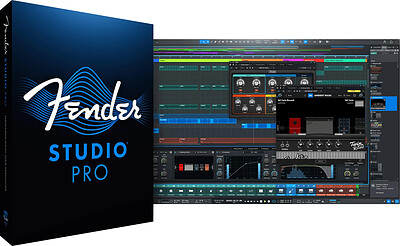
Fender Studio Pro 8 v8.2.0 | Size: 470.58 MB
Language: English
​
Fender Studio® Pro is the next evolution of modern music creation. Built on PreSonus' award-winning Studio One platform, it combines celebrated features and trusted performance with a modernized interface, Fender's renowned amps and effects, and intuitive new workflows that make creating music faster, more inspiring, and more connected than ever.

From the first riff to the final mix, Fender Studio Pro empowers musicians, producers, and creators to bring ideas to life effortlessly. Its drag-and-drop workflow, Channel and Arrangement Overviews, and integrated Fender Mustang Guitar and Rumble Bass plug-ins make recording, producing, and performing more intuitive and inspiring than ever. Additional tools like AI-powered Audio-to-Note conversion, Chord Assistant, updated samplers, Studio Verb, and Show Page video playback give creators the precision, flexibility, and sonic depth to produce professional-quality music in any genre.

Fender Mustang Native Guitar & Fender Rumble Native Bass Plug-ins
Fender sounds right in the box. Classic tones, pro presets, and powerful FX - exclusively in Fender Studio Pro. Choose from 39 guitar amps, 39 bass amps, 73 fx pedals, and hundreds of presets.

Channel Overviews
Fender sounds right in the box. Classic tones, pro presets, and powerful FX - exclusively in Fender Studio Pro. Choose from 39 guitar amps, 39 bass amps, 73 fx pedals, and hundreds of presets.

Powerful Production Tools
Create without limits using intelligent songwriting and editing tools like Chord Assistant, AI-powered Audio-to-Note conversion, advanced sampling, and immersive Studio Verb-designed to keep ideas flowing from first take to final mix.

Fender Studio® Pro
Channel & Arrangement Overviews - Full session visibility for quick navigation and control.
Fender Mustang Guitar & Rumble Bass Plug-ins - Classic Fender tones, amps, cabs, pedals, and presets.
Redesigned User Interface - Modern, streamlined workflow for faster creativity.
AI-Powered Audio-to-Note Conversion - Transform audio recordings into editable MIDI instantly.
Chord Assistant - Intelligent chord suggestions to inspire songwriting.
Updated Sample One & Impact Samplers - Advanced sampling and sound-shaping tools.
Studio Verb Plug-in - Create immersive, realistic reverb with intuitive controls.
Video Support on Show Page - Play and edit video within your performance setup.
Seamless Fender Studio Integration - Capture ideas on mobile, continue on desktop.
Drum Metronome & Jam Tracks - Realistic patterns and multi-track songs for practice and recording.

HOMEPAGE:
Код:
https://intl.fender.com/products/fender-studio-pro

FREE DOWNLOAD LINKS:​

Код:
https://rapidgator.net/file/ca15a105a0810f60ff8f291ba7eb1b99/Fender_Studio_Pro_8_v8.2.0.rar

Код:
https://clicknupload.click/7og5xr9o3cso/Fender_Studio_Pro_8_v8.2.0.rar
 
6a461574c8d7b7e821f0cc66fd03b4ad.jpg


Greeting Card Factory Deluxe 27.0.0.7 | Size: 136.37 MB
Language: English
​
Customize, personalize and send the very best store-bought greeting cards with one great software product - Greeting Card Factory Deluxe! This new version contains the ultimate collection of retail-quality cards for every event and occasion. With beautiful graphics, text effects and heartfelt sentiments to choose from, you'll create greeting cards that not only look incredible but express your inner-most feelings every time.

Plus, Greeting Card Factory Deluxe offers more than just cards. Increased content, contemporary new features, an easier to use interface and enhanced browser system let you search for other customizable projects like invitations, thank you notes, stationary, envelopes and more! Even correct and add your own digital photos to cards, calendars and crafts using the Advanced Digital Photo Editor.

Create the best in personalized greetings with 27,000 cards & projects and 94,000 graphics in the new Greeting Card Factory® Deluxe today!

New! A completely rebuilt, modern application for Windows & Mac
- NEW! Windows and Mac compatible
- NEW! NexGenAI-powered image generation from text descriptions
- NEW! A redesigned project browser with Theme Search and improved navigation
- Customize! Create greeting cards, calendars, photo projects and more
- 27,000+ Cards and projects
- 94,000+ Graphics
- Easy! Complete projects in 3 easy steps

- Included! Advanced photo editor
- Enhanced! text tools, including curved and wave text, special effects, pre-written greetings and spell checking
- Improved! High-quality printing, automatic two-sided printing, PDF output and full-size banner tiling
- Improved! Better support for legacy Print Artist projects, including folded cards, business cards, postcards, banners and other multi-page formats

System Requirements
- Windows 10, 11
- 512 MB RAM
- Pentium III 800Mhz or Faster
- DVD Drive
- Recordable or rewritable CD Drive required to burn CD greeting cards
- Internet connection required

HOMEPAGE:
Код:
https://www.novadevelopment.com

FREE DOWNLOAD LINKS:​

Код:
https://rapidgator.net/file/aed5ab520a9f467cfabfa87a6741225d/Greeting_Card_Factory_Deluxe_27.0.0.7.rar

Код:
https://clicknupload.click/60aoenbag2vr/Greeting_Card_Factory_Deluxe_27.0.0.7.rar
 
685266c2ef85186b1890c8b0029be05d.jpg


Hallmark Card Studio Deluxe 2027 v27.0.0.11 | Size: 202.11 MB
Language: English
​
For more than 100 years, Hallmark has designed greeting cards for life's special moments. Hallmark Card Studio® Deluxe extends this tradition, making it easy to create one-of-a-kind Hallmark cards as unique as the people you care for. From birthdays and holidays to special occasions and every day greetings, you'll find the perfect card for virtually any occasion.

But cards are just the beginning. Bridge the miles between family and friends with photo cards, postcards, stationery sets and party invitations-all customized with your heart-felt message. It's easy with exclusive Hallmark writing tips and ideas included right in the software! Even add your own digital photos to calendars, scrapbook pages, award certificates and more.

With 21,000+ designs, 21,000+ premium graphics, 16,000+ sentiments, exclusive fonts, an Event Planner and much more, the creative possibilities are endless. It's amazing what you and Hallmark can do together!

New Version for 2027
- 21,000+ Hallmark Cards and Creative Projects
- 21,000+ Premium Graphics
- 16,000+ Hallmark Sentiments
- Enhanced Photo Editor
- E-Cards with Music, Sound, and Easy Sharing
- Hundreds of Brand New Greeting Cards

Product Highlights
- More! 21,000+ Hallmark Greeting Cards and customizable projects for all occasions
- Improved! 21,000+ Spectacular Graphics including exclusive Hallmark art
- More! Hallmark sentiment library with 16,000+ sentiments
- New! Animated home screen and user interface
- Enhanced! More matching envelopes to send your card off in style
- Fast! Search cards by design, theme or occasion for quick results
- Card History - remembers the cards you send to family and friends so you never repeat.
- Milestone Birthday and Holiday Photo Card collections
- Fun! Easy integration with Facebook and other social networks
- New! Exclusive hand-crafted Hallmark fonts
- Photo Cards, Calendars, 3D Cards, 3D Projects and more
- NEW! Hundreds of new Hallmark Greeting Cards
- Easy! A video tutorial gets you started fast

System Requirements
- Works with Windows 11, 10, and 8
- Intel® Pentium® 4 or faster
- 1 GB RAM
- DVD Drive (for Box Version)
- Color Printer
- Internet Connection Required to Use Download Version

HOMEPAGE:
Код:
https://www.hallmarksoftware.com

FREE DOWNLOAD LINKS:​

Код:
https://rapidgator.net/file/073e009d1701e6adc1a4f9eb35c89ac1/Hallmark_Card_Studio_Deluxe_2027_v27.0.0.11.rar

Код:
https://clicknupload.click/aebou0gxtvfe/Hallmark_Card_Studio_Deluxe_2027_v27.0.0.11.rar
 
3578c30e65a8ab1bc1a096017b7544bc.jpg


Print Artist Gold Edition 27.0.0.8 | Size: 128.15 MB
Language: English
​
Print Artist® Gold is unlike any print software you've ever used - its unparalleled quality combined with unprecedented ease of use lets you produce amazing print projects for your home, school or business.

Impress friends, family and clients with the creative edge that only Print Artist Gold can offer - 16,700+ professionally-designed templates, 277,000+ sensational graphics, 700+ premium fonts and more! With its powerful, yet easy-to-use design, text and drawing customization tools, advanced photo editor, special text effects gallery and more, you'll be creating expert, eye-popping print projects with a professional, custom look that truly raises the bar!

The Fast, Easy and Fun Way to Create Spectacular Print Projects
- New! NexGen AI-powered image generation from text descriptions
- New! A completely rebuilt, modern application for Windows or Mac
- 16,700+ Professionally-Designed Templates
- 277,000+ Sensational Graphics
- 700+ Premium Fonts
- Improved! A redesigned project browser with Theme Search and improved navigation
- A full Layers palette for controlling visibility, locking, printability and object order
- 634 ready-to-use blank formats through the new Change Stock browser

- Enhanced text tools, including curved and wave text, special effects, pre-written greetings and spell checking
- Address Book and Mail Merge tools for personalized projects
- Improved high-quality printing, automatic two-sided printing, PDF output and full-size banner tiling
- Export to JPEG, PDF, animated GIF and MP4
- Sharing tools for email, Facebook and YouTube
- Better support for legacy Print Artist projects, including folded cards, business cards, postcards, banners and other multi-page formats
- Photo import from files and supported cameras

System Requirements
- Windows 10, 11
- 512 MB RAM
- 1024 x 768 display or higher
- Internet connection required
- Recordable or rewriteable CD drive required to burn CD slideshows

HOMEPAGE:
Код:
https://www.novadevelopment.com

FREE DOWNLOAD LINKS:​

Код:
https://rapidgator.net/file/e5bec4bee9880336f5b69db88ca63962/Print_Artist_Gold_Edition_27.0.0.8.rar

Код:
https://clicknupload.click/8e6ql8vabpps/Print_Artist_Gold_Edition_27.0.0.8.rar
 
a66d8b28c6f058b3dcb5337dbb1af38b.jpg


Print Artist Platinum Edition 27.0.0.8 | Size: 129.91 MB
Language: English
​
Print Artist® Platinum is unlike any print software you've ever used - its unparalleled quality combined with unprecedented ease of use lets you produce amazing print projects for your home, school or business.

Impress friends, family and clients with the creative edge that only Print Artist Platinum can offer - 28,000+ professionally-designed templates, 377,000+ sensational graphics, 1,000+ premium fonts and more! With its powerful, yet easy-to-use design, text and drawing customization tools, advanced photo editor, special text effects gallery and more, you'll be creating expert, eye-popping print projects with a professional, custom look that truly raises the bar!

Spectacular Print Projects Made Easy!
- New! NexGen AI-powered image generation from text descriptions
- New! A completely rebuilt, modern application for Windows or Mac
- 28,000+ Professionally-Designed Templates
- 377,000+ Sensational Graphics
- 1,000+ Premium Fonts
- Bonus! Create CD Slideshows You Can Watch on TV
- Improved! A redesigned project browser with Theme Search and improved navigation
- A full Layers palette for controlling visibility, locking, printability and object order

- 634 ready-to-use blank formats through the new Change Stock browser
- Enhanced text tools, including curved and wave text, special effects, pre-written greetings and spell checking
- Address Book and Mail Merge tools for personalized projects
- Improved high-quality printing, automatic two-sided printing, PDF output and full-size banner tiling
- Export to JPEG, PDF, animated GIF and MP4
- Sharing tools for email, Facebook and YouTube
- Better support for legacy Print Artist projects, including folded cards, business cards, postcards, banners and other multi-page formats
- Photo import from files and supported cameras

System Requirements
- Windows 10, 11
- 512 MB RAM
- 1024 x 768 display or higher
- Internet connection required
- Recordable or rewriteable CD drive required to burn CD slideshows

HOMEPAGE:
Код:
https://www.novadevelopment.com

FREE DOWNLOAD LINKS:​

Код:
https://rapidgator.net/file/392cc5f0b67fb0267c9a83b601796da8/Print_Artist_Platinum_Edition_27.0.0.8.rar

Код:
https://clicknupload.click/v8j74ukp1120/Print_Artist_Platinum_Edition_27.0.0.8.rar
 
78cdde179d83c444dd0d85d704dc91de.jpg


Blackmagic Design DaVinci Resolve Studio 21.2 (64) Multilingual | Size: 9.66 GB
Language: English
​
DaVinci Resolve Studio supports up to 120fps at a massive 32K resolution, as well as support for multiple GPUs for real time playback of professional 10-bit formats, and accelerated H.264 and H.265 hardware decoding and encoding. There's a full suite of immersive audio tools, DaVinci Neural Engine AI voice isolation, music remixer and dialogue separator. It also includes Dolby Vision and HDR10+ grading and rendering, and 45 extra Resolve FX such as AI UltraNR noise reduction, SuperScale and de-interlacing. You also get workflow and media asset management integration, remote scripting API, and rendering and encoder plug-in support. Plus there's full screen playback on a second monitor!

More GPU Acceleration
DaVinci Resolve Studio turbo charges your system's GPU performance! Fully optimized for Metal and Apple Silicon unified memory GPUs on a Mac, or OpenCL and CUDA on Windows and Linux, plus you'll get incredible performance gains with additional GPUs.

Advanced Noise Reduction
DaVinci Resolve Studio includes some of the most powerful and sophisticated noise reduction. Temporal and AI spatial noise reduction tools can be used independently or together to help clean up and remove unwanted noise in virtually any image.

Lens Distortion
DaVinci Resolve Studio includes a lens correction feature that allows you to analyze a clip and correct for spherical lens distortion or other aberrations. It uses optical flow image analysis and processing algorithms for incredible quality results!

Professional HDR Scopes
The HDR scopes in DaVinci Resolve Studio are capable of measuring and providing detailed information about ST.2084 and HLG images. This allows you to replace the 10‑bit scale of the scopes with a scale based on nit values, or cd/m2, instead.

Stereoscopic 3D
DaVinci Resolve Studio features a complete set of tools for editing and grading stereoscopic 3D projects. You have total control over stereo specific clip properties such as convergence, floating windows, eye alignment, mastering and output.

Remote Monitoring and Grading
Remote monitoring allows clients to view a real time feed via computer, iPad or iPhone with extreme high quality! Remote grading lets you work interactively so that changes made on your DaVinci Resolve system are immediately visible remotely.

DaVinci Color Transform Language
Unlike LUTs, which rely on simple lookup tables, DaVinci color transformation scripts are GPU accelerated bits of code that directly transform images using combinations of math functions. That makes them extremely fast and non destructive.

Scripting and Automation
DaVinci Resolve Studio features support for both Python and LUA scripting, along with developer APIs that allow you to add workflow integrations and custom encoding options. This lets studios of all sizes create deeply integrated custom workflows.

Workflow Integration Plug‑ins
DaVinci Resolve Studio supports workflow integration plug-ins for connecting to local and remote asset management, automation systems and more. Users can write their own plug-in and interact with DaVinci Resolve's JavaScript APIs.

Minimum System Requirements for macOS:
macOS 15 Sequoia or later.
8 GB of system memory or 16 GB when using Fusion.
At least 16 GB for advanced AI tools.
At least 32 GB for background rendering and analysis.
For monitoring, Blackmagic Design Desktop Video 12.9 or later.
Apple Silicon based computer.

HOMEPAGE:
Код:
https://www.blackmagicdesign.com/products/davinciresolve/studio

FREE DOWNLOAD LINKS:​

Код:
https://rapidgator.net/file/cdb7033747964795fcee78dcc41de458/DaVinci_Resolve_Studio_21.2..part1.rar
https://rapidgator.net/file/7a4253078636455e722e90e4eea8a24f/DaVinci_Resolve_Studio_21.2..part2.rar
https://rapidgator.net/file/f7ed87773edb2a9394d5ea56f48b9c5a/DaVinci_Resolve_Studio_21.2..part3.rar
https://rapidgator.net/file/2e53a05d3b007e9e1430f8d18744b05c/DaVinci_Resolve_Studio_21.2..part4.rar
https://rapidgator.net/file/d2a077184f2a65bd54f736aa6005c8a5/DaVinci_Resolve_Studio_21.2..part5.rar

Код:
https://clicknupload.click/y3a4jb2igj0t/DaVinci_Resolve_Studio_21.2..part1.rar
https://clicknupload.click/bn4jr2gwzu57/DaVinci_Resolve_Studio_21.2..part2.rar
https://clicknupload.click/e8z0vuz3ubeh/DaVinci_Resolve_Studio_21.2..part3.rar
https://clicknupload.click/zrojhmfuuzfz/DaVinci_Resolve_Studio_21.2..part4.rar
https://clicknupload.click/fcab37gst0wc/DaVinci_Resolve_Studio_21.2..part5.rar
 
34b399a015a7d1b375f98a955152c067.jpg


Blackmagic Design Fusion Studio 21.2 (x64) Multilingual | Size: 6.21 GB
Language: English
​
Fusion is the world's most advanced compositing software for visual effects artists, broadcast and motion graphic designers, and 3D animators. Over the last 30 years, Fusion has been used on thousands of Hollywood blockbuster movies and television shows. Fusion features a powerful node based interface that lets you quickly and easily create sophisticated effects by connecting different types of image processing tools together! You get a massive range of tools, incredible VR and 3D support, GPU accelerated performance, unlimited network rendering and more! Fusion gives you everything you need to create exciting broadcast graphics, dramatic titles, and even major feature film visual effects!

What's New in Fusion 21:
Compositions you create on the Fusion page can now be saved as a template and used on the edit or cut page! New animation curve modifiers can be used to automatically retime animations when you change their duration in an edit. Audio playback with waveform display makes it easier to create precisely timed animations, there are shared markers with the edit page and more. In addition, 27 GPU accelerated Resolve FX have been added to the Fusion page, including the noise reduction and sharpening tools from the color page! New node view bookmarks make it easy to navigate large comps, the toolbar can be customized with your favorite tools, and vertical layouts are supported in the node editor.

Build Your Own Effects with Customizable Templates
Fusion effect templates let you create any effect imaginable and apply them to clips on the edit and cut pages! Simply build a composition, save it as a macro, define the parameters you want to make visible, and save it in the correct location. Just drag Fusion effect from the library onto any clip!

Automatically Retime Animations
Animation curve modifiers let you easily stretch or squish keyframes and add bounce, mirror or loop animations that automatically change when the duration of the composition changes. When you drop Fusion titles or effects onto the timeline and change its duration, the animation adjusts accordingly!

Sync Audio Animations
The Fusion page can now playback audio from the edit or cut page timeline. You can choose a mix down from the timeline, or you can listen to the source clip's audio. Waveforms are displayed in the keyframe editor, allowing you to create precisely timed

Custom Vector Shapes
Vector shape tools make it easier to create motion graphics! You get ellipsis, rectangles, polygons and stars, along with boolean operators for combining shapes to create intricate designs. Grid, jitter, offset and transform, let you customize animations. Shapes can also be used as particle sources!

GPU Accelerated Resolve FX
The Fusion page has 27 new GPU accelerated Resolve FX. This includes the color page's noise reduction and sharpening tools, along with lens blur, light effects, color effects, revival image restoration tools and more. You also get texture and stylize, temporal effects, warping and beauty tools.

Personalize Your Workflow
Node tree bookmarks let you quickly navigate to any part of the node tree in a large composition. Customizable toolbars let you quickly switch toolbars based on the current task. Vertical node tree layouts give you more room to view the spline and keyframe editors when creating animations, and more.

Hollywood's Biggest Blockbusters
Thousands of Hollywood's biggest blockbusters and hit television shows use Fusion to create their groundbreaking visual effects. Fusion has been used on feature films like Ant-Man, Red Sparrow and London Has Fallen, as well as hit television shows like Empire, NCIS and Emergence. Fusion also plays a major role in the development of cinematics for major video games such as Dawn of War III, Halo 5 and more!

Nodes are a Much Faster Way to Work!
Nodes are incredibly easy to use, especially as scenes become more complex. Fusion's nodes are small icons that represent effects, filters and other image processing operations. Nodes can be easily connected together to build larger and more complex visual effects. Tools, images, and objects can be combined in any order to create unlimited visual effects. Simply click on a node to quickly adjust any single part of your project. That's much faster than a timeline based tool because you don't need to hunt through nested stacks of confusing layers and filters!

Get the most Powerful VFX Software Available!
Whether you need to pull a key, track objects, retouch images, animate titles, or create amazing particle effects, Fusion has a massive toolset that lets you tackle the most demanding jobs. You get a true 3D workspace along with tools for compositing, keying, painting, animation, virtual reality, stereoscopic 3D and more. Fusion combines effects and motion graphics, along with 3D modeling and rendering into a single toolset. That means you can import and render 3D models and scenes with the rest of your composite in Fusion. You don't have to pre‑render assets or transfer between multiple applications!

And more.

Minimum System Requirements for Windows
Windows 10 Creators Update.
16 GB of system memory or 32 GB for improved performance.
For monitoring, Blackmagic Design Desktop Video 12.9 or later.
Integrated GPU or discrete GPU with at least 4 GB of VRAM.
GPU which supports OpenCL 1.2 or CUDA 12.8.
AMD/Intel official drivers from your GPU manufacturer.
NVIDIA Studio driver 570.65 or newer.

HOMEPAGE:
Код:
https://www.blackmagicdesign.com/

FREE DOWNLOAD LINKS:​

Код:
https://rapidgator.net/file/442a5776c6eee1bc5dbeedaf71474ce9/Fusion_Studio_21.2..part1.rar
https://rapidgator.net/file/2179a39e808e1c231941436b2aaefe85/Fusion_Studio_21.2..part2.rar
https://rapidgator.net/file/7283026f275fe35b9eb62b2a5d678099/Fusion_Studio_21.2..part3.rar
https://rapidgator.net/file/8be79f446a1b9f6fe231327346dfffbc/Fusion_Studio_21.2..part4.rar

Код:
https://clicknupload.click/g2z0l1zqziu6/Fusion_Studio_21.2..part1.rar
https://clicknupload.click/ds9ykgkh6pyc/Fusion_Studio_21.2..part2.rar
https://clicknupload.click/6bwhodw0kess/Fusion_Studio_21.2..part3.rar
https://clicknupload.click/ssniz4oqgv4l/Fusion_Studio_21.2..part4.rar
 
39ec3772cea7895771ab52dad77844c9.jpg


Corel PaintShop Pro 2023 Ultimate 25.3.0.16 | Size: 1.36 GB
Language: English
​
PaintShop Pro 2023 Ultimate - Photo editing software for Windows. Create something incredible with photo editing power and intelligence for results as unique as your images. Your digital world is always brighter with PaintShop Pro! Make every shot your best shot with PaintShop® Pro 2023 Ultimate, an advanced photo editor delivering a versatile range of pro-level editing and graphic design tools, time-saving AI-based solutions, and a bonus pack of premium software.

What's New in PaintShop Pro 2023?
Behind every show-stopping image is real intelligence. Highly effective features and tools powered by artificial intelligence and machine learning technology make creating something truly original, achievable.

Enjoy powerful and complete editing of RAW files with a great variety of pro-level tools available in the new AfterShot Lab, now inside PaintShop Pro. There is no need for extra applications or for running several editing processes in parallel, with time-saving and streamlined RAW image editing.

Real. Intelligent. Creative.
Get exactly the results you want with PaintShop Pro's innovative tools and features.

Powerful photo editing tools
Depend on a versatile range of professional tools in this image editing software to make every shot, the best shot.

Essential tools
Easily crop areas of your photo to alter the focus using composition guides, Golden Ratio and Rule of Thirds. Resize with ease using one of several presets, or resize by pixels, percentage or print size. Restore and repair old photos with the Scratch Remover and Fade Correction tools to enhance contrast and color to faded photos.

Adjustment tools
Alter your photos using a wide variety of powerful adjustment tools, including Brightness and Contrast, Fill Light and Clarity, Fade Correction, White Balance, Hue and Saturation, Noise Removal, Vibrancy, Sharpening, color correction, and tonal levels and curves.

Selection and Correction tools
Isolate the area you want to select with a variety of Selection tools and enhance your selection with the Refine Brush. Automatically correct distortions, vignetting and chromatic aberrations in your photos with Lens Correction tools and use the Straighten tool to fix a crooked horizon, or the Perspective Correction tool to make a photo appear as though it was taken from a different angle.

RAW, HDR, and 360° camera support
Advance your editing capabilities of RAW files using the pro-level tools of AfterShot Lab, now available in PaintShop Pro. Combine several photos of the same scene with different exposures to create one stunning HDR photo. Edit photographs taken with a 360° degree camera by straightening a photo with rotation or make it appear levelled. Remove and automatically replace a tripod or produce an interesting 'planet-like' effect.

Time saving tools
Reduce repetition and accelerate complex photo-editing actions with Scripts. Record a series of edits as a script to apply to any photo, anytime. Automate edits on multiple photos at once with batch processing like adding a watermark, picture frame, or simply resizing.

Creative graphic design features
Discover a world full of creative possibilities to bring your dream designs to life.

Layers and masks
Layers and masks are essential for advanced image editing, compositing and graphic design. Use multiple, non-destructive layers when editing images to create photo composites with ease. Create masks to hide or show parts of a layer, fade between layers, and to create special effects with precision.

Text tools
Add text to images to create interesting projects, like a meme or a picture quote. Adjust fonts, size, style, alignment, leading, and kerning with a complete set of typography tools.

Drawing, painting and fill tools
Paint with built-in brushes, or import Adobe Photoshop brushes to make your design ideas come true. Draw with vector illustration tools, and experiment with plenty of color palettes, gradients, patterns, and picture tubes to take your designs to the next level.

Templates and Creative Content
Access a wide range of built-in templates to create collages, greeting cards, social media images, web banners, brochures, business cards and more. Work with various brushes, textures, patterns, and other in-product creative content -all ready for you to inspire new ideas and save time while producing next level designs.

Smart solutions
Improve photos in no time with a variety of intelligent tools available in PaintShop Pro.

AI-powered tools
Enlarge an image without unwanted distortion with AI Upsampling, quickly remove artifacts and noise from your photos with AI Artifact Removal or AI Denoise, stylize your photos with artistic effects using AI Style Transfer, and seamlessly replace the image background with AI Background Replacement.

Content-aware tools
Remove flaws, objects and distractions with the Object Remover or try content-aware editing tools, like SmartClone, Magic Move and Magic Fill, to automatically fill empty areas.

One-click corrections, Depth of Field, and Selective Focus
Let One Step Photo Fix automatically apply color and sharpening corrections or use Smart Photo Fix to fine-tune settings for a perfect photo. Add a blur, play with depth of field in your photos, or apply bokeh effects to keep parts of the image in focus and the rest blurred. Or use Selective Focus for a Tilt-Shift effect, to make a life-sized image look like a miniature-scale mode.

Portrait and retouching tools
Eliminate red-eye, blemishes, and unwanted lines, or smooth wrinkles, whiten teeth, and even out skin tones with Makeover and retouching tools. Also, create professional-looking portraits with AI Portrait Mode that automatically analyzes and applies a complimentary bokeh blur to the background of your image.

Instant effects
Preview a variety of preset photo effects such as Film Styles, Black & White, Landscape, Retro, Traditional, and Artistic, or stack multiple effects for even more impact. Browse hundreds of effects, including 3D, artistic, illumination and reflection, to add drop shadows and borders to images, or turn photos into a sketch or painting.

Organize, save, and share your work
PaintShop Pro values not just your creativity, but also the practical aspects of saving, transferring, organizing, and sharing your assets.

Extensive file compatibility
Easily import, save, and export in a variety of supported file formats so you won't experience any disruptions.

Photo management
Preview, organize, and streamline your photo-editing workflow in PaintShop Pro's Manage workspace. Add keyword tags to your photos, create catalogs, make edits to multiple photos at once, and review metadata and file information.

System Requirements
- Windows 11, Windows 10 (recommended version 1903 or later with the latest service pack (64-bit editions)*
- For virtualization: Microsoft Windows Server 2012 R2, Windows Server 2016, Windows Server 2019
- Intel® Celeron G series or AMD® Phenom II and above (Intel® i5 or AMD® Ryzen series and above recommended for Artificial Intelligence feature support)
- 4GB of RAM (8 GB recommended for Artificial Intelligence feature support)
- 3GB of available hard-disk space required (4GB recommended)
- 1366 x 768 display resolution (1920 x 1080 display resolution 100 DPI recommended). Up to 250 DPI supported with appropriate resolution display
- DirectX 11 or higher compatible video adapter with the latest driver (DirectX 12 compatible discrete VGA card recommended for GPU acceleration)

Supported Languages
English, French, German, Italian, Spanish, Dutch, Traditional Chinese, and Japanese

HOMEPAGE:
Код:
https://www.paintshoppro.com

FREE DOWNLOAD LINKS:​

Код:
https://rapidgator.net/file/0e6cbf787ee6527e1f9e2622c46281fb/Corel_PaintShop_Pro_2023_Ultimate_25.3.0.16.rar

Код:
https://clicknupload.click/ujro2ewi0ehe/Corel_PaintShop_Pro_2023_Ultimate_25.3.0.16.rar

 
_f9f6c9e4d6ad218103273cee2f6fe526.jpeg


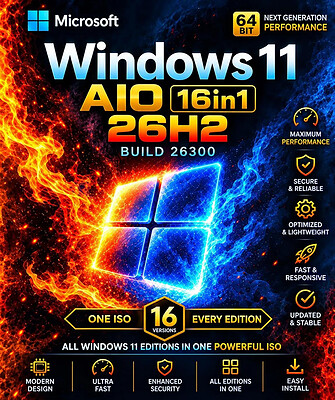
Windows 11 26H2 Build 26300.9818 (No TPM Required) Aio 16in1 Preactivated Multilingual | Size: 7.41 GB
Windows (x64) | Languages: Arabic,English,German,Greek,French,Spanish,Italian,Portuguese-Portuguese,Portuguese-Brazil,Turkish,Dutch,Czech,Norwegian
​
Windows 11 version 26H2 also known as the Windows 11 2026 Update,is built on the same servicing foundation as recent Windows 11 releases. It delivers the latest Windows innovations with a streamlined update experience designed to minimize disruption and help you stay secure, productive, and up to date.

For many eligible devices, moving to version 26H2 is as simple as installing a small enablement package, with a minimal download size, quick installation, and a single restart. Version 26H2 enables most of the features that were introduced in monthly updates for Windows 11, version 25H2.

What's new in Windows 11, version 26H2
Windows 11, version 26H2 is the next annual feature update for Windows 11. It builds on the same servicing foundation as Windows 11, versions 25H2 and 24H2, helping organizations adopt the latest release with minimal disruption. Devices running eligible versions of Windows 11 can move to version 26H2 through a small enablement package rather than a full operating system upgrade.

Because Windows 11, versions 26H2, 25H2, and 24H2 share a common servicing branch, many new features and improvements have already been delivered through monthly servicing updates. Version 26H2 enables selected features and resets the support lifecycle for the new release.

Servicing and deployment
Windows 11, version 26H2 provides a familiar update experience

Delivered as an enablement package for eligible devices running Windows 11, versions 25H2 and 24H2.
Fast installation with a single restart in most scenarios.
Reduced validation effort because supported versions share the same underlying platform.
Consistent management, security, and update experiences across supported releases.
Features enabled by default in version 26H2
For commercial organizations, Windows 11, version 26H2 enables capabilities that were introduced previously but controlled through temporary commercial controls.

Windows settings backup
Windows settings backup is now enabled by default for eligible commercial devices. This helps organizations preserve supported Windows settings and Microsoft Store app lists for recovery and device replacement scenarios. Existing administrator-configured policies continue to be honored.

App-specific actions from the taskbar
Windows 11, version 26H2 enables app-specific taskbar actions by default for commercial devices. Users can thus access common actions directly from taskbar experiences.

File Explorer enhancements
Several File Explorer improvements that were previously under temporary commercial controls are enabled by default in Windows 11, version 26H2. These enhancements focus on improving navigation and usability within File Explorer.

Edition includes
1. "Windows 11 Home"
2. "Windows 11 Home N"
3. "Windows 11 Pro"
4. "Windows 11 Pro N"
5. "Windows 11 Home Single Language"
6. "Windows 11 Enterprise"
7. "Windows 11 IoT Enterprise"
8. "Windows 11 IoT Enterprise Subscription"
9. "Windows 11 Enterprise multi-session"
10. "Windows 11 Education"
11. "Windows 11 Pro Education"
12. "Windows 11 Pro for Workstations"
13. "Windows 11 Enterprise N"
14. "Windows 11 Education N"
15. "Windows 11 Pro Education N"
16. "Windows 11 Pro N for Workstations"

System Requirements
Processor: 2 gigahertz (GHz) or faster.
RAM: 2 gigabyte (GB).
Free space on hard disk: 15 gigabytes (GB).
Graphics card: DirectX 9 graphics device or a newer version.
Additional requirements to use certain features.
To use touch you need a tablet or monitor that supports multitouch.
To access the Windows store to download and run apps, you need an active Internet connection and a screen resolution of at least 1024 x 768 pixels

HOMEPAGE:
Код:
https://microsoft.com

FREE DOWNLOAD LINKS:​

Код:
https://rapidgator.net/file/f4de247ef691e6add4e969b19b9d65d9/Win.11.AIO.26300.9818..part1.rar
https://rapidgator.net/file/c1a1a22099562d04018df66a6c00ac7b/Win.11.AIO.26300.9818..part2.rar
https://rapidgator.net/file/6607907dad73b823c7f0d6e04294a567/Win.11.AIO.26300.9818..part3.rar
https://rapidgator.net/file/0d756e6e9394b77ab73f16b541829ec0/Win.11.AIO.26300.9818..part4.rar
https://rapidgator.net/file/016a3f4456278eaa52224d9f09dc96c3/Win.11.AIO.26300.9818..part5.rar
https://rapidgator.net/file/809a87235db3ddb517015b705a6a945d/Win.11.AIO.26300.9818..part6.rar
https://rapidgator.net/file/e45829e9d7de6a63b3696e638ef63d4f/Win.11.AIO.26300.9818..part7.rar
https://rapidgator.net/file/21c19dadbb740190aea47615a6bb82a0/Win.11.AIO.26300.9818..part8.rar

Код:
https://clicknupload.click/zmag9va2jomg/Win.11.AIO.26300.9818..part1.rar
https://clicknupload.click/0lb9itku1csp/Win.11.AIO.26300.9818..part2.rar
https://clicknupload.click/kd4ed1jsb3zi/Win.11.AIO.26300.9818..part3.rar
https://clicknupload.click/orvw8359nnkv/Win.11.AIO.26300.9818..part4.rar
https://clicknupload.click/ys9cdrhvxf7c/Win.11.AIO.26300.9818..part5.rar
https://clicknupload.click/xrkiejfqtr4x/Win.11.AIO.26300.9818..part6.rar
https://clicknupload.click/b1po48kbwuv5/Win.11.AIO.26300.9818..part7.rar
https://clicknupload.click/eh6o63d7ckx3/Win.11.AIO.26300.9818..part8.rar
 
Назад
Сверху Снизу