All Emperor2011's Software in one thread !! (updated daily)

3cd5b24e2eb5e59f7506fa6b8083cd68.jpg


Wondershare PDFelement Professional 13.0.12.4587 Multilingual | Size: 250.55 MB
Language: English
​
The PDF Experience, Simplified. The easiest way to create, edit, convert and sign PDF documents. Get control over PDFs like never before. The most Powerful and Simple PDF solution that changes the way you work with your important documents forever.

Edit PDF Like Word
Wondershare PDFelement enables you to edit PDF documents just as easily as you would in Word documents.

Edit PDF Text
Add, edit, remove text, link, watermark, header&footer, or bates numbers on your PDF easily. You can also edit the size, font, and color of the added content.
When you need to change the background of the PDF file, you can also add or change the file's background with any color, PDF or image.

Edit PDF Image
Click on an image, then move, rotate, crop (resize), extract, replace, overturn or delete images in PDF. Even you can set the Z-Order of the image.
Export each image in a PDF to a separate image file with "Convert" feature of Batch Process tool.

Move and Align Objects
It is easy to move an item forward or back just one level, or send it to the front or back of the stacking order of elements on the page.
The Align properties options (in the right-hand panel on Windows version, or right-click to call up the Align properties) let you precisely align multiple objects on a side - left, right, top, bottom vertical center, and horizontal center.

Edit PDF Pages
Organizing pages in PDFelement is intuitively simple and fast. It is easy to sort, add, rotate, move, split, crop and delete PDF pages with PDFelement in a second, from anywhere.

Edit PDF Forms
PDFelement can help you create, edit PDF forms easily, also turn PDFs into fillable forms with "Recognize Form" tool or just add, delete, and drag and drop form fields or enable fields for e-signatures.
You can even add calculations and data validation rules to your form. It is simple!

Edit Scanned PDF
When you open a scanned document for editing, you need to perform OCR feature(optical character recognition) on PDFelement.
It can recognize text and characters from PDF scanned documents (including multipage files), photographs or digital camera captured images, so to make the PDF documents editable and searchable.

Edit Password Protected PDF
Unlock the PDF by entering the correct password so to access the file. Then you can edit, print, copy, comment, sign, organize the PDF file.
You can also remove security from a PDF if you have the document password.

Your Complete PDF Convert Solution
Convert PDFs into secure file formats, like Microsoft Office, image, text etc. in high-quality and minimum effort.

PDF to Word
Batch-convert PDF files to Word documents without losing fonts and formats. It supports .docx, .doc.

PDF to Excel
Convert PDFs to Microsoft Excel files: xlsx, xls, XML.

PDF to PPT
Convert PDFs to Microsoft PowerPoint files: .pptx, .ppt.

PDF to Image
Convert PDFs as separate images or into one single image with any image quality you want. It supports JPG, PNG, BMP, GIF, and TIFF.

System Requirements:
Operating System: Windows 11/10/8.1/8/7/Vista/XP
Processor: 1Ghz Processor or above
RAM: 512MB RAM or above
Available Hard Drive Space: 500 MB or above

HOMEPAGE:
Код:
https://pdf.wondershare.com/

FREE DOWNLOAD LINKS:​

Код:
https://rapidgator.net/file/584d9df3615d37ee696e805d52a65446/Wondershare_PDFelement_Professional_13.0.12.4587_Multilingual.rar
 
2a4e835c96bb5edcb786b8d4420d96aa.jpg


NCH VideoPad Pro 18.62 | Size: 9.53 MB
Language: English
​
Working with video files, especially editing them, is a task that requires a specialized application that can provide all the tools one needs. Among the software applications of this kind you can find VideoPad Video Editor. The interface of this utility is divided into several parts (e.g. Media List, Effects, Transitions, Files, Clips, Video Track, Audio Track, Overlay Track), which may make everything seem a little hard to operate. You can capture video from a camcorder or another device like a webcam or a TV capture card, and once you have added files and sequence clips to the queue, you can start editing them.

Stunning Transition Effects:
Choose from a range of fade transitions to give
your movie that professional touch.
Preview the effects in real time.
Customize the duration of the effect.

Amazing Audio Tools:
Import and mix music tracks like a pro.
Make your own custom movie soundtrack.
Record your own narrations with the click of a button.
Import pre-recorded narrations, sound effects or music.

Complete Video Optimization:
Fine tune brightness, saturation and color for your video.
Add photos and digital images with a click of a button.
Apply effects like black & white, sepia tone and negative.
Add text captions to your movie.

Share With Your Family and Friends:
Burn to DVD and watch in your living room on your TV.
Save for Youtube and share online with friends.
Save to PSP, iPod, iPhone or 3GP mobile phone.
Save to your PC as a high-quality digital movie.

Input Formats:
Video: avi, mpeg, wmv, divX, Xvid, mpeg1, mpeg2, mpeg4, mp4, mov, asf, vob, ogm, .3gp, H.264, RM and many more.
Image: bmp, gif, jpg, jif, jiff, jpeg, exif, png, tif

Output Formats:
Disc export: DVD, CD, Blu-ray Discs, HD-DVD
Video export: avi, wmv, asf, mpg, 3gp, mp4, mov, iPod, iPhone, PSP, Mobile Phone, Pocket PC

Operating System: Windows 11, 10, XP, Vista, 7, 8 and 8.1

HOMEPAGE:
Код:
https://www.nchsoftware.com/

FREE DOWNLOAD LINKS:​

Код:
https://rapidgator.net/file/283725e382c731f162d00cbb6f2936f0/NCH_VideoPad_Pro_18.62.rar
 
673917809f5a0d2d742ad967ec9785e8.jpg


Soft Organizer Pro 11.0 (x64) | Size: 51.97 MB
Language: English
​
A common problem we often face with, when uninstalling unnecessary software, is various traces left in the system: unneeded files or folders on a disk, registry entries and so on. This can happen even if an application was removed correctly with its own uninstaller - a special program provided by a vendor to uninstall the application. The Soft Organizer program is intended to solve this problem: It allows you to COMPLETELY uninstall unnecessary applications from your system.

Features

1. Very simple and intuitive operation
The simple, convenient, and non-overloaded interface doesn't distract a user from the installing and/or uninstalling process. The Soft Organizer utility looks like a simple list of installed programs, where a user merely needs to select a program and click "Uninstall". At the same time, the tool features the entire range of capabilities that even programs with much more complex interfaces have. (Most of those programs look like a space shuttle cockpit with many gauges, meters, and obscure instruments.)

2. Has only the functions you really need
Thanks to judicious selection of capabilities, Soft Organizer features only those options you really need in your work. The overall functionality of the program is similar to competitive application removal solutions.

3. Enhanced capabilities for experienced users
Due to the number of enhanced functions in Soft Organizer, experienced users can enjoy more precise control over the process. Such functions keep a low profile and do not distract other users, so installing and uninstalling applications using Soft Organizer remains simple and intuitive.

Operating System: Windows XP, Vista, 7/8.1/10/11 ( 64-bit)

HOMEPAGE:
Код:
https://www.chemtable.com/

FREE DOWNLOAD LINKS:​

Код:
https://rapidgator.net/file/d3ef03353532a0bdd9db5d0d57d96efe/Soft_Organizer_Pro_11.0_x64.rar
 
f8bd93317ae2d0ac2ccfbf12c575b7aa.jpg


NCH Express Scribe Pro 15.13 | Size: 2.52 MB
Language: English
​
Express Scribe is professional audio player software for PC designed to help transcribe audio recordings.

Reduce your turn around time using Express Scribe's audio playback with keyboard hot keys or by installing one of the supported transcribing pedals. Additional valuable transcribing software features include variable speed playback, multi-channel control, a video player, file management, and more.

Transcription Software Features
Variable speed playback (constant pitch)
Supports audio and video playback
Supports most audio formats and encrypted dictation files including MP3, M4A, DSS, WAV & more.
Use 'hotkeys' for mouse-free playback when transcribing directly into Word or other software
Transcribe dictations, voice notes, hearings, interviews, lectures, movies, songs, and more!

Improve Work Flow
Supports hand-held recorders to transfer audio quickly and easily
Dock both analog and digital portable voice recorders to load recordings

Automatically receives and loads files by internet (FTP), email or over a local computer network
Automatically have finished transcriptions sent to your clients from the program
Load CD audio directly and start working as the audio loads

Works with Other Software & Hardware
Supports professional USB foot pedals to control playback. Supported professional foot pedal controllers
Works with speech recognition software such as Dragon Naturally Speaking to automatically convert speech to text
Works with Microsoft Word and all major word-processors
Works with FastFox text expander for entering medical/legal phrases and common phrases with keyboard shortcuts

Operating System: Windows 10, XP, Vista, 7, 8, 8.1 & 11

HOMEPAGE:
Код:
https://www.nch.com.au/

FREE DOWNLOAD LINKS:​

Код:
https://rapidgator.net/file/20663c40989192f86d940c04eda73030/NCH_Express_Scribe_Pro_15.13.rar
 
070698a02609a586cbb113ceda2bc201.jpg


Rons WebLynx Pro 2026.11.19.1117 | Size: 16.76 MB
Language: English
​
Rons WebLynx is a Windows desktop application, for organizing and managing bookmarks. Bookmarks are stored in WebLynx documents on the local computer, so are not 'shared' in the cloud and do not rely on third party storage.

Ideal for research, marketing, or just organizing a lot (1000's) of links. Nowadays, almost everyone can do with a good bookmark manager as the internet has become part of our daily lives - you typically don't realize you need a bookmark manager until you start using one.

WebLynx combines power, elegance and ease of use, and is full of features like automatic link checking to make it a great tool for anyone who uses the Internet.

Clear and Easy to Manage
Links are organized using well known folder and tag concepts, and have additional Views to quickly check new, broken and duplicate links (and more).
Searches can be done in folders, or across tabs, or both, and folders and tags can be collected into Groups to create custom views.

Loads of Ways to get Links IN
Getting links into WebLynx could not be simpler:
Import your browser bookmarks.
Drag and drop anything - selected text from you browser or a file or directory from your computer.
Use the import to find links from pretty much anywhere including Outlook, Word documents, 'Outertech Linkman' or even entire websites.
Paste, or finally, just enter by hand.
The built in browsing/reading panels add convenience when checking links, and all of this is clearly presented in a logical way.

Loads of Ways to get Links OUT
Export links with their tags and folders, or export the link Content (reading view).
Export to File or Clipboard, in the following formats HTML, XML, Linker Exchange or Content.

Power and Automation
WebLynx is about automation power.
Aside from the automatic checks that are done on all links periodically, any number of selected links can be re-checked, cleaned and organized. Folders and tags have options like 'Merge' or 'Remove Empty'.
Groups show collections of folders and tags, and Automatic filing performs movement or removal of links based on configurable rules.

RSS Reader Included
RSS feeds are automatically extracted from linked web pages, and listed in the Link Information panel. To make things even easier the 'Page with Feed' View shows all pages that contain feeds.
Feeds can be added to any folder as an Active Folder, then merged into one or more feed 'In-boxes' using Groups.

Browser Integration
Use the Web Browser integration available for Google Chrome, Edge, Brave and Firefox to send links directly into WebLynx so your browsing is not disturbed by switching to another application.
Links come into WebLynx in a place called the 'Landing Zone', which is a side panel shared between all open WebLynx windows, so that links can be filed appropriately.

Operating System Support:
Windows 11
Windows 10 (x32 and x64)
Windows 8/8.1 (x32 and x64)
Windows 7 (x32 and x64)
Windows Vista (x32 and x64)

HOMEPAGE:
Код:
https://www.ronsplace.ca/Products/RonsWebLynx

FREE DOWNLOAD LINKS:​

Код:
https://rapidgator.net/file/cfd6922fc3a25c4f601d12a4acbbd812/1117_26.11.19.rar
 
32aa6aa7b22aa9e7c445fc123b44a5c0.jpg


Leawo Prof Media 13.0.1.9 Multilingual | Size: 227.73 MB
Language: English
​
World's No. 1 media converter suite provides the best and most fully-featured multimedia solutions! All-inclusive media converter toolbox provides multiple solutions between up to 1080P videos, DVD, Blu-ray, online videos, audios and photos, with astonishing bonus features.

- Convert online videos, HD/SD video, DVD and audios to more than 180 formats for iPhone, iPad, Galaxy S series, HTC New One, Xperia series, etc.
- Burn video to DVD & Blu-ray content with over 40 models of disc menu and templates preset.
- Copy DVD movies to computer or blank disc, directly back up ISO file onto disc, supporting 1:1 duplication, movie-only backup, etc.
- Download and convert videos from online video sharing sites like YouTube, Facebook, VEVO, Veoh, etc.
- Create photo slideshows and burn photo slideshow to Blu-ray/DVD.
- Create 3D movies with up to 6 different 3D effects available, edit disc menu and video effects.

Leawo Prof. Media - The ever best choice for your movie night
As an all-inclusive media converter suite, Leawo Prof. Media ensures your movie night with high quality and smooth movie watching experience. Comprising HD video converter,

Free audio converter, DVD Ripper, Blu-ray Creator, DVD Copy, DVD Creator, Photo Slideshow Maker, Photo Slideshow Burner, and Free YouTube Downloader, this media converter suite easily solves any format incompatibility issue. Acting as HD video converter, this media file converter suite could convert common and HD (up to 1080P) videos between MP4, AVI, MOV, FLV, MKV, WMV, RM, MPEG, etc. As a professional media converter suite, it could act as DVD ripping and backup software to convert DVD to video/audio in multiple formats and copy DVD movies to computer or blank disc for backup. Also, it could perform as Blu-ray/DVD creator to burn video to Blu-ray/DVD disc, folder or ISO files easily. Downloading online videos from YouTube and other video sharing sites is a piece of cake. With photo slideshow maker and burner built in, Leawo Prof. Media helps you easily create photo slideshow and burn photo slideshow to Blu-ray/DVD, with slideshow video and audio editable.

Watch movies in the way you want
As a media converter suite, Leawo Prof. Media allows you to watch HD video, DVD movie or online videos in the way you like. With video converter, DVD converter & burner, video to Blu-ray burner, online video downloader and video accelerator built in, this all-inclusive 8-in-1 media file converter could let you watch movies anytime anywhere on any device. It could convert your video, DVD and audios to more than 180 formats like AVI, WMV, MP4, MKV, FLV, 3GP, MPG, MP3, FLAC, AAC, etc. for various trending players and devices such as iPhone, iPad, Surface, Galaxy S series, Windows Phones, etc. Meanwhile, if you want to watch movies on Blu-ray/DVD player, this media converter combo allows you to convert and burn video to DVD or Blu-ray discs. For online movie or video enjoying, Leawo Prof. Media provides smooth online video playback with its built-in online video accelerator which could accelerate the video loading to ensure the playback smoothness. It even enables you to download and convert online videos from YouTube or other sites to computer or other devices for offline movie enjoying.

An Extraordinary Blu-ray/DVD Experience
- Convert DVD to video in various formats
As professional media converter software, Leawo Prof. Media provides fast conversion speed and high quality conversion of DVD to video converting. This DVD ripping software can easily convert DVD movies to video in MP4, MPG, WMV, 3GP, FLV, and tons of other formats. It could even convert DVD movies to optimized device formats with great image quality for playback on Apple iOS devices, Windows phones, BlackBerry 10 devices, Android devices and more.
- Burn video/ISO to Blu-ray/DVD with menu and templates
Also including a video to Blu-ray creator, this Blu-ray burner could quickly and easily burn any homemade video in different formats to BD50/BD25/DVD9/DVD5 discs, BD/DVD folder, or ISO files with tens of free disc menu templates preset to make your Blu-ray discs unique. ISO to disc burning is also available.

High quality DVD movie backup in clicks
Featuring a practical DVD Copy function module, Leawo Prof. Media allows helps you easily copy and backup DVD movies in disc, folder or ISO to computer hard drive or blank disc without quality loss. It could backup both 2D and 3D discs. 3 copy modes are selectable: Full Movie, Main Movie and Custom Mode. Under Main Movie and Custom Mode, subtitles and audio tracks could be selected upon personal will. It supports 1:1 disc to disc duplication, high quality DVD-9 to DVD-5 compression, etc. No matter the DVD discs are in CSS protection or not, Leawo Prof. Media could easily finish the disc backup task.

Enjoy online video and movie at will
Including online video downloader, Leawo Prof. Media allows you to download online videos and movies to computer, or even convert online videos to your handheld players like iPhone 5s, iPad Air, HTC New One, Galaxy S 5, etc. for on-the-go enjoying. You can download online videos various video sharing sites like YouTube, dailymotion.com, metacafe.com, blip.tv, veoh.com, liveleak.com, videobash.com, funnyordie.com, aol.com, break.com, vevo.com, etc. What's more, you can even download online videos or movies and then burn online videos to DVD or Blu-ray discs for sharing or safekeeping with Leawo Prof. Media.

Turn photos into slideshow for multiple uses
- Photo Slideshow Maker
Create photo slideshow off various photos in one-click. Convert generated photo slideshow to 180+ formats like MP4, AVI, MOV, FLV, WMV, MPEG, MKV, etc. for multiple uses.
- Photo Slideshow Burner
Generate photo slideshow in one click and then burn generated photo slideshow to Blu-ray/DVD format easily. Add disc menu or even design disc menu at will.
- Photo Slideshow Editor
Edit video and audio elements of generated photo slideshow with ease: add extra photos, adjust photo order, add background music, set output video and audio effect, etc.

Exciting 2D to 3D movie making experience
As the best and most fully-featured media converter suite, Leawo Prof. Media keeps in line with the 3D movie trend with the internal 3D movie maker. It could easily convert 2D Blu-ray/DVD to 3D video and convert 2D video to 3D Blu-ray/DVD content for unlimited 3D movie enjoying. It provides the easiest way to make 3D movies. There're totally 6 types of 3D effects available for you to choose from: Red/Cyan, Red/Green, Red/Blue, Blue/Yellow, Interleaved and Side by Side. To make the created 3D movies more vivid, you are even allowed to set the 3D depth to adjust the 3D effect. 3D movie effect preview is instantly presented.

Personalize media files freely
- Practical video editing features
by Leawo Prof. Media offers user-friendly video editor to help edit source DVD, Blu-ray, online video and movies: trim video length, crop video size, adjust video effect and add image or text watermark.
- DIY disc menu and templates
Leawo Prof. Media offers preset disc menu and templates for you to burn video to DVD or Blu-ray. To let you get even exciting Blu-ray/DVD making experience, this Blu-ray/DVD creator program allows you to DIY the disc menu, background music and image.
- Set profile parameters
Adjust output file video and audio parameters to make output files meet your needs more, including: video codec, video size, bit rate, aspect ratio, frame rate, audio codec, channel, etc.

System Requirements:
Supported OS: Microsoft® Windows XP, Windows Vista, Windows 7, Windows 8 Windows10
Processor: 1 GHz or above Intel/AMD Processor
RAM: 512MB RAM (1024MB or above recommended)
Free Hard Disk: 5GB+ (DVD) / 25GB+ (Blu-ray Disc) hard disk space
Graphic Card: NVIDIA GeForce GTX 260 and above
Others: Recordable Blu-ray drive, Internet Connection

HOMEPAGE:
Код:
http://www.leawo.com/

FREE DOWNLOAD LINKS:​

Код:
https://rapidgator.net/file/6cd60485e1e2c1de00c4afd674a8e521/Leawo_Prof._Media_13.0.1.9_Multilingual.rar

 

d2dd750c72747b6bd0de8c666eebf206.png


ExplorerPatcher 26100.9711.71.2 Pre-release | Size: 11.77 MB
Language: English
​
Restore the functionality of Windows 10 on Windows 11, including most menus and taskbar, using this simple and straightforward patcher.

Without trying to undermine the many great features of Windows 11, working with it sometimes just doesn't feel right. Blame it on the course of habit, but the Taskbar and menus seem counterintuitive at times and you may feel that you need to take extra steps just to do an action you could do with a click of a button in previous Windows versions.
Explorer Patcher for Windows 11 is not exactly an application, but rather a DLL file that aims to restore the classic functionality of the new operating system. The patcher has been tested for the latest stable version of Windows 11, but it may work on other builds as well.
Place it in the C:\Windows folder to enable the old functionality
As the name suggests, this is not an application, but rather a patcher that you need to place in the main Windows 11 folder. According to the developer, the role of the DLL file is to enable extra functionality in the new operating system including, but not limited to the classic taskbar of Windows 10, option to hide the search bar, showing the 'All apps' list, restoring the classic power user menu, so on and so forth.
To complete the setup, you need to make sure that your Internet connection is active and restart the Explorer. At this point, the OS will start grabbing additional files from Microsoft and once the download is complete, restart the Explorer again for the changes to apply.
It comes with a configuration interface that is worth exploring

The developer added a GUI configuration option that enables you to customize the classic functionality based on your needs and preferences. To access it, access Properties available when right clicking on the Start button. The developer provides numerous details about the customization of the configuration GUI, so do not hesitate to check it out.
In the eventuality that you upgraded to Windows 11, but prefer to use the classic commands, menus and the old Taskbar, then perhaps you can consider giving Explorer Patcher for Windows 11 a try.

System Requirements: Windows 11, Windows 1

HOMEPAGE:
Код:
https://github.com/valinet/ExplorerPatcher

FREE DOWNLOAD LINKS:​

Код:
https://rapidgator.net/file/6ca2c65814a1158738e3d65256cf77a1/ExplorerPatcher_26100.9711.71.2_Pre-release.rar
 
97959ba11abbf82037b7b7cb6a1dcc33.jpg


WSCC - Windows System Control Center 10.0.5.2 Commercial | Size: 13.21 MB
Language: English
​
WSCC allows you to install, update, execute and organize the utilities from various system utility suites. WSCC can install and update the supported utilities automatically. Alternatively, WSCC can use the http protocol to download and run the programs.

The interface is very simple and intuitive, thus allowing any type of user to find their way around it, regardless of their previous experience with the IT world. Aside from that, it consists of a folder structure and a panel in which to view details.

Upon first launching the utility, you can see a list of software products you can install, such as DiskMon, PortMon, TagsReport, Page Defrag and Autoruns, along with some short descriptions.
This tool also enables you to quickly access a console, so that you can execute command line applications.

The view type can be changed, from a detailed one, to icons and reports. In addition to that, you can show hidden items, add tools to favorites, search for them online and view properties.

From the settings panel, the application can be minimized to the tray, so as not to become obtrusive. Plus, you can view tooltips, check for updates, configure the search to look in software descriptions, scan while typing, as well as customize the console (background color, opacity and font).

To sum up, WSCC - Windows System Control Center is a useful piece of software, when it comes to managing utilities from the Windows Sysinternals suit, view, execute and add them to favorites. It does not put a strain on your PC's performance and the response time is very good. Our tests did not reveal any errors, bugs, or crashes.

Operating System: Windows 7, 8/8.1, 10, 11

HOMEPAGE:
Код:
http://www.kls-soft.com/

FREE DOWNLOAD LINKS:​

Код:
https://rapidgator.net/file/934a7a82091dc1727f1a360471ca3a6a/WSCC_-_Windows_System_Control_Center_10.0.5.2_Commercial.rar
 
2e856c367d0a2302f67df340dc915d3a.jpg


ChessBase Mega Database 2027 | Size: 1.81 GB
Language: English
​
ChessBase Mega Database 2027 - the exclusive annotated database. Contains more than 12.2 millions games from 1560 to 2026 in the highest ChessBase quality standard. 72,000 games contain commentary from top players, with ChessBase opening classification with more than 100,000 key positions, direct access to players, tournaments, middlegame themes, endgames. The largest topclass annotated database in the world. The most recent games of the database are from the middle of October 2026.

Mega Database 2027
- Includes Mega Update Service 2027: update your Mega with your ChessBase 27 (or '26/18/17) program every week with over 5,000 new games.
- That's about 250,000 new games by the end of 2026!
- Comfortable design with even more top-level tournaments than ever before!
- Direct access to All World Championship matches, Candidates tournaments, famous historical tournaments and all Olympiads!
- Player lexicon for download with over 1.4 million player names and more than 44,000 player photos (only with ChessBase'27/26/18/17)

System Requirements
Desktop PC or Notebook, 2 GB RAM, Windows 11, 10 or 8.1

HOMEPAGE:
Код:
https://shop.chessbase.com

FREE DOWNLOAD LINKS:​

Код:
https://rapidgator.net/file/cd23473d56925ed8807fe400fba48f63/ChessBase.Mega.Database.2027..part1.rar
https://rapidgator.net/file/53d2c8ff1041913c7683add3c9192341/ChessBase.Mega.Database.2027..part2.rar
 
c04bc33659c3d6061a3ad34ad81db141.jpg


Becky! Internet Mail 2.84.01 | Size: 7.51 MB
Language: English
​
Becky! Internet Mail is the software specifically designed for the Internet e-mail. Since its birth in 1996, we kept improving its functionalities listening to the users' feedback. And it has become one of the most successful shareware e-mail products. Now, we totally renewed the program as Becky! Ver.2. Our main aim for ver.2 is developing more stable, fast, and feature rich program without losing its most important virtue - Ease of use.

Features
You can create not only multiple mailboxes but also create multiple profiles for each mailbox. That will make very flexible mailbox management for people who has a lot of e-mail accounts.
It supports POP3, IMAP4, SMTP (with or without SSL).
For its features, the program size is unbelievably compact. It is developed with good old C++ and optimized for Windows, which promises quick response in every aspect.
You can view and write HTML mail within Becky! using Microsoft IE's inline component.
The useful "Template" feature allows you to create templates for everyday's fixed work, that will incredibly save your time.
The friendly "Reminder" feature allows you to deliver messages from you to you on the scheduled date.

The powerful filtering manager allows you to create very flexible filtering rule that can contain almost infinite And/Or conditions and various filtering actions. You can also quickly make a filtering rule by drag&drop with Alt key.
The "Mailing lists Manager" can manage many mailing list that you have subscribed in one window.
Its "Plug-in Interface" allows the third parties to create powerful add-on programs.
You can bring out your Becky! in your USB memory using "Sync With Portable Media" functionality. You can plug-in your USB memory to any Windows computer and she is there! It leaves virtually no footprint on the target computer, so it is ideal for Internet Cafe.
Its "Query" feature searches strings in any folders, and this Query result can be saved as a folder.
Its unique "Agents" feature can manage non-urgent work like "Need Reply in Xdays", "Wait for Reply", etc. You can forget about those chores and concentrate on the important work.

Operating System: Windows 10 or later

HOMEPAGE:
Код:
http://www.rimarts.co.jp/

FREE DOWNLOAD LINKS:​

Код:
https://rapidgator.net/file/a21af398e88dcf6b989168a197517780/Becky_Internet_Mail_2.84.01.rar
 
d4fef988fcdc69f74803765d98aef9e1.png


IsMyHdOK 4.64 Multilingual | Size: 315.34 KB
Language: English
​
IsMyHdOK is A small program but effective solutionl for a SSD, HDD, SD card, USB stick quick test. Suitable for SSD and HD and other drives.

# Features
Very small program
Suitable for SSD and HD and other drives
Benchmark
Arbitrary Test Time
- Quick Test (~ 15 sec)
- Short Test (~ 30 sec)
- Long test (~ 60 sec)
- Very long test (~ 4 min)

System Requirements: Windows 11, Windows 10, 8 , 7

HOMEPAGE:
Код:
https://www.softwareok.com/

FREE DOWNLOAD LINKS:​

Код:
https://rapidgator.net/file/2aac03ca4807ec30c482e9e1cf16435c/IsMyHdOK_4.64_Multilingual.rar
 
0cd2275a39df80d23f4fdba208474769.jpg


CoolUtils Total Image Converter 8.5.0.367 Multilingual | Size: 242.86 MB
Language: English
​
Total Image Converter converts images to other formats, crops, resizes and rotates them. Convert large TIFFs into small JPEGs, make photos suitable for the web or recover old photos in unsupported formats - Total Image Converter will do everything you need.

Supports TIFF, JPEG, RAW, PNG, BMP, PSD, TGA, and many other image formats;
Works incredibly fast with new multi-threading feature;
Converts CMYK to RGB;
Handy resize and crop options to make your photos smaller;
Watermarking: add your comment, logo or date.

Features:
Total Image Converter supports TIFF, JPEG, JPEG2000, RAW, PNG, BMP, ICO, PSD, TGA, PCX, PCD and many other rare image file types files complete list).
Along with conversions you can rotate your images! All is done in batch so you save a lot of your valuable time.

With Total Image Converter it's very easy to resize your photos or images.
With Total Image Converter you can specify the color space for your output images.
What to combine images within folders? No problem! Our powerful batch image converter can do that too.
Total Image Converter will also add a frame to your images in batch.
Convert TIFF, JPEG, PSD and many other files in seconds via our clear wizard-mode interface (thumbnails or file lists with details).
The widest list of output file types: PDF, TIFF, BMP, PNG, JPEG, JPEG2000, ICO, GIF, PCX, TGA, PXM, PS, PCL! Besides, it supports many rare formats like PALM, PICT, XPM, FIX, etc.
Total Image Converter supports almost all RAW camera photos (CRW, CR2, NEF, PEF, RAF, X3F, RAW, BAY, ORF, NRW, SRF, MRW).
The built-in Preview panel helps you to view each file full-sized and learn the indo about it.
Add text watermarks to the header or the footer of the output file to prevent unauthorized use.
When you convert images to PDF you can set user permissions, password-protect your files or sign them with your digital signature.
Try the Total Image ConverterX SDK to use it on your server (no GUI).
Total Image Converter can be run via command line (get the ready-to-use command line from GUI settings).

HOMEPAGE:
Код:
https://www.coolutils.com/TotalImageConverter

FREE DOWNLOAD LINKS:​

Код:
https://rapidgator.net/file/f3ef71d72b6e85955217abb8081993c9/CoolUtils_Total_Image_Converter_8.5.0.367_Multilingual.rar
 

51849b3a4f667f16b724d30010760877.jpg


Autorun Organizer 8.0 | Size: 25.82 MB
Language: English
​
Autorun Organizer is a reliable start up checker that enables you to view and manage the programs that automatically run when your operating system starts. You may view the programs' properties, as well as modify their running schedule. The application enables you to manage the autorun priorities, as well as enable or disable specified programs. You can always add and remove programs from the start up list, or set them to load after a certain amount of time.

You may apply a delayed load to any application and specify the duration of their idle status. Any delay adds up to the system full start up process. Autorun Organizer can display the recent system load times, for every day of the past week, so you may view, compare and analyze them.
Autorun Organizer can be an important feature for determining the health of your system, due to its powerful error detecting functions and automatic control of the disabled programs.

Features
Speeds up boot up and overall Windows performance
Manages autorun priorities
Turns on/off programs in autorun
Automatically controls disabled programs

CAPABILITIES
Turns on and off autorun elements
Removes autorun elements
Batch processes autorun records
Automatically controls disabled records
Suspends running of programs (not available in Windows XP)
Shows a visual Windows boot up time diagram
Quickly searches
Automatically detects erroneous recordss

System Requirements: Windows 11, Windows 10, 8 , 7

FREE DOWNLOAD LINKS:​

Код:
https://rapidgator.net/file/87058d9db9957e3793a3bdd5ae8d95ef/Autorun_Organizer_8.0.rar
 
_cb4f9505bbe22aac088bc5091086c8ad.jpeg


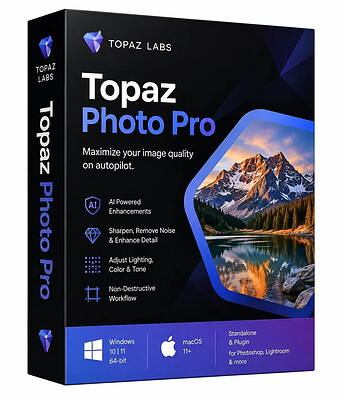
Topaz Photo Pro 1.8.2 (x64) | Size: 1.38 GB
Language: English
​
Each tool gets it closer to perfect. The ultimate finishing step for every image. Fix issues. Restore focus. Remove noise. Enhance details. Crop in. Prepare for print. Topaz Photo is the magical last step before "done." All using AI trained on millions of images.

Wildlife & Astro Photography
Zoom in with lossless crop, sharpen details, and denoise high ISO shots captured in unpredictable conditions.

Sports Photography
Sharpen motion blur and denoise indoor shots with poor lighting.

Events & Weddings
Never miss the important moment to low lighting or soft focus. Topaz Photo lets you fix the details without reshooting.

Archival Images
Remove dust and scratches, adjust lighting and color, and restore images to their original sharpness.

HOMEPAGE:
Код:
https://topazlabs.com/

FREE DOWNLOAD LINKS:​

Код:
https://rapidgator.net/file/5899fe042173726f5a9f3c839dbd9d7c/Topaz_Photo_Pro_1.8.2_x64.rar
 
fb1df33fac8b5cb6dba305466f8a46c4.jpg


DBF Recovery 4.85 | Size: 1.69 MB
Language: English
​
DBF Recovery empowers its users with the ability to recover a damaged database back to its pristine condition without needing the expertise to accomplish such a task or requiring the additional expense of hired recovery services. When the program runs, you see a simple interface with two main fields. Select the file for recovery in the first field and the folder for the output in the second.

As an added option, you can choose to recover deleted records in the database. Once everything is set, you click on the Start button. DBF Repair Tool does the rest. It repairs the headers and data structures in an automatic process that involves no interaction with the user. After all you may not want to sit around and watch the process. With DBF Recovery, you'll truly have a lean, mean DBF repairing machine without functional fluff.

Bring your DBF files back from the dead
Have you ever tried to open the database only to discover that it won't let do so? Remember how you felt when several months of mind-numbingly tedious data entry turned into undecipherable mess of characters? So, wouldn't it be nice if you could bring your database back from the dead without the assistance of hired experts? Well, if you are in the interest of the state-of-the-art, affordable recovery technology, you're ready for DBF Recovery. Just run the DBF Repair, load the corrupt file and ta-da! The database is back to its original healthy condition!

Save your budget and even business from disaster
Too often a database is something that the company's action and the well-being of its employees depend on. A crush of a database is one of the worst nightmares not only for the system administrator but for the company in general. One study reports that a company that experiences a computer outage lasting for more than 10 days will never fully recover financially and 50 percent of such companies will be out of business in 5 years.

Repair most any DBF database
Unlike some other tools, DBF Recovery works with all popular DBF databases, including those made in Clipper, Foxbase, FoxPro, Visual Foxpro, dBASE III/IV, etc. Its Artificial Intelligence will determine the DBF format and choose the best recovery method on its own.

Run DBF Recovery in your native language
Another nice feature in DBF Repair sofware is multilingual support, letting you use the program even if English is not your native language. Currently, DBF Recovery is localized into English, German, Italian, Spanish and French with support for more languages on the way!

START USING DBF REPAIR TOOL TODAY!
Why wait? Add DBF Recovery to your software toolkit today. Because it's not "IF" the database will fail, it's "WHEN" this dreadful occurrence will take place. Sooner or later, it will get damaged due to a power failure or application error and heaven help you if you don't have a reliable DBF recovery tool. It's a hard lesson to learn. But with DBF Recovery, you get a fail-safe solution to repair databases without having to beat the brains to death for days trying to re-enter lost data or spending large amounts of dollars hiring a recovery service.

Operation Systems: 32-bit and 64-bit versions of Windows XP, Vista, Windows 7/8/10/11 and Windows Server 2003/2012/2016/2019.

HOMEPAGE:
Код:
https://www.dbf2002.com/dbf-recovery/

FREE DOWNLOAD LINKS:​

Код:
https://rapidgator.net/file/2176d54ffaa8120d3e804ea648ab5d80/DBF_Recovery_4.85.rar
 
02736e2fe2bb7a62f657251481782d83.jpg


Eagle PDF Editor 1.9.7 | Size: 739.2 MB
Language: English
​
The complete PDF toolkit. View, annotate, merge, split, encrypt, sign, and create PDFs with 20+ templates. Built-in AI assistant and OCR text recognition. Fill forms, add watermarks, convert to images, and more - all in a sleek dark interface.

PDF Viewer
Fast, high-quality PDF rendering with smooth scrolling, zoom controls, page navigation, and a modern dark-themed interface.

Annotations & Markup
Highlight text, add sticky notes, draw freehand, insert text boxes, and use shapes like rectangles, circles, arrows, and lines.

Merge PDFs
Combine multiple PDF files into a single document. Drag and drop files to merge contracts, reports, and presentations effortlessly.

Split PDFs
Extract specific pages or split a large PDF into smaller files. Select page ranges or split by every N pages for easy sharing.

Encrypt & Protect
Password-protect your PDFs with AES encryption. Set document permissions to control printing, editing, and copying of sensitive content.

Digital Signatures
Draw, type, or upload your signature and place it anywhere on the document. Sign contracts, forms, and agreements instantly.

Create PDFs
Create new blank PDF documents in A4, Letter, Legal, or custom sizes with portrait and landscape orientation. Start from scratch or from templates.

20+ Templates
Choose from over 20 professionally designed templates including invoices, contracts, reports, letters, resumes, and business forms.

AI Assistant
Built-in AI assistant to summarize documents, extract key information, answer questions about your PDF content, and generate text.

OCR Text Recognition
Extract text from scanned documents and images using optical character recognition. Convert image-based PDFs into searchable, selectable text.

Page Management
Thumbnail sidebar for quick navigation. Reorder, insert, delete, and rotate pages. Extract single pages or ranges with full control.

Images & Stamps
Insert images, logos, and custom stamps onto any page. Add watermarks and overlay content for professional document branding.

Convert & Export
Export PDF pages as high-quality images (PNG, JPEG). Convert documents between formats for compatibility with any workflow.

Form Filling
Fill out interactive PDF forms with text fields, checkboxes, and dropdowns. Complete tax forms, applications, and surveys digitally.

Search & Find
Instantly search for text across your entire document. Find and navigate to specific words, phrases, or content with keyboard shortcuts.

Print & Batch Print
Print PDFs with full control over page range, scaling, orientation, and paper size. Batch print multiple documents in one go.

Bookmarks & Links
Add, edit, and navigate bookmarks for quick access to sections. Insert hyperlinks to URLs or internal pages within your document.

Side-by-Side Compare
Open and compare two PDF documents side by side. Review changes, verify revisions, and cross-reference content simultaneously.

Dark Mode Interface
Modern dark-themed UI designed to reduce eye strain during long editing sessions. Clean, distraction-free workspace for maximum productivity.

System Requirements
- Windows 10 (19041.0+) or Windows 11
- 4 GB RAM (8 GB recommended)
- x64 architecture

HOMEPAGE:
Код:
https://spaqitech.com

FREE DOWNLOAD LINKS:​

Код:
https://rapidgator.net/file/702e70bee4750731ba07fd0c9e92eda2/Eagle_PDF_Editor_1.9.7.rar
 
a7b6daaf1c60e45cb4cc664d64e3527d.jpg


R-Tools R-Drive Image 7.3 Build 7315 Multilingual | Size: 87.25 MB
Language: English
​
R-Drive Image is a potent utility providing disk image files creation for backup or duplication purposes. A disk image file contains the exact, byte-by-byte copy of a hard drive, partition or logical disk and can be created with various compression levels on the fly without stopping Windows OS and therefore without interrupting your business. These drive image files can then be stored in a variety of places, including various removable media such as CD-R(W)/DVD, Iomega Zip or Jazz disks, etc.

R-Drive Image restores the images on the original disks, on any other partitions or even on a hard drive's free space on the fly. To restore system and other locked partitions R-Drive Image is switched to the pseudo-graphic mode directly from Windows or bootable version created by the utility is launched from CD disc or diskettes.

Using R-Drive Image, you can completely and rapidly restore your system after heavy data loss caused by an operating system crash, virus attack or hardware failure. You can also use R-Drive Image for mass system deployment when you need to setup many identical computers. In other words, you can manually setup one system only, create an image of the system, and then deploy it on all other computers, saving your time and costs. If you need to restore only certain files from a disk image, you can connect that image as a virtual disk and copy those files directly from the disk image using Windows Explorer or any other file utility.

R-Drive Image is one of the best backup and disaster recovery solutions to prevent losing your data after a fatal system failure.

R-Drive Image Features
- A simple wizard interface - no in-depth computer management skills are required.
- On-the-fly actions: Image files are created on-the-fly, no need to stop and restart Windows. All other disk writes are stored in a cache until the image is created. - Data from image files are restored on-the-fly as well, except on a system partition. Data to the system partition can be restored either by restarting R-Drive Image in its pseudo-graphic mode directly from Windows, or by using specially created startup disks.
- Image files compression. Image files can be compressed to save free storage space.
- Removable media support. Image files can be stored on removable media.
- Startup version. A startup version can be used to image / restore / copy partitions locked by the OS. The computer can be re-started into the startup version either directly from Windows, or from an external USB device, a CD/DVD disk, or 6 floppies. The startup version can use either a graphic user interface, or a pseudo-graphic mode, if the graphic card isn't supported. Support for UEFI boot for modern computers.
- USB 2.0 and 3.0 support in the startup version. With hard drives prices constantly going down, an external IDE-USB 2.0 or 3.0 HDD case with an appropriate hard drive is an ideal (fast and reliable) solution for storing backup files for system and other partitions that can be restored only in the startup version. Do not use numerous unreliable CD discs and slow CD/DVD recorders any more. Remember: with the incremental backup, this hard drive is not to be too large.
- Network support in the startup version. R-Drive Image startup version supports disk image file creation and restoration over the Microsoft network (CIFS protocol).
- Extended List of the supported devices in the startup version. The list of hardware supported by R-Drive Image startup versions has been extended.
- An image file can be connected as a read-only virtual disk. Such disk can be browsed through and files/folders can be found and copied.
- Individual files and folders restoration. Individual files and floders rather than entire disk can be restored either during the restoring action or from a image file connected as a virtual disk.
- Image files splitting. Drive images can be split into several files to fit a storage medium.
- Image Protection. Disk image files can be password-protected and contain comments.
- New partition creation. Data from a disk image can be restored on a free (unpartitioned) space on any place on a hard drive. The size of the restored partition can be changed.
- Partition replacement. Data from a disk image can be restored on other existing partitions. R-Drive Image deletes such partitions and restores data on that free space.
- Disk to Disk copy. An entire disk can be directly copied on another one.
- Image files verification. You may check if your image files are good before you store them or restore data from them.
- Scheduler. A time for disk image creation may be scheduled and the process can be run in unattended mode.
- Script creation for frequent or unattended actions. Such scripts for creating an image file and appending data to an existing image file are created from the R-Drive Image interface the same way the actual action is performed. Scripts are executed from a command line and such command can be included to any command file.
- Action Report. When disk image is successfully created or the action fails the report can be automatically sent over e-mail or an external application can be launched.
- Support for the ReFS file system (Resilient File System), a new local file system Microsoft has introduced in its Windows 2012 Server. All disk actions are supported, except partition resizing.
- Full support for the GPT partitioning layout. R-Drive Image can create GPT disks, resize them, and change their partition layout during copy/restore operations.
- Support for Windows Storage Spaces (Windows 8/8.1 and 10), Linux Logical Volume Manager volumes, and MacRAIDs.

System Requirements
An Intel-compatible platform running Windows 11/10/8.1/8/7/Vista/XP/2000 Windows Server 2022/2019/2016/2012/2008/2003 (including 64 bits editions).
The administrative privileges are required to install and run R-Drive Image.

HOMEPAGE:
Код:
https://www.drive-image.com/

FREE DOWNLOAD LINKS:​

Код:
https://rapidgator.net/file/8a2224c662586f4d285212af55c0d6c6/R-Tools_R-Drive_Image_7.3_Build_7315_Multilingual_BootCD.rar
 
e0b205962cc9da28183e93bcddf7f0d7.jpg


XYplorer 28.50.0100 (x64) Multilingual | Size: 11.56 MB
Language: English
​
XYplorer is a file manager for Windows. It features tabbed browsing, a powerful file search, a versatile preview, a highly customizable interface, optional dual pane, and a large array of unique ways to efficiently automate frequently recurring tasks. It's fast, light, and portable.

It's Tabbed
Tabs let you switch between folders most easily. Drag them around, hide them, lock them, name them, or drop files onto them. The tabs remember their configuration individually and across sessions. On top of this you get tabsets and dual pane.

t's Functional
XYplorer has been designed to make you faster. Numerous usability enhancements in an attractive interface help to streamline your workflow and increase your efficiency. You will definitely save a lot of time.

It's Scriptable
Yes, you can program this app. Individual solutions for individual tasks. No plugins needed, scripts run out-of-the-box. Even beginners can benefit from this feature since many ready-to-use scripts are available in the forum.

It's Fast
Speed has always been a major design goal with XYplorer. The code is constantly optimized for performance, zero tolerance for slowness. On top of that the app uses very little RAM, the executable is light (7 MB), and it loads almost instantly.

It's Reliable and Robust
You can trust XYplorer. It works as intended and expected, and is very hard to destroy. Any issues are immediately attended and usually fixed within hours. A large community is closely watching the development and permanently testing the frequent beta versions.

It's Customizable
You can fine-tune the app to look and behave exactly as you want it. This ranges from fonts and colors to custom toolbar buttons and even file icons and program associations. And every bit of it is fully portable. Even the dark mode.

It's Responsive
Your customer voice is listened to and taken seriously, most of the time you get instant feedback, and your wish might actually get implemented sooner than you'd think.

Operating System:
Windows 11, Windows 10, Server 2019, Server 2016, 8.1, 8, Server 2012, 7, Server 2008, Vista, XP, Server 2003; 32-bit and 64-bit versions.

HOMEPAGE:
Код:
https://www.xyplorer.com/

FREE DOWNLOAD LINKS:​

Код:
https://rapidgator.net/file/6bfb9a2b97db6e68360bdf9d9e425d2f/XYplorer_28.50.0100_x64_Multilingual.rar
 

9d452bda1cd87f611e5805d5236d1383.png


Quick Access Popup 12.4.2 Multilingual | Size: 4.73 MB
Language: English
​
Quick Access Popup (QAP) lets you move like a breeze between your frequently used FOLDERS, DOCUMENTS, APPLISave thousands of clicks while browsing your favorite folders in Windows Explorer or file dialog boxes. Launch your most used applications, documents or web sites instantly with this easy popup menu and mouse/keyboard shortcuts manager. Gather related favorites in SUBMENUS. Assign favorites or submenus to keyboard or mouse SHORTCUTS. Or GROUP favorites and launch them in one click.

To launch the popup menu, click the QAP icon in the Notification zone, hit the Middle Mouse Button or press Windows+W (these triggers can be changed in Options). In the SETTINGS window, customize your QAP menu. Review shortcuts assigned to favorites or submenus in the HOTKEYS window.

To quickly ADD a new favorite FOLDER to your popup menu: 1) go to a frequently used folder, 2) click the QAP hotkey and choose ADD THIS FOLDER, 3) give the folder a short name ans save it.

In the MY QAP ESSENTIALS menu, choose the SWITCH menu to switch to any other running Explorer or application window. Use the REOPEN A FOLDER menu to reopen one of the folders already open in an Explorer window (very useful in file dialog boxes). Choose the RECENT FOLDERS menu to show an updated list of the Windows recent folders. Access the files or URLs in your Clipboard with the CLIPBOARD menu. Click the DRIVES menu to see the list of drives with current disk space.

In the OPTIONS dialog box, choose your preferred language, menu icons size, windows colors. Select the number of recent folders to display, add numeric keyboard shortcuts to the folders menu or shortcut reminders. Pin the popup menu at a fix position or remember the Settings window position.

All this for free in very intuitive app. Quick Access Popup is available on Windows 7 and more recent. Works with Windows Explorer, Directory Opus, Total Commander and 15 other file managersCATIONS, WEB PAGES and much more!

System Requirements
Quick Access Popup works on all international versions of Windows 7, Windows 8/8.1, Windows 10 and Windows 11, both client and server versions, with Explorer windows, File Dialog Boxes (Open, Save As, etc.), Console Window (CMD command prompt and PowerShell), Directory Opus, Total Commander and many other popular alternative file managers.

HOMEPAGE:
Код:
https://www.quickaccesspopup.com/

FREE DOWNLOAD LINKS:​

Код:
https://rapidgator.net/file/78db7944e0cd274c25117bc3e029a8c2/Quick_Access_Popup_12.4.2_Multilingual.rar
 
a1f29fe0843ff4246f31d37520b560e0.jpg


Nero AI Motion Tracker Pro 1.4.2.0 | Size: 576.89 MB
Language: English
​
Nero Motion Tracker is an AI-powered motion tracking solution designed to bring precision and efficiency to your video editing workflow. With advanced tracking technology and intuitive controls, it enables you to create professional-quality results with ease, whether you are producing content, enhancing footage, or analyzing motion.

Segment Tracking
Track and segment objects or people across the video, maintaining accuracy even during occlusions or appearance changes.

Face Tracking
Tracks and follows human faces across the video, maintaining reliability despite changes in orientation, expression, or partial occlusions.

Zone Tracking
Track a predefined area across the video, suitable for general motion detection purpose and more faster than segment tracking.

Track and segment any object
Moving subjects often change angles, get blocked, or disappear behind others. Manually adjusting the tracking box frame-by-frame is tedious and inaccurate. With Nero's Segment Tracking, you can lock onto people or objects even when they change appearance or face occlusion. Easily pin text, clip art, or effects to the action and let AI handle the heavy lifting.

Auto-detect and protect faces
Interviews and public footage often contain faces that need anonymity. Tracking them as they move, turn, or change expression is a manual nightmare for editors. Use Nero's Face Tracking to automatically recognize and follow human faces across the video. Apply mosaic or blur effects instantly to hide identities without editing a single frame manually.

Fast zone tracking & export
For general motion detection or covering specific areas like license plates, you need a solution that is fast and doesn't bog down your system. Nero's Zone Tracking covers predefined areas faster than other modes. It utilizes NVIDIA GPU acceleration to process quickly and export your final MP4 without losing the original video quality.

Minimum System Requirements
- Operating System: Windows 10 64-bit (Version 22H2) or Windows 11 64-bit
- Processor (CPU): Intel Core i5 (8th generation) or AMD Ryzen 5 (3000 series) / Minimum 4 physical cores
- Memory (RAM): 16 GB RAM / Virtual memory (page file) enabled and system-managed
- Graphics (GPU): NVIDIA GPU with CUDA support
- Minimum 6 GB VRAM
- Example: GTX 1660, RTX 2060 (6 GB)
- Driver version supporting CUDA 11+
- Storage: 20 GB available disk space / SSD strongly recommended

HOMEPAGE:
Код:
https://www.nero.com

FREE DOWNLOAD LINKS:​

Код:
https://rapidgator.net/file/4d1aa53559de99cafa30b678d455c3d5/Nero_AI_Motion_Tracker_Pro_1.4.2.0.rar
 
Назад
Сверху Снизу







