All Emperor2011's Software in one thread !! (updated daily)

993aeb6e499a66a07eb5906b421eafd0.jpg


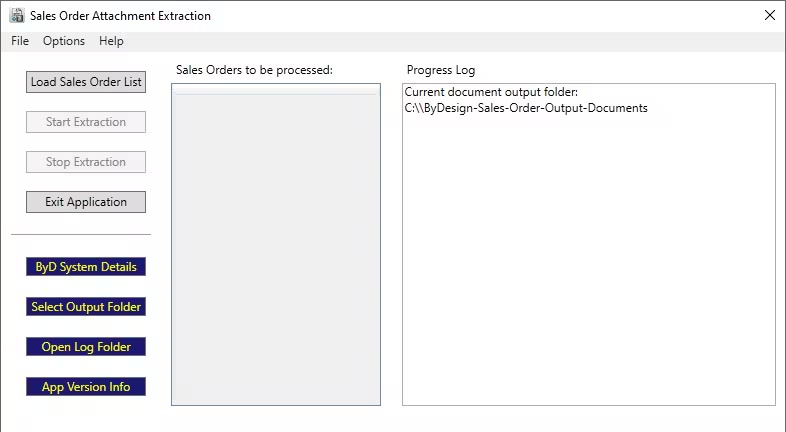
ERP Cloud SAP Business ByDesign Sales Order Attachment Extraction Tool 1.0 | Size: 59.02 MB
Language: English


Download all the attachments and output documents saved in your sales orders from your SAP Business ByDesign system. By creating a simple list of sales order IDs, you can quickly download in bulk all the attachments and output documents (PDF and XML) from these orders directly to your computer, as and when required.

Whats New
Updates: official site does not provide any info about changes in this version

HOMEPAGE:
Код:
https://apps.microsoft.com/detail/9p7531wjb8z5

FREE DOWNLOAD LINKS:

Код:
https://rapidgator.net/file/ae6d24b73c91f9ae40aa6a45262e6ee8/ERP_Cloud_SAP_Business_ByDesign_Sales_Order_Attachment_Extraction_Tool_1.0.rar

Код:
https://nitroflare.com/view/4191938F42CBBF4/ERP_Cloud_SAP_Business_ByDesign_Sales_Order_Attachment_Extraction_Tool_1.0.rar
 
8f4b96f9b0e687bb33d38bd65fcacb7c.jpg


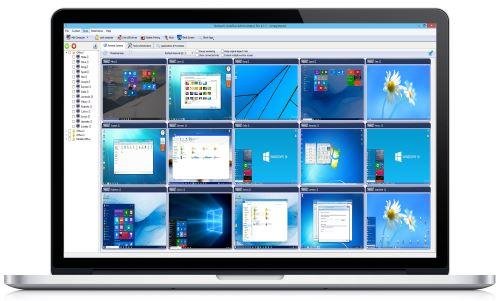
EduIQ Network LookOut Administrator Pro 5.4.1 | Size: 110.86 MB
Language: English


Network LookOut Administrator lets you see all your employee PC screens without leaving your desk. Monitor the activity of all the PCs in your company remotely and execute several administrative actions with just one click.

Main Features
• Displaying a live picture of an employee PC.
• You can take a control of a network PC by controlling its mouse and keyboard.
• More remote screens can be displayed in a table.
• PC desktops can be organized in groups
• A remote screen can be zoomed to an actual size.
• The name of the connected user is displayed.
• Power on/off, restart, hibernate, suspend PCs
• Log off desktop users
• Lock workstation
• Clear desktop
• Control screen-saver
• Block applications
• Mute PCs
• Limit employee PC audio volume level
• Disable printing
• Disable Ctr+Alt+Del
• Blank screen
• Start program on network connected PCs and see the output
• Open web page on network connected PCs
• Multi-monitor support
• Control over running processes and applications
• You can lock employee PCs
• When lower bandwidth is required, the refresh interval can be enlarged.
• Settings for the agent are encrypted and password protected.
• Connection to an employee PC is encrypted and password protected.
• Access to monitoring console is password protected. If more users use the same PC then different profiles and access passwords can be set.
• More monitoring consoles can be connected to the same employee PC, so you can monitor your employee from different offices.
• Agent can be remotely installed.
• Fast users switching is supported.
• Multi-session support for Remote Desktop, Terminal Services, Citrix,...

What's new
• official site does not provide any info about changes in this version

HOMEPAGE:
Код:
https://networklookout.com/

FREE DOWNLOAD LINKS:

Код:
https://rapidgator.net/file/4df3efc09eff22d618700f7e81695c20/EduIQ_Network_LookOut_Administrator_Pro_5.4.1.rar

Код:
https://nitroflare.com/view/035483C74D03485/EduIQ_Network_LookOut_Administrator_Pro_5.4.1.rar
 
6f52c613bdc2fec1eced9ce4c43d8f96.jpg


EndNote 2025.3 Build 19899 | Size: 138.65 MB
Language: English


EndNote 2025 is herUnleash your research superpowers! The best reference management tool is getting even better. The all new EndNote 2025 and EndNote Web help you manage and format citations like never before with bold new features. With EndNote 2025 you stay organized using features like tags that enhance productivity. You can enjoy peace of mind with data restoration functions that protect your work and improve your writing workflow with integrated document creation tools for Google Docs.

EndNote: Your essential reference manager
Streamline the research and writing process with the leading reference management solution.
EndNote is a powerful reference management tool that helps you save time, stay organized, and collaborate effectively as you write and publish research papers. Trusted by thousands of academic and industry researchers worldwide, EndNote helps protect the integrity of your research with built-in tools that support quality and accuracy while providing more dedicated support than any other reference management tool available.

Unmatched efficiency and value
Save time and stay productive throughout all stages of the research and writing process with no hidden costs.

Save time
Search hundreds of online resources for references and find full text in one click. Cite While You Write™ while simultaneously creating a bibliography and get direct connections to more databases.

Stay organized
Store and manage an unlimited set of references, centralize all references in one place, organize with tags, and create rules to auto-organize as you write.

Easily collaborate
Share some or all of your library with up to 1,000 people and set permissions for access and editing.

Get published
Quickly identify the best-fit journals for your manuscript with Manuscript Matcher.

Reliable standards
Write papers with confidence using built-in tools that support quality and accuracy.

Accurate citations
Easily adhere to academic and industry citation standards with up-to-date journal and referencing styles and receive retraction alerts as you write to prevent you from unknowingly damaging your argument.

Trusted sources
Leverage trusted and verified data from Web of ScienceTM to populate and update your EndNote libraries.

Robust support and data protection
Rely on a trusted reference management solution backed by 24/7 support and a data restoration function.

User-centric approach
EndNote meets the needs of researchers. Our long product history ensures users enjoy a reliable, regularly updated product backed by dedicated resources.

System Requirements
- Windows 10, 11
- 1 gigahertz (GHz) or faster x86-bit or x64-bit processor
- 600 MB hard disk space available
- Minimum 2 GB of available RAM

Word processor software
- Microsoft Word[CWYW] for Windows: 2010, 2013, 2016, 2019, 2021, Office 365 (locally installed desktop version only)
- Apache OpenOffice[CWYW] for Windows: 3.x, 4.x
- LibreOffice[CWYW] for Windows: 4.x, 5.x, 6.x, 7.x (32-bit)
- Partner CWYW Integration: Wolfram Mathematica 8
- Partner CWYW Integration: WPS

* An Internet connection is required to search online databases, find full text and automatically update references.

HOMEPAGE:
Код:
https://endnote.com

FREE DOWNLOAD LINKS:

Код:
https://rapidgator.net/file/58a7fe49e88177273f7acb66b69e11ee/EndNote_2025.3_Build_19899.rar

Код:
https://nitroflare.com/view/134D6D8203B8721/EndNote_2025.3_Build_19899.rar
 
8cb2a71888413c826238c351a314507b.png


Final Draft 13.3.0 Build 105 | Size: 86.39 MB
Language: English


For over twenty years now, Final Draft has shown itself to be the most vital tool available to the screenwriter. Final Draft has eclipsed all of its competitors because it is the best. It does everything you could possibly think of and then you can write and not think of it at all.

The Industry Standard Screenwriting Software
- The number-one selling screenwriting software in the world
- Used by 95% of the entertainment industry
- Best Choice for Screenwriting
- Final Draft paginates your script to entertainment industry formats
- Over 300 templates for screenplays, teleplays, comics, immersive storytelling, graphic novels, and stage plays

What's New in FD13

More Tools. More Productivity. More Progress.
Final Draft 13 is the most customizable version of the world's bestselling screenwriting software. Take your idea to script with easy-to-use tools so you can get more done with your writing sessions and achieve your goals faster.

Plan Better. Write More.
From enhanced productivity tools to new options to organize your script to additional display modes, Final Draft 13 helps you build the perfect workspace for you, then gets out of your way so you can focus on what you love best.

Writing Goals and Productivity Stats
Set your personal writing goals. Then, get valuable insights on your writing habits and productivity, including writing streaks and peak days and times. Identify trends to take your work to the next level. Then share your sprint on social for accountability!

Emoji
Sprinkle emoji across scripts, beats, title pages, and ScriptNotes. Craft more realistic onscreen text and social media exchanges, while making your notes more emotive.

Typewriter
Kick it old-school with a new typewriter-like view option that automatically scrolls to keep the line you're working on centered, improving focus and ergonomics.


System Requirements
- Microsoft® Windows 10 and above
- Minimum 512 MB of RAM

HOMEPAGE:
Код:
https://www.finaldraft.com/

FREE DOWNLOAD LINKS:

Код:
https://rapidgator.net/file/69b7ede46ed2fc490bd728e297dd455a/Final_Draft_13.3.0_Build_105.rar

Код:
https://nitroflare.com/view/40FF8A2C235D3F9/Final_Draft_13.3.0_Build_105.rar
 
b5b8327fcfd5214ab7e288294cb10078.jpg


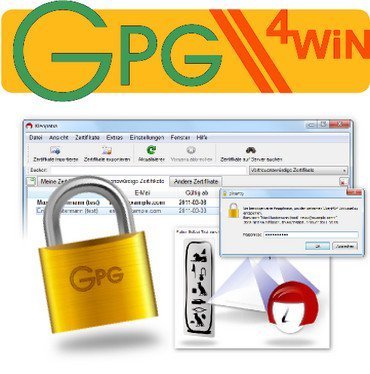
Gpg4win 5.0.1 Multilingual | Size: 42.13 MB
Language: English


Gpg4win is a security software program that can encrypt and attach digital signatures to your emails and files when uploading or sending them online, in order to prevent unauthorized users from accessing your private information.

Aside from the main application, you may install a key manager for OpenPGP, X.509 and common crypto dialogs (Kleopatra), GNU privacy assistance (GPA), an Outlook plugin (GpgOL), shell extension (GpgEX) and a Claws mail-user agent (Claws-Mail).
The interface of the utility is represented by a standard window with a well-defined layout. Gpg4win supports a wide range of certificate types, including ASC, CER, CERT, DER and PEM.
You can either import them from the computer or create your own ona personal OpenPGP key pair or X.509 key pair and certification request.
All you have to do is specify a name, email address, comment, as well as configure advanced settings when it comes to the key material (RSA or DSA) and certificate usage (e.g. signing, encryption, validity, authentication). Once you enter a password phrase and write text to be used as inter-character timing, you can create the certificate.
So, you can send the certificate via email, upload it to a directory service or create a backup, as well as view lists of your personal, trusted and other certificates, look them up on a server and use a search function when dealing with large amounts of data. Other features of Gpg4win let you create and verify checksum files, import Certificate Revocation Lists, perform a self-test, as well as configure toolbars and shortcuts.
The application runs on a moderate quantity of CPU and system memory, has a good response time and includes user documentation. No error dialogs have been shown in our tests and the program did not hang or crash. All in all, Gpg4win supplies users with the necessary means to create, import and attach certificates to emails.

HOMEPAGE:
Код:
https://www.gpg4win.org

FREE DOWNLOAD LINKS:

Код:
https://rapidgator.net/file/a9bf53031293842941bf84864a98be91/Gpg4win_5.0.1_Multilingual.rar

Код:
https://nitroflare.com/view/4F587B2241CD899/Gpg4win_5.0.1_Multilingual.rar
 
_7eeed8687f937985cee567b3c40535d7.jpeg


IK Multimedia MODO BASS 2.0.5 | Size: 186.25 MB
Language: English


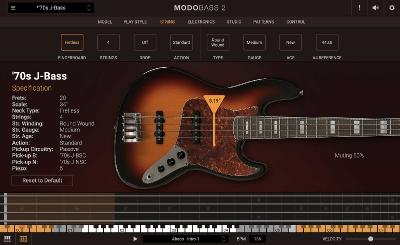
MODO BASS 2 is the expanded edition of IK's industry-first physically modeled bass virtual instrument, adding 8 new basses, including new fretless and upright options, a new patterns section with tons of new grooves, advanced performance controls and more ways to enter the MODO BASS world.

As producers, we all know how important it is to have a great-sounding bassline. On-call 24/7, MODO BASS 2.0 offers the realism and sound of a sought-after instrument being played by a master musician, but with the convenience of a plug-in virtual instrument.

Highlights
Groundbreaking real-time modal synthesis technology
Up to 22 basses including new double basses and fretless models
Advanced performance algorithms for incredible realism
Adjust every element of any bass: strings, neck, body, electronics, even go fretless*
Control the entire act of playing bass - play style, hand position
New patterns section with grooves indistinguishable from the real thing
New Custom Shop and SE versions let you add new basses any time


HOMEPAGE:
Код:
https://www.ikmultimedia.com

FREE DOWNLOAD LINKS:

Код:
https://rapidgator.net/file/b056a4049db887d059bbf53fec55af4d/IK_Multimedia_MODO_BASS_2.0.5.rar

Код:
https://nitroflare.com/view/875F88502A4F37D/IK_Multimedia_MODO_BASS_2.0.5.rar
 
d72e56e4223e0ce0f7a3d1e8d9b5fcf1.jpg


JWIZARD Cleaner 1.11.0 Multilingual | Size: 18.91 MB
Language: English


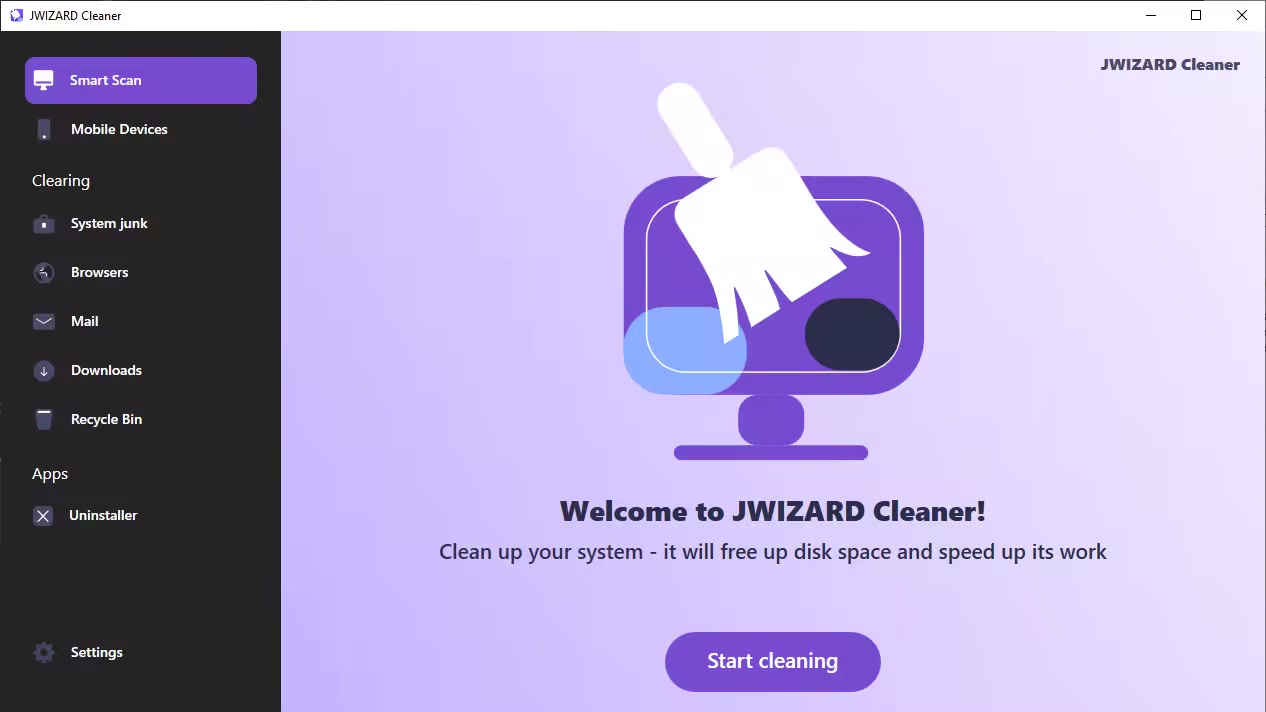
There's no secret behind it - keeping your PC and OS free of clutter, temporary files and accumulated junk can go a long way in terms of maintaining it running smoothly and in a performant manner. This is where apps such as JWIZARD Cleaner can prove to be useful.

Delete unnecessary system junk
System junk on Windows accumulates due to various processes: installing and uninstalling programs, temporary system files, updates, etc.
JWiZARD Cleaner scans your computer and detects all types of system junk.
The software allows you to delete unused files easily, clear the system cache, optimize the registry, and perform other actions to improve Windows performance.

Clear your browsing data. speed up the loading of web pages.
An excessive amount of saved data, such as cache, browsing history, and cookies, can slow down your browser, cause errors, and lead to crashes. Regularly clearing your browser data is an effective way to optimize its performance and enhance security while browsing the internet.

Organize your computer
No time for manual cleaning your computer? JWiZARD Cleaner will help you easily and quickly clean up your computer and get things in order. Delete downloaded files, email attachments, trash bin contents, and free up disk space.

What's new
• official site does not provide any info about changes in this version

HOMEPAGE:
Код:
https://jwizard.com/

FREE DOWNLOAD LINKS:

Код:
https://rapidgator.net/file/b8a4bace2a6179db9875a9cfa02a5ea8/JWIZARD_Cleaner_1.11.0_Multilingual.rar

Код:
https://nitroflare.com/view/E6F59634EFA154C/JWIZARD_Cleaner_1.11.0_Multilingual.rar
 
dcb10b3cc06713c1c929c2628c7fd33a.jpg


JixiPix Artista Impresso Pro 1.8.29 | Size: 112.88 MB
Language: English


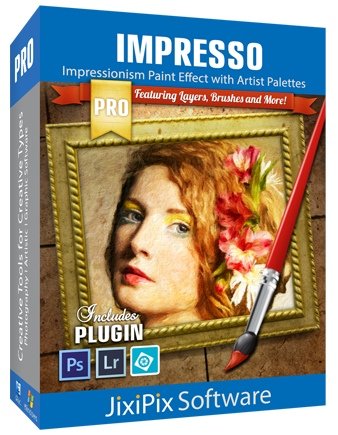
For professionals who like creative control we give them Layers for blending multiple paint styles and brushes to paint on and off the impressionism strokes. We have also included an ultra-impressionism effect called 'Tache' to cover the painting with broken brush strokes or dabs of color that literally stand out, apply them sparsely or cover the entire painting, the choice is yours.

The 19th century brush-wielding Impressionist artists were crazy about flowers and gardens, and it was good. With flowing brush strokes and thickly painted texture, Van Gogh made his Sunflowers immortal with harmonious movement of color, contrast, and form. Monet made his Water Lilly Pond a celebrity. It took their genius and a lifetime of practice navigating the riot of their senses, but these extraordinary artists took what they saw and felt in the petals and leaves and transferred their impressions onto canvasses full of beauty, mood and meaning.
Lucky you, 21st century software wielding seer and lovers of beauty, Impresso gives you the same enduring attention to detail, light, color and texture by transforming your photos into multi-textured, stroke-filled Impressionist masterpieces. Keen eyes will love how Impresso maintains the balance of your piece! The results are captivating paintings brimming with passion, life, and beauty.

Features
A pro workflow adds impressionism styles per layer. With Layers, users can blend styles using brushes to paint on or off areas in the painting! Also, included is the powerful Ellipse Detail tool to add finely painted details to faces, flowers or to create focal points in landscapes. Once completed , resize then hit the 'Apply' button to render small brushstrokes inside the Ellipse. With layers photographers and artists now have the power to composite multiple impressionism styles for impressive results.

IMPRESSIONISM STYLES
Alla Prima ('wet-on-wet' or 'all-at-once')-is great for portraits! This beautiful paint style starts by filling the painting with an abundance of brushstrokes. A library of artistic finishes compliments this style by adding light, color and movement with controls over strength.
En Plein Air (in open air) is perfect for landscapes. This stroke-filled effect consists of eight artists' palettes created by famous impressionists. Use them as they are or edit the paint colors to make your own palette. The Save Preset feature keeps the palette and all the layers intact for future projects.
Tache ('spot' or 'blot') applies broken brushstrokes throughout the image. This technique of laying thick patches, flecks and dabs of color is great for making paint look as if it stands out from the surface. Apply a light spackling of strokes or fill the painting with dabs of color-the choice is up to you!
Canvas layer is added to each painting created. By creating a canvas layer, it can now be turned on or off for viewing strokes created on previous layers. As with traditional methods, the canvas is an integral part of the painting, so we have locked the layer to keep it from being accidentally deleted.

INCLUDES
• Three stroke styles: #1 is a series of straighter strokes, #2 combines the first style with curved ones, and #3 is an abstract set. Then the Tache effect has its own custom set of brushes designed for depth.
• Three Impressionism styles: Alla Prima, En Plein Air and Tache (pronounced tash)
• Pro Layers with built-in Impressionism styles for multi-layer types and options to duplicate, reorder, and delete them
• Control over detail ellipse tool, stroke size, stroke volume, bristle strength & depth, artistic finishes and the painted edge
• Save Preset to save customized paint palettes and keep all strokes & layers intact for future projects
• Smart brushes to remove or add impressionism effect-the brushes are smart because they remove the effect by stroke
• Mask with fill, invert and clear to support brushes and layers
• Canvas and linen texture
• 8 Impressionist palette styles
• One-touch paint styles
• 70 Artistic finishes
• One-of-a-kind ellipse detail tool renders small brush strokes inside the placed area
• Plugin for Photoshop CS3+, Lightroom and Elements for Mac and Windows


HOMEPAGE:
Код:
https://jixipix.com/

FREE DOWNLOAD LINKS:

Код:
https://rapidgator.net/file/e772ea8b1a6f7b99614042946c6142a8/JixiPix_Artista_Impresso_Pro_1.8.29.rar

Код:
https://nitroflare.com/view/CAFDA726AFD2DE3/JixiPix_Artista_Impresso_Pro_1.8.29.rar
 
f225441404cc782aa6488b27b8f86940.jpg


JixiPix Chromatic Edges 1.0.36 | Size: 482.37 MB
Language: English


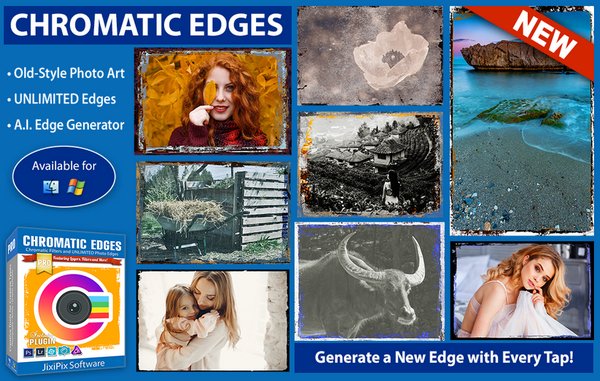
JixiPix takes vintage to a whole new extreme. Gone are the days of having a few tiny choices when it comes to adding flare to your imagery. Chromatic Edges brings back the subtle magic of photo processing with glass, silver and paper plates all with a few taps and your unique photo.

Chromatic Edges
It's all about the edge! There is something artistic about the old days of plate photography. The silky smooth images and fabulously artistic edges are just amazing to look at.

Before the days of digital or film photography, photographers had to process their images using glass plates, metal plates, and paper to get their final image. These processes took tremendous skill and passion to produce the final product. Some of the processing techniques even required the processing of the glass plate within minutes of taking the photograph. Boy have times changed!

Until today you had only a few choices if you wanted to recreate some of the old-style photo art. You would pick a stock photo and blend it into your photography. And since there are only a few choices you were left with your artwork starting to look oh-so-familiar. Chromatic Edges changes all that and gives you unlimited artistic photography styles while only taking a few steps to create.

Mix it Up, Experiment and Have Fun in the Process!
Having fun with your edges is the key ingredient to making great images! We at JixiPix have found unique ways to use Machine Learning to generate unlimited edges. Just tap the "Generate" button to see the magic happen. Chromatic Edges will, Quickly and effortlessly, create a completely unique edge. If you find that you love it, its super simple to tap the '+' to save it for later.

To create this powerful technology took thousands of artistic man hours of meticulously painting edges. These edges were then processed through our deep learning algorithm and used to teach the 'machine' how to create them on its own. Now you, the user, get to use this power to 'edge' your photo and never have two of the same edge again. And the great thing is.even if you know nothing about the fabulous photo techniques from a hundred years ago you will still appreciate the possibilities and creativity you can achieve with Chromatic Edges.

Chromatic Edges is filled to the brim with styles. Easily create Calotypes, Cyanotypes, Daguerreotypes, Gelatin Silver Plates, Tintype, Autochrome, Ambrotype, Carbon Print, Aristotype, Salted Paper Print, colored edges, and thousands of styles in between.

Edge Styles
• Calotype or talbotype is an early photographic process introduced in 1841 by William Henry Fox Talbot, using paper coated with silver iodide. The term calotype comes from the Greek (kalos), "beautiful", and tupos, "impression".
• Cyanotype is a photographic printing process that produces a cyan-blue print. In a cyanotype, a blue is usually the desired color; however, there are a variety of effects that can be achieved. These fall into three categories: reducing, intensifying, and toning.
• Daguerreotype was the first commercially successful photographic process (1839-1860) in the history of photography. Named after the inventor, Louis Jacques Mandé Daguerre, each daguerreotype is a unique image on a silvered copper plate.
• Edges is sometimes referred to as a "natural" black border, like those often seen in the days of contact prints. Edges happen automatically when you print the entire negative without cropping, allowing the clear film or glass around the photo to print as well.
• Gelatin Silver process is the photographic process used with currently available black-and-white films and printing papers. A suspension of silver salts in gelatin is coated onto a support such as glass, flexible plastic or film, baryta paper, or resin-coated paper.
• Negative can be more commonly referred to as glass plate negatives and will encompass a few areas and styles. Photographic plates preceded photographic film as a capture medium in photography. The light-sensitive emulsion of silver salts were coated on a glass plate, typically thinner than common window glass, instead of a clear plastic film.
• Silver Plate or plate collodion process requires the photographic material to be coated, sensitized, exposed and developed within the span of about fifteen minutes, necessitating a portable darkroom for use in the field.
• Gum Brichromate is a 19th-century photographic printing process based on the light sensitivity of dichromates. It is capable of rendering painterly images from photographic negatives.
• Tintype, also known as a melainotype or ferrotype, is a photograph made by creating a direct positive on a thin sheet of metal coated with a dark lacquer or enamel and used as the support for the photographic emulsion.
• Black and White does not need much explanation. This type is a more modern version of a long lost classic. Black and white photography began in 1826 as Jospeh Nicephore Niepce of France stored a black and white image on pewter plate covered in a petroleum using a camera, but the process took eight hours and immense sunshine to record the image.
• Vintage photography began in the 15th Century with Robert Boyle's discovery of silver chloride turning dark when exposed to air in a dark room. From there anything before the mid-twentieth century could be consider vintage.
• And More... Of course with Chromatic Edges the sky is the limit and these are just small examples of everything possible. Create anything from subtle edge-only images to thousands of classic styles.

Photoshop Plugin
• Includes a plugin which allows quick access to Impresso Pro from inside Photoshop CS5+, Elements, Lightroom and PaintShop Pro for Mac and Win. Supports actions, transparency, blending, last filter command, batch processing and 16bit RGB/Greyscale modes.

Every JixiPix Product Features
• Support for high resolution images and output
• Multiple undo
• Randomize button
• Quick previewing
• Customizable styles
• Superior customer service
• Contact us any time we are committed to your long term satisfaction!


HOMEPAGE:
Код:
https://jixipix.com/

FREE DOWNLOAD LINKS:

Код:
https://rapidgator.net/file/488cb40dbf5501a44566d8715d4b094f/JixiPix_Chromatic_Edges_1.0.36.rar

Код:
https://nitroflare.com/view/74F6123F3819BE1/JixiPix_Chromatic_Edges_1.0.36.rar
 
805d5322c942e42d53841591d4b6c2c2.jpg


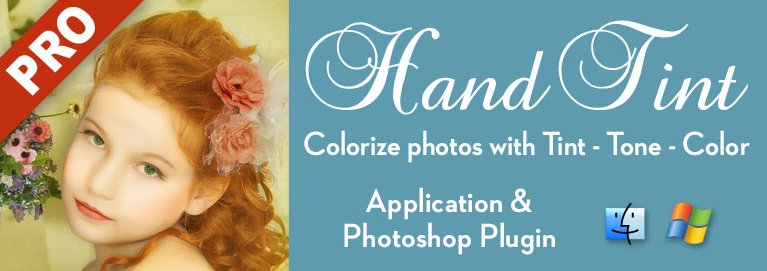
JixiPix Hand Tint Pro 1.0.27 | Size: 123.94 MB
Language: English


Hand Tint Pro supplies everything you need-color palettes, paper and smart brushes-for creating beautiful and timeless hand painted photography. Like all art forms, preparing a good base for hand coloring is like stretching a canvas for painting, so every image placed in the app is stripped of color and transformed into a classic Black & White, a dreamy Luminescent or an aged Vintage photo we call a Background Effect. To keep your painting organized and in control, we give you Layers and a handy Selective Color tool to define areas for accurate brushing. Both pro features are designed to keep color where you want them.

Photo tinting or hand tinting adds soft, otherworldly colors to a photo, and can lend an antique feel to even the most modern subjects. Brush on color to add a life-like blush to the cheeks of a child, or draw attention to a single element, like a flower or sunset. Hand painting is a beautiful technique to take photography to a higher realm. The key is simplicity, light tinting each photography, scrapbook or craft project lends a nostalgic and timeless quality to every project you will love.

Features
An easy workflow with a professional layering system has modes for tint, tone, color, multiply, soft paint or paint that can be changed per layer, and a powerful color selection tool to keep brushing inside isolated areas for fast colorization and accuracy. It is important to have fun while creating beautiful photo memories so a forgiving erase brush is there to wash away mistakes occurred during the painting process. If you need to stop, not a problem! Use the save project feature and return to finish when you are ready.

TINT STYLES
Black and White -turns a photo into a classic black and white with options to adjust the RGB channels. A strength slider gradually blends the photo's original colors back in, if desired, for a variety of customized looks before the tinting process begins.
Luminescent -adds dreamy brightness combined with subtle texture-that you control, as you brush on color, tint or tone
Vintage -ages the photo with image toning and adds distressed paper for a beautiful and unique basis of your tinting project

INCLUDES
• 3 Photo Effects-Black & White, Luminescent & Vintage (also known as background effects, creates the base photo layer for hand tinting)
• 3 Layer Styles-Colorize Layer allows the original color to be brushed back in, Paint Layer allows customizable coloring using paintbrushes and color palettes, Auto Paint Layer allows original color to be removed, and a base layer called Background Effect to change photo effects styles on-the-fly without changing the hand colored layers above it-this allows you to be creative without repainting the image.
• Layer Modes-on every layer feature Color, Tint, Tone, Multiply, Soft Paint and Paint modes. These modes are designed to change the look of painted or colorized areas for unique and infinite variations.
• RGB Sliders-found on the Background Effect allow for pro mixing of light and dark areas in the Black & White and Luminescent effects.
• Film Grain Slider
• Soften Slider
• 6 Paper Surface Textures
• 25 Color Palettes-consist of multiple swatфches created for seasons, hair color, eye color and skin tones plus 2 Romantic palettes for dreamy gardens and seascapes.
• 36 Textures for adding an aged and worn paper effect
• 15 One-touch customizable Presets-create the Background Effect
• 3 Paint Presets-with layer styles and brush colors already in place for learning and understanding the layering process.
• Save Project-will save your hand tint project externally, or share projects with co-workers and friends. This feature keeps all layers and brush colors in tact.
• Randomize Button-automatically changes the settings on the Background Effects


Requirements: Windows 10 / 8 / 7 / Vista

HOMEPAGE:
Код:
https://jixipix.com/

FREE DOWNLOAD LINKS:

Код:
https://rapidgator.net/file/19ec94f76358418cd1e69feb09a9709b/JixiPix_Hand_Tint_Pro_1.0.27.rar

Код:
https://nitroflare.com/view/99E66EDF128515D/JixiPix_Hand_Tint_Pro_1.0.27.rar
 
7b417e81b445d7e917da9647299d7704.jpg


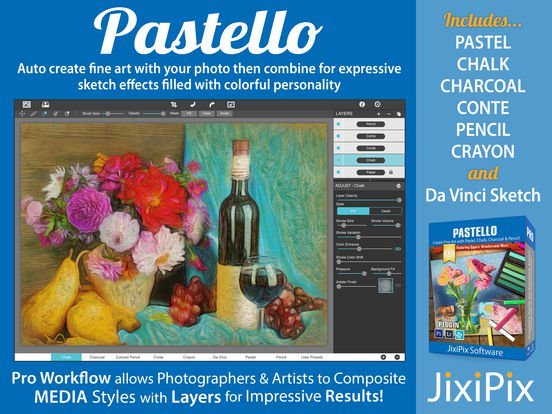
JixiPix Pastello 6.0.104 | Size: 212.3 MB
Language: English


Introducing Pastello, a brand-new companion app to JixiPix's Impresso Pro. Pastello takes you back in time to the 15th century. Away from brushes and large strokes and into the realm of dry media with color that is both brilliant and subtle. The "Dry color method" made famous by Leonardo da Vinci is so powerful in its simplicity and beauty with its black and red chalk and yellow pastel highlights. Later, artists would paint charming portraits in a smooth heavily blended fashion. Move forward a few centuries later and pastel quickly became filled with brilliant color and crisp detail. Fast forward to today and a digital age has made it so you, the artist, can mix and match media that is difficult or impossible in a traditional setting.

Description
Pastello makes it simple and convenient to take an image and change it into Pastel, Chalk, Charcoal, Crayon, Colored Pencil and Graphite drawings. Use alone or combine these medias using powerful layers to produce interesting expressive sketch effects filled with colorful personality and passion. And the best part is Pastello does all the work.
With Pastello, photographers and artists can now go beyond the camera to turn image files into creative works that resemble traditional handmade media using a professional workflow that is easy and comfortable to operate.

Features
Pastello has a pro workflow that automatically transforms a photo into a pastel drawing and places it on an art paper with options to customize. The Pastel can then be changed to Chalk, Charcoal, Colored Pencil, Graphite, Conte or Crayon using Layer styles. The medias start out delicate like traditional drawings do, then allows you to build them up using fills, shading and detail layers. The medias are beautiful as they are, or mix them for an expressive artwork.
Pastello includes plenty of traditional sketch styles as well as a DaVinci effect using a mixed media of pencil, charcoal, crayon and old paper. It's easy to use! We have mixed the media into one-click presets with all the freedom to customize, blend and fine-tune for your own unique artwork filled with age, depth and timeless beauty as if created by the renaissance artist himself.

Pastel Styles
Colored Pencil, Graphite, Charcoal, and Chalk come with a fill and detail option that can be layered for infinite variation. Conte has a dynamic sketch feature that lets you fill in shadows, mid-tones and highlights with crosshatching or scumbling. All with the ability to change stroke direction, size, volume and variation.
• Pastel-(Soft) is a soft, buttery consistency and intense color. This effect is dense and filled with the grain of the paper. Artists find this media especially good for plein air landscapes because the color ranges are vibrant and the media itself is dustless and portable.
• Chalk-(Hard Pastel) is a light dusty effect with little specks of preserved paper. This chalky pastel is known for it's soft strokes and velvety texture. This style is great for creating a fine web of color by stacking or duplicating layers, letting the ones below show through to create a drawing sparkling with interest.
• Charcoal-creates a velvety black charcoal effect with shades of grey. Use it for warming up the under painting of a composition, or to complete a finished charcoal piece.
• Colored Pencil-creates soft colorful strokes in the drawing that can be layered to build up color then burnished with a light Pencil Layer, or the Smudge tool.
• Pencil-creates pencil drawings with fluid outlines and soft, limpid tonal shadings for a drawing filled with warmth and charm.
• Conté-is a beautiful crayon media for enhancing highlights, midtones and shadows in drawings using five classic colors: Bistre, Sanguine, White, Grey, Gold and a color picker to choose your own-with options for crosshatching and scumbling.
• Crayon-creates a colorful waxy base to a drawing, then burnish it with a Conte White for highlights or Bistre for shading.
• Fill Brush- Choose to brush in areas of the drawing with chalk, charcoal, colored pencil or pencil on the layer or fill the entire layer as a base for Pencil, Chalk and Charcoal.
• NEW Signature Layer-Add a personalized touch to any drawing in the form of two styles: One that uses a type face from fonts installed on your computer, and the other you paint by hand. Both signatures can be fine-tuned using the stroke size and stroke volume sliders.

Includes
• Pastel, Chalk, Charcoal, Conte, Colored Pencil, Pencil and Crayon style effects true to real media. Each one has control over stroke size, stroke volume, color and other refinements.
• Da Vinci style effect mixes 5 fully customizable medias onto aged paper for an old world appearance.
• Stroke technology inspired by real-world Pastellists
• Smart Layers for blending pastel styles with options to reorder, duplicate and delete. This powerful feature is great for mixing media.
• Fill Layer for hand brushing color and texture
• Paper Layer that reacts to dry media like real paper would. The more you layer the media the more it fills into the paper's texture.
• Smart Brushes for touching up brush strokes
• Smudge Brush for smearing media for a softer appearance
• Brush Masking to invert, clear or fill in brushed areas
• Presets for a quick start
• Customizable Presets to develop your own unique and personal style, or to save your projects with all strokes and layers intact for future editing.
• User Preset category to store your personalized style in
• Favorite preset feature sends presets to the front when marked
• 5 Paper Textures
• 41 Artistic and Aged Papers
• 70 Artistic Finishes for adding light and color to drawings
• Smart links to globally unify color and finishes across all layers
• 24 Artistic Edges for creating sketchy vignettes around artwork. Each one has options for edge stroke size and blend.
• Plugin for Photoshop CS3+, Lightroom and Elements for Mac & Windows
• New Live Presets render your image using each preset and displays them in the browser below. When using Mac or Windows a hovering feature makes it fast to view, and choose, rendered designs.


HOMEPAGE:
Код:
https://jixipix.com/

FREE DOWNLOAD LINKS:

Код:
https://rapidgator.net/file/9ef9ce5f37bd385fec6c7db420fc346f/JixiPix_Pastello_6.0.104.rar

Код:
https://nitroflare.com/view/0DC6033B9DA37F1/JixiPix_Pastello_6.0.104.rar

 
b87978bcc5230509ff7317314aa869f9.jpg


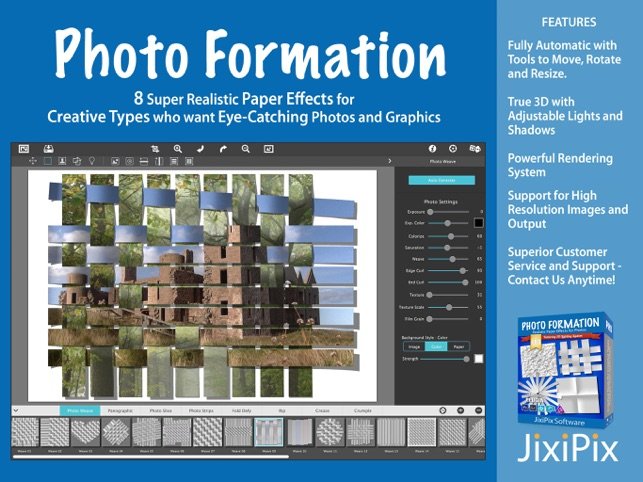
JixiPix Photo Formation 1.0.27 | Size: 119.09 MB
Language: English


Photo Formation is a photo effect that auto-transforms images into super creative paper formations then uses a 3D light engine to cast ultra cool shadows. Use it to fragment, join, weave, slice and fold photos into fascinating eye-catching pieces, with all the subtle creases, curls and bends as if painstakingly assembled by hand.

Photo Formation comes with a library of one-touch presets to get you started fast, and a randomize button that automatically renders a variety of paper creations over and over until you get something catered to you. Moving, rotating and scaling tools can then be used to customize each composition-the sky is the limit to what can be done!
We make it easy to use without taking control away from you, the artist. If you are the hands on type who likes to make stuff from scratch, an Auto Generate button gets you in the creative mode by starting the initial paper effect for you then presents a control panel so you can make it exactly the way you like. It's not as much work as it sounds, just specify how many strips, tiles or folds; how much curl, crinkle or depth; and if you want exposure, opacity, texture and grain. An apply button renders the creation to the document where you finish it off by moving around paper elements (only if you want), and adding optional photo settings.
What sets Photo Formation apart from others is it's powerful lighting system. Oriented in a 2D space, Photo Formation renders true 3D popping folds and creases along with all their perspective distortions that cast realistic shadows for an amazing high-end result! The lighting is fully adjustable and by simply moving it around the document you can change the direction of the shadows. You can also set up multiple light sources by duplicating the light to create fantastic double and triple shadows-how many is up to you!
Photo Formation comes as a standard application or blend it into your workflow with an included plugin for: Photoshop, Elements, Lightroom, PaintShop Pro and Affinity Photo

INCLUDES 8 Creative Paper Styles
• Photo Weave renders one or multiple photos into a basket weave
• Panographic turns a photo into a patchwork art of multiple photos
• Photo Slice uses a line tool to slice or rip photos
• Photo Strips auto-slices a photo into strips and conforms them into shapes
• Fold Defy auto-folds a photo with 3D perspective to give it lift
• Rip uses a lasso tool to tear the corners off an image and rip holes anywhere on your photo

Photoshop Plugin
Each products includes a Plugin for use with Photoshop, Elements, Lightroom and PaintShop Pro. Supports actions, transparency, blending, last filter command, batch processing and 16bit RGB/Greyscale modes.

PLUGIN HOST REQUIRMENTS
• Adobe Photoshop CS3+, CC, CC 2014, CC 2015, CC 2017, Photoshop Elements 10+ and Lightroom 4+


HOMEPAGE:
Код:
https://jixipix.com/

FREE DOWNLOAD LINKS:

Код:
https://rapidgator.net/file/7bf18418bafd856b53479dc8f4b778d0/JixiPix_Photo_Formation_1.0.27.rar

Код:
https://nitroflare.com/view/F19ED3A56620AE5/JixiPix_Photo_Formation_1.0.27.rar
 
7368593e94faa46873fc4ebf65964a15.jpg


JixiPix Premium Pack 1.2.18 | Size: 711.99 MB
Language: English


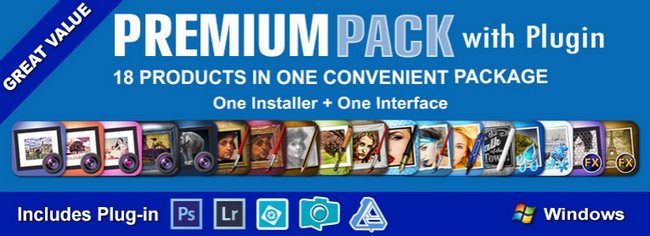
For maximum savings and convenience, the Premium Pack bundles 18 incredible creative apps into one powerful package: Aquarella, Artista Haiku, Artista Oil, Artista Sketch, Artoon, Chalkspiration, Dramatic Black&White, Grungetastic, Kyoobik Photo, Moku Hanga, NIR Color, Pop Dot Comics, Portrait Painter, Rainy Daze, Romantic Photo, Simply HDR, Snow Daze and Vintage Scene. The Premium Pack comes wrapped together for conveniencone application, one installer, one interface, and a plugin for Photoshop, Elements, Lightroom and PaintShop Pro.

PREMIUM PACK
18 Incredible Products bundled for convenience! Includes one installer, one interface and a Plugin for Photoshop, Elements, Lightroom and PaintShop Pro.
Included in the Premium Pack is a Plugin-which is the perfect complement to Photoshop, Elements, Lightroom and PaintShop Pro. Having the products within Adobe's applications saves valuable time with batch processing and actions, while the products themselves offer a level of creativity beyond using Photoshop alone.
Photoshop Plugin
Allows quick access to 18 Jixi products from inside Photoshop, Elements, Lightroom and PaintShop Pro. Supports actions, transparency, blending, last filter command, batch processing and 16bit RGB/Greyscale modes.
PLUGIN HOST REQUIRMENTS
Adobe Photoshop CS3+, CC, CC 2014, CC 2015, Photoshop Elements 10+ and Lightroom 4+ (Mac/Win)
Corel PaintShop Pro X7 and X8 (Mac/Win)

Every JixiPix Product Features
- Support for high resolution images and output
- Multiple undo
- Randomize button
- Quick previewing
- Customizable settings
- Superior customer service
- Contact us any time we are committed to your long term satisfaction!


HOMEPAGE:
Код:
https://jixipix.com/

FREE DOWNLOAD LINKS:

Код:
https://rapidgator.net/file/a7d0e71f0020beb15e29b3a457616489/JixiPix_Premium_Pack_1.2.18.rar

Код:
https://nitroflare.com/view/DDE212C29A64C13/JixiPix_Premium_Pack_1.2.18.rar
 
8a010a274c0595733ef60fde36a05fc8.jpg


JixiPix PuzziPix Pro 1.0.25 | Size: 99.82 MB
Language: English


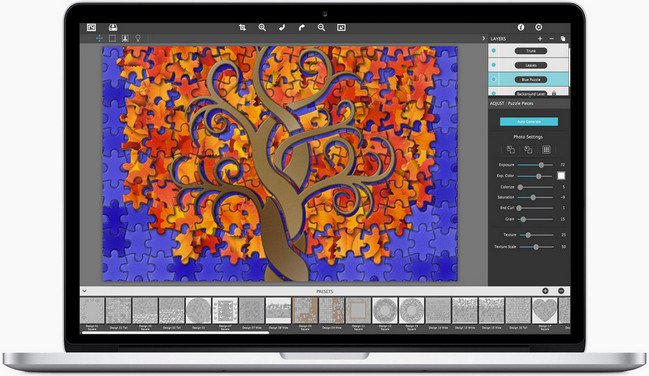
PuzziPix Pro combines photos with perfectly fitting puzzle components for great composition and storytelling. In Advertising, contexts and connotations can be in high demand for designers, so having puzzles, as a visual technique can be invaluable. PuzziPix Pro turns any photograph into an eye-catching jigsaw puzzle with creative control over the final outcome.

Getting Started
Every photo placed in the app is automatically turned into a puzzle. Use Auto Generate to change puzzle styles, and the built-in Tools to Move, Size, Rotate and send pieces Front or Back.

Cutout Shapes
Use Auto Generate to get to the Library of included shapes or import your own using the custom button. Move and Resize Shapes then Apply to cut shapes out of the puzzle. Use the import Photo tool to change the photo on one puzzle piece or groups of them. This technique works great with Text and Logos.

Logo Cutouts and Custom Shapes
Use logos and custom shapes to create eye catching visual designs with puzzles. This video shows you how to Import Custom Artwork, Duplicate Layers and how to use Conform and Cutout to create a tree design with a logo cutout.


HOMEPAGE:
Код:
https://jixipix.com/

FREE DOWNLOAD LINKS:

Код:
https://rapidgator.net/file/aeae2f2441d2a576d9e05e0080e66b3b/JixiPix_PuzziPix_Pro_1.0.25.rar

Код:
https://nitroflare.com/view/4DE43F57B897EB6/JixiPix_PuzziPix_Pro_1.0.25.rar
 
692c1c7bcf43a8756e7865bead6e6ed5.jpg


JixiPix Rip Studio 1.1.25 | Size: 143.16 MB
Language: English


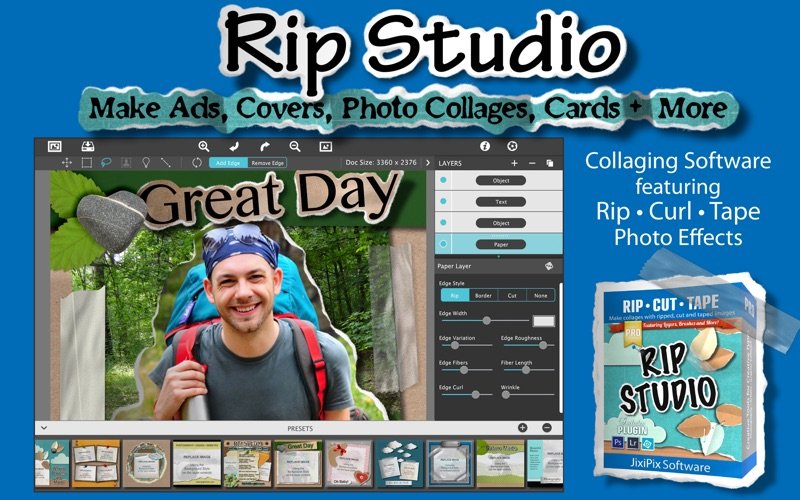
2 years in development, 3 years prototyping, and thousands of hours in the art department, Rip Studio redefines everything you know about a collaging app. It offers super realistic ripped and cut borders, tape, creased and folded images, and curled edges with full 3D shadowing. All with an incredible interface that seamlessly handles layers while maintaining an easy-to-use workflow. Rip Studio gives you control over every element created inside the app. Rip, tear, or cut edges by drawing around the image. Curl up the edges and wrinkle the surface by simply adjusting a slider. Behind the scene a powerful 3D light engine works to make surface wrinkles and creases look realistic; this adjustable light source will have shadows popping off the page. Finish your creative composition with a tape effect, or choose from a library of objects like stickpins, staples, rusty nails and gems. Every rip you make or tape you place is unique and one-of-a-kind!

Created for professionals who want eye-catching elements for their designs and compositions. Quickly rip out shapes and letters by drawing around on your image. Create paper objects for Ads, Music covers, Art Collages and Scrapbook pages with one-of-a-kind cutout, ripped out, taped and pinned shapes made from images or other clipart. With Rip Studio you can throw out those boring overused templates and create a custom piece with complete control over shape, width, fiber, texture and curl. Built with PRO features Rip Studio easily creates a single incredible piece or a whole collage right inside the app! Built with a powerful workflow, you can add images quickly simply selecting them from your library and dropping them-all at once-on the open application. As each image is placed a layer is created for easy compositing, editing and transformation. To finish your composition, choose from a library of gems, stickpins and staples; or add transparent tape, duct tape and masking tape for added interest. With a focus on ease-of-use, ripped pieces can be created by freely drawing on the image or background-if too much is ripped out simply reverse the tool and add the area back in. Also, included in the app is an Image Tool to allow photos to be resized or rotated inside the ripped pieces; or you have the option to completely replace the image while retaining the shape. This powerful feature enables professionals to create custom templates for future use and allows projects to be shared with other artists.
Rip Studio-is easy, professional and one-of-a-kind

Pro Features
Rip Studio is a PRO product featuring layers, multiple selection, 3D light for casting realistic shadows, and the best effects designed for Artists, Photographers and other Professionals who require high-resolution on output.
Rip Studio's edges are fully adjustable and can be customized using Edge Width, Fiber Amount, Fiber Length and Edge Roughness. Once a paper is torn use the image tool to move and adjust photos inside or completely replace the image if needed-this great feature is perfect for creating templates for other projects.
Rip Studio is made for the pro user but easy enough for the novice.

Photo Effects
• Rip - creates hand-torn edges around images and text
• Border - adds an adjustable outline with options for color
• Cut - creates a scissor style cut around edges
• Tape - allows adjustable pieces to be placed, moved and resized

Features
• Rip Effect with control over rip width, roughness and fiber length
• Rip Tool for adding and removing areas to torn and cut paper. Also works on shapes and tape
• Rip Styles to change the look of an edge on-the-fly without redrawing the area
• A cool masking tape, duct tape, cloth tape and transparent Tape Effect. When tape is placed on the edge of the image it auto creases! This can't be done with clip art.
• Masking tape, duct tape and transparent tape with adjustable size, color and surface texture
• Move Image Tool for resizing and moving the image inside a ripped or cut area
• Text Editor for creating ripped, cut, bordered or regular-style letters and sentences
• Smart Layers for composing layouts, collages and easy reordering of objects
• Multiple Selection for moving paper, tape and other objects together
• 36 shapes will auto-cut images into stars, circles, flowers and more'
• 102 high resolution papers
• 18 surface textures
• 62 objects like staples, gems, stickpins and more-with the ability to add your own! All objects placed will create an impression below
• Robust 3D lighting casts realistic shadows-supports multiple light sources
• Crease Effect for adding crinkles and creases by simply drawing across the area
• Support for fonts installed on your computer system
• Save Project externally will save projects for future editing and sharing with other artists!
• Save Preset for saving templates inside the app-great for creating custom templates for future use
• Save support for PNG and TIF to preserve transparency behind objects
• Support for high resolution images and output
• Pro's who use the Photoshop and Lightroom Plugin can flag images for batch processing-this features allows photos to be placed right where they want them


HOMEPAGE:
Код:
https://jixipix.com/

FREE DOWNLOAD LINKS:

Код:
https://rapidgator.net/file/d4ab9764abae9f05622d524c05637985/JixiPix_Rip_Studio_1.1.25.rar

Код:
https://nitroflare.com/view/8959A19D761CB12/JixiPix_Rip_Studio_1.1.25.rar
 
78ae3ed45909057db60279b0763d7886.jpg


JixiPix Spektrel Art 1.1.22 | Size: 14.46 MB
Language: English


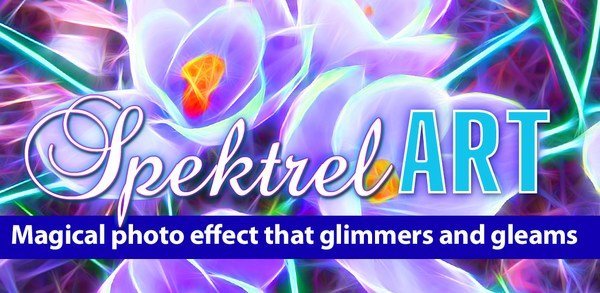
Spektrel Art is an extravagant otherworldly display of undulating movement that glimmers and gleams with intersecting lines of tapered light. Applied to photos, this medium of imaginative and magical art form transcends the ordinary to extraordinary creating something wild, sparkling with life and colorful spaces.

Spektrel Styles
- Light glimmers and gleams with white tapered light
- Dark creates a stark contrast of black intersecting lines

Spektrel Art Includes
- Presets to start you off
- Detail slider to increase the amount of intersecting lines
- Glow options add colorful edges and splendrous brillance
- Taper Length and Sharpen sliders to add twinkle
- Lighten and Brighten sliders to make it illuminate
- Edge Detail slider to exaggerate the lines
- Smoothing slider to softens lines
- Color Boost for enhanced color
- Brushes to soften or remove effect
- Infinite variation for illuminated twinkles, fluid lines and ethereal softness

Every JixiPix Product Features
- Support for high-resolution images and output
- Multiple undo
- Randomize button
- Quick previewing
- Customizable settings
- Superior customer service


HOMEPAGE:
Код:
https://jixipix.com/

FREE DOWNLOAD LINKS:

Код:
https://rapidgator.net/file/c2f14d25d76527a98fad6a2208ceaa05/JixiPix_Spektrel_Art_1.1.22.rar

Код:
https://nitroflare.com/view/4450DB21C71A634/JixiPix_Spektrel_Art_1.1.22.rar
 
2e7e88933907cca02f8398208bad1d02.jpg


Jixipix Watercolor Studio 1.4.22 | Size: 472.66 MB
Language: English


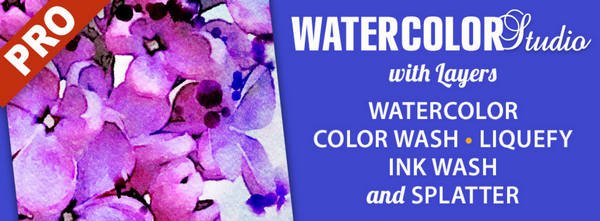
Watercolor Studio creates fluid, liquidy, translucent watercolors with paint that flows naturally. Built on-top of an incredible rendering system that uses real-world techniques, this application does the initial work, producing a watercolor instantly, then allows you to customize your paintings using an array of Sliders, Layers, Brushes, Color Washes and Artistic finishes. The end result-print quality watercolors filled with transparent luminosity and sheer beauty.

Watercolor Studio
Watercolor Studio uses artificial intelligence and image recognition to render the initial watercolor then gives you the ability to create infinite variations quickly and easily. Change paintings into an ink wash, add a beautiful artistic finish, brush in details, and even spatter it with liquid spots. Control everything from details-to-shades-to-negative space-to-coloring. No artistic skill needed!
The beauty of a well executed watercolor comes from the transparency of paint on paper. It also comes from the watercolors unique free flowing characteristics. Watercolor Studio makes it easy to do just this with a one-of-a kind Liquid slider. As you move it, watch as color bleeds throughout the painting for an ultra wet style. Or use the Wet Edge slider to define edges with built-up pigment and color that bleeds inward naturally.
Use it as a standard application or blend it into your workflow with our included plugin for: Photoshop, Elements, Lightroom, PaintShop Pro and Affinity Photo

Paint Styles Make It Impressive
Paint Styles, also known as Paint Layers allows you to create beautiful and unique watercolors by stacking watercolor layers, blending color washes and texture, and brushing in details. No artistic skill needed! Every photo placed in Watercolor Studio is automatically transformed into a watercolor with full control over settings. While it's great to have complete control over what the paint does on the paper, some of the most beautiful effects occur in the experiment process. So have fun and try not to be too careful. You will be amazed at some of the paintings you will get.

Paint Styles and Layers
• Watercolor features a series of wetness sliders: Wet Edge, Liquid and Edge Bleed all designed to give the painting a natural look. Choose between Landscape settings for a wet free flowing painting, or Portrait for a painting with controlled color and detail.
• Ink Wash creates a limited palette using the power of shades then allows users to build up color, and movement, using a library of washes.
• Color Wash applies semi-transparent handmade washes and stains to paintings. Use one or stack up several for a customized blend of color and texture.
• Liquefy is a transparent layer, you brush on, to blend and bleed areas in the watercolor. Move it around, turn it on or off, or delete it to start over-it's easy to use and very forgiving.
• Splatter applies water spots to the watercolor. Choose between multi-color, single or no color. Options bleed the edges of spots and a placement box lets you move splatter around and resize them.
• Outline defines edges throughout the image. Choose between round fluid watercolor strokes or sharp inky ones.
• Canvas is the base of your painting. Use this layer to change the canvas style. Choose between cold press, hot press or rough paper texture.

Includes
• Artificial Intelligence and Image Recognition
• A powerful wetness algorithm with full control. Decide how wet the edges become or how much the color spreads.
• Smart layers with options to reorder, duplicate and delete. This powerful feature allows you to stack and blend watercolor layers, washes and spatter for one-of-a-kind artwork.
• Landscape settings for an ultra wet watercolor
• Portrait settings for controlled color and detail
• Smart Brushes to remove areas or add them back in
• Mask option to invert, clear or fill brushed areas
• Detail and Shade controls
• 70 Artistic Finishes adjusts the color scheme to warm or cool bias, and modifies the intensity of color creating unity and altered moods that blends seamlessly.
• Smart links to globally unify artstic finishes across all layers
• Ink and Color washes that stack and blend
• Adjustable water Splatter for texture
• Granulating Texture slider to pool pigment naturally throughout the watercolor
• Canvas Layer with Cold Press, Hot Press and Rough paper texture
• Presets for saving custom paint palettes and to keep layers and settings intact for future


HOMEPAGE:
Код:
https://jixipix.com/

FREE DOWNLOAD LINKS:

Код:
https://rapidgator.net/file/31034db799b5bf884466fe52c4df3099/Jixipix_Watercolor_Studio_1.4.22.rar

Код:
https://nitroflare.com/view/19FC5DE83D4F5F3/Jixipix_Watercolor_Studio_1.4.22.rar
 
1293c8d25e56c83d71a9b25bf3b1fbda.png


MakeMKV v1.18.3 | Size: 15.52 MB
Language: English


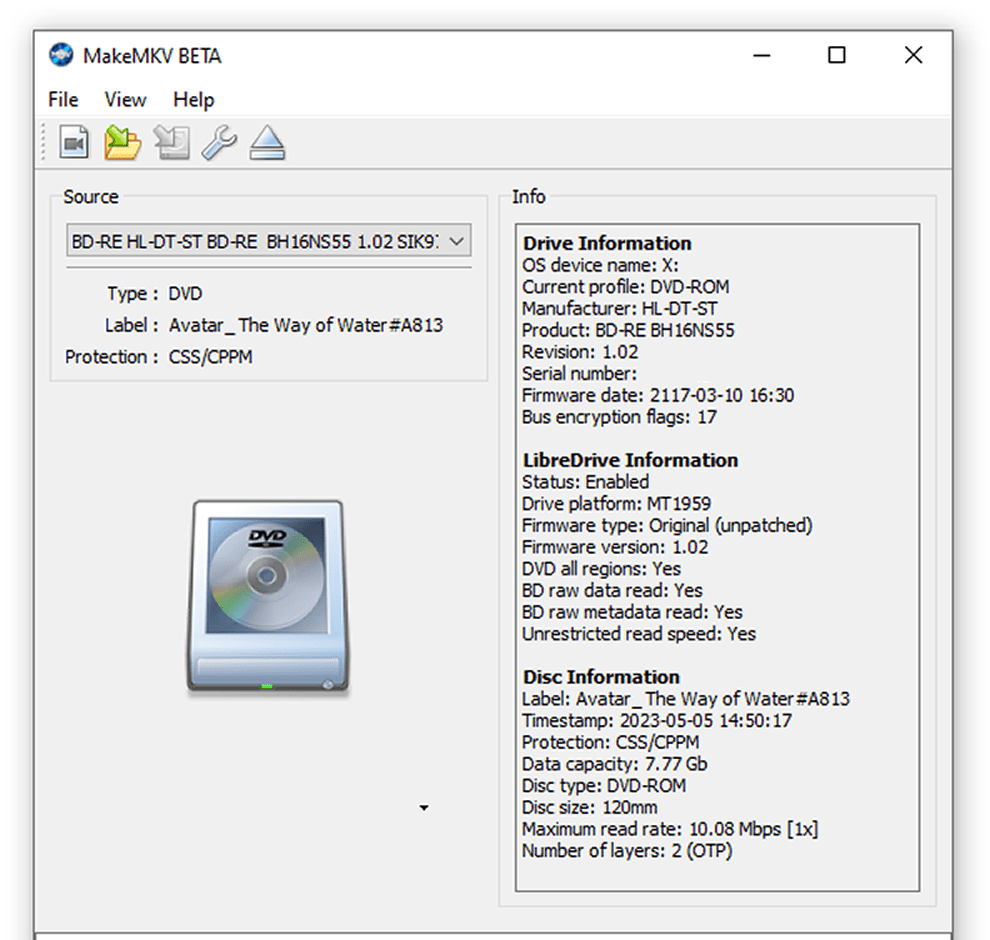
MakeMKV is a disc ripper / format converter that transforms videos from proprietary and encrypted discs into MKV files. This software provides a one-click solution to convert videos into free, patent-free formats that can be played on various platforms. The resulting MKV files can store multiple audio and video tracks, as well as all meta-information and chapters.

MakeMKV can read/rip DVDs and Blu-ray discs, even many that are encrypted with the latest versions of copy protection.

Features
Reads DVD and Blu-ray discs
Reads Blu-ray discs protected with latest versions of AACS and BD+
Preserves all video and audio tracks, including HD audio
Preserves chapters information
Preserves all meta-information (track language, audio type)
Fast conversion - converts as fast as your drive can read data
No additional software is required for conversion or decryption

About MKV file format: MKV stands for "Matroska Video". Matroska is a container file format, capable of holding unlimited number of video, audio and subtitile tracks, along with any metadata. Practically this means that it is possible to put entire movie with multiple sound and subtitle tracks, chapters information and movie thumbnail into single file.

Available for Windows, Mac and Linux.

All releases have Beta status.

Note: If a license key is required, you can get it there for free

After ripping the video, you can significantly reduce the size using the software.

FREE DOWNLOAD LINKS:

Код:
https://rapidgator.net/file/edea067572da1fac2ef74aa2677acb21/MakeMKV_v1.18.3.rar

Код:
https://nitroflare.com/view/312B57823ADD685/MakeMKV_v1.18.3.rar
 
dda8b9e15f83cd786fb0f2406e914fdf.jpg


ManicTime Pro 2025.3.8.0 Multilingual | Size: 166.09 MB
Language: English


ManicTime allows you to keep up with your employees' work, send accurate progress reports, and manage your time better than ever before. This kind of software can help your business be more efficient when it comes to internal employee affairs as well as the external partnerships.

Automatic tracking
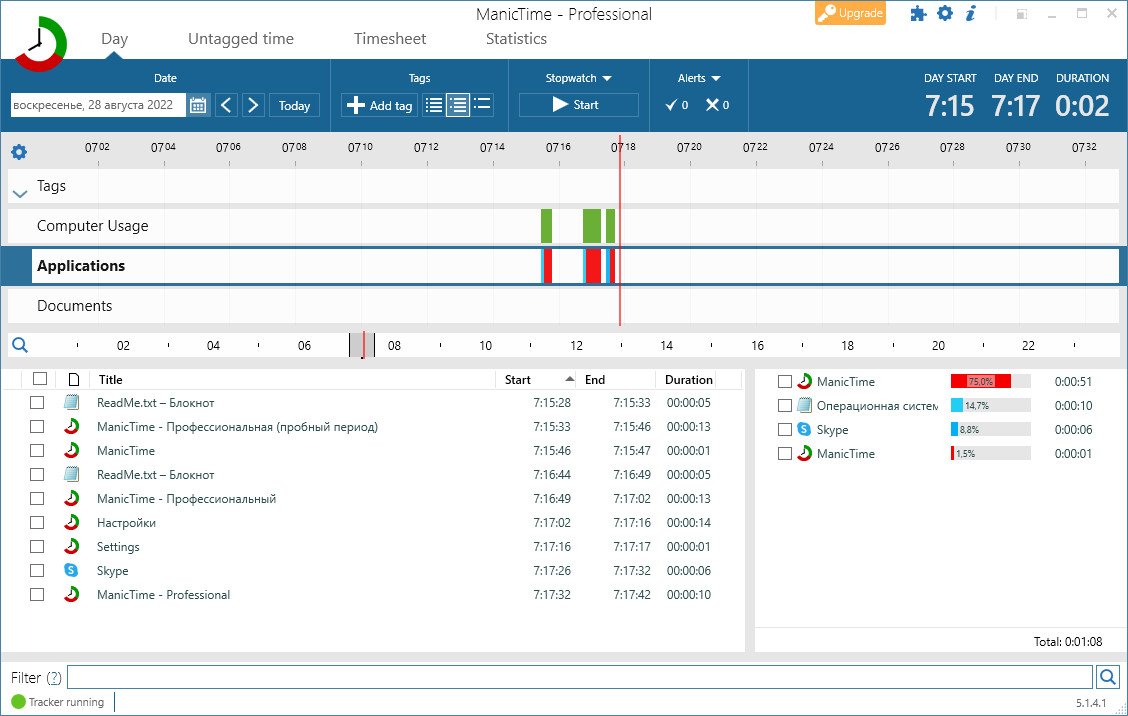
ManicTime automatically records your computer usage. It remembers which apps you've used and for how long. It will also remember which web sites you've visited and which documents you've worked on. All this data will help you keep track of your work hours.

Privacy
Data, which ManicTime collects, is stored on your machine and not sent anywhere. It is not shared with us or any third party and exists only on your machine.

Offline work
ManicTime is not a cloud based service, instead it uses a local datastore, so all recorded data will be kept on your machine. This also means that it will work the same with or without internet connection.

Accurate timekeeping
All the data ManicTime collects will be presented in a easy to understand graphical interface. This will help you to quickly figure out when you went to lunch and when you've switched tasks. From now on, your logged hours will be accurate and simple to track.

Easy timesheets
From the hours you logged its easy to create almost any kind of report. Once you create the report, you can easily copy it to Excel or some other tool and create an invoice there.

Integrate with other systems
ManicTime can integrate with task based systems, like Jira or GitHub. You can use ManicTime to enter your work hours, then send the timesheet back to specific issue.

Company wide reports
Use ManicTime in your company or your team. ManicTime Server will collect all data and generate useful reports.

Auto tagging
ManicTime captures a lot of data and you can use this data to create work activities. For example you can say that all facebook activity is "Browsing" and that all MS Word usage is "Work".

Away time
Equally important as tracking computer usage is tracking non usage. When you step away from the computer, ManicTime will track this as Away time. When you return, you can create a note of what you were doing during Away.

Stopwatch
Even though ManicTime excels at automatic time tracking, you can still use a stopwatch to manually track your time.


HOMEPAGE:
Код:
https://www.manictime.com/

FREE DOWNLOAD LINKS:

Код:
https://rapidgator.net/file/f9e8c3f71e8dd1d63baf1fc832b93cdc/ManicTime_Pro_2025.3.8.0_Multilingual.rar

Код:
https://nitroflare.com/view/8BF6DD593B21A5F/ManicTime_Pro_2025.3.8.0_Multilingual.rar
 
9e59159a1a26f7e62fb6124cd0f5b70f.jpg


Markdown Monster 4.1.1 | Size: 20.52 MB
Language: English


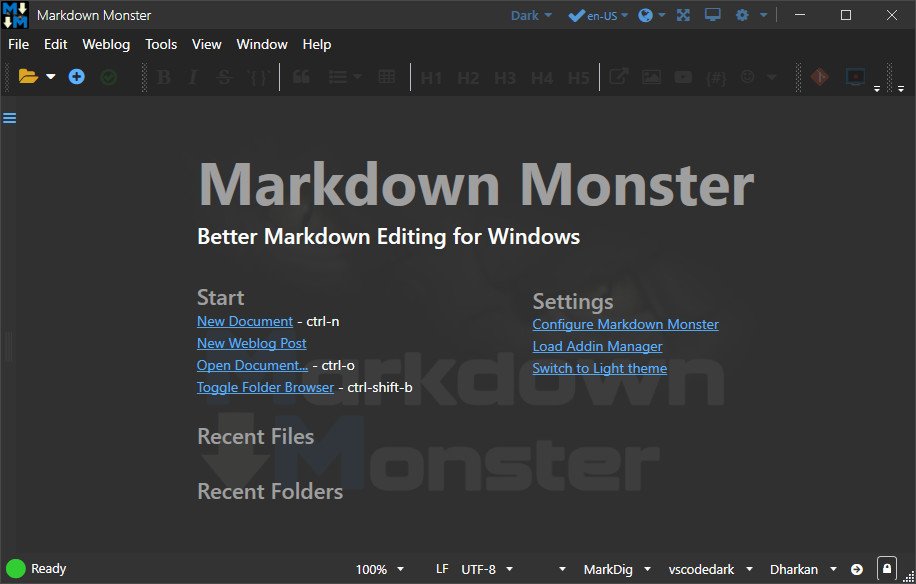
Markdown Monster is a Markdown editor and viewer that lets you edit Markdown with syntax highlighting and fast text entry. A collapsible, synced, live preview lets you see your output as you type or scroll. Easily embed images, links, emojis and code using Markdown text or use our gentle UI helpers that simplify many operations with a couple of keystrokes. Paste images from the clipboard or drag and drop from Explorer or our built-in folder browser. Inline spell-checking and word counts keep your content streamlined unobtrusively.

You can export your Markdown to HTML or PDF by saving to disk or by copying Markdown selections as HTML directly to the clipboard. The HTML preview can display syntax colored code snippets for most common coding languages, and can easily be customized with HTML and CSS template to match your own sites. You can choose from a light and dark app theme, and choose individual editor and preview themes that are fully customizable. You can even use Vim or EMacs type conventions. Other convenience features let you browse for and select files in the built-in folder browser, use the document outline to jump through sections in your Markdown, or shell out to Explorer, Terminal or your favorite Git client. It's all about convenienceverything is at your finger tips, but it's out of your way until you need it.

Markdown Editing and Weblog Publishing for Windows
Syntax colored Markdown
Live HTML preview
Inline spell checking
Embed images, links and emoji
Paste images from Clipboard
Capture & embed screen shots
Save to Html and PDF
Weblog publishing and editing
HTML to Markdown conversion
Editor and preview themes
Git Integration
Document Outline
Template text expansion
.NET scripting & addins


HOMEPAGE:
Код:
https://markdownmonster.west-wind.com/

FREE DOWNLOAD LINKS:

Код:
https://rapidgator.net/file/ba60d414f6eaf73f5f97ef7b8e2fbd71/Markdown_Monster_4.1.1.rar

Код:
https://nitroflare.com/view/BFC30DDFEB7136F/Markdown_Monster_4.1.1.rar
 
Назад
Сверху Снизу