All Emperor2011's Software in one thread !! (updated daily)

d8b2934e7fe2f7ec5790b485b67515d2.jpg


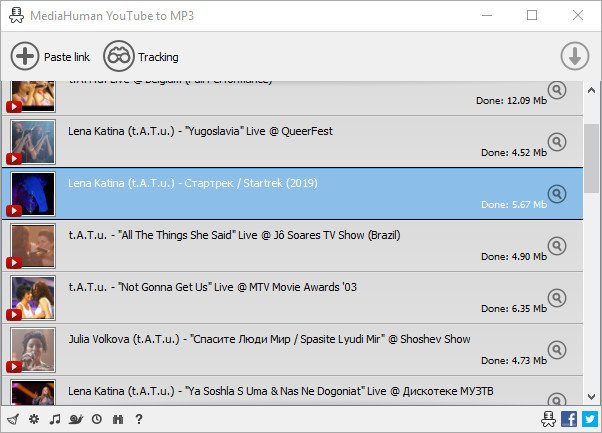
MediaHuman YouTube To MP3 Converter 3.9.18 (2601) Multilingual (x64) | Size: 78.25 MB
Language: English


You like to listen to music on YouTube or SoundCloud and want to save it for offline playing. Or you want to download soundtrack of a new movie. Then we recommend you to try out this software developed specifically for this purpose.

Downloads all music from playlist or channel
Downloads highest available quality up to 320 kbps
Supports YouTube, Vimeo, SoundCloud, Dailymotion, VEVO, etc.
Downloads simultaneously several tracks
Includes simple tag editor with cover art support
Imports into iTunes

Main Features
Playlists and channels
The software supports downloading all videos of a playlist or a channel. And there is also an option for subscribing to and downloading only newly uploaded tracks.

iTunes support
In the preferences of the application you can select an option to add downloaded tracks into iTunes automatically. You can also specify iTunes playlist, where the converted track should be added.

Saves your time & traffic
The app detects audio track in YouTube video clip and downloads it, skipping the video part. As a result download speed increases dramatically, especially on HD-quality content.

Simple tag editor
Application automatically detects artist name and track title of the video and saves it in the downloaded file. But at the same time, you can easily change tags to whatever you want. You can even change a cover art image.

Original format, no conversions
You can save audio tracks in original quality without any conversion. It means that there will be no loss of quality and it greatly reduces the downloading time.

Free music
There is a great amount of music on YouTube. You can always find the one you like there. And YouTube to MP3 Converter allows you to save it on your computer for free. Just find the track you like and download it in the quality you need.

Not only YouTube
Vevo.com, Vimeo, DailyMotion, Soundcloud, Bandcamp, HypeMachine, MixCloud, UOL and many other sites are also supported. So you can download music as easy as from YouTube.

Clipboard tracking
The program tracks the content of the system clipboard. It means that you can easily add a video clip without switching from your favorite browser. Just copy an URL into the clipboard and it will be added to the download queue.

Multilingual interface
Localized to: Arabic, Armenian, Azerbaijani, Bulgarian, Catalan, Chinese (Taiwan), Croatian, Czech, Danish, Dutch, English, Esperanto, French, German, Greek, Hebrew (Israel), Hungarian, Indonesian, Italian, Japanese, Korean, Latvian, Lithuanian, Malay, Norwegian Bokmal, Polish, Portuguese, Portuguese (Brazil), Romanian, Russian, Spanish, Swedish, Turkish, Vietnamese

HOMEPAGE:
Код:
https://www.mediahuman.com/

FREE DOWNLOAD LINKS:

Код:
https://rapidgator.net/file/8e91daeeb713ffcaa623a4e5a27976ea/MediaHuman_YouTube_To_MP3_Converter_3.9.18_2601_Multilingual_x64.rar

Код:
https://nitroflare.com/view/49BA763B4B32F83/MediaHuman_YouTube_To_MP3_Converter_3.9.18_2601_Multilingual_x64.rar
 
0524f5fe9d25342bfbc702c735aa3191.png


Microsoft PowerToys for Windows 10 v0.97.1 | Size: 381.13 MB
Language: English


Microsoft PowerToys is a set of utilities for power users to tune and streamline their Windows experience for greater productivity. Inspired by the Windows 95 era PowerToys project, this reboot provides power users with ways to squeeze more efficiency out of the Windows 10 shell and customize it for individual workflows.

Microsoft revealed earlier this year that PowerToys were coming back to Windows 10. PowerToys used to be useful little utilities that would let you further customize Windows. Microsoft's first PowerToys for Windows 10 are now available.

Current PowerToy Utilities
• FancyZones
FancyZones is a window manager that makes it easy to create complex window layouts and quickly position windows into those layouts.

• File Explorer Add-ons (Preview Panes)
File Explorer add-ons right now are just limited to Preview Pane additions for File Explorer. Preview Pane is an existing feature in the File Explorer. To enable it, you just click the View tab in the ribbon and then click "Preview Pane".
PowerToys will now enable two types of files to be previewed: Markdown (.md) & SVG (.svg).

• Image Resizer
Image Resizer is a Windows Shell Extension for quickly resizing images. With a simple right click from File Explorer, resize one or many images instantly.

• Keyboard Manager
Keyboard Manager allows you to customize the keyboard to be more productive by remapping keys and creating your own keyboard shortcuts. This PowerToy requires Windows 10 Version 1903 (Build 18362) or newer.

• PowerRename
PowerRename is a Windows Shell Extension for advanced bulk renaming using search and replace or regular expressions. PowerRename allows simple search and replace or more advanced regular expression matching. While you type in the search and replace input fields, the preview area will show what the items will be renamed to. PowerRename then calls into the Windows Explorer file operations engine to perform the rename. This has the benefit of allowing the rename operation to be undone after PowerRename exits.

• PowerToys Run
PowerToys Run is a new toy in PowerToys that can help you search and launch your app instantly with a simple alt-space and start typing! It is open source and modular for additional plugins. Window Walker is now inside too! This PowerToy requires Windows 10 Version 1903 (Build 18362) or newer.

• Shortcut Guide
Windows key shortcut guide appears when a user holds the Windows key down for more than one second and shows the available shortcuts for the current state of the desktop.

HOMEPAGE:
Код:
https://github.com/microsoft/PowerToys

FREE DOWNLOAD LINKS:

Код:
https://rapidgator.net/file/a409073e03eb6ea8dd57634788e1fc7d/Microsoft_PowerToys_for_Windows_10_v0.97.1.rar

Код:
https://nitroflare.com/view/F1A6322AAC76610/Microsoft_PowerToys_for_Windows_10_v0.97.1.rar
 
82631225c65c7be5c9de5bd06cf55d90.jpg


MusConv Lifetime 4.10.450 | Size: 96.54 MB
Language: English


Switching from one music streaming service to another does not necessarily mean you have to start over with everything. Understandably, one of the main issues concerning just about anyone looking to make the switch to Google Play Music from, let's say Spotify, is finding a way of migrating your playlists.

A simple Google search will most probably reveal various tutorials on how to achieve this, but the most straightforward solution is provided by apps such as STAMP or the likes of MusConv here.
Helps you transfer playlists across some of the most popular music streaming services
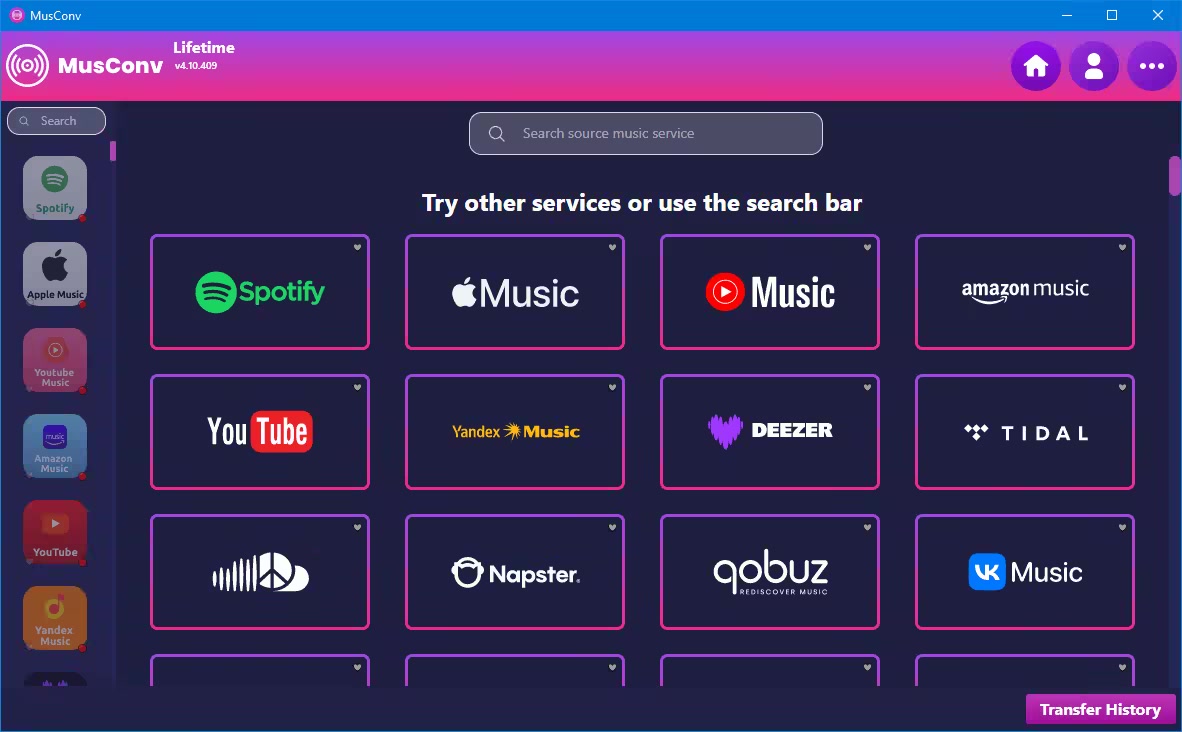
In just a few words, MusConv provides you with a hassle-free way of transferring your tracks and playlists across some of the most important music streaming services namely Spotify, Google Play Music, and Apple Music.
Getting started with the app is hardly challenging since it does not even require installation. However, it does require an active Internet connection, a valid subscription on all the involved music streaming services, as well as a MusConv account.
Straightforward functionality and unassuming looks
As one can expect, the functionality is as straightforward as they come. Just select one of the three provided services after you have successfully logged in, choose the playlist you want to migrate and hit the TRANSFER button from the lower part of the main window.
Please note that the application also allows you to individually export your playlists as CSV files.
One of the few solutions for migrating your playlists across music streaming platforms
All in all, MusConv is a very nifty application that definitely comes in handy for anyone looking to migrate playlists from one to another music streaming service and is sure to give STAMP (the other alternative for migrating music streaming playlists) a solid run for its money.

What's new
• official site does not provide any info about changes in this version

HOMEPAGE:
Код:
https://musconv.com/

FREE DOWNLOAD LINKS:

Код:
https://rapidgator.net/file/eac9e31a097c045d114df99d6b020176/MusConv_Lifetime_4.10.450.rar

Код:
https://nitroflare.com/view/A79F4A682CDC850/MusConv_Lifetime_4.10.450.rar
 
8c4284fb38d4764b2c3b78682b0b092f.jpg


NTFS Permissions Reporter 5.1.643 (x64) Enterprise | Size: 65.02 MB
Language: English


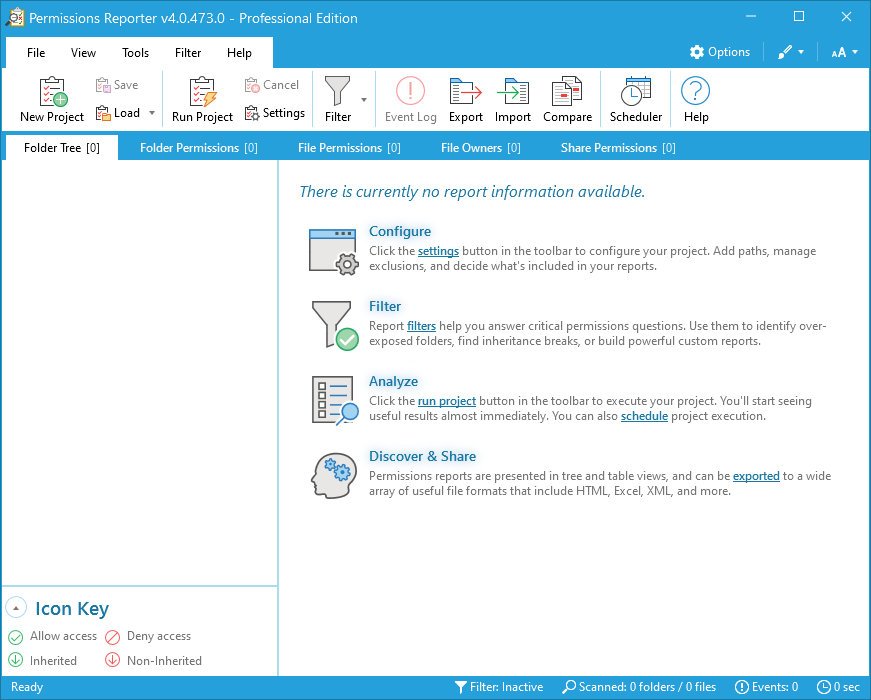
System administrators are constantly being asked to audit user permissions for specific files and folders. This is often a time-consuming task, with multiple layers of NTFS permissions and repeated adjustments over time creating a security labyrinth. You need a visual, interactive software tool to help you manage file system permissions. You need Permissions Reportethe ultimate network-enabled NTFS permissions reporter for Windows. It allows you to validate the security posture of entire file systems quickly and efficiently. All with multiple export formats, command-line support, built-in scheduling, advanced filtering, and much more.

BUILT-IN SCHEDULER
Schedule the creation and export of folder, file, owner, and share permissions report data quickly and easily. Includes support for all export file types, email integration, and more.

FOLDER PERMISSIONS REPORT
The Folder Permissions Report table view presents a "flat" view of file system permissions. It includes advanced sorting, filtering, and grouping capabilitieallowing you to create highly customized permissions reports.

FILE OWNERS REPORT
The File Owners Report view offers a hierarchical overview of disk space consumed by file type and owner. Quickly determine which users and file types are consuming valuable disk space. Includes a hierarchical treemap visualization.

SHARE PERMISSIONS REPORT
The Share Permissions Report view provides an overview of shares (local and across the network) and their permissions. Quickly see who has access to shares, along with their rights and access levels.

ADVANCED FILTERING
Permissions Report features an advanced filtering system that can be applied either at scan-time (when defined at the project level) or after the scan completes.

FILE PERMISSIONS REPORT
The File Report view shows files not inheriting or with permissions differing from their parent folders. Advanced filtering, sorting and grouping features make it easy to isolate specific entries and customize report layouts.

EXPORT FORMATS
Export permissions report data to a variety of formats, including HTML, XML, MS Excel, and CSV. Data exported to the XML file format can be re-imported at a later date for further analysis.

IMPORT EXISTING DATA
Report data that has previously been exported in XML file format can be re-imported at a later date and time. This feature works well with the built-in scheduler, allowing you to generate report data during off hours and analyze it when time permits.


HOMEPAGE:
Код:
https://www.permissionsreporter.com/

FREE DOWNLOAD LINKS:

Код:
https://rapidgator.net/file/7a768fd07810ae147eac9da429e19a03/NTFS_Permissions_Reporter_5.1.643_x64_Enterprise.rar

Код:
https://nitroflare.com/view/AA79D68D3DA4373/NTFS_Permissions_Reporter_5.1.643_x64_Enterprise.rar
 
7539f52546ff1a889f19abbdc1969748.jpg


Net Monitor For Employees Pro 6.5.2 | Size: 112.42 MB
Language: English


Powerful Employee Monitoring Software. Increasing productivity in offices is not as much a task you may think. If you are a business leader, a teacher, a chairman of a company or project supervisor, you need strong employee monitoring software to keep an eye over the screen of your students, employees and team members.

Employee Monitoring and Why It is Essential for Your Business
Businesses worldwide suffer from employees not doing what they are paid to do. With that costing business a lot of money and time, especially small businesses or those who are struggling to get on top of their competition.

Why is employee monitoring software essential for your business?
Employee monitoring software has become an essential part of any business because it helps businesses track employee activity and prevent employees from sharing confidential company data by uploading it to their personal cloud or downloading it to their USB drives.
The web opens prime avenues for employees to expose sensitive or regulated data. This makes for a major blind spot where companies can be at risk
- Of employees running application reports to collect sensitive data.
- Of employees installing remote control applications to work from home.
- Of employees uploading sensitive data to their personal cloud or downloading it to their USB drive.

What can employers track?
Employers can record and track any screen activity with Desktop Recorder and then export it as MPEG4 (video) or JPEG (pictures). This comes in very useful when employers are not on their computers or phones/tablets. They can also log and export any Internet Usage and Application Usage data using Reporting. Keystroke Logging and exporting of all presses keys in a specific time frame is also available.

Biggest benefits of employee monitoring
- Businesses can save large sums of money that they are spending on employee wages and development. It can particularly help small and struggling businesses.
- It increases productivity and lessens the time wasted of employees slacking off.
- It offers security measures to protect confidential data and the integrity of a company.

The most important features for employee monitoring
- Desktop Recorder is a great feature that runs in the background and records all desktop activity.
- Internet control is a crucial tool to block all unwanted pages like Facebook, Twitter, etc...
- Reporting lets you log web and application usage and log keystrokes.
- Remote control even allows you to control computers from a mobile/tablet.
- View and block any unwanted applications or processes.
- Restrictions allow you to restrict the use of certain devices and functions. By locking USB drives you can prevent employees from downloading or uploading any files to the PC
- Several tools allow you to turn the computer on or of, lets you run shell commands, open webpages, etc.
- Increase productivity with our integrated messaging, desktop sharing and file sharing features.

New in Version
Major new features
- Application Blocking

Additional tools like
- Disable Printing
- Disable CTRL+ALT+DEL
- Mute computers
- Limit remote computer audio volume
- Clear Desktop

What's new
• official site does not provide any info about changes in this

HOMEPAGE:
Код:
https://networklookout.com/

FREE DOWNLOAD LINKS:

Код:
https://rapidgator.net/file/89c6a2f53d2d547d53bfe2c542962cda/Net_Monitor_For_Employees_Pro_6.5.2.rar

Код:
https://nitroflare.com/view/A2B1DE5C7C2D63B/Net_Monitor_For_Employees_Pro_6.5.2.rar
 
3d59a4b111c71233ff42a63f98a6e3a9.jpg


O&O Defrag Professional Server 30.5.1214 (x64) | Size: 68.09 MB
Language: English


Your PC will become slower over time. Fragmentation occurs on every computer. When files are saved, they are chopped up and stored in individual pieces on the hard drive or SSD wherever there is space. Defragmentation reverses this storage chaos. A defragmentation re-sorts the saved files and puts them back together.

How does O&O Defrag help?
O&O Defrag cleans up this shoebox by combining the snippets of a file and writing them one after the other to the hard drive or SSD. In addition, the files are reorganized so that access times when loading are minimized. This saves you time and protects your data storage media. If you use O&O Defrag regularly, the access speed and overall performance of your Windows system will noticeably increase. And so that you never have to worry about "file snippets" again, O&O Defrag can also run completely automatically in the background.

Simply simple
Everyone should have a fast computer. That's why we made O&O Defrag 30 so simple that anyone can use it. The new modern view does not require complicated settings.
No difficult decision as to which is the best defragmentation strategy for your PC. O&O Defrag takes care of everything itself. All you have to do is choose whether you want to start O&O Defrag yourself manually or whether you want it to take care of everything automatically.

New: O&O VisualDisk
Visualization of write accesses to SSDs
O&O VisualDisk clearly displays write accesses to the hard drive, such as those that occur on flash-based storage media such as SSDs and NVMe drives. This innovative function shows how defragmentation can help reduce future write accesses and extend the lifespan of SSDs. The user gets a clear picture of how the hard drive is working and how its performance can be optimized through targeted measures.
O&O VisualDisk helps you understand how O&O Defrag can get the most out of a hard drive and protect it from unnecessary wear and tear - for a long-lasting and fast PC system.

O&O StartupManager
Remove unnecessary ballast at startup
The new O&O StartupManager offers a clear overview of all programs, tasks and services that are automatically executed when Windows starts. With detailed information about each program - including the impact on the system's startup time - it is easy to decide which programs should be activated or deactivated.
Unnecessary applications are marked as such and can be deactivated with a mouse click. Defective startup entries are also detected and can be deleted. This shortens the computer's startup time and ensures that it is ready for use more quickly.

New Boot-Time Optimization
and Improved O&O IntensiveOptimize
The new Boot-Time Optimization automatically optimizes your system before Windows starts, ensuring that even locked or critical system files can be thoroughly optimized for maximum performance.
With the enhanced O&O IntensiveOptimize, advanced users can further optimize their system in a dedicated Windows environment, with full access to all user and system files. Thanks to the improvements in version 30, setup now takes just a single click-even on BitLocker-encrypted drives.

My individual O&O Defrag
Of course, O&O Defrag 30 also gives you the opportunity to choose your own personal defragmentation strategy. In the classic view you can make all the professional settings yourself.
You can switch at any time in O&O Defrag 30 between the classic view with all professional settings and the modern view, which is reduced to the essentials.

System maintenance of your data carriers
O&O Defrag 30 checks your hard drive or SSD for inconsistencies that can lead to problems. The component memory and Windows system files are checked for errors.
Once the check has been completed, O&O Defrag will show you whether and which errors were found. Most errors can be corrected directly using the repair function.

Remove ballast and free up storage space
Over time, more and more ballast accumulates on a PC. Temporary files, Internet cache and the like can take on considerable proportions. This can lead to a storage space problem, especially on modern SSDs. But backups also take much longer than actually necessary.
With the improved O&O DiskCleaner in O&O Defrag you can put an end to files you no longer need.

Remove unnecessary programs
Programs that are no longer used can pose a security risk. Definitely they are wasting storage space. You probably won't need a 2011 tax return program anymore. But do you even know it's still installed?
O&O Defrag 30 now clearly shows you all installed programs. And with one click you can easily uninstall what you no longer need. This saves storage space (important for SSDs) and increases your security.

Automatic defragmentation in the background
Automatic defragmentation optimizes your data storage media in the background without negatively affecting your computer's performance. O&O Defrag can be set so that defragmentation starts automatically at a certain level of fragmentation, on certain days of the week, or whenever your screen saver is active.

Native support for the ARM platform
For the first time, O&O Defrag 30 now supports the family of CPUs based on the ARM architecture (Advanced RISC Machine) in addition to the existing Intel and AMD processors. These are currently mainly used in new Windows PCs with AI support and will take up a significant market share in the coming period due to their energy efficiency and lower costs.

Product highlights
"Install & That's All": After installation, no further settings need to be made; the program selects the defragmentation method that is suitable for the system and applies it.
SOLID/Quick: This method, developed specifically for SSDs, performs a superficial optimization of the SSD, for example by deleting the free storage space. This method is gentler and faster.
SOLID/Complete: This method, developed specifically for SSDs, is used to thoroughly optimize the SSD.
ClusterView for SSDs: In order to show the degree of fragmentation of an SSD, the ClusterView now shows the logical structure of an SSD, correspondingly 6 blocks are combined into one
O&O DiskCleaner - Searches and removes temporary and unnecessary files that consume disk space and increase fragmentation
Fragment filter to identify the most fragmented files on a drive
Optimization of systems with thin provisioning
Time history shows which defragmentation action led to which optimization success
Easy to use - suitable for beginners to professionals
Even faster system and program starts
Duration of defragmentations reduced
Defragmentation of locked files
Check&Repair: Checking and repairing a recovery environment
O&O IntensiveOptimize: Bitlocker support
O&O StartupManager: Remove unnecessary ballast at startup
O&O VisualDisk: Visualization of write accesses to SSDs
Efficiently prevents renewed fragmentation
Extends the lifespan of the hardware
Faster internet surfing
Increases the chance of recovering lost data
Speeds up backup and restore operations
Defragmentation of your PC at the push of a button
Supports Windows 11 and 10 (64-bit)


HOMEPAGE:
Код:
https://www.oo-software.com/

FREE DOWNLOAD LINKS:

Код:
https://rapidgator.net/file/0afe7a6271850180a157f0fbeecdcbab/OO_Defrag_Professional_Server_30.5.1214_x64.rar

Код:
https://nitroflare.com/view/98DEF0EC5483B20/OO_Defrag_Professional_Server_30.5.1214_x64.rar

 
7f72d36aef7c21350b6509325a662998.png


O&O DeskInfo 2.0.1033.1 | Size: 76.28 MB
Language: English


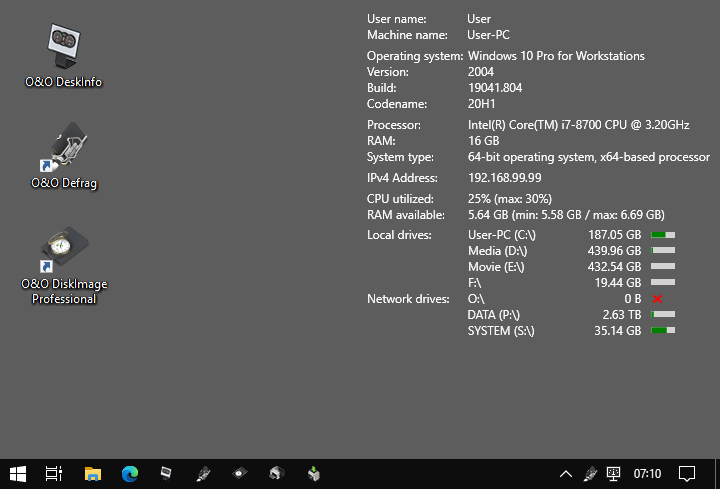
O&O DeskInfo - all important system information directly on the desktop.

CPU, RAM, drives, network...
With O&O DeskInfo you always have all the relevant system information at a glance, right on your desktop! You can also customize the ad yourself to just see exactly what you are interested in! Whether CPU or memory usage or network information - everything is presented in a compact and understandable way.

Simply pass on all information
Do you need this information for a support request? No problem! Simply save all data to the clipboard via the context menu in the info area and easily send it by email or via a web form!

Not the right color? Not in the right place?
You'd like O&O DeskInfo to be somewhere else on the desktop? Or is the font too small or in the wrong color? No problem! Simply select from the context menu. Even choose the right monitor - if you have more than one!

Download, start, done
Are you looking for the installation file? No need, there isn't one! O&O DeskInfo is completely portable. Simply download, start, done. And if you want, O&O DeskInfo will start automatically the next time you want it!


HOMEPAGE:
Код:
https://www.oo-software.com/

FREE DOWNLOAD LINKS:

Код:
https://rapidgator.net/file/ffb5ed165cae9869b8d637432cb18859/OO_DeskInfo_2.0.1033.1.rar

Код:
https://nitroflare.com/view/7B6C2685B31BEBE/OO_DeskInfo_2.0.1033.1.rar
 
10a50ec5efa4c67a1559dead5577c264.png


PC Timer 19.0 | Size: 3.07 MB
Language: English


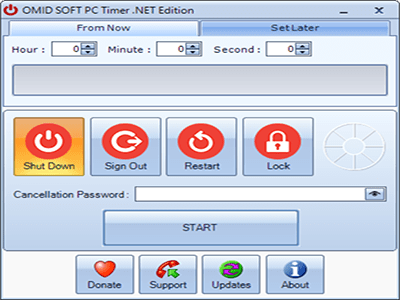
PC Timer is our simple tool to automatically shut down, sign out, restart or lock your PC based on your scheduled time.

Countdown timer to perform the selected shutdown task
The application boasts a straightforward interface which, although it looks a bit outdated, is well-organized and simple. The top section displays the timer, meaning you can set the number of hours, minutes, and seconds to countdown before the selected action is initiated. A progress bar is shown once the timer is started.

A dedicated section will allow one to set task executions at a later time in the future. A calendar and clock selector makes for an easy job in defining the execution time.

Shutdown, restart, power off the PC or log out the current user
The lower part of the main window reveals a list of the tasks PC Timer .NET can perform. You can choose to shutdown, power off, or restart the PC, or configure the application to sign out the currently logged user. Computer hibernation scheduling is not possible with PC Timer .NET.

A handy feature of the application is the possibility to prevent the unauthorized cancellation of the scheduled task. To do so, PC Timer .NET enables you to set a password the user has to provide to abort the operation.

A simple shutdown scheduler for Windows
While more advanced users can create a shutdown timer in the command prompt, the process is not as simple as having a GUI-based tool such as PC Timer .NET.

The advantages of the application are its simplicity, the small footprint on the system, and the fact that it does not require installation. Thanks to the ability to set tasks to be executed at a later time, users can achieve even more flexibility for organizing their time.

Whats New
Updates: official site does not provide any info about changes in this version

HOMEPAGE:
Код:
https://www.omidsoft.com

FREE DOWNLOAD LINKS:

Код:
https://rapidgator.net/file/b14829d90f3ea5a4ce9698feb4288e6a/PC_Timer_19.0.rar

Код:
https://nitroflare.com/view/6A5FFD4382686FD/PC_Timer_19.0.rar
 
51b77c8969b849704aded28350ec3464.jpg


Perfectly Clear WorkBench 5.0.1.3059 (x64) Multilingual | Size: 207.18 MB
Language: English


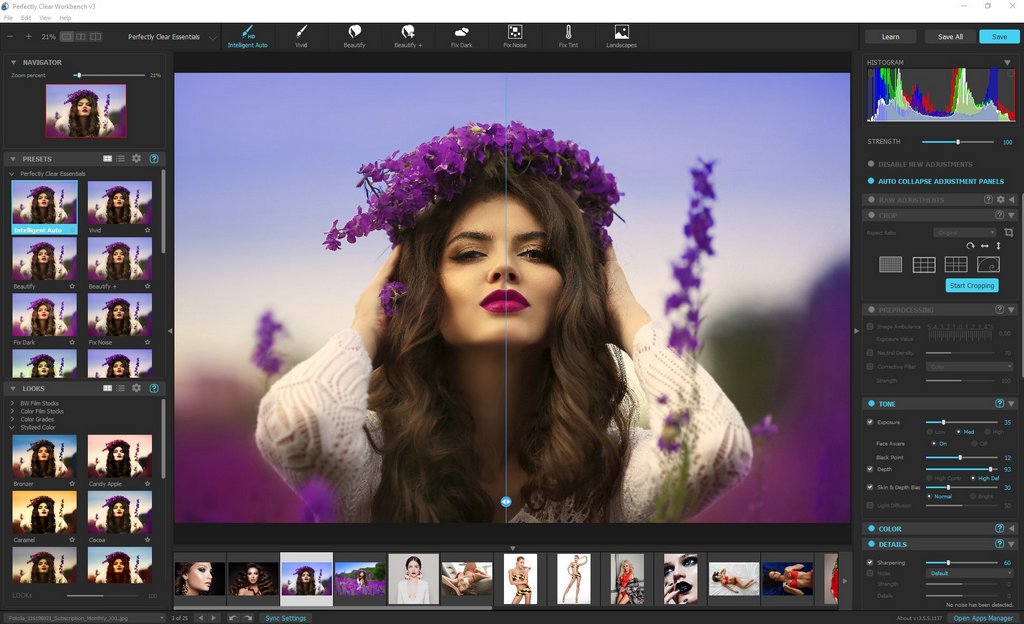
Perfectly Clear Workbench is an application that uses Athentech's Perfectly Clear image correction libraries and is made available to demonstrate the capabilities of the Perfectly Clear processing libraries, face detection library and to allow a quick export of the processing settings for use.

One of the key features in Workbench is the ability to "export to API" when saving a Preset. This allows you to make image corrections in Workbench and tune the settings to match your style and correction needs. Then, you can quickly export these settings to a text filready to be copy / pasted into your source code with our image correction SDK.

What's New in Perfectly Clear WorkBench
1. Beautiful new interface
2. New image correction tools
a. Preprocessing section for Input Looks and "Image Ambulance" for manual exposure corrections
b. "Face Aware" exposure for more accurate auto-exposure corrections in portraits and group photos
c. Black Point tool to deepen blacks
d. New Color Vibrancy tool to complement our previous "Vibrancy" control (now renamed to Color Restoration)
e. Sky and Foliage enhancements
3. Existing tools have been improved
a. Added strength sliders to Light Diffusion and Vibrancy for better control
b. Better 'color pickers' for Skin Tone and Blush adjustments
4. Manually identify faces that are not detected automatically
5. One-click to zoom to individual faces
6. Modify facial regions to provide the best corrections
7. Histogram
8. Much improved preset management

Supported Image Formats
Perfectly Clear requires RGB-formatted images in either 8 or 16-bit color depth. Any image file that Photoshop or Lightroom can open and convert to this format may be used in Perfectly Clear. Monochrome and CMYK images must be converted to RGB before using Perfectly Clear. RAW files must be opened through Adobe Camera RAW and loaded into Photoshop to be accessible to Perfectly Clear.

HOMEPAGE:
Код:
https://eyeq.photos/

FREE DOWNLOAD LINKS:

Код:
https://rapidgator.net/file/bcdd104b5473057d8294d8d00c7ffe43/Perfectly_Clear_WorkBench_5.0.1.3059_x64_Multilingual.rar

Код:
https://nitroflare.com/view/449BE6A4B360AE7/Perfectly_Clear_WorkBench_5.0.1.3059_x64_Multilingual.rar
 
7b21a87189f363af867169d9985aa7d9.jpg


PhotoScape X Pro 4.2.9 | Size: 388.15 MB
Language: English


Fun and Easy Photo Editor. All-in-One: Photo Editor, Cut Out, Batch Editor, Viewer, Collage, Animated GIF, Film Effect, Light Leak, Miniature Effect, Filter, Brush, Sticker, Pattern, Frame, Shape, Border, RAW images and More.

Features

Viewer
Photo | Video | Audio Browser, Loupe View, Full Screen, Flag, Star Rating, Lossless Rotate, Share, Metadata (Exif,IPTC,GPS) Viewer.

Editor
1,000+ Filters & Effects, Frames, Objects, Brushes & Tools, Rotate, Straighten, Flip, Resize, Crop, Circular Crop, Perspective Crop, Mask (Local Adjustments).

Cut Out
Remove the background from an image. (Magic Eraser, Lasso tool, Brush tool)

Collage
Merge multiple photos on the collage frame to create one final photo.

Combine
Attach multiple photos vertically or horizontally to create one final photo.

GIF Creator
Create Animated GIF.

Print
Print photos.

Screen Capture
Capture your screenshot and save it.

Color Picker
Zoom in on images, search and pick a color.

Split
Slice a photo into several pieces.

Batch Format Change
Convert multiple images to another format at once.

Batch Resize
Resize multiple images at the same time.

Batch Rename
Change photo file names in batch mode.

Photo Merge
Focus Stacking, Merge to HDR.

Macro
Record multiple actions and then play them back all at once.

Filters & Effects
Magic Color, Miniature, Bloom, HDR, Dehaze, Shadows/Highlights, Point Color, White Balance, Vignette, 80+ Films, 100+ Light Leaks, 120+ Overlays, 20+ Lens Flares, and more.

Frames
290+ Frames, 240+ Shapes, Borders.

Objects
1,000+ Stickers, 240+ Figures, Image, Text, Text Warp, Magnifier, Arrow, Line, Rectangle, Rounded Rectangle, Circle, Object Transform, Object Mask.

Brushes & Tools
Draw | Scatter | Paint Brush, Paint Bucket, Mosaic Brush, Fix Red Eye, Mixer Brush, Spot Healing Brush, Liquify, Clone Stamp.

System Requirements
- OS: Windows 10 version 16299.0 or higher
- Architecture: x64

Supported Languages
English, Español, Português, Deutsch, Français, Italiano, Nederlands, Polski, 한국어, 日本語, 简体中文, 繁體中文

Microsoft StorPro Version

FREE DOWNLOAD LINKS:

Код:
https://rapidgator.net/file/c1a17153932e71d36dd0309bc40fffa3/PhotoScape_X_Pro_4.2.9.rar

Код:
https://nitroflare.com/view/01E82DE223B7DCA/PhotoScape_X_Pro_4.2.9.rar
 
31758ba02944f3a7ed1ff11e38614289.jpg


Plex Media Server 1.43.0.10467 | Size: 96.74 MB
Language: English


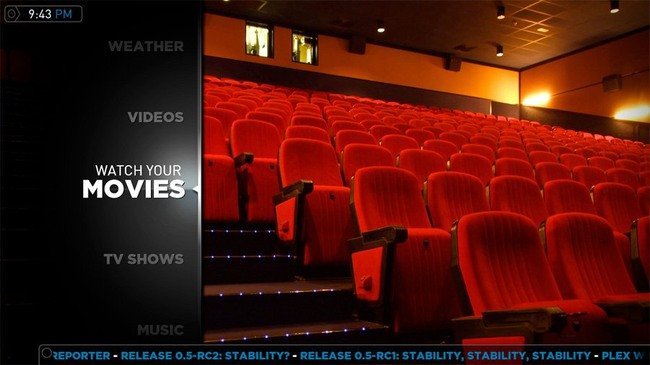
Plex Media Server is an application that allows you to make your PC media server. After installing the program and make the necessary settings, you'll be able to access multimedia files with other computer devices. It is very convenient, for example, if you have several computers at home and want to listen to music or watch a movie, being on another PC. There is no need to transfer files with an external drive. When using Plex Media Server, access to all available information is provided directly.

The program has a nice user interface, which also affects the convenience of its use. a separate folder can be selected for each type of media content to which will have access to other members of your small network. Configure all necessary configuration is performed via a web interface. In addition, special plug-ins can be supplied if you wish, you can connect to a computer anywhere in the world using the internet. The application is cross-platforruns on the operating systems Windows, Linux, Mac OS and Android.

Key Features
available for different platforms;
It allows access to the contents of the computer, not only over a local network, but also via the Internet;
It makes it easy to view videos stored on your computer hard drive with SMART TV;
It has an attractive user interface.

Whats New
NEW
(Playback) Better caching of codec testing to improve start time of playback sessions (PM-3913)
(Preferences) Split transcoder slots into CPU and GPU slots (PM-3891)
FIXES
(Ad Detection) Logs were left next to the target media file instead of in the Plex Log folder (PM-3580)
(Docker) Various issues related to permissions could occur when explicitly setting UID and GID. (PM-3925)
(Downloads) Any existing files in 'Downloads temporary directory' would be deleted. (PM-3944)
(Downloads) Setting 'Maximum simultaneous background video transcode' to 'Unlimited' would prevent any download transcodes or optimizations from running (PM-3957)
(Optimizations) HEVC Optimization could result in a file with no video (PM-3938)
(Subtitles) When automatically selecting subtitles forced subtitles were preferred over full subtitles. (PM-3728)

HOMEPAGE:
Код:
https://www.plex.tv

FREE DOWNLOAD LINKS:

Код:
https://rapidgator.net/file/2d9681536e7decf9b8afbcd3028bf77a/Plex_Media_Server_1.43.0.10467.rar

Код:
https://nitroflare.com/view/8840ABCE860417E/Plex_Media_Server_1.43.0.10467.rar
 
ed84e21c42b7357570eae5ef7212bcc9.jpg


R-Studio 9.5 Build 191686 (x64) Technician Multilingual WinPE | Size: 574.94 MB
Language: English


R-Studio is a family of powerful and cost-effective undelete and data recovery software for experienced data recovery professionals. Empowered by the new unique data recovery technologies, R-STUDIO is the most comprehensive data recovery solution for recovery files from NTFS, NTFS5, ReFS, FAT12/16/32, exFAT, HFS/HFS+ (Macintosh), Little and Big Endian variants of UFS1/UFS2 (FreeBSD/OpenBSD/NetBSD/Solaris) and Ext2/Ext3/Ext4 FS (Linux) partitions.

R-Studio also uses raw file recovery (scan for known file types) for heavily damaged or unknown file systems. It functions on local and network disks, even if such partitions are formatted, damaged or deleted. Flexible parameter settings give you absolute control over data recovery.
R-Studio functions on local and network disks, even if such partitions are formatted, damaged or deleted. Flexible parameter settings give you absolute control over data recovery.
The R-Studio data recovery software was originally developed for use by data recovery experts, system administrators, IT professionals, and advanced and experienced computer users. Some of R-Studio's features were even designed exclusively for computer forensic experts, and most R-Studio users don't need every single feature of the software.

In addition to being a full-featured data recovery utility, R-Studio also includes
An advanced RAID reconstruction module
A feature-rich text/hexadecimal editor
An entire advanced disk copying/imaging module in one single piece of software, which makes R-Studio your ideal complete solution for creating a data recovery workstation.

R-Studio utilities recover files
Deleted without Recycle Bin, or when Recycle Bin has been emptied;
Removed by virus attack or power failure;
After the partition with the files was reformatted, even for different file system;
When the partition structure on a hard disk was changed or damaged. In this case, R-Studio utilities can scan the hard disk trying to find previously existed partitions and recover files from found partitions.
From hard disk with bad sectors. R-Studio Data Recovery Software can first copy the entire disk or its part into an image file and then process such image file. This is especially useful when new bad sectors are constantly appearing on the hard disk, and remaining information must be immediately saved.

R-Studio Data Recovery Features
Standard Windows Explorestyle interface.
Host OS: Windows 2000, XP, 2003 Server, Vista, 2008 Server, Windows 7, Windows 8, Windows 10, Windows Server 2012.
Data recovery over the Network. Files can be recovered on network computers running Win2000/XP/2003/Vista/2008/Windows 7/Windows 8/Windows Server 2012, Macintosh, Linux, and UNIX.
Supported file systems: FAT12, FAT16, FAT32, exFAT, NTFS, NTFS5, ReFS (a new file system introduced in Windows 2012 Server), HFS/HFS+ (Macintosh), Little and Big Endian variants of UFS1/UFS2 (FreeBSD/OpenBSD/NetBSD/Solaris) and Ext2/Ext3/Ext4 FS (Linux).
Scan for Known File Types (raw file recovery): if the disk file system is heavily damaged or unsupported, R-Studio searches for specific data patterns ("file signatures") typical for certain file types (Microsoft Office documents, jpgs, etc.). Such known file types can be custom-defined.
Recognition and parsing Dynamic (Windows), Basic(MBR) and BSD (UNIX) partitions layout schema and Apple partition map. Dynamic partitions over GPT are supported as well as dynamic partitions over MBR.
Damaged RAID recovery. If the OS cannot recognize your RAID, you can create a virtual RAID from its components. Such virtual RAID can be processed like a real one.
Creates IMAGE FILES for an entire Hard Disk, Partition or its part. Such image files can be compressed and split into several files to put it on CD/DVD/flash or FAT16/FAT32/exFAT. Then the image files can be processed like regular disks.
Data recovery on damaged or deleted partitions, encrypted files (NTFS 5), alternative data streams (NTFS, NTFS 5).
Recovering data if
FDISK or other disk utilities have been run;
VIRUS has invaded; FAT is damaged; MBR is destroyed.
Recognizes localized names.
Recovered files can be saved on any (including network) disks accessible by the host operating system.
File or disk content can be viewed and edited with the advanced hexadecimal editor. The editor supports NTFS file attribute editing.
Integration with DeepSpar Disk Imager, a professional HDD imaging device specifically built for data recovery from hard drives with hardware issues. Such integration provides R-Studio with a low-level fine-tuned access to drives with a certain level of hardware malfunction. Moreover, it allows disk imaging and analyzing be performed simultaneously. That is, any sector R-Studio accesses on the source disk will be immediately cloned to a clone disk and any other data recovery operation will be made from that clone disk avoiding further deterioration of the source disk and great reduction in processing time.

HOMEPAGE:
Код:
https://www.r-studio.com/

FREE DOWNLOAD LINKS:

Код:
https://rapidgator.net/file/658040a7753e905bbc8d4205bcc1cd6e/R-Studio_9.5_Build_191686_x64_Technician_Multilingual_WinPE.rar

Код:
https://nitroflare.com/view/948BC482727FC0D/R-Studio_9.5_Build_191686_x64_Technician_Multilingual_WinPE.rar
 
2c7f9add9fc62f6f21a69276c2183cba.jpg


R-Studio 9.5 Build 191686 Network Technician Multilingual | Size: 140.35 MB
Language: English


R-Studio is a family of powerful and cost-effective undelete and data recovery software for experienced data recovery professionals. Empowered by the new unique data recovery technologies, R-STUDIO is the most comprehensive data recovery solution for recovery files from NTFS, NTFS5, ReFS, FAT12/16/32, exFAT, HFS/HFS+ (Macintosh), Little and Big Endian variants of UFS1/UFS2 (FreeBSD/OpenBSD/NetBSD/Solaris) and Ext2/Ext3/Ext4 FS (Linux) partitions.

R-Studio also uses raw file recovery (scan for known file types) for heavily damaged or unknown file systems. It functions on local and network disks, even if such partitions are formatted, damaged or deleted. Flexible parameter settings give you absolute control over data recovery.
R-Studio functions on local and network disks, even if such partitions are formatted, damaged or deleted. Flexible parameter settings give you absolute control over data recovery.
The R-Studio data recovery software was originally developed for use by data recovery experts, system administrators, IT professionals, and advanced and experienced computer users. Some of R-Studio's features were even designed exclusively for computer forensic experts, and most R-Studio users don't need every single feature of the software.

In addition to being a full-featured data recovery utility, R-Studio also includes
An advanced RAID reconstruction module
A feature-rich text/hexadecimal editor
An entire advanced disk copying/imaging module in one single piece of software, which makes R-Studio your ideal complete solution for creating a data recovery workstation.

R-Studio utilities recover files
Deleted without Recycle Bin, or when Recycle Bin has been emptied;
Removed by virus attack or power failure;
After the partition with the files was reformatted, even for different file system;
When the partition structure on a hard disk was changed or damaged. In this case, R-Studio utilities can scan the hard disk trying to find previously existed partitions and recover files from found partitions.
From hard disk with bad sectors. R-Studio Data Recovery Software can first copy the entire disk or its part into an image file and then process such image file. This is especially useful when new bad sectors are constantly appearing on the hard disk, and remaining information must be immediately saved.

R-Studio Data Recovery Features
Standard Windows Explorestyle interface.
Host OS: Windows 2000, XP, 2003 Server, Vista, 2008 Server, Windows 7, Windows 8, Windows 10, Windows Server 2012.
Data recovery over the Network. Files can be recovered on network computers running Win2000/XP/2003/Vista/2008/Windows 7/Windows 8/Windows Server 2012, Macintosh, Linux, and UNIX.
Supported file systems: FAT12, FAT16, FAT32, exFAT, NTFS, NTFS5, ReFS (a new file system introduced in Windows 2012 Server), HFS/HFS+ (Macintosh), Little and Big Endian variants of UFS1/UFS2 (FreeBSD/OpenBSD/NetBSD/Solaris) and Ext2/Ext3/Ext4 FS (Linux).
Scan for Known File Types (raw file recovery): if the disk file system is heavily damaged or unsupported, R-Studio searches for specific data patterns ("file signatures") typical for certain file types (Microsoft Office documents, jpgs, etc.). Such known file types can be custom-defined.
Recognition and parsing Dynamic (Windows), Basic(MBR) and BSD (UNIX) partitions layout schema and Apple partition map. Dynamic partitions over GPT are supported as well as dynamic partitions over MBR.
Damaged RAID recovery. If the OS cannot recognize your RAID, you can create a virtual RAID from its components. Such virtual RAID can be processed like a real one.
Creates IMAGE FILES for an entire Hard Disk, Partition or its part. Such image files can be compressed and split into several files to put it on CD/DVD/flash or FAT16/FAT32/exFAT. Then the image files can be processed like regular disks.
Data recovery on damaged or deleted partitions, encrypted files (NTFS 5), alternative data streams (NTFS, NTFS 5).
Recovering data if
FDISK or other disk utilities have been run;
VIRUS has invaded; FAT is damaged; MBR is destroyed.
Recognizes localized names.
Recovered files can be saved on any (including network) disks accessible by the host operating system.
File or disk content can be viewed and edited with the advanced hexadecimal editor. The editor supports NTFS file attribute editing.
Integration with DeepSpar Disk Imager, a professional HDD imaging device specifically built for data recovery from hard drives with hardware issues. Such integration provides R-Studio with a low-level fine-tuned access to drives with a certain level of hardware malfunction. Moreover, it allows disk imaging and analyzing be performed simultaneously. That is, any sector R-Studio accesses on the source disk will be immediately cloned to a clone disk and any other data recovery operation will be made from that clone disk avoiding further deterioration of the source disk and great reduction in processing time.

HOMEPAGE:
Код:
https://www.r-studio.com/

FREE DOWNLOAD LINKS:

Код:
https://rapidgator.net/file/b60abef556d1105a8cfbc3e7d632fbbd/R-Studio_9.5_Build_191686_Network_Technician_Multilingual.rar

Код:
https://nitroflare.com/view/39CA1A00355393C/R-Studio_9.5_Build_191686_Network_Technician_Multilingual.rar
 
8a2fa9200c29f14cbf06a0e3a119a1ca.jpg


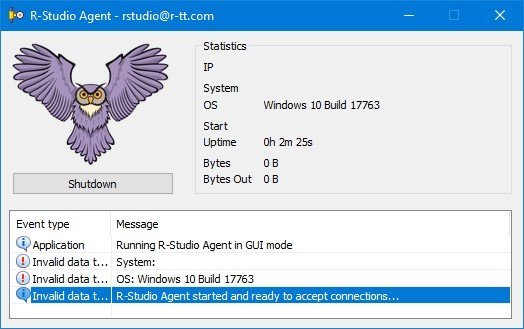
R-Studio Agent 9.5 Build 1699 | Size: 3.26 MB
Language: English


R-Studio Agent is a handy and reliable utility that works together with R-Studio and creates remote connections over the network in order to recover files.The principle of R-Studio Agent is very simple: it runs on the victim computer (the one that you'd like to recover files from), while R-Studio is deployed on another computer and perform the actual recovery.

R-Studio Agent is installed on computers where files are to be recovered over network. It may be remotely installed on a computer runs WinNT/2000/XP/2003/Vista/2008/Windows 7/8/8.1/10/11 from a computer also running WinNT/2000/XP/2003/Vista/2008/Windows 7/8/8.1/10/11. In this case, the administrator must have administrative privileges on the remote computer.R-Studio Agent supports the TCP/IP protocol and any protocol supported in Microsoft Network.

Whats New
Updates: official site does not provide any info about changes in this version.

HOMEPAGE:
Код:
https://www.r-studio.com/

FREE DOWNLOAD LINKS:

Код:
https://rapidgator.net/file/8a2a96412f87cbf9efe0a7eb0b538a60/R-Studio_Agent_9.5_Build_1699.rar

Код:
https://nitroflare.com/view/EB8A7DDCC739DB8/R-Studio_Agent_9.5_Build_1699.rar
 
510933c8eba8939f8ccc6d15311b3b83.png


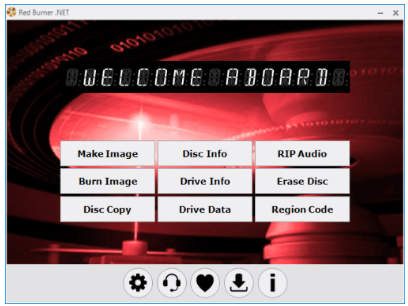
Red Burner 19.0 (x64) | Size: 6.01 MB
Language: English


Red Burner is our essential tool based on Blue Burner with full functionality to work with ISO/CUE images & drives.

Features
► Fastest CD/DVD/BD burning algorithm possible
► Ultra lightweight portable with zero disk or registry footprint
Requirements
► OS: Microsoft Windows Vista or Later

Whats New
Updates: official site does not provide any info about changes in this version

HOMEPAGE:
Код:
https://www.omidsoft.com

FREE DOWNLOAD LINKS:

Код:
https://rapidgator.net/file/b479d37832885c6bcded7df7a21447df/Red_Burner_19.0_x64.rar

Код:
https://nitroflare.com/view/A8B4FD02F10F337/Red_Burner_19.0_x64.rar
 
aa2b5889af5fcab6c15703272b2722b9.png


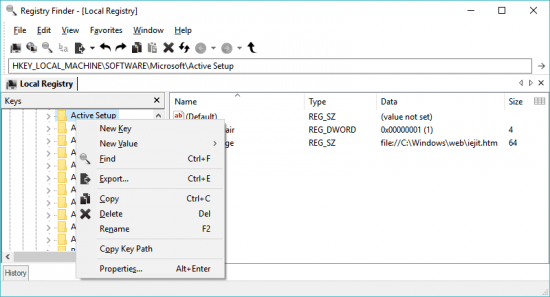
Registry Finder 2.61.1 | Size: 6.13 MB
Language: English


Starting with version 2.0 Registry Finder is not just a finder. It is a simple registry editor. It has basic facilities of the system RegEdit that is enough in most simple use-cases. Registry Finder allows you to browse the local registry; create, delete, rename keys and values; modify values as its natural data type (string, multistring, DWORD) or as a binary data. It is allowed to open multiple Registry windows. Next time you start Registry Finder, those windows will be reopened on the same keys as before.

The Find operation is efficient and quick. All found items are displayed in a separate window as a list. Each line represents a single match with the search criteria. The icon shows where the match occurred: key name, value name or value data. Matched text is highlighted with red.
You can jump to any found item in the Registry window or edit/delete items right in the Find Results window.
Items in the Find Results window can be saved to file in comma separated values (CSV) or reg file format.
With the Replace feature you can easily replace all or particular occurrences of one string with another. The replacement is performed only in items that are in the Find Results window. In the Replace dialog you specify either all items or just selected ones. After replacement is done, items in the window are updated. If some item do not match the search criteria any more it still remains in the list.
All operations that alter the registry including deletion and replacement can be undone and redone. The operations are listed in the History window. To open it, click View|History in the main menu. The last performed operation is marked with a yellow arrow.

HOMEPAGE:
Код:
https://registry-finder.com

FREE DOWNLOAD LINKS:

Код:
https://rapidgator.net/file/cca76bf1a38b6817dad8266cbf6e3276/Registry_Finder_2.61.1.rar

Код:
https://nitroflare.com/view/46961D38079D3F0/Registry_Finder_2.61.1.rar
 
5bb3898c9ca2151ca92e9945b7d0fef2.png


SSD Booster NET 19.0 | Size: 3.38 MB
Language: English


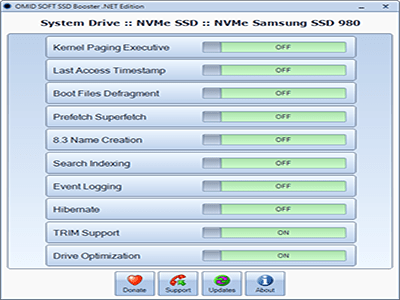
SSD Booster is our perfect tool to optimize and tweak Windows for SSD drives to boost the efficiency and maintain peak performance of your SSD.

Compact layout
SSD Booster .NET comes with a vintage-looking UI that displays a list of functions and adjacent on/off sliders. Also, it requires no installation, just run the executable each time you wish to make changes.

Provides quick access to a collection of advanced functions
There are a total of then features this app can turn on and off. For some - like Hibernate, Drive Optimization, and Event Logging - guessing their purpose is easy, but for others, that's not that easy. For example, Prefetch Superfetch deals with creating files containing data about launched applications, optimizing future launches.

8.3 Name Creation manages long names and descriptions where nonstandard characters were used, however, some processes may ask you to disable this function.

Time-saving SSD companion
That's where SSD Booster .NET is useful the most. It practically brings some important drive tweaks, which normally takes up time and effort only to locate them. As far as the slider work, that's easy. When a feature is activated the slider will turn green, and red for the opposite state.

In addition, the application comes with a system info tab that reveals your machine's hardware and OS information. To check your specs, go to About and look for the System Information button.

To conclude
SSD Booster .NET looks like an interesting optimizer to have around, especially if you are putting your SSD through hoops that a casual user wouldn't.

Whats New
Updates: official site does not provide any info about changes in this version

HOMEPAGE:
Код:
https://www.omidsoft.com/

FREE DOWNLOAD LINKS:

Код:
https://rapidgator.net/file/0a941923e5a74a4bc314a7c21d920be6/SSD_Booster_.NET_19.0.rar

Код:
https://nitroflare.com/view/6AB8B508466F529/SSD_Booster_.NET_19.0.rar
 
13a15784e7629473e966348dad26bcc5.png


SmartFTP Enterprise 10.0.3307 (x64) Multilingual | Size: 10.72 MB
Language: English


SmartFTP is an FTP (File Transfer Protocol), FTPS, SFTP, WebDAV, Amazon S3, Backblaze B2, Google Drive, OneDrive, SSH, Terminal client. It allows you to transfer files between your local computer and a server on the Internet. With its many basic and advanced Features SmartFTP also offers secure, reliable and efficient transfers that make it a powerful tool.

The program can also use secure file transfer protocols such as FTPS, SFTP or SSH. Secure connections are more reliable and protect the data from unauthorized access by encrypting the information. The program allows you to quickly choose the connection type, to enter the credentials for the FTP server and to browse its content.

Transfer files with ease
Thumbnail view is available and comes in handy as it allows you to preview the images from a remote folder. The preview feature is also available for other file types such as those that include text or code (HTML or CSS). You can edit the file directly on the server without transferring it to the local folder.

To transfer files to and from the server you can simply drag and drop the files from the desktop into the program's window. The Scheduler enables you to create one-time or repeated actions that will transfer files between the computer and the FTP server. It is a good option to automatically update the content of the server with the files that are created locally.

Powerful and straightforward FTP client
You can use the program to compare two folders side by side and quickly synchronize their content by transferring files between them. The folders can be from the same connection, the local hard drive or from different FTP servers as the program allows you to open multiple FTP connections simultaneously. If there are problems with your Internet connection, the application can automatically reconnect and resume the broken transfers so you can rest assured that your files reached their destination. To check the integrity of the transfer the program uses a CRC algorithm to calculate the hash value of the file and compare it with the original.

The interface of the program is easy to use and displays the connections in separate tabs so you can use your desktop space efficiently. You can work on multiple projects at the same time as the tabbed interface can be used for both remote and local folders. Whether you need to transfer some files from a FTP server or publish a website SmartFTP is a reliable, feature-packed program that you should try.


HOMEPAGE:
Код:
https://www.smartftp.com/

FREE DOWNLOAD LINKS:

Код:
https://rapidgator.net/file/d57468c5c720624487e3a926ff30e1c0/SmartFTP_Enterprise_10.0.3307_x64_Multilingual.rar

Код:
https://nitroflare.com/view/494819F3A94CDE1/SmartFTP_Enterprise_10.0.3307_x64_Multilingual.rar
 
8a205aa3b0f378faebd77587e200ed16.jpg


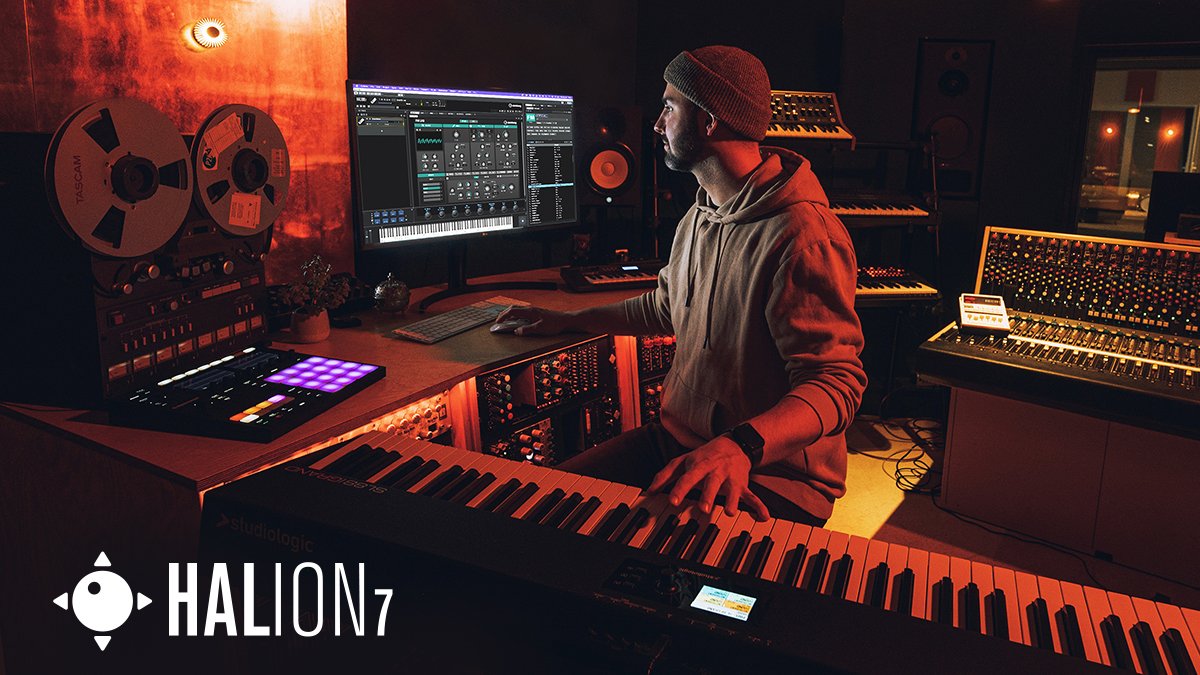
Steinberg HALion 7.1.51 | Size: 940.1 MB
Language: English


HALion gives you everything you need to create all the sounds you have ever imagined - and many you have never thought of. With six different forms of synthesis, a high-performance sample engine, scripting, a groundbreaking time-stretch and resynthesis algorithm, plus fast and easy assignable modulations, HALion delivers new inspiration every time you open it.


HOMEPAGE:
Код:
https://www.steinberg.net/

FREE DOWNLOAD LINKS:

Код:
https://rapidgator.net/file/caa717061dc32f8a41617a307a231ecf/Steinberg_HALion_7.1.51.rar

Код:
https://nitroflare.com/view/1924FAFC4601134/Steinberg_HALion_7.1.51.rar
 
9c09cacbdd30dc9cd8f05b800cc68898.png


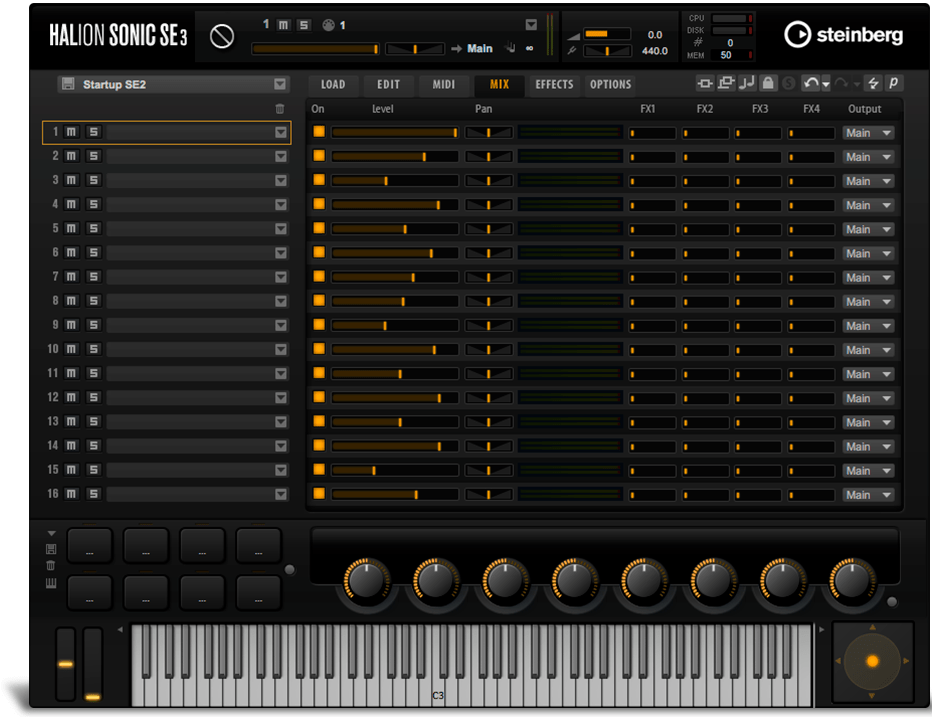
Steinberg HALion Sonic 7.1.51 | Size: 934.08 MB
Language: English


HALion Sonic SE 3 is a stripped-down version of HALion Sonic 3 without giving up on sound quality and accessibility. The streamlined VST workstation lets you load and play a plethora of sound content: the SE libraries shipping with Steinberg's digital audio workstations, VST Sound Instrument Sets for HALion and the custom user libraries created within the HALion 6 sampler and sound creation system.

HALion Sonic SE 3 is available for free as a plug-in for any VST3, VST2, AU and AAX compatible host and as a stand-alone application for macOS and Windows.

Alto Glockenspiel Essential
The free Alto Glockenspiel by Cinematique Instruments for HALion provides you with the original sound of the legendary Glockenspiel, but adds some fresh effects to turn the sound into something new.

Guitar Harmonics Essential
The free VST guitar created by Cinematique Instruments focuses on so-called flageolet notes or harmonics and creates very pure and clear sounds of an electric guitar.

LoFi Piano
The free LoFi Piano has such a beautiful low fidelity that it will relax your audience and mesmerize everybody who hears it.

Novel Piano
The free Novel Piano for HALion, created by Sonic Atoms, will bring joy to your

Whats New
Updates: official site does not provide any info about changes in this version

HOMEPAGE:
Код:
https://www.steinberg.net/

FREE DOWNLOAD LINKS:

Код:
https://rapidgator.net/file/d366f2073788a7acd79bfb27182c4e1e/Steinberg_HALion_Sonic_7.1.51.rar

Код:
https://nitroflare.com/view/83EB7C184A61A2B/Steinberg_HALion_Sonic_7.1.51.rar
 
Назад
Сверху Снизу