All Emperor2011's Software in one thread !! (updated daily)

7441e7202bae7de3516afe4c3d86e3ac.jpg


Adobe Acrobat Pro DC 2025.001.21151 (x64) Multilingual | Size: 1.91 GB
Language: English


Acrobat DC with Document Cloud services is packed with all the tools you need to convert, edit and sign PDFs. It's just as mobile as you are. So you can start a document at work, tweak it on the train and send it for approval from your living room - seamlessly, simply, without missing a beat.

It's packed with smart tools that give you even more power to communicate. Create and edit PDF files with rich media included, share information more securely, and gather feedback more efficiently.
Adobe Acrobat Pro DC software is the advanced way for business professionals to create, combine, control, and deliver more secure, high-quality Adobe PDF documents for easy, more secure distribution, collaboration, and data collection.

Adobe Acrobat Pro DC Features
Edit PDF files
With Adobe Acrobat Pro DC, you can make minor edits to text and images right in your PDF file without requiring the original document or graphic.
Edit text in a PDF. Fix a typo, change a font, or add a paragraph to your PDF as easily as you do in other applications using a new point-and-click interface.
Edit images in a PDF. Resize, replace, and adjust images in your PDF with no need to track down the original file or graphic.

Export from PDF files
Reduce the time you spend retyping information stuck in PDF files. Convert PDF files to editable Microsoft Office documents. And save fonts, formatting, and effort.
Convert PDF files to Word. Save your PDF as a Microsoft Word document and take your fonts, formatting, and layouts with you.
Convert PDF files to Excel. Turn your PDF or just part of it into an editable Excel spreadsheet you can use for data analysis right away.
Convert PDF files to PowerPoint. Get a head start on new projects by saving a PDF file as a fully editable PowerPoint presentation.

Create PDF files
Stop worrying about whether the files you send will look right on other people's screens. Turn documents into PDF files anyone can reliably view with free Adobe Reader.
Convert Word, Excel, or PowerPoint to PDF. Right from your Office application in Windows, you can create PDFs, start a shared review, restrict PDF edits, and more.
Print to PDF. Convert files to PDF from virtually any application that prints simply by selecting Adobe PDF as your printer.
Scan to PDF. When you need to turn a paper document or form into a digital file, just scan it to create a searchable PDF file you can edit.
Convert HTML pages to PDF. Save web pages as PDF files to archive web content, review the pages offline, or print them more reliably.

Create and analyze forms
Cut the time you spend creating forms, rekeying data, and correcting errors. Distribute forms online, and then collect responses and analyze results in real time.
Create new PDF and web forms. Customize professional templates or design from scratch with the Adobe FormsCentral desktop app included in Adobe Acrobat Pro DC.
Collect form responses with FormsCentral. Easily collect responses by moving your PDF or web forms online with the Adobe FormsCentral online service.
Convert existing forms to fillable PDFs. Type less, gather more. Quickly convert your paper, Word, or Excel forms to fillable PDF forms.
Collect form responses using Adobe Acrobat tools. Compile returned forms into one PDF, or host forms using a network folder or Microsoft SharePoint server.

Merge and combine files
Communicate clearly with single PDF attachments. Put multiple files into a single, organized PDF that's easy to email and simple to search.
Merge multiple files into one PDF. Make sure they don't miss a thing. Combine documents, spreadsheets, emails, and more in an organized PDF.
Combine files in a PDF Portfolio. Share your work in a PDF Portfolio that presents materials professionally with an interactive impact.
Create interactive PDF files. Bring your ideas to life by adding audio, Adobe Flash Player compatible video, and interactive media to PDFs.

Simplify reviews and approvals
Stop sorting through paper and email trails. Automate review and approval cycles with Adobe Acrobat Pro DC. Multiple reviewers can see and build on each other's comments so you can meet your deadline.
Streamline document reviews and approvals. In shared reviews, people can annotate PDFs with familiar tools. And you can track progress and consolidate comments.
Export comments to Word. Save all PDF comments back to the original Microsoft Word document, and update text faster than ever.
Approve with electronic signatures. Keep projects moving. E-sign your approval right on the PDF. No need to print, fax, or mail the document.
Get others to sign documents. Get the green light faster. Send PDFs to others for signature approval, and track them online using the Adobe EchoSign service.
Integrate with SharePoint. With Acrobat, it's simple and convenient for you to retrieve, open, and save PDFs stored on your company's SharePoint server.
Compare two file versions. Let Acrobat do the hard work of comparing two versions of a file, providing you with a detailed report of the results.
Store and access files on Acrobat.com. Use Acrobat.com to store your files in the cloud for free, accessing them from Acrobat or Reader on your desktop or mobile device.

Protect PDF files
Adobe Acrobat Pro DC makes it simple to keep your work more secure, no matter what application you're in.
Apply PDF passwords and permissions. Get expert protection without being an expert. Add copy and edit protection to any PDF - even right from Microsoft Office applications in Windows.
Remove and redact information. Don't just black out confidential data. Find and get rid of it for good, even when hidden in metadata.
Automate document security tasks. Apply document security measures the same way every time. Use a guided Action to help secure your PDF before publishing it.


HOMEPAGE:
Код:
https://www.adobe.com

FREE DOWNLOAD LINKS:

Код:
https://rapidgator.net/file/64e3036e862ba65e10b9eb60d79a8b7d/x64_Multilingual_01.21151.rar

Код:
https://nitroflare.com/view/EBAC5C89E0589C3/x64_Multilingual_01.21151.rar

 
ab2c1849329e12bb3ea97e6abee2214a.png


Adobe Acrobat Reader DC 2025.001.21151 (x64) | Size: 768.48 MB
Language: English


Adobe Acrobat Reader DC is the completely reimagined desktop version of the world's best PDF solution. And with Adobe Acrobat Reader DC, you can create, export, edit and track PDFs from anywherand stay connected to recent files across all your devices.

Clean feature lineup
The application allows you to write down comments and feedback using a separate frame in the right side of the window, while the reading space is not affected at all.

In fact, this is one of this tool's strong points: the interface is quite clean, but still manages to provide a lot of tools for zooming, selecting text, printing, adding bookmarks and many others.

Supported file formats and fast searches
A great thing about Adobe Reader XI is its ability to work with CAD designs and geospatial maps converted to Portable Document Format. Also, in case you need to locate any element within a PDF file, the application offers a comprehensive file searching engine that finds what you need in a matter of seconds.

Security tools
The security functions enable you to view and work with PDF documents without having to worry about malicious code being executed on your machine. The 'Protected Mode' and the 'Enhanced Security' features are designed to safeguard your computer and provide data protection and privacy.

Configuration settings
When it comes to customizing Adobe Reader XI, the Preferences area will give you the possibility to modify a wide range of settings. Comments, 3D and multimedia, measuring and reading options are available, as well as spelling or page units configurations.

In case you find Adobe Reader XI too difficult to use, the application includes a comprehensive help manual. Unfortunately you will need an Internet connection to access it, which means you won't be able to read the documentation in offline mode.

A top PDF viewer on the market
All things considered, with this software app you can't get it wrong simply because it still sets the standards insofar as PDF documents are concerned. Adobe Reader XI really works as advertised and is the leading tool for viewing Portable Document Format files.


HOMEPAGE:
Код:
https://adobe.com/

FREE DOWNLOAD LINKS:

Код:
https://rapidgator.net/file/6f2538519f32f7275df4ec662d632436/x64_01.21151.rar

Код:
https://nitroflare.com/view/6CA176EDC258A8D/x64_01.21151.rar
 
5f37d1022b95585e09615493beca41e5.jpg


AquaSoft Photo Vision 17.2.01 (x64) Multilingual | Size: 716.68 MB
Language: English


e have long overtaken the topic of photo presentation. For years, our programs have been able to do much more than the name SlideShow could express. Along with the new version 15, the new name was changed to AquaSoft Vision. Vision is thus the direct successor to the popular AquaSoft slide show program. AquaSoft SlideShow Premium becomes AquaSoft Photo Vision.

Experience your photo moments with family and friends. Transform photos, videos, text and music into a fascinating movie experience and share your memories in brilliant quality. Your photos for amazement - You have not seen your pictures this beautiful. Always put the right cut in the scene and make sure you have appropriate aperture for Wow effects. Of course, with your videos as well.

Image presentations with transitions and camera pans
- Hundreds of transitions, finely adjustable (for example duration, direction, animation, etc.)
- Use transitions as fade-ins and fade-outs
- Images in perfect quality - no pixel gets wasted.
- Display images full size or as collage
- Select the image section using a camera pan and zoom.

Animated routes by land, water and air
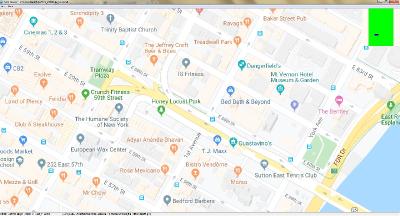
Show where you were. Not only will you remember your holiday destination better, but your viewers can also make a real reference to your travel itinerary by showing them the way on the map.

- Map Wizard for retrieving maps in all zoom levels from the Internet
- Various map styles such as road map or satellite image
- Describe any path with a "Running line"
- Can be combined with vehicle graphics (custom graphics can be used)
- Animation is created live, instantly playable, and can be customized at any time
- Use your own maps
- Photos, texts and videos can be displayed on maps

Whats New
Updates: official site does not provide any info about changes in this version.

HOMEPAGE:
Код:
https://www.aquasoft.net/

FREE DOWNLOAD LINKS:

Код:
https://rapidgator.net/file/5a8e6d6b4b3d18fdfeabfd166a7f904f/AquaSoft_Photo_Vision_17.2.01_x64_Multilingual.rar

Код:
https://nitroflare.com/view/B2BB5B935BF1CFE/AquaSoft_Photo_Vision_17.2.01_x64_Multilingual.rar
 
e6854e96e8de3e681427f850a3139510.jpg


AquaSoft Stages 17.2.01 (x64) Multilingual | Size: 723.64 MB
Language: English


AquaSoft Stages is a tool for professionals, photographers, animators, and ambitious advanced users who require maximal functionality from their software and want to control every moment of their project precisely.

Keyframes, unlimited timeline tracks, and a huge selection of effects and transitions are designed to present your photos, videos, and animations in a professional manner. Other features like custom aspect ratios, custom dynamic parameters for Live-Effects, and the new advanced preview modes allow comprehensive and precise control of your projects. AquaSoft Stages is the solution to your sophisticated requirementyour tool to create animated image presentations.

The right tools are at your fingertips
Behind every image is a story, a message that you want to deliver impressively to your audience. Develop your idea, build the framework of your movie, and reach your goal with the tools in AquaSoft Stages.

Keyframes
Let your inner control freak run wild! Effects, sound, images/video, and animations are displayed on separate keyframes in the timeline. This allows you to control, second-precise, exactly how each element in your movie should move, sound, or look.

Profound and complex animations
You are the playwright, screenwriter, and director of your film project. You have an eye for detail and precision is important. Sound and pictures should flow together, so that in the end only your movie is in focus. With AquaSoft Stages you can realize your vision.

- Unlimited number of tracks
Combine as many videos, photos, captions, and sounds as you like. You can apply effects to every track.

- Dynamic Masks
Fade out image areas and modify selected segments over time.

- More than just collages
Achieve a lively interplay of all elements by matching effects precisely to your videos and pictures.

The most important features
Choose from many effects and templates or create your own animations. In AquaSoft Stages there are virtually unlimited design possibilities for your presentations and movies.

- Video editing
Cut videos, pictures, and sounds directly in the timeline.

- Animated Itineraries
Share your travel route with maps, tracks, and vehicles within a few clicks.

- Presentations
Control the flow of your presentation automatically or with our remote app

- Rotated Camera Pan
Finally, you can zoom with a 360 degree rotation in only one step.

- Maximum quality output
Export your video to DVD, Blu-ray, Social Media, or in 4K quality.

- Built-in effects
For quick work take advantage of built-in templates and effects.

Color-based image exemption (Chroma Key)
More commonly known as "green screen", in Stages you can replace a single colored background from photos and videos with virtual backgrounds, animated backdrops, or even transport your subjects to an island in the sun. Simply highlight the background color, eliminate it, and add the background of your choice, whether another video or still image.

Whats New
Updates: official site does not provide any info about changes in this version.

HOMEPAGE:
Код:
https://www.aquasoft.net/

FREE DOWNLOAD LINKS:

Код:
https://rapidgator.net/file/e1fe5500dc2f6212aa5963b351c5ae82/AquaSoft_Stages_17.2.01_x64_Multilingual.rar

Код:
https://nitroflare.com/view/8C04CFECF518AC4/AquaSoft_Stages_17.2.01_x64_Multilingual.rar
 
de71b5cf5635f2b082bddc8839e097a8.jpg


AquaSoft Video Vision 17.2.01 (x64) Multilingual | Size: 719.76 MB
Language: English


We have long overtaken the topic of photo presentation. For years, our programs have been able to do much more than the name SlideShow could express. Along with the new version 15, the new name was changed to AquaSoft Vision. Vision is thus the direct successor to the popular AquaSoft slide show program. AquaSoft SlideShow Ultimate becomes AquaSoft Video Vision.

Experience your photo moments with family and friends. Transform photos, videos, text and music into a fascinating movie experience and share your memories in brilliant quality. Your photos for amazement - You have not seen your pictures this beautiful. Always put the right cut in the scene and make sure you have appropriate aperture for Wow effects. Of course, with your videos as well.

Image presentations with transitions and camera pans
- Hundreds of transitions, finely adjustable (for example duration, direction, animation, etc.)
- Use transitions as fade-ins and fade-outs
- Images in perfect quality - no pixel gets wasted.
- Display images full size or as collage
- Select the image section using a camera pan and zoom.

Animated routes by land, water and air
Show where you were. Not only will you remember your holiday destination better, but your viewers can also make a real reference to your travel itinerary by showing them the way on the map.

- Map Wizard for retrieving maps in all zoom levels from the Internet
- Various map styles such as road map or satellite image
- Describe any path with a "Running line"
- Can be combined with vehicle graphics (custom graphics can be used)
- Animation is created live, instantly playable, and can be customized at any time
- Use your own maps
- Photos, texts and videos can be displayed on maps

Whats New
Updates: official site does not provide any info about changes in this version.

HOMEPAGE:
Код:
https://www.aquasoft.net/

FREE DOWNLOAD LINKS:

Код:
https://rapidgator.net/file/1a243da3c7999af361b915acf7ecd76d/AquaSoft_Video_Vision_17.2.01_x64_Multilingual.rar

Код:
https://nitroflare.com/view/6079B30BB63126A/AquaSoft_Video_Vision_17.2.01_x64_Multilingual.rar
 
Назад
Сверху Снизу