All Emperor2011's Software in one thread !! (updated daily)

ee1ef1014d58d911f5e43a3abd332b45.jpg


Tor Browser 15.0.7 (x64) | Size: 108.05 MB
Language: English


Tor is a toolset for a wide range of organizations and people that want to improve their safety and security on the Internet. Using Tor can help you anonymize web browsing and publishing, instant messaging, IRC, SSH, and other applications that use the TCP protocol. Tor also provides a platform on which software developers can build new applications with built-in anonymity, safety, and privacy features. The Tor Browser Bundle lets you use Tor on Windows, Mac OS X, or Linux without needing to install any software. It can run off a USB flash drive, comes with a pre-configured web browser to protect your anonymity, and is self-contained.

Surfing anonymously provides a powerful shield against network surveillance and traffic analysis. Protecting your online privacy can only be achieved by additional software tools that can hide your location and can prevent your online information and browsing habits from being revealed to anyone.

If you're ever in need of such a tool, Tor Browser Bundle is one suggestion you can add to the list. The application relies on a network of virtual servers in order to make your browsing sessions anonymous. Tor makes available a set of rules and algorithms that routes the communications through various servers all over the world. Thus, all the traffic is randomized so tracking the source becomes an almost impossible task.

The download package is a self-extracting archive that includes the Tor application itself, which can be run from command line, a cross platform controller GUI named Vidalia and a custom-made version of Firefox equipped with a set of addons that ensure online anonymity.

We advise the average user to consider using the Vidalia application, because the graphical interface puts you through a lesser ordeal than the command prompt version of Tor. When you first run Vidalia, it automatically connects to the Tor network and if the process is successful, a status will be displayed in the main window.

Vidalia's interface encases a collection of shortcuts that allow you to stop the service, to start setting up the relays, to trigger a global view of the network and most important of all, it sports a button for using a new identity any time you wish. If you're interested in bandwidth usage, Vidalia features a separate utility just for showing a bandwidth graph that measures the receive/send rate of the packets.

The portable Firefox version included in the download package is customized with a few extensions that make the anonymous surfing experience easier. These include: Torbutton - allows you to create a new identity each time you start a browsing session, NoScript - blocks scripts from untrusted domains and HTTPS Everywherenables you to encrypt the communication with a lot of popular sites.

With all the components it encases, Tor Browser Bundle is one of the most trustworthy anonymous surfing tools out there. It can be configured from command prompt, run from its dedicated GUI controller - Vidalia and comes with a pre-configured web browser. Whichever of these methods you choose the result is a safe and controlled Internet browsing experience.


HOMEPAGE:
Код:
https://www.torproject.org/

FREE DOWNLOAD LINKS:

Код:
https://rapidgator.net/file/05d2b77c0567cacd8ea37c25ec4b5580/Tor_Browser_15.0.7_x64.rar

Код:
https://nitroflare.com/view/0AE73C34A768239/Tor_Browser_15.0.7_x64.rar
 
ef7e2acca945bf76c7a9d3441b9b5e97.png


VovSoft OCR Reader 4.2.0 | Size: 37.49 MB
Language: English


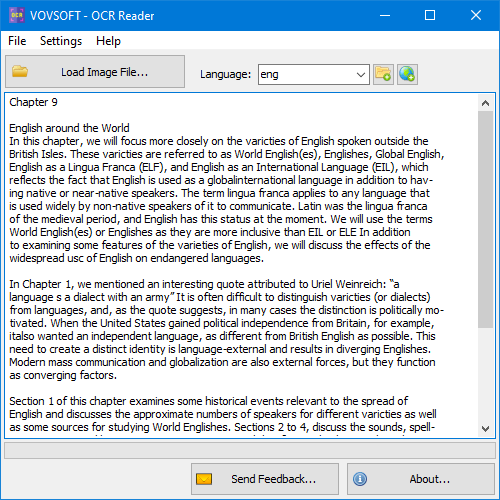
Optical Character Recognition (OCR) is the electronic or mechanical conversion of images of typed, handwritten or printed text into machine-encoded text, whether from a scanned document, a photo of a document.

Digitize scanned documents
Vovsoft OCR Reader can easily digitize image files and scanned documents. This application utilizes Tesseract OCR engine, which supports more than 100 languages. It uses a neural network (LSTM) based OCR engine which is focused on line recognition, but also can recognize character patterns.

Image to text converter
This program allows you to extract text from image files using Optical Character Recognition. The best part of the program is that the conversion is done completely offline. You are the only controller of your private data. No image file is sent to internet in any case.


HOMEPAGE:
Код:
https://vovsoft.com/

FREE DOWNLOAD LINKS:

Код:
https://rapidgator.net/file/cf56e8539988904d410eeeccb2803edc/VovSoft_OCR_Reader_4.2.0.rar

Код:
https://nitroflare.com/view/50A9C6F9C70B43F/VovSoft_OCR_Reader_4.2.0.rar
 
285ea4cb7aed32b1bca31413c6879ce1.jpg


WinScript 2.0 | Size: 3.19 MB
Language: English


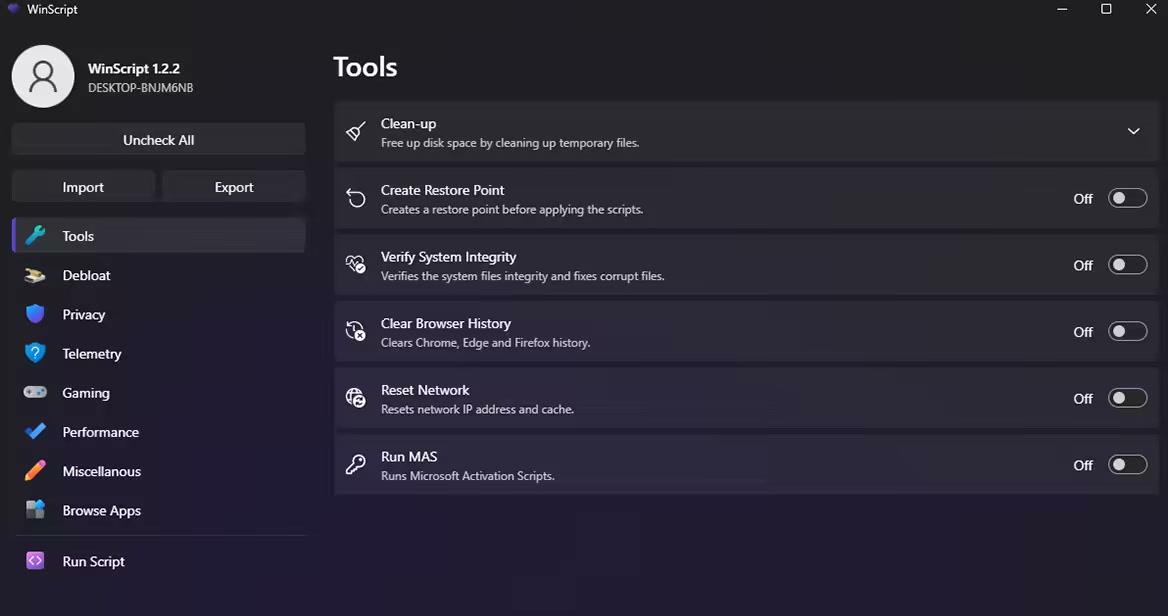
WinScript is an open-source tool built to help you build custom scripts for Windows. It includes debloat, privacy, performance scripts & more, along with the ability to install all your favourite apps in one click.

Features
Debloat: Remove Windows bloatware, CoPilot, Edge, OneDrive & pre-installed features.
Privacy: Disable Windows and 3rd party telemetry & data collection, tracking, app access & more.
Performance: Set background services to manual to free resources, set your preferred DNS, clean temp files & more.
Install Apps: Install all your favourite apps simultaneously in one click through chocolatey.

Usage
WinScript must be run as Administrator to function properly.
The desktop app may be flagged as a threat by Windows Defender due to its ability to modify system settings. This is a false positive-WinScript is safe, transparent, and open-source.


HOMEPAGE:
Код:
https://github.com/flick9000/winscript/

FREE DOWNLOAD LINKS:

Код:
https://rapidgator.net/file/320e670b0b703ecf6f0f01227d631708/WinScript_2.0.rar

Код:
https://nitroflare.com/view/25CCFD887D030D8/WinScript_2.0.rar
 
fab3caed2b9442bac6e9e3f419f8aede.jpg


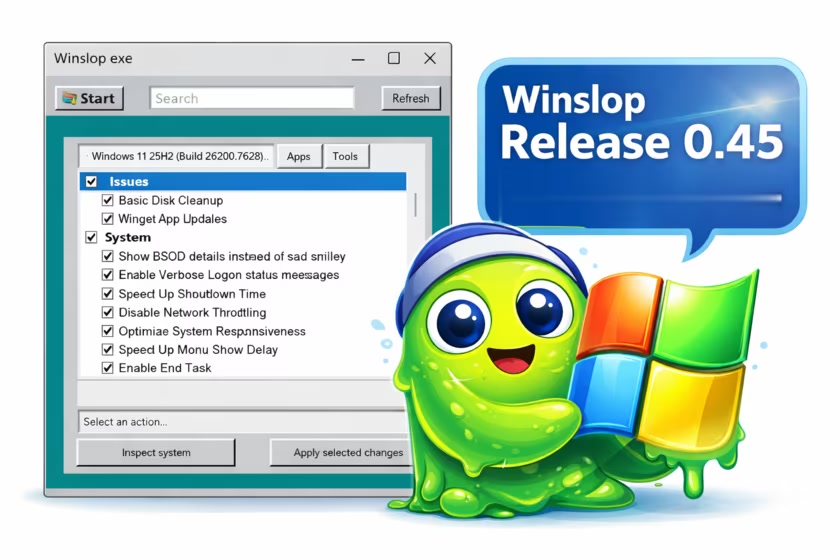
Winslop 0.60 | Size: 207.81 KB
Language: English


Winslop is an innovative lightweight utility for Windows. This tool is designed to eliminate unnecessary system clutter, often referred to as "slop," that can degrade your operating system's performance and reduce user control.

What is Slop?
The term "slop" refers to low-value system components that are typically pre-installed and contribute little to no meaningful functionality. These elements consume valuable resources and can reduce user efficiency by limiting overall control over the system.
Streamlined Functionality
The core goal of Winslop is to streamline functionality, reduce distractions, and present users with clear, straightforward information. It operates entirely offline, without reliance on cloud services, virtual assistants, or complex algorithms. Everything is local, predictable, and can be easily reversed if needed.
Winslop simplifies routine system maintenance, optimizing performance while systematically removing forced, opaque, and redundant features without compromising the core integrity of the Windows operating system.
Unlike many maintenance tools on the market, Winslop offers a focused, localized fork of the formerly popular CrapFixer, providing you with a clear overview of the changes being made. This transparency empowers you to review alterations before they are finalized and easily revert actions if needed.
Another key CrapFixer difference is Winslop's emphasis on localization, which was not fully realized in the original project. Due to its smaller codebase, Winslop anticipates implementing localization features in the near future. Ultimately, Winslop delivers essential tools without unnecessary additions.
Offline Usage
One of Winslop's standout features is its ability to operate entirely offline, meaning that it does not rely on artificial intelligence, cloud services, or telemetry. This focus on privacy and security makes it an excellent choice for users who value a cleaner and more straightforward Windows experience.

Winslop does precisely what the name suggests
● removes slop
● reduces slop
● makes slop visible
● gives control back to the user
Intiutive Interface
For users seeking a streamlined, user-centric approach to system management, Winslop is the ideal solution. Its intuitive interface and robust capabilities ensure that you can maintain a clean, efficient, and empowering computing environment.
Not Anti AI or Windows...
Winslop represents a serious approach to simplifying software usage. It is not against Windows or AI; instead, it seeks to eliminate unnecessary complexity.
Insight Into What Is Being Changed and More
Winslop provides a comprehensive outline of the specific changes it intends to implement across its processes. Each change requires a manual initiation, ensuring that you have complete control over the actions taken. Additionally, Winslop includes a valuable feature that lets you revert any adjustments if needed. This approach not only enhances transparency but also promotes user confidence in managing modifications effectively.

HOMEPAGE:
Код:
https://github.com/builtbybel/Winslop

FREE DOWNLOAD LINKS:

Код:
https://rapidgator.net/file/6c1b8075e5a80d91c05adc7885933294/Winslop_0.60.zip

Код:
https://nitroflare.com/view/21AA2D8473796A1/Winslop_0.60.zip
 
608bb7030a34e991565af27f95d8af86.png


XnViewMP 1.10.1 (x64) Multilingual | Size: 55.26 MB
Language: English


XnView MP is an advanced version of Xn5View, which is a powerful and reliable multimedia viewer, manager and converter. It offers the same stylish and easy to use interface that makes it almost fun to rate, sort and catalog files while still being practical. The files are displayed in the central area of the main window and you are able to choose the type of view you want for them.

The surroundings of that central browser can be fitted with a bunch of other tools. You can dock and rearrange the windows for the folder browser, document info and file preview. This comes in very handy when you want to create your own layout and speed up your workflow.

Just like its counterpart, XnView MP provides a wide range of ways to view files. You can change the size of the preview thumbnails, compare images and even edit them. Double clicking a picture automatically opens it in the editor. Here, you are able to analyze its histogram, resize and crop it, as well as apply various enhancement filters.

All the images you edit, as well as others that are simply chosen can be converted to popular formats such as JPEG, GIF, PNG, TIFF, BMP, PCX and TGA. This can be done using single files, or multiple ones in batch mode.

The biggest difference between XnView and XnView MP is that the latter is optimized for improved performance in loading times and caching. And since XnView MP is capable of working with large amounts of files, this means that you can save plenty of time when it comes to organizing your files.

With the above to consider and much more to discover about what XnView MP can offer, it's safe to say that it is indeed a feature packed media viewing and cataloging application.

Unrivaled Compatibility
XnView MP supports more than 500 image formats (including Multipage and animated still formats APNG, TIFF, GIF, ICO, etc..) and export to about 70 different file formats.

Batch Conversion
XnView MP comes with an easy to use yet powerful batch conversion module. This same module also powers XnConvert

And much more.
Virtually all of standard XnView's much loved features have been preserved in XnView MP and many features have actually been tweaked and enhanced.


HOMEPAGE:
Код:
https://www.xnview.com

FREE DOWNLOAD LINKS:

Код:
https://rapidgator.net/file/18af7f543757ec84972d3e83197f5118/XnViewMP_1.10.1_x64_Multilingual.rar

Код:
https://nitroflare.com/view/A823597F595B98B/XnViewMP_1.10.1_x64_Multilingual.rar
 
af6485a054099f81e937d185a75bf7a8.jpg


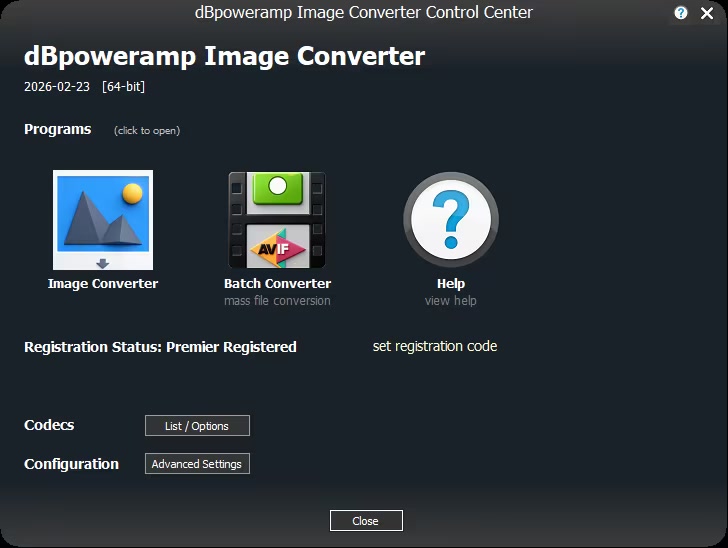
dBpoweramp Image Converter Premier 2026-02-23 (Win macOS) | Size: 96.14 MB
Language: English


dBpoweramp Image Converter easy image conversion. dBpoweramp Image Converter takes away the hassle when converting images, conversions are quick and effortless. Image Converter is based upon the same technology as its sister product dBpoweramp Music Converter, trusted by over 45+ million users.

Image Converter
Convert between all main formats, Bitmap, PNG, JPEG, WEBP, TIFF to name a few.

Batch Convert
Large numbers of files and folders with 1 click, filter on png or other file types.

High Speed Conversions
Look for an image converter which encodes using all CPU cores simultaneously, get the job done in double quick time.

DSP Effects
Process images with effects, such as rescale, or sharpen dBpoweramp is a fully featured image converter.
No Malware Free converters come with a little extra (a spying toolbar, Trojan, malware, or virus), dBpoweramp has never bundled in 20 years, those wanting just an image converter, get just that and only that.

Simplicity
dBpoweramp integrates into Windows Explorer (or Apple Finder), that is as simple as right clicking on the image file >> Convert To. Popup info tips are provided giving details of the internals of your images.

System Requirements
- Windows 11, 10, 8.1, 7, Vista
- macOS 26 Tahoe, 15 Sequoia, 14 Sonoma, 13 Ventura, 12 Monterey, 11 Big Sur

HOMEPAGE:
Код:
https://www.dbpoweramp.com

FREE DOWNLOAD LINKS:

Код:
https://rapidgator.net/file/a45239baeb42a3c44979dbd0d6dd71d6/Win_macOS_26-02-23.rar

Код:
https://nitroflare.com/view/CF73AED18D69577/Win_macOS_26-02-23.rar
 
aa95d0d3031fbb7c81511fa82305285e.jpg


reaConverter Pro 8.0.200 Multilingual | Size: 451.68 MB
Language: English


Easily process full batches of files and folders. reaConverter combines powerful automation with intuitive tools to streamline image conversion and eliminate repetitive editing.

700+ File Formats
reaConverter delivers high-efficiency batch conversion for an extensive range of file formats.

Efficient Conversion
A powerful file conversion toolkit with advanced processing features - giving you precise, granular control over every output.

Image Editing
reaConverter simplifies batch image editing - apply touch-ups, transformations, and effects to unlimited images simultaneously.

Automation
Professional-grade automation features for high-volume file conversion and batch processing.

Development
Integrate reaConverter's functionality into scripts, applications, or websites using its command-line tool or DLL.

Whats New
Updates: official site does not provide any info about changes in this version.

HOMEPAGE:
Код:
https://www.reaconverter.com/

FREE DOWNLOAD LINKS:

Код:
https://rapidgator.net/file/a61d8c05441d79b025fd5354a2a6fcd3/reaConverter_Pro_8.0.200_Multilingual.rar

Код:
https://nitroflare.com/view/7AE66C7717577A3/reaConverter_Pro_8.0.200_Multilingual.rar
 
12c714527f8d58c473ed7894b711b08f.jpg


Agisoft Metashape Professional 2.3.1 Build 22145 (x64) Multilingual | Size: 204.87 MB
Language: English


Agisoft Metashape (formerly PhotoScan) is a stand-alone software product that performs photogrammetric processing of digital images and generates 3D spatial data to be used in GIS applications, cultural heritage documentation, and visual effects production as well as for indirect measurements of objects of various scales.

Wisely implemented digital photogrammetry technique enforced with computer vision methods results in smart automated processing system that, on the one hand, can be managed by a new-comer in the field of photogrammetry, yet, on the other hand, has a lot to offer to a specialist who can adjust the workflow to numerous specific tasks and different types of data. Throughout various case studies Metashape proves to produce quality and accurate results.

Features
Photogrammetric triangulation
Processing of various types of imagery: aerial (nadir, oblique) & close-range.
Auto calibration: frame (incl. fisheye), spherical & cylindrical cameras.
Multi camera projects support.

Dense point cloud: editing and classification
Elaborate model editing for accurate results.
Points classification to customize geometry reconstruction.
.LAS export to benefit from classical point data processing workflow.

Digital elevation model: DSM/DTM export
Digital Surface and/or Digital Terrain Modedepending on the project.
Georeferncing based on EXIF meta data/flight log: GPS/GCPs data.
EPSG registry coordinate systems support: WGS84, UTM, etc.

Georeferenced orthomosaic export
Georeferenced orthomosaic: most-GIS-compatible GeoTIFF format; .KML file to be located on Google Earth.
Export in blocks for huge projects.
Color correction for homogeneous texture.

Measurements: distances, areas, volumes
Inbuilt tools to measure distances, areas and volumes.
To perform more sophisticated metric analysis Metashape products can be smoothly transferred to external tools thanks to a variety of export formats.


HOMEPAGE:
Код:
https://www.agisoft.com/

FREE DOWNLOAD LINKS:

Код:
https://rapidgator.net/file/8e5ae3e6df97a4837a77aa40369a1b38/Agisoft_Metashape_Professional_2.3.1_Build_22145_x64_Multilingual.rar

Код:
https://nitroflare.com/view/425929FD4E46652/Agisoft_Metashape_Professional_2.3.1_Build_22145_x64_Multilingual.rar
 
7cdce56a1c0b207bcbd809b87c7eb431.jpg


The Foundry Nuke Studio 16.1v1 (x64) | Size: 2.98 GB
Language: English


Nuke, NukeX and Nuke Studio offer cutting-edge toolkits for node-based compositing, editorial and review. The Nuke family's unparalleled flexibility and collaborative workflows help you get the highest quality results-fast.

Compositing and much more
All the tools you need to get the job done, no matter how you're working. From advanced node-based compositing, to 3D tracking and model building, to editorial and conform, the Nuke range can scale to suit your needs.

Highest quality results
Used by many of the best VFX houses in the industry, the Nuke family's state-of-the-art tools make producing pixel perfect, film-grade results both painless and creatively satisfying.

Power and performance
Built to meet the needs of modern production work, the Nuke family offers unparalleled levels of power and performance, whether you're a team with a deadline or tackling a solo project.

Collaborative workflow
Efficient, collaborative workflows lie at the heart of the Nuke range. Easily communicate, share and work together with others, whether you're sitting side by side or across the globe.

Speed and efficiency
Work fast and interactively with Nuke's cutting-edge toolkits, GPU acceleration and fluid workflows. Everything you need to complete your project on time is built in and ready to go.

The perfect fit for your pipeline
Open and customizable, Nuke fits perfectly into your pipeline, with major operating system support, low hardware requirements, support for industry standards like OCIO and Alembic, and a Python API and Pyside included.

2D compositing and visual effects
Nuke's industry-leading nodel toolset making compositing and review faster and easier than ever before

Nodal toolset
With over 200 creative nodes, Nuke delivers everything you need to tackle the diverse challenges of digital compositing. This includes industry-standard keyers, rotoscope, vector paint tools, color correction and so much more.

Deep Image compositing
Deep Image compositing tools let you create and work with images that contain multiple opacity, color and camera-relative depth samples per pixel, so there's no need to re-render CG elements when content changes.

3D compositing and visual effects
3D Camera Tracker
The integrated Camera Tracker in NukeX® and Nuke Studio replicates the motion of a 2D camera with an animated 3D camera or point cloud in Nuke's 3D space, allowing you to composite 2D/3D elements accurately with reference to the original camera used for the shot. Refinement options, advanced 3D feature preview and lens distortion handling improve efficiency and accuracy on the trickiest tracking tasks.

3D workspace
Nuke offers a limitless, integrated 3D environment that lets you create and render complex scenes composed of 2D footage, 3D models, cards, basic geometry, cameras, lights, and meshes. Great for camera projections for set replacements and other tasks where you need to simulate a "real" environment.

Collaboration
User presets and node toolsets
Nuke's time-saving user presets enable you to set and save tailored node parameters for effects to use across multiple projects. Node toolsets let you automate your workflow by creating grouped configurations of nodes for specific tasks.

Versioning
Nuke's powerful versioning functionality allows you to bring new versions of shots into Nuke Studio's timeline or Nuke's nodegraph and swap between them quickly and easily. This capability makes comparing and reviewing work at different stages, and work done by different artists, simple.


HOMEPAGE:
Код:
https://www.foundry.com/

FREE DOWNLOAD LINKS:

Код:
https://rapidgator.net/file/726ddcc3d16b3ac3855aa421b5449a2d/The_Foundry_Nuke_Studio_16.1v1..part1.rar
https://rapidgator.net/file/7c970e8ac91bd23cdcc0174510f6200f/The_Foundry_Nuke_Studio_16.1v1..part2.rar

Код:
https://nitroflare.com/view/3567964F928F670/The_Foundry_Nuke_Studio_16.1v1..part1.rar
https://nitroflare.com/view/E292FF85DE7E320/The_Foundry_Nuke_Studio_16.1v1..part2.rar
 
51281bf7bdbd3e40d5715838cdde3636.jpg


Windows 11 Pro Ultra Lite 22H2 Build 22621.1391 Better 11 Edition | Size: 1.27 GB
Language: English


This build is for everyday use and not only, Tweaks have been applied for extreme performance, Responsiveness and much more.

Whats Special?
- 1.97gb installed size
- 1.2gb iso size
- Can use OneDrive
- Can connect your ms account[Tested]
- Can activate with digital license by using the medicine provided in extras folder[Tested]
- Can install and use Microsoft Office 2021[Tested]
- All basic drivers are availlable like network drivers
- Can use ms store the installer included in extras
- All browser supported

Removed
All UWP Apps, Windows Update, All fonts, All Keyboards, All languages, Few Services and etc..
Test it yourself and if something you need doesnt work dont complaint on it since this build is an ultralight

Bypassed TPM, RAM, Secure Boot, Storage, CPU Check
Bypass Account Creation during setup

System Requirements
Processor: 2 gigahertz (GHz) or faster.
RAM: 2 gigabyte (GB).
Free space on hard disk: 5 gigabytes (GB).
Graphics card: DirectX 9 graphics device or a newer version.
Additional requirements to use certain features.
To use touch you need a tablet or monitor that supports multitouch.
To access the Windows store to download and run apps, you need an active Internet connection and a screen resolution of at least 1024 x 768 pixels

HOMEPAGE:
Код:
https://www.microsoft.com

FREE DOWNLOAD LINKS:

Код:
https://rapidgator.net/file/71d03231129fbe54e1e074a1c46150af/Windows_11_Pro_Ultra_Lite_22H2_Build_22621.1391_Better_11_Edition.rar

Код:
https://nitroflare.com/view/BF21836332BDE2E/Windows_11_Pro_Ultra_Lite_22H2_Build_22621.1391_Better_11_Edition.rar
 
Назад
Сверху Снизу