All Emperor2011's Software in one thread !! (updated daily)

497e8890b87070e048e66d3fe2f43776.jpg


East Imperial Magic Office Recovery 5.0 Multilingual | Size: 56.04 MB
Language: English


Recover office documents in a wide range of formats. Sophisticated data recovery algorithms allow reliably recovery of documents stored on badly damaged, formatted and inaccessible devices. Easy step-by-step wizard and thumbnail gallery view make the recovery process as easy as possible.

Recover Office Documents
Magic Office Recovery recovers documents, spreadsheets and other files produced by Microsoft Office applications such as Word and Excel, as well as documents in OpenOffice and Adobe PDF formats. Combining low-level disk scan engine, comprehensive document analysis engine and polished user interface, Magic Office Recovery delivers best-in-class performance and easiest usage experience possible.

Features and Benefits
Magic Office Recovery is designed to recover lost and deleted documents located on healthy, damaged, formatted and repartitioned storage media.
Recovers Office Documents, Spreadsheets and PDF Files
- Undeletes a wide range of documents produced by Microsoft Word, Excel, OpenOffice, Adobe PDF and other office applications;
- Recovers documents in Microsoft Office 6 - 2013 formats, Adobe PDF, OpenOffice;
- Recovers documents healthy, formatted and damaged partitions;
- Supports all types of storage media including hard drives, SSD, USB drives, memory cards etc.;
- Recoverable documents are displayed as a thumbnail gallery;
- Built-in full-size preview of recoverable documents;
- Filters out irreparable documents. Each document is checked for consistency before being added to the list.

Low-level File Recovery Engine
- Comprehensive recovery engine shared with Magic's top of the line data recovery product;
- Quick scan returns the list of deleted documents in matter of seconds;
- Comprehensive analysis scans entire disk surface in low-level mode;
- Data recovery engine tested on multiple damaged, formatted and inaccessible disks.

Office Recovery Made Easy
Magic Office Recovery is a highly sophisticated tool that's extremely easy to use. Featuring a step-by-step wizard, Magic Office Recovery guides you through the entire recovery process. Deleted documents are displayed in an Explorer-like window as a thumbnail gallery. You can click any document to see its full-size preview before the recovery. You can do it even if Microsoft Office or another office application is not installed as Magic Office Recovery features a built-in document viewer with no external dependencies.

Recover Office Documents from Formatted, Corrupted and Inaccessible Media
Kept an important document on an accidentally formatted USB drive? Can't access a memory card or repartitioned the disk? Magic Office Recovery is designed to help recover your work in all of these situations. Performing a comprehensive low-level scan of the damaged disk, Magic Office Recovery can reliably detect, validate and recover a wide range of documents in Microsoft Office, OpenOffice and Adobe PDF formats.

Comprehensive Analysis
Sometimes you'll have a difficult case of a damaged hard drive, formatted partition of unreadable memory card. If this is your case, choose Comprehensive Analysis. In this mode, Magic Office Recovery will read the entire content of the disk, flash drive or memory card in order to locate every single document that's still recoverable. This mode is based on Magic's proprietary content-aware analysis, an algorithm that can detect supported documents on badly damaged storage media.

Instant Recovery with Quick Scan
Deleted a document five munities ago? You can get it back even faster! Magic Office Recovery offers a fast Quick Scan mode allowing you to recover recently deleted documents in a matter of seconds. Quick Scan is blazing fast - it literally works faster than it takes you to delete a file!

Wide Range of File Formats
Magic Office Recovery can recover documents, spreadsheets and PDF files produced by Microsoft Office 6 through 2013 applications, all versions of OpenOffice and Adobe Acrobat. It can recover files in DOC/DOCX, XLS/XLSX, RTF, OpenOffice ODT, ODS, ODP, Adobe PDF, and over a dozen other formats.

Content-Aware Document Recovery
Magic Office Recovery shares its data recovery engine with Magic's top of the line data recovery tool, Magic Partition Recovery. Engaged in Comprehensive Analysis mode, this low-level recovery engine performs a content-aware search on the entire surface of the disk, reading information sector by sector and matching the result against a built-in database of recognizable document formats. If a known type of a document (such as a DOC/DOCX, XLS/XLSX, RTF, PDF etc.) is encountered, Magic Office Recovery performs a consistency check on the file. Only those documents passing the consistency check will be added to the list of recoverable files, presenting uncluttered view of all document files that are 100% recoverable.

Recover Documents from FAT and NTFS Disks
Whether you have an NTFS-formatted system drive or a memory card formatted with FAT16, Magic Office Recovery can reliably extract documents regardless of the version of file system. You can recover documents from disks formatted with any revision of FAT or NTFS.

All Types of Storage Media
We tested Magic Office Recovery with a wide range of storage media including traditional hard disks and SSD drives, USB drives, memory cards, removable drives, and many other types of storage devices.

What's new
• official site does not provide any info about changes in this version

Editions: Unlimited / Commercial / Office / Home

HOMEPAGE:
Код:
https://www.magicuneraser.com/

FREE DOWNLOAD LINKS:

Код:
https://rapidgator.net/file/1a061a8a66103f7e2389c7501cc740ed/East_Imperial_Magic_Office_Recovery_5.0_Multilingual.rar

Код:
https://nitroflare.com/view/ADD0950B330D58D/East_Imperial_Magic_Office_Recovery_5.0_Multilingual.rar
 
889aba77e608622a21626314b7ce4051.jpg


East Imperial Magic Partition Recovery 5.2 Multilingual | Size: 144.54 MB
Language: English


Undelete files and recover information from damaged, formatted, corrupted and inaccessible disks and solid-state storage media formatted with any version of FAT or NTFS. If you have a disk with deleted partitions or a hard drive covered with bad sectors, Magic Partition Recovery is the tool to get!

Recover Files and Repair Partitions
Recover files and folders, repair broken partitions and rebuild corrupted and missing file systems in full auto mode. Featuring both quick and comprehensive analysis modes, Magic Partition Recovery carefully recovers your files and rebuilds the original file system based on information that's still available.

Features and Benefits
Magic Partition Recovery solves two major problems: it recovers lost and deleted files and rebuilds damaged disk system structures, effectively repairing corrupted disks to full operation.

File Recovery
- Undeletes deleted files from healthy, formatted and damaged partitions;
- Recovers all types of files from all types of storage media;
- Quick scan mode displays list of deleted files in just seconds;
- Comprehensive analysis mode locates files by their content, scans entire disk surface.

Disk, Partition and File System Recovery
- Fixes errors in disk system structures;
- Rebuilds badly damaged, overwritten and missing file systems based on information gathered during comprehensive analysis;
- Unformats formatted disks;
- Recovers broken partition tables and MBR records;
- Effectively fixes corrupted disk, putting them back to service.

File and Partition Recovery - Do It Yourself with Ease
With all the advanced features offered by Magic Partition Recovery, it's still easily usable. You don't have to hold a degree in computer science or information recovery to be able to fix common issues and serious problems yourself. Magic Partition Recovery features Explorer-like user interface, allowing you to view and browse deleted files and folders the usual way you browse files on your computer. A set of easy, fully guided step-by-step wizards will assist you in repairing your disk, rebuilding partitions and fixing file systems.

Repair Broken and Inaccessible Disks
Corrupted and inaccessible disks can be successfully repaired by reconstructing their system structures. Magic Partition Recovery can perform a smart, content-aware analysis of your disk to recover disk system structures and restore the original files and folders.

Recreate Disk Structures
If the disk is badly damaged, repartitioned or corrupted, Magic Partition Recovery can re-create its missing system structures, making the disk fully usable. Magic Partition Recovery can rebuild partition tables, MBR records and FAT and NTFS file systems.

Rebuild File Systems
One of the major features offered by Magic Partition Recovery is the ability to re-build FAT and NTFS file systems that are badly damaged, overwritten or simply missing from the disk.
In order to re-create the file system, Magic Partition Recovery performs a comprehensive analysis of the disk, reading all data and analysing the content. If there's no file system left on the disk, a new one will be created based on what files were discovered.
A rebuilt disk is fully usable, and will contain all files and folders that were physically available on your disk.

Quick and Comprehensive Analysis
In simple cases, you can often get away with a quick scan. The quick scan returns a list of recoverable files in just seconds, offering a perfect chance to restore recently deleted files in a few moments.

Recover All Types of Files
Magic Partition Recovery works with all types of files including images, documents, text files, music, video, databases, compressed archives, executable files, and so on.

Content-Aware Data Recovery
In comprehensive scan mode, Magic Partition Recovery reads all sectors from the hard drive, matching information it reads against a built-in database. If a file of a known type is recognized, Magic Partition Recovery can analyse its header and deduct its exact location by discovering its beginning and length. In effect, these files can be recovered even if no file system or other disk system structures are available, allowing you to recover files from formatted, repartitioned, inaccessible and even partially overwritten disks.

FAT and NTFS Partition Recovery
You can recover disks and partitions formatted with all versions of FAT and NTFS systems, including NTFS streams. Magic Partition Recovery recognizes advanced disk and system structures created by the latest versions of Windows such as Vista, Windows 7 and 2008 Server.

All Types of Storage Media
Magic Partition Recovery was tested on many types of storage media including magnetic and solid-state hard drives, USB flash drives, memory cards and removable drives. While it works equally well with all types of storage media, the very nature of the product suggests its use on larger disks packed with valuable information.

System Requirements
Supporting all 32-bit and 64-bit versions of Windows and all versions and revisions of FAT and NTFS file systems, Magic Data Recovery Pack can recover data from disks, partitions and memory cards formatted with FAT12/16/32, NTFS (NT4) and NTFS5 (2000, XP, Vista, and Windows 7, 8, 10).

What's new
• official site does not provide any info about changes in this version

Editions: Unlimited / Commercial / Office / Home

HOMEPAGE:
Код:
https://www.magicuneraser.com/

FREE DOWNLOAD LINKS:

Код:
https://rapidgator.net/file/f3ede09be332bb19f43f4e81812ab4c5/East_Imperial_Magic_Partition_Recovery_5.2_Multilingual.rar

Код:
https://nitroflare.com/view/92E8371F04E6FE6/East_Imperial_Magic_Partition_Recovery_5.2_Multilingual.rar
 
d7ff492ea419d55c11e830e6c3394007.jpg


East Imperial Magic Photo Recovery 7.0 Multilingual | Size: 128.72 MB
Language: English


Recover digital images and camera RAW files from all types of media. Formatted a memory card or lost a bunch of digital pictures from the hard drive? Magic Photo Recovery will recover all photos in few counted steps. Dozens of image formats are supported with full previews, as well as RAW files produced by all major camera makes.

Digital Photo Recovery by Magic
The new digital photo recovery software allows you to recover digital pictures deleted from your computer, memory card, or the internal memory of your digital camera. Magic Photo Recovery can handle images removed from the Recycle Bin, recover pictures from damaged, formatted and repartitioned hard drives, and extract pictures from corrupted memory cards and digital camera memory.

Photo Recovery Made Easy
Using digital photo recovery software could not be made easier. A fully-guided photo recovery wizard guides you through the entire process of image recovery in a quick, safe and efficient manner. A few simple questions and a couple of mouse clicks, and deleted photos appear right before your eyes with thumbnails and instant full-screen previews. Sounds easy? Magic Photo Recovery is a pleasure to use and a snap to learn, but under the hood it's powered by the most sophisticated photo recovery algorithms invented so far.

Recovery: Under the Hood
Magic Photo Recovery is powered by a sophisticated picture recovery algorithm that allows photo recovery software to successfully locate and recover images from badly damaged, repartitioned and formatted disks and memory cards. Digital photo recovery software can recover pictures even if the disk has been repartitioned and reformatted several times in a raw. The innovative digital picture recovery algorithm used in Magic Photo Recovery enables photo recovery software to recover pictures that no other program can even see.

Preview Deleted Pictures
Magic Photo Recovery can be used as a picture viewer - only it views digital pictures that no longer show up on your disk. The built-in image browser displays thumbnail and instant full-screen previews of deleted photos. Just launch the photo recovery wizard, and you'll be able to browse, preview and recover your lost pictures in just minutes!
The available pre-recovery preview ensures that only valid, uncorrupted pictures are recovered. The plain, straightforward user interface can be used efficiently by computer amateurs and data recovery professionals altogether.

Photo Recovery Software
The digital photo recovery algorithm used in Magic Photo Recovery has been recently improved to allow determining the original names and locations of pictures being recovered - even if there's no file system left on the disk!

Photo Recovery from Disks and Memory Cards
Magic Photo Recovery can successfully recover digital pictures from all types of memory cards, including Compact Flash, Micro Drive, Memory Stick, MultiMedia Card (MMC), PC Card, Secure Digital, SmartMedia, xD Picture Card, and many others.

Recovers Finished Photos and RAW Images
Magic Photo Recovery can successfully recover finished photos in a variety of formats as well as RAW images produced by most SLR and advanced compact cameras. With built-in support of RAW images, Magic Photo Recovery recovers RAW digital photos in formats introduced by Nikon, Canon, Olympus, Casio, Kodak, Sony, Pentax, Panasonic, Ufo and many others.

What's new
• official site does not provide any info about changes in this version

Editions: Unlimited / Commercial / Office / Home

HOMEPAGE:
Код:
https://www.magicuneraser.com/

FREE DOWNLOAD LINKS:

Код:
https://rapidgator.net/file/97130bd615a4f485360bfb2c59d17bfd/East_Imperial_Magic_Photo_Recovery_7.0_Multilingual.rar

Код:
https://nitroflare.com/view/89A2E104CD54AC0/East_Imperial_Magic_Photo_Recovery_7.0_Multilingual.rar
 
55511d5f40efcccab097659304fa0804.jpg


East Imperial Magic RAID Recovery 2.9 Multilingual | Size: 142.29 MB
Language: English


Repair corrupted RAID 0, RAID 1, RAID 4, RAID 5, RAID 6 and many other types of arrays by connecting the disks to your computer. Recover data from single-disk and multi-disk attached storage devices and NAS servers. Extract data from hard drives used in Synology, QNAP, ASUSTOR, Western Digital, Thecus, TerraMaster and Buffalo NAS systems.

Features and Benefits
Magic RAID Recovery by East Imperial Soft is designed to help users repair many types of corrupted RAID arrays and recover information from single-disk and multiple-disk volumes created in popular DAS and NAS devices as well as a wide range of RAID controllers manufactured by HP, Dell, Adaptec, IBM, Intel, Fujitsu, Silicon Image, LSI, ASMedia, Broadcom, and many others.

Rebuild Corrupted RAID Arrays
• Rebuild and repair corrupted RAID arrays created in Windows, Linux, macOS and NAS devices;
• Mount multiple-disk volumes if the original storage device or RAID controller is broken or unavailable;
• Supports RAID 0, RAID 1, RAID 4, RAID 5, and RAID 6;
• Supports RAID 1E, RAID 5E, RAID 5EE and many types of composite arrays including RAID 01, RAID 10, RAID 50, and RAID 60.

Recovering Data from NAS and DAS Devices
• Mount multi-disk volumes and RAID arrays regardless of the type of RAID controller;
• Automatic detection of disk order and array configuration parameters;
• Recover data from logical volumes spanned across multiple disks;
• Recover data from corrupted single-disk volumes and JBOD arrays;
• Extract files and folders from degraded and corrupted arrays without a lengthy rebuild/resilvering (for mirrored or checksum-based arrays).

Recover Data from NAS Devices
Synology, QNAP, ASUSTOR, Western Digital, Thecus, TerraMaster, Buffalo and many other Network Attached Storage (NAS) devices are readily available. However, the limited system resources and restrictive user interfaces of many pre-build NAS solutions may render the data inaccessible should one of the hard drives in multiple-disk volumes fail even for redundant arrays. Magic RAID Recovery makes it possible to save your files and folders by connecting the remaining disks directly to your computer and extracting the data without the lengthy and unreliable rebuilding/resilvering.

Extract Data from Failing and Corrupted Disks
A NAS device is not always about RAID or disk volumes spanned across multiple hard drives. Sometimes it's just a single disk or a JBOD array formatted in a file system not recognized by your computer. Magic RAID Recovery can help you extract your files and folders by automatically detecting the type of the file system and making the data accessible on your Windows PC. All major file systems used in Windows (NTFS, ReFS, FAT, exFAT), macOS (APFS, HFS+), Linux (Ext2/3/4, XFS, ReiserFS), and Unix (UFS 1/2) are supported.

All Types of Single-Disk and Multi-Disk Volumes
Magic RAID Recovery was tested on hundreds of single-disk and multiple-disk storage configurations. The tool supports all types of RAID arrays including those managed by mdadm (all common NAS units), software and hardware RAID controllers. Magic RAID Recovery recognizes RAID 0, RAID 1, RAID 4, RAID 5, and RAID 6 arrays including exotic configurations (RAID 1E, RAID 5E, RAID 5EE) and composite arrays (RAID 01, RAID 10, RAID 50, RAID 60). Single-disk volumes and JBOD arrays are also supported.

Partial Data Extraction
Depending on the type of the RAID array, it may tolerate one or more faulty hard drives. However, it is common for parity-based arrays to have another disk fail when recovering from a single-disk failure. You can reduce the possibility of the second failure by using Magic RAID Recovery to quickly recover the data instead of performing the full resilvering. If the second disk had already failed, Magic RAID Recovery will apply complex algorithms to attempt recovering the files that are still accessible on the remaining disks. Needless to say that Magic RAID Recovery will recover 100% of the data if the remaining disks were enough for complete recovery.

Wide Range of RAID Controllers
While many controllers advertise support for the various RAID levels, the devil is in the detail. Manufacturers of the different RAID controllers have their own preferences on how to configure non-essential parameters of the array. As a result, one cannot make assumptions about the stripe size or parity. Magic RAID Recovery supports a wide range of RAID controllers including those built into Intel-based motherboards, as well as those manufactured by HP, Dell, Adaptec and many others, including server models.

Extract Data from Degraded Arrays
From time to time, a NAS device or RAID controller may throw the disk out for various reasons, immediately putting the array into degraded state. In certain cases, re-adding the disk only leads to the same problem repeated after many hours of resilvering. The disk may be perfectly readable outside the enclosure with longer than expected timeouts (which is often the case for SMR drives), or there might be just a few bad blocks not affecting the majority of the data. Magic RAID Recovery allows remounting such arrays and extracting the data without the lengthy synchronization.

Recover Data from Corrupted Volumes
A perfectly healthy RAID might be unreadable because of corrupted file system structures. Rebuilding or resilvering such arrays would be a waste of time, while inaccessible volumes can be repaired by reconstructing their file system structures. Magic RAID Recovery can check the volume and safely extract the original files and folders.

Advanced Manual Mode
Fully automated performance has its benefits, but it has its drawbacks. If you are an advanced user and know your RAID, or if you work in a data recovery lab, you may achieve a higher recovery rate by manually specifying the correct RAID parameters. Should you know only some characteristics of the RAID array, Magic RAID Recovery will help identify the remaining parameters automatically.

What's new
• official site does not provide any info about changes in this version

Editions: Unlimited / Commercial / Office / Home

HOMEPAGE:
Код:
https://www.magicuneraser.com/

FREE DOWNLOAD LINKS:

Код:
https://rapidgator.net/file/d905277b717dd586e2dd14b687f8e089/East_Imperial_Magic_RAID_Recovery_2.9_Multilingual.rar

Код:
https://nitroflare.com/view/ABF00CE21127F3C/East_Imperial_Magic_RAID_Recovery_2.9_Multilingual.rar
 
aa1416e0a844de442ce83b64cb98d307.jpg


East Imperial Magic Uneraser 7.2 Multilingual | Size: 144.76 MB
Language: English


Undelete files in few easy steps! Magic Uneraser is the simplest and easiest to use data recovery tool among the bunch of tools offered on this site. Recover files of any type from FAT and NTFS partitions! Magic Uneraser supports all types of storage media including hard disks, flash drives, digital cameras and memory cards.

Restores files from deleted and formatted drives
The data recovery tool supports the recovery from deleted partitions, formatted volumes and repartitioned hard drives. The tool scans the entire surface of the hard disk or reads the full content of a solid-state drive in order to reliably detect, locate and read the content of a deleted partition. If the disk has been formatted, the tool can read raw sectors from the disk in an attempt to detect the beginning of multiple known file types. During this process, the tool will not need the file system to be present, and will successfully restore the files even if the file system is emptied by the format operation. Deleted partitions can be similarly detected by reading blocks of raw data from the disk surface, matching and analyzing raw data structures in an attempt to detect the beginning and size of deleted partitions.
Key Features in Magic Uneraser 3
File Recovery Software: the Easy Way
Using the new file recovery software is easy. Just run the recovery wizard, and recovery software will scan your disk looking for lost and deleted files. After the scan is complete, you can browse the disk with a convenient Explorer-like tool. The built-in file browser looks exactly like Windows Explorer - no need to learn new tricks to browse and recover deleted files!
Deleted File Preview
Magic Uneraser comes with fully featured pre-recovery preview available in its free evaluation and full versions. The preview will allow you to open and view deleted files, documents, pictures, music, archived and movies just like they were regular files sitting on your disk. Pre-recovery preview saves time and effort allowing you to undelete only those files that can be recovered.
Advanced File Recovery Algorithms
The file recovery software incorporates a variety of advanced algorithms allowing Magic Uneraser to recover deleted files and folders that other file recovery products can't even see. The tool carefully scans the entire hard disk or reads the whole memory card block after block. Comparing information it reads from the disk with a database of recognized file formats, the file recovery algorithm is able to locate deleted files such as documents, pictures, archives, movies and music even if no record of them is left in the file system.
By using advanced file recovery algorithms, Magic Uneraser can successfully recover files and folders from deleted partitions, repartitioned and formatted disks. Even if the disk is completely inaccessible and suffered a crash, file recovery software can still access the disk, locate and recover files from its surface.
File Recovery Software for All Versions of Windows
Magic Uneraser supports all versions of Windows including Windows Vista, Windows 7, and Windows 2008 Server as well as all older versions of Windows. File recovery software recognizes all versions and revisions of FAT and NTFS file systems, including the recovery of deleted NTFS-compressed files.
Recovers Files from Any Media
The recovery software can undelete files from all types of desktop and laptop hard drives, internal and external storage devices, memory cards, USB sticks, as well as MP3 players and digital cameras connected to a PC via a USB cord.
Easy and Reliable File Recovery
Easy to use file recovery software undeletes erased files, documents, movies, pictures and music in just a few clicks.
Magic Uneraser recovers deleted files and folders in a snap. Supporting the recovery of all types of files including office documents, digital pictures, MP3 and compressed ZIP archives, this file recovery software will get your files back quickly and reliably. Whether you removed an important document from the Recycle Bin, formatted a memory card or survived a hard disk crash rendering the disk inaccessible, Magic Uneraser will help you get back on track in the most efficient way.
System Requirements
Supporting all 32-bit and 64-bit versions of Windows and all versions and revisions of FAT and NTFS file systems, Magic Data Recovery Pack can recover data from disks, partitions and memory cards formatted with FAT12/16/32, NTFS (NT4) and NTFS5 (2000, XP, Vista, and Windows 7, 8, 10).

What's new
• official site does not provide any info about changes in this version

Editions: Unlimited / Commercial / Office / Home

HOMEPAGE:
Код:
https://www.magicuneraser.com/

FREE DOWNLOAD LINKS:

Код:
https://rapidgator.net/file/b72639505a564cefd9a885769c1bd2aa/East_Imperial_Magic_Uneraser_7.2_Multilingual.rar

Код:
https://nitroflare.com/view/0197983648D2797/East_Imperial_Magic_Uneraser_7.2_Multilingual.rar
 
497fafbc5c1b295f41d0cea8d069171c.png


FanControl v262 | Size: 12.25 MB
Language: English


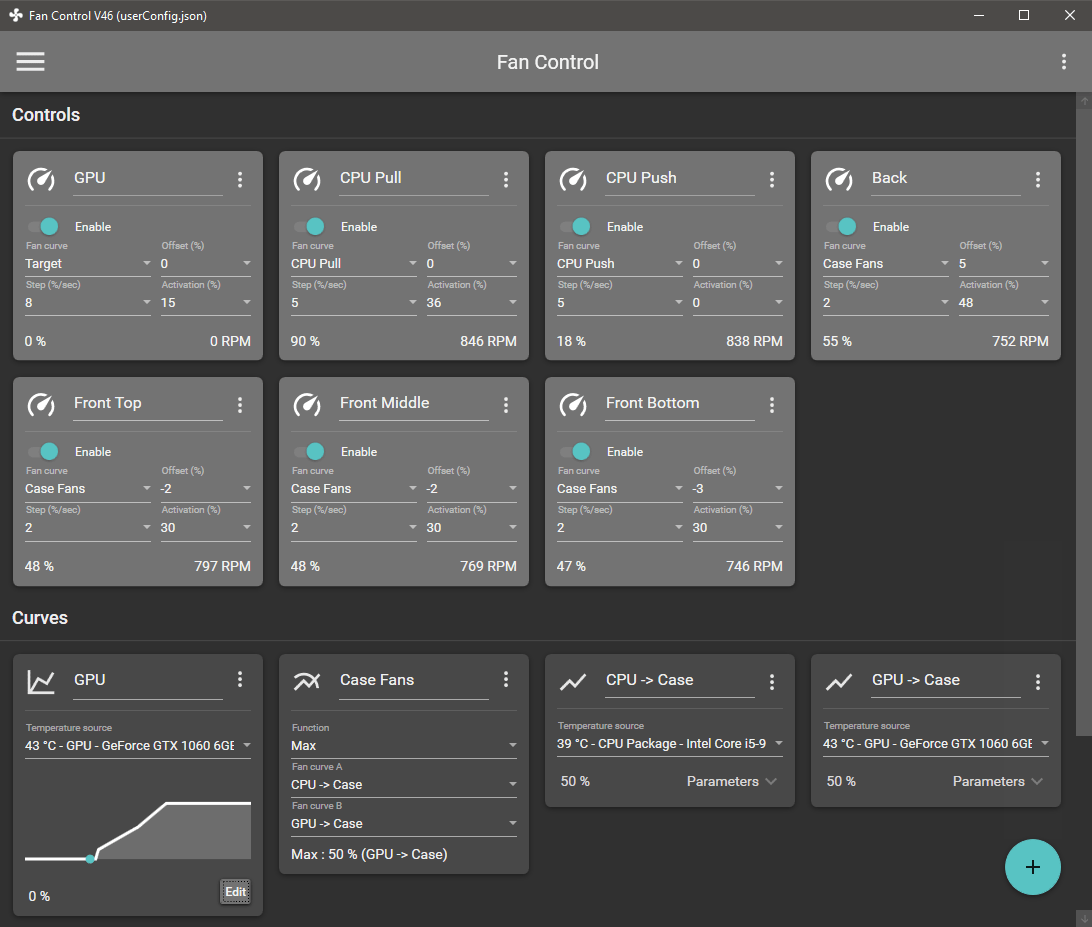
Keep every aspect of your computer's GPU and CPU fans in check with the help of this highly-customizable fan control application.

Features
Save, edit and load multiple profiles
Multiple temperature sources ( CPU, GPU, motherboard, hard drives, ".sensor" file )
Custom fan curves
Fine tune the fan control response with steps, activation %, response time and hysteresis
Mix different curves and sensors together
Modern, dashboard-style UI
Works as a background application with a customizable tray icon
Create custom external temperature sensors with *.sensor files.
And more!

HOMEPAGE:
Код:
https://github.com/Rem0o/FanControl.Releases

FREE DOWNLOAD LINKS:

Код:
https://rapidgator.net/file/68c341712f4f4936002054dc81e614e5/FanControl_v262.rar

Код:
https://nitroflare.com/view/EAAB56A8A0DD05E/FanControl_v262.rar
 
b8906d7992655d8a077b863fa4e1de54.jpg


FinePrint 12.24 Multilingual | Size: 26.22 MB
Language: English


FinePrint saves you money on paper and toner, weight in your briefcase, and time and hassle in managing your print jobs. With FinePrint working for you, annoying printing problems disappear. Below are just some examples of printing problems that FinePrint can fix. See also our Enterprise section for benefits of FinePrint in the Enterprise.

Features
- Delete unwanted pages
- Print multiple pages on a sheet
- Combine multiple print jobs into one
- Print on electronic letterhead
- Archive print jobs

Other features
- Mark documents with custom watermarks such as "draft" or "confidential".
- Create custom electronic letterhead and forms. No more buying, storing and manually loading pre-printed letterhead.
- Page numbering over multiple documents including Bates stamping
- Output pages to clipboard
- Save pages in JPEG, TIFF and text formats

HOMEPAGE:
Код:
https://fineprint.com/

FREE DOWNLOAD LINKS:

Код:
https://rapidgator.net/file/371f4ea2b6bc1e2870fd63c3b077cfdd/FinePrint_12.24_Multilingual.rar

Код:
https://nitroflare.com/view/5D39E321F8EE3F5/FinePrint_12.24_Multilingual.rar
 
d11930bfcaaf5a7895cd10c797d3e3f0.png


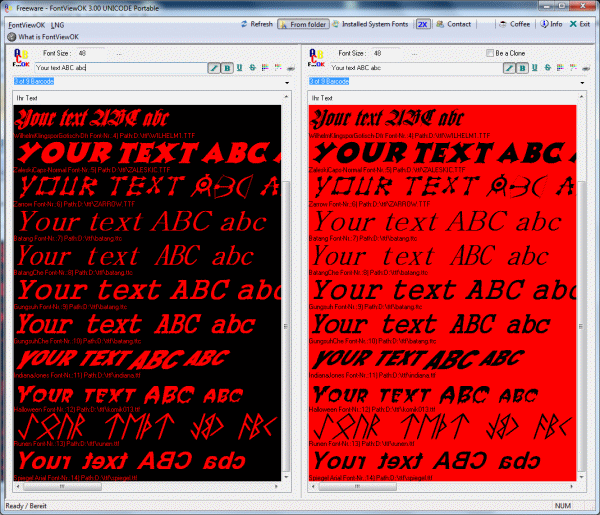
FontViewOK 9.23 Multilingual | Size: 678.45 KB
Language: English


FontViewOK creates a quick visual overview of all installed fonts. The deployment is so simple a help file is not required. It features quick overview of all fonts, printing with print preview function, changeable font size, style and color, and an installation of FontViewOK is not required. It features quick overview and comparisons of all fonts, printing with print preview function, changeable font size, style and color, list all fonts from a specific folder, and dual font preview for quick comparisons of fonts.

Features
# Quick overview and comparisons of all fonts.
# Printing with print preview function
# Changeable font size, style and color
# List all fonts from a specific folder
# Dual font preview for quick comparisons of fonts.
# Multilingual

HOMEPAGE:
Код:
https://www.softwareok.com

FREE DOWNLOAD LINKS:

Код:
https://rapidgator.net/file/6a78dbe1877c191608a833faad335342/FontViewOK_9.23_Multilingual.rar

Код:
https://nitroflare.com/view/A61977822A0AB92/FontViewOK_9.23_Multilingual.rar
 
af878632416147c3b89ef97e51da1366.jpg


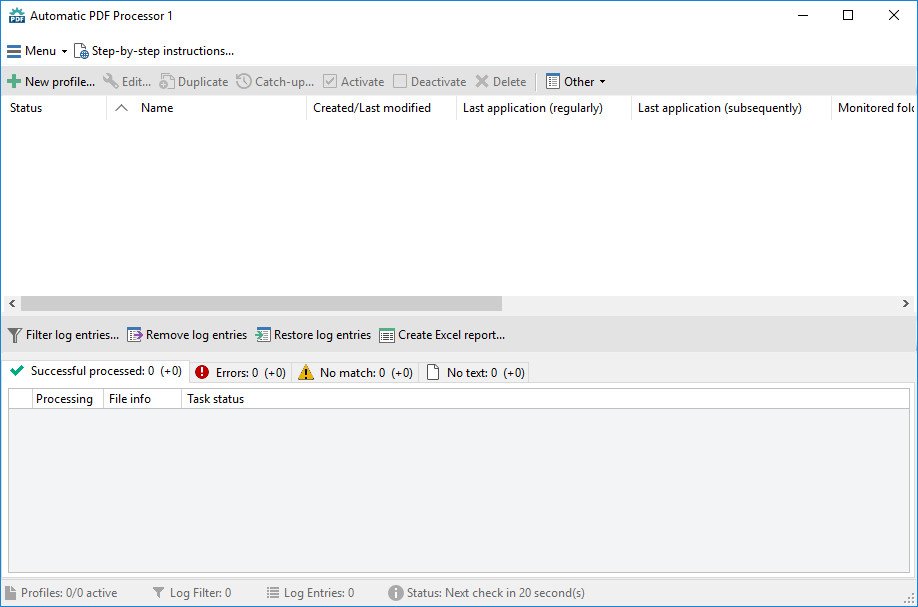
Gillmeister Automatic PDF Processor 2.0.22 | Size: 194.27 MB
Language: English


With Automatic PDF Processor, PDF files can be processed automatically. Any number of folders can be monitored in order to automatically print, rename or move incoming PDF files to dynamically named folders. Numerous metadata of the PDF document can be used in addition to the content, for example to include invoice information in the file path. The PDF files to be processed can be narrowed down with various profile-specific filterthe document text, PDF metadata and general file information are available as filters.

Extraction of data from the text of PDF files is optional. An unlimited number of extraction rules can be created within a profile. The extracted data can be used (after optional validation and formatting) for naming folders or the file name, and can be saved as an extract in a CSV file. Another task that can be automated with the Automatic PDF Processor is the extraction of attachments from PDF files, for example to save ZUGFeRD XML files, XRechnung attachments or similar as part of a PDF invoice in the same folder.

Monitor any number of folders
Examine incoming PDF files and apply individual rules

Store PDF files in a structured manner
Automatically rename PDF files and save them in dynamically created folders

Print PDF files automatically
Send certain PDF documents directly to the printer (e.g., invoices or quotations)

Optional further processing
Perform subsequent tasks, e.g., run a program with the filename of the PDF file passed as parameter


HOMEPAGE:
Код:
https://www.gillmeister-software.com/

FREE DOWNLOAD LINKS:

Код:
https://rapidgator.net/file/b96a26ca57b481badfa6a04dd57de2f3/Gillmeister_Automatic_PDF_Processor_2.0.22.rar

Код:
https://nitroflare.com/view/E1F7635B7D6AB2B/Gillmeister_Automatic_PDF_Processor_2.0.22.rar
 
de211533b760058695cdcac6b5135af4.jpg


GoodSync 12.9.26.6 (x64) Multilingual | Size: 76.16 MB
Language: English


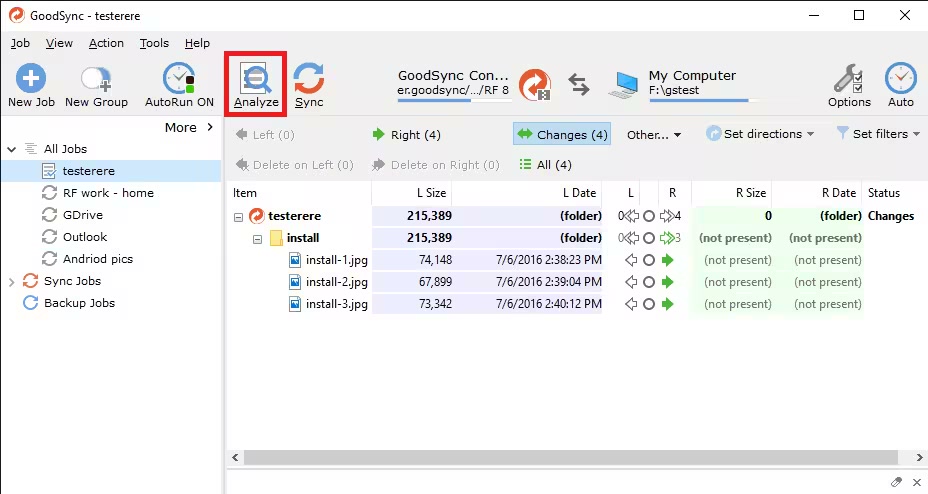
File Synchronization and Backup Software. Easily back up and sync your files with GoodSync. Our simple and secure file backup and synchronization software will ensure that your files are never lost.

File Backup
An easy, fast, and secure way to automatically back up all of your data to multiple destinations and to restore it when needed.

File Synchronization
Real-time and automated data replication for one-way or two-way synchronization across multiple destinations and platforms.

Features for Every Backup and Synchronization Task
Real Time Data Transfer
Automated, scheduled, and real-time backup and synchronization with no user interaction required.

Block Level Data Transfer
Propagates only the data blocks changed since the last analysis, significantly reducing backup time, network consumption, and storage requirements.

Unattended Service
Runs as a background service, performing automated, scheduled, and real-time backups with no user interaction required.

END TO END ENCRYPTION
Improves security by applying AES-256 bit encryption to your mission critical data in transit and at rest.

Version History Control
Saves single or multiple versions of your data change history, ensuring maximum protection and minimal data recovery time.

Copy Locked Files
Guaranteed backup and synchronization of files that are simultaneously open on users' devices.

File and Folder Move/Rename Detection
GoodSync detects file/folder renames and executes them as Move commands.

SECURITY ATTRIBUTE PROPAGATION
Capable of monitoring and propagating file security attributes across the Internet maintaining same access permission levels at different locations.

RealDisk Online Storage
GoodSync provides its own RealDisk online storage, which is really fast, especially on large number of small files.


HOMEPAGE:
Код:
https://www.goodsync.com/

FREE DOWNLOAD LINKS:

Код:
https://rapidgator.net/file/56c13e8ee0b4a3050d09099c98be3be5/GoodSync_12.9.26.6_x64_Multilingual.rar

Код:
https://nitroflare.com/view/3B1AC3D691BD1EE/GoodSync_12.9.26.6_x64_Multilingual.rar
 
de6f2b235581b7782abe9b37bc46cbad.jpg


Goversoft Privazer 4.0.119 Multilingual | Size: 27.03 MB
Language: English


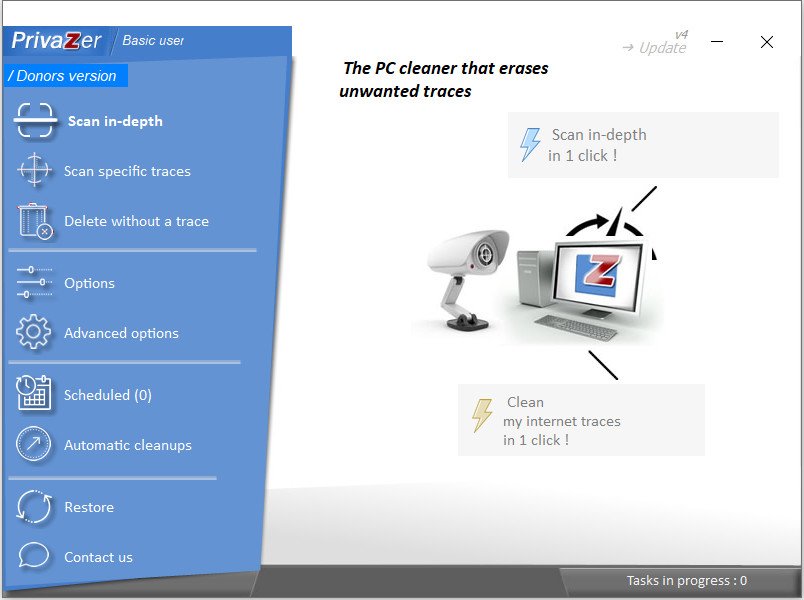
PrivaZer is a program that is designed to ensure the protection of personal data. It scans your hard disk for which data were on it after conventional treatment optimizers. You can then view the data and found to remove them completely, permanently. The program shows the tracks left in the process of surfing the Web, CD burning, the use of IM-clients. Also analyzes the "Start" menu, memory, registry.

Additional Information
The program has unique abilities to clean Windows computer of unnecessary files. With built-in depth scan is truly a complete analysis of the entire system, including secondary storage, external drives and storage devices attached to the computer of any kind. The application has a special module, permanently delete files and inverse function - recover deleted files. In-depth mode displays a list of items scanned. Some folders can be excluded from treatment. Application deletes the following files from the master file system table, log calls to the file system of Cookies, from the file registry Index.dat, system history, the history of IM, download manager and many other components. Application is able to perform a complete erasure of files from the drive without the rest and recovery. Despite the great number of similar programs, this package is one of the best in its class. He has those features that are not even in expensive commercial software (such as a low-level file system


HOMEPAGE:
Код:
https://privazer.com

FREE DOWNLOAD LINKS:

Код:
https://rapidgator.net/file/c35d958db9747d7828aec11920ccfd56/Goversoft_Privazer_4.0.119_Multilingual.rar

Код:
https://nitroflare.com/view/4A15E6FB7DE3E91/Goversoft_Privazer_4.0.119_Multilingual.rar
 
7197d682f2924845206ea89afb4ded38.jpg


HY-Plugins HY-MBMFX3 v1.0.31 | Size: 13.83 MB
Language: English


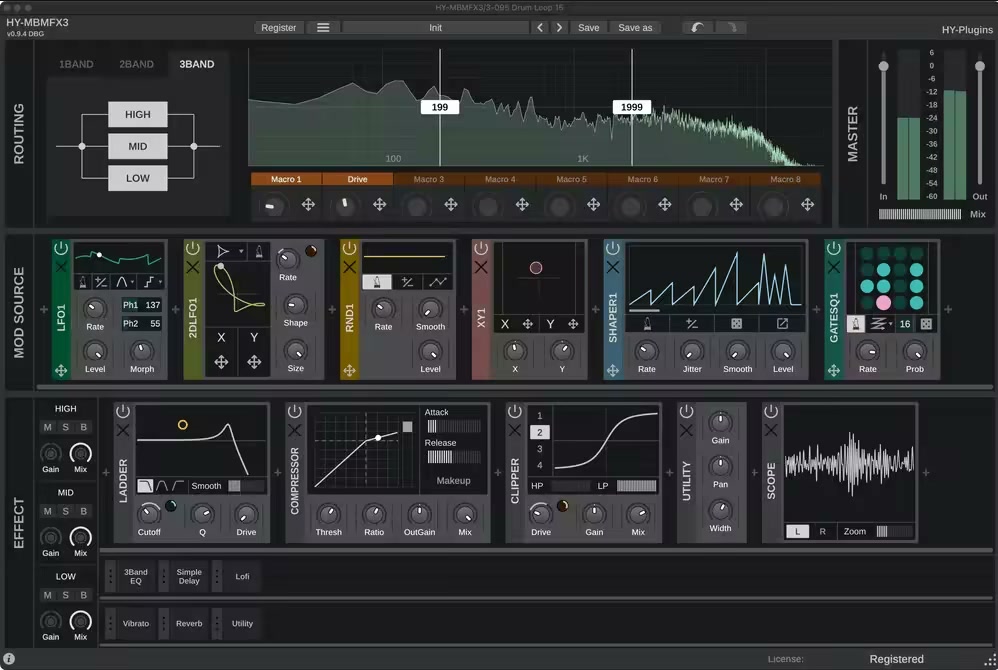
HY-MBMFX3 is a multiband multi-effects plugin built for deep sound design and creative flexibility. Its modular structure lets you freely combine and route FX and Modulator modules, with the ability to modulate nearly any parameter.

The plugin can split your input signal into up to three frequency bands, allowing you to apply different effects to each band independently. Whether you're crafting subtle enhancements or complex, evolving textures, HY-MBMFX3 gives you the tools to shape your sound with precision.

Features
Multiband process
Modular design
11 types of modulators
8 macro controls
41 types of FX processors
Resizable UI

Whats New
Updates: official site does not provide any info about changes in this version

HOMEPAGE:
Код:
https://hy-plugins.com/product/hy-mbmfx3/

FREE DOWNLOAD LINKS:

Код:
https://rapidgator.net/file/927bbfdd721df9c661a42ac44b51a2c0/HY-Plugins_HY-MBMFX3_v1.0.31.rar

Код:
https://nitroflare.com/view/BB032A1C742874F/HY-Plugins_HY-MBMFX3_v1.0.31.rar
 
ee630c8356448050944bfd36ec7594c7.jpg


Hetman Data Recovery Pack 5.0 Multilingual | Size: 489.54 MB
Language: English


The complete data recovery pack from Hetman Software: eight data recovery tools for the price of one! Hetman Data Recovery Pack contains everything you need to recover all kinds of information from all types of storage media. The pack consists of eight tools you can run on the same or different computers.

Hetman Partition Recovery
Hetman Partition Recovery will reliably restore information from damaged FAT and NTFS disks, recovering the original file and folder structure. In addition to existing partitions, the tool discovers all previously created volumes. This allows the user to search and recover files from those deleted volumes. The tool can save the entire logical drive, recovering the original file and folder structure.

Hetman NTFS Recovery
Hetman NTFS Recovery restores information that goes missing after a storage accident. Formatted and repartitioned hard drives, deleted partitions, inaccessible disks or simply a bunch of deleted files and folderHetman NTFS Recovery can recover everything as long as the problem concerns an NTFS volume.

Hetman FAT Recovery
The tool will effectively restore information lost after a system accident, firmware malfunction and user error. Supporting all versions of the FAT file system including FAT12, FAT16 and FAT32, Hetman FAT Recovery is designed to recover files and folders from hard disks, USB pen drives, and all popular memory cards including the latest mini- and micro- varieties. In addition, the tool can recover information directly from many models of digital cameras, tablets, mobile phones and audio players.

Hetman Photo Recovery
Hetman Photo Recovery recovers digital pictures from all types of storage media. Undelete photos from hard disks, recover from USB drives, or restore from formatted, corrupted or inaccessible memory cards - Hetman Photo Recovery can do all this, and more. The tool can even recover pictures directly from the smartphones, tablets and many digital camera models. Simply connect your device to the computer via a USB cord and run Hetman Photo Recovery.

Hetman Office Recovery
Hetman Office Recovery is designed to help when your office documents go missing. Implementing a range of highly sophisticated low-level disk analysis algorithms, Hetman Office Recovery can retrieve the missing documents even if the disk is corrupted, inaccessible, or does not appear as a drive letter. A special extra-safe recovery more is available for heavily worn and physically unstable devices.

Hetman Excel Recovery
No matter what caused the loss of data, Hetman Excel Recovery can handle it. Formatted and repartitioned hard drives, inaccessible memory cards and unreadable flash drives are routinely encountered and taken care of by Hetman Excel Recovery. Got a hard drive covered with bad blocks or making unusual sounds? Hetman Excel Recovery offers a special extra-safe recovery mode to handle physically unstable devices, maximizing your chance of successful recovery.

Hetman Word Recovery
Hetman Word Recovery recovers lost and deleted documents in Microsoft Word and Open Office formats, Adobe PDF files and many types of plain text files. Supporting all types of storage media, Hetman Word Recovery can extract documents from FAT and NTFS volumes.

Hetman Uneraser
Hetman Uneraser quickly recovers deleted files and folders from just about any kind of storage media. Hard drives, memory cards, external storage, USB drives - you name it! The tool will reliably recover accidentally deleted files even if you used the "permanent delete" function with Shift + Delete, and restore data cleared from the Recycle Bin.

Eight Tools for the Price of One
Get the full pack of data recovery tools for the price of one! The total cost of tools included in this bundle and one year of priority customer support is close to $600 if purchased separately. By ordering a package deal, you will be getting all eight great data recovery tools for only $149.99 - a 65% savings compared to the total cost of individual licenses!

Ultimate Convenience
Are you a fan of the all-in-one approach or prefer a dedicated tool for each job? You no longer have to guess! By getting all eight data recovery tools in a single pack, you'll be able to use the most appropriate tool to handle each job. Recover pictures, documents, spreadsheets, restore information from hard drives and memory cards by using a tool best suited for the job!

What's new
At the beginning of the year, Hetman Software updates its entire range of data recovery tools, adding the ability to resume the scanning process if it gets interrupted. In addition, all tools comprising Hetman's 2015 range can now save the result of disk scanning and analysis, allowing the user to use any other Hetman Software tool to actually recover the data. As a result, the scanning and recovering stages become independent to allow much greater flexibility than ever.

Resuming Interrupted Disk Analysis
When analyzing unreliable, unstable or worn out hard drives, users of data recovery tools may experience multiple freezes and crashes throughout the process. Once interrupted, the data recovery process would have to restart from the beginning, making the already lengthy process of extracting data seemingly infinite. Not any longer! In its 2015 range, Hetman Software enhanced the entire product range with the ability to store current progress, automatically resuming an interrupted data recovery job if the task is interrupted for any reason. This major update makes recovering hard drives that are just about to fail a much faster and more reliable process.

Interchangeable Disk Analysis Data
If the user scans the disk with one data recovery tool only to find out it wasn't the right tool for the job, trying a different product would again require the complete analysis of the same hard drive. Not any longer! In its 2015 range, Hetman Software separated the analysis and recovery stages, making it possible to save the results of the disk scan and re-use the data with a different tool. As a result, users can analyze the disk with one Hetman product yet finish the recovery with a different Hetman tool. This allows choosing the best tool for a given job without wasting time on re-scanning the media being recovered.

What's new
• official site does not provide any info about changes in this version

Editions: Unlimited / Commercial / Office / Home

HOMEPAGE:
Код:
https://hetmanrecovery.com/

FREE DOWNLOAD LINKS:

Код:
https://rapidgator.net/file/0f48bca4d7dcbc5c6bea66b3667669dd/Hetman_Data_Recovery_Pack_5.0_Multilingual.rar

Код:
https://nitroflare.com/view/FF6793D11197E1C/Hetman_Data_Recovery_Pack_5.0_Multilingual.rar
 
a92d910dd570f8087870e48a0a06e95d.jpg


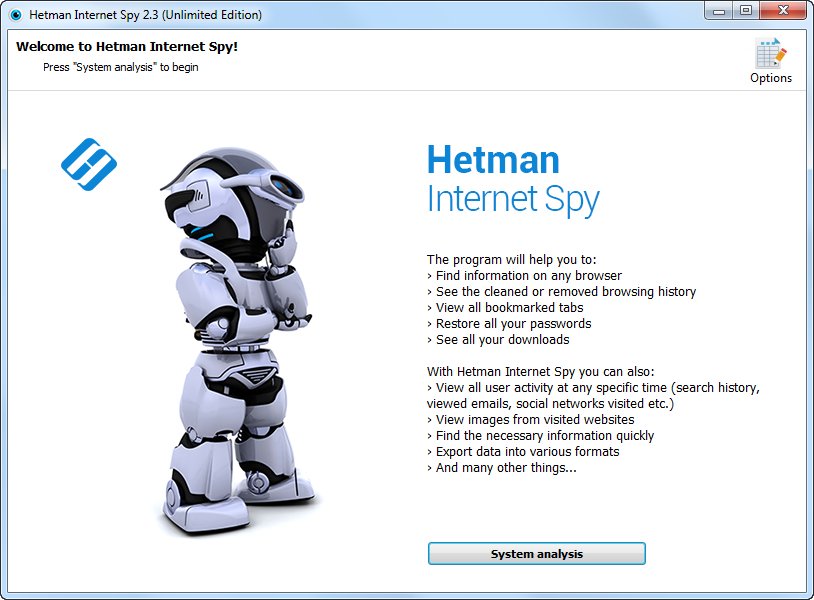
Hetman Internet Spy 4.1 Multilingual | Size: 66.17 MB
Language: English


This program analyzes the contents of both existing and deleted browser system files and collects detailed information on a user's online activity. The utility allows you to analyze browsing history, social media messages, search history, emails, videos watched on YouTube, etc.

The user-friendly interface is good not only for parents who would like to monitor their children's online activity, but also for detectives working on digital evidence. The application will give you certain information even if the browsing history was deleted, the data was removed, or the disk was formatted.

Ways you can use it
If you've decided to clear your search history, browsing history, or the history of any other past online activities, you shouldn't assume it will be gone forever. Browsing history can be read easily, and even restored, if necessary.

Show a list of opened web pages
The application collects the history of opened URLs and displays the opening date, total number of visits, and the time spent viewing a certain webpage. For convenient analysis, all websites are broken into categories, and you can filter or sort them by any category.

Analyzes a user's online activity on social media
Communications on social media also leave a track in the operating system. There is a special section to show URLs, the accounts used, the people with whom the user interacted, and the total time spent on communication. Using the saved logins and passwords, you can get direct access to the private information of a person's account - messaging history, photos and videos.

Analyzes search queries and use of machine translation
The history of all search queries is given as a separate section. It contains all the information about searches made with popular search engines such as Google or Bing, in online stores like Amazon or Ebay, online maps by Google, social media like Facebook and YouTube, dating websites such asBeNaughty, Match, Tinder or OkCupid, and millions of other web sites and services.

Shows the user's emails
All emailviewed or sent - are available for review in a separate section. In addition to the date, it shows you the name of the resource where the email was viewed, the user account, and the subject. By using the received passwords, you can read someone else's correspondence.

Shows created bookmarks and downloads
All bookmarks created by the user will be shown after scanning the browser. You will have access to bookmarks created both from a desktop computer or a smartphone. The saved web page URLs contain the date of creation and are arranged as a directory tree. The history of all downloaded objects is given as a separate section. For every download, the complete address and the time of starting and finishing the download are shown, as well as the path to the file on the disk.

Analyses the browser cache contents
When visiting any webpage, Chrome, Yandex, Opera and Mozilla Firefox copy numerous images and other objects onto the hard disk - into the browser cache. Hetman Internet Spy restores the files and the date of first access from the browser cache and shows it for review.

Shows saved passwords and entered addresses
For convenience, modern browsers suggest remembering passwords to user accounts in Facebook, Instagram, Twitter, email services, etc. This utility extracts saved passwords and addresses entered in contact forms from a person's user account. Using the login keys, you can view someone's emails and social media messages. Entering a person's accounts in Google and Facebook gives you access to complete browsing history and search queries, all movements (via Geolocation), all the person's contacts, and lots of other private information.

Recover browsing history after disk formatting
Deleting browser system files from the hard disk with Shift + Del or formatting the partition with subsequent reinstallation of a Windows operating system gives no protection against the Internet Spy. Hetman Internet Spy scans the disk directly and recovers the deleted browsing history.

Restores browsing history after it's cleaned, or after Incognito or Private Mode have been used
You will be able to recover browsing history after it is cleaned, reset to default settings, and even after the browser is uninstalled and reinstalled. Using an Incognito tab in Chrome and Yandex, or a Private tab in Opera and Mozilla Firefox does not hide the browsing history, and you'll be able to view it.

Exporting reports to Excel, HTML or PDF
You can save all the received data to Excel, HTML or PDF for further use or to import to other systems. The Report Wizard will help you select and export any useful information.

Browsers and operating systems
You can download and try Hetman Internet Spy for free. This product supports 32-bit and 64-bit versions of Windows 10, 8, 7, Vista, XP, and can recover browsing history for
Amigo
Blisk
Cent Browser
Cốc Cốc
Comodo Dragon
Epic Privacy Browser
FreeU
GhostBrowser
Google Chrome
Internet Explorer
Maelstrom
Mirosoft Edge
Mozilla Firefox
Opera Browser
Orbitum
Safari
SeaMonkey
Slimjet
SRWare Iron
Torch
UC Browser
Vivaldi
Yandex Browser
Rambler Browser

What's new
• official site does not provide any info about changes in this version

Editions: Unlimited / Commercial / Office / Home

HOMEPAGE:
Код:
https://hetmanrecovery.com/

FREE DOWNLOAD LINKS:

Код:
https://rapidgator.net/file/bd8c980614248321a3aa1f13606126ca/Hetman_Internet_Spy_4.1_Multilingual.rar

Код:
https://nitroflare.com/view/55F74A8F565C646/Hetman_Internet_Spy_4.1_Multilingual.rar
 
f82f8e49c58de0c788783f6857357984.jpg


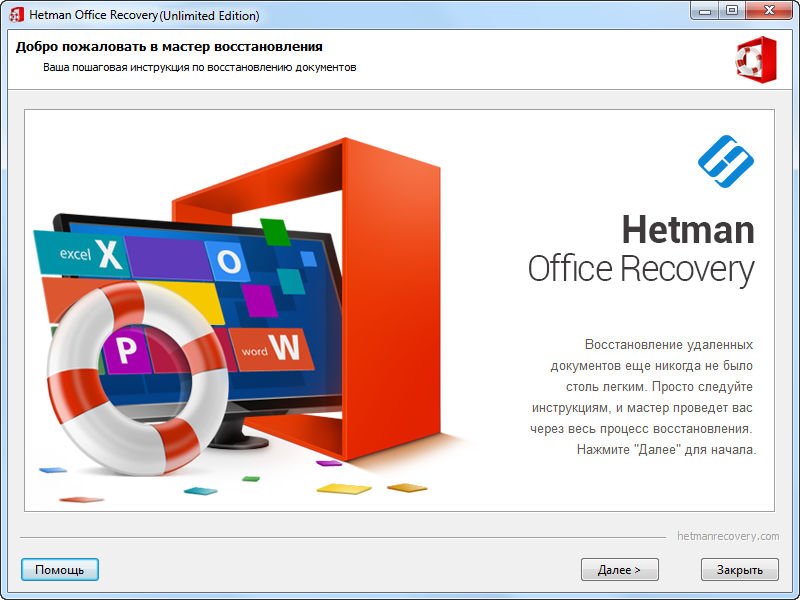
Hetman Office Recovery 5.0 Multilingual | Size: 54.94 MB
Language: English


Microsoft Office or OpenOffice Recovery Software. Lost one or more office documents after an accident? Formatted or repartitioned the disk containing important files? Hetman Office Recovery will help you get your documents back! Don't know how to recover the documents? A step by step wizard will guide you through the entire recovery process!

Hetman Office Recovery is designed to help when your office documents go missing. Implementing a range of highly sophisticated low-level disk analysis algorithms, Hetman Office Recovery can retrieve the missing documents even if the disk is corrupted, inaccessible, or does not appear as a drive letter. A special extra-safe recovery more is available for heavily worn and physically unstable devices.
Using Hetman Office Recovery is just as easy as installing it. A step by step wizard guides you through the entire recovery process, helping you choose the right options to achieve maximum recovery rates. From simple undelete to heavy duty recovery, Hetman Office Recovery solves all your data recovery needs when it comes to office documents.

What's new
• official site does not provide any info about changes in this version

Edition: Unlimited / Commercial / Office / Home

HOMEPAGE:
Код:
https://hetmanrecovery.com/

FREE DOWNLOAD LINKS:

Код:
https://rapidgator.net/file/118310d40046848304f84b5dbde1fedc/Hetman_Office_Recovery_5.0_Multilingual.rar
Код:
https://nitroflare.com/view/8035156E3C74E75/Hetman_Office_Recovery_5.0_Multilingual.rar
 
31c72f8cd0d12ce5ec8400ce163d1a6d.jpg


Hetman Partition Recovery 5.2 Multilingual | Size: 143.68 MB
Language: English


Hetman Partition Recovery is designed to reliably recover information and fix all types of issues with healthy, damaged, corrupted, formatted and inaccessible hard drives. This hard drive data recovery software offers a complete, all-in-one solution to take care of typical problems you're your computer's storage. The This hard drive data recovery software will help you recover lost and deleted files, recover missing documents, photos, audio and video files.

In addition, Hetman Partition Recovery comes with a comprehensive set of tools to fix corrupted volumes, recover deleted partitions, unformat formatted disks, and repair all types of damage to your disk system structures.
Hetman Partition Recovery can recover partition tables and MBR records, FAT and NTFS file systems complete with alternative data streams, recovering the entire hard drive complete with all volumes, files and original folder structure. All 32-bit and 64-bit versions of Windows are supported including the latest Windows 7.

Key features
- Recover all types of deleted files including documents, compressed archives, photos, music and videos;
- Recover files and folders from formatted, repartitioned, corrupted and inaccessible disks;
- Unformat formatted partitions and restore original volumes from repartitioned hard drives;
- Fix corrupted file systems, partition tables, master boot records (MBR) and other system information;
- Recover files and folders from built-in and external hard disks, USB flash drives, and all types of memory cards.

What's new
• official site does not provide any info about changes in this version

Edition: Unlimited / Commercial / Office / Home

HOMEPAGE:
Код:
https://hetmanrecovery.com/

FREE DOWNLOAD LINKS:

Код:
https://rapidgator.net/file/7b54579d249e2280522a89c9077cd195/Hetman_Partition_Recovery_5.2_Multilingual.rar

Код:
https://nitroflare.com/view/F5F7D17FC439429/Hetman_Partition_Recovery_5.2_Multilingual.rar
 
53ab1a1576be645c0a322c1f35b14003.jpg


Hetman Photo Recovery 7.0 Multilingual | Size: 127.43 MB
Language: English


Looking for a tool to recover deleted photos? Corrupted memory card made last shooting session inaccessible? Formatted a memory card full of pictures and want to get them back, or simply deleted a photo album from your hard drive? Look no further! Hetman Photo Recovery will restore pictures no matter what!

Hetman Photo Recovery recovers digital pictures from all types of storage media. Undelete photos from hard disks, recover from USB drives, or restore from formatted, corrupted or inaccessible memory cards - Hetman Photo Recovery can do all this, and more. The tool can even recover pictures directly from the smartphones, tablets and many digital camera models. Simply connect your device to the computer via a USB cord and run Hetman Photo Recovery.
Using Hetman Photo Recovery is easy as 1-2-3. You'll run a step-by-step wizard guiding you through the entire recovery process from choosing the device that has your files to selecting pictures to recover and finally saving them onto another disk. Try Hetman Photo Recovery free!

Key Features in Hetman Photo Recovery 4

Quick Start
Start using Hetman Photo Recovery right away! Watch the video demonstration to discover how easy it is to recover your pictures. A fully visual image preview is available in the free evaluation version. If you can successfully preview a picture in the demo, then you can definitely recover it after purchasing the full copy!

Recovering Pictures that Go Missing
Hetman Photo Recovery is a highly specialized tool dedicated to recovering digital pictures that go missing. The tool supports a wide range of image formats including RAW files, and can successfully recover pictures from a huge variety of storage media.

Recoverable Digital Pictures
Hetman Photo Recovery can recover pictures in all popular image formats. This includes raster and vector images in JPEG, PSD, TIFF, PNG, BMP, GIF and many other formats. The list of supported formats is constantly growing. In addition, Hetman Photo Recovery fully supports the recovery of RAF files ("digital negatives") produced by Canon, Nikon, Pentax, SONY, Olympus, Panasonic and other cameras. The tool recognizes CR2, CRW, RAW, TIFF, TIF, NEF, PEF, X3F and many other RAW formats.

Supported Devices and Storage Media
- The tool can recover images from all types of memory cards used in popular electronic devices such as digital cameras, smartphones, tablets etc. We tested the tool with a bunch of SD, micro SD, SDHC, Compact Flash, Memory Stick and other memory cards.
- Hetman Photo Recovery fully supports all desktop, laptop and external hard drives regardless of make and model. The images can be successfully recovered from healthy, formatted and corrupted disks.
- USB pen drives of all makes and models are supported including devices manufactured by A-Data, Corsair, Goodram, HP, Kingston, LaCie, PhotoFast, PNY, SanDisk, Silicon Power, TDK, Team, Toshiba, Transcend, Verbatim etc.
- Hetman Photo Recovery can recover images stored in the internal memory of many digital cameras. On order to recover the pictures, connect your camera to the PC via a USB cord and make sure a new drive letter appears. You can then use Hetman Photo Recovery to recover photos from that new drive. We tested multiple camera models manufactured by Canon, Casio, Ergo, Fujifilm, HP, Kodak, Logitech, Leica, Nikon, Olympus, Panasonic, Pentax, Praktica, Premier, Samsung, Sony, Toshiba, UFO and other makers.

Three Easy Steps to Recover Pictures
Hetman Photo Recovery is extremely easy to use. Equipped with a fully guided, step by step wizard, the tool guides you through the entire recovery process. You don't have to be a pro photographer or an IT specialist to use Hetman Photo Recovery. A comprehensive manual is available, basically explaining how to hit the "Next" button three times (but also talking about the necessary safety precautions such as using a separate disk or memory card for saving images you're about to recover).

Pre-Recovery Preview
Hetman Photo Recovery comes with a built-in picture viewer displaying a full-size preview of deleted pictures. Recoverable files are displayed as thumbnails, making it easy to choose exactly the images you want to recover. Hetman Photo Recovery is available in both paid and free versions of the tool.

Data Safety
Hetman Photo Recovery puts data safety a top priority, strictly enforcing read-only access to the device holding the images you're about to recover. If you need absolute safety, you can make a virtual image of the disk, and recover information from that virtual image instead of the actual device. This technique allows capturing a bit-precise image of the volume you're about to recover in a single sweep, effectively minimizing the number of disk access operations and reducing the chance of a sudden failure of a damaged device.

Data Recovery Algorithms
Hetman Photo Recovery can be launched in Quick and Comprehensive analysis modes. The Quick mode is blazing fast, allowing you to quickly restore recently deleted images. This mode analyzes records in the file system, so it can restore the original locations and names of the files. Unfortunately, this mode cannot be used on formatted disks and memory cards.

Supported File Systems and System Requirements
Hetman Photo Recovery supports all versions of FAT and NTFS file systems used in all versions of Windows since Windows 95. The tool supports Windows XP / 2003 and 2008 Server / Vista / Windows 7 / Windows 8 and Windows 10. Hetman Photo Recovery runs in both 32-bit and 64-bit editions of Windows.

What's new
• official site does not provide any info about changes in this version

Edition: Unlimited / Commercial / Office / Home

HOMEPAGE:
Код:
https://hetmanrecovery.com/

FREE DOWNLOAD LINKS:

Код:
https://rapidgator.net/file/7037eb315cbb82c1ec2af8a5f7a01b23/Hetman_Photo_Recovery_7.0_Multilingual.rar

Код:
https://nitroflare.com/view/BC90D6D2BAC159F/Hetman_Photo_Recovery_7.0_Multilingual.rar
 
0a8aead823e50cfde476fd8f67c70da0.jpg


Hetman RAID Recovery 2.9 Multilingual | Size: 141.34 MB
Language: English


This program recovers data from non-operational RAID systems or from disks within such systems. It reads all the information about the controller, the motherboard or the software used to create a disk array. Our product can rebuild the crashed RAID and it lets you copy all critical information from there.

The integrated constructor wizard helps you recover a failing RAID in a step-by-step mode. You can use one of the presets or chose the required data in the damaged array, and RAID Recovery™ will collect the disks together to provide you with access to the data.

Why RAID gets damaged
Recover software or hardware RAID of any type: JBOD, RAID 0, RAID 1, RAID 10, RAID 5, RAID 50, RAID 6, RAID 60, etc.

Hard disk failure
Both hard disk types, HDD and SSD, have a limited operational life. Certainly, server-type NAS or SCSI disks can last longer than their SATA counterparts intended for home use only, but there is no such thing as a hard disk that works endlessly. For most RAID arrays, the day when one or two disks fail means loss of all information, from all disks within this array. Reliability of the entire array decreases with every disk which is added to it.

Accidental array rebuilding
Mistakes when replacing one of the disks within the storage system, accidental "rebuilding" of the array instead of "restoring" it, disconnecting and reconnecting the disks in a wrong order, incorrect RAID initialization or rebuild - any of these things will certainly result in the loss of information. After such errors, RAID can't restore itself automatically.

A controller bug or failure
A controller is the element containing information of critical importance which is vital for building a disk array and gaining access to all of the files stored on the disks. A controller failure may both result in losing service data and cause several disks to fail. The most expensive controllers use an additional battery and non-volatile memory. Such elements improve the whole system's reliability and are supposed to help save data even if a power interruption occurs.

A motherboard failure
Creating a RAID based on specific motherboard features is a cheaper (though less reliable) solution in comparison with buying an expensive controller. Motherboard failures, botched BIOS updates, low CMOS battery, power surges, disconnecting or reconnecting disks - all these things may cause your RAID to crash. As the entire system is very sensitive to all kinds of power issues, problems with your power supply unit may cause crashes as well.

A system crash
Software RAID systems based on the functionality offered by an operating system - Windows, macOS, Linux, FreeBSD, Ubuntu - depend largely on the health of that operating system. Upgrading your hardware, or updating other software may cause errors that prevent the computer from booting and make the data inside such array inaccessible.
Unlike hardware RAID systems, the software-based arrays are made of logical partitions rather than physical disks. Operations that involve formatting or removing partitions can easily destroy such array.

A virus attack
Both software and hardware solutions store information about the RAID structure on every disk within the array. A virus attack may not only damage system files and prevent the operating system from booting, but also modify the disk partition table or overwrite the disk area which stores data vitally important for the RAID to work properly. Any of these nasty things will make the array inoperable.

Bad sectors
Usually, when there is an attempt to write information to a faulty sector, RAID will enter the data on such sector into a special table so that it doesn't get used any longer, and will use a free sector for writing. However, everything changes when one of the disks within the array breaks down. To continue work, you need to replace the disk and rebuild the array. The process of automatic recovery reads all the data from the remaining disks to recreate the data from the missing disk. Such recovery can't be accomplished when there is at least one bad sector.

Upgrading the storage system or other equipment
Unfortunately, not all manufacturers give you the opportunity to move to new hardware without having to rebuild your RAID. To prevent loss of data, you have to copy all of that from the old array, then create an array with the new hardware, and finally transfer the data to this new RAID. This procedure applies to situations when you are upgrading controllers, motherboards, hard disks - and even operating systems, if you prefer using a software-based RAID.

Initializing RAID without disks, and connecting a disk to another system
When one of the disks within the array is connected to another piece of equipment or computer, it may cause its service information to be overwritten. When such disk is reconnected to your RAID again, the system doesn't start and it just fails.
Disks should be connected and disconnected only with the storage system powered off. If you attempt to start a computer with some of its disks missing, RAID will switch into an emergency mode, and reconnecting the disks to the array will not help to restore the situation back to normal.

What's new
• official site does not provide any info about changes in this version

Editions: Unlimited / Commercial / Office / Home

HOMEPAGE:
Код:
https://hetmanrecovery.com/

FREE DOWNLOAD LINKS:

Код:
https://rapidgator.net/file/824c662b5727f887da0b253f08f488bd/Hetman_RAID_Recovery_2.9_Multilingual.rar

Код:
https://nitroflare.com/view/1F7FFAD574CD702/Hetman_RAID_Recovery_2.9_Multilingual.rar
 
ee12fb3de322980d961e601d07731062.jpg


Hetman Uneraser 7.2 Multilingual | Size: 143.41 MB
Language: English


Software for Recovering Deleted Files and Folders. Looking for a tool to quickly recover deleted files? Need to undelete erased documents or recover a bunch of deleted folders? Deleted a bunch of files with Shift + Delete or cleared up the Recycle Bin? Hetman Uneraser will help you get everything back in a matter of minutes!

Hetman Uneraser quickly recovers deleted files and folders from just about any kind of storage media. Hard drives, memory cards, external storage, USB drives - you name it! The tool will reliably recover accidentally deleted files even if you used the "permanent delete" function with Shift + Delete, and restore data cleared from the Recycle Bin.
We made Hetman Uneraser as comfortable to use as at all possible. The interface is designed in the familiar "My Computer" fashion, allowing you to browse through deleted data just as you would browse files and folders in Windows Explorer. Recovering deleted files and folders is just as easy: simply pick a file to undelete and click the "Recover" button. It's just that easy.

Key Features in Hetman Uneraser

Quick Start
Start using Hetman Uneraser immediately after watching the video. This narrated tutorial will help you learn using the tool and make you familiar with all the features in a few short minutes. And bear in mind that all files that you can successfully preview in the demo version can be fully recovered after you purchase the unlock key!

Undeleting Files: The Easy Way
Hetman Uneraser safely recovers files and folders deleted from all popular types of storage media. Supporting both FAT and NTFS file systems, the tool supports desktop and laptop hard drives, solid-state media, external storage devices as well as certain models of digital point-and-shoots and audio/video players.

Recoverable File Formats
Hetman Uneraser can successfully recover files of all formats with no exceptions. However, for certain data it can go one extra step, offering an even better chance of recovering essential information such as Office documents, PDF files, pictures and videos including RAW files and Photoshop designs, email messages, archives and backups, and many other types of data you would rather not lose. For these formats, Hetman Uneraser can do a context-aware analysis of the entire disk surface, looking for deleted files by their unique signatures. Such files can be recovered even if there is no record about them left in the file system.

Recoverable Devices
- Hetman Uneraser recovers files and folders from hard disks of all makes and models. FAT and NTFS file systems are supported on all desktop, laptop and external hard drives.
- Recover information from all types of memory cards including SD/SDHC/SDHC, micro SD, Compact Flash, Memory Stick and so on. It can also recover files from USB-connected smartphones, audio players, GPS navigation systems and some point-and-shoot cameras.
- Hetman Uneraser all types of USB drives regardless of the model or manufacturer. We support pen drives of every type from legacy USB 1.1 to the latest USB 3.0 variety.

Easy to Learn and to Use
We made Hetman Uneraser safe and easy to use. The fully guided, step-by-step wizard will help you through the entire recovery process. In fact, you can start using the tool by simply selecting the disk with deleted files on it and clicking the "Next" button. The tool will then perform the analysis blazing fast, presenting you with a view of the missing datexactly the way you would see it in Windows Explorer if only those files were not deleted.

Pre-Recovery Preview
The preview is an essential feature of all Hetman recovery tools. Pre-recovery preview allows peeking inside deleted files before you decide whether it's worth recovering. The preview supports hundreds of file formats including all popular document and image formats, a bunch of video formats, compressed archives, backups, emails, text and HTML data. You can even preview information about executable files or use the built-in HEX editor for low-level access. Finally, for every recoverable file you can see its exact physical location on the disk.

The Engine
Hetman Uneraser may look simple, but it features a highly sophisticated data recovery engine under the hood. In fact, it shares the recovery engine with the much more expensive, professional tool Hetman Partition Recovery. There are two approaches to the recovery: Quick and Comprehensive. In Quick mode, Hetman Uneraser will scan the data in the FAT or NTFS file system, returning the list of recently deleted files in a few brief moments. This mode is blazing fast, really, but it can miss certain data, especially if a file was deleted a long time ago. In addition, the Quick mode won't be much use if you formatted the disk (or flash drive, or memory card) as the file system will be empty after formatting.

Data Safety
Safety was a major goal when Hetman Uneraser was designed. The tool uses strict read-only access to storage media being analyzed. This approach ensures it won't damage anything it's up to recover. Make sure you don't write anything onto the disk being recovered yourself. For example, make sure that you download, save and install Hetman Uneraser onto a disk or partition different from that you're about to recover. The ultimate safety can be achieved by using virtual disk images. This technique allows capturing a bit-precise image of the volume you're about to recover in a single sweep, effectively minimizing the number of disk access operations and reducing the chance of accidental failure of a damaged device. The disk image can then be used to recover the files.

Saving the Files
In order to ensure the safety of your data, you'll want to use a different disk or drive letter to save files being recovered. Sounds simple, but only if you have enough disk space available. If you don't, Hetman Uneraser offers a convenient wizard allowing you to choose whether you'll be saving the files onto a hard drive, burning a bunch of CD's or uploading them to a remote server.

System Requirements and Compatibility
Hetman Uneraser works with all versions and revisions of FAT and NTFS, including VFAT, FAT 12 / 16 / 32 as well as NTFS 3, 4, 5. It can correctly recover information from compressed and encrypted volumes as well as all crypto containers (as long as you know the original password). Hetman Uneraser is compatible with all 32-bit and 64-bit versions of Windows including Windows XP, 2003 and 2008 Server, Vista, Windows 7, Windows 8 and Windows 10. The tool requires you to have Administrative privileges on the system you're about to recover.

What's new
• official site does not provide any info about changes in this version

Editions: Unlimited / Commercial / Office / Home

HOMEPAGE:
Код:
https://hetmanrecovery.com/

FREE DOWNLOAD LINKS:

Код:
https://rapidgator.net/file/1e8a9587b3b02f866ce3c885b15a2170/Hetman_Uneraser_7.2_Multilingual.rar

Код:
https://nitroflare.com/view/B5E1BF499C57919/Hetman_Uneraser_7.2_Multilingual.rar
 
c3a5dc413b832b698a5272a0009ec5ab.jpg


IN MEDIA KG 1X-Amp 26.1.0 | Size: 11.85 MB
Language: English


With 1X-AMP you retain the full overview of the entire music library and play comfortably 1X-AMP has several funny skins as Hi-Fi System, Tube Amp, Jukebox, Gastro Player with extra large buttons, Dolphin, an equalizer and various sound effects such as echo, reverb, tempo, pitch, and tone adjust, 3D Sound, and a bass and treble control. Become a DJ and amaze your friends by turning a bit on the controls. So you have your favorite tracks guaranteed not heard.

1X-AMP is a professional Audio Player which manages all your MP3, WAV and WMA media files onto you harddisk. Manage quite comfortable your entire music library on your computer. Create your own playlists in a very easy manner for cozy evenings or parties with friends.

More fun when listening to music on the PC with the virtual stereo system 1X-AMP Audio Player our best software for the audio playback on a computer Convenient management of your whole music library, easy creating of your own playlists and music output with custom made sound effects. 1X-AMP is a professional audio player program which helps you to manage fuss-free all your audio files on your entire hard disk, such as single MP3, WAV and WMA files or complete CD albums. Integrated into the software is a fast search for specific audio tracks and albums. Create and manage your own playlists easily by drag and drop.

Get all infos about your favorite CDs with the Audio Player The program is able to read in automatically all additional informations about the CD, such as artist or title from an Internet Database and renames all generated files. Furthermore, you can search with the program for lyrics of your favorite artists and titles. The program can be set up so that it is permanently in the background and is then therefore always ready for use when you want to play music or read CDs. After installation, you can automatically search for all music files on the complete harddisk, in selected folders or subfolders. Also you can find easily special songs or artists with the integrated search function.

Make great Parties with Audio Player 1X-AMP Have more fun with Audio Player 1X-AMP!! This is the ideal Audio Player for parties or use in gastronomy. Make your own disco evening, create individual playlists for the whole evening, turn the knobs and adjust your sound with the desired effects. Create easy several playlists for every mood as "heat up" for the Party beginning or "chill-out" for the comfortable end of the evening or for the right background music in your restaurant, bar or coffeehouse! 1X-AMP offers more variety for your eyes and ears with several skins and sound effects!

Functions:Virtual Stereo - Virtual Hifi Unit - Skined Audio-Player
Audio-Player for MP3, WAV, WMA..
Read Folders and Subfolders with audio files
Search your complete Harddisk for audio files
Fast search for Titles an Albums
Several Skins and Wallpapers
Make and manage playlists with drag and drop
Direct ripping of Audio-CD's
Audio-Player-Effect: EQ / Equalizer
Audio-Player-Effect: Delay
Audio-Player-Effect: Reverb
Audio-Player-Effect: Pitch Scale
Audio-Player-Effect: Pitch Shift
Audio-Player-Effect: Tempo
Audio-Player-Effect: 3D Sound
Audio-Player-Effect: Treble Enhancer
Audio-Player-Effect: True Bass

Whats New
Updates: official site does not provide any info about changes in this version

HOMEPAGE:
Код:
https://www.in-mediakg.com/software/1x-amp/virtual-stereo.shtml

FREE DOWNLOAD LINKS:

Код:
https://rapidgator.net/file/499a92c8d23dea70cabcc4293fbe0a17/IN_MEDIA_KG_1X-Amp_26.1.0.rar

Код:
https://nitroflare.com/view/CF5A18E0EB103AE/IN_MEDIA_KG_1X-Amp_26.1.0.rar
 
Назад
Сверху Снизу