All Emperor2011's Software in one thread !! (updated daily)

4f62eec566a8dc95cda7e705d9ab2ba2.jpg


PVS-Studio 7.42.105102.2190 | Size: 189.01 MB
Language: English


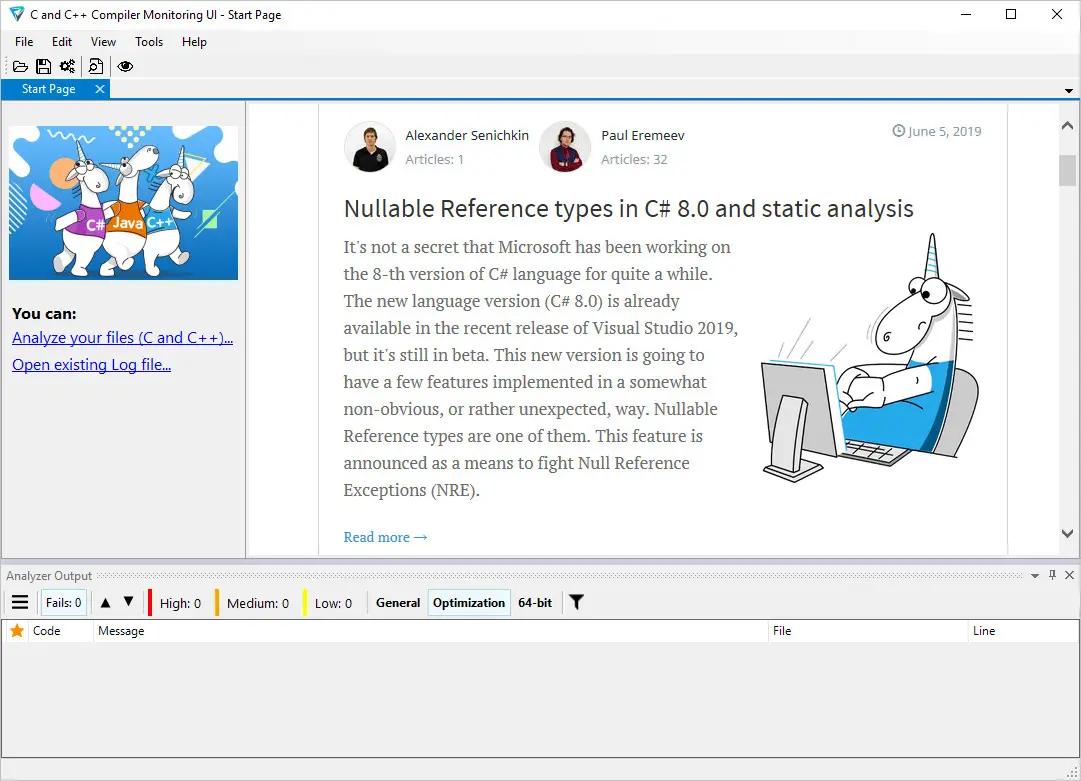
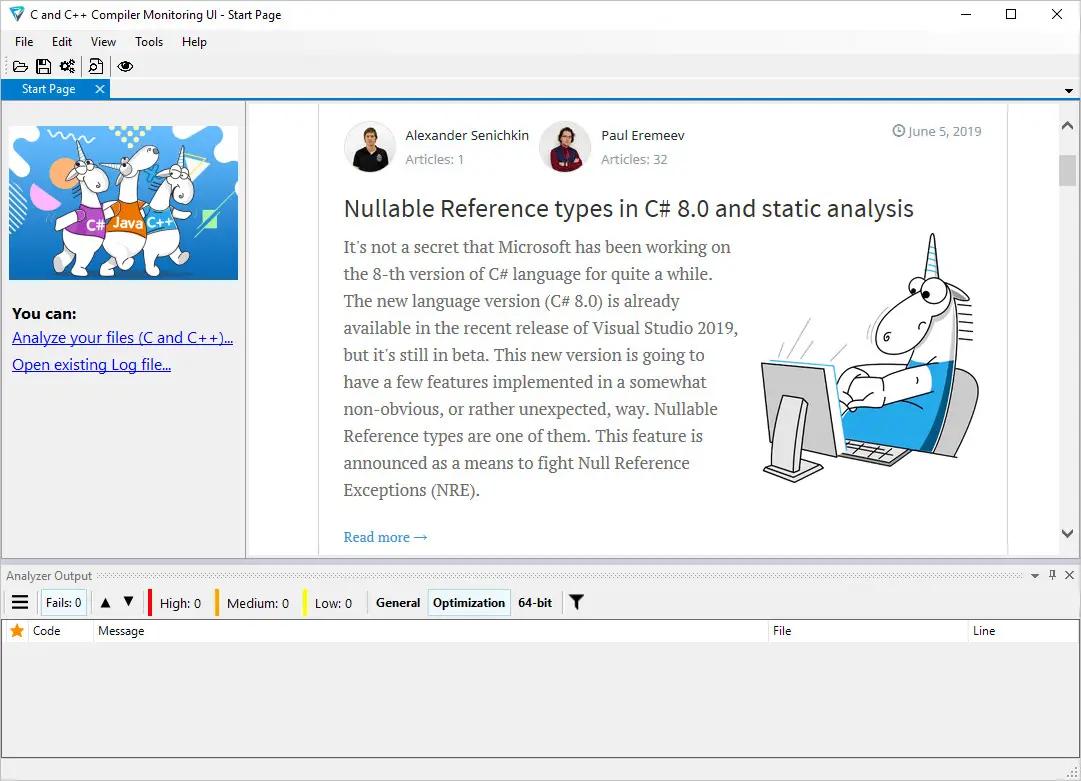
PVS-Studio performs static code analysis and generates a report that helps a programmer find and fix bugs. PVS-Studio performs a wide range of code checks, it is also useful to search for misprints and Copy-Paste errors. Examples of such errors: V501, V517, V522, V523, V3001.

The main value of static analysis is in its regular use, so that errors are identified and fixed at the earliest stages. There is no point in wasting 50 hours looking for a bug that could be found with static analysis. So, let's point out that again - the main idea of static analysis is not to find one hidden bug on the day before the release, but to fix dozens of bugs day by day.

The analyzer can be run at night on the server and warn about suspicious code fragments. Ideally, these errors can be detected and fixed before getting into the repository. PVS-Studio can automatically be launched immediately after the compiler for the files that have been just modified.

PVS-Studio can integrate into Visual Studio development environment 2010-2017. If you use this IDE, then most likely you will just have to go to the menu of PVS-Studio plugin and choose "Check Current Project".

Main features of PVS-Studio
Simple and seamless integration with Visual Studio 2010-2017
Automatic analysis of individual files after their recompilation
Online reference guide concerning all the diagnostics available in the program, on the web site and documentation (presented as a .pdf file) Up to 550 pages of documentation
Saving and loading analysis results allow doing overnight checkduring the night the analyzer does the scanning and provides you with the results in the morning.
You can save analysis results as HTML with full source code navigation.
Project analysis run from the command line: helps integrate PVS-Studio into overnight builds; a new log will be issued in the morning.
Great scalability Support of multi-core and multi-processor systems with the possibility to specify the number of the cores to use; IncrediBuild support.
Interactive filtering of the analysis results (the log file) in the PVS-Studio window: by the diagnostic number, file name, the keyword in the text of the diagnostic.
Automatic check of PVS-Studio updates (during the work in IDE and overnight builds).
BlameNotifier utility. The tool allows you to send e-mail notifications to the developers about bugs that PVS-Studio found during a night run.

Supported languages and compilers
Visual Studio, C, C++, C++/CLI, C++/CX (WinRT)
MinGW C, C++
Texas Instruments Code Composer Studio, C6000-CGT, C, C++
IAR Embedded Workbench, C/C++ Compiler for ARM C, C++
QNX Momentics, QCC C, C++
Keil µVision, DS-MDK, ARM Compiler 5/6 C, C++
Texas Instruments Code Composer Studio, ARM Code
Generation Tools C, C++
MPLAB XC8 C
GNU Arm Embedded Toolchain, Arm Embedded
GCC compiler, C, C++
CLion, Qt Creator, Eclipse, GCC, Clang, C, C++
IntelliJ IDEA, Android Studio, Java
Visual Studio, JetBrains Rider, C#, .NET Framework, .NET

HOMEPAGE:
Код:
https://www.viva64.com/en/pvs-studio/

FREE DOWNLOAD LINKS:

Код:
https://rapidgator.net/file/8d6d6b72232600265531b745e5ece37e/PVS-Studio_7.42.105102.2190.rar

Код:
https://nitroflare.com/view/4C29D6E65666529/PVS-Studio_7.42.105102.2190.rar
 
6865fc890460f361fdd83127e52f4b50.jpg


PVS-Studio 7.42.105112.2191 | Size: 189.02 MB
Language: English


PVS-Studio performs static code analysis and generates a report that helps a programmer find and fix bugs. PVS-Studio performs a wide range of code checks, it is also useful to search for misprints and Copy-Paste errors. Examples of such errors: V501, V517, V522, V523, V3001.

The main value of static analysis is in its regular use, so that errors are identified and fixed at the earliest stages. There is no point in wasting 50 hours looking for a bug that could be found with static analysis. So, let's point out that again - the main idea of static analysis is not to find one hidden bug on the day before the release, but to fix dozens of bugs day by day.

The analyzer can be run at night on the server and warn about suspicious code fragments. Ideally, these errors can be detected and fixed before getting into the repository. PVS-Studio can automatically be launched immediately after the compiler for the files that have been just modified.

PVS-Studio can integrate into Visual Studio development environment 2010-2017. If you use this IDE, then most likely you will just have to go to the menu of PVS-Studio plugin and choose "Check Current Project".

Main features of PVS-Studio
Simple and seamless integration with Visual Studio 2010-2017
Automatic analysis of individual files after their recompilation
Online reference guide concerning all the diagnostics available in the program, on the web site and documentation (presented as a .pdf file) Up to 550 pages of documentation
Saving and loading analysis results allow doing overnight checkduring the night the analyzer does the scanning and provides you with the results in the morning.
You can save analysis results as HTML with full source code navigation.
Project analysis run from the command line: helps integrate PVS-Studio into overnight builds; a new log will be issued in the morning.
Great scalability Support of multi-core and multi-processor systems with the possibility to specify the number of the cores to use; IncrediBuild support.
Interactive filtering of the analysis results (the log file) in the PVS-Studio window: by the diagnostic number, file name, the keyword in the text of the diagnostic.
Automatic check of PVS-Studio updates (during the work in IDE and overnight builds).
BlameNotifier utility. The tool allows you to send e-mail notifications to the developers about bugs that PVS-Studio found during a night run.

Supported languages and compilers
Visual Studio, C, C++, C++/CLI, C++/CX (WinRT)
MinGW C, C++
Texas Instruments Code Composer Studio, C6000-CGT, C, C++
IAR Embedded Workbench, C/C++ Compiler for ARM C, C++
QNX Momentics, QCC C, C++
Keil µVision, DS-MDK, ARM Compiler 5/6 C, C++
Texas Instruments Code Composer Studio, ARM Code
Generation Tools C, C++
MPLAB XC8 C
GNU Arm Embedded Toolchain, Arm Embedded
GCC compiler, C, C++
CLion, Qt Creator, Eclipse, GCC, Clang, C, C++
IntelliJ IDEA, Android Studio, Java
Visual Studio, JetBrains Rider, C#, .NET Framework, .NET

HOMEPAGE:
Код:
https://www.viva64.com/en/pvs-studio/

FREE DOWNLOAD LINKS:

Код:
https://rapidgator.net/file/2f9d131d095bc5ba547a7f22d96ecd14/PVS-Studio_7.42.105112.2191.rar

Код:
https://nitroflare.com/view/AFC40BD4DC800F4/PVS-Studio_7.42.105112.2191.rar
 
_b791c3076cd248d331b32c390b1c466d.jpeg


PassFab 4EasyPartition 4.0.1 (x64) Multilingual | Size: 84.92 MB
Language: English


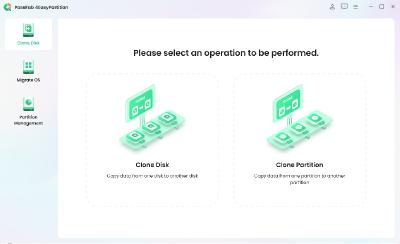
PassFab 4EasyPartition helps to clone one disk/partition data to another disk/partition intact without losing any data on all Windows-supported PCs.

The most secure and professional system migration and partition management tool
- Quickly and safely migrate your Windows system to other hard disk or PC.
- 1-click to move to a new high-speed SSD, make your Windows boot faster.
- Upgrade to a larger hard drive, free up your disk space.
- Easily clone disks/partitions to create full backups, saving your time and efforts.
- Quickly resize, create, delete, split, and format partitions, simplifying your PC disk management.

Smart Disk & Partition Cloning
PassFab 4EasyPartition helps to clone one disk/partition data to another disk/partition intact without losing any data on all Windows-supported PCs.

- Clone Disk
Want to recover data? Want to upgrade your drive? PassFab 4EasyPartition helps you to clone HDD, SSD, USB flash drive and other types of hard drive and transfer all the saved data & applications to the new drive.

- Clone Partition
Running out of disk space? PassFab 4EasyPartition enables you easily upgrade/replace/backup hard drives and transfer large amounts of data from one partition to another.

One-Click System Migration
Hunting for an easy-to-use tool to migrate your data, operating system and applications to other hard drives? PassFab 4EasyPartition is the best choice for you with just one-click, without requiring you to reinstall your operating system or applications!

- Migrate OS to SSD/HDD
Safely and easily migrate your data, OS and applications to another hard drive without data loss.

- Upgrade to a New High-speed SSD
Replace HDD with SSD, providing you with the easiest and fastest way to boot.

- Safely Transfer Everything
Ensure no business interruption when user migrate system to a more efficient OS. no need to install applications, system configuration file and other files as well.

- No Need to Reinstall the System
Transfer data directly without reinstalling the app. Improve efficiency and save your time.

The Best Partition Manager to Simplify Your PC Disk Management
PassFab 4EasyPartition simplifies disk partition management and maximizes your hard drive space, letting you resize, create, and split partitions without data loss. Perfect for beginners and designed for efficiency!

- 1-Click Resize Partition
Running low on disk space? Want to expand your partition? PassFab 4EasyPartition helps you to freely resize/move partitions and to maximize disk space usage.

- Create/Delete Partition Safely
Want to create/delete partitions on Windows? PassFab 4EasyPartition helps you to create a new partition from blank and existing ones or safely delete them.

- Change Driver Letter Quickly
PassFab 4EasyPartition provides a fast way to change driver letter according to your preference, so that you can access to your folders and files more accurately.

- Split Partition Easily
Divide a large partition into smaller partitions, enabling you to create multiple partitions for storing data in different categories.

Operating System: Windows 11/10/8.1/8/7

HOMEPAGE:
Код:
https://www.passfab.com/products/partition-manager.html

FREE DOWNLOAD LINKS:

Код:
https://rapidgator.net/file/741d5c953151a836d341f12afa558104/PassFab_4EasyPartition_4.0.1_x64_Multilingual.rar

Код:
https://nitroflare.com/view/82D8FEA65BB5468/PassFab_4EasyPartition_4.0.1_x64_Multilingual.rar
 
c344b23937495a10b0f61d7762246e8e.jpg


PerfectXL Compare 1.8.0 | Size: 170.12 MB
Language: English


Spreadsheet comparison made easy. Excel and version control don't rhyme. It's hard to see what changed between versions-until now. Meet PerfectXL Compare: the best way to compare spreadsheets.

Never edit the wrong Excel file again
Compare spreadsheets to serve a variety of needs

- Repair a broken model
- Clean up a model
- Double-check model adjustments
- Spreadsheet Comparison :: Compare Structure
- Organize and maintain version control
- Verify template usage
- Merge two spreadsheets

Unrivalled Spreadsheet Comparison
- Reveal core structural changes, not side effects
- Dive into cell and formula changes
- Log changes with a comparison export
- Clear insight into VBA differences

Feature Overview
- Quick spreadsheet comparison
- Clear summary of differences
- Insight in cell & formula edits
- Shows actual changes, hides side-effects
- Structure changes visualized
- Supports VBA macros

System Requirements
Windows 7, 8.1, 10, 11 (64-bit)

HOMEPAGE:
Код:
https://www.perfectxl.com/products/perfectxl-compare/

FREE DOWNLOAD LINKS:

Код:
https://rapidgator.net/file/5bfa9964cd9e93a88803f4eb862813e3/PerfectXL_Compare_1.8.0.rar

Код:
https://nitroflare.com/view/A958248AF111486/PerfectXL_Compare_1.8.0.rar
 
14621f32aa62c4e9f143f7cb89410bcd.jpg


PerfectXL Explore 1.6.3 | Size: 173.77 MB
Language: English


The best way to grasp Excel models. Spreadsheets can be daunting beasts. Get a grip on even the most complex models using PerfectXL Explore's powerful lists and visualizations.

Get a grip on complex Excel models
- Check for circular references
- Check defined names
- Clean up a model
- Check Usage of External Sources
- Separate input, calculations and output
- Simplify models
- Check all unique formulas
- Make a model macro and VBA-free

The Quickest Way to Understand & Document Spreadsheets
- Visualize information flow
- Quickly gain insight into complex models
- Find out how and where things are referenced
- Export a list of all formulas, external sources, VBA modules & more

Feature Overview
- Model flow at a glance
- Save image of visualization
- All external sources in one overview
- List of unique formulas
- Everything inside a spreadsheet
- Find where things are used

System Requirements
Windows 7, 8.1, 10, 11 (64-bit)

HOMEPAGE:
Код:
https://www.perfectxl.com/products/perfectxl-explore/

FREE DOWNLOAD LINKS:

Код:
https://rapidgator.net/file/1eaa859368b0fd06b820ea32129c5f3a/PerfectXL_Explore_1.6.3.rar

Код:
https://nitroflare.com/view/1CC74E60853CF95/PerfectXL_Explore_1.6.3.rar
 
bde7e9a5e7ba8076ab9b8d431590e62b.jpg


PerfectXL Risk Finder 1.2.11 | Size: 173.3 MB
Language: English


The best way to prevent Excel blunders. The world runs on Excel and the need to trust spreadsheets is greater than ever. Detect mistakes and identify risks with PerfectXL Risk Finder.

Recognize these Excel headaches?
- Quick scan for risks and blunders
- Check for circular references
- Search for hidden information
- Check and resolve Excel error messages
- Check usage of external sources
- Deliver a client-proof Excel model
- Detect Hardcoded numbers in formulas
- Ensure models adhere to formal guidelines

The Ultimate Excel Quality Control
- Advanced risk analysis of your spreadsheets
- Improvement suggestions for complex Excel models
- Extensive auditing capabilities
- One-click quality reports in PDF

Feature Overview
- Quick quality check
- Issues clearly explained
- Review, comment, share
- Instant audit reports
- Full Excel integration
- Solvency/GDPR compliancy

System Requirements
Windows 7, 8.1, 10, 11 (64-bit)

HOMEPAGE:
Код:
https://www.perfectxl.com/products/perfectxl-risk-finder/

FREE DOWNLOAD LINKS:

Код:
https://rapidgator.net/file/cc336f2034afa4424531b441849643ca/PerfectXL_Risk_Finder_1.2.11.rar

Код:
https://nitroflare.com/view/66C18E51B50C65D/PerfectXL_Risk_Finder_1.2.11.rar
 
74e873617f50a9051d3fafc2382c6826.jpg


PerfectXL Source Inspector 1.0.1 | Size: 170.65 MB
Language: English


PerfectXL Source InspectoExcel Source Detection Tool. PerfectXL ProductYou need to be in control. Your Excel models deserve the best tools available. It's your decision to make Excel Perfect! Take the next step with PerfectXL. Many went before.

Why PerfectXL?
Take the next step with PerfectXL. Many went before.

We are your trusted Excel partner
Whether you check, manage or create Excel files yourself: the need for insight and certainty is universal. From risk detection to automatic compare reports, we've got you covered when it comes to spreadsheet reliability and efficiency. Discover how PerfectXL can help you.

Insurance & Pension Funds
Choose reliable spreadsheets

Audit, Tax & Advisory
Check Excel files quickly and efficiently.

Reviewers & Control teams
Start every Excel model with a head start.

Excel & Finance Professionals
Get a grip on Excel, even while building.

System Requirements
Windows 7, 8.1, 10, 11 (64-bit)

HOMEPAGE:
Код:
https://www.perfectxl.com

FREE DOWNLOAD LINKS:

Код:
https://rapidgator.net/file/977ac648db6fed89c8467a50e87d57db/PerfectXL_Source_Inspector_1.0.1.rar

Код:
https://nitroflare.com/view/6E3989F1C9EF3FB/PerfectXL_Source_Inspector_1.0.1.rar
 
_1078f47976b18dedc1a9601888f07354.jpeg


Perfectly Clear WorkBench 5.1.0.3180 (x64) Multilingual | Size: 247.56 MB
Language: English


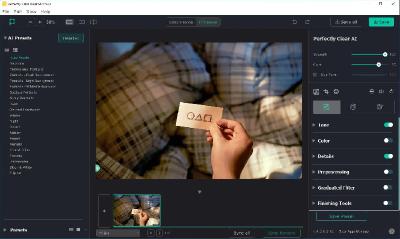
Perfectly Clear Workbench is an application that uses Athentech's Perfectly Clear image correction libraries and is made available to demonstrate the capabilities of the Perfectly Clear processing libraries, face detection library and to allow a quick export of the processing settings for use.

One of the key features in Workbench is the ability to "export to API" when saving a Preset. This allows you to make image corrections in Workbench and tune the settings to match your style and correction needs. Then, you can quickly export these settings to a text filready to be copy / pasted into your source code with our image correction SDK.

What's New in Perfectly Clear WorkBench:
1. Beautiful new interface
2. New image correction tools:
a. Preprocessing section for Input Looks and "Image Ambulance" for manual exposure corrections
b. "Face Aware" exposure for more accurate auto-exposure corrections in portraits and group photos
c. Black Point tool to deepen blacks
d. New Color Vibrancy tool to complement our previous "Vibrancy" control (now renamed to Color Restoration)
e. Sky and Foliage enhancements
3. Existing tools have been improved:
a. Added strength sliders to Light Diffusion and Vibrancy for better control
b. Better 'color pickers' for Skin Tone and Blush adjustments
4. Manually identify faces that are not detected automatically
5. One-click to zoom to individual faces
6. Modify facial regions to provide the best corrections
7. Histogram
8. Much improved preset management

Supported Image Formats:
Perfectly Clear requires RGB-formatted images in either 8 or 16-bit color depth. Any image file that Photoshop or Lightroom can open and convert to this format may be used in Perfectly Clear. Monochrome and CMYK images must be converted to RGB before using Perfectly Clear. RAW files must be opened through Adobe Camera RAW and loaded into Photoshop to be accessible to Perfectly Clear.

System Requirements:
- Windows 10 and 11 (64-bit only)
- 4 GB RAM or more

HOMEPAGE:
Код:
https://eyeq.photos/

FREE DOWNLOAD LINKS:

Код:
https://rapidgator.net/file/6a1555877005442d582f48fb79a49f6d/Perfectly_Clear_WorkBench_5.1.0.3180_x64_Multilingual.rar

Код:
https://nitroflare.com/view/38DA68B124357FD/Perfectly_Clear_WorkBench_5.1.0.3180_x64_Multilingual.rar
 
th_8IIEqbxrVxTgJzsIGGNfdZZPUVe3BfoU.jpg


Plex Media Server 1.43.1.10576 | Size: 96.83 MB
Language: English


Plex Media Server is an application that allows you to make your PC media server. After installing the program and make the necessary settings, you'll be able to access multimedia files with other computer devices. It is very convenient, for example, if you have several computers at home and want to listen to music or watch a movie, being on another PC. There is no need to transfer files with an external drive. When using Plex Media Server, access to all available information is provided directly.

The program has a nice user interface, which also affects the convenience of its use. a separate folder can be selected for each type of media content to which will have access to other members of your small network. Configure all necessary configuration is performed via a web interface. In addition, special plug-ins can be supplied if you wish, you can connect to a computer anywhere in the world using the internet. The application is cross-platform - runs on the operating systems Windows, Linux, Mac OS and Android.

Key Features
available for different platforms;
It allows access to the contents of the computer, not only over a local network, but also via the Internet;
It makes it easy to view videos stored on your computer hard drive with SMART TV;
It has an attractive user interface.

Whats New
NEW
(Playback) Better caching of codec testing to improve start time of playback sessions (PM-3913)
(Preferences) Split transcoder slots into CPU and GPU slots (PM-3891)
FIXES
(Ad Detection) Logs were left next to the target media file instead of in the Plex Log folder (PM-3580)
(Docker) Various issues related to permissions could occur when explicitly setting UID and GID. (PM-3925)
(Downloads) Any existing files in 'Downloads temporary directory' would be deleted. (PM-3944)
(Downloads) Setting 'Maximum simultaneous background video transcode' to 'Unlimited' would prevent any download transcodes or optimizations from running (PM-3957)
(Optimizations) HEVC Optimization could result in a file with no video (PM-3938)
(Subtitles) When automatically selecting subtitles forced subtitles were preferred over full subtitles. (PM-3728)

FREE DOWNLOAD LINKS:

Код:
https://rapidgator.net/file/c04b95f61241f5a5af06dde10ba40e58/Plex_Media_Server_1.43.1.10576.rar

Код:
https://nitroflare.com/view/6DDFD3206C95ED9/Plex_Media_Server_1.43.1.10576.rar
 
477a143fe09c49a4b81f81473afd88e1.png


Power-user Premium 1.7.79.361 | Size: 48.24 MB
Language: English


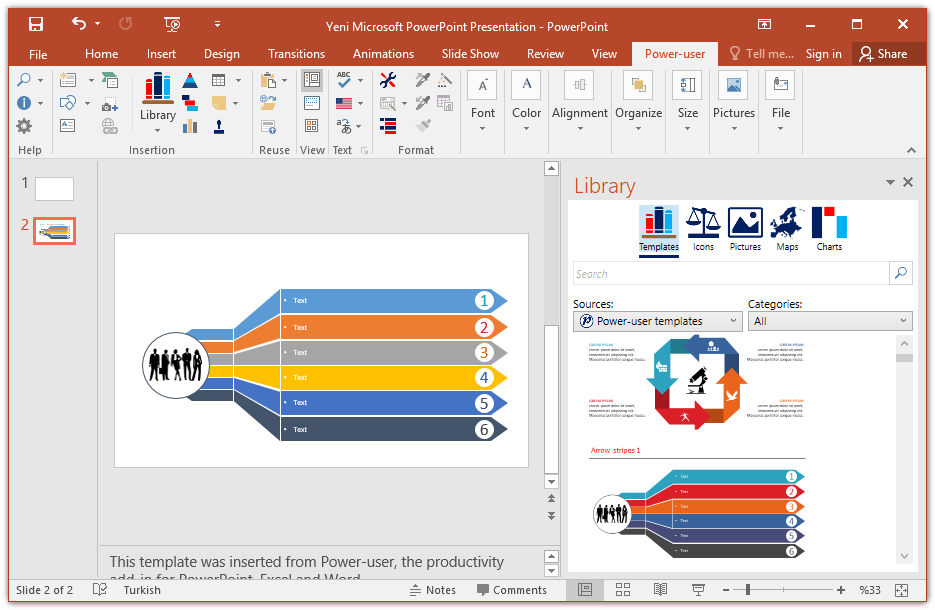
Power-user for PowerPoint and Excel And Word provides you with a deep library of templates, icons, charts, maps, and diagrams for your spreadsheets and presentations. With Power-user for PowerPoint and Excel, you'll draw the attention of your audience with stunning graphics that are sure to impress.

EDITABLE MAPS
Our 115+ editable maps are powerful tools to illustrate ideas with a geographical dimension. Maps are easy to understand and remember, and will and will help you better illustrate your point, thus enhancing your ability to convince your audience.

ICONS
Power-user comes with a collection of 2,000 icons to illustrate your slides. Icons are vector shapes so you can resize them without deformation and recolor them as you with. With Power-user you can search icons by categories and with different keywords associated to the same icon to let you find the right icon in just 2 seconds.

SLIDES TEMPLATES LIBRARY
Don't reinvent the wheel for every slide. Insert a template slide from the Power-user add-in's library and just adapt it to match your needs. Templates include typical slide types, strategy frameworks, diagrams, etc and will adjust to your company's color scheme. You can also save your own slides in the templates library to keep them accessible anytime.

WATERFALL CHARTS
Waterfall charts are very popular in finance and consulting. They are great to break down your data into multiple components, illustrating for instance what postively or negatively impacts a KPI.

MEKKO CHARTS
Create Mekko Charts in your Excel spreadsheet with Power-user. Mekko are one of the most powerful chart types. It can represents 3 dimensions of data, and is popular in consulting to show market positions of different companies for instance.

PICTURES
Sometimes a good picture tells more than a thousand words. Power-user includes a collection of 90+ pictures to illustrate concepts or trigger a discussion, without worrying about intellectual property rights.

DIAGRAMS GENERATOR
Embed customized diagrams in no time with the Power-user diagram generator. Diagrams help illustrate complex ideas and let you build eloquent slides or dashboards in very little time. Diagrams include value chains, gauges, traffic lights, relationships, pyramids, arrows and more.

GANTT CHARTS
Use Gantt charts to illustrate the different phases of a project and their progress. Creating this manually can take hours. With the add-in, you can create them in a few seconds only. It's a great tool to improve the design of a slide in very little time.

HOMEPAGE:
Код:
https://www.powerusersoftwares.com/

FREE DOWNLOAD LINKS:

Код:
https://rapidgator.net/file/4f89dfcccdcbc536b6fa019a30f59a07/Power-user_Premium_1.7.79.361.rar

Код:
https://nitroflare.com/view/8FF4A447F544C9F/Power-user_Premium_1.7.79.361.rar
 

IPwyaKepHhtWQmsjTYG1vp8mBZZKuC3v.jpg


Process Explorer 17.11 | Size: 3.35 MB
Language: English


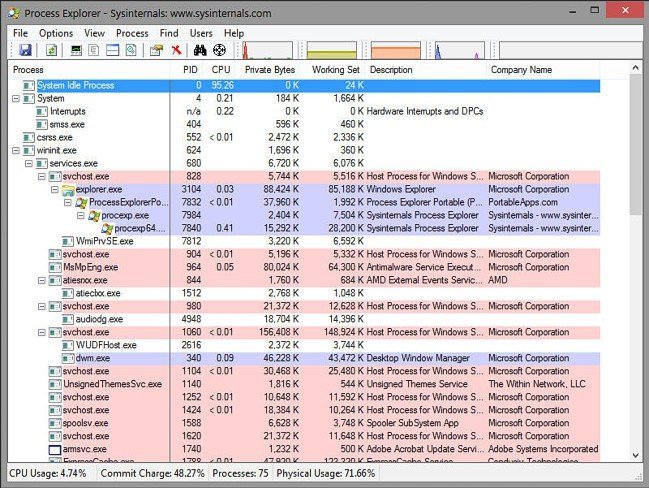
Ever wondered which program has a particular file or directory open? Now you can find out. Process Explorer shows you information about which handles and DLLs processes have opened or loaded. The Process Explorer display consists of two sub-windows. The top window always shows a list of the currently active processes, including the names of their owning accounts, whereas the information displayed in the bottom window depends on the mode that Process Explorer is in: if it is in handle mode you'll see the handles that the process selected in the top window has opened; if Process Explorer is in DLL mode you'll see the DLLs and memory-mapped files that the process has loaded. Process Explorer also has a powerful search capability that will quickly show you which processes have particular handles opened or DLLs loaded.

The unique capabilities of Process Explorer make it useful for tracking down DLL-version problems or handle leaks, and provide insight into the way Windows and applications work.

FREE DOWNLOAD LINKS:

Код:
https://rapidgator.net/file/0e6c6a462ce011737e9aaf439d018344/Process_Explorer_17.11.zip

Код:
https://nitroflare.com/view/A4ECCF6D0592349/Process_Explorer_17.11.zip
 
fdf0be1c98232e5c6fef22d9811d00a1.jpg


QueueExplorer Professional 5.0.77 | Size: 35.8 MB
Language: English


The indispensable tool for working with queues and messages: understand and manage your system, figure out what went wrong, fix it.

Works with multiple queuing systems
QueueExplorer supports multiple systems from the same installation, without need for additional licensing: MSMQ, Azure Service Bus, RabbitMQ, and ActiveMQ.

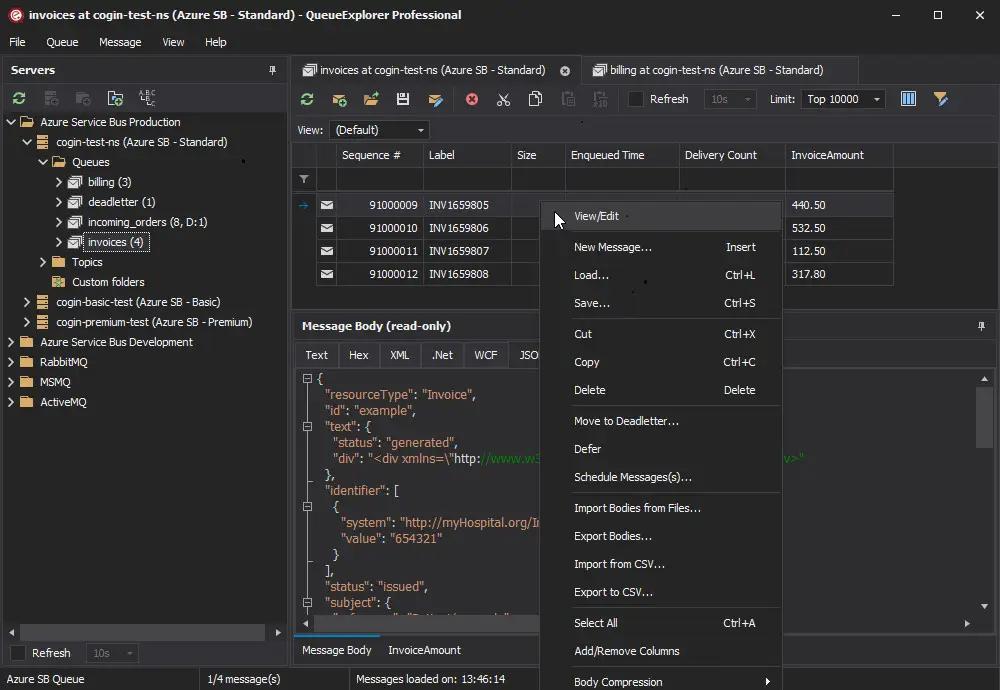
With QueueExplorer you can do much more than with built-in management console - copy, move or delete messages, save and load, stress test, view and edit full message bodies (with support for XML, JSON, .Net objects...), and much more. QueueExplorer is a fast, native Windows application.

Benefits for Developers

Find out all about your messages
With QueueExplorer you can dig into your queues and see which message went where, whether they were correctly formatted, with correct headers and settings, etc.

Multiple viewers are at your disposal: JSON, XML, WCF, Hex, text with different encodings...

Develop and test producers and consumers separately
With QueueExplorer you can test individual pieces of your solution, or even simulate third party messages going in or out. You can create and edit test messages, send one by one or bunch of them together.

Test performance and load handling of your app
Send thousands of messages for performance testing to see how system handles that load.

Benefits for Admins

Troubleshoot, fix, and resend problematic messages
If something is wrong, QueueExplorer is the fastest and easiest way to investigate and fix incorrect, poison, or failed/deadletter messages.

See status of your system at glance
Check if some of queues are growing too large, if there are messages in deadletter queues, etc. With autorefresh functionality see how entire system works in near real time.

Filter and sort messages to quickly find important data
QueueExplorer allows you to quickly find messages you're interested in. Professional edition allows you to even extract your business data from within messages using XPath, JSON, or Regex, and to immediately see e.g. invoice totals, etc.

Backup and restore messages
Backup messages to files, or move/copy them to another queue.

Copy, compare and sync queues, topics and other schema (metadata) objects
This can be used to migrate queues (and other objects) to another server, e.g. to propagate from development to production. Or just to compare and see which changes were made. Or to backup schema before changes are made. You can also duplicate queues with all their settings on the same server (Professional).

Multi system support
QueueExplorer supports multiple messaging system in one program. You don't need to purchase new licenses if you decide to migrate to another system or already manage different message brokers.

This not only protects your investment, but also reduces learning curve in that process for all team members.

FREE DOWNLOAD LINKS:

Код:
https://rapidgator.net/file/22d931e84864b3a43291720aca551122/QueueExplorer_Professional_5.0.77.rar

Код:
https://nitroflare.com/view/54DD36348127B0D/QueueExplorer_Professional_5.0.77.rar
 
e8eeac6baec3ddc6cf8290d22dc052bd.jpg


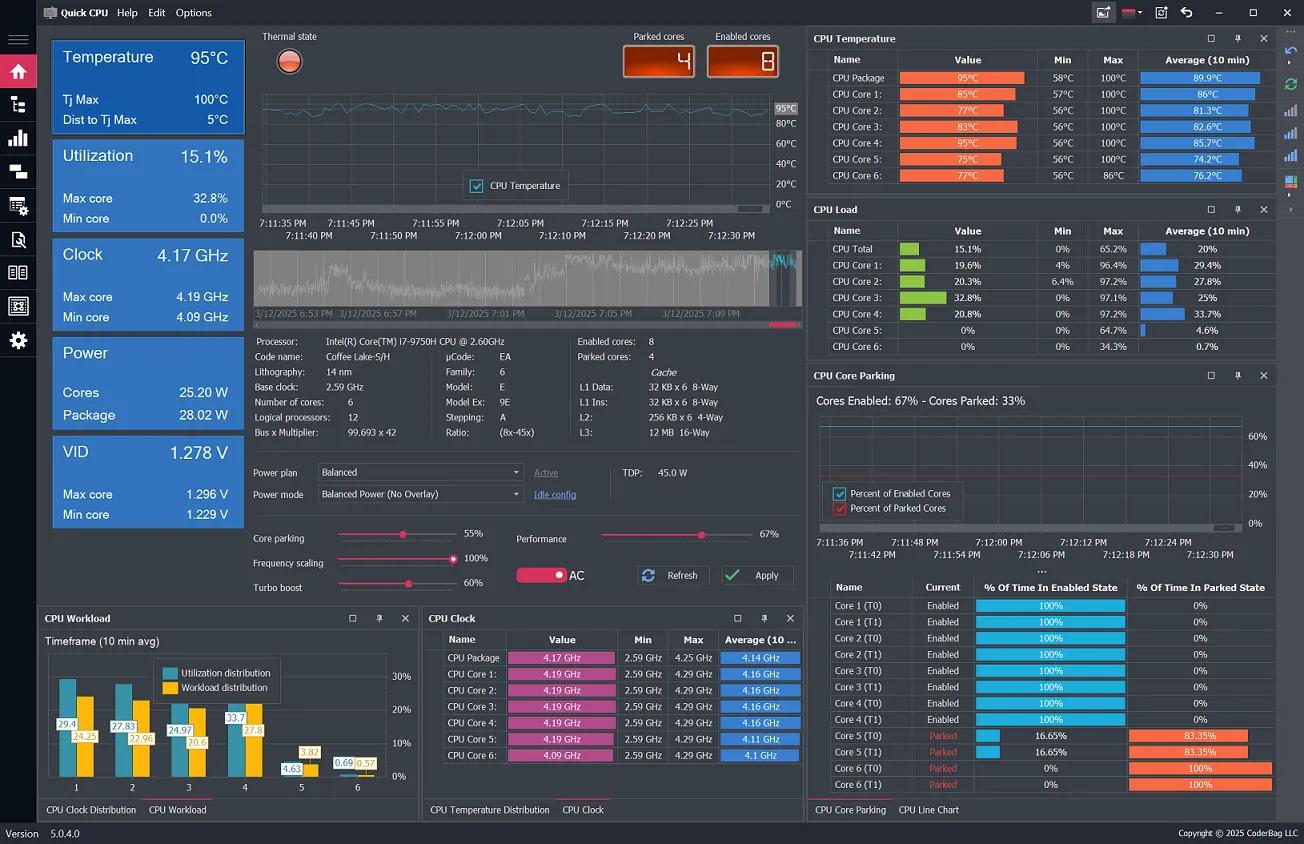
Quick CPU 6.4.0 | Size: 35 MB
Language: English


Quick CPU is a powerful CPU monitoring and performance tuning application designed for both Intel® and AMD® processors. It provides real-time visibility and control over key system parameters such as CPU temperature, power, voltage, frequency, core usage, core parking, performance, voltage, current and power management features.

The application also includes customizable power plan controls, turbo power limit configuration, core performance ratios, and detailed charts for analyzing workload, thermal distribution, and frequency scaling across all CPU cores. While certain advanced CPU settings (such as Speed Shift and FIVR control) are currently available for Intel CPUs, Quick CPU offers comprehensive functionality for all users looking to optimize performance, power efficiency, and system responsiveness.

Key Features of Quick CPU:

CPU Core Parking
Control how Windows parks CPU cores based on system load. Optimize power usage or unlock full core performance depending on your needs.

Frequency Scaling
Dynamically adjust CPU frequency based on system demand to balance performance and efficiency.

Turbo Boost & Boost Policies
Manage Intel Turbo Boost and AMD Precision Boost settings to ensure maximum performance when it matters most.

Performance Hint & Power Modes
Fine-tune how your CPU prioritizes performance over energy savings using built-in Windows performance hints and power overlays.

Advanced CPU Settings (Intel)
Access low-level tuning for Intel CPUs, including Fully Integrated Voltage Regulator (FIVR), Turbo Power Limits, Speed Shift and other power, performance or voltage controls.

Reset Settings to Default
Made changes you're unsure about? Quickly revert power plans or CPU settings to system defaults or previous backups.

Control P-Cores and E-Cores
Use heterogeneous scheduling policies to restrict or prioritize P-Cores or E-Cores on Intel hybrid architecture CPUs.

Windows Power Plan Management
Create, activate, clone, or export custom power plans and restore system defaults. Fine-tune how Windows balances performance and energy usage.

System Tray Monitoring
Monitor CPU, memory, and GPU activity in real time from the system tray. Customize display options and interaction behavior for instant access. Read more

Quick CPU Documentation
Learn more about the Quick CPU functionality and specific features by visiting the application documentation page.

Highly Customizable User Interface. It's Very Easy.
Your system, your way. Quick CPU offers a clean and intuitive interface that can be tailored to your preferences. Switch between light and dark modes, customize performance graphs, and configure dashboard elements for an optimal user experience.

Real-Time Performance Adjustments. See for yourself.
Quick CPU allows you to make adjustments on the fly. Whether you need to increase processing power for demanding tasks or scale down for energy savings, Quick CPU ensures seamless real-time tuning without the need for a restart.

Comprehensive Power Plan Management Check this out.
Take full control over your system's power behavior with advanced power plan customization. Quick CPU allows you to fine-tune CPU performance states, adjust power limits, and optimize efficiency for laptops. Whether you're maximizing performance for heavy workloads or extending battery life, our tools give you the flexibility to tailor your system to your needs.

HOMEPAGE:
Код:
https://coderbag.com/product/quickcpu

FREE DOWNLOAD LINKS:

Код:
https://rapidgator.net/file/bbca38c87d0f074137c2852112f27254/Quick_CPU_6.4.0.rar

Код:
https://nitroflare.com/view/50EBDD1B3481203/Quick_CPU_6.4.0.rar
 
efa84571bb18ef297cfbec0b20a319a9.jpg


R-Studio 9.5 Build 191742 Network Technician Multilingual | Size: 140.39 MB
Language: English


Empowered by the new unique data recovery technologies, R-Studio is the most comprehensive data recovery solution for recovery files from NTFS, NTFS5, ReFS, FAT12/16/32, exFAT, HFS/HFS+ and APFS (Macintosh), Little and Big Endian variants of UFS1/UFS2 (FreeBSD/OpenBSD/NetBSD/Solaris) and Ext2/Ext3/Ext4 FS (Linux) partitions. It also uses raw file recovery (scan for known file types) for heavily damaged or unknown file systems. It functions on local and network disks, even if such partitions are formatted, damaged or deleted. Flexible parameter settings give you absolute control over data recovery.

R-Studio utilities recover files:
Deleted without Recycle Bin, or when Recycle Bin has been emptied;
Removed by virus attack or power failure;
After the partition with the files was reformatted, even for different file system;
Recovering data if: VIRUS has invaded; FAT is damaged; MBR is destroyed; FDISK or other disk utilities have been run;
When the partition structure on a hard disk was changed or damaged;
Data recovery on damaged or deleted partitions;
From hard disk with bad sectors;

Support for:
Basic(MBR), GPT, BSD(UNIX), APM(Apple partition map) partitions layout schemes;
Dynamic volumes, Windows Storage Spaces (Windows 2000-2022/8.1/10/11);
Apple software RAIDs, CoreStorage, File Vault, and Fusion Drive;
Linux Logical Volume Manager (LVM/LVM2) and mdadm RAIDs;
R-Studio can automatically recognize and assemble the components of these disk managers even if their databases are slightly damaged. Their components with severe corrupted databases can be added manually.

Advanced data recovery algorithm:
to increase the quality of file recovery when the file system is not damaged;
to recover files that are not recognized in file system metadata and not found during a disk scanning procedure;
to fast search for lost partitions;
to recover files from devices with unknown file systems, including HD, CD, DVD, floppy disk, Compact-Flash Card, USB drive, ZIP drive, Memory Sticks and other removable media.

Support for specific file system features:
Recognitions of localized names;
NTFS encrypted files, NTFS alternative data streams, NTFS data deduplication, NTFS LogFile, NTFS Symbolic Links & Directory Junctions;
ReFS: symbolic links, directory junctions, deduplication;
HFS+ journal processing, HFS+ extended attributes, HFS+ compressed files;
Advanced APFS recovery: support for encryption;
Ext2/Ext3/Ext4 FS/UFS journal processing and extended attributes;
Recovery of names and paths for files deleted to Recycle Bin and Trash.

In-depth file analysis:
Extended file search and mask capabilities;
Estimation of chances for successful file recovery;
Verbose file information. Even more extensive file information in the Technician version: specific file system info, overlapping files, disk regions, etc;
File recovery lists for mass file recovery. File recovery lists with extensive file information in the Technician version.

System Requirements:
An Intel-compatible platform running Windows 11/10/8.1/8/7/Vista/XP/2000 Windows Server 2022/2019/2016/2012/2008/2003.
At least 256 MB of RAM, a mouse, and enough disk space for recovered files, image files, etc.
The administrative privileges are required to install and run R-Studio utilities.
A network connection for data recovering over network.

HOMEPAGE:
Код:
https://www.r-studio.com/

FREE DOWNLOAD LINKS:

Код:
https://rapidgator.net/file/6509bf0cd7a62e2a8a6b09ec62332612/R-Studio_9.5_Build_191742_Network__Technician_Multilingual.rar

Код:
https://nitroflare.com/view/74BA2B7FEC24D2E/R-Studio_9.5_Build_191742_Network__Technician_Multilingual.rar
 
ee71327241af2cbc006bb94a39079e92.jpg


R-Studio 9.5 Build 191742 Technician (x64) Multilingual WinPE | Size: 526.53 MB
Language: English


Empowered by the new unique data recovery technologies, R-Studio is the most comprehensive data recovery solution for recovery files from NTFS, NTFS5, ReFS, FAT12/16/32, exFAT, HFS/HFS+ and APFS (Macintosh), Little and Big Endian variants of UFS1/UFS2 (FreeBSD/OpenBSD/NetBSD/Solaris) and Ext2/Ext3/Ext4 FS (Linux) partitions. It also uses raw file recovery (scan for known file types) for heavily damaged or unknown file systems. It functions on local and network disks, even if such partitions are formatted, damaged or deleted. Flexible parameter settings give you absolute control over data recovery.

R-Studio utilities recover files:
Deleted without Recycle Bin, or when Recycle Bin has been emptied;
Removed by virus attack or power failure;
After the partition with the files was reformatted, even for different file system;
Recovering data if: VIRUS has invaded; FAT is damaged; MBR is destroyed; FDISK or other disk utilities have been run;
When the partition structure on a hard disk was changed or damaged;
Data recovery on damaged or deleted partitions;
From hard disk with bad sectors;

Support for:
Basic(MBR), GPT, BSD(UNIX), APM(Apple partition map) partitions layout schemes;
Dynamic volumes, Windows Storage Spaces (Windows 2000-2022/8.1/10/11);
Apple software RAIDs, CoreStorage, File Vault, and Fusion Drive;
Linux Logical Volume Manager (LVM/LVM2) and mdadm RAIDs;
R-Studio can automatically recognize and assemble the components of these disk managers even if their databases are slightly damaged. Their components with severe corrupted databases can be added manually.

Advanced data recovery algorithm:
to increase the quality of file recovery when the file system is not damaged;
to recover files that are not recognized in file system metadata and not found during a disk scanning procedure;
to fast search for lost partitions;
to recover files from devices with unknown file systems, including HD, CD, DVD, floppy disk, Compact-Flash Card, USB drive, ZIP drive, Memory Sticks and other removable media.

Support for specific file system features:
Recognitions of localized names;
NTFS encrypted files, NTFS alternative data streams, NTFS data deduplication, NTFS LogFile, NTFS Symbolic Links & Directory Junctions;
ReFS: symbolic links, directory junctions, deduplication;
HFS+ journal processing, HFS+ extended attributes, HFS+ compressed files;
Advanced APFS recovery: support for encryption;
Ext2/Ext3/Ext4 FS/UFS journal processing and extended attributes;
Recovery of names and paths for files deleted to Recycle Bin and Trash.

In-depth file analysis:
Extended file search and mask capabilities;
Estimation of chances for successful file recovery;
Verbose file information. Even more extensive file information in the Technician version: specific file system info, overlapping files, disk regions, etc;
File recovery lists for mass file recovery. File recovery lists with extensive file information in the Technician version.

System Requirements:
An Intel-compatible platform running Windows 11/10/8.1/8/7/Vista/XP/2000 Windows Server 2022/2019/2016/2012/2008/2003.
At least 256 MB of RAM, a mouse, and enough disk space for recovered files, image files, etc.
The administrative privileges are required to install and run R-Studio utilities.
A network connection for data recovering over network.

HOMEPAGE:
Код:
https://www.r-studio.com/

FREE DOWNLOAD LINKS:

Код:
https://rapidgator.net/file/2b160730b6b8e0b97c0b43aee0cfcd58/R-Studio_9.5_Build_191742_Technician_x64_Multilingual_WinPE.rar

Код:
https://nitroflare.com/view/E0333F8AF7E585E/R-Studio_9.5_Build_191742_Technician_x64_Multilingual_WinPE.rar
 
705613473d57ea10f1dbc896da7e8ce1.jpg


ReaConverter Pro 8.0.212 Multilingual | Size: 398.41 MB
Language: English


Easily process full batches of files and folders. reaConverter combines powerful automation with intuitive tools to streamline image conversion and eliminate repetitive editing.

700+ File Formats
reaConverter delivers high-efficiency batch conversion for an extensive range of file formats.

Efficient Conversion
A powerful file conversion toolkit with advanced processing features - giving you precise, granular control over every output.

Image Editing
reaConverter simplifies batch image editing - apply touch-ups, transformations, and effects to unlimited images simultaneously.

Automation
Professional-grade automation features for high-volume file conversion and batch processing.

Development
Integrate reaConverter's functionality into scripts, applications, or websites using its command-line tool or DLL.

HOMEPAGE:
Код:
https://www.reaconverter.com/

FREE DOWNLOAD LINKS:

Код:
https://rapidgator.net/file/41db157c7c277c87a27d90128c0c621e/ReaConverter_Pro_8.0.212_Multilingual.rar

Код:
https://nitroflare.com/view/B61D3A8A2DA1BFE/ReaConverter_Pro_8.0.212_Multilingual.rar
 
e23c8177f44a4e73270c444bbe67b29b.jpg


Reclaim Time FocusMe 7.6.9.9 (x64) | Size: 50.7 MB
Language: English


Take Back Control of Your Time. Conquer digital distractions with the world's most powerful focus software. FocusMe blocks distractions, reveals your online habits and helps you build the routines that make deep work possible.

How FocusMe Works
In a world of highly addictive websites and apps, FocusMe studies your digital patterns and reveals your online behavior. Where your attention drifts, when you work best and what needs stronger boundaries. Your AI Coach is an optional feature which then turns those insights into practical recommendations for blocking plans and focus routines, which you can immediately apply using the tools built directly into FocusMe.

The app runs in the background limiting exposure to distractions, setting screen time limits and scheduling focused work sessions. These are fully customizable to your daily schedule. If you want extra accountability, you can lock your set-up using Force Mode. With built-in Pomodoro timers, break reminders and real-time progress tracking, FocusMe becomes your digital productivity coach.

HOMEPAGE:
Код:
https://focusme.com/

FREE DOWNLOAD LINKS:

Код:
https://rapidgator.net/file/d21124bea31275775a188a6092f0ef47/Reclaim_Time_FocusMe_7.6.9.9_x64.rar

Код:
https://nitroflare.com/view/71F2D4C44790BB6/Reclaim_Time_FocusMe_7.6.9.9_x64.rar
 
7f040843dc9df92c08bcf988e4fda865.jpg


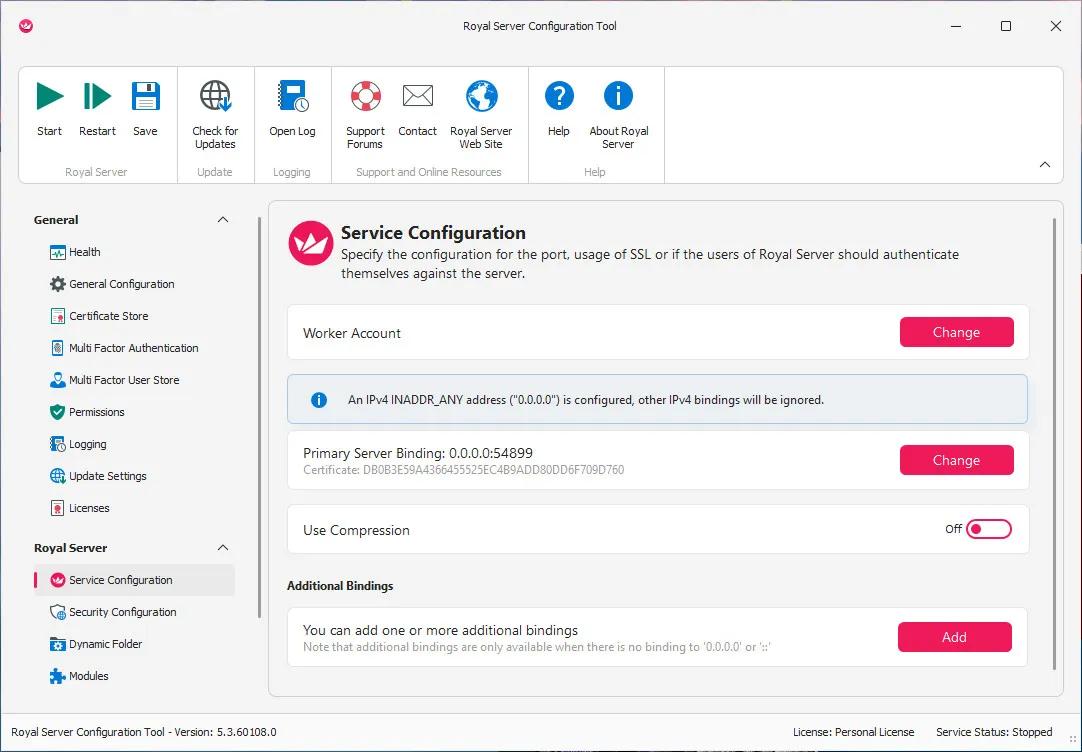
Royal Server 5.4.50330 (x64) Multilingual | Size: 155.07 MB
Language: English


Already using Royal TS/X to manage your servers? Then you definitely want to check out Royal Server! Royal Server support is tightly integrated into Royal TS/X, our cross-platform clients on Windows, macOS, iOS and Android. This combination provides true platform independence and offers features not even available in Microsoft's own management tools!

Windows Events
Retrieve, filter and search Windows Events from one or more computers.

Windows Services
Manage Windows Services from one or more computers.

Windows Processes
Manage running Windows Processes from one or more computers.

Terminal Services
Manage Terminal Service sessions from one or more computers.

Hyper-V
List and manage Hyper-V instances from one or more computers.

VMware
List and manage VMware instances from one or more computers.

PowerShell
Execute scripts on one or more computers and display the results.

HOMEPAGE:
Код:
https://www.royalapps.com/server/main/features

FREE DOWNLOAD LINKS:

Код:
https://rapidgator.net/file/f3b1e25f2c1d92cb9d7add4b4bd89b90/Royal_Server_5.4.50330_x64_Multilingual.rar

Код:
https://nitroflare.com/view/795B8C4B2D10EF5/Royal_Server_5.4.50330_x64_Multilingual.rar
 
a21aeb492d27ee51fa8fdcc742bcbb51.jpg


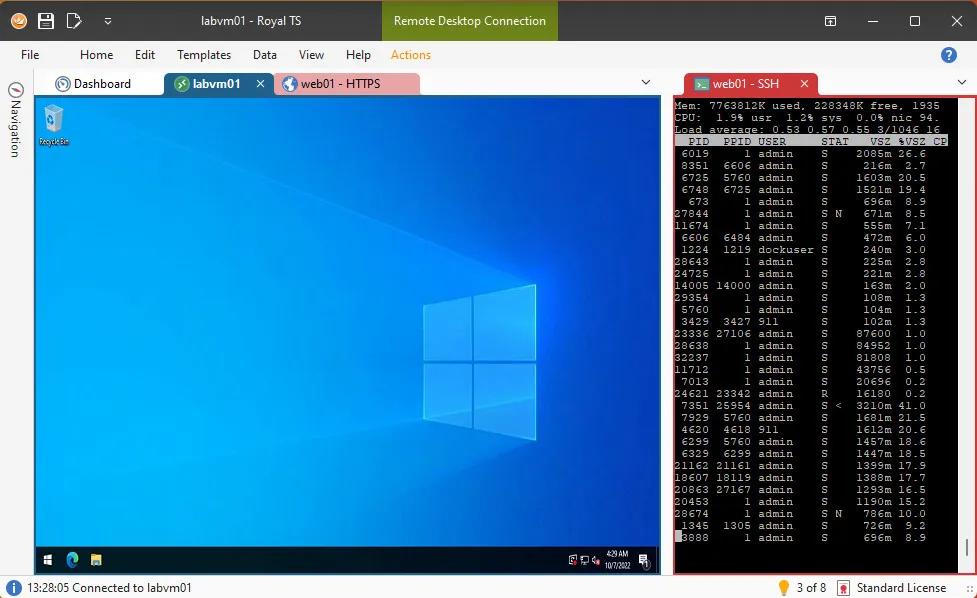
Royal TS 7.4.50331 (x64) Multilingual | Size: 296.29 MB
Language: English


Royal TS is an ideal tool for system engineers and other IT professionals who need remote access to systems with different protocols.

Optimize workflow and increase productivity! Royal TS makes it possible with our flexible user interface and outstanding team collaboration features. Not only easy to use, it enables secure multi-user document sharing.

Powerful Connection Management
Compatible with a variety of connection types
Using RDP, VNC, SSH based terminals, S/FTP or web-based interfaces?
No worries, Royal TS got you covered!
Built-in credential management. Safe team-sharing features.
Share a list of connections, without sharing your personal credentials.
Command Tasks and Key Sequence Tasks make it easy to quickly automate repetitive tasks.
SSH-based tunneling (Secure Gateway) support is tightly integrated in Royal TS.
Dynamic Folders allow you to dynamically import data from external sources.

Credential Management
Assign, reuse and link credential objects to connections and folders.
Connections can inherit credentials from the parent folder.
Access credentials from other documents and external sources.

Protected through Encryption
Sensitive data in your document is encrypted and can also be password protected. Lock down shared documents and keep passwords confidential.

Sharing Connections Securely
The ability to assign credentials to connections by name allows you to share the document containing the connections without compromising your credentials.

Automate repetitive Tasks
Streamline your workflow with Tasks. Use replacement tokens to access connection properties or credential information. Execute tasks in context of one or more connections.

Command Tasks
Create your own tasks to open and close VPN connections automatically. Common and useful tasks, like ping and traceroute are built-in and can be executed as needed.

Key Sequence Tasks
Key sequence tasks are used to invoke keyboard input in one or more connections. Automate long, complex and repetitive tasks and execute them in one or more active connections.

HOMEPAGE:
Код:
https://royalapps.com/

FREE DOWNLOAD LINKS:

Код:
https://rapidgator.net/file/4b983d2c8b9b14f88d7ce1aeb07ac6e2/Royal_TS_7.4.50331_x64_Multilingual.rar

Код:
https://nitroflare.com/view/8C2187D8D7803EF/Royal_TS_7.4.50331_x64_Multilingual.rar
 
0b8cd05185f7872e31413745bd398c99.jpg


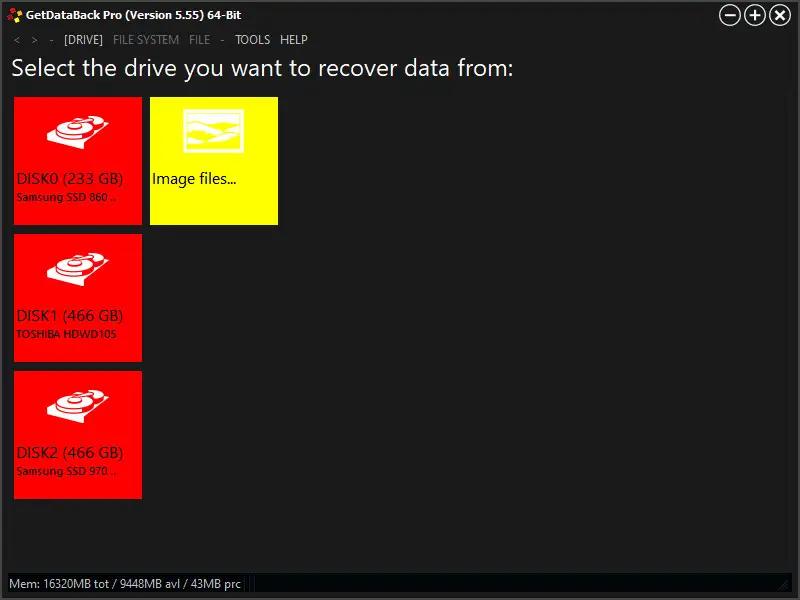
Runtime GetDataBack Pro 5.78 | Size: 15.48 MB
Language: English


GetDataBack Pro is a completely redesigned and rewritten Data Recovery solution for Windows, Mac, and Linux file systems. Our developers have combined decades of data recovery experience with the newest technologies.

GetDataBack Pro runs as a native 64-bit application under 64-bit Windows. Thus is can take full advantage of the x64 CPU. GetDataBack Pro is now faster and can handle extremely huge drives. Under 32-bit Windows, GetDataBack runs the 32-bit version.

GetDataBack Pro's clean interface guides you to your lost data in no time. You are literally one click away from your files. GetDataBack Pro is the data recovery solution for professionals as well as inexperienced users. Start your data recovery now, no manual to read, no ostentatious options, no kidding.

GetDataBack Pro combines recovery capabilities for NTFS, FAT, exFAT, EXT, HFS+, and APFS. You do not need to find out beforehand which files system your drive was formatted with. GetDataBack Pro's recovery engine internally uses four distinguished sophistication levels that automatically escalate until good results have been achieved.

GetDataBack Pro Highlights:
Recover ALL your drive's data
Restore file names and directory structure
Safe, read-only design
Intuitive user interface
Lightning fast operation
Supports all hard drives, SSD, flash cards, USB
Native 64-bit application under 64-bit Windows
Recovery of very large drives
New, redesigned and rewritten, using the newest technologies
Supports NTFS, FAT12, FAT16, FAT32, exFAT, EXT, EXT2, EXT3, EXT4, HFS+, APFS
Free to try
Free lifetime updates with purchase
Run GetDataBack from the Runtime Live CD or a WinPE Boot Medium

System Requirements:
4 GB RAM,
Windows Server 2008, 2012, Vista, Windows 7, Windows 8, Windows 10, 32 or 64-bit

HOMEPAGE:
Код:
https://www.runtime.org/

FREE DOWNLOAD LINKS:

Код:
https://rapidgator.net/file/b4b792a262ebb3e539cf844d1254cf1e/Runtime_GetDataBack_Pro_5.78.rar

Код:
https://nitroflare.com/view/3917BBC1C1A2E42/Runtime_GetDataBack_Pro_5.78.rar
 
Назад
Сверху Снизу