All Emperor2011's Software in one thread !! (updated daily)

6198db888adf1e7b2ef6aa83e267a8dd.jpg


Siemens Simcenter FEMAP 2512 MP3 with NX Nastran (x64) | Size: 3.88 GB
Language: English


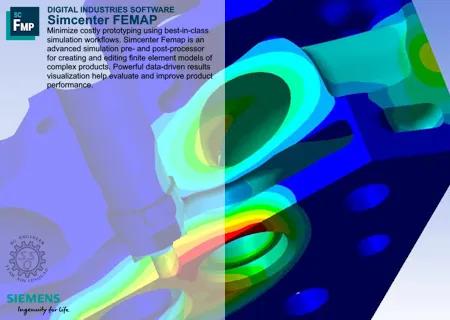
Siemens Digital Industries Software has released Simcenter Femap 2512 is an advanced simulation pre- and post-processor for creating and editing finite element models of complex products. Powerful data-driven results visualization help you evaluate and improve product performance.

What's new in Simcenter Femap 2512
Summary of Changes and Enhancements made to Femap for version 2512 are listed here and in the Femap readme.
ZONA Entities

ZONA Control Surface
Femap has integrated the advanced ZAERO aerodynamic analysis capabilities (AESURFZ). By incorporating the AESURFZ control surface functionality, you can enhance your aerodynamic simulations, providing more accurate and detailed analysis of control surfaces.
ZONA Control Surface Link
Femap has integrated the advanced ZAERO aerodynamic analysis capabilities (AESLINK). By incorporating the AESLINK control surface link functionality, you can enhance your aerodynamic simulations, providing more accurate and detailed analysis of control surfaces
ZONA Trim Variables
Femap has integrated the advanced ZAERO trim variables TRIMVAR capabilities to enhance Femap's capability to perform detailed aerodynamic and flight dynamics analyses. By integrating the TRIMVAR functionality, you can conduct precise trim analyses, which are essential for understanding the stability and control characteristics of an aircraft
ZONA Trim Conditions
Femap has integrated the advanced flight dynamics analysis TRIM conditions capabilities. By incorporating the TRIM functionality, you can perform detailed analyses of aircraft trim conditions, which are crucial for understanding stability and control during flight
ZONA Trim Functions
Femap has integrated the advanced flight dynamics analysis TRIM function capabilities. By incorporating the ZAERO Trim Function (TRIMFUNC) capability, you can simulate the effects of trim functions on an aircraft's performance. Trim functions involve adjusting control surfaces and other parameters to achieve a balanced flight condition, where forces and moments are in equilibrium
Load Mode Generator
Femap has integrated the advanced flight dynamics analysis LOADMOD capabilities. By incorporating the ZAERO Load Mode Generator (LOADMOD), you can now create load modes that represent the distribution of aerodynamic forces and moments on a structure. These load modes are crucial for conducting dynamic analyses, such as flutter and dynamic response studies, which help predict how structures will behave under different flight conditions. LOADMOD allows you to model these load distributions accurately, enabling them to assess the impact of aerodynamic loads on structural performance

ZONA Analysis Set Options

Global Trim Data
Femap has integrated the advanced flight dynamics analysis Global Trim Data capabilities. By incorporating the ZAERO Global Trim Data, you can now conduct detailed assessments of aircraft trim conditions, which are vital for understanding stability and control during flight

ZONA Analysis Case Options

Trim Data
emap has integrated the advanced flight dynamics analysis Trim Data capabilities. By incorporating the ZAERO Trim Data, you can now conduct detailed assessments of aircraft trim conditions, which are vital for understanding stability and control during flight
Trim Conditions
Femap has integrated the advanced flight dynamics analysis TRIM conditions capabilities. By incorporating the TRIM functionality, you can perform detailed analyses of aircraft trim conditions, which are crucial for understanding stability and control during flight

API

ZONA API
New ZONA object properties and methods added to the Femap API tools.

Teamcenter Integration

Teamcenter Handling of ZONA Files
Provides a way to manage ZONA related files in Teamcenter

Licensing

License Rollover
A new Femap license rollover feature allows you to seamlessly transition between different licensing configurations without interrupting your workflow. When the current license expires or reaches its usage limit, license rollover automatically switches to an available alternative license
Salt On Premises Licensing
Support added for SALT on premises licensing in Femap.
Note: Femap will not support advanced licensing features
License Management Update
Updated the Manage FEMAP Licensing dialog box (Help → Manage Licensing) with new License Type Siemens License Server
Help About
Added more system information and information about your Femap subscription as well as an Export button

Output Tables

Random Response Output Tables
Model Tree organization of output requests well organized and easy to read: Velocity vs Frequency Nodal tables (Displacement and Velocity have separate branches for instance)
Bar Charts for Modal
Output Table Results Bar charts for Modal Effective Mass Fraction (Fraction and Sum data)
Model Info Tree Enhancements
- Addressed several Model Info Tree limitations (Femap version 2506.0002) - Improved Data Series Titles
- Improved organization of the Model Info Tree (Femap version 2506.0002)- Enhanced Output Table Organization
Visualization - Charting, Data Table, Listing
Instantly visualize tabular results with bar charts for quick comprehension. Quickly identify trends, patterns, and anomalies
Preferences dialog box - Results tab
Added Import Tabular Results as Functions option to import tabular results as both functions and output tables

Graphics

Edge Fading
Used to make Femap (Unified Architecture only - sol currently solid elements only) fade element edges as you zoom away
View control of beam cross section and plate thickness
Split the menu commands that control of beam section drawings and plate thickness drawings

Productivity

Keyboard Shortcuts
Improved keyboard shortcuts when using API Programming versus the Program File panes
Chat
Chat now allows open source links into the default browser. This minimizes the efforts for re-login and avoids multiple windows of the web view edge browsers
Post-Processing
Added 64-bit OP2 Attach support. Femap now supports attaching 64-bit OP2 files

Simcenter Femap software is a standalone finite element modeling (FEM) pre- and postprocessor for engineering simulation and analysis. The software is computer-aided design (CAD) independent and can import geometry from all major CAD platforms. It supports most CAD data formats. Simcenter Femap also works in combination with a wide variety of finite element analysis (FEA) solvers, including Simcenter Nastran software.

Femap 2512 Major Update: ZAERO Aeroelasticity, New UGA Graphics Architecture and TB

Siemens PLM Software, a business unit of the Siemens Digital Factory Division, is a leading global provider of software solutions to drive the digital transformation of industry, creating new opportunities for manufacturers to realize innovation. With headquarters in Plano, Texas, and over 140,000 customers worldwide, Siemens PLM Software works with companies of all sizes to transform the way ideas come to life, the way products are realized, and the way products and assets in operation are used and understood.

Owner: Siemens PLM Software
Product Name: Simcenter FEMAP
Version: 2512 with NX Nastran
Supported Architectures: x64 Languages Supported: multilanguage
System Requirements: Windows *
Size: 3.9 Gb

Added by 3% of the overall size of the archive of information for the restoration

No mirrors please


HOMEPAGE:
Код:
http://www.plm.automation.siemens.com

FREE DOWNLOAD LINKS:

Код:
https://rapidgator.net/file/66a074483a7eb07378d5e86dee374b8e/Siemens.Simcenter.FEMAP.2512.3.Win64-SSQ..part1.rar
https://rapidgator.net/file/3a991b7991e9599a2cf138b7191fb0f5/Siemens.Simcenter.FEMAP.2512.3.Win64-SSQ..part2.rar

Код:
https://nitroflare.com/view/9BAD2FD4BA558F5/Siemens.Simcenter.FEMAP.2512.3.Win64-SSQ..part1.rar
https://nitroflare.com/view/FAE56244FCD146C/Siemens.Simcenter.FEMAP.2512.3.Win64-SSQ..part2.rar
 
ed8e2e89672f2b364d9534119c7f2595.jpg


SoftPerfect Network Scanner 26.5 Multilingual | Size: 24.37 MB
Language: English


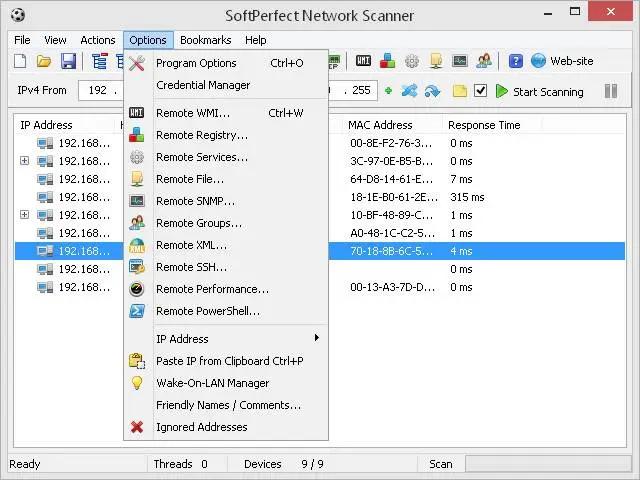
SoftPerfect Network Scanner is a fast universal IPv4/IPv6 scanner with an extensive range of options and advanced features for system administrators and general users interested in computer security. This powerful program can ping computers, scan ports, discover shared folders and comes with flexible filtering and display options. It can retrieve practically any information about network devices via WMI, SNMP, HTTP, SSH and PowerShell.

In addition, it can scan for remote services, registry, files, performance counters and so on. The results can be exported to a variety of formats from XML to JSON.

Key features
Performs a ping sweep and displays live devices.
Fully supports both IPv4 and IPv6 discovery.
Detects hardware MAC-addresses, even across routers.
Detects hidden shared folders and writable ones.
Detects internal and external IP addresses.
Scans for listening TCP ports, some UDP and SNMP services.
Retrieves currently logged-on users, configured user accounts, uptime, etc.
Supports remote SSH, PowerShell and VBScript command execution.
Launches external third party applications.
Exports results to HTML, XML, JSON, CSV and TXT.
Supports Wake-On-LAN, remote shutdown and sending network messages.
Retrieves any system information via WMI, remote registry, file system and service manager.

Operating System: Windows XP through Windows 10, Windows Server 2003 through 2016

HOMEPAGE:
Код:
https://www.softperfect.com/

FREE DOWNLOAD LINKS:

Код:
https://rapidgator.net/file/6aabd83c6dbd65ce6a1129038f41bc6e/SoftPerfect_Network_Scanner_26.5_Multilingual.rar

Код:
https://nitroflare.com/view/43443B36ACF6CD0/SoftPerfect_Network_Scanner_26.5_Multilingual.rar
 
22c677fafb90bb940ef0a5241fb9dfd4.jpg


Stardock Deskscapes 26.0.0.1 Multilingual | Size: 192.11 MB
Language: English


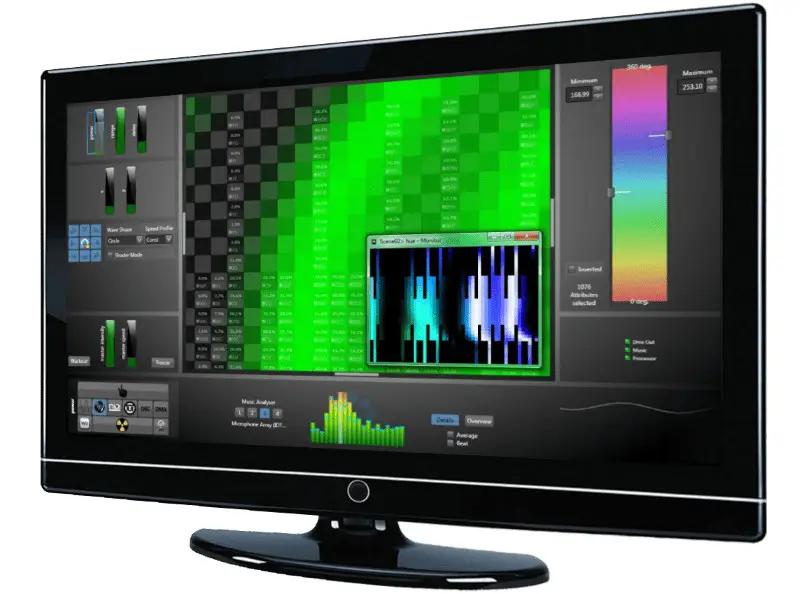
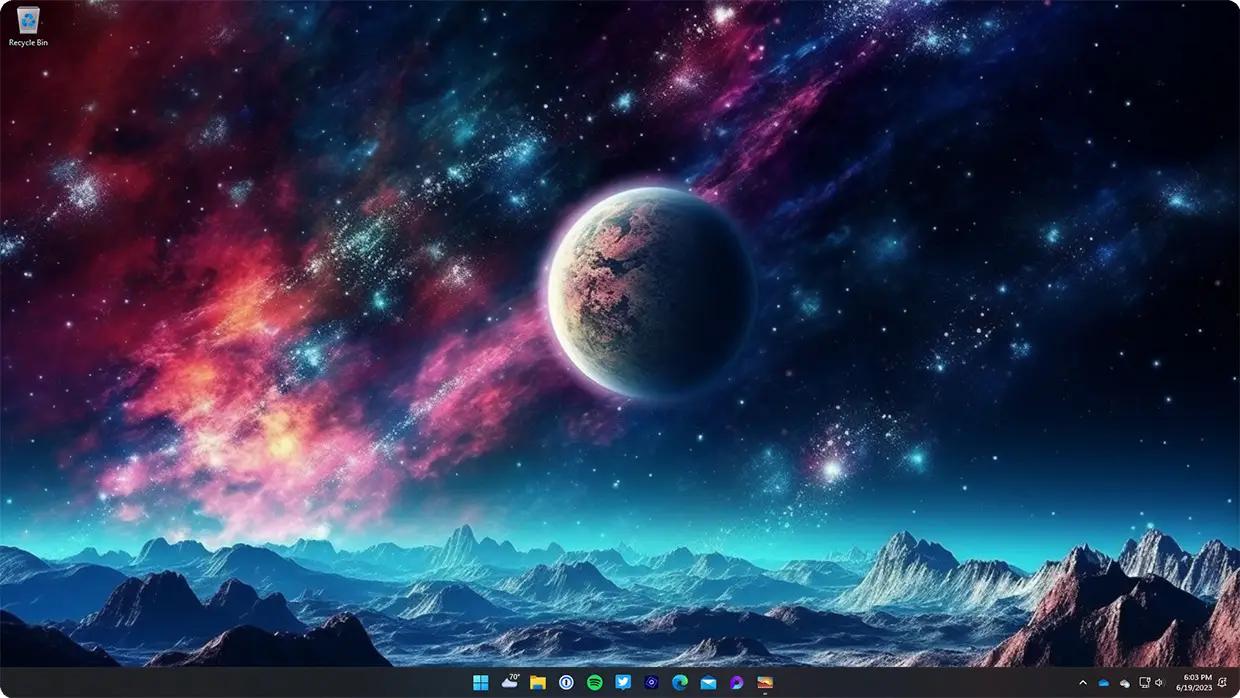
Personalize your desktop background with animated pictures and video.

Turn your static desktop into a vibrant canvas.
Turn your static desktop into an animated work of art.

DeskScapes makes it easy to animate your desktop
Turn any image or video into a background for your PC.

Bring images to life
Enhance static photos with over 60 special effects.

Creativity made easy with all the tools you need.
Create your own background or browse user-generated designs.

DreamMaker Pro is Included
DreamMaker Pro is a powerful tool that makes animating backgrounds easy.

Easy to find and easy to share
Browse the expansive user-generated catalog and share your designs with the community.

Organize your creations with an intuitive interface.
DeskScapes 11 makes it easy to manage your backgrounds.

Create playlists of your favorite backgrounds
Can't choose a favorite background? Create a playlist to cycle through your favorite designs.

Organized to perfection
Never lose another wallpaper again as DeskScapes 11 makes it easy organize your backgrounds.

HOMEPAGE:
Код:
https://www.stardock.com/products/deskscapes/

FREE DOWNLOAD LINKS:

Код:
https://rapidgator.net/file/9bf7f37ca2f4d55dd46236e88c363736/Stardock_Deskscapes_26.0.0.1_Multilingual.rar

Код:
https://nitroflare.com/view/BE83FFB017579AB/Stardock_Deskscapes_26.0.0.1_Multilingual.rar
 
0de9b343cab47ed633170a3f65425d92.jpg


Stardock Start11 v2.7.1 (x64) Multilingual | Size: 100.49 MB
Language: English


The start menu in Windows is a topic of hot debate, with many Windows users wanting the old menu back. Stardock Start11 makes it possible! Skip the lengthy learning period and get the start menu you always wanted. Select between a modern and classic design, customize the start button and apply individual colors and textures to the start menu and the taskbar!

Take control of your Start menu today!
Filter searches in the Start menu
Restores the quick links to core system functionality
Maintains the "All Programs" folder metaphor
Texture can be applied to Start10 background and taskbar
Integrates Stardock's "Fences" into the menu

Quick Access
Quick and convenient access to search means your desktop applications and new Universal applications are always accessible. Running with multiple monitors? Add a Start menu to the secondary taskbar for always at hand access.

Stylize
Try a Modern take on the Start menu with a clean, flat style.

Customizable
Choose your favorite color for the Start menu and enjoy custom textures for your taskbar. An array of bundled images and textures let you personalize your PC.

HOMEPAGE:
Код:
https://www.stardock.com/

FREE DOWNLOAD LINKS:

Код:
https://rapidgator.net/file/a934cb2f489cd45c2850b3deff3ae20e/Stardock_Start11_v2.7.1_x64_Multilingual.rar

Код:
https://nitroflare.com/view/656DCFB6A19A4D1/Stardock_Start11_v2.7.1_x64_Multilingual.rar
 
_fc050a77931d1b56ae417a2b504e3776.jpeg


Windows All (7, 8.1, 10, 11) All Editions With Updates AIO 51in1 May 2026 Preactivated | Size: 15.74 GB
Windows (x64) | No TPM | Languages: English


This is Full Iso With All Windows 11 And 10 And 8.1 And 7 in One With May 2026 Updates.

List of windows editions available for installation
1. "Windows 7 Home Basic"
2. "Windows 7 Home Premium"
3. "Windows 7 Professional"
4. "Windows 7 Ultimate"
5. "Windows 7 Enterprise"
6. "Windows 7 Home Basic N"
7. "Windows 7 Home Premium N"
8. "Windows 7 Professional N"
9. "Windows 7 Ultimate N"
10. "Windows 7 Enterprise N"
11. "Windows 8 64-bit"
12. "Windows 8 N 64-bit"
13. "Windows 8 Pro 64-bit"
14. "Windows 8 Pro N 64-bit"
15. "Windows 8 Pro VL 64-bit"
16. "Windows 8 Pro N VL 64-bit"
17. "Windows 8 Pro with Media Center 64-bit"
18. "Windows 8 Enterprise 64-bit"
19. "Windows 8 Enterprise N 64-bit"
20. "Windows 10 Home"
21. "Windows 10 Home N"
22. "Windows 10 Team"
23. "Windows 10 Home Single Language"
24. "Windows 10 Pro"
25. "Windows 10 Enterprise"
26. "Windows 10 IoT Enterprise"
27. "Windows 10 Enterprise multi-session"
28. "Windows 10 Education"
29. "Windows 10 Pro Education"
30. "Windows 10 Pro for Workstations"
31. "Windows 10 Pro N"
32. "Windows 10 Enterprise N"
33. "Windows 10 Education N"
34. "Windows 10 Pro Education N"
35. "Windows 10 Pro N for Workstations"
36. "Windows 11 Home"
37. "Windows 11 Home N"
38. "Windows 11 Pro"
39. "Windows 11 Pro N"
40. "Windows 11 Home Single Language"
41. "Windows 11 Enterprise"
42. "Windows 11 IoT Enterprise"
43. "Windows 11 IoT Enterprise Subscription"
44. "Windows 11 Enterprise multi-session"
45. "Windows 11 Education"
46. "Windows 11 Pro Education"
47. "Windows 11 Pro for Workstations"
48. "Windows 11 Enterprise N"
49. "Windows 11 Education N"
50. "Windows 11 Pro Education N"
51. "Windows 11 Pro N for Workstations"

Note: (Win 7 & 8.1 No Updates Released)

System Requirements
Processor: 2.5 gigahertz (GHz) or faster.
RAM: 2 gigabyte (GB).
Free space on hard disk: 40 gigabytes (GB).
Graphics card: DirectX 9 graphics device or a newer version.
Additional requirements to use certain features.
To use touch you need a tablet or monitor that supports multitouch.
To access the Windows store to download and run apps, you need an active Internet connection and a screen resolution of at least 1024 x 768 pixels

HOMEPAGE:
Код:
https://Microsoft.com

FREE DOWNLOAD LINKS:

Код:
https://rapidgator.net/file/f197785b0f08a65acf7e152a1c2d0f6f/Win.All.51in1.May.2026..part01.rar
https://rapidgator.net/file/5d6cade7dfb86a30fc60e7f2e95b4ba4/Win.All.51in1.May.2026..part02.rar
https://rapidgator.net/file/6d76bc3561f091eff321c3e7909e19ce/Win.All.51in1.May.2026..part03.rar
https://rapidgator.net/file/7b52fe95cb5ad7529970bb0d08235950/Win.All.51in1.May.2026..part04.rar
https://rapidgator.net/file/8d8728856a9882b1c526ad9d686781d5/Win.All.51in1.May.2026..part05.rar
https://rapidgator.net/file/9d05979414f98616191a310136d041ce/Win.All.51in1.May.2026..part06.rar
https://rapidgator.net/file/d44db66e432d675722f63e86438f5eb7/Win.All.51in1.May.2026..part07.rar
https://rapidgator.net/file/85950638bc5bfd2ad5c24abdc8ddf411/Win.All.51in1.May.2026..part08.rar

Код:
https://nitroflare.com/view/628C9755F1B88F8/Win.All.51in1.May.2026..part01.rar
https://nitroflare.com/view/C87C3508CBC325A/Win.All.51in1.May.2026..part02.rar
https://nitroflare.com/view/699F0FEED0F9E90/Win.All.51in1.May.2026..part03.rar
https://nitroflare.com/view/61D6EC368EA3640/Win.All.51in1.May.2026..part04.rar
https://nitroflare.com/view/86ED72303F1E648/Win.All.51in1.May.2026..part05.rar
https://nitroflare.com/view/D61C87CE0331FCA/Win.All.51in1.May.2026..part06.rar
https://nitroflare.com/view/02CF08123C5102A/Win.All.51in1.May.2026..part07.rar
https://nitroflare.com/view/E3688BDD1158798/Win.All.51in1.May.2026..part08.rar
 
f96b37e1609113558d8e93be456d60d0.jpg


WordWeb Pro 10.62 | Size: 1 GB
Language: English


WordWeb Pro can look up words in virtually any program with just one click: just hold down the Ctrl key and right-click on the word. If you are online, with one extra click you can also search web references, for example Wikipedia. The hotkey can be customized, or you can use a keyboard shortcut if you prefer.

Exploring senses
If you are looking for a particular part of speech you can click on the Noun, Verb, Adjective or Adverb buttons to show only the relevant synonyms and related words. To look at a particular sense you can click on the sense number. Browsing around related words is simple: click on the tabs for synonyms, antonyms, parts, part of, types, type of, similar, see also, and anagrams. To see the definition for one of the related words double-click on the word. You can also use the back and forward buttons. Related words also have "+" and "-" buttons to be more or less specific. For example if you look at the similar words, maybe you'd like to see words that are more loosely similar: you can do this by pressing the "+" button, and go back again by pressing the "-" button.

Web references
In addition to using the comprehensive English dictionary and thesaurus supplied, if you are online you can also search your choice of web references. Each reference is on a separate tabbed page for easy cross-referencing. The list of tabs can be customized to use your favorite references. Wikipedia and some online dictionaries are installed by default.

Extra dictionaries
You can also get optional third-party dictionaries, including the Oxford, Chambers and Collins dictionaries, shown on separate tabs like the web references.

Use custom glossaries
You can add your own technical glossaries (or list of company acronyms, etc) using the option on the "Glossaries" menu.

Find words
Using the "Find Word" feature you can quickly find words matching a pattern. You can also search a wide range of optional extra word lists using the Find Word window. The screenshot shows what you'd get if you did a punctuation sensitive search in the optional "Compounds and Phrases" word list for phrases ending in "word".

Full-text definition search
Use the "full text" button to search for text appearing in any definition. For example search for "female fox" and it will find the definition of "vixen". The screenshot shows another example.

Anagrams
Enter a word and you can find all straight and multiple word anagrams. You can also find partial anagrams. How many words can you make using the letters in "constitutional"? WordWeb Pro's answer: 726!

Add definitions
Select "New Definition" from the "Edit" menu to add a new word (or set of words) with definition. You can also import and export to common spreadsheet-format files.

Learn vocabulary
Use the bookmark feature to remember useful words. There's a feature to randomly look one up as a way of helping you remember vocabulary. WordWeb also builds a list words you've looked up, so you can go back and check you remember definitions. You can also export the list to a text editor, delete items, or delete the entire history list.

Replace, copy and paste
If you are looking up a word from a document you are editing, you can select any word and press the "Replace" button to substitute a synonym. You can also copy to the clipboard parts of definitions, all of the definitions, the selected related word, or all of the listed related words (or anagrams/words matching a pattern).

Proper Nouns
Includes many names of places and people, with a concise definitions and related words.

System Requirements
- You do not need to be online to use WordWeb
- You just need a computer running Windows Vista, Windows 7, 8, 10 or 11 (desktop).

Incl. WordWeb Pro Sound and Ultimate Reference Bundle

HOMEPAGE:
Код:
http://wordweb.info

FREE DOWNLOAD LINKS:

Код:
https://rapidgator.net/file/c6b9143bf6c2529fe03b6875e8583b05/WordWeb_Pro_10.62.rar

Код:
https://nitroflare.com/view/208D566EE47286D/WordWeb_Pro_10.62.rar
 
Назад
Сверху Снизу