All Emperor2011's Software in one thread !! (updated daily)

23346a1cc2c4baacf888d886eb07c9ec.jpg


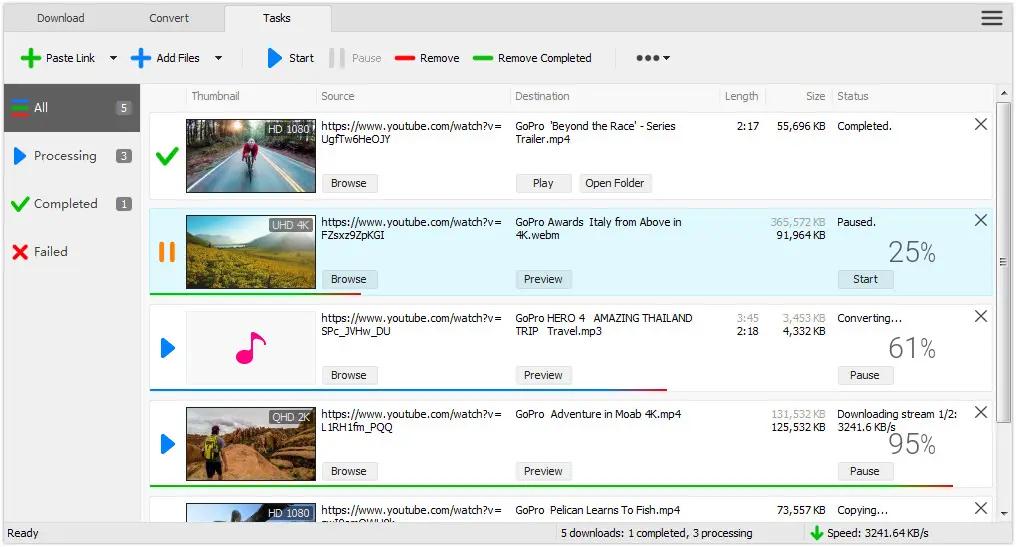
All Video Downloader Pro 10.3.17 (x64) | Size: 148.25 MB
Language: English

All Video Downloader Pro is a professional Windows app for downloading and converting your favorite videos from video sharing sites. It accelerates your downloads by up to 5 times!

Download videos from hundreds of video sharing sites.
All Video Downloader Pro can download videos from YouTube, Facebook, Dailymotion, and hundreds of other video sharing sites. After downloaded, you'll be able to play them smoothly on your PC or mobile devices, even if you don't have internet access.

Accelerate downloads by up to 5 times.
All Video Downloader Pro features a multithreading download acceleration engine that can boost and increase your download speeds by up to 500% faster.

Download 4K, 2K, HD 1080p, HD 720p, and 3D videos.
All Video Downloader Pro allows you to download videos in different resolutions, including 4K/2160p, 2K/1440p, HD 1080p, HD 720p, 480p, 360p, and 240p. You can download 1080p HD videos to enjoy quality graphics on your TV, you can also download 240p videos in order to save space on your mobile devices.

YouTube to MP3 downloader.
All Video Downloader Pro allows you to download only audio stream directly from YouTube and save it as MP3, without downloading the entire video file.

Download entire playlist from YouTube at one time.
All Video Downloader Pro enables you to download an entire YouTube playlist with just a few clicks. All videos in the playlist can be downloaded automatically at one time.

Download multiple videos at a time.
All Video Downloader Pro supports simultaneous downloads that allows you to download more than one video at the same time.

Download subtitles in selected language and format.

Pause and resume downloads.
You may pause your downloads at any time. All Video Downloader Pro can resume broken download from where it was interrupted. You don't need to start from the beginning again.

Preview incomplete video while downloading.
While downloading, you can click the Preview button to play incomplete video and make sure that the content you are downloading is really the video of your choice.

Convert downloaded videos to any format.
All Video Downloader Pro can automatically convert downloaded videos to the format you choose. It supports MP4, FLV, WMV, MOV, ASF, AVI, DV, M4V, MKV, MPG, OGV, SWF, TS, VOB, WEBM, DVD, VCD, SVCD, and many others.

Optimize downloaded videos for any device.
All Video Downloader Pro can automatically optimize downloaded videos for your mobile devices, so you can watch them on your iPhone, iPad, Android phone, Android tablet, Xbox, Windows phone, PSP/PS4/PS3, Samsung Galaxy, etc.

Video to MP3 converter.
All Video Downloader Pro is capable of extracting audio streams from videos and save them as MP3, WAV, WMA, AC3, AAC, OGG, M4A, FLAC, MP2, or any other audio format.

Video and audio converter.
All Video Downloader Pro is a powerful video and audio converter too. It allows you to convert any video/audio files on your disk to the format you wish so that they are playable on your media player or mobile devices.

Ready-made video/audio format presets.
All Video Downloader Pro provides ready-made presets for all popular video and audio formats. You can also custom output video/audio format settings.

Schedule downloads.
All Video Downloader Pro can automatically start downloads at a set time, and shut down your computer when all done. You will no longer have to wait for your long list of videos to finish downloading.

Support drag-and-drop.
You may simply drag and drop a video link/URL from your web browser to All Video Downloader Pro's Drop Box to start a download. You don't even need to copy and paste video link/URL manually.

All Video Player.
All Video Downloader Pro includes a simple and easy-to-use media player - All Video Player, for playing MP4, WebM, FLV, MP3, AAC, and any other format video/audio files that Windows Media Player cannot play.

Operating System: Windows 7, 8/8.1, 10, 11

HOMEPAGE:
Код:
http://www.kotato.com/

FREE DOWNLOAD LINKS:

Код:
https://rapidgator.net/file/840a8b17deb3b59c1816df6c42ec37e6/All_Video_Downloader_Pro_10.3.17_x64.rar

Код:
https://nitroflare.com/view/8B45CFD1BE3679B/All_Video_Downloader_Pro_10.3.17_x64.rar
 
d1367d2d2faa27fd8aeb4eb69742c621.jpg


Ant Download Manager Pro 2.17.3.95883 (x64) Multilingual | Size: 61.3 MB
Language: English

Ant Download Manager (AntDM) is a quick download manager for any Internet file, that fully integrates with all popular browsers. AntDM allows to download free streaming video and audio from numerous web sites, supports P2P peer-to-peer protocol. AntDM supports downloading files from the most popular Premium Link Generators (Debrids).

Ant Download Manager (AntDM) - is a tool that allows you to repeatedly increase the speed of file downloads due to multiple download streams, resume, schedule downloads, capture and download audio and video streams.

Automatically processes download errors, recovers from temporary network errors, reconnects in case of server response delays, has the ability to resume interrupted downloads due to loss of connection, network problems, computer shutdown, or unexpected power outages.

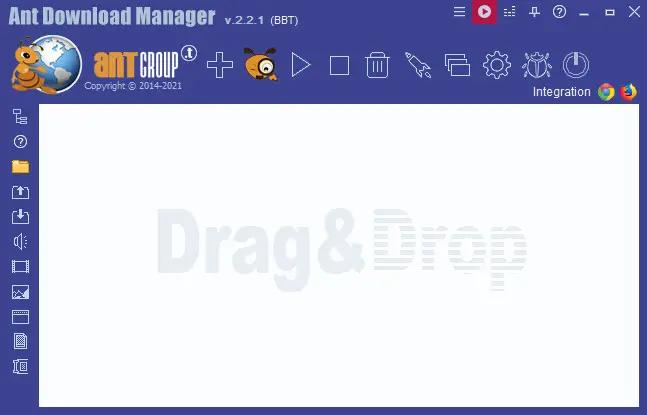
The standard GUI for softwares of this class makes AntDM friendly and easy to use. It has two screens - the first is more common for regular downloads and the second is using video preview for easy tracking of video downloads.

Has download queues, which allows you to accumulate download links at a convenient or scheduled time for the user.

Supports proxy-servers, HTTP and FTP file protocols and their protected versions of HTTPS and FTPS, as well as the main streaming protocols for audio and video content M3U8, MPEG-DASH, VIMEO-STREAM, firewalls, redirects, cookies, authorization, processing of audio and video content.

Supports BitTottrent a P2P (peer-to-peer) file sharing protocol.

Can be easily integrated into the main popular browsers Microsoft EDGE (Chromium-based), Google Chrome, Mozilla Firefox and their numerous clones: 360Chrome, Brave, CCleaner, Chedot, CocCoc, Comodo Dragon, Comodo IceDragon, Maxthon6, Opera, Slimjet, SRWare Iron, Torch, UC Browser, Vivaldi, Yandex, Waterfox, etc. The integration of extension into browsers is used to automatically capture file or media links and download them. Also you can not integrate AntDM extensions into your browsers, but use AntDM autonomously. For example, drag and drop download links from a browser into AntDM, download any single links manually, in a list or in batch mode from a file.

Allows not only downloading audio files, but also extracting audio tracks from video files, converting them to the popular MP3 format and adding basic accompanying information to them.

Supports most popular Generators Premium Links (Debrids): alldebrid.com, cocoleech.com, debrid-link.fr, ffdownloader.com, linksnappy.com, mega-debrid.eu, real-debrid.com, premium.rpnet.biz, simply-debrid.com, premiumize.me, etc.

Other features include multilingual support, download categories, download log, priorities and changes of download speed, task scheduler, sounds of various events, CHM User Guide, virus protection when download completion and many more.

System Requirements:
Windows (x32/x64) 7, 8, 10, 11
Google Chrome or clones: 360Chrome, Brave, CCleaner, Chedot, CocCoc, Comodo Dragon, MS EDGE, Maxthon6, Opera, Slimjet, SRWare Iron, Torch, UC Browser, Vivaldi, Yandex, etc.
Mozilla FireFox or clone: Comodo IceDragon, Waterfox, etc.

HOMEPAGE:
Код:
https://antdownloadmanager.com/

FREE DOWNLOAD LINKS:

Код:
https://rapidgator.net/file/29e4102757f23444f01bf674bca7fa61/Ant_Download_Manager_Pro_2.17.3.95883_x64_Multilingual.rar

Код:
https://nitroflare.com/view/B445A8590A73D55/Ant_Download_Manager_Pro_2.17.3.95883_x64_Multilingual.rar
 
9a7655209f3955f76d4425b737846f92.jpg


AnyTrans for iOS 8.9.14.20260528 (x64) Multilingual | Size: 310.46 MB
Language: English

Update Your iPhone Experience with More Possibilities. Unlock more possibilities in managing and transferring your iPhone, iPad, iPod, even iTunes and iCloud content. Experience an easier and happier i-Life now. AnyTrans breaks the sync boundaries to bring you full-way transfer across iPhone, iPad, iPod, iTunes, iCloud and computer. Now it takes one step further to get it done by simple drag and drop or one quick click. Your data and files can fly straight to anywhere you want without a hassle.

Be The Master of Your Music
Set yourself free from iTunes restrictions, and transfer music freely between iPhone, iPad, iPod, computer and iTunes. You can export songs from iPhone to computer or iTunes library. Drag music you like to iPhone without erasing anything existing. Take your favorite playlists to your new iPhone. Everything that's impossible with iTunes is now easy in one click.

Take Care of Your iPhone Photos
iPhone photos record your life moments, and AnyTrans keeps them safe for you. In a single click, it smartly and rapidly exports photos to computer by category, like Live Photos, Selfies, or albums you created - even converts photos from HEIC to JPG if you need. You can then batch remove photos that are safely backed up from your iPhone, and make room for more memories.

Personal Info
Remove old contacts and messages to keep your list clear. Export important ones for backup. Or, move them to new iPhone and ensure your connections are always at your fingertips.

Apps
It's a breeze to download, install, update, remove and manage iPhone/iPad apps and app data from computer. You can even share app files between iPhone and computer seamlessly.

Messaging Apps
AnyTrans keeps WhatsApp/LINE/Viber chats and files right within your reach. Whether you want to move them to new iPhone, or create a backup to avoid accidents, it's a click away.

Files & Documents
Turn your iPhone into a USB flash drive to store files and documents. Using AnyTrans iOS app, you can then browse these files by category, and preview or share them directly from iPhone.

Warm Your New iPhone with Sweet Memories
Got a new iPhone? Warm it up with your sweet memories. No matter you're upgrading from an old iPhone or Android phone, AnyTrans migrates all your essentials in one simple click - photos you shot, music you enjoyed, contacts you kept, messages you saved, or anything you need. You can even move apps and app data at one go. Don't have to download apps one by one manually any more. What about the old phone? AnyTrans can permanently wipe everything on it, keeping your private info safe from falling into the wrong hands.

Never Worry About Data Loss Any More
Keeping a complete and up-to-date backup is the best way to protect you from unexpected data loss. Now AnyTrans provides a more complete iPhone backup solution, as well as a more flexible restore solution. It makes sure you can get back your valued data in an easy, quick and preferred way.

Use Your iCloud Easily and Securely
As the innate partner of iOS devices, iCloud is indispensable but complicated for most of us. Now no worries. AnyTrans lets you manage iCloud files easily as you do locally with Windows Explorer or Mac Finder. You can view and extract iCloud backups, delete old files to save precious iCloud storage, batch save photos to computer, move files seamlessly between iCloud accounts, etc. Every access is protected by Apple's encryption algorithm to keep your privacy absolutely private.

Update iTunes Experience As Well
AnyTrans breaks iTunes restrictions to give you better sync experience. With its 2-way transfer, you can not only transfer music and videos from iTunes library to iPhone, but also rebuild damaged iTunes library by exporting songs and playlists from iPhone, iPad
e done without erasing anything. So, feel free to enrich your iPhone music library from multiple iTunes libraries as you want.

HOMEPAGE:
Код:
https://www.imobie.com/

FREE DOWNLOAD LINKS:

Код:
https://rapidgator.net/file/3d4082e2fbcf00b762a6bdc24a564d2b/x64_Multilingual_20260528.rar

Код:
https://nitroflare.com/view/E7CEBE5B9CAAD77/x64_Multilingual_20260528.rar
 
6354196e3ab49664a1be247e231ca87c.png


App Builder 2026.13 (x64) | Size: 264.66 MB
Language: English

If you want to create modern desktop and mobile apps you're in the right place! DecSoft App Builder is a professional visual development environment to create HTML5 apps, WebApps, Progressive WebApps, Web Extensions and Hybrid apps for the modern mobile and desktop browsers, as well platforms like Google Android, Apple iOS and Microsoft Windows.

Languages
The DecSoft App Builder apps are based in HTML, CSS and Javascript. These are the languages that you must know (more or less) in order to create modern apps that run in all the mobile and desktop browsers, as well platforms like Android, iOS and Microsoft Windows. All with the same base code! This is a big reason to choose DecSoft App Builder.

Visual designer
App Builder provide us dozens of visual and non visual controls ready to be placed in the application's designer. Simply drag and drop the control that you need into the designer and then place it where you wanted.

Contextual help
DecSoft App Builder has a contextual help that point you exactly to the control, property, event reference, etc. Just press the F1 key where you are in the IDE.

Apache Cordova
DecSoft App Builder is integrated with Apache Cordova and prepares for your app the right config file, platform icons, splash screens, batch files, shell files and JSON files. DecSoft App Builder integrates also the officials Apache Cordova plugins.

Quick code list
The DecSoft App Builder code editors provides the Quick code list for your convenience. The Quick code list helps you to write Javascript code more faster, providing all the available controls properties, methods and more.

App Files manager
The DecSoft App Builder IDE incorporates the right Files manager for your app, so you can link Javascript and stylesheet files, but also add images, other files (like JSON files) and even entire directories, to be available in your app at runtime.

User Functions
In addition to the available app methods and the methods provided by the app views, app dialogs, app frames, the Apache Cordova plugins methods, and, all the possible controls that you can use, its also possible to setup your own User Functions in order to be available for your app at runtime.

Operating System: Windows 7, 8/8.1, 10, 11 (64-bit only)

HOMEPAGE:
Код:
https://www.davidesperalta.com/

FREE DOWNLOAD LINKS:

Код:
https://rapidgator.net/file/ca8beecfbc74e7f41dea0d40880029e1/App_Builder_2026.13_x64.rar

Код:
https://nitroflare.com/view/EE8DC351C64EDAB/App_Builder_2026.13_x64.rar
 
5f451ad247a29aeb1ea2cdfabe3b36c1.jpg


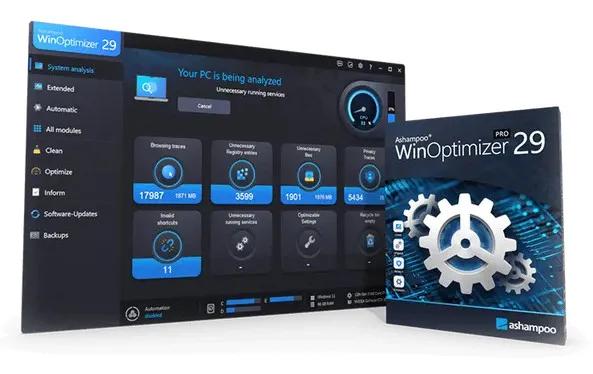
Ashampoo WinOptimizer Pro 29.0.1 Multilingual | Size: 35.11 MB
Language: English

Over time, Windows slows down, accumulates junk files, and shares more data than you might be comfortable with. Ashampoo WinOptimizer Pro 29 thoroughly cleans your system, boosts performance, and restores speed-instantly and noticeably. Unnecessary files are removed, processes optimized, and your privacy safeguarded. Your PC will feel fast, stable, and clean again-almost like a fresh installation.

Your benefits
Speeds up your PC instantly
Four powerful cleaners with One-Click Optimizer
Find and remove sensitive data with Privacy Traces Cleaner
Analyze crashes and error reports with Crash Analyzer
Advanced system analysis to optimize key areas
Customize Windows with Tuning Assistant
Thorough deep cleaning of junk files

All essential maintenance tasks handled automatically
Once engaged, One Click Optimizer takes care of the most important maintenance tasks fully automatically. It combines features from Drive Cleaner, Internet Cleaner, and Registry Optimizer, removes junk files, cleans up the Registry, and deletes web browsing traces-without the need to run these modules individually. Your system is optimized quickly, easily, and reliably. You get maximum results with minimal effort.

Thorough cleaning for more space and performance
Removes junk files, application traces, and unnecessary system leftovers
Over time, unnecessary files, logs, and browsing traces build up, taking up space and slowing down Windows. WinOptimizer removes these leftovers reliably and ensures your system runs clean and efficiently again. Drive Cleaner deletes unnecessary files from your drives, while Internet Cleaner removes web browsing data and traces. The integrated Registry Optimizer fixes invalid and orphaned entries in Windows Registry, and Privacy Traces Cleaner removes sensitive user-related data that may affect your privacy. Even hidden leftovers accumulated over time are detected and removed. This frees up valuable disk space, reduces system load, and lays the foundation for a faster, more stable system.

More speed for your daily PC needs
Optimizes startup, processes, and system resources
Your system starts faster, runs more smoothly, and programs respond without noticeable lag. Live-Tuner prioritizes active applications, while Startup Manager keeps unnecessary programs from launching during boot, reducing startup times. With Service Manager, you stay in control of background services, while Profile Booster fine-tunes system settings to further improve performance. This allows your PC utilize resources more efficiently and remain responsive even under heavy load.

Protect your privacy and stay in control
Eliminates data traces and protects personal information
Web browsing traces, usage data, and sensitive information created during everyday use are reliably removed. Privacy Manager helps you adjust Windows privacy settings, while specialized tools like Internet Cleaner and Privacy Traces Cleaner ensure that personal data is always removed from your system. This reduces tracking, protects your activity, and keeps your system secure.

Keep an eye on your system at all times
Identifies issues and highlights optimization potential
The comprehensive analysis shows exactly where optimization is needed. Tools like DiskSpace Explorer identify space hogs, while Crash Analyzer evaluates system errors and presents them clearly. This helps you detect issues early and take action before they become noticeable.

Customize Windows to your needs
More control through targeted system adjustments
With the integrated tuning modules, you gain direct access to hidden settings and can optimize your system precisely to your needs. The tweaking section offers a wide range of customization options, while tools like Context Menu Manager, File Associator, and User-Rights Manager provide additional control. This allows you to tailor Windows exactly to your needs.

Practical tools for everyday use
Additional features for file and system management
A wide range of additional tools support you in file and system management. With File Wiper, you can securely delete data, while tools like File Splitter, Encrypter, and Undeleter help you split, encrypt, or recover files. The package is rounded out by useful utilities such as the Link Checker, giving you greater control and flexibility in your daily workflow.

Maintenance that runs automatically
Automatic optimization in the background
If desired, regular cleaning and optimization tasks are performed automatically and in the background. This keeps your system consistently clean, fast, and stable, no manual effort required.

Operating System: Windows 11, Windows 10

HOMEPAGE:
Код:
https://www.ashampoo.com/

FREE DOWNLOAD LINKS:

Код:
https://rapidgator.net/file/e1143a6300863f907c53a1aff7cfaa57/Ashampoo_WinOptimizer_Pro_29.0.1_Multilingual.rar

Код:
https://nitroflare.com/view/A9A403AA5D28925/Ashampoo_WinOptimizer_Pro_29.0.1_Multilingual.rar
 
8e63835e1260d740746e16885017b008.jpg


Automatic Email Processor 4.0.14 Beta | Size: 85.03 MB
Language: English

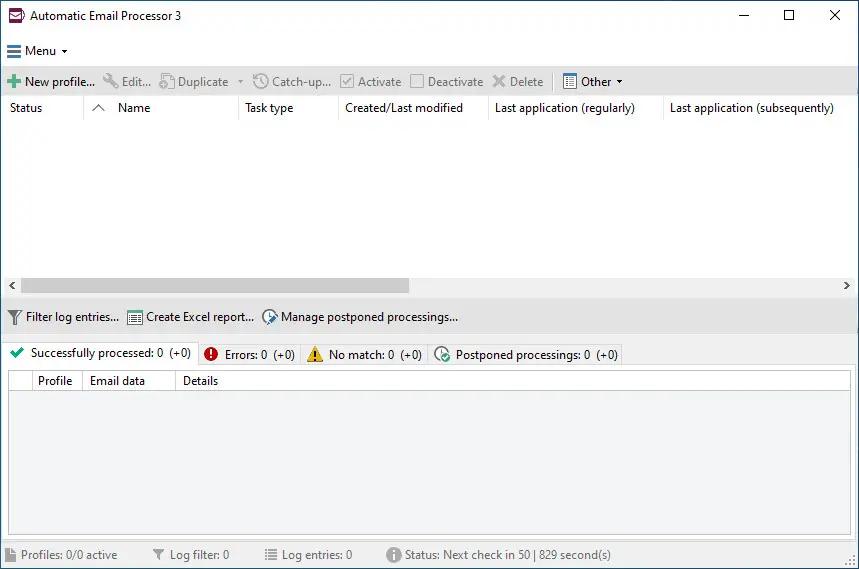
Automatic Email Processor is the complete solution for Outlook to store and print incoming emails and their attachments automatically. For this, various filters, flexible configuration options, such as individually definable storage folders and the possibility of subsequent processing are available. For example, the path of the location where you want Automatic Email Processor to save certain emails or email attachments, can be assembled dynamically from individual properties of an email.

For storing email messages, among other things, the output format can be specified (e.g. PDF, RTF or HTML). The standard Outlook message format (save email as MSG file) is particularly suitable for archiving important messages. The program supports the creation of an unlimited number of rules in order to be able to make separate settings for different email accounts. In addition, rules can be applied to emails of a certain period of time or to all emails already received in an Outlook folder.

Monitor Outlook folders
Examine incoming emails and apply appropriate rules.

Automatically save emails and attachments
Save emails and email attachments from Outlook automatically into dynamically created folders.

Print emails automatically
Send certain emails and attachments directly to the printer (for example, fax emails).

Optional further processing
Perform subsequent tasks, e.g., run a program with the filename of a saved attachment passed as parameter.

With Automatic Email Processor, you can:
• save emails automatically (as PDF file or in the original format)
• automatically print emails and email attachments (PDF files, Office documents etc.)
• save attachments automatically (save all or certain attachments of an email by using a filter)
• extract or print certain or all files from ZIP files
• monitor an unlimited number of Outlook folders
• create custom rules for different tasks
• filter by subject, sender, recipient, attachment file name .
• receive status reports by email, forward messages or inform the sender
• use command line parameters: only one run, exit, catch-up
• create storage folders dynamically from properties of an email
• perform subsequent actions such as start a program with parameters, mark the message as read, or move the email into another Outlook folder
• re-process all emails (with certain criteria) of an Outlook email folder
• archive emails from any Outlook folder and period (e.g. as MSG files)
• have the email moved to a different Outlook folder after processing and have subfolders generated dynamically from properties of the email
• have an Excel report with an overview and detailed information sent to you on a regular basis
• limit the automatic processing of email messages to certain days and times

Automatically print emails and attachments from Outlook
Automatic Email Processor monitors Outlook and allows you to send emails or attachments that meet pre-defined criteria directly to a printer upon receipt. Different print settings can be defined for each rule, for example to be able to print certain emails in a different quality. The respective printer can be defined individually for each rule as well as separately for printing the email message or attachment. You can also specify that only certain pages of the email should be printed automatically (for example, print only the first or last page of a PDF attachment of the email).

Automatically save incoming emails as PDF files
With Automatic Email Processor, emails received in Outlook can automatically be saved into a specified directory as PDF file, for example, in order to keep a copy of the message for backup purposes. Attachments and the email itself can also be embedded (as MSG file with or without digital signature) in the PDF file. The path as well as the folder and file name of the PDF file to be saved can be composed of various properties of the email, such as the date and, for example, a part of the subject.

Automatically save and optionally detach Outlook email attachments
In addition to archiving the complete email, Automatic Email Processor can also automatically save attachments. The properties of the email and the name of the attachment can become part of the path, i.e. properties such as the sender name can be integrated in the folder and file name. After successfully saving the attachments, they can be detached or, more precisely, replaced by a link file containing only the path of the saved attachment. This can prevent problems caused by too large Outlook PST files and save storage space. The detachment of the attachment can optionally be done with a time delay - for example, two weeks.

Operating System: Windows 11, 10, 8, 7 or Server (32-bit or 64-bit version)

HOMEPAGE:
Код:
https://gillmeister-software.com/

FREE DOWNLOAD LINKS:

Код:
https://rapidgator.net/file/f741f06e78db2603ff34a1e409cba261/Automatic_Email_Processor_4.0.14_Beta.rar

Код:
https://nitroflare.com/view/B83039D082BE468/Automatic_Email_Processor_4.0.14_Beta.rar
 
3cc905ba0b66ba5fa0d9d620580b0623.jpg


Coolmuster Android Assistant 6.0.135 Multilingual | Size: 22.02 MB
Language: English

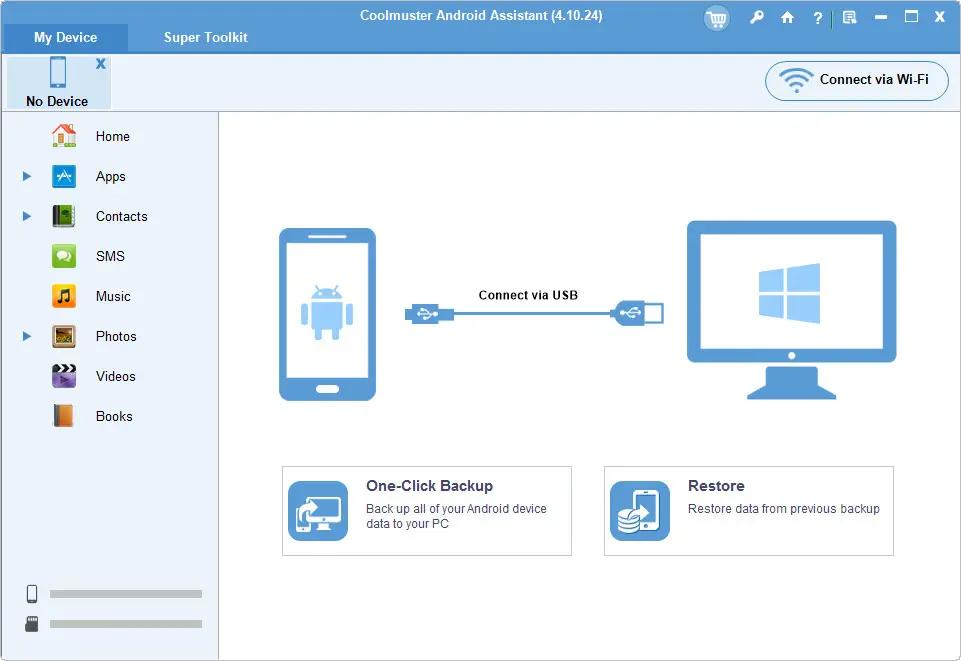
Better Manage Android Data in One Place on Windows Computer! As one-stop Android managing software, Coolmuster Android Assistant is fully capable of dealing with Android media, contacts, SMS, apps, etc. in one place on your PC! It features all the functions one may require for the management on Android devices.

- Hammer at backup and restore overall Android phone's data on PC with 1 click & retain 100% quality.
- Breezily push music, videos, photos, etc. from PC to your phone.
- Add, delete, unduplicate and edit contacts on PC.
- Send & reply text messages directly on your Computer.

How to Backup Android? 1 Click is Enough!
Various functions of the cell phone have made certain people reluctant to separate themselves from their cell phones. They almost save all their life on the portable device and are afraid to think ahead if losing these valuable data some day. Well, why not backup your Android device to computer?

- Coolmuster Android Assistant enables you to export videos, photos, music, contacts, SMS, apps, etc. from Android phone or tablet to computer, so that you can free up your Android space for new files.
- Additionally, you can restore your Android phone from the selected or all backed-up files with one click.

Want A Perfect Contacts&SMS Assistant? Here It Is!
Just end your life of group text messaging or adding contacts one by one manually on your Android phone with Coolmuster Android Assistant. Exprience a new texting way here and better manage your contacts on computer.

- Still using your Android phone to text to a group of people one by one to send the same message? This Android managing software enables you to send and reply SMS on computer and perform group texting at once to save time greatly.
- What's more, you are allowed to add new contacts, delete useless contacts, edit exsiting contacts and unduplicate contacts on computer conveniently.

Are You An App & Media Fancier? You Can Not Miss It!
If you are an app enthusiast and media fancier, Coolmuster Android Assistant will be your must-have tool because it features with all powerful functions that make you fully enjoy entertainment on the go.

- Instantly download & install your favorite apps on your computer and export them to your Android SD card with a click. You can backup all or seleted apps from your Android to computer or uninstall useless apps quickly from computer.
- Want to enjoy media files anytime and anywhere? Android Assistant helps you transfer your wanted music, photos and videos from computer to Android phone without any hassle.

Read-only and Compatible with All Android Brands! 100% Green!
After many times of testing, android assistant can be proved 100% secure and works well on almost all popular Android phones and tablets.

- A wide range of Android brands are supported by this Android managing tool, including HTC, Samsung, Motorola, Sony, ZTE, LG, HUAWEI, Dell and many more.
- 100% Safe application. Performs READ-ONLY operations to avoid causing any damage to the Android data and your computer.

Operating System: Windows 11/10/8/7

HOMEPAGE:
Код:
https://www.coolmuster.com/

FREE DOWNLOAD LINKS:

Код:
https://rapidgator.net/file/b6d3280713c21a91529bb151185d5828/Coolmuster_Android_Assistant_6.0.135_Multilingual.rar

Код:
https://nitroflare.com/view/623055D556D9D4B/Coolmuster_Android_Assistant_6.0.135_Multilingual.rar
 
0af1f7124cb7bf6ee034323d3634e241.jpg


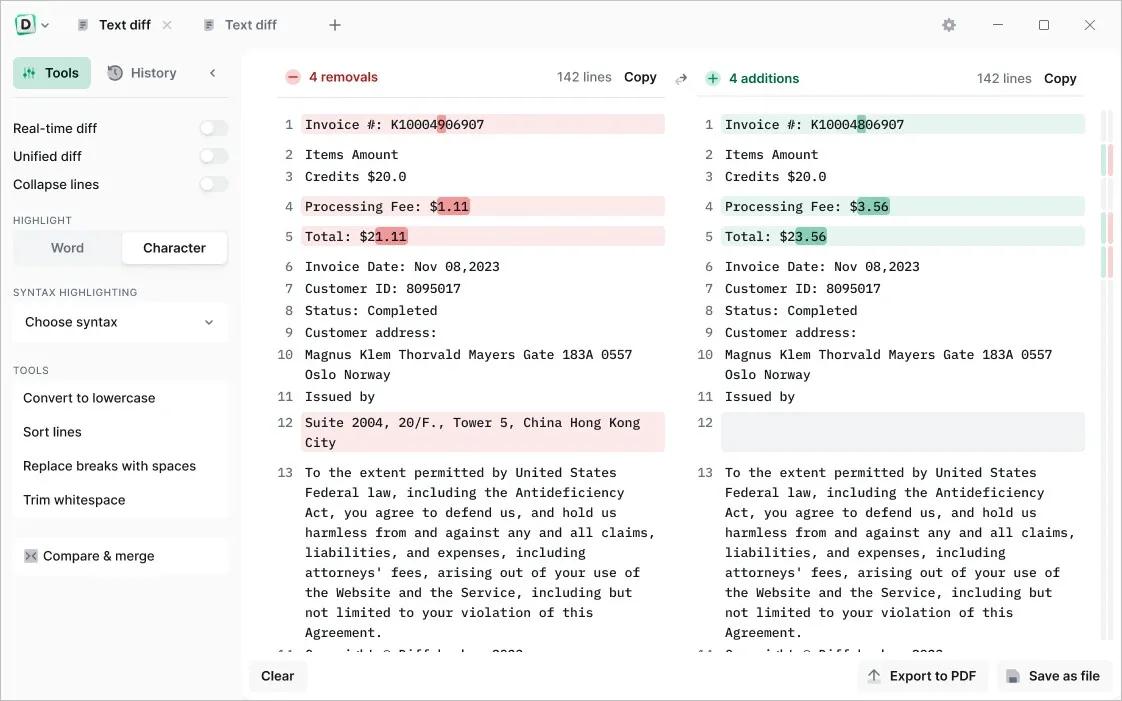
Diffchecker 7.0.6 Multilingual | Size: 144.82 MB
Language: English

Discover the power of offline security. Safely compare text, images, and files offline - on Windows.

Protect your confidential documents
Using Diffchecker Desktop is like keeping your files in a safety deposit box - our enterprise-grade security ensures your data never leaves your computer.

How does it work?
Diffchecker Desktop operates exclusively on your computer, without any interaction with our web servers. This guarantees industry-leading functionality and faster speed, all packaged in a powerful interface designed for utmost security.
Whether you find yourself at JFK or Mount Everest, browse your files with confidence knowing that Diffchecker Desktop operates fully offline, keeping your client data safe on your machine.

Perfect for:
Legal documents
Tax forms
Sensitive code
Encrypted files
Confidential data
Unsecured networks

Compare text with total precision
Instantly compare any text files, whether it's code, legal documents, or your favorite sourdough recipes. Check differences by word or character and make real-time edits

Compare photos, images and graphics
Slide to compare images pixel by pixel or seamlessly fade and overlay two pictures for a clear result

Compare Word and PDF documents
Use our AI software to extract and compare content from two PDFs, or merge files to highlight graphic differences

Compare spreadsheets
Scan through each cell like an X-ray or display files side by side for a detailed overview of your data

Compare folders
Check folder contents and document details to organize your files or see what's missing

Do more with Diffchecker Desktop
Your all-in-one comparison powerhouse, with over 30+ features for a faster, easier workflow.

Character-by-character comparison
When every detail matters, check your code, contracts or invoices down to each individual character

Syntax highlighting
Pick from more than 20+ languages, including Javascript, Markdown, Python, R, and C++

High-speed performance
Compare a thousand lines of code or even the most complex PDFs in no time

Export in multiple formats
Download files in the Diffchecker format or export them as a PDF in one click

No ads
Eliminate distractions so you can focus on what really matters - your work

HOMEPAGE:
Код:
https://www.diffchecker.com/desktop/

FREE DOWNLOAD LINKS:

Код:
https://rapidgator.net/file/3a878774ff992de7f00e1443e675d0c3/Diffchecker_7.0.6_Multilingual.rar

Код:
https://nitroflare.com/view/CA1D8D0BB478EAA/Diffchecker_7.0.6_Multilingual.rar
 
8bc175b18bba680088e1f148a826585b.png


Directory Opus 13.23.4 Beta (x64) Multilingual | Size: 29.59 MB
Language: English

Are you frustrated by the limitations of Windows Explorer? Directory Opus provides a complete Explorer Replacement with far more power and functionality than any other file manager available today.

Just some of the features include:
- Single or dual pane file display and folder trees
- Tabbed interface let you keep multiple folders open and switch quickly between them
- Unique Explorer Replacement mode provides a full replacement for Windows Explorer
- Quickly filter, sort, group and search your folders
- Color-code your files, assign status icons, star ratings, tags and descriptions
- View images, documents and more. Image marking lets you sort your photos quickly and easily
- Batch renaming including easy-to-use keyboard macros
- View and edit file metadata
- Support for FTP and archive formats like Zip, 7Zip and RAR
- Built-in tools including synchronize and duplicate file finder
- Calculate folder sizes and print or export folder listings
- Queue multiple file copies for improved performance
- Fully configurable user interface - colors, fonts, toolbars, keyboard hotkeys, and a full scripting interface let you tailor Opus exactly to suit your needs
- Efficient, multi-threaded, modern design. Supports the latest 4K monitors. Available in both 32 and 64 bit versions.

What makes Opus unique?

Built for speed
Opus is written in native C++ multi-threaded code; compiled for the latest 64 bit CPUs, with high performance our number one design principle.

Fully configurable
Change the colors. Change the fonts. Change the toolbars and menus. Set up hotkeys. Opus adapts to how you want to use it.

Makes file management a breeze
Powerful searching, sorting, grouping, labelling and tagging features let you take control of your files like never before.

Endlessly extensible
Work with third-party tools as easily as with the built-in features. A full scripting interface, including scriptable dialogs, means your imagination is really the only limit.

Replace Windows Explorer and don't look back
Our unique Explorer Replacement mode provides a full replacement for Windows Explorer.
Single or dual pane file display and folder trees
Tabbed interface let you keep multiple folders open and switch quickly between them
Integrated viewer, metadata editor and utility panel
Built-in tools including synchronize and duplicate file finder
Leverage indexed search engines like Windows Search and Everything

HOMEPAGE:
Код:
https://www.gpsoft.com.au/

FREE DOWNLOAD LINKS:

Код:
https://rapidgator.net/file/a5c2549b4203057f7fcc8a5ba36a1b4f/Directory_Opus_13.23.4_Beta_x64_Multilingual.rar

Код:
https://nitroflare.com/view/15C4E956E079283/Directory_Opus_13.23.4_Beta_x64_Multilingual.rar
 
de3f5b4b3eab05b95026f463dee1e068.jpg


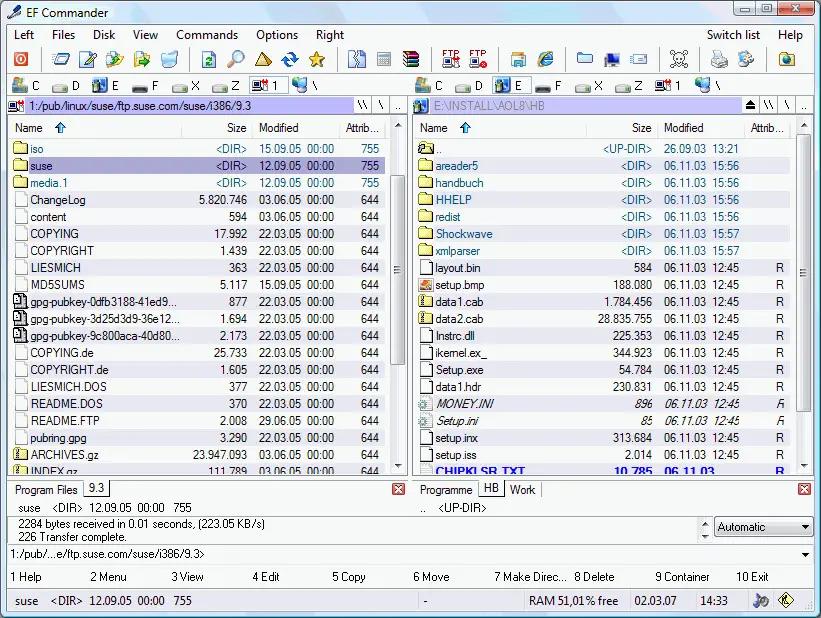
EF Commander 26.05 Multilingual | Size: 11.12 MB
Language: English

EF Commander is a complex and multi-featured file manager that a wide range of users, from beginners to professionals, will find easy to use. It is the result of many requests received by the author. The first version was written in 1994, under the OS/2 operating system using Presentation Manager, as a personal replacement for the old DOS program Norton Commander™. In 1996 it was ported to the 32-bit Microsoft Windows operating system.

Here are some key features of "EF Commander":

Easy to use
The modern interface helps you to have full control over your files and folders.

Tabbed interface
Define just the views you need in each pane for your folders and files.

Thumbnails
Quickly and easily get an overview your photos or other image collections.

32 bit multi-threading, parallel file operations
All long operations are run with multi-tasking. You can run any number of different operations at the same time, or several instances of the same operation - for example, you can have several "copy" commands going simultaneously.

Direct link to PDAs with Windows CE
EF Commander was the first file manager worldwide with this feature. Handle your data in the same way as on your desktop or laptop computer.

Internal packers for more than 20 archive formats
Use EF Commander to pack files or whole folders in any of the common archive formats. No external programs are required.
Supported formats: 7-Zip, ACE, ARC, ARJ, BZIP2, CAB, CPIO, GZIP, IMG, ISO (ISO9660), LHA, RAR, RPM, SFX, SQX, TAR, TBZ, TGZ, ZIP, ZOO

Internal viewer for more than 30 file formats
View picture files and movies, and play MP3, Ogg/Vorbis, FLAC, WMA and WAV audio files, without having to use any other software.

Use XnView and IrfanView as add-ons
Enlarge the number of available formats to 400 or more. EF Commander runs quietly in the background, but remains fully available to you. Files can also be managed in the internal viewer, in the quick view mode, or as thumbnails.

Fast FTP-client
The built-in FTP client features resume download and FxP (server to server transfers).

Internal text and HEX editor
EF Commander has full text and hex editors for files that are limited only by your system resources.

Functions to split/join large files
Split large files into smaller parts, and recombine the parts.

Create/Verify checksums
Check the integrity of your data. EF Commandersupports the SFV, MD5 and SHA1 formats.

Synchronize function
Synchronize your notebook or your LAN with your work station.

Built-in media player
Play MP3, Ogg/Vorbis, FLAC, WMA and WAV.

External plug-in support for packers, viewers, file system and contents
Extend the functionality of EF Commander with external plugins. Supported formats include WLX, WCX, WFX and Winamp decode plugins.

The following languages are included in the package: English, German, Bulgarian, Catalan, Chinese, Croatian, Czech, Danish, Dutch, French, Galician, Hungarian, Italian, Korean, Latvian, Lithuanian, Macedonian, Polish, Portuguese, Romanian, Russian, Slovak, Spanish, Swedish, Taiwan, Ukrainian.

Operating System: Windows 7, 8/8.1, 10, 11

HOMEPAGE:
Код:
http://www.efsoftware.com/

FREE DOWNLOAD LINKS:

Код:
https://rapidgator.net/file/97555fa8a7abe92c169ad5a905b9817d/EF_Commander_26.05_Multilingual.rar

Код:
https://nitroflare.com/view/90825A2ACAC191B/EF_Commander_26.05_Multilingual.rar
 
eebcbd9fe14ffb010c9f6942937e6b48.jpg


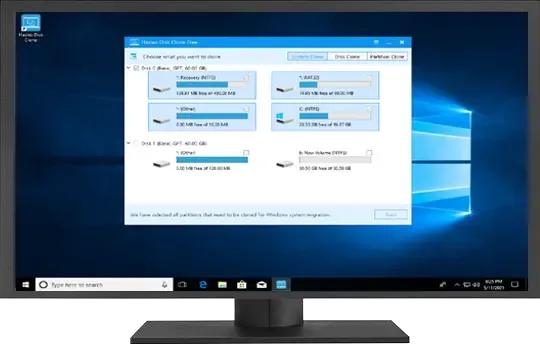
Hasleo Disk Clone v5.8.2.0 Technician Edition - WinPE | Size: 500.37 MB
Language: English

Hasleo Disk Clone is a Pro and all-in-one disk cloning software for Windows 11/10/8/7/Vista and Windows Server, which allows you to migrate Windows OS to another disk, clone disks or clone one partition to another location quickly and efficiently. Hasleo Disk Clone natively supports Windows ARM64, improving performance and reducing energy consumption on ARM64-based systems.

Hasleo Disk Clone is professional Windows cloning software providing multiple disk alignment modes, sector-by-sector cloning of disks and partitions, flexible partition adjustment (location/size on the destination disk), and MBR/GPT disks conversion during cloning (MBR=>GPT or GPT=>MBR). Additionally, you can create a bootable WinPE emergency disk to migrate disks or partitions.

- Migrate Windows from one disk to another without reinstalling the OS, or apps.
- Clone one disk to another and ensure identical data content on both disks.
- Clone a partition to another location without any data loss.Improved
- Adjust the size and location of the destination partitions easily.
- Convert MBR to GPT or convert GPT to MBR by cloning.
- Extremely cloning speeds (intelligent sector copy technology and Delta clone technology).New
- Creation of Windows PE emergency disk, and multi-language support.Improved
- Windows Vista/Server 2008 or later runs on X86/X64/ARM64 processors.

HOMEPAGE:
Код:
https://www.easyuefi.com/disk-clone/disk-clone-home.html

FREE DOWNLOAD LINKS:

Код:
https://rapidgator.net/file/3c7aecadde7cb30975b21c20db47e5b1/Hasleo_Disk_Clone_v5.8.2.0_Technician_Edition_-_WinPE.rar

Код:
https://nitroflare.com/view/EC7CA3FBB30C5A7/Hasleo_Disk_Clone_v5.8.2.0_Technician_Edition_-_WinPE.rar
 
ece5f90b08dce22d552f95e44a08a99b.jpg


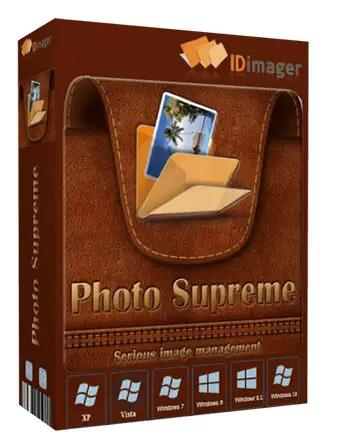
IDimager Photo Supreme 2026.3.0.9216 Multilingual | Size: 162.28 MB
Language: English

Photo Supreme v2026 is a thoughtful and forward-looking release. This update has focused on smarter discovery, faster performance, and modern workflow expectations, especially around large catalogs, mobile integration, searches, and team environments.

Import and Select
One of the standout additions in Photo Supreme v2026 is the new multi-pass Import and Select workflow. This allows users to review and refine image selections in multiple stages instead of making all decisions in one pass. It's especially useful for large shoots, letting photographers cull images more deliberately and with less pressure. In addition, the Import and Select feature now loads images faster than ever. Mac users will also appreciate direct iOS device importing, which makes it possible to bring photos straight from an iPhone or iPad into the catalog without relying on intermediary software. This significantly streamlines mobile-first workflows.

Powerful Searches
Photo Supreme now supports natural language searching, allowing users to find images using plain, conversational phrases rather than rigid metadata queries. This feature is powered by AI services such as OpenAI, Google Gemini, or local models with Ollama. This gives users flexibility in how advanced features are enabled. In addition, a new classification system enhances search accuracy by grouping images into meaningful categories upon import, making it easier to surface relevant results in large or complex catalogs.

Video & Media Handling
For users working with video, Photo Supreme v2026 introduces hover-based video previews. Simply hovering over a video thumbnail now reveals a short animated preview, making it much faster to identify clips without opening them individually. Support for modern formats has also been expanded, ensuring the software keeps pace with current media standards.

Sharing with ZIP
Exporting images is more flexible in v2026 thanks to ZIP output support in transfer profiles. This makes it easy to bundle images into a single archive for delivery, backup, or client sharing, all directly from within Photo Supreme. These enhancements simplify distribution workflows and reduce the need for external tools.

GEO Maps
GEOgraphic-Mapping features can now generate maps using not only Google Maps, but also OpenFreeMap with OpenStreetMaps. This removes the need for API keys while still delivering rich, interactive map displays. This update makes location-based browsing easier to configure and more accessible for all users.

Performance and Refinements
Photo Supreme v2026 delivers notable performance enhancements, resulting in faster browsing and a more responsive overall experience. Response times are improved by up to 10%, with especially noticeable gains for large libraries containing many catalog labels.
Catalogs with numerous stacks also see significant performance improvements, particularly when displayed in stacked views.
v2026 includes a wide range of refinements, such as: "Visually similar" stack detection, numerous stability fixes and workflow enhancements, polished UI behavior in collections, searches, and metadata handling

Wait, there's more, a lot more.
New "RAW Files" and "Video Files" catalog states
Added support for Google Gemini as an AI service
Added support for OpenAI GPT-5.2 as an AI Service
Added support for Ministral3 model with Ollama
Added file management support for ACR sidecar files
Update HTTP Server with Photo Supreme Online (Server Edition)
Faster face recognition
Added "AI-Estimated GEO Location" to the AI Panel
Faster result display in the Collection Viewer
"Cascade Metadata" from image to Stack or Version Set is now a background process
A highlighted stroke has been added to the active tabs, improving navigation
Now you can display metadata charts and graphs across multiple tabs
Added support for Ctrl/Cmd+Z functionality in text and memo fields
Defined the new Affinity v3 .AF and .AVIF file format as a supported "other file format"
Switching the collection viewer's view style is faster (eg from Basic to Grid to Clean to Custom Thumb Info)
Advanced Search now has an option to search by "File Size" and "File Size MB"
Finetuned the check for "need to compact" on PostgreSQL (Server Edition)
Bookmark keyboard shortcuts are now a "toggle", similar to ratings and color labels
Expanding nodes in the Catalog Tree is ~25% faster
When using the "Dump Full to Catalog File" feature, there's now the option to create either a "catalog dump" file, or a "catalog with thumbs" dump files
Added a XMP Storage Location for "original file AND non-standard sidecar file"
In "Stacked View", you can now select a specific item from the stack to show
Support for PostgreSQL 18.
And more.

Highlights for v2026
Multi-Pass "Import and Select": Seamlessly transition through passes with a fast-culling system that optimizes your workflow.
Direct iOS Image Import on macOS: Import images directly from your iOS devices with ease.
Video Thumbnail Preview: Hover over a video thumbnail or open the Quick View to view a live video preview.
Natural Language Search Powered by AI: Search your content using plain language, with smart integration through OpenAI, Google Gemini, or Ollama models.
Transfer Profiles can now create ZIP output files: Copy or send sets of images as a single ZIP file for easier sharing.
Maps with OpenFreeMap: Display images on interactive maps using OpenFreeMap/OpenStreetMaps with no API key needed.
Server Edition Thumbnail Caching: Enjoy faster performance with local thumbnail caching, automatic cleanup, and customizable settings for retention and cache size.
Classifications: Enhance search accuracy with an automatic image classification mechanism on import.

Operating System: Windows 10 or higher

HOMEPAGE:
Код:
https://www.idimager.com/

FREE DOWNLOAD LINKS:

Код:
https://rapidgator.net/file/2d6401c3a91ac5203c4c3f6d820abf74/IDimager_Photo_Supreme_2026.3.0.9216_Multilingual.rar

Код:
https://nitroflare.com/view/DC94E1D32CBA967/IDimager_Photo_Supreme_2026.3.0.9216_Multilingual.rar
 
6059725d9551e47d14538c59c221515b.png


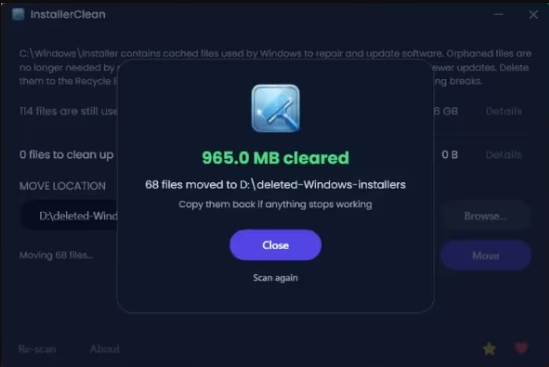
InstallerClean 1.8.2 | Size: 90.15 MB
Language: English

InstallerClean is a small tool made to clean up hidden leftover files that Windows keeps after installing or updating programs.

A simple, focused interface
The UI is very simple, showing a list of installer files with details like their size and whether they can be removed. At the end, it clearly displays how much space can be freed and gives a straightforward prompt after the cleanup is done.

It is designed to be a no-fuss tool: the scan runs automatically on startup, but both Delete and Move require confirmation before anything is changed. You see the count and total size before proceeding, so you have full control.

It double-checks before deleting anything
At this point, you may be wondering if the app is safe and the short answer is yes. After it scans the Windows installer files folder, it checks with the OS to determine what is safe to remove based on the Windows record of installed programs. In fact, the app asks Windows directly through its built-in installer system, not guessing or scanning blindly.

The developer explains that the app is designed to look for two types of junk, which are the orphaned files and the superseded patches. The latter are basically older update files that got replaced by newer ones, so Windows has already moved on but keeps the old files sitting there.

InstallerClean can be used occasionally or when you're re-installing many programs, as those junk files don't gather as often as you think. A completion screen shows exactly what was found and removed so you can review the result.

System Requirements: Windows 11, Windows 10, 8 , 7

FREE DOWNLOAD LINKS:

Код:
https://rapidgator.net/file/4895e6eaf9107acc4ca8671cade3e289/InstallerClean_1.8.2.rar

Код:
https://nitroflare.com/view/01DE553DF6903A0/InstallerClean_1.8.2.rar
 
504074969f305966bbfeae269c89d283.jpg


LINQPad Premium 9.8.12 | Size: 89.83 MB
Language: English

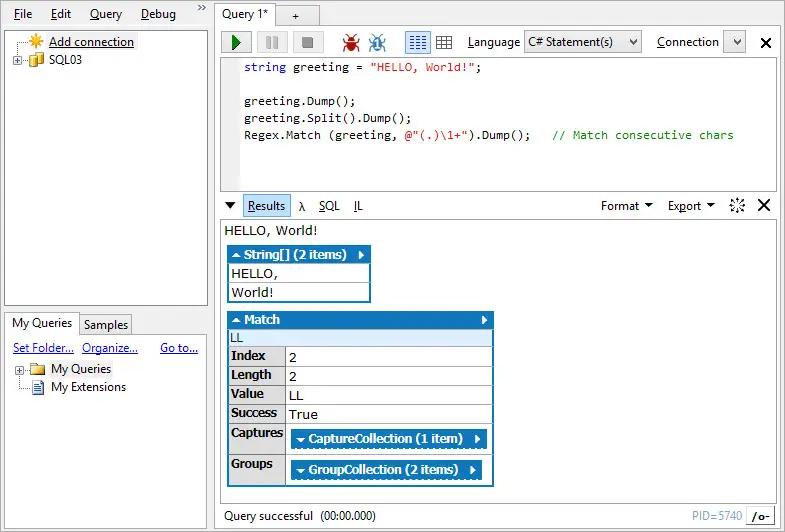
LINQPad is not just for LINQ queries, but any C#/F#/VB expression, statement block or program. Put an end to those hundreds of Visual Studio Console projects cluttering your source folder and join the revolution of LINQPad scripters and incremental developers.

Reference your own assemblies and NuGet packages. Prototype your ideas in LINQPad and then paste working code into Visual Studio. Or call your scripts directly from the command-line.
Want to test a variation of your script? Clone your script in a single keystroke!
Experience LINQPad's rich output formatting, optional debugger and autocompletion, and the magic of dynamic development and instant feedback!

The .NET Programmer's Playground
Instantly test any C#/F#/VB snippet or program
Query databases in LINQ (or SQL) - SQL/Azure, SQLite, Postgres, Oracle & MySQL
Experience rich output formatting through the legendary dump!
Enjoy full autocompletion with C#, F#, VB and SQL
Access integrated debugging and advanced AI, including SQL-to-LINQ conversion
Script and automate in your favorite .NET language, with all the benefits of a REPL
Test and debug C# File-Based Apps
Interoperate with BenchmarkDotNet, xUnit, Rx, MSAL, Excel and more
Super lightweight - small and fast, with xcopy option

System Requirements:
for .NET 6 → .NET 10

HOMEPAGE:
Код:
https://www.linqpad.net/

FREE DOWNLOAD LINKS:

Код:
https://rapidgator.net/file/353aeac96a11007b8e9ba42f0e1ef0dc/LINQPad_Premium_9.8.12.rar

Код:
https://nitroflare.com/view/1FA053FB93B9506/LINQPad_Premium_9.8.12.rar
 
3f5bc4a9c775a772f8aa8639e6d3b422.png


MP14 for Siemens Solid Edge 2025 (x64) | Size: 546.85 MB
Language: English

Update МР0013 for Siemens Solid Edge 2025.

Whats New
Updates: official site does not provide any info about changes in this version

System Requirements
Windows 10, 11
Siemens Solid Edge 2025 pre-installed

HOMEPAGE:
Код:
https://solidedge.siemens.com/

FREE DOWNLOAD LINKS:

Код:
https://rapidgator.net/file/82039ac051bf02d9763834bc002b8bed/MP14_for_Siemens_Solid_Edge_2025_x64.rar

Код:
https://nitroflare.com/view/E16E7B97BE8849B/MP14_for_Siemens_Solid_Edge_2025_x64.rar
 
51c4c4fd6b6cabf0a96172127b288122.jpg


MedCalc 23.5.7 Multilingual | Size: 173.16 MB
Language: English

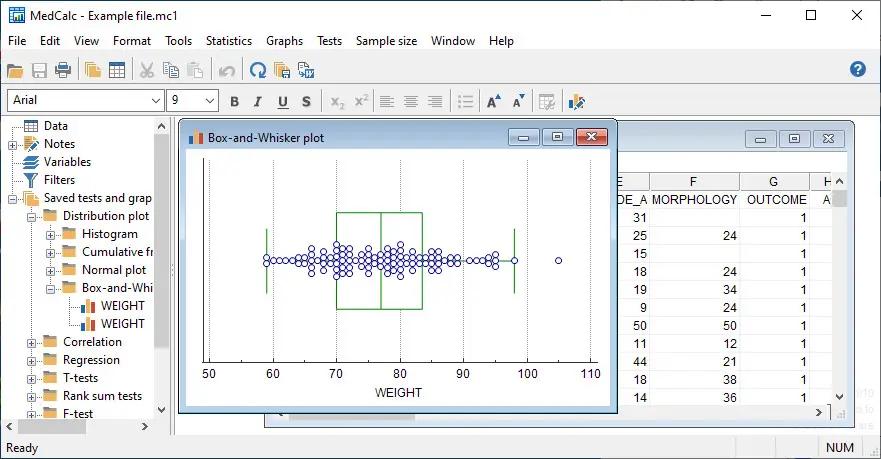
MedCalc is a complete statistical program for Windows designed to closely match the requirements of biomedical researchers. It is fast, user-friendly and reliable. MedCalc is the most user-friendly software for Receiver Operating Characteristic curve (ROC curves) analysis. The MedCalc ROC module includes comparison of up to 6 ROC curves. The software also includes Bland & Altman plot, Passing and Bablok and Deming regression for method comparison studies.

MedCalc for Windows description
Data management
Integrated spreadsheet with 1?048?576 rows and 16?384 columns.
Correct handling of missing data.
Outliers can easily be excluded.
Built-in WYSIWYG text editor.
Imports Excel, Excel 2007, SPSS, DBase and Lotus files, and files in SYLK, DIF or plain text format.
Easy selection of subgroups for statistical analysis.

MedCalc Documentation
Comprehensive context-sensitive help.
Complete HTML manual on MedCalc web site.
Context help in dialog boxes.
Paperback manual.

ROC curve analysis
MedCalc is the reference software for ROC curve analysis. Our ROC curve analysis module includes:
Area Under the Curve (AUC) with standard error, 95% confidence interval, P-value. Offers choice between methodology of DeLong et al. (1988) and Hanley & McNeil (1982, 1983).
List of sensitivity, specificity, likelihood ratios, and positive and negative predictive values for all possible threshold values.
ROC curve graph with 95% Confidence Bounds.
Threshold values can be selected in an interactive dot diagram with automatic calculation of corresponding sensitivity and specificity.
Plot of sensitivity and specificity, or cost, versus criterion values.
Plot of predictive values versus prevalence.
Interval likelihood ratios.
Comparison of up to 6 ROC curves: difference between the areas under the ROC curves, with standard error, 95% confidence interval and P-value.
Sample size calculation for area under ROC curve and comparison of ROC curves.
Go to the ROC curve analysis section of the MedCalc manual for more information on ROC curve analysis in MedCalc.

Graphs
Lots of graphs, see Graph gallery.
Data point identification in graphs.
Draw text boxes, lines, arrows and connectors.
Name, save and recall graphs and statistics.
Statistical info in graph windows.
Save graphs as SVG, PNG, JPG, GIF, BMP, PCX, or high resolution TIF files, or as PowerPoint slides (*.pptx).

System requirements
PC with Windows Vista, Windows 7, 8, 8.1, 10 or 11; or Windows Server 2008 or more recent (all 32-bit and 64-bit versions supported).
On Windows versions prior to Windows 8, support for Excel *.xlsx files additionally requires Microsoft .NET Framework 4.0 (a free download from Microsoft).
2048 Mb of memory.
60 Mb free space on the hard disk.

HOMEPAGE:
Код:
https://www.medcalc.org/

FREE DOWNLOAD LINKS:

Код:
https://rapidgator.net/file/f2d4208eaf0293fb746ad0c5e1453ebb/MedCalc_23.5.7_Multilingual.rar

Код:
https://nitroflare.com/view/68A572743EF8108/MedCalc_23.5.7_Multilingual.rar
 
47c56dc1db43f22eac621ef815c14228.jpg


MiniTool ShadowMaker v4.8.1 Business Deluxe Edition - WinPE | Size: 636.98 MB
Language: English

MiniTool ShadowMaker brings easy file backup, system backup and disk/partition backup to Windows users. It comes with clear interface and works fast. In addition, this data backup software offers full, differential, incremental and scheduled backups that really make it easy to customize your backup plan.

Features

To ensure data security, this Windows backup software puts forward file backup, system backup, and disk/partition backup in case of any accidents. Besides, the WinPE bootable rescue media helps get operating system back to its prior state even it fails to boot.

File/Folder Sync
File and Folder Sync feature can help to synchronize files and folders to other locations so that users can effectively keep their data safe.

File/Folder Backup
For those who pay great attention to some files or folders, File Backup is absolutely the best way to keep them safe.

System Backup
Operating system can crash by serious virus invasion or after an unstable Windows update. Regular system backup keeps your PC running after restore.

Disk/Partition Backup
When lots of important files are saved on the same location, it is better to create a disk/partition backup image in this case.

Disk Clone disk clone
MiniTool ShadowMaker offers Disk Clone feature to copy basic disk and dynamic disk within only a few clicks. In addition, Disk Clone makes sense when it comes to upgrading HDD to SSD.

Quick Disaster Recovery
Compared with the products of the same kind, MiniTool ShadowMaker takes less time for disaster recovery, allowing you to restore systems, disks, partitions or files to previous state immediately. With WinPE bootable media builder, MiniTool ShadowMaker is able to restore computer from backup image files in the following situations
Blue screen error
Ransomware attack
Hard drive failure
System crash
Natural disaster
Human error

System Requirements:
Processor Pentium 1 GHz
1GB RAM for 32-bit OS
2GB RAM for 64-bit OS
1.5 GB free disk space

Supported Operating Systems:
Windows 11 (all editions)
Windows 10 (all editions)
Windows 8 (all editions)
Windows 7 (all editions)
Windows XP (all editions)
Windows Server 2019
Windows Server 2016
Windows Server 2012/2012 R2
Windows Server 2008/2008 R2
Windows Server 2003/2003 R2

Edition: Pro, Pro Ultimate, Business, Business Deluxe

HOMEPAGE:
Код:
https://www.minitool.com/

FREE DOWNLOAD LINKS:

Код:
https://rapidgator.net/file/caa341cc4db4d9b2abb0d7322b94201f/MiniTool_ShadowMaker_v4.8.1_Business_Deluxe_Edition_-_WinPE.rar

Код:
https://nitroflare.com/view/43879D3D23A2D70/MiniTool_ShadowMaker_v4.8.1_Business_Deluxe_Edition_-_WinPE.rar
 
498c8084ef9f9748414199448ebfd140.jpg


O&O ShutUp10 Premium Edition 3.0.1076 Multilingual | Size: 62.12 MB
Language: English

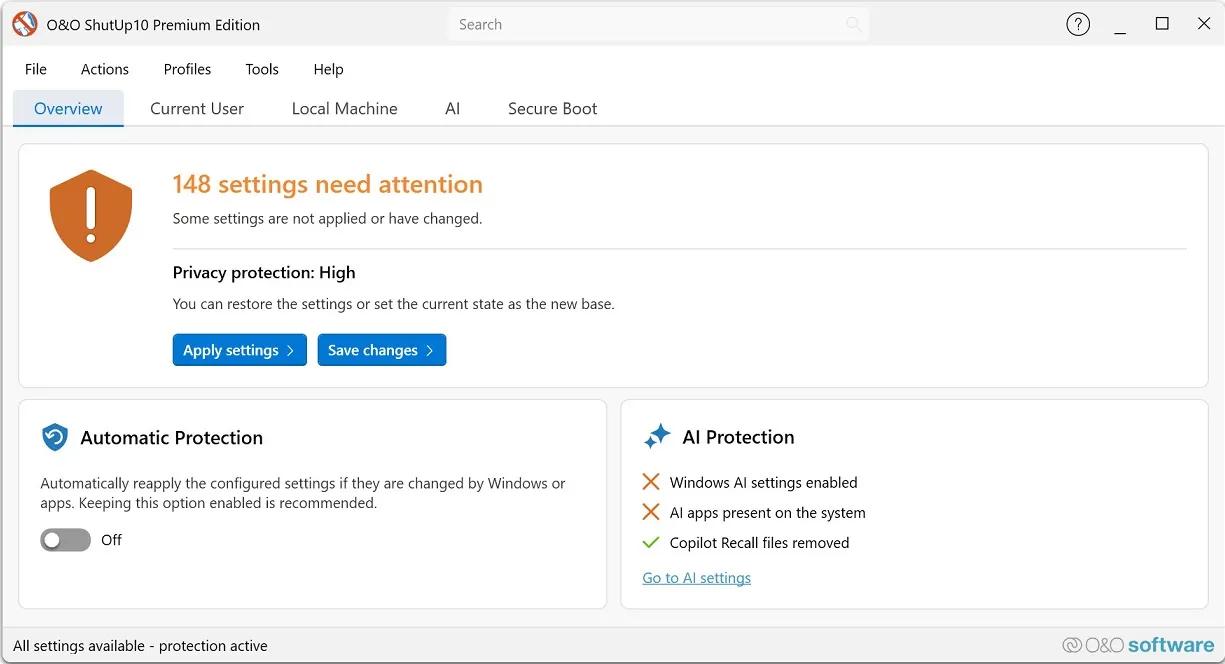
Protect your privacy in Windows 11 & 10 - permanently and fully automatically! Windows updates no longer destroy your privacy settings. With every new Windows version, Microsoft changes settings. Disabled features are switched back on, and Microsoft adds new ways to collect data about you. For you, this means that the privacy settings you configured once must be checked, adjusted and reset according to your wishes on a regular basis. O&O ShutUp10 Premium does this work for you automatically!

You set your desired privacy settings just once - or use our recommended settings with a single click. O&O ShutUp10 Premium then continuously monitors your selected settings and automatically restores them - even after Windows updates or system changes. You have full control over what your Windows is allowed to reveal about you!

Powerful data protection for Windows-automatic, transparent, and durable
O&O ShutUp10 Premium gives you back control over the privacy and system settings of Windows - and ensures that this control is maintained permanently. Instead of having to check again after every Windows update which settings have been changed, set your desired data protection requirements once. O&O ShutUp10 Premium then continuously monitors them and automatically restores them when Windows changes them.

Reliable data protection is crucial, especially in companies, for the self-employed and on professionally used PCs. Windows is constantly evolving, new features are added, and existing settings can be adjusted through updates or policy changes. O&O ShutUp10 Premium significantly reduces this effort and ensures that defined data protection standards are permanently adhered to.

The following feature list shows how O&O ShutUp10 Premium combines data protection management, automation, transparency and central control - for Windows systems that are not only protected once, but work permanently according to your specifications.

Privacy Control for Windows 11 & 10
- Management of around 300 privacy and system settings
- How Windows disables unwanted data collection
- Control over telemetry, diagnostics, app access, and system services
- Understandable recommendations for each setting
- Quickly apply recommended data protection configurations

Permanently protect your settings
- Continuous monitoring of the selected privacy settings
- Automatic recovery after Windows updates
- Protection against unintentional reset caused by system changes
- Reapply defined settings without manual intervention
- Ideal for companies that want to enforce data protection policies on a permanent basis

Automatic reapplication after Windows updates
- Microsoft can use updates to change existing privacy settings or add new options
- O&O ShutUp10 Premium detects relevant changes and restores the desired settings
- Data protection remains in place even after feature updates and system changes
- Reduces manual checking effort for administrators and users
- Ensures consistently consistent privacy settings on Windows systems

Central data protection guidelines for companies
- Uniform data protection configurations for Windows workstations
- Profile-based management of desired settings
- Export and import of defined configurations
- Support in the implementation of internal data protection regulations
- Suitable for SMBs, organizations, and managed IT environments

Client/Service Architecture
- Continuous monitoring via a robust background component
- Automatic enforcement of defined settings during operation
- Separation between user interface and technical background service
- Reliable application of the specifications even without constant user interaction
- Designed for professional use on managed systems

No end-user administrator privileges required
- Data protection requirements can be implemented without users needing permanent administrator rights
- More safety in daily operations
- Less support effort due to controlled assignment of rights
- Better suited for professional and managed Windows environments
- Increases comfort and safety at the same time

Profiles and policy management
- Creation of your own data protection profiles
- Key Requirements for Recurring Configurations
- Quickly apply defined settings on Windows systems
- Profile Editor for Structured Management
- Ideal for uniform data protection standards in the company

Protection against new Windows features
- Regular adaptation to new versions of Windows
- Consideration of new data protection options
- Protection against Microsoft features that have been enabled after the fact
- Support in disabling unwanted AI features
- Removal or disabling of Copilot and Recall-related features

One-click recommended settings
- Predefined recommended privacy settings
- Rapid activation of sensible protective measures
- Can undo recommended settings
- Suitable for quick initial configurations
- Transparent control over every single change

System protection and recovery
- Creating System Restore Points Before Changes
- Restoration of previous system states possible
- More security when adjusting sensitive Windows settings
- Reduces the risk of unwanted side effects
- Suitable for traceable and controlled system adjustments

Transparency and control
- No changes without defined specifications
- Clear representation of the impact of each setting
- Recommendation levels for better classification
- Editing mode for advanced users
- Full control over which features are enabled or disabled

Notifications and traceability
- About automatically reapplied settings
- Transparent feedback on changes by Windows
- Better overview of protection status
- Traceable automatic corrections
- Supports administrators and users in daily operations

Premium comfort in the background
- Automated enforcement of selected privacy settings
- Background monitoring without constant manual control
- Less effort after Windows updates
- Permanent compliance with desired data protection requirements
- More convenience, more automation and reliable data protection

For private users and companies
- Ideal for users who want to protect their privacy permanently
- Suitable for the self-employed, small businesses and managed workplaces
- Supports uniform data protection standards on Windows systems
- Reduces manual rework after updates
- Ensures that selected settings remain permanently

Set once. Permanently protected.
- Set your desired privacy settings once
- Automatic recovery from changes by Windows
- Protection against unintentional reactivation of unwanted functions
- More safety and less effort in everyday life
- Your privacy remains protected even when Windows changes

HOMEPAGE:
Код:
https://www.oo-software.com/en/ooshutup10premium

FREE DOWNLOAD LINKS:

Код:
https://rapidgator.net/file/25521710f1f5e1ced055645b9caf7c4b/OO_ShutUp10_Premium_Edition_3.0.1076_Multilingual.rar

Код:
https://nitroflare.com/view/2DA65AB18DB346D/OO_ShutUp10_Premium_Edition_3.0.1076_Multilingual.rar
 
a51d13b7c462ed718b587fc7584a9f80.png


PMAS - PowerShell Multi Activation System 11.0 | Size: 402.7 KB
Language: English

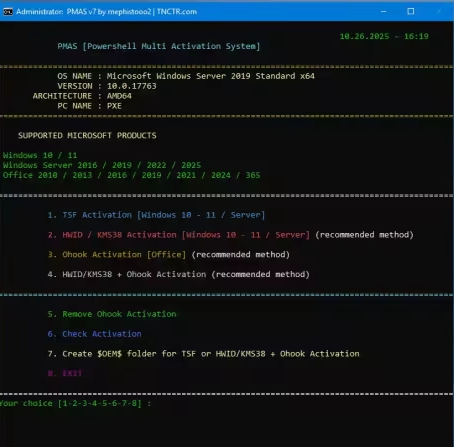
This advanced PowerShell script is a flexible and modular solution designed for licensing Windows and Office products. It runs a custom .NET library called "LibTSforge.dll" from memory for the TSF method of licensing Windows and Office. It's a full-service activation tool that also supports HWID, Ohook, and KMS Inject activation methods.

Features
Fully automated activation
GUI-assisted interactive PowerShell menu (TSF)
Base64 embedded script decoding
Internet connection check & fallback mechanisms
Automatic KMS redirection for Windows 7/8/8.1
Advanced activation options for Windows 10/11 and Server 2016+
OS-specific PowerShell command support

Supported Products
Windows 7 / 8.1 (via KMS Inject)
Windows 10 (all editions)
Windows 11 (all editions)
Windows Server 2016 / 2019 / 2022 / 2025
KMS Host Server (Windows / Office)
Office 2010 / 2013 / 2016 / 2019 / 2021 / 2024 / 365

Unsupported Systems
Windows 7 / 8 / 8.1 (official support ended; PowerShell and .NET versions may be insufficient)
Windows XP / Vista (PowerShell 5.1 cannot run)
ARM-based Windows versions (DLL loading may fail)

Whats New

System Requirements
Operating System: Windows 7, 8.1, 10, 11, or Server 2016 and above
Architecture: 64-bit only (32-bit systems not supported)
Admin Rights: Required
PowerShell
Windows 7: PowerShell 2.0 or newer
Windows 8.1/Server: PowerShell 4.0 or newer
Windows 10/11: PowerShell 5.1 or newer

FREE DOWNLOAD LINKS:

Код:
https://rapidgator.net/file/32877c58898ec12e524cba72d4a01110/PMAS_-_PowerShell_Multi_Activation_System_11.0.zip

Код:
https://nitroflare.com/view/E01E137EECA52B3/PMAS_-_PowerShell_Multi_Activation_System_11.0.zip
 
3a968e4ce7b5622e8eea7ae5aab40c6c.jpg


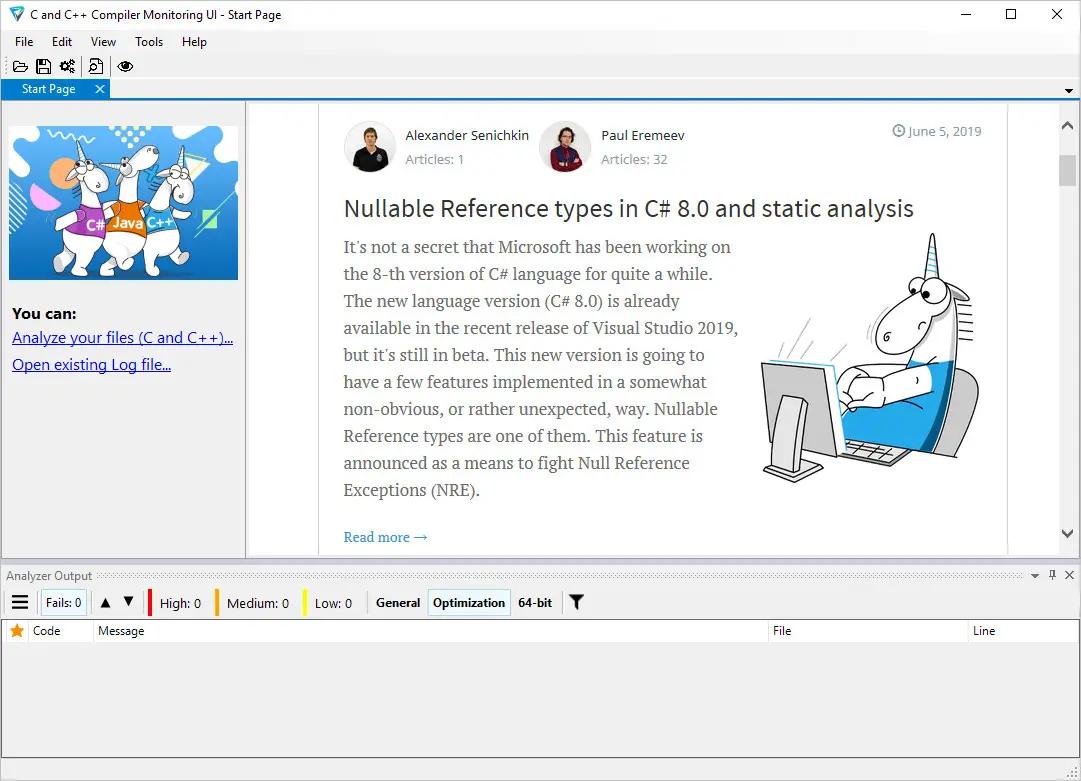
PVS-Studio 7.42.106747.2229 | Size: 189.17 MB
Language: English

PVS-Studio performs static code analysis and generates a report that helps a programmer find and fix bugs. PVS-Studio performs a wide range of code checks, it is also useful to search for misprints and Copy-Paste errors. Examples of such errors: V501, V517, V522, V523, V3001.

The main value of static analysis is in its regular use, so that errors are identified and fixed at the earliest stages. There is no point in wasting 50 hours looking for a bug that could be found with static analysis. So, let's point out that again - the main idea of static analysis is not to find one hidden bug on the day before the release, but to fix dozens of bugs day by day.

The analyzer can be run at night on the server and warn about suspicious code fragments. Ideally, these errors can be detected and fixed before getting into the repository. PVS-Studio can automatically be launched immediately after the compiler for the files that have been just modified.

PVS-Studio can integrate into Visual Studio development environment 2010-2017. If you use this IDE, then most likely you will just have to go to the menu of PVS-Studio plugin and choose "Check Current Project".

Main features of PVS-Studio
Simple and seamless integration with Visual Studio 2010-2017
Automatic analysis of individual files after their recompilation
Online reference guide concerning all the diagnostics available in the program, on the web site and documentation (presented as a .pdf file) Up to 550 pages of documentation
Saving and loading analysis results allow doing overnight checks - during the night the analyzer does the scanning and provides you with the results in the morning.
You can save analysis results as HTML with full source code navigation.
Project analysis run from the command line: helps integrate PVS-Studio into overnight builds; a new log will be issued in the morning.
Great scalability Support of multi-core and multi-processor systems with the possibility to specify the number of the cores to use; IncrediBuild support.
Interactive filtering of the analysis results (the log file) in the PVS-Studio window: by the diagnostic number, file name, the keyword in the text of the diagnostic.
Automatic check of PVS-Studio updates (during the work in IDE and overnight builds).
BlameNotifier utility. The tool allows you to send e-mail notifications to the developers about bugs that PVS-Studio found during a night run.

Supported languages and compilers
Visual Studio, C, C++, C++/CLI, C++/CX (WinRT)
MinGW C, C++
Texas Instruments Code Composer Studio, C6000-CGT, C, C++
IAR Embedded Workbench, C/C++ Compiler for ARM C, C++
QNX Momentics, QCC C, C++
Keil µVision, DS-MDK, ARM Compiler 5/6 C, C++
Texas Instruments Code Composer Studio, ARM Code
Generation Tools C, C++
MPLAB XC8 C
GNU Arm Embedded Toolchain, Arm Embedded
GCC compiler, C, C++
CLion, Qt Creator, Eclipse, GCC, Clang, C, C++
IntelliJ IDEA, Android Studio, Java
Visual Studio, JetBrains Rider, C#, .NET Framework, .NET

HOMEPAGE:
Код:
https://www.viva64.com/en/pvs-studio/

FREE DOWNLOAD LINKS:

Код:
https://rapidgator.net/file/ef0875af96adee559538f75dbdca8555/PVS-Studio_7.42.106747.2229.rar

Код:
https://nitroflare.com/view/6AD8819AC882975/PVS-Studio_7.42.106747.2229.rar
 
Назад
Сверху Снизу