All Emperor2011's Software in one thread !! (updated daily)

30246230943ada43a055545d97ad4da7.jpg


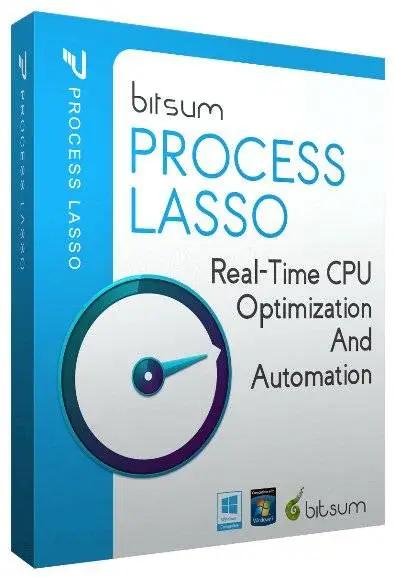
Bitsum Process Lasso Pro 18.2.2.10 Multilingual | Size: 6.45 MB
Language: English


Process Lasso is a unique new technology that will, amongst other things, improve your PC's responsiveness and stability. Windows, by design, allows programs to monopolize your CPU without restraint - leading to freezes and hangs. Process Lasso's ProBalance (Process Balance) technology intelligently adjusts the priority of running programs so that badly behaved or overly active processes won't interfere with your ability to use the computer!

Process Lasso also offers an assortment of ways to take full control of how your CPUs are allocated to running programs. You can choose at what priority processes should run, and which CPUs (cores) should be assigned to them. You can also disallow certain programs from running, log all programs run, and so much more (see list below).

Once you install Process Lasso, it'll just start working. More advanced users can tweak the configuration, but you needn't touch anything to have it instantly improve your system responsiveness and prevent stalls in high load situations.

For network admins, Proces Lasso works wonderfully on Terminal Servers and in multi-user environments. We have many clients that have been using Process Lasso on their Terminal Servers for years.

Best of all, Process Lasso is written in native C++, not .NET. This means it consumes very few system resources - considerably less than any similar software.

Process Lasso Features
Prevent processes from monopolozing the CPU(s)
ProBalance dynamic priority optimization
CPU throttling (new)
Save process priorities for future instances
Save process CPU affinities for future instances
Gaming mode
Foreground boosting
Limit allowed program instances
Disallow programs from running
Log all programs run
Auto-restart processes if they are terminated (new in beta)
System responsiveness graph
Stand-alone core engine
Available in x86-32 and x86-64 builds
Extremely low RAM and CPU use

Operating System: Windows XP to Windows 11, and all Server variants

HOMEPAGE:
Код:
https://bitsum.com/

FREE DOWNLOAD LINKS:

Код:
https://rapidgator.net/file/a62dde1cefa557b49172f208e96bf3aa/Bitsum_Process_Lasso_Pro_18.2.2.10_Multilingual.zip

Код:
https://nitroflare.com/view/A861102D153B2BB/Bitsum_Process_Lasso_Pro_18.2.2.10_Multilingual.zip
 
_4dada7ea056715adb12ccd6ddc5617c7.jpeg


COAA PlanePlotter 6.7.5.7 | Size: 7.68 MB
Language: English


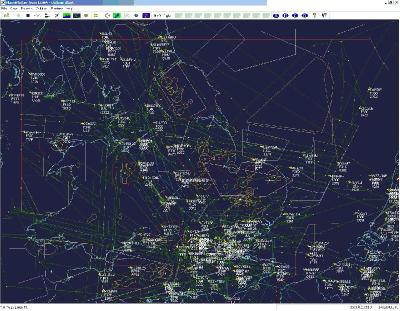
PlanePlotter receives and decodes live digital position reports from aircraft and plots them on a chart. Using PlanePlotter, you can see a radar-like display of all those aircraft around you that are transmitting the appropriate digital messages including ACARS, ADS-B and HFDL.

PlanePlotter - Features
The animated screen grab from PlanePlotter (left) was kindly provided by John Locker.

Message display
PlanePlotter shows a table display of messages received and decoded from live aircraft transmissions.

Data saving
PlanePlotter archives all the digital data that it receives and decodes to a log file.

Chart display
PlanePlotter plots aircraft positions, altitudes and times decoded from the message traffic that it receives. These include embedded position reports, AMDAR reports and ADS reports contained in ACARS messages, ADS-B position reports received by the Kinetic SBS1™ or AirNav System RadarBox™ Mode-S receivers, and position reports on HF using Charles Brain's PC-HFDL software. The plot can be superimposed on a suitable aeronatical chart that you have prepared, or PlanePlotter can download satellite imagery and plot the aircraft symbols on that. Where altitude information is available (eg Mode-S messages), you can select the data by altitude band to distinguish low level and high level traffic.

Google Earth server
If you are receiving Mode-S ADS-B position reports, PlanePlotter can interface to Google Earth to display aircraft positions over the Google Earth base map. It can even give you a dynamic real-time view from the flight deck of an aircraft that you designate.

Direction finding
PlanePlotter can determine and display the direction of any transmission using a simple passive antenna switch. This allows aircraft to be located even if they are not equipped with ACARS or Mode-S/ADS-B.

Operating System: Windows Vista, 7, 8/8.1, 10, 11

HOMEPAGE:
Код:
http://www.coaa.co.uk/planeplotter.htm

FREE DOWNLOAD LINKS:

Код:
https://rapidgator.net/file/d85dd2648b46687e1f2575c5d04c4ed1/COAA_PlanePlotter_6.7.5.7.rar

Код:
https://nitroflare.com/view/5E0AD3F83FFAE68/COAA_PlanePlotter_6.7.5.7.rar
 
9d2a0035304163d7f15e1d9f386e9307.png


DBF Converter 7.84 | Size: 3.71 MB
Language: English


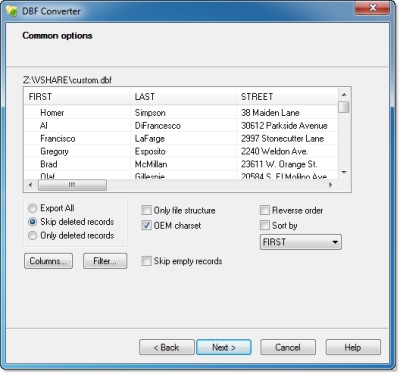
DBF Converter is a universal solution to all your DBF format conversion needs. Whenever you need to extract data from a DBF file to CSV, XLS, XLSX, SQL or plain text, the software delivers a straightforward way to do this with minimum efforts.

3-Steps conversion
Working with DBF Converter is easy. You specify a DBF file or a folder with DBF files you want to convert, select fields and filter out records you need. Then it's just a matter of one click for DBF Converter to turn source files into the format of your choice.

Powerful data filtering
Data filtering in DBF Converter is visual. This means the program takes a sample of records in the DBF file and allows you to apply custom filter rules and masks and instantly see the sample changes according to your choice.

Batch conversion for multiple DBF files
When you have dozens of those DBFs, converting them could be tricky. But thanks to DBF Converter there's no difference whether you need to process one file or a hundred. The program accepts a folder containing your source DBF files and converts them all one by one. And thanks to the low-level access to data the conversion remains fast and accurate.

DBF Viewer 2000 runs on all versions of Windows from 95 through XP, Vista, Windows 7/8/10/11 and Server Editions (32/64-bit)

HOMEPAGE:
Код:
http://www.dbf2002.com/

FREE DOWNLOAD LINKS:

Код:
https://rapidgator.net/file/5eb98ff0a2506938ab50b24bc099da5e/DBF_Converter_7.84.rar

Код:
https://nitroflare.com/view/FA443774626D9AD/DBF_Converter_7.84.rar
 
438a197ab8913b9f9c1c7140101139b1.png


Doc Converter Pro 4.0.0 Business | Size: 66.38 MB
Language: English


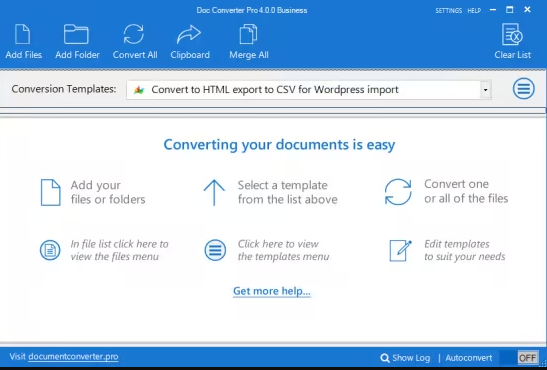
Doc Converter Pro is the easy way for you to convert your documents to different formats. You can convert Word (DOCX or DOC) to HTML, Word to PDF, PDF to HTML, and more (MARKDOWN, RTF, ODT, TXT, images).

Fast
Convert one file or an entire folder. With an average conversion time of less than one second you will have your documents converted in no time.

Customizable
Create custom conversion templates to suit your needs. Full control over images, CSS, find and replace/delete and more. Share your templates with colleagues.

Flexible
Batch convert Word or PDF files to HTML and clean up the code. Convert Word to PDF, PDF to Word. Most document formats supported.

For instance, you can convert
- Word to HTML
- Word to PDF
- Word to Markdown
- DOCX/DOC to HTML
- DOCX/DOC to PDF
- PDF to HTML
- PDF to Word
- Markdown to Word
- Open doc to HTML
- Open doc to PDF
- PDF to plain text
- Word to plain text
- Word to image files
- PDF to image files
- Image files to PDF
and more...

What's new

System Requirements: Windows 10 or newer, Microsoft .NET 4.8 framework

FREE DOWNLOAD LINKS:

Код:
https://rapidgator.net/file/d85ced4ee9ebb09a4859e63c5eda96c0/Doc_Converter_Pro_4.0.0_Business.rar

Код:
https://nitroflare.com/view/A96262E0D12560E/Doc_Converter_Pro_4.0.0_Business.rar
 
387387d605947c856dbcc5b7ccaebffa.jpg


EDGE Diagrammer 7.53.2223 | Size: 7.82 MB
Language: English


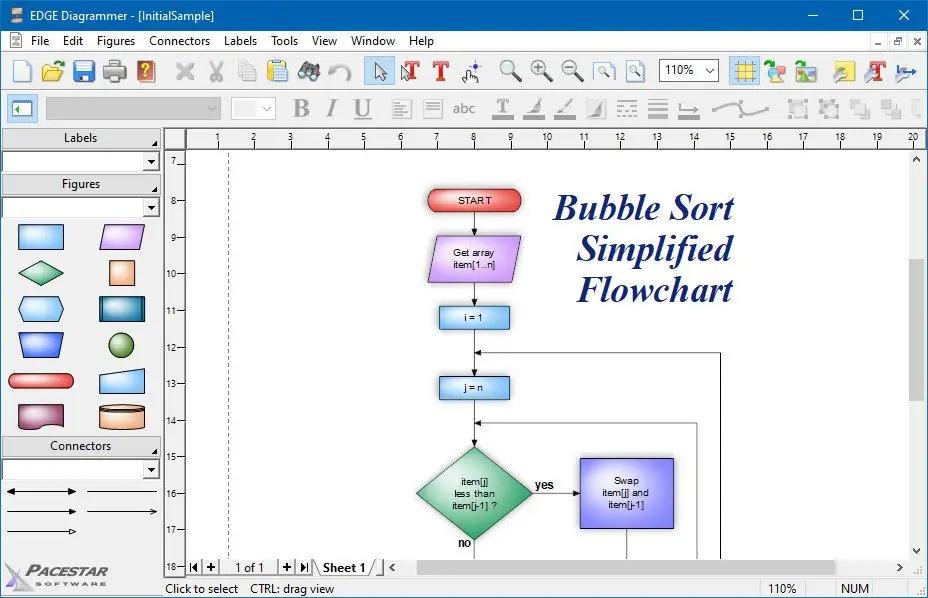
EDGE Diagrammer is our most versatile diagramming tool. Create a wide variety of technical, presentation, and design diagrams efficiently and with the highest quality results. EDGE Diagrammer is all you need for block diagrams, flowcharts, org charts, family trees, data flow diagrams and more. Free extension packs are available to provide support for many different diagramming methodologies. EDGE Diagrammer is the one-product solution for all your block and flow diagramming needs.

EDGE lets you define "styles" using hundreds of predefined drag-and-drop shapes and arrowheads. Save your styles in diagram templates to establish your own diagramming methods. EDGE Diagrammer comes with complete flowcharting templates, network diagramming templates, block diagrams, org charts, and more to get you started.

The program's workspace is especially designed for your ease, comfort, productivity, and enjoyment. Simple but old-style powerful toolbars and menus keep the most frequent tasks handy. Objects most common to a specific type of diagram are available with one click from the style bar on the left of the screen. And the screen itself shows you just what you need, exactly as it will print.

EDGE Diagrammer can create flowcharts and similar diagrams with minimal effort. As you draw your diagram, EDGE Diagrammer connects lines to figures and attaches labels to lines. It remembers these relationships and adjusts automatically when you move objects around. It can also adjust the size of a shape when you add text to it.

Includes pre-defined shapes and symbols organized in the Figure Symbol Gallery and several pre-defined diagram templates.
Support image raster (PNG, JPG, BMP, TIF, GIF) and vector format (WMF, EMF)
While direct PDF output is not supported, you can produce PDF files using a PDF printer driver.

HOMEPAGE:
Код:
http://www.pacestar.com/

FREE DOWNLOAD LINKS:

Код:
https://rapidgator.net/file/97c48393bf3e73acf0209e1a87ffdad1/EDGE_Diagrammer_7.53.2223.rar

Код:
https://nitroflare.com/view/0C01DF401432D3E/EDGE_Diagrammer_7.53.2223.rar
 
7d951ab207beb10696d3ce7a0ab59b66.jpg


FTPie Pro 2026.6.1 (x64) | Size: 197.59 MB
Language: English


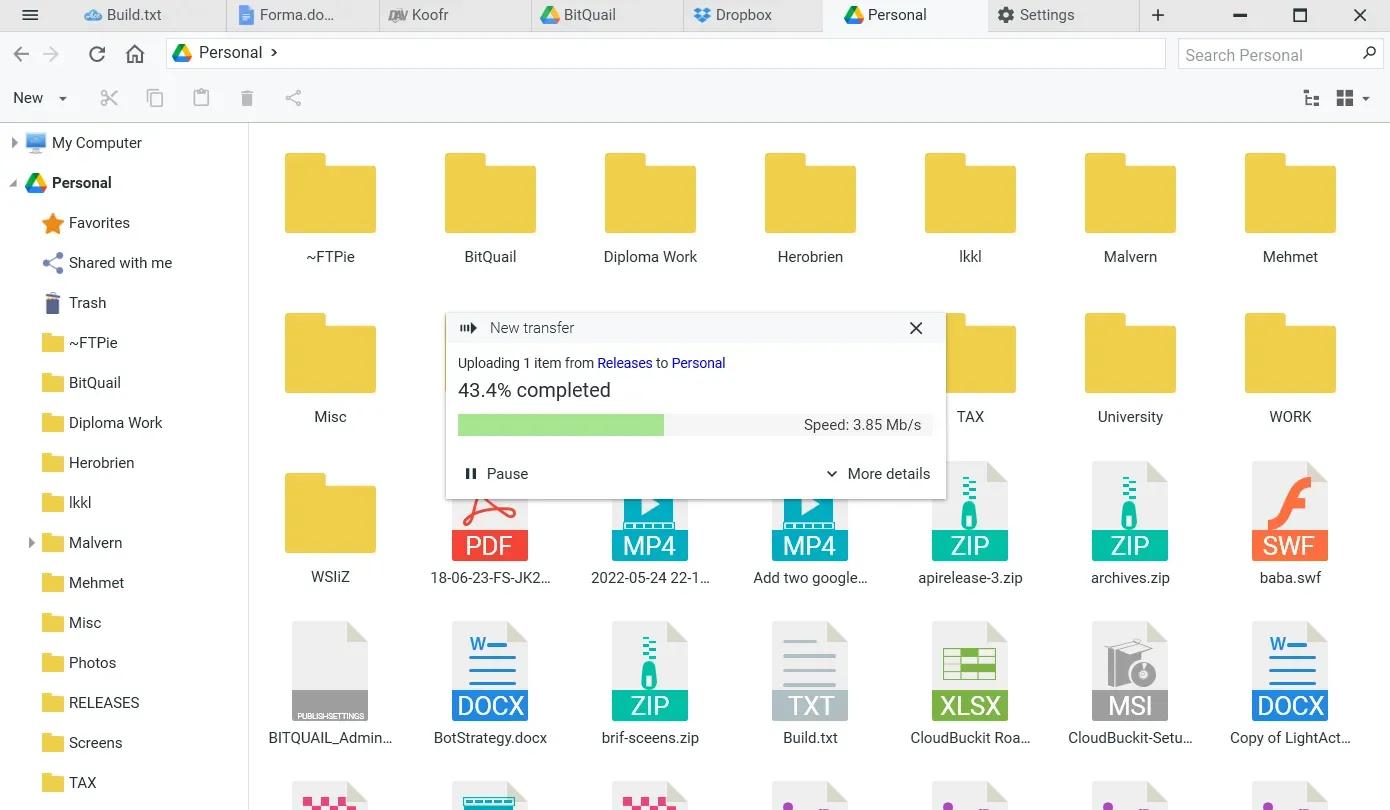
A Powerful FTP and Clouds Client with Seamless Google Docs and Microsoft 365 Apps Integration.

Transfer Files
Easily transfer, upload, and manage files between your PC, cloud storage, and FTP

Embedded Apps
Manage files effortlessly with FTPie's built-in viewers and editors, all within the app.

Quick Share
Upload files and generate shareable URLs with a right-click using our shell extension.

Quick Upload
Right-click to upload files or folders to cloud storage or FTP with our shell extension.

Document Editing
Edit Google Docs and Microsoft Office files in FTPie, with seamless local app integration and automatic uploads.

Folder Shortcuts
Instantly create desktop shortcuts for cloud and FTP folders enabling quick access with a double-click.

Operating System: Windows 10, 11

HOMEPAGE:
Код:
https://ftpie.com/

FREE DOWNLOAD LINKS:

Код:
https://rapidgator.net/file/1f689653f406f1ab35616f4768d3b59c/FTPie_Pro_2026.6.1_x64.rar

Код:
https://nitroflare.com/view/E94A108CE1E29D8/FTPie_Pro_2026.6.1_x64.rar
 
fa82b85790c2f3dc95132ea89d02270a.jpg


Final Draft 13.3.2 Build 114 | Size: 224.67 MB
Language: English


For over twenty years now, Final Draft has shown itself to be the most vital tool available to the screenwriter. Final Draft has eclipsed all of its competitors because it is the best. It does everything you could possibly think of and then you can write and not think of it at all.

The Industry Standard Screenwriting Software
- The number-one selling screenwriting software in the world
- Used by 95% of the entertainment industry
- Best Choice for Screenwriting
- Final Draft paginates your script to entertainment industry formats
- Over 300 templates for screenplays, teleplays, comics, immersive storytelling, graphic novels, and stage plays

New in Final Draft 12:

Powerful Story Planning
With Final Draft 12, you can brainstorm, visualize, outline, report, tag, collaborate and customize your writing environment like never before.

Enhanced Beat Board
Limitless space to organize your ideas in a customizable, visual way. Plan set pieces, store character research, and much more.

- Beats can be anything - plot points, character arcs, research, or location ideas
- Beats can contain both stylized text and images
- Connect beats using Flow Lines
- Color code for easy reference with a vibrant color palette
- Send Beats directly to your script for easy access

ScriptNotes
Add comments to your script as edit ideas come to you.

- Add ScriptNotes that appear as flags on the page for easy reference
- Click the flag to open and edit notes in a popover
- New flags show how many notes per paragraph
- Popovers sync to ScriptNotes in the Navigator

Night & Focus Mode
Night Mode inverts your screen to cut down on eye strain, while Focus Mode eliminates unwanted distractions.

Track Changes
Keep a record of edits to your script then choose whether to accept or reject them.

Import PDF
Import a PDF and convert it into a fully editable Final Draft file.

Real-Time Collaboration
Collaborate simultaneously with your writing partners IN REAL TIME on both the script and the Beat Board.

Speech to Script
Speech to Script customizes Mac's Dictation feature so you can write your screenplay without ever touching a keyboard.

Insert Images
Insert images on title pages, in the script or even in the Beat Board to help visualize your story.

Smart Type
Use SmartType to cut down on keystrokes by auto-filling commonly used names, locations, and more.

Alternate Dialogue
Use Alternate Dialogue to store as many different versions of lines as you can imagine.

Easier Formatting
Use your creative energy to focus on your story and characters - let Final Draft take care of the rest.

Title Page
All Final Draft templates come with industry standard title pages that are easy to modify, save, and print or save to PDF.

Tab & Enter
Use just the Tab and Enter keys to write your script quickly and easily.

Format Assistant
Be confident your script is professionaly formatted before you print or email it.

Reformat Tool
Speed through the reformatting process when importing different file types.

Automatic Backup Folder
Protect your work with automatic file backups.

Unicode Support
Final Draft 12 ships with fonts which support over 97 different languages. Users can also add their own fonts to type in additional languages.

Pagination & Page Management
Automatically format and paginate to industry standards. Meet page count requirements using Final Draft 12 custom formatting tools.

Keyboard Shortcuts
Customize your workflow and save time.

Agile Production
Final Draft is used by 95% of film, television and multimedia productions to get from page to screen.

Revision Mode
Mark and review all changes to take a script through production. Set your revision colors, lock pages, omit scenes - Final Draft makes it easy.

- Add, edit or remove scene numbers throughout your script
- Lock Pages so your revisions don't affect your page numbers
- Export to PDF in Revision Mode with industry standard colors
- Protect your script with customizable watermarks on PDFs and printed pages
- Omit a scene to make last minute changes without disrupting production

Tags Mode
Powerful reporting, your way - create custom reports on any element of your script.

- Dig into your script by tracking customizable story elements and character traits
- Get ready for production by Tagging costume, props, locations and more
- Break your script down for budgeting and scheduling

System Requirements:
- Microsoft® Windows 10 and above
- Minimum 512 MB of RAM

HOMEPAGE:
Код:
https://www.finaldraft.com/

FREE DOWNLOAD LINKS:

Код:
https://rapidgator.net/file/fd7b9d39474e6d1badb7b3143da980fb/Final_Draft_13.3.2_Build_114.rar

Код:
https://nitroflare.com/view/659F07F3176EF9A/Final_Draft_13.3.2_Build_114.rar
 
b0b0e360907e0630eee5acb3c15f2e2a.png


FluentCleaner v26.06.01 | Size: 45.07 MB
Language: English


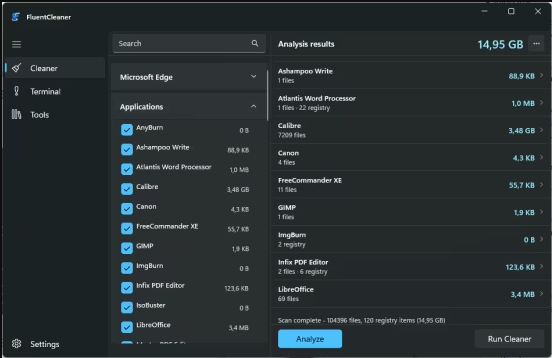
FluentCleaner is a modern Windows cleanup tool, similar to CCleaner. But FluentCleaner doesn't have any of the negative characteristics of CCleaner. It is like CCleaner without the crap.

Here we go: no telemetry, no installer bloat, just parsing ~3'700 entries and deleting the right files.
System requirements: Windows 10, Windows 11

FREE DOWNLOAD LINKS:

Код:
https://rapidgator.net/file/86f85292379768350d41cf3c9a23746b/FluentCleaner_v26.06.01.rar

Код:
https://nitroflare.com/view/33C8950F2D1B599/FluentCleaner_v26.06.01.rar
 
ed347a9e5e7a45e85586a855651d2af1.jpg


Global Mapper Pro 27.0.1 Build 052726 (x64) | Size: 671.16 MB
Language: English


Global Mapper v27 Brings Geodetic Accuracy to Every Workflow. Go beyond analysis. Execute with confidence. Global Mapper v27 integrates GeoCalc, Blue Marble's industry-standard geodetic library, directly into the platform, so you can move from analysis to real-world execution with greater accuracy, speed, and reliability.

Geodetic Accuracy Without the Complexity
Global Mapper 27 streamlines desktop GIS and advanced geodetics by fully integrating GeoCalc, our industry-standard geodetic library. High-precision transformations that once required multiple systems can now be completed within a single workflow, reducing complexity and delivering more consistent, reliable results.

Validate Aerial Lidar With Confidence
Ensure positional accuracy from the start. Advanced horizontal quality assurance (QA) and positional adjustment tools align flight paths, improve point cloud accuracy, and support rigorous quality control (QC) standards required for UAS and government mapping programs.

Meet Evolving Data Standards Across Every Delivery
Built-in ASPRS density measurement methods help ensure compliance, reduce risk, and streamline validation across every delivery.

Optimize Breakline Creation With Intelligent Automation
Replace manual digitizing with guided automation to enhance breakline creation and improve consistency and accuracy across terrain models.

Reduce Workflow Friction With Broader Format Support
Share point cloud data seamlessly with enhanced E57 export, leverage GPS time offsets with LAS 1.5 support, eliminate conversion steps with direct TFADS-O export, and integrate with GNSS workflows using GGF export.

HOMEPAGE:
Код:
https://www.bluemarblegeo.com/global-mapper-pro/

FREE DOWNLOAD LINKS:

Код:
https://rapidgator.net/file/306db2a90b7fd871bb7c99649e4734d4/Global_Mapper_Pro_27.0.1_Build_052726_x64.zip

Код:
https://nitroflare.com/view/43FF355D838F86C/Global_Mapper_Pro_27.0.1_Build_052726_x64.zip
 
8719225a488dedff6e997546555dfa24.jpg


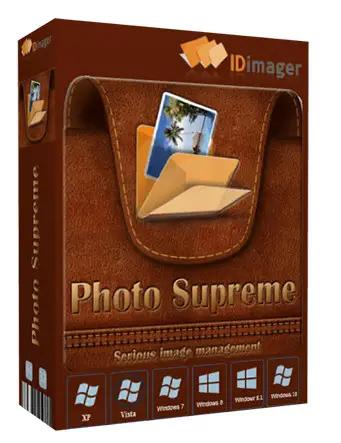
IDimager Photo Supreme 2026.3.0.9251 Multilingual | Size: 162.43 MB
Language: English


Photo Supreme v2026 is a thoughtful and forward-looking release. This update has focused on smarter discovery, faster performance, and modern workflow expectations, especially around large catalogs, mobile integration, searches, and team environments.

Import and Select
One of the standout additions in Photo Supreme v2026 is the new multi-pass Import and Select workflow. This allows users to review and refine image selections in multiple stages instead of making all decisions in one pass. It's especially useful for large shoots, letting photographers cull images more deliberately and with less pressure. In addition, the Import and Select feature now loads images faster than ever. Mac users will also appreciate direct iOS device importing, which makes it possible to bring photos straight from an iPhone or iPad into the catalog without relying on intermediary software. This significantly streamlines mobile-first workflows.

Powerful Searches
Photo Supreme now supports natural language searching, allowing users to find images using plain, conversational phrases rather than rigid metadata queries. This feature is powered by AI services such as OpenAI, Google Gemini, or local models with Ollama. This gives users flexibility in how advanced features are enabled. In addition, a new classification system enhances search accuracy by grouping images into meaningful categories upon import, making it easier to surface relevant results in large or complex catalogs.

Video & Media Handling
For users working with video, Photo Supreme v2026 introduces hover-based video previews. Simply hovering over a video thumbnail now reveals a short animated preview, making it much faster to identify clips without opening them individually. Support for modern formats has also been expanded, ensuring the software keeps pace with current media standards.

Sharing with ZIP
Exporting images is more flexible in v2026 thanks to ZIP output support in transfer profiles. This makes it easy to bundle images into a single archive for delivery, backup, or client sharing, all directly from within Photo Supreme. These enhancements simplify distribution workflows and reduce the need for external tools.

GEO Maps
GEOgraphic-Mapping features can now generate maps using not only Google Maps, but also OpenFreeMap with OpenStreetMaps. This removes the need for API keys while still delivering rich, interactive map displays. This update makes location-based browsing easier to configure and more accessible for all users.

Performance and Refinements
Photo Supreme v2026 delivers notable performance enhancements, resulting in faster browsing and a more responsive overall experience. Response times are improved by up to 10%, with especially noticeable gains for large libraries containing many catalog labels.
Catalogs with numerous stacks also see significant performance improvements, particularly when displayed in stacked views.
v2026 includes a wide range of refinements, such as: "Visually similar" stack detection, numerous stability fixes and workflow enhancements, polished UI behavior in collections, searches, and metadata handling

Wait, there's more, a lot more.
New "RAW Files" and "Video Files" catalog states
Added support for Google Gemini as an AI service
Added support for OpenAI GPT-5.2 as an AI Service
Added support for Ministral3 model with Ollama
Added file management support for ACR sidecar files
Update HTTP Server with Photo Supreme Online (Server Edition)
Faster face recognition
Added "AI-Estimated GEO Location" to the AI Panel
Faster result display in the Collection Viewer
"Cascade Metadata" from image to Stack or Version Set is now a background process
A highlighted stroke has been added to the active tabs, improving navigation
Now you can display metadata charts and graphs across multiple tabs
Added support for Ctrl/Cmd+Z functionality in text and memo fields
Defined the new Affinity v3 .AF and .AVIF file format as a supported "other file format"
Switching the collection viewer's view style is faster (eg from Basic to Grid to Clean to Custom Thumb Info)
Advanced Search now has an option to search by "File Size" and "File Size MB"
Finetuned the check for "need to compact" on PostgreSQL (Server Edition)
Bookmark keyboard shortcuts are now a "toggle", similar to ratings and color labels
Expanding nodes in the Catalog Tree is ~25% faster
When using the "Dump Full to Catalog File" feature, there's now the option to create either a "catalog dump" file, or a "catalog with thumbs" dump files
Added a XMP Storage Location for "original file AND non-standard sidecar file"
In "Stacked View", you can now select a specific item from the stack to show
Support for PostgreSQL 18.
And more.

Highlights for v2026
Multi-Pass "Import and Select": Seamlessly transition through passes with a fast-culling system that optimizes your workflow.
Direct iOS Image Import on macOS: Import images directly from your iOS devices with ease.
Video Thumbnail Preview: Hover over a video thumbnail or open the Quick View to view a live video preview.
Natural Language Search Powered by AI: Search your content using plain language, with smart integration through OpenAI, Google Gemini, or Ollama models.
Transfer Profiles can now create ZIP output files: Copy or send sets of images as a single ZIP file for easier sharing.
Maps with OpenFreeMap: Display images on interactive maps using OpenFreeMap/OpenStreetMaps with no API key needed.
Server Edition Thumbnail Caching: Enjoy faster performance with local thumbnail caching, automatic cleanup, and customizable settings for retention and cache size.
Classifications: Enhance search accuracy with an automatic image classification mechanism on import.

Operating System: Windows 10 or higher

HOMEPAGE:
Код:
https://www.idimager.com/

FREE DOWNLOAD LINKS:

Код:
https://rapidgator.net/file/444061b279d0e5e6a3c7649f4c9dc9af/IDimager_Photo_Supreme_2026.3.0.9251_Multilingual.rar

Код:
https://nitroflare.com/view/A0E5035EE54075D/IDimager_Photo_Supreme_2026.3.0.9251_Multilingual.rar

 
76234777990d59837b0354bb074bf1b0.jpg


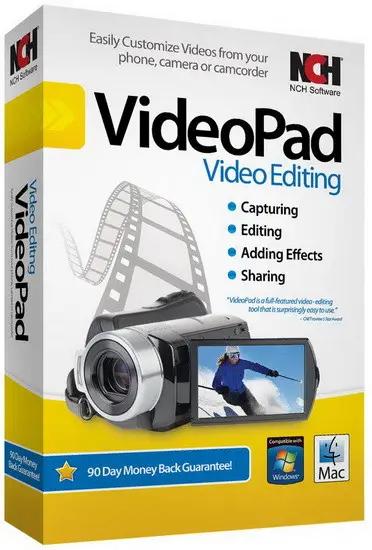
NCH VideoPad Pro 18.31 (x64) Beta | Size: 16.01 MB
Language: English


Working with video files, especially editing them, is a task that requires a specialized application that can provide all the tools one needs. Among the software applications of this kind you can find VideoPad Video Editor. The interface of this utility is divided into several parts (e.g. Media List, Effects, Transitions, Files, Clips, Video Track, Audio Track, Overlay Track), which may make everything seem a little hard to operate. You can capture video from a camcorder or another device like a webcam or a TV capture card, and once you have added files and sequence clips to the queue, you can start editing them.

Stunning Transition Effects:
Choose from a range of fade transitions to give
your movie that professional touch.
Preview the effects in real time.
Customize the duration of the effect.

Amazing Audio Tools:
Import and mix music tracks like a pro.
Make your own custom movie soundtrack.
Record your own narrations with the click of a button.
Import pre-recorded narrations, sound effects or music.

Complete Video Optimization:
Fine tune brightness, saturation and color for your video.
Add photos and digital images with a click of a button.
Apply effects like black & white, sepia tone and negative.
Add text captions to your movie.

Share With Your Family and Friends:
Burn to DVD and watch in your living room on your TV.
Save for Youtube and share online with friends.
Save to PSP, iPod, iPhone or 3GP mobile phone.
Save to your PC as a high-quality digital movie.

Input Formats:
Video: avi, mpeg, wmv, divX, Xvid, mpeg1, mpeg2, mpeg4, mp4, mov, asf, vob, ogm, .3gp, H.264, RM and many more.
Image: bmp, gif, jpg, jif, jiff, jpeg, exif, png, tif

Output Formats:
Disc export: DVD, CD, Blu-ray Discs, HD-DVD
Video export: avi, wmv, asf, mpg, 3gp, mp4, mov, iPod, iPhone, PSP, Mobile Phone, Pocket PC

Operating System: Windows 11, 10, XP, Vista, 7, 8 and 8.1

HOMEPAGE:
Код:
https://www.nchsoftware.com/

FREE DOWNLOAD LINKS:

Код:
https://rapidgator.net/file/d77a178eb3e67e19a15a4dbdf412ee84/NCH_VideoPad_Pro_18.31_x64_Beta.rar

Код:
https://nitroflare.com/view/736AD3B1DA1597B/NCH_VideoPad_Pro_18.31_x64_Beta.rar
 
c9c289de220963ced4d0b0e68be982a8.jpg


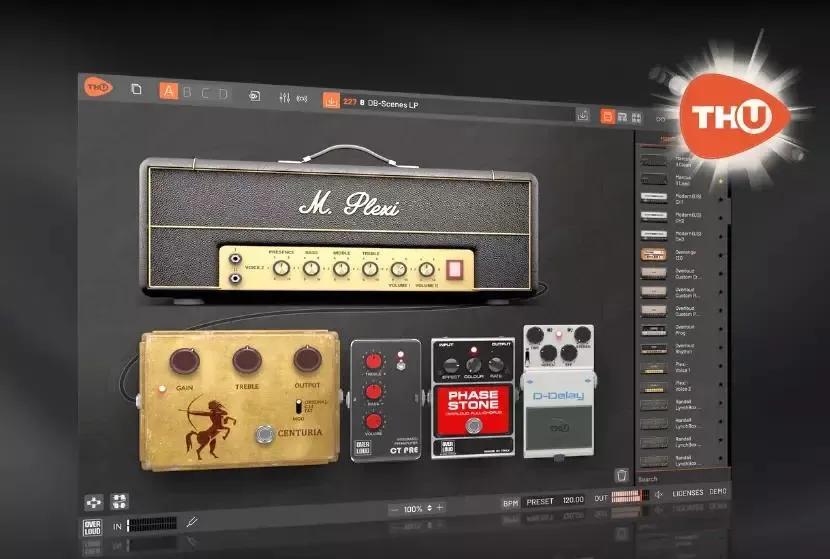
Overloud TH-U Premium 2.0.15 | Size: 902.68 MB
Language: English


TH-U is the only amp simulator which includes the MODELING, CAPTURING and FLUID IR PROCESSING features in a single plug-in, both for computer and mobile devices. The software can be expanded with the world largest collection of add-ons, which includes 28,000+ Captured Rigs and 42,000+ Real IRs.

Includes both the amp modeling and the amp capturing technology
89 guitar amplifiers and 4 bass amplifiers.
50 guitar cabinets and 2 bass cabinets
84 pedal and rack effects
18 microphone models, with up to four mics on each cabinet
More than 1000 presets covering all musical styles + FREE PRESETS every month!
Randall®, DVmark®, Brunetti® and THD® authorized models approved by the original manufacturers
Amp Tweak technology, allows you to mod the amplifiers by changing the preamp and poweramp tube models, as well as simulating the action of a variac
Rig Player (with 20 factory rigs), allows you to reproduce rig models created by capturing real setups
One entire preset bank dedicated to bass.
4th generation analog emulation technology, with proprietary nonlinear processing algorithm
Advanced cabinet emulations with Fluid Convolution and ReSPiRe 2 technology
Built-in convolver to load external guitar cab IRs
Flexible sound chain with split point for parallel processing
Fully customizable MIDI control for live usage
28,000+ Captured Rigs and 42,000+ Real IRs available from the world's largest add-on collection!

HOMEPAGE:
Код:
https://overloud.com/thu

FREE DOWNLOAD LINKS:

Код:
https://rapidgator.net/file/1205ab4dd170d223796f2dd4d06b9dae/Overloud_TH-U_Premium_2.0.15.rar

Код:
https://nitroflare.com/view/10BDD3DCB3498CD/Overloud_TH-U_Premium_2.0.15.rar
 
_aeb0d3a9ca2baefe320490a3bfa1c72b.jpeg


Perfectly Clear WorkBench 5.1.1.3243 (x64) Multilingual | Size: 247.55 MB
Language: English


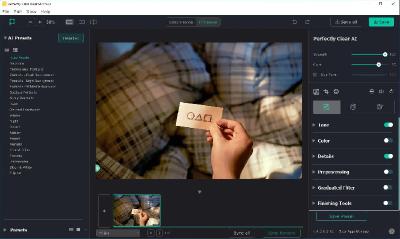
Perfectly Clear Workbench is an application that uses Athentech's Perfectly Clear image correction libraries and is made available to demonstrate the capabilities of the Perfectly Clear processing libraries, face detection library and to allow a quick export of the processing settings for use.

One of the key features in Workbench is the ability to "export to API" when saving a Preset. This allows you to make image corrections in Workbench and tune the settings to match your style and correction needs. Then, you can quickly export these settings to a text file - ready to be copy / pasted into your source code with our image correction SDK.

What's New in Perfectly Clear WorkBench:
1. Beautiful new interface
2. New image correction tools:
a. Preprocessing section for Input Looks and "Image Ambulance" for manual exposure corrections
b. "Face Aware" exposure for more accurate auto-exposure corrections in portraits and group photos
c. Black Point tool to deepen blacks
d. New Color Vibrancy tool to complement our previous "Vibrancy" control (now renamed to Color Restoration)
e. Sky and Foliage enhancements
3. Existing tools have been improved:
a. Added strength sliders to Light Diffusion and Vibrancy for better control
b. Better 'color pickers' for Skin Tone and Blush adjustments
4. Manually identify faces that are not detected automatically
5. One-click to zoom to individual faces
6. Modify facial regions to provide the best corrections
7. Histogram
8. Much improved preset management

Supported Image Formats:
Perfectly Clear requires RGB-formatted images in either 8 or 16-bit color depth. Any image file that Photoshop or Lightroom can open and convert to this format may be used in Perfectly Clear. Monochrome and CMYK images must be converted to RGB before using Perfectly Clear. RAW files must be opened through Adobe Camera RAW and loaded into Photoshop to be accessible to Perfectly Clear.

System Requirements:
- Windows 10 and 11 (64-bit only)
- 4 GB RAM or more

HOMEPAGE:
Код:
https://eyeq.photos/

FREE DOWNLOAD LINKS:

Код:
https://rapidgator.net/file/67e14ef46594ab0df8d312c647afe2f8/Perfectly_Clear_WorkBench_5.1.1.3243_x64_Multilingual.rar
Код:
https://nitroflare.com/view/648457026F82AC4/Perfectly_Clear_WorkBench_5.1.1.3243_x64_Multilingual.rar
 
_30d7f9d512a77d2a169a0b3f6b9c2732.jpeg


PingPlotter Professional 5.27.8.1398 | Size: 36.77 MB
Language: English


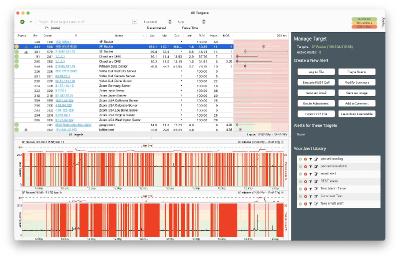
PingPlotter Professional's versatility goes beyond simple connection testing. PingPlotter's robust alert system does everything from notifying technicians to automating responses.

And when combined with unlimited endpoint testing, network device discovery, and a hastle-free deployment that gets you up and running within minutes, PingPloter has everything you need to test and monitor connections with ease.

Advanced metrics
Monitor VoIP and stream quality with real-time jitter graphing and MOS calculation.

Local device discovery
PingPlotter's device discovery makes hardware and IoT device troubleshooting a snap.

Intuitive web interface
View and share results with a web interface perfect for managing on-site deployments.

Robust alert system
Automate responses for any network condition with REST calls, SNMP triggers, email reporting, and more.

Comprehensive testing
ICMP, TCP, and UDP support for testing every type of network issue, giving you accurate, actionable data.

Multi-NIC support
Parallel network card support allows for tandem WAN, LAN, and WiFi testing from a single instance.

Requirements
In just about every case, if you can run Windows, you can run any version of PingPlotter. We do however recommend a bit more power for Pingplotter to work at its best.

Minimum Requirements:
55MB of disk space (20MB installer, 35MB app). This does not include any additional storage for collected PingPlotter trace data
1 GHz or faster processor
1GB RAM
.net requires an additional 4.5GB of disk space

Recommended Requirements:
55MB of disk space (20MB installer, 35MB app). This does not include any additional storage for collected PingPlotter trace data. We recommend setting up a data maintenance strategy for managing trace data
2 GHz or faster processor
4GB RAM
.net requires an additional 4.5 GB of disk space

Operating Systems:
Windows 7 SP1 (32 & 64 bit)
Windows Server 2008 (32 & 64 bit)
Windows Server 2012 (32 & 64 bit)
Windows Server 2016 (32 & 64 bit)
Windows 8 (32 & 64 bit)
Windows 10 (32 & 64 bit)
Windows 11 (32 & 64 bit)

HOMEPAGE:
Код:
https://www.pingplotter.com/

FREE DOWNLOAD LINKS:

Код:
https://rapidgator.net/file/ee6467e55210c6f9a51f02c13c1f0c9d/PingPlotter_Professional_5.27.8.1398.zip

Код:
https://nitroflare.com/view/CBB5388DD3903C5/PingPlotter_Professional_5.27.8.1398.zip
 
b97bbdaf1c5736afee127ce48ede4c01.jpg


QuickUserInfos 3.12 | Size: 1.78 MB
Language: English


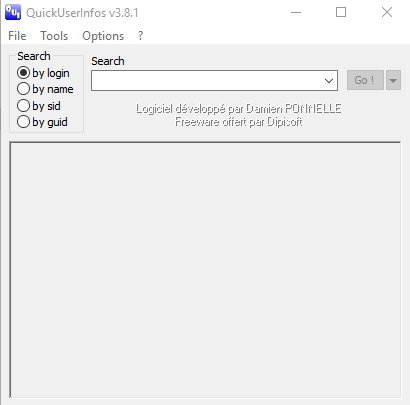
QuickUserInfos is an admin help tool that allows for user/pc information recovery and more.

It is designed to recover the info quickly, providing you with details about users, group memberships, and registered accounts. It comes in installer and portable versions so you can always have it available no matter where you are.
Utilizing QuickUserInfos is straightforward; select the type of search needed (by account or name), then enter the target occurrence. It compiles the data you requested in an easy-to-read manner and allows for some changes to be made to those records.
QuickUserInfos also includes other beneficial tools to reset a user account password and compare several user accounts (you can also modify memberships). This tool will be helpful for network admins.

System Requirements: Windows 11, Windows 10, 8 , 7

FREE DOWNLOAD LINKS:

Код:
https://rapidgator.net/file/131408bf91f97f3c728c046fa3d4408b/QuickUserInfos_3.12.rar

Код:
https://nitroflare.com/view/9D0030C8BFEBAD3/QuickUserInfos_3.12.rar
 
aca94bd71340ddfd1b39f4874af4367f.jpg


R-Studio Emergency Network 9.5 Build 0806 Multilingual | Size: 142.16 MB
Language: English


Empowered by the new unique data recovery technologies, R-Studio is the most comprehensive data recovery solution for recovery files from NTFS, NTFS5, ReFS, FAT12/16/32, exFAT, HFS/HFS+ and APFS (Macintosh), Little and Big Endian variants of UFS1/UFS2 (FreeBSD/OpenBSD/NetBSD/Solaris) and Ext2/Ext3/Ext4 FS (Linux) partitions. It also uses raw file recovery (scan for known file types) for heavily damaged or unknown file systems. It functions on local and network disks, even if such partitions are formatted, damaged or deleted. Flexible parameter settings give you absolute control over data recovery.

R-Studio utilities recover files:
Deleted without Recycle Bin, or when Recycle Bin has been emptied;
Removed by virus attack or power failure;
After the partition with the files was reformatted, even for different file system;
Recovering data if: VIRUS has invaded; FAT is damaged; MBR is destroyed; FDISK or other disk utilities have been run;
When the partition structure on a hard disk was changed or damaged;
Data recovery on damaged or deleted partitions;
From hard disk with bad sectors;

Support for:
Basic(MBR), GPT, BSD(UNIX), APM(Apple partition map) partitions layout schemes;
Dynamic volumes, Windows Storage Spaces (Windows 2000-2022/8.1/10/11);
Apple software RAIDs, CoreStorage, File Vault, and Fusion Drive;
Linux Logical Volume Manager (LVM/LVM2) and mdadm RAIDs;
R-Studio can automatically recognize and assemble the components of these disk managers even if their databases are slightly damaged. Their components with severe corrupted databases can be added manually.

Advanced data recovery algorithm:
to increase the quality of file recovery when the file system is not damaged;
to recover files that are not recognized in file system metadata and not found during a disk scanning procedure;
to fast search for lost partitions;
to recover files from devices with unknown file systems, including HD, CD, DVD, floppy disk, Compact-Flash Card, USB drive, ZIP drive, Memory Sticks and other removable media.

Support for specific file system features:
Recognitions of localized names;
NTFS encrypted files, NTFS alternative data streams, NTFS data deduplication, NTFS LogFile, NTFS Symbolic Links & Directory Junctions;
ReFS: symbolic links, directory junctions, deduplication;
HFS+ journal processing, HFS+ extended attributes, HFS+ compressed files;
Advanced APFS recovery: support for encryption;
Ext2/Ext3/Ext4 FS/UFS journal processing and extended attributes;
Recovery of names and paths for files deleted to Recycle Bin and Trash.

In-depth file analysis:
Extended file search and mask capabilities;
Estimation of chances for successful file recovery;
Verbose file information. Even more extensive file information in the Technician version: specific file system info, overlapping files, disk regions, etc;
File recovery lists for mass file recovery. File recovery lists with extensive file information in the Technician version.

System Requirements:
An Intel-compatible platform running Windows 11/10/8.1/8/7/Vista/XP/2000 Windows Server 2022/2019/2016/2012/2008/2003.
At least 256 MB of RAM, a mouse, and enough disk space for recovered files, image files, etc.
The administrative privileges are required to install and run R-Studio utilities.
A network connection for data recovering over network.

HOMEPAGE:
Код:
https://www.r-studio.com/

FREE DOWNLOAD LINKS:

Код:
https://rapidgator.net/file/bdf3180a1820009ab8a961418cba0c32/R-Studio_Emergency_Network_9.5_Build_0806_Multilingual_BootCD.rar

Код:
https://nitroflare.com/view/25C012BCB9DC7FE/R-Studio_Emergency_Network_9.5_Build_0806_Multilingual_BootCD.rar
 
e6b2d3d9adbbee293ee3689f0d24ca78.jpg


Snap Video Translator 1.1.1 | Size: 395.62 MB
Language: English


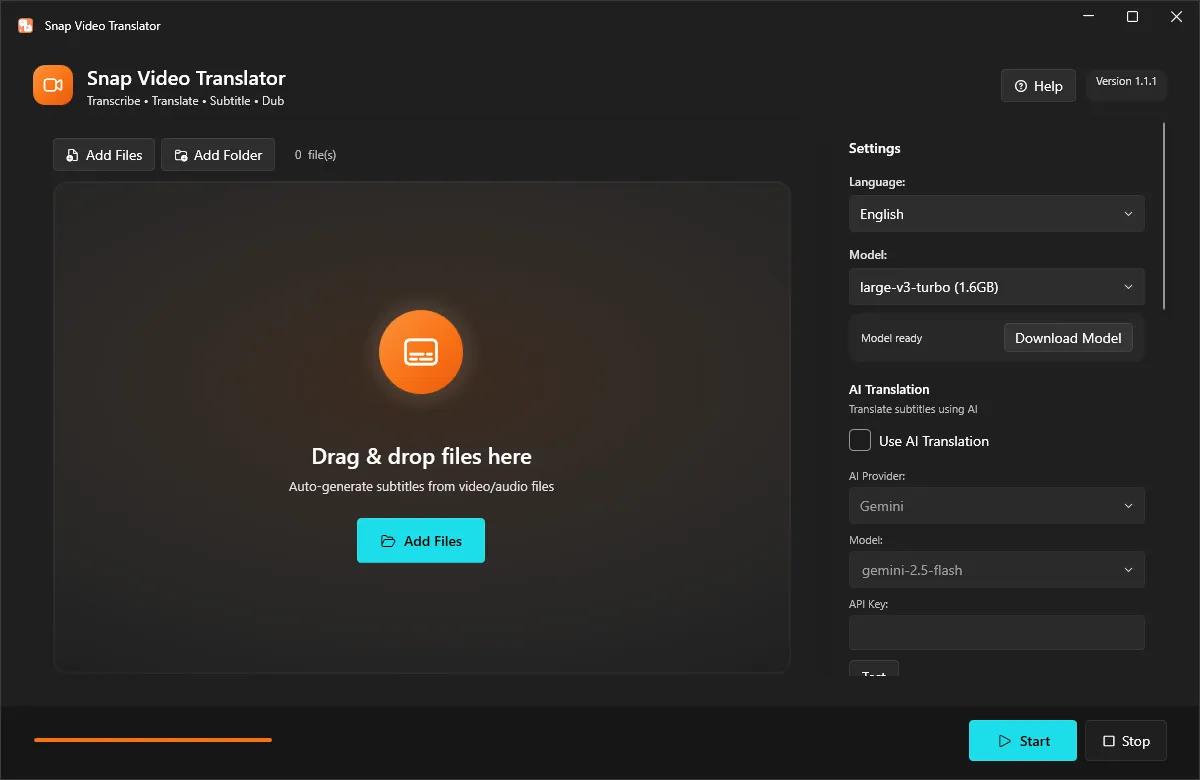
Snap Video Translator brings every step of localizing a video into a single Windows app. Load a video and it takes you straight through transcription, AI translation, and either subtitle burn-in or an AI voice-over.

Transcription (runs locally)
Runs OpenAI Whisper on your own PC. Choose from small / medium / large-v3-turbo / large-v3 to balance speed and accuracy. Your audio is never sent to an external server for transcription.

AI translation
Works with AI services such as Gemini, OpenAI, and Claude, or with an OpenAI-compatible local LLM. Produces natural translations of your video's content.

Subtitle burn-in
Adjust font size, text color, outline, and position, then burn subtitles directly into the video.

AI dubbing
Converts the translation into speech and generates a voice-over in 7 languages (Japanese, English, Chinese, Korean, French, German, Spanish). Mix it with the original audio or replace it.

Subtitle file export
Export subtitle files in SRT / VTT format.

Review & edit mode
Check the subtitle text on screen before burn-in and edit it if needed.

Batch processing
Process multiple videos at once.

Who it's for
- Video creators who want to reach viewers in other languages
- Education and training teams localizing lectures and tutorials
- Companies localizing internal videos

Before you start
- Transcription runs locally with Whisper; your audio is not sent anywhere.
- Using a cloud AI service for translation requires that service's API key. You can also use an OpenAI-compatible local LLM.
- AI translation and AI dubbing require an internet connection (no API key is needed for dubbing).
- Subtitles and dubbed audio are AI-generated. Please review the output before public or business use.
- FFmpeg is bundled as the video processing engine.

System Requirements
Windows 10 version 19041.0 or higher (64-bit)

* Japanese / English UI, selected automatically.

HOMEPAGE:
Код:
https://apps.microsoft.com/detail/9n66p79hm5lb

FREE DOWNLOAD LINKS:

Код:
https://rapidgator.net/file/413f1ecfee39b15737e4b0f1056cea99/Snap_Video_Translator_1.1.1.rar

Код:
https://nitroflare.com/view/156C668460A9E66/Snap_Video_Translator_1.1.1.rar
 
5675e0d2c8b6929537035774556abf74.jpg


Syncovery Premium 12.0.0.24 (x64) Multilingual | Size: 100.1 MB
Language: English


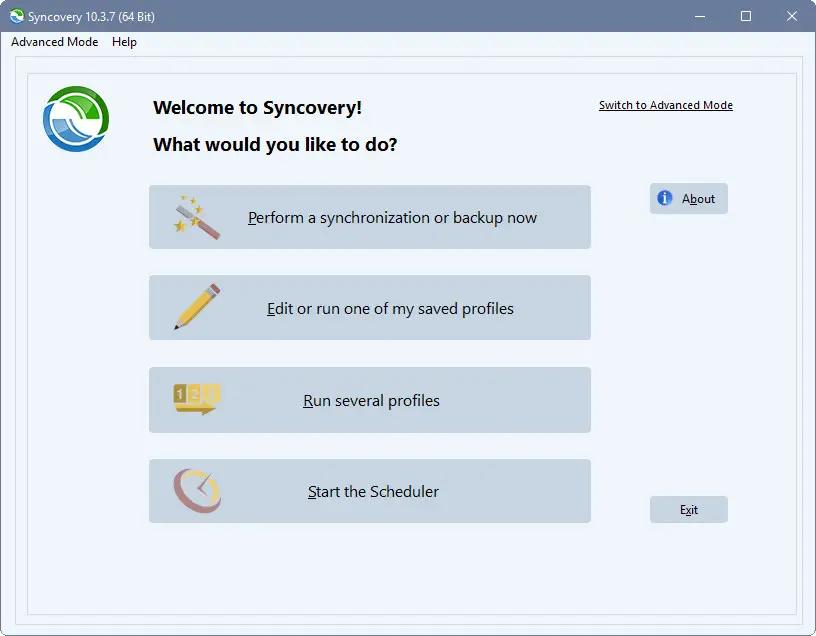
Syncovery is a great application used to back up data and to synchronize PCs, servers, and notebooks. Users can choose the user interface that suits them best: Wizard Mode or Advanced Mode. The settings are stored in multiple profiles, and the software comes with support for FTP and secure FTP servers, SSH, WebDAV, Amazon S3, http, partial file updating, ZIP compression, data encryption, and a scheduler for automated backups. The scheduler can run as a service without users having to log on. On Windows XP or later, locked files can be copied using the Volume Shadow Service.

Extremely Fast Scanning
Syncovery's multi-threaded folder listing algorithm provides an unparalleled speed, and easily handles millions of files and huge numbers of folders. Even more speed can be gained with our Destination File List Cache and Remote Service features.

Block Level Copying
This will help you save bandwidth as well as backup space. Syncovery can detect changed blocks in large files, and copy only these. The detection works by keeping checksums in a database, or with the help of the Syncovery Remote Service, or by using our revolutionary File System Monitoring Service (the File Sytem Monitoring Service is Windows only).

Real-Time Synchronization
Real-Time Synchronization will make sure that changes are synced quickly. Syncovery listens to file system events and quickly performs the appropriate actions. For cloud servers, it can use polling to detect changes. These features are available on Windows and macOS only.

SmartTracking
The SmartTracking sync mode is frequently used in two-way sync jobs. It can detect moved files, deleted files, and conflicts (files changed on both sides).

Versioning
Syncovery allows you to keep multiple versions of modified files, allowing you to restore your files from an earlier date. The restore date can be chosen for individual files or multiple files, in our Restore Wizard.

Server Migration
Syncovery's advanced NTFS copying features, high speed, and scaleability enable you to perform large-scale migrations.

System Requirements:
All versions of Windows since Windows Vista and Windows Server 2008 are fully supported, including Windows 10/11 and Server 2019/22 and all other versions and editions of Windows that have a graphical user interface.

HOMEPAGE:
Код:
https://www.syncovery.com/

FREE DOWNLOAD LINKS:

Код:
https://rapidgator.net/file/1911489046149e4d295a50034865e465/Syncovery_Premium_12.0.0.24_x64_Multilingual.rar
Код:
https://nitroflare.com/view/8A6D9D802582972/Syncovery_Premium_12.0.0.24_x64_Multilingual.rar
 
5d2d0a789952450594e942385e25acae.png


Tor Browser v15.0.15 (x86) | Size: 108.69 MB
Language: English


Surfing anonymously provides a powerful shield against network surveillance and traffic analysis. Protecting your online privacy can only be achieved by additional software tools that can hide your location and can prevent your online information and browsing habits from being revealed to anyone.

This browser is basesd on the Mozilla Firefox code, so you can use the 'Firefox add-ons/extensions'.

This is the x86 edition, therefore you can use it on 32-bit and 64-bit systems.

If you're ever in need of such a tool, Tor Browser is one suggestion you can add to the list. The application relies on a network of virtual servers in order to make your browsing sessions anonymous. Tor makes available a set of rules and algorithms that routes the communications through various servers all over the world. Thus, all the traffic is randomized so tracking the source becomes an almost impossible task.

FREE DOWNLOAD LINKS:

Код:
https://rapidgator.net/file/ff101c154161bad0bca7067c90dfc659/Tor_Browser_v15.0.15_x86.rar

Код:
https://nitroflare.com/view/E610995ED027595/Tor_Browser_v15.0.15_x86.rar
 
de3ed10dc0fed801bd7396ed41e83321.jpg


Total Commander 11.58 RC2 Multilingual | Size: 10.95 MB
Language: English


Total Commander (former Wincmd) is a file manager for Windows similar to the Windows Explorer. But Total Commander uses a different approach: it has two fixed windows side by side like a well-known file manager for DOS.

Features:
Two file windows side by side
Multiple language and Unicode support
Enhanced search function
Compare files (now with editor) / synchronize directories
Quick View panel with bitmap display
ZIP, ARJ, LZH, RAR, UC2, TAR, GZ, CAB, ACE archive handling + plugins
Built-in FTP client with FXP (server to server) and HTTP proxy support
Parallel port link, multi-rename tool
Tabbed interface, regular expressions, history+favorites buttons
Thumbnails view, custom columns, enhanced search
Compare editor, cursor in lister, separate trees, logging, enhanced overwrite dialog etc.
Unicode names almost everywhere, long names (259 characters), password manager for ftp and plugins, synchronize empty dirs, 64 bit context menu, quick file filter (Ctrl+S)
New: USB port connection via special direct transfer cable, partial branch view (Ctrl+Shift+B), and many imporvements to ftp, synchronizing and other functions
And many more!

Operating System:
32-bit version only (Windows 95 up to Windows 11, runs on 32-bit AND 64-bit machines!)
64-bit version only (Windows XP up to Windows 11, runs ONLY on 64-bit machines!)

HOMEPAGE:
Код:
http://www.ghisler.com/

FREE DOWNLOAD LINKS:

Код:
https://rapidgator.net/file/eb27d3376962ff9456f17c9d6e666060/Total_Commander_11.58_RC2_Multilingual.rar
Код:
https://nitroflare.com/view/11D37CCAD2BE3B5/Total_Commander_11.58_RC2_Multilingual.rar
 
Назад
Сверху Снизу