All Emperor2011's Software in one thread !! (updated daily)

ded002645916a31b3662a8c3ca8382eb.jpg


MedCalc 23.6.2 Multilingual | Size: 119.14 MB
Language: English

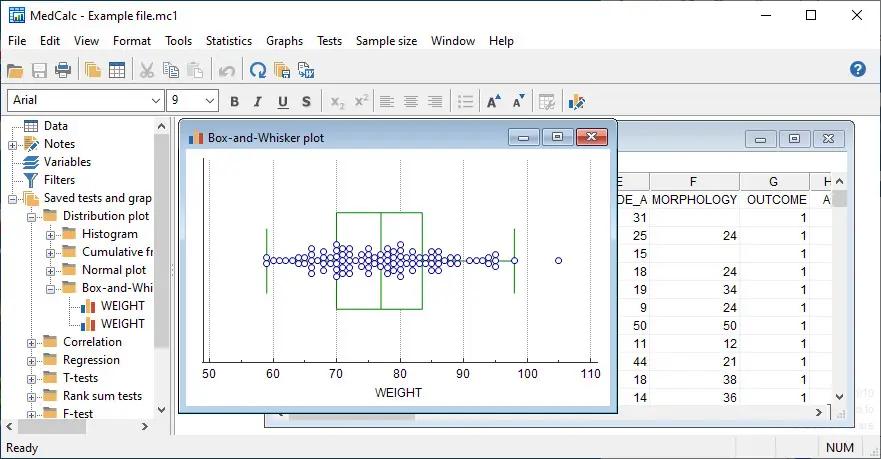
MedCalc is a complete statistical program for Windows designed to closely match the requirements of biomedical researchers. It is fast, user-friendly and reliable. MedCalc is the most user-friendly software for Receiver Operating Characteristic curve (ROC curves) analysis. The MedCalc ROC module includes comparison of up to 6 ROC curves. The software also includes Bland & Altman plot, Passing and Bablok and Deming regression for method comparison studies.

MedCalc for Windows description
Data management
Integrated spreadsheet with 1?048?576 rows and 16?384 columns.
Correct handling of missing data.
Outliers can easily be excluded.
Built-in WYSIWYG text editor.
Imports Excel, Excel 2007, SPSS, DBase and Lotus files, and files in SYLK, DIF or plain text format.
Easy selection of subgroups for statistical analysis.

MedCalc Documentation
Comprehensive context-sensitive help.
Complete HTML manual on MedCalc web site.
Context help in dialog boxes.
Paperback manual.

ROC curve analysis
MedCalc is the reference software for ROC curve analysis. Our ROC curve analysis module includes:
Area Under the Curve (AUC) with standard error, 95% confidence interval, P-value. Offers choice between methodology of DeLong et al. (1988) and Hanley & McNeil (1982, 1983).
List of sensitivity, specificity, likelihood ratios, and positive and negative predictive values for all possible threshold values.
ROC curve graph with 95% Confidence Bounds.
Threshold values can be selected in an interactive dot diagram with automatic calculation of corresponding sensitivity and specificity.
Plot of sensitivity and specificity, or cost, versus criterion values.
Plot of predictive values versus prevalence.
Interval likelihood ratios.
Comparison of up to 6 ROC curves: difference between the areas under the ROC curves, with standard error, 95% confidence interval and P-value.
Sample size calculation for area under ROC curve and comparison of ROC curves.
Go to the ROC curve analysis section of the MedCalc manual for more information on ROC curve analysis in MedCalc.

Graphs
Lots of graphs, see Graph gallery.
Data point identification in graphs.
Draw text boxes, lines, arrows and connectors.
Name, save and recall graphs and statistics.
Statistical info in graph windows.
Save graphs as SVG, PNG, JPG, GIF, BMP, PCX, or high resolution TIF files, or as PowerPoint slides (*.pptx).

System requirements
PC with Windows Vista, Windows 7, 8, 8.1, 10 or 11; or Windows Server 2008 or more recent (all 32-bit and 64-bit versions supported).
On Windows versions prior to Windows 8, support for Excel *.xlsx files additionally requires Microsoft .NET Framework 4.0 (a free download from Microsoft).
2048 Mb of memory.
60 Mb free space on the hard disk.

HOMEPAGE:
Код:
https://www.medcalc.org/

FREE DOWNLOAD LINKS:

Код:
https://rapidgator.net/file/b490325ae83c853ffb35814f006d1037/MedCalc_23.6.2_Multilingual.rar

Код:
https://nitroflare.com/view/ED4A1B4CD3D0D21/MedCalc_23.6.2_Multilingual.rar
 
dffde18a44d06d5d78d2718466633fd9.jpg


Microsoft Malicious Software Removal Tool 5.143 | Size: 169.98 MB
Language: English

The Microsoft Windows Malicious Software Removal Tool helps remove malicious software from your computers that are running Windows 10, Windows 8.1, Windows Server 2012 R2, Windows 8, Windows Server 2012, Windows 7, Windows Vista, Windows Server 2008.. Microsoft releases a new version of the Microsoft Malicious Software Removal Tool every month. After you download the tool, the tool runs one time to check your computer for infection by specific prevalent malicious software (including Blaster, Sasser, and Mydoom) and helps remove any infection it finds.

This article contains information about how the tool differs from an antivirus product, how you can download and run the tool, and what happens when the tool finds malicious software on your computer. The advanced user section includes information for the IT administrator and additional information about how to manage and run the Malicious Software Removal Tool.
Note In compliance with the Microsoft Support Lifecycle policy, the Windows Malicious Software Removal Tool (MSRT) will no longer be offered to or supported on Windows 2000-based systems after July 13, 2010. This date coincides with the end of the Extended Support phase for Windows 2000. For more information about the Support Lifecycle policy, go to the Microsoft Support Lifecycle website.
How the Microsoft Malicious Software Removal Tool differs from an antivirus product
The Microsoft Malicious Software Removal Tool does not replace an antivirus product. It is strictly a post-infection removal tool. Therefore, we strongly recommend that you install and use an up-to-date antivirus product.
The Microsoft Malicious Software Removal Tool differs from an antivirus product in three key ways
The tool removes malicious software from an already-infected computer. Antivirus products block malicious software from running on a computer. It is significantly more desirable to block malicious software from running on a computer than to remove it after infection.
The tool removes only specific prevalent malicious software. Specific prevalent malicious software is a small subset of all the malicious software that exists today.
The tool focuses on the detection and removal of active malicious software. Active malicious software is malicious software that is currently running on the computer. The tool cannot remove malicious software that is not running. However, an antivirus product can perform this task.
For more information about how to protect your computer, go to the Microsoft Safety & Security Center website.
Note The Microsoft Malicious Software Removal Tool focuses on the detection and removal of malicious software such as viruses, worms, and Trojan horses only. It does not remove spyware. However, you can use Microsoft Security Essentials to detect and remove spyware.
Click here to download Microsoft Security Essentials
You do not have to disable or remove your antivirus program when you install the Microsoft Malicious Software Removal Tool. However, if prevalent, malicious software has infected your computer, the antivirus program may detect this malicious software and may prevent the removal tool from removing it when the removal tool runs. In this case, you can use your antivirus program to remove the malicious software.
Because the Microsoft Malicious Software Removal Tool does not contain a virus or a worm, the removal tool alone should not trigger your antivirus program. However, if malicious software infected the computer before you installed an up-to-date antivirus program, your antivirus program may not detect this malicious software until the tool tries to remove it.

System Requirements: Windows 10, Windows 10 Tech Preview, Windows 7, Windows 8.1, Windows Server 2008

FREE DOWNLOAD LINKS:

Код:
https://rapidgator.net/file/70560c7431ecd53132be9f593b9b4180/Microsoft_Malicious_Software_Removal_Tool_5.143.rar

Код:
https://nitroflare.com/view/8FA792224D5AEE6/Microsoft_Malicious_Software_Removal_Tool_5.143.rar
 
f87905c9c9166baa01e2e25bb692c3f2.jpg


MobiKin Assistant for Android 5.1.53 Multilingual | Size: 23.96 MB
Language: English

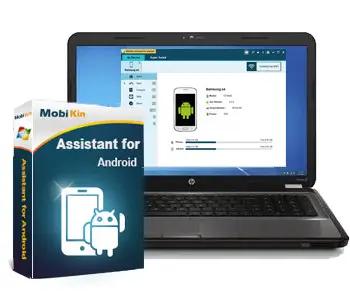
Looking for a simple way to manage your Android device? Then this MobiKin Assistant for Android could be the ideal solution for you. Just get it to learn its powerful management ability now.

Back Up & Restore Android Data Easily
Many Android users complain that they always mistakenly delete something important when they're using some unfamiliar functions on their Android device. So are you tired of randomly losing stuff from your phone? Now, let's end the fate of losing data on Android with the help of the software called MobiKin Assistant for Android. With it, you can connect multiple Android devices to PC and back up all data from these devices to your desktop computer with one simple click. What's more, you can manage these connected devices as follow:

One click to back up all files from your Android device to computer, which can make the Android data backup more quickly and easily.
Restore the backed up files from computer to Android device with one simple click. (Click to learn how to back up & restore Android phone with one simple click.)
Be able to back up your Android data selectively - export the wanted contacts, text messages, call logs, apps, photos, music, movie, books, etc. from Android mobile phones and tablets to computer, so that you'll never lose these crucial data by accident.(Go to learn the details about backing up Android data on desktop computer.)
All exported files will be saved as the original format and quality on the computer.
This program provides users two different connections: USB connection and WiFi connection. (To build a Wi-Fi connection, you need to download and install the MobiKin Assistant for Android (Android Version) on your Android phone first.)
You are allowed to find specific data by typing one or more keywords in the searching box

System Requirements:
Operating System: Windows 11/10/8/7/XP/Vista
Processor: 750MHz Intel or AMD
RAM: 512MB or above
Hard Disk Space 1 GB or more

HOMEPAGE:
Код:
https://www.mobikin.com/

FREE DOWNLOAD LINKS:

Код:
https://rapidgator.net/file/b9bc64d8876255d63ae48e05cc5c37b3/MobiKin_Assistant_for_Android_5.1.53_Multilingual.rar

Код:
https://nitroflare.com/view/EE7C1A18A9653D3/MobiKin_Assistant_for_Android_5.1.53_Multilingual.rar
 
28c2451b2860b90db29916179bcf3c50.jpg


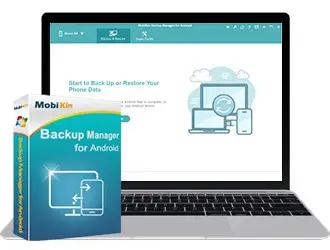
MobiKin Backup Manager for Android 2.0.32 Multilingual | Size: 21.17 MB
Language: English

There occur many circumstances where users might face incident, which makes data loss from Android devices. This is where users need the top-rated MobiKin Backup Manager for Android to flexibly back up and restore Android files so as to avoid data loss issue.

1 Click to Back Up Your Android Phone Safely
Our mobile devices store almost all types of personal information, forming a virtual life. However, losing phone data is a common occurrence, which is very distressing. Therefore, we must immediately back up our Android phone to prevent this disaster. With the help of MobiKin Backup Manager for Android, it is easy to create complete backup for our Android devices.

Easily back up complete or selected Android data with a single click for future use.
This Android data management tool allows you to easily preview the name and count of backup files.
Supports backing up Android Contacts, Messages, Call Logs, Photos, Videos, Audio, Documents, Apps, etc., with a total of 8+ file types.
Lossless back up and restore, the new backup files will not overwrite the old one.

Restore Data from Backup Files to Device Selectively
The restore function of MobiKin Backup Manager for Android software gives timely help to some users who have lost their Android phones, accidentally deleted their phone data, or restored their devices to factory settings. With Android backup to PC by using this software, you can restore the backups from PC to any Android device with one click.

You can directly restore Android backup data like Contacts, Messages, Call Logs, Photos, Videos, Audio, Documents, Apps, etc. to your Android device, or select a specific Android file to restore for future use.
This Android data backup and restore tool provides a seamless method to help you easily restore backup data to the same or other Android devices.
No data will be lost during the restore and no data will be overwritten on your Android phone. You can choose whether to clear data before restoring.

Creative and Helpful Android Data Management Capabilities
There are many Android backup and restore tools, but a reliable software with sufficient mature technical support can let you better control the backup and restore process and achieve more results with less effort. MobiKin Backup Manager for Android software boasts a variety of feature-rich options built-in, making the backup and restore process of Android data flexible and safe.

The software offers you two ways to connect Android phone to the computer: If you have USB, you can connect phone to PC with a USB cable; if you have no USB, you are suggested to scan the QR code on the program with WiFi to get connected.
The Android data managing tool shows you the file name, size, date and count, so that you can preview and select the files you want to back up or restore.
You can also add backup folder to the list, that is, you can also add other backup files in the non-program default directory to the list for restoring.

Extensive Compatibility with 8000+ Android devices
After hundreds of thousands of rigorous tests, it is enough to prove that MobiKin Backup Manager for Android is 100% safe and reliable, and compatible of more than 8000 Android devices and overall Android OSes available.

Supports 8000+ Android devices, including Samsung, HTC, Motorola, Sony, LG, Huawei, OnePlus, Google, Xiaomi, Oppo, etc.
Supports overall Android OS versions available, from Android 2.1 to 10.0 (or up).
100% Secure & Read-only, it won't keep, modify or even leak the data on your device or in the backup file, nor give option to third-party to access data.
User-friendly, no prior technical experience is needed to use the tool.

System Requirements:
Operating System: Windows 11/10/8/7/XP/Vista
Processor: 750MHz Intel or AMD
RAM: 512MB or above
Hard Disk Space 1 GB or more

HOMEPAGE:
Код:
https://www.mobikin.com/

FREE DOWNLOAD LINKS:

Код:
https://rapidgator.net/file/48b208dfe5458e8ece0aa949a3ded95f/MobiKin_Backup_Manager_for_Android_2.0.32_Multilingual.rar

Код:
https://nitroflare.com/view/B8D0F5C609A01E6/MobiKin_Backup_Manager_for_Android_2.0.32_Multilingual.rar
 
_a6579cb1b30bfb259c3ba5350045d6ae.jpeg


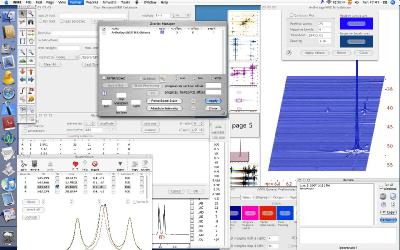
Nucleomatica iNMR 7.2.0 | Size: 1.51 MB
Language: English

iNMR is the software of your dreams: elegant yet affordable, straightforward yet complete, tightly integrated with the OS, well tested and fast. When your spectra are beautifully reproduced in full screen size and they respond immediately to your commands, that is the ultimate NMR experience!

iNMR can do all the things you expect from a traditional NMR program (and ten times more), plus the things you would expect from a genuine Mac or Win application. The clean interface is the secret to the high user satisfaction and productivity.
iNMR is being continuously updated and tailored to the needs of the customers. One-to-one support and tailored programming are included.

10 Good Reasons to Choose iNMR
iNMR is a single application that includes a multitude of specialized modules. When you buy a license you get everything. Most of our competitors, instead, give you the basic functionality only and then ask you more money for the additional modules and the yearly upgrades. With iNMR you just pay once and receive years of upgrades and support.
You are not locked in. iNMR always works with the original spectrometer files. Any additional information that you generate is stored into short and readable XML files that you can open with countless external applications. Your experimental data remain readable by all other NMR software in circulation.
You'll receive email support directly from the author, 360 days per year, from 8 AM to 12 PM (Central European Time, UTC+2 from April to October, UTC+1 otherwise). If necessary you can receive a patched or customized version in a matter of hours. This is what you pay for when you buy a license.
You can further extend the functionality of iNMR with your own scripts, thanks to the embedded Lua interpreter. Lua is a first-class programming language which is the ideal in terms of versatility and speed. Only two NMR programs include a Lua interpreter: CARA and iNMR. If you don't know the language we'll write the scripts for you. Gratis.
iNMR is a native Windows application that directly calls the traditional Windows APIs, something unique in the NMR field. iNMR is written in C/C++ and takes for itself only a minimal amount of disc space and memory. You can't say the same thing about other NMR programs, which are built upon several intermediate layers of software. If you hate bloatware, you'll love iNMR.
Microsoft explicitly recommends to embrace Direct2D as the drawing API for new applications. iNMR is the only NMR program to follow the advice and the results are: amazingly clear plots, fast drawing of large matrices and assured support by future versions of Windows.
The graphic interface is the simplest and the tidiest. More screen estate is available for spectroscopic contents, you are not distracted by unnecessary widgets. The optional keyboard shortcuts are easy to memorize and increase your productivity.
The same license is valid for many kinds of computers. iNMR is available for the last 4 major versions of Windows and 9 versions of Mac OS, which means 96% of the active computers. Any PC built in the last 12 years is good.
As a working tool, iNMR has already been successfully tested by thousands of Mac users since 2005 and Windows users since 2012.
For industrial customers iNMR represents by far the cheapest offer on the market. Figures speak for themselves.

Main Features:
1-D, 2-D and 3-D processing
Automatic phase correction and baseline correction in all dimensions
Solvent Suppression, Linear Prediction, Weighting Functions, Hilbert Transform, Covariance, Reference Deconvolution, Symmetrization, Binning
Extraction of chemical shifts and Js and generation of formatted reports
Overlays, Spectral Editing, Synchronized Plots
1-D simulation of systems of coupled spins and automatic fitting to the experiment
Lineshape Analysys for studying Chemical Exchange (equivalent to DNMR6)
Line-fitting and Volume-fitting
Cross Peaks Manager for 2-D spectroscopy (equivalent to Sparky)
Generation of tables
Annotations, Insets, creation of posters
Scripting
Batch processing
DOSY processing
INADEQUATE denoising
Measure of Relaxation Times
Simulation of first order multiplets in all kinds of nD experiments and automatic fitting
Spotligh plugin for indexing and QuickLook plugin for previews (Mac version only)
Database (Mac version only)
Task-oriented manual
Web tutorials
Reads data in the following formats: JCAMP-DX, Bruker (from Aspect to now). Varian, Jeol (Delta, Alice, GX), MacFID, Philips, GE, MacNMR, MNova, NMRPipe, Nuts, Paravision, Siemens, Simpson, CARA-Xeasy, Spinsight, SwaN-MR, Tecmag, ASCII tables.
Exports as JCAMP-DX, Sparky UCSF, PDF (Mac version only), XPS (Windows version only), JPEG, etc.

HOMEPAGE:
Код:
https://www.inmr.net/

FREE DOWNLOAD LINKS:

Код:
https://rapidgator.net/file/7ebdf577e44dff2941e99429ede930d0/Nucleomatica_iNMR_7.2.0.rar

Код:
https://nitroflare.com/view/0930F7A2E76D85D/Nucleomatica_iNMR_7.2.0.rar
 

65e1dcf1ae0764b8540074bcf34804d7.png


O&O RegEditor 16.0.6656 | Size: 15.05 MB
Language: English

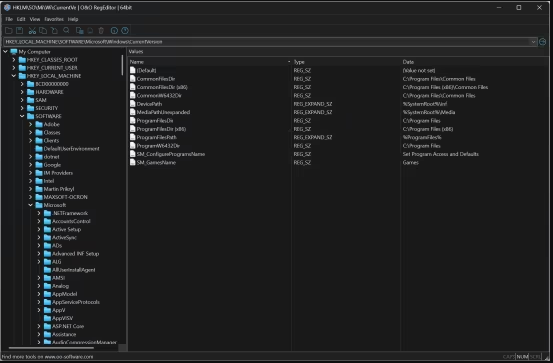
Whether for experienced private users, administrators, developers or technical support: O&O RegEditor makes working with the Windows registry easier and offers numerous functions that go beyond the registry editor included in Windows.

The modern user interface provides quick access to keys, subkeys, and values. A light and a dark design ensure a pleasant display. O&O RegEditor can automatically follow the Windows setting or be permanently set to a light or dark theme. Thanks to the high-DPI support, icons and toolbars are displayed sharply even on high-resolution screens.

O&O RegEditor is available as a portable application and does not need to be installed. All program settings are stored in a portable configuration file. This allows the program to be started directly from a USB stick, for example, and used on different computers with a uniform configuration.

O&O RegEditor is available for 32-bit and 64-bit Windows systems and can also be used on ARM-based Windows devices. This is ARM compatibility and not a native ARM version.

O&O RegEditor makes it easier to work with the Windows registry
O&O RegEditor offers all the important functions for creating, editing and deleting registry keys and values. In addition, additional tools are available that save time, especially for extensive registry structures, error analysis and recurring administration tasks.

The integrated live search shows matching results as you type. In addition to searching for keys, value names and content, O&O RegEditor also supports regular expressions and searching for whole words. All hits are displayed in a clear list of results with the corresponding key paths. From there, you can go directly to the respective position in the registry.

Search results can be exported as a REG file or as a tab-delimited text file in TXT format. This allows found entries to be saved, documented or further processed outside the program.

Registry paths can be inserted directly into the address bar, for example from a manual, support documentation or a website. The address bar remembers recently used paths and also accepts paths with a preceding computer or workstation. The last opened key path is automatically restored the next time the application is started.

Complete key structures, including all subkeys and values, can be copied and pasted elsewhere. This allows configurations to be duplicated, transferred, or quickly backed up before changes. Large binary values and multi-line string values of type REG_MULTI_SZ are also processed reliably.

Favorites for commonly used registry paths
Frequently used registry paths can be saved as favorites and called up directly at any time. In addition, O&O RegEditor already contains preset entries for important and frequently used registry areas.

Advanced Favorites Management supports multi-select, rename, import, export, and print. Favorites can also be moved up or down and thus sorted individually.

Import and export of registry data
O&O RegEditor supports the import and export of REG files. Individual keys, complete key branches or registry values can be saved from changes and reimported if necessary. In addition, the entire registry can be exported in XML format.

When importing REG files, comment lines are automatically skipped. Quotation marks, masked backslashes and different registry value types are also processed reliably.

O&O RegEditor is also part of O&O BlueCon
O&O RegEditor was originally developed both as a component of O&O BlueCon and for the internal development of O&O products.

O&O BlueCon is a comprehensive solution for administration, troubleshooting, data recovery and recovery of Windows systems. The bootable environment can be booted from a USB storage device and allows access to important system tools even if the installed Windows no longer boots properly.

System Requirements: Windows 11, Windows 10, 8 , 7

FREE DOWNLOAD LINKS:

Код:
https://rapidgator.net/file/3885ac48891f661521a5b71191854a54/OO_RegEditor_16.0.6656.rar

Код:
https://nitroflare.com/view/5C783E983F9B8A9/OO_RegEditor_16.0.6656.rar
 
2beb6c06b453f5e5e8a683b36cc8248a.jpg


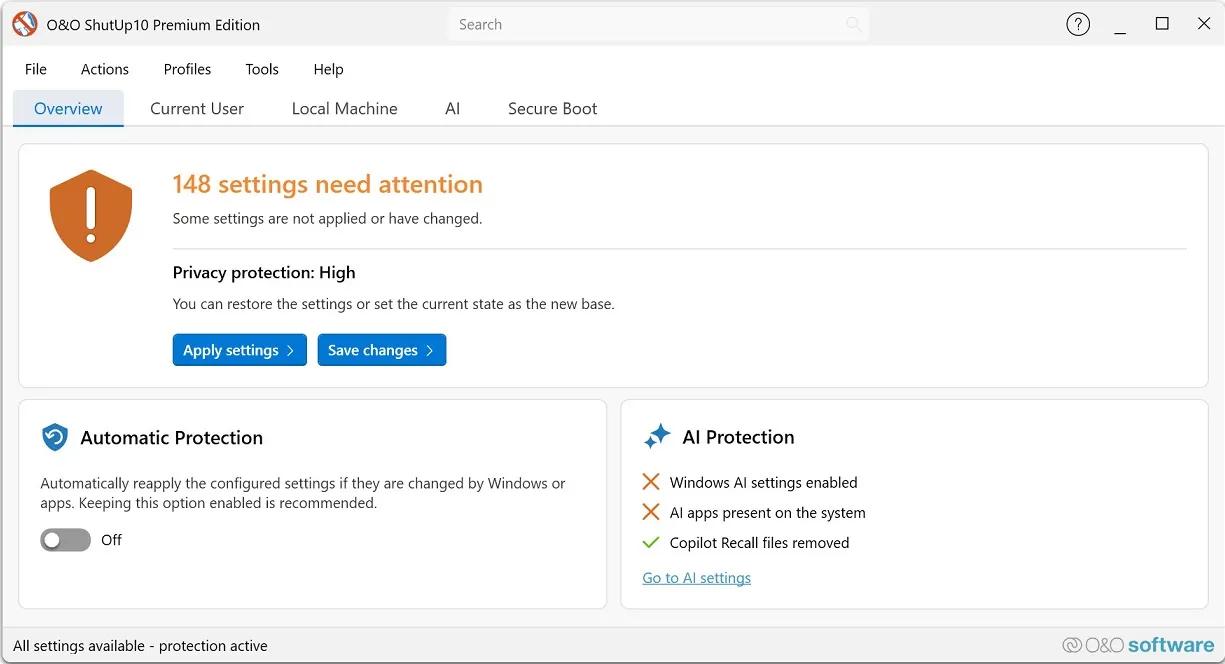
O&O ShutUp10 Premium Edition 3.2.1111 Multilingual | Size: 62.74 MB
Language: English

Protect your privacy in Windows 11 & 10 - permanently and fully automatically! Windows updates no longer destroy your privacy settings. With every new Windows version, Microsoft changes settings. Disabled features are switched back on, and Microsoft adds new ways to collect data about you. For you, this means that the privacy settings you configured once must be checked, adjusted and reset according to your wishes on a regular basis. O&O ShutUp10 Premium does this work for you automatically!

You set your desired privacy settings just once - or use our recommended settings with a single click. O&O ShutUp10 Premium then continuously monitors your selected settings and automatically restores them - even after Windows updates or system changes. You have full control over what your Windows is allowed to reveal about you!

Powerful data protection for Windows-automatic, transparent, and durable
O&O ShutUp10 Premium gives you back control over the privacy and system settings of Windows - and ensures that this control is maintained permanently. Instead of having to check again after every Windows update which settings have been changed, set your desired data protection requirements once. O&O ShutUp10 Premium then continuously monitors them and automatically restores them when Windows changes them.

Reliable data protection is crucial, especially in companies, for the self-employed and on professionally used PCs. Windows is constantly evolving, new features are added, and existing settings can be adjusted through updates or policy changes. O&O ShutUp10 Premium significantly reduces this effort and ensures that defined data protection standards are permanently adhered to.

The following feature list shows how O&O ShutUp10 Premium combines data protection management, automation, transparency and central control - for Windows systems that are not only protected once, but work permanently according to your specifications.

Privacy Control for Windows 11 & 10
- Management of around 300 privacy and system settings
- How Windows disables unwanted data collection
- Control over telemetry, diagnostics, app access, and system services
- Understandable recommendations for each setting
- Quickly apply recommended data protection configurations

Permanently protect your settings
- Continuous monitoring of the selected privacy settings
- Automatic recovery after Windows updates
- Protection against unintentional reset caused by system changes
- Reapply defined settings without manual intervention
- Ideal for companies that want to enforce data protection policies on a permanent basis

Automatic reapplication after Windows updates
- Microsoft can use updates to change existing privacy settings or add new options
- O&O ShutUp10 Premium detects relevant changes and restores the desired settings
- Data protection remains in place even after feature updates and system changes
- Reduces manual checking effort for administrators and users
- Ensures consistently consistent privacy settings on Windows systems

Central data protection guidelines for companies
- Uniform data protection configurations for Windows workstations
- Profile-based management of desired settings
- Export and import of defined configurations
- Support in the implementation of internal data protection regulations
- Suitable for SMBs, organizations, and managed IT environments

Client/Service Architecture
- Continuous monitoring via a robust background component
- Automatic enforcement of defined settings during operation
- Separation between user interface and technical background service
- Reliable application of the specifications even without constant user interaction
- Designed for professional use on managed systems

No end-user administrator privileges required
- Data protection requirements can be implemented without users needing permanent administrator rights
- More safety in daily operations
- Less support effort due to controlled assignment of rights
- Better suited for professional and managed Windows environments
- Increases comfort and safety at the same time

Profiles and policy management
- Creation of your own data protection profiles
- Key Requirements for Recurring Configurations
- Quickly apply defined settings on Windows systems
- Profile Editor for Structured Management
- Ideal for uniform data protection standards in the company

Protection against new Windows features
- Regular adaptation to new versions of Windows
- Consideration of new data protection options
- Protection against Microsoft features that have been enabled after the fact
- Support in disabling unwanted AI features
- Removal or disabling of Copilot and Recall-related features

One-click recommended settings
- Predefined recommended privacy settings
- Rapid activation of sensible protective measures
- Can undo recommended settings
- Suitable for quick initial configurations
- Transparent control over every single change

System protection and recovery
- Creating System Restore Points Before Changes
- Restoration of previous system states possible
- More security when adjusting sensitive Windows settings
- Reduces the risk of unwanted side effects
- Suitable for traceable and controlled system adjustments

Transparency and control
- No changes without defined specifications
- Clear representation of the impact of each setting
- Recommendation levels for better classification
- Editing mode for advanced users
- Full control over which features are enabled or disabled

Notifications and traceability
- About automatically reapplied settings
- Transparent feedback on changes by Windows
- Better overview of protection status
- Traceable automatic corrections
- Supports administrators and users in daily operations

Premium comfort in the background
- Automated enforcement of selected privacy settings
- Background monitoring without constant manual control
- Less effort after Windows updates
- Permanent compliance with desired data protection requirements
- More convenience, more automation and reliable data protection

For private users and companies
- Ideal for users who want to protect their privacy permanently
- Suitable for the self-employed, small businesses and managed workplaces
- Supports uniform data protection standards on Windows systems
- Reduces manual rework after updates
- Ensures that selected settings remain permanently

Set once. Permanently protected.
- Set your desired privacy settings once
- Automatic recovery from changes by Windows
- Protection against unintentional reactivation of unwanted functions
- More safety and less effort in everyday life
- Your privacy remains protected even when Windows changes

HOMEPAGE:
Код:
https://www.oo-software.com/en/ooshutup10premium

FREE DOWNLOAD LINKS:

Код:
https://rapidgator.net/file/5067c9019b57eda82c00e9ab2171fa23/OO_ShutUp10_Premium_Edition_3.2.1111_Multilingual.rar

Код:
https://nitroflare.com/view/7422C6B632FE168/OO_ShutUp10_Premium_Edition_3.2.1111_Multilingual.rar

 

3bfbeec09ce6ec85d9a5de74a019b81a.jpg


O&O ShutUp10++ 3.2.1111 Multilingual | Size: 76.25 MB
Language: English

O&O ShutUp10 means you have full control over which comfort functions under Windows 10 you wish to use, and you decide when the passing on of your data goes too far. Using a very simple interface, you decide how Windows 10 should respect your privacy by deciding which unwanted functions should be deactivated.

More control over your operating system
Adapt your security settings
Protect your privacy
Control location services
Control Windows Updates
Do not pass on your user data and diagnostics

Windows 10 wants to give users the easiest possible daily experience and in doing so very rarely forces you to actually read and confirm a security notice. Unfortunately, this simplified approach from Microsoft means much more data is passed onto them than many users would like.

Microsoft uses most data to display personalized information to you that is aimed at making your computer life easier. As an example, Windows 10 can remind you to set off to the airport 30 minutes earlier due to traffic en route. In order to deliver this information to you, however, Windows 10 has to access your calendar entries, your mails (i.e. the airline confirmation email), your location and it has to have access to the internet to get traffic news.

Some services protocol your entire keyboard entries, share your WLAN access data with your facebook contacts or connect your computer without asking permission to a public - and potentially unprotected - network. While this means that you and your contacts do not have to grapple with complicated WLAN passwords, it also poses a significant security risk.

Decide for yourself how important your "comfort" is when weighed up with your privacy and how to protect it. O&O ShutUp10 presents you with all important settings in one location - you need no previous IT knowledge and there is no need to manually change the Windows 10 system settings.

O&O ShutUp10 is entirely free and does not have to be installed - it can be simply run directly and immediately on your PC. And it will not install or download retrospectively unwanted or unnecessary software, like so many other programs do these days!

Further information
Portable Version - no installation required
Operating System: Windows 10

System Requirements: Windows 11/10

FREE DOWNLOAD LINKS:

Код:
https://rapidgator.net/file/781b136716cb7f8dc45c00beac27a8d6/OO_ShutUp10___3.2.1111_Multilingual.rar
Код:
https://nitroflare.com/view/E8FAE5201DEBF19/OO_ShutUp10%2B%2B_3.2.1111_Multilingual.rar
 
997c1cea9fbf749d7c61bdc483f7d008.jpg


Plex Media Server 1.43.3.10828 | Size: 95.79 MB
Language: English

Plex Media Server is an application that allows you to make your PC media server. After installing the program and make the necessary settings, you'll be able to access multimedia files with other computer devices. It is very convenient, for example, if you have several computers at home and want to listen to music or watch a movie, being on another PC. There is no need to transfer files with an external drive. When using Plex Media Server, access to all available information is provided directly.

The program has a nice user interface, which also affects the convenience of its use. a separate folder can be selected for each type of media content to which will have access to other members of your small network. Configure all necessary configuration is performed via a web interface. In addition, special plug-ins can be supplied if you wish, you can connect to a computer anywhere in the world using the internet. The application is cross-platform - runs on the operating systems Windows, Linux, Mac OS and Android.

Key Features
available for different platforms;
It allows access to the contents of the computer, not only over a local network, but also via the Internet;
It makes it easy to view videos stored on your computer hard drive with SMART TV;
It has an attractive user interface. System Requirements: Windows 11, Windows 10, 8.1, 7

FREE DOWNLOAD LINKS:

Код:
https://rapidgator.net/file/77d481cfa91c7877c885410d1ca49daa/Plex_Media_Server_1.43.3.10828.rar

Код:
https://nitroflare.com/view/32C5E54E87CD7F8/Plex_Media_Server_1.43.3.10828.rar
 
a6dd99f33306f284049f3d4c07e67ce2.png


PureSync 8.5.1 | Size: 14.16 MB
Language: English

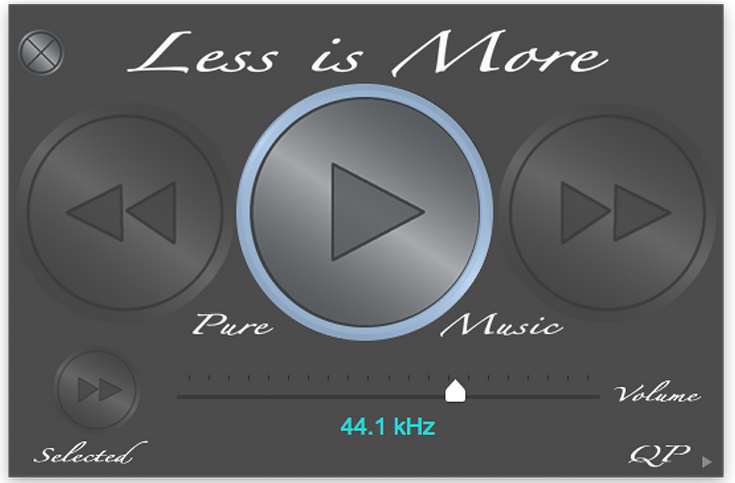
Pure Music is a high resolution music server software that is based on the acclaimed Pure Vinyl playback engine and can dock with iTunes, which it uses as a database and playlist organizer.

Simply and automatically docks with iTunes
• Based on Channel D's acclaimed Pure Vinyl audio playback engine
• Pure Music handles all music playback; iTunes used as database, playlist organizer, etc.
• Automatically docks with iTunes window, including automatic UI resizing / tracking
• Native FLAC and DSD playback; Tracks appear in iTunes 2
• Supports Apple Remote App for iPad/iPhone/iPod Touch
• Automatic sample rate switching, up to 384 kHz PCM sample rate or 2.8 or 5.6 MHz DSD
• The first music server and audio player software (June 2011) to directly play DSD format (dsf / dff, 64Fs and 128Fs) audio files with any DAC (real-time conversion to PCM during playback), plus full native DSD Audio Support (on DACs supporting DoP)
• Audio Streaming Support with Pure Music's "Playthrough" feature (included in Pure Music since 2011) which permits conveniently playing and enhancing other computer audio sources (Spotify, Qobuz, YouTube, iTunes Radio Internet audio streams, movies, etc.) through Pure Music, with full access to Pure Music's dithered volume control, 64 bit crossover, audio EQ plug-ins, NetSend streaming, metering, etc., all without needing to quit Pure Music
• Automatic Gapless track playback and Memory Play
• Adjustable Dithered Volume Control
• Fast-Responding Firefly Metering, Monitor Input (Native) or Output (Post - Volume Control)
• Real-Time Dynamic Range Meter
• Supports CoreAudio Compatible Sound Cards / DACs / Audio Interfaces.
• Supports all iTunes Compatible Audio File Formats (including WAVE, MP3, AAC, AIFF, Apple Lossless)
• Plays music stored on networked volumes
• Selectable REAL-TIME 64-bit upsampling 4
• Mix to Mono, Exchange Left and Right Channels, Invert Polarity / Phase, Channel Balance Trim
• Per-Track Polarity and Volume Tagging
• CoreAudio Device HOG Mode Exclusive Access support
• Internal Audio Device Selection and Setup (or use Apple Audio MIDI Setup)
• Supports AudioUnit Audio processing plug-ins (Room Correction, Parametric EQs, etc.)
• Uncompressed audio streaming support (up to 384 kHz and up to four separate connections)
• 64-bit Adjustable 2/3/4-way Crossover with time alignment and adjustable minimum phase filters
• Includes Mastering Quality File Converter / Downsampler for PCM, FLAC, DSD, DXD Files
• Our own proven, optimized algorithms for sample rate and DSD to PCM conversion - not built from a patchwork of "open source" software
• Supports both PowerPC (G4, G5) and Intel Mac Computers running Mac OS X 10.5 or later
• Can install on more than one computer per purchased license 1
• Customer Support: free email, telephone and Remote Support

Requires: OS X 10.5 +
HOMEPAGE:
Код:
http://www.channld.com/puremusic/

FREE DOWNLOAD LINKS:

Код:
https://rapidgator.net/file/d29aba9ad4d14367139cb249c1ae9bd7/PureSync_8.5.1.rar

Код:
https://nitroflare.com/view/39FAFFF5A0086F1/PureSync_8.5.1.rar
 
d2e133f915c2f537b4fa2646219ad07c.jpg


Sejda PDF Desktop Pro 7.9.7 | Size: 340.03 MB
Language: English

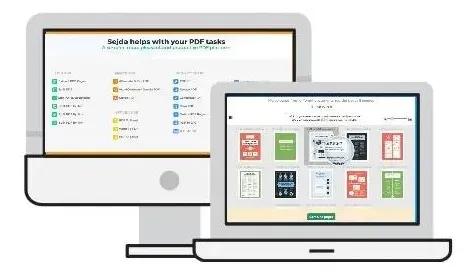
Sejda PDF Desktop - Pleasant and productive PDF software that you'll love to use. Full-featured to help you with your PDF tasks. Sejda PDF Desktop is free to use within daily limits. Upgrade for premium features and unlimited use.

Merge files into one PDF.
Visually combine and reorder pages, merge multiple PDF files. Alternate and mix odd and even page files.

Split PDF files.
Split documents by pages. Extract separate documents. Split by size, bookmarks or text occurrences. Divide two page layout scans.

Convert PDF files to Office and image formats.
Convert PDF files to Word, Excel and to image. Convert images to PDF file.

Compress PDF.
Reduce the size of PDF files. Optimize images and resources.

Edit PDF files.
Add, edit or move text in your PDF. Change the font type, size and style. Insert, reorder, move or delete pages.

Apply PDF passwords and permissions.
Add copy and edit protection to a PDF. Include a password to protect your PDF from unapproved access.

Operating System:
Windows® 10, Windows® 8 / 8.1, Windows® 7

HOMEPAGE:
Код:
https://www.sejda.com/desktop

FREE DOWNLOAD LINKS:

Код:
https://rapidgator.net/file/f5514b8085b3200eb0adaba569088f64/Sejda_PDF_Desktop_Pro_7.9.7.rar

Код:
https://nitroflare.com/view/2468767C3A9C519/Sejda_PDF_Desktop_Pro_7.9.7.rar
 
0e9a628bd8491dbcbef0fbd57acb8c78.jpg


SkyDemon 4.3.2.112 | Size: 13.93 MB
Language: English

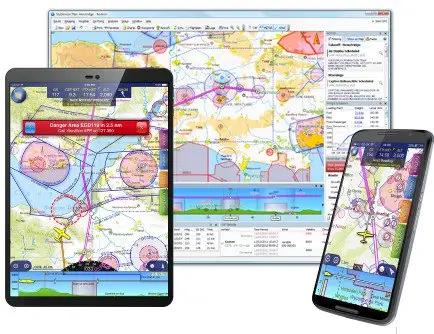
SkyDemon will help give you the confidence to fly further and to more interesting places. Plan a journey, brief yourself on potential hazards, prepare for flight and analyse your track logs. Live briefing data includes NOTAM, airfield documents and maps, TAF, METAR and wind forecasts at altitude.

Dynamic Vector Charts
Our charts are widely recognised as being the clearest aeronautical charts available. They are entirely bespoke, created by us every 28 days (at least) directly from raw aeronautical data published by the countries we cover. This means that wherever you fly, the look and feel of your chart is consistent.

Comprised of many individually selectable layers and adjustable to your preferences, they show you only what you need to see and nothing else. Unlike printed charts, a SkyDemon chart is aware of your plans and can dynamically hide airspace and other features not relevant at the levels you are flying. This makes it much easier to interpret, and as a result, safer.

There is a high level of interactivity in our charts. Many details which might in the past have been written permanently on your map are now completely hidden until asked for, by simply moving the mouse or touching with your finger. Practically every charted item can reveal extra information, whether it's the vertical boundaries or activity times of airspace, the frequencies for an airfield or the height of a ground-based obstruction.

Operating System: Windows 7, 8/8.1, 10, 11

HOMEPAGE:
Код:
https://www.skydemon.aero/

FREE DOWNLOAD LINKS:

Код:
https://rapidgator.net/file/d52264ca7124ad6d9ffe694ff12aff6f/SkyDemon_4.3.2.112.rar

Код:
https://nitroflare.com/view/43C0100BEF55C27/SkyDemon_4.3.2.112.rar
 
1070a9890013843e4aade45684d612f0.jpg


Supremo 4.12.0.2999 | Size: 13.47 MB
Language: English

Supremo Remote Desktop is an easy-to-use software that will enable users to easily connect to other computers. It is a complete and powerful utility for remote access and support over the internet. With Supremo you can remotely control any computer, without the need to change any firewall/router settings, combining an extremely easy setup with one of the highest security level available.

It is a complete and powerful utility for remote access and support over the internet. With Supremo you can remotely control any computer, without the need to change any firewall/router settings, combining an extremely easy setup with one of the highest security level available.
Thanks to its integrated encryption and SSL support, Supremo guarantees the highest security combined with optimal performance.
Supremo is a lightweight and non-intrusive software, constituted by only one executable file that includes all program's features. Finally, Supremo is optimized to use minimum system resources and is continually updated and improved.

Here are some key features of "Supremo Remote Desktop"
Small and easy to use
· Supremo is a remote desktop software created to be a fast, portable and easy to use solution to provide remote assistance to customers. Supremo is constituted by only one executable file, that is very small and doesn't need any installation. The customer must simply download the file Supremo.exe from this website, activate the connection and accept the support request.
No router / firewall configuration
· Supremo uses a fast and versatile data transfer protocol, to easily allow you to connect to remote computers even behind routers and firewalls, without change any network configuration. Supremo doesn't need any installation or setup, and its connection is extremely secure thanks to its integrated encryption and HTTPS protocol (SSL).
Multi connection
· Supremo allows multiple users to connect to the same computer. This can be very useful when you need to do complex assistance sessions or when you need to do an internet presentation. For example, you customers can connect at the same time to a computer in your company and see a presentation of your products and services.
File transfer with FTP client style and Drag & Drop
· Supremo provides an integrated file transfer application, that allows you to explore the disks of the remote computer and transfer files and folders in both directions. You can send a folder from your PC to the customer's PC with a simple click, or you can download a file/folder from the customer's PC to your local PC.
Security and protection
· Supremo is a secure and reliable application. All the data transferred by Supremo over the internet are encrypted with a strong encryption algorithm. In addition Supremo uses the secure HTTPS (SSL) protocol, ensuring in this way one of the highest security level for data transfer.
· Regarding the security measures for remote desktop connections, Supremo allows to configure some important parameters to avoid unauthorized accesses. You can set and IP filter to block or allow multiple IPs or specify a password that can be specified by remote users in order to connect.
A lot of useful features
· Supremo provides a lot of useful features in order to simplify the remote assistance work. You can install Supremo as a Windows service, to make the connection always available in background. You can set connection filters for certains IPs or IDs, in order to limit the possibility of connection only to some users. You can create a detailed address book where you can register all your contacts and customers.
· With Supremo you can transfer files and folders in both directions, and you have several advanced features to adjust bandwidth usage and visual aspect, to send remote commands and to automatically transfer clipboard. Finally, Supremo provides an integrated chat application, that allows you to chat with multiple users while you are connected for remote asissatance.

System Requirements: Windows 11, Windows 10, 8 , 7

FREE DOWNLOAD LINKS:

Код:
https://rapidgator.net/file/8284edb873dece6aca337de8a22fee95/Supremo_4.12.0.2999.rar

Код:
https://nitroflare.com/view/40C57D6921D716B/Supremo_4.12.0.2999.rar
 
2a0d0ff91a405c028e5887e9e724b44f.jpg


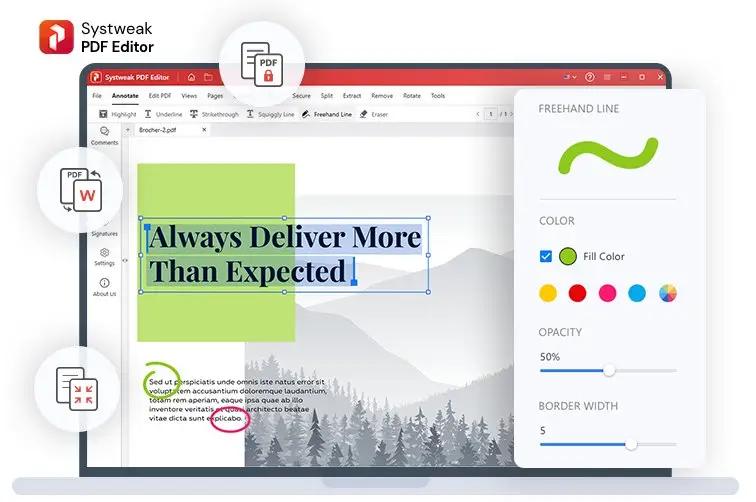
Systweak PDF Editor Pro 1.0.0.9532 Multilingual | Size: 625.17 MB
Language: English

PDF Editing Gets Easy! A quick and straightforward solution to edit, convert, sign, protect, compress PDFs, and make scanned PDFs searchable and selectable.

- Convert PDF files to Excel, Word, PowerPoint, images & vice versa
- List icon Edit, merge, split, compress, annotate, extract & stamp your PDFs
- List icon Sign, encrypt, unlock, rotate, split, bookmark & combine your PDFs

Convert PDF
Converting PDF files to text documents, Word, Excel, Powerpoint, high-resolution images, HTML, , or any other format has been challenging. With the Systweak PDF Editor, swiftly convert your PDF files into various editable formats. Transforming PDFs to and from any MS Office file, image, e-book, webpage, and other formats gets easier.

What Else You Can Do With Systweak PDF Editor
To work & edit PDFs, Systweak PDF editor offers a range of features and tools. Using them, you can mark text for redaction, OCR PDF, sign, split, compress, batch convert, lock, unlock, and make other changes.

Advanced PDF Editing
Using Systweak PDF Editor, the comprehensive PDF editor for Windows, you can edit, compress, convert, and modify Portable Document Format (PDF) files.

Multiple Viewing Modes
Different viewing modes - Single View, Scrolling, Fit Page, Fit Width, and Actual Size offered by Systweak PDF Editor makes reading PDF files easy.

Convert PDF to Any Format
Transform PDF files into a different file type, such as Microsoft Word, Excel, or PowerPoint, without affecting the original content and formatting.

Electronically Sign PDF
Add a digital signature to your Portable Document Format (PDF) file, and save yourself from signing a load of physical documents.

Operating System: Windows 11, 10, 8.1, 8 & 7 SP1 (32 & 64 Bit)

HOMEPAGE:
Код:
https://www.systweak.com/

FREE DOWNLOAD LINKS:

Код:
https://rapidgator.net/file/567191919e190dc64e0108d4915de83f/Systweak_PDF_Editor_Pro_1.0.0.9532_Multilingual.rar
Код:
https://nitroflare.com/view/0D368F470AD5112/Systweak_PDF_Editor_Pro_1.0.0.9532_Multilingual.rar
 
8d51cbd4c737d095819323c5fa822efb.jpg


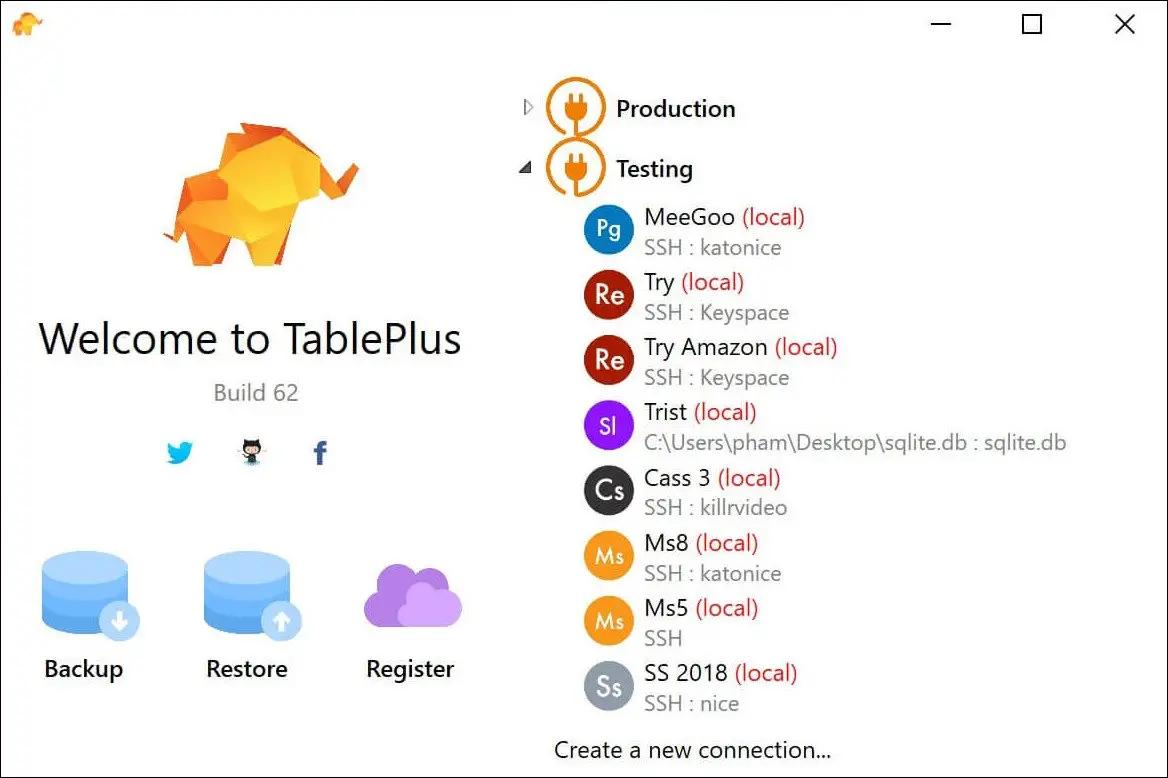
TablePlus 26.7 | Size: 187.59 MB
Language: English

Modern, native, and friendly GUI tool for relational databases: MySQL, PostgreSQL, SQLite & more.

Native, lightweight and fast
With native build, simple design and powerful features, TablePlus makes database management easier, faster & more efficient for you.

Native, fast & secured
Query, edit and manage your databases easily with a native app that can run fast like a Lambo. It takes only half a second to get up and running.

Multi tabs & code review
Quickly get a snapshot of your database with multi-tab and multi-window view, as well as stay in control of what you have changed on your database with Code Review.

Built-in SSH
You don't need to install any SSH client in order to connect to the server. SSH is a part of TablePlus.

An intuitive GUI client
Browse, query, edit your data and database structure in a simple and clean spreadsheet-like editor.

Operating System: Windows 7, 8/8.1, 10

HOMEPAGE:
Код:
https://tableplus.com/

FREE DOWNLOAD LINKS:

Код:
https://rapidgator.net/file/a0fb73d9177fa6c65a70dae2b83b5f65/TablePlus_26.7.rar

Код:
https://nitroflare.com/view/C12203DFB93ACBE/TablePlus_26.7.rar
 

8f10c4dbc77c1a8b8ebf22fba5270129.png


Telegram Desktop 7.0.1 | Size: 98.05 MB
Language: English

Telegram Desktop is a powerful, cross-platform messenger app that enables you to get in touch with other users without worrying about data interception and stealing. Focusing on security, it encrypts all conversations and shared files and stores them in the cloud, allowing fast synchronizations and quick access to the message database from anywhere in the world.

A more secure alternative to other messaging apps
Deploying versions for all major mobile platforms like Android, iOS (known as Telegram Messenger) and Windows Phone, but also desktop operating systems (Windows, Mac OSX and Linux), Telegram Desktop becomes a good alternative to other more popular messaging programs, such as WhatsApp, currently available exclusively on mobile platforms.
As mentioned above, the plus it brings is improved security, putting privacy above everything else. Messages you send via Telegram Desktop are automatically encrypted before they are stored online.
Send broadcasts and share files
Telegram Desktop features an intuitive interface that encases a list of your contacts and displays the conversation with each. In order to create your account, you will be prompted to enter your name and provide a valid mobile phone number, which is used for generating a security code.
Users can create groups comprising up to 200 contacts and broadcast messages to a maximum of 100 people that are using Telegram, regardless of the platform of their choice.
The application features desktop notifications for incoming messages and supports file and photo sending, ensuring compatibility with any format, be it documents, archives, music files or pictures. And like in any messaging application out there, conversations can be enriched using various funny emoticons.
A secure and user-friendly messaging app
Relying on the advanced security protocols, Telegram Desktop delivers a messaging application that is worth trying, at least.
Not only that your messages are protected at all times, but you can easily access them from any mobile or desktop device, no matter where you are.

System Requirements: Windows 11, Windows 10, 8 , 7

FREE DOWNLOAD LINKS:

Код:
https://rapidgator.net/file/7b8e3cf0c75d52e4b0fae003e5275089/Telegram_Desktop_7.0.1.rar

Код:
https://nitroflare.com/view/9E286BEAEB8A419/Telegram_Desktop_7.0.1.rar
 
6101dfabc8ce4359868cf83b0f64995b.jpg


Tower 13.0.575 | Size: 80.22 MB
Language: English

Over 100,000 developers and designers are more productive with Tower - the most powerful Git client for Windows.

Pull Requests
Create, merge, close, comment and inspect Pull Requests right from within Tower! Integrated into our clear, responsive, and powerful desktop interface, Pull Requests become so much more useful.

Quick Actions
The brand new Quick Actions dialog gives you superpowers: Give it a branch name and it will offer a checkout. Give it a file name and it will present the file's history. Give it a commit hash and it will show it in the commit history. Fast as lightning, easy as pie.

Interactive Rebase
Interactive Rebase is an incredibly powerful tool - but also quite awkward to use. But now, in Tower, it has become as easy as drag and drop!

Navigation
We've added so many new levels of detail in the new Tower. And at the same time, navigating Tower is now as simple as browsing the web: with the new "back" and "forth" buttons and the improved "Navigation Bar".

Commit Details
We've reworked countless areas in the new Tower. Let's take the brand new "Commit Details" view as an example: with the changeset on the left and lots of space for the diff on the right, you can inspect and review a commit in a more focused manner.

Reflog
A little-known feature, but one with enormous power: Reflog can restore lost commits or branches, move back to a rolled back state, undo a cherry-pick or commit. and is now available in Tower!

Operating System: Windows 7+

HOMEPAGE:
Код:
https://www.git-tower.com/windows

FREE DOWNLOAD LINKS:

Код:
https://rapidgator.net/file/a21f19461276f71730f7e575a002f558/Tower_13.0.575.zip

Код:
https://nitroflare.com/view/6237C89D65534F1/Tower_13.0.575.zip
 
af4cdbbfa847b8f2beb733545cf19730.png


TweakHub 1.0 | Size: 47.29 MB
Language: English

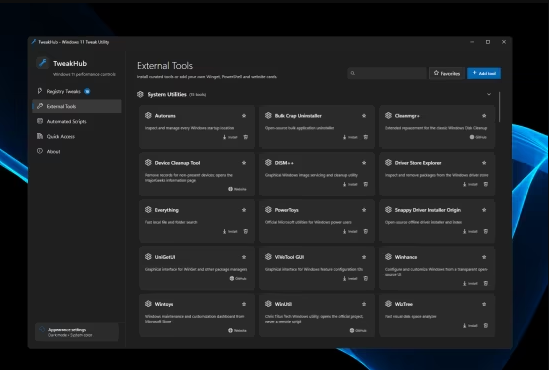
TweakHub serves as a comprehensive control panel designed for adjusting and implementing various performance optimizations and system settings on Windows 11. This application consolidates numerous common enhancements into a single interface, eliminating the need to search for individual optimization tools.

What TweakHub provides
Registry & power
Curated Windows 11 tweaks, automatic backups, verification and rollback

Portable profiles
Custom tools, scripts, tweaks, favorites and appearance stored beside the app

Automation
PowerShell and CMD scripts with preview, elevation, timeout and cancellation

Repair
Verified DISM and SFC repair workflow with saved output

Toolbox
Categorized Winget packages, trusted HTTPS links and user-created tool cards

Quick access
Common Windows administration consoles and control panels in one place

Appearance
System, light or dark theme with accent and transparency controls

Updates
Confirmed in-app updates with SHA-256 verification

System Requirements: Windows 11 build 22000 or newer

FREE DOWNLOAD LINKS:

Код:
https://rapidgator.net/file/d7625c9d612e6027f803e0d20e5acd04/TweakHub_1.0.rar

Код:
https://nitroflare.com/view/50EEE7E34FD7B3F/TweakHub_1.0.rar
 
1bc14ba1b3070a28bd457249a9e9b738.jpg


UniGetUI 2026.2.3 | Size: 56.54 MB
Language: English

Winget is a package manager that is most likely very familiar to many, but most casual users simply forgo using it due to the command line interface, which may seem daunting to get into. Those who know their way around such interfaces will argue that they're as simple as they come, but most casual users would still prefer a GUI.

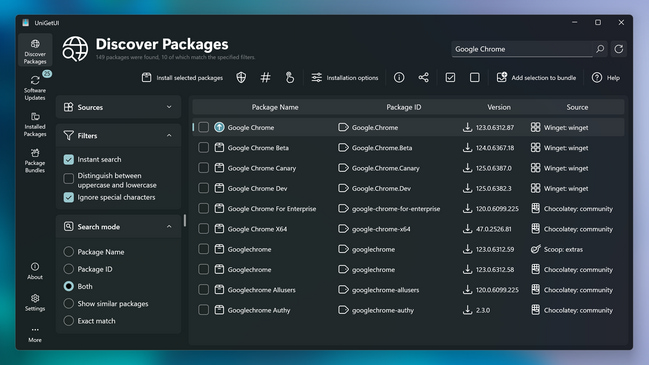
Formerly known as WingetUI, UniGetUI, as its name would suggest, provides a graphical interface for all of your software management needs. Whether it is installing or removing software, or updating existing programs on your computer, this solution supports Winget, Scoop, and Chocolatey as its package managers, meaning that you'll have a generous catalog of programs to look into.
UniGetUI makes for an efficient way to quickly install numerous programs on your system, and having a GUI makes that process a whole lot easier for all types of users. As far as user interfaces go, this one is decidedly modern and easy to navigate, so it is quite a successful implementation.
Upon first boot-up, you'll have the ability to choose your preferred package managers. Winget and Chocolatey are automatically selected, but you can also enable Scoop, which is a package manager that contains utilities that serve a more experienced user base.
After all of that, it's time to look through the software catalog. To say it's generous would be underselling it: over 10.000 software packages are available across all three package managers, so feel free to look up the programs you need.
After you've chosen your software, it's time to get to installing. You can choose to have the program handle the installation for you, or you can do it manually via the Interactive Installation option. You're also free to skip the hash check for a faster downloading process.
The tool also features a Software Updates utility, which scans the programs on your computer, and notifies you of any updates. This makes for a good, efficient way to mass-update multiple programs at once.
You can also uninstall some installed programs via the Installed Packages interface. Select the ones you wish to dispose of, and the software will help make the process quicker.
UniGetUI provides an interface that allows users to efficiently take advantage of several package managers, helping them install and manage the software on their computer more effectively.

System Requirements: Windows 11, Windows 10

FREE DOWNLOAD LINKS:

Код:
https://rapidgator.net/file/32c71ef0b4a165fd0cd49100cca20e49/UniGetUI_2026.2.3.rar

Код:
https://nitroflare.com/view/2CA1E6515D1EF8B/UniGetUI_2026.2.3.rar
 
89f342369bc9eb1b59613cf881a98273.jpg


VovSoft Copy Files Into Multiple Folders 7.6 Multilingual | Size: 6.75 MB
Language: English

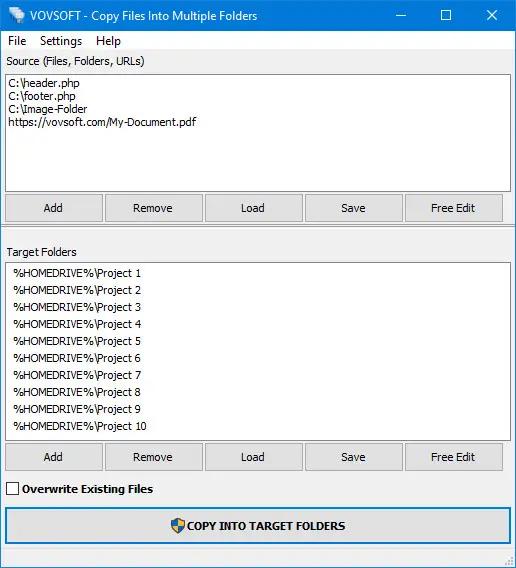
Copy one or multiple files to many folders, with or without overwriting existing content, with this lightweight, easy-to-use program. If you often need to copy a large number of files to multiple locations, performing this task the old-fashioned way is both tedious and time-consuming.

Copy files to multiple directories
"Copy Files Into Multiple Folders" is a handy piece of software that, as its name implies, enables you to copy files to multiple directories in one quick operation. It is a very simple-to-use batch file copy tool. This application is great for those who only wish to transfer a set of files to many locations simultaneously in an effortless manner. First-time users should not run into any issues, as the program's functions are self-explanatory.

How to copy multiple files
Files, folders or URLs can be added to the list using the menu or drag & drop actions, and you can specify whether or not existing or read-only items should be replaced. The program automatically downloads any entered URL before it starts. A processing log is displayed in a separate window after the operation has been launched. It lets you know which files have been copied or skipped. The application can also recognize paths using Environment Variables. In addition to copying, the software also allows moving; move operation deletes source files after successful batch copy.

Supports shared drives
Shared network mapped drives are supported. You can access your mapped drives on your local network using the program. Additionally, the software can work with major cloud storage applications such as Dropbox, Google Drive and OneDrive.

Operating System: Windows 11/10/8.1/8/7/Vista/XP (32-bit and 64-bit)

HOMEPAGE:
Код:
https://vovsoft.com/

FREE DOWNLOAD LINKS:

Код:
https://rapidgator.net/file/e26990e2aca254377eb0aaaee0349c57/VovSoft_Copy_Files_Into_Multiple_Folders_7.6_Multilingual.rar
Код:
https://nitroflare.com/view/2E159FC96755E5E/VovSoft_Copy_Files_Into_Multiple_Folders_7.6_Multilingual.rar

 
Назад
Сверху Снизу