All Emperor2011's Software in one thread !! (updated daily)

20bba9b25e51f6e711d9fee3183d80de.jpg


Adobe Substance 3D Modeler 1.22.8 (x64) Multilingual | Size: 938.61 MB
Language: English
Modeler is a 3D modeling and sculpting application that helps you create across both desktop and VR.Modeler aims to make working in 3D as intuitive as working with clay in real life. To help achieve this, with Modeler you don't have to worry about tweaking vertexes or managing UVs, instead you can focus on the creative process.

Modeler is a 3D modeling and sculpting application that helps you create across both desktop and VR.
Modeler aims to make working in 3D as intuitive as working with clay in real life. To help achieve this, with Modeler you don't have to worry about tweaking vertexes or managing UVs, instead you can focus on the creative process.

Liberate 3D modeling from technical constraints.
With an intuitive design, Modeler frees you from the technical constraints of traditional 3D modeling. Focus purely on the creative process and create simple 3D models or complex, fully conceived 3D scenes.

From concepting in 3D to sculpting an entire scene.
Modeler is a flexible tool for creating concept art, sketching and prototyping, blocking out game levels, crafting detailed characters or props, or sculpting an entire scene. All in one app.

Switch seamlessly between desktop and VR.
The powerful tools in Modeler work seamlessly across both desktop and VR. Create with the hardware that empowers you best at each step of your creative workflow.

The features in Substance 3D Modeler let you interact naturally with your art.

Multisurface support
Modeler allows you to switch at any time between VR and desktop, depending on the needs of your project, the task at hand, or your own preferred style of working.

Symmetry and repetition tools
Harness powerful symmetry and repetition capabilities to quickly assemble complex structures and craft with incredible detail.

Hard-surface sculpting
Create clear and decisive forms with a range of parametric primitive shapes, and easily add and cut them into more complex models.

System requirements
Operating System: Windows 10, 11 (64bit)
CPU: Intel i5 or AMD Ryzen 5
Memory: 8GB RAM
Graphics: GTX 1060 or AMD RX580 (4GB VRAM)

Supported VR headsets and controllers

Meta Rift S HMD
-Discrete, compatible DisplayPort output
-Compatible miniDisplayPort video output (miniDisplayPort to DisplayPort adapter included with Rift S)
-1x USB 3.0 Port

Meta Rift HMD
-Discrete, compatible HDMI 1.3 video output
-2x USB 3.0 ports, plus 1x USB 2.0 port

HOMEPAGE:
Код:
https://adobe.com/

FREE DOWNLOAD LINKS:

Код:
https://rapidgator.net/file/daad6f011f58c006b2a0becf30b1f2fa/Adobe_Substance_3D_Modeler_1.22.8_x64_Multilingual.rar


Код:
https://nitroflare.com/view/BBA9074B87505CA/Adobe_Substance_3D_Modeler_1.22.8_x64_Multilingual.rar
 
23c8c69c5db5ec2434a5564766c7f5d3.jpg


Aiarty Image Enhancer 3.14 Multilingual | Size: 330.56 MB
Language: English

A generative AI-powered image enhancement software that deblurs, denoises, restores, and upscales images, generating realistic details for superior clarity and sharpness using new and advanced AI models. Enhance Your Images for Better Perceptual Quality

Deblur
- Make Blurry Images Clearer
Enhance blurry, grainy, pixelated, or soft images intelligently, while AI works its magic to generate crisp and lifelike details - idea for restoring clarity to AI-generated images and heavily compressed photos.

Denoise - Remove Noise from Photos
Employ deep learning algorithms to denoise and reconstruct photos. Tackle various noise types obtained during acquisition or post production. Effectively improve clarity, sharpness, and overall visual quality

Upscale - Enlarge Images to 4K/8K/32K without Losing Quality
Upscale AI-generated images and real photos by 2x, 4x, or 8x to achieve stunning 4K, 8K, or 32K resolution

More Details - 
Not Only Preserve But Also Generate
A specially trained AI model for preserving and generating image details. Adept at generating details for skin, hair, textures, lines, and the like. The lower the quality of the image is, the greater the potential for improvement.

Supported Input & Output Formats

Supported Input Formats
.jpg, .jpeg .jp2, .j2k, .jpf, .jpm, .jpg2, .j2c, .jpc, .jpx, .mj2, .png, .tif, .tiff, .webp, .bmp, .avif, and RAW formats (.dng, .cr3, .cr2, .crw, .nef, .nrw, .arq, .arw, .sr2, .srf, .raf, .rw2, .orf, .ori, .pef, .ptx, .3fr, .fff, .iiq, .cap, .eip, .rwl, .srw, .erf, .mos, .mef, .mrw, .mdc, .dcr, .kdc, .dcs, .drf, .k25, .bay, .pxn, .r3d, and .rwz)
Supported Output Formats
.jpg, .png (8-bit, 16-bit)
Supported Output DPIs

Compatibility:
macOS 10.15 or later

HOMEPAGE:
Код:
N/A

FREE DOWNLOAD LINKS:

Код:
https://rapidgator.net/file/c9442623a5f0a96d6ed866be2e6ba419/Aiarty_Image_Enhancer_3.14_Multilingual.rar


Код:
https://nitroflare.com/view/AEFA04F9FCE1A29/Aiarty_Image_Enhancer_3.14_Multilingual.rar
 
2899dfdee0fc714bf5f001f6bdd9ba70.jpg


Aiarty Video Enhancer 3.8 Multilingual | Size: 408.29 MB
Language: English

The state-of-the-art AI video enhancer software to generate more details, super denoise, deblur, upscale, and restore flawed videos to 4K clarity. With specialized AI models, it delivers superior visual quality at turbo speed, empowering content creators and video enthusiasts.

Restore to Clear Audio
Audio Denoise module to analyze and refine your audio tracks. 1-click background noise removal and vocal clarity boost.

Enhance to 4K Clarity with Details
Tailored AI Models to transform low quality, stuttering, or grainy videos to 4K. Enjoy cinemat

Silky Smooth Slow Motion
The frame interpolation module uses AI to generate new, high-quality frames, ready for fluid and smooth 8X/16X slow-motion.

Industry-leading Video Upscaling and Enhancement with AI
Leveraging the proprietary video and image training dataset, the tailored AI models in Aiarty Video Enhancer deliver best quality at GPU-optimized processing speed, with dedicated roles to generate more details for visual sharpness, restore flawed and degraded videos, or tackle low-light challenging footage.

Compatibility: macOS 10.15 or later

HOMEPAGE:
Код:
N/A

FREE DOWNLOAD LINKS:

Код:
https://rapidgator.net/file/2b8bed8d54551b1cfe411e36c64b2109/Aiarty_Video_Enhancer_3.8_Multilingual.rar


Код:
https://nitroflare.com/view/2ED657B8083B2BE/Aiarty_Video_Enhancer_3.8_Multilingual.rar
 
_e3b74b48e60e61db2f99e4237c52fe3b.jpeg


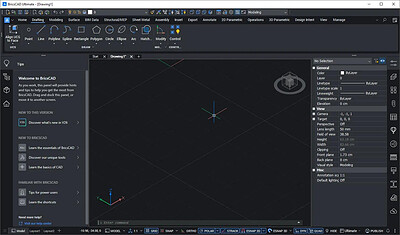
Bricsys BricsCAD Ultimate 26.2.08 (x64) | Size: 974.32 MB
Language: English
All-in-one CAD platform. Professional, familiar DWG‐based 2D & 3D CAD with building and manufacturing toolsets.

2D Drafting
Quickly create detailed drawings with a comprehensive set of intelligent drafting tools.
Create 2D geometry, modify existing data, and annotate files using a unified set of commands within one application.
Customize via LISP and run existing LISP code to handle industry-specific workflows.

3D Modeling
Visualize concept to production in a single platform for designing, building, and manufacturing.
Capture design intent using existing 2D data or create geometry to build accurate 3D models.
Work smarter using parametric, direct or hybrid modeling approach for precise feature based geometry control.

Land surveying
Unlock performance with tools created specifically for how surveyors work.
Fast and easy access to survey data from Leica instruments.
Harness survey data to create accurate CAD deliverables.

Mechanical tools
Create 3D assemblies and 2D detailed documentation of manufactured products.
Work on 2D mechanical designs and drafting, sheet metal unfolding, and 3D assembly modeling.
Optimize production processes with easy-to-use Design for Manufacturing and Assembly (DFMA) Tools.

Building documentation tools (BIM)
Modeling and detail production in a single DWG compatible platform.
Introduce 3D workflows alongside your familiar 2D drafting tools.
Convert 2D and 3D assets into BIM data and increase LOD and LOI with automated tools.

The minimum system requirements for BricsCAD are:
Operating System: Windows 10, 11 (x64)
Processor: The CPU with the highest single-thread performance rating will always excel with BricsCAD®.
RAM: At least 8 GB of memory, 16 GB or more, is recommended for larger or more complex drawings.
Hard Drive: At least 3 GB of free hard drive space.
Display: Monitor with a minimum resolution of Full HD (1920x1080).
Graphics Card: Video card with DirectX 9 or higher compatibility.

HOMEPAGE:
Код:
https://www.bricsys.com/

FREE DOWNLOAD LINKS:

Код:
https://rapidgator.net/file/ed7e9c7cdbce75af4e667fc8e3d5a17c/Bricsys_BricsCAD_Ultimate_26.2.08_x64.rar


Код:
https://nitroflare.com/view/9E21FE4A08A474C/Bricsys_BricsCAD_Ultimate_26.2.08_x64.rar
 
fbde1627896044abfbee8b32e8945d49.jpg


EduIQ Network LookOut Administrator Pro 5.6.3 | Size: 128.32 MB
Language: English
Network LookOut Administrator lets you see all your employee PC screens without leaving your desk. Monitor the activity of all the PCs in your company remotely and execute several administrative actions with just one click.

Main Features:
• Displaying a live picture of an employee PC.
• You can take a control of a network PC by controlling its mouse and keyboard.
• More remote screens can be displayed in a table.
• PC desktops can be organized in groups
• A remote screen can be zoomed to an actual size.
• The name of the connected user is displayed.
• Power on/off, restart, hibernate, suspend PCs
• Log off desktop users

• Lock workstation
• Clear desktop
• Control screen-saver
• Block applications
• Mute PCs
• Limit employee PC audio volume level
• Disable printing
• Disable Ctr+Alt+Del
• Blank screen
• Start program on network connected PCs and see the output
• Open web page on network connected PCs
• Multi-monitor support
• Control over running processes and applications
• You can lock employee PCs
• When lower bandwidth is required, the refresh interval can be enlarged.
• Settings for the agent are encrypted and password protected.
• Connection to an employee PC is encrypted and password protected.
• Access to monitoring console is password protected. If more users use the same PC then different profiles and access passwords can be set.
• More monitoring consoles can be connected to the same employee PC, so you can monitor your employee from different offices.
• Agent can be remotely installed.
• Fast users switching is supported.
• Multi-session support for Remote Desktop, Terminal Services, Citrix,.

HOMEPAGE:
Код:
https://networklookout.com/

FREE DOWNLOAD LINKS:

Код:
https://rapidgator.net/file/a736444e191e661ff1573687b0f18f0c/EduIQ_Network_LookOut_Administrator_Pro_5.6.3.rar


Код:
https://nitroflare.com/view/0F2EBA1F9774F15/EduIQ_Network_LookOut_Administrator_Pro_5.6.3.rar
 
24aa373963d2747586bf5499ad7a3c63.jpg


Formware 3D SLICER 1.3.5.7 (x64) Multilingual | Size: 145.05 MB
Language: English
Powerful 3D Printing slice and support generation software. 3D Print job preparation can be a time consuming task. Orienting, supporting and slicing your build jobs in a way that they actually print can be challenging.

Features
Premium Support generation and editting
AUTOMATIC GENERATION
The fastest way to support generation for your prints. Automatic.

100% DRAGGABLE SUPPORTS
Just drag supports and the geometry adapts automatically.

POINT/LINE MODE
Edit supports more easily in point/line mode.

ADVANCED EDGE & SURFACE EDITS
Edit/resample/delete critical detected surfaces or edges.

Quick Mesh editting
MESH HOLLOWING
Hollow your mesh to save printing material and create a light weight structure.

LATTICE INFILLS
Add perfect lattice infills to get a strong part.

DRAINAGE HOLES
Add holes to your hollow parts to lets material flow out easily during printing

MIRRORING & SCALING
Easily mirror/scale your supported part including supports. Saving you time.

Easy User interface
3D Dlp printer support generation slicer
OBJECT MANIPULATOR
Easily move/rotate/scale your objects with the click and drag manipulator.

3D Dlp printer support generation slicer
COPYING
Array copy objects to build an entire table with a few clicks.

IMPORT & EXPORT
Import and export .stl, .slc, .obj, .ply, .amf and project files to save all your work.

SHORTCUTS & MORE
Formware 3D includes an extensive list of keyboard shortcuts to save you time.

Supported printers
Designed for resin and inkjet 3d printers.
Used with the following machines:
Generic LCD/DLP machines
Kudo 3d (slice export)
Wanhao D7/D7 Plus (.cws export + printcontroller)
Wanhao D8
Anycubic photon (.photon)
Anycubic photonS (.photons/.pws)
Phrozen Shuffle & Shuffle XL
Elegoo Mars (.cbddlp export)
Epax X1/X10 (.cbddlp export)
NanoDLP machines (connect with IP address, upload: .stl, .slc or .png)
Peopoly Moai/SLA (slice as .gcode)

HOMEPAGE:
Код:
https://www.formware.co/slicer

FREE DOWNLOAD LINKS:

Код:
https://rapidgator.net/file/4a446cdf1efb971579956415d4fbe6ff/Formware_3D_SLICER_1.3.5.7_x64_Multilingual.rar


Код:
https://nitroflare.com/view/F65F5FCA2B7A071/Formware_3D_SLICER_1.3.5.7_x64_Multilingual.rar
 
9ed4ce1cafb126cec768640ee6514c69.jpg


MAGIX Video Deluxe 2027 Premium 26.0.1.342 Multilingual | Size: 2.55 GB
Language: English
Your video editing journey starts here With a simple workflow, easy effects and helpful templates, Video deluxe feels less like work and more like play. Whether you're just starting out or leveling up your hobby, it brings you all important tools without the steep learning curve.

Create Videos in
4 easy steps
This video editing software keeps things simple. Your tools are always at hand, your footage is easy to import, and your films automatically fit any screen.

1. Import your footage
2. Cut, trim and arrange your clips
3. Add transitions and effects
4. Export and share your videos

Simple tools for great ideas
You don't need years of experience to make great videos. With smart tools and built-in effects, Video deluxe makes it easy to bring your ideas to life

Edit your way
Start with easy-to-use presets, or build your video from scratch. Whether you're using Storyboard mode for quick edits or Timeline mode for full control, Video deluxe lets you work however you like.

Meet your editing sidekicks
From enhancing images to adding transitions, our AI tools help you with a variety of time-consuming tasks. They take the guesswork out of editing, so you can focus on your creativity.

Advanced features
Chroma Key
Whether you're filming against a green or blue screen, you can replace backgrounds and transport your story anywhere.
MultiCam
Sync footage from multiple cameras and easily switch between shots. Perfect for gaming, streaming and tutorials.
Screen-Recording
Capture every click and action, add your voice, and guide your audience through gameplay, tutorials, or anything in between.

New in Video Deluxe 2026
Get ready for a smoother video editing experience with all-new features designed to save time and support you from start to finish.

AI Media Management
Let AI organize your assets with automatic media sorting and tagging. Find clips in fewer clicks and streamline your editing process.

Karaoke-style subtitles
Keep viewers engaged and make your vlogs and tutorials more accesible with subtitles that highlight each word as it's spoken.

and more.

System Requirements:
- You need a 64-Bit-Version for Microsoft Windows 11 or Windows 10
- Processor: 2.4 GHz (Quad-core processor with 2.8 GHz or better)
- Available drive space: 2 GB for program installation
- RAM: 4 GB or higher (8 GB recommended for 8K)
- Graphics card: Onboard, min. resolution 1280 x 1024, 512 MB VRAM and DirectX 11 support (recommended: Intel Graphics HD 520 or better for MPEG2/AVC/HEVC) INFUSION Engine 2 supports video acceleration for AVC and HEVC on Intel, NVIDIA or AMD GPUs with 1GB VRAM or higher
- Example: Intel Graphics HD 630, NVIDIA Geforce GTX 1050, AMD Radeon RX470

HOMEPAGE:
Код:
https://www.vegascreativesoftware.com/

FREE DOWNLOAD LINKS:

Код:
https://rapidgator.net/file/651f8bf4bb67dd8c3580404867c01fb0/.Video.Deluxe.Premium.26.0.1.342.part1.rar
https://rapidgator.net/file/c40d55b50c99d1a24dc631d78b128016/.Video.Deluxe.Premium.26.0.1.342.part2.rar
https://rapidgator.net/file/4aea2ebef6f70124215dd732a2a617e8/.Video.Deluxe.Premium.26.0.1.342.part3.rar


Код:
https://nitroflare.com/view/9793EA06E950939/.Video.Deluxe.Premium.26.0.1.342.part1.rar
https://nitroflare.com/view/D44031FE3B2ED35/.Video.Deluxe.Premium.26.0.1.342.part2.rar
https://nitroflare.com/view/456531BC7A8115F/.Video.Deluxe.Premium.26.0.1.342.part3.rar
 
42aff47d6acdfbd6a3932db0c09a6642.jpg


MAGIX Video Pro X18.24.0.1.342 Multilingual | Size: 2.49 GB
Language: English
MAGIX Video Pro X is the perfect editing software for intuitive and powerful video production. This multi-award-winning video editing suite is geared towards the unique requirements of ambitious and professional users, and offers an unrivaled range of powerful post-production tools.

Professional video editing
Access detailed editing options, outstanding performance and cinematic effects in top image and sound quality.

Video production
Choose from a wide range of tools to perfect your footage, including GPU-optimized video effects, precise measurement instruments and multicam editing.

Audio editing
A realtime audio mixer, keyframe control and sample-precise editing as well as a ton of broadcast-quality effects give you everything you need for optimizing sound.

Extras
Take advantage of impressive color filters and proDAD Mercalli V2 for perfect image stabilization.

The most important features:
- Professional format support for ProRes, AVC-Intra etc.
- Freely adjustable proxy editing: Smoothly edit 4K videos
- Professional lookup table handling: for cinematic effects
- Primary and secondary 3-way color correction
- Multicam editing on up to 9 tracks simultaneously
- Comprehensive action cam support
- Surround sound editing in broadcast quality
- Hardware-based decoding for HD and UHD (H.264, H.265)

High-end video effects ahead of their time
The new effects in Video Pro X set a whole new standard. Discover groundbreaking features in the effects section for coloration, ultra-sharp images (blur masking effects) or entirely new looks for your movie!

More post-production freedom:
Lookup tables Keep to the professional film production standard: Record material that is flat or relatively neutral. This enables you to apply any look you want when editing your film at a later stage. The new lookup tables (LUT) in Video Pro X provide high-quality styles and looks for your films. Applying a look to your film is quick and easy and you can combine color values, gamma, brightness and contrast. Discover the new tool for camera looks, cinematic color effects and movie characteristics.

Get the Hollywood vibe:
Lookup tables for film looks Produce films in the style of Hollywood's dream factory. The lookup tables in Video Pro contain a number of impressive film looks. You can also create your own lookup tables and save them as templates. You'll be able to work faster - and save a ton of time when editing large-scale projects with many clips. Expand your collection by adding free lookup tables from other film producers online!

Precise color grading with 16-bit deep color
16-bit deep color processing allows for detailed color grading and even more freedom for correcting color. 16.7 million more color nuances are now processed, resulting in natural looking, brilliant images without annoying steps in color gradient.

10/12-bit professional format support
VideoPro X also supports output for professional formats like ProRes, HEVC and AVC with 10 and 12-bit color depth. Thanks to higher color depth, your video material can now benefit from more variation in light and shadow areas and colors that are rich in contrast. You can now work with the perfect color depth for your project, from import right up to exporting your finished file.

Advanced exposure features
Detailed color and tonal value correction enables you to edit luminance and individual RGB channels precisely with Bézier curves. Contrasts can be adjusted with non-linear editing and flat or log profiles can be used manually to achieve the final look for your video.

Advanced exposure features
Detailed color and tonal value correction enables you to edit luminance and individual RGB channels precisely with Bézier curves. Contrasts can be adjusted with non-linear editing and flat or log profiles can be used manually to achieve the final look for your video.

System Requirements:
- You require a 64-bit version of one the following operating systems:
- Windows 10, Windows 8, Windows 8.1, Windows 7.

HOMEPAGE:
Код:
http://www.magix.com/

FREE DOWNLOAD LINKS:

Код:
https://rapidgator.net/file/356608469deda77cd2bc27feb1b9c7d3/.Video.Pro.X18.v24.0.1.342.part1.rar
https://rapidgator.net/file/c8a0e58bb1a0336a0a6c2dbff4cdae48/.Video.Pro.X18.v24.0.1.342.part2.rar
https://rapidgator.net/file/12fa2424e468895d674156635c58d539/.Video.Pro.X18.v24.0.1.342.part3.rar


Код:
https://nitroflare.com/view/AA9F29A1DB6A0C7/.Video.Pro.X18.v24.0.1.342.part1.rar
https://nitroflare.com/view/BEA00569C02F2CC/.Video.Pro.X18.v24.0.1.342.part2.rar
https://nitroflare.com/view/48A73ABAEEFD5AC/.Video.Pro.X18.v24.0.1.342.part3.rar
 
7d8119ac71cdec0d3dacf53bc492f9b4.png


RandPass Pro 2.3.0 Multilingual | Size: 2.13 MB
Language: English
Random password generator. A simple tool for generating random passwords using either random symbols or random words. User can easily select groups of characters used for passwords, including lower case letters, upper case letters, digits, specify custom character set and formatting of the password, check for uniqueness, eliminate similar characters and more. Word list based password generation provides several common word lists, including Diceware and EFF, with an option of using a custom word list file.

Application also supports command line execution for unattended generation of passwords.

Operating System: Windows 98 and later

HOMEPAGE:
Код:
http://www.den4b.com/

FREE DOWNLOAD LINKS:

Код:
https://rapidgator.net/file/5be8d86601e8105f1fee1b898f921292/RandPass_Pro_2.3.0_Multilingual.rar


Код:
https://nitroflare.com/view/14D5D41305E52DD/RandPass_Pro_2.3.0_Multilingual.rar
 
3d059c620f41248cd9204bc98d95e868.jpg


Resolume Arena 7.28.0 rev 24303 (x64) Multilingual | Size: 1.6 GB
Language: English
Resolume Arena Media Server. Arena has everything Avenue has, plus advanced options for projection mapping and blending projectors. Control it from a lighting desk and sync to the DJ via SMPTE timecode.

Live Video Mixing
Resolume puts you in charge. You can play your videos when you want, how you want. Forwards, backwards, scratch and adjust tempo to the beat. Mix and match your visuals quickly and easily and play Resolume like an instrument.

Intuitive Interface
Whatever your style is, Resolume offers you an easy interface to rock it. Use as little or as many videos and effects as you like. The only limit is your computer's raw power and your imagination.

From Your Local Club to Main Stage
You can play on any amount of screens. From a simple screen behind the DJ in your local club to main stage at Ultra. As long as your computer can recognise it as an output, Resolume will let you use it.

Audio Visual Playback
Resolume plays both audio and video files. Animate pixels and drop beats, combine any video file with any audio file.

Audio Visual Effects
Resolume has both audio effects and video effects. Use them separately or combine them to create exciting new audio visual effects.

Audio Analysis
Make clips and effects dance to the beat. Resolume can analyse audio to make any parameter bounce to the music.

Projection Mapping with Arena
Project video on any type of surface. Complex geometrical structures or whole buildings. Resolume does all the hard work, so you can concentrate on the important part: being creative.

Blend Projectors with Arena
With edge blending you can seamlessly project one beautiful widescreen image with two or more projectors. It can even wrap around for a full 360 degree experience.

Project on Cars, Buildings or Pumpkins
With Arena you can take on any size mapping project. From projecting on DJ booths to cars, buildings and LED mappings on giant stages like Ultra.

LED There Be Light
Think outside the screen and colour the lights too! With Arena you can send out colours to DMX fixtures and the lights will be in sync with your visuals.

Live Composite & Effects
Adjust the scale and position of your clips to suit your needs. Apply effects to drastically change the look of your video. Everything runs on the video card so you get the fastest performance and best image quality possible.

Real Time Rendering
Apply effects, blend, mix, cut and edit, everything happens on the spot.

Audio & Visual Plugins
All visual effects in Resolume are plugins and you can easily add more effects by download 3rd party plugins. You can even program your own using OpenGL. On the audio side you can use VST plugins to play your favourite effects.

Integrate With Other Apps
With Syphon on the Mac and Spout on Windows you can share visuals in real-time between Resolume and other apps running on the same computer. You can even program your own apps that integrate with Resolume.

All Hands on Deck
Liberate yourself from the mouse. Use your favourite MIDI controller or get physical with your iPhone via OSC.

Control from a Lighting Desk
You can control Arena from a lighting desk using DMX. So you can operate the lights and video with the touch of a fader.

What's New In Resolume 7?

UNDO
You now have a little guardian angel looking over your shoulder. Made a mistake? Just hit undo and you're back to where you were. Accidentally removed a deck instead of renamed it? Hit CTRL + Z and all your clips are back. Phew! Undo is also a great design tool. Feel free to experiment with the look of your clips, apply effects, change the colors and if you do not like what you see you can always go back with undo.

Color Eye Dropper
Pick a color from anywhere on your screen and apply it in your composition.

Multiple MIDI Devices
What's better than an APC40? Two APC40's! Connecting multiple MIDI devices was always possible but their MIDI signals would get mixed. Resolume can now distinguish MIDI coming from different devices making them work nicely together almost magically.

Improved Random Playback
Random playback was always a bit too . well . random. But you now have a lot more control over random playback. You determine how often it will jump to a new random position and how far it is allowed to jump.

Color Palette Animation
Pink Green Pink Green Pink Green. Pink Green Animate your favorite colors in a color palette.

Autopilot Loops
You can now determine how often a clip should loop before advancing to the next.

MetaBalls, Sine Wave, Spiral
They say it's more sustainable to buy local produce. So we worked together with The Hague based artist Darien Brito to create a few versatile generators so you can create even more visuals right within Resolume.

System Requirements:
- Windows 7 SP 1 or later, 64 bit
- AMD or NVIDIA graphics card with 256MB of VRAM
- 4GB RAM

Recommended Specs:
- Windows 10, 11
- i7 Processor, 2.6 GHz
- NVidia RTX 2070
- SSD
16GB Ram

HOMEPAGE:
Код:
https://resolume.com/

FREE DOWNLOAD LINKS:

Код:
https://rapidgator.net/file/38ab965e38676ba9bf5703abaf066525/Resolume_Arena_7.28.0_rev_24303_x64_Multilingual.rar


Код:
https://nitroflare.com/view/3551BCD7E009575/Resolume_Arena_7.28.0_rev_24303_x64_Multilingual.rar
 
5640d19f3ce3bf18b971ec0ee8750641.jpg


TechSmith Camtasia 26.2.2.19936 (x64) Multilingual | Size: 310.05 MB
Language: English
The Best All-In-One. Screen Recorder and Video Editor. Camtasia makes it simple to record and create professional-looking videos. Camtasia's new video templates make it easier than ever to create the video you need.

Start Fast
Camtasia is quick to learn. You don't need a big budget or fancy video editing skills. Start with a template or just record your screen and add a few effects.

Feel Confident
Whether you have experience or this is your first time making a video, we'll give you everything you need to make a high-quality video.

Engage Viewers
Create content your viewers actually watch. A video will give you more interaction and help your audience to learn more than with text alone.

The best screen recording software for.
- Video tutorials
- How-to videos
- Demo videos
- Meeting recordings
- YouTube videos
- Training videos
- Video lessons
- Webinar recordings
- Instructional videos
- Explainer videos
- Presentation recordings
- .and more!

Simple, but full of features:

Templates
Pre-built video templates reduce editing time. Create custom templates for videos you frequently make.

Camtasia Packages
Share templates, libraries, themes, shortcuts, favorites, and presets in a single file.

Favorites & Presets
Instantly access your most used tools and effects. Save custom styles and configurations for frequent use.

Recording
Record anything on your computer screen-websites, software, video calls, or PowerPoint presentations.

Simplified Editing
Camtasia's simple drag-and-drop editor makes adding, removing, trimming, or moving sections of video or audio a breeze.

Pre-Built Assets
Customize any of the royalty-free assets in the Camtasia library and add them to your video for a professional polish.

Options
Camtasia records exactly what you want-the entire screen, specific dimensions, a region, a window, or an application.

Capture
Add a personal touch to your videos by adding crisp video and audio straight from your webcam.

(Mic + System)
Record and edit your audio clips using a microphone, the sound from your computer, or import clips to get the perfect audio for your video.

Music
Choose from our library of royalty-free music and sound effects to insert into your recordings.

Integration
Turn your presentation into a video. Record with the PowerPoint Add-In or import slides directly into Camtasia.

Media Import
Import video, audio, or image files from your computer, mobile device, or the cloud and drop them right into your recording.

Quizzing
Add quizzes and interactivity to encourage and measure learning in your videos.

iOS Capture
Connect your iOS device directly to your Mac, or Use the TechSmith Capture app for PC to record directly from the screen, then add gesture effects to simulate taps, swipes, and pinches in your video.

Annotations
Use callouts, arrows, shapes, lower thirds, and sketch motion to highlight important points in your video.

Transitions
Use transitions between scenes and slides to improve the flow of your videos.

Animations
Camtasia gives you pre-made animations that take your video to the next level. Customize your animation, create behaviors, or zoom in, zoom out, and pan animations to your screen recordings.

Cursor FX
Highlight, magnify, spotlight, or smooth the motion of your cursor to create a professional and polished look to any video.

Themes
Stay on the brand by creating themes to keep a consistent look and feel in your videos.

Device Frames
Apply device frames to your videos to make them appear as though they are playing on a desktop, laptop, or mobile device screen.

Video Table of Contents
Add an interactive table of contents to your video to create navigation points for your viewers.

Closed Captions
Add captions directly to your recordings to ensure your videos are understood by all.

(Green Screen)
Replace backgrounds and insert footage videos quickly and easily to add an extra wow factor to your videos.

Audio FX
Reduce background noise, even out audio levels, add audio points, adjust pitch and gain, and much more to ensure high-quality audio in your videos.

Options
Instantly upload your video to YouTube, Vimeo, Screencast, or your online video course.

Minimum Specifications:
- Microsoft Windows 10 (64-bit) 1607 version or later
- 2.8 Ghz 6th Generation Intel® Core™ i3 Processor with 2 CPU Cores or 2.8 Ghz 1st Generation AMD® Ryzen™ 3 - Processor with 2 CPU Cores
- 8GB of RAM
- 4GB of available disk space
- Microsoft .NET 4.7.2 or later (included), Windows N requires the MediaFeature pack for Windows N

Recommended Specifications:
- Microsoft Windows 10 (64-bit) 1809 version or later
- 3.5 Ghz 8th Generation Intel® Core™ i5 Processor with 4 CPU Cores or better or 3.5 Ghz 2nd Generation AMD® Ryzen™ 5 Processor with 4 CPU Cores or better
- 16GB of RAM or more
- NVIDIA GeForce 10 Series or higher
- SSD with 4GB of available disk space
- Microsoft .NET 4.7.2 or later (included), Windows N requires the MediaFeature pack for Windows N

HOMEPAGE:
Код:
http://www.techsmith.com

FREE DOWNLOAD LINKS:

Код:
https://rapidgator.net/file/8d5e72a0e49750be46c9a39bd00136a4/TechSmith_Camtasia_26.2.2.19936_x64_Multilingual.rar


Код:
https://nitroflare.com/view/B2C4DC85592ACB2/TechSmith_Camtasia_26.2.2.19936_x64_Multilingual.rar

 
593c20030d5da9b0589d1fea98acdbf5.jpg


UltraUXThemePatcher 4.6.1 | Size: 160.03 KB
Language: English
UltraUXThemePatcher modifies your system files so that 3. party themes can be used. You can download Windows themes from third parties and activate them. The program backups the original system files and all changes can be undone by uninstalling if you have issues.

UltraUXThemePatcher is available for Windows XP to Windows 10 RTM and Anniversary Update 1607 for 32bit and 64bit version.
Wizard-like interface
You can use this application if you want to personalize your system in a wide variety of manners, by applying third-party visual styles or custom themes, according to your preferences.
This tool comes with a wizard-like menu, thus enabling a broad range of users to benefit from its capabilities without significant efforts, regardless of their computer operating skills. However, caution is highly advised, as some systems might be damaged after applying the patch.

Effortless installation
UltraUXThemePatcher can help you unlock your system's customization capabilities by patching a series of files on your computer, "Uxtheme.dll", "Themeui.dll" and "Uxinit.dll". This process can be accomplished without difficulty, as you are only required to follow a series of on-screen instructions.
After you accept the agreement terms, you can view a brief description of your computer, which includes system information and target file details, such as version and status. You are advised to check whether the data mentioned above is correct so that you can prevent system crashes from occurring.
Patching your files requires you to reboot your computer so that the modifications can be applied efficiently.

Easily restore your original files
If you want to restore the patched items to their original state, you do not need to perform any manual operation. During the patching, this tool creates backups of your documents and restoring them can be quickly achieved by uninstalling the application.
Lightweight, reliable patcher tool that can help you unlock customization abilities on your system
As a conclusion, UltraUXThemePatcher is a handy application that can help you use third-party visual styles and custom themes on your system by patching a series of files. It comes with a wizard-like interface, which adds to its simplicity, and it does not require manual backup and restore of your system files since it automatically performs those operations during setup.

System Requirements: Windows 11, Windows 10, 8 , 7

Whats New
Support for current Windows 11 26H2
Support for current Windows 11 Insider Releases (27943 and later)

HOMEPAGE:
Код:
https://mhoefs.eu/software_uxtheme.php?ref=syssel&lang=en

FREE DOWNLOAD LINKS:

Код:
https://rapidgator.net/file/72eb789b0ee9e0392a31a816ef0b7d78/UltraUXThemePatcher_4.6.1.rar


Код:
https://nitroflare.com/view/307B8DF53094303/UltraUXThemePatcher_4.6.1.rar
 
_e44772cf6e4751afca591eccd38e8d54.jpeg


Windows 11 All Editions (24H2/25H2/26H2) Aio 48in1 (No TPM Required) Preactivated September 2026 | Size: 11.09 GB
Language: English
A unified Windows 11 AIO image combining multiple Windows 11 releases into a single file. This release brings together 24H2, 25H2, and 26H2 with all available editions included in one convenient package.

Included Versions
- Windows 11 24H2
- Windows 11 25H2
- Windows 11 26H2

Included Editions
1. "Windows 11 Home 24H2"
2. "Windows 11 Home N 24H2"
3. "Windows 11 Pro 24H2"
4. "Windows 11 Pro N 24H2"
5. "Windows 11 Home Single Language 24H2"
6. "Windows 11 Enterprise 24H2"
7. "Windows 11 IoT Enterprise 24H2"
8. "Windows 11 IoT Enterprise Subscription 24H2"
9. "Windows 11 Enterprise multi-session 24H2"
10. "Windows 11 Education 24H2"
11. "Windows 11 Pro Education 24H2"
12. "Windows 11 Pro for Workstations 24H2"
13. "Windows 11 Enterprise N 24H2"
14. "Windows 11 Education N 24H2"
15. "Windows 11 Pro Education N 24H2"
16. "Windows 11 Pro N for Workstations 24H2"
17. "Windows 11 Home 25H2"
18. "Windows 11 Home N 25H2"
19. "Windows 11 Pro 25H2"
20. "Windows 11 Pro N 25H2"
21. "Windows 11 Home Single Language 25H2"
22. "Windows 11 Enterprise 25H2"
23. "Windows 11 IoT Enterprise 25H2"
24. "Windows 11 IoT Enterprise Subscription 25H2"
25. "Windows 11 Enterprise multi-session 25H2"
26. "Windows 11 Education 25H2"
27. "Windows 11 Pro Education 25H2"
28. "Windows 11 Pro for Workstations 25H2"
29. "Windows 11 Enterprise N 25H2"
30. "Windows 11 Education N 25H2"
31. "Windows 11 Pro Education N 25H2"
32. "Windows 11 Pro N for Workstations 25H2"
33. "Windows 11 Home 26H2"
34. "Windows 11 Home N 26H2"
35. "Windows 11 Pro 26H2"
36. "Windows 11 Pro N 26H2"
37. "Windows 11 Home Single Language 26H2"
38. "Windows 11 Enterprise 26H2"
39. "Windows 11 IoT Enterprise 26H2"
40. "Windows 11 IoT Enterprise Subscription 26H2"
41. "Windows 11 Enterprise multi-session 26H2"
42. "Windows 11 Education 26H2"
43. "Windows 11 Pro Education 26H2"
44. "Windows 11 Pro for Workstations 26H2"
45. "Windows 11 Enterprise N 26H2"
46. "Windows 11 Education N 26H2"
47. "Windows 11 Pro Education N 26H2"
48. "Windows 11 Pro N for Workstations 26H2"

Highlights
* One unified iso containing multiple Windows 11 releases
* Clearly labeled images for easy identification
* Separate 24H2, 25H2, and 26H2 images
* Suitable for clean installation and deployment
* Preserves the original Windows image contents
* Compressed using maximum WIM compression
* Easy to integrate into custom Windows ISO projects

Whats New
Update windows 11 24H2 to 26100.9539
Update windows 11 25H2 to 26200.9457
Update windows 11 26H2 to 26300.9539

System Requirements:
Processor: 2 gigahertz (GHz) or faster.
RAM: 2 gigabyte (GB).
Free space on hard disk: 40 gigabytes (GB).
Graphics card: DirectX 9 graphics device or a newer version.
Additional requirements to use certain features.
To use touch you need a tablet or monitor that supports multitouch.
To access the Windows store to download and run apps, you need an active Internet connection and a screen resolution of at least 1024 x 768 pixels

HOMEPAGE:
Код:
http://www.microsoft.com

FREE DOWNLOAD LINKS:

Код:
https://rapidgator.net/file/8fefa034fd1b42dd4605f04d481bd54d/Win.11.Big.iso.Sep.2026..part1.rar
https://rapidgator.net/file/21ad63234bf8f3012ca53fa117a3b97e/Win.11.Big.iso.Sep.2026..part2.rar
https://rapidgator.net/file/268bf63220625cd9bfdc15a74ac01d31/Win.11.Big.iso.Sep.2026..part3.rar
https://rapidgator.net/file/1ffa4187af0aef317b08b9102d3f7f9b/Win.11.Big.iso.Sep.2026..part4.rar
https://rapidgator.net/file/d13e5343768df9a025b1a0844b9a447e/Win.11.Big.iso.Sep.2026..part5.rar
https://rapidgator.net/file/0b498c7daee7ad340ff01d4d9852845b/Win.11.Big.iso.Sep.2026..part6.rar


Код:
https://nitroflare.com/view/BCEFF8EF7F083C2/Win.11.Big.iso.Sep.2026..part1.rar
https://nitroflare.com/view/6E5B2A03E3D8A45/Win.11.Big.iso.Sep.2026..part2.rar
https://nitroflare.com/view/0769F5D5F73BEF9/Win.11.Big.iso.Sep.2026..part3.rar
https://nitroflare.com/view/FAAF6354891338C/Win.11.Big.iso.Sep.2026..part4.rar
https://nitroflare.com/view/3A9CD9DAA4F7C88/Win.11.Big.iso.Sep.2026..part5.rar
https://nitroflare.com/view/2AA221546594C22/Win.11.Big.iso.Sep.2026..part6.rar
 
Назад
Сверху Снизу