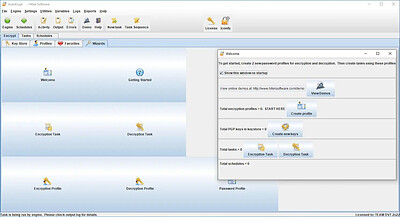
All Emperor2011's Software in one thread !! (updated daily)

_9fbde45f7e6c1edfb0cf92e414c24f0f.jpeg


Hitek Software AutoKrypt 14.06 (x64) | Size: 68.08 MB
Language: English
​
AutoKrypt - Encryption software with advanced automation features.

Features
The encryption module is a commandline wrapper around GnuPG.
Encryption methods include:
OpenPGP password encryption/decryption
public/private key encryption/decryption
key sign/verify
key encrypt and sign/decrypt and verify
Create profiles for each encryption method. Then use these profiles in Encryption tasks.
The encryption and decryption tasks can automatically encrypt/decrypt based on filename or file timestamp.
You can encrypt all files in an entire folder tree structure.
Both original and encrypted/decrypted files can be backed up to other folders.
Encrypted and Decrypted files can be renamed automatically using REGEX.
Task scheduler allows you to schedule tasks, execute tasks as well as other software programs and applications. No programming or script knowledge is required.
Email Notification for all tasks based on task exit code.

Dynamic variables are supported for most tasks. Most tasks also generate variables which can be used in other tasks.
Create advanced automation solutions using our tasks in conjunction with variables, directory/file monitors and our task chains.
You can run all tasks from the commandline using a Task Runner feature.
Task Runner feature allows you to run tasks from other programs.
Commandline module is also available to allow you to control the software via SSH from a remote system.
The engine that runs the tasks in the background can be run as a Windows Service or a Service on MacOSX and Linux.

Supported Platforms:
Windows 8.1, 10, 11, 2012R2 server, 2016 server, 2019 server, 2022 server. Includes JRE 17 (java 17).
Requires JRE 17 (java 17)to be installed separately from OpenJDK.

HOMEPAGE:
Код:
http://www.hiteksoftware.com/

FREE DOWNLOAD LINKS:​

Код:
https://rapidgator.net/file/81ba5c8ff5209becf626dabf53b301b5/Hitek_Software_AutoKrypt_14.06_x64.rar


Код:
https://nitroflare.com/view/C6E6B9A5E31F904/Hitek_Software_AutoKrypt_14.06_x64.rar
 
4b612cc8946f6ceb77f38075e2806c3f.jpg


Hitek Software Automize Enterprise 14.06 (x64) | Size: 80.95 MB
Language: English
​
Automize - Automation software suite to improve your productivity and save time.

Features
Automation software for Mac. We develop and test on Mac.
Automation software for Windows. We also develop and test on Windows.
Task scheduler allows you to schedule tasks, execute tasks as well as other software programs and applications. No programming or script knowledge is required.
Email Notification for all tasks based on task exit code.
Dynamic variables are supported for most tasks. Most tasks also generate variables which can be used in other tasks.
Create advanced automation solutions using our Automize tasks in conjunction with variables, directory/file monitors and our task chains.
Command and Windows Command tasks can run your batch files, scripts or executable programs. It can also terminate them or obtain their exit codes for use in other Automize tasks.

Chain Task Integrator includes Commands, database SQL, check email, FTP, Web downloads, send email, URL monitors, telnet, ping, copy, print files etc.. Run multiple programs, commands, FTP, email, web downloads etc.. in sequence with options depending on Exit codes.
Scripting: For advances users, you can develop scripts that reduce repeated, laborious computer-related activities. You can also create complex automation scripts which build upon existing Automize tasks. Automation scripting features are available in the Automize Enterprise edition. Scripts can be written in Java, Javascript, Groovy, Ruby, Python, Tcl, AWK and other languages!
Automate FTP to/from an intranet or internet server. Schedule FTP of files between your PC and the server and automatically rename the files based on current month, day or time if needed. FTP supports wildcards (*). Transfer multiple files at once. Supports FTP logging and can be used as an FTP daemon. Secure FTP module is available as an add-on.
FTP Command task can run RFC FTP commands in sequence.
Automate XML tasks. XML loop , XML monitor, XML validate
Automate PGP encryption and decryption tasks
Schedule downloads of your favorite sports, weather, news or entertainment web page from the internet. You can automate downloads to a local filename based on the current month, day, or time for archiving. Web downloads supports Proxy Authorization for folks behind proxy servers.
Monitor websites for any updates. Downloads any web page that has been modified.
Check email and download email with attachments. Only messages meeting user set subject, date or sender conditions are downloaded.
Schedule email messages with attachments to multiple recipients.
Database SQL. Automatically send SQL statements to databases. Monitor a database table for changes
Telnet can be automated. Schedule Telnet commands. The Advanced Telnet Task can wait for your commands to finish (by detecting the telnet prompt); and then send the next telnet command.
Ping a server to check if it is up. Maintains uptime statistics for your server.
Automate programs, tasks or batch files with command line arguments. Launch a schedule program and pass command line arguments and start/working directory information to it.
Zip files and directories using wildcards on schedule. Can append date/time to filename for archive purposes.
Copy files and directories using wildcards on schedule. Can append date/time to filename for archive purposes.
Schedule task or Automate Microsoft Office products: Schedule a MS Access, Excel, MS Word, PowerPoint macro or other command-line startup switch. You can also schedule an Access macro and compact or repair the database.
Print document files or delete files on a schedule
Monitor directory tree for changes
Schedule alarms, message reminders
You can run all tasks from the commandline using a Task Runner feature.
Task Runner feature allows you to run tasks from other programs.
Commandline module is also available to allow you to control the software via SSH from a remote system.
The engine that runs the tasks in the background can be run as a Windows Service or a Service on MacOSX and Linux.

Supported Platforms:
Windows 8.1, 10,11, 2012R2 server, 2016 server, 2019 server, 2022 server. Includes JRE 17 (java 17).
Requires JRE 17 (java 17)to be installed separately from OpenJDK.

HOMEPAGE:
Код:
http://www.hiteksoftware.com/

FREE DOWNLOAD LINKS:​

Код:
https://rapidgator.net/file/70722109f9c833f863f252c45cca2d89/Hitek_Software_Automize_Enterprise_14.06_x64.rar


Код:
https://nitroflare.com/view/9E8562D1C9E0465/Hitek_Software_Automize_Enterprise_14.06_x64.rar
 
29f8afc9736bd482a9285719eeb0615a.jpg


IDimager Photo Supreme 2026.4.3.9670 Multilingual | Size: 190.07 MB
Language: English
​
Photo Supreme v2026 is a thoughtful and forward-looking release. This update has focused on smarter discovery, faster performance, and modern workflow expectations, especially around large catalogs, mobile integration, searches, and team environments.

Import and Select
One of the standout additions in Photo Supreme v2026 is the new multi-pass Import and Select workflow. This allows users to review and refine image selections in multiple stages instead of making all decisions in one pass. It's especially useful for large shoots, letting photographers cull images more deliberately and with less pressure. In addition, the Import and Select feature now loads images faster than ever. Mac users will also appreciate direct iOS device importing, which makes it possible to bring photos straight from an iPhone or iPad into the catalog without relying on intermediary software. This significantly streamlines mobile-first workflows.

Powerful Searches
Photo Supreme now supports natural language searching, allowing users to find images using plain, conversational phrases rather than rigid metadata queries. This feature is powered by AI services such as OpenAI, Google Gemini, or local models with Ollama. This gives users flexibility in how advanced features are enabled. In addition, a new classification system enhances search accuracy by grouping images into meaningful categories upon import, making it easier to surface relevant results in large or complex catalogs.

Video & Media Handling
For users working with video, Photo Supreme v2026 introduces hover-based video previews. Simply hovering over a video thumbnail now reveals a short animated preview, making it much faster to identify clips without opening them individually. Support for modern formats has also been expanded, ensuring the software keeps pace with current media standards.

Sharing with ZIP
Exporting images is more flexible in v2026 thanks to ZIP output support in transfer profiles. This makes it easy to bundle images into a single archive for delivery, backup, or client sharing, all directly from within Photo Supreme. These enhancements simplify distribution workflows and reduce the need for external tools.

GEO Maps
GEOgraphic-Mapping features can now generate maps using not only Google Maps, but also OpenFreeMap with OpenStreetMaps. This removes the need for API keys while still delivering rich, interactive map displays. This update makes location-based browsing easier to configure and more accessible for all users.

Performance and Refinements
Photo Supreme v2026 delivers notable performance enhancements, resulting in faster browsing and a more responsive overall experience. Response times are improved by up to 10%, with especially noticeable gains for large libraries containing many catalog labels.
Catalogs with numerous stacks also see significant performance improvements, particularly when displayed in stacked views.
v2026 includes a wide range of refinements, such as: "Visually similar" stack detection, numerous stability fixes and workflow enhancements, polished UI behavior in collections, searches, and metadata handling

Wait, there's more, a lot more.
New "RAW Files" and "Video Files" catalog states
Added support for Google Gemini as an AI service
Added support for OpenAI GPT-5.2 as an AI Service
Added support for Ministral3 model with Ollama
Added file management support for ACR sidecar files
Update HTTP Server with Photo Supreme Online (Server Edition)
Faster face recognition
Added "AI-Estimated GEO Location" to the AI Panel
Faster result display in the Collection Viewer
"Cascade Metadata" from image to Stack or Version Set is now a background process
A highlighted stroke has been added to the active tabs, improving navigation
Now you can display metadata charts and graphs across multiple tabs
Added support for Ctrl/Cmd+Z functionality in text and memo fields
Defined the new Affinity v3 .AF and .AVIF file format as a supported "other file format"
Switching the collection viewer's view style is faster (eg from Basic to Grid to Clean to Custom Thumb Info)
Advanced Search now has an option to search by "File Size" and "File Size MB"
Finetuned the check for "need to compact" on PostgreSQL (Server Edition)
Bookmark keyboard shortcuts are now a "toggle", similar to ratings and color labels
Expanding nodes in the Catalog Tree is ~25% faster
When using the "Dump Full to Catalog File" feature, there's now the option to create either a "catalog dump" file, or a "catalog with thumbs" dump files
Added a XMP Storage Location for "original file AND non-standard sidecar file"
In "Stacked View", you can now select a specific item from the stack to show
Support for PostgreSQL 18.
And more.

Highlights for v2026
Multi-Pass "Import and Select": Seamlessly transition through passes with a fast-culling system that optimizes your workflow.
Direct iOS Image Import on macOS: Import images directly from your iOS devices with ease.
Video Thumbnail Preview: Hover over a video thumbnail or open the Quick View to view a live video preview.
Natural Language Search Powered by AI: Search your content using plain language, with smart integration through OpenAI, Google Gemini, or Ollama models.
Transfer Profiles can now create ZIP output files: Copy or send sets of images as a single ZIP file for easier sharing.
Maps with OpenFreeMap: Display images on interactive maps using OpenFreeMap/OpenStreetMaps with no API key needed.
Server Edition Thumbnail Caching: Enjoy faster performance with local thumbnail caching, automatic cleanup, and customizable settings for retention and cache size.
Classifications: Enhance search accuracy with an automatic image classification mechanism on import.

Operating System: Windows 10 or higher

HOMEPAGE:
Код:
https://www.idimager.com/

FREE DOWNLOAD LINKS:​

Код:
https://rapidgator.net/file/b345d6caba9f5b66c6875aca1adcf5a3/IDimager_Photo_Supreme_2026.4.3.9670_Multilingual.rar


Код:
https://nitroflare.com/view/4D9397A6B5FFE10/IDimager_Photo_Supreme_2026.4.3.9670_Multilingual.rar
 
e24845455549066c2a8c30c55e623d1d.jpg


IDimager Photo Supreme 2026.4.3.9680 Multilingual | Size: 184.7 MB
Language: English
​
Photo Supreme v2026 is a thoughtful and forward-looking release. This update has focused on smarter discovery, faster performance, and modern workflow expectations, especially around large catalogs, mobile integration, searches, and team environments.

Import and Select
One of the standout additions in Photo Supreme v2026 is the new multi-pass Import and Select workflow. This allows users to review and refine image selections in multiple stages instead of making all decisions in one pass. It's especially useful for large shoots, letting photographers cull images more deliberately and with less pressure. In addition, the Import and Select feature now loads images faster than ever. Mac users will also appreciate direct iOS device importing, which makes it possible to bring photos straight from an iPhone or iPad into the catalog without relying on intermediary software. This significantly streamlines mobile-first workflows.

Powerful Searches
Photo Supreme now supports natural language searching, allowing users to find images using plain, conversational phrases rather than rigid metadata queries. This feature is powered by AI services such as OpenAI, Google Gemini, or local models with Ollama. This gives users flexibility in how advanced features are enabled. In addition, a new classification system enhances search accuracy by grouping images into meaningful categories upon import, making it easier to surface relevant results in large or complex catalogs.

Video & Media Handling
For users working with video, Photo Supreme v2026 introduces hover-based video previews. Simply hovering over a video thumbnail now reveals a short animated preview, making it much faster to identify clips without opening them individually. Support for modern formats has also been expanded, ensuring the software keeps pace with current media standards.

Sharing with ZIP
Exporting images is more flexible in v2026 thanks to ZIP output support in transfer profiles. This makes it easy to bundle images into a single archive for delivery, backup, or client sharing, all directly from within Photo Supreme. These enhancements simplify distribution workflows and reduce the need for external tools.

GEO Maps
GEOgraphic-Mapping features can now generate maps using not only Google Maps, but also OpenFreeMap with OpenStreetMaps. This removes the need for API keys while still delivering rich, interactive map displays. This update makes location-based browsing easier to configure and more accessible for all users.

Performance and Refinements
Photo Supreme v2026 delivers notable performance enhancements, resulting in faster browsing and a more responsive overall experience. Response times are improved by up to 10%, with especially noticeable gains for large libraries containing many catalog labels.
Catalogs with numerous stacks also see significant performance improvements, particularly when displayed in stacked views.
v2026 includes a wide range of refinements, such as: "Visually similar" stack detection, numerous stability fixes and workflow enhancements, polished UI behavior in collections, searches, and metadata handling

Wait, there's more, a lot more.
New "RAW Files" and "Video Files" catalog states
Added support for Google Gemini as an AI service
Added support for OpenAI GPT-5.2 as an AI Service
Added support for Ministral3 model with Ollama
Added file management support for ACR sidecar files
Update HTTP Server with Photo Supreme Online (Server Edition)
Faster face recognition
Added "AI-Estimated GEO Location" to the AI Panel
Faster result display in the Collection Viewer
"Cascade Metadata" from image to Stack or Version Set is now a background process
A highlighted stroke has been added to the active tabs, improving navigation
Now you can display metadata charts and graphs across multiple tabs
Added support for Ctrl/Cmd+Z functionality in text and memo fields
Defined the new Affinity v3 .AF and .AVIF file format as a supported "other file format"
Switching the collection viewer's view style is faster (eg from Basic to Grid to Clean to Custom Thumb Info)
Advanced Search now has an option to search by "File Size" and "File Size MB"
Finetuned the check for "need to compact" on PostgreSQL (Server Edition)
Bookmark keyboard shortcuts are now a "toggle", similar to ratings and color labels
Expanding nodes in the Catalog Tree is ~25% faster
When using the "Dump Full to Catalog File" feature, there's now the option to create either a "catalog dump" file, or a "catalog with thumbs" dump files
Added a XMP Storage Location for "original file AND non-standard sidecar file"
In "Stacked View", you can now select a specific item from the stack to show
Support for PostgreSQL 18.
And more.

Highlights for v2026
Multi-Pass "Import and Select": Seamlessly transition through passes with a fast-culling system that optimizes your workflow.
Direct iOS Image Import on macOS: Import images directly from your iOS devices with ease.
Video Thumbnail Preview: Hover over a video thumbnail or open the Quick View to view a live video preview.
Natural Language Search Powered by AI: Search your content using plain language, with smart integration through OpenAI, Google Gemini, or Ollama models.
Transfer Profiles can now create ZIP output files: Copy or send sets of images as a single ZIP file for easier sharing.
Maps with OpenFreeMap: Display images on interactive maps using OpenFreeMap/OpenStreetMaps with no API key needed.
Server Edition Thumbnail Caching: Enjoy faster performance with local thumbnail caching, automatic cleanup, and customizable settings for retention and cache size.
Classifications: Enhance search accuracy with an automatic image classification mechanism on import.

Operating System: Windows 10 or higher

HOMEPAGE:
Код:
https://www.idimager.com/

FREE DOWNLOAD LINKS:​

Код:
https://rapidgator.net/file/415b0a1d7b65632662942e1f4a5a4251/IDimager_Photo_Supreme_2026.4.3.9680_Multilingual.rar


Код:
https://nitroflare.com/view/E9AEEB7CABD3861/IDimager_Photo_Supreme_2026.4.3.9680_Multilingual.rar
 
1adec11210423991771dabba1a4e43d4.jpg


IRedSoft Batch It Ultra 6.79 (x64) | Size: 26.61 MB
Language: English
​
Batch It Ultra is our flag ship comprehensive Batch Image Processor. This current version 5 has been totally redesigned and rewritten from bottom up to support the latest Windows Operating System.

Batch Resizing. It supports popular resizing methods which includes Downsizing By Pixels, Upsizing By Pixels, By Percentage, By Ratio, By Cropping and By Frame. You can resize the photos while retaining its original Ratio Aspect or perform a batch cropping to remove any undesirable borders especially when the documents are being scanned. In order to allow you to fine-tune the resultant photos, Batch It Ultra offers you the option to utilize different Resampling Algorithm to enhance the image quality.

The Resizing By Frame method allows you to keep the same width and height dimensions while keeping the same ratio aspect for all your images by padding the smaller dimensions with the frame color. Resizing By Frame can either downsize or upsize the pictures to fit. In order to save you time, you can use Batch It Ultra to resize the same images into 3 different sizes in a single run. You can use this to make adjustment to your original file and save an additional two more sizes for perhaps for different screen displays or as thumbnail photos.

Batch Format Conversion. It supports importing of images of many commonly used formats such as JPEG, PNG, TIFF (Single Page), BMP, JPEG 2000, PCX, Windows HD Photo, GIF, TARGA, DIB, RLE, PIX, Truevision Vista Graphic, Portable Bitmap, GFI Fax, Adobe Photoshop, Paint Shop Pro, Dr Halo Cut and Kodak PhotoCD. It supports export to JPEG, PNG, BMP, GIF, TIFF, JPEG 2000, PCX, PBM, PPM, PGM and Windows HD Photo Formats.

System Requirements:
32 Bit Edition - Windows 8 (32 Bit & 64 Bit), Windows 10 (32 Bit & 64 Bit), Windows Server 2012 (32 Bit & 64 Bit) and Windows Server 2016 (32 Bit and 64 Bit)
64 Bit Edition - Windows 10 (64 Bit), Windows 8 (64 Bit), Windows Server 2012 (64 Bit) and Windows Server 2016 (64 Bit)

HOMEPAGE:
Код:
https://www.batchimage.com/product/batchitultra/

FREE DOWNLOAD LINKS:​

Код:
https://rapidgator.net/file/5813211772cefeab85b62d59658b0f34/IRedSoft_Batch_It_Ultra_6.79_x64.rar


Код:
https://nitroflare.com/view/D3C429325FCB6CF/IRedSoft_Batch_It_Ultra_6.79_x64.rar
 
d4dd7687618a6e4d8fa5366b5261eda4.jpg


Lucion FileCenter Suite 12.5.42 | Size: 324.89 MB
Language: English
​
FileCenter DMS is the most fully-featured and inexpensive document management software for small offices. It combines easy scanning and file organization with powerful PDF creation and editing. It also includes OCR, search, and integration with cloud services like Google Drive, OneDrive and Dropbox. Feature-for-feature, FileCenter DMS delivers at a price the competition can't touch.

Document management for small businesses
Professional offices and small businesses have been largely ignored in the document management and DMS arena. This includes financial planners, lawyers, accountants, insurance brokers, manufacturing facilities, warehouses - any small industry that has to process and organize high volumes of paper. Whether it's invoices or receipts, contracts or quality control documents, financial statements or medical records and estate plans. these industries have been forced to struggle under the weight and cost of full enterprise systems, or choose to go without.

FileCenter DMS fills this void with a fully-featured, highly-affordable DMS specifically designed for small businesses.

You can bring every one of your existing files into FileCenter DMS for organizing, without messy imports or conversions - then begin to enjoy FileCenter's powerful document management features, like naming options, folder templates, and easy document searching.

Manage & organize files from a single, unified interface
Powerful document management software need not be complex. Organize your files, scan your paper documents, edit your PDFs, and search your archives from one clean, simple interface in a way that makes sense: electronic filing cabinets. These cabinets use a familiar Cabinet/Drawer/Folder layout, in an easy left-to-right flow. Cabinets "overlay" regular Windows directories automatically, so you can view your existing files in cabinets without importing them. You can also store any kind of Windows file in a cabinet. (If you prefer a traditional Explorer layout, FileCenter also provides an Explorer View.)

Open & save any file type
FileCenter DMS can store any kind of Windows file. It also integrates cleanly with the Save and Open functions of most programs. This means you can (optionally) replace your standard Windows Save/Open dialogs with custom FileCenter versions. Save files directly into your file cabinets from most of your programs, as part of your usual workflow - no importing necessary. Then open them again from FileCenter in your favorite applications. This integration can be enabled/disabled on a program-by-program basis.

Save files with pre-defined naming rules
The most tedious part about saving a file is now the easiest: picking a name. Set up a list of your common file names. Include dynamic information if you'd like. When it's time to save or rename a file, name it with a mouse click. FileCenter DMS Professional and Pro Plus also add file naming rules known as Naming Options. These can contain dynamic information like dates, customer or patient names, and increments. You can even pull filename text from barcodes or the document's OCR text. Literally name and save your files or new scans with a couple of mouse clicks.

Manage incoming files with an inbox
If you receive a steady inflow of files to a specific folder, FileCenter DMS can show you a split view with this inbox on top, and your regular cabinets on the bottom. It's then easy to move the incoming files into your cabinets. Combine this feature with Naming Options and the Drop Renaming feature, and you can literally organize and rename dozens of incoming files with a simple drag-and-drop.

Ensure consistent folder layouts with templates
Make setting up standardized folder structures a piece of cake by turning folder layouts into reusable templates. You can define reusable folder layouts that are as simple or complex as you like, including nested folders many layers deep. You can then apply these layouts to any drawer or folder. They become especially useful when you add new drawers or folders - apply a folder layout at the same time. Consistent layouts are critical to an easy-to-use file organization system.

System Requirements:
OS: Windows 10 or newer. Full compatibility with 64-bit machines.
CPU: 4-core processor / 8-core recommended
Memory: 4 GB / 12-16 GB recommended
Scanner: TWAIN Compliant Scanner or a ScanSnap (if you plan to do scanning)

HOMEPAGE:
Код:
https://www.filecenter.com/

FREE DOWNLOAD LINKS:​

Код:
https://rapidgator.net/file/fea9a2f03857e9b5a581324029c215d1/Lucion_FileCenter_Suite_12.5.42.rar


Код:
https://nitroflare.com/view/19FC223611C4BBC/Lucion_FileCenter_Suite_12.5.42.rar
 
24fc7ced90b37959fadc76368dc350fe.jpg


Marmoset Toolbag 5.03 (5033) (x64) | Size: 275.7 MB
Language: English
​
Marmoset Toolbag is the all-in-one creative software package for 3D artists. Create cutting-edge art for games, film, product viz, and beyond with Toolbag's industry-leading texture baking engine, intuitive texturing & painting tools, and physically-accurate ray-traced and raster renderers.

EDIT
Get comfortable with a setup of your choice using Toolbag's lightweight, user-friendly editor.

BAKE
Bake a wide array of maps with precision using Toolbag's blazing-fast, real-time baking tools.

TEXTURE
Paint physically accurate materials and leverage intuitive texturing tools with Toolbag's Texture Projects.

RENDER
Create breathtaking renders with speed using Toolbag's advanced rendering solutions.

LIBRARY
Access a world of free content with Toolbag's integrated Library - Materials, Textures, Brushes, and more!

HOMEPAGE:
Код:
https://marmoset.co/

FREE DOWNLOAD LINKS:​

Код:
https://rapidgator.net/file/d26d0e3cb4c1a98b0f9bd8498f606408/Marmoset_Toolbag_5.03_5033_x64.rar


Код:
https://nitroflare.com/view/0FE4C134C2323F8/Marmoset_Toolbag_5.03_5033_x64.rar
 
fad568dbc2b61d8f3e5ac2cb739c8478.png


MediaHuman YouTube Downloader 3.9.23 (1409) Multilingual (x64) | Size: 89.45 MB
Language: English
​
MediaHuman YouTube Downloader is a handy application for those who found a favorite music video or trailer of a new movie and wants to keep it on your computer for viewing offline. Or you need to download a video lesson/tutorial. Our video downloader is an ideal solution for such kind of tasks.

Simultaneous downloads
- Supports Ultra High resolutions up to 4K
- Download whole playlists and channels
- YouTube, Vimeo, Dailymotion, Soundcloud
- Extract audio track and save it as MP3
- iTunes support
- VEVO support

System Requirements:
Windows 11, Windows 10, Windows 8, Windows 7, Windows Vista, Windows 2003, Windows XP for PC systems (64-bit)
About 70 Mb of free hard drive space

HOMEPAGE:
Код:
https://www.mediahuman.com/

FREE DOWNLOAD LINKS:​

Код:
https://rapidgator.net/file/f6a2e7369f462ea1ffd829255449a1c3/MediaHuman_YouTube_Downloader_3.9.23_1409_Multilingual_x64.rar


Код:
https://nitroflare.com/view/0521149300722AB/MediaHuman_YouTube_Downloader_3.9.23_1409_Multilingual_x64.rar
 
4362f342d9af0ae3cabde4ea19f6da27.png


MemoryCleaner 3.0.0 | Size: 1.53 MB
Language: English
​
MemoryCleaner utilizes many functions already built into Windows to free memory with no impact on your system.You can also access Memory Cleaner functions right from your systray without having to open up the program. The cleaning procedures are both silent and the only time you will see an alert is to show the amount of RAM recovered briefly.

Feature
A program that cleans up memory.
Only Working Set, Standby automatically cleans up the memory.
Cleans up memory every specified time.
Automatically cleans up when the specified memory usage rate is exceeded.

System Requirements: Windows 11, Windows 10, 8 , 7

FREE DOWNLOAD LINKS:​

Код:
https://rapidgator.net/file/c23214ceedd9e8de2838537c2966fd96/MemoryCleaner_3.0.0.zip


Код:
https://nitroflare.com/view/DDD704EBDD1EAA2/MemoryCleaner_3.0.0.zip
 

cd7013d1fa41bb288591f72758bf0ec1.jpg


MetatOGGer 7.7.3.0 Multiligual | Size: 117.96 MB
Language: English
​
MetatOGGer is a comprehensive software application designed for managing your music collection when it comes to tagging, renaming and organizing audio tracks with the OGG and MP3 format. It primarily addresses users with some background in such apps. The interface of the utility is clean and intuitive. Importing audio tracks into the workspace is done by using either the file browser, folder view or "drag and drop" method; you can add as many items as you want. For each song in the list you can view the artist, title, date, album, genre and track number, as well as edit any of these fields by simply clicking them. An important feature of MetatOGGer lets you apply tailor-made tags, and all you have to do is write a name and value.

In addition, you can view a file's audio properties (e.g. codec, duration, bit rate, channel mode, sample rate), add covers (embedded and external), and edit tags with IronPython scripts (e.g. convert to uppercase, trim the white space, capitalize the first letter).

Other features of MetatOGGer let you get tags from acoustic fingerprints, download lyrics, copy covers, look for duplicate files, play tracks and import tags as keywords. It is also possible to remove any tags you want (e.g. common, uncommon, embedded pictures) and create an inclusion or exclusion list, get tags from a file's name or path, as well as rename and sort files according to their tags, among others.

MetatOGGer offers multilingual support, lets you customize the quick access toolbar and track columns, and gives you the possibility of restoring all settings to their factory values. It has a good response time and uses a moderate-to-high quantity of CPU and system memory.

We have not experienced any issues throughout our evaluation. As you can see, MetatOGGer comes bundled with numerous options and configuration settings concerning audio tagging, and it is definitely worth taking into consideration as a powerful application in this domain.

System Requirements: Windows 10 (64-bit) or Windows 11 are officially supported for current versions, though older versions may run on earlier OS versions.

HOMEPAGE:
Код:
https://www.luminescence-software.org/fr/

FREE DOWNLOAD LINKS:​

Код:
https://rapidgator.net/file/6152d3275ccc35cdd938ca29ee20ccfa/MetatOGGer_7.7.3.0_Multiligual.rar


Код:
https://nitroflare.com/view/4C24306DAE085D8/MetatOGGer_7.7.3.0_Multiligual.rar
 

b862b61d1b073d2e9a1798e5286ed600.png


Microsoft Edge 154.0.4258.48 Stable Multilingual | Size: 383.43 MB
Language: English
​
Introducing the new Microsoft Edge: Rebuilt from the ground up to bring you world-class compatibility and performance, the security and privacy you deserve, and new features designed to bring you the best of the web. The new Microsoft Edge is a modern web browser - designed for faster, safer browsing. Get more done on the web with built-in tools for notetaking, reading and more.

The new Microsoft Edge is based on the Chromium project, so you can use the extensions/add-ons from Google Chrome extensions web store and from Microsoft Edge extensions web store for free. Choose your style
News, images, search-choose what you want to see when you open a new tab. Select a layout best for you: Focused, Inspirational, or Informational.
Take control of your data
Microsoft Edge and Bing give you more control over your data, and more transparency into what information is being collected, while you browse with new features like Tracking Prevention and InPrivate mode.
Browse with peace of mind
Microsoft Defender SmartScreen automatically protects you online from security issues, phishing schemes, and malicious software.
Browse anywhere
The new Microsoft Edge is now available on all supported versions of Windows, macOS, iOS, and Android.
Experience 4K streaming
Get the best browser for high definition media on Windows 10 with unique support for streaming in 4K Ultra HD.
Customize with extensions
The new Microsoft Edge is now compatible with your favorite extensions, so it's easy to personalize your browsing experience.

System Requirements: Windows 11, Windows 10

FREE DOWNLOAD LINKS:​

Код:
https://rapidgator.net/file/745cb5fcabc9593a7583b4ad2dca6888/Microsoft_Edge_154.0.4258.48_Stable_Multilingual.rar


Код:
https://nitroflare.com/view/FF209B21D5951A2/Microsoft_Edge_154.0.4258.48_Stable_Multilingual.rar
 

6c2c43196c1651b5c77b8449c3134207.png


Mipony Free 4.0.0 | Size: 14.4 MB
Language: English
​
Mipony is a download manager that gives you access to content on a wide variety of sites, so you can save it to your computer or mobile device. Through the app's intuitive interface and built-in browser, you can quickly find the items you're looking for and begin the downloading process.

Features
Continuous download
· Once the link has been added to the download list, the files will be downloaded while you navigate and if you close the download program, the downloads will be restarted when you start the program again.
· Possibility to give priority to files in the waiting list
· Control how many files can be downloaded simultaneously from each server..
· Many of the files hosted in free servers are divided into parts, Mipony has the option to join the downloaded files (HJSplit).
· Mipony can capture from the clipboard individual links or any text that contains any number of links.

Download attempts
· If by any chance the file shows an error during the download, Mipony will be in charge of performing the necessary attempts automatically until the file is downloaded.

Browser
· It has an embedded browser from where the download links are detected.
· Automatic update of the data base with the sites supported. Mipony updates automatically to keep working with files download sites and it is constantly adding new sites to the supported websites.
· Mipony can analyze full sites looking for links, indicating if they are still available in the server to be downloaded or if they have been erased.
· It allows the configuration of Flashgot to send links to Mipony
Plug-in
· In a bar format to launch downloads from Firefox and Explorer directly to Mipony or to open the site that is being viewed in the browser of Mipony.

Remote control
· Mipony has a web interface to control it remotely. With the web interface you can view the downloads and manipulate them, and also you can enter the captcha codes remotely. The web interface design is adapted for both desktops and mobile clients.

Captcha Trader Plugin
· With this plugin, you will have access to the captchas decoding system developed by captchatrader.com. CaptchaTrader solve captchas for you so you don't have to. If you earn credits by solving captchas then you can spend them later when you need them.

System Requirements: Windows 11, Windows 10, 8 , 7

HOMEPAGE:
Код:
https://www.mipony.net/

FREE DOWNLOAD LINKS:​

Код:
https://rapidgator.net/file/a92b0d39345e6db39ec9af2128e14ed1/Mipony_Free_4.0.0.rar


Код:
https://nitroflare.com/view/96FF6A70BABC5B7/Mipony_Free_4.0.0.rar
 
9424517d56c5860e73d87898c4eb6f3c.jpg


O&O ShutUp10 Premium Edition 3.6.1135 Multilingual | Size: 67.37 MB
Language: English
​
Protect your privacy in Windows 11 & 10 - permanently and fully automatically! Windows updates no longer destroy your privacy settings. With every new Windows version, Microsoft changes settings. Disabled features are switched back on, and Microsoft adds new ways to collect data about you. For you, this means that the privacy settings you configured once must be checked, adjusted and reset according to your wishes on a regular basis. O&O ShutUp10 Premium does this work for you automatically!

You set your desired privacy settings just once - or use our recommended settings with a single click. O&O ShutUp10 Premium then continuously monitors your selected settings and automatically restores them - even after Windows updates or system changes. You have full control over what your Windows is allowed to reveal about you!

Powerful data protection for Windows-automatic, transparent, and durable
O&O ShutUp10 Premium gives you back control over the privacy and system settings of Windows - and ensures that this control is maintained permanently. Instead of having to check again after every Windows update which settings have been changed, set your desired data protection requirements once. O&O ShutUp10 Premium then continuously monitors them and automatically restores them when Windows changes them.

Reliable data protection is crucial, especially in companies, for the self-employed and on professionally used PCs. Windows is constantly evolving, new features are added, and existing settings can be adjusted through updates or policy changes. O&O ShutUp10 Premium significantly reduces this effort and ensures that defined data protection standards are permanently adhered to.

The following feature list shows how O&O ShutUp10 Premium combines data protection management, automation, transparency and central control - for Windows systems that are not only protected once, but work permanently according to your specifications.

Privacy Control for Windows 11 & 10
- Management of around 300 privacy and system settings
- How Windows disables unwanted data collection
- Control over telemetry, diagnostics, app access, and system services
- Understandable recommendations for each setting
- Quickly apply recommended data protection configurations

Permanently protect your settings
- Continuous monitoring of the selected privacy settings
- Automatic recovery after Windows updates
- Protection against unintentional reset caused by system changes
- Reapply defined settings without manual intervention
- Ideal for companies that want to enforce data protection policies on a permanent basis

Automatic reapplication after Windows updates
- Microsoft can use updates to change existing privacy settings or add new options
- O&O ShutUp10 Premium detects relevant changes and restores the desired settings
- Data protection remains in place even after feature updates and system changes
- Reduces manual checking effort for administrators and users
- Ensures consistently consistent privacy settings on Windows systems

Central data protection guidelines for companies
- Uniform data protection configurations for Windows workstations
- Profile-based management of desired settings
- Export and import of defined configurations
- Support in the implementation of internal data protection regulations
- Suitable for SMBs, organizations, and managed IT environments

Client/Service Architecture
- Continuous monitoring via a robust background component
- Automatic enforcement of defined settings during operation
- Separation between user interface and technical background service
- Reliable application of the specifications even without constant user interaction
- Designed for professional use on managed systems

No end-user administrator privileges required
- Data protection requirements can be implemented without users needing permanent administrator rights
- More safety in daily operations
- Less support effort due to controlled assignment of rights
- Better suited for professional and managed Windows environments
- Increases comfort and safety at the same time

Profiles and policy management
- Creation of your own data protection profiles
- Key Requirements for Recurring Configurations
- Quickly apply defined settings on Windows systems
- Profile Editor for Structured Management
- Ideal for uniform data protection standards in the company

Protection against new Windows features
- Regular adaptation to new versions of Windows
- Consideration of new data protection options
- Protection against Microsoft features that have been enabled after the fact
- Support in disabling unwanted AI features
- Removal or disabling of Copilot and Recall-related features

One-click recommended settings
- Predefined recommended privacy settings
- Rapid activation of sensible protective measures
- Can undo recommended settings
- Suitable for quick initial configurations
- Transparent control over every single change

System protection and recovery
- Creating System Restore Points Before Changes
- Restoration of previous system states possible
- More security when adjusting sensitive Windows settings
- Reduces the risk of unwanted side effects
- Suitable for traceable and controlled system adjustments

Transparency and control
- No changes without defined specifications
- Clear representation of the impact of each setting
- Recommendation levels for better classification
- Editing mode for advanced users
- Full control over which features are enabled or disabled

Notifications and traceability
- About automatically reapplied settings
- Transparent feedback on changes by Windows
- Better overview of protection status
- Traceable automatic corrections
- Supports administrators and users in daily operations

Premium comfort in the background
- Automated enforcement of selected privacy settings
- Background monitoring without constant manual control
- Less effort after Windows updates
- Permanent compliance with desired data protection requirements
- More convenience, more automation and reliable data protection

For private users and companies
- Ideal for users who want to protect their privacy permanently
- Suitable for the self-employed, small businesses and managed workplaces
- Supports uniform data protection standards on Windows systems
- Reduces manual rework after updates
- Ensures that selected settings remain permanently

Set once. Permanently protected.
- Set your desired privacy settings once
- Automatic recovery from changes by Windows
- Protection against unintentional reactivation of unwanted functions
- More safety and less effort in everyday life
- Your privacy remains protected even when Windows changes

HOMEPAGE:
Код:
https://www.oo-software.com/en/ooshutup10premium

FREE DOWNLOAD LINKS:​

Код:
https://rapidgator.net/file/8450e179a32f25aa60f1bd64a728a578/OO_ShutUp10_Premium_Edition_3.6.1135_Multilingual.rar


Код:
https://nitroflare.com/view/5F054F9C2E5521F/OO_ShutUp10_Premium_Edition_3.6.1135_Multilingual.rar

 
_c0b69c20d1a6b2c7de3812e535fa8831.jpeg


OCCT 17.1.5 (x64) Multilingual | Size: 197.15 MB
Language: English
​

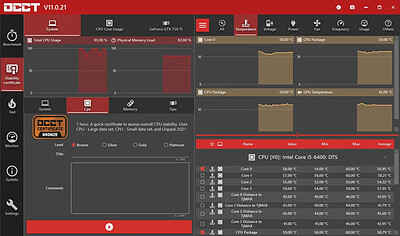
OCCT is the most popular all-in-one stability check & stress test tool available. OCCT is great at generating heavy loads on your components ( CPU, GPU, Memory, GPU Memory & Power supply ) , and aims at detecting hardware errors or stability issues faster than anything else. A monitoring engine is also embedded, to ease diagnostic and see how your computer reacts under heavy load using graphs.

6 TESTS
OCCT includes 6 different tests : OCCT and Linpack for your CPU, Memory for testing system RAM, 3D and VRAM for your Graphic card, and Power to stress your power supply. You can even monitor your PC while using an external app to generate reports using the Monitoring-only test !

MONITORING
OCCT will monitor your computer's reading and present you real-time graphs showing you temperatures, voltages, fan speed, frequencies, component usage, and power consumption during your tests. We are using the AWESOME engine from HwInfo !

BUILT-IN PROTECTION FOR YOUR COMPUTER
Worried about frying your components ? Turn the maximum temperature threshold in OCCT's options ! Should a component reach this critical temperature during a test, OCCT will stop itself immediately.

TEST REPORT
At the end of a test, you will be able to save a full graphical report of what happened during the test, for diagnostic purposes.

HOMEPAGE:
Код:
https://www.ocbase.com/

FREE DOWNLOAD LINKS:​

Код:
https://rapidgator.net/file/b390813e895188128fae0725519b5002/OCCT_17.1.5_x64_Multilingual.rar


Код:
https://nitroflare.com/view/4B72BC911108B91/OCCT_17.1.5_x64_Multilingual.rar
 
45f0b64178a53037d7946e7487f503ef.jpg


PDF-XChange Pro 11.1.0 (x64) Multilingual | Size: 582.88 MB
Language: English
​
PDF-XChange PRO is the ultimate PDF solution. It's a bundle package that combines the three best-selling applications that Tracker Software produces.

PDF-XChange Editor Plus is a hugely dynamic and fully-customizable PDF application. Create, view, edit, annotate, OCR* and sign PDF files - and that's just the beginning. If you work with PDF then this fully-customizable product will optimize your work process to levels that no other product can achieve. Create PDF files from scanned documents, images, text files, Markdown files and much more. Open, edit and convert Microsoft Office documents.* Avail of over thirty tools to assist in the creation of document comments, annotations, links and fillable forms. These tools make editing PDFs a finely-tuned, precise process that produces documentation and image files of the highest quality. Our user-friendly functionality is diverse enough to meet the needs of all practitioners from novices to professionals.**

PDF-Tools is a worldwide leader in the creation and manipulation of PDF and image files. Highly user-friendly, it can be used to convert files of almost any format to/from PDF. Avail of seventy built-in standard tools, as well as functionality to clone and edit these tools and their variables as you desire. Use the Actions Library to fully customize your tools and the Tool Actions Sequence to determine the order in which they perform operations. Combine seventy-seven available actions to create your own tools - out of billions of possibilities. PDF-Tools is compatible with large PDF files and can also handle a huge number of files simultaneously - batch conversion is its strength.

PDF-XChange Standard Printer is Tracker Software's best-selling virtual printer - the ultimate application for the creation and virtual printing of industry-standard PDF files. It's compatible with files from almost all Windows applications, such as Word, Excel and AutoCAD, and features an optimized engine for superb conversion of images and image-based text characters. The files it creates are surprisingly small, given their quality - allowing for faster uploads/downloads, a reduction in storage space and increased data retention - even at high levels of compression. PDF-XChange Standard also features MS Office integration, which provides extra functionality such as adding clickable tables of contents and embedded URL support that facilitates the creation of external links.

Operating System: Windows 7 and later

HOMEPAGE:
Код:
https://www.tracker-software.com/

FREE DOWNLOAD LINKS:​

Код:
https://rapidgator.net/file/ad322c42cfbf37a273aa2cfa3ee8d4a8/PDF-XChange_Pro_11.1.0_x64_Multilingual.rar


Код:
https://nitroflare.com/view/B6C869CF5B9C222/PDF-XChange_Pro_11.1.0_x64_Multilingual.rar
 
1db09e3cacbbd5dd550ee15ee4856833.jpg


PE-DESIGN 11.50 | Size: 421.84 MB
Language: English
​
Packed with powerful and time-saving features, this software is for both the casual hobbyist or the home-based business entrepreneur. Imagine the ability to create your own fonts, stitches and designs once to use many times on hats, pillows, shirts and more. Help reduce the amount of time spent changing threads by using the Intelligent Color Sort feature that will stitch the areas that share one color in groups. Best yet, if you own the Luminaire XP1, enjoy Wireless LAN Connectivity to transfer your embroidery designs and sewing stitches wirelessly.

PE-DESIGN 11 Personal Embroidery and Sewing Digitizing Software
- 1000+ built-in designs and 130 built-in fonts
- Full-featured Photostitch with enhanced Auto Punch and Cross Stitch wizards
- ScanNCut compatible - import FCM files and send to CanvasWorkspace

PE-DESIGN 11
We have packed this software with so many time-saving features that will help you create more in less time. Imagine the capability to create your own fonts, stitches and designs - just once - to use many times on hats, pillows, shirts, and other fabrics. Reduce the amount of time spent changing threads by using the Intelligent Color Sort feature, which will stitch those areas that share one color in groups.

Create and Be Creative
Let your imagination soar with the ability to create your own decorative sewing stitches up to 100mm wide* by using the Stitch Design Factory and create your own fonts with the Font Mapping Tool that will let you use them later as built-in lettering.

Save Time Searching
Having the ability to choose your own built-in fonts and designs in less time will help you start your projects sooner. Using the font filter will help you narrow down your choices from the 130 fonts built into PE-DESIGN 11. Choosing from over 1,000 built-in designs is now easier with the design preview that lets you see your choice before you stitch.

Power in Automation
How much time do you spend trying to figure out what type of stitch you need for your fabric or the time it takes to change threads and match color segments? PE-DESIGN 11 has a Fabric Selector that will automatically adjust the sewing attributes for your embroidery based on your fabric selection. The Intelligent Color Sort function will group stitches that share the same colors so you can reduce the time spent changing threads.

Flexibility and Movement
Round and Flexible Spiral Stitches add motion and dimension to your embroidery shapes. Stitches can be set to follow the shape of your embroidery, or stand out to give you a three-dimensional effect.

Transform Photos Into Embroidery with PhotoStitch
Create embroideries from photos with the PhotoStitch feature. Transform your photos into works of art to be framed, put on tote bags, tapestries and so much more. The PhotoStitch, Auto Punch, and Cross Stitch Wizards have enhanced tracing capabilities for a more accurate output.

ScanNCut Compatible
Import FCM files to create embroidery designs. Create FCM files to send to CanvasWorkspace or directly to a wirelessly enabled ScanNCut Home and Hobby Cutting Machine.

Exclusive Wireless LAN for Luminaire XP1
Wirelessly transfer embroidery designs and sewing stitches between PE-DESIGN 11 and the Luminaire XP1.

System Requirements
- PC: IBM PC or compatible PC
- Operating system: Windows® 11, 10, 8.1, 7
- Processor: 1GHz or higher
- Main memory: 512MB (1GB or more recommended)
- Hard drive capacity: 300MB
- Monitor: XGA (1024x768), 16 bit colour or higher
- Port: 2 x USB

HOMEPAGE:
Код:
https://www.brother-usa.com/products/pedesign11

FREE DOWNLOAD LINKS:​

Код:
https://rapidgator.net/file/01ecaf321388490cb4052aff37c2d6e4/PE-DESIGN_11.50.rar


Код:
https://nitroflare.com/view/2C51CE0C2589C1C/PE-DESIGN_11.50.rar
 
e40f6fc92f061904773d466b46180ad9.jpg


Pano2VR Pro 8.0.8 Multilingual | Size: 273.1 MB
Language: English
​
Pano2VR allows you to publish your panoramic images within minutes. No matter what type of project you're working on, whether, a gigapixel panorama or virtual tours with hundreds of nodes, Pano2VR will help you to quickly get your project up and running on the desktop as well as mobile devices.

mprove your images.
Sometimes panoramas are not level and have unwanted tripods.it happens. Straightening the horizon and removing the tripod from the panorama can be accomplished with a few simple clicks.

Build a Virtual Tour.
No matter how large the tour, Pano2VR Pro can help you quickly and easily put it together with automatic linking, filtering, master node editing and a built-in Tour Map.

Enhance the experience.
Add interactive elements like hotspots, directional sound and video to your panoramas. Use the powerful Skin Editor to design custom buttons and controllers - all of which can be made responsive so the design fits to any screen. No coding required. We promise!

Seamlessly change projections.
Easily reproject spherical panoramas during viewing or open a panorama from a little planet view to a rectilinear view on opening or create a standard format video that moves through different projections.

Reveal the highlights.
Guide viewers by creating an animation path through your panoramas or tour to show off the best areas. At any time, the viewer can interact and explore further. You can even export this walk-through as a video file.

Contribute to Google Street View.
Pano2VR offers an easy way to add and edit existing panoramas and tours to Google Street View. Once you've connected your account, you will see all tours and panoramas that you've uploaded to Google Street View. You can continue to add to your gallery or even download the existing images.

Show your work.
Export your panoramas as HTML5, Flash or QuickTime VR formats or use our handy plugins to post them directly to your Wordpress, Joomla or Drupal site. Pano2VR will also help you to transform your images into different projections for printing.

Pano2VR 6.0
Pano2VR 6.0 brings major updates to the Tour Map, Animation Editor and Viewer. You can now add floor plans to your project and correctly geolocate indoor nodes, control and animate skin elements with the Animation Editor, and view and interact with 360 video in the Viewer.

Tour Map
The Tour Map received, perhaps, the biggest update. It can now better assist in general tour building and with Google Street View tours with the addition of being able to add custom floor plans.

Floor plans, are maps of the interior of buildings where it is also likely that location data has not been recorded during a shoot. So, we added the ability to geolocate the floor plan to the tour map so that when a tour node is added to the floor plan, it will be given location data. This is especially helpful for those building tours for Google Street View and need accurate placement of nodes inside of buildings. Floor plans that have been added to the Tour Maps, can also be used in the Skin Editor using the Map element. In addition to the floor plans, map pins can now be moved in bulk.

Animation Editor
The Animation Editor is now a panel and it, too, is more powerful. You can now connect skin elements to the animation. This lets you apply, for example, subtitles or text boxes that can appear and disappear at a defined time in the animation.

Previously, the animation editor only had the ability to create a single series of clips. Now, we can create sequences, which are a group of clips, in the same project. We can then, select a specific sequence to output as an animation or as auto rotation. This makes it much easier to create multiple versions of an animation without having to create multiple projects.

Skin Editor
The Skin Editor got new features, too. The most notable feature would be the changes made to the Maps element. This is how you would add a map or floor plan overlay to your project. Previously, only a map could be added to the map element.

We've also added a way to change skins without having to open the Skin Editor - making it easier to adapt a skin to the current project using the Edit Skin Configuration button. Finally, positioning in the Skin Editor has been completely reworked to better reflect the way positioning works in HTML5. This means that when you open older skins, you may find that the positioning measurements have changed. Don't worry, it's not broken; just, the numbers have changed.

Viewer
The Viewer has been updated to be able to playback 360º video, making it much easier to work with the medium. Once the panoramic video has been added to the Viewer or Tour Browser, a transport control will appear in the Viewer.

More Features:
- Improved gigapixel support with tiled multi-resolution
- Fast loading for tours with more than 10,000 nodes
- Custom Fly-in effect
- Custom map tiles
- Filtered actions
- Flash and QuickTime outputs no longer supported

Requirements: Windows 7 and higher (64-bit).

HOMEPAGE:
Код:
http://ggnome.com

FREE DOWNLOAD LINKS:​

Код:
https://rapidgator.net/file/90a10980b24900fe9fb5dfd761f3e8d6/Pano2VR_Pro_8.0.8_Multilingual.rar


Код:
https://nitroflare.com/view/AC58C436866C20E/Pano2VR_Pro_8.0.8_Multilingual.rar
 
_921d4ce9eab2fc9c33e35b65cfd3b042.jpeg


Parted Magic v26.09.4 | Size: 2.09 GB
Language: English
​
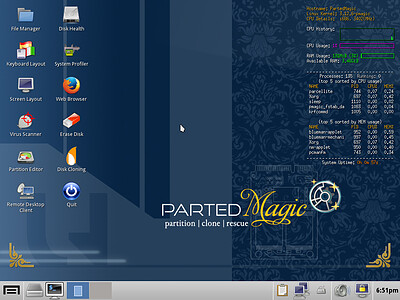
Disk Partitioning

PartedMagic has the tools to get the job done. With the Partition Editor you can re-size, copy, and move partitions. You can grow or shrink your C: drive. Create space for new operating systems. Attempt data rescue from lost partitions.

Disk Cloning
Clone a computer's entire disk or a single partition. The cloned data could be saved as an image-file or as a duplicated copy of the data. The data could then be saved to a locally attached storage device, an SSH server, a Samba Server, or a Network File System share. The clone file can then be used to restore the original when needed.

Data Rescue
PartedMagic allows you to easily reset or change Windows passwords. Recover lost files. Rescue files from devices with disk read errors.

Disk Erasing
PartedMagic comes with easy to use solutions for conventional overwrite. Internal Secure Erase. Wiping of only Free Space.

Benchmarking
All the benchmarking tools you would ever need! Bonnie++, IOzone, Hard Info, System Stability Tester, mprime, and stress.

Supported File Systems
ext2, ext3, ext4, fat16, fat32, ntfs, and reiserfs
Supported Actions: Create, grow, shrink, move, copy, check, label, and UUID.

Supported Hardware
PartedMagic requires at least a 64-bit processor with 8GB of RAM. 2GB in Live mode. Compatible with Secure Boot Windows machines. Runs well on Intel Macs.

No Installation Required!
PartedMagic is a stand alone Linux operating system. Runs from a CD or USB drive. Nothing installed.

Supported Storage Devices
Hard disk drives (SATA, IDE, and SCSI). Flash memory. USB drives. SSD (Solid State Drives). Devices with sector sizes of 512, 1024, 2048, 4096, etc.

HOMEPAGE:
Код:
https://partedmagic.com/

FREE DOWNLOAD LINKS:​

Код:
https://rapidgator.net/file/ad85b854d7073a1f3af7d55de7a6309a/newPartedMagic-v26.09_4_.part1.rar
https://rapidgator.net/file/3a016a8e9c76e328dc235ce71bfdc98f/newPartedMagic-v26.09_4_.part2.rar
https://rapidgator.net/file/d4c409b22686b997e303b4c64a686fae/newPartedMagic-v26.09_4_.part3.rar


Код:
https://nitroflare.com/view/0E04968B0F32737/newPartedMagic-v26.09_4_.part1.rar
https://nitroflare.com/view/15FD4BB29CF95D0/newPartedMagic-v26.09_4_.part2.rar
https://nitroflare.com/view/AA117CFA4BBFECA/newPartedMagic-v26.09_4_.part3.rar
 
05e6565228a5feaaa3ba2ebb484bb689.jpg


Pazu StreamGet 3.2.6 Multilingual | Size: 268.74 MB
Language: English
​
Download movies and shows from various streaming platforms to MP4/MKV on your Windows device and enjoy them anywhere you want.

Download videos from the most popular streaming services including Netflix, Prime Video, Disney Plus, Max, Hulu, Apple TV Plus, and more.
Download movies and shows to MP4/MKV
High-quality downloads up to 1080p.
Freely choose to keep any or all audio and subtitles.
8x fast downloading speed
Multiple downloads at a time
Select how subtitles are saved (hardcoded, softcoded, or external files).
Multilingual interface: English, Deutsch, Espanol, Francais

Download All, Download Now
StreamGet All-In-One Video Downloader is the ultimate download solution for you. It supports downloading any movies and shows from the most popular streaming websites including Netflix, Prime Video, Disney Plus, Max, Hulu, and Apple TV Plus. The downloader is continuously updated to support more platforms in the future.
Support downloading from various streaming platforms
Download as many movies and shows as you want
Watch on any supported device
Download movies in up to 1080P
Continuously updated

User-friendly Interface and built-in browser
StreamGet All-In-One Video Downloader simplifies your download process by offering a built-in browser. This allows you to directly search for movies or TV shows within the application. Simply select your preferred streaming service from the homepage, enter a title or keywords, and let StreamGet present the search results for you.
One-stop browsing experience with the built-in browser
Simple and clear user interface
Multilingual Support
Search the movie/show title or copy&paste the link

Download videos in high quality at a fast speed
StreamGet All-In-One Video Downloader delivers the perfect combination of speed and quality. You can download high-quality videos starting from 720p(HD) and up to 1080p (FHD). Moreover, it uses multi-threading to increase download speed. Experience downloads 8x faster than standard speeds.
8x fast downloading speed
One click to download all seasons and epidodes
Choose the format, audio track, and subtitle you want
Download videos in H.265(High-Efficiency Video Coding, HEVC) or H.264(Advanced Video Coding, AVC).

Audio and subtitle customization
StreamGet All-In-One Video Downloader offers comprehensive multi-language support for downloaded videos. You can choose to download audio tracks and subtitles in any language available on the original streaming service. This flexibility ensures you can enjoy your content in your preferred language.
Freely choose to keep any audio and subtitles available.
Save subtitles as Soft subtitles, External subtitles or Hard subtitles.
Support preserving all available audio track and subtitle languages.
Keep Audio description and Audio surround sound

Ultimate offline playback experiences
With StreamGet All-In-One Video Downloader, you can download videos from Netflix, Amazon Prime Video, Disney+, Max, Hulu, and Apple TV+ even with an ad-supported subscription. These downloaded videos can be transferred to various compatible devices and applications for offline playback, offering greater flexibility in how you enjoy your favorite content.
Download videos even with an ad-supported account
Watch streaming videos offline on any devices you want
No video streaming app is required
Downloaded videos are stored locally and will never expire.

HOMEPAGE:
Код:
https://www.pazu-video.com/streamget-all-in-one-for-windows.html

FREE DOWNLOAD LINKS:​

Код:
https://rapidgator.net/file/c6675e4b93b74a218a5780b8a8f7e299/Pazu_StreamGet_3.2.6_Multilingual.rar


Код:
https://nitroflare.com/view/F28BCDBFE2F3081/Pazu_StreamGet_3.2.6_Multilingual.rar
 
_c6db85e16d3a4344af768c1d34327bbc.jpeg


QuadSpinner Gaea Enterprise 2.3.1.0 (x64) | Size: 67.77 MB
Language: English
​
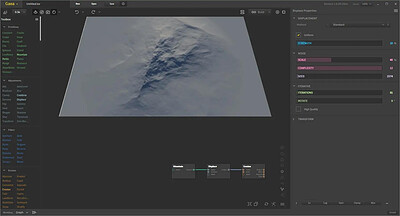
A new dawn for terrain design. Sophisticated and modern terrain design software for apex results in moments.

Pioneering tools.
Gaea's leading toolsets make realism a baseline. Streamlined workflows let you easily achieve your vision and work in tandem with your team.

Superior erosion.
The industry's most advanced and flexible erosion algorithm empowers you to create unlimited unique and believable terrains.

Artist-centric experience.
Our ultra-modern interface and myriad conveniences stimulate creativity, not constrict it. Working in Gaea is fun and can help you set a new performance standard.

Realism out-of-the-box.
Even the most basic shapes you create can be naturally authentic, original, and breathtaking. Our superior erosion suite gives you multiple ways to erode your terrains. All processes were designed for maximum appeal with minimum effort.

Primitive-based creation for instant results.
Primitives and other procedural tools let you put together an entire world fast. Choose from an arsenal of primitives, including hero mountain, mountain range, crater, and dunes - all pre-prepped for erosion.

Draw Mountains. Sculpt Erosion.
Gaea lets you draw mountains, islands, and continents of any shape and size. Directed Erosion allows you to sculpt erosion in high resolution for fine detailing - an industry first. Even when you sculpt by hand, it remains procedural.

Data Maps. Color Synthesis.
Unique Data Maps and color nodes are the foundation of Gaea's color production process. By layering and combining these maps, you can create complex textures that rival actual satellite imagery. The Vegetation node lets you add delicate foliage cover, and the Synth node creates textures from an image with a single click.

Cutting-edge workflow.
Gaea offers three different workflows to support your task or mood. Whether prototyping, building complex terrains, or finetuning details, you can enjoy a dedicated, streamlined workflow environment that will ultimately save you time.

System Requirements:
Intel® i7 or similar
24GB RAM (32GB recommended)
10GB HDD space
GPU with 1GB VRAM, Shader Model 3, DirectX 11 support

HOMEPAGE:
Код:
https://quadspinner.com/

FREE DOWNLOAD LINKS:​

Код:
https://rapidgator.net/file/cfdd72c509d737281e09115666e5b0c2/QuadSpinner_Gaea_Enterprise_2.3.1.0_x64.rar


Код:
https://nitroflare.com/view/9D67DFE850FE28D/QuadSpinner_Gaea_Enterprise_2.3.1.0_x64.rar
 
Назад
Сверху Снизу