All Emperor2011's Software in one thread !! (updated daily)

16d5a3db7be975492ae45c1475aaead7.jpg


Audials One 2027 Premium 2027.0.16 (x64) Multilingual | Size: 242.69 MB
Language: English
​
Your streams - your freedom! Find, save and improve your music, movies, radio and much more with AI!

Video
Record entire movies and series in top quality - completely ad-free

Music
Download all albums and playlists from your favorite artists losslessly at high speed

Radio
Browse dozens of stations and podcasts and easily record them simultaneously

AI
Improve your music and videos the way you want and make them shine anew

Record Losslessly What your Heart Desires
Break free from the limits of your streaming providers and start saving your favorite content now. Whether it's your favorite movie, all 10 seasons of your favorite series, the new album you love so much, or the latest radio hits - download everything your heart desires!
And the best part? Audials always offers you the highest resolution and quality of your streams! No loss of quality - but quality like fresh from the cinema and the studio!

Enhance Videos
Are your old private videos from 10 years ago barely watchable because the quality is so poor? Did you save a movie, but you're not happy with the resolution?
Don't worry, we have the solution for you! With our Premium version, you're all set, and thanks to innovative AI technology, you can upscale all your videos to the quality that perfectly suits you and your needs - even with 4K resolution! Immerse yourself in a completely new video experience where crystal-clear image quality and vivid details make every moment unforgettable.

Enhance Music
Music is your passion and you already have the best headphones and soundbars, but something still doesn't feel right? Then you're probably not yet listening to your music in studio quality. Convert all your songs into crystal-clear 96 kHz quality in an instant and experience how music should truly sound - incomparable and breathtaking, as if you were in the recording studio!

Keep Forever & Enjoy Offline
Your favorite movie was suddenly removed by your streaming provider, and you can't find that one song from your playlist anymore, even though it was just there recently? That happens more often than you think!
That's exactly why it's time to free yourself from the limitations of streaming providers now!
Download your favorite content offline in top quality to your computer. This way, you can play them on all your devices anytime and keep them forever, even if they disappear from streaming libraries.

Audials Play Radio App
Get the ultimate radio app for your phone now! E Experience even better audio quality for your songs and podcasts, now with faster access to your personalized recommendations.

Record Streaming
Record movies and series from any video streaming service on your Windows PC and save them in numerous formats such as MP4, MKV, AVI or WebM. Livestreams and TV can also be easily recorded.

System Requirements:
Windows 11 or 10 (64 bit)
1 GHz CPU
2 GB RAM
1 GB hard disk space
Broadband Internet access

HOMEPAGE:
Код:
https://audials.com/

FREE DOWNLOAD LINKS:​

Код:
https://rapidgator.net/file/1a9341cc58f0651953d7b651fe98f8dc/Audials_One_2027_Premium_2027.0.16_x64_Multilingual.rar


Код:
https://nitroflare.com/view/7F3CF13BEE66197/Audials_One_2027_Premium_2027.0.16_x64_Multilingual.rar

 
813ad0c70d53726749137b21aed0ee13.jpg


Blackmagic Design DaVinci Resolve Studio 21.1.1 (x64) Multilingual | Size: 9.64 GB
Language: English
​
DaVinci Resolve Studio supports up to 120fps at a massive 32K resolution, as well as support for multiple GPUs for real time playback of professional 10-bit formats, and accelerated H.264 and H.265 hardware decoding and encoding. There's a full suite of immersive audio tools, DaVinci Neural Engine AI voice isolation, music remixer and dialogue separator. It also includes Dolby Vision and HDR10+ grading and rendering, and 45 extra Resolve FX such as AI UltraNR noise reduction, SuperScale and de-interlacing. You also get workflow and media asset management integration, remote scripting API, and rendering and encoder plug-in support. Plus there's full screen playback on a second monitor!

More GPU Acceleration
DaVinci Resolve Studio turbo charges your system's GPU performance! Fully optimized for Metal and Apple Silicon unified memory GPUs on a Mac, or OpenCL and CUDA on Windows and Linux, plus you'll get incredible performance gains with additional GPUs.

Advanced Noise Reduction
DaVinci Resolve Studio includes some of the most powerful and sophisticated noise reduction. Temporal and AI spatial noise reduction tools can be used independently or together to help clean up and remove unwanted noise in virtually any image.

Lens Distortion
DaVinci Resolve Studio includes a lens correction feature that allows you to analyze a clip and correct for spherical lens distortion or other aberrations. It uses optical flow image analysis and processing algorithms for incredible quality results!

Professional HDR Scopes
The HDR scopes in DaVinci Resolve Studio are capable of measuring and providing detailed information about ST.2084 and HLG images. This allows you to replace the 10‑bit scale of the scopes with a scale based on nit values, or cd/m2, instead.

Stereoscopic 3D
DaVinci Resolve Studio features a complete set of tools for editing and grading stereoscopic 3D projects. You have total control over stereo specific clip properties such as convergence, floating windows, eye alignment, mastering and output.

Remote Monitoring and Grading
Remote monitoring allows clients to view a real time feed via computer, iPad or iPhone with extreme high quality! Remote grading lets you work interactively so that changes made on your DaVinci Resolve system are immediately visible remotely.

DaVinci Color Transform Language
Unlike LUTs, which rely on simple lookup tables, DaVinci color transformation scripts are GPU accelerated bits of code that directly transform images using combinations of math functions. That makes them extremely fast and non destructive.

Scripting and Automation
DaVinci Resolve Studio features support for both Python and LUA scripting, along with developer APIs that allow you to add workflow integrations and custom encoding options. This lets studios of all sizes create deeply integrated custom workflows.

Workflow Integration Plug‑ins
DaVinci Resolve Studio supports workflow integration plug-ins for connecting to local and remote asset management, automation systems and more. Users can write their own plug-in and interact with DaVinci Resolve's JavaScript APIs.

HOMEPAGE:
Код:
https://www.blackmagicdesign.com/products/davinciresolve/studio

FREE DOWNLOAD LINKS:​

Код:
https://rapidgator.net/file/18366aeb7fc139b817be50ea5b39a731/DaVinci_Resolve_Studio_21.1.1..part1.rar
https://rapidgator.net/file/a4712f24d670ee0cbb1ac5e14a672f3b/DaVinci_Resolve_Studio_21.1.1..part2.rar
https://rapidgator.net/file/2ec5f1442bc4ca79a818ff4c1951ed00/DaVinci_Resolve_Studio_21.1.1..part3.rar
https://rapidgator.net/file/a93eccdfff4792e6648c33b0bace66d5/DaVinci_Resolve_Studio_21.1.1..part4.rar
https://rapidgator.net/file/ad8e7915e35d2ca0ec9e3828da0ce583/DaVinci_Resolve_Studio_21.1.1..part5.rar


Код:
https://nitroflare.com/view/782F73BD940F4CE/DaVinci_Resolve_Studio_21.1.1..part1.rar
https://nitroflare.com/view/98214ADA6C881AF/DaVinci_Resolve_Studio_21.1.1..part2.rar
https://nitroflare.com/view/6B6BE9543F5919B/DaVinci_Resolve_Studio_21.1.1..part3.rar
https://nitroflare.com/view/175334717B82FE4/DaVinci_Resolve_Studio_21.1.1..part4.rar
https://nitroflare.com/view/F2A17DE12CDD0C1/DaVinci_Resolve_Studio_21.1.1..part5.rar
 
_3df1549167205263be6eab29dd914b35.jpeg


CopyQ 17.0.0 Multilingual | Size: 18.32 MB
Language: English
​

CopyQ is advanced clipboard manager with searchable and editable history with support for image formats, command line control and more.

Key Features
Supports Windows and Linux.
Store text, HTML, images and any other custom format.
Customize tray menu.
Save items in new tabs (and groups).
Quickly browse through items (fast navigation, filtering with matched text highlighting).
Sort items, create new, remove, copy/paste to different tab.
Variety of system-wide shortcuts (e.g. show main window or tray, edit clipboard, copy next/previous item, paste as plain text).
Immediately paste to focused window from tray or main window.
Fully customizable appearance (colors, fonts, transparency).
Add notes to items.

Advanced command-line interface and scripting.
Ignore clipboard copied from some windows or containing some text.

System Requirements: Windows 11, Windows 10, 8 , 7

HOMEPAGE:
Код:
https://github.com/hluk/CopyQ

FREE DOWNLOAD LINKS:​

Код:
https://rapidgator.net/file/8105a6916448aec0e9e6554ecc2c89af/CopyQ_17.0.0_Multilingual.rar


Код:
https://nitroflare.com/view/474940FEA63616E/CopyQ_17.0.0_Multilingual.rar
 
0b5e16aa0ca8cec0ff2d2394b59f595b.jpg


ON1 NoNoise AI 2027 v27.0.0.19336 (x64) Multilingual | Size: 410.79 MB
Language: English
​

Featuring all-new AI models for superior noise reduction and deblurring. A new standard in noise reduction for your photos, offering unparalleled image quality and usability. ON1 NoNoise AI is the best noise reduction software for photos. Quickly remove noise and get the sharpest details in your photos with our AI-powered image noise reduction software, NoNoise. It removes all image noise while intelligently recovering and enhancing the details. It integrates into your workflow by supporting common photo editors and file formats, including saving DNG raw files that maintain the full tonal and color range.

Features
Core Functionality
AI Noise Reduction: Automatically removes luminance and color noise based on image content and user-defined preferences (Low, Medium, High).
Progressive Sharpening: Enhances sharpness based on detail size while avoiding halos and artifacts.
TackSharp AI: Deblurs out-of-focus or motion-blurred images using machine learning.
Both Mode: Apply NoNoise AI and TackSharp AI simultaneously for noise reduction and sharpening in a single pass.

Standalone & Plugin Support: Works as a standalone app or plugin for Photoshop, Lightroom Classic, Photoshop Elements, Affinity Photo, Corel PaintShop Pro, and Apple Photos.
Non-Destructive Editing: Supports Smart Objects in Photoshop and preserves prior settings in compatible hosts like Apple Photos.

File Compatibility & Workflow
Wide File Support: Compatible with RAW, DNG, PSD, PSB, TIFF, JPG, PNG, HEIC formats.
Optimized for RAW Processing: AI operates on raw data before demosaicing to prevent noise propagation.
Export Options: Save processed files in DNG, PSD, TIFF, JPG, or PNG with full metadata control.
Batch Processing: Process multiple photos with synchronized settings or edit individually using built-in batch tools.
Seamless Round-Trip Editing: Maintains edits when used with Lightroom and Apple Photos (when configured properly).

Editing Tools
Crop Tool: Standard crop with custom aspect ratios and content-aware cropping support.
Retouching Tools: Includes Healing Brush, Retouch Brush, Perfect Eraser, and Clone Stamp.
Masking & Layers: Use layers to apply noise reduction and sharpening selectively. Supports masking tools including AI Quick Mask, Gradient Mask, Line Mask, Refine Brush, and Chisel Brush.

User Experience Features
Before/After Split View: Compare original and processed images in real-time with adjustable sliders.
Auto/Adjust Toggle: Lock in or reopen edits easily with the Apply and Adjust toggle buttons.
Sync Settings Across Images: Sync NoNoise, Crop, and Retouch settings across batches of images.
Customizable Keyboard Shortcuts: Modify or create custom shortcut sets and export them as a reference guide.
Custom UI Layout: Rearrange and hide panes like Navigator, Levels, Info, History, and Snapshots.
Font Size and Scroll Wheel Options: Choose Small, Medium, or Large fonts and configure scroll wheel behavior.

Export & Output Features
Export Presets: Save custom export settings for file type, resolution, sharpening, watermark, and more.
Multiple Format Output: Export in DNG, PSD, PSB, TIFF, JPG, or PNG.
Watermarking: Apply text or image-based watermarks; supports PNG files and custom presets.
Metadata Handling: Retain, edit, and embed IPTC, camera, and rating metadata in exported files.

HOMEPAGE:
Код:
https://www.on1.com/

FREE DOWNLOAD LINKS:​

Код:
https://rapidgator.net/file/9e7f104196ef90db8ab16e877f2b2155/ON1_NoNoise_AI_2027_v27.0.0.19336_x64_Multilingual.rar


Код:
https://nitroflare.com/view/D367A26ECCA426E/ON1_NoNoise_AI_2027_v27.0.0.19336_x64_Multilingual.rar
 
7740d06fea5e13fa08decec47f21ef7b.jpg


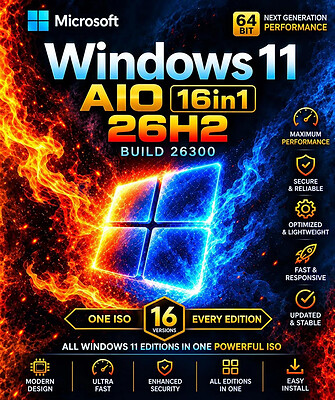
Windows 11 Pro 26H2 Build 26300.9550 Preactivated (Final) | Size: 6.79 GB
Language: English
​
Windows 11 version 26H2 also known as the Windows 11 2026 Update,is built on the same servicing foundation as recent Windows 11 releases. It delivers the latest Windows innovations with a streamlined update experience designed to minimize disruption and help you stay secure, productive, and up to date.

For many eligible devices, moving to version 26H2 is as simple as installing a small enablement package, with a minimal download size, quick installation, and a single restart. Version 26H2 enables most of the features that were introduced in monthly updates for Windows 11, version 25H2.

What's new in Windows 11, version 26H2
Windows 11, version 26H2 is the next annual feature update for Windows 11. It builds on the same servicing foundation as Windows 11, versions 25H2 and 24H2, helping organizations adopt the latest release with minimal disruption. Devices running eligible versions of Windows 11 can move to version 26H2 through a small enablement package rather than a full operating system upgrade.

Because Windows 11, versions 26H2, 25H2, and 24H2 share a common servicing branch, many new features and improvements have already been delivered through monthly servicing updates. Version 26H2 enables selected features and resets the support lifecycle for the new release.

Servicing and deployment
Windows 11, version 26H2 provides a familiar update experience

Delivered as an enablement package for eligible devices running Windows 11, versions 25H2 and 24H2.
Fast installation with a single restart in most scenarios.
Reduced validation effort because supported versions share the same underlying platform.
Consistent management, security, and update experiences across supported releases.
Features enabled by default in version 26H2
For commercial organizations, Windows 11, version 26H2 enables capabilities that were introduced previously but controlled through temporary commercial controls.

Windows settings backup
Windows settings backup is now enabled by default for eligible commercial devices. This helps organizations preserve supported Windows settings and Microsoft Store app lists for recovery and device replacement scenarios. Existing administrator-configured policies continue to be honored.

App-specific actions from the taskbar
Windows 11, version 26H2 enables app-specific taskbar actions by default for commercial devices. Users can thus access common actions directly from taskbar experiences.

File Explorer enhancements
Several File Explorer improvements that were previously under temporary commercial controls are enabled by default in Windows 11, version 26H2. These enhancements focus on improving navigation and usability within File Explorer.

System Requirements
Processor: 2 gigahertz (GHz) or faster.
RAM: 2 gigabyte (GB).
Free space on hard disk: 15 gigabytes (GB).
Graphics card: DirectX 9 graphics device or a newer version.
Additional requirements to use certain features.
To use touch you need a tablet or monitor that supports multitouch.
To access the Windows store to download and run apps, you need an active Internet connection and a screen resolution of at least 1024 x 768 pixels

HOMEPAGE:
Код:
https://microsoft.com

FREE DOWNLOAD LINKS:​

Код:
https://rapidgator.net/file/2b4a8e094a79ff24ecdfdfe4381e08fa/Win.11.Pro.26H2.0642572381011..part1.rar
https://rapidgator.net/file/19c757a8bffc012f9a74b0b1c5821578/Win.11.Pro.26H2.0642572381011..part2.rar
https://rapidgator.net/file/b7ae3a3b54eb80e9070796cea6b628a5/Win.11.Pro.26H2.0642572381011..part3.rar
https://rapidgator.net/file/fd4b73a38f92894572d74f6fe6bfb72c/Win.11.Pro.26H2.0642572381011..part4.rar
https://rapidgator.net/file/90f3d4bf7300878c83838319a7579edf/Win.11.Pro.26H2.0642572381011..part5.rar
https://rapidgator.net/file/605c1c99cc61569ce4ba036fa2819db1/Win.11.Pro.26H2.0642572381011..part6.rar
https://rapidgator.net/file/a3c8c7220831d7d8cf438fb2f5a6b392/Win.11.Pro.26H2.0642572381011..part7.rar


Код:
https://nitroflare.com/view/CB31B9D279D4501/Win.11.Pro.26H2.0642572381011..part1.rar
https://nitroflare.com/view/BB48D49E05C9985/Win.11.Pro.26H2.0642572381011..part2.rar
https://nitroflare.com/view/715759C15C65C71/Win.11.Pro.26H2.0642572381011..part3.rar
https://nitroflare.com/view/8A2E51225B49DAB/Win.11.Pro.26H2.0642572381011..part4.rar
https://nitroflare.com/view/76C1BAA05846C34/Win.11.Pro.26H2.0642572381011..part5.rar
https://nitroflare.com/view/E686BABB8063222/Win.11.Pro.26H2.0642572381011..part6.rar
https://nitroflare.com/view/57529E3CB88995B/Win.11.Pro.26H2.0642572381011..part7.rar
 
Назад
Сверху Снизу