All Emperor2011's Software in one thread !! (updated daily)

bf8193b39e841740858f0989f1686c86.gif


AutoHotkey 2.0.30 | Size: 2.9 MB
Language: English
​
AutoHotkey is a free, open-source utility for Windows. With it, you can:

* Automate almost anything by sending keystrokes and mouse clicks.
You can write a mouse or keyboard macro by hand or use the macro recorder.
* Create hotkeys for keyboard, joystick, and mouse. Virtually any key, button, or combination can become a hotkey.
* Expand abbreviations as you type them. For example, typing "btw" can automatically produce "by the way".
* Create custom data-entry forms, user interfaces, and menu bars. See GUI for details.
* Remap keys and buttons on your keyboard, joystick, and mouse.
* Respond to signals from hand-held remote controls via the WinLIRC client script.
* Run existing AutoIt v2 scripts and enhance them with new capabilities.
* Convert any script into an EXE file that can be run on computers that don't have AutoHotkey installed.

Other Features
* Change the volume, mute, and other settings of any soundcard.
* Make any window transparent, always-on-top, or alter its shape.
* Use a joystick or keyboard as a mouse.
* Monitor your system. For example, close unwanted windows the moment they appear.
* Retrieve and change the clipboard's contents, including file names copied from an Explorer window.
* Disable or override Windows' own shortcut keys such as Win+E and Win+R.
* Alleviate RSI with substitutes for Alt-Tab (using keys, mouse wheel, or buttons).
* Customize the tray icon menu with your own icon, tooltip, menu items, and submenus.
* Display dialog boxes, tooltips, balloon tips, and popup menus to interact with the user.
* Perform scripted actions in response to system shutdown or logoff.
* Detect how long the user has been idle. For example, run CPU intensive tasks only when the user is away.
* Automate game actions by detecting images and pixel colors (this is intended for legitimate uses such as the alleviation of RSI).
* Read, write, and parse text files more easily than in other languages.
* Perform operation(s) upon a set of files that match a wildcard pattern.
* Work with the registry and INI files.

FREE DOWNLOAD LINKS:​

Код:
https://rapidgator.net/file/b8c6e17d9528f57c26b6ef75befd5504/AutoHotkey_2.0.30.rar


Код:
https://clicknupload.click/soz0ni72tcvr/AutoHotkey_2.0.30.rar
 
d6fd41c1515a726b87e521560095c5c0.png


Bondware Poser Pro 14.0.516 | Size: 564.52 MB
Language: English
​
Poser 14 is the latest release of the world's leading 3D character design and animation software. It provides a powerful set of tools for artists, illustrators, and animators to bring their creative visions to life. Poser 14 comes packed with a host of features and improvements that make it easier to create stunning 3D artwork. It boasts a user interface that provides an intuitive and streamlined workflow, allowing users to focus on their creative process rather than getting bogged down in technical details.

One of the standout features of Poser 14 is the SuperFly rendering engine, which provides unparalleled realism and detail in your final renders. With SuperFly, you can achieve lifelike lighting and shadow effects that make your characters and scenes come to life.

Poser 14 also includes a vast library of pre-built content, including characters, clothing, props, and environments. These assets can be easily customized to fit your specific needs, or you can create your own assets from scratch using the powerful built-in tools.Other features of Poser 14 include enhanced posing and animation tools, advanced rigging options, and support for industry-standard file formats like OBJ, FBX and GLTF/GLB.

Overall, Poser 14 is an essential tool for anyone looking to create high-quality 3D art and animation. With its powerful features and user-friendly interface, it's the perfect choice for artists and animators of all skill levels.

Notable With This Release
- SuperFly render engine upgraded to use latest stable version of Cycles
- Intel One API ARC GPU Card Support
- Material Room: Return of the Simple Material Tab provides an easier, faster way to make Physically Based Materials
- Scene Backgrounds: Consolidated and simplified on the Simple Material Tab and the Display Menu
- GLTF/GLB Figure export
- Removal of the Cloth Room simulation feature
- Windows-only distribution

Material Room Changes
The Simple Materials tab has returned after a long absence. It's role in Poser's workspace has been changed to assist with modern texturing methods. It's designed to simplify setting up Physically Based Render (PBR) materials. The new Simple Materials Tab gives you quick access to setup a Physical Surface with the same texture maps that are typically created with texturing tools like Substance Painter. In most case it's as easy as dragging and dropping texture maps exported from a texture painting app into Poser's Simple Material tab.

Scene Background Changes
Poser's interface for handling scene backgrounds has been extensively redesigned. All of the scattered menu options related to creating and managing the background of your scenes has been consolidated into 2 places, the Material Room's Simple Material Tab and the on the Display Menu. The Simple Background tab provides 4 clear choices for background styles: Simple color, static image, movie and HDRI Environment. This makes setting up a background more concise and faster. The Background Environment (BGEnvironment) also includes a real time preview of High Dynamic Range Image (HDRI) Environments. It's no longer necessary to use a prop for HDRI previews. For most cases it's as simple as selecting the background style and adding the imagery.

Returning Features
- Firefly render engine for compatibility with scenes from previous versions.
- Powerful non-photographic render modes including Cartoon, Comic Book and Sketch Renders.
- Python scripting support
- SuperFly shadow catcher objects and background transparency.
- Material manager allows you to quickly and intuitively copy materials.
- Continued support of LaFemme and L'Homme figures (versions 1 & 2)
- HiveWire3D's Dawn, Dusk feature updated SuperFly materials.
- Control handles provide interactive controls to make posing and animation more intuitive.
- Intuitive Library Search for internal and external content.
- Render layers for Firefly.
- All former Pro options are included in Poser
- 21-day full feature, free trial.

"Poserful" Features
- Unique user interface that makes 3D easier.
- Massive library of included content.
- Experienced and knowledgeable support team.
- Start making art the very first day.

Release Notes
System Requirements
- Windows 10 or later (64-bit OS required).
- 2 GHz Intel Core 2 or newer, Athlon X2 64 or newer (2.5 GHz or faster, 4 core or more recommended).
- 16 GB system RAM
- OpenGL enabled graphics card or chipset required for hardware accelerated preview.
- 24-bit color display, 1440 x 900 minimum resolution. (2k monitor recommended)
- 3 GB free hard disk space (30 GB required to install all included content).
- USB drive (physical USB product only)
- CUDA and Optix enabled device recommended for hardware accelerated final rendering (2 GB RAM minimum, Compute Capability 5.0 minimum).
- Optix-accelerated raytracing requires Nvidia RTX or Turing GPU, or newer.

HOMEPAGE:
Код:
https://www.posersoftware.com

FREE DOWNLOAD LINKS:​

Код:
https://rapidgator.net/file/298470e63355e649f8ddd05839a81c4b/Bondware_Poser_Pro_14.0.516.rar


Код:
https://clicknupload.click/ot05yb9b1b0k/Bondware_Poser_Pro_14.0.516.rar
 
8d408e180416147a710afe7e38a0469b.jpg


Brickaizer 8.0.4.9 (x64) Multilingual | Size: 25.54 MB
Language: English
​
Brickaizer creates brick mosaic blueprints, including all the required data to start building right away. Coloured bricks are hot again! With these bricks you can now make great pieces of brick-art, and the availabily of a large selection of bricks, plates, shapes and colours allow for truly great works. A growing community of (grown-up) people rediscover the potential of these little bricks and plates to create great pieces of art. And, Brickaizer uses the renowned high speed colour matching engine of Mosaizer XV to optimize use of amount of bricks, colours and sizes.

Brickaizer is a stand-alone application that works under windows or under a windows environment in OS-X (mac). After installation you can immediately create a brick mosaic. In the first period of use the application is unrestricted and fully functional. When these grace days have expired a few professional features will be limited or locked.

PHOTO REALISTIC
The Brickaizer software is capable to create perfect colour matches with every possible combination of colours and sizes. Several high-accuracy colour matching engines are used, including colour- and black & white dithering, and the Mosaizer XV colour matching engine. Even from a close distance the beautiful photograph can be seen, no need to step away 5 meters to get rid of the mismatching colour patches.

FULL CONTROL OF BRICK CHOICE
Several matching conditions can be set: always minimum cost, but also individual size and colours, per type of brick can be accurately preset. You can define the desired maximum amount of a certain brick because you don't have more of them. And the cost is accurately calculated. And the brick sets are completely integrated with the Bricklink data. Brickaizer can be completely tailored to your needs.

SAVE AND RE-USE
Brickaizer remembers your last and favourite settings as projects, so you can resume any time with your brick mosaic. Brick mosaic creation is interactive and very easy to use, and all output is in readable and printable formats, like bitmaps and excel spreadsheet with amount, cost and position/orientation data.

MINISTECK IS BACK
Brickaizer can also create Ministeck® mosaics. It uses the full spectrum of the just 5 different shapes, including the favourite L-shape piece. Brickaizer will optimize the use of commercially available sets and parts, so your cost is minimized. Creating your own Ministeck® masterpiece has never been easier.

BEADS ON A PLATE
Brickaizer is finally capable to also create bead mosaics. These little pieces of plastic enjoy new attention from many enthusiasts all over the world. It's not only a child's play, huge mosaics have been made, 250 thousand beads is no exception anymore. Brickaizer can create these giant mosaic as easy as making a mosaic for a 50 x50 peg board.

Operating System: Windows 7, 8/8.1, 10, 11

HOMEPAGE:
Код:
https://www.apphelmond.com/

FREE DOWNLOAD LINKS:​

Код:
https://rapidgator.net/file/8f248204c0ba1c9b67aafe7a64745e4a/Brickaizer_8.0.4.9_x64_Multilingual.rar


Код:
https://clicknupload.click/itmupeqnzhs8/Brickaizer_8.0.4.9_x64_Multilingual.rar
 
b32c45e7acd5e20af2aed51c6db85e5f.jpg


Calibre 9.16.0 (x64) Multilingual | Size: 227.83 MB
Language: English
​
Effortlessly keep your e-book library thoroughly organized with the help of this efficient and straightforward software solution. Calibre is an e-book library management application. It is free, open source and cross-platform in design and works on Linux, OSX and Windows.Calibre is meant to be a complete e-library solution and thus includes, library management, format conversion, news feeds to ebook conversion as well as e-book reader sync features.

Calibre is an application that allows you to view, convert and organize e-books in a simple manner.
The user interface of the program is simple to use. You can add e-books (from a single or multiple directories) by using the file browser or the "drag and drop" function. You can also add books by entering their ISBN code.

In the tag browser you can sort e-books according to their author, language, series, format, publisher, rating, as well as news, tags and identifies.
So, you can download or edit metadata individually or in bulk, get covers, merge e-book records, convert e-books individually or in bulk (in the XML, CSV, EPUB, MOBI and other formats), as well as send e-books to devices.

You can also use the "Fetch news" feature to download news from websites and convert them into a preferred e-book format. It is possible to schedule news downloads, add a custom sources or download all scheduled news sources as well.
Calibre allows you to create libraries and toggle between them, as well as rename, delete, backup and restore libraries, connect to iTunes, start a content server, search and sort e-books, and more.
The program uses a high amount of system resources and contains a comprehensive help file. It didn't freeze or crash during our tests. Calibre is easy to use and provides a great solution for viewing and organizing e-books in various formats.

System Requirements: Windows 10 (version 1809) and higher

FREE DOWNLOAD LINKS:​

Код:
https://rapidgator.net/file/a412755c4f7840069cb90ffc404e5b0e/Calibre_9.16.0_x64_Multilingual.rar


Код:
https://clicknupload.click/tkeyokhwgvks/Calibre_9.16.0_x64_Multilingual.rar
 
7efb2ab7ce5fdbdfd6ebb60b1e85adc8.jpg


Catalyst Prepare 3.0.0.641 | Size: 389.3 MB
Language: English
​
Catalyst Prepare (hereinafter referred to as "this software") is software for performing pre-editing tasks such as managing, reviewing, selecting, correcting, and exporting recorded clips.

In addition to checking metadata recorded during shooting, the software supports efficient searching during the pre-editing phase by assigning flags (OK/Keep/NG (no good)) and mark points.

Furthermore, the software provides video correction functions such as image stabilization and color adjustment, as well as transcoding to a wide range of formats and various export functions.

Key Features & Updates in Version 3.0:
• App Integration: Integrates Catalyst Browse and Catalyst Prepare into a single unified application (Catalyst Prepare), combining media review, management, and color grading workflows.

• Redesigned User Interface (UI): Features a completely refreshed layout with customizable pane widths (right pane and left folder tree/file list), tooltips, and collapsible/resizable elements.
• New Format Support: Adds native support for Sony FX5's new X-OCN C1/C2 formats.
• Cloud & Workspace Features: Includes direct ability to browse and download files from Ci (Cloud) workspaces.
• Enhanced File & Folder Management:
- Rename, delete, and move folders and files directly within the app.
- Pin metadata and customize displayed list columns.
- Thumbnail preview on mouse hover, plus a UI setting to adjust thumbnail frame counts.
- Hover-to-read full text support for truncated file names and labels.
• Color & Effects Improvements:
- Direct UI import for LUTs (Look-Up Tables).
- Separate window option for color-related indicators.
- Apply clip adjustments (such as image stabilization) across multiple clips simultaneously.
- Filter clips based on whether effects are applied.

HOMEPAGE:
Код:
https://www.sonycreativesoftware.com

FREE DOWNLOAD LINKS:​

Код:
https://rapidgator.net/file/acbd0bec81ed056ad5ef6f31f05f2c76/Catalyst_Prepare_3.0.0.641.rar


Код:
https://clicknupload.click/2ixyawfyvkl7/Catalyst_Prepare_3.0.0.641.rar
 
5037c0fb7889a705510dc5c4f8bca5cd.png


DBF Converter 7.93 | Size: 3.71 MB
Language: English
​
DBF Converter is a universal solution to all your DBF format conversion needs. Whenever you need to extract data from a DBF file to CSV, XLS, XLSX, SQL or plain text, the software delivers a straightforward way to do this with minimum efforts.

3-Steps conversion
Working with DBF Converter is easy. You specify a DBF file or a folder with DBF files you want to convert, select fields and filter out records you need. Then it's just a matter of one click for DBF Converter to turn source files into the format of your choice.

Powerful data filtering
Data filtering in DBF Converter is visual. This means the program takes a sample of records in the DBF file and allows you to apply custom filter rules and masks and instantly see the sample changes according to your choice.

Batch conversion for multiple DBF files
When you have dozens of those DBFs, converting them could be tricky. But thanks to DBF Converter there's no difference whether you need to process one file or a hundred. The program accepts a folder containing your source DBF files and converts them all one by one. And thanks to the low-level access to data the conversion remains fast and accurate.

DBF Viewer 2000 runs on all versions of Windows from 95 through XP, Vista, Windows 7/8/10/11 and Server Editions (32/64-bit)

HOMEPAGE:
Код:
http://www.dbf2002.com/

FREE DOWNLOAD LINKS:​

Код:
https://rapidgator.net/file/529a075db7caf316717e5013de46fc86/DBF_Converter_7.93.rar


Код:
https://clicknupload.click/7eziofndpdnm/DBF_Converter_7.93.rar
 
_a7b56d8dd1a2d4e5d15fdc5c9eb9b5e3.jpeg


Donemax Data Eraser Business 5.0 | Size: 21.54 MB
Language: English
​
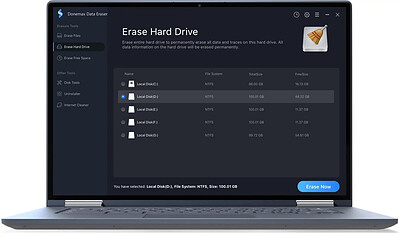
Permanently erase your data to prevent potential data recovery. Safe, powerful & easy-to-use data erasure software to help you permanently erase data from SSD, HDD, USB flash drive, memory card, digital camera, etc.

Permanently Erase Sensitive Data to Prevent Data Recovery
Don't let your sensitive data fall into the wrong hands! Donemax Data Eraser is able to help you securely and permanently erase sensitive data before you sell, donate, trade in or lend your hard drive/external device to other people. The erased data will be gone forever, can't be recovered by any data recovery method.

Certified Data Erasure Software - Three Data Erasure Modes
Donemax Data Eraser offers military & government level data erasure algorithms including HMG Infosec Standard 5, Baseline,DOD 5220.22-M,U.S. Army AR380-19,Peter Gutmann's algorithm. Once the data is erased by Donemax Data Eraser, the data is gone forever, can't be recovered by any data recovery software.

This data erasure software is 100% safe. It will not cause any logical or physical damage to your hard drive or device. (It will not shorten the service life of your SSD.)

Supported Device
- All desktops and laptops
- HDD
- SSD
- USB flash drive
- Memory card
- Digital camera
- RAID
- Other digital device

Operating System: Windows 7, Vista, 8, 10, 11 and Windows Server

HOMEPAGE:
Код:
https://www.donemax.com/

FREE DOWNLOAD LINKS:​

Код:
https://rapidgator.net/file/bd9ab367e468da80fdbc8d555caf58f6/Donemax_Data_Eraser_Business_5.0.rar


Код:
https://clicknupload.click/okywyxo4d7vr/Donemax_Data_Eraser_Business_5.0.rar
 
0a40c624131a7a86771c429d6cd4d8ec.png


Edge Remover 19.9 | Size: 159.07 KB
Language: English
​

Effortlessly remove the Microsoft Edge browser from your system, in just a single click, with this non-UI, straightforward application.

Non-UI approach and its inherent simplicity offer straightforward handling and efficient operation
Right from the start, we were impressed by the application's simple approach, as it not only lacks an interface altogether but also allows one to uninstall Microsoft Edge in just a single click, by initializing the installer.
Of course, a handy addition to the removal process is a confirmation, which users need to address in order to proceed with the uninstallation. This is very useful, in case one might want to rethink removing the app.
No advanced options for removing cache or other traces, potential room for improvement in future iterations
There really isn't much to criticize about Edge Remover as given its scope and intended purpose, we feel that its minimalism suits the process brilliantly, especially considering how hassle-free is its operation.

If we were to mention some potential improvements, for future iterations, one such aspect could be to have several options for safely removing additional, related information, such as cache, settings, and other traces that might remain upon a simple removal process.
Handy app that can help you save precious time when wanting to uninstall your Microsoft Edge browser quickly
Give Edge Remover a try, if you're on the lookout for a simple yet effective tool for uninstalling Microsoft Edge in just a few seconds, without having to perform complex setup steps or other configuration processes.

System Requirements: Windows 10, 8 , 7

HOMEPAGE:
Код:
https://www.omidsoft.com/

FREE DOWNLOAD LINKS:​

Код:
https://rapidgator.net/file/579a0560ff59a8001fb847c9af7517e1/Edge_Remover_19.9.rar


Код:
https://clicknupload.click/ee3xatn7pwyx/Edge_Remover_19.9.rar
 
b05f068a030d387f189a772836c953ce.jpg


Free YouTube Download 4.5.23.1007 Premium Multilingual | Size: 149.87 MB
Language: English
​
Free YouTube Download is the most popular YouTube downloader application now, released in 2006 and updated on a regular basis. It lets you download and convert YouTube videos, so you can watch them whenever you want.

Instructions (step by step)
Download and run the app
Copy YouTube URL and click 'Paste' button
Click the 'Download' button and enjoy!

Download videos in bulk!
Save entire YouTube playlists, user channels, videos from personal playlists (History, Liked, Favorites, Watch later), videos from different categories.

Download videos super fast!
Free YouTube Download is known for its lightning fast multistream downloading.
It allows you to download several videos in original quality in just a few seconds.

Features
get YouTube stream in any format, choose between MP4, MKV up to 8K UHD, WEBM, and MP3
perform conversion to MP4, AVI, and MP3
apply output name format patterns
open lists of links from any text files
transfer videos to iTunes automatically and convert them to iPhone / iPad / iPod
download subtitles

Operating System: Windows XP SP3, Vista, 7, 8/8.1, 10, 11

HOMEPAGE:
Код:
https://www.dvdvideosoft.com/

FREE DOWNLOAD LINKS:​

Код:
https://rapidgator.net/file/13240dbdf20819b3ab9300149ba1420b/Free_YouTube_Download_4.5.23.1007_Premium_Multilingual.rar


Код:
https://clicknupload.click/opt9iqe2qgnv/Free_YouTube_Download_4.5.23.1007_Premium_Multilingual.rar
 
bc4ed6e5d964587bf74101be274dcbe6.jpg


Free YouTube To MP3 Converter 4.5.23.1007 Premium Multilingual | Size: 153.5 MB
Language: English
​
Free YouTube to MP3 Converter Premium - Convert YouTube to MP3, extract audio from YouTube playlists, show lists, charts, video responses, channels, user favorites. The number of available options and formats is infinite, despite the fact that most of them are available in free version. You may download and convert playlists, channels, original streams, TV series and get them to iTunes at once.

Highlights:
- Convert YouTube to MP3. Fast. Free. The Best!
- Download original quality files without conversion.
- Get Insane and Extreme MP3 hi-fi files, nobody does it, but we!
- Convert to AAC, OGG, M4A, FLAC and WAV lossless audio.
- Convert any YouTube playlist to MP3.
- Available for Mac and PC. 100% clean and safe.

Bulk download
Get the whole world of MP3s. Find playlists and channels to match your mood. Download and convert YouTube Playlist to MP3. This is the unique feature of the program.

Pure sound
Convert to lossless and lossy. Formats available: MP3 (Lame Insane and Extreme Profiles), M4A (AAC), WAV, FLAC and OGG. Download the original stream to get hi-fi sound within the reach of the audiophile.

Functional
Enjoy multithreaded downloading. Download playlists and separate links - all at once. Customize output names easily. Fill MP3 tags and artworks automatically.

Operating System: Windows 11, 10, 8, 7, Vista, XP SP3

HOMEPAGE:
Код:
https://www.dvdvideosoft.com/

FREE DOWNLOAD LINKS:​

Код:
https://rapidgator.net/file/936471024cb061e72c725e79ac779da6/Free_YouTube_To_MP3_Converter_4.5.23.1007_Premium_Multilingual.rar


Код:
https://clicknupload.click/koqj2127qk2b/Free_YouTube_To_MP3_Converter_4.5.23.1007_Premium_Multilingual.rar
 
34ea0766d49ae978a4f1d811821c2e04.jpg


HDClone Free 16.1.1.4 | Size: 104.05 MB
Language: English
​
HDClone creates physical or logical copies (clones) and file images of hard disks and other mass storage media. HDClone is a perfect tool for backups and copies of entire software or operating system installations. A special 'SafeRescue' mode makes HDClone an invaluable tool for rescuing defective hard disks and other media. HDClone works independent of partitioning scheme, file system, and operating system. It also works with proprietary formats which otherwise would be unaccessible.

Free EditionThe Free Edition of it offers all necessary abilities to copy a complete hard disk onto another, larger hard disk. This can be utilized to migrate an existing installation to a new hard disk as well as for data rescue. The Free Edition is real freeware without obligation to buy and is intended for the short-term usage at no cost.
The Free Edition supports IDE/ATA and SATA/eSATA hard disks and is able to copy up to 300 MB/min.

System Requirements: Windows 11, Windows 10, 8 , 7

HOMEPAGE:
Код:
https://www.miray.de/

FREE DOWNLOAD LINKS:​

Код:
https://rapidgator.net/file/1b37424c572d24fad153bcc6e258c9f2/HDClone_Free_16.1.1.4.rar


Код:
https://clicknupload.click/3vzwmmfs59wp/HDClone_Free_16.1.1.4.rar
 
12250561c57c7f6ed19acbb87667f38b.jpg


Hasleo Backup Suite 5.9.2.4 Multilingual | Size: 40.54 MB
Language: English
​
Hasleo Backup Suite is a free backup and restore software for Windows, which embeds backup, restore, and cloning features. The software is designed for Windows users and is compatible with both Windows PCs and Servers. Hasleo Backup Suite natively supports Windows X86/X64 and ARM64, enhancing performance while reducing power consumption.

The backup and restore feature in Hasleo Backup Suite can help you back up and restore the Windows operating system, disks, or partitions to ensure the security of your Windows OS and personal data. The cloning feature supports migrating Windows to a new disk and upgrading disks to SSDs or higher-capacity disks.

System Backup & Restore
Back up all partitions related to the normal operation of the Windows operating system, including the system partition, boot partition, and recovery partition, ensures fast system recovery in case of a Windows operating system crash.

Disk/Partition Backup & Restore
Viruses, power outages, or other unexpected issues may cause data loss, so it is a good habit to regularly back up the drive where you store important files. This way, you can recover lost files from the backup image files if accidents happen.

File Backup & Restore
Back up only specified files/folders (instead of the full drive) to another location to protect your data. This allows you to restore them quickly from the backup image files when needed.

System Clone
Clone the Windows operating system from one disk to another SSD or higher-capacity drive without reinstalling Windows, applications and drivers.

Disk Clone
Clone the entire source disk to the target disk and ensure that the target disk is an exact replica of the source disk.

Partition Clone
Precisely clone a partition to another location on the same disk or another disk, while ensuring data integrity and consistency.

Backup, Restore and Clone Windows OS, Disks, Partitions, Files/Folders.
Backup Modes: Full, Incremental, Differential.
Compress, Encrypt, Split, Merge, Delete, Mount and Check Backup Image Files.
Delta Clone/Restore Improves Clone/Restore Speed by Cloning/Restoring only Changed Blocks.
Advanced Backup Options: Filter, Scheduling and Retention Policies.
Create Bootable WinPE Emergency Disk and Support Command Line Interface (CLI).
Comprehensive Windows File System Compatibility: FAT, NTFS, exFAT, ReFS.
Supported OS: Windows Vista/Server 2008 or later Running on X86/X64/ARM64 Processors.

HOMEPAGE:
Код:
https://www.easyuefi.com/

FREE DOWNLOAD LINKS:​

Код:
https://rapidgator.net/file/4d50baf15bd6aca2914bacd15bfaba02/Hasleo_Backup_Suite_5.9.2.4_Multilingual.rar


Код:
https://clicknupload.click/17jf9nyiwg32/Hasleo_Backup_Suite_5.9.2.4_Multilingual.rar
 
791502188bd51fddc45c61604c337005.jpg


Hasleo Backup Suite Technician 5.9.2.4 Multilingual WinPE | Size: 737.31 MB
Language: English
​
Hasleo Backup Suite is a free backup and restore software for Windows, which embeds backup, restore, and cloning features. The software is designed for Windows users and is compatible with both Windows PCs and Servers. Hasleo Backup Suite natively supports Windows X86/X64 and ARM64, enhancing performance while reducing power consumption.

The backup and restore feature in Hasleo Backup Suite can help you back up and restore the Windows operating system, disks, or partitions to ensure the security of your Windows OS and personal data. The cloning feature supports migrating Windows to a new disk and upgrading disks to SSDs or higher-capacity disks.

System Backup & Restore
Back up all partitions related to the normal operation of the Windows operating system, including the system partition, boot partition, and recovery partition, ensures fast system recovery in case of a Windows operating system crash.

Disk/Partition Backup & Restore
Viruses, power outages, or other unexpected issues may cause data loss, so it is a good habit to regularly back up the drive where you store important files. This way, you can recover lost files from the backup image files if accidents happen.

File Backup & Restore
Back up only specified files/folders (instead of the full drive) to another location to protect your data. This allows you to restore them quickly from the backup image files when needed.

System Clone
Clone the Windows operating system from one disk to another SSD or higher-capacity drive without reinstalling Windows, applications and drivers.

Disk Clone
Clone the entire source disk to the target disk and ensure that the target disk is an exact replica of the source disk.

Partition Clone
Precisely clone a partition to another location on the same disk or another disk, while ensuring data integrity and consistency.

Backup, Restore and Clone Windows OS, Disks, Partitions, Files/Folders.
Backup Modes: Full, Incremental, Differential.
Compress, Encrypt, Split, Merge, Delete, Mount and Check Backup Image Files.
Delta Clone/Restore Improves Clone/Restore Speed by Cloning/Restoring only Changed Blocks.
Advanced Backup Options: Filter, Scheduling and Retention Policies.
Create Bootable WinPE Emergency Disk and Support Command Line Interface (CLI).
Comprehensive Windows File System Compatibility: FAT, NTFS, exFAT, ReFS.
Supported OS: Windows Vista/Server 2008 or later Running on X86/X64/ARM64 Processors.

HOMEPAGE:
Код:
https://www.easyuefi.com/

FREE DOWNLOAD LINKS:​

Код:
https://rapidgator.net/file/95168bfcaff68945a8abda53d5d59f81/Hasleo_Backup_Suite_Technician_5.9.2.4_Multilingual_WinPE.rar


Код:
https://clicknupload.click/ytu1n1e5gb74/Hasleo_Backup_Suite_Technician_5.9.2.4_Multilingual_WinPE.rar
 
8f86a9490b128821c1df324624368bab.jpg


HttpMaster Professional 7.1.2 (x64) | Size: 57.65 MB
Language: English
​
A useful application for the web developers who need to automate the web applications testing by requesting multiple resources from a specified website It's only natural for professional web developers to need advanced testing tools for their applications, whether we are talking about a website or a web-based application. With a feature-rich feature set, HttpMaster Professional Edition aims to meet the requirements of many as far as application testing is concerned.

HttpMaster project
When working with HttpMaster, you will most of the time manage HttpMaster project properties and properties of the request items contained inside the project. Project properties offer global options to customize internet requests that will be executed; changes to this properties affect all project request items.
HttpMaster project can be saved to disk as a file with 'hmpr' extension for later reuse. Project file is stored internally in XML format.

Broad set of http properties
HttpMaster project contains a lot of options which can be used to fine-tune generated http requests. These include request encoding, global URL and query string, global http request headers, and couple of advanced properties like URL encoding and ability to completely disable execution data storing which can be useful if you want executions to be completed as fast as possible without collecting any data.

Parameters
In project properties you can also define parameters of different data types and different generation types. Parameters enable you to include dynamic data with the request items; this can be useful to generate multiple requests based on the parameter data or to create global reusable values.
All defined parameters can be used with request item properties, for example, with URL of the request item.

Response data validation
By default HttpMaster validates each executed request with default system validation. Default system validation monitors returned http status codes and determines execution result according to this status code. However, you can define custom validations in project properties and then use this project validations to define custom validation logical expression for each request item. There are different types of custom validations available; majority of them perform some validation on the response body.

Request chaining
HttpMaster project enables you to define chaining items of different types which can then be used in request items to include some data from the previous request with the next request. You can use these project chaining items in request item properties, for example, inside request item URL. This will dynamically insert data from the previous request in places where chaining is used. In such a way, you can create a chain of requests where each request will use some data from the previous request.

Extensive data upload support
Various data properties can be specified when creating request item, including http method, URL address, and more. HttpMaster also has a rich support for data upload; it enables you to post plain text data, contents of particular file, or multipart form data which can include mix of plain text data and disk files. Request body data for upload can also be automatically built from an existing HTML content obtained from some internet address (URL) or disk file.

Request data builder
If you have to test particular website with various options of input data, you can build request body from an existing HTML content obtained from URL or disk file. HttpMaster will detect all HTML input elements inside FORM tags and will display them in the list where you will be able to include them in the request body. For all HTML elements with multiple options (for example, radio buttons or SELECT elements), HttpMaster will obtain all possible values from HTML content and will enable you to automatically create multi-value parameter with obtained data values.

Request item execution
HttpMaster offers powerful execution capabilities and allows you to execute only opened request item, only selected request items, or all project request items. It is also possible to create execution groups and execute only request items that are part of the particular execution group.
During the execution process you can monitor executions progress and status of each request item. HttpMaster also allows complete execution data to be saved to external file with 'hmex' extension. You can reopen this file anytime later to review execution data.

Execution groups and conditional execution
Selecting the same set of request items for execution again and again can become a tedious and time-consuming tasks. If you have to execute the same request items many times, try execution groups. Execution groups are powerful feature for simplified execution of multiple request items and allow you to specify custom execution order for every request item contained in the group.
Execution groups also support conditional execution of request items based on the execution result of some other request item in the same group. For example, you can specify to execute certain request item only if some other request item was successfully executed.

Comprehensive data review
Once the execution of particular request item is completed, you can open and view its execution results. Various execution data is available for review, including http headers, cookies, response data, size, duration, etc.
HttpMaster also features several pretty viewers for user-friendly display of response data, including XML, JSON, HTML, CSS, and more. Majority of pretty viewers support code folding for expanding/collapsing selected code sections.
Response data can be further manipulated, for example, export response body to an external file, search data for particular phrase, create PDF report, and more.

Additional tools
HttpMaster also offers some additional tools, for example, ad hoc http request tool. If you need to quickly execute a simple http request, creating project and request item might not be the best option. In such situations, you can use this ad hoc request tool which also supports complete execution data review and management.
You can also utilize command line interface to automate execution of HttpMaster projects. Command line execution results are stored in special files which can be opened in HttpMaster for complete execution data review.

System requirements:
Microsoft Windows 7 or later with .NET Framework 4.8
Microsoft .NET Framework 4.5 or later (included with OS since Windows 8, separate installation required on Windows 7 only). If you are going to use HttpMaster on computer with high DPI display, Microsoft .NET 4.6 or later is recommended (already included with all Windows 10 editions).

HOMEPAGE:
Код:
https://www.httpmaster.net/

FREE DOWNLOAD LINKS:​

Код:
https://rapidgator.net/file/ee438b9d2a48237b8ea46a3605c2be00/HttpMaster_Professional_7.1.2_x64.rar


Код:
https://clicknupload.click/dqepploahqut/HttpMaster_Professional_7.1.2_x64.rar
 
_5ba0d10287563bfa8bc3e3921dc5a296.jpeg


HueCraft HueCrafter Film Engine 2.0.0 | Size: 92.57 MB
Language: English
​
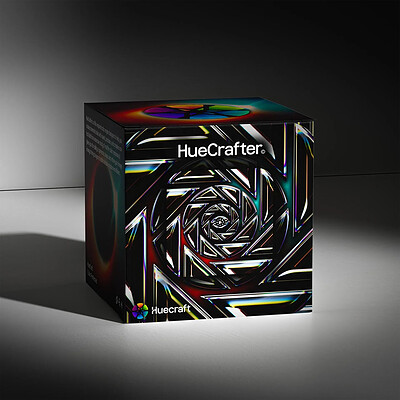
HueCrafter© OFX Film Engine is a complete film-emulation and color-design system for DaVinci Resolve Studio, built to give filmmakers and colorists a fast, intuitive way to create rich, cinematic footage. Featuring 20 Film Prints, ToneStock™, Technicolor 4, SkinLock™, ExpoDrive™, TempIQ™/TintIQ™, split toning, halation, radial blur, and more. HueCrafter brings color, tone, texture, and film-inspired character.

HOMEPAGE:
Код:
https://huecraft.io/

FREE DOWNLOAD LINKS:​

Код:
https://rapidgator.net/file/43f9b518ab7eaab3b84c3ddbe725c0ae/HueCraft_HueCrafter_Film_Engine_2.0.0.rar


Код:
https://clicknupload.click/mn2j8cxtgn57/HueCraft_HueCrafter_Film_Engine_2.0.0.rar
 
fbba3ebc6d903a59da8c0f4af7be7a45.jpg


Hybrid 2026.10.09.1 | Size: 2.08 GB
Language: English
​
Hybrid is a powerful converter, based mostly frontend for a couple of other tools. Hybrid can convert every input to x264 nearly, x265, Xvid, VP9 .... Ac3 also, ogg, mp3, aac, flac in a mp4, m2ts, mkv, webm, mov, container avi, a Blu-ray or an AVCHD composition. Hybrid 2017.03.05.1 bundles multiple video recording processing resources into an individual package. You are enabled by it to convert multiple file types into various multimedia formats. Moreover, it can perform muxing and tagging businesses and automate common tasks.

One of the key benefits of Hybrid relates to the number of supported types. It could deal with VC-1 and AVC natural type, along with all the current other document types that mplayer and ffmpeg can decode. Supports x264 also, Xvid, VP8, x265 and ProRes as output. The integrated training video encoder are designed for multiple encoding methods. Each with specific guidelines, such as bitrate, regular rate factors and so forth. It offers compatiblity with various pots furthermore, including Blu-ray discs or a AVCHD. Furthermore, you may use sound removal function for generate MP3, OGG, AAC, FLAC, AC3, DTS and other similar forms.
Hybrid includes lots of settings options for more complex users. You may enhance the encoding method, adapt the bitrate, established the melody and the entropy coding function. You may resize packed images furthermore, change its aspect percentage, crop images physically. Or permit the application to execute this procedure for you with 'car crop' function.

Here's a general feature list
extensive ability to configure x264s setting (with dependency checks)
ability to configure x265s setting
tagging support for mkv/mp4/mov
chapter support for mkv/mp4/Blu-ray
subtitle suppot for mkv/mp4/Blu-ray
separated audio-, video-, filter profiles, audio&video combi profiles
an integrated bitrate calculator
accepts vc-1 and avc raw input
manual&automatic creation&pass-through of chapters
ability to encode single title/chapters
a job-control
aac/mp3/ac3/ogg/flac/dts/pcm audio encoding with dcaenc/mencoder/ffmpeg/aften and different aac encoders
supported aac encoders: qaac, fdk, faac, fhg, neroaacenc, vo-aacenc
filtering through mencoder (+ some resize automation) or avisynth if the 'avisynth extension' is used
acceptable Input: avs and everything that mplayer/ffmpeg can decode
supported video output formats: MPEG-4 ASP (Xvid), MPEG-4 AVC (x264, qsvencc, nvencc, vceencc), VP8/VP9 (vpxenc), ProRes (ffmpeg), MPEG-4 HEVC (x265, kvazaar, DivX265, nvencc, qsvencc, vceencc), FFV1 (ffmpeg), UT video (ffmpeg), FFvHuff (ffmpeg)
supported audio output formats: dts, ac3, ogg vorbis, mp3, aac, flac, pcm, opus, pass-through
supported containers: mov/mp4/mkv/m2ts/webm/avi, Blu-ray or a AVCHD structure
audio/video pass-through -> can be used for muxing, tagging, chapter editing
a lot of option to automate stuff

System Requirements: Windows 11, Windows 10, 8 , 7

HOMEPAGE:
Код:
https://www.selur.de/

FREE DOWNLOAD LINKS:​

Код:
https://rapidgator.net/file/44a4862e1cf2dc78f281c8643bc2c48a/1_26.10.09.rar


Код:
https://clicknupload.click/c104mtzgymu2/1_26.10.09.rar
 
e9d1e0e061e483dafef3c24c03d695ca.jpg


IDimager Photo Supreme 2026.4.3.9699 Multilingual | Size: 184.85 MB
Language: English
​
Photo Supreme v2026 is a thoughtful and forward-looking release. This update has focused on smarter discovery, faster performance, and modern workflow expectations, especially around large catalogs, mobile integration, searches, and team environments.

Import and Select
One of the standout additions in Photo Supreme v2026 is the new multi-pass Import and Select workflow. This allows users to review and refine image selections in multiple stages instead of making all decisions in one pass. It's especially useful for large shoots, letting photographers cull images more deliberately and with less pressure. In addition, the Import and Select feature now loads images faster than ever. Mac users will also appreciate direct iOS device importing, which makes it possible to bring photos straight from an iPhone or iPad into the catalog without relying on intermediary software. This significantly streamlines mobile-first workflows.

Powerful Searches
Photo Supreme now supports natural language searching, allowing users to find images using plain, conversational phrases rather than rigid metadata queries. This feature is powered by AI services such as OpenAI, Google Gemini, or local models with Ollama. This gives users flexibility in how advanced features are enabled. In addition, a new classification system enhances search accuracy by grouping images into meaningful categories upon import, making it easier to surface relevant results in large or complex catalogs.

Video & Media Handling
For users working with video, Photo Supreme v2026 introduces hover-based video previews. Simply hovering over a video thumbnail now reveals a short animated preview, making it much faster to identify clips without opening them individually. Support for modern formats has also been expanded, ensuring the software keeps pace with current media standards.

Sharing with ZIP
Exporting images is more flexible in v2026 thanks to ZIP output support in transfer profiles. This makes it easy to bundle images into a single archive for delivery, backup, or client sharing, all directly from within Photo Supreme. These enhancements simplify distribution workflows and reduce the need for external tools.

GEO Maps
GEOgraphic-Mapping features can now generate maps using not only Google Maps, but also OpenFreeMap with OpenStreetMaps. This removes the need for API keys while still delivering rich, interactive map displays. This update makes location-based browsing easier to configure and more accessible for all users.

Performance and Refinements
Photo Supreme v2026 delivers notable performance enhancements, resulting in faster browsing and a more responsive overall experience. Response times are improved by up to 10%, with especially noticeable gains for large libraries containing many catalog labels.
Catalogs with numerous stacks also see significant performance improvements, particularly when displayed in stacked views.
v2026 includes a wide range of refinements, such as: "Visually similar" stack detection, numerous stability fixes and workflow enhancements, polished UI behavior in collections, searches, and metadata handling

Wait, there's more, a lot more.
New "RAW Files" and "Video Files" catalog states
Added support for Google Gemini as an AI service
Added support for OpenAI GPT-5.2 as an AI Service
Added support for Ministral3 model with Ollama
Added file management support for ACR sidecar files
Update HTTP Server with Photo Supreme Online (Server Edition)
Faster face recognition
Added "AI-Estimated GEO Location" to the AI Panel
Faster result display in the Collection Viewer
"Cascade Metadata" from image to Stack or Version Set is now a background process
A highlighted stroke has been added to the active tabs, improving navigation
Now you can display metadata charts and graphs across multiple tabs
Added support for Ctrl/Cmd+Z functionality in text and memo fields
Defined the new Affinity v3 .AF and .AVIF file format as a supported "other file format"
Switching the collection viewer's view style is faster (eg from Basic to Grid to Clean to Custom Thumb Info)
Advanced Search now has an option to search by "File Size" and "File Size MB"
Finetuned the check for "need to compact" on PostgreSQL (Server Edition)
Bookmark keyboard shortcuts are now a "toggle", similar to ratings and color labels
Expanding nodes in the Catalog Tree is ~25% faster
When using the "Dump Full to Catalog File" feature, there's now the option to create either a "catalog dump" file, or a "catalog with thumbs" dump files
Added a XMP Storage Location for "original file AND non-standard sidecar file"
In "Stacked View", you can now select a specific item from the stack to show
Support for PostgreSQL 18.
And more.

Highlights for v2026
Multi-Pass "Import and Select": Seamlessly transition through passes with a fast-culling system that optimizes your workflow.
Direct iOS Image Import on macOS: Import images directly from your iOS devices with ease.
Video Thumbnail Preview: Hover over a video thumbnail or open the Quick View to view a live video preview.
Natural Language Search Powered by AI: Search your content using plain language, with smart integration through OpenAI, Google Gemini, or Ollama models.
Transfer Profiles can now create ZIP output files: Copy or send sets of images as a single ZIP file for easier sharing.
Maps with OpenFreeMap: Display images on interactive maps using OpenFreeMap/OpenStreetMaps with no API key needed.
Server Edition Thumbnail Caching: Enjoy faster performance with local thumbnail caching, automatic cleanup, and customizable settings for retention and cache size.
Classifications: Enhance search accuracy with an automatic image classification mechanism on import.

Operating System: Windows 10 or higher

HOMEPAGE:
Код:
https://www.idimager.com/

FREE DOWNLOAD LINKS:​

Код:
https://rapidgator.net/file/3bfded016bd012504004413ae72b4589/IDimager_Photo_Supreme_2026.4.3.9699_Multilingual.rar


Код:
https://clicknupload.click/o2pdiq57trhd/IDimager_Photo_Supreme_2026.4.3.9699_Multilingual.rar
 
12ef5a77acf79ec7f40ecfa5e0f68b9d.jpg


Irix HDR Pro 3.0.0 | Size: 445.9 MB
Language: English
​
Irix Pro HDR Classic - AI Photo Editor. Irix Pro HDR Classic brings true to life HDR photo editing offering one click edits to full scale pro editing toolset with a highly cognitive user interface (UI). Sky replacement (SkyXpress) - replace the sky and enter the weather. Import custom skies and merge, blend, integrate with your image for a natural look with AI Edge Detect.

Sky replacement (SkyXpress)
Replace the sky and enter the weather. Import custom skies and merge, blend, integrate with your image for a natural look with AI Edge Detect.

Speed Dials (Presets & Filters)
Over 200 social media optimized presets with one touch for instant editing. View the live preset applied to your photo, select and click to complete the photo.

AI Auto Enhance
Professional-style automatic editing with one touch. The Irix HDR Voxell AI engine is trained on over 12 million images and applies proven photographic techniques to enhance your photos.

Professional color correction
Color correction with selection of highlights and shadows, adjustment of contrast, balance of color and white, black level, saturation and brightness of the entire image or a selected area.

Overlays
Import custom overlays and add effects such as artificial light, god rays, water reflections, halo effect, ripples, retro, amazing backgrounds.

Local adjustments
Make local changes with masks and brushes. Apply Radial, Gradient, Brush, Luminance, Depth masks. Insert custom overlays in the selected area.

Text, emoticons and watermarks
Stylize text, insert copyright, watermark or caption. Express emotions with emoji

LUT
Import LUT in .CUBE, .VF, .3DL formats. Create your own LUTs as a .CUBE file

Depth Editing
Apply local and global adjustments to any depth layer or insert an overlay.

360° and panoramic editing
Edit, view and export, best suited for landscaping

64-bit images
Process 8-64-bit images at full fidelity with your GPU (Nvidia, AMD, Intel) at 64-bit fidelity.

Supported ICC gamuts
XDR, HDR, P3, sRGB, Adobe RGB, CMYK, grayscale, PANTONE© and LAB color spaces.

Collaborate online
Share image catalogs (IRX) with colleagues to preview your work in any web browser. Or just pass in a catalog with all the editable layers, and editing can be resumed where you left off.

Camera support
Edit RAW photos from Sony, Nikon, Kodak, Canon, Panasonic, Ricoh, Samsung, etc. Voxell-G Graphics and Voxell AI engines expand the color space to the limits of human eye perception and support XDR, HDR, HDR10, HDR10+ formats for 64-bit images. Irix HDR 'GPU Optimizer' forces the CPU and GPU to work in tandem, delivering crisp, complete and precise lossless editing. Create and sell presets/LUTs for Adobe Lightroom, Photoshop, Premier Pro, DaVinci Resolve, Final Cut Pro, Pixelmator and OBS.

Windows Technologies
Built for SQ1, SQ2, Intel and AMD processors using machine learning engine and DirectX rendering. Support for OneDrive, Auto HDR, and high refresh rate displays.

Main characteristics
- Color temperature, hue, brightness, saturation
- Light - exposure, brightness, contrast, highlights, shadows, whites, blacks, diffuse
- Crop, rotate, flip. Preset frames for FB, Twitter, Instagram, Pinterest
- Healing and cloning

Extended capabilities
- Editing RAW images
- Perspective and affine (straightening), keystone correction
- Mesh deformation - smoothness and recovery by hand
- AI tools - Sharpen, Dehaze, Denoise, Sharpen, Blur (Defocus), Bokeh. Special tools for editing night photos
- Lens and chromatic optical correction
- Vignette, graininess and pixelization
- Face and body sculpting tools - skin retouching, blemish removal, photogenic look

Pro functions
- Edge detection and erasing
- Batch processing
- Unlimited layers and stories
- Soft proof - Matte and glossy
- Dynamic RGB and CMYK histogram
- HSL tone curves
- Full access to Exif and metadata
- Drag and drop images up to 200 megapixels, live view in filmstrip, pan, zoom
- Open independent multiple windows or reference image
- Compressed image formats: JPG, JPEG, PNG, BMP, GIF, GRAY
- Raw image formats - TIFF, TIF, CRW, CR2, DNG, KDC, MOS, NEF, NRW, PTX, R3D, RAF, RAW, SR2, X3F, etc.

System Requirements
- OS: Windows 10 version 14316.0 or higher
- Architecture: x64
- Mouse: Integrated Mouse
- Memory: 2 GB (Minimum), 4 GB (Recommended)
- Video Memory: 1 GB
- Touch: Not specified (Minimum), Integrated Touch (Recommended)
- Keyboard: Not specified (Minimum), Integrated Keyboard (Recommended)

HOMEPAGE:
Код:
https://irixhdr.com

FREE DOWNLOAD LINKS:​

Код:
https://rapidgator.net/file/a013791155225e0bc887be4ba1c8f137/Irix_HDR_Pro_3.0.0.rar


Код:
https://clicknupload.click/3vj3l0v0ycwe/Irix_HDR_Pro_3.0.0.rar

 
e24783d71fba906f82357a9287a66210.jpg


K-Lite Codec Pack 20.0.5 Mega/Full/Standard | Size: 159.83 MB
Language: English
​
The K-Lite Codec Pack is a collection of DirectShow filters, VFW/ACM codecs, and tools. Codecs and DirectShow filters are needed for encoding and decoding audio and video formats. The K-Lite Codec Pack is designed as a user-friendly solution for playing all your audio and movie files. With the K-Lite Codec Pack you should be able to play all the popular audio and video formats and even several less common formats.

Some codec packs are far from being friendly with computers, as they tend to slow down Windows, break down multimedia files and make the whole movie watching experience a nuisance. This is why an efficient software has to be chosen, one that does exactly what it is supposed to without additional and unnecessary features.
Easily deployed on the system
Simply put, this is exactly what K-Lite Codec Pack Full is meant to do. This is one of the most efficient codec packs out there that is not only delivered as a very light package but is also impressively friendly with computer resources.
Installing it is quite easy, unless one is an expert who really enjoys toying around with the advanced settings. K-Lite has numerous advanced customization options but novices are advised not to spend too much time on this section, as they might erroneously modify some options and break the entire process.
View detailed info on what is installed
Furthermore, before going through the step-by-step thorough setup process, one gains access to a list that displays content, along with several details regarding each of the codecs, to give users a glimpse of what they are about to deploy.
If everything goes well and K-Lite Codec Pack Full is successfully installed, users will be able to open any multimedia files stored on their computers, without any quality loss. Furthermore, it works like a breeze from the first run, without major changes to its default settings, which is a clear indication that beginners and those who want a codec that just works have chosen the right package.
Adjust settings with a dedicated tool
Experts have the possibility to configure the audio and video decoders, as well as the DirectVobSub, in an attempt to obtain a top-notch experience when it comes to playing multimedia files. This is easily done with the help of an integrated tweaking tool that, if managed properly it can enhance the overall multimedia experience.
To sum it up
All these considered, K-Lite Codec Pack should be the first on everyone's list when it comes to codec packages. It is light, freeware, easy to use and gets along perfectly even with slower computers. It represents the first brick that needs to be placed in the multimedia entertainment wall.

System Requirements: Windows 11, Windows 10, 8 , 7

HOMEPAGE:
Код:
http://www.free-codecs.com/

FREE DOWNLOAD LINKS:​

Код:
https://rapidgator.net/file/381137aa0ae5c493e2e7b10a18a7efb8/K-Lite_Codec_Pack_20.0.5_Mega_Full_Standard.rar


Код:
https://clicknupload.click/6cwsm8z712mi/K-Lite_Codec_Pack_20.0.5_Mega_Full_Standard.rar
 
afbe813b803d47d7218a6deac3a63047.jpg


KLS Backup Professional 2027 v15.0.0.1 Multilingual | Size: 54.39 MB
Language: English
​
KLS Backup is a powerful backup and synchronization program that allows you to backup or synchronize your data to local and network drives or cloud storage. The backup files can be stored uncompressed or compressed in standard Zip or 7z format. KLS Backup 2019 can backup: files and folders from local drives, network locations or cloud storage, databases, mail boxes and other application specific data (profiles). Advanced version management, makes possible to find and restore any backup version within seconds. The synchronization feature allows you to easily synchronize the contents of two different folders.

Key features:
Easy-to-use but powerful integrated workspace
Backup data from local and network drives, cloud storage, SFTP, FTP and WebDAV servers
Backup of databases (Microsoft SQL Server, MySQL) and application data (Outlook, Thunderbird)
Backup to local and network drives, SFTP, FTP and WebDAV servers, CD/DVD media
Backup to cloud: Microsoft Azure, Amazon S3, Google Cloud Storage, OpenStack, OneDrive, Google Drive
Full, incremental and differential backups
Backup of open files and NTFS permissions
Highly configurable backup profiles and plugins
Standard Zip compression, Zip64 support, 7z and a custom encryption format
Powerful archive management and search functions
Selective restore of files and folders to original or custom locations
Secure archives with AES encryption, SSL/TLS support for remote transfers
Two-way file synchronization engine with version support
Automated backups with the built-in scheduler service
Detailed backup logs and email notifications
Web Interface (Monitor)
Command Line Interface (Console)

System requirements:
Windows 10/8.1/8/7 32/64bit (all editions)
Windows Server 2019/2016/2012R2/2012/2008R2 (all editions)
Hard drive with at least 200MB free disk space for installation

HOMEPAGE:
Код:
https://www.kls-soft.com/

FREE DOWNLOAD LINKS:​

Код:
https://rapidgator.net/file/ebe2b67a8048536c96600912da2b01b0/KLS_Backup_Professional_2027_v15.0.0.1_Multilingual.rar


Код:
https://clicknupload.click/uf74h29o2ynv/KLS_Backup_Professional_2027_v15.0.0.1_Multilingual.rar
 
Назад
Сверху Снизу