All Emperor2011's Software in one thread !! (updated daily)


c7dc49a3a711d3c3fef1266714c2780a.jpg


ASAP Utilities Free 9.4 Multilingual | Size: 30.64 MB
Language: English
​
ASAP Utilities is a powerful Excel add-in that fills the gaps in Excel. Since 1999 it has grown to become probably one of the world's most popular add-ins for MS Excel.

ASAP = As Soon As Possible ASAP Utilities is called this way because it significantly reduces time-consuming work. The word utilities means something useful (definition). Combined together ASAP Utilities stands for useful time-saving macro tools for Excel.
Most people struggle with managers, bosses or clients that tend to ask for you to get the job done yesterday, which of course is often difficult to pull off. ASAP Utilities doesn't allow you to travel back in time but it can certainly help you to speed up your work in Excel.
Constant improvement Since its first release in 1999, ASAP Utilities has been improved and extended with many new features and a friendly interface. It is under constant development, so new features and improvements are being added all the time. ASAP Utilities is used worldwide in over 170 different countries by 200.000+ users and 4.000+ organizations.

Supported Excel versions
ASAP Utilities 7.4 works with
Excel 2016 (both 32- and 64-bit version)
Excel 2013 (both 32- and 64-bit version)
Excel 2010 (both 32- and 64-bit version)
Excel 365 (both 32- and 64-bit version)
Excel 2007
Excel 2003
Excel 2002/XP
Excel 2000

System Requirements: Windows 11, Windows 10, 8 , 7

HOMEPAGE:
Код:
https://www.asap-utilities.com/

FREE DOWNLOAD LINKS:​

Код:
https://rapidgator.net/file/2f1d3eb2b31530502e23277cff457a64/ASAP_Utilities_Free_9.4_Multilingual.rar
 
77815f678ef755cdf8f9d0a9b83c2c6b.png


AccessAgility WiFi Scanner 2026.2.35152.0 Multilingual | Size: 61.08 MB
Language: English
​
WiFi Scanner has all the tools and integrations you need for access point discovery, channel planning, speed testing, remote scanning, and packet capture analysis. Finally, a WiFi Scanner that's both powerful and easy to use.

Simple, fast wireless network discovery of 802.11 a/b/g/n/ac/ax access points. Use WiFi Scanner to select the best configuration for your WiFi access point / router and optimize network speed.

Also includes upload and download speed testing to quickly measure and analyze WiFi Internet performance problems.

Using WiFi Scanner you'll see nearby wireless access points and their details, including channels, signal levels (RSSI), noise, channel width, and MAC address, signal quality, maximum data rate, encryption, and much more.wifi-scanner-mock

WiFi Scanner is great for determining the best position for an access point at home or in the office. After selecting the best position, the optimal channel to use can be determined by selecting the least used channel resulting in improved WiFi speeds.

Key Features
- Simple, fast wireless network discovery of 802.11 a/b/g/n/ac/ax access points.
- Full support for both 2.4 and 5 GHz networks (Mac OS WiFi Scanner)
- Full support for both 2.4, 5 GHz, 6 E / 6 GHZ WiFi networks (Windows WiFi Scanner using 6E adapters )
- Support for all channel bandwidths (20, 40, 80, and 160 MHz)
- Display detailed wireless network parameters: network name (SSID), signal level (RSSI), MAC address (BSSID), signal quality, channel, maximum data rate, encryption, etc.
- Display changes in signal level over time in graphical form.
- Filter list of detected wireless networks by specified parameters (SSID/network name, channel, channel band, signal strength)
- Display wireless connection statistics in the form of graphs and tables.
- Give each access point a custom label
- Export results to comma separated value (CSV) files
- Generate summary reports in HTML format
- WLAN Pi, WLAN Pi Pro, and WLAN Pi CE support as remote sensors / scanners
- Any Linux device / Raspberry Pi as remote sensors / scanners

WiFi Speed Testing
- Upload and download WiFi speed testing
- Use speed testing feature to troubleshoot WiFi networks
- Auto run speed test when client roams to different access point
- Auto repeat speed test with wait time between tests

Advanced Features (supported by some access points)
- Display access point name if configured by network administrator
- Display number of devices connected to each access point
- Display channel utilization
- Display if 802.11r is enabled and type
- Display if WiFi protection mechanisms are enabled
- 6E / 6 GHz frequency (tri-band consumer and enterprise WiFi access points and routers)

WiFi Scanner is the most feature rich and complete WiFi analyzer for Windows.

HOMEPAGE:
Код:
https://www.accessagility.com/

FREE DOWNLOAD LINKS:​

Код:
https://rapidgator.net/file/a25033390df11d3b6f2f26cc1f66f617/AccessAgility_WiFi_Scanner_2026.2.35152.0_Multilingual.rar
 
800fcb0825818209f2a0955e4f53f3ff.jpg


AnyDesk 9.8.4 Multilingual | Size: 8.16 MB
Language: English
​
AnyDesk is a comprehensive software solution that was developed to provide you with an alternative means of remotely accessing a computer, enabling you to work with various files and documents from afar.

Discover AnyDesk - Your Remote Desktop Software for Windows
Connect the desktop environment of individual Windows client devices and servers via remote access
Enable instant support and live administration through remote control of all connected Windows devices
Take advantage of a smooth remote desktop connection in Windows due to AnyDesk's breath-taking frame rates, bandwidth efficiency and imperceptible latency
Work together easily and communicate online using remote access to Windows desktops

Remote Access to Windows 10: Manage all your Windows Desktops at once with AnyDesk
AnyDesk allows you to establish remote desktop connections in Windows 10 and opens up unprecedented possibilities of collaborating online and administrating your IT network. With AnyDesk, you can work remotely from everywhere!

Dynamic Performance for Smooth Windows Remote Access
With AnyDesk's smooth performance, you can establish seamless remote desktop connections in Windows and offer excellent remote support to your customers. Web conferencing and file sharing is as easy as never before. Customizing your remote desktop software with your own brand and logo effectively highlights your corporate identity and renders your remote access application even more trustworthy for your partners.

Meet Professional Challenges with Flexible Remote Desktop Solutions for Windows
Download the small AnyDesk file of 3 MB and finish urgent tasks on the go with AnyDesk's user-friendly interface. AnyDesk is not only compatible with Windows 10, but many other operating systems and their various versions, including iOS, macOS, Linux and Android. What is more, AnyDesk facilitates managing your remote desktop contacts and connections and administrating all settings and configurations in Windows, so you can focus on your projects rather than their administration.

Comprehensive Security for Your Windows Remote Desktop Connection
AnyDesk's thorough TLS 1.2 encryption technology and incessant verification of connections ensure end-to-end privacy and protect your data. Only authorized desks can demand remote access to your PC via AnyDesk. With AnyDesk Enterprise, you can establish an autonomous, private network that fully shields your data while operating Windows remote desktops.

System Requirements
Windows XP SP2 and later
Windows Server 2003 SP2 or later

FREE DOWNLOAD LINKS:​

Код:
https://rapidgator.net/file/dbed4f7771b68f78e0c068ea6b8c3aad/AnyDesk_9.8.4_Multilingual.rar
 
5bfde23a610824c4d736ae2c70ff5f7f.jpg


Burp Suite Professional 2026.11.2 | Size: 733.13 MB
Language: English
​
Burp Suite is an integrated platform for performing security testing of web applications. Its various tools work seamlessly together to support the entire testing process, from initial mapping and analysis of an application's attack surface, through to finding and exploiting security vulnerabilities.
Burp gives you full control, letting you combine advanced manual techniques with state-of-the-art automation, to make your work faster, more effective, and more fun.

Burp Suite contains the following key components:
- An intercepting Proxy, which lets you inspect and modify traffic between your browser and the target application.
- An application-aware Spider, for crawling content and functionality.
- An advanced web application Scanner, for automating the detection of numerous types of vulnerability.
- An Intruder tool, for performing powerful customized attacks to find and exploit unusual vulnerabilities.

- A Repeater tool, for manipulating and resending individual requests.
- A Sequencer tool, for testing the randomness of session tokens.
- The ability to save your work and resume working later.
- Extensibility, allowing you to easily write your own plugins, to perform complex and highly customized tasks within Burp.

Burp is easy to use and intuitive, allowing new users to begin working right away. Burp is also highly configurable, and contains numerous powerful features to assist the most experienced testers with their work.

Features of Professional Edition:
- Burp Proxy
- Burp Spider
- Burp Repeater
- Burp Sequencer
- Burp Decoder
- Burp Comparer
- Burp Intruder
- Burp Scanner
- Save and Restore
- Search
- Target Analyzer
- Content Discovery
- Task Scheduler
- Release Schedule

What operating systems does the software run on?
Burp requires a computer with the official Java Runtime Environment (64-bit edition, version 1.8 or later) installed. JREs are available for various popular operating systems, including Windows.

What are the system requirements for running the software?
Burp requires a minimum of 4Gb of memory. If you are performing large amounts of work, or testing large or complex applications, you may need more memory than this.

HOMEPAGE:
Код:
https://portswigger.net/

FREE DOWNLOAD LINKS:​

Код:
https://rapidgator.net/file/4893486e0156d2b1b895260963f12af9/Burp_Suite_Professional_2026.11.2.rar
 
57ed109c7b460d4c99e972a36f506fea.jpg


Coolutils Total Excel Converter 7.1.0.183 Multilingual | Size: 140.03 MB
Language: English
​
Total Excel Converter is the perfect choice to convert any type of table. Supported input formats include Excel and Excel 2007, XLSM, XLT, XLTM as well as OpenOffice formats ODS, XML, SQL, WK2, WKS, WAB, DBF, TEX, and DIF. The list of target formats is even more extensive: convert your tabled files into DOC, DOCX, PDF, HTML, Access, TXT, ODT, ODS, XML, SQL, CSV, Lotus, DBF, TEX, DIFF, SYLK, and LaTeX. Imagine how much time you'll save with this amazing conversion tool.

Total Excel Converter strictly preserves document layout; you'll get an exact copy of the source file but in a new format. In addition, we've included a number of handy options:
With Total Excel Converter, you can convert each sheet into a new file.
When you convert Excel to PDF you can set user permissions. This will protect your PDF files from being modified or copied.
Total Excel Converter can easily convert OpenOffice ODS files to Microsoft XLS documents; making it so that spread sheets produced by different programs are compatible with your viewer.

Operating System: Windows 2000/2003/Vista/7/8/10/11

HOMEPAGE:
Код:
http://www.coolutils.com/

FREE DOWNLOAD LINKS:​

Код:
https://rapidgator.net/file/24bc0075b778dd8853b8a4721f4c0db5/Coolutils_Total_Excel_Converter_7.1.0.183_Multilingual.rar
 
02be57c4bcd9ecd2823122c5f4e01bad.jpg


Coolutils Total PDF Converter 6.5.0.226 Multilingual | Size: 213.47 MB
Language: English
​
Total PDF Converter converts PDF to DOC, RTF, TIFF, XLS, HTML, EPS, PS, TXT, CSV, PDF/A and images in batch. Unlike other batch PDF converters, the Total PDF Converter is extremely user-friendly thanks to a well-planned interface. Additionally, registered users gain direct access to command line support for quiet automatic functioning on the back end.

Features:
Converts PDF to Doc, Excel, HTML, PS or Text
Also converts PS, EPS, PRN, XPS, OXPS files
Converts PDF to PDF/A in batch
Batch conversion mode
Converts PostScript to PDF
Can combine PDF files
Adds pagination
Adds text or image watermarks
No need to use Adobe Acrobat
Can extract images from PDF
Supports PDF written in multi-byte Languages
Command line support

Preserves original document layout
Windows 10 compatible
ActiveX and Server version

Operating System: Windows 2000/2003/Vista/7/8/10/11

HOMEPAGE:
Код:
https://www.coolutils.com/

FREE DOWNLOAD LINKS:​

Код:
https://rapidgator.net/file/0bfa42d4c6ce6c32749776dec893e65c/Coolutils_Total_PDF_Converter_6.5.0.226_Multilingual.rar
 

2bbe586b61119fd3d76c51c1c2dbe184.jpg


Desktop Calendar 3.33.319.9510 Multilingual | Size: 6.62 MB
Language: English
​
DesktopCal is a very useful piece of software that helps change your normal desktop into a calendar, so that time management can be done with more ease.The interface of the application is pretty straightforward, thus allowing any type of person to easily work with it. Moreover, the interface is highly customizable, enabling users to change the background colors, level of transparency, font of all the text, and gaps between the cells.

The utility can also control the entire desktop and what it looks like. For example, you can leave the wallpaper existent, delete it altogether or loop certain pictures of your choosing. The latter option enables you to add entire folders with hundreds of files and program them to change every 5, 10, 20, 30 minutes or even more. The position of the images can be modified, from "Fill" to "Stretch," "Center," "Fit" or "Tile".

All of the features aforementioned make this software tool highly efficient and should suit any person's taste.

The interface supports multiple languages such as English, French, Vietnamese, Chinese and Spanish.

In order to make annotations to a certain date in the calendar, all you have to do is double click on the corresponding panel and write. You should also know that each and every cell can be colored in a different way, so as to help you color-code specific events according to importance.

All in all, DesktopCal is a very useful piece of software, if you like being organized. You are able to input important occasions and meetings to the calendar with just two clicks, use a color-coded system, while also being able to manipulate the desktop.

Key features
- Record anything by double clicking on the windows desktop.
- Offers a variety of common festivals, anniversaries and other information.
- Move your data from one deveice to another with powerful tools.
- Print any page of calendar with wallpaper as you work.
- Set background color for any day you want. So, the days are colorful.
- Powerful and easy-to-use settings allows you to easily customize your own calendar.

System Requirements: Windows XP, Vista, Windows 7, 8, 10, 11

FREE DOWNLOAD LINKS:​

Код:
https://rapidgator.net/file/1a7ee99b2c069bc57475d2f675e96ab5/Desktop_Calendar_3.33.319.9510_Multilingual.rar
 
62d8ece295a7d139ef136f674df0e862.jpg


Dramatis Studio 1.0.63 | Size: 2.26 GB
Language: English
​
The Production Studio for Audio Drama & Audiobook. Import your manuscript and let the AI find every speaker. Cast a hundred voices, build scenes on a multi-track timeline, direct performances, mix effects, and build the finished audiobook, with every voice generated on your own machine. No subscription, no per-book fees.

Not a text-to-speech tool
Dramatis Studio is a production environment. You cast characters, direct performances, build scenes, and manage a complete project from script to finished audio.

Your voices, on your GPU
Every voice and sound effect is generated on your own graphics card: no credits, no per-book fees, no subscription. Script analysis and the Director use the AI provider you choose, with your own API key.

Serious production scale
Projects with dozens of named characters, hundreds of blocks of dialogue, effects processing, and multi-track export. Built for the kind of work that needs it.

Built for the full production workflow
From first script import to finished export, every stage of audio drama and audiobook production in one place.

Manuscript Import & AI Analysis
Import a Word document, , or text file. The AI splits it into chapters, finds every speaker, dialogue and narration alike, and builds your cast. Analysis uses the AI provider you choose (Anthropic, OpenAI, xAI, Together AI, or OpenRouter) with your own API key.

Multi-Character Voice Casting
Give every character a distinct voice that stays with them across scenes and chapters. Your narrator always sounds like your narrator, your villain like your villain. A series cast keeps the same voices across every book in a series.

1,328 Free Voices, and Your Own
Browse Dramatis Voices: 1,328 designed voices sorted by role and region, free to use in your productions. Discover LibriVox narrators, design a new voice from a written description, or clone one from a short reference clip.

Production Timeline
A multi-track timeline gives every character a lane and every sound effect a place. Drag blocks, set the gaps between lines, mute or solo characters, and see the whole production at once.

Effects & Line Editing
Give a character reverb, a phone filter, pitch, distance, or echo. Then fine-tune a single line or word without regenerating it: louder or quieter, an echo, a muted breath, a slower pace, a pause made shorter or longer, or a stray sound cut out. Every edit is non-destructive and can be removed later.

Sound Effects
Generate sound effects from a text prompt with Stable Audio, search Freesound's library with clear license badges, or import your own. Place them on the sound-effect track alongside the dialogue.

AI Director
The Director checks a chapter for two-way words (read and read), lines given to the wrong speaker, and pauses, and answers questions about your chapter. Every suggestion arrives as a card you accept or dismiss.

Pronunciation Guide
Fix how names and invented words are spoken, for one book, a whole series, or every book, while the script text stays exactly as written. A one-click template removes "he said / she said" tags from dialogue.

Book View & Audiobook Build
Follow every chapter from pending to exported, then build the finished audiobook: M4B with chapter markers and cover art, MP3 with ID3 chapters, or both. Title, author, narrator, series, and cover are written into the files.

Selective Regeneration
Regenerate a single block, a single character's lines, or an entire chapter without touching anything else. When your script changes, update only what needs updating. Batch generation queues the whole production in one run.

Minimum System Requirements
- GPU: NVIDIA RTX 30-series or newer, 8 GB VRAM
- CPU: Intel Core i7 / AMD Ryzen 7 or better
- RAM: 16 GB
- Storage: 30 GB free (app, AI models, projects)
- OS: Windows 10 / 11 (64-bit)

An NVIDIA GPU is required. AMD and Intel GPUs are not supported. The voice engine needs an RTX 30-series card or newer. The AI models (about 14.5 GB) download on first launch.

Recommended System Requirements
- GPU: NVIDIA RTX 3060 12 GB / RTX 4070 or better (12 GB+ VRAM)
- CPU: Intel Core i9 / AMD Ryzen 9
- RAM: 32 GB or more
- Storage: SSD with 60 GB+ free
- OS: Windows 11 (64-bit)

Developed and tested on an RTX 3060 with 12 GB. Voice generation speed scales with GPU capability.

HOMEPAGE:
Код:
https://dramatisstudio.com

FREE DOWNLOAD LINKS:​

Код:
https://rapidgator.net/file/085c572cd140c93b9bce8f9e0e81c3ab/Dramatis.Studio.1.0.63..part1.rar
https://rapidgator.net/file/2fa6d521cb58c5cbe40ede6b2bf74f70/Dramatis.Studio.1.0.63..part2.rar
https://rapidgator.net/file/8e9e84cc8033291b4d9b68ed584abba6/Dramatis.Studio.1.0.63..part3.rar

 
eed0f9b4365bf90549a859b16e088720.png


Dropbox 280.4.5053 (x64) | Size: 290.25 MB
Language: English
​
Dropbox is a free service that lets you bring all your videos, photos and docs anywhere and share them easily. This means that any file you save to your Dropbox will automatically save to all your computers, phones and even the Dropbox website. The program also makes it super easy to share with others, whether you're a student or professional, parent or grandparent. Even if you accidentally spill a latte on your laptop, have no fear! You can relax knowing that Dropbox always has you covered, and none of your stuff will ever be lost. The application works just like any other folder on your computer, but with a few differences. Any files or folders inside Dropbox will get synchronized to Dropbox's servers and any other computer linked to your account.

Features
Synchronization
Once installed, any file you drop into your Dropbox folder will synchronize and be available on any other computer you've installed Dropbox on, as well as from the web. Also, any changes you make to files in your Dropbox will sync to your other computers, instantly.
Backup
Let's say you accidentally delete that 8 page report that you were supposed to have for a meeting tomorrow. A handy Dropbox feature is the ability to undelete files or pull up any previous versions of it.

Sharing
You can also share files and folders with whomever you choose, whether it be music with buddies, docs with colleagues or photos with grandma, even if they're not Dropbox users.
Speed
We obsess over speed, and it shows. Dropbox is very smart about the way it handles files. For example, if you make a change to a huge file, dropbox will only update the piece of the file that changed.
Security
All files are transported over SSL and encrypted using AES-256 (banks use this too) System Requirements: Windows 11, Windows 10, 8 , 7
Synchronization
Once installed, any file you drop into your Dropbox folder will synchronize and be available on any other computer you've installed Dropbox on, as well as from the web. Also, any changes you make to files in your Dropbox will sync to your other computers, instantly.
Backup
Let's say you accidentally delete that 8 page report that you were supposed to have for a meeting tomorrow. A handy Dropbox feature is the ability to undelete files or pull up any previous versions of it.
Sharing
You can also share files and folders with whomever you choose, whether it be music with buddies, docs with colleagues or photos with grandma, even if they're not Dropbox users.
Speed
We obsess over speed, and it shows. Dropbox is very smart about the way it handles files. For example, if you make a change to a huge file, dropbox will only update the piece of the file that changed.
Security
All files are transported over SSL and encrypted using AES-256 (banks use this too)

System Requirements: Windows 11, Windows 10, 8 , 7

FREE DOWNLOAD LINKS:​

Код:
https://rapidgator.net/file/4e0d8c7918b8d78250bb4cf79588d768/Dropbox_280.4.5053_x64.rar
 
8f1bdf08fe8fe4311b72b621d4828ae0.jpg


Evernote 11.43.4.43490 Multilingual | Size: 403.94 MB
Language: English
​
Evernote allows you to easily capture information in any environment using whatever device or platform you find most convenient, and makes this information accessible and searchable at any time, from anywhere.

EverNote is an application/service which lets you capture, store and sync anything on multiple devices. EverNote works on any OS, whether PC, Mac or phone and can capture anything you throw at it, from notes, to images, media or passwords. All your information is stored in the program and you can use tags and notes to categorize it.

Now that we can access the internet from almost anywhere and any device the difficulty is getting access to your information all at once. It can be store all online or you can keep everything synced up on all your devices.

If you have EverNote installed on your devices, all it takes is having an internet connection and pressing the 'Synchronize' button from the menu, to ensure that you have the same information stored on all devices.

EverNote is a very promising application that captures, stores and syncs any sort of information on all your devices.

Stop forgetting things. Capture everything now so you will be able to find it all later.
- Tasks and to-dos
- Notes and research
- Web pages
- Whiteboards
- Business cards
- Scribbles
- Snapshots
- Wine labels

System Requirements: Windows 10 and newer (32-bit and 64-bit)

FREE DOWNLOAD LINKS:​

Код:
https://rapidgator.net/file/f83b5a660c13f2932fe86ece302e6603/Evernote_11.43.4.43490_Multilingual.rar
 
764729ed8f926fc671312d7bfeba6823.jpg


GPU-Z 2.72 | Size: 12.43 MB
Language: English
​
GPU-Z is a lightweight utility designed to scan your computer system and display information regarding video card and GPU. It gets you acquainted with a wide array of technical specification, thus enabling you to have a better knowledge of your computer's abilities. GPU-Z features support for the latest NVIDIA and ATI cards and includes a GPU load test to check PCI-Express configurations. In addition, it grants you permission to default clocks, 3D clocks (if any) and overclock information. Reports are incredibly detailed, containing specifications about basically, every characteristic of video cards, such as name, GPU, process technology, chip, memory type, DirrectX / PixelShader support, memory bandwidth, type of bus, memory clock, version driver, sensors, speed fans and version BIOS. You can save the complete report on the sensors as a text files.

GPU-Z is also able to take pictures of the report and export it locally or to a free image hosting service so you can easily share it with your friends across the Internet.
Assessing the graphic capabilities of your video card is a very important task. GPU-Z can easily accomplish that for you; it satisfies the needs of the regular home users and professionals alike, such as system administrators.
All in all, hardcore users who constantly need to know what's going on under the hood of their machine are going to appreciate GPU-Z and its accurate reports. Since searching for these results through traditional methods can be a very difficult task, you can use this nifty application to offer you a complete overview of your video card's graphic capabilities.

Here are some key features of "GPU-Z"
Support NVIDIA and ATI cards
Displays adapter, GPU and display information
Displays overclock, default clocks and 3D clocks (if available)
Validation of results
No installation required System Requirements: Windows 11, Windows 10, 8 , 7

HOMEPAGE:
Код:
https://www.techpowerup.com/

FREE DOWNLOAD LINKS:​

Код:
https://rapidgator.net/file/a0d077442e144c8f5b622dfd339ef789/GPU-Z_2.72.rar
 
41c6e921c7f4472dc5b46b6e2f1e97f4.png


Google Drive 134.0.1 | Size: 267.79 MB
Language: English
​
Google Drive (Backup and Sync) lets you access your stuff on every computer and mobile device. Using Google Drive is a great way to store your files safely in secure data centers, where your files won't go missing. Even if your computer, phone or tablet break, the files you store in Google Drive are safe.Upload photos, videos, documents, and other files that are important to you to Google Drive. Get going with up to 15GB of storage. Free. Google Drive helps you get to your files faster by recognizing objects in your images and text in scanned documents.

View over 30 file types right in your browser - including HD video, Adobe Illustrator and Photoshop - even if you don't have the program installed on your computer. If you use Chrome, you can turn on Drive offline to create, edit, and comment on Docs, Slides, and Drawings and view Sheets when there's no network connection.
Connect with others by chatting right inside Docs, Sheets, and Slides, or leave comments on files and images. Add a + in front of an email address in a comment and Drive will send them an email so they know to follow up.

Easily get your stuff in Drive. Drag one or hundreds of files into the Drive folder on your computer and they'll always be available at drive.google.com, on the mobile app, and wherever you install Drive.
Access what you need, wherever you go. Get apps for Android and iOS on your mobile phone and tablet, then get to everything you keep in Drive from wherever you are.
Create something. Google Docs, Sheets, and Slides are built in to Drive. Whip up a grocery list, plan an event in a spreadsheet, or put together a presentation for your history class on your own or with others.
Safe, secure, shareable. No matter what happens to your devices, your files are safely stored in Google Drive. And everything you upload to or create in Drive belongs to you and is automatically set to private, unless you decide to share.
Google Docs, Sheets, and Slides automatically save and track every change you make, forever. You can also look back as far as 30 days on other file types, making it easy to see who has made changes and restore previous versions.

Create, analyze & build stuff with more Google apps
Open and edit Microsoft Office documents, spreadsheets, and presentations on your phone or tablet.
Quickly create, access and organize notes, lists and photos with Google Keep.
Run a survey, or quickly create a team roster with a simple online form. Then check out the results, neatly organized in a spreadsheet.
Add some color to your documents, presentations and websites with easy to create charts and diagrams.
Develop scripts to enhance your favorite apps like Docs, Sheets, Forms, Drive, Calendar and Gmail.
Bust your data out of its silo! Combine it with other data on the web. Collaborate, visualize and share. (Experimental).
With 15 GB of free storage, you can safely keep thousands of photos, hours of audio and video, and big presentations safely in Drive. Never worry about broken or lost hardware.

Visit your Drive storage page to find out how much space you're using and how you're using it. If you need more than 15GB, you can buy more storage, starting at just $4.99/month for 100GB.

Your free storage is shared across Drive, Gmail, and Google+ Photos, and you can use it however you'd like.

Store files up to 10 GB in Drive. Stuff you create with Drive apps don't use storage.
Emails and attachments in Gmail use your storage.
Pictures you keep in Google+ photos smaller than 2048 pixels are free.
Add files by downloading Google Drive for your PC or via Google Drive webpage.

System Requirements: Windows 10/11

FREE DOWNLOAD LINKS:​

Код:
https://rapidgator.net/file/10fc985d7d475504fcb8bd4123746699/Google_Drive_134.0.1.rar
 
34ea0766d49ae978a4f1d811821c2e04.jpg


HDClone Free 16.1.3.1 | Size: 104.05 MB
Language: English
​
HDClone creates physical or logical copies (clones) and file images of hard disks and other mass storage media. HDClone is a perfect tool for backups and copies of entire software or operating system installations. A special 'SafeRescue' mode makes HDClone an invaluable tool for rescuing defective hard disks and other media. HDClone works independent of partitioning scheme, file system, and operating system. It also works with proprietary formats which otherwise would be unaccessible.

Free EditionThe Free Edition of it offers all necessary abilities to copy a complete hard disk onto another, larger hard disk. This can be utilized to migrate an existing installation to a new hard disk as well as for data rescue. The Free Edition is real freeware without obligation to buy and is intended for the short-term usage at no cost.
The Free Edition supports IDE/ATA and SATA/eSATA hard disks and is able to copy up to 300 MB/min.

System Requirements: Windows 11, Windows 10, 8 , 7

HOMEPAGE:
Код:
https://www.miray.de/

FREE DOWNLOAD LINKS:​

Код:
https://rapidgator.net/file/cebd2ebc640b08dd6a971c521a0be62a/HDClone_Free_16.1.3.1.rar
 
4364b50eee0fe2f7e4152ca128e0c45a.jpg


JRiver Media Center 36.0.57 (x64) Multilingual | Size: 49.91 MB
Language: English
​
JRiver Media Center - all-in-one media management app turns any Windows PC into an entertainment hub for complete control of your digital media: Audio, Video, Images, and Television. It connects PC to stereo, TV, remote control devices, digital cameras, scanners, and portable MP3 players. It plays all media, rips, burns, and organizes all your music, images, and video. MC encodes and plays all popular media formats.

Powerful utilities include Media Server for streaming music and images to remote PCs. Media Center is more than a world class player. It's also a Media Network, a whole house music, movie, TV, and photo solution. The leader in audiophile quality sound. The most powerful media database available; an essential tool for large collections.

Features:
- Native support of DirectShow DSP filters
- Audiophile - WASAPI exclusive output using high-end USB DACs
- Audiophile - Added ability to play files from memory instead of disk
- Audiophile - Support for high end USB DAC's with WASAPI

- Headphone DSP makes listening more natural and comfortable.
- SoundcardSwitch command for the launcher, allows soundcard selection
- 3D album view adjusts text size to display more tracks when necessary
- 3D album view allows playing, adding, shuffling, and adding as next to play

Operating System: Windows 11, Windows 10, and Windows 8.1 (64-bit only)

HOMEPAGE:
Код:
https://jriver.com/

FREE DOWNLOAD LINKS:​

Код:
https://rapidgator.net/file/e22849c997351104ac673d19a5599859/JRiver_Media_Center_36.0.57_x64_Multilingual.rar
 
652b5016cb19fa8e47074f2fa1c9c644.jpg


KLS Backup Professional 2027 v15.0.0.6 Multilingual | Size: 53.56 MB
Language: English
​
KLS Backup 2027 is a powerful backup and synchronization program that allows you to backup or synchronize your data to local and network drives or cloud storage. The backup files can be stored uncompressed or compressed in standard Zip or 7z format. KLS Backup 2025 can backup: files and folders from local drives, network locations or cloud storage, databases, mail boxes and other application specific data (profiles). Advanced version management, makes possible to find and restore any backup version within seconds. The synchronization feature allows you to easily synchronize the contents of two different folders.

Key features
Easy-to-use but powerful integrated workspace
Backup data from local and network drives, cloud storage, SFTP, FTP and WebDAV servers
Backup of databases (Microsoft SQL Server, MySQL) and application data (Outlook, Thunderbird)
Backup to local and network drives, SFTP, FTP and WebDAV servers, CD/DVD media
Backup to cloud: Microsoft Azure, Amazon S3, Google Cloud Storage, OpenStack, OneDrive, Dropbox
Full, incremental and differential backups
Backup of open files and NTFS permissions

Highly configurable backup profiles and plugins
Standard Zip compression, Zip64 support, 7z and a custom encryption format
Powerful archive management and search functions
Selective restore of files and folders to original or custom locations
Secure archives with AES encryption, SSL/TLS support for remote transfers
Two-way file synchronization engine with version support
Automated backups with the built-in scheduler service
Detailed backup logs and email notifications
Web Interface (Monitor)
Command Line Interface (Console)

System requirements:
Windows 11/10 32/64bit (all editions)
Windows Server 2022/2019/2016/2012R2 (all editions)
Hard drive with at least 200MB free disk space for installation

HOMEPAGE:
Код:
https://www.kls-soft.com/

FREE DOWNLOAD LINKS:​

Код:
https://rapidgator.net/file/2a7492e5974eeab23fc4116d2a329973/KLS_Backup_Professional_2027_v15.0.0.6_Multilingual.rar
 
5ea1d5346e60afd39efb053878732e6b.png


MediaHuman YouTube Downloader 3.9.24 (1611) Multilingual (x64) | Size: 89.93 MB
Language: English
​
MediaHuman YouTube Downloader is a handy application for those who found a favorite music video or trailer of a new movie and wants to keep it on your computer for viewing offline. Or you need to download a video lesson/tutorial. Our video downloader is an ideal solution for such kind of tasks.

Simultaneous downloads
- Supports Ultra High resolutions up to 4K
- Download whole playlists and channels
- YouTube, Vimeo, Dailymotion, Soundcloud
- Extract audio track and save it as MP3
- iTunes support
- VEVO support

System Requirements:
Windows 11, Windows 10, Windows 8, Windows 7, Windows Vista, Windows 2003, Windows XP for PC systems (64-bit)
About 70 Mb of free hard drive space

HOMEPAGE:
Код:
https://www.mediahuman.com/

FREE DOWNLOAD LINKS:​

Код:
https://rapidgator.net/file/9966a3dddb3f99e51f42017f8bb97973/MediaHuman_YouTube_Downloader_3.9.24_1611_Multilingual_x64.rar
 
6f39261d38720f9ef0b88562867a2f9e.jpg


NetSpot Enterprise 6.1.0.830 Multilingual | Size: 35.97 MB
Language: English
​
NetSpot is the only professional app for wireless site surveys, Wi-Fi analysis. No need to be a network expert to improve your home or office Wi-Fi today! All you need is your MacBook running Mac OS X 10.10+ or any laptop with Windows 7/8/10/11 on board and NetSpot which works over any 802.11 network.

Use NetSpot to visualize, manage, troubleshoot, audit, plan, and deploy your wireless networks.
When working on a Wi-Fi network that will provide an optimal coverage, you'll need a solid research and understanding the radio frequency behavior at the spot. The effective way to obtain this information is a wireless site survey. It will reveal areas of channel interference and dead zones, and will help you tremendously to build a solid network.

The main goal of a WIFI site survey is determining the feasibility of implementing a wireless network in a specific area and finding the best spots for access points and other equipment like cables and antennas. With the help of site survey you will know what type of equipment to get and where to install it.

Wireless Site survey is also an important part of wifi security analysis. NetSpot is a perfect helper for network security specialists in locating and eliminating rogue access points, detecting unauthorized workstations, avoiding cross-channel interference and getting rid of false-positive intrusion alerts.

With NetSpot one can also check the security settings (Open, WEP, WPA/WPA2 Personal/Enterprise), non-broadcasting SSIDs and WiFi signal strength. With all this work done well the wireless signal is less likely to spill outside, where a war driver can get their hands on it.

With its advanced collection and visualization of data NetSpot provides its users with a comprehensive and complete WiFi site survey solution.

Analyze your Wi-Fi Coverage
NetSpot is the easiest native wireless site survey software for Mac and Windows. You need just a few clicks to load your office plan or area map before starting a network site survey. To begin, just point to where you are on the map and NetSpot starts measuring wireless signal right away. You can move around and collect Wi-Fi data of the entire area. That's it! Now you have all the needed info to analyze radio signal leakages, discover noise sources, map channel usage, locate effective access points, etc.

Visualize Your Wireless Network
Efficiency-wise, your Wi-Fi network needs hotspots placed correctly and wireless channels assigned properly. The visual Wi-Fi map you get with NetSpot lets you see all dead zones without coverage and optimize hotspots' placements. You can adjust channels' load and decide how to use them better.

Wireless Network Planning
NetSpot is also an amazing wireless survey tool for Wi-Fi planning: load a map, collect some wireless site survey data, and build a comprehensive heatmap of your network. Now viewing each channel separately is as easy as making a pie. Once you locate an empty channel with no wireless networks - it's the optimal selection for a new Wi-Fi network. NetSpot also lets you easily select channels for new Wi-Fi hotspots with minimal signal-to-noise ratio.

Troubleshoot Wireless Networks
Thanks to new Troubleshooting visualizations, you can easily and quickly identify connectivity and wireless interference issues, find sources of excessive noise, resolve Wi-Fi configuration problems, and get automated professional advice on every issue visualized by NetSpot PRO.

System Requirements:
Runs on any laptop (Windows 7/8/10/11) with a standard 802.11a/b/g/n/ac/ax wireless network adapter.
Requires .NET framework 4.5 and up.

HOMEPAGE:
Код:
https://www.netspotapp.com/

FREE DOWNLOAD LINKS:​

Код:
https://rapidgator.net/file/d33f47742927731d2f05a8995ebb69c8/NetSpot_Enterprise_6.1.0.830_Multilingual.rar
 
416b8449de60000b2f246908d66a2f5f.jpg


NoteCase Pro 5.0.6 Multilingual | Size: 49.33 MB
Language: English
​
Do you care about your information? NoteCase Pro is designed to quickly capture, organize, protect, access, and recycle your information. NoteCase Pro strikes the right balance between ease of use and raw power.

Multi-platform
Desktop version supports Windows, Macintosh, Linux, FreeBSD, OpenBSD and Solaris. Mobile platforms include Android*, Raspberry Pi, Nokia Maemo and OpenPandora.

Multilanguage
NoteCase Pro's user interface comes in many different languages including English, German, French, Italian and Chinese. You can contribute your language translations if not supported.

Rich import format support
NoteCase Pro can import data from more than 30 different file formats, including Evernote, XMind, TreePad, Tomboy formats. This allows you to quicky move your data over from other programs.

Rich export format support
NoteCase Pro content can be exported into different file formats, making data exchange with other software easy. Standard formats line HTML, RTF, OPML are supported.

Spellchecker
Let NoteCase Pro observe and correct your orthography with dictionaries that are able to learn new words.

Tags
You can assign tags to your notes in order to enable more powerful searching or filtering of content.

Printing
Bring NoteCase Pro content to paper, either an entire document, only one branch or a single note.

Task management
Each note can be a task, reminding you about its due date, supporting repetitions and prioritization.

Plugins
Extend the feature set of NoteCase Pro by using Plugins or even writing your own Plugins using the easy-to-learn Lua scripting language. You can also automate NoteCase Pro very flexibly using simple Lua scripts and the several hundred of NoteCase Pro API commands.

Attachments
Each document note can have an arbitrary number of file attachments. Attached files are saved inside the NoteCase Pro document file, so giving away a complete NoteCase Pro document including attachments is as easy as transfering one file.

Rich text editing
Document text offers rich formatting with hyperlinks and embedded pictures. You can attach files or record audio directly into document notes.

Audio notes
Add audio to your NoteCase Pro notes: Audio protocols of meetings, self-spoken notes that you later transscribe into a text note etc.

HOMEPAGE:
Код:
http://www.notecasepro.com/

FREE DOWNLOAD LINKS:​

Код:
https://rapidgator.net/file/9c3621876a0badb18e81e872645b556a/NoteCase_Pro_5.0.6_Multilingual.rar
 
_b524a2b714f1b11766f2c817d68a96aa.jpeg


OCCT 17.1.12 (x64) Multilingual | Size: 197.94 MB
Language: English
​
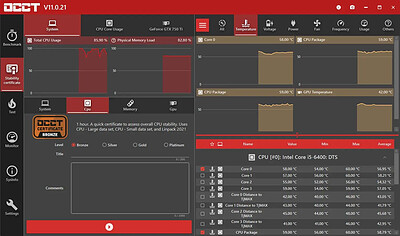
OCCT is the most popular all-in-one stability check & stress test tool available. OCCT is great at generating heavy loads on your components ( CPU, GPU, Memory, GPU Memory & Power supply ) , and aims at detecting hardware errors or stability issues faster than anything else. A monitoring engine is also embedded, to ease diagnostic and see how your computer reacts under heavy load using graphs.

6 TESTS
OCCT includes 6 different tests : OCCT and Linpack for your CPU, Memory for testing system RAM, 3D and VRAM for your Graphic card, and Power to stress your power supply. You can even monitor your PC while using an external app to generate reports using the Monitoring-only test !

MONITORING
OCCT will monitor your computer's reading and present you real-time graphs showing you temperatures, voltages, fan speed, frequencies, component usage, and power consumption during your tests. We are using the AWESOME engine from HwInfo !

BUILT-IN PROTECTION FOR YOUR COMPUTER
Worried about frying your components ? Turn the maximum temperature threshold in OCCT's options ! Should a component reach this critical temperature during a test, OCCT will stop itself immediately.

TEST REPORT
At the end of a test, you will be able to save a full graphical report of what happened during the test, for diagnostic purposes.

HOMEPAGE:
Код:
https://www.ocbase.com/

FREE DOWNLOAD LINKS:​

Код:
https://rapidgator.net/file/ae45866d274dc4654099fa5e24cb408e/OCCT_17.1.12_x64_Multilingual.rar
 
_b9dbff3988705f872003059134ae8d52.jpeg


PassFab 4EasyPartition 4.5.1.12 (x64) Multilingual | Size: 106.45 MB
Language: English
​
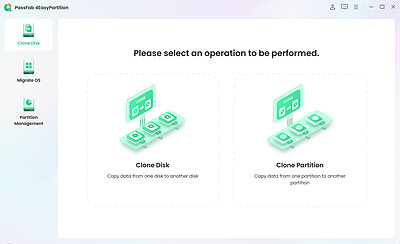
PassFab 4EasyPartition helps to clone one disk/partition data to another disk/partition intact without losing any data on all Windows-supported PCs.

The most secure and professional system migration and partition management tool
- Quickly and safely migrate your Windows system to other hard disk or PC.
- 1-click to move to a new high-speed SSD, make your Windows boot faster.
- Upgrade to a larger hard drive, free up your disk space.
- Easily clone disks/partitions to create full backups, saving your time and efforts.
- Quickly resize, create, delete, split, and format partitions, simplifying your PC disk management.

Smart Disk & Partition Cloning

- Clone Disk
Want to recover data? Want to upgrade your drive? PassFab 4EasyPartition helps you to clone HDD, SSD, USB flash drive and other types of hard drive and transfer all the saved data & applications to the new drive.

- Clone Partition
Running out of disk space? PassFab 4EasyPartition enables you easily upgrade/replace/backup hard drives and transfer large amounts of data from one partition to another.

One-Click System Migration
Hunting for an easy-to-use tool to migrate your data, operating system and applications to other hard drives? PassFab 4EasyPartition is the best choice for you with just one-click, without requiring you to reinstall your operating system or applications!

- Migrate OS to SSD/HDD
Safely and easily migrate your data, OS and applications to another hard drive without data loss.

- Upgrade to a New High-speed SSD
Replace HDD with SSD, providing you with the easiest and fastest way to boot.

- Safely Transfer Everything
Ensure no business interruption when user migrate system to a more efficient OS. no need to install applications, system configuration file and other files as well.

- No Need to Reinstall the System
Transfer data directly without reinstalling the app. Improve efficiency and save your time.

The Best Partition Manager to Simplify Your PC Disk Management
PassFab 4EasyPartition simplifies disk partition management and maximizes your hard drive space, letting you resize, create, and split partitions without data loss. Perfect for beginners and designed for efficiency!

- 1-Click Resize Partition
Running low on disk space? Want to expand your partition? PassFab 4EasyPartition helps you to freely resize/move partitions and to maximize disk space usage.

- Create/Delete Partition Safely
Want to create/delete partitions on Windows? PassFab 4EasyPartition helps you to create a new partition from blank and existing ones or safely delete them.

- Change Driver Letter Quickly
PassFab 4EasyPartition provides a fast way to change driver letter according to your preference, so that you can access to your folders and files more accurately.

- Split Partition Easily
Divide a large partition into smaller partitions, enabling you to create multiple partitions for storing data in different categories.

Operating System: Windows 11/10/8.1/8/7

HOMEPAGE:
Код:
https://www.passfab.com/products/partition-manager.html

FREE DOWNLOAD LINKS:​

Код:
https://rapidgator.net/file/66214e1387ce158462b0239a47bedc7c/PassFab_4EasyPartition_4.5.1.12_x64_Multilingual.zip
 
Назад
Сверху Снизу