All sanddisk Software's Collection [Daily Updated]

th-fr-KEamr-Y5h2RVXNf-De-H5GCky-JINDMU2z.jpg


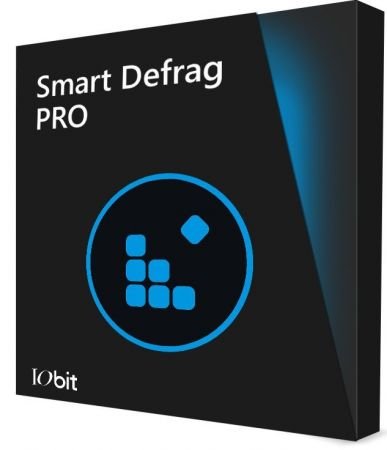
IObit Smart Defrag Pro 11.2.0.472 Multilingual

File size: 15.4 MB

IObit Smart Defrag is a free Disk Defragmenter, that accelerates the whole system with fast and efficient disk defragment. Based on IObit latest disk defrag engine and "Boot Time Disk Defrag" technology, Smart Defrag is created with the world's leading defragmentation ability. It not only provides defragmentation, but also intelligently streamlines your files based on using frequency, thus accelerating disk speed and the whole system for top performance!

IObit Smart Defrag works fast, automatically and quietly in the background and is suitable for large hard drives. It helps defragment your hard drive more efficiently than any other product on the market - free or not. It is known that disk fragments has been a primary cause of slow and unstable PC performance.

IObit Smart Defrag is such a tool that provides extremely fast and efficient defragmentation to your hard drives intelligently for faster file loading and high disk performance. With install it and forget it feature, the program works automatically and quietly in the background on your PC, keeping your hard disk running at its top speed.

Key Benefits
Extremely Fast and Efficient Defragmentation - Enhanced.
Using IObit's latest defrag engine and the new "Boot Time Defrag" technology, Smart Defrag has not only the world's fastest defragmenting speed but also the most advanced defragmenting ability. It's been specially designed for modern, large hard drives, which eliminates the long waiting time.
Designed for Top Disk Performance - Enhanced
The program doesn't just provide simple defragmentation. It also streamlines your file system, places the frequently used files and directories into the fastest area of the disk, enabling your computer to run at top speed with the most stability.
Always-on Automatic Defragment - Enhanced
The program works automatically and quietly in the background, so it continually and constantly keeps your computer fragment-free.
"Boot Time Defrag" Technology - New!
The new "Boot Time Defrag" technology allows you to defrag files during the system boot process, while these files cannot be defragged or are not safe to move after the system is already boot-up.
Guaranteed Data Safety and Disk Stability - Enhanced
Unlike other "Automated" Defragmenters, Smart Defrag does NOT constantly perform analysis and defrag, which damages your hard drive and shorten its life. It has a "Safe Intelligence" technology that can assure the health of your disk by deciding When and How to execute defragmentation.
On-schedule Disk Defragment - Enhanced
Your PC's performance is better maintained when it is defragged on a regular basis. The program offers a flexible way that allows you to schedule disk defragmentation according to your needs.
Extremely Easy to Use - Enhanced
Smart Defrag has taken on a new look. While it's still intuitive and easy to navigate, the new interface is undoubtedly more exquisite and professional, making it the ideal utility for complete computer novice.

Whats New
+ More accurate detection of disk types
+ Optimized Smart Analyze to analyze more intelligently, delivering more precise results
+ Improved defragment engine to boost defragment performance
+ Fixed bugs

Homepage
Код:
https://www.iobit.com/

DOWNLOAD
Код:
https://rapidgator.net/file/19a9556b69a2a2088c4fe72469338466/Smart.Defrag.Pro.7.rar.html

Код:
https://ddownload.com/pw1iuxz4lpqo/Smart.Defrag.Pro.7.rar
 
ezgif-5cbed4048f420156.jpg


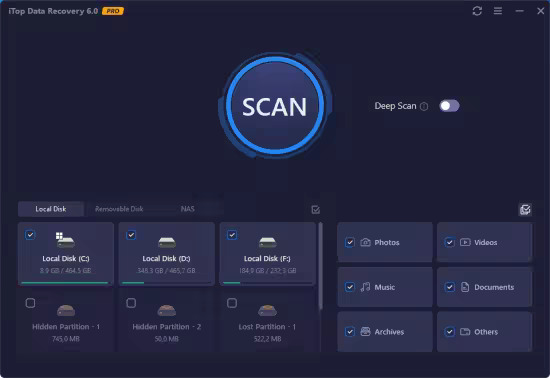
iTop Data Recovery Pro 6.0.0.924 Multilingual

File size: 17.8 MB

This powerful data recovery tool speeds up the scanning and data recovery process due to iTop unique recovery algorithm. You don't need to wait for a long time to get data back. In Just Minutes, you can retrieve deleted files perfectly as you expected. Besides, Scan options are diverse for different needs. You can quickly find your lost data by Location and File Type.

Recover Any Data from Any Data Loss Situations
Data loss can be caused by many reasons, and damages may differ greatly. You may have encountered a hard drive crash, a hard drive formatting, a computer virus, and malware, or you just accidentally delete your project documents and photos or videos, iTop Data Recovery is powerful enough to handle emergent data loss issues instantly and securely.

iTop Data Recovery enables you to easily perform file recovery without limitations. More than 1000 file formats are supported. Meanwhile, this Windows data recovery software supports recovery on all types of storage media including hard drive, memory card, USB drive, and SSD, etc.

Up to 95% Success Rate
The Windows data recovery tool also provides a totally free visualization preview of the deleted, corrupted, inaccessible and formatted data, including Microsoft Office documents, photos, videos, and audios. Moreover, you get to know the status of each of your files, for example, Excellent, Good or Poor, making sure it is exactly what you are looking for and if the data is recoverable. The feature is remarkably helpful in ensuring a precise and smooth data recovery experience. With years of recovery experience, till now iTop Data Recovery maintains a high level of 95% recovery rate.

Hint
Data recovery success rate depends on several factors. For example, how much new data have you been written? If you didn’t perform much operation after the file is deleted, it will be simple to undelete files. Earlier recovery ensures more chances of data recovery.

Whats New
+ Added support for scanning NAS devices
+ Added support for previewing files on NAS devices
+ Added support for recovering data to Cloud like Google Drive and Dropbox
+ Enhanced Deep Scan to scan out more lost data
+ Accelerated scanning to significantly save your time
+ Optimized UI for easier operation and better user experience

Homepage
Код:
https://www.itopvpn.com/data-recovery-software

DOWNLOAD
Код:
https://rapidgator.net/file/0d984b9d32daa6af12501aef051b92e4/iTopDataRecovery6.rar.html

https://ddownload.com/0vv6t6ktkmep/iTopDataRecovery6.rar
 
ezgif-546fdab804ff58b0.jpg


Lyric Video Studio 1.4.12

Languages: English
File Size: 263.06 MB

Turn your lyrics into stunning visuals — effortlessly. Lyric Video Studio is your go-to app for creating powerful, professional-looking lyric videos without the hassle. Whether you're a musician dropping a killer new track, a content creator, or just love playing with visuals, this app lets you sync lyrics to your music in just a few clicks. Import your lyrics, drag to sync, and you’re good to go. You know your lyrics — now show them off.

- Optimized for lyric videos, music videos and visualizers, but capable of anything.
- Non-linear video editing with AI image and video sources, 4K support.
- Easy and fast lyric import, text editing / subtitling made easy.
- Generate video content with 3rd party providers, Large language model support.
- Run image models locally, Keep your prompts organized.
- Fragment Shader support.
- Object detection and motions tracking for videos.

3rd party plugin support!
A1111 (localhost), SD3, OpenAi Dall-E 3, Black Forest labs, Luma Labs Dream Machine, Runway ML, MiniMax and KlingAi. Create a storyboard for your video! Or the whole video! Prompt images and videos using your service of choice and turn them easily to videos within the app. One app to rule your prompts!

Create start frames for video plugins to generate content. Create videos using text prompt. Or just import your video and add subtitles to it. Turn lyrics to video storyboard with just a few clicks!

Easy video editing
You don’t need to be professional video editor to use this app (but you can be :) ). DAW-like horizontally scrolling multi-track timeline, familiar from all digital audio workstations, is used to keep track of you items. Lyric, video, audio, primitive and generative AI tracks, as many as you want and need, keeping mind you PC performance. Includes integrated library for video import & export and also support using FFMPEG optionally. This is the video maker rethought from the scratch!

Effects and transitions
Apply effects on project and track level, affecting all ‘child’ items: fast and easy way of creating consistent transitions to your video very fast. Apply effects also to items to mix things up a little bit. Animate all the variables editable, like for example font color gradient offset or color. Mass edit multiple items! This video tool is designed with mindset to stop you from copy-pasting effects, transitions and font settings between items and make iteration of ideas faster. Also supports Fragment shaders, plenty as built in and you can add yours also.

Keep your prompts organized
Iteration is the key for getting the right results with generative AI. Lyric Video Studio keeps all your generations and results safe and you can swap between different variations easily. Create AI videos with help of multiple service providers.

Track objects, remove backgrounds
Latest addition adds motion and object tracking. Backgrounds can be removed from videos and images. You can attach items, including fragment shaders, to objects in video.

Add lyrics to your existing video
Import your lyrics from text file and app will add them in initial layout that is easy to sync with the song. Just ‘arm’ the track just like you do when recording fast keyboard solos, press rec and keep ‘Sync’ button pressed whenever a word or phrase is in the right place. Don’t worry if you missed a beat, you can continue where ever you want or just fix the timing manually. This lyric video creator was made to make adding text to videos easy and fast! Now also includes audio-to-text feature! Extract text from audio and automatically align with the video.

LLM’s, at your service
Large Language Models are supported to transfer your lyrics to video ideas and prompts. With just few clicks, you can export lyrics as image/video prompts. But which models to choose? Where do I get it? Don’t worry, the app has curated & tested list with download button option.

Optimized, to the last drop
Your rig does not need to be of a high end. Memory usage is optimized to enable even lower end computers to make videos. You do have a beast of a machine? Well, the app will certainly make use of your HW as much as possible :) Local Stable Diffusion support for machines with NVIDIA 30xx or better (40xx series recommended).

Traditional, but advanced
This music video maker offers traditional video editing controls and effect but also allows you to generate content from 3rd party services. So not just another AI video editor, but a hybrid! Gives you the control of the video. Edit your clips! Master your prompts! Create music videos. Create lyric videos. Create all kind of videos with ease!

Easy of use in mind
App is optimized to be fast and easy to use. Forget the pain of applying same effect to multiple items. Changed you mind? Need to do the exact same thing again to 100+ items? Not with Lyric Video Studio. This lyric video maker is built to reduce your clicks With presets for lots of features, you can store your favorite setups easily.

Alternative European
Lyric Video Studio is developed in Finland, EU. This video creator is the alternative to Adobe Premiere, DaVinci Resolve, Avid Media Composer etc.

AI Lyric Video Maker | Fast Subtitling for Musicians
Create stunning lyric videos easily! Lyric Video Studio helps musicians craft AI-powered, professional lyric videos with plugins, subtitles & full customization.

Bring Your Lyrics to Life | AI Lyric Videos Made Easy
Turn your songs into stunning visual stories! Lyric Video Studio blends AI magic with artistic control — perfect for indie musicians and creative souls.

Release Notes
v1.4.12
- Added 'Danger zone' to Settings menu: you can now delete all stored data, effectively making the app start fresh
- Fixed crash on rembg / python based features, if certain root folder does not exists
- Fixed template load
- Fixed couple of crashes
- Updated frameworks

System Requirements
Windows 10 version 17763.0 or higher (64-bit)

* Min requirements for Full HD video, no local AI: 2ghz processor, 8GB memory, SSD, windows 10. 3Ghz cpu, 16GB RAM, NVIDIA RTX 30xx recommended for local AI features

Homepage
Код:
https://lyricvideo.studio

DOWNLOAD
Код:
https://rapidgator.net/file/6f2cb7bdc61e56771f6dce3be8356855/Lyric_Video_Studio_1.4.12.rar.html

https://ddownload.com/f1jms6m87gf3/Lyric_Video_Studio_1.4.12.rar
 
ezgif-58435247cb9ed169.jpg]


Mass Image Compressor 4.2.1

Languages: English
File Size: 137.55 MB

Mass Image Compressor - Optimize – Resize – Convert – Watermark Images & Videos of Entire Folder. Mass Image Compressor - Batch photo optimizer, bulk image resizer & converter for JPEG, WebP, HEIC, AVIF, and animated formats. Supports watermarking photos with your logo image. Achieve up to 90%+ reduction in RAW to JPEG conversions, and 50%+ reduction for PNGs. Supports advanced compression for WebP and AVIF. Handles formats like Canon CR2/CR3, Sony ARW, Nikon NEF, Fuji RAF, Panasonic RW2, and many more.

For Hosting Web or Social Media Images
Optimize images for web, email, and social media. Drastically reduce size, convert to web-friendly formats, and preview before compression.
For Sharing Multiple Images with Friends.

For Sharing Multiple Images with Friends
Quickly compress and resize multiple images while keeping quality intact. Mass Image Compressor drastically reduces file size for easy sharing without losing details.

For Media Tech Professionals
Quickly compress, resize, and optimize images for various purposes. Bulk compress images, reduce size without sacrificing quality, and maintain metadata.

For Photographers Sharing with Clients
High-quality, bulk image compression for photographers. Reduce file sizes, maintain EXIF data, and deliver photos quickly with no loss in quality.

For Hosting Web or Social Media Images
Optimize images for web, email, and social media. Drastically reduce size, convert to web-friendly formats, and preview before compression. Quickly compress and resize multiple images while keeping quality intact. Mass Image Compressor drastically reduces file size for easy sharing without losing details

For Media Tech Professionals
Quickly compress, resize, and optimize images for various purposes. Bulk compress images, reduce size without sacrificing quality, and maintain metadata.

For Photographers Sharing with Clients
High-quality, bulk image compression for photographers. Reduce file sizes, maintain EXIF data, and deliver photos quickly with no loss in quality.

Windows App Features
- Bulk Operation: Works on one or more images and on entire folder (and its sub-folders)
- Image: Convert, Resize, Optimize, Watermark
- Extremely Ease of use: Drag & Drop folder & files
- Supports input images in all major formats including JPG/JPEG, PNG, WEBP, GIF, TIFF, AVIF, HEIC, JP2, BMP, as well as RAW image formats from leading camera brands like Sony (ARW), Adobe (DNG), Nikon (NEF), Canon (CR2, CR3, CRW), Kodak (DCR, KDC), Minolta (MRW), Olympus (ORF), Fujifilm (RAF), Pentax (PEF), Panasonic (RW2), Samsung (SRW), Epson (ERF), Hasselblad (3FR), and Mamiya (MOS, MEF).
- Output Format Supported: JPEG, PNG, WebP, AVIF, GIF
- Supports input and output of animated PNG, GIF, WebP!
- Blazing fast and high quality compression
- Preserves image metadata (EXIF Tags, XMP and IPTC data), ability to skip sensitive metadata
- Output file name manipulation (suffix, prefix, replace on file names)
- File name and file size based filter to exclude/include files for compression

Release Notes
Changes in V4.2
- Option to ‘Skip if compress’. MIC will not replace those images. Helpful when you have growing image collection.
- Performance and stability improvement.

System Requirements
Windows 10 version 17763.0 or higher

Homepage
Код:
https://mic.cognirush.com

DOWNLOAD

Код:
https://rapidgator.net/file/4a1b3a8d7637c2effbac2a1acd060e2e/Mass_Image_Compressor_4.2.1.rar.html

https://ddownload.com/xbhg5pq0otak/Mass_Image_Compressor_4.2.1.rar
 
ija-FDv51T0u-Qx-Qra-YOd-PK2Um-N7cg-Dq-GU.jpg


MiniTool Power Data Recovery 12.8 Business Technician Multilingual Boot ISO

File Size: 880 MB

MiniTool Power Data Recovery is a read-only File Recovery Software and Data Recovery Software. Power data recovery software could help you recover all your data no matter the data is lost by accidental deletion, format, re-partition, system crash or virus attack. Power data recovery is able to scan your device sector by sector to recover what ever left on your device. Power Data Recovery provide deep scan module which can scan and analyze raw data format including Microsoft Office files, digital graphics/pictures, audio/video files. Please visit deep scan page for complete raw file format list.

Feature overview
• Recover data after accidental deletion
• Recover data after an accidental format
• Recover data from an inaccessible volume (logical drive)
• Recover data after FAT corruption
• Recover data after repartition (fdisk)
• Recover data from a crashed physical device
• Recover data after an MBR corruption
• Recover data from a hard disk drive, camera card, USB drive, Zip, floppy disk
• Recover data for any error except physical damage

Key Features
• Supports FAT 12/16/32
• Supports NTFS
• Supports NTFS compressed and encrypted files
• Supports Dynamic Volume including Simple Volume, Spanned Volume, Stripe Volume, Mirror Volume and Raid Volume.
• Supports RAW data recovery
• Built-in preview function
• Built-in resume recovery function
• Built-in Recovery Wizard

What's new
Код:
https://www.minitool.com/data-recovery-software/upgrade-history.html

Operating System: Windows XP, Vista, Windows 7, Windows 8, Windows 8.1, Windows 10, Windows 11, Windows Server 2003, Windows Server 2008 (R2), Windows Server 2012.

Editions: Personal Standard, Deluxe, Ultimate / Business Standard, Deluxe, Enterprise, Technician

Homepage
Код:
https://www.minitool.com/

2534c2c61fdad605e2f32484578a2641.jpg


DOWNLOAD

Код:
https://ddownload.com/jtpnjixy39to/MiniTool_Power_Data_Recovery_Technician_12.8_WinPE.rar

https://nitroflare.com/view/1456E59E26D7122/MiniTool_Power_Data_Recovery_Technician_12.8_WinPE.rar
 
pyk-RPm-Fc-Tjn-HGFNK9eqe-KCKr-NVJw-LZk-C.jpg


MiniTool Power Data Recovery Personal / Business 12.8 Multilingual

Windows x86/x64 | All Editions | File size: 198.82 MB

MiniTool Power Data Recovery is a read-only File Recovery Software and Data Recovery Software. Power data recovery software could help you recover all your data no matter the data is lost by accidental deletion, format, re-partition, system crash or virus attack. Power data recovery is able to scan your device sector by sector to recover what ever left on your device. Power Data Recovery provide deep scan module which can scan and analyze raw data format including Microsoft Office files, digital graphics/pictures, audio/video files. Please visit deep scan page for complete raw file format list.

Feature overview
• Recover data after accidental deletion
• Recover data after an accidental format
• Recover data from an inaccessible volume (logical drive)
• Recover data after FAT corruption
• Recover data after repartition (fdisk)
• Recover data from a crashed physical device
• Recover data after an MBR corruption
• Recover data from a hard disk drive, camera card, USB drive, Zip, floppy disk
• Recover data for any error except physical damage

Key Features
• Supports FAT 12/16/32
• Supports NTFS
• Supports NTFS compressed and encrypted files
• Supports Dynamic Volume including Simple Volume, Spanned Volume, Stripe Volume, Mirror Volume and Raid Volume.
• Supports RAW data recovery
• Built-in preview function
• Built-in resume recovery function
• Built-in Recovery Wizard

What's new
Код:
https://www.minitool.com/data-recovery-software/upgrade-history.html

Operating System: Windows XP, Vista, Windows 7, Windows 8, Windows 8.1, Windows 10, Windows 11, Windows Server 2003, Windows Server 2008 (R2), Windows Server 2012.

Editions: Personal Standard, Deluxe, Ultimate / Business Standard, Deluxe, Enterprise, Technician

Homepage
Код:
https://www.minitool.com/

DOWNLOAD

Код:
https://rapidgator.net/file/50fb0bf0f0929868443cea19f2e79b4f/Power.Data.Recovery.12.8.rar.html

https://ddownload.com/7hz11tmfmv7c/Power.Data.Recovery.12.8.rar

https://nitroflare.com/view/8DC3BDE3E32E05E/Power.Data.Recovery.12.8.rar
 
th-fr-KEamr-Y5h2RVXNf-De-H5GCky-JINDMU2z.jpg


IObit Smart Defrag Pro 11.2.0.472 Multilingual

File size: 15.4 MB

IObit Smart Defrag is a free Disk Defragmenter, that accelerates the whole system with fast and efficient disk defragment. Based on IObit latest disk defrag engine and "Boot Time Disk Defrag" technology, Smart Defrag is created with the world's leading defragmentation ability. It not only provides defragmentation, but also intelligently streamlines your files based on using frequency, thus accelerating disk speed and the whole system for top performance!

IObit Smart Defrag works fast, automatically and quietly in the background and is suitable for large hard drives. It helps defragment your hard drive more efficiently than any other product on the market - free or not. It is known that disk fragments has been a primary cause of slow and unstable PC performance.

IObit Smart Defrag is such a tool that provides extremely fast and efficient defragmentation to your hard drives intelligently for faster file loading and high disk performance. With install it and forget it feature, the program works automatically and quietly in the background on your PC, keeping your hard disk running at its top speed.

Key Benefits
Extremely Fast and Efficient Defragmentation - Enhanced.
Using IObit's latest defrag engine and the new "Boot Time Defrag" technology, Smart Defrag has not only the world's fastest defragmenting speed but also the most advanced defragmenting ability. It's been specially designed for modern, large hard drives, which eliminates the long waiting time.
Designed for Top Disk Performance - Enhanced
The program doesn't just provide simple defragmentation. It also streamlines your file system, places the frequently used files and directories into the fastest area of the disk, enabling your computer to run at top speed with the most stability.
Always-on Automatic Defragment - Enhanced
The program works automatically and quietly in the background, so it continually and constantly keeps your computer fragment-free.
"Boot Time Defrag" Technology - New!
The new "Boot Time Defrag" technology allows you to defrag files during the system boot process, while these files cannot be defragged or are not safe to move after the system is already boot-up.
Guaranteed Data Safety and Disk Stability - Enhanced
Unlike other "Automated" Defragmenters, Smart Defrag does NOT constantly perform analysis and defrag, which damages your hard drive and shorten its life. It has a "Safe Intelligence" technology that can assure the health of your disk by deciding When and How to execute defragmentation.
On-schedule Disk Defragment - Enhanced
Your PC's performance is better maintained when it is defragged on a regular basis. The program offers a flexible way that allows you to schedule disk defragmentation according to your needs.
Extremely Easy to Use - Enhanced
Smart Defrag has taken on a new look. While it's still intuitive and easy to navigate, the new interface is undoubtedly more exquisite and professional, making it the ideal utility for complete computer novice.

Whats New
+ More accurate detection of disk types
+ Optimized Smart Analyze to analyze more intelligently, delivering more precise results
+ Improved defragment engine to boost defragment performance
+ Fixed bugs

Homepage
Код:
https://www.iobit.com/

2534c2c61fdad605e2f32484578a2641.jpg


Buy Premium Account From My Download Links And Get Resumable Support & SUPER Fastest Download Speed

Код:
https://rapidgator.net/file/19a9556b69a2a2088c4fe72469338466/Smart.Defrag.Pro.7.rar.html

https://ddownload.com/pw1iuxz4lpqo/Smart.Defrag.Pro.7.rar
 
Назад
Сверху Снизу