All sanddisk Software's Collection [Daily Updated]

th-9RAPN9SDD8MVKXu-Ed4Fuq-Qbku-SF0degt.jpg


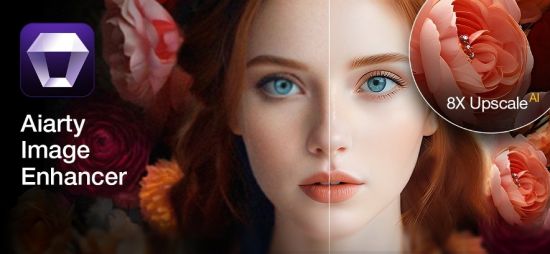
Aiarty Image Enhancer 3.10 Multilingual

Windows x64 | File size: 345.64 MB

Aiarty Image Enhancer is Photo & image enhancement software powered by AI to generate more image details and the best quality. Denoise + Deblur + More Details + Upscale.

Optimized for AI-generated Images[SD + MJ]
More Details
Generate more details. Deliver more clarity and sharpness. Better perceptual quality.
Generative Enhancement
Ultra-clarity and abundant details for low-quality and low-resolution images. No artifacts.
Bigger. And Clearer.
3 AI models, up to 8x upscaling, and 32K Hollywood-level quality and resolution.
Better Skin, Hair & Texture

Not only denoise, but also reconstruct
Generative AI Models
Enlarge Al-generated images, restore flawed photographs, and improve low-quality JPEGs, ensuring unparalleled clarity and details.

What's new
• official site does not provide any info about changes in this version

Homepage
Код:
https://www.aiarty.com/

DOWNLOAD

Код:
https://rapidgator.net/file/bbbca476b41bab383c9c00f4be71137b/Aiarty.Image.Enhancer.3.10_x64.rar.html

https://nitroflare.com/view/B67995B1673A0F5/Aiarty.Image.Enhancer.3.10_x64.rar
 
ezgif-70f81a9160622bec.jpg


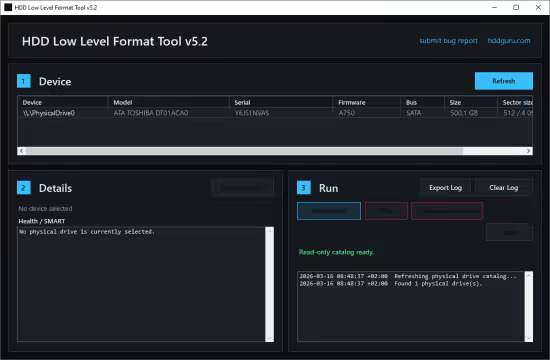
HDD Low Level Format Tool 5.3

File Size: 1.6 GB

This HDD Low Level Format utility can erase and Low-Level Format a SATA, IDE, SAS, SCSI or SSD hard disk drive. Will also work with any USB and FIREWIRE external drive enclosures as well as SD, MMC, MemoryStick and CompactFlash media.

Common use cases
- Inspect a drive before reuse, fully wipe a USB SSD or flash drive, and confirm that a device is fully readable
- Prepare media for redeployment, run destructive wipe workflows with explicit logs, and export audit-friendly device details
- Collect raw device identity and health details, verify host-readable access, and understand exactly which Windows storage path is in use

What v5 adds
- Physical-drive inspection with Windows identity plus NVMe, ATA/SATA SMART, and USB SAT details where the current Windows path exposes them
- Read Verify: host-side full-device sequential raw reads with progress, elapsed time, ETA, and logging
- Low-Level Format: destructive whole-device zero-write path with explicit double-confirmation, stop support, and post-operation device refresh
- Trim: destructive whole-device discard / TRIM workflow, equivalent in intent to Linux blkdiscard
- Detailed operation logs, exportable inspection details, startup diagnostics

Operations
- Read Verify: read the whole physical device from the host side without writing to it
- Low-Level Format: write zero-filled buffers across the entire selected physical drive
- Trim: send full-device discard / TRIM requests; faster than full LLF but does not guarantee full data destruction

What's new
• official site does not provide any info about changes in this version

Homepage
Код:
https://hddguru.com/


DOWNLOAD

Код:
https://rapidgator.net/file/0ada4b467179d90a6c90548446041e92/HDDLowLevelFormatTool5.3.exe.html

https://nitroflare.com/view/936C4510D9FD951/HDDLowLevelFormatTool5.3.exe
 
ezgif-7f593b516b48d223.jpg


Adobe Lightroom Classic 2026 v15.2.1 (x64) Multilingual

File size: 2.9 GB

Edit and organize your photos with the app that’s optimized for desktop. Lightroom Classic gives you powerful one-click tools and advanced controls to make your photos look amazing. Easily organize all your photos on your desktop, and share in a variety of ways.

Your best shots. Made even better.
Your photos don’t always reflect the scene the way you remember it. But with Lightroom Classic, you have all the desktop editing tools you need to bring out the best in your photographs. Punch up colors, make dull-looking shots vibrant, remove distracting objects, and straighten skewed shots. Plus, the latest release offers improved performance so you can work faster than ever.

- With better performance under the hood, Lightroom Classic lets you import photos, generate previews, and move from Library to Develop Module in record time.
- Use range masking tools to easily select the areas or objects you want to edit based on their color, luminance, or depth.
- Create HDR panos faster now that you can merge multiple bracketed exposures into multiple HDR photos and then stitch them into a panorama — all in one step.

The future of photography. Here today. Get to know Lightroom.
Go beyond the desktop and edit, organize, store, and share from anywhere with the cloud-based Lightroom photo service

- Store and access your full-resolution photos in the cloud
- Find photos on any device fast with auto tagging
- Edit from any device using an intuitive, streamlined interface

Accelerate image-editing with GPU support
Use the GPU of your system to enhance image-editing experience.

Organize your collections with color labels
Color labels can be added for collections, collections sets, and smart collections.

Support for new cameras and lenses
Adds support for new cameras and lens profiles.

Other enhancements
Find information about PNG export, batch merge for HDR and panoramas, and other new enhancements in this release.

Release Notes
Код:
https://helpx.adobe.com/lightroom-classic/help/whats-new.html

Homepage
Код:
https:/adobe.com

DOWNLOAD

Код:
https://rapidgator.net/file/9d0386d8f011e35a3ef24fb34e938779/Lightroom.Classic.2026.v15.2.1.part1.rar.html
https://rapidgator.net/file/d7b03f7084e07cae31b2e28d49ce0e34/Lightroom.Classic.2026.v15.2.1.part2.rar.html

Код:
https://nitroflare.com/view/59895683DBB3A9B/Lightroom.Classic.2026.v15.2.1.part1.rar
https://nitroflare.com/view/4C66827B80D357B/Lightroom.Classic.2026.v15.2.1.part2.rar
 
th-Wm-Ilpta-Ev-Jih-Pwmqxu4JFi9Wd64B32g-Z.jpg


DVDFab 13.0.5.7 (x64) Multilingual

File Size: 466.1 MB

DVDFab All-In-One includes 26 DVDFab 12 products, offers complete multimedia solutions on DVDs, Blu-rays, 4K Ultra HD Blu-rays, recorded (4K) BDAV Blu-rays and videos. Copy, rip, burn and convert DVDs, Blu-rays and 4K Ultra HD Blu-rays; download, convert and edit videos...no matter what your demand is, you're all covered!

DVD Copy
Copy and burn DVDs with 6 backup modes.

DVD Ripper
Convert DVDs to MP4, MKV, MP3, AAC and more.

DVD Creator
Produce premium home DVDs from family videos.

DVD to Blu-ray Converter
Convert DVDs to standard Blu-ray format.

DVD Cinavia Removal
Remove Cinavia watermarks from infected DVDs.

Best Tools for Creation and Conversion
Video Converter
Convert videos from one format to another, or to mainstream audio formats.

Hi-Fi Audio Converter
Extract the high quality audios from Blu-rays and save as popular lossless audio files.

DRM Removal for Apple
Remove the DRM encryptions from Apple contents for unrestricted playback on any devices.

Screen Recorder & Editor for iOS
Record everything from the screen of an iOS device, such as an iPhone, iPod touch or iPad.

Whats New
Код:
https://www.dvdfab.cn/dvd-fab-new.htm

Homepage
Код:
https://www.dvdfab.cn

DOWNLOAD

Код:
https://rapidgator.net/file/5dde1013fe329531fdeee87bd134b4f3/dvdfab_13.0.5.7.rar.html

https://nitroflare.com/view/8E75CE12D307113/dvdfab_13.0.5.7.rar
 
ezgif-78f2509d810c4184.jpg


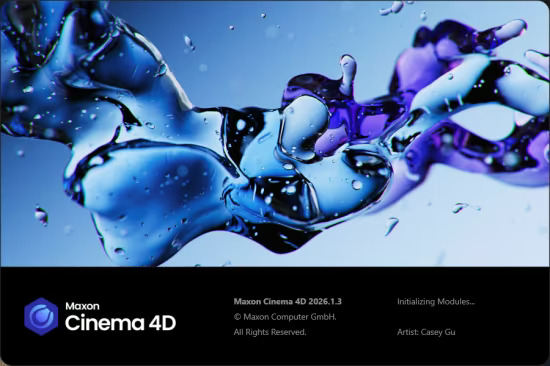
Maxon CINEMA 4D 2026.1.4 (x64) Multilingual

File Size: 894.5 MB

Cinema 4D is a professional 3D animation, modeling, simulation and rendering software solution. Fast, powerful, flexible, and stable, this powerful toolset makes 3D workflows more accessible and efficient for design, motion graphics, VFX, AR/MR/VR, game development, and all types of visualization.

Cinema 4D delivers 3D assets and hyper-realistic images that bring campaigns to life with accurate materials and fast scene setup and is the go-to tool for artists across a wide spectrum of industries.

Motion Graphics
MoGraph artists enjoy fast, unified simulations that are easy to create and art-direct. All the procedural power of C4D integrates seamlessly with rigid-body, soft-body, cloth, pyro, particles and now liquids.

Gaming
Create game content with the help of C4D's rich modeling and texturing toolset, now including UDIM support. With the powerful Cineware technology, you can import C4D content including rigged character animations directly into Unreal Engine game projects.

Product & ArchViz
This update is designed for ArchViz workflows—keeping materials, lights, and textures consistent and accurate to save time and eliminate manual fixes. Add realism with physical sky and volumetric clouds, and speed up your process with AI-powered search.

Key Features
Powerful 3D Modeling
Cinema 4D offers robust tools for creating intricate 3D models with ease and precision. Intricate 3D sphere model with particle effects, showcasing Cinema 4D 's power in 3D modeling.

Animation Workflow
Cinema 4D provides a smooth and intuitive animation workflow, allowing users to bring their creations to life seamlessly.

Extensive MoGraph Tools
Cinema 4D’s comprehensive MoGraph toolkit empowers users to create complex motion graphics and procedural animations effortlessly.

Dynamic Simulation
Cinema 4D excels in dynamic simulations, enabling realistic 3D animations of fluids, cloth, rigid bodies, particles, and more.

Rendering
The integrated GPU-accelerated Redshift render engine is ready meet the challenging demands of creative individuals and studios of every size.

Transition seamlessly between 3D animation and rendering!
Now with Redshift, the powerful GPU-accelerated renderer in Cinema 4D, you can achieve professional-looking results faster with powerful tools and optimized workflows! Tailored to meet the specific demands of contemporary high-end production rendering, Redshift supports complex, advanced shading networks and texturing capabilities, ensuring production-quality rendering.

Whats New
Код:
https://www.maxon.net/en/cinema-4d

Homepage
Код:
https://www.maxon.net/

DOWNLOAD

Код:
https://rapidgator.net/file/f02c2cdb11120deab0ad47753aa00f83/Cinema4D_2026.1.4.rar.html

https://nitroflare.com/view/6CFEBBC44816D1A/Cinema4D_2026.1.4.rar
 
ezgif-709c577a77775576.jpg


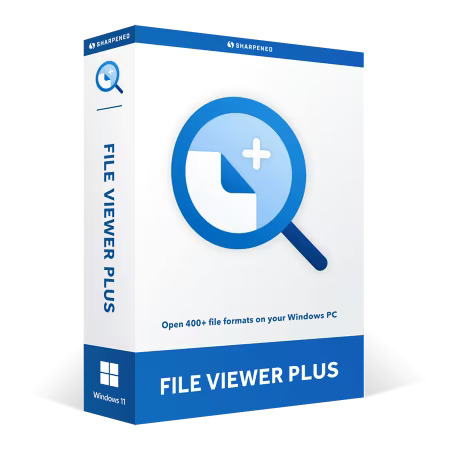
File Viewer Plus 6.2.1.100 Multilingual

Languages: Multilingual
File Size: 176.02 MB

File Viewer Plus 6 - The Ultimate Windows File Utility. Open dozens of document formats, such as PDFs and Microsoft Office files, including Word, Excel, and PowerPoint documents. Edit text documents with the built-in word processor.

File Viewer Plus is a single app that opens over 400 file formats.
- Create, edit, and save Microsoft Office documents
- View and convert PDFs (including PDF to Word)
- View and edit images, including DICOM and camera raw files
- Play audio and video files with the built-in media player
- View and export CAD drawings and embroidery files
- Decompress archives with selective file decompression
- Identify unknown files — even ones without file extensions

View, edit, save, and convert
Not only can you view hundreds of file formats with File Viewer Plus, you can also edit, save, and convert files. Create a new Word document and save it as a PDF. Open a PDF and save it as a Word document. Edit a camera raw image and export it as a JPEG. Convert thousands of files at once with the built-in batch converter.

NEW in version 6
Convert PDFs to editable Word documents.

Move, rename, copy, and delete
The all-new file manager provides an easy way to organize folders and files on your PC. Instead of just browsing your files, you can rename, move, copy, and delete files and folders — all within File Viewer Plus. Quickly scan through hundreds of files using the convenient thumbnail images custom-generated by File Viewer Plus. Need a larger view? Preview them directly in the file manager with split-view mode. Save your favorite locations for quick access.

NEW in version 6
Move, rename, copy, and delete files. View Office document thumbnail images not provided by Windows Explorer.

Browse files and folders
View your PC's entire directory tree and select any folder to display its contents. Sort the contents of any folder.

Display file thumbnails
View thumbnail previews of your files, including many thumbnail formats not supported by Windows Explorer.

Preview before opening
Select a file and preview the file contents in the file browser's resizable preview pane.

What's New in Version 6

Manage your documents
- Organize your files with with ease. Copy, paste, move, rename, delete, and share files with the built-in file manager.
- Enjoy full Windows File Explorer integration, drag-and-drop support, and thumbnail previews of your Office documents.

Convert PDF to Word
Convert PDFs to fully editable Office documents with best-in-class accuracy. Convert to DOCX, XLSX, or PPTX formats while preserving layouts, fonts, and formatting.

View XPS files
Open XPS documents and convert them to PDFs for modern compatibility and sharing. File Viewer Plus 6 ensures continued access to Microsoft's legacy format in Windows 11.

Extract individual files
Navigate archive formats like ZIP, TAR, and 7z with the redesigned archive browser. Extract just the files you need, or entire archives. File Viewer Plus 6 makes working with compressed files faster and more efficient.

View modern image formats
Open the latest image formats like JPEG XL and HEIC files produced by modern iPhones. File Viewer Plus 6 ensures compatibility with digital photos from the latest devices. Not only can you view dozens of image formats, you can edit images with the built-in image editor. Export your images to several different formats.

Share files with other apps
Send files to other apps from File Viewer Plus 6. Attach files to emails, open files from other applications, or use the Share As feature to send files in a different format.

Release Notes
Version History

Код:
https://fileviewerplus.com/version_history

File Viewer Plus runs on the following versions of Microsoft Windows
- Windows 11
- Windows 10 (64-bit)
- Windows Server 2022
- Windows Server 2019
- Windows Server 2016 (64-bit)

Other system requirements
- 560MB disk space
- 1GB RAM
- .NET Framework 4.6.2 or later

Homepage
Код:
https://fileviewerplus.com

DOWNLOAD

Код:
https://rapidgator.net/file/fe7082123803ad2a44bf90392bb7e602/File.Viewer.Plus.6.2.1.100.rar.html

https://nitroflare.com/view/E5A289DC4330239/File.Viewer.Plus.6.2.1.100.rar
 
Назад
Сверху Снизу