All sanddisk Software's Collection [Daily Updated]

ezgif-2e8d9fa87450b1e2.jpg


ChessBase 26.2 Multilingual

Languages: Multilingual
File Size: 440.13 MB

ChessBase is a personal, stand-alone chess database that has become the standard throughout the world. Everyone uses ChessBase, from the World Champion to the amateur next door. It is the program of choice for anyone who loves the game and wants to know more about it. Start your personal success story with ChessBase and enjoy the game even more.

Whether it is preparation for an individual opponent or tournament, administration and analysis of one's own games, development of training material for self-study or for training groups, or publication of games on the web or in print: ChessBase o.ers an incredible wealth of functions for all areas of study and playing levels. Anyone who is seriously involved in chess, plays tournaments or simply wants to understand chess, needs ChessBase: youth players, amateurs, tournament players, coaches, grandmasters, professional players etc.

New in ChessBase´26

More targeted preparation
Club players need different statistics than top grandmasters. Prepare for your level, not for the World Champion. The ChessBase’26 opening books reflect mainstream theory and often suggest lines that are not easy for the opponent you are preparing for to play.

New tools and improved functions
- Top players immediately recognize the latest trends and the statistics for different move orders. With ChessBase’26, you too can understand the typical variations along with their strategic themes and common plans.
- Train by reviewing selected instructive games.
- Solve the typical tactical motifs – this is revolutionary for opening training and great fun.
- New reference filters
- Instant preparation: simply enter the name.
- Filter out blitz and rapid games with one click.
- New detection of duplicate games.
- Ten times faster and much more precise. Database maintenance has never been so easy.
- Monte-Carlo analysis
- AI description of plans
- Explains a position to you like a good personal trainer.
- (Valuable insights, but be aware that hallucinations are still possible.)
- Real-time ray tracing
- The ray-traced 3D boards have become ultra-fast and reach high resolution within seconds.

Release Notes
- Release notes were unavailable when this listing was updated.

Minimum Requirements
Desktop PC or Notebook, 4 Threads, 8 GB RAM, Windows 10 64bit, DirectX 10 graphics card with 1 GB RAM

Recommended Requirements
Intel core i7 or AMD Ryzen Processor with 8 Threads, 16 GB RAM, Windows 10/11 64bit, DirectX 11 graphics card (or compatible) with 1 GB RAM or more, full HD Monitor

Supported Languages
German, English, Spanish, French, Italian

Homepage
Код:
https://shop.chessbase.com

DOWNLOAD

Код:
https://rapidgator.net/file/d40577b9eb07a3d620accacd19db2a73/ChessBase_26.2.rar.html

https://ddownload.com/2m98uyo94mna/ChessBase_26.2.rar
 
ezgif-2f7f1b0bb6549a14.jpg


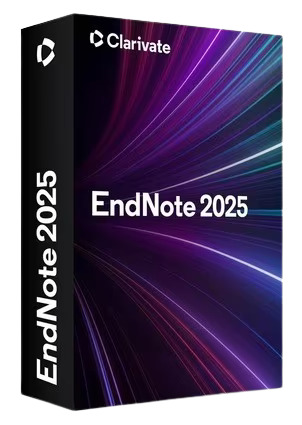
EndNote 2025.2 Build 19737

Languages: English
File Size: 135.61 MB

EndNote 2025 is here - Unleash your research superpowers! The best reference management tool is getting even better. The all new EndNote 2025 and EndNote Web help you manage and format citations like never before with bold new features. With EndNote 2025 you stay organized using features like tags that enhance productivity. You can enjoy peace of mind with data restoration functions that protect your work and improve your writing workflow with integrated document creation tools for Google Docs.

EndNote: Your essential reference manager
Streamline the research and writing process with the leading reference management solution.
EndNote is a powerful reference management tool that helps you save time, stay organized, and collaborate effectively as you write and publish research papers. Trusted by thousands of academic and industry researchers worldwide, EndNote helps protect the integrity of your research with built-in tools that support quality and accuracy while providing more dedicated support than any other reference management tool available.

Unmatched efficiency and value
Save time and stay productive throughout all stages of the research and writing process with no hidden costs.

Save time
Search hundreds of online resources for references and find full text in one click. Cite While You Write™ while simultaneously creating a bibliography and get direct connections to more databases.

Stay organized
Store and manage an unlimited set of references, centralize all references in one place, organize with tags, and create rules to auto-organize as you write.

Easily collaborate
Share some or all of your library with up to 1,000 people and set permissions for access and editing.

Get published
Quickly identify the best-fit journals for your manuscript with Manuscript Matcher.

Reliable standards
Write papers with confidence using built-in tools that support quality and accuracy.

Accurate citations
Easily adhere to academic and industry citation standards with up-to-date journal and referencing styles and receive retraction alerts as you write to prevent you from unknowingly damaging your argument.

Trusted sources
Leverage trusted and verified data from Web of ScienceTM to populate and update your EndNote libraries.

Robust support and data protection
Rely on a trusted reference management solution backed by 24/7 support and a data restoration function.

User-centric approach
EndNote meets the needs of researchers. Our long product history ensures users enjoy a reliable, regularly updated product backed by dedicated resources.

Release Notes
EndNote 2025: Key Features

Код:
https://support.clarivate.com/Endnote/s/article/EndNote-2025-Key-Features-Internal?language=en_US

System Requirements
- Windows 10, 11
- 1 gigahertz (GHz) or faster x86-bit or x64-bit processor
- 600 MB hard disk space available
- Minimum 2 GB of available RAM

Word processor software
- Microsoft Word[CWYW] for Windows: 2010, 2013, 2016, 2019, 2021, Office 365 (locally installed desktop version only)
- Apache OpenOffice[CWYW] for Windows: 3.x, 4.x
- LibreOffice[CWYW] for Windows: 4.x, 5.x, 6.x, 7.x (32-bit)
- Partner CWYW Integration: Wolfram Mathematica 8
- Partner CWYW Integration: WPS

* An Internet connection is required to search online databases, find full text and automatically update references.

Homepage
Код:
https://endnote.com

DOWNLOAD

Код:
https://rapidgator.net/file/5e720e34d40251e202f0292758193714/EndNote_2025.2.rar.html

https://ddownload.com/97as6gh1m2pn/EndNote_2025.2.rar
 
ezgif-2b5f0430d831f0c9.jpg


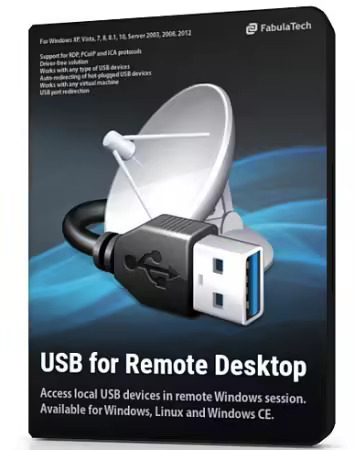
FabulaTech USB for Remote Desktop 6.3.6.1 (x64)

File size: 63.6 MB

USB for Remote Desktop. Access local USB devices in remote Windows session. When you work in a remote desktop environment, getting access to your locally plugged USB devices can be quite problematic. In some cases you still can use some workarounds like plugging the USB device into the remote machine directly but in the most cases it’s not a solution.

The program consists of Server and Workstation parts. The Workstation part is installed on the local computer or thin client where USB devices are physically plugged. The Server part is installed on the remote side you are connecting to via Microsoft RDP, Teradici PCoIP or Citrix ICA. The Server part makes redirected USB devices available for remotely logged users. The program supports a wide range of USB hardware and does not require any special configuration.

USB for Remote Desktop screenshot
USB for Remote Desktop is a software allowing redirection of locally plugged USB devices to you remote desktop session. It appears like the USB device is plugged directly to the remote side.
The program consists of Server and Workstation parts. The Workstation part is installed on the local computer or thin client where USB devices are physically plugged. The Server part is installed on the remote side you are connecting to via Microsoft RDP, Teradici PCoIP or Citrix ICA. The Server part makes redirected USB devices available for remotely logged users.

Driver-free solution
USB for Remote Desktop does not require USB device drivers on the local machine or thin client. So, any new USB device can be redirected to the remote desktop session without installing USB device drivers.
The program supports a wide range of USB hardware and does not require any special configuration.

Works with any USB devices
The program is not limited to some specific models of USB devices. It is compatible with any of them. So, it is really universal solution for USB device redirection. Even the most exotic USB devices can be redirected to your remote desktop environment.

Auto-redirecting of hot-plugged USB devices
Using the Administrative Utility, USB for Remote Desktop can be configured to redirect any newly plugged USB device immediately and automatically. You don't have even to divert your attention away from the working process. The program will redirect the USB devices automatically every time you plug them in.

USB port redirection
In some cases it is really convenient to use some dedicated USB port for redirection. In such case any USB device being plugged to that port will be redirected to remote side. All other devices will be for local use only.

Ready for Enterprise
For large installations, it’s possible to configure the program for local and domain users remotely. The configuration can be done via Active Directory allowing to pre-set needed settings or even disable USB redirection for specified users or just for specific types of USB devices.

Whats New
- Several bugs caused by Windows updates have been fixed (Explorer crash + ARM WS connect).

Homepage
Код:
https://www.fabulatech.com/

Homepage
Код:
https://www.hyperionics.com/


DOWNLOAD

Код:
https://rapidgator.net/file/d3d75ae40c957dbbcd09c56f82778fa4/FabulaTech_USB_for_Remote_Desktop_6.3.6.1.rar.html

https://ddownload.com/jei00de9321i/FabulaTech_USB_for_Remote_Desktop_6.3.6.1.rar
 
ezgif-30ad5bd6ab26342a.jpg


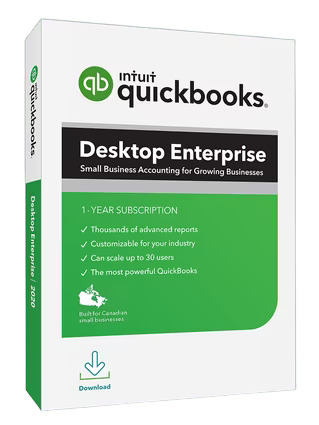
Intuit QuickBooks Enterprise Solutions 2024 v24.0 R18

Languages: English
File Size: 1.99 GB (In Total)

Enhanced visibility and control to help power your business. An all-in-one flexible business solution. QuickBooks Enterprise 24.0 helps improve decision-making, efficiency, and productivity with a clear line of sight across your business.

Enterprise accounting
- Enterprise gives you everything in one place—accounting, inventory management, reporting, pricing rules, job costing, payroll, time tracking, and more.
- Get capacity for 1 million customers, vendors and inventory items, 100,000 classes, and 45 custom fields.*
Maintain control of your data with custom user permissions.* Delegate work by user or role, and assign access only to specific data, transactions, and reports.
- Streamline order management with one central dashboard that controls your entire pick, pack, and ship process, including sending instructions to mobile devices.

Built-in payroll
- Payroll** is already fully integrated—no separate purchase required.
- Easily prepare, file, and send W-2s and 1099s.*
- Quickly pay employees with checks, direct deposit,* or both.
- NEW! Offer your team a 401(k) retirement plan through Guideline that's fully integrated with QuickBooks.*
- NEW! Improve administrator productivity with detailed employee profile information available in a single Employee Center.*

Integrated payments
- Accept cards, eChecks and ACH transfers with QuickBooks Desktop Payments.
- Get paid 1.4x faster than with paper invoicing.*
- Enterprise automatically records and matches your payment transactions.
- Preferred rates available for Enterprise customers.**

Apps & integrations
- Integrate the apps you use today and expand your toolkit with access to more than 200 apps.*
- Manage your online sales and inventory in one place by integrating e-commerce* channels with QuickBooks.
- Sync QuickBooks with the Salesforce CRM Connector* to reduce duplicate data entry, generate invoices automatically, and serve customers better.*

Pre-built and customizable reporting
- Get more than 200 customizable, built-in reports, including 70 industry-specific reports—or build your own report.
- Create and revise budget, plan, and forecast scenarios.
- Manage inventory and sales fulfillment, track job costs, and view clients and expenses with reports tailored to your industries.

Manage inventory across warehouses with multi-level categorization
- Track inventory items* down to the specific bin or pallet across warehouses or even trucks.
- Easily transfer inventory from one location to another to meet demand without delays.
- Use up to four levels of inventory categorization and assign expiration dates to sell items more quickly, reducing losses.

Landed cost
- Factor in freight, duties, insurance, and other miscellaneous expenses to calculate a more accurate cost for your products. .
- Gain flexibility by setting up landed cost accounts as COGS or “other current assets."
- Calculate landed cost* for old bill items from closed accounting periods.

Order management
- Manage sales orders from one central dashboard from start to finish with our pick, pack, and ship tools.*
- Group orders together and apply the same action to them by batching.
- Send electronic instructions to a picker through a mobile scanner* or Android device, or print them if you choose.
- Use the Shipping Manager* to fill out and print a label from UPS, FedEx, or USPS.

Manufacturing
- Keep costs down and profits up by tracking raw materials to finished goods, including labor and shipping with landed cost and bill of materials.
- Make your manufacturing processes more efficient with automated inventory levels, builds, and purchase orders for all subassemblies and final assemblies.
- Automate more inventory processes with tools like mobile barcode scanning* to speed up picking, receiving, and cycle count* inventory updates.
- Streamline order management by controlling your entire pick, pack, and ship workflow from one central dashboard, sending instructions to mobile devices across locations.

Wholesale
- Get a true picture of all your costs with landed cost* calculations that include shipping, duties, taxes, insurance, and other fees.
- Apply automatic pricing rules* to maintain profits while you reduce manual work.
- Increase efficiencies with a single source for all your vendor information.
- Use mobile barcode scanning* for picking, receiving, and cycle count inventory updates.
- Integrate QuickBooks with top online stores and marketplaces with inventory counts updated automatically.

Construction and contractors
- Track job costs in real time from estimate to final invoice right in QuickBooks Enterprise.
- Manage your workforce wherever they are with cloud access.*
- Connect your office and field staff, schedule jobs, and invoice on site with Intuit Field Service Management.*
- Sync time tracking on mobile devices* with QuickBooks.
- Easily pay employees and contract workers with QuickBooks Payroll.*

Professional services
- Track projections to actual results with project costing.
- Let employees keep track of time spent on specific projects from anywhere with QuickBooks Time Elite.*
- Quickly pay employees and contractors via check, direct deposit,* or both with QuickBooks Payroll.*
- Get the information you need with customizable reports built for professional services or create your own with Advanced Reporting.*

Accountants
- Work seamlessly with client data and files, and give them the best service possible.
- Manage client files and maintain version control.
- Review client data and fix errors on one screen.
- Get editions geared to your clients’ industry.

Release Notes
Intuit QuickBooks Enterprise - Release Notes

Код:
https://quickbooks.intuit.com/desktop/enterprise/whats-new/

System Requirements
- Windows 10 (64 bit), or Windows 11, update/version supported by Microsoft.
- Server: Windows Server 2012 (or R2), 2016, 2019, or 2022 (Regular or Small Business Server)
- 2.4 GHz processor
- Client RAM: 8 GB RAM; 16 GB recommended
- Server RAM (for multi-user support): 8 GB (5 users); 12 GB (10 users); 16 GB (15 users); 20 GB (20+ users)
- 2.5 GB disk space recommended (additional space required for data files); Solid State Drive (SSD) recommended for optimal performance
- Optimized for 1280×1024 screen resolution or higher. Supports one Workstation Monitor, plus up to 2 extended monitors. Optimized for Default DPI settings.

Integration with other software
- Microsoft Word and Excel integration requires Office 2013-2021, or Microsoft 365 (32 and 64 bit)
- E-mail Estimates, Invoices and other forms with Microsoft Outlook 2013-2019, Microsoft 365, GmailTM, and Outlook.com®, other SMTP-supporting e-mail clients. Integration with QuickBooks POS 19.0.
- Transfer data from Quicken 2016-2022, QuickBooks Mac/Plus 2016-2023 (US only), and Microsoft Excel 2013-2021, Microsoft 365 (32 or 64 bit)

Homepage
Код:
https://quickbooks.intuit.com

DOWNLOAD

Intuit QuickBooks Enterprise Solutions 2024 v24.0 R18 (US)


Intuit QuickBooks Enterprise Solutions 2024 v24.0 R18 (Canada)

Код:
https://rapidgator.net/file/3c8ea604cf371437890b0570fb68ae70/QuickBooks_24.0_R18_CA.rar.html

https://ddownload.com/pxhzoeoggrpx/QuickBooks_24.0_R18_CA.rar

 
ezgif-7d21125b3fde4680.jpg


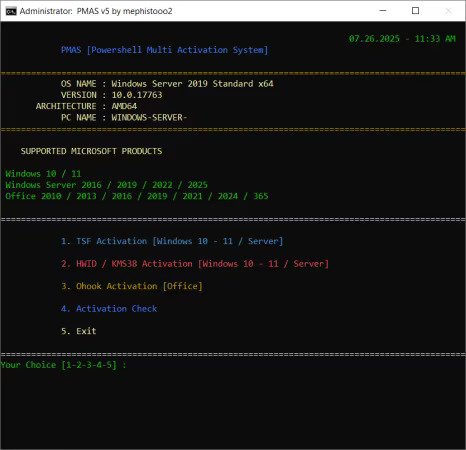
PMAS - PowerShell Multi Activation System 10.0

File Size: 0.4 MB

This advanced PowerShell script is a flexible and modular solution designed for licensing Windows and Office products. It runs a custom .NET library called "LibTSforge.dll" from memory for the TSF method of licensing Windows and Office. It's a full-service activation tool that also supports HWID and Ohook activation methods.

Features
Fully automated activation
GUI-assisted interactive PowerShell menu (TSF)
Base64 embedded script decoding
Internet connection check & fallback mechanisms
Supports only Windows 10/11 and Server 2016+

Supported Products
Windows
Windows 10 (all editions)
Windows 11 (all editions)
Windows Server 2016 / 2019 / 2022 / 2025
Office
Office 2010 / 2013 / 2016 / 2019 / 2021 / 2024 / 365

Unsupported Systems
Windows 7 / 8 / 8.1 (official support ended; PowerShell and .NET versions may be insufficient)
Windows XP / Vista (PowerShell 5.1 cannot run)
ARM-based Windows versions (DLL loading may fail)

What's New
Код:
https://github.com/abdullah-erturk/pmas/releases/tag/v8

Homepage
Код:
https://www.tnctr.com

DOWNLOAD

Код:
https://rapidgator.net/file/c827c619ffa6c1cfff3b15a2460182f5/PMAS_v10.zip.html

https://ddownload.com/howaaped7jwf/PMAS_v10.zip
 
ezgif-7ed49e05e7334ae3.jpg


SketchBook Pro 9.3.24 (x64) Multilingual

File Size: 52.9 MB

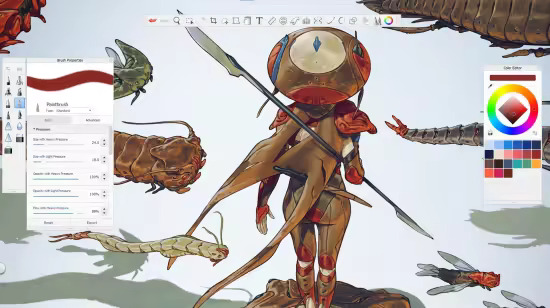
Whatever you use - desktop, mobile, or tablet - Sketchbook® is there with the tools you need. Create, sketch, doodle, and capture your ideas wherever you are.

Beautiful to use
Purpose-built to sketch, Sketchbook has an intuitive and streamlined UI that doesn’t get in the way of your drawing process, while providing all the essential features like layers and blend modes that a professional artist expects.

Hundreds of brushes
Sketchbook comes with a full complement of brush types: pencils, markers, airbrushes, paint, smear and more. Brushes are highly customizable so you can create just the look you want.

Fill with color
Build up color and bring your sketch to life. Using layers and color fill tools in Sketchbook you can apply a variety of techniques to color your work, including dynamic linear and radial gradients.

Smooth lines
For styles that seek precision, or those who just like a little help as they draw, Sketchbook has the tools to assist you. Traditional rulers, curved rulers, ellipse, and French curve tools are available to guide you, or you can also use the Predictive Stroke tool to draw perfectly smooth strokes.

Dynamic symmetry
Sketchbook’s vertical, horizontal, and radial symmetry tools can help you capture your idea more easily by mirroring your pen strokes to create intricate designs instantly.

Natural pen interaction
Sketchbook is extremely responsive to a stylus; the experience feels natural like drawing on paper. As you draw, Sketchbook provides a faithful representation of your strokes with pressure and tilt, so you see the depth and directionality your hand intended.

What's New
Код:
https://help.sketchbook.com/docs/release-notes

Homepage
Код:
https://www.sketchbook.com/apps

DOWNLOAD

Код:
https://rapidgator.net/file/951889faeed49b52d72836758aeb3d31/Sketchbook_Pro_9.3.24.rar.html

https://ddownload.com/ps6vzka2ev2g/Sketchbook_Pro_9.3.24.rar
 
ezgif-74116c9b03a6905d.jpg


SketchUp Pro 2026 v26.1.185 (x64) Multilingual

File Size: 1.85 GB

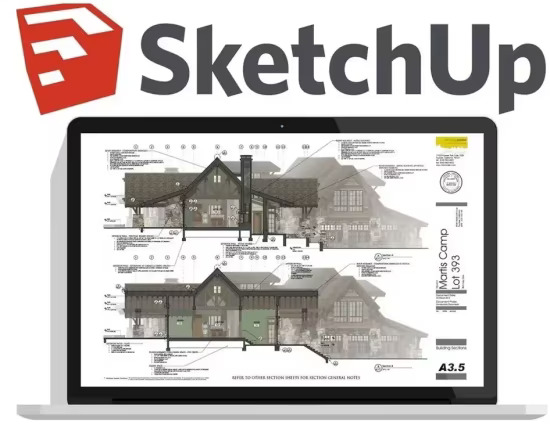
SketchUp is useful from the earliest stages of design to the end of construction. Programming, diagramming, design development, detailing, documentation, RFIs-wherever you need drawings, you need SketchUp Pro.

SketchUp Pro
The SketchUp you know and love... and so much more.

3D modeling for professionals? We've got you.
A great mix of our classic desktop software, our shiny new SketchUp for Web modeler, and all sorts of things you've been asking for over the years - including the ability to publish, share, and store projects in the cloud with Trimble Connect.

Tools for your 3D modeling toolbox

SketchUp Pro for Desktop
Fast, easy 3D modeling for anything you can imagine.

SketchUp for Web
Our powerful web modeler, with all the features you need to turn your designs into real things.

Unlimited cloud storage
Share, collaborate, and store your projects in the cloud. Gain flexibility and peace of mind.

2D design documentation
Create scaled drawing sets in 2D with LayOut.

VR model viewing
Wow your clients with a walkthrough of their project on Microsoft HoloLens, HTC Vive, or Oculus, on your phone or tablet.

Features that make your projects yours
Make your project look like only you can with custom Styles, Materials, and Outliner. And, make that work smooth and easy with Dynamic Components.

What's New
Код:
https://help.sketchup.com/en/current-release-notes

Homepage
Код:
https://www.sketchup.com

DOWNLOAD

Код:
https://rapidgator.net/file/3f7bfc5163275748ce421f68a6018deb/SketchUp_Pro_2026_v26.1.185.rar.html

https://ddownload.com/lqtvttplq2sl/SketchUp_Pro_2026_v26.1.185.rar
 
th-x-Qc-XTnc-G2Tyyoy-Llb-Yg5Gba-Rrr-Iqkn7c.jpg


Topaz Gigapixel Pro 1.0.5 (x64) Multilingual

File size: 498.9 MB

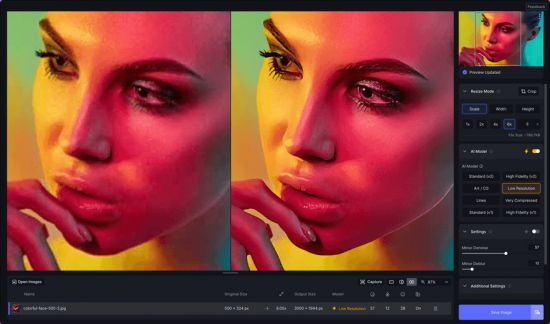
Creative vision doesn't come in standard definition. The nine AI-powered tools in Topaz Gigapixel not only make your images larger, but more detailed, more real, and even more valuable.

The industry standard for upscaling.
Used by professional photographers, fine artists, designers, illustrators, and creative teams worldwide. Gigapixel AI was the first commercially available AI image upscaler, since 2019. Now as Topaz Gigapixel, the models are better than ever.

6x Lossless Zoom
Crop in on your subject without losing quality and while enhancing detail.

True-to-Input Details
Explore nine different AI models inside Topaz Gigapixel to make every image larger.

Use Before Every Print
From poster to billboard. Ensure every detail is crisp, defined, and bold.

Photogs, Artists & Designers
Every type of creative professional can benefit from running their images through Topaz Gigapixel.

Whats New
Код:
https://community.topazlabs.com/c/topaz-gigapixel/topaz-gigapixel-releases/128

Homepage
Код:
https://topazlabs.com/

DOWNLOAD

Код:
https://rapidgator.net/file/0f59a2f471fad0e86f0d7b615ce8a0b3/Topaz_Gigapixel_Pro_1.0.5.rar.html

https://ddownload.com/n5y1u2b4t4fn/Topaz_Gigapixel_Pro_1.0.5.rar
 
ezgif-7a3e684e0eae477f.jpg


VectorStyler 1.3.002

Languages: English
File Size: 78.96 MB

VectorStyler brings every advanced vector and illustration tool together — in one complete, independent package, with no subscriptions and no compromises. Packed with powerful, unique tools you won’t find anywhere else — VectorStyler redefines what’s possible in vector illustration.

Customizable User Experience
Customize all aspects of the user interface and workflow, including shortcuts, menus, toolboxes and toolbars. Create and save your own workspace profiles.

Native Illustrator Import
Open, import or paste artwork from Adobe Illustrator using the native Illustrator file format support, retaining all high-level editable attributes.

Extended Compatibility
Import artwork and export to various common file formats like AI, PDF, SVG, DWG, DXF, PSD, PNG and TIFF. Import and export PSD files while retaining layer hierarchy and keeping editable vectors.

Powerful Snapping Options
Use advanced snapping options for precision, including rotated grids and guidelines, collision and tangent to shape snapping. Turn any object shape into a guideline.

Real Vector Brushes
Paint with and use real vector brushes on any shape or outline. Brushes can be of artistic, pattern, scatter or bristle type. Create new brush styles or presets from any group or layer.

Select Objects by Attribute
Select objects by style or other attributes. Select objects with a similar style or attribute as the selected objects.

Magic Wand Tool
Use the magic wand selection mode and the Magic Wand panel to select objects similar to the pointed object. Select similar shapes by area or length.

Color Palettes
Work with document and global color palettes easily. Open multiple color palettes from external formats. Manage palettes seamlessly.

Advanced Halftones
Create complex vector halftones on layers or images. Work multiple halftones on one object using the Appearance panel

Align Object on Path
Create non-destructive object alignment on path. Align and distribute multiple objects on a path

Vector Drop Shadow
Create vector drop shadow effects on objects or groups. Adjust the drop shadow options using the Drop Shadow panel.

Parametric Shapes
Draw with a large collection of parametric shapes. Adjust shape properties using the Shape panel. Use the Node tool to edit parametric shapes.

Release Notes
VectorStyler Updates

Код:
https://www.vectorstyler.com//updatepage/

System Requirements
- VectorStyler is (also) a native Windows (Intel) application, and requires a PC with Windows 10 installed to run. A minimum of 8GB of system memory is recommended. More memory helps when creating complex designs or illustrations.
- Only Windows 10 or newer versions are supported. An Intel Core i5 or i7 processor with 4 cores and hyper-threading is recommended as VectorStyler makes extensive use of multiple threads. GPU acceleration can be enabled in the Settings / Performance by selecting OpenCL (any GPU supported by Windows), or the NVIDIA mode for Nvidia GPUs.

Homepage
Код:
https://www.vectorstyler.com

DOWNLOAD

Код:
https://rapidgator.net/file/35e554f9fda01dfe94ebcd88bd5b9f4c/VectorStyler_1.3.002.rar.html

https://ddownload.com/cdtc0ox8rgkl/VectorStyler_1.3.002.rar
 
Назад
Сверху Снизу