All sanddisk Software's Collection [Daily Updated]

X97s-OYgun7dbv-T48Ecogit-Ps-Yhq0Ta-X6.jpg


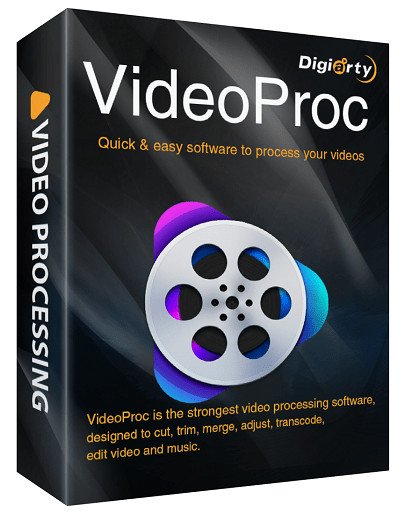
VideoProc Converter AI 8.8.0 (x64) Multilingual

File Size: 67.6 MB

VideoProc comes as the No.1 fast video processing software that peaks Level-3 Hardware Acceleration fully powered by Intel, AMD and NVIDIA GPUs, delivering buttery smooth (4K) video editing and transcoding without compromising quality.

CPU Only
39% of video programs lack support for GPU acceleration.

GPU Acceleration
GPU acceleration can speed up video encode / decode greatly.

Full Hardware Acceleration
Up to 47x real-time faster! VideoProc's unique technology can further expedite video transcoding and processing while optimizing file size and output video quality.

Cut
Cutting is very common in video editing. By cutting, you can shorten a video, chop away any unwanted segments, rearrange clips in new sequence and reduce file size for YouTube, etc. In VideoProc, 'Cut' can be very flexible and can go with any other editing operation.

Merge
'Merge' helps join multiple video files, whether they are in different formats (MP4, MKV, AVI, MOV) or from different gadgets. You can merge videos while changing video lengths, aspect ratios, playback speeds, resolutiosns and file formats, without worrying about A/V sync problem. The unique "MKV Multi-Track" feature will allow you to combine different video/audio/subtitle tracks in one MKV file.

Crop
You can crop a video to eliminate black bars, remove distracting portions, zoom in and highlight the focal point and improve the image composition. You can change or expand aspect ratio to meet the requirement of YouTube, Instagram, Widescreen TV, etc.

Subtitle
VideoProc has diverse subtitle features: enable, disable or export subtitle from a movie, choose subtitle (language) track, add (hardcode or softcode) external subtitle files (.ass, .ssa, .srt) to videos, search subtitles online for movies and TV episodes.

Effect
VideoProc allows you to apply preset visual effects and filters, such as Grayscale, Mirror, Edge, Painting and Sharpen to your video tracks; quick moulds to artify and stylize your videos; fine-tune colors, image brightness, contrast, hue, gamma and saturation.

Rotate / Flip
You can rotate your video left or right (clockwise or counter-clockwise) 90 degrees, 180 degrees or 270 degrees in one click, or mirror flip video vertically or horizontally.

Whats New
Updates: official site does not provide any info about changes in this version.

Homepage
Код:
https://www.videoproc.com/

DOWNLOAD

Код:
https://rapidgator.net/file/e9457c79dffba29409ee23382c00524a/VideoProc.Converter.7.rar.html

https://ddownload.com/a1ik1tt650jt/VideoProc.Converter.7.rar
 
hleiv25u-Ireb-B4Sqe7PYt-BSQ76krr-D96.png


DVDFab 13.0.5.6 (x64) Multilingual

File size: 451.1 MB

DVDFab All-In-One includes 26 DVDFab 12 products, offers complete multimedia solutions on DVDs, Blu-rays, 4K Ultra HD Blu-rays, recorded (4K) BDAV Blu-rays and videos. Copy, rip, burn and convert DVDs, Blu-rays and 4K Ultra HD Blu-rays; download, convert and edit videos...no matter what your demand is, you're all covered!

DVD Copy
Copy and burn DVDs with 6 backup modes.

DVD Ripper
Convert DVDs to MP4, MKV, MP3, AAC and more.

DVD Creator
Produce premium home DVDs from family videos.

DVD to Blu-ray Converter
Convert DVDs to standard Blu-ray format.

DVD Cinavia Removal
Remove Cinavia watermarks from infected DVDs.

Best Tools for Creation and Conversion
Video Converter
Convert videos from one format to another, or to mainstream audio formats.

Hi-Fi Audio Converter
Extract the high quality audios from Blu-rays and save as popular lossless audio files.

DRM Removal for Apple
Remove the DRM encryptions from Apple contents for unrestricted playback on any devices.

Screen Recorder & Editor for iOS
Record everything from the screen of an iOS device, such as an iPhone, iPod touch or iPad.

Whats New
Код:
https://www.dvdfab.cn/dvd-fab-new.htm

Homepage
Код:
https://www.dvdfab.cn

DOWNLOAD

Код:
https://rapidgator.net/file/a9313b4c84ea02c7db168cde2798dba9/DVDFab13.rar.html

https://ddownload.com/4lpa8uuo71qd/DVDFab13.rar
 
th-Riq-Xh-Rh-Ph-KOsg-Dt-FF3s-Un-Syd-SOet3Y9o.jpg


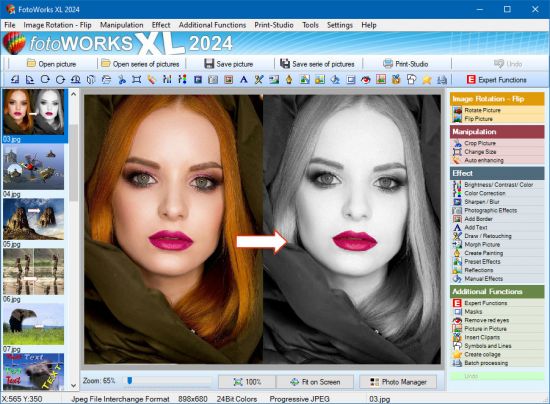
FotoWorks XL 2026 26.0.1 Multilingual

File size: 73.39 MB

FotoWorks XL is easy photo editing software for beginners, photographers or professional users. Is not easy but FotoWorks XL delivers whether you are a professional photographer or an amateur who just needs a bit of help retouching your snaps. A simple photo editing software suite, FotoWorks XL has been updated and improved from previous versions. Anyone who is new to it will find that it is a feature-rich package. It allows you to do just about everything you could ever want to with photographs, graphics, clip art and text.

Although it is very much photo editing software for beginners, the number and complexity of the package's more advanced functions means that it is equally of use to graphic designers, photojournalists, portrait photographers and wedding photographers. Like all top photo editing software suites, this package has something for everyone.

Photo Editing Software
Use it to perform simple functions like removing red eye from holiday snaps or to touch up images in preparation for a print run. In fact, the latest version of this updated photo editing software will allow you to perform histogram analysis of your pictures. This can be done for the whole of the photograph in question or just part of it - it is up to you. See graphical representations of the hue, the greyscale or the mix of red, blue and green to help you make your pictures more balanced. You can also use it as a print station by getting it to enlarge your images so they can be turned into posters, reports, or even sales catalogues. Few photo editing software suites you might categorize with the degree of professional design that FotoWorks XL come with a free trial period either!

Functions
Ideal for schools, colleges and individuals who want to learn more about digital editing techniques, FotoWorks XL is a photo editing suite that is also right at home in the workplace. It is used by editors, professional photographers and graphic designers of all kinds to produce truly memorable images. The suite offers so much more than a basic photo editing software package that merely allows you to crop and rotate your pictures. With FotoWorks XL, you have a truly creative set of digital tools at your disposal that will improve your post-production editing skills no end. The sky is the limit when you start to use it in ever more creative ways!

Choose a Photo Editing Software Package That Is Designed to Be Easy to Operate
FotoWorks XL is easy photo editing software for PC users will be right at home with because it has been designed to integrate seamlessly into the Windows operating system. Designed as photo editing software Windows 10 users can get on with immediately, FotoWorks XL is all about its ease of use. In fact, it is not just photo editing software Windows 10 operators can use. FotoWorks is also backwards compatible. So, it works just fine as photo editing software Windows 7 users can enjoy. Indeed, the whole program operates in very much the same way as other packages designed for Microsoft operating systems.
Discover More About the Features Offered With This Photo Editor Suite
Thanks to its numerous photo editing tools, FotoWorks XL photo editor may be the only photo editing software you will ever need.
Photo editing software as advanced as FotoWorks XL rarely comes with so many different features to make use of. However, the updated version of this useful photo editing software package has only added to the things you can do.

Even before you look at the expert functions, it will allow you to
- Enhance and improve photos.
- Retouch and edit photos.
- Create photo montage.
- Use auto-enhancing photographic measures.
- Alter the size of images.
- Alter the brightness, color and contrast of photos.
- Use color correction techniques.
- Sharpen and blur photos.
- Add photographic filters.
- Add borders and text.
- Draw on your photos by hand.
- Retouch images.
- Use morphing techniques.
- Create painting effects.
- Add reflections.
- Apply effects manually and automatically.
- Create collages.
- Remove red eye.
- Insert clip art.
- Add pictures within pictures.
- Crop images.
- Add symbols and lines to your photos.

What's new
• official site does not provide any info about changes in this version

System Requirements for FotoWorks XL
Windows 11, Windows 10, Windows 7, Windows 8, Windows 8.1, Windows Vista

Homepage
Код:
https://www.in-mediakg.com

DOWNLOAD

Код:
https://rapidgator.net/file/5ba87aabe5bdfabcca8f3c3236c12735/FotoWorks.XL.26.0.1.rar.html

https://ddownload.com/xrhvvohxj0rd/FotoWorks.XL.26.0.1.rar
 
th-ep-IZ4NSIU86a00ti4GRld-Fkx-ZM8tp-X43.png


Active UNERASER Ultimate 26.0.6

File size: 1.08 GB

Uneraser is an undelete software that can recover deleted files, as well as files and folders located on deleted/damaged/re-formatted volumes: NTFS, ReFS, FAT/exFAT, Linux Ext2/Ext3/Ext4 / XFS / JFS / BtrFS, Apple HFS+ & Unix UFS / JFS / XFS file systems.

Main Features
- Unerase deleted: files, images & photos.
- Undelete damaged volumes & partitions.
- Recover accidentally formatted HDD,SSD,USB,SD.
- Unerase data from Disk Images & damaged RAIDs.

Features included in UNERASER Ultimate
- Limited to number of files being recovered (No limit)
- Recovers files from deleted/damaged/re-formatted partitions and volumes
- Supports recovery drives of types: IDE / SATA / eSATA / SCSI / SAS / SSD / USB / Camera Cards and RAIDs
- Recovers FAT, exFAT, NTFS, ReFS, Apple HFS+, Linux Ext2/Ext3/Ext4/BtrFS, Unix UFS/XFS/JFS file systems
- Recovers volumes and files created in Windows, MacOS, Linux, Unix
- Recovers Dynamic Disks (LDM), Windows Storage Spaces(WSS) and Logical Volume Managers (LVM)
- Scans and recovers partitions damaged by virus or with damaged MBR
- Displays complete physical and logical drive information
- Displays object's integrity status and assesses ability to recover files & folders
- Supports recovery of fragmented, compressed, sparse and encrypted files
- Allows to preview files visually as well as in integrated HEX viewer before recovery
- Includes advanced search by file name, mask, size range and other attributes
- Displays content of any sector on the disk with integrated Disk Editor
- Creates, works with and recovers data from raw disk images
- Contains two types of drive and device scan: Basic (Fast) and Thorough (Slow)
- Includes bootable Windows Recovery environment (WinPE-based) for recovery when machine does not boot
- Includes bootable Linux-based Recovery environment for date recovery when machine does not boot
- Virtually rebuilds damaged RAID0, RAID1, RAID5 and Span disk arrays. Damaged RAID data recovery

Whats New
Код:
https://www.uneraser.com/history.htm

Homepage
Код:
https://www.uneraser.com/


DOWNLOAD

Код:
https://rapidgator.net/file/b38617012dda49e7f50cf7ce50bbcfb7/Active_UNERASER_Ultimate_26.0.6.rar.html

https://ddownload.com/rxtlhproud35/Active_UNERASER_Ultimate_26.0.6.rar
 
th-Gv2h-ITIg-NS7zo-Vq1s-ESN6-Dx-Ilz-Hod-KSf.jpg


Adobe Acrobat Pro DC 2025.001.21151 (x64) Multilingual

File size: 1.9 GB

Acrobat DC with Document Cloud services is packed with all the tools you need to convert, edit and sign PDFs. It’s just as mobile as you are. So you can start a document at work, tweak it on the train and send it for approval from your living room — seamlessly, simply, without missing a beat.

It’s packed with smart tools that give you even more power to communicate. Create and edit PDF files with rich media included, share information more securely, and gather feedback more efficiently.
Adobe Acrobat Pro DC software is the advanced way for business professionals to create, combine, control, and deliver more secure, high-quality Adobe PDF documents for easy, more secure distribution, collaboration, and data collection.

Adobe Acrobat Pro DC Features
Edit PDF files
With Adobe Acrobat Pro DC, you can make minor edits to text and images right in your PDF file without requiring the original document or graphic.
Edit text in a PDF. Fix a typo, change a font, or add a paragraph to your PDF as easily as you do in other applications using a new point-and-click interface.
Edit images in a PDF. Resize, replace, and adjust images in your PDF with no need to track down the original file or graphic.

Export from PDF files
Reduce the time you spend retyping information stuck in PDF files. Convert PDF files to editable Microsoft Office documents. And save fonts, formatting, and effort.
Convert PDF files to Word. Save your PDF as a Microsoft Word document and take your fonts, formatting, and layouts with you.
Convert PDF files to Excel. Turn your PDF or just part of it into an editable Excel spreadsheet you can use for data analysis right away.
Convert PDF files to PowerPoint. Get a head start on new projects by saving a PDF file as a fully editable PowerPoint presentation.

Create PDF files
Stop worrying about whether the files you send will look right on other people’s screens. Turn documents into PDF files anyone can reliably view with free Adobe Reader.
Convert Word, Excel, or PowerPoint to PDF. Right from your Office application in Windows, you can create PDFs, start a shared review, restrict PDF edits, and more.
Print to PDF. Convert files to PDF from virtually any application that prints simply by selecting Adobe PDF as your printer.
Scan to PDF. When you need to turn a paper document or form into a digital file, just scan it to create a searchable PDF file you can edit.
Convert HTML pages to PDF. Save web pages as PDF files to archive web content, review the pages offline, or print them more reliably.

Create and analyze forms
Cut the time you spend creating forms, rekeying data, and correcting errors. Distribute forms online, and then collect responses and analyze results in real time.
Create new PDF and web forms. Customize professional templates or design from scratch with the Adobe FormsCentral desktop app included in Adobe Acrobat Pro DC.
Collect form responses with FormsCentral. Easily collect responses by moving your PDF or web forms online with the Adobe FormsCentral online service.
Convert existing forms to fillable PDFs. Type less, gather more. Quickly convert your paper, Word, or Excel forms to fillable PDF forms.
Collect form responses using Adobe Acrobat tools. Compile returned forms into one PDF, or host forms using a network folder or Microsoft SharePoint server.

Merge and combine files
Communicate clearly with single PDF attachments. Put multiple files into a single, organized PDF that’s easy to email and simple to search.
Merge multiple files into one PDF. Make sure they don’t miss a thing. Combine documents, spreadsheets, emails, and more in an organized PDF.
Combine files in a PDF Portfolio. Share your work in a PDF Portfolio that presents materials professionally with an interactive impact.
Create interactive PDF files. Bring your ideas to life by adding audio, Adobe Flash Player compatible video, and interactive media to PDFs.

Simplify reviews and approvals
Stop sorting through paper and email trails. Automate review and approval cycles with Adobe Acrobat Pro DC. Multiple reviewers can see and build on each other’s comments so you can meet your deadline.
Streamline document reviews and approvals. In shared reviews, people can annotate PDFs with familiar tools. And you can track progress and consolidate comments.
Export comments to Word. Save all PDF comments back to the original Microsoft Word document, and update text faster than ever.
Approve with electronic signatures. Keep projects moving. E-sign your approval right on the PDF. No need to print, fax, or mail the document.
Get others to sign documents. Get the green light faster. Send PDFs to others for signature approval, and track them online using the Adobe EchoSign service.
Integrate with SharePoint. With Acrobat, it’s simple and convenient for you to retrieve, open, and save PDFs stored on your company’s SharePoint server.
Compare two file versions. Let Acrobat do the hard work of comparing two versions of a file, providing you with a detailed report of the results.
Store and access files on Acrobat.com. Use Acrobat.com to store your files in the cloud for free, accessing them from Acrobat or Reader on your desktop or mobile device.

Protect PDF files
Adobe Acrobat Pro DC makes it simple to keep your work more secure, no matter what application you’re in.
Apply PDF passwords and permissions. Get expert protection without being an expert. Add copy and edit protection to any PDF – even right from Microsoft Office applications in Windows.
Remove and redact information. Don’t just black out confidential data. Find and get rid of it for good, even when hidden in metadata.
Automate document security tasks. Apply document security measures the same way every time. Use a guided Action to help secure your PDF before publishing it.

Whats New
Код:
https://helpx.adobe.com/acrobat/using/whats-new.html

Homepage
Код:
https://www.adobe.com/

DOWNLOAD

Код:
https://rapidgator.net/file/915d0b12dfb9989b21be73a2b36fd6f1/Adobe.Acrobat.Pro.DC.2025.001.21151.rar.html

https://ddownload.com/hpetnel5sr90/Adobe.Acrobat.Pro.DC.2025.001.21151.rar
 
th-9RAPN9SDD8MVKXu-Ed4Fuq-Qbku-SF0degt.jpg


Aiarty Image Enhancer 3.9 (x64) Multilingual

Windows x64 | File size: 343.58 MB

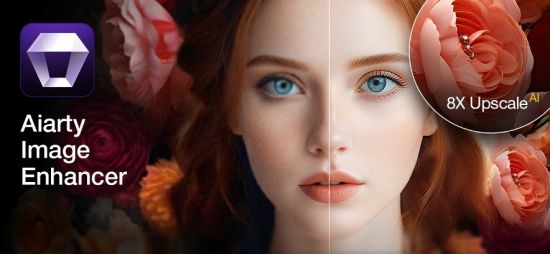
Aiarty Image Enhancer is Photo & image enhancement software powered by AI to generate more image details and the best quality. Denoise + Deblur + More Details + Upscale.

Optimized for AI-generated Images[SD + MJ]
More Details
Generate more details. Deliver more clarity and sharpness. Better perceptual quality.
Generative Enhancement
Ultra-clarity and abundant details for low-quality and low-resolution images. No artifacts.
Bigger. And Clearer.
3 AI models, up to 8x upscaling, and 32K Hollywood-level quality and resolution.
Better Skin, Hair & Texture

Not only denoise, but also reconstruct
Generative AI Models
Enlarge Al-generated images, restore flawed photographs, and improve low-quality JPEGs, ensuring unparalleled clarity and details.

What's new
• official site does not provide any info about changes in this version

Homepage
Код:
https://www.aiarty.com/

DOWNLOAD

Код:
https://rapidgator.net/file/a463a3f5c544e6309a28ac3cb87a23ff/Aiarty.Image.Enhancer.3.9_x64.rar.html

https://ddownload.com/7jeuwm6w7tlf/Aiarty.Image.Enhancer.3.9_x64.rar
 
ezgif-8b8d3ad173f78ded.jpg


Aiarty Video Enhancer 3.5 (x64) Multilingual

Windows x64 | File size: 407.76 MB

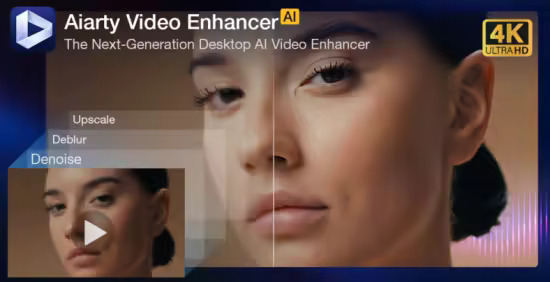
The state-of-the-art AI video enhancer software to generate more details, super denoise, deblur, upscale, and restore flawed videos to 4K clarity. With specialized AI models, it delivers superior visual quality at turbo speed, empowering content creators and video enthusiasts.

Restore to Clear Audio
Audio Denoise module to analyze and refine your audio tracks. 1-click background noise removal and vocal clarity boost.

Enhance to 4K Clarity with Details
Tailored AI Models to transform low quality, stuttering, or grainy videos to 4K. Enjoy cinematic quality and immersive visuals.

Silky Smooth Slow Motion
The frame interpolation module uses AI to generate new, high-quality frames, ready for fluid and smooth 8X/16X slow-motion.

3X Faster. Save You Hours of Waiting
Powered by SOTA-level AI technology, Aiarty's Turbo mode achieves real-time
4K upscaling with superior quality — 3X more efficient than other AI tools.

Optimized for Nvidia/AMD/Intel
AI Models in Aiarty fully leverage the power of supported hardware, with 95% GPU utilization for faster upscaling and detail generation.

Industry-leading Video Upscaling and Enhancement with AI
Leveraging the proprietary video and image training dataset, the tailored AI models in Aiarty Video Enhancer deliver best quality at GPU-optimized processing speed, with dedicated roles to generate more details for visual sharpness, restore flawed and degraded videos, or tackle low-light challenging footage.

AI Frame Interpolation
Silky Smooth Motion. Professional-Grade Fluidity
The AI frame interpolation module in Aiarty readily enhances stuttering videos to 90fps, 120fps or higher, generating new frames for smooth slow motion videos.
With AI-trained flow estimation and motion compensation, the generated frames are natural and consistent, avoiding jello effect, smearing or frame distortion.
It works nicely for live action videos with fast motion scenes, timelapse, slow motion videos, animation restoration, 3D CG rendering, AI films, and beyond, ensuring coherent and smooth visuals.

AI Audio Enhancer for Noise Removal
Crystal-Clear Sound. Distraction-Free Audio
Aiarty employs sophisticated AI algorithms to remove unwanted background noise and enhance vocals. Ideal for easily restoring audio clarity to your vlogs, podcasts, lectures, live performances, family videos, etc.

Whats New
Код:
https://www.aiarty.com/news/

Homepage
Код:
https://www.aiarty.com/ai-video-enhancer/

DOWNLOAD

Код:
https://rapidgator.net/file/b96dc8b608fc14f2b86601a84db52789/Aiarty.Video.Enhancer.3.5_x64.rar.html

https://ddownload.com/fqoa3i9xjxpk/Aiarty.Video.Enhancer.3.5_x64.rar
 
7Rji-Xc-NXYUqw-COpks1ECg-Zc-Syhur-Gs-An.jpg


AquaSoft Photo Vision 17.2.01 (x64) Multilingual

File size: 479.7 MB

We have long overtaken the topic of photo presentation. For years, our programs have been able to do much more than the name SlideShow could express. Along with the new version 13, the new name was changed to AquaSoft Vision. Vision is thus the direct successor to the popular AquaSoft slide show program. AquaSoft SlideShow Premium becomes AquaSoft Photo Vision.

Experience your photo moments with family and friends. Transform photos, videos, text and music into a fascinating movie experience and share your memories in brilliant quality. Your photos for amazement - You have not seen your pictures this beautiful. Always put the right cut in the scene and make sure you have appropriate aperture for Wow effects. Of course, with your videos as well.

Image presentations with transitions and camera pans
- Hundreds of transitions, finely adjustable (for example duration, direction, animation, etc.)
- Use transitions as fade-ins and fade-outs
- Images in perfect quality - no pixel gets wasted.
- Display images full size or as collage
- Select the image section using a camera pan and zoom.

Animated routes by land, water and air
Show where you were. Not only will you remember your holiday destination better, but your viewers can also make a real reference to your travel itinerary by showing them the way on the map.
- Map Wizard for retrieving maps in all zoom levels from the Internet
- Various map styles such as road map or satellite image
- Describe any path with a "Running line"
- Can be combined with vehicle graphics (custom graphics can be used)
- Animation is created live, instantly playable, and can be customized at any time
- Use your own maps
- Photos, texts and videos can be displayed on maps

Your pictures come alive
Do images always have to be rigid? Not only to give boredom no chance, but above all to be able to deal with your motifs exactly, you use a wide range of animations. Whether subtle or direct, humorous or playful - a plethora of opportunities
- Images, text, videos: you can move and rotate everything along paths. This is how you create your own animations.
- You can animate camera pans. Thus, e.g. a "Ken Burns" effect or zooming to specific image details are possible.
- A powerful particle system allows you to have a wide range of animations: from the smoke of a steam locomotive to subtle moving background, rain or gently trickling snow.
- Use a curve to determine the transparency for each element of your project.

Picture in Picture
Collages bring even more life into your presentation. You combine several images, place them on backgrounds or decorate them. Now, if you animate collages as a whole as well as their individual components, you'll have your own animation studio.
- Create collages with any number of tracks in the Timeline
- Picture in Picture effects
- Timeline can be structured with chapters and collages, so that complex animations remain clear
- A number of immediately usable design elements are available, such as, e.g., forms or even speech bubbles.

Everything under control
There has to be tidiness, and large projects can not be realized without it. Organize your show in chapters and manage multi-hour slideshows with thousands of pictures.
- Project can be divided into chapters and sub-chapters so that you can comfortably denote your vacation with "Getting there", "Day 1", "Day 2", etc. Finished chapters can simply be collapsed.
- Storyboard view for easy viewing and sorting of images
- No limitation for the maximum number of images or duration of the project
- Archiving of the entire project, including all materials used (images, videos, music, fonts, etc.), so that you can have a project that can be completely edited after years.

Effect kit for your ideas
Would you like to give your images and videos a little boost, sometimes? A huge flexible effect palette is ready for you to realize your ideas.
- Live effects that affect even animated content and videos, e.g. masks, blur, soft shadows, color corrections, sepia, displacement mapping, halftone effects, mosaic, etc.
- Object effects that automatically animate or arrange your images, e.g. a transition using a soft "Ken Burns" effect, or a scroll in a filmstrip
- Other effects like "old film", camera shake, etc.
- Image effects like frames and shapes

Image and video editing
Almost every image and especially video material needs some adaptation. With video editing functions and image corrections, you bring your material into the right shape.
- Non-destructive image processing allows image corrections without changing your original images.
- Various processing possibilities, from cropping over color correction to rotation
- Effect system to create complex effects by yourself How about a picture that gently reflects downwards?
- Videocut: split, crop, truncate your videos
- Video speed can be changed (for example, for slow motion or time lapse)

Your message will come across
A word says more than a thousand pictures? You know the saying for sure. Titles and credits as well as picture captions and texts provide for a better understanding, wit and just look good.
- Adding captions/titles to images
- Free text formatting, such as color, size, font, orientation
- Various formatting possible within a text (Rich Text)
- Text animations for fading in and out, even single letters
- Text effects such as shadow and outline
- Using placeholders for inserting image information, such as e.g. the recording date
- Automatically adjusts font size to accommodate available space
- Credits as in the movies

All doors are open to you
Reach everyone! No matter which device or medium, the versatile output options offer the suitable for every purpose and also for further processing.
- Burn to Blu-ray and DVD
- Upload directly to YouTube and Vimeo
- Export as video file in all popular formats: MP4, WMV, MPG, etc.
- Export as animated GIF or as a sequence of images
- Export including player software for (also interactive) presentation on PC
- Multiple projects with menu for PC and DVD player

Presentations in no time
You want to create a slideshow suited to a topic in just a few minutes? Use intelligent templates that automatically arrange and animate everything.
- Automatically created animations from your images, videos and texts
- Combine templates with your own ideas
- Many topics available: birthday, wedding, holiday, school, Christmas, silent film, etc.
- Neutral animations are available too
- Templates are used at runtime, so the content - i.e. your pictures, videos and texts - can be adapted and is interchangeable and extendable at any time.

AquaSoft Photo Vision
- Shows with transitions and music
- Image and video animations with 3D rotation, zoom, panning, and effects
- Video and Image editing
- Versatile & freely customizable text
- Timeline with an unlimited number of tracks
- Burn to Blu-ray, AVCHD disc, and DVD
- Video export as MP4, M2TS, MOV, MKV, AVI, WebM, animated GIF, and as single frames
- Archive a project (incl. all necessary files)

Whats New
official site does not provide any info about changes in this version.

Homepage
Код:
https://www.superantispyware.com/

DOWNLOAD

Код:
https://rapidgator.net/file/41f82211b7a6e15b54d67972f36dd8b4/AquaSoftPhotoVision17.rar.html

https://ddownload.com/35ybc6bszyaq/AquaSoftPhotoVision17.rar

 
wn-Cg-Hl-OGWHCx-L6LLIy-E7v-RSb-Afg-Unt-Du.jpg


AquaSoft Stages 17.2.01 (x64) Multilingual

File size: 492.3 MB

AquaSoft Stages is a tool for professionals, photographers, animators, and ambitious advanced users who require maximal functionality from their software and want to control every moment of their project precisely.

Keyframes, unlimited timeline tracks, and a huge selection of effects and transitions are designed to present your photos, videos, and animations in a professional manner. Other features like custom aspect ratios, custom dynamic parameters for Live-Effects, and the new advanced preview modes allow comprehensive and precise control of your projects. AquaSoft Stages is the solution to your sophisticated requirements - your tool to create animated image presentations.

The right tools are at your fingertips
Behind every image is a story, a message that you want to deliver impressively to your audience. Develop your idea, build the framework of your movie, and reach your goal with the tools in AquaSoft Stages.

Keyframes
Let your inner control freak run wild! Effects, sound, images/video, and animations are displayed on separate keyframes in the timeline. This allows you to control, second-precise, exactly how each element in your movie should move, sound, or look.

Live Preview
As you make changes to your project, adding movement, particles, or other effects, the result will be shown immediately in the layout designer.
Allowing you to see just how every effect has changed your project/images without needing to constantly playback.

360 degree rotation
In Stages you can rotate your images, videos, and titles the full 360 degrees. This looks especially great combined with animated camera pans as well as to create Prezi like shows or rotate titles, making your videos stand out from the crowd.

Sync your audio
With the help of tools like the playhead and Timeline markers, you can easily sync your audio to your images. The playhead gives you a frame-by-frame view of your images and video, while the Timeline markers allow you to mark the changes in audio tone, resulting in crescendos at just the right moment.

Profound and complex animations
You are the playwright, screenwriter, and director of your film project. You have an eye for detail and precision is important. Sound and pictures should flow together, so that in the end only your movie is in focus. With AquaSoft Stages you can realize your vision.
• Unlimited number of tracks
Combine as many videos, photos, captions, and sounds as you like. You can apply effects to every track.
• Dynamic Masks
Fade out image areas and modify selected segments over time.
• More than just collages
Achieve a lively interplay of all elements by matching effects precisely to your videos and pictures.

The most important features
Choose from many effects and templates or create your own animations. In AquaSoft Stages there are virtually unlimited design possibilities for your presentations and movies.
• Video editing
Cut videos, pictures, and sounds directly in the timeline.
• Time lapse and Slow motion
Create a time lapse or slow motion movie.
• Particle system (snow, rain, dust)
Create impressive particle animations with dynamic parameters.
• Motion paths
Animate any element and move it across the screen.
• Animated Itineraries
Share your travel route with maps, tracks, and vehicles within a few clicks.
• Presentations
Control the flow of your presentation automatically or with our remote app
• Rotated Camera Pan
Finally, you can zoom with a 360 degree rotation in only one step.
• Maximum quality output
Export your video to DVD, Blu-ray, Social Media, or in 4K quality.
• Built-in effects
For quick work take advantage of built-in templates and effects.

Color-based image exemption (Chroma Key)
More commonly known as "green screen", in Stages you can replace a single colored background from photos and videos with virtual backgrounds, animated backdrops, or even transport your subjects to an island in the sun. Simply highlight the background color, eliminate it, and add the background of your choice, whether another video or still image.

What's New
official site does not provide any info about changes in this version.

Homepage
Код:
https://www.superantispyware.com/

DOWNLOAD

Код:
https://rapidgator.net/file/8b4078e90a7003ec8977de9f84cfaaa2/AquaSoftStages17.rar.html

https://ddownload.com/z55uoghha6xk/AquaSoftStages17.rar
 
s-WXid2GPx-Qa-Fryca-Ez-DFf-Rm-Vu-AG4x-ZCq.jpg


AquaSoft Video Vision 17.2.01 (x64) Multilingual

File size: 490.9 MB

We have long overtaken the topic of photo presentation. For years, our programs have been able to do much more than the name SlideShow could express. Along with the new version 16, the new name was changed to AquaSoft Vision. Vision is thus the direct successor to the popular AquaSoft slide show program. AquaSoft SlideShow Ultimate becomes AquaSoft Video Vision.

Experience your photo moments with family and friends. Transform photos, videos, text and music into a fascinating movie experience and share your memories in brilliant quality. Your photos for amazement - You have not seen your pictures this beautiful. Always put the right cut in the scene and make sure you have appropriate aperture for Wow effects. Of course, with your videos as well.

Image presentations with transitions and camera pans
- Hundreds of transitions, finely adjustable (for example duration, direction, animation, etc.)
- Use transitions as fade-ins and fade-outs
- Images in perfect quality - no pixel gets wasted.
- Display images full size or as collage
- Select the image section using a camera pan and zoom.

Animated routes by land, water and air
Show where you were. Not only will you remember your holiday destination better, but your viewers can also make a real reference to your travel itinerary by showing them the way on the map.

- Map Wizard for retrieving maps in all zoom levels from the Internet
- Various map styles such as road map or satellite image
- Describe any path with a "Running line"
- Can be combined with vehicle graphics (custom graphics can be used)
- Animation is created live, instantly playable, and can be customized at any time
- Use your own maps
- Photos, texts and videos can be displayed on maps

Whats New
official site does not provide any info about changes in this version.

Homepage
Код:
https://www.aquasoft.net/

DOWNLOAD

Код:
https://rapidgator.net/file/238c0bac32afaba7fa290c235daaa518/AquaSoftVideoVision17.rar.html

https://ddownload.com/s15injmqghqg/AquaSoftVideoVision17.rar
 
ezgif-5bfe6fcf1664b291.jpg


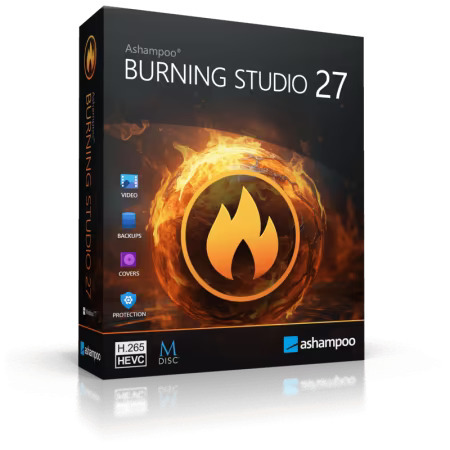
Ashampoo Burning Studio 27.0.1 Multilingual

File size: 241.9 MB

The new Ashampoo Burning Studio 26 is the most comfortable way to burn your data securely and copy CD, DVD and Blu-ray discs without effort. Rip audio discs and back up your music or create your own music compilations with suitable cover art! Additional top-of-the-line multimedia features also let you create your own movies and slideshows, and even allow you to burn them to disc along with nifty animated menus. Say goodbye to data loss, back up your files instantly, and write important data to any disc type with powerful compression and password protection. And the new convenience features for audiobooks, audioplays, and podcasts guarantee high-quality entertainment!

Benefits at a glance
CD-Text support for disc ripping
Optimized also for current-gen hard and software
New light and dark skin
Extensive audiobook module
Best-of feature for quick source switching
More project versatility with intermediate buffering
Enhanced cover search
Greatly improved car radio support
Burn, copy and backup data with unbeatable ease of use
Create, cut and burn high-quality movies
Your photo memories as gorgeous slideshows
Create and burn audio discs complete with covers
Modern H.265 decoder for stunning video quality
Smart backup plans for reliable data backups
Perfectly arranged tracks in the best format for your car radio

Backup your music discs and store your songs directly on your PC!
Need to extract audio from your music CDs? The clever disc ripping feature in Ashampoo Burning Studio extracts audio from music disc in a matter of minutes! Artist and genre are automatically recognized, there's no need for manual input. Turn audio CDs into high-quality audio files with meaningful file names and select from a variety of different formats! Naturally, you can then turn your files into music discs, along with equalizer and volume adjustments for an even better sound experience, and add your own cover designs. Sounds good? It is!

More audiobook goodness
Audiobooks, podcasts, and audioplays continue to be popular, and we'll help you make the most of them. Many audioplays are split up into dozens of smaller files, e.g. for easier marketing on Spotify. But who wants to skip through hundreds of files every time the player forgets the last playback position? With Burning Studio, you decide the length of your audio files, so listening becomes a fun and smooth experience again!

Ready for H.265–HEVC ready!
Codecs are the lifeblood of multimedia projects—and Ashampoo Burning Studio ships with a new star: H.265 (also called HEVC). This codec offers the same quality but 50% higher data compression rates compared to its predecessor! Take advantage of modern encoders and process your H.265 footage, e.g. shot with a digital camera, cellphone or action cam, effortlessly!

Disc ripping has always been super-comfortable and easy with Burning Studio. The program recognizes CD contents automatically and retrieves suitable metadata and cover artwork automatically for you. Burning Studio has seen a complete overhaul of this technology for better speed and exact matches, from covers, to artists, title names and more. It's the fastest and most convenient ripping feature of any Burning Studio yet!

The best plan for secure backups
Do you save your files in the cloud? Why not keep your files at home and burn them to CD, DVD or Blu-ray? The handy backup plans in Burning Studio do the heavy lifting for you. It's so easy to back up important data locally and the program can even remind you when the next backup is due! Managing backups is equally straightforward with one-click archive recovery and updates. It couldn't be any easier! And don't worry if your files don't fit on a single disc. Our disc spanning technology takes care of that and automatically spreads your archives across multiple volumes, along with compression and password protection for added security!

The sound for your music and audiobooks in your car
When you're burning discs for your car radio, picking the right format is crucial or you'll lose the song order or end up with a non-playable disc. The new Burning Studio puts and end to this nightmare! With now over 1800 presets and profiles for all common car radios, your discs will work the way you expect them to on any device. The program also supports multi-disc CD player emulators and both equalizer functionality and normalization. Song or audiobook, Burning Studio offers the best listening experience for your tracks on the go–and in the correct order!

The fast route to finished movie projects
Ashampoo® Burning Studio offers a short path to success for every project. When time is of the essence, it takes just a few clicks to combine images and videos with suitable music to create movies. No need for long-winded menu navigation and no additional manual work required. If needed, you can manually adjust image transitions and display durations for that extra bit of individuality - otherwise it's one more click and you're done!

The proper format for any movie!
Creating and burning movies with your PC is one of Ashampoo® Burning Studio's strong suits! To make movies compatible with retail players, they have to be converted into a suitable format. Burning Studio has got you covered with MPEG4, H.265 and AAC along with sound formats like MP3, WMA, OGG and more. Burn everything, from simple cellphone recordings to ambitious amateur movies, securely and in style with Burning Studio!

Recover data from surface-damaged discs–thanks to scratch protection
The proven scratch protection technology ensures your data stays safe. Scratches can render disc surfaces unreadable and files irrecoverable. Ashampoo Burning Studio takes the terror out of scratches by spreading multiple copies of your data across the disc along with an emergency recovery tool! This way, you can still recover your indispensable files and precious memories should a disc ever become scratched.

Process Disc images like ISO or CUE/BIN without effort
Working with disk images like ISO, CUE/BIN or our own ASHDISC is commonplace for professionals. Ashampoo® Burning Studio provides hassle-free support for all of these formats. Create, copy, burn and browse disk images with ease and enjoy the built-in preview for images. Naturally, creating disk images is fuss-free and anything but time-consuming.

Create perfect covers and artwork for any disc
Creating covers and inlays has always been a strong point of Burning Studio. The intuitive start menu sets you off in the right direction and has you select your favorite images right away. After that, it's step-by-step to the finished cover. To save time and effort, the import feature helps you analyze your disc and will automatically download the required metadata from the internet and create a suitable track list for you, if needed. Whether you need to quickly whip out a cover or design your own from the ground up, you won't be disappointed!

Whats New
Код:
https://www.ashampoo.com/en-us/burning-studio

Homepage
Код:
https://www.ashampoo.com/

DOWNLOAD

Код:
https://rapidgator.net/file/fa8f2a8cad2b823bd83607c6bf4050f4/AshampooBurningStudio27.rar.html

https://ddownload.com/0wqito1rwnh6/AshampooBurningStudio27.rar
 
ezgif-53a5ebd12a71340f.jpg


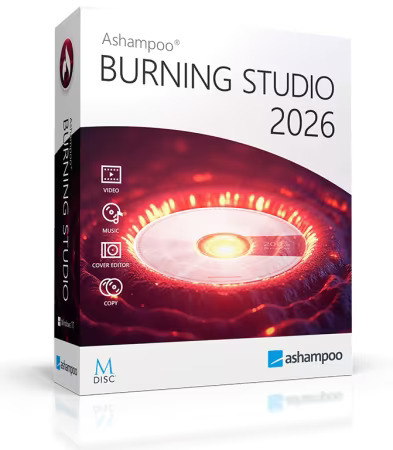
Ashampoo Burning Studio 2026 v1.27.1 Multilingual

File size: 110.9 MB

Ashampoo Burning Studio 2026 provides a comprehensive solution for burning CDs, DVDs, and Blu-rays. It efficiently writes various file types, including music and videos, to different media, inclkuding BDXL and high-security discs. Importing music CDs is straightforward, with automatic track identification and naming. Designing covers and cases is user-friendly. Copying audio CDs and other discs is seamless.

During ripping, playlists are created to maintain the desired music order. If a disc lacks sufficient storage, the disc spanning feature distributes data across multiple discs, allowing for secure storage and easy restoration of large photo, document, or music collections. The software also offers tools for creating and browsing disc images like ISO or CUE/BIN, complete with previews. Ashampoo Burning Studio 2026 includes a backup feature to secure files on CDs, DVDs, USB drives, or external hard drives. Backing up data from mobile devices, USB drives, and tablets is just a click away. A scratch protection function ensures that essential data remains readable even from damaged discs. The latest version reads CD-text data when available, utilizing it during the ripping process.

Compatible with all current Windows versions
Burn files to single or multiple CDs, DVDs and Blu-ray discs
Copy CDs, DVDs and Blu-ray discs
Burn scratch-protected discs
Back up cellphones, tablets or other external devices
Create audio CDs
Design and print covers and inlays for all disc types
Sleek new user interface

Whats New
Код:
https://www.ashampoo.com/en-us/burning-studio-2026

Homepage
Код:
https://www.ashampoo.com/

DOWNLOAD

Код:
https://rapidgator.net/file/1b9aa6f96461276a0333a0ca8757a570/AshampooBurningStudio2026.rar.html

https://ddownload.com/5oxpe1nqb9oi/AshampooBurningStudio2026.rar
 
th-ha-FLw3f-ATEw5N92R5Ydnv22U7K5Jaclm.jpg


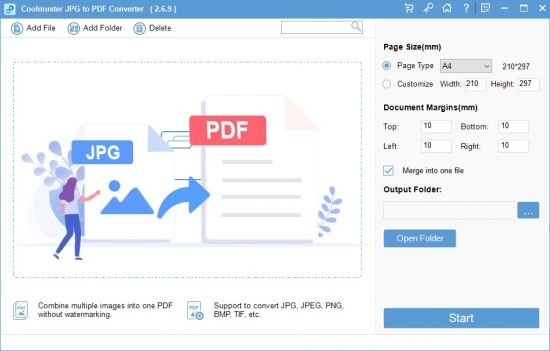
Coolmuster JPG to PDF Converter 2.7.3 Multilingual

File size: 23.18 MB

Effortlessly convert JPG, JPEG, PNG, BMP, and TIFF images to PDF format using Coolmuster JPG to PDF Converter, an easy conversion solution.

Convert Multiple JPG Images to PDF in Seconds
- Convert JPG, PNG, TIFF, and BMP images into PDF files without losing quality.
- Maintain original image resolution, colors, and formatting in the PDF output.
- Convert multiple images to PDF simultaneously for efficient document management.
- Adjust page size, orientation, and margins to suit your preferences.
- Easily rename, rearrange, and merge PDF documents.
- Intuitive and easy-to-use interface suitable for all skill levels.
- Experience the power and user-friendliness with a free trial.

Why Should You Choose Coolmuster JPG to PDF Converter?

Convert Not Only JPG/JPEG to PDF, But Also PNG, TIFF, and BMP to PDF
The Coolmuster JPG to PDF Converter is a versatile software that supports a wide range of popular image formats. Whether you need to convert JPG to PDF, PNG to PDF, or even TIFF or BMP to PDF, this powerful tool allows you to effortlessly transform your images into professional PDF documents.

Retain Image Integrity Across Various Formats
This image to PDF converter software ensures that the integrity of the original images is preserved throughout the conversion process, regardless of the input format. Whether you have JPEG, PNG, TIFF, or BMP files, the software's advanced algorithms maintain the image quality, color accuracy, and resolution when converting them to PDF. Users can rely on the software to deliver high-quality PDF documents that faithfully represent their original images.

Simplify the Conversion Process with Batch Processing
This photo to PDF converter tool simplifies productivity with its batch conversion feature. You can convert multiple files at once, regardless of the format, saving you time and effort. Whether you're converting JPG to PDF, PNG to PDF, or any other image format to PDF, the software handles the conversion seamlessly, all within its friendly and intuitive interface.

Customize and Enhance PDF Documents Effortlessly
In addition to converting images to PDF, Coolmuster's picture to PDF software offers a range of customization options to enhance your resulting documents. You can set up the PDF page size and document margins, or even merge multiple image files into a single PDF document. Whether you're converting JPEG to PDF, PNG to PDF, or any other image format to PDF, this powerful yet user-friendly software allows you to create PDFs from your images with ease.

What's new
• official site does not provide any info about changes in this version

Homepage
Код:
https://www.coolmuster.com/

DOWNLOAD

Код:
https://rapidgator.net/file/02ea5f9cac0c2ab4252559d35ff6a1e8/JPG_to_PDF_Converter_2.7.3.rar.html

https://ddownload.com/443s2mv4q71e/JPG_to_PDF_Converter_2.7.3.rar
 
th-86-VZn-Anr-FJd-RJq-X3f-RZr-QCOHHpl54-Orh.jpg


EaseUS Partition Master 19.23.0 Build 202601261108 Multilingual + WinPE

File size: 170.5 MB | 1.26 GB

EaseUS Partition Master is a all-in-one partition solution and disk management software. It allows you to extend partition (especially for system drive), manage disk space easily, settle low disk space problem on MBR and GPT disk.

EASEUS is one of the leading brands of disk management utilities. It got there by constantly raising the stakes and keeping the users more than pleased. The demands being met, all they had to do is take it up a notch. Partition Master Free Edition addresses the home users and brings three powerful and precise tools to the table: Partition Manager, Partition Recovery Wizard and Disk & Partition Copy.

EaseUS Partition Master Server Edition is an ALL-IN-ONE Windows Server partition manager and reliable disk management toolkit. It performs needed hard disk partition maintenance and provides powerful data protection and disaster recovery. Moreover, it minimizes server downtime to increase the efficiency of Windows-based system administration.

EASEUS Partition Master Unlimited Edition is an ALL-IN-ONE partition solution and reliable PC and Server disk management toolkit. Especially for large enterprise users. It allows unlimited usage within your company.

EASEUS Partition Master Technician Edition is an ALL-IN-ONE partition solution and reliable PC and Server disk management toolkit. It offers technical services with unlimited usage for IT professionals, system administrators, technicians and consultants.

Features
• Extend NTFS system partition without rebooting to maximize PC performance.
• Convert dynamic disk to basic disk and convert FAT to NTFS file system.
• Convert primary partition to logical partition and vice versa.
• Safely merge two adjacent partitions into a bigger one without data loss.
• Convert a primary volume to logical to create a fifth volume on a disk with 4 existed primary volumes.
• Linux partition management. Easily delete, create, format, recover EXT2, EXT3 partition, etc.
• Create WinPE rescue disk for booting sickly computer.
• Speed up your computer by defragmentation.
• Support all hardware. RAID, removable storage device, hard disk, GPT disk and FAT, NTFS, EXT2, EXT3 file system.
• Work on both BIOS-based and UEFI-based hardware.
• Convert MBR to GPT disk, and convert GPT to MBR disk without data loss.

Disk and Partition Copy Wizard
• Migrate OS to SSD without reinstalling Windows
• Copy partition with fast file-by-file copy to protect your data
• Clone entire hard disk to another without Windows reinstallation
• Upgrade system disk to a bigger one with one-click.
• Safely copy dynamic volume to basic disk and resize the basic disk, etc.

Partition Recovery Wizard
• Recover deleted or lost partitions from unallocated space due to any PC failure or virus attack.
• Recover deleted or lost partitions after repartitioned hard drive.
• Two recovery modes in Partition Recovery Wizard. Automatic recovery mode and Manual recovery mode.
• Supports FAT, NTFS, EXT2 and EXT3 partition recovery.

Whats New
Код:
https://www.easeus.com/partition-manager/history.html

Homepage
Код:
https://www.easeus.com/

DOWNLOAD

Код:
https://rapidgator.net/file/cc7aab2907a97e2a0437d2e2a7354ae1/EaseUS_Partition_Master_19.23.0_Build_202601261108.rar.html

https://ddownload.com/jxb8slkle3vo/EaseUS_Partition_Master_19.23.0_Build_202601261108.rar

WinPE (English only)

Код:
https://rapidgator.net/file/6e6b08dc72a5f162d0e8ba63cfebb0d3/EaseUS_Partition_Master_19.23.0_Build_202601261108_WinPE.iso.html

https://ddownload.com/gijqe1dft1xj/EaseUS_Partition_Master_19.23.0_Build_202601261108_WinPE.iso
 
ezgif-30e1f7ab19bdbcd6.jpg


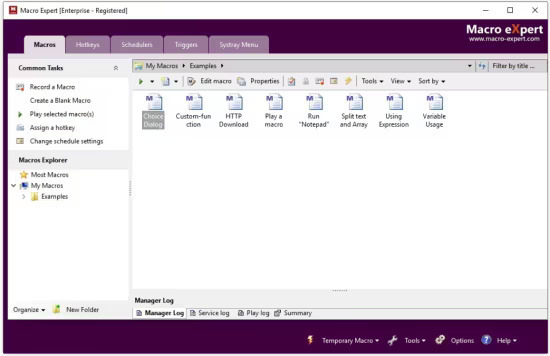
Macro Expert Enterprise 4.9.8.8

File size: 18.8 MB

Effortlessly Breeze Through Your Daily Tasks. Macro Expert is a Robotic Process Automation software that can perform repetitive tasks for you, drastically increasing your work efficiency and quality, and achieving results faster, freeing you to focus on more important matters.

How it Works
Macro Expert acts like a digital assistant for you. You can use the process recorder or editor to create a script for your daily tasks, and then execute it. This will complete the work as if you were doing it yourself on the computer, even if you are not around the computer.

Effortless and Seamless Use
No coding skills are required to use Macro Editor—just drag and drop the required steps to complete the script creation. A process recorder is also provided to make it even easier to get started building a script. This makes it possible for anyone to start using it swiftly and effortlessly.

For a complex task, Macro Expert provides 300+ actions and built-in functions, allowing users to quickly and efficiently create the scripts to complete tasks, such as data migration and import, text extraction, financial and accounting processes, and web browser automation.

Attended and Unattended Automation
Macro Expert offers both attended and unattended automation modes. In attended mode, a human is involved to complete the task and can intervene as needed, while in unattended mode, automation is applied without any human intervention.

Your Exclusive Digital Workforce
Macro Expert can do almost everything you can

Finance and Accounting
Automate processes such as data entry and reconciliation, invoice processing, customer onboarding, accounts payable and receivable, budgeting, forecasting, and more with RPA software. It can help streamline operations, reduce human errors, and save time and money.

Data Migrating
Automate the process of entering data into systems or migrating data between systems, reducing the risk of errors and increasing efficiency.

Text Extracting
Extract information from unstructured documents such as invoices, receipts, and contracts. Text extraction is particularly useful in industries such as finance, insurance, and healthcare where there is a high volume of paperwork that needs to be processed.

Sales & Marketing
Sales and Marketing can use RPA to automate manual tasks such as lead filtering, updating CRM, researching prospects and creating quotes, to reach more customers, build client relationships, and unify processes across geographies.

Whats New
Код:
https://www.macro-expert.com/what-is-new.htm

Homepage
Код:
https://www.macro-expert.com/


DOWNLOAD

Код:
https://rapidgator.net/file/676002d85f13bc1e4dfdaca15c1f160b/Macro.Expert.4.rar.html

https://ddownload.com/ztfsmb7e6kbc/Macro.Expert.4.rar
 
ezgif-3640d17699cfb3d5.jpg


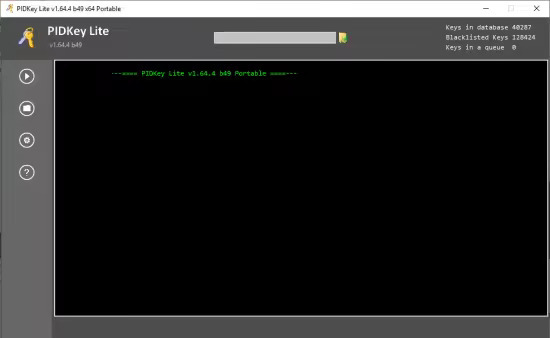
PIDKey Lite 1.64.4 b53 Multilingual

File size: 55 MB

PIDKey Lite The program is intended to show the renovation and conservation in the database of key information products to M $.It allows you to replace PIDKey by Ratiborus and VAMT. Program PIDKey LiteIt is the successor of PIDKey. and I took out of it the best program ideas (Allowing you to add new keys to the two modes of adding key modes).

Program Usage
Run PIDKey.exe, select the desired configuration, insert the key into the input field then click GO!. Identifying the key configuration will be checked against all configurations starting at the beginning of the list until correct data is retrieved.
The program has several built-in configurations, but also you can create your custom configuration. If you put your config file in the program folder, the file will be saved in a relative path and the program can work with it from any location folder with the program.
When you select a custom configuration a button becomes available to remove it.
You can check the key from a file. You can use any file in text format containing a key mixed with any number of other keys so they will be correctly extracted.

It is the successor of PIDKey. and I took out of it the best program ideas (Allowing you to add new keys to the two modes of adding key modes),
Will be described below, and check them in the database to find the necessary keys
(). update information on them or move them to the locked

1. PIDKey Lite x64.exe checks and keys for x86 and x64 Windows XP, PIDKey Lite.exe for x86 only.
2. Memory setting verifiable key types. Displayed reminder.
3. When you first start a program RESET.
4. Folder pkconfig changed.

Whats New
Updates: official site does not provide any info about changes in this version

Homepage
Код:
https://msfree.su/

DOWNLOAD

Код:
https://rapidgator.net/file/6e986664bfa077a5601a7aa464290ad4/PIDKey_Lite_v1.64.4_b53_RU_EN_and_more.rar.html

https://ddownload.com/51sedj006x1a/PIDKey_Lite_v1.64.4_b53_RU_EN_and_more.rar
 
s-HBd-BAAy3S4ZVYdy-Tplb8PICv-JHm-RFr-D.jpg


Recovery Toolbox for PDF 2.12.37.0 Multilingual

File size: 5.01 MB

PDF Recovery Toolbox is intended for recovering data from damaged .pdf (Portable Document Format) files - the international standard of portable electronic documents.

The current version of the program can recover
PDF file parameters. PDF files contain information about their version and page sizes. If the recovery of page parameters is impossible, you can manually add such parameters as page size and orientation.
The structure of PDF files. PDF documents contain tables of internal cross-links that are part of the main document structure. If these tables are damaged, the document may appear unreadable. The software is capable or recovering these data and links used in them.

Fonts and other metadata. Fonts and other metadata can be integrated into PDF documents for their correct rendering. The program is capable of restoring these data in the majority of cases depending on the level or file corruption.
Contents of PDF files. You can recover texts, graphics and forms used in the document.

Online damaged PDF recovery
The program has a friendly user interface and can work with minimal user input, which may come handy for novices and intermediate users. PDF Recovery Toolbox like online damaged PDF recovery service - always avaible 24x7 via website download.

The software also has a number of additional settings that can broaden the range of documents it can work with.
The program does not modify the original file in any way. The recovery process only involves operations with the memory of your computer and the destination file.

The software is provided in two versions: DEMO (free) and FULL (commercial). The trial version offers a full range of recovery capabilities, but the output file will only contain the first page of the document. All other pages will have the word DEMO written across them.

Recovery of pdf files consists of several stages
1. - Selection of a damaged file
This stage is used for selecting a file to be processed. You can either type the name of the file or select it using the Open File dialog or the list of previously opened files.

2. - Configuration of program settings
This stage is optional, but we recommend changing the recovery settings prior to starting the work with a document. For heavily damaged files or in cases when the results of the recovery process did not meet your expectations, you can change the default size of document pages or the way the software processes data streams stored in the document.

3. - Analysis of document parameters, structure and content
At this stage, the program performs a preliminary analysis of the document, identifies its structure, determines the location of text and other data, analyzes cross-link tables and performs other document processing actions.
This stage is fully automated.

4. - Selection of an output file
Once the document analysis is over, the program prompts you for the name of the output file. By default, the software suggests saving the recovered document into the same folder the original file was located in, with a name composed of the original file name and the _repaired suffix.

5. - Selection of the format of the output file
You can save documents in the PDF format of any version, from 1.0 (Acrobat Reader 1.0) to 1.7 (Acrobat Reader 8.0). By default, the software suggest saving the document in the format matching the format of the original file. If the document has been damaged badly and the program fails to determine the format version, it suggests saving the results in the latest version of the format. At the moment, the latest version supported by the program is PDF 1.7 (Acrobat Reader 8.0).

6. - Recovering data and saving the document
At this stage, the program extracts data from the source document based on the results of the previously performed analysis and saves them into the destination file. The program performs the following actions
Validates the previously analyzed document structure and data and copies them to the memory of your computer
Checks the document for remaining objects and fixes them
Compresses the objects and saves them into the specified output file
Saves the tables of internal cross-links
Saves the document trailer
The work of the program at this stage is fully automated and does not require any input from the user. The trial version of the program only saves the first page of the document into the output file. The rest of the pages will have the word DEMO printed across them. To completely unlock the recovery capabilities of the program, you must purchase the full version of the program.

7. - Viewing the recovery report
Once the recovery process is complete, the software shows a report containing the following information
The date and time of the beginning of the recovery process
The path and name of the source file
The number of detected objects
The path and name of the output file
The number of objects saved into the output file
The date and time of the end of the recovery process
The report is generated for each file processed during the current recovery session.

You can go back at any stage and change the document recovery settings. You can also choose another PDF file to recover and exit the program at any time.

What's new
• official site does not provide any info about changes in this version

Homepage
Код:
https://oemailrecovery.com/

DOWNLOAD

Код:
https://rapidgator.net/file/4834ad43d3509bc0921fc2c4a3fbb509/Recovery.Toolbox.for.PDF.2.12.37.0.rar.html

https://ddownload.com/lco1px3s4b9v/Recovery.Toolbox.for.PDF.2.12.37.0.rar
 
th-CPJRs-Jhw-KSXf-L9SQ630PHsn07pd-YMk-Z6.jpg


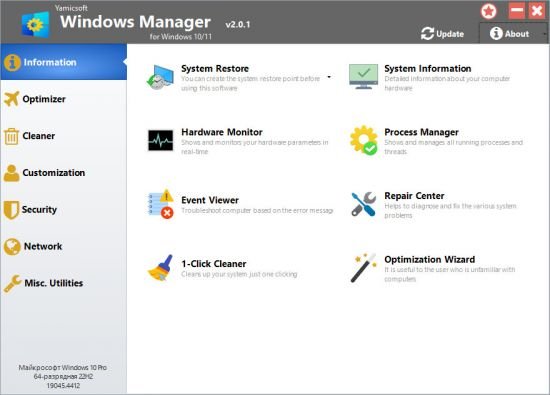
Yamicsoft Windows Manager 2.3.2 (x64) Multilingual

File size: 23.2 MB

Windows Manager is an all-in-one utility for Microsoft Windows 10/11 specially, it includes over forty different utilities to optimize, tweak, clean up, speed up and repair your Windows 10/11, helps make your system perform faster, eliminate system fault, increase stability and security, personalize your copy of Windows 10/11, and meet all of your expectations.

Information
Creates the system restore point manually; Gets detailed information about your system and hardware, helps you find out the Microsoft product key such as Microsoft Windows and Microsoft Office; Shows and manages all running processes and threads; Repair Center helps to diagnose and fix the various system problems; Cleans up your system just one clicking; Optimization Wizard is useful to the user who is unfamiliar with computers.

Optimizer
Tweaks your system to improve performance and increase speed; Manages and configures the Windows boot menu to your preference; Startup Manager controls all the started programs with Windows start, checks and repairs the advanced startup items to restore the malicious change by viruses; Manages and optimizes system services and drivers to improve performance; Manages and optimizes the scheduled tasks to speed up your system.

Cleaner
Disk Analyzer can analyze and view the disk space usage of all programs, files and folders find out which engross your disk space and shown with a chart; Cleans up WinSxS folder securely to reduce the component store size; Smart Uninstaller can fully delete programs from your system without residual files and Registry entries; Desktop Cleaner can analyze and move unused shortcuts, files and folders on desktop to specified folders; Searches and deletes junk files to save disk space and improve performance; Searches and deletes the duplicated files to save your disk space; Registry Cleaner searches Registry to find out and delete the invalid items; Registry Defrag rebuilds and re-indexes your Registry to reduce registry access time and therefore improve application responsiveness and eliminate mistakes and corruption in Registry.

Customization
Customizes system parameters according to your preferences by tweaking File Explorer, Desktop, Start, Taskbar and Notification area; Adds files, folders and system items to This PC, and Desktop; Pins the files or folders to your Desktop, Taskbar or Start; Creates the quick startup items for jumplist on Taskbar; Manages the context menu when right click the file, folder, etc; Edits the shortcut menu that right-click Start button (Win + X shortcut); Customizes the look of your system; Edits and adds the shortcuts that executed on Run dialog box; Tweaks the Windows Apps and Microsoft Modern UI settings.

Security
Tweaks system, components, UAC, Sign in settings, adjusts various settings and restricts access to drives and programs to improve system security; Safeguard your sensitive files and folders security, encrypt files, move system folders to safe locations; Privacy Protector ensures privacy and keeps sensitive information secure by eliminating tracks; File Undelete recovers and restores deleted or formatted files on logical disks; Locks some system features to improve security.

Network
Optimizes and tweaks your internet connection and network settings; Manages your URLs and IPs; IP Switcher can switch between different network settings easily; Edits the Hosts file to speed up system surfing internet; Wi-Fi Manager can view and manage all your wireless network; Network tools contains some commonly used network utilities; Network Monitor can display traffic data transmitted by the network.

Misc. Utilities
Creates scheduled tasks or the monitorings that trigger tasks; Shows and run the useful collection of utility that built-in your Windows; Splits a file into several smaller files or merges back to the original file; Super Copy is the powerful tool to copy files or backup automatically; Operates your Registry easily using the Registry Tools.

Features
Information
Optimizer
Cleaner
Customization
Security
Network
Misc. Utilities

Whats New

Perfected the functions in Settings Security and Network Monitor.
There are more cleaning options in 1-Clicking Cleaner.
Perfected other some functions.
Fixed the bug that cannot receive Edge cookies.

Homepage
Код:
https://www.yamicsoft.com/

DOWNLOAD

Код:
https://rapidgator.net/file/3370d3ff267768c4193cf238e5002b1a/YamicsoftWindowsManager2.rar.html

https://ddownload.com/z25aqc6zalzx/YamicsoftWindowsManager2.rar
 
Назад
Сверху Снизу