All sanddisk Software's Collection [Daily Updated]

ezgif-8c751851f8f4961e.jpg


AI Aquarium Screensaver 1.3.1

Languages: English
File Size: 342.93 MB

Relax & Explore: Interactive AI Aquarium Screensaver for Your Screen. AI Aquarium Screensaver is a 3D interactive aquarium screensaver that transports you into a vibrant underwater world. Imagine having an aquarium on your screen that features different styles of fish tank landscape background pictures, ranging from serene stone arch bridges to mystical stone forests.

Our tropical rain forest scenes bring the essence of nature into your digital space, while the rockery stone and Dutch style aquarium designs add a touch of elegance. It offers a diverse selection of environments such as coral water grass and nature style backdrops, as well as end world and cartoon styles for a more whimsical feel. For those who love futuristic aesthetics, the cyber mechanical style background image will captivate your imagination.

AI Aquarium screensaver is designed to feature auto feed options, ensuring that you never miss a moment of your aquatic adventure. With over 150 different types of fish, including goldfish, koi fish, clownfish, manta rays, amago, and even the fascinating angel shark, your virtual aquarium will never be dull. The AI fish bring this experience to life, allowing you to interact directly with these incredible creatur Whether you're looking to relax, inspire creativity, or simply enjoy the beauty of the ocean, AI Aquarium Screensaver is perfect for enhancing any digital environment.

10 Aquarium Background Styles
Stone Arch Bridge, Stone Forest, Tropical Rain Forest, Rockery Stone, Dutch Style Aquarium, Coral Water Grass, Nature Style, End World Style, Cartoon Style, and Cyber Mechanical Style.

150+ Fish Species
A diverse collection of freshwater and saltwater fish including goldfish, koi, clownfish, manta rays, neon tetra, betta fish, arowana, rainbowfish, catfish, sharks, and more.

Interactive Aquarium Experience
Select fish types and quantities, feed and tease fish, and create realistic ripple effects.

Automatic Feeding System
Runs in the background to keep your aquarium active at all times.

Customization Options
Support for custom aquarium background images and background music.

Multi-Monitor Support
Extend the immersive aquarium across multiple displays.

Advanced Lighting Effects
Rainbow Gradient, Pulse Gradient, and White Noise Gradient modes for natural and dynamic underwater lighting.

Release Notes

- Added support for ultra-wide monitors, including 49-inch models. You can now manually adjust the width and height of the background image in the settings panel to properly fit ultra-wide displays, ensuring a stretched-free, unified visual presentation.

System Requirements
- OS: Windows 10 version 17763.0 or higher
- Memory: 2 GB (Minimum), 4 GB (Recommended)
- Graphics Processor: OpenGL 3.0 (Minimum), OpenGL 4.0 (Recommended)

Homepage
Код:
https://aifishscr.com

DOWNLOAD

Код:
https://rapidgator.net/file/8788ed83a540dcf24149faf41e4ad02f/AI.Aquarium.Screensaver.1.3.1.rar.html

https://ddownload.com/kudghjogg5qq/AI.Aquarium.Screensaver.1.3.1.rar
 
Zu-Ccmjuwbdd-Ug7q-VFZ5Sp-UI4zz-V94er-V.png


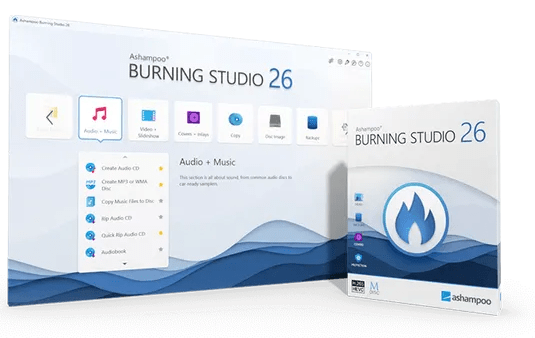
Ashampoo Burning Studio 26.0.4 Multilingual

File size: 110.9 MB

Ashampoo Burning Studio 26 is the most comfortable way to burn your data securely and copy CD, DVD and Blu-ray discs without effort. Rip audio discs and back up your music or create your own music compilations with suitable cover art! Additional top-of-the-line multimedia features also let you create your own movies and slideshows, and even allow you to burn them to disc along with nifty animated menus. Say goodbye to data loss, back up your files instantly, and write important data to any disc type with powerful compression and password protection. And the new convenience features for audiobooks, audioplays, and podcasts guarantee high-quality entertainment!

Benefits at a glance
CD-Text support for disc ripping
Optimized also for current-gen hard and software
New light and dark skin
Extensive audiobook module
Best-of feature for quick source switching
More project versatility with intermediate buffering
Enhanced cover search
Greatly improved car radio support
Burn, copy and backup data with unbeatable ease of use
Create, cut and burn high-quality movies
Your photo memories as gorgeous slideshows
Create and burn audio discs complete with covers
Modern H.265 decoder for stunning video quality
Smart backup plans for reliable data backups
Perfectly arranged tracks in the best format for your car radio

Backup your music discs and store your songs directly on your PC!
Need to extract audio from your music CDs? The clever disc ripping feature in Ashampoo Burning Studio extracts audio from music disc in a matter of minutes! Artist and genre are automatically recognized, there's no need for manual input. Turn audio CDs into high-quality audio files with meaningful file names and select from a variety of different formats! Naturally, you can then turn your files into music discs, along with equalizer and volume adjustments for an even better sound experience, and add your own cover designs. Sounds good? It is!

More audiobook goodness
Audiobooks, podcasts, and audioplays continue to be popular, and we'll help you make the most of them. Many audioplays are split up into dozens of smaller files, e.g. for easier marketing on Spotify. But who wants to skip through hundreds of files every time the player forgets the last playback position? With Burning Studio, you decide the length of your audio files, so listening becomes a fun and smooth experience again!

Ready for H.265–HEVC ready!
Codecs are the lifeblood of multimedia projects—and Ashampoo Burning Studio ships with a new star: H.265 (also called HEVC). This codec offers the same quality but 50% higher data compression rates compared to its predecessor! Take advantage of modern encoders and process your H.265 footage, e.g. shot with a digital camera, cellphone or action cam, effortlessly!

Disc ripping has always been super-comfortable and easy with Burning Studio. The program recognizes CD contents automatically and retrieves suitable metadata and cover artwork automatically for you. Burning Studio has seen a complete overhaul of this technology for better speed and exact matches, from covers, to artists, title names and more. It's the fastest and most convenient ripping feature of any Burning Studio yet!

The best plan for secure backups
Do you save your files in the cloud? Why not keep your files at home and burn them to CD, DVD or Blu-ray? The handy backup plans in Burning Studio do the heavy lifting for you. It's so easy to back up important data locally and the program can even remind you when the next backup is due! Managing backups is equally straightforward with one-click archive recovery and updates. It couldn't be any easier! And don't worry if your files don't fit on a single disc. Our disc spanning technology takes care of that and automatically spreads your archives across multiple volumes, along with compression and password protection for added security!

The sound for your music and audiobooks in your car
When you're burning discs for your car radio, picking the right format is crucial or you'll lose the song order or end up with a non-playable disc. The new Burning Studio puts and end to this nightmare! With now over 1800 presets and profiles for all common car radios, your discs will work the way you expect them to on any device. The program also supports multi-disc CD player emulators and both equalizer functionality and normalization. Song or audiobook, Burning Studio offers the best listening experience for your tracks on the go–and in the correct order!

The fast route to finished movie projects
Ashampoo® Burning Studio offers a short path to success for every project. When time is of the essence, it takes just a few clicks to combine images and videos with suitable music to create movies. No need for long-winded menu navigation and no additional manual work required. If needed, you can manually adjust image transitions and display durations for that extra bit of individuality - otherwise it's one more click and you're done!

The proper format for any movie!
Creating and burning movies with your PC is one of Ashampoo® Burning Studio's strong suits! To make movies compatible with retail players, they have to be converted into a suitable format. Burning Studio has got you covered with MPEG4, H.265 and AAC along with sound formats like MP3, WMA, OGG and more. Burn everything, from simple cellphone recordings to ambitious amateur movies, securely and in style with Burning Studio!

Recover data from surface-damaged discs–thanks to scratch protection
The proven scratch protection technology ensures your data stays safe. Scratches can render disc surfaces unreadable and files irrecoverable. Ashampoo Burning Studio takes the terror out of scratches by spreading multiple copies of your data across the disc along with an emergency recovery tool! This way, you can still recover your indispensable files and precious memories should a disc ever become scratched.

Process Disc images like ISO or CUE/BIN without effort
Working with disk images like ISO, CUE/BIN or our own ASHDISC is commonplace for professionals. Ashampoo® Burning Studio provides hassle-free support for all of these formats. Create, copy, burn and browse disk images with ease and enjoy the built-in preview for images. Naturally, creating disk images is fuss-free and anything but time-consuming.

Create perfect covers and artwork for any disc
Creating covers and inlays has always been a strong point of Burning Studio. The intuitive start menu sets you off in the right direction and has you select your favorite images right away. After that, it's step-by-step to the finished cover. To save time and effort, the import feature helps you analyze your disc and will automatically download the required metadata from the internet and create a suitable track list for you, if needed. Whether you need to quickly whip out a cover or design your own from the ground up, you won't be disappointed!

What's New
Код:
https://www.ashampoo.com/en-us/burning-studio

Homepage
Код:
https://www.ashampoo.com/


DOWNLOAD

Код:
https://rapidgator.net/file/73982615ad46bc2061ab2313a002be8a/Burning.Studio.26.rar.html

https://ddownload.com/5rqc1mvjmfq0/Burning.Studio.26.rar
 
th-k371COw2RWlp-Hg-OLhtm377b-DTFp3Ee-Uz.png


Ashampoo Music Studio 11.0.6 Multilingual

File size: 113.8 MB

Ashampoo Music Studio is the Swiss Army knife for your music. It offers a comprehensive set of tools for easy editing, producing, trimming, mixing and organizing of music and audio files. With the powerful features of Ashampoo Music Studio 11, you'll get the best out of your music collection! Eight handy modules cover pretty much everything music lovers need on a computer. Whether you want to edit, burn, or cut your favorite songs–with Ashampoo Music Studio 11, you can do it quickly and easily. Record Spotify, Deezer, Amazon Music, and much more! Convert to other compatible formats, create mix tapes for the next party or playlists for any audio device! Bring order to your music collection, print covers, rip CDs, and much more!

Record apps like Spotify, Deezer and Amazon Music without interruption
Targeted app recording instead of just “All you can hear”
Context menu for quick feature access
Instant split tracks into three segments
Tag editor now supports 18 different tag types
Assign multiple images per track
Easy and logical track repositioning
Feature groups for better clarity
Significantly enhanced performance in various program sections

Record individual apps instead of just “All you can hear”!
More flexible and focused than ever: That's the new Ashampoo Music Studio 11! Our ultimate music software recognizes all apps and processes that generate sounds on your PC and simply lets you pick what gets recorded e.g., Spotify, in outstanding quality, naturally! Even programs launched while Music Studio is already running will be detected. And don't worry about background noise: Ashampoo Music Studio 11 only records the apps you select and ignores everything else.

New, robust recording mode
Ashampoo Music Studio is your local helper with every recording! Even if your mic's battery fails, you accidentally unplug a cable, or your audio device briefly loses connection, the recording will not be interrupted. All available audio devices are constantly monitored and instantly recordable. Where many other programs give up, Ashampoo Music Studio 11 stays on the ball and continues recordings even in the event of sudden technical issues!

Reach your goal faster!
Every click counts when you want to make a recording, so menus have been heavily streamlined. All relevant settings are accessible through a single page so you can start recording straight away. This includes audio source, quality, format, and output location. It's all there and instantly accessible. This lets you focus on what matters: Creating the perfect recording!

Looping previews
You can now select not only portions inside but also across tracks and have them playback continuously. This makes your life a lot easier e.g., when you're stitching parts together, because you can now instantly hear the changes as they're happening.

More details and easier handling with title bars
Each track now has a dedicated title bar to help you to keep them apart and to make dragging and rearranging them easier. Mixing and editing tracks has just become a lot more intuitive!

It's all about context
Use the right-click context menu for instant feature access and save time–or rely on the enhanced tool bar. The choice is yours.

Splitting made easy
Splitting tracks at the current marker position is nice but with Ashampoo Music Studio 10, you can use selections to instantly split tracks into three parts based on the start and end of each selection. This is especially handy when you want to apply the equalizer only to the middle part.

More tags for your tracks
Tags enrich your songs with details such as artist, genre, etc. Ashampoo Music Studio 10 supports 18 different types of tags for even more meaningful metadata - a treat for perfectionists and genuine music lovers!

There can only be one? Not any more!
There's more to music artwork than just a cover photo. Booklet, band photo, or back of the sleeve, you can now add multiple photos to your songs.

It's only logical
Features are now logically grouped in the editor with availability based upon context. This means, when you're editing multiple tracks at once, we'll only enable features that apply in that setting so you'll be visually less distracted and will achieve your goal faster!

Small things matter too
You can now use smart positioning to rearrange tracks with high precision e.g., to smoothly blend tracks together. You can also apply tags by category or convert between audio formats without losing existing tags. Details matter, and Ashampoo Music Studio respects that!

Whats New
Код:
https://www.ashampoo.com/en-us/music-studio

Homepage
Код:
https://www.ashampoo.com/


DOWNLOAD

Код:
https://rapidgator.net/file/9274ec538f82a055d11a721f35e63e7a/Ashampoo_Music_Studio_11.0.6.rar.html

https://ddownload.com/504fpd1irtli/Ashampoo_Music_Studio_11.0.6.rar
 
ezgif-8c8d3c69d03093a0.jpg


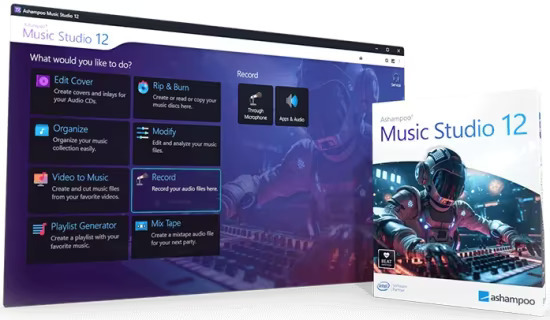
Ashampoo Music Studio 12.0.4 Multilingual

File Size: 113.9 MB

Ashampoo Music Studio is the Swiss Army knife for your music. It offers a comprehensive set of tools for easy editing, producing, trimming, mixing and organizing of music and audio files. With the powerful features of Ashampoo Music Studio 12, you'll get the best out of your music collection! Eight handy modules cover pretty much everything music lovers need on a computer. Whether you want to edit, burn, or cut your favorite songs–with Ashampoo Music Studio 12, you can do it quickly and easily. Record Spotify, Deezer, Amazon Music, and much more! Convert to other compatible formats, create mix tapes for the next party or playlists for any audio device! Bring order to your music collection, print covers, rip CDs, and much more!

Improved CD recognition for accurate track names
Smart merging of multiple database entries
CD-Text analysis for more complete metadata
Automatic title recognition for streaming services like Spotify, Deezer, etc.
Detection and temporary unmuting of recording devices
Window title parsing for clear file names from unknown sources
Automatic track splitting based on silence in audio streams
Redesigned recording list with more details and clarity
Sort recordings by name, date, or length
Optimized workflow for faster results with fewer clicks

Title detection that thinks for you
When recording music streams, keeping things organized is key–and that’s exactly what Music Studio 12 delivers. For services like Spotify, the software automatically recognizes artist and song title and names your files accordingly. For less clear-cut sources, like browser windows, it analyzes the window title and auto-skips irrelevant parts. The result? Just your music–clearly named.

CD ripping with always correct titles!
Looking to archive your audio CDs or access their music digitally? Music Studio 12 recognizes your CDs more precisely than ever. It automatically compares multiple database entries, merges them intelligently, and provides the best possible metadata for your collection. On top of that, Ashampoo Music Studio reads CD-Text directly from disc for more complete information without any manual editing.

Simply smarter recording
Recording audio on Windows can be tricky, especially when a recording device is muted. Music Studio 12 detects muted devices and automatically unmutes them during recording. Once finished, it will restore their original state so you don’t have to do a thing. It's the perfect solution for spontaneous sessions and reliable recordings and also works flawlessly with your mic in MS Teams, Zoom & more.

Cleaner, smarter recording list
Got a long list of recordings? No problem! The new and improved recording list in Music Studio 12 displays all key information at a glance and feels much more streamlined. You can now sort your recordings by name, date, or duration–ascending or descending. That way, you’ll always find exactly what you’re looking for, no matter how big your collection is.

New, robust recording mode
Ashampoo Music Studio is your local helper with every recording! Even if your mic's battery fails, you accidentally unplug a cable, or your audio device briefly loses connection, the recording will not be interrupted. All available audio devices are constantly monitored and instantly recordable. Where many other programs give up, Ashampoo Music Studio 11 stays on the ball and continues recordings even in the event of sudden technical issues!

Reach your goal faster!
Every click counts when you want to make a recording, so menus have been heavily streamlined. All relevant settings are accessible through a single page so you can start recording straight away. This includes audio source, quality, format, and output location. It's all there and instantly accessible. This lets you focus on what matters: Creating the perfect recording!

Looping previews
You can now select not only portions inside but also across tracks and have them playback continuously. This makes your life a lot easier e.g., when you're stitching parts together, because you can now instantly hear the changes as they're happening.

More details and easier handling with title bars
Each track now has a dedicated title bar to help you to keep them apart and to make dragging and rearranging them easier. Mixing and editing tracks has just become a lot more intuitive!

It's all about context
Use the right-click context menu for instant feature access and save time–or rely on the enhanced tool bar. The choice is yours.

Splitting made easy
Splitting tracks at the current marker position is nice but with Ashampoo Music Studio 11, you can use selections to instantly split tracks into three parts based on the start and end of each selection. This is especially handy when you want to apply the equalizer only to the middle part.

More tags for your tracks
Tags enrich your songs with details such as artist, genre, etc. Ashampoo Music Studio 11 supports 18 different types of tags for even more meaningful metadata - a treat for perfectionists and genuine music lovers!

There can only be one? Not any more!
There's more to music artwork than just a cover photo. Booklet, band photo, or back of the sleeve, you can now add multiple photos to your songs.

It's only logical
Features are now logically grouped in the editor with availability based upon context. This means, when you're editing multiple tracks at once, we'll only enable features that apply in that setting so you'll be visually less distracted and will achieve your goal faster!

Small things matter too
You can now use smart positioning to rearrange tracks with high precision e.g., to smoothly blend tracks together. You can also apply tags by category or convert between audio formats without losing existing tags. Details matter, and Ashampoo Music Studio respects that!

Whats New
Код:
https://www.ashampoo.com/en-us/music-studio

Homepage
Код:
https://www.ashampoo.com

DOWNLOAD

Код:
https://rapidgator.net/file/abd9d4130e174173ca726c2168a645fc/Music.Studio.12.rar.html

https://ddownload.com/rbo9u4bksmpz/Music.Studio.12.rar
 
th-Rg-KJP3i-Xs60Wyf9M70Wm-TZr-ISR2Ea-IZS.avif


Ashampoo Privacy Inspector 3.00.11 Multilingual

File size: 15.3 MB

Ashampoo Privacy Inspector has returned, now more robust and versatile than ever! Maintain comprehensive control over your data and devices: The powerful search function uncovers stored information and suspicious content, while the USB device overview provides precise details on when and which hardware was connected to your PC. Additionally, ADS Scanner will reveal invisible data streams.

Features at a Glance
Powerful search for keywords, folders, and files
Complete overview of all USB devices ever connected
ADS Scanner for hidden data streams
Extended activity analysis with additional data sources
Accelerated analysis for faster results
Safely delete confidential usage data
Analyze web browsing behavior for all user accounts
Multiple search filters for fast and precise results
Display page visits by time and frequency
Retrace online activities in detail
Delete what other cleaners leave behind
Review and delete download history
Keep an eye on logins and form inputs
Erase internet traces and usage logs
Disable telemetry and unwanted data sharing
Safeguard and protect your data and privacy
Prevent location tracking, data syncing, and personalized ads
Activities module reveals all significant events
DNS Cache module with detailed display and clearing function
Internet Cleaner with deletion history and support for the latest browser versions
File Wiper for permanently deleting sensitive data
Search term logging for all browser profiles and Windows Explorer
Optimized performance through memory management and multi-core support

Practical search for keywords, folders, and files
Quickly identify suspicious content, sensitive information, and crucial data! The new search feature scans all relevant categories for your specified terms, enabling you to efficiently uncover files, folders, or keywords in no time. It's perfect for maintaining full control over your stored information, safeguarding your privacy, and promptly detecting potential risks.

All USB devices at a glance
Stay in control of every USB device ever connected to your PC. Ashampoo Privacy Inspector provides detailed information on used USB sticks, drives, and more, showing exactly when they were first and last connected. Instantly see which devices accessed your system, such as whether an unknown USB stick was used on your computer!

Uncover hidden data streams with ADS Scanner
Have you heard of Alternate Data Streams (ADS)? ADS Scanner identifies these hidden data streams that can be attached to files, such as information added during downloads or created by the system. This tool lists all detected ADS, provides details on their origin, and allows you to safely remove any suspicious entries, helping you detect and eliminate hidden traces.

Have you heard of Alternate Data Streams (ADS)? ADS Scanner identifies these hidden data streams that can be attached to files, such as information added during downloads or created by the system. This tool lists all detected ADS, provides details on their origin, and allows you to safely remove any suspicious entries, helping you detect and eliminate hidden traces.
The Activities module has been significantly enhanced and now uses additional data sources to give you an even more detailed picture of your system’s activity. At the same time, the new multi-core support optimizes processing speed across many modules for comprehensive insights without delay!

Comprehensive PC monitoring with Activities module
The new Activities module provides a comprehensive overview of all significant events on your PC. From running .exe files, opening files and folders, to installing or updating software–nothing escapes your attention! Learn exactly when the system was started or shut down, which user logged in or out, and if and when software errors occurred. Even default system events and background tasks are fully revealed to you. This powerful tool offers a detailed log of all your PC activities!

View and clear DNS cache
Did you know that your computer stores the IP addresses of visited websites in the DNS cache to speed up loading times? This makes browsing faster, but entries can become outdated or be manipulated during an attack (DNS spoofing). With the new DNS Cache Module, you stay in control! Not only can you view the cache in detail but also easily clear it when problems arise. You can even check the similarly structured hosts file. This ensures up-to-date connections and protects you from potential security risks!

Heightened data and OS security
In the Privacy section, you will find numerous new settings to configure Windows, apps, and browsers to be more secure and discreet. Internet Cleaner has been further enhanced: Deleted items now appear in a history, and the latest browser versions are optimally supported. Also new is File Wiper, which allows you to permanently delete sensitive data and folders. Even with specialized software, these files cannot be restored, ensuring your privacy remains intact!

Retrace your steps online
There are times when you need to retrace your most recent activities on the internet. How did you end up on that page and what were you looking for? Ashampoo Privacy Inspector helps you to analyze web sessions with extensive list or tree views that cover all of your online activities. Bring your web browsing history to life and never lose the thread again.

More under-the-hood improvements
Search terms are now logged not only from all browsers and user profiles but also Windows Explorer. You can now access all data across profiles and use handy filters for better organization. Thanks to optimized memory management and new multi-core support, Ashampoo Privacy Inspector works more smoothly than ever before, even during extensive analyses!

Which objects were used, how often were they accessed, and when?
Usage-related information about open files and folders is constantly gathered without your notice. Wouldn't you like to know how much information about your work gets logged by your PC? Ashampoo Privacy Inspector will tell you! Find out exactly what is going on behind the scenes while you're using your computer, use filters to narrow down results, and delete them at your leisure!

How much does your PC know about your web browsing habits? You'll be surprised…
You may be using adblockers, VPNs, and other means to browse the web anonymously, but you'll still leave telltale traces about search terms, form inputs, and visited websites on your PC! Use Ashampoo Privacy Inspector to review not just your traces but those of anyone else using your computer. Apply filters to focus on what's relevant to you, sift through data from Chrome, Edge, and Firefox with ease, and delete anything you don't want recorded!

Download and search history reloaded, literally
Take full control of your download and search history. Online source, file size, download time, with Ashampoo Privacy Inspector, all the information you need is right there at your fingertips–not just for you but for anyone else using your computer! But no worries, built-in filters will help you to identify, and delete, sensitive information in no time. Want to revisit a recent page but forgot how to get to it? Ashampoo Privacy Inspector will help you with that, too!

Logins and browsers
At lot of sites require us to log in with dedicated user names and passwords these days. So where did you leave your credentials today? Exactly what information did you enter into forms and how often have you visited the affected pages? Enjoy 100% transparency and precision with Ashampoo Privacy Inspector today!

More privacy for you
Ashampoo Privacy Inspector comes with everything you need to curb the excessive data collection by Windows. Disable telemetry and location services, turn off password syncing, and shut up Cortana. And, in case you're using a tablet to use your handwriting with Windows, you may want to know that Windows also sends out samples of your handwriting, so make sure to turn that off, too! It only takes a few clicks.

Eliminate web browsing traces
If you like it brief and clear-cut, you'll love the built-in overview. It has all the cached files, cookies, and session-related information you need. Feel free to whitelist important cookies and delete the rest to clear up space!

Recover deleted files
Speaking of deleting data: Have you ever accidentally deleted an important file? Ashampoo Privacy Inspector can recover it for you! Pick a drive, and the program will neatly list all deleted files–along with the ability to recover them individually. It's a lifesaver!

Whats New
Код:
https://www.ashampoo.com/en-us/privacy-inspector

Homepage
Код:
https://www.ashampoo.com/en-us/privacy-inspector

DOWNLOAD

Код:
https://rapidgator.net/file/32a9413a5997b5932ad43d2ec7c63de4/AshampooPrivacyInspector3.rar.html

https://ddownload.com/oh6za1fq4kkc/AshampooPrivacyInspector3.rar

 
ezgif-8559e76608873bdf.jpg


Avast Premium Security 26.1.10738 Multilingual

File size: 784.6 MB

Avast Premium Security is an Avast product that offers antivirus protection and advanced security for your PC against online threats. It allows users to safely shop and bank online, avoid fake websites and phishing scams, block web spies, and more. Avast Premium Security also includes key features from Avast Internet Security and Avast Premier products, both of which no longer exist.

Avast Premium Security protects against all online threats, including spoofed websites and ransomware. Complemented by SafeZone technology, it creates an isolated virtual desktop, invisible to any possible attacker, where you can do your online shopping and banking securely.

The Avast award-winning and certified antivirus engine and shields stop even previously unknown threats – for peace of mind when you chat or spend time on Facebook, Twitter, or other websites.

The silent firewall stops hackers and other unauthorized entry attempts to your PC, to keep your data where it belongs – safe and sound. The antispam feature blocks both spam and sophisticated “phishing” attempts, to keep you from clicking “harmless” links that really can cause damage.

Safely shop and bank online
Spoofed (fake) websites are one of the oldest hacking tricks in the book. Avast Premium Security scans websites for security risks on both your computer and mobile phone, so you can finally shop and bank online safely on any device.

Avoid becoming the victim of digital extortion
Ransomware is quickly becoming one of the most common – and dangerous – types of malware out there. Avast Premium Security protects your devices against havoc-wreaking ransomware so you don’t become the victim of digital extortion.

Features
- Blocks viruses, spyware, and other threats in real-time
- Enjoy peace of mind with advanced ransomware protection
- Avoid fake websites for safer online shopping and banking
- Keep hackers off your computer with our advanced firewall
- Prevent strangers from watching you via your webcam

With Avast Premium Security for Windows, you also get
- Advanced antivirus. Blocks viruses, spyware, and other malware in real-time.
- Web Shield. Blocks dangerous downloads and websites.
- Wi-Fi Inspector. Detects weaknesses in both your home Wi-Fi network and public networks.
- Real Site. Prevents you from visiting fake sites designed to steal passwords and money.
- Sandbox. Lets you open suspicious files in a safe environment to protect your PC.
- Advanced Firewall. Monitors and controls what goes in and out of your computer.
- Ransomware Shield. Prevents ransomware from harming any files in your protected folders.
- Sensitive Data Shield. Stops spyware from accessing sensitive documents on your computer.
- Webcam Shield. Blocks untrusted apps from accessing your webcam.
- Data Shredder. Helps you permanently delete sensitive files so they can’t be recovered.
- Automatic Software Updater. Updates the most popular apps on your PC to help plug security holes.
- Passive Mode. Lets you safely use another antivirus on your PC alongside Avast Premium Security.
- Do Not Disturb Mode. Silences notifications from Windows, other apps, and even our own Avast apps.
- Real-time updates. Pushes security updates to you so you always have our best protection.

Whats New
Код:
https://community.avast.com/t/new-version-25-4/886698

Homepage
Код:
https://www.avast.com/

DOWNLOAD

Код:
https://rapidgator.net/file/862e535abb7d4934915901d0e0dcdaae/Avast_Premium_Security_26.1.10738.rar.html

https://ddownload.com/kxpukd8vdhxv/Avast_Premium_Security_26.1.10738.rar
 
ezgif-531bfd41b3501aa9.jpg


Capture One Pro / Enterprise 16.7.3.3328 (x64) Multilingual

File size: 1.6 GB

Capture One Pro - Powerful photo editing on desktop. Superior image quality and true-to-life colors thanks to tailored profiles for nearly 600 camera models and lenses. Lightning-fast tethered shooting and precise photo editing tools. An interface you can personalize for a faster workflow.

True-to-life colors and superb image quality
Get incredible color accuracy and image quality right from the start. Our powerful RAW converter is customized for nearly 600 camera profiles?and over 700 lenses. Thanks to this, our true-to-life color processing?gives you even more vibrant images – so you can spend less time tweaking and deliver even better results.

Lightning-fast tethered shooting
Shoot directly into your computer with lightning-fast tethering for a quick and more efficient workflow. Get a full screen view of your images within seconds, letting you quality control shots in the moment with teams or clients and make the changes you need on set right then and there. With Live View, you can see what your camera sees from your screen, have full control of your camera settings from your computer, and organize images immediately from the get-go.

Get even more space to create with no cords holding you back with Wireless Tethering – available for select Canon and Nikon cameras.

Work quicker with speedy tools
Cull quickly by browsing images with zero delay. Easily choose your top selects by getting an overview of similar shots that are automatically grouped together. Edit with tools that do the work for you. Features like Smart Adjustments let you cut down on editing time with AI-driven adjustments that give you a similar look across photos shot under different lighting conditions by auto adjusting Exposure and White Balance specific to each photo.

Make rapid changes and set your own shortcut keys with Speed Edit, meaning you never need to take your eyes off your image to adjust sliders, letting you edit a single image or make batch edits even faster.

Collaborate quickly with clients around the world
Remote collaboration is made easier with Capture One Live, our timesaving collab tool that lets you get instant feedback from teams and clients anywhere. By sharing images from your photoshoot with a simple link, they can view, comment, rate, and color tag photos directly on any device without needing to download a single file – no third-party software or emailing large files back and forth needed.

The power of Capture One for a studio photographer
Lagos-born, Atlanta-based photographer Daniella Almona works to highlight blackness in all forms in her work. Playing with highly saturated tones in backdrops, clothes, and make-up to bring out her subjects’ features, Capture One Pro is key to Daniella’s workflow, including her culling and editing processes, control of color, and more.

Whats New
Код:
https://support.captureone.com/hc/en-us/categories/360000430178-Release-Notes

Homepage
Код:
https://captureone.com/

DOWNLOAD

Код:
https://rapidgator.net/file/b0ba8e14b85ff1a2884a4c27237476d2/CaptureOne16.rar.html

https://ddownload.com/ztah7hndu10m/CaptureOne16.rar
 
ezgif-4bfbba2ff624b0f0.jpg


Digital Goldfish Screensaver 2.1.1

Languages: English
File Size: 342.93 MB

Relax & Explore: Interactive AI Aquarium Screensaver for Your Screen. AI Aquarium Screensaver is a 3D interactive aquarium screensaver that transports you into a vibrant underwater world. Imagine having an aquarium on your screen that features different styles of fish tank landscape background pictures, ranging from serene stone arch bridges to mystical stone forests.

Our tropical rain forest scenes bring the essence of nature into your digital space, while the rockery stone and Dutch style aquarium designs add a touch of elegance. It offers a diverse selection of environments such as coral water grass and nature style backdrops, as well as end world and cartoon styles for a more whimsical feel. For those who love futuristic aesthetics, the cyber mechanical style background image will captivate your imagination.

AI Aquarium screensaver is designed to feature auto feed options, ensuring that you never miss a moment of your aquatic adventure. With over 150 different types of fish, including goldfish, koi fish, clownfish, manta rays, amago, and even the fascinating angel shark, your virtual aquarium will never be dull. The AI fish bring this experience to life, allowing you to interact directly with these incredible creatur Whether you're looking to relax, inspire creativity, or simply enjoy the beauty of the ocean, AI Aquarium Screensaver is perfect for enhancing any digital environment.

10 Aquarium Background Styles
Stone Arch Bridge, Stone Forest, Tropical Rain Forest, Rockery Stone, Dutch Style Aquarium, Coral Water Grass, Nature Style, End World Style, Cartoon Style, and Cyber Mechanical Style.

150+ Fish Species
A diverse collection of freshwater and saltwater fish including goldfish, koi, clownfish, manta rays, neon tetra, betta fish, arowana, rainbowfish, catfish, sharks, and more.

Interactive Aquarium Experience
Select fish types and quantities, feed and tease fish, and create realistic ripple effects.

Automatic Feeding System
Runs in the background to keep your aquarium active at all times.

Customization Options
Support for custom aquarium background images and background music.

Multi-Monitor Support
Extend the immersive aquarium across multiple displays.

Advanced Lighting Effects
Rainbow Gradient, Pulse Gradient, and White Noise Gradient modes for natural and dynamic underwater lighting.

Release Notes

- Added support for ultra-wide monitors, including 49-inch models. You can now manually adjust the width and height of the background image in the settings panel to properly fit ultra-wide displays, ensuring a stretched-free, unified visual presentation.

System Requirements
- OS: Windows 10 version 17763.0 or higher
- Memory: 2 GB (Minimum), 4 GB (Recommended)
- Graphics Processor: OpenGL 3.0 (Minimum), OpenGL 4.0 (Recommended)

Homepage
Код:
https://aifishscr.com

DOWNLOAD


H4CSipefwe-Ai-Don1M6g-Zt-Ykws-HCAjj-VI.jpg


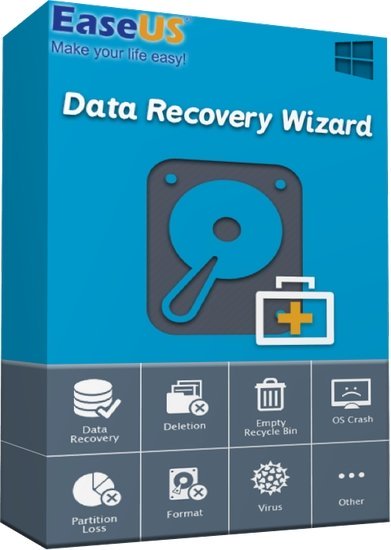
EaseUS Data Recovery Wizard 20.1 (x64) WinPE

File size: 1.1 GB

The best data recovery software to Recover deleted, formatted or lost data from PC, laptop or removable device easily and quickly. Help to retrieve lost or deleted files, photos, music, audio, emails, etc. from the hard drive, memory card, USB, digital camera, mobile devices and other storage media.

Ultimate Data Recovery solution
With this data recovery software, you will be able to retrieve precious data whether it is lost by deletion, formatting, hard crash or virus affection.

Superior Files Recovery Software
EaseUS data recovery software can recover all types of files including Office Documents, Photo, Video, Emails and more.

Easily Restore Data from All Storage Devices
EaseUS Data Recovery will undelete files from the hard drive, memory card, USB, digital camera, mobile devices and other storage media.

All-in-One EaseUS Data Recovery Wizard
Help to retrieve lost or deleted files, photos, music, audio, emails, etc. from the hard drive, memory card, USB, digital camera, mobile devices and other storage media.

Devices Supported
- PC/laptop
- Hard Drive
- External Disk
- SSD
- USB Drive
- Micro Card
- Camcorder
- Digital Camera
- Music Player
- Video Player
- RAID
- CF/SD Card
- Pen Drive
- Other Storage Devices

Only 3 Steps to Recover
It makes even urgent recovery work as easy as just a few clicks away.

100% safe and hassle-free
This data recovery program recovers lost or deleted files 100% safely from different data loss cases on various devices without overwriting original data.

Preview before recovery
Specify file types to recover before scanning, filter search results clearly and preview all recoverable files to make sure better recovery effects.

Whats New
Код:
https://www.easeus.com/datarecoverywizard/history.htm

Homepage
Код:
https://www.easeus.com/

DOWNLOAD

Код:
https://rapidgator.net/file/b767c6f18eccea9704fc31c998608119/Easeus_Data_Recovery_Wizard_20.1.iso.html

https://ddownload.com/xlxgz1tvotmu/Easeus_Data_Recovery_Wizard_20.1.iso
 
Назад
Сверху Снизу