All sanddisk Software's Collection [Daily Updated]

th-t-Bg-VIulo3p-KEi-By-Jn8Gifd-Po-UMs6Qmee.jpg


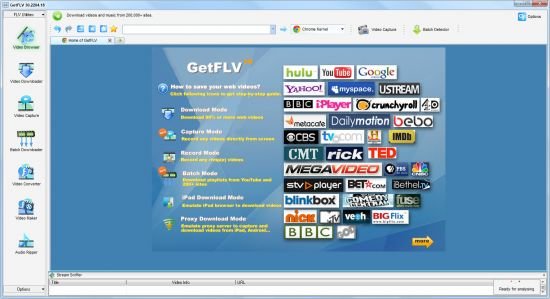
Vdigger GetFLV 32.2606.01 Multilingual

File size: 257.3 MB

It's extremely difficult to resist the temptation of taking a pit stop on an entertainment website while browsing the Internet. However, even for work related projects, you might need videos found on such web pages which mostly lack a download function. Luckily, with the help of applications like GetFLV you can easily get ahold of videos from the Internet in no time.

Surf the web in an integrated browser
Running the application is no big deal for anyone. Once brought up, a little getting used to is required, but the application comes equipped with a step-by-step user guide, that pops up once in a while to get you out of sticky situations.

A side panel is home to all major features the application has to offer. Amongst the fist, there is “FLV Browser” which allows you to go online using an integrated web browser. Depending on your configuration, operating system and Internet connection, you can test out several Kernels for better performance.

Once you manage to find a desired video, the link is automatically displayed in a bottom list, prompting you with several output quality and destination requirement fields. Files are then downloaded at speeds that are only limited by your connection type.

Convert and assemble videos
The application does not limit you to just downloading video files. Further browsing through the side panel, you notice several more useful tools such as “FLV Converter”, “FLV Maker” and “FLV Audio Ripper”.

In contradiction to what the name suggests, you are able to make use of a surprising amount of video file formats. You can add multiple files to the process and start conversion afterward. Available formats are stored in categories, carefully optimized for some of the most commonly used mobile devices and more. Additionally, you can fully customize quality settings to suit your needs.

Furthermore, you can import multiple video files and have them converted to FLV. Unfortunately, there is no integrated option that allows you to merge all items in the list into a single video. On the other hand, you are able to carefully, trim, crop and enhance any video by adjusting color sliders or even adding watermarks.

To end with
All in all, GetFLV lives up to expectations and is a lot more that what the name suggests. It needs a little more work on functionality, as we encountered small issues in our tests on two operating systems. However, it lets you quickly accommodate and gets the job done well, with little else to be desired.

Whats New
Updates: official site does not provide any info about changes in this version.

System Requirements: Windows 7 or later

Homepage
Код:
https://about.vdigger.com/

DOWNLOAD:

Код:
https://rapidgator.net/file/51dd815aa5ec3ec895b6aaba517a8625/Vdigger_GetFLV_32.2606.01.rar.html

https://ddownload.com/wig3w1nphpqq/Vdigger_GetFLV_32.2606.01.rar
 
ezgif-76ff1fc81a2ff2f9.jpg


Camiael Movie Studio 1.0.1.11 Multilingual

Languages: Multilingual
File Size: 2.48 GB

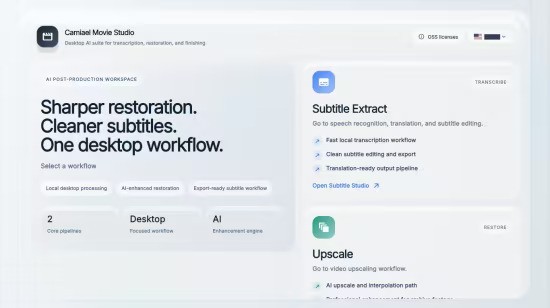
Camiael Movie Studio - Create subtitles, translate, upscale, and smooth video locally. Camiael Movie Studio is a Windows desktop tool for creators who need subtitles and video cleanup in one workflow. Drop in a video or audio file, generate subtitles with a local AI engine, translate and edit the result, compress video when you need smaller files, then export subtitle files or burn captions directly into an MP4.

The app is built for hands-on post-production: review subtitle timing, edit text segment by segment, preview captions on the video, and save SRT, VTT, or SBV files for publishing. The video compression workflow supports H.264, H.265, and AV1 output with quality, audio, metadata, and resolution controls. For video restoration work, Camiael Movie Studio also includes AI upscaling, frame interpolation, batch processing, and GPU acceleration on supported NVIDIA systems.

Core Features
- AI subtitle generation for 20+ languages
- Subtitle translation with a bundled local model
- Timing edits and SRT/VTT/SBV export
- Burn subtitles into MP4 with font, color, and position controls
- Upscale low-resolution video by 2x or 4x
- Frame interpolation for smoother 24fps-to-60fps motion
- Batch processing for multiple videos

Key Features
- AI subtitle generation from video and audio
- Local speech recognition engine
- Subtitle editing with timing control
- SRT, VTT, and SBV export
- Burn subtitles into MP4 video
- Local subtitle translation
- Video compression with H.264, H.265, and AV1
- Quality, audio, metadata, and resolution controls
- AI video upscaling
- RIFE frame interpolation
- Batch upscaling workflow
- NVIDIA GPU and NVENC acceleration
- Local-first desktop processing
- Korean, English, Japanese, and Chinese UI
- Common video, audio, and subtitle formats
- Preview captions while editing
- Segment-by-segment subtitle review
- Export-ready MP4 workflow
- Designed for creators and editors

Release Notes
- Release notes were unavailable when this listing was updated.

System Requirements
- OS: Windows 10 version 17763.0 or higher
- DirectX: Version 11 (Minimum), DirectX 12 API, Hardware Feature Level 12 (Recommended)
- Memory: 4 GB (Minimum), 16 GB (Recommended)
- Processor: Intel Core i5 or AMD Ryzen 5 (Minimum), Intel Core i7 or AMD Ryzen 7 (Recommended)
- Graphics Processor: Intel UHD Graphics or better (Minimum), NVIDIA GeForce RTX 3060 or better (Recommended)

Homepage
Код:
https://wildmagic.co.kr/subtitle

DOWNLOAD:

Код:
https://rapidgator.net/file/9305ac942021df46947445f1043283a3/Camiael.Movie.Studio.26.5.28.rar.html

https://ddownload.com/kpo5u03igc79/Camiael.Movie.Studio.26.5.28.rar
 
ezgif-7433c8044ede9cb5.jpg


AI Audio Silence Remover Pro 1.0.0

Languages: English
File Size: 591.69 MB

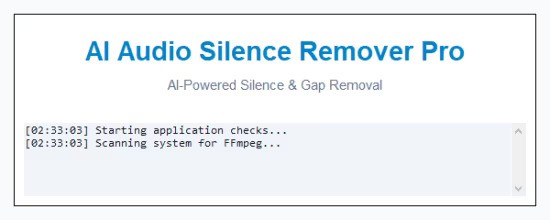
Stop wasting hours manually cutting dead air, breaths, and long pauses from your audio. AI Audio Silence Remover Pro is a powerful, offline-first desktop utility designed to automate the most tedious part of audio and video editing.

Whether you are a podcaster, YouTuber, audiobook narrator, or content creator, this tool will instantly tighten your pacing and deliver professional, ready-to-use audio tracks.

Choose Your Processing Engine

Human Speech Only (AI Mode)
Powered by advanced neural networks (Silero VAD), this mode specifically hunts for human vocal frequencies. It retains your speech while completely eliminating non-vocal background noise, room tone, and silence.

Super Strict (Math Mode)
Perfect for creating fast-paced, modern "jump-cuts" for TikTok, Reels, and YouTube Shorts. Uses a mathematical decibel gate for ultra-tight audio trimming.

Total Control & Privacy
- Adjustable Padding: You control exactly how much "breathing room" (in seconds) is left around your audio clips for a natural
sound.
- 100% Local Processing: Your files never leave your computer. Everything is processed offline for absolute data privacy and security.

Workflow Automation
Clean a single voiceover track, or use the "Bulk Folder" tab to process hundreds of audio files automatically while you step away from your desk. The real-time dashboard shows you exactly how much dead time was removed from your original files.

Supported Formats
MP3, WAV, M4A, FLAC, OGG, AAC, WMA.

Features
- Advanced AI Voice Detection keeps human speech and drops background noise.
- Super Strict decibel-gating for creating fast, modern jump-cuts.
- Bulk Folder mode allows you to process hundreds of audio files in one click.
- 100% Offline processing ensures your audio data remains completely private.
- Real-time statistics dashboard shows original length, processed length, and time saved.
- Adjustable silence padding lets you control the pacing of your final audio.
- Hardware-accelerated processing auto-detects your GPU for faster rendering
- Supports all major audio formats including MP3, WAV, M4A, FLAC, and OGG.

Release Notes
- Release notes were unavailable when this listing was updated.

System Requirements
- OS: Windows 10 version 17763.0 or higher
- Memory: 4 GB (Minimum), 6 GB (Recommended)

Homepage
Код:
https://bytesweavers.tech

DOWNLOAD:

Код:
https://rapidgator.net/file/3d5fd51ad93c64895c4bc1b4aab960b2/AI.Audio.Silence.Remover.Pro.1.0.0.rar.html

https://ddownload.com/ufnku8gx310c/AI.Audio.Silence.Remover.Pro.1.0.0.rar
 
ezgif-5fe9644f88917949.jpg


Photo Organizer AI Premium 4.5.11

Languages: English
File Size: 425.22 MB

Organize Scattered Photos into Proper Event Albums. Tame the chaos in your directories. Photo Organizer AI automatically clusters random, unstructured files into clean, chronologically matched event albums while sorting out duplicates and low-quality photos.

Supercharged Culling & Organization
A high-performance workspace designed specifically for professional photographers and digital collectors.

AI Subject & Scene Classification
Automatically tag subjects and classify scenes like mountains, water, rain, document, and documents using embedded local ONNX classifiers.

Blur & Focus Inspection
Detect blurry, grainy, out-of-focus photos, and red eyes automatically. Slide to cull items beneath your customized quality threshold.

DirectML GPU Acceleration
Unchain the power of your graphics hardware. Runs all deep learning culling networks locally using DirectML with stunning frame speeds.

Virtual Event Albums
Group similar chronological events together dynamically. Split, merge, paste, and organize virtual albums without altering physical folders.

Identical & Near-Duplicates
Scan for files with identical image checksums or extremely high visual similarities, and group them so you can retain the best frame.

100% Local & Private
Zero cloud uploads. All analysis, photo scanning, duplicate detection, and file management happen entirely on your computer, keeping your photos secure.

Turn Scattered Photos into Proper Event Albums Today
Save hours of manual sorting and culling. Let local AI group your random scattered pictures into clean, beautifully structured event albums automatically.

Release Notes
- Release notes were unavailable when this listing was updated.

System Requirements
Windows 10 and 11 (64-bit)

Homepage
Код:
https://aipo.bytecar.in

DOWNLOAD:

Код:
https://rapidgator.net/file/f9954ba277d1cea928c4e521a562416e/Photo.Organizer.AI.Premium.4.5.11.rar.html

https://ddownload.com/yz0dwianu653/Photo.Organizer.AI.Premium.4.5.11.rar
 
ezgif-5dcc53aadb47b442.jpg


ExpanDrive 2026.06.05

Languages: English
File Size: 269 MB

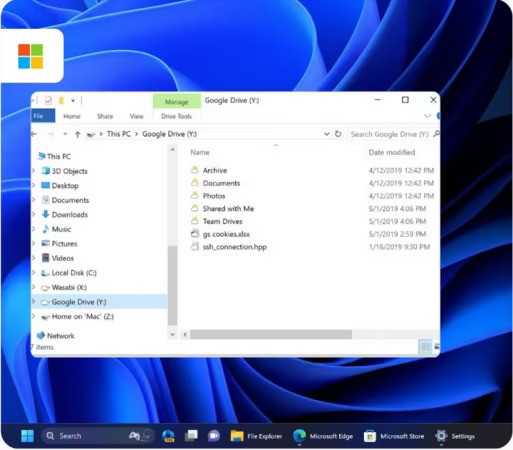
Mount Cloud Storage as Local Drives. Access Dropbox, Google Drive, S3, SFTP, and more—directly from Finder, Explorer, or your favorite apps. No sync, no clutter, just instant file access.

Universal Protocol Support
Connect to FTP, SFTP, WebDAV, and more — all mounted as native drives.

Native File Integration
Browse, open, and save cloud files directly from Finder, Explorer, and any desktop app.

Offline File Access
Work offline by caching files locally, with optional file versioning support on select backends.

No Sync Required
Files are streamed on-demand — no need to sync entire folders or fill up your disk.

Unified File Management
Connect multiple accounts and providers in a single interface, from one app.

Secure by Design
Transfers use encrypted connections and trusted authentication like OAuth and SSH keys.

Organize All Your Cloud Files From the Desktop
Integrate as many cloud storage services you use like Google Drive, Backblaze B2 and OneDrive, and manage them like local drives in Finder or Explorer. Quickly copy and transfer files from your desktop, with no need to re-download them and sync them between each cloud service – at no cost.

Files Accessed Through Universal Protocols
Enjoy a holistic view of your cloud storage architecture while mounting FTP, SFTP and WebDAV connections as local drives—right in one easy view. Whether you are transferring files to remote servers or web hosting, processing B2B transactions, transferring sensitive files (ex. HIPPA or GDPR) or transferring an assortment of multimedia files, ExpanDrive’s powerful tools lets you seamlessly manage files that connect to any remote protocol, all in one location.

Secure Connection
Encrypt files through FTP, SFTP and WebDAV servers/connections but also on supported cloud computing services (like Google Drive, Dropbox, OneDrive, Amazon S3, Box, etc.) Access, edit, delete, download and move files seamlessly through remote connections, locally at no cost to you.

Built right into Finder and Explorer
Mount multiple cloud providers alongside FTP, SFTP and WebDAV connections as local drives right to your desktop, making it easy to work side-by-side with the tools you already use. ExpanDrive connects remote counterparties to every application on your computer that you use—like Adobe, Microsoft 0365, Apple Automator, command line controls—and lets you manage them all from Finder and Explorer, eliminating the need for multiple applications or paid alternatives.

Manage files offline and enjoy free file versioning
ExpanDrive lets you pick and choose the files you want to manage and access without an internet connection, then automatically sync files back to each remote when you’re connected – without taking up any disc space. Enjoy the full flexibility to take your work anywhere, make changes to file locations or file versions and enjoy easy file version management for any backends that support versioning. 

 Work effortlessly from anywhere and keep your workflows moving forward with ExpanDrive’s free, unified solution.

Release Notes
- Release notes were unavailable when this listing was updated.

System Requirements
- Windows 7 through Windows 11 including Windows Server
- Supports 32-bit and 64-bit installations
- Supports Windows Server editions, including terminal server
- Contact support for a multi-user MSI based installer
- Does not support Windows RT

Homepage
Код:
https://www.expandrive.com

DOWNLOAD:

Код:
https://rapidgator.net/file/f0400a1e502604418bf2e7f8eb1a890b/ExpanDrive.2026.06.05.rar.html

https://ddownload.com/ecbo7d1vum7g/ExpanDrive.2026.06.05.rar
 
ezgif-5c1801c908b763be.jpg


Blackmagic Design DaVinci Resolve Studio 21.0.0.48 (x64) Multilingual

File size: 9.5 GB

DaVinci Resolve Studio supports up to 120fps at a massive 32K resolution, as well as support for multiple GPUs for real time playback of professional 10-bit formats, and accelerated H.264 and H.265 hardware decoding and encoding. There’s a full suite of immersive audio tools, DaVinci Neural Engine AI voice isolation, music remixer and dialogue separator. It also includes Dolby Vision and HDR10+ grading and rendering, and 45 extra Resolve FX such as AI UltraNR noise reduction, SuperScale and de-interlacing. You also get workflow and media asset management integration, remote scripting API, and rendering and encoder plug-in support. Plus there’s full screen playback on a second monitor!

More GPU Acceleration
DaVinci Resolve Studio turbo charges your system’s GPU performance! Fully optimized for Metal and Apple Silicon unified memory GPUs on a Mac, or OpenCL and CUDA on Windows and Linux, plus you’ll get incredible performance gains with additional GPUs.

Advanced Noise Reduction
DaVinci Resolve Studio includes some of the most powerful and sophisticated noise reduction. Temporal and AI spatial noise reduction tools can be used independently or together to help clean up and remove unwanted noise in virtually any image.

Lens Distortion
DaVinci Resolve Studio includes a lens correction feature that allows you to analyze a clip and correct for spherical lens distortion or other aberrations. It uses optical flow image analysis and processing algorithms for incredible quality results!

Professional HDR Scopes
The HDR scopes in DaVinci Resolve Studio are capable of measuring and providing detailed information about ST.2084 and HLG images. This allows you to replace the 10‑bit scale of the scopes with a scale based on nit values, or cd/m2, instead.

Stereoscopic 3D
DaVinci Resolve Studio features a complete set of tools for editing and grading stereoscopic 3D projects. You have total control over stereo specific clip properties such as convergence, floating windows, eye alignment, mastering and output.

Remote Monitoring and Grading
Remote monitoring allows clients to view a real time feed via computer, iPad or iPhone with extreme high quality! Remote grading lets you work interactively so that changes made on your DaVinci Resolve system are immediately visible remotely.

DaVinci Color Transform Language
Unlike LUTs, which rely on simple lookup tables, DaVinci color transformation scripts are GPU accelerated bits of code that directly transform images using combinations of math functions. That makes them extremely fast and non destructive.

Scripting and Automation
DaVinci Resolve Studio features support for both Python and LUA scripting, along with developer APIs that allow you to add workflow integrations and custom encoding options. This lets studios of all sizes create deeply integrated custom workflows.

Workflow Integration Plug‑ins
DaVinci Resolve Studio supports workflow integration plug-ins for connecting to local and remote asset management, automation systems and more. Users can write their own plug-in and interact with DaVinci Resolve's JavaScript APIs.

Whats New
Код:
https://forum.blackmagicdesign.com/viewtopic.php?f=21&t=236904

Minimum System Requirements
Windows 10 Creators Update.
16 GB of system memory or 32 GB when using Fusion.
For monitoring, Blackmagic Design Desktop Video 12.9 or later.
Integrated GPU or discrete GPU with at least 4 GB of VRAM.
At least 16 GB VRAM for advanced AI tools.
At least 32 GB RAM and 12 GB VRAM for background rendering.
GPU which supports OpenCL 1.2 or CUDA 12.8.
AMD/Intel official drivers from your GPU manufacturer.
NVIDIA Studio driver 581.57 or newer.

Homepage
Код:
https://www.blackmagicdesign.com/

DOWNLOAD:

Код:
https://rapidgator.net/file/7470f0e8338f2b58bd719596276c3bbb/Blackmagic_Design_DaVinci_Resolve_Studio_21.0.0.48.part1.rar.html
https://rapidgator.net/file/887f3bd7053e1526c4bd2c5c56ad58c4/Blackmagic_Design_DaVinci_Resolve_Studio_21.0.0.48.part2.rar.html
https://rapidgator.net/file/d640b7e8092e4425558b35864ef095e5/Blackmagic_Design_DaVinci_Resolve_Studio_21.0.0.48.part3.rar.html
https://rapidgator.net/file/02fe7af6cb248cab45fe5eedcb110a9b/Blackmagic_Design_DaVinci_Resolve_Studio_21.0.0.48.part4.rar.html
https://rapidgator.net/file/958122a58e8af8454136578bdb21681f/Blackmagic_Design_DaVinci_Resolve_Studio_21.0.0.48.part5.rar.html

Код:
https://ddownload.com/fwb4ga6ggbab/Blackmagic_Design_DaVinci_Resolve_Studio_21.0.0.48.part1.rar
https://ddownload.com/zdcovi43akjz/Blackmagic_Design_DaVinci_Resolve_Studio_21.0.0.48.part2.rar
https://ddownload.com/lcsaby6y6al9/Blackmagic_Design_DaVinci_Resolve_Studio_21.0.0.48.part3.rar
https://ddownload.com/xmo0jfwj7l08/Blackmagic_Design_DaVinci_Resolve_Studio_21.0.0.48.part4.rar
https://ddownload.com/pvdkbbs6ijpb/Blackmagic_Design_DaVinci_Resolve_Studio_21.0.0.48.part5.rar
 
ezgif-768f492195d0cd55.jpg


Adobe Acrobat Pro DC 2026.001.21651 Multilingual

Windows x64 | File size: 1.61 GB

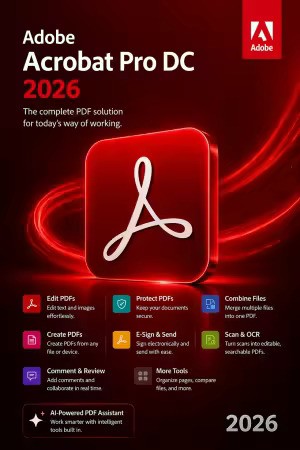
Acrobat DC with Document Cloud services is packed with all the tools you need to convert, edit and sign PDFs. It's just as mobile as you are. So you can start a document at work, tweak it on the train and send it for approval from your living room - seamlessly, simply, without missing a beat.

It's packed with smart tools that give you even more power to communicate. Create and edit PDF files with rich media included, share information more securely, and gather feedback more efficiently.
Adobe Acrobat Pro DC software is the advanced way for business professionals to create, combine, control, and deliver more secure, high-quality Adobe PDF documents for easy, more secure distribution, collaboration, and data collection.

Adobe Acrobat Pro DC Features

Edit PDF files
With Adobe Acrobat Pro DC, you can make minor edits to text and images right in your PDF file without requiring the original document or graphic.
Edit text in a PDF. Fix a typo, change a font, or add a paragraph to your PDF as easily as you do in other applications using a new point-and-click interface.
Edit images in a PDF. Resize, replace, and adjust images in your PDF with no need to track down the original file or graphic.

Export from PDF files
Reduce the time you spend retyping information stuck in PDF files. Convert PDF files to editable Microsoft Office documents. And save fonts, formatting, and effort.
Convert PDF files to Word. Save your PDF as a Microsoft Word document and take your fonts, formatting, and layouts with you.
Convert PDF files to Excel. Turn your PDF or just part of it into an editable Excel spreadsheet you can use for data analysis right away.
Convert PDF files to PowerPoint. Get a head start on new projects by saving a PDF file as a fully editable PowerPoint presentation.

Create PDF files
Stop worrying about whether the files you send will look right on other people's screens. Turn documents into PDF files anyone can reliably view with free Adobe Reader.
Convert Word, Excel, or PowerPoint to PDF. Right from your Office application in Windows, you can create PDFs, start a shared review, restrict PDF edits, and more.
Print to PDF. Convert files to PDF from virtually any application that prints simply by selecting Adobe PDF as your printer.
Scan to PDF. When you need to turn a paper document or form into a digital file, just scan it to create a searchable PDF file you can edit.
Convert HTML pages to PDF. Save web pages as PDF files to archive web content, review the pages offline, or print them more reliably.

Create and analyze forms
Cut the time you spend creating forms, rekeying data, and correcting errors. Distribute forms online, and then collect responses and analyze results in real time.
Create new PDF and web forms. Customize professional templates or design from scratch with the Adobe FormsCentral desktop app included in Adobe Acrobat Pro DC.
Collect form responses with FormsCentral. Easily collect responses by moving your PDF or web forms online with the Adobe FormsCentral online service.
Convert existing forms to fillable PDFs. Type less, gather more. Quickly convert your paper, Word, or Excel forms to fillable PDF forms.
Collect form responses using Adobe Acrobat tools. Compile returned forms into one PDF, or host forms using a network folder or Microsoft SharePoint server.

Merge and combine files
Communicate clearly with single PDF attachments. Put multiple files into a single, organized PDF that's easy to email and simple to search.
Merge multiple files into one PDF. Make sure they don't miss a thing. Combine documents, spreadsheets, emails, and more in an organized PDF.
Combine files in a PDF Portfolio. Share your work in a PDF Portfolio that presents materials professionally with an interactive impact.
Create interactive PDF files. Bring your ideas to life by adding audio, Adobe Flash Player compatible video, and interactive media to PDFs.

Simplify reviews and approvals
Stop sorting through paper and email trails. Automate review and approval cycles with Adobe Acrobat Pro DC. Multiple reviewers can see and build on each other's comments so you can meet your deadline.
Streamline document reviews and approvals. In shared reviews, people can annotate PDFs with familiar tools. And you can track progress and consolidate comments.
Export comments to Word. Save all PDF comments back to the original Microsoft Word document, and update text faster than ever.
Approve with electronic signatures. Keep projects moving. E-sign your approval right on the PDF. No need to print, fax, or mail the document.
Get others to sign documents. Get the green light faster. Send PDFs to others for signature approval, and track them online using the Adobe EchoSign service.
Integrate with SharePoint. With Acrobat, it's simple and convenient for you to retrieve, open, and save PDFs stored on your company's SharePoint server.
Compare two file versions. Let Acrobat do the hard work of comparing two versions of a file, providing you with a detailed report of the results.
Store and access files on Acrobat.com. Use Acrobat.com to store your files in the cloud for free, accessing them from Acrobat or Reader on your desktop or mobile device.

Protect PDF files
Adobe Acrobat Pro DC makes it simple to keep your work more secure, no matter what application you're in.
Apply PDF passwords and permissions. Get expert protection without being an expert. Add copy and edit protection to any PDF - even right from Microsoft Office applications in Windows.
Remove and redact information. Don't just black out confidential data. Find and get rid of it for good, even when hidden in metadata.
Automate document security tasks. Apply document security measures the same way every time. Use a guided Action to help secure your PDF before publishing it.

Whats New
Код:
https://helpx.adobe.com/acrobat/using/whats-new.html

System Requirements: Windows 10 or above

Homepage
Код:
https://www.adobe.com/

DOWNLOAD:

Код:
https://rapidgator.net/file/cfb3cc60e67efadbd01e483e27714448/Adobe.Acrobat.2026.u7.x64.m0nkrus.rar.html

https://ddownload.com/qlobpvqs8wrw/Adobe.Acrobat.2026.u7.x64.m0nkrus.rar

 
Назад
Сверху Снизу