







All sanddisk Software's Collection [Daily Updated]

ezgif-267aeb8244ab8fea.gif


Nero AI Video Upscaler Pro 1.3.22.0 Multilingual

Languages: Multilingual
File Size: 537.59 MB
​

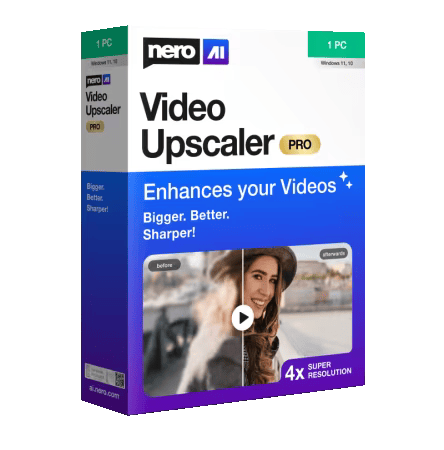
Bigger, better, sharper! With state-of-the-art AI technology, Nero AI Video Upscaler PRO takes your videos to the next level. Enlarge films, clips and recordings up to 4K or 8K - razor-sharp, rich in detail and colourful. This makes old videos fresh again and new projects even more impressive.

Super Resolution
- Enhance videos to 2x or 4x their original quality.
- Remove noise and grain, ensuring your videos are crystal clear.

6 AI models for every need
- Fast: Upscale quickly, perfect for time-sensitive projects.
- Animation: Recommended for animation and AI-generated content.
- Realistic: Enhance actual video footage for true-to-life quality.
- Versatile: Enhance the video quality with less artifacts and keep more details.
- Face Enhancement: Face detection, recognition, and video enhancement can be used to recover faces from old videos and increase overall quality.
- Restoration (New) - Designed to recover fine textures and revive old or low-quality footage.

Clip selection
Enhance any clip within a video without the need for pre-cutting.

AI Frame Interpolation
Nero AI Video Upscaler intelligently analyzes your video frames and fills in the gaps to increase the frame rate, providing a truly smooth and fluid viewing experience. Boost your videos up to 120 FPS for the ultimate in seamless playback.
- Slow-Motion - Generate high-quality slow-motion effects without needing high-speed cameras.
- Low FPS Videos - Convert low FPS videos into 60 FPS or even up to 120 FPS for ultra-smooth, fluid motion.
- AI-Generated Videos - Ensure your AI-created videos play at up to 120 FPS for professional-grade output.

Supported Video Formats

- 3GP (3g2, .3gp, .3gp2, .3gpp)
- Advanced Streaming Format (.asf, .wma, .wmv)
- AVI (.avi)
- MPEG-4 (.m4a, .m4v, .mov, .mp4)
- Matroska Video (.mkv)
- DV Video
- H.264
- H.263
- MJPEG
- MPEG-4 Part-2/v1/v2/v3
- Windows Media Video (WMV)
- HEVC*
- AV1*
- VP9*
- MPEG-2*
* Requires installing additional Video Extensions from Microsoft Store.

Release Notes
- Add video IPTC metadata for AI disclosure.

Minimum Requirements
- Windows Operating System: Windows 10 64-bit or Windows 11 64-bit
- CPU: AMD Ryzen or Intel Core, released after 2017
- System Memory (RAM): 8 GB RAM
- Graphics Card (GPU): AMD Radeon 500 series / NVIDIA GeForce GTX 900 series or higher, 4 GB VRAM for Full HD upscaling to 4K
- At least 20 GB of free space on the system hard disk

Recommendations
- Windows Operating System: Windows 10 64-bit or Windows 11 64-bit
- CPU: AMD Ryzen or Intel Core, released after 2017
- System Memory (RAM): 32 GB RAM
- Graphics Card (GPU): AMD Radeon RX 6700 XT / NVIDIA GeForce RTX 3060 or higher, 12 GB VRAM for 4K upscaling to 8K
- At least 20 GB of free space on the system hard disk

Homepage
Код:
https://www.nero.com

DOWNLOAD:

Код:
https://rapidgator.net/file/2e60663197e23d57c9eea9b380eec44f/Nero.AI.Video.Upscaler.Pro.1.3.22.0.rar.html

https://nitroflare.com/view/778F5051E103A3E/Nero.AI.Video.Upscaler.Pro.1.3.22.0.rar
 
ezgif-8ed5fa8de918d1c8.gif


Remove Tool AI for Adobe Photoshop 2026-2027 (x64) Multilingual

File size: 5.2 GB
​

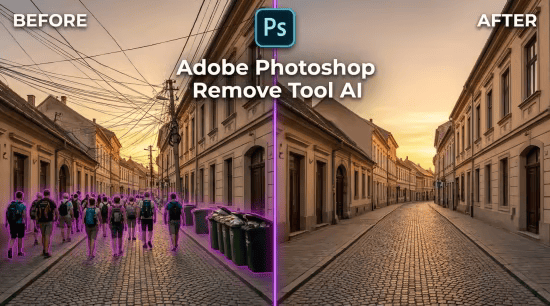
Clean up any photo in seconds with Adobe Photoshop’s Remove Tool AI
Crowds, messy power lines, or random trash cans ruining a great shot? You don't need hours of manual retouching anymore.

With the updated Remove Tool AI in Adobe Photoshop, you can
• Erase distractions in one stroke: Just brush over unwanted people, wires, or objects, and AI seamlessly reconstructs the background.
• Auto-detect clutter: The tool automatically finds and removes background people and overhead wires with a single click.
• Work offline (On-Device AI): Download the local AI model right inside Photoshop to edit fast without even needing an internet connection.
Swipe or look closely at the Before & After — zero traces left behind!

Whats New
Updates: official site does not provide any info about changes in this version

System Requirements:
Windows 10 - 11 (x64)
• Pre-installed Adobe Photoshop (version 27.7 or later)
• 8-core processor (Intel Rocket Lake or equivalent model)
• 16 GB RAM
• 512 GB of high-speed SSD storage
• Discrete graphics card with at least 8 GB of VRAM (e.g., NVIDIA RTX 3060 or later)

Advanced Hardware Requirements
• NVIDIA GPU: GeForce RTX 30 series or later with at least 14 GB of VRAM
• Intel discrete GPU: Intel Arc GPUs with at least 12 GB of VRAM
• Intel integrated GPU: Arrow Lake, Lunar Lake, or later with at least 32 GB of system RAM
• AMD discrete GPU: AMD RDNA2 or later with at least 23 GB of VRAM
• AMD integrated GPU: AMD RDNA2 or later with at least 64 GB of VRAM
• Drivers: It is recommended to use the latest GPU driver versions; drivers older than 2 years may not be supported

Homepage
Код:
https://www.adobe.com/

DOWNLOAD:

Код:
https://rapidgator.net/file/29c36c607605f07aa25a2846461bca04/Photoshop.Remove.Tool.AI.part1.rar.html
https://rapidgator.net/file/9912bec4f02f694bfc06059051bdfdc6/Photoshop.Remove.Tool.AI.part2.rar.html
https://rapidgator.net/file/6d28fa48f349f4fbc51c72b09991170d/Photoshop.Remove.Tool.AI.part3.rar.html
https://rapidgator.net/file/a299180fb23d1a4cbbc3f51575624a67/Photoshop.Remove.Tool.AI.part4.rar.html
https://rapidgator.net/file/57b2d28a3d1aeeca9e35c5260d8c21ec/Photoshop.Remove.Tool.AI.part5.rar.html
https://rapidgator.net/file/6c1eff6778ddbc04db06cc0bd8bda1b7/Photoshop.Remove.Tool.AI.part6.rar.html

Код:
https://nitroflare.com/view/2045C0D02EFA903/Photoshop.Remove.Tool.AI.part1.rar
https://nitroflare.com/view/17FCC9B1CF60BCA/Photoshop.Remove.Tool.AI.part2.rar
https://nitroflare.com/view/B523E08DD8E0052/Photoshop.Remove.Tool.AI.part3.rar
https://nitroflare.com/view/F8FCE85C46DD1A8/Photoshop.Remove.Tool.AI.part4.rar
https://nitroflare.com/view/571B1840652648F/Photoshop.Remove.Tool.AI.part5.rar
https://nitroflare.com/view/CB4EE09690EF9D9/Photoshop.Remove.Tool.AI.part6.rar
 
ezgif-237d422ef7f41223.gif


Adobe Photoshop 2027 v28.0 (x64) Multilingual

File Size: 4.8/5.7 GB
​

Reimagine reality with Photoshop. Millions of designers, photographers, and artists around the world use Photoshop to make the impossible possible. From posters to packaging, basic banners to beautiful websites, unforgettable logos to eye-catching icons, Photoshop keeps the creative world moving. With intuitive tools and easy-to-use templates, even beginners can make something amazing.

The creative world runs on Photoshop.
Millions of designers, photographers, and artists around the world use Photoshop to make the impossible possible.

Designed for anyone to design anything.
From posters to packaging, basic banners to beautiful websites, unforgettable logos to eye-catching icons, Photoshop keeps the creative world moving. With intuitive tools and easy-to-use templates, even beginners can make something amazing.

Not just photo taking. Breathtaking.
Whether you are looking for everyday edits or total transformations, our graphic design software offers a complete set of professional photography tools to turn your snapshots into works of art. Adjust, crop, remove objects, retouch, and repair old photos. Play with color, effects, and more to turn the ordinary into something extraordinary.

Power to the paintbrush.
Draw and paint whatever you dream up with tools designed especially for illustrators. Paint in perfectly symmetrical patterns. Get polished looks with stroke smoothing. And create with pencils, pens, markers, and brushes that feel real including more than 1,000 from celebrated illustrator Kyle T. Webster.

Symmetry mode
Paint in perfect symmetry with a new mode that lets you define your axes and choose from preset patterns like circular, radial, spiral, and mandala.

New Content-Aware Fill experience
A dedicated workspace lets you select the exact pixels to use for fills, and Adobe Sensei makes it easy to rotate, scale, and mirror them.

Frame tool
Create shape or text frames to use as placeholders on your canvas. Drag and drop images to fill the frames and they all scale to fit.

What's New
Код:
https://helpx.adobe.com/photoshop/desktop/whats-new/whats-new-in-adobe-photoshop-on-desktop.html

Minimum System Requirements
Windows 11 v24H2, v23H2, Windows 10 v22H2, v21H2 LTSC
Multicore Intel® , AMD, or WinARM processor
8 GB
Intel or AMD CPUs having AVX2 support
Intel or AMD platforms having SSE 4.2 or higher support
GPU with DirectX 12 (feature level 12_0 or later)
1.5 GB of GPU memory
GPU newer than 7 years. Keep drivers updated with the latest from manufacturer's website. Adobe does not test with GPUs older than 7 years.

Homepage
Код:
https://adobe.com

DOWNLOAD:

Setup + Patch


Код:
https://rapidgator.net/file/80ecb5d0a2d51ba3a715e8db68411eb7/Adobe_Photoshop_2027_v28.0.0.part1.rar.html
https://rapidgator.net/file/8f6416ca1c6d5ec7143adb761d938459/Adobe_Photoshop_2027_v28.0.0.part2.rar.html
https://rapidgator.net/file/e26e59ed246caa26fb2e68c36cc4d3d2/Adobe_Photoshop_2027_v28.0.0.part3.rar.html

Код:
https://nitroflare.com/view/81A27BDB2501B72/Adobe_Photoshop_2027_v28.0.0.part1.rar
https://nitroflare.com/view/96C7F35EEA8406E/Adobe_Photoshop_2027_v28.0.0.part2.rar
https://nitroflare.com/view/C2367A5755CDC73/Adobe_Photoshop_2027_v28.0.0.part3.rar

Repack by m0nkrus

Код:
https://rapidgator.net/file/e7328c4c9b0fdf94e141ec68e160dd4f/Adobe.Photoshop.2027.Multilingual.part1.rar.html
https://rapidgator.net/file/721407548698b71841827dd89578f4cc/Adobe.Photoshop.2027.Multilingual.part2.rar.html
https://rapidgator.net/file/a2d5c0356fd42113905b229016938932/Adobe.Photoshop.2027.Multilingual.part3.rar.html
https://rapidgator.net/file/3c7e2380cbcc6e7444332d37641545fb/Adobe.Photoshop.2027.Multilingual.part4.rar.html

Код:
https://nitroflare.com/view/7E8AD79142B2C37/Adobe.Photoshop.2027.Multilingual.part1.rar
https://nitroflare.com/view/F0C57C239C93E60/Adobe.Photoshop.2027.Multilingual.part2.rar
https://nitroflare.com/view/746757485A98290/Adobe.Photoshop.2027.Multilingual.part3.rar
https://nitroflare.com/view/6DED8FE404CC47E/Adobe.Photoshop.2027.Multilingual.part4.rar
 
th-9Nr-TRChz-FXw-P2fqz-Hl-SLo5T0Lye94m-Cs.jpg


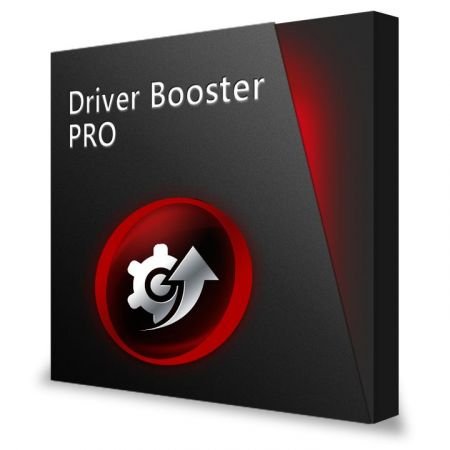
IObit Driver Booster Pro 14.1.0.557 Multilingual

File Size: 38 MB
​

Updating drivers is usually an initial step to avoid hardware failure, system instability and hidden security vulnerabilities. To update drivers regularly is also an effective way to enhance your overall PC performance, and maximize your gaming experience. While this process could be risky and frustrating if done manually. Driver Booster PRO is introduced to download and update drivers for you automatically with just one click. Based on cloud library, Driver Booster PRO can always be the first to identify outdated drivers, and download and update driver at an unrivaled speed. With the backup feature, it is an easy, effective and risk free solution to keep your drivers up-to-date.

Update Outdated Drivers Safely and Rapidly
- Support More Hardware Devices & Improve PC Performance
- Update Drivers 300% Faster with Just One Click
- Specialized Driver Tweaking for Top Gaming Experience
- Backup Drivers for Safe Restore

Driver Booster Pro Features
- Download and Update Outdated Drivers with One Click
- Enhance Hardware Functionality for Top Performance
- Specialized Driver Tweaking for Top Gaming Experience
- Automatically Identify Outdated Drivers
- Support More Comprehensive Hardware Devices
- Enjoy Priority to Update Outdated Drivers Promptly
- Backup Drivers for Safe Restore
- Download and Update Drivers up to 300% Faster
- Automatically Update to the Latest Version

Whats New
+ Updated game drivers to deliver up to 31% performance gains in games, including Assassin’s Creed Shadows, Assassin's Creed Valhalla, Avatar: Frontiers of Pandora, Call of Duty: Modern Warfare 4, Crimson Desert Enhanced: Charting the Unknown, Cyberpunk 2077, F1 25, FINAL FANTASY RESONANCE, Hellblade II: Senua’s Saga, MONSTER HUNTER RISE, NBA 2K27, Phantom Blade Zero, Planet Zoo 2, Resident Evil Requiem, STAR WARS: Galactic Racer, Strange Brigade, Surviving Mars: Relaunched, The Last of Us Part II Remastered, and The Witcher 3: Wild Hunt — Remastered
+ Added full support for driver updates on Windows 11 26H2
+ Added a new driver recommendation metric, prioritizing high-quality drivers by default
+ Optimized BOOST engine for faster game acceleration
+ Minor UI optimizations
+ Fixed known bugs

System Requirements: Windows 11/10/8.1/8/7/Vista/XP

Homepage
Код:
https://iobit.com/

DOWNLOAD:

Код:
https://rapidgator.net/file/2a067af4ff19b9b624745911a8ea7875/Driver.Booster.Pro.14.rar.html

https://nitroflare.com/view/FB471815BE4BBB3/Driver.Booster.Pro.14.rar
 
ezgif-2ba0402aa3d99fc5.gif


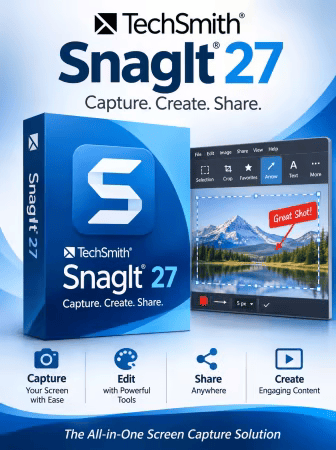
TechSmith Snagit 27.0.0.13131 (x64) Multilingual

File Size: 424 MB
​

Screen capture loved by over 40 million people. Snagit is the ultimate screen capture and recording software for anyone who wants to look good, work smarter, and communicate clearly.

Easy to use, but full of advanced features
Don't let clumsy built-in tools hold you back. Snagit's comprehensive feature set makes it the top screen capture software for professionals.

Scrolling capture
Quickly capture images of anything and everything on your computer screen, even scrolling areas.

Simplify UI
Transform screenshots into simplified user interface (SUI) graphics in a single click.

Library
Say goodbye to the chaos and let Snagit keep your content effortlessly organized and synced across devices.
Filter and sort by date, file type, and application
Sync to Google Drive, OneDrive, and more
Tag images and videos

Smart move
Snagit automatically recognizes elements in your screenshot, granting you the magical ability to rearrange or remove UI elements.

Text recognition
Magically edit the text within an image, screenshot, or scanned document. You can even adjust the font, text size, and color.

Capture anything, exactly how you want it
This is the capture window where you can effortlessly customize and save your capture settings.

Image capture
Capture your full screen, a specific region, fixed image size, or scrolling area.

Video recording
Record video of all or part of your screen, plus your camera.

Audio recording
Record microphone and system audio.

Custom presets
Create custom presets and keyboard shortcuts for your go-to captures.

Unleash your creativity with the ultimate built-in editor
Effortlessly transform your captures into polished, professional-quality images with easy-to-use templates and mark-up tools.

Whats New
Код:
https://support.techsmith.com/hc/en-us/sections/16680887603085

System Requirements
Microsoft Windows 11, Windows 11 on ARM (23H2 or higher), Windows 10 (20H2 or higher), Windows Server 2016, Windows Server 2019, or Windows Server 2022
Windows N requires the Media Foundation Pack
64 bit Windows only
Snagit Printer not available on Windows on ARM
.NET 4.7.2 or later
WebView2 Runtime (included with installer)
Intel i5 CPU 6th gen / AMD equivalent
Intel 8th Generation or newer CPU or AMD Ryzen 2000 series or newer CPU for video recording.
8 GB of RAM recommended
1.6 GB of hard-disk space for program installation

Homepage
Код:
https://www.techsmith.com/

DOWNLOAD:

Код:
https://rapidgator.net/file/167f0d0249f94802c05ff4ee370d6831/Snagit.27.rar.html

https://nitroflare.com/view/B2A744BDA7A55AE/Snagit.27.rar
 
th-12Qc-IZt-Fom-BCaif-Pdl-TPfxqnsf-AQA3NC.jpg


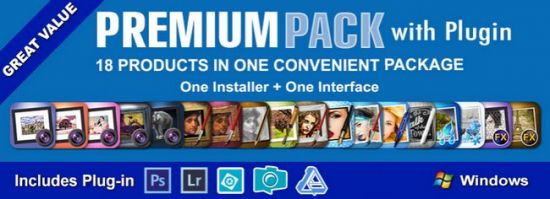
JixiPix Premium Pack 1.2.22 (x64)

Windows x64 | File size: 787.78 MB
​

For maximum savings and convenience, the Premium Pack bundles 18 incredible creative apps into one powerful package: Aquarella, Artista Haiku, Artista Oil, Artista Sketch, Artoon, Chalkspiration, Dramatic Black&White, Grungetastic, Kyoobik Photo, Moku Hanga, NIR Color, Pop Dot Comics, Portrait Painter, Rainy Daze, Romantic Photo, Simply HDR, Snow Daze and Vintage Scene. The Premium Pack comes wrapped together for convenience - one application, one installer, one interface, and a plugin for Photoshop, Elements, Lightroom and PaintShop Pro.

PREMIUM PACK
18 Incredible Products bundled for convenience! Includes one installer, one interface and a Plugin for Photoshop, Elements, Lightroom and PaintShop Pro.
Included in the Premium Pack is a Plugin—which is the perfect complement to Photoshop, Elements, Lightroom and PaintShop Pro. Having the products within Adobe's applications saves valuable time with batch processing and actions, while the products themselves offer a level of creativity beyond using Photoshop alone.
Photoshop Plugin
Allows quick access to 18 Jixi products from inside Photoshop, Elements, Lightroom and PaintShop Pro. Supports actions, transparency, blending, last filter command, batch processing and 16bit RGB/Greyscale modes.
PLUGIN HOST REQUIRMENTS
Adobe Photoshop CS3+, CC, CC 2014, CC 2015, Photoshop Elements 10+ and Lightroom 4+ (Mac/Win)
Corel PaintShop Pro X7 and X8 (Mac/Win)

Every JixiPix Product Features
- Support for high resolution images and output
- Multiple undo
- Randomize button
- Quick previewing
- Customizable settings
- Superior customer service
- Contact us any time we are committed to your long term satisfaction!

What's new
Код:
https://jixipix.com/downloads.html

System Requirements: Windows 7/8/10/11

Homepage
Код:
https://jixipix.com/

DOWNLOAD:

Код:
https://rapidgator.net/file/9f3dc32fe5d93ff13da29c5d37bcee6f/JixiPix.Premium.Pack.1.2.22.rar.html

https://nitroflare.com/view/A4ADCD638A3E893/JixiPix.Premium.Pack.1.2.22.rar
 
ezgif-77fab886815db4dc.gif


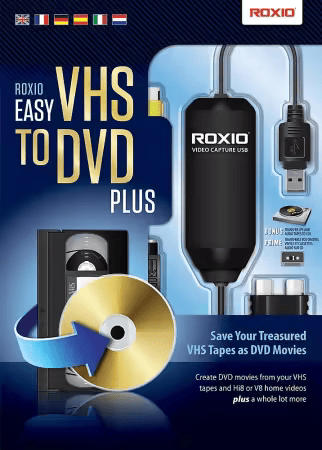
Roxio Easy VHS to DVD Plus 4.0.24

Languages: Multilingual
File Size: 1.66 GB
​

Technology changes and time passes, but you can keep your memories current. Imagine the excitement among your friends and family when they unwrap the gift of video! Now you can quickly convert old VHS tapes to DVD or digital, right at home! It’s easy. You’ll find yourself equipped with all the tools you need to not only convert video, but to enhance it and even add titles. Then, when you’re ready, simply export your revived video to digital, or burn it to disc complete with chapters and menus. Keep the memories alive!

1. Connect
Connect your VHS player or camcorder to your PC with an RCA cable* and the Roxio capture device.

2. Capture & Edit
Import and capture video from your device. Organize media, trim video,and add titles or transitions.

3. Share
Burn to DVD with chapters and menus or save to popular formats to share online or to device.

Easy VHS to DVD 4 Plus - VHS to DVD Converter
- Convert VHS to DVD or digital
- Capture video from your camcorder
- Burn videos to disc with menus and chapters
- Make quick edits, trim video, enhance color
- Add transitions and titles

Capture and convert videos
- Give your old videos new life and convert legacy footage to digital
- Convert VHS to DVD in a few easy steps or import video from your camcorder
- With your capture device connected, play your video on your camcorder or VCR to capture and convert your video to digital
- You can even convert your analog LPs and cassettes to audio CDs or MP3s
- Easily convert video and audio to your preferred formats

Edit and enhance videos
- VHS to DVD Plus is more than just a video converter; edit and enhance your video before you export and share it
- Make quick video edits and trim and cut video clips
- Stabilize shaky video
- Improve color balance and lighting with easy-to-use controls
- Add titles or rolling credits
- Add quick transitions between your videos
- Give your old videos new life and convert VHS to digital--even enhancing color before you export it to share!

A video you’ll be proud to share
- Export video in your preferred format or burn it to disc
- Give your video the packaging it deserves and burn it to disc with chapters and customizable menus
- Choose from themed templates to build your disc menu
- Split movies across multiple discs
- Export video to digital files and share on social media
- Export videos to play back on popular mobile devices
- Revive old videos for family and new friends - give the gift of treasured stories!

The perfect gift - give your old videos new life
Videos bring back so many memories and remind us of long-forgotten treasured moments. From one-of-a-kind vacations to graduations, you can convert those VHS stories to DVD or digital, right at home! Imagine the faces of your parents, grandparents, siblings, and friends when you give them the gift of videos they haven't seen in years! Bring back those special memories, and give your old videos new life with Roxio Easy VHS to DVD - it’s easier than you think to get started!

What are you waiting for? Convert VHS to DVD or digital

Easier than you think
- Convert VHS to DVD or digital
- Convert camcorder to DVD or digital
- Convert LP or cassettes to digital

Preserve old videos
- No skill level required
- Start with a single VHS
- It makes the perfect gift

Release Notes

- Release notes were unavailable when this listing was updated.

System Requirements
- Microsoft Windows 11, 10, Windows 8, Windows 7 SP1
- MyDVD requires a 64-bit operating system
- Processor and RAM, 1.6 GHz processor and 512 MB RAM or more, or the minimum system requirements of the OS, whichever is higher
- 2 GB free hard drive space for installation
- One available USB 2.0 port
- Minimum screen resolution 1024x768

Input Formats
- Video: MPEG2, AVC (H.264)
- Audio: WAV, mp3, ogg Vorbis, FLAC, WMA, AAC (m4a)

Output Formats
- Video: DVD, ISO, MPEG2, AVC (H.264)
- Audio: WAV, mp3, ogg Vorbis, FLAC, WMA, AAC
- Disc: DVD, Mini DVD

Supported Languages
English, French, Italian, German, Spanish, Dutch, Japanese

Homepage
Код:
https://www.roxio.com

DOWNLOAD:

Код:
https://rapidgator.net/file/b6b4ed1c1e9a1ff78a2be4ca00eac72f/Roxio.Easy.VHS.to.DVD.Plus.4.0.24.part1.rar.html
https://rapidgator.net/file/ecad93a80b8d2c0d1532cd582987027b/Roxio.Easy.VHS.to.DVD.Plus.4.0.24.part2.rar.html

Код:
https://nitroflare.com/view/C68D2827152D485/Roxio.Easy.VHS.to.DVD.Plus.4.0.24.part1.rar
https://nitroflare.com/view/94DA95FB816C321/Roxio.Easy.VHS.to.DVD.Plus.4.0.24.part2.rar
 
ezgif-761166e30277975c.jpg


Summitsoft Creative Fonts Collection 2026

Languages: English
File Size: 627.74 MB
​

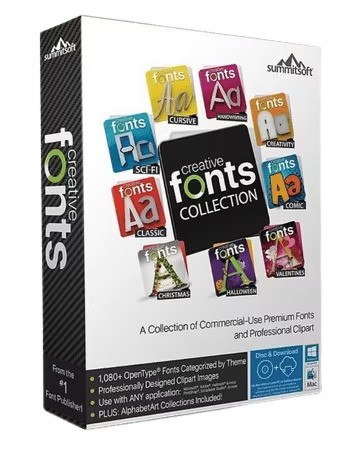
Creative Fonts by SummitType™. The creative team at SummitType Foundry, a division of Summitsoft, is where we design and craft each font in our collection. Each font is unique and can not be found elsewhere, making Creative Fonts a great source for your one-of-a-kind projects.

Licensed. Royalty-Free. Ready for any project.
Each font in the Creative Font Collections is licensed for personal and commercial use. So rest easy knowing that you can use them where ever and whenever you like!

Traditional Fonts Collection
The Traditional Fonts Collection includes unique typefaces such as classic, cursive, creativity, designer, cool and handwriting fonts.

Wonderful Fonts Collection
The Wonderful Fonts Collection includes unique typefaces such as sci-fi, fun, sports, fantastic, games, and comic fonts.

Seasonal Fonts Collection
The Seasonal Fonts Collection includes unique typefaces & clip-art such as Christmas, Spring, Halloween, Classroom, Valentines and Wedding.

High Quality & Unique
All of our Creative Fonts are OpenType, the same industry standard used by Microsoft® and Adobe®. This means they stay sharp and clear at any size.

Commercially Licensed
All the fonts in the Creative Font collections are licensed for personal and commercial use. So rest easy knowing that you can use them royalty-free where ever and whenever you like!

Full Character Sets
Each and every creative font contains a full set of characters plus all of the international and foreign language symbols and special characters.

Release Notes

- Release notes were unavailable when this listing was updated.

System Requirements
- Windows 11, Windows 10, Windows 8.1 (32 & 64-bit)
- 256Mb RAM
- 400Mb Hard Disk Space

Homepage
Код:
https://summitsoft.com

DOWNLOAD:

Код:
https://rapidgator.net/file/499993de94d8ff143f43977e09834977/Summitsoft.Creative.Fonts.Collection.2026.rar.html

https://nitroflare.com/view/CDF90AE083D3A71/Summitsoft.Creative.Fonts.Collection.2026.rar
 
ezgif-6305c0ed446ff947.gif


Dramatis Studio 1.0.63

Languages: English
File Size: 2.26 GB
​

The Production Studio for Audio Drama & Audiobook. Import your manuscript and let the AI find every speaker. Cast a hundred voices, build scenes on a multi-track timeline, direct performances, mix effects, and build the finished audiobook, with every voice generated on your own machine. No subscription, no per-book fees.

Not a text-to-speech tool
Dramatis Studio is a production environment. You cast characters, direct performances, build scenes, and manage a complete project from script to finished audio.

Your voices, on your GPU
Every voice and sound effect is generated on your own graphics card: no credits, no per-book fees, no subscription. Script analysis and the Director use the AI provider you choose, with your own API key.

Serious production scale
Projects with dozens of named characters, hundreds of blocks of dialogue, effects processing, and multi-track export. Built for the kind of work that needs it.

Built for the full production workflow
From first script import to finished export, every stage of audio drama and audiobook production in one place.

Manuscript Import & AI Analysis
Import a Word document, EPUB, or text file. The AI splits it into chapters, finds every speaker, dialogue and narration alike, and builds your cast. Analysis uses the AI provider you choose (Anthropic, OpenAI, xAI, Together AI, or OpenRouter) with your own API key.

Multi-Character Voice Casting
Give every character a distinct voice that stays with them across scenes and chapters. Your narrator always sounds like your narrator, your villain like your villain. A series cast keeps the same voices across every book in a series.

1,328 Free Voices, and Your Own
Browse Dramatis Voices: 1,328 designed voices sorted by role and region, free to use in your productions. Discover LibriVox narrators, design a new voice from a written description, or clone one from a short reference clip.

Production Timeline
A multi-track timeline gives every character a lane and every sound effect a place. Drag blocks, set the gaps between lines, mute or solo characters, and see the whole production at once.

Effects & Line Editing
Give a character reverb, a phone filter, pitch, distance, or echo. Then fine-tune a single line or word without regenerating it: louder or quieter, an echo, a muted breath, a slower pace, a pause made shorter or longer, or a stray sound cut out. Every edit is non-destructive and can be removed later.

Sound Effects
Generate sound effects from a text prompt with Stable Audio, search Freesound's library with clear license badges, or import your own. Place them on the sound-effect track alongside the dialogue.

AI Director
The Director checks a chapter for two-way words (read and read), lines given to the wrong speaker, and pauses, and answers questions about your chapter. Every suggestion arrives as a card you accept or dismiss.

Pronunciation Guide
Fix how names and invented words are spoken, for one book, a whole series, or every book, while the script text stays exactly as written. A one-click template removes "he said / she said" tags from dialogue.

Book View & Audiobook Build
Follow every chapter from pending to exported, then build the finished audiobook: M4B with chapter markers and cover art, MP3 with ID3 chapters, or both. Title, author, narrator, series, and cover are written into the files.

Selective Regeneration
Regenerate a single block, a single character's lines, or an entire chapter without touching anything else. When your script changes, update only what needs updating. Batch generation queues the whole production in one run.

Release Notes

- Release notes were unavailable when this listing was updated.

Minimum System Requirements
- GPU: NVIDIA RTX 30-series or newer, 8 GB VRAM
- CPU: Intel Core i7 / AMD Ryzen 7 or better
- RAM: 16 GB
- Storage: 30 GB free (app, AI models, projects)
- OS: Windows 10 / 11 (64-bit)

An NVIDIA GPU is required. AMD and Intel GPUs are not supported. The voice engine needs an RTX 30-series card or newer. The AI models (about 14.5 GB) download on first launch.

Recommended System Requirements
- GPU: NVIDIA RTX 3060 12 GB / RTX 4070 or better (12 GB+ VRAM)
- CPU: Intel Core i9 / AMD Ryzen 9
- RAM: 32 GB or more
- Storage: SSD with 60 GB+ free
- OS: Windows 11 (64-bit)

Developed and tested on an RTX 3060 with 12 GB. Voice generation speed scales with GPU capability.

Homepage
Код:
https://dramatisstudio.com

DOWNLOAD:

Код:
https://rapidgator.net/file/89502a105c5cc3ad9610bffe101f18b5/Dramatis.Studio.1.0.63.part1.rar.html
https://rapidgator.net/file/8f229cc52e91aea80098a9c4f1fd89d8/Dramatis.Studio.1.0.63.part2.rar.html
https://rapidgator.net/file/33a7a7257c1063cdd79c1b23a641be99/Dramatis.Studio.1.0.63.part3.rar.html

Код:
https://nitroflare.com/view/884D5F0C5CB5EFF/Dramatis.Studio.1.0.63.part1.rar
https://nitroflare.com/view/40D2A20215CFCD4/Dramatis.Studio.1.0.63.part2.rar
https://nitroflare.com/view/F30434CCEDF03E7/Dramatis.Studio.1.0.63.part3.rar
 
c84Tt-NUgqnjbjt-Iizz-Rs-GNn-P2ih-Lv-COH.png


VueScan Pro 9.8.60 (x64) Multilingual

File size: 83.1 MB
​

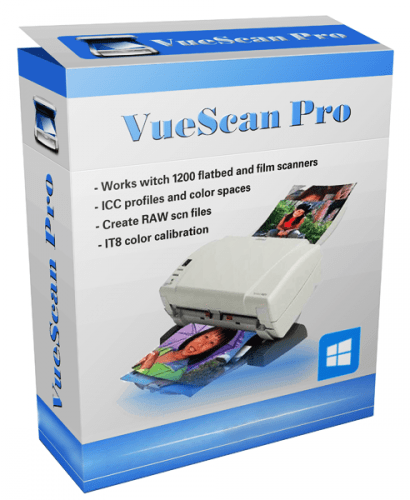
VueScan is a powerful scanning application that allows you to acquire high-quality images using a flatbed or film scanner. If you are not satisfied with the software delivered by the scanner vendor or if you want to improve it with new functions you should try this program.

Scan Documents
Whether you need to scan a single page or a hundred page book, VueScan has the tools to help you.
Scan with Flatbed and Automatic Document Feeders (ADF)
Scan to PDF (Single and Multipage)
Optical Character Recognition (OCR)
Automatic Color Detection
Small document file sizes
Automatic document deskewing

Scan Photos
Do you have a box full of photos in your drawer? Use VueScan to get them on your computer, and off your to-do list.

Scan to JPG or TIFF
Whether you're saving a few snapshots or archiving boxes of prints, VueScan has the tools you need to output your scans at either the highest possible quality or a large number of good quality scans.

Scan with Flatbed and Automatic Document Feeders (ADF)
VueScan supports over 3000+ different scanners from 35 manufacturers, even scanners that don't have drivers from their manufacturers anymore.

Preset photo sizes for faster scans
VueScan improves one of the slowest parts about scanning by scanning only the part of the flatbed where your photo is. So you can spend less time scanning, and more time enjoying your photos.

Scan multiple photos on the flatbed
Scanning multiple photos with VueScan is very simple. Just put them in the corners of the flatbed, do a preview, and manually crop each of the photos without needing to do another scan.

Automatic file naming for faster scans
Don't waste time manually naming every photo, use VueScan's auto naming feature to include dates, numbers, or other prefixes and suffixes in your file names.

Remove fading and correct colors
Stay out of photoshop and save the best version possible of your photos with VueScan's built in features to remove fading, and correct colors.

Scan Film and Slides
VueScan is the ultimate tool for all your film and slide scanning needs.
Works with almost all film/slide scanners
Scan to JPEG/TIFF/RAW
Infrared Dust Removal
Color correction
IT8 Calibration
Photoshop Integration

Whats New
Код:
https://www.hamrick.com/vuescan/vuescan.htm#changes

System Requirements: Windows 11, 10, 8, 7

Homepage
Код:
https://www.hamrick.com/

DOWNLOAD:

Код:
https://rapidgator.net/file/34f166952caa03f3f1b4a815feab0dcb/VueScan_Pro_9.8.60_(x64).zip.html

https://nitroflare.com/view/EFE2FD8646D261E/VueScan_Pro_9.8.60_%28x64%29.zip
 
ezgif-69fa01efe3531596.gif


ActivePresenter Professional Edition 10.7.0 Multilingual

Windows x64 | File size: 197.42 MB
​

ActivePresenter is a solution for creating screencast videos, handouts, manuals, documentation, and interactive training presentations. With the full-featured editor, ActivePresenter allows you to edit audio/video, tweak the look and feel of content, and define the branched scenarios easily and effectively. Supporting the latest web standard HTML5 and the ability to integrate with Learning Management Systems, the content created with ActivePresenter can be delivered virtually to any devices and platforms.

Quick & Easy
You can even just record the screen and publish to desired output without additional editing thanks to smart capture technology.

Feature-rich
ActivePresenter integrates almost features which are usually used in screencasting making the authoring process become more creative.

Cost effective
Create engaging interactive screencasts, software demos and SCORM-compatible training courses with less time and effort.

Who should use ActivePresenter?

Educators & Students
ActivePresenter can help educators demonstrate and teach the use of software features. Students can record video and audio as they demonstrate the proper procedure to solve a problem on an interactive whiteboard.

Corporate Training Personnels
With SCORM-compliant output, ActivePresenter is suitable for authoring interactive eLearning/eTraining courses which can be easily imported into enterprise training systems. Training personnel can easily track and evaluate learners’ performance.

Anyone
It is easy to create screencast videos, presentations, and documents to share on popular video/slide sharing sites such as YouTube, SlideShare, Vimeo…

What's new
Код:
https://atomisystems.com/updates/ActivePresenter/v10/releasenotes_v10.html

System Requirements: Windows 11, 10 (64-bit only)

Homepage
Код:
https://atomisystems.com/

DOWNLOAD:

Код:
https://rapidgator.net/file/a0d8abc7cee498862f2304d845112963/ActivePresenter.10.7.0.rar.html

https://nitroflare.com/view/10AC871B1842E73/ActivePresenter.10.7.0.rar
 
ezgif-5fba7947a92fcd56.gif


Adobe Lightroom Classic 2027 v16.0 (x64) Multilingual + Repack by m0nkrus

File Size: 3.2/3.5 GB
​

Edit and organize your photos with the app that’s optimized for desktop. Lightroom Classic gives you powerful one-click tools and advanced controls to make your photos look amazing. Easily organize all your photos on your desktop, and share in a variety of ways.

Your best shots. Made even better.
Your photos don’t always reflect the scene the way you remember it. But with Lightroom Classic, you have all the desktop editing tools you need to bring out the best in your photographs. Punch up colors, make dull-looking shots vibrant, remove distracting objects, and straighten skewed shots. Plus, the latest release offers improved performance so you can work faster than ever.

- With better performance under the hood, Lightroom Classic lets you import photos, generate previews, and move from Library to Develop Module in record time.
- Use range masking tools to easily select the areas or objects you want to edit based on their color, luminance, or depth.
- Create HDR panos faster now that you can merge multiple bracketed exposures into multiple HDR photos and then stitch them into a panorama — all in one step.

The future of photography. Here today. Get to know Lightroom.
Go beyond the desktop and edit, organize, store, and share from anywhere with the cloud-based Lightroom photo service

- Store and access your full-resolution photos in the cloud
- Find photos on any device fast with auto tagging
- Edit from any device using an intuitive, streamlined interface

Accelerate image-editing with GPU support
Use the GPU of your system to enhance image-editing experience.

Organize your collections with color labels
Color labels can be added for collections, collections sets, and smart collections.

Support for new cameras and lenses
Adds support for new cameras and lens profiles.

Other enhancements
Find information about PNG export, batch merge for HDR and panoramas, and other new enhancements in this release.

Release Notes
Код:
https://helpx.adobe.com/lightroom-classic/help/whats-new.html

System Requirements: Windows 10, 11

Homepage
Код:
https:/adobe.com

DOWNLOAD:

Setup + Patch


Код:
https://rapidgator.net/file/e49e8d324b308bad55977985e2f7312d/Adobe_Lightroom_Classic_2027_v16.0.0.part1.rar.html
https://rapidgator.net/file/f4a2fa61cfdb882e0527169663bda849/Adobe_Lightroom_Classic_2027_v16.0.0.part2.rar.html

Код:
https://nitroflare.com/view/E2E9B8D2EB06EEE/Adobe_Lightroom_Classic_2027_v16.0.0.part1.rar
https://nitroflare.com/view/B033A2B363405F9/Adobe_Lightroom_Classic_2027_v16.0.0.part2.rar

Repack by m0nkrus

Код:
https://rapidgator.net/file/1741e93a084dacbf825de9d3ff5d6577/Adobe.Lightroom.Classic.v16.0.Multilingual.part1.rar.html
https://rapidgator.net/file/aa6a88a3076801798cb730c101b4e661/Adobe.Lightroom.Classic.v16.0.Multilingual.part2.rar.html

Код:
https://nitroflare.com/view/F4AEC497EE86FB8/Adobe.Lightroom.Classic.v16.0.Multilingual.part1.rar
https://nitroflare.com/view/F6F1B2D59176559/Adobe.Lightroom.Classic.v16.0.Multilingual.part2.rar
 
ezgif-56349a606650d26f.gif


Adobe Lightroom Classic 2027 v16.0.1 (x64) Multilingual

File size: 3.1 GB
​

Edit and organize your photos with the app that’s optimized for desktop. Lightroom Classic gives you powerful one-click tools and advanced controls to make your photos look amazing. Easily organize all your photos on your desktop, and share in a variety of ways.

Your best shots. Made even better.
Your photos don’t always reflect the scene the way you remember it. But with Lightroom Classic, you have all the desktop editing tools you need to bring out the best in your photographs. Punch up colors, make dull-looking shots vibrant, remove distracting objects, and straighten skewed shots. Plus, the latest release offers improved performance so you can work faster than ever.

- With better performance under the hood, Lightroom Classic lets you import photos, generate previews, and move from Library to Develop Module in record time.
- Use range masking tools to easily select the areas or objects you want to edit based on their color, luminance, or depth.
- Create HDR panos faster now that you can merge multiple bracketed exposures into multiple HDR photos and then stitch them into a panorama — all in one step.

The future of photography. Here today. Get to know Lightroom.
Go beyond the desktop and edit, organize, store, and share from anywhere with the cloud-based Lightroom photo service

- Store and access your full-resolution photos in the cloud
- Find photos on any device fast with auto tagging
- Edit from any device using an intuitive, streamlined interface

Accelerate image-editing with GPU support
Use the GPU of your system to enhance image-editing experience.

Organize your collections with color labels
Color labels can be added for collections, collections sets, and smart collections.

Support for new cameras and lenses
Adds support for new cameras and lens profiles.

Other enhancements
Find information about PNG export, batch merge for HDR and panoramas, and other new enhancements in this release.

Release Notes
Код:
https://helpx.adobe.com/lightroom-classic/help/whats-new.html

System Requirements: Windows 10, 11

Homepage
Код:
https:/adobe.com

DOWNLOAD:

Код:
https://rapidgator.net/file/b5b88f6a5600c0ec916314b6f5469f3e/Adobe.Lightroom.Classic.v16.0.Multilingual.part1.rar.html
https://rapidgator.net/file/eda723b3e33a13a97f903f5caa90e25b/Adobe.Lightroom.Classic.v16.0.Multilingual.part2.rar.html
Код:
https://nitroflare.com/view/5D82FF85A703F98/Adobe.Lightroom.Classic.v16.0.Multilingual.part1.rar
https://nitroflare.com/view/B87E85958ADE4B9/Adobe.Lightroom.Classic.v16.0.Multilingual.part2.rar
 
Назад
Сверху Снизу