







All sanddisk Software's Collection [Daily Updated]

RDuzqkt-PK3EFSbj-ZOlx-YTky-Dv-LTd-Ug-IL.png


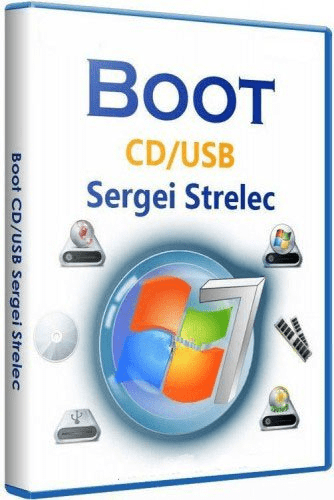
WinPE 11-10 Sergei Strelec (x64) 2026.11.25

English | File size: 3.5 GB
​

Bootable disk Windows 11 and 10 PE - for maintenance of computers, hard disks and partitions, backup and restore disks and partitions, computer diagnostics, data recovery, Windows installation.

Composition of assembly
WinPE11x64
WinPE10x64
Image contains

Backup and restore
Acronis True Image 30.2.1 Build 42980
Acronis True Image 2019 Build 17750
Acronis True Image 2016 Build 6595
Acronis True Image 2014 Build 6673
Acronis Cyber Protect 15.0.27009
EaseUS Todo Backup 16.3.1 Build 20260721
Active Disk Image 26.0.7
StorageCraft Recovery Environment 5.2.5.37836
R-Drіvе Іmаgе 7.3.7314
Veritas System Recovery 22.0.0.62226
Symantec Ghost 12.0.0.13027
TeraByte Image for Windows 4.13
AOMEI Backupper 8.5.0
Hasleo Backup Suite 5.9.2.4
Drive SnapShot 1.51.0.1869
Macrium Reflect 10.0.8843
Macrium Reflect 8.1.8972
QILING Disk Master 8.8
Disk2vhd 2.02
Hard disk
Acronis Disk Director 12.5 Build 163
Paragon Hard Disk Manager 17.64.0
Paragon Hard Disk Manager 15 10.1.25.1137
MiniTool Partition Wizard 13.9
EaseUS Partition Master 20.8.0 Build 202609231322
EaseUS Disk Copy 7.2.0 Build 20260821
DiskGenius 6.2.0 Build 1829
Aomei Partition Assistant 10.12.1
AOMEI Dynamic Disk Manager 1.2.0
Macrorit Partition Expert 8.9.2
NIUBI Partition Editor 10.3.2
Active Partition Manager 26.0.0
Defraggler 2.22.995
O&O Defrag 23.0
HDD Low Level Format Tool 5.6
HDD Raw Copy Tool 2.6
Active KillDisk 26.0.15.0
Active Disk Editor 26.1.3
DiskCopy 1.4.5.0
Diskpart GUI by Abdullah ERTURK v4
Diskpart GUI Micro by Mole 2.0
Diagnostics
HD Tune 6.10
Check Disk GUI
Victoria 5.37
Hard Disk Sentinel 6.40
CrystalDiskInfo 9.9.3
CrystalDiskMark 9.0.3
AIDA64 Extreme 8.40.5000
BurnInTest 8.1 Build 1025
PerformanceTest 10.2 Build 1002
CPU-Z 3.01
HWiNFO 8.54.6090
HDDScan 4.1.0.29
PassMark MonitorTest 4.0 Build 1002
OCCT 10.0.5
Keyboard Test Utility 1.4.0
HDD Regenerator 2024
IsMyLcdOK 6.11
Drevitalize 4.10
Linpack Xtreme 1.1.8
LinX 0.6.5
HWMonitor 1.55
Network programs
Opera
PENetwork 0.59.B12
TeamViewer 15
Ammyy Admin 3.9
AeroAdmin 4.9.3786
AnyDesk 9.8.2
Supremo 5.0.5.3901
HopToDesk 1.46.64
RustDesk 1.5.0
µTorrent 3.5.5
FileZilla 3.68.1
Internet Download Accelerator 6.18.1.1633
PuTTY 0.85
FtpUse 2.2
OpenVPN 2.6.13
UltraVNC 1.8.3.0
TightVNC 2.8.90
Radmin 3.5.2.1
Radmin VPN 2.1.4951.1
WireSock VPN
Advanced IP Scanner 2.5.4594.1
ZOC Terminal 7.25.5
Resetting passwords

Checksums (*.iso file)
CRC32: 8C18C276
MD5: 577562576916604957ED8447AACB45EA
SHA-1: E9DEFFEEEB17771D1F622C5335DA2B7C51A49A4D

System requirements
1. Windows 10, 11
2. RAM 4GB / Native 512 MB
3. PC with the ability to boot from CD/DVD-drive or USB.

Whats New
Код:
https://sergeistrelec.name/version_history_en_new.html

Homepage
Код:
https://sergeistrelec.name/

DOWNLOAD:

Код:
https://rapidgator.net/file/5bf42df27bdfa3eb831a9d983a15a10e/WinPE11_10_Sergei_Strelec_x64_2026.11.25_English.part1.rar.html
https://rapidgator.net/file/282450e6848771974a6e44673962c739/WinPE11_10_Sergei_Strelec_x64_2026.11.25_English.part2.rar.html

Код:
https://ddownload.com/0la1qhhmau0c/WinPE11_10_Sergei_Strelec_x64_2026.11.25_English.part2.rar
https://ddownload.com/ypah1gbn7yg7/WinPE11_10_Sergei_Strelec_x64_2026.11.25_English.part1.rar
 
ezgif-8f3d21a0e26d5339.gif


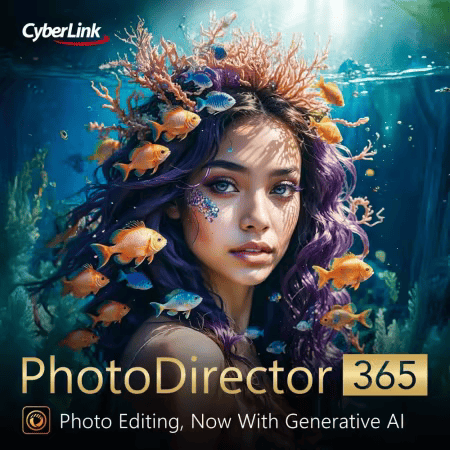
CyberLink PhotoDirector Ultra 2027 v18.0.1123.0 Multilingual

Languages: Multilingual
File Size: 3.31 GB (In Total)
​

Premium photo editing software for creative professionals. Create your masterpiece today. Capture. Edit. Retouch. Photo Editing, Now With AI. Split and combine color layers and reveal infinite variations around one theme. Enhance or totally replace the sky. Animate, blend, position, relight, and re-align.

Glitch Effect
Split and combine color layers and reveal infinite variations around one theme.

AI Sky Replacement
Enhance or totally replace the sky. Animate, blend, position, relight, and re-align.

Show Your True Colors
Customize colors with precision tools to edit the world the way you imagined.

Illuminate Photos
Create dreamy effects with Bokeh. Add natural glows, sparkles, or intense bursts of light.

Photo Editing Made Easier With AI
Automatically remove unwanted objects or people for a perfect shot, every time.

Precision Layer Editing
Layer, shape, and blend to create artistic scenes.

Immaculate Photo Retouching
From touch-ups to a complete overhaul, look flawless in every snap.

RAW Power
Support for all professional file formats, and the most popular cameras.

Release Notes
CyberLink PhotoDirector - What's New

Код:
https://www.cyberlink.com/products/photodirector-photo-editing-software-365/whats-new_en_US.html

System Requirements
- Microsoft Windows 11, 10 (64 bit OS only, Windows 11 Arm64 is supported)
- Intel Core™ i-series or AMD Phenom® II and above
- 128 MB VGA VRAM or higher
- 4GB memory required (For AI style transfer, 8GB or above recommended)
- 2GB space required
- 1024 x 768, 16-bit color or above

Supported Languages
- English
- French
- German
- Italian
- Spanish (European)
- Chinese Simplified
- Chinese Traditional
- Japanese
- Korean
- Dutch

Homepage
Код:
https://www.cyberlink.com

DOWNLOAD:

Код:
https://rapidgator.net/file/df714439106d553011dfd9b47b1b929f/PhotoDirector.18.0.1123.0.rar.html

https://ddownload.com/q5xsyoewhszy/PhotoDirector.18.0.1123.0.rar

AI Modules v18.0.1109.0

Код:
https://rapidgator.net/file/168cfe9d7ab7ee29e710c006e2bd7ff8/AI.Modules.18.0.1123.0.part1.rar.html
https://rapidgator.net/file/f8baa8832a73c3a5c36961bfeb7b7d6c/AI.Modules.18.0.1123.0.part2.rar.html

Код:
https://ddownload.com/y4qticccljw4/AI.Modules.18.0.1123.0.part1.rar
https://ddownload.com/tzaiaazigrc7/AI.Modules.18.0.1123.0.part2.rar
 
ezgif-4f3cec55f5e32cdf.gif


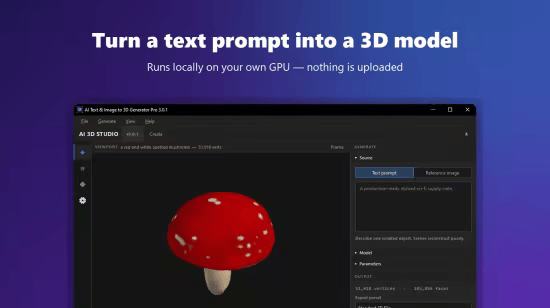
AI Text & Image to 3D Generator Pro 3.2.16

Languages: English
File Size: 2.10 GB
​

Powered by cutting-edge, open-source AI models like Shap-E, TripoSR, and Stable Fast 3D, this tool allows you to generate high-quality 3D meshes locally on your PC. No expensive cloud subscriptions, no hidden fees, and complete privacy—your data never leaves your computer.

Text-to-3D
Simply type a description (e.g., "a medieval wooden chair" or "a futuristic sports car") and watch the AI construct a 3D mesh from scratch.

Image-to-3D
Upload a single 2D photo and instantly convert it into a textured, UV-unwrapped 3D object.

Ultra-Fast Generation
Utilize models like TripoSR and Stable Fast 3D to generate models in under a second (hardware dependent).

Interactive 3D Viewer
Inspect your creations instantly with the built-in 3D previewer. Rotate, pan, and zoom to ensure perfection.

Industry-Standard Exports
Save your models as GLB, OBJ, STL, PLY, or GLTF for seamless integration into Blender, Unity, Unreal Engine, or your 3D printer slicer.

Advanced Controls
Take full control over your generation with adjustable Inference Steps, Guidance Scale, and Frame Size. The app also features automatic background removal for 2D input images, ensuring clean 3D outputs.

Privacy First (Offline Processing)
After a one-time automatic download of the AI model weights, the application runs 100% offline. Your text prompts, personal images, and generated 3D files remain completely private and secure on your local machine.

Elevate your workflow, speed up prototyping, and generate infinite 3D assets effortlessly. Download AI Text & Image to 3D Generator Pro today!

Release Notes
- Release notes were unavailable when this listing was updated.

System Requirements
- OS: Windows 10 version 17763.0 or higher
- Memory: 8 GB (Minimum), 16 GB (Recommended)

Homepage
Код:
https://bytesweavers.tech

DOWNLOAD:

Код:
https://rapidgator.net/file/1b361ca46e782416b07936e2d1301e25/AI.Text.Image.to.3D.Generator.Pro.3.2.16.part1.rar.html
https://rapidgator.net/file/8d41ab29c969de2e532d30b3594122cc/AI.Text.Image.to.3D.Generator.Pro.3.2.16.part2.rar.html

Код:
https://ddownload.com/m716i3ssyo9e/AI.Text.Image.to.3D.Generator.Pro.3.2.16.part1.rar
https://ddownload.com/s5v6pzuw1tj7/AI.Text.Image.to.3D.Generator.Pro.3.2.16.part2.rar
 

ezgif-4259db2615a62c95.gif

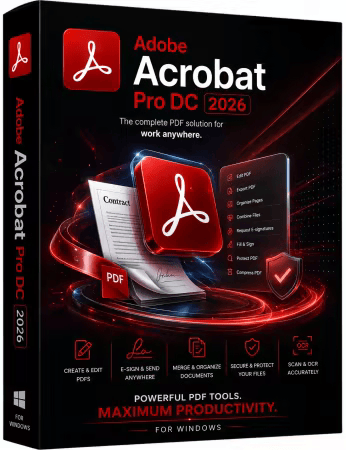
Adobe Acrobat Pro DC 2026.003.22120 (x64) Multilingual + Repack

File Size: 1.6 GB
​

Acrobat DC with Document Cloud services is packed with all the tools you need to convert, edit and sign PDFs. It’s just as mobile as you are. So you can start a document at work, tweak it on the train and send it for approval from your living room — seamlessly, simply, without missing a beat.

It’s packed with smart tools that give you even more power to communicate. Create and edit PDF files with rich media included, share information more securely, and gather feedback more efficiently.
Adobe Acrobat Pro DC software is the advanced way for business professionals to create, combine, control, and deliver more secure, high-quality Adobe PDF documents for easy, more secure distribution, collaboration, and data collection.

Adobe Acrobat Pro DC Features
Edit PDF files
With Adobe Acrobat Pro DC, you can make minor edits to text and images right in your PDF file without requiring the original document or graphic.
Edit text in a PDF. Fix a typo, change a font, or add a paragraph to your PDF as easily as you do in other applications using a new point-and-click interface.
Edit images in a PDF. Resize, replace, and adjust images in your PDF with no need to track down the original file or graphic.

Export from PDF files
Reduce the time you spend retyping information stuck in PDF files. Convert PDF files to editable Microsoft Office documents. And save fonts, formatting, and effort.
Convert PDF files to Word. Save your PDF as a Microsoft Word document and take your fonts, formatting, and layouts with you.
Convert PDF files to Excel. Turn your PDF or just part of it into an editable Excel spreadsheet you can use for data analysis right away.
Convert PDF files to PowerPoint. Get a head start on new projects by saving a PDF file as a fully editable PowerPoint presentation.

Create PDF files
Stop worrying about whether the files you send will look right on other people’s screens. Turn documents into PDF files anyone can reliably view with free Adobe Reader.
Convert Word, Excel, or PowerPoint to PDF. Right from your Office application in Windows, you can create PDFs, start a shared review, restrict PDF edits, and more.
Print to PDF. Convert files to PDF from virtually any application that prints simply by selecting Adobe PDF as your printer.
Scan to PDF. When you need to turn a paper document or form into a digital file, just scan it to create a searchable PDF file you can edit.
Convert HTML pages to PDF. Save web pages as PDF files to archive web content, review the pages offline, or print them more reliably.

Create and analyze forms
Cut the time you spend creating forms, rekeying data, and correcting errors. Distribute forms online, and then collect responses and analyze results in real time.
Create new PDF and web forms. Customize professional templates or design from scratch with the Adobe FormsCentral desktop app included in Adobe Acrobat Pro DC.
Collect form responses with FormsCentral. Easily collect responses by moving your PDF or web forms online with the Adobe FormsCentral online service.
Convert existing forms to fillable PDFs. Type less, gather more. Quickly convert your paper, Word, or Excel forms to fillable PDF forms.
Collect form responses using Adobe Acrobat tools. Compile returned forms into one PDF, or host forms using a network folder or Microsoft SharePoint server.

Merge and combine files
Communicate clearly with single PDF attachments. Put multiple files into a single, organized PDF that’s easy to email and simple to search.
Merge multiple files into one PDF. Make sure they don’t miss a thing. Combine documents, spreadsheets, emails, and more in an organized PDF.
Combine files in a PDF Portfolio. Share your work in a PDF Portfolio that presents materials professionally with an interactive impact.
Create interactive PDF files. Bring your ideas to life by adding audio, Adobe Flash Player compatible video, and interactive media to PDFs.

Simplify reviews and approvals
Stop sorting through paper and email trails. Automate review and approval cycles with Adobe Acrobat Pro DC. Multiple reviewers can see and build on each other’s comments so you can meet your deadline.
Streamline document reviews and approvals. In shared reviews, people can annotate PDFs with familiar tools. And you can track progress and consolidate comments.
Export comments to Word. Save all PDF comments back to the original Microsoft Word document, and update text faster than ever.
Approve with electronic signatures. Keep projects moving. E-sign your approval right on the PDF. No need to print, fax, or mail the document.
Get others to sign documents. Get the green light faster. Send PDFs to others for signature approval, and track them online using the Adobe EchoSign service.
Integrate with SharePoint. With Acrobat, it’s simple and convenient for you to retrieve, open, and save PDFs stored on your company’s SharePoint server.
Compare two file versions. Let Acrobat do the hard work of comparing two versions of a file, providing you with a detailed report of the results.
Store and access files on Acrobat.com. Use Acrobat.com to store your files in the cloud for free, accessing them from Acrobat or Reader on your desktop or mobile device.

Protect PDF files
Adobe Acrobat Pro DC makes it simple to keep your work more secure, no matter what application you’re in.
Apply PDF passwords and permissions. Get expert protection without being an expert. Add copy and edit protection to any PDF – even right from Microsoft Office applications in Windows.
Remove and redact information. Don’t just black out confidential data. Find and get rid of it for good, even when hidden in metadata.
Automate document security tasks. Apply document security measures the same way every time. Use a guided Action to help secure your PDF before publishing it.
Whats New
Код:
https://helpx.adobe.com/acrobat/using/whats-new.html

System Requirements: Windows 10 or above

Homepage
Код:
https://www.adobe.com/

DOWNLOAD:

Код:
https://rapidgator.net/file/92e796e3ef4468cb880844a1b72af984/Adobe.Acrobat.Pro.DC.2026.003.22120.rar.html

https://ddownload.com/od6y3s5kaivv/Adobe.Acrobat.Pro.DC.2026.003.22120.rar

Repack by m0nkrus

Код:
https://rapidgator.net/file/86c41064319e9fd7c0eaae63e372354d/Adobe.Acrobat.2026.u22.x64.Repack_by_m0nkrus.rar.html

https://ddownload.com/grkvb1urkctz/Adobe.Acrobat.2026.u22.x64.Repack_by_m0nkrus.rar
 
ezgif-44469a5c02e29455.gif


RealVoice Text to Speech 5.7.0

Languages: English
File Size: 758.85 MB
​

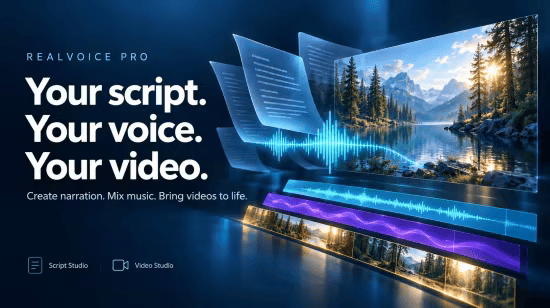
RealVoice TTS turns your text into natural-sounding speech using Microsoft neural voices. Preview instantly, fine-tune rate and pitch, then export high-quality audio. Add background music, adjust volumes, and optionally fade the music at the end for a clean finish. The app is designed to be simple, fast, and reliable—great for creators, educators, podcasters, and anyone who needs voiceover audio quickly.

No sign-in required. Voice preview and voice-only export work out of the box. If bundled, the app also mixes voice + music into one MP3 without extra installs. Clean, modern UI with a light-blue theme and your choice of voice. Save to MP3 and keep everything local to your PC.

Realistic voices
Uses Microsoft neural voices via secure HTTPS.

Instant preview
Hear changes to text, voice, rate, and pitch immediately.

Music mixing
Add a background track, set levels, and fade-out at the end.

Voice-only or mixed export
Save clean MP3s

No account required
Works locally; you control your files.

Modern UI
Light-blue theme, clear controls, and helpful defaults.

Resilient synthesis
Automatic retry + fallback voice if a network hiccup occurs.

Release Notes
- Release notes were unavailable when this listing was updated.

System Requirements
Windows 10 version 17763.0 or higher

Microsoft Store- Full Version

Homepage
Код:
https://apps.microsoft.com/detail/9nzn9fws7pb1?hl=en-US&gl=US

DOWNLOAD:

Код:
https://rapidgator.net/file/d210df07ea47330589bc5b987380dfbc/RealVoice.Text.to.Speech.5.7.0.rar.html

https://ddownload.com/si9adtjhxe2z/RealVoice.Text.to.Speech.5.7.0.rar
 
th-N5BDxp-JULIc-Pa-S1RV1cbs-WZZc8ver-XAq.png


EaseUS Todo Backup 16.4 Build 20261124 Multilingual

All Editions | File size: 204.1 MB
​

EASEUS Todo Backup is a complete and reliable backup and disaster recovery solution to backup system, data, files and folders, hard drive partition. It not only provides convenient user-interface to simplify your tasks but also enables you to backup and restore an image of your partitions or entire hard disk.

Easy Backup, No Data Loss
Back up before you mess up, no matter an individual file or a whole business system.

Automated Backup
Schedule your backups in simple clicks, and automatically run data backup as often as you need. No extra efforts required.

Disaster Recovery
Restore your system and data instantly once disaster strikes, and get your machine back to working order quickly.

Backup Modes
Conduct full, incremental, differential, and scheduled backups. Cover every bit of data you generate.

Reporting
Real-time backup reports keep you informed of every stage of the backup. Alert you of anything unexpected during the process.

Editions: Workstation, Server, Advanced Server,Technician

Whats New
Код:
https://www.easeus.com/backup-software/version-update-history.html

System Requirements: Windows 11/10/8/7

Homepage
Код:
https://www.easeus.com/

DOWNLOAD:

Код:
https://rapidgator.net/file/3b9cdde3e0dfc46d8e7f9ffa0de3e991/EaseUSTodoBackup16.rar.html

https://ddownload.com/4k8nt3a6yfat/EaseUSTodoBackup16.rar
 
ezgif-6f64ec613906f6a9.gif


Print Artist Platinum Edition 27.0.0.11

Languages: English
File Size: 129.6 MB
​

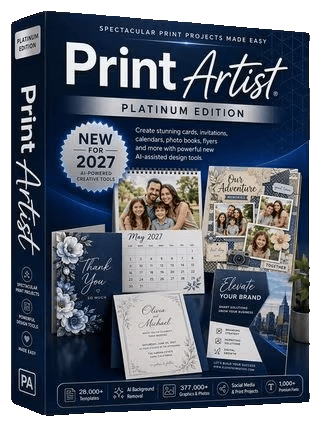
Print Artist® Platinum is unlike any print software you’ve ever used - its unparalleled quality combined with unprecedented ease of use lets you produce amazing print projects for your home, school or business.

Impress friends, family and clients with the creative edge that only Print Artist Platinum can offer – 28,000+ professionally-designed templates, 377,000+ sensational graphics, 1,000+ premium fonts and more! With its powerful, yet easy-to-use design, text and drawing customization tools, advanced photo editor, special text effects gallery and more, you’ll be creating expert, eye-popping print projects with a professional, custom look that truly raises the bar!

Spectacular Print Projects Made Easy!
- New! NexGen AI-powered image generation from text descriptions
- New! A completely rebuilt, modern application for Windows or Mac
- 28,000+ Professionally-Designed Templates
- 377,000+ Sensational Graphics
- 1,000+ Premium Fonts
- Bonus! Create CD Slideshows You Can Watch on TV
- Improved! A redesigned project browser with Theme Search and improved navigation
- A full Layers palette for controlling visibility, locking, printability and object order
- 634 ready-to-use blank formats through the new Change Stock browser
- Enhanced text tools, including curved and wave text, special effects, pre-written greetings and spell checking
- Address Book and Mail Merge tools for personalized projects
- Improved high-quality printing, automatic two-sided printing, PDF output and full-size banner tiling
- Export to JPEG, PDF, animated GIF and MP4
- Sharing tools for email, Facebook and YouTube
- Better support for legacy Print Artist projects, including folded cards, business cards, postcards, banners and other multi-page formats
- Photo import from files and supported cameras

Release Notes

WHAT'S NEW IN 27.0.0.11
- Printing: envelopes, labels, business cards and postcards print at their own size, and labels are placed exactly on the original label sheets. You can start a partial sheet at any row and column.
- Number of Copies in the Print window.
- Mail merge prints straight from the Print window, one name per label or envelope. Postcards and business cards get their back side too.
- If the printer turns a job down, the Print window shows the printer's reason.
- Graphics and shapes: the Graphics and Shapes windows open faster and say so when they have nothing to show. Basic Shapes are inserted in black and take any color you choose; the color dialog has a palette and No fill / No outline. A picture that could not be downloaded is marked in the editor, and you are told before printing.
- Address Book: your book is saved with a backup copy and is never lost if the file is damaged. Import reads the files exported by earlier versions, keeps families together and does not add people twice. Deleting a contact or a family asks first.
- Calendars: each page of a 12-month calendar shows its own month, weekly and daily calendars show their own layouts, and text you type in a day moves with its date.
- Help > Save Diagnostics Report puts the program's logs and printer list in one file on your Desktop, ready to send to support.

System Requirements
- Windows 10, 11
- 512 MB RAM
- 1024 x 768 display or higher
- Internet connection required
- Recordable or rewriteable CD drive required to burn CD slideshows

Homepage
Код:
https://www.novadevelopment.com

DOWNLOAD:

Код:
https://rapidgator.net/file/9af808e8c77c6482633e9345c8817e7f/Print.Artist.Platinum.Edition.27.0.0.11.rar.html

https://ddownload.com/neo6mn0tmuha/Print.Artist.Platinum.Edition.27.0.0.11.rar
 
ezgif-62284d2943fa32c6.gif


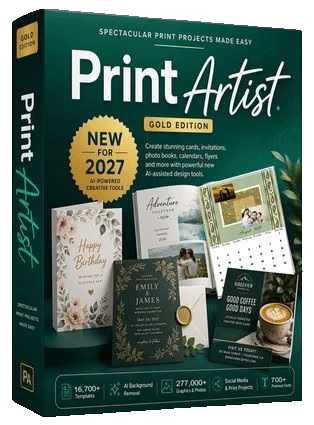
Print Artist Gold Edition 27.0.0.11

Languages: English
File Size: 127.89 MB
​

Print Artist® Gold is unlike any print software you’ve ever used - its unparalleled quality combined with unprecedented ease of use lets you produce amazing print projects for your home, school or business.

Impress friends, family and clients with the creative edge that only Print Artist Gold can offer – 16,700+ professionally-designed templates, 277,000+ sensational graphics, 700+ premium fonts and more! With its powerful, yet easy-to-use design, text and drawing customization tools, advanced photo editor, special text effects gallery and more, you’ll be creating expert, eye-popping print projects with a professional, custom look that truly raises the bar!

The Fast, Easy and Fun Way to Create Spectacular Print Projects
- New! NexGen AI-powered image generation from text descriptions
- New! A completely rebuilt, modern application for Windows or Mac
- 16,700+ Professionally-Designed Templates
- 277,000+ Sensational Graphics
- 700+ Premium Fonts
- Improved! A redesigned project browser with Theme Search and improved navigation
- A full Layers palette for controlling visibility, locking, printability and object order
- 634 ready-to-use blank formats through the new Change Stock browser
- Enhanced text tools, including curved and wave text, special effects, pre-written greetings and spell checking
- Address Book and Mail Merge tools for personalized projects
- Improved high-quality printing, automatic two-sided printing, PDF output and full-size banner tiling
- Export to JPEG, PDF, animated GIF and MP4
- Sharing tools for email, Facebook and YouTube
- Better support for legacy Print Artist projects, including folded cards, business cards, postcards, banners and other multi-page formats
- Photo import from files and supported cameras
Release Notes

WHAT'S NEW IN 27.0.0.11
- Printing: envelopes, labels, business cards and postcards print at their own size, and labels are placed exactly on the original label sheets. You can start a partial sheet at any row and column.
- Number of Copies in the Print window.
- Mail merge prints straight from the Print window, one name per label or envelope. Postcards and business cards get their back side too.
- If the printer turns a job down, the Print window shows the printer's reason.
- Graphics and shapes: the Graphics and Shapes windows open faster and say so when they have nothing to show. Basic Shapes are inserted in black and take any color you choose; the color dialog has a palette and No fill / No outline. A picture that could not be downloaded is marked in the editor, and you are told before printing.
- Address Book: your book is saved with a backup copy and is never lost if the file is damaged. Import reads the files exported by earlier versions, keeps families together and does not add people twice. Deleting a contact or a family asks first.
- Calendars: each page of a 12-month calendar shows its own month, weekly and daily calendars show their own layouts, and text you type in a day moves with its date.
- Help > Save Diagnostics Report puts the program's logs and printer list in one file on your Desktop, ready to send to support.

System Requirements
- Windows 10, 11
- 512 MB RAM
- 1024 x 768 display or higher
- Internet connection required
- Recordable or rewriteable CD drive required to burn CD slideshows

Homepage
Код:
https://www.novadevelopment.com

DOWNLOAD:

Код:
https://rapidgator.net/file/a6ebcf92c091e50fe2d5535972bc63c3/Print.Artist.Gold.Edition.27.0.0.11.rar.html

https://rapidgator.net/file/9af808e8c77c6482633e9345c8817e7f/Print.Artist.Platinum.Edition.27.0.0.11.rar.html
 
Назад
Сверху Снизу