Latest Software Collection (Updated Daily)


162fe04594f8bba2940d71022a7f3ebe.jpg


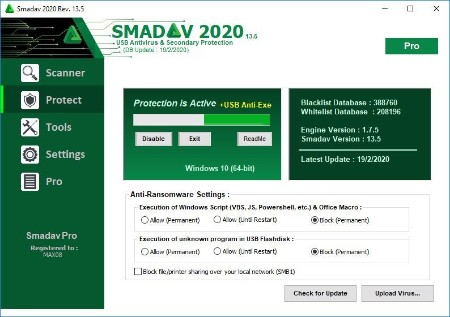
Smadav Pro 2026 v15.7 | File Size: 6.4 MB

Smadav Pro is antivirus for additional protection of your computer, USB stick total protection and thoroughly cleaning widespread virus.it stops apps from being running in background (Without your permisions). Just check this app as its one of the awesome apps.

Key Features of PRO
Automatic Update Online - SmadAV Pro can perform an automatic update with an internet connection whenever there is a new revision. SmadAV will install new revisions automatically without user command. Unlike the Free SmadAV, you still have to do the update manually by downloading the new revision in Smadav.net and open the program first SmadAV to update SmadAV on your computer.
Faster Scanning - Smad-Turbo can be activated to speed up the scanning process. SmadAV perform filtering by file type so SmadAV only scan the files were most likely infected with a virus. This feature is very effective in accelerating the process of scanning without compromising the ability of detection.
Exception List - SmadAV Exception List Pro has a feature that can be used to ignore (ignore) scanning the file, folder, or a specific registry that you consider safe and should be ignored. Once a file, folder, or registry added to the Exception List, then he will be ignored and will no longer be detected by SmadAV as viruses.
Maximize / Resize Display - If you feel the look SmadAV still less extensive, you can click the Maximize button or by changing (resize) SmadAV size manually. Or if you feel SmadAV look too big, you can click the Hide Panel which will automatically make SmadAV smaller by eliminating the right panel.
Changing the Color Theme - SmadAV Pro has the ability to change the color theme originally SmadAV green became the color of your choice. In the theme color settings you can find your own choice of colors for the theme SmadAV. Once you change the theme color, the color of all SmadAV display will automatically turn into the color of your choice.
Profit Use Permit - SMADAV Free version only allowed for non-profit use as computer / personal laptop at home or non-profit organization. While SmadAV Pro version is used for members SmadAV or institution / organization profit (companies, cafes, shops, rentals, computer services, studio, etc..)
Admin Password - If you are an Admin on a computer network (such as cafes, companies, etc..), Should limit the use SmadAV by adding a password to access the full features of SmadAV. Users can still perform virus scanning and cleaning but will not be able to access the quarantine feature, updates, tools, and settings on SmadAV except having an Admin password that you have set. Whats New
Код:
https://www.smadav.net/

HomePage:
Код:
https://www.smadav.net

-:DOWNLOAD FROM LINKS:-​
RapidGator
Код:
https://rapidgator.net/file/3ce37dc1edd6ca0bb13c4b2a3114145f/

NitroFlare
Код:
https://nitroflare.com/view/A1190A334D39A24/
 

c68ba2e14b2411296ad172c3fb85f041.png


Mountain Duck 5.2.0.28648 (x64) Multilingual | File size: 168.6 MB

Mountain Duck lets you mount server and cloud storage as a disk on your desktop. Open remote files with any application and work like on a local volume without synchronising files. Based on the solid open source foundation of Cyberduck, all major protocols are supported to connect to just about any server you want, including FTP, SFTP, WebDAV, Azure Cloud Storage, Amazon S3, Google Cloud Storage, Google Drive, Dropbox, Backblaze B2 & OpenStack Swift. Transfer files using Finder to remote servers, fast.

Mountain Duck is a nifty app that can make it a lot easier to manage your cloud storage accounts and FTP, SFTP or WebDAV servers, as it enables you to mount them as local volumes and transfer files using Finder.

The application is very easy to use and runs in your menu bar, allowing you to quickly connect and disconnect from various storage services.

Mount remote storage servers as standard Finder volumes, for easy browsing and file transfers
Mountain Duck is especially useful if you need to manage multiple servers or cloud storage services at once, as switching between several interfaces can become confusing and hinder your workflow.

Once you have added them as bookmarks in Mountain Duck, however, they can be accessed just like any other local volume, so that Finder can be used whenever you want to browse their contents or copy files.

Useful tool that supports numerous popular file transfer protocols
Mountain Duck does not limit you to a single connection, as you can add as many servers or cloud storage accounts as you wish. It supports FTP, SFTP, WebDav, Amazon S3, Microsoft Azure, Google Cloud and OpenStack Swift.

Configuring each bookmark is not at all difficult, provided you know the server address and the required username and password.

Unobtrusive menu bar app that is always close by when you need it
Your bookmarks can be configured and accessed from Mountain Duck's menu bar icon whenever you want to disconnect from a server, open its volume in Finder or remove it altogether.

Moreover, the app displays a detailed history of all past connections, and allows you to enable or disable Bonjour notifications.

All in all, Mountain Duck is a handy utility that could prove to be invaluable for users who commonly manage multiple remote storage servers, as it enables you to mount them as local volumes, and browse their contents or transfer files using Finder.

Whats New
Код:
https://mountainduck.io/changelog/

HomePage:
Код:
https://mountainduck.io/

-:DOWNLOAD FROM LINKS:-​
RapidGator
Код:
https://rapidgator.net/file/8838cb6b4c1600695f223101879a047b/

NitroFlare
Код:
https://nitroflare.com/view/00B89318C57CF7E/
 

c81d7e666317762e9eddf116b0ecca03.png


pdfFactory Pro 9.23 Multilingual | File size: 28.41 MB

pdfFactory offers award-winning PDF creation features at an affordable price. pdfFactory Pro has all the features of pdfFactory and adds bookmarks, job ordering, letterheads and automated email functions. Only pdfFactory allows printing to paper or PDF without printing twice. Acrobat is not needed for printing. Increases the convenience of document delivery by having a single PDF that contains material from different sources. Just keep printing documents to pdfFactory and they will automatically be combined. Allows quick, accurate previewing of the PDF, including up to 400% zoom, without saving the file first and without opening Acrobat.

Features
- Create PDF or print to paper
- Combines multiple documents into a single PDF
- Preview
- Protect your PDFs
- Font embedding
- Page insertion and deletion
- Send via email
- AutoSave
- Live URL Links
- Easy server deployment
- Create PDFs on letterhead
- Add page numbering, headers, footers, watermarks
- Bookmarks and Table of Contents
- Integrated Jobs Tab
- Custom Drivers
- Set Initial Acrobat Display Properties

What's new
Код:
https://fineprint.com/pdfp/release-notes/

HomePage:
Код:
https://fineprint.com/

-:DOWNLOAD FROM LINKS:-​
RapidGator
Код:
https://rapidgator.net/file/9a81e1e641a49dee36d015250bf2f351/

NitroFlare
Код:
https://nitroflare.com/view/F7BF9C7B96930D1/
 

29d4da03e92fdcd897448042bc6f89c9.jpg


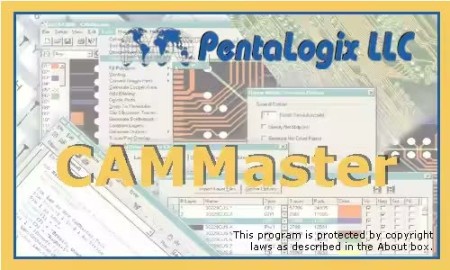
PentaLogix CAMMaster 11.24.76 (x64) | File size: 83.2 MB

PentaLogix's most complete CAM software designed to meet tomorrow's manufacturing needs. CAMMaster uses scripting, raster and contour based algorithms and increased ease-of-use to deliver the strongest PC-Based CAM system in the industry. We provide you a USB dongle. CAMMaster can be installed on multiple computers but will only run on a computer that has the dongle plugged in.

Highlights
Visual Basic(r) compatible scripting
Includes RoutMaster- NC drill & Rout editing
Raster based netlist extraction
Contour based netlist extraction
Advanced DFM checks
Automated aperture conversion
Layer comparison
NetConvert
Support for AOI machines (CAMTEK, Lloyd-Doyle)
CAMMaster is a COM (ActiveX) accessible object
Automated draw-to-flash conversion
Netlist comparison
Routing Path generation, with routing tabs
Soldermask generation
Copper pouring
Silkscreen clipping
Venting & thieving
One year of free technical support
And, much more!

CAMMaster is the premier product for the most demanding jobs. CAMMasters' scripting feature allows you to automate your routine jobs, improve accuracy and yields, as well as get the work done faster. Experience the best tool in the industry to get your jobs done. Panelization is a snap with all the features available in this package. Netlist extraction and DRC set the industry standard.
CAMMaster utilizes robust scripting capabilities designed to automate your processes. Unleash CAMMaster's potential by allowing our PentaLogix Technicians to custom script your operations. CAMMaster's scripting capabilities give you the same promise and potential of other CAM products on the market without the high cost! Scripting possibilities are essentially endless: custom auto panelization, job setup, DRC and Netlist extract, export and prepare for test, all at the touch of a button.

CAMMaster Network License Server
CAMMaster can also be purchased as a network server version which allows for the sharing of CAMMaster Network Licenses among mulitple clients. In order to run CAMMaster Network Version, the CAMMaster must be installed on your client computers. You may install the applications on as many computers in your network as you wish. The License Server will administer licenses to the clients when the programs are started. The number of clients who can run the software at the same time depends on the number of licensed users recorded in the license on the server. So, if you have a license for 5 users, 5 different client computers can check out a license at the same time. If the 6th tries, it will fail.

Whats New
Код:
https://downloads.pentalogix.com/Documents/CAMMasterReleaseNotes.pdf

HomePage:
Код:
https://www.pentalogix.com/products/cammaster

-:DOWNLOAD FROM LINKS:-​
RapidGator
Код:
https://rapidgator.net/file/7da44b7d65965201b52b3552352fc1e9/

NitroFlare
Код:
https://nitroflare.com/view/0BEB3D718AF92F0/
 

aebcbaca4784b6def328dff90474d15e.png


FinePrint 12.23 Multilingual | File size: 26 MB

FinePrint saves you money on paper and toner, weight in your briefcase, and time and hassle in managing your print jobs. With FinePrint working for you, annoying printing problems disappear. Below are just some examples of printing problems that FinePrint can fix. See also our Enterprise section for benefits of FinePrint in the Enterprise.

Features
- Delete unwanted pages
- Print multiple pages on a sheet
- Combine multiple print jobs into one
- Print on electronic letterhead
- Archive print jobs
- Mark documents with custom watermarks such as "draft" or "confidential".
- Create custom electronic letterhead and forms. No more buying, storing and manually loading pre-printed letterhead.
- Page numbering over multiple documents including Bates stamping
- Output pages to clipboard
- Save pages in JPEG, TIFF and text formats

What's new
Код:
https://fineprint.com/fp/release-notes/

HomePage:
Код:
https://fineprint.com/

-:DOWNLOAD FROM LINKS:-​
RapidGator
Код:
https://rapidgator.net/file/1e0fbd55ef6fdd01df2a4b86724e9b0c/

NitroFlare
Код:
https://nitroflare.com/view/89ECBB61E3A4BC1/
 

df68cc858b4ce77310e6e278dbb76079.jpg


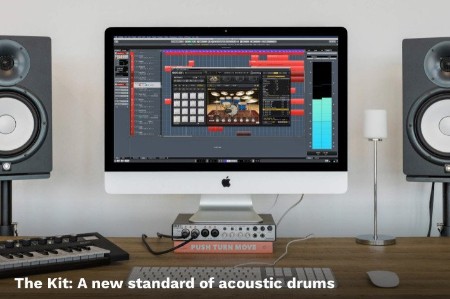
Steinberg Groove Agent 6.0.20 | File size: 359.8 MB

Designed for both songwriters and beat producers, Groove Agent 5 includes the very best of electronic and acoustic drums. One of the most detailed acoustic drum kits ever featured in Groove Agent sits alongside a wide variety of percussion, modern electronic drums and MIDI grooves, delivering an inspirational rhythmic composition tool for producers in every genre, from jazz, funk and rock to Trap and EDM. Support for VST, AU and AAX plug-in formats means Groove Agent 5 can be used with virtually any DAW.

Exceptional-quality acoustic drums and percussion
Banging electronic drums for Trap, EDM and more
New Decompose feature for your own signature drum sound
Over 1,000 MIDI grooves for a wide range of different genres
HIGHLIGHTS
A new standard of dynamic acoustic drums; new kits for electronic music; new MIDI grooves; live sampling; Decompose feature for your own signature drum sound; 32 velocity layers; updated and resizable user interface. plus much more!
New acoustic drums in The Kit
The Kit brings fantastic new acoustic drum sounds to Groove Agent, including Pearl kick and snare, four Yamaha Maple Custom toms, four cymbals from Zildjian, Istanbul ride and Paiste splash cymbals - all recorded with high-end Neumann microphones and outboard gear in Berlin's Teldex Studios, including its classic reverb chamber. 'The Kit' comes with 47 articulations, five round robins and up to 20 velocities and, most importantly, a sound that is very versatile and can be pushed in any direction in your mix.
More than 30 new kits for EDM, Trap and other styles
All new kits have been created for Groove Agent 5 by top electronic artists including Rawtekk, Audeka, zKlang, Joe Ford and a number of other young and hungry producers. As well as beat patterns, Beat Agent kits also now include samples like basses, small melody parts, miscellaneous hits and other noises. Further great news is that you can now also use the Style Player for Beat Agent.
Exciting new styles for songwriters
Groove Agent 5 features 20 new MIDI Styles for songwriters, including intro, outro, fills and different complexities. They cover a range of genres, including rock, progressive rock, blues rock, alternative rock, indie, funk, soul, jazz, crossover and reggae, with every style played by a top drummer and exclusively mixed for The Kit.
Sound design with Decompose
Decompose is a sound designer's dream! With it you can load a sample and easily separate it into its tonal and noise components. Once you've done that, you can easily drag and drop each part onto Groove Agent pads to layer your drums, creating an endless array of possibilities. Just imagine combining a fat 808 kick tone with the noise of a 909 snare. Or an electronic snare with the noise of an acoustic hi-hat.
Change the pitch of samples
Create new exciting drum sounds with changing the pitch envelope of a sample. This is especially great for EDM music if you want to create drops and build ups or if you want to do pitch adjustments of pre-recorded drums. Combined with the new Decompose you can also modulate the pitch of tone and noise separately - a very unique approach in working with drum sounds. Whats New
Код:
https://www.steinberg.net/vst-instruments/groove-agent/new-features/

HomePage:
Код:
https://www.steinberg.net/vst-instruments/groove-agent/

-:DOWNLOAD FROM LINKS:-​
RapidGator
Код:
https://rapidgator.net/file/91c13e202d883d6b9aea799d67f4d70a/

NitroFlare
Код:
https://nitroflare.com/view/36DA77EEB89C4BD/
 

8e11def12410d1d3aaacfddad29470ed.png


AdwCleaner 8.7.1.626 Multilingual | File size: 9.2 MB

AdwCleaner is a program that searches for and deletes Adware, Toolbars, Potentially Unwanted Programs (PUP), and browser Hijackers from your computer. By using AdwCleaner you can easily remove many of these types of programs for a better user experience on your computer and while browsing the web.

AdwCleaner is a tool that deletes
- Adwares (software ads)
- PUP/LPI (Potentially Undesirable Program)
- Toolbars
- Hijacker (Hijack of the browser's homepage)

The types of programs that AdwCleaner targets are typically bundled with free programs that you download from the web. In many cases when you download and install a program, the install will state that these programs will be installed along with the program you downloaded. Unless you perform a Custom install, these unwanted programs will automatically be installed on your computer leaving you with extra browser toolbars, adware, and other unwanted programs. AdwCleaner is designed to search for and remove these types of programs.

AdwCleaner Usage Instructions
Using AdwCleaner is very simple. Simply download the program and run it. You will then be presented with a screen that contains a Scan and Clean button. The Scan button will cause AdwCleaner to search your computer for unwanted programs and then display all the files, folders, and registry entries found on your computer that are used by adware programs.

When the scan has finished, look through the scan results and uncheck any entries that you do not wish to remove. When you are satisfied with the selection, simply click on the Clean button, which will cause AdwCleaner to reboot your computer and remove the files and registry entries associated with the various adware that you are removing. On reboot, AdwCleaner will display a log showing the files, folders, and registry entries that were removed.

It is also important to note that certain adware programs such as Babylon and Delta Search include a program that alerts you when a program is trying to change your browser's search or home page settings. When running AdwCleaner it will reset your search settings to the default Microsoft one if it detects it has been changed by an adware. If you see the warning that states AdwCleaner is trying to change your browser settings, please allow it to do so.

AdwCleaner also contains some advanced options that disable certain detections. To access these options, you can click on the question mark (?) in the upper left corner of the program and then click on Options. You will then be presented with a dialog where you can disable various detections.

These options are described below
/DisableAskDetection - This option disables Ask Toolbar detection.
/DisableIEDetection - This option disables Internet Explorer specific detections.
/DisableFFDetection - This option disables Firefox specific detections.
/DisableChromeDetection - This option disables detections for Chrome & Chromium based browsers.
/DisableOperaDetection - This option disables Opera specific detections.
/DisableProxyDetection - This option disables Internet Proxy detections.

Whats New
Код:
https://toolslib.net/downloads/viewdownload/1-adwcleaner/history/

HomePage:
Код:
https://toolslib.net/

-:DOWNLOAD FROM LINKS:-​
RapidGator
Код:
https://rapidgator.net/file/7c4a288c3d5e2c7af705250a0a505502/

NitroFlare
Код:
https://nitroflare.com/view/08669F4204FD99A/
 

bcb3f85fc1283f1467c04cebbfb28e5a.png


SmartFTP Enterprise 10.0.3310 (x64) Multilingual | File size: 10.7 MB

SmartFTP is an FTP (File Transfer Protocol), FTPS, SFTP, WebDAV, Amazon S3, Backblaze B2, Google Drive, OneDrive, SSH, Terminal client. It allows you to transfer files between your local computer and a server on the Internet. With its many basic and advanced Features SmartFTP also offers secure, reliable and efficient transfers that make it a powerful tool.

The program can also use secure file transfer protocols such as FTPS, SFTP or SSH. Secure connections are more reliable and protect the data from unauthorized access by encrypting the information. The program allows you to quickly choose the connection type, to enter the credentials for the FTP server and to browse its content.

Transfer files with ease
Thumbnail view is available and comes in handy as it allows you to preview the images from a remote folder. The preview feature is also available for other file types such as those that include text or code (HTML or CSS). You can edit the file directly on the server without transferring it to the local folder.

To transfer files to and from the server you can simply drag and drop the files from the desktop into the program's window. The Scheduler enables you to create one-time or repeated actions that will transfer files between the computer and the FTP server. It is a good option to automatically update the content of the server with the files that are created locally.

Powerful and straightforward FTP client
You can use the program to compare two folders side by side and quickly synchronize their content by transferring files between them. The folders can be from the same connection, the local hard drive or from different FTP servers as the program allows you to open multiple FTP connections simultaneously. If there are problems with your Internet connection, the application can automatically reconnect and resume the broken transfers so you can rest assured that your files reached their destination. To check the integrity of the transfer the program uses a CRC algorithm to calculate the hash value of the file and compare it with the original.

The interface of the program is easy to use and displays the connections in separate tabs so you can use your desktop space efficiently. You can work on multiple projects at the same time as the tabbed interface can be used for both remote and local folders. Whether you need to transfer some files from a FTP server or publish a website SmartFTP is a reliable, feature-packed program that you should try.

Whats New
Код:
https://www.smartftp.com/en-us/changelog/1

HomePage:
Код:
https://www.smartftp.com/

-:DOWNLOAD FROM LINKS:-​
RapidGator
Код:
https://rapidgator.net/file/f078b9b258afeede7f74ce688d439271/
 

e288eb829be0c078d8702073f3aa919f.png


Ideate Software Apps Bundle 2026.0 For Revit 2023-2026 (x64) | x64 | File Size: 782 MB

Description
Linking Revit and Excel with Ideate BIMLink enables you to export data from Revit to Excel, streamlining data management tasks and dramatically reducing the time they take to perform. Importing data from Excel to Revit means that your models will be instantly updated with all changes, making them clean and correct.

Boost the Power of Ideate BIMLink with Ideate Automation
Ideate AutomationAdd Ideate Automation to your subscription* to reduce the cost of repetitive BIM tasks by letting them run in the background while your staff does more meaningful work. This scripting solution, which can be run manually or scheduled to run at a more convenient time, provides just-in-time information about key Revit model metrics by automating many Revit workflows, such as

-Producing document issue records
-Exporting PDFs
-Exporting health check data
-Preparing COBie data drops
-Generating quantity takeoff data

Revit professionals keep their models clean and accurate with the Ideate Explorer Revit add-on software. When using this model browser, as opposed to a project browser, users decrease the time they spend on model management, increase the accuracy of their models, and reduce file space by

-Finding and deleting incorrect, obsolete, and hidden problem items, including DWGs
-Finding, refining, and revising elements, even those excluded from the project browser
-Getting a full view of any Revit model and understanding all elements in the model
-Easily complying with standards
-Auditing and removing Revit warnings

Example: Exporting Model Health Data With Ideate Automation, staff no longer needs to stop what they are doing so their computer can export critical information about the Revit project. Instead, the script will run in the background and deliver actionable data that can be used to increase project health.

Easily Link, Import, Integrate and Format Non-BIM Data into Revit Projects
Revit schedules are the perfect tool to represent the data behind your Revit elements, but the lack of a text editor in Revit makes organizing and formatting other essential non-BIM data frustrating and time consuming. Ideate Sticky for Revit combines the ease and flexibility of Excel, Word and PDF editing with the convenience of a sticky note. Use Ideate Sticky to elegantly connect non-BIM data from an Excel, Word or PDF document into Revit projects, enhancing cross-team workflows.

System Requirements
OS:Windows 8/10/11
Support Revit Compability:2023-2026

Whats New
Код:
https://ideatesoftware.com/support/help/ideate-bimlink/getting-started/whats-new-with-ideate-bimlink

HomePage:
Код:
https://ideatesoftware.com/

-:DOWNLOAD FROM LINKS:-​
RapidGator
Код:
https://rapidgator.net/file/85d2fcb5cc7b5e522ba21a649f5ae85f/
 

0b3dba48d045ebaea6fa006461c7d3ce.jpg


Diffchecker 6.8.5 | File size: 219 MB

Discover the power of offline security. Safely compare text, images, and files offline - on Windows.

Protect your confidential documents
Using Diffchecker Desktop is like keeping your files in a safety deposit box - our enterprise-grade security ensures your data never leaves your computer.

How does it work?
Diffchecker Desktop operates exclusively on your computer, without any interaction with our web servers. This guarantees industry-leading functionality and faster speed, all packaged in a powerful interface designed for utmost security.
Whether you find yourself at JFK or Mount Everest, browse your files with confidence knowing that Diffchecker Desktop operates fully offline, keeping your client data safe on your machine.

Perfect for
Legal documents
Tax forms
Sensitive code
Encrypted files
Confidential data
Unsecured networks

Compare text with total precision
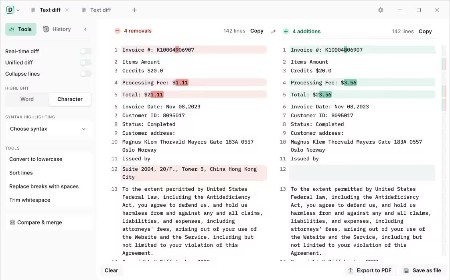
Instantly compare any text files, whether it's code, legal documents, or your favorite sourdough recipes. Check differences by word or character and make real-time edits

Compare photos, images and graphics
Slide to compare images pixel by pixel or seamlessly fade and overlay two pictures for a clear result

Compare Word and PDF documents
Use our AI software to extract and compare content from two PDFs, or merge files to highlight graphic differences

Compare spreadsheets
Scan through each cell like an X-ray or display files side by side for a detailed overview of your data

Compare folders
Check folder contents and document details to organize your files or see what's missing

Do more with Diffchecker Desktop
Your all-in-one comparison powerhouse, with over 30+ features for a faster, easier workflow.

Character-by-character comparison
When every detail matters, check your code, contracts or invoices down to each individual character

Syntax highlighting
Pick from more than 20+ languages, including Javascript, Markdown, Python, R, and C++

High-speed performance
Compare a thousand lines of code or even the most complex PDFs in no time

Export in multiple formats
Download files in the Diffchecker format or export them as a PDF in one click

No ads
Eliminate distractions so you can focus on what really matters - your work

Whats New
Updates: official site does not provide any info about changes in this version

HomePage:
Код:
https://www.diffchecker.com/desktop/

-:DOWNLOAD FROM LINKS:-​
RapidGator
Код:
https://rapidgator.net/file/d01fe06a33db752209014b849e43bc9b/
 

2e5adebe14f27ce1a44f7714bda4761b.jpg


Imaginando VS v2.1.0 | File size: 1.1 GB

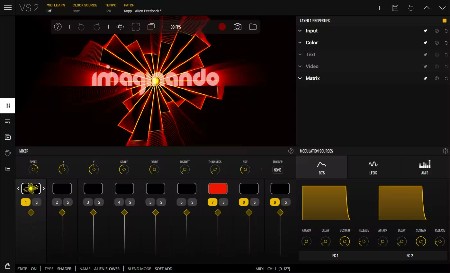
Easily create visuals that react to MIDI and audio. Creating audio-reactive visuals has traditionally been a complex and intimidating process, often requiring deep technical knowledge and navigating software designed with steep learning curves. For many musicians and creators, this complexity becomes a barrier to exploring the visual side of performance.

VS - Visual Synthesizer offers a refreshing solution by making the creation of music-driven visuals accessible, intuitive, and creatively inspiring. Its compact yet powerful feature set is purposefully designed with a musician's mindset, adopting familiar concepts from audio workflows to ease the transition into the visual realm. By streamlining how MIDI and audio triggers are assigned to control visual parameters and movement, VS removes the technical friction, empowering users to focus on creativity and expression rather than setup and configuration.

Features
8 Polyphonic visual layers with blend modes
4 voices per layer
Multiple layer sources: shaders, audio visualizers, image, video, and text
Real-time input sources: camera, Syphon / Spout, and render output feedback
1 background layer with a solid color or image / video
Factory content amounting to 57 shaders, 63 presets and over 100 images and videos
Multiple expansions with new shaders, videos, images and presets in a variety of styles
Built-in shader editor for creating your own materials
4 multi-shape LFOs with sync and MIDI trigger options
2 MIDI-triggered envelope generators
4 audio-triggered modulators with peak and frequency band modes
Modulation Matrix per layer
Built-in video recorder
Preset Playlist with duration and transition time settings
Audio & MIDI player for loading your music
Midi Mapping Manager
Media Manager
Up to 60 FPS, 4k output with horizontal and vertical portrait rendering
Syphon / Spout and NDI output

Whats New
# Added
- Setting to introduce latency
- Setting to start / stop Playlist with DAW transport
- Support for multiple playlists
- Support for color manipulation on image / video / render output materials
- Support for Native MIDI controllers support
- Support to iPad OS with AUv3
- Note list filter for layer MIDI input filtering
- Option to tap tempo through MIDI
- Ability to copy and paste of layers between presets
- Ability to choose a folder of images instead of a single image

# Fixed
- Undo of matrix value changes not working
- Color properties panel reset not working
- Code editor selected text color
- Fix sidechain input (AU)
- When background layer doesn't have any material alpha not working
- Background layer solo not working
- Start and end parameters of video layers aren't being modulated by the matrix
- Not possible to persist NONE audio device settings.

HomePage:
Код:
https://www.imaginando.pt/products/vs-visual-synthesizer

-:DOWNLOAD FROM LINKS:-​
RapidGator
Код:
https://rapidgator.net/file/964573774c302627c873e33a80cc1100/
 

29eedd7daabf0c925aba20030c4dc8c6.png


Database Tour Pro 11.6.3.1246 Multilingual | File size: 28.7 MB

Database Tour Pro is a comprehensive software application that enables you to organize all your connected databases. It offers support for Borland Database Engine (BDE) and Microsoft ActiveX Data Objects (ADO), SQL scripts, reports, along with data conversion and exporting, among others.

Outdated, yet clear-cut interface
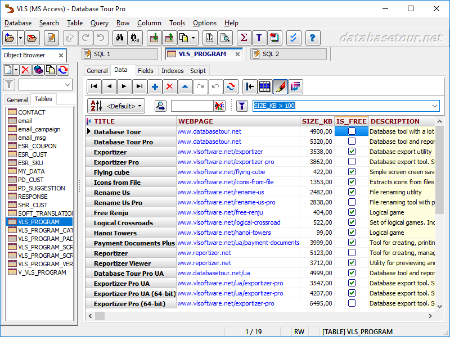
Wrapped up in a large window with a well-structured layout, the interface seems outdated. It contains an object browser for functions, packages, triggers, directories, users, roles, profiles, sequences, jobs, types, Java, exceptions, database links, general properties, tables, schemas, and procedures.

Manage tables and queries
Tables can be created, deleted, emptied, duplicated, renamed or packed. You can allow table editing, view deleted records, set a table password, change the language driver, add, remove, rename and resize fields, add, delete or regenerate indexes, check out the table family, as well as verify referential integrity.

When it comes to queries, Database Tour Pro lets you save, load and print SQL scripts or history, and explore a wide range of predefined query templates which can be seamlessly inserted into the project, like select, update, insert and delete, add or drop field, and create view or create table.

Encrypt databases and build reports
It's possible to isolate, start, commit and roll back transactions, review the database history, clear the password list, resort to a search-and-replace function, as well as locate objects and fields.

The software utility puts a bunch of useful tools at your disposal, including arithmetic functions, batch operations with text fields, a report builder and previewer, printer for table data, data importer and exporter, file encryption and decryption, in addition to a command-line generator.

Features
Accessing different types of databases.
Creating tables.
Viewing data.
Editing data.
Several ways to print data.
Built-in report engine, which allows to produce the reports automatically or by using a visual report designer with templates, expressions, preview etc.
Expression builder for report expressions.
Building and executing SQL queries.
Support for execution of multi statement SQL scripts.
Syntax highlighting in SQL editor.
Support for parameterized SQL queries.
Enhanced database grids, which allow to view and manipulate the data in the most convenient way, including sorting by clicking column header, changing row heights, resizing columns etc.
Creating, deleting, modifying BDE aliases.
Command line support for executing queries, opening tables, export-import operations, loading reports etc. with logging the performed operations.
Searching and replacing text in database with ability to choose fields, record range etc.
Importing data to table from another table or a query.
Exporting data from open table or query to large number of file formats like text, CSV, HTML, XLS, XML, RTF, DBF or to any of supported database formats.
Copying data to clipboard.
Calculating numeric fields (sum, avg, min, max, count).
Viewing and editing Blob data, such as MEMO, graphic, RTF.
Tools for editing text fields (trimming, changing case of symbols, replacing text).
Sorting (logical and physical) data.
Filtering data according to user's criteria.
Viewing table and database structure with ability to print, copy, sort it.
Reindexing tables.
Customized data view (font, background).
Conditional formatting data in database grids and reports.
Ability to control transactions manually.
Storing database and SQL history.

Whats New
Код:
https://www.databasetour.net/history.html

HomePage:
Код:
https://www.databasetour.net

-:DOWNLOAD FROM LINKS:-​
RapidGator
Код:
https://rapidgator.net/file/01277850be67c62f7072a45fbd8f296f/
 
Назад
Сверху Снизу