Latest Software Collection (Updated Daily)


e1a26be9f47337e86e854e1e7361aefd.jpg


JRiver Media Center 35.0.47 (x64) Multilingual | File size: 40.5 MB

JRiver Media Center - all-in-one media management app turns any Windows PC into an entertainment hub for complete control of your digital media: Audio, Video, Images, and Television. It connects PC to stereo, TV, remote control devices, digital cameras, scanners, and portable MP3 players. It plays all media, rips, burns, and organizes all your music, images, and video. MC encodes and plays all popular media formats. Powerful utilities include Media Server for streaming music and images to remote PCs. Media Center is more than a world class player. It's also a Media Network, a whole house music, movie, TV, and photo solution. The leader in audiophile quality sound. The most powerful media database available; an essential tool for large collections.

Features
Audio
* Native support of DirectShow DSP filters
* Audiophile - WASAPI exclusive output using high-end USB DACs
* Audiophile - Added ability to play files from memory instead of disk
* Audiophile - Support for high end USB DAC's with WASAPI
* Headphone DSP makes listening more natural and comfortable.
* SoundcardSwitch command for the launcher, allows soundcard selection
* 3D album view adjusts text size to display more tracks when necessary
* 3D album view allows playing, adding, shuffling, and adding as next to play

Images
* Image Preview allows zoom from a thumbnail to rotate, delete, compare, edit, and more
* Image thumbnail frames (optional)
* Photoshop PSD file support
* Single command copy / send to an editor like Photoshop, and stack new image with original

Video
* Video tagging using sidecar files
* Chapter Support for MKV and MP4
* Chapters added to On Screen Display
* Info Panel displays metadata

Television
* Added new "watched" column to metadata
* EPG can automatically retrieve XMLTV data
* Automatic correlation of XML channel names and MC channel names
* Info Panel displays metadata, including TV program art
* TV program art from YADB

Theater View
* Watch Hulu and YouTube from Theater View
* Customizable nested views in Theater View
* Customizable File Info panel to display metadata
* Speed and quality enhancements
* Custom backgrounds
* Touch screen support
* On screen clock

Remotes and Servers
* Wiki articles: Remotes and Servers
* Remote Relay using IR transceivers for controlling a set top box or receiver
* Remote Setup Wizard
* Media Center Remote learning and blasting
* Media Center can connect to another Media Center to act as a remote (TRemote)
* New HID remote control plug-in - supports shortcuts with keyboard, mouse, & gamepad
* Remote control with REST based Web Service Interface in Library Server
* Library Server supports read and write to allow for shared, multi-user database access
* DLNA added to the UPnP Server
* Library Server clients can write changes back to server
* Library Server connections allow playback on server as Playing Now zones

Whats New
Код:
https://yabb.jriver.com/interact/index.php/board,90.0.html

HomePage:
Код:
https://www.jriver.com/

-:DOWNLOAD FROM LINKS:-​
RapidGator
Код:
https://rapidgator.net/file/c5a5b2849b8cf9d624dd28d7d5f8611c/

NitroFlare
Код:
https://nitroflare.com/view/FFB1C95574F3A29/


 

7519b27a5de65cb3560ee5d620ffafd5.jpg


MSC CoSim 2025.1 (Window64) | File Size: 355.9 MB

MSC CoSim is specially designed to ensure joint work (co-simulation) of various solvers in a single multidisciplinary working environment.

MSC CoSim is designed to organize the process of interaction between the Adams (MBD - multimass dynamics), Marc (FEA - finite element analysis) and scFLOW (CFD - computational fluid dynamics) systems.

This interaction allows us to solve a wide range of problems, including, for example, such problems as: detailed coupled analysis of the aerodynamic characteristics of a wing with flap extension using Adams and scFLOW; analysis of the interaction of fluid and a propeller taking into account the free surface and cavitation using MSC Nastran and scFLOW; evaluation of the dynamic response of the suspension when a vehicle is moving through a water obstacle using Adams and scFLOW; analysis of the aeroacoustic properties of a vehicle exhaust system and muffler using Actran and scFLOW; analysis of the dynamic effect of fluid on the walls of a moving tank (sloshing) using Adams and scFLOW; coupled modeling of shock waves of a vibrating plate in supersonic flow in MSC Nastran and scFLOW; calculation of thermomechanical stresses in the scSTREAM system when estimating mechanical stresses in soldered joints of electronic
components.

What's New
official site does not provide any info about changes in this version.

HomePage:
Код:
https://hexagon.com/

-:DOWNLOAD FROM LINKS:-​
RapidGator
Код:
https://rapidgator.net/file/132fc9f17b5f56b1b5ca388a823fd7cb/

NitroFlare
Код:
https://nitroflare.com/view/2233391B7F145A9/
 

1bc5391fd6c889eef215200dc80f544f.jpg


Sampleson Things v1.2.1 | File Size: 26.3 MB

THINGS allows you to create hi-quality synth sounds even if you have zero experience in synthesis. We've implemented what we called "Descriptors", which are objects and ideas that will help you understand the effect of a knob and the kind of sound it will produce.

QUICK CINEMATIC EXPERIMENT
We did a quick sketching using only THINGS plugin and Reaper DAW. You can download the project here.

FEATURES
* 4 to 32 steps selector
* Octave range switch
* Note Shift automation
* Note Velocity automation
* Note Length automation
* Arpeggio direction (4 modes)
* Shuffle amount knob
* Ignore key-down option
* Sync to host and manual tempo

DESCRIPTORS LIST AND PARAMETERS
All the parameters can be assigned to a CC contoller (right-click over the desired slider/knob) and automatable via DAW.

Component name: RUBBER BANDS. Real-time parameters: Gum amount, Time, Gain and Character (main knob). Automatable parameters: Real-time parameters: Gum amount, Time, Gain and Character.

Component name: ARCADE. Real-time parameters: Softness, Time, Gain and Color (main knob). Automatable parameters: Softness, Time, Gain and Color.

Component name: CRYSTAL. Real-time parameters: Delay, Worm, Gain and Color (main knob). Automatable parameters: Delay (on/off), Worm (on/off), Gain and Color.

Component name: CLOUDS. Real-time parameters: Softness, Time, Gain and Color (main knob). Automatable parameters: Softness, Time, Gain and Color.

Component name: ALIEN TALK. Real-time parameters: Number of Aliens, Anger, Gain and Speech speed (main knob). Automatable parameters: # of Aliens, Anger, Gain and Speech speed.

Component name: AIR. Real-time parameters: Attack, Release, Gain and Speed (main knob). Automatable parameters: Attack, Release, Gain and Speed.

Component name: HORROR. Real-time parameters: Gain, Attack, Evolve and Evilness (main knob). Automatable parameters: Gain, Attack, Evolve and Evilness.

What's New
official site does not provide any info about changes in this version.

HomePage:
Код:
https://sampleson.com/

-:DOWNLOAD FROM LINKS:-​
RapidGator
Код:
https://rapidgator.net/file/1c52ee7f0cef272225e113a79ee79b53/

NitroFlare
Код:
https://nitroflare.com/view/BFFC06DF9B859E7/
 

f2cdf7bcc0695c8cfc99a0733cf30822.jpg


Inno Setup Compiler 6.7.1 | File Size : 10 Mb

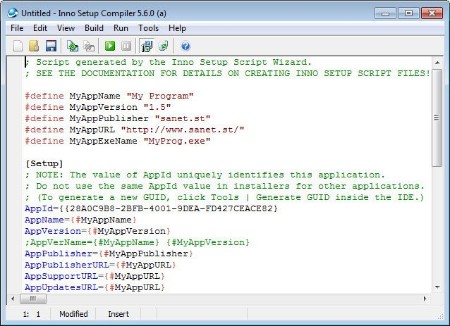
Inno Setup Compiler is a software solution that allows you to create professional Windows installers. Although it all sounds terribly complicated, it's not, thanks to the way this application works. The whole installer generating process can be carried out using a simple wizard, so Inno Setup Compiler will assist you all the time. You are first prompted to choose the application name and version, as well as the publisher and the application website. Just fill in the information and press Next.

Afterwards, you have to choose the application destination base folder which can be either Program Files or any other custom folder you wish to choose. Again, you must write down the folder name and choose whether to give the user the permission to change the application folder or not.
Next you're required to provide the path to your app's main executable file and create a list with all the other files. The next steps come with a few other settings to customize the installer, such as the option to create a desktop or a Quick Launch icon, as well as with the language selection.
And that's basically it. Sure, it will take some time before you will be ready to build your own installer, but if you pay close attention to every single step, everything should go pretty smoothly.
All in all, Inno Setup Compiler is one of the best setup builders out there. Creating scripts using the wizard is a task so simple that it can be carried out by less experienced users while more advanced features await the power users.

Key features
Support for every Windows release since 2000, including: Windows 10, Windows 8.1, Windows 8, Windows Server 2012, Windows 7, Windows Server 2008 R2, Windows Vista, Windows Server 2008, Windows XP, Windows Server 2003, and Windows 2000. (No service packs are required.)
Extensive support for installation of 64-bit applications on the 64-bit editions of Windows. Both the x64 and Itanium architectures are supported. (On the Itanium architecture, Service Pack 1 or later is required on Windows Server 2003 to install in 64-bit mode.)
Supports creation of a single EXE to install your program for easy online distribution. Disk spanning is also supported.
Standard Windows wizard interface.
Customizable setup types, e.g. Full, Minimal, Custom.
Complete uninstall capabilities.
Installation of files
Includes integrated support for "deflate", bzip2, and 7-Zip LZMA/LZMA2 file compression. The installer has the ability to compare file version info, replace in-use files, use shared file counting, register DLL/OCX's and type libraries, and install fonts.
Creation of shortcuts anywhere, including in the Start Menu and on the desktop.
Creation of registry and .INI entries.
Running other programs before, during or after install.
Support for multilingual installs, including right-to-left language support.
Support for passworded and encrypted installs.
Support for digitally signed installs and uninstalls, including dual signing (SHA1 & SHA256).
Silent install and uninstall.
Unicode installs.
Integrated preprocessor option for advanced compile-time customization.
Integrated Pascal scripting engine option for advanced run-time install and uninstall customization.
Full source code is available (Borland Delphi 2.0-5.0 and 2009).

HomePage:
Код:
https://www.jrsoftware.org/isinfo.php

-:DOWNLOAD FROM LINKS:-​
RapidGator
Код:
https://rapidgator.net/file/9832894f8b265032aef3cffd0cf93936/

NitroFlare
Код:
https://nitroflare.com/view/1CB9299D14B820F/
 

8693623eca1904cd8c449917c653ef5c.jpg


Futuremark SystemInfo 5.91.1460 | File size: 3.0 MB

SystemInfo is a component used in many of our benchmarks to identify the hardware in your system. It does not collect any personally identifiable information. SystemInfo updates do not affect benchmark scores but you may need the latest version in order to obtain a valid score.

Monitor your system and find hardware IDs
Futuremark SystemInfo can scan your computer and collect information regarding a series of services, processes and hardware performance.
The tool can easily export the result of the scan to an XML file in which you can view the current values for the system version, user, files, storage, memory and motherboard. You can also view several statistics and information on WMI, Setup APIs, power supplies, DirectX, CPU cores, plus single or multi-threaded activities.

System information and activity logs
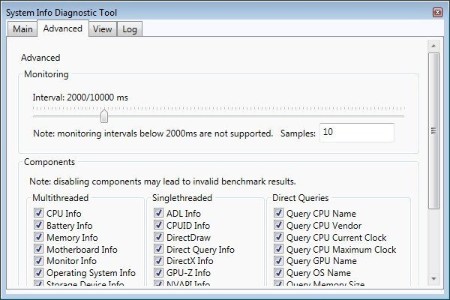
Once installed, Futuremark SystemInfo creates several components that you can use with various benchmarks. The System Diagnostic tool allows you to collect system data, monitoring information of direct queries.

Advanced searching tools
The Advanced tab in Futuremark SystemInfo allows you to filter the categories that you wish to investigate. Thus, you can select any of the parameters in single and multi-threaded activities, which are ADL info, DirectX, CPUID, NVAPI info, respectively CPU, battery, motherboard, monitor, OS or storage data.

Moreover, you can run direct queries on the CPU name, vendor, integrated clock, GPU name, if available, as well as details on each of the CPU cores. You can run standard diagnosis searches or find bottlenecks.

Whats New
Код:
https://benchmarks.ul.com/systeminfo?redirected=true

HomePage:
Код:
https://benchmarks.ul.com/

-:DOWNLOAD FROM LINKS:-​
RapidGator
Код:
https://rapidgator.net/file/1da37a3b1a1a067a220b3ac933b1cb69/

NitroFlare
Код:
https://nitroflare.com/view/D68259589CB3C75/
 

8c170bb878f1f4d9a04de4937079163e.png


FanControl v260 | File Size : 12.2 Mb

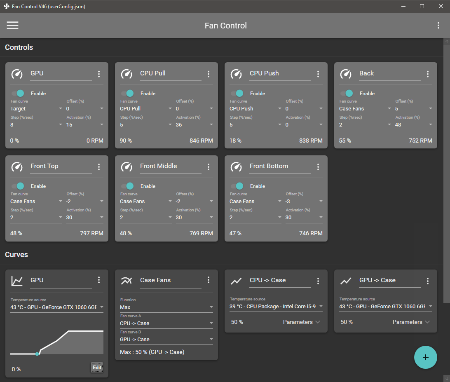
Keep every aspect of your computer's GPU and CPU fans in check with the help of this highly-customizable fan control application.

Features
Save, edit and load multiple profiles
Multiple temperature sources ( CPU, GPU, motherboard, hard drives, ".sensor" file )
Custom fan curves
Fine tune the fan control response with steps, activation %, response time and hysteresis
Mix different curves and sensors together
Modern, dashboard-style UI
Works as a background application with a customizable tray icon
Create custom external temperature sensors with *.sensor files.
And more!

HomePage:
Код:
https://github.com/Rem0o/FanControl.Releases

-:DOWNLOAD FROM LINKS:-​
RapidGator
Код:
https://rapidgator.net/file/b3a44350df51a89645d33cfa5a0733dc/

NitroFlare
Код:
https://nitroflare.com/view/10C6C97E68EC083/
 

6920891c0d88671bfa1d658a0e323f5a.jpg


Bitwig Studio 6.0 Beta 13 | File Size: 322.9 MB

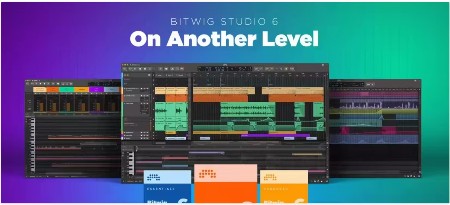
Bitwig Studio 6 takes a big step up, improving and expanding on the core DAW functions that you use every day. This major update brings you fresh and faster ways to work that will feel familiar. You'll notice the difference right away: Bitwig Studio's looks have been improved, and the visual interface is now easier to adjust to your needs. There are also countless changes under the hood, large and small.

It starts with an extensive upgrade to automation editing, which touches everything from smoother editing gestures to new behaviors such as spread and hold. You can also now work with automation in clips, opening up new possibilities that make intuitive sense.

Clip aliases offer a new way to handle repetition and structure in your music, while project-wide key signature helps guide your work with notes. New and improved tools, such as the Spray Can and Audition tool, join enhanced expression editing - for the fine details - and layered editing, for big picture work. All of these changes add up to a big improvement in the way you use Bitwig Studio 6 for fundamental music-making tasks.

What's New
official site does not provide any info about changes in this version.

HomePage:
Код:
https://www.bitwig.com/

-:DOWNLOAD FROM LINKS:-​
RapidGator
Код:
https://rapidgator.net/file/f3d3183aa7c237a36b0613248f22e7d6/

NitroFlare
Код:
https://nitroflare.com/view/A69E7B638CA38C8/
 

0fd11b22fc46fa973e6fc62f3f8e3445.jpg


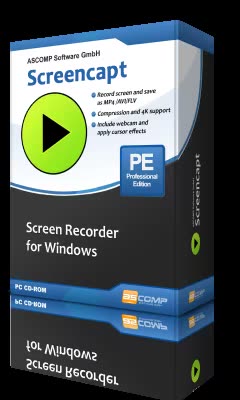
Screencapt Professional 3.002 Multilingual | File size: 16.2 MB

Discover Screencapt, the powerful Windows software for screen recording that allows you to accurately and easily record any activity on your screen. Whether you want to create a tutorial, record a webinar, or simply capture your favorite games, Screencapt provides you with all the tools you need.

With Screencapt, you can record the entire screen, a selected area, or a specific window. This flexibility makes Screencapt the perfect screen recorder for any type of application. Thanks to the integrated audio recording, you can additionally integrate your commentary or system sounds directly into the screen recording, which is especially helpful when creating explanatory videos or presentations.

A special highlight of Screencapt is the ability to include a webcam window in the recording. This way, you can show your reactions and comments live in the video, making your screen recordings even more personal and professional.

Screencapt also offers advanced options for recording the cursor. You can hide the cursor if needed or add special cursor effects to highlight certain actions. This is particularly useful for software demonstrations and tutorials where a clear view of the cursor is essential.

The software uses the H.264 codec to ensure high compression while maintaining excellent image quality. You can choose between different compression levels to achieve the best ratio of file size and image quality. Output formats available are MP4, AVI, and FLV, allowing you to save your recordings in the format that suits you best.

With a maximum frame rate of 120 FPS (frames per second), Screencapt ensures that your screen recordings are smooth and detailed. This high FPS rate is particularly suitable for recording fast-paced game scenes or action-packed applications.

In summary, Screencapt offers all the features you expect from a modern screen recorder. Whether you create screen videos for professional or personal purposes, Screencapt is the ideal solution for your screen capturing needs. Get Screencapt and experience the simplest and most efficient way to record your screen.

Whats New
Код:
https://www.screencapt.org/changelog_en.txt

HomePage:
Код:
https://www.screencapt.org/

-:DOWNLOAD FROM LINKS:-​
RapidGator
Код:
https://rapidgator.net/file/0fe7f3ef431876ce4e5226a2e70ddbd3/

NitroFlare
Код:
https://nitroflare.com/view/AF35D082CF6C983/
 

25b34f787aff3d37d977a5ea18b44147.jpg


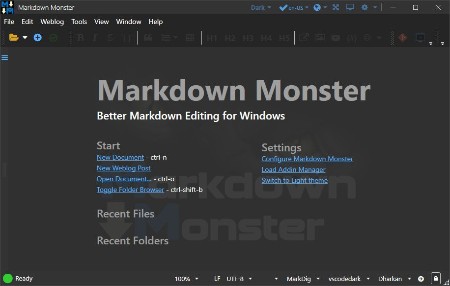
Markdown Monster 4.1.5.2 | File size: 19.5 MB

Markdown Monster is a Markdown editor and viewer that lets you edit Markdown with syntax highlighting and fast text entry. A collapsible, synced, live preview lets you see your output as you type or scroll. Easily embed images, links, emojis and code using Markdown text or use our gentle UI helpers that simplify many operations with a couple of keystrokes. Paste images from the clipboard or drag and drop from Explorer or our built-in folder browser. Inline spell-checking and word counts keep your content streamlined unobtrusively.

You can export your Markdown to HTML or PDF by saving to disk or by copying Markdown selections as HTML directly to the clipboard. The HTML preview can display syntax colored code snippets for most common coding languages, and can easily be customized with HTML and CSS template to match your own sites. You can choose from a light and dark app theme, and choose individual editor and preview themes that are fully customizable. You can even use Vim or EMacs type conventions. Other convenience features let you browse for and select files in the built-in folder browser, use the document outline to jump through sections in your Markdown, or shell out to Explorer, Terminal or your favorite Git client. It's all about convenience - everything is at your finger tips, but it's out of your way until you need it.

Markdown Editing and Weblog Publishing for Windows
Syntax colored Markdown
Live HTML preview
Inline spell checking
Embed images, links and emoji
Paste images from Clipboard
Capture & embed screen shots
Save to Html and PDF
Weblog publishing and editing
HTML to Markdown conversion
Editor and preview themes
Git Integration
Document Outline
Template text expansion
.NET scripting & addins

Whats New
Код:
https://github.com/RickStrahl/MarkdownMonster/blob/main/Changelog.md

HomePage:
Код:
https://markdownmonster.west-wind.com/

-:DOWNLOAD FROM LINKS:-​
RapidGator
Код:
https://rapidgator.net/file/0a28477e7ea0e86497fb1646b7d20b9e/

NitroFlare
Код:
https://nitroflare.com/view/E5B958B7B44E96D/
 

05b1192e746432e07d53e4d11b4511ca.jpg


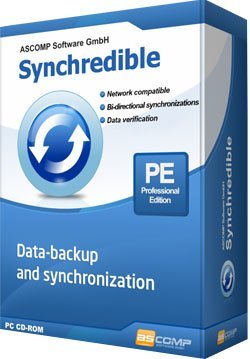
Synchredible Professional 9.113 Multilingual | File size: 16.1 MB

Synchredible: Synchronize, copy and back up your data. Individual folders or entire drives: Synchredible synchronizes, copies and backs up - with just one mouse click! A well-thought-out wizard helps you to define jobs that can be executed on request on a time-controlled basis, in the event of changes (real-time monitoring) or when connecting an external drive. This is how you keep your data in sync - fully automatically!

Our technology, which has been tried and tested for many years, not only makes it possible to copy from A to B - Synchredible also performs two-sided synchronizations. It automatically detects changes and synchronizes the last edited file safely and reliably! Thanks to the sophisticated technology for recognizing identical files, Synchredible saves valuable time; unchanged files can be skipped on request and thus also extensive data sets can be compared within a few seconds!

Synchredible can be used for local synchronization, but also for synchronizing folders in networks and on USB devices. Whether for data synchronization or data backup - Synchredible brings your data reliably to the desired location!

Whats New
Код:
https://www.ascompsoftware.com/en/products/synchredible/tab/history

HomePage:
Код:
https://www.ascompsoftware.com/

-:DOWNLOAD FROM LINKS:-​
RapidGator
Код:
https://rapidgator.net/file/506396972dbb05c3b2ab6c39a6fbd99d/

NitroFlare
Код:
https://nitroflare.com/view/B2F82956C22B84A/
 

ce306f42a27aae5161bf878f65ea667b.png


VMware InstallBuilder Enterprise 26.2 | File size: 237.3 MB

VMware InstallBuilder is a development tool for building cross-platform installers for desktop and server software. With InstallBuilder, you can quickly create dynamic, professional installers from a single project file and build environment. In addition to installers, InstallBuilder will generate RPM and Debian packages and multiplatform CDs/DVDs. Automatic update functionality makes it easy to deliver updates directly to users once they have your software installed.

Powerful UI for Installer Development
Develop installers using the intuitive GUI or by editing XML-based installer project files.
Built-in actions automate adding commonly required functionality to installers.
Make platform-specific customizations while maintaining one project file for all platforms.

Installers for Any Desktop or Server Environment
Create installers for Linux, Windows, Mac OS X, Solaris, HP-UX, AIX, IRIX, FreeBSD and more.
Generate RPMs, Debian packages and multi-platform DVDs or CD-ROMs.
Installers run in GUI, text and unattended modes.

Developer-Friendly
Included debugger allows you test installers as you develop and pinpoint areas to troubleshoot.
Command line interface allows for integration with build and test systems.
"Human friendly" XML-based project files support source control integration and customizing installers using external scripts

Dynamic Parameter Support
Enhanced parameter support makes it possible to create dynamic pages that will be automatically reconfigured based on user's input. This allows you to create a more customized and streamlined installation experience for users.

Enhanced Component Functionality
InstallBuilder provides support for downloadable components and component groups, including support for subcomponents. Downloadable components will be downloaded at runtime only if the user chooses to install them, reducing the size of installer downloads. The InstallBuilder component system allows you to group individual components and build feature sets that will be displayed in a tree structure ("subcomponents".) It also allows users to add and remove specific components from existing installations.

Expanded Documentation
Over 350 pages of documentation are now available for InstallBuilder. The documentation not only explains every feature of InstallBuilder, but also provides sample code for a wide variety of installer functions, such as bundling a Java runtime, detecting pre-requisites on the system, offering basic and advanced installation modes and more.

Whats New
Код:
https://installbuilder.com/changelog.html

HomePage:
Код:
https://installbuilder.com/

-:DOWNLOAD FROM LINKS:-​
RapidGator
Код:
https://rapidgator.net/file/cf2d167f28e363c288a1bd68b9cb75f2/

NitroFlare
Код:
https://nitroflare.com/view/4AEEB54FEC6F723/
 

6c9e8d41aeb8d322fc559ab370e29f29.jpg


WordWeb Pro 10.60 | Languages: English File Size: 1 GB (In Total)

WordWeb Pro can look up words in virtually any program with just one click: just hold down the Ctrl key and right-click on the word. If you are online, with one extra click you can also search web references, for example Wikipedia. The hotkey can be customized, or you can use a keyboard shortcut if you prefer. If you are editing a document you can select a synonym and replace the look-up word. WordWeb has the option to highlight widely used synonyms, great for helping you write clear easy-to-understand English. Look up using Ctrl+Right click on a word in almost any program.

Exploring senses
If you are looking for a particular part of speech you can click on the Noun, Verb, Adjective or Adverb buttons to show only the relevant synonyms and related words. To look at a particular sense you can click on the sense number. Browsing around related words is simple: click on the tabs for synonyms, antonyms, parts, part of, types, type of, similar, see also, and anagrams. To see the definition for one of the related words double-click on the word. You can also use the back and forward buttons. Related words also have "+" and "-" buttons to be more or less specific. For example if you look at the similar words, maybe you'd like to see words that are more loosely similar: you can do this by pressing the "+" button, and go back again by pressing the "-" button.

Web references
In addition to using the comprehensive English dictionary and thesaurus supplied, if you are online you can also search your choice of web references. Each reference is on a separate tabbed page for easy cross-referencing. The list of tabs can be customized to use your favorite references. Wikipedia and some online dictionaries are installed by default.

Extra dictionaries
You can also get optional third-party dictionaries, including the Oxford, Chambers and Collins dictionaries, shown on separate tabs like the web references.

Use custom glossaries
You can add your own technical glossaries (or list of company acronyms, etc) using the option on the "Glossaries" menu.

Find words
Using the "Find Word" feature you can quickly find words matching a pattern. You can also search a wide range of optional extra word lists using the Find Word window. The screenshot shows what you'd get if you did a punctuation sensitive search in the optional "Compounds and Phrases" word list for phrases ending in "word".

Full-text definition search
Use the "full text" button to search for text appearing in any definition. For example search for "female fox" and it will find the definition of "vixen". The screenshot shows another example.

Anagrams
Enter a word and you can find all straight and multiple word anagrams. You can also find partial anagrams. How many words can you make using the letters in "constitutional"? WordWeb Pro's answer: 726!

Add definitions
Select "New Definition" from the "Edit" menu to add a new word (or set of words) with definition. You can also import and export to common spreadsheet-format files.

Learn vocabulary
Use the bookmark feature to remember useful words. There's a feature to randomly look one up as a way of helping you remember vocabulary. WordWeb also builds a list words you've looked up, so you can go back and check you remember definitions. You can also export the list to a text editor, delete items, or delete the entire history list.

Replace, copy and paste
If you are looking up a word from a document you are editing, you can select any word and press the "Replace" button to substitute a synonym. You can also copy to the clipboard parts of definitions, all of the definitions, the selected related word, or all of the listed related words (or anagrams/words matching a pattern).

Proper Nouns
Includes many names of places and people, with a concise definitions and related words.

Other Features
- One-click look up from almost any program, including MS Word
- Tab pages to quickly check web references
- Add optional third-party dictionaries in separate tabs
- 70 000 audio pronunciations
- Clear text pronunciations with syllables
- Bookmark words
- Highlights commonly used widely-understood words
- Links between sounds-like and often-confused words
- Find words matching a pattern
- Add definitions to the database
- Solve and find anagrams
- Copy results to the clipboard
- Search for words in a large number of optional extra word lists
- Add your own custom glossaries
- Import and export custom definitions and glossaries
- Configure for American, British, Canadian, Australian or Asian English
- Option to hide (default) or flag vulgar and offensive related words
- Reverse definition (full text) search

The extensive up-to-date dictionary database features
- Definitions and synonyms, including many compounds and proper nouns
- Word relations: find antonyms, parts or types, less specific words, etc.
- Over 130 000 synonym sets and 165 000 root words
- Search 290 000 words, compounds and derived forms
- 70 000 pronunciations, with pop-up hint pronunciation key
- 70 000 usage examples
- View alphabetically nearest words, suggestions for many misspellings

System Requirements
- You do not need to be online to use WordWeb
- You just need a computer running Windows 7, 8, 10 or 11 (desktop)

Incl. WordWeb Pro Sound and Ultimate Reference Bundle

HomePage:
Код:
https://wordweb.info

-:DOWNLOAD FROM LINKS:-​
RapidGator
Код:
https://rapidgator.net/file/d5902c36a96d7af6945ba6b11104a643/
https://rapidgator.net/file/38d5431e53907e6a089b05b6d49ebdc9/
https://rapidgator.net/file/391b150a993be98d21dbf58790a9a496/

NitroFlare
Код:
https://nitroflare.com/view/C37113C6D4E3E1E/
https://nitroflare.com/view/55FF7A2B5EE38F6/
https://nitroflare.com/view/82C6605FB0EA03E/
 

6025482490b6ffa3e9fc93b280bcf521.jpg


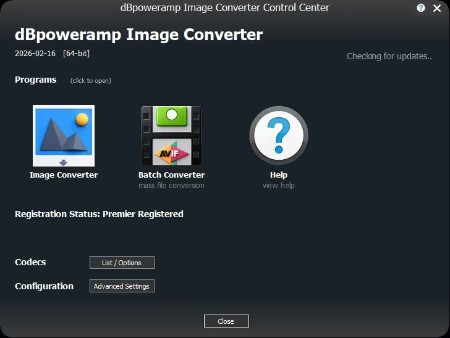
dBpoweramp Image Converter Premier 2026-02-16 (Win_macOS) | Languages: English File Size: 96.8 MB (In Total)

dBpoweramp Image Converter easy image conversion. dBpoweramp Image Converter takes away the hassle when converting images, conversions are quick and effortless. Image Converter is based upon the same technology as its sister product dBpoweramp Music Converter, trusted by over 45+ million users.

Image Converter
Convert between all main formats, Bitmap, PNG, JPEG, WEBP, TIFF to name a few.

Batch Convert
Large numbers of files and folders with 1 click, filter on png or other file types.

High Speed Conversions
Look for an image converter which encodes using all CPU cores simultaneously, get the job done in double quick time.

DSP Effects
Process images with effects, such as rescale, or sharpen dBpoweramp is a fully featured image converter.
No Malware Free converters come with a little extra (a spying toolbar, Trojan, malware, or virus), dBpoweramp has never bundled in 20 years, those wanting just an image converter, get just that and only that.

Simplicity
dBpoweramp integrates into Windows Explorer (or Apple Finder), that is as simple as right clicking on the image file >> Convert To. Popup info tips are provided giving details of the internals of your images.

System Requirements
- Windows 11, 10, 8.1, 7, Vista
- macOS 26 Tahoe, 15 Sequoia, 14 Sonoma, 13 Ventura, 12 Monterey, 11 Big Sur

HomePage:
Код:
https://www.dbpoweramp.com

-:DOWNLOAD FROM LINKS:-​
RapidGator
Код:
https://rapidgator.net/file/645a8795e2b3fc205ed4d2d7897f87bb/
https://rapidgator.net/file/220d02296fa1851b0e46811783ac7bc1/

NitroFlare
Код:
https://nitroflare.com/view/E65C95790E50922/
https://nitroflare.com/view/60B9051DDF33559/
 

0257e5bceee988e50469b30bcf7942b6.jpg


Elasticsearch Enterprise 9.3.0 | File size: 482.9 MB

Smoking fast, tasty recall: The first vector database with BBQ. World's most downloaded vector database now with 95% memory reduction, 30x less quantization time*, and ~0% loss recall.

The Elastic Search AI Platform
Get relevant results at unprecedented speed with open and flexible enterprise solutions. Accelerate business outcomes with the combination of powerful search and generative AI.

Generative AI
Explore AI search capabilities optimized for running RAG workloads with a fully integrated vector database.

Search
Build powerful AI and machine learning enabled search applications for your customers and employees.

Security
Modernize SecOps with AI-driven security analytics to detect, investigate, and respond before threats have a chance.

Observability
Accelerate problem resolution with open, flexible, and unified observability powered by advanced ML and analytics.

Whats New
Updates: official site does not provide any info about changes in this version

HomePage:
Код:
https://www.elastic.co/

-:DOWNLOAD FROM LINKS:-​
RapidGator
Код:
https://rapidgator.net/file/057013db6ad01e55b07809b87bbaf892/

NitroFlare
Код:
https://nitroflare.com/view/1B2E073A3B87ABE/
 

1d98d86f6b85ad821f46f5b4c3639a7d.jpg


UltraSearch Professional 4.9.0.1201 Multilingual | Windows x64 | File size: 40.57 MB

UltraSearch does not maintain an index which is stored on your harddisk, but achieves its speed by working directly on the Master File Table (MFT) of the NTFS partitions. UltraSearch even identifies NTFS hardlinks.

Search And Find Extremely Fast
The simple user interface provides fast and easy access, Windows integration and offers excellent performance for your file search.

Highly Customizable File Search
Use the efficient search syntax and optimize your search results by combining search attributes. The Query Composer will assist you.

System-wide search on all drives
Find files not only on local hard disks but also on your network drives, USB flash drives and SD cards.

What's new
Код:
https://www.jam-software.com/ultrasearch/changes.shtml

HomePage:
Код:
https://www.jam-software.com/

-:DOWNLOAD FROM LINKS:-​
RapidGator
Код:
https://rapidgator.net/file/a8369b916909a2acb55ee072fb380040/

NitroFlare
Код:
https://nitroflare.com/view/67DAF4C90F79355/
 

a26678e082409d6c0ac1d843a366b24b.jpg


Windows 11 Aio 16in1 25H2 Build 26200.7840 (No TPM Required) With Office 2024 Pro Plus Multilingual Preactivated February 2026 | Windows (x64) | Languages: Arabic,English,German,Greek,French,Spanish,Italian,Portuguese-Portuguese,Portuguese-Brazil,Turkish,Dutch,Czech,Norwegian | File Size: 10.3 GB

Windows 11, version 25H2 is an enablement update that builds on the features of 24H2 by enabling new, "continuous innovation" features, rather than introducing entirely new features itself. Key updates include a Braille Viewer for the Narrator, improvements to Click-to-Do (including a new "Convert to Table" feature), support for plug-in credential managers for passkeys, and enhancements to the mobile device companion experience. Microsoft is also implementing IT admin-focused features like the ability to remove pre-installed Store apps and a new Quick Machine Recovery system to reduce downtime.

For Users
Accessibility
The Narrator now includes a Braille Viewer, allowing users to see the braille equivalent of on-screen text on a refreshable braille display.
Passkeys
Users can now utilize plug-in credential managers for setting up and using passkeys, offering improved security and management.
Time & Language
Ported settings from the Control Panel to the Settings app, including configuring additional clocks and changing the NTP time server.
Mobile Experience
The mobile device companion has a new, more accessible layout to view calls, messages, photos, and more from your phone.
Click-to-Do
New AI features for Click-to-Do are included, such as a new "Convert to Table" capability for converting text to an Excel table and more flexible selection methods.
For IT Administrators
Quick Machine Recovery
This new feature in the recovery system aims to reduce downtime and simplifies the process for recovering a system, according to PCMag.
Removable Apps
IT admins can now remove certain pre-installed Microsoft Store apps via Group Policy or MDM CSP on Enterprise/EDU devices.
Feature Removals
25H2 removes older components like PowerShell 2.0 and WMIC for greater security and efficiency.

Edition includes
1. "Windows 11 Home"
2. "Windows 11 Home N"
3. "Windows 11 Pro"
4. "Windows 11 Pro N"
5. "Windows 11 Home Single Language"
6. "Windows 11 Enterprise"
7. "Windows 11 IoT Enterprise"
8. "Windows 11 IoT Enterprise Subscription"
9. "Windows 11 Enterprise multi-session"
10. "Windows 11 Education"
11. "Windows 11 Pro Education"
12. "Windows 11 Pro for Workstations"
13. "Windows 11 Enterprise N"
14. "Windows 11 Education N"
15. "Windows 11 Pro Education N"
16. "Windows 11 Pro N for Workstations"

Whats New
Update windows to 25H2 Build 26200.7840
Update Office to v2601 Build 19628.20204

System Requirements
Processor: 2 gigahertz (GHz) or faster.
RAM: 2 gigabyte (GB).
Free space on hard disk: 25 gigabytes (GB).
Graphics card: DirectX 9 graphics device or a newer version.
Additional requirements to use certain features.
To use touch you need a tablet or monitor that supports multitouch.
To access the Windows store to download and run apps, you need an active Internet connection and a screen resolution of at least 1024 x 768 pixels

HomePage:
Код:
https://microsoft.com

-:DOWNLOAD FROM LINKS:-​
RapidGator
Код:
https://rapidgator.net/file/c754f9816b868837f4dd0cafef566f8b/
https://rapidgator.net/file/aee18185b12db26a7ae241b5f813fbc1/
https://rapidgator.net/file/a6224c959e4459c4a66848de62328799/
https://rapidgator.net/file/9bb5f5eeed4b7164b191a59dcddf77eb/
https://rapidgator.net/file/b0065bbdaf331adb246136e77440713f/
https://rapidgator.net/file/b02b82dfc8d09477c773f7553909f40a/

NitroFlare
Код:
https://nitroflare.com/view/388497D132D2EDF/
https://nitroflare.com/view/02B768EA01851AF/
https://nitroflare.com/view/3EF2A3CADCDB338/
https://nitroflare.com/view/12FF551E6BDF0A0/
https://nitroflare.com/view/DF1F345C1C0D8CD/
https://nitroflare.com/view/EB60FD15EE45ECF/
 

854b62ee76eaaa73990d283faf49917e.jpg


xplorer2 Professional / Ultimate 6.3 Multilingual | File size: 15.4 MB

Xplorer is what windows explorer should have been. We've kept the best bits and threw away the inconsistencies and irritations, all in a small and nimble, easy to use package. At first glance everything looks familiar: the classic tree/view user interface, clean and clutter free, should get you started immediately. xplorer? will get you in all places you keep your digital wealth, including namespace extensions like FTP, zipfolders, webfolders etc. xplorer? browsing model scales up well to large folders with thousands of files. It reads fast, offers visual filters and a variety of selection mechanisms that allow you to manage your files effectively.

xplorer2 is a file and information manager that adheres to the philosophy "efficiency through simplicity". Without reinventing the wheel, it integrates the best features of Windows' shell architecture in a small, resource efficient package that's instantly familiar to work with. But look a little closer and you'll discover a whole new world under the surface that offers power, precision and flexibility, and will boost your everyday productivity no end! All the shell goodies from windows explorer - none of the hassle! Plus all the features you would expect from a powerful tabbed dual-pane file manager, including Omni-Finder, a find files module that simply outclasses all known search tools. Don't take our word for it, seeing is believing!

xplorer? is what windows explorer should have been. We've kept the best bits and threw away the inconsistencies and irritations, all in a small and nimble, easy to use package. At first glance everything looks familiar: the classic tree/view user interface, clean and clutter free, should get you started immediately. xplorer? will get you in all places you keep your digital wealth, including namespace extensions like FTP, zipfolders, webfolders (webDAV) etc.

But that's where the similarities end. Unlike explorer, xplorer? allows you to browse more than one folder at a time, using tabs and dual panes. Sorting out and copying files becomes a breeze. You can navigate your shell namespace quickly using favorites, clickable paths (breadcrumbs), easy access to root folders, a tree and a bookmark pane (drop box) etc. You can even save and restore folder groups whenever your workflow deems necessary. xplorer? browsing model scales up well to large folders with thousands of files. It reads fast, offers visual filters and a variety of selection mechanisms that allow you to manage your files effectively.

Main features
» Browsing the shell namespace
» Managing files and folders
» Scrap containers
» Examine and maintain your filesystem
» Search for files and folders
» Automation of DOS (and windows) commands
» User Interface customization

Whats New
Код:
https://www.zabkat.com/changes.txt

HomePage:
Код:
https://www.zabkat.com/

-:DOWNLOAD FROM LINKS:-​
RapidGator
Код:
https://rapidgator.net/file/0477018aa9e2a9d6c74d201cb2b5b8b0/

NitroFlare
Код:
https://nitroflare.com/view/BE0904365917A7E/
 

f8f6c6869398f56d40bbadf0b56bd07a.jpg


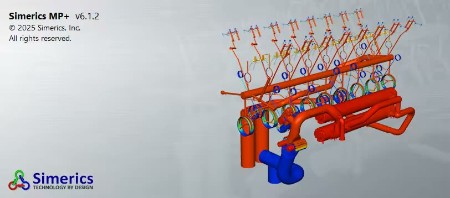
Simerics MP+ 6.1.2 (x64) | x64 | File Size: 1.31 GB

SIMERICS® is a 3-D Computational Fluid Dynamics (CFD) tool that provides accurate virtual testing for the analysis and performance prediction of fluid pumps, motors, compressors, turbines, valves, and complete fluid systems with rotating/sliding components. For liquid systems, PumpLinx's® proprietary Cavitation Module accurately models vapor, free gas and liquid compressibility to enable the analysis of performance, pressure ripple, and cavitation damage.

Key Advantages
simerics® is built on Simerics® MP's baseline technology to provide a transient 3-D simulation software uniquely suited for the analysis and design of pumps and other fluid devices with rotating or sliding components.

Accurate Results
simericsconsistently provides simulation predictions that are within 5% of physical hardware test results over the full operating range.

Superior Cavitation/Aeration Module
simericsrigorously and independently accounts for the formation, transport, and effects of non-condensable gases (e.g. air) and cavitation vapor, as opposed to using a lumped effective compressibility approach.

Fast Calculation Times
simericshas repeatedly been shown to be more than 10 times faster than other commercial codes, enabling more complex simulations, including full transient analysis when needed.

Robust Solver
simericsis able to converge extremely difficult problems, even those with detailed micro-scale features and/or severe cavitation. (Testimonial)

Ease of Use
Less than 30 minutes is typically required to create a model with the aid of templates, automated mesh generation and a single GUI for set-up, simulation, and post-processing.

Virtually Unlimited Support
simericscomes with extensive training and virtually unlimited support in helping set-up cases.

Whats New
Updates: official site does not provide any info about changes in this version.

System Requirements
OS:Windows 10/11
RAM:6GB
CPU:Intel i7 processor or equivalen
Disk Space:10GB Whats New
Код:
https://cresset-group.com/wp-content/uploads/2025/02/FlareV10.0_release_notes.pdf

HomePage:
Код:
N/A

-:DOWNLOAD FROM LINKS:-​
RapidGator
Код:
https://rapidgator.net/file/8badf920fb1ac08561d1e95914f85597/
https://rapidgator.net/file/dec40fe727336b59ef1e32939120f740/

NitroFlare
Код:
https://nitroflare.com/view/57A11AC22CBC5D0/
https://nitroflare.com/view/0EB4C56AB259351/
 

376c96e19022db2c5a49b7f1966727a5.jpg


Microsoft Office Professional Plus 2021-2024 VL v2601 Build 19628.20214 (x64) Multilingual | File size: 5.75 MB

Microsoft has officially announced the availability of the final version of its Office 2021/2024 release for Windows and Mac users. Following the release of the preview version in the first half of this year, the product has been refined and is now available to users. Office 2021/2024 includes updated versions of apps from the suite, Word, Excel, PowerPoint, Outlook, Access, and Publisher.

Office 2021/2024 includes virtually every change that has been added to the suite of programs in Office 365 over the past 3 years, although some features remain exclusive to subscribers. In addition to the main programs Word, Excel, PowerPoint, and Outlook, which are available for both Windows and macOS, the Access and Publisher versions are only available for Windows and are included, as usual, only in premiums. Visio and Project for Windows are also available, although they are not part of the ongoing release of Office.

Microsoft Office 2021-2024 includes
Microsoft Office 2021-2024 Professional Plus
Microsoft Access 2021-2024
Microsoft Excel 2021-2024
Microsoft Lync 2021-2024
Microsoft OneNote 2021-2024
Microsoft Outlook 2021-2024
Microsoft PowerPoint 2021-2024
Microsoft Publisher 2021-2024
Microsoft Visio Viewer 2021-2024
Microsoft Word 2021-2024
Microsoft Visio pro 2021-2024
Microsoft Project 2021-2024
Skype for business 2021-2024
OneDrive for Business 2021-2024
Office Shared Features
Profing Tools Only 2021-2024
And many more

HomePage:
Код:
https://microsoft.com/

-:DOWNLOAD FROM LINKS:-​
RapidGator
Код:
https://rapidgator.net/file/554371778f852c73f7ddbbd28447f808/
https://rapidgator.net/file/a581d063cccc70eb9a269ab174953a38/
https://rapidgator.net/file/62f952a66d18017c45bed4cc2cb09ecf/

NitroFlare
Код:
https://nitroflare.com/view/6EA0A82FC0C92DF/
https://nitroflare.com/view/1AFA883E11FEF14/
https://nitroflare.com/view/5CD59074E4B86EC/
 

a41b3bda2321773f743fdbcf96d3de70.jpg


MSC Easy5 2025.2 (x64) | File size: 479 MB

Easy5. Advanced Controls & Systems Simulation. Accurately simulate control systems, hydraulics (including thermal effects), pneumatics, gaseous flow, thermal, electrical, mechanical, refrigeration, environment control, lubrication or fuel systems, and sampled-data/discrete-time behavior.

ngineering aircraft, vehicles, agricultural equipment, and other complex systems require a systems-engineering approach in which not only the components and subsystems but the entire system as a whole is tested. Traditional build and test methodologies are time-consuming and expensive; and now more than ever, every industry is challenged to meet the conflicting requirements of increasing innovation while reducing cost and time to market.

Dynamic systems (those systems whose behavior as a function of time is important) are typically defined using first-order differential or difference equations. Easy5 simplifies the construction and analysis of such systems with a graphical, schematic-based application. A comprehensive set of pre-packaged components, stored in application-specific libraries, simplify the assembly of a representative model and facilitate quick and accurate system simulation. Engineers work within a familiar schematic drawing paradigm to add and specify data connections between components in an intuitive, simple-to-use, multi-level hierarchical modeling environment.

Easy5 was developed and designed by engineers to efficiently solve real-world, industrial problems. For over forty years, through continuous improvement, Easy5 has remained the simulation tool of choice for many complex and difficult systems.

Capabilities
Thermal hydraulics: actuation systems, power shift transmission systems, anti-lock braking systems, landing gear, fuel injection systems, active suspension systems, lubrication systems
Gas dynamics: pneumatics, propulsion, sterilization, air and steam cycles, high-pressure gas, gas transmission, adsorption, gas phase reactions, HVAC, ECS, multi-species gaseous systems
Multiphase fluids: refrigeration, air-conditioning, climate control, cryogenic piping networks, steam/water systems, or fuel systems with exotic, volatile fluids
Systems control hardware and software evaluation (data acquisition sampling rates, asynchronous communication, analog and digital electronic filters, control loop execution rates, network (CAN) bus communication, etc.)
Electrical systems: AC/DC machines, power electronics, batteries, etc.
Detailed and accurate plant modeling for flight dynamics and many other physical systems

Whats New
Updates: official site does not provide any info about changes in this version.

HomePage:
Код:
https://www.mscsoftware.com/product/easy5

-:DOWNLOAD FROM LINKS:-​
RapidGator
Код:
https://rapidgator.net/file/c4d12bd0a7a8d94ab2b8f0766389860e/

NitroFlare
Код:
https://nitroflare.com/view/55F9BC2D436753C/
 
Назад
Сверху Снизу