All Emperor2011's Software in one thread !! (updated daily)


a49c5b2d1c241af09697ff332dea5658.png


Proton VPN Free v5.1.9 | Size: 123.05 MB
Language: English
​
Security and privacy for everyone.

Proton VPN Free is a virtual private network (VPN) service offered by Proton Technologies, the same team behind Proton Mail. It's designed to provide secure, private, and unrestricted internet access - completely free of charge.

Features
• No ads
• No logs
• Unlimited data transfer and free forever

The Proton VPN application is easy to use, open source, and audited for security. Protect your internet from hackers and surveillance while accessing web/internet content.

Unlike other free VPNs, Proton VPN Free is open-source, independently audited, and built by scientists from CERN. It's trusted by journalists, activists, and privacy-conscious users worldwide.

• No data limits: You can use it as much as you want - unlike many free VPNs that cap your usage.
• No ads: Your experience stays clean and uninterrupted.
• No logs: Proton VPN follows a strict no-logs policy, meaning it doesn't track or store your online activity.
• AES-256 encryption: Your internet traffic is encrypted for maximum security.

System requirements: Windows 10 (64-bit), Windows 11

HOMEPAGE:
Код:
https://protonvpn.com/free-vpn

FREE DOWNLOAD LINKS:​

Код:
https://rapidgator.net/file/2e3643d5487bb373363022d7f3721db6/Proton_VPN_Free_v5.1.9.rar

Код:
https://clicknupload.click/dnlto11wwz43/Proton_VPN_Free_v5.1.9.rar
 
8021fb6c9e8d8cce86b22bc2e881923b.jpg


QuickMemoryTestOK 5.61 | Size: 573.8 KB
Language: English
​
A small but effective program to quickly check the RAM for errors before the warranty expires!
Today you buy PCs with 16, 32, 64, 128, ... Giga-Bit RAM, but these are usually never used or addressed on most computers. For this reason, you should undergo a test, as long as the warranty does not expire. To make sure that there is no defective area in the main memory that you should use in the future. Or just test your Windows on the high memory behavior to provoke other system errors or so ....

QuickMemoryTestOK Key Features
◆ Memory Quick Test
◆ Pause test to monitor the PC with high RAM load
◆ Customizable test runs
◆ Clear display of memory status
◆ Keep the CPU's behavior in mind
◆ Access to essential memory and system functions

Other options and specifications
◆ Zoom: Visually-impaired and eye-friendly
◆ Very small program
◆ Low CPU usage
◆ Optional translation capability
◆ Portable
◆ Multilanguage

System Requirements: Windows 11, Windows 10, 8.1 , 7

HOMEPAGE:
Код:
https://www.softwareok.com/

FREE DOWNLOAD LINKS:​

Код:
https://rapidgator.net/file/d9a590662483d104e3b1fb978f306240/QuickMemoryTestOK_5.61.rar

Код:
https://clicknupload.click/sn0mxwyrvwov/QuickMemoryTestOK_5.61.rar
 
_48d46b4de5237f32b6aa2e32b9ebaf30.jpeg


RealVoice Pro 1.0.1 | Size: 564.4 MB
Language: English
​
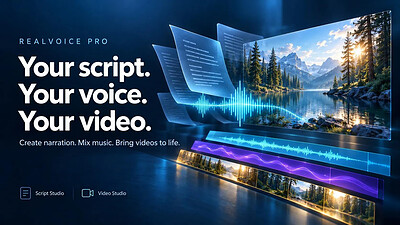
Bring your words to life with RealVoice Pro. Create text-to-speech narration, mix background music, and add voiceovers to your videos-all in one Windows app. RealVoice Pro brings together Script Studio and Video Studio to help you move from a written script to finished audio or video.

Turn scripts into narration
Write or paste your text in Script Studio, choose a voice, and adjust speaking speed and pitch. Preview your narration, add background music, and export your finished mix as an MP3.

Bring sound and video together
Import videos into Video Studio and arrange narration, music, and titles on the timeline. Control when each cue begins, adjust track volumes, and build a mixed preview before exporting.

Make your words visible
Add captions to generated narration and customize their font, size, colors, and placement. Use individual block settings for more control, or export captions as an SRT subtitle file.

Take control of your audio
Keep the original video sound or mute it while retaining your added narration and music. Adjust levels, fades, and looping, and lower background music during narration.

Key Features
- Text-to-speech narration with selectable voices, speed, and pitch
- Script Studio for writing, speech generation, and music mixing
- Video Studio with separate video, narration, music, and title lanes
- Multiple video clips with transitions
- Customizable captions and timed titles
- Original-video audio muting
- Full mixed previews and selected-range previews
- MP3 audio, MP4 video, and vertical short-video exports
- Portable video projects, autosave recovery, and undo/redo

Whether you're creating a tutorial, presentation, narrated story, or social video, RealVoice Pro helps you bring your script, sound, and visuals together.

System Requirements
Windows 10 version 17763.0 or higher

* Internet connection required for text-to-speech generation and loading the voice catalog. Script text is sent to an online speech service. Video editing, mixing, and export run locally on your computer.

HOMEPAGE:
Код:
https://apps.microsoft.com/detail/9n150hbvjmmx

FREE DOWNLOAD LINKS:​

Код:
https://rapidgator.net/file/e47e61589584c0774071c1e7508faffd/RealVoice_Pro_1.0.1.rar

Код:
https://clicknupload.click/xoewirxasora/RealVoice_Pro_1.0.1.rar
 
14c07fc4eba8f667f2036a97d5099842.jpg


RegexMagic 3.0.0 | Size: 19.22 MB
Language: English
​
RegexMagic makes creating regular expressions easier than ever. While other regex tools such as RegexBuddy merely make it easier to work with regular expressions, with RegexMagic you don't have to deal with the regular expression syntax at all. RegexMagic generates complete regular expressions to your specifications.

First, you provide RegexMagic with some samples of the text you want your regular expression to match. RegexMagic can automatically detect what sort of pattern your text looks like. Numbers, dates, and email addresses are just a few examples of the wide range of patterns that RegexMagic supports. By marking different parts of your samples, you can create regular expressions that combine multiple patterns to match exactly what you want. RegexMagic's patterns provide many options, so you can make your regular expression as loose or as strict as you want.

Best of all, RegexMagic supports nearly all popular regular expression flavors. Select your flavor, and RegexMagic makes sure to generate a regular expression that works with it. RegexMagic can even generate snippets in many programming languages that you can copy and paste directly into your source code to implement your regular expression.

RegexMagic doesn't automatically generate regular expressions on magic alone. But it sure makes things a lot easier by allowing you to work with your data instead of the cryptic regex syntax.

HOMEPAGE:
Код:
https://www.regexmagic.com/

FREE DOWNLOAD LINKS:​

Код:
https://rapidgator.net/file/c17c988521d63f8a84a3ad0f17a64807/RegexMagic_3.0.0.rar

Код:
https://clicknupload.click/ljfyx07doyd2/RegexMagic_3.0.0.rar
 
51858a5f87549e8a7242ba6771b0d3bb.png


SoundSwitch 7.4.0 | Size: 47.64 MB
Language: English
​
SoundSwitch allows you to easily switch between the different playback devices that are currently connected to your machine via hotkeys.

SoundSwitch is simple to configure; all you need to do is right-click on the systray icon to open up the settings. From there, you can select your preferred hotkey as well as select/deselect devices so that only the correct ones are available for switching. Once you are satisfied, it will run silently in the background. All selections made will be saved, so they are ready to go upon the restarting of the app.
It will permit you to quickly select/switch your preferred playback devices (sound cards) by merely using hotkeys. With SoundSwitch, you only need to configure once between which playback devices you want to switch between and then press Ctrl+Alt+F11 to toggle automatically.

System Requirements: Windows 11, Windows 10, 8 , 7

FREE DOWNLOAD LINKS:​

Код:
https://rapidgator.net/file/072cfd23d5ffab4fe8008bb2e4c1a5f0/SoundSwitch_7.4.0.rar

Код:
https://clicknupload.click/58s6eqn97beu/SoundSwitch_7.4.0.rar
 
_4c469adffb5ca36a4591127221e4c5d2.jpeg


Stereo Tool 11.06 Multilingual | Size: 83.08 MB
Language: English
​
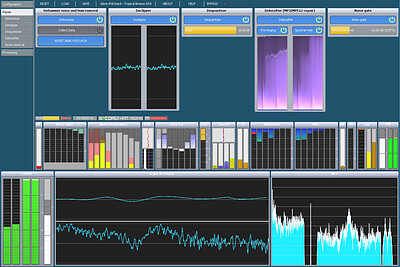
Stereo tool is a software-based audio processor which offers outstanding audio quality and comes with many unique features. It is used by over 1500 FM stations ranging from small local stations to 50-100 kW stations and nation-wide networks with dozens of transmitters, thousands of streaming stations and many DAB+, HD, AM and TV stations. It can be used for both live and file based processing.

Stereo Tool can make recordings sound equal and consistent in volume and sound color, bring out the details, and increase existing stereo effects. It can repair 'broken' stereo images which often occur on cassette tapes, vinyl and cheap CD's, which normally causes havoc when playing it on a mono system, headphones or a system which includes a stereo widener.

Special support (not free) is included for radio stations: Much louder output levels, FM pre-emphasis, stereo coding and RDS coding for FM stations, and protection of highs against distortion caused by lossy compression for web radio stations. The processing latency can be reduced as low as 12 ms, at the cost of reduced fidelity. At the maximum quality the processing latency is 93 ms.

Winamp plug-in version
Intended for Winamp, SAM Broadcaster, RadioBOSS, MediaMonkey, AIMP and other applications that support Winamp DSP plug-ins.

Stand alone version
Sound card input to sound card output. Intended mainly for FM radio stations which process external (live) feeds.

Features:

Declipper:
- Repairs clipped audio
- Removes distortion, restores dynamics
- Also used by police forensics labs

Delossifier:
Improves the sound of MPEG2/MP3 style lossy compressed files

Dehummer:
Removes unwanted constant sounds, such as a 50/60 Hz hum from bad cables

Spectrum control:
Non-compressing spectrum equalization

Compressors:
- Wideband AGC
- Two multiband compressors, 2-9 bands
- Wideband compressor
- Low level boost for classical music

Stereo widening:
Choice of multiple stereo wideners

Loud & clean!:
Upto 140% audio level at 100% modulation
Gives 2-3 dB extra headroom for highs
Be the loudest and cleanest station on the dial!

Multipath:
Controls RF bandwidth to avoid reception problems
Compatible with all receivers
Stations report upto 30 km bigger reception area

Stereo / rds:
Built-in stereo and RDS encoder
RT+ and remote control support

OS: Windows XP SP3, Vista, 7, 8, 10

HOMEPAGE:
Код:
http://www.stereotool.com/

FREE DOWNLOAD LINKS:​

Код:
https://rapidgator.net/file/7e33b7d92c2cad1f1756b9e3a2641a59/Stereo_Tool_11.06_Multilingual.rar

Код:
https://clicknupload.click/tegj5micyhas/Stereo_Tool_11.06_Multilingual.rar
 
_102277528603a2b88aceacb845799aab.jpeg


TechSmith Camtasia 26.2.5.21144 (x64) Multilingual | Size: 312.15 MB
Language: English
​
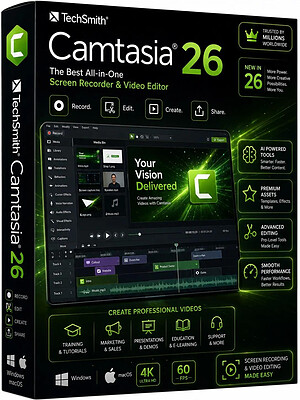
Start Creating Amazing Videos Today. Make professional-quality videos quickly and easily with Camtasia. Record your screen or upload an existing video, then bring the "Wow!" with effects, music, and much more.

Video software that works for you
Whether you make videos for marketing and sales, internal training, customer success, virtual or in-person learning, demonstrations, social media, or pretty much anything else, Camtasia helps make your vision a reality.

Inspire, educate, and excite your audience
We know that creating videos may seem like a daunting task, especially if you don't have any experience. That's why we created Camtasia - your all-in-one screen recorder and video editing solution. In virtually no time, you can create awesome videos that truly connect with your audience.

Educate
Sharing your knowledge has never been easier! Start by uploading a presentation or existing footage, then capture your screen, camera, and microphone to craft a pro-quality video that makes complex ideas simple, demonstrates a new process, trains people on a new skill, and much more.

Inspire
Ready to "WOW!" your audiences? Camtasia has everything you need to create incredible videos in record time. Easily add pop and pizazz to your videos with effects, transitions, music, and more. Best of all, they're incredibly easy to find, use, and customize, leaving you more time to create.

Excite
Keep your audience focused on the action with text, shapes, animations, and more. Zoom in to highlight details. Draw attention with a customized cursor. Add effects to transition ideas or just add some extra flair. The options are as limitless as your imagination!

Complete video projects up to 40% faster
A great video starts with great audio - and great audio starts with Audiate. Edit your voice over just like text and generate captions automatically. Plus, instantly remove hesitations and all those "ums" and "uhs." You can even edit your video as you edit your audio.

You can with Camtasia
Your video, your way. Camtasia's intuitive interface and drag-and-drop features help anyone create professional-quality video.

The world's most powerful screen recorder
Leave boring screen recordings behind. In addition to high-resolution screen capture, Camtasia records your microphone, system audio, camera, and cursor so you can edit them separately or all at once. Your editing will be faster and easier and the results will be incredible.

Camera
Capture your camera as you record to add personality to your videos. Position your camera video anywhere on the canvas.

Microphone
Great audio is an essential element to your video. Camtasia makes it easy to capture your microphone for crystal-clear voice over.

System Audio
Need to share the sounds generated by your software or computer? Now your viewers can hear what you hear.

Cursor Data
Your mouse cursor can help highlight important features or UX elements. Capture this data to make it easier to edit later.

Make your creative spark a wildfire
Sometimes, getting started on a new video can be intimidating. Fortunately, Camtasia offers hundreds of templates, assets, and text effects to help kindle your creative spark. Making professional looking videos has never been easier!

HOMEPAGE:
Код:
http://www.techsmith.com

FREE DOWNLOAD LINKS:​

Код:
https://rapidgator.net/file/c58be50d6415a13ce56ce12080a7994b/TechSmith_Camtasia_26.2.5.21144_x64_Multilingual.rar

Код:
https://clicknupload.click/vzo08wn56d2v/TechSmith_Camtasia_26.2.5.21144_x64_Multilingual.rar
 
8139c0bc5910ffe80a6b13c56c096674.jpg


Thimeo Relay 11.06 (x64) | Size: 37.35 MB
Language: English
​
Relay uses your (internal or external) sound card as a relay detector, and translates on/off signals into RDS commands that can be sent to most RDS encoders, including those in Stereo Tool and STXtreme.

For now we only support sending PI codes, but just ask us when you need more and we'll add fields where you can enter lists of RDS commands. This is a niche product so we only add features to it when people ask for them - and unless you have very specific requests that won't cost extra.

HOMEPAGE:
Код:
https://www.thimeo.com/relay/

FREE DOWNLOAD LINKS:​

Код:
https://rapidgator.net/file/ca2bc6cf43f3343112cc25b36a86211b/Thimeo_Relay_11.06_x64.rar

Код:
https://clicknupload.click/l3p5mwb3znmb/Thimeo_Relay_11.06_x64.rar
 
d46198a71cf9ff91208d38459cc3a49b.jpg


Thimeo ST-Enterprise 11.06 (x64) | Size: 70.3 MB
Language: English
​
Thimeo ST-Enterprise is intended for larger media groups, which run multiple stations or channels. It does everything that Stereo Tool does, and more! With ST-Enterprise, you can run up to 50(*) FM and/or HD processors on a single pc, with a single interface to control them and an overview screen that shows the status of all the incoming and outgoing signals.

Efficient resource usage
By sharing resources between instances, ST-Enterprise makes more efficient use of the availalbe resources, mainly the processing power, and it allows you to share input sound cards between multiple processing instances.

Nielsen PPM watermarking
ST-Enterprise supports built-in Nielsen PPM watermarking. For more information about this, see our page about Nielsen PPM watermarking.

Declipper
- Repairs clipped audio
- Removes distortion, restores dynamics
- Also used by police forensics labs

Delossifier
Improves the sound of MPEG2/MP3 style lossy compressed files

Dehummer
Removes unwanted constant sounds, such as a 50/60 Hz hum from bad cables.

Natural Dynamics
- Boosts percussion instruments
- Great to restore dynamics in compressed music

Automatic Gain Control
- Slowly adjusts the input level
- Can speed up on large changes
- Program-dependent dynamic timing

Low Level Boost
- Intended for classical music
- Raises the level of very low level sounds without compressing louder sounds

Multiband compressors
- Two multiband compressors
- Selectable number of bands, 2-9
- Program-dependent dynamic timing

Auto EQ / Bass EQ
- Corrects spectrum without compression
- Consistent sound without affecting dynamics

HOMEPAGE:
Код:
https://www.thimeo.com/st-enterprise/

FREE DOWNLOAD LINKS:​

Код:
https://rapidgator.net/file/e48215a834d8bf7738c4f433baf58fa5/Thimeo_ST-Enterprise_11.06_x64.rar

Код:
https://clicknupload.click/75fzhvxd0poq/Thimeo_ST-Enterprise_11.06_x64.rar
 
be96dcd93325fe3ed94a9d5e91a07268.jpg


TickTick Premium 8.2.5 Multilingual | Size: 45.93 MB
Language: English
​
TickTick turns your Windows device into an office platform that is flexible, easy-to-use and highly efficient.

Organize everything
Stay organized and productive with work-related tasks, personal goals, and more.

Add task faster and easier
Use shortcut Ctrl+Shift+A to capture ideas in a second.

Powerful calendar views
View your tasks in a calendar, and manage them simply with draft & drop.

Collaborate with anyone
Share your lists and tasks with anyone - colleagues, friends or family. Stay productive in any kinds of groups.

Stay focused
Stay concentrated with the built-in Pomo Timer, which helps you power through distractions to accomplish more.

Manage tasks from the desktop widget
With the desktop widget on Windows, view and complete tasks have never been this easy.

Operating System: Windows 7, 8/8.1, 10, 11

HOMEPAGE:
Код:
https://ticktick.com/

FREE DOWNLOAD LINKS:​

Код:
https://rapidgator.net/file/c4b11e695f9bdd137f408fd9bcd235ab/TickTick_Premium_8.2.5_Multilingual.rar

Код:
https://clicknupload.click/5irsf5uusc40/TickTick_Premium_8.2.5_Multilingual.rar
 
ac103e824bb19ae3a7ea3d307a9d9a46.jpg


Total Network Inventory 6.9.0.7641 (x64) Multilingual | Size: 62.13 MB
Language: English
​
Introducing Total Network Inventory 4, PC audit and software inventory management solution.

Network scanning
Windows, OS X, Linux, FreeBSD, and ESX/ESXi-based computers and servers can be scanned without preinstalled agents - you just need to know the administrator's password. Scan single nodes, network address ranges, or Active Directory structure.

Inventory management
Each computer only takes up several dozen kilobytes in the centralized TNI storage. Group assets, add comments to them, and attach additional information. Total Network Inventory 4 will show your network in all its beauty!

Reports
Create flexible reports on different data categories. Build table reports with hundreds of available data fields using the convenient tool. Reports can be copied, exported, or printed, and the search feature shows the results before you even finish typing.

Change log
Detect and browse changes in hardware and software. Know when an application is installed, uninstalled or updated on any computer in your network, see hardware being connected or removed, disk space usage dynamics and much, much more.

Scan scheduler
Schedule data collection. Create both single postponed scan sessions and repetitive tasks: every day? on Fridays? on first Monday of every month? Scan different sets of assets at different times and keep your inventory up-to-date.

And more.
Create a database of your network users; store a number of passwords for different assets and protocols; follow the online status of assets in real-time. These and many other features of our network inventory software will save you a lot of effort and stress during network audits.

Operating System: Windows 7, 8/8.1, 10

HOMEPAGE:
Код:
https://www.softinventive.com/

FREE DOWNLOAD LINKS:​

Код:
https://rapidgator.net/file/e5207f486352e747d9bcfe52e4fc9282/Total_Network_Inventory_6.9.0.7641_x64_Multilingual.rar

Код:
https://clicknupload.click/2un0l2cdfvr4/Total_Network_Inventory_6.9.0.7641_x64_Multilingual.rar
 

c6626a9eed6f7c8884a7b207a8313239.jpg


Universal Media Server 15.9.0 | Size: 165.34 MB
Language: English
​
Universal Media Server is a DLNA-compliant UPnP Media Server. UMS was started by SubJunk, an official developer of PMS, in order to ensure greater stability and file-compatibility. The program streams or transcodes many different media formats with little or no configuration. It is powered by MEncoder, FFmpeg, tsMuxeR, AviSynth, MediaInfo and more, which combine to offer support for a wide range of media formats.

Features
Works with PS3, Xbox, TVs, Smart phones and many other devices

System Requirements: Windows 11, Windows 10, 8 , 7

FREE DOWNLOAD LINKS:​

Код:
https://rapidgator.net/file/78eeaa432e073c3c150875313c480f0f/Universal_Media_Server_15.9.0.rar

Код:
https://clicknupload.click/xb69j3u4jyxz/Universal_Media_Server_15.9.0.rar
 
_a393524b06bb4a19b14920b86b78baf3.jpeg


Wing Pro 12.1.2 | Size: 112.97 MB
Language: English
​
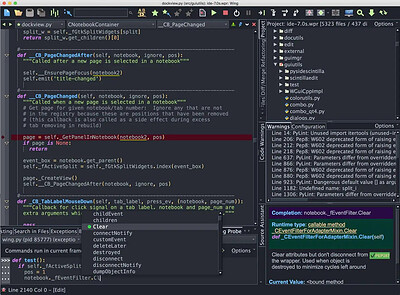
Wing Pro is a full-featured Python IDE designed for professional developers. It includes powerful editing, code intelligence, refactoring, debugging, search, unit testing, project management, revision control, and remote development features.

Get More Done
Type less and let Wing worry about the details. Get immediate feedback by writing your Python code interactively in the live runtime. Easily navigate code and documentation.

Write Better Code
Avoid common errors and find problems early with assistance from Wing's deep Python code analysis. Keep code clean with smart refactoring and code quality inspection.

Find Bugs Faster
Debug any Python code. Inspect debug data and try out bug fixes interactively without restarting your app. Work locally or on a remote host, VM, or container.

Intelligent Editor
Wing's editor speeds up interactive Python development with context-appropriate auto-completion and documentation, inline error detection and code quality analysis, PEP 8 enforcement, invocation assistance, auto-editing, refactoring, code folding, multi-selection, customizable code snippets, and much more. Wing can emulate vi, emacs, Eclipse, Visual Studio, XCode, and MATLAB.

Powerful Debugger
Wing's debugger makes it easy to fix bugs and write new Python code interactively. Use conditional breakpoints to isolate a problem, then step through code, inspect data, try out bug fixes with the Debug Console's command line, watch values, and debug recursively. You can debug multi-process and multi-threaded code launched from the IDE, hosted in a web framework, called from an embedded Python instance, or run on a remote host, VM, or container. Wing also provides an array and dataframe viewer for scientific and data analysis tasks.

Easy Code Navigation
Wing makes it easy to get around code with goto-definition, find uses, find symbol in project, editor symbol index, module and class browser, keyboard-driven search, and powerful multi-file search. Visit history is stored automatically, so you can instantly return to previously visited code. Or define and traverse categorized bookmarks that track automatically as code changes.

Integrated Unit Testing
Wing supports test-driven development with the unittest, doctest, nose, pytest, and Django testing frameworks. Failing tests are easy to diagnose and fix with Wing's powerful debugger, and you can write new code interactively in the live runtime context set up by a unit test.

System Requirements:
Wing runs on Windows 10+ for 64-bit Intel processors. Windows 8 may work in some cases but is not recommended or supported. Earlier versions of Windows will not work.

HOMEPAGE:
Код:
http://www.wingware.com/

FREE DOWNLOAD LINKS:​

Код:
https://rapidgator.net/file/99430cab2dcf0882d324846619cdd71e/Wing_Pro_12.1.2.zip

Код:
https://clicknupload.click/d0enlqeqz7mj/Wing_Pro_12.1.2.zip
 
4a3893e8ba352a5c763a94e33f7002d8.jpg


iWin Movie Maker 11.0.0.8 Multilingual | Size: 371.37 MB
Language: English
​
iWin Movie Maker is a easy-to-use & powerful video creating/editing software application, designed for latest Windows7, Windows 8, Windows 10, or Windows 11. The old version works for Windows Xp and Vista. Windows Movie Maker contains features such as effects, transitions, titles/credits, audio track, timeline narration, and Auto Movie. New effects and transitions can be made and existing ones can be modified using XML code. Windows Movie Maker is also a basic audio track editing program. Windows Movie Maker can apply basic effects to audio tracks such as fade in or fade out. The audio tracks can then be exported in the form of a sound file instead of a video file.

Full Mode to edit
Import videos to the software, cut down unnecessary clips, add music background and special effects, and then, your work is finished! iWin Movie Maker 2024 adds unexpected effects as to your video to enhance Video Quality and enrich Video Content.

Abundant Visual Effects
There are a great many visual effects for users to choose, such as transitions, filters, overlays and elements. These effects can make your videos practical and attractive in dealing with different purposes.

Videos and Music Store
There are some videos clips and music prepared in iWin Movie Maker for users, matching multiple scenes like opening, counting down, wedding,or others.

Support Multiple Formats
Export videos with different formats as you needed. Not only formats for PC, but also those for portable devices can be directly exported.

Audio and Video Recorder
Offer user-friendly interfaces and easy-to-use editing tools. No matter you are a novice or a master, starting an exciting journey of movie-making via Windows Movie Maker is rewarding.

Add Text and style
Add titles to your finished video and right away you have the perfect introduction for your viewers.

Speed Control
Drag progress bar for speed control to regulate the video speed.

Multi-track editing
Adjust the order to produce different video effects.

HOMEPAGE:
Код:
https://www.movie-zilla.org/Product/Windows-Movie-Maker.html

FREE DOWNLOAD LINKS:​

Код:
https://rapidgator.net/file/a36c188e6ff8290ff2b5d8df3641d53f/iWin_Movie_Maker_11.0.0.8_Multilingual.rar

Код:
https://clicknupload.click/kn4k1ipb9vny/iWin_Movie_Maker_11.0.0.8_Multilingual.rar
 
4d44204265ad5768aa41e8fd2c71f2f8.jpg


reaConverter Pro 8.0.258 Multilingual | Size: 297.25 MB
Language: English
​
Easily process full batches of files and folders. reaConverter combines powerful automation with intuitive tools to streamline image conversion and eliminate repetitive editing.

700+ File Formats
reaConverter delivers high-efficiency batch conversion for an extensive range of file formats.

Efficient Conversion
A powerful file conversion toolkit with advanced processing features - giving you precise, granular control over every output.

Image Editing
reaConverter simplifies batch image editing - apply touch-ups, transformations, and effects to unlimited images simultaneously.

Automation
Professional-grade automation features for high-volume file conversion and batch processing.

Development
Integrate reaConverter's functionality into scripts, applications, or websites using its command-line tool or DLL.

HOMEPAGE:
Код:
https://www.reaconverter.com/

FREE DOWNLOAD LINKS:​

Код:
https://rapidgator.net/file/5271bee96ca9cd9f576390a02b09845f/reaConverter_Pro_8.0.258_Multilingual.rar

Код:
https://clicknupload.click/llu5utqhvayr/reaConverter_Pro_8.0.258_Multilingual.rar
 
b5ab4c49ed8914c0a5d50ba3c397aeb3.jpg


Adobe Acrobat Pro DC 2026.003.22075 (x64) Multilingual | Size: 1.6 GB
Language: English
​
Adobe Acrobat Pro DC is the leading PDF converter and much more. Adobe Acrobat Pro DC software lets you deliver professional PDF communications. It's packed with smart tools that give you even more power to communicate. Create and edit PDF files with rich media included, share information more securely, and gather feedback more efficiently.

Adobe Acrobat Pro DC software is the advanced way for business professionals to create, combine, control, and deliver more secure, high-quality Adobe PDF documents for easy, more secure distribution, collaboration, and data collection.

Assemble electronic or paper files into reliable PDF documents that are easy to share with others using free Adobe Reader. You can assemble even Web sites, engineering drawings, and e-mail.

With Adobe Acrobat Pro DC you can manage document reviews, synthesizing feedback from multiple reviewers while preserving document format and integrity. Extend commenting capabilities to anyone using Adobe Reader. Windows users can design intelligent Adobe PDF forms that include business logic, such as calculations and data validations, to help increase the accuracy of data collection while reducing the costs of manual data entry.

Use Adobe Acrobat Pro DC to create high-impact PDF communications, collaborate more easily, and streamline reviews. Adobe Acrobat Dynamic PDF helps you get more done - easier, faster, better.

Edit PDF files
With Adobe Acrobat Pro DC, you can make minor edits to text and images right in your PDF file without requiring the original document or graphic. Edit text in a PDF. Fix a typo, change a font, or add a paragraph to your PDF as easily as you do in other applications using a new point-and-click interface. Edit images in a PDF. Resize, replace, and adjust images in your PDF with no need to track down the original file or graphic.

Export from PDF files
Reduce the time you spend retyping information stuck in PDF files. Convert PDF files to editable Microsoft Office documents. And save fonts, formatting, and effort.
Convert PDF files to Word. Save your PDF as a Microsoft Word document and take your fonts, formatting, and layouts with you. Convert PDF files to Excel. Turn your PDF or just part of it into an editable Excel spreadsheet you can use for data analysis right away. Convert PDF files to PowerPoint. Get a head start on new projects by saving a PDF file as a fully editable PowerPoint presentation.

Create PDF files
Stop worrying about whether the files you send will look right on other people's screens. Turn documents into PDF files anyone can reliably view with free Adobe Reader.
Convert Word, Excel, or PowerPoint to PDF. Right from your Office application in Windows, you can create PDFs, start a shared review, restrict PDF edits, and more. Print to PDF. Convert files to PDF from virtually any application that prints simply by selecting Adobe PDF as your printer. Scan to PDF. When you need to turn a paper document or form into a digital file, just scan it to create a searchable PDF file you can edit. Convert HTML pages to PDF. Save web pages as PDF files to archive web content, review the pages offline, or print them more reliably.

Create and analyze forms
Cut the time you spend creating forms, rekeying data, and correcting errors. Distribute forms online, and then collect responses and analyze results in real time.
Create new PDF and web forms. Customize professional templates or design from scratch with the Adobe FormsCentral desktop app included in Adobe Acrobat Pro DC. Collect form responses with FormsCentral. Easily collect responses by moving your PDF or web forms online with the Adobe FormsCentral online service. Convert existing forms to fillable PDFs. Type less, gather more. Quickly convert your paper, Word, or Excel forms to fillable PDF forms. Collect form responses using Adobe Acrobat tools. Compile returned forms into one PDF, or host forms using a network folder or Microsoft SharePoint server.

System Requirements:
x64:
Intel® or AMD processor; 1.5GHz or faster processor
Windows 11 (64 bit), Windows 10 (64 bit) version 1809 or later, Windows Server 2016 (64 bit), or Windows Server 2019 (64 bit)
2GB of RAM
4.5GB of available hard-disk space.
1024x768 screen resolution
Video hardware acceleration (optional)

x86:
Intel® or AMD processor; 1.5GHz or faster processor
Windows 11 (64 bit), Windows 10 version 1810 or later (32 bit and 64 bit), Windows 8, 8.1 (32 bit and 64 bit)†, Windows 7 SP1 (32 bit and 64 bit), or Windows Server - 2008 R2 (64 bit), 2012 (64 bit), 2012 R2 (64 bit)†, 2016 (64 bit), or 2019 (64 bit)
2GB of RAM
4.5GB of available hard-disk space
1024x768 screen resolution
Video hardware acceleration (optional)

HOMEPAGE:
Код:
http://www.adobe.com/

FREE DOWNLOAD LINKS:​

Код:
https://rapidgator.net/file/e8a67470ea001adbb510358046b019ff/x64_Multilingual_03.22075.rar

Код:
https://clicknupload.click/vw99qyadefgi/x64_Multilingual_03.22075.rar

 
33dc837158ad0907ebd7c5734ef35053.jpg


Adobe Dimension 4.1.10 (x64) Multilingual | Size: 2.16 GB
Language: English
​
Dimension as Adobe - a set of tools for 2D and 3D-design, to easily create high-quality photorealistic 3D-images, perform compositing 2D.and 3D-visualization resources in a realistic environment products. The basic idea of the product - to give developers the tools needed to integrate its 2D.and 3D-assets without the study of complex and specialized applications. In other words, the program allows you to quickly and simply "delicious" and other creative visualization combines the 2D- and 3D-graphics.

Using machine learning, this tool Adobe is able to automatically determine the best lighting and place the light source in the right place. Adobe Dimension CC automatically aligns objects relative to the horizon. The product is intuitive and similar to the Photoshop interface and Illustrator. Rendering in Adobe Dimension CC used V-Ray, the application displays will look like the final image, without spending time on the final rendering.

Benefits Dimension CC as Adobe:
- Effective supply design
- Create mockups
- New opportunities for creative graphics
- inscribing 3D-object in the real environment
- Familiar interface
- models from Adobe Stock
- Realistic rendering and preview in real time
- Capture material

System Requirements:
Minimum:
Operating System: Windows 10 Anniversary Update (64-bit) - version 1607 (build 10.0.14393) or later
Processor: Intel Core i5 (2011 or newer), Intel Xeon (2011 or newer), AMD A8 or A10, or AMD Ryzen
Memory: 8 GB OF RAM or more
Graphics card: nVidia GeForce GTX 1650, AMD Radeon RX 580
Video memory: 1 GB
Video memory for GPU rendering (Beta): 8 GB
OpenGL: OpenGL 3.2 capable system

HOMEPAGE:
Код:
https://www.adobe.com/

FREE DOWNLOAD LINKS:​

Код:
https://rapidgator.net/file/0ef6625df7648ab33d8913a1cdd7def9/Dimension.v4.1.10..part1.rar
https://rapidgator.net/file/32cdf56ab922134fc41b7319301efae0/Dimension.v4.1.10..part2.rar

Код:
https://clicknupload.click/p58qttrvhd56/Dimension.v4.1.10..part1.rar
https://clicknupload.click/xmuu8czx9alj/Dimension.v4.1.10..part2.rar
 
16b919d083cbaea0dbf057c8ad9c64e7.jpg


Adobe Substance 3D Stager 3.1.10 (x64) Multilingual | Size: 2.16 GB
Language: English
​
Substance 3D Stager a professional staging tool for scene design and rendering. Import content, arrange your scene, apply materials and textures, adjust both image-based and physical lighting, save cameras with different resolutions, and render photorealistic imagery - all in Stager!

Work on your final image.
Substance 3D Stager lets you make creative decisions in context. Refine and adjust your composition in real time. Visualize and edit advanced materials with complex lighting and shadows. (Stager is not yet available on Macs with Apple M1 chips.)

Tools to flesh out your ideas.
Build your realistic 3D scenes with quick and efficient smart tools. Block out shapes, snap elements, activate physics to avoid collisions between models, and generate simple lights.

Access a vast network of resources.
Stager comes with models, materials, and lights to get started. Or explore and use the thousands of high-end assets made by our 3D experts and included with your Substance 3D Collection plan.

Connect to your 3D toolset.
Leverage the full power of Creative Cloud: import elements from Modeler, Painter, Designer, and Sampler. Edit images in Illustrator and Photoshop, and instantly see your modifications in Stager.

Lighting made easy
Enhance your lighting with the environment light editor or add physical 3D lights to your scene for advanced lighting design.

Diverse format support
Enjoy support for an array of formats from CAD (for enterprise customers) to USD and glTF, as well as parametric Substance materials, lights, and models.

Physics awareness
Set up realistic collisions between objects during positioning and transformation.

Project showcase
Import your Painter projects into Stager with a single click and pick up where you left off.

Interactive workspace
Switch between real-time rendering and interactive path tracing while keeping a high visual quality.

System Requirements:
OS: Windows 10,11 (64bit)
CPU:Intel Core i7/AMD Ryzen 7
GPU:Nvidia Geforce GTX 1060/Nvidia Quadro P2200/AMD Radeon RX 580
VRAM: 8GB
RAM: 16GB
Hard drive: 30 GB SSD

HOMEPAGE:
Код:
https://www.substance3d.com/

FREE DOWNLOAD LINKS:​

Код:
https://rapidgator.net/file/00483819067e6d849c87b3ed92c728b5/Substance.3D.Stager.v3.1.10..part1.rar
https://rapidgator.net/file/357bdb4441c89d7b6bc142426b23f3d6/Substance.3D.Stager.v3.1.10..part2.rar

Код:
https://clicknupload.click/whaassbyzwcv/Substance.3D.Stager.v3.1.10..part1.rar
https://clicknupload.click/ugy6bxsdqj3h/Substance.3D.Stager.v3.1.10..part2.rar
 
e63b0fbecf814e33bd93a88ae40b1e51.jpg


Franzis DIVE #2 professional 2.24.04489 Multilingual | Size: 972.03 MB
Language: English
​
With DIVE # 2 professional you can optimize your underwater photos easily and without great effort. Remove color casts or breathe new life into colorless images. With its versatile functions, DIVE # 2 professional is the perfect choice.

Edit and remove color casts from underwater photos
If you want to edit your pictures to save time and excellent quality is important to you, then the new DIVE # 2 professional is exactly the right tool for you: DIVE # 2 was specially developed for the needs of underwater photographers to breathe new life into colorless or color-cast underwater photos and to create colorful, vivid images in impressive image quality.

Features of the professional version
- 14 presets
- 28 additional water-specific presettings
- Preferences browser
- Water depth module
- Noise removal module
- RAW module
- Pallet module

- Manual tools for fine-tuning
- Selective drawing
- Batch processing
- Adobe Photoshop® & Lightroom® plug-ins

Professional results that can be seen
Load your picture, set the approximate water depth and the distance to the subject and immediately see the effect on the picture quality in the real-time preview. Of course, DIVE # 2 professional also has many fine-tuning tools on board that make the result even better, especially the 28 presets for special underwater light situations, e.g. ocean / seas and blue water (for 5m, 12m, 16m and 25m ), Partial artificial light, primary artificial light, artificial light at dusk and artificial light at night. These contribute significantly to the individual processing, as the color cast is removed due to the depth of the water.

In addition, the highest quality noise reduction filters are available as well as the water depth module with which you can adjust the optimization again. Here you can e.g. the water depth, subject distance, color temperature and much more. change. With the palette you can make selective color changes without having to select image areas with pixel accuracy beforehand. DIVE # 2 is therefore suitable for professionals and beginners.

User-friendly user interface
The user interface is optimized for use with HD and Ultra HD (4K). All main areas can be moved individually and all buttons are provided with interactive explanations (tooltips). The different areas are clearly structured. On the left side the presets (templates), in the middle the preview area of the current image and on the right side the settings for the underwater reconstruction and color corrections.

HOMEPAGE:
Код:
https://www.projects-software.com

FREE DOWNLOAD LINKS:​

Код:
https://rapidgator.net/file/730b62b4d2c82b3a1412d2ca2eb9dc3b/Multilingual_24.04489.rar

Код:
https://clicknupload.click/04x9mdp1khp3/Multilingual_24.04489.rar
 
61cd771c107d41cca66db245b7885f64.jpg


Franzis DIVE Video #2 professional 2.24.04489 Multilingual | Size: 192.15 MB
Language: English
​
With DIVE Video # 2 professional you can edit and refine your underwater videos in high quality. Whether color casts or noisy details, with DIVE Video # 2 professional you can optimize your videos in just a few steps and achieve professional results.

DIVE Video: Edit underwater videos professionally
If perfect video quality is important to you, then the new DIVE Video # 2 professional is exactly the right tool for you! With DIVE Video # 2 you can edit your underwater videos quickly and easily: You load your video, set the approximate water depth and distance to the subject and immediately see the effect on the video quality in the real-time preview. Now you can render it immediately and save it in the popular mp4 format. With DIVE Video # 2 you have the right tool at hand to edit your videos quickly and easily and to capture your best diving memories in professional quality.

DIVE Video # 2 professional features
- Water depth module (can be corrected up to 30m)
- Presets for blue water, ocean / seas and lakes / rivers: 28
- Pallet module
- Noise removal module
- Presets (picture templates): 14
- Preferences browser

- Color Correction Layers Module
- Manual tools for fine-tuning
- Video artifact reduction
- Invite video formats: mpeg4 (h.264 / h.265), wmv, webm, avi, flv, asf, mov, mkv, mxf, mp2
- Save video formats: mpeg4 (h.264), avi (uncompressed)

High quality tools for a high quality result
Of course, DIVE Video # 2 professional also has many fine-tuning tools on board that make the result even better: 28 presets for special depth-dependent underwater lighting situations, the removal of disruptive refraction errors as well as fine photographic adjustments and color corrections. All tools are clearly arranged and can be operated intuitively. DIVE is therefore suitable for professionals and beginners.

In the integrated color module, you can also work out individual color tones on up to six levels and thus optimally refine your video result. In addition, high-quality noise reduction filters are available as well as the water depth module, with which you can adjust the optimization again. Here you can e.g. the water depth, subject distance, color temperature and much more. change. You can use the palette to make selective color changes without having to select image areas with pixel accuracy beforehand.

User-friendly user interface
The user interface is optimized for use with HD and Ultra HD (4K). All main areas can be moved individually and all buttons are provided with interactive explanations (tooltips). The different areas are clearly structured. On the left side the presets (templates), in the middle the preview area of the current image and on the right side the settings for the underwater reconstruction and color corrections.

Minimum system requirements
- Operating system: Windows 8/10 (64 Bit)
- 4 GB RAM
- Intel I3 (or comparable AMD processor)
- DirectX compatible graphics card
- Screen resolution 1600x900 (or larger)

Recommended system requirements
- Operating system: Windows 8/10 (64 Bit)
- 8 GB RAM
- Intel I7 (or comparable AMD processor)
- DirectX compatible graphics card
- Screen resolution 1920x1080 (or greater)

HOMEPAGE:
Код:
https://www.projects-software.com

FREE DOWNLOAD LINKS:​

Код:
https://rapidgator.net/file/3d0520f8a2709410f266066255e7dd35/Multilingual_24.04489.rar

Код:
https://clicknupload.click/nkj0oe2dox7t/Multilingual_24.04489.rar
 
Назад
Сверху Снизу