







All Emperor2011's Software in one thread !! (updated daily)

adbe91e3be7d6bbe2a324f000584b9e5.jpg


Internet Download Manager 6.43 Build 17 Multilingual + Retail | Size: 23.27 MB
Language: English
​
Internet Download Manager has a smart download logic accelerator that features intelligent dynamic file segmentation and safe multipart downloading technology to accelerate your downloads. Unlike other download accelerators and managers that segment files before downloading starts, Internet Download Manager segments downloaded files dynamically during download process.

Internet Download Manager reuses available connections without additional connect and login stages to achieve better acceleration performance. Internet Download Manager supports proxy servers, ftp and http protocols, firewalls, redirects, cookies, authorization, MP3 audio and MPEG video content processing. IDM integrates seamlessly into Microsoft Internet Explorer, Netscape, MSN Explorer, AOL, Opera, Mozilla, Mozilla Firefox, Mozilla Firebird, Avant Browser, MyIE2, and all other popular browsers to automatically handle your downloads. You can also drag and drop files, or use Internet Download Manager from command line. Internet Download Manager can dial your modem at the set time, download the files you want, then hang up or even shut down your computer when it's done.

Main Features:
• All popular browsers and applications are supported! Internet Download Manager has been tested with the following browsers: Internet Explorer, MSN Explorer, AOL, Netscape Communicator, Netscape 6, Netscape 7, Mozilla, Mozilla Firefox, Mozilla Firebird, Opera, NetCaptor, UltraBrowser,

Slim Browser, Avant Browser, MyIE2, Optimal Desktop, Ace Explorer, Advanced Browser, 27 Tools-in-1 Wichio Browser, WindowSurfer, 550 Access Browser, FineBrowser Freeware, Kopassa Browser, Fast Browser Pro, Enigma Browser, GoSuRF, K-Meleon, Smart Explorer, The Off By One Web Browser, Smartalec Voyager, CrystalPort AppCapture, The Family Browser, XANA Web Browser, Bluto, AutoSurf, 32bit Web Browser, BrowseMan, WrestlingBrowser, Eminem Browser, UltraBrowser, Cygsoft LDAP Browser, and Net M@nager. Internet Download Manager supports all versions of popular browsers, and can be integrated into any 3rd party Internet applications.
• Easy downloading with one click. When you click on a download link in a browser, IDM will take over the download and accelerate it. IDM supports HTTP, FTP, HTTPS and MMS protocols.
• Download Speed Acceleration. Internet Download Manager can accelerate downloads by up to 5 times due to its intelligent dynamic file segmentation technology. Unlike other download managers and accelerators Internet Download Manager segments downloaded files dynamically during download process and reuses available connections without additional connect and login stages to achieve best acceleration performance.
• Download Resume. Internet Download Manager will resume unfinished download from the place where they left off.
• YouTube grabber. Internet Download Manager can grab FLV videos from popular sites like YouTube, MySpaceTV, and Google Video.
• Simple installation wizard. Quick and easy installation program will make necessary settings for you, and check your connection at the end to ensure trouble free installation of Internet Download Manager
• Drag and Drop. You may simply drag and drop links to IDM, and drag and drop downloaded files out of Internet Download Manager.
• Automatic Antivirus checking. Antivirus checking makes your downloads free from viruses and trojans.
• Advanced Browser Integration. When enabled, the feature can be used to catch any download from any application. None of download managers have this feature.
• Built-in Scheduler. Internet Download Manager can connect to the Internet at a set time, download the files you want, disconnect, or shut down your computer when it's done.
• IDM includes web site spider and grabber. IDM downloads all required files that are specified with filters from web sites, for example all pictures from a web site, or subsets of web sites, or complete web sites for offline browsing. It's possible to schedule multiple grabber projects to run them once at a specified time, stop them at a specified time, or run periodically to synchronize changes.
• IDM supports many types of proxy servers. For example, IDM works with Microsoft ISA, and FTP proxy servers.
• IDM supports main authentication protocols: Basic, Negotiate, NTLM, and Keberos. Thus IDM can access many Internet and proxy servers using login name and password.
• Download All feature. IDM can add all downloads linked to the current page. It's easy to download multiple files with this feature.
• Customizable Interface. You may choose the order, and what buttons and columns appear on the main IDM window.
• Download Categories. Internet Download Manager can be used to organize downloads automatically using defined download categories.
• Quick Update Feature. Quick update may check for new versions of IDM and update IDM once per week.
• Download limits. Progressive downloading with quotas feature. The feature is useful for connections that use some kind of fair access policy (or FAP) like Direcway, Direct PC, Hughes, etc.
• IDM is multilingual. IDM is translated to Albanian, Arabic, Azerbaijan, Bosnian, Bulgarian, Chinese, Croatian, Czech, Danish, Dutch, Farsi, French, German, Greek, Hebrew, Hungarian, Italian, Japanese, Korean, Lithuanian, Macedonian, Norwegian, Polish, Portuguese, Romanian, Russian, Serbian, Slovak, Slovenian, Spanish, Thai, Turkish, and Uzbek languages.

Operating System: Windows XP, Vista, 7, 8/8.1, 10, 11

HOMEPAGE:
Код:
http://www.internetdownloadmanager.com/

FREE DOWNLOAD LINKS:​

Код:
https://rapidgator.net/file/8685968e214b6c3c3e52bf8952e1f1e5/Internet_Download_Manager_6.43_Build_17_Multilingual___Retail.rar

Код:
https://clicknupload.click/nuwjig2jinhi/Internet_Download_Manager_6.43_Build_17_Multilingual_%2B_Retail.rar
 
1c2da931589af587e7be0da1b067891b.jpg


Windows Movie Maker 11.0.0.8 Multilingual | Size: 370.27 MB
Language: English
​
With Windows Movie Maker, you can quickly turn your photos and videos into polished movies. Add special effects, transitions, sound, and captions to help tell your story. Share the movie with friends and family.

Windows Movie Maker is a easy-to-use & powerful video creating/editing software application, designed for latest Windows 7, Windows 8, Windows 10. The old version works for Windows XP and Vista. Windows Movie Maker contains features such as effects, transitions, titles/credits, audio track, timeline narration, and Auto Movie. New effects and transitions can be made and existing ones can be modified using XML code. Windows Movie Maker is also a basic audio track editing program. Windows Movie Maker can apply basic effects to audio tracks such as fade in or fade out. The audio tracks can then be exported in the form of a sound file instead of a video file.

Key Features:
- With Windows Movie Maker, it's easy to organize and select the photos and videos you want to use in your next movie.
- With Windows Movie Maker, you can add text, transitions, effects, and more. Change as much as you want, or let Movie Maker do it for you.
- Post your movie to your favorite sites, including YouTube, Facebook, Windows Live SkyDrive, and many others, right from Windows Movie Maker.

What you can do with Windows Movie Maker Software:

Try an AutoMovie theme
Just pick the photos and videos you want to use, and Movie Maker does the rest.

Share with friends
Once your movie's done, it's easy to post it on popular social networking and video sharing sites.

Add your photos and videos
Import photos and videos from your PC or camera into Movie Maker to start making movies.

Edit the video
Make your movie look like you want it to, with editing tools that let you easily trim, split, and speed up or slow down your movie.

Edit the audio
Add and edit your movie's sound track. Adjust the volume, fade music in or out, and more.

System Requirements:
- OS: Microsoft Windows XP (SP2 or later), Windows Vista, Windows 7, Windows 8, Windows 8.1, Windows 10, Windows 11
- Processor: 1GHz Intel/AMD processor or above
- RAM: 256MB RAM (512MB or above recommended)
- Free Hard Disk: 300MB space for installation
- Graphic Card: Super VGA (800x600) resolution, 16-bit graphics card or higher

HOMEPAGE:
Код:
https://www.topwin-movie-maker.com

FREE DOWNLOAD LINKS:​

Код:
https://rapidgator.net/file/0a67549d4771d9641421418a3261a587/Windows_Movie_Maker_11.0.0.8_Multilingual.rar

Код:
https://clicknupload.click/cx1acoee494j/Windows_Movie_Maker_11.0.0.8_Multilingual.rar
 
d985aa866c0a9d14f9cabaf3e66a3c93.png


Windows Video Converter 11.0.0.8 Multilingual | Size: 370.26 MB
Language: English
​
Windows Video Converter 2021 is All-In-One video conversion software. With Windows Video Converter , you have everything you need to Convert, Download and Edit videos. Convert Videos to 1000 formats at 30X Faster Speed with No Quality Loss. Download and Convert Online Videos. Cut, Crop, Add Text, Effect, Subtitle and more. Just download and try Windows Video Converter Now!

Windows Video Converter 2021
- Convert Videos to 1000+ formats.
- 30X Faster Speed.
- No Quality Loss.
- Download and Convert Online Videos.
- Edit Videos, Cut/Crop/Rotate/Add Text and more.

What you can do with Windows Video Converter 2021:

Convert Videos to 1000 formats.
Support all video and audio formats. Support formats of all popular devices like Apple iPhone, Android Phones, Digital Cameras, etc.

30X Faster Speed.
Optimized GPU acceleration. The conversion speed is much faster than previous versions.

No Quality Loss.
Quality loss is absolutely unacceptable! No quality loss for your 1080p, 2k and 4k HD videos.

Download and Convert Online Videos.
Support more than 1000 online video sites.

Edit Your Videos
Cut,Crop,Add Text,Effect,Subtitle and more. Almost Everything you need to edit your video.

System Requirements:
- Microsoft Windows XP (SP2 or later), Windows 7, Windows 8, WIndows 8.1, Windows 10 (64-bit)
- 1GHz Intel/AMD processor or above
- 256MB RAM (512MB or above recommended)
- 300MB space for installation
- Super VGA (800x600) resolution, 16-bit graphics card or higher

HOMEPAGE:
Код:
https://www.topwin-movie-maker.com

FREE DOWNLOAD LINKS:​

Код:
https://rapidgator.net/file/ecb84abe5c97468657349c2d33655ab1/Windows_Video_Converter_11.0.0.8_Multilingual.rar

Код:
https://clicknupload.click/arhu31z4zyi6/Windows_Video_Converter_11.0.0.8_Multilingual.rar
 
9f1076e179878c9447ae8268193ae093.jpg


Windows Video Editor Pro 11.0.0.8 Multilingual | Size: 370.27 MB
Language: English
​
Windows Video Editor (Editing Tools Collection) has everything you need to edit your video files. You can easily Cut, Crop, Rotate, Split, Trim or Join your videos. You can add Effects, Text, Animations, Watermarks, Subtitles, Music to your videos. You can adjust video speed, brightness, contrast, saturation or anything else of your videos. You can do almost everything to edit your videos! And You can edit videos in batch!

What you can do with Windows Video Editor (Editing Tools Collection):
With Windows Video Editor, it's easy to Cut/Crop/Rotate/Split/Trim/Join your videos. And you can edit the videos in batch.

With Windows Video Editor, you can add Effects, Text, Animations, Watermarks, Subtitles, Music to your videos. And you can make Picture-in-Picture videos.

With Windows Video Editor, you can adjust video speed, brightness, contrast, saturation or anything else of your video. You can adjust any settings or properties or your videos.

Windows Video Editor & Windows Movie Maker
Integrated Window Video Editor and Windows Movie Maker. Edit Video and Make Movie with one software.

HOMEPAGE:
Код:
https://www.topwin-movie-maker.com

FREE DOWNLOAD LINKS:​

Код:
https://rapidgator.net/file/d15d23d20134fee349495e0e52b06b9e/Windows_Video_Editor_Pro_11.0.0.8_Multilingual.rar

Код:
https://clicknupload.click/ua6eoupt5syc/Windows_Video_Editor_Pro_11.0.0.8_Multilingual.rar
 
15fff6c290f62fd3b2b5a98ddf11e8cb.jpg


Zbrainsoft Dose for Excel 3.6.9 Multilingual | Size: 53.6 MB
Language: English
​
If you're tired of eliminating duplicate rows, comparing sheets, or executing hard activities in Excel, Dose for Excel is the powerful convenient solution you need to simplify all of these complicated chores into a few clicks. It has over 100 powerful new functions and features that have been added to the Excel ribbon for your convenience.

You may, for example, instantly export sheets, merge cells, rows, or columns without losing data, use the comments helper, count cells by color, use powerful built-in calculations, and easily backup your workbooks. Dose for Excel is a simple application that will save you time and effort.

Navigation:
If you have a lot of Excel workbooks open, it can be tough to navigate between them. This application will let you browse through your workbooks quickly and elegantly, as well as to a specific worksheet inside the workbook.

Work Area:
Convert your Excel workbook to Full Screen mode for easier reading; the ribbon, status bar, and formula bar will be minimized. Return the workbook to the first show state by showing them again.

Reading Layout:
If your worksheet contains a large amount of data with many rows and columns, this tool will make it easier to view your data by highlighting the column and row of the selected cell.

Row to Column:
View a row with an excessive number of columns in a new window with two columns, one for headers and the other for row data.

Select Tools:
In Excel, a selection tool that makes any form of selection easier.

Select Used Range:
This tool allows you to quickly choose cells. This application will select all used ranges regardless if there are blank cells, rows, or columns.

Extend selection to the last used row:
Even if there are empty cells or rows, you can easily extend the selection to the last utilized row.

Extend selection to the last used column:
Even if there are empty cells or columns, you can easily extend the selection to the last utilized column.

Select Merged Cells:
Select a range of cells and then click "Select Merged Cells" to select all merged cells.

Select Interval Rows / Columns:
You can quickly choose individual rows or columns at a predetermined interval. You can, for example, choose 5 rows every 2 rows.

Select Specific Cells:
Choose cells that fulfill the parameters you've chosen. You can then execute various operations on the selected cells, such as delete, format, and so on.

Requirements:
Excel 2021, 2020, 2019, 2016, 2013, 2010, 2007 or Office 365

HOMEPAGE:
Код:
https://www.zbrainsoft.com/

FREE DOWNLOAD LINKS:​

Код:
https://rapidgator.net/file/cda5679e92a0f3cc992dbb8c34e2dd7b/Zbrainsoft_Dose_for_Excel_3.6.9_Multilingual.rar

Код:
https://clicknupload.click/pj8kbt6h7iej/Zbrainsoft_Dose_for_Excel_3.6.9_Multilingual.rar
 
_ec067ce0ca75af66367636d5cb4375bf.jpeg


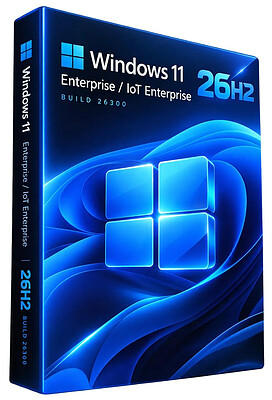
Windows 11 Enterprise/Iot Enterprise 26H2 Build 26300.9818 (No TPM Required) Preactivated Multilingual | Size: 6.58 GB
Windows (x64) | Languages: Arabic,English,German,Greek,French,Spanish,Italian,Portuguese-Portuguese,Portuguese-Brazil,Turkish,Dutch,Czech,Norwegian
​
Windows 11 version 26H2 also known as the Windows 11 2026 Update,is built on the same servicing foundation as recent Windows 11 releases. It delivers the latest Windows innovations with a streamlined update experience designed to minimize disruption and help you stay secure, productive, and up to date.

For many eligible devices, moving to version 26H2 is as simple as installing a small enablement package, with a minimal download size, quick installation, and a single restart. Version 26H2 enables most of the features that were introduced in monthly updates for Windows 11, version 25H2.

What's new in Windows 11, version 26H2
Windows 11, version 26H2 is the next annual feature update for Windows 11. It builds on the same servicing foundation as Windows 11, versions 25H2 and 24H2, helping organizations adopt the latest release with minimal disruption. Devices running eligible versions of Windows 11 can move to version 26H2 through a small enablement package rather than a full operating system upgrade.

Because Windows 11, versions 26H2, 25H2, and 24H2 share a common servicing branch, many new features and improvements have already been delivered through monthly servicing updates. Version 26H2 enables selected features and resets the support lifecycle for the new release.

Servicing and deployment
Windows 11, version 26H2 provides a familiar update experience

Delivered as an enablement package for eligible devices running Windows 11, versions 25H2 and 24H2.
Fast installation with a single restart in most scenarios.
Reduced validation effort because supported versions share the same underlying platform.
Consistent management, security, and update experiences across supported releases.
Features enabled by default in version 26H2
For commercial organizations, Windows 11, version 26H2 enables capabilities that were introduced previously but controlled through temporary commercial controls.

Windows settings backup
Windows settings backup is now enabled by default for eligible commercial devices. This helps organizations preserve supported Windows settings and Microsoft Store app lists for recovery and device replacement scenarios. Existing administrator-configured policies continue to be honored.

App-specific actions from the taskbar
Windows 11, version 26H2 enables app-specific taskbar actions by default for commercial devices. Users can thus access common actions directly from taskbar experiences.

File Explorer enhancements
Several File Explorer improvements that were previously under temporary commercial controls are enabled by default in Windows 11, version 26H2. These enhancements focus on improving navigation and usability within File Explorer.

System Requirements For Windows 11
Processor: 2 gigahertz (GHz) or faster.
RAM: 2 gigabyte (GB).
Free space on hard disk: 15 gigabytes (GB).
Graphics card: DirectX 9 graphics device or a newer version.
Additional requirements to use certain features.
To use touch you need a tablet or monitor that supports multitouch.
To access the Windows store to download and run apps, you need an active Internet connection and a screen resolution of at least 1024 x 768 pixels

HOMEPAGE:
Код:
https://microsoft.com

FREE DOWNLOAD LINKS:​

Код:
https://rapidgator.net/file/06a608408c5d3618dab6a6e7a77120be/Win.11.Enter.Iot.26300.9818..part1.rar
https://rapidgator.net/file/0c5f59301618ff0003a47c34b2a16170/Win.11.Enter.Iot.26300.9818..part2.rar
https://rapidgator.net/file/824a56ce6dd7a9352f47b5893f817157/Win.11.Enter.Iot.26300.9818..part3.rar
https://rapidgator.net/file/2767145984a8389558ca550fa4bea86a/Win.11.Enter.Iot.26300.9818..part4.rar
https://rapidgator.net/file/ab4aa4d9475982d6dfde55b73ebd19f9/Win.11.Enter.Iot.26300.9818..part5.rar
https://rapidgator.net/file/f1f4b51daf2482f20c4e1869d50cb4d2/Win.11.Enter.Iot.26300.9818..part6.rar
https://rapidgator.net/file/fabdaf9567f734d1727857e512dd67d8/Win.11.Enter.Iot.26300.9818..part7.rar

Код:
https://clicknupload.click/31dbcho5hllh/Win.11.Enter.Iot.26300.9818..part1.rar
https://clicknupload.click/6yjv9wwqrnya/Win.11.Enter.Iot.26300.9818..part2.rar
https://clicknupload.click/u5fzvn59ty9l/Win.11.Enter.Iot.26300.9818..part3.rar
https://clicknupload.click/p2uccrr95vwm/Win.11.Enter.Iot.26300.9818..part4.rar
https://clicknupload.click/by3ez6imxk3m/Win.11.Enter.Iot.26300.9818..part5.rar
https://clicknupload.click/f930c6jaiu09/Win.11.Enter.Iot.26300.9818..part6.rar
https://clicknupload.click/oxs2ox2tjnqy/Win.11.Enter.Iot.26300.9818..part7.rar
 
e1a3528c33d324a46b4f25d6f05cd9b6.jpg


4DDiG Partition Manager 4.5.0.7 (x64) Multilingual | Size: 104.95 MB
Language: English
​
4DDiG Partition Manager is a powerful Windows disk partition software expert in system migration, disk cloning and disk partition management.

An All-in-One Disk Partition Manager
- One-click migrate Windows OS to SSD without reinstalling system.
- Upgrade to a larger hard drive without data loss.
- Flexibly resize/split/create/delete/format partitions to optimize disk space.
- Effectively clone your entire hard drive to back up your data.
- Safely move installed apps & programs, system updates, drivers, custom settings from one PC to another.

Easy & Safe Disk Cloning Software for Complete Backup
Making regular backups of your data is crucial to prevent data loss. 4DDiG Partition Manager can effectively clone your entire disk or partition, providing a reliable solution for data backup.

- Disk Cloning Mode
You can effortlessly and securely copy or transfer data from one drive to another. This feature allows you to back up your data and seamlessly upgrade to a larger hard drive without losing data.

- Partition Cloning Mode
Designed for cloning specific partition data, this mode enables you to effortlessly transfer or back up the contents of a specific partition on a drive to another partition without any data loss.

One-click OS Migration Wizard for Windows 10 & 11
Quick System & Data Transfer Solution. 4DDiG Partition Manager can migrate system and large files or folders from one disk partition to a larger one in one click.

- Migrate OS to SSD/HDD
One-click migrate your Windows OS to another HDD or SSD for better computer performance.

- Upgrade to a Larger SSD
Replace or upgrade a smaller drive to a larger one or SSD disk.

- Safely Transfer Everything
System migration will safely transfer all data on the system drive from one PC to another, including installed apps, system updates, drivers, custom settings, and more.

- No Need to Reinstall the System
Transfer your operating system to a new drive without reinstalling Windows, saving time and effort.

All-inclusive Disk Partition Manager for Beginners
Quick System & Data Transfer Solution. 4DDiG Partition Manager can migrate system and large files or folders from one disk partition to a larger one in one click.

- Resize / Move Partition
Adjust partition size without losing data, move partition within disk boundaries, redistribute free space.

- Extend/Shrink Partition
Extend partition by taking free or unallocated space from the same disk or shrink partition to make room for other partitions.

- Split Partition
Divide a partition into two or multiple smaller partitions to store different types of data.

- Merge Partition
Merge two adjacent partitions on a disk into a larger partition without data loss to expand the space of a specific partition.

- Create Partition
Create new partition(s) from unallocated space to improve the efficiency of data storage.

- Delete Partition
Delete a partition you no longer need on your disk with ease and turn it into unallocated space.

- Format Partition
Format an inaccessible partition to make it available for reuse or change file system among NTFS and exFAT.

- Change Drive Letter
Change drive letters of partitions according to your preference to reorganize your drive.

System Supported
- Operating System: Windows 11/10/8.1/8/7
- Files System: NTFS, exFAT, and FAT16/FAT32

HOMEPAGE:
Код:
https://4ddig.tenorshare.com/

FREE DOWNLOAD LINKS:​

Код:
https://rapidgator.net/file/b74e63d00a803a2ba322281ced18c178/4DDiG_Partition_Manager_4.5.0.7_x64_Multilingual.zip

Код:
https://clicknupload.click/s8ynaayowsg9/4DDiG_Partition_Manager_4.5.0.7_x64_Multilingual.zip
 
204806d025739e1c4a97e993cc502e33.jpg


AVS Audio Converter 26.0.3.6 Multilingual | Size: 84.8 MB
Language: English
​
AVS Audio Converter will help you convert, edit, create ringtones. Convert audio files between MP3, FLAC, OGG, AAC, M4A, M4B, M4R, AMR, WMA, VOX and other formats with AVS Audio Converter. Use batch mode to convert and work with several files at one go. Specify frequency, number of channels, bitrate and other parameters of your output files before conversion.

Features:
- Convert between All Key Audio Formats
Convert MP3, WMA, WAV, M4A, AMR, OGG, FLAC, MP2, etc. Manage APE files and encode them to any key audio format supported by AVS Audio Converter . See a full list of supported audio formats.

- Export Audio from Video
Select and convert audio from your video files. AVS Audio Converter supports DVD, MPEG, MP4, AVI, DIVX, MOV, WMV, VOB, 3GP, RM, QT, FLV, etc. See a full list of supported video formats.

- Convert Files to M4B
Convert your audio tracks to M4B format with AVS Audio Converter . Divide them into chapters and add bookmarks. Set up quality level before audio conversion. Prepare audio files for your iPod/iPhone.

- Create Ringtone for iPhone
Edit an audio file and save it to M4R format for iPhone. Make an individual ringtone with AVS Audio Converter .

- Edit Your Audio Files
Trim, delete parts, merge files, apply effects with AVS Audio Converter . Modify extra text information in your audio files.

HOMEPAGE:
Код:
http://www.avs4you.com/

FREE DOWNLOAD LINKS:​

Код:
https://rapidgator.net/file/c35251d15c7d6ecdc1c2e4a68fba790c/AVS_Audio_Converter_26.0.3.6_Multilingual.rar

Код:
https://clicknupload.click/9ojbdbank0ex/AVS_Audio_Converter_26.0.3.6_Multilingual.rar
 
2c26a8d5960135801af6ec7b46e1a173.jpg


AVS Audio Editor 26.0.3.6 Multilingual | Size: 84.12 MB
Language: English
​
Edit your audio files with AVS Audio Editor . Cut, split, merge, record, apply various effects. Save output files to all key audio formats.

Features Overview:
- Edit Audio
Cut, join, trim, mix, delete parts, split. Use Timeline for maximum precision and accuracy. Multichannel audio files are supported.
- Enhance Audio
Over 20 built-in effects and filters including delay, flanger, chorus, reverb, and more. Full support of VST effects and DirectX filters.
- Remove Background Noises
Use specially designed filters to remove irritating sounds like "vuvuzelas", roars of football fans, hisses, etc.
- Mix Audio
Blend several audio tracks, apply effects and save the output file in any popular format. Overlay your voice on audio while playing it back.
- Microsoft Windows 7 Support
AVS Audio Editor is compatible with the latest version of Microsoft Windows.

- Export Audio from Video
Choose and edit audio from your video files. Save them on PC or external hardware. See a full list of supported formats here
- Use Batch Editing
Select effects and settings and apply them to several audio files.
- Save Audio in Key Format
Edit and save audio files in MP3, WAV, PCM, WMA, M4A, Flac, OGG, etc.
- Record Audio from Any Input
Edit your audio recordings, apply effects, save them as separate audio files.
- Create Ringtone for iPhone
Edit an audio file and save it to M4R format for iPhone.
- Work Fast & Easy
Make your Favorites panel. Select the most frequently used features and add them to your panel.

All key formats are supported:
Read: MP3, WMA, WAV, M4A, M4R, AAC, AMR, OGG, MP2, FLAC, AIFF, AU, AVI, IVF, DIV, DIVX, MTV, AMV, MPG, MPEG, MOD, MPE, MVV, M2V, WMV, ASF, DVR-MS, DAT, IFO, VOB, VRO, M2TS, M2T, MTS, TOD, TS, TP, DV, MKV, OGM, OGV, OGA, OGX, RM, RMVB, RAM, IVR, MOV, QT, M4V, MP4, 3GP2, 3GPP, 3GP, 3G2, FLV, SWF
Write: MP3, WMA, WAV, M4A, M4R, AAC, AMR, OGG, MP2, FLAC, AIFF, AU, AVI, IVF, DIV, DIVX, MPG, MPEG, MOD, MPE, MVV, MTS, TOD, MOV, QT, M4V, MP4, 3GP2, 3GPP, 3GP, 3G2, FLV

HOMEPAGE:
Код:
http://www.avs4you.com/

FREE DOWNLOAD LINKS:​

Код:
https://rapidgator.net/file/330f231c0e0eb02617e5fa379abb6f68/AVS_Audio_Editor_26.0.3.6_Multilingual.rar

Код:
https://clicknupload.click/wjsxadkkpsm5/AVS_Audio_Editor_26.0.3.6_Multilingual.rar
 
cc45dabe144bde99b5e24cd16b329447.jpg


AVS Video Converter 26.0.3.6 Multilingual | Size: 120.05 MB
Language: English
​
AVS Video Converter - program with advanced capabilities, all in one, converter, burn VCD, SVCD, DVD, an advanced video editor.

A key feature of it is: converter AVI, MPEG, WMV, DVD video to AVI, MPEG, WMV, RM formats, burning DVD, SVCD or VCD, package converting, editing, video overlay effects and filters, extracting audio from video and save in a separate audio file, extract a frame (frame) and save as image, splitting into segments and connect video, video rotation, adding to the form of text, banners, logos, selection and codec setting for conversion, support: AVI (DivX, XviD, MS MPEG4, Uncompressed , Cinepak), MPEG (MPEG-1 and MPEG-2 Video), VOB (Video DVD, PAL and NTSC), WMV (Windows Media Video), RM (Real Networks Video), MOV (Quick Time) and other formats.

Features:
Conversion of the minimum time to support multi-threaded conversion to multi-core processors.
Create a DVD-video: create DVD-video from all supported formats. Templates menu there. See the result on your home player DVD.
Support for HD-video: HD-core supported formats: AVCHD, MPEG-2 HD, WMV HD, TOD, MOD, M2TS, M2T, MTS, HDV. You can edit, combine, cut pieces, add text and effects, and convert to DVD or any other supported video format.

The video for mobile devices: iPod, iPhone, PSP, Zen, PS3 (HD support), XBox (HD support), Archos, telephones, DVD/MPEG-4 Player (with support DivX / Xvid).
The video for the Website: Flash SWF, Real Video and WMV video
Copying video discs
Extract audio tracks from video, save individual frames as screenshots
Edit quickly and precisely with the line of time, use more than 50 audio and video effects for movies.
Support batch mode

Operating System: Windows 10, 8.1, 8, 7, XP, 2003, Vista

HOMEPAGE:
Код:
https://www.avs4you.com/

FREE DOWNLOAD LINKS:​

Код:
https://rapidgator.net/file/771a10a7525422d57ba4ccc8dcd30026/AVS_Video_Converter_26.0.3.6_Multilingual.rar

Код:
https://clicknupload.click/c7ce36uokigm/AVS_Video_Converter_26.0.3.6_Multilingual.rar
 
7b7b8f2f75430119ccf4635e2296fbe3.jpg


AVS Video Editor 26.0.3.6 Multilingual | Size: 205.7 MB
Language: English
​
AVS Video Editor - A full-featured editor for creating professional video processing. With the help of AVS Video Editor you can make video capture, to impose a variety of effects, create and burn DVD, export movies to various video formats, convert video to iPod, PSP, mobile phones and other portable devices.

The program has more than 200 effects, lots of filters and transitions will allow you to create high-quality video and slide shows. Automatic scene detection algorithm used AVS Video Editor, allows you to quickly move, edit files and errors associated with cutting and combining files.

Convenient interface AVS Video Editor allows you to get quick access to all controls and menus. Fans of change "skins" programs will be pleased: the color scheme Interface AVS Video Editor can be changed by clicking on the arrow at the top right of the window and selecting from the drop down list you want.

Make your video and save in a convenient format, and optionally can be individually configured all the parameters and characteristics of video and audio. The program is built utility Audio Editor, which allows you to edit and mix audio tracks for making movies.

Supported formats:
HD Video formats (. M2ts,. Mts,. Tod)
Blu-ray video
AVCHD

MPEG-2 HD
AVI - Audio Video Interleave (including HD video) (. Avi,. Divx,. Xvid,. Ivf,. Div, etc)
DivX codec *
Xvid codec
H.264 codec
DV codec
Cinepak codec
Indeo codec
MJPEG codec
Uncompressed codec
MS MPEG-4 codec
and other
WMV - Windows Media Formats (including HD video) (. Wmv,. Asf,. Asx,. Dvr-ms)
Windows Media Video
Advanced Systems Format
DVR-MS
RealNetworks (. Ra,. Rm,. Ram,. Rmvb)
MPEG - Motion Picture Experts Group (including HD video) (. Mpg,. Mpeg,. M1v,. Mpe,. M2v,. Dat,. Ifo,. Vob,. Vro,. Mg4,. Mod,. Mvv)
MPEG-1
MPEG-2
DVD (PAL and NTSC)
VOB, VRO
MPEG-4
Mobile video formats (.3 gp2, .3 gpp, .3 gp, .3 g2,. Mp4)
MP4 (inc. Sony PSP and Apple iPod)
3GPP
3GPP2
Quick Time movie (including HD video) (. Mov,. Qt,. M4v,. Mp4)
Adobe Flash (. Swf,. Flv)
Matroska (including HD video) (. Mkv)
Ogg Media (including HD video) (. Ogm)

Operating System: Windows 10, 8.1, 8, 7, XP, 2003, Vista

HOMEPAGE:
Код:
http://www.avs4you.com/

FREE DOWNLOAD LINKS:​

Код:
https://rapidgator.net/file/4dc5ccf298346cb07edc93b6189bb188/AVS_Video_Editor_26.0.3.6_Multilingual.rar

Код:
https://clicknupload.click/1flzdvnqdtat/AVS_Video_Editor_26.0.3.6_Multilingual.rar
 
6f0f079524d29f4606a69cd7f34f91c4.jpg


AVS Video ReMaker 26.0.3.6 Multilingual | Size: 93.45 MB
Language: English
​
Edit video files without reconversion. Cut unwanted scenes from videos recorded with various PVR, DVR & DVD camcorders. Insert DVD and Blu-ray menus.

Features:
Edit Video Files without Reconversion
Cut, delete unwanted parts, change scene sequence in MPEG, AVI, DVD, Blu-ray, WMV, etc. without reconversion.
Edit Various Supported Formats
Work with MPEG, DVD, AVI, WMV, Blu-ray, etc. See a full list of supported video formats here
Edit HD-Videos
Edit AVCHD, MOD, MTS/M2TS, TOD, etc. video files recorded with camcorders and video cameras.
Microsoft Windows 7 Support
AVS Video ReMaker is compatible with the latest version of Microsoft Windows.
Preserve Original Quality
Remove unnecessary video parts in MPEG, AVI, DVD, HD, etc. and simply save your video anew.
Create DVD and Blu-ray Menus
Split video into chapters, select between a number of menu templates. Burn video files on to DVD or Blu-ray discs.

Capture Video
Transfer video from camcorders and video cameras to hard drive, edit files and create home video DVDs. Capture video from Web cameras and DV cameras.

All key formats are supported:
HD Video formats
Blu-ray video, AVCHD, MPEG-2 HD (.m2ts, .m2t, .mts, .tod, index.bdm, index.bdmv, .mkv)
AVI - Audio Video Interleave (including HD video)
DivX, Xvid, H.264, DV, Cinepak, Indeo, MJPEG, Uncompressed, MS MPEG-4 and other(.avi, .divx, .xvid, .ivf, .div, etc )
WMV - Windows Media Formats (including HD video) (.wmv, .asf, .asx, .dvr-ms)
MPEG - Motion Picture Experts Group (including HD video
MPEG-1, MPEG-2, VCD, SVCD, DVD (PAL and NTSC), VOB, VRO, MPEG-4 (.mpg, .mpeg, .mp2, .m1v, .mpe, .m2v, .dat, .ifo, .vob, .vro, .mg4, .mod, .mvv)
Mobile video formats (.3gp2, .3gpp, .3gp, .3g2, .mp4)
Quick Time movie (including HD video) (.mov, .qt, .m4v, .mp4)
Flash Video (.flv, .f4v, .f4p)

Operating System: Windows 10, 8.1, 8, 7, XP, 2003, Vista

HOMEPAGE:
Код:
http://www.avs4you.com/

FREE DOWNLOAD LINKS:​

Код:
https://rapidgator.net/file/6df8b590d1a5fccff4fd4946eb2832ed/AVS_Video_ReMaker_26.0.3.6_Multilingual.rar

Код:
https://clicknupload.click/c4mwukfnpf56/AVS_Video_ReMaker_26.0.3.6_Multilingual.rar
 
f04f17388a564bdb6eb17cb266c85aaa.jpg


AVS4YOU Software AIO Installation Package 26.0.3.6 | Size: 312.99 MB
Language: English
​
AVS Video Converter, AVS Audio Editor, AVS Video Editor, AVS Audio Converter and other reliable tools for multimedia processing.

AVS4YOU Software AIO Installation Package contains
- AVS Audio Converter
- AVS Audio Editor
- AVS Audio Recorder
- AVS Cover Editor
- AVS Disc Creator
- AVS Document Converter
- AVS DVD Copy
- AVS Image Converter
- AVS Media Player
- AVS Photo Editor
- AVS Registry Cleaner
- AVS Ringtone Maker
- AVS Screen Capture
- AVS Video Recorder
- AVS Video Converter
- AVS Video Editor
- AVS Video ReMaker

Operating System: Windows 11, 10, 8.1, 8, 7, XP, 2003, Vista

HOMEPAGE:
Код:
http://www.avs4you.com/

FREE DOWNLOAD LINKS:​

Код:
https://rapidgator.net/file/4dbc8ae53cef59c802e804836c70749a/AVS4YOU_Software_AIO_Installation_Package_26.0.3.6.rar

Код:
https://clicknupload.click/fycj11zqquww/AVS4YOU_Software_AIO_Installation_Package_26.0.3.6.rar
 
6ae5536586287ca911910b4838b8c1a1.jpg


Becky! Internet Mail 2.83.07 | Size: 7.97 MB
Language: English
​
Becky! Internet Mail is the software specifically designed for the Internet e-mail. Since its birth in 1996, we kept improving its functionalities listening to the users' feedback. And it has become one of the most successful shareware e-mail products. Now, we totally renewed the program as Becky! Ver.2. Our main aim for ver.2 is developing more stable, fast, and feature rich program without losing its most important virtue - Ease of use.

Features
You can create not only multiple mailboxes but also create multiple profiles for each mailbox. That will make very flexible mailbox management for people who has a lot of e-mail accounts.
It supports POP3, IMAP4, SMTP (with or without SSL).
For its features, the program size is unbelievably compact. It is developed with good old C++ and optimized for Windows, which promises quick response in every aspect.
You can view and write HTML mail within Becky! using Microsoft IE's inline component.
The useful "Template" feature allows you to create templates for everyday's fixed work, that will incredibly save your time.

The friendly "Reminder" feature allows you to deliver messages from you to you on the scheduled date.
The powerful filtering manager allows you to create very flexible filtering rule that can contain almost infinite And/Or conditions and various filtering actions. You can also quickly make a filtering rule by drag&drop with Alt key.
The "Mailing lists Manager" can manage many mailing list that you have subscribed in one window.
Its "Plug-in Interface" allows the third parties to create powerful add-on programs.
You can bring out your Becky! in your USB memory using "Sync With Portable Media" functionality. You can plug-in your USB memory to any Windows computer and she is there! It leaves virtually no footprint on the target computer, so it is ideal for Internet Cafe.
Its "Query" feature searches strings in any folders, and this Query result can be saved as a folder.
Its unique "Agents" feature can manage non-urgent work like "Need Reply in Xdays", "Wait for Reply", etc. You can forget about those chores and concentrate on the important work.

Operating System: Windows 10 or later

HOMEPAGE:
Код:
http://www.rimarts.co.jp/

FREE DOWNLOAD LINKS:​

Код:
https://rapidgator.net/file/78a6892a53001782b1017c262b9e0b57/Becky_Internet_Mail_2.83.07.rar

Код:
https://clicknupload.click/esz4m9m4uvbr/Becky_Internet_Mail_2.83.07.rar
 
56fc3888d80c73deb2384709cd6b7fe1.png


Bloatynosy 1.10 | Size: 568.68 KB
Language: English
​
This debloater for Windows 11 can help clean up your machine and disable the redundant features of Microsoft's new OS, while also featuring some additional tools for convenience.

Analyzes your system
Before coming up with any suggestions, the software will first run a system analysis to look for anything odd. This should take a minute at most, and the resulting suggestions will be based on your configuration. What helps is that the software assigns a priority rating to each of its suggestions, which can help users ascertain whether a fix is worth applying.
As usual, these fixes are varied in nature. Whether they're with regard to your Explorer, Desktop, Taskbar, Privacy, and other such categories, everything is compartmentalized so that it's easier to get an idea on the fixes that are worth prioritizing in your use cases.
Also features a few additional nice-to-haves
Through InstaPackage, users can easily install a few essential programs for their machine. Think of this as a good way to install software after a fresh Windows install: the list of available software is generous enough to get you started off on the right foot. Simply select the packages you wish to install, and the tool will handle the rest.
In addition, BloatFinder can help you dispense with other elements from your system you might find irrelevant or undesirable. These include default Windows apps that you may never use, such as YourPhone, the Xbox app, and so on.
A solid Windows debloater

BloatyNosy makes debloating your Windows 11 machine accessible for all, thanks to an intuitive process that is almost automatic.

System Requirements: Windows 11, Windows 10

HOMEPAGE:
Код:
https://github.com/builtbybel/BloatyNosy

FREE DOWNLOAD LINKS:​

Код:
https://rapidgator.net/file/9444388dfc4b41f648ba7d537bc87aa1/Bloatynosy_1.10.zip

Код:
https://clicknupload.click/90saglrmztvy/Bloatynosy_1.10.zip
 
79d302d2939f29acd17a05a40db8585b.jpg


CPU-Z 3.02 | Size: 4.63 MB
Language: English
​
CPU-Z is a software that gathers information on some of the main devices of your system. Find out everything about your computer you ever wanted to know with this program that gives you information such as processor name and vendor, core stepping and process, processor package, internal and external clocks, clock multiplier, partial overclock detection, and processor features including supported instructions sets. This program supports detection of the processor's core voltage, L2 bus width, support for two processors (in Windows NT/2000 only), and memory timing (CAS Latency, RAS to CAS, RAS Precharge).

CPU
* Name and number.
* Core stepping and process.
* Package.
* Core voltage.
* Internal and external clocks, clock multiplier.
* Supported instructions sets.
* Cache information.

Mainboard
* Vendor, model and revision.
* BIOS model and date.
* Chipset (northbridge and southbridge) and sensor.
* Graphic interface.
Memory
* Frequency and timings.
* Module(s) specification using SPD (Serial Presence Detect) : vendor, serial number, timings table.

System Requirements: Windows 11, Windows 10, 8 , 7

HOMEPAGE:
Код:
https://www.cpuid.com/

FREE DOWNLOAD LINKS:​

Код:
https://rapidgator.net/file/41188ac2783c91c361db1ed4a92ec4c2/CPU-Z_3.02.rar

Код:
https://clicknupload.click/30drx8f7eqsj/CPU-Z_3.02.rar
 
9736b3e597e98caa3e2f113d985ca50e.jpg


ChessBase Paramount Chess Database 2.0 | Size: 324.36 MB
Language: English
​
Paramount is a unique historical collection of annotated chess games which will serve as a premium quality database for daily use by competitive players. While it is not intended to match the massive amount of material offered by similar databases on the market, it is the jewel that will differentiate your preparation from a great many others.

Chess Informant's concept has always been about selection - to preserve and highlight the best examples of human creativity. Quite simply, here you will find the best games. This has been our specialty for 50 years and it remains our ongoing policy. Non-verbal chess symbols are employed to analyse the games, the majority of which are annotated by the players themselves, including world champions and virtually all the biggest names in chess since 1965.

Qualitatively, Paramount is the finest chess database on the market. It has been constructed with love and care, not by computers but by generations of experts, utilizing standard processes that have been continually improved and perfected over time. In this way, the Paramount chess database brings you 50 years of modern chess history at a glance.

Paramount is a collection of all the games ever published in Informant, from its very first issue, presenting games from 1965 right up to this year's Informant 123. It is designed to offer you easy access to the entire database - to each individual Informant - to games played by prominent players and world champions - to annotators of games - to openings of games according to the ECO code - to the most popular openings and variations - to the "golden games" as voted by a grandmaster jury, etc.

With a grand total of 113,832 games (70,043 full games and 43,789 game fragments), in numerical terms it is the biggest collection of annotated games on the market. But this is not a numbers game. In contrast to the commercial databases which offer millions of freely accessible games with no analysis, Paramount is a triumph of quality over quantity.

ANNOTATORS
Just a quick glance at the list of annotators shows how gigantic is this half-century Chess Informant project. Here's just a sample selection, together with the total number of games each grandmaster has analysed in Chess Informant over the years:

Botvinnik (29), Smyslov (130), Tal (372), Petrosian (510), Spassky (17), Fischer (10), Karpov (580), Kasparov (630), Anand (507), Ponomariov (136), Topalov (55), Kramnik (442), Gaprindashvili (62), Chiburdanidze (127), Xie Jun (30), Susan Polgar (99), Gligoric (685), R. Byrne (611), Timman (569), Gelfand (517), Adams (428), Larsen (416), Polugaevsky (339), Nunn (317), Shirov (515), Van Wely 338, Gulko (301), Ivanchuk (403). the list is enormous, there are 3512 annotators in total.

System Requirements
Desktop-PC or Notebook with 8 GB RAM, Windows 11 or 10

* Paramount does not contain any dedicated chess software; it is a database that works with all leading chess database programs, including Chessbase, Chess King and Chess Assistant

HOMEPAGE:
Код:
https://www.houseofstaunton.com/products/paramount-chess-database

FREE DOWNLOAD LINKS:​

Код:
https://rapidgator.net/file/3882849f984a061193ee3d9910f86c72/ChessBase_Paramount_Chess_Database_2.0.rar

Код:
https://clicknupload.click/5whh3z6erroo/ChessBase_Paramount_Chess_Database_2.0.rar
 
cc88c8df4b4700d5c543783b72bad937.jpg


CloudMounter 3.9.2207 Multilingual | Size: 56.01 MB
Language: English
​
Mount cloud storage as a local drive on Windows. CloudMounter is of great help to the owners of laptops with low-capacity SSDs. You can outsource your files and documents to the most popular cloud services and mount cloud drive accounts to your PC without having to save cloud files on your computer.

At the same time with the help of CloudMounter, you can easily work with all online files the very same way you would work with local ones. Manage one of your Dropbox, Google Drive, Microsoft OneDrive, and Amazon S3 accounts for free!

Mount cloud drive as a local disk on Windows
Mount cloud storage as a local drive for the easiest access from your PC. Connect and upload files to Dropbox, Google Drive, Amazon S3, and Microsoft OneDrive in Explorer, as if just copying and moving files locally on your computer. CloudMounter is a great utility that will make life a lot easier for many Mac owners! Moreover, many users of corporate cloud systems will have a huge advantage without cluttering their drive with a huge amount of network storage.

Key characteristics of CloudMounter for Windows
CloudMounter is a highly reliable and safe utility building a solid bridge between your computer and cloud computing services. The app allows you to not only just upload data from the cloud but also to upload new files there from your computer. Simply drag the file to the connected drive in Windows Explorer and wait for it to appear on the cloud. Benefit from this Windows cloud management software.

Regular updates
CloudMounter team always works on new ideas and implements them in regular new versions. Our goal is to make a top-notch solution that will meet all the requirements of our users and make any cloud drive accessible for Windows users right from Windows Explorer. Besides that, our tech team is always happy to answer any of your questions. So, stop wondering how to mount a drive in Windows. Try CloudMounter and enjoy the simplicity of use.

Integration with Explorer
CloudMounter offers sleek integration with Windows Explorer after being installed on a computer, which makes the app even easier to deploy and use. Thanks to Explorer integration mapping Google Drive to PC like the regular drive is done in a couple of clicks and allows working with online files as with local ones. Work directly through Windows Explorer for easy interaction with files.

Secure Your Cloud Storages
Cloud data security is a burning issue to most of the users as no one wants their personal data to be revealed to the public. CloudMounter allows encrypting Google Drive, Dropbox, OneDrive, Amazon S3 data with the AES256 encryption algorithm. Make your files accessible only through your copy of CloudMounter. Add an extra layer of protection to your files and stay calm knowing that your network cloud drives are totally protected.

Add more space to your Windows HDD
With CloudMounter you get instant access to the cloud files without the need to store them on the hard drive. Thanks to this Windows cloud drive management software, you can save precious space on your hard drive, as while using the app you do not need to synchronize or copy files from your cloud accounts to your computer.

All cloud services at your fingertips
CloudMounter is the perfect assistant that connects your computer with multiple cloud computing services (Google Drive, Dropbox, Microsoft OneDrive, Amazon S3) so that you can work with the files stored online in the same manner you do with local ones. Forget about using a bunch of different apps for being able to work with all your cloud accounts. All you need is just one app that perfectly handles work with the major popular cloud computing services, namely CloudMounter. Mount cloud drive and enjoy working with it.

HOMEPAGE:
Код:
https://cloudmounter.net/mount-cloud-drive-win.html

FREE DOWNLOAD LINKS:​

Код:
https://rapidgator.net/file/6618f3b588a0c2e797ed82db15da6596/CloudMounter_3.9.2207_Multilingual.rar

Код:
https://clicknupload.click/ewxnrfwpf4tk/CloudMounter_3.9.2207_Multilingual.rar
 
b97396fe3f65c2895e816153d2dc327e.jpg


Coolmuster Mobile Transfer 5.0.37 Multilingual | Size: 48.58 MB
Language: English
​
Have no idea about how to copy data from an old phone to a new one since they are coming from different manufacturers? Mobile Transfer is an outstanding tool to help you move data from one device to another without damage.

Features:

Directly Move Content between Different Smartphones
Switching to a new phone and falling into the trouble of how to transfer data from the old phone to the new one? Make it an easy transition with the help of Coolmuster Mobile Transfer, which empowers you with the ability to transfer overall data between two mobile phones (Click to learn how to transfer photos between two ?Android phones).

-Devices & Carriers: Be compatible with phones and tablets run iOS and Android OSes, such as iPhone, iPad, iPod, Samsung, HTC, LG, Sony, Google, Motorola and more. It's fully compatible with AT&T, Verizon, Sprint and T-Mobile, etc. carriers.

-Support Data types: Almost all file types can be supported by this phone to phone data transfer, such as Contacts, Text Messages, Call Logs, Calendars, Safari Bookmarks, Photos, Music, Videos, Documents, Apps, eBooks, etc..

Merge Content in One Click
Whenever you decide to switch from your old mobile phone to the brand-new smartphone, or just tired of the old phone that you have used for years and decide to experience another mobile platform, Mobile Transfer is always your best choice to sync data between two phones, even if they are running different OSes, such as the most popular iOS and Android.
-ONE, TWO, THREE! Only three steps as connecting two devices to the computer, ticking the files you want to transfer and then completing data transfer with one click, extremely easy to transfer all the files to the new phone with Mobile Transfer.

-Strictly Obey Instructions! Mobile Transfer is 100% read only, and it won't alter your phone data without your permission.

Backup Your Phone to Computer Outright (Coming Soon!)
Mobile Transfer is not just a simple data mobile phone data transfer program, it also allows you to perform a fast and full backup process of the data from your phone to computer, no matter you are using Android or iOS phone/tablet.

-Backup phone data to computer: With the backup function provided by Mobile Transfer, you can sync all files from your Android phone/tablet and iOS device to your computer without any quality loss (Learn how to by reading the guide How to Backup Samsung Contacts on Computer).

-Mobile phone memory overload? In case that your phone get cluttered up with rolls of pictures, videos and redundant apps, you may want to move some large files from your phone to other places in order to free up your phone storage. Mobile Transfer can transfer your phone data to computer intelligently.

Restore from Backups within 1 Click (Coming Soon!)
Apart from the backup ability, Mobile Transfer is also good at restoring files from backups.

-Why we need to restore from backup? Accidentally deleted or lost files on your phone and want to want then back by restoring the backup files to your phone; or have your phone lost and want to restore the backup files to a new one; or just want to sync purchased items between two devices from the backup.

-What can we restore from backup? Mobile Transfer enables you to restore backup file from iTunes and Mobile Transfer. That's to say as long as you have backed up your phone with iTunes and Mobile Transfer, you can use Mobile Transfer program to restore your precious data with 1 click.

More Features:

Read-only application
Performs data transfer only, will never overwrite, damage, modify your phone data without permission.

Precise and Concise Interface
Intuitive and user-friendly interface design makes the whole transferring process just like a piece of cake.

All Windows Platforms Supported
Work well on all Windows system, including Windows 10/8/7/XP/Vista/ 2003/2000/NT.

HOMEPAGE:
Код:
https://www.coolmuster.com

FREE DOWNLOAD LINKS:​

Код:
https://rapidgator.net/file/18c3ef69bc928f033e02b94d3aae485d/Coolmuster_Mobile_Transfer_5.0.37_Multilingual.rar

Код:
https://clicknupload.click/g9p40u1gxolg/Coolmuster_Mobile_Transfer_5.0.37_Multilingual.rar
 
c38c47fc27d79d2ce590fe37e5d6593c.png


DiskRaptor 1.0.51 (x64) | Size: 5.97 MB
Language: English
​
Diskraptor is a high‑performance, cross‑platform build and disk analysis engine built with Rust and Tauri. It scans millions of files using native Windows, macOS, and Linux APIs, delivers instant directory insights, highlights large folders, supports dark mode, exports structured JSON reports, and ships with fully automated multi‑OS build pipelines.

Features:
Scanning
Parallel jwalk engine (macOS) -- Multi-threaded directory traversal, 2-6x faster than single-threaded
walkdir engine (Windows/Linux) -- Reliable cross-platform scanning
Permission resilience -- Gracefully handles access-denied folders, logs errors, continues scanning
20M node limit -- Scans entire drives with millions of files
Multi-path scan -- Scan multiple paths sequentially (path1; path2; path3)
Visualization
Virtual TreeView -- Renders only visible DOM nodes, handles 10M+ files
Pie Chart + Squarified Treemap + Bar Chart + Galaxy 3D View -- Top 50 largest files, hover tooltip, click to jump to tree

File type icons -- Emoji icons per file type (images, video, audio, archives, code, etc.)
Percentage bars -- Colored gradient bars per tree row showing size relative to parent
File age column -- Last modification date, sortable
Interaction
Context menus -- Right-click anywhere (Tree, Top 50, Diagram): Open in Explorer, Open Terminal, Properties, Copy Path, Copy Size, Move to Trash, Jump in Tree, Scan this Folder
Keyboard navigation -- Arrow keys to navigate tree, Enter to open files
Drag & drop -- Drag folders from Finder/Explorer onto the app to scan
Resizable panels -- Drag to resize tree, diagram, detail panel
Dark / Light mode -- Toggle with moon/sun button, persists in settings
25 languages -- Full i18n with auto-detection and language switcher
Tools
Find Duplicates -- Detect duplicate files by content hash (xxhash3)
Trash Recovery -- Browse, restore, or permanently delete trashed files
Empty Folders -- List empty directories, click to jump to them
Find Files -- Search by filename pattern in scanned results
File type filter -- Show only images, video, audio, archives, or PDFs
Export HTML Report -- Standalone shareable report with stats + chart
Export CSV/JSON -- Export tree data or raw stats
Clear Scan -- Reset all results without reloading

System Requirements: Windows 11, Windows 10

FREE DOWNLOAD LINKS:​

Код:
https://rapidgator.net/file/5a991d95ebb0dfb0fb7870480e0de270/DiskRaptor_1.0.51_x64.rar

Код:
https://clicknupload.click/1twx87zyej4k/DiskRaptor_1.0.51_x64.rar
 
Назад
Сверху Снизу