All Emperor2011's Software in one thread !! (updated daily)

_14189f987e4b08c0232e3b2e14f95736.jpeg


COAA PlanePlotter 6.7.7.7 | Size: 7.63 MB
Language: English
​
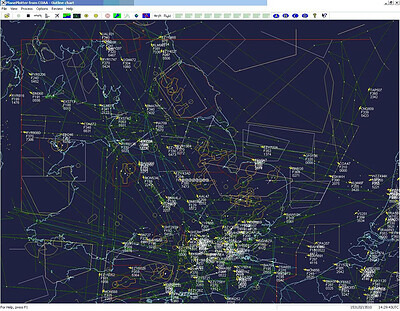
PlanePlotter receives and decodes live digital position reports from aircraft and plots them on a chart. Using PlanePlotter, you can see a radar-like display of all those aircraft around you that are transmitting the appropriate digital messages including ACARS, ADS-B and HFDL.

PlanePlotter - Features
The animated screen grab from PlanePlotter (left) was kindly provided by John Locker.

Message display
PlanePlotter shows a table display of messages received and decoded from live aircraft transmissions.

Data saving
PlanePlotter archives all the digital data that it receives and decodes to a log file.

Chart display
PlanePlotter plots aircraft positions, altitudes and times decoded from the message traffic that it receives. These include embedded position reports, AMDAR reports and ADS reports contained in ACARS messages, ADS-B position reports received by the Kinetic SBS1™ or AirNav System RadarBox™ Mode-S receivers, and position reports on HF using Charles Brain's PC-HFDL software. The plot can be superimposed on a suitable aeronatical chart that you have prepared, or PlanePlotter can download satellite imagery and plot the aircraft symbols on that. Where altitude information is available (eg Mode-S messages), you can select the data by altitude band to distinguish low level and high level traffic.

Google Earth server
If you are receiving Mode-S ADS-B position reports, PlanePlotter can interface to Google Earth to display aircraft positions over the Google Earth base map. It can even give you a dynamic real-time view from the flight deck of an aircraft that you designate.

Direction finding
PlanePlotter can determine and display the direction of any transmission using a simple passive antenna switch. This allows aircraft to be located even if they are not equipped with ACARS or Mode-S/ADS-B.

Operating System: Windows Vista, 7, 8/8.1, 10, 11

HOMEPAGE:
Код:
http://www.coaa.co.uk/planeplotter.htm

FREE DOWNLOAD LINKS:​

Код:
https://rapidgator.net/file/3afab2e0de6bbff690bebef3e0069fee/COAA_PlanePlotter_6.7.7.7.rar

Код:
https://clicknupload.click/b2ersel70rdg/COAA_PlanePlotter_6.7.7.7.rar
 
880c75a2e6f66485a0370741a256077d.jpg


CoolUtils Total Image Converter 8.5.0.363 Multilingual | Size: 241.09 MB
Language: English
​
Total Image Converter converts images to other formats, crops, resizes and rotates them. Convert large TIFFs into small JPEGs, make photos suitable for the web or recover old photos in unsupported formats - Total Image Converter will do everything you need.

Supports TIFF, JPEG, RAW, PNG, BMP, PSD, TGA, and many other image formats;
Works incredibly fast with new multi-threading feature;
Converts CMYK to RGB;
Handy resize and crop options to make your photos smaller;
Watermarking: add your comment, logo or date.

Features:
Total Image Converter supports TIFF, JPEG, JPEG2000, RAW, PNG, BMP, ICO, PSD, TGA, PCX, PCD and many other rare image file types files complete list).
Along with conversions you can rotate your images! All is done in batch so you save a lot of your valuable time.
With Total Image Converter it's very easy to resize your photos or images.
With Total Image Converter you can specify the color space for your output images.
What to combine images within folders? No problem! Our powerful batch image converter can do that too.
Total Image Converter will also add a frame to your images in batch.
Convert TIFF, JPEG, PSD and many other files in seconds via our clear wizard-mode interface (thumbnails or file lists with details).
The widest list of output file types: PDF, TIFF, BMP, PNG, JPEG, JPEG2000, ICO, GIF, PCX, TGA, PXM, PS, PCL! Besides, it supports many rare formats like PALM, PICT, XPM, FIX, etc.
Total Image Converter supports almost all RAW camera photos (CRW, CR2, NEF, PEF, RAF, X3F, RAW, BAY, ORF, NRW, SRF, MRW).
The built-in Preview panel helps you to view each file full-sized and learn the indo about it.
Add text watermarks to the header or the footer of the output file to prevent unauthorized use.
When you convert images to PDF you can set user permissions, password-protect your files or sign them with your digital signature.
Try the Total Image ConverterX SDK to use it on your server (no GUI).
Total Image Converter can be run via command line (get the ready-to-use command line from GUI settings).

HOMEPAGE:
Код:
https://www.coolutils.com/TotalImageConverter

FREE DOWNLOAD LINKS:​

Код:
https://rapidgator.net/file/c6736c8024d2b36da2bf705c0793685e/CoolUtils_Total_Image_Converter_8.5.0.363_Multilingual.rar

Код:
https://clicknupload.click/brbotj66593b/CoolUtils_Total_Image_Converter_8.5.0.363_Multilingual.rar
 
5ed02da760e8fd86a207472f781fdb43.jpg


CoolUtils Total Movie Converter 4.1.0.100 Multilingual | Size: 323.06 MB
Language: English
​
Total Movie Converter is a handy solution to convert video files of almost all popular video codecs to AVI, MPG, WMV, MPEG, FLV. In addition, Total Movie Converter is great for converting video for iPad, iPhone, Apple TV, Archos, XBox and others thanks to the new Video To Device feature.

If you make home videos with a HD camera Total Movie Converter will make your videos suitable for the web in two clicks.
Use this powerful video converter to rotate your videos or resize them.
Total Movie Converter converts video from YouTube, Vimeo, and Sevenload. All you have to do is enter the url.
The video converter can also change the codec or system type between all popular video formats. You can also adjust Audio\Video bitrate, Frame Rate, cut any piece of your movie or combine video.

HOMEPAGE:
Код:
https://www.coolutils.com/TotalMovieConverter

FREE DOWNLOAD LINKS:​

Код:
https://rapidgator.net/file/4d475098f6a9479f3f2bd4913d9750c2/CoolUtils_Total_Movie_Converter_4.1.0.100_Multilingual.rar

Код:
https://clicknupload.click/u5c2dzkndyku/CoolUtils_Total_Movie_Converter_4.1.0.100_Multilingual.rar
 
91cf7d5952b401a9c00557414134473e.jpg


Coolmuster Android Eraser 4.1.36 Multilingual | Size: 40.83 MB
Language: English
​
The Android Eraser is the most ideal privacy protector, which is designed to erase all personal information from your Android devices without any recovery possibility. And totally it returns your Android device to a "Clean Slate" state so that you can resell or donate it trustingly.

Why Do We Need An Android Data Eraser?
When you do not want to share your private information or secret with others, you will choose to erase history on Android phone. And before you resell, donate or trade in your old Android phone, you need to wipe out all your personal data beforehand so as to prevent a data leaking problem.

Compared with general deletion, Coolmuster Android Eraser offers you with a deep scan and the most efficient data protection solution to wipe everything from Android permanently. Make sure your deleted Android files won't be recovered by any means.

One click to permanently wipe all data on Android phone, including existing files and deleted files, and also restore Android's system to factory settings.

Erase All File Types on Android with 1 Click
Any Android device can be got bogged down when it is used for a long time. What you can do is to clean its cache data, junks, as well as useless files in order to speed up your device and protect your privacy. However, this Android Data Eraser can do more for you:

As a history eraser for Android, it can delete everything on your Android phone or tablet, including contacts, text messages, call logs, photos, videos, music, voicemail, user names, gmail account, passwords, apps, books, search history (Google history, Snapchat history, web history, etc.), keyboard history and other more personal info.

Being easy-to-use but professional, you can erase history on Android within 1 click. After the permanent deletion, no one can recover any personal data from the Android device, even using the professional Android data recovery tools.

3 Progressive Erasure Levels for Selection to Erase Data Safely
Coolmuster Android Eraser provides three progressive erasure levels to wipe your Android content securely according to your own needs:

Low Level (Quick Erasure): Erase data on your Android phone/tablet quickly and efficiently, making your Android data destroyed and unrecoverable.

Medium Level (1 Time, Recommended): Provide 1 pass of random data to overwrite your existing and deleted Android data, leaving no trace of erasing after the deletion to make sure the deleted data 100% unrecoverable.

High Level (3 Times): The longest and most secure data destruction option to write over the data three times, the security standard of which is based on the U.S. DoD 5220.22-M. It's highly recommended if you have stored any important private data on your Android phone, such as bank records, passwords, etc.

System Requirements:
Supported OS: Windows 11/10/Windows 8/Windows 7/Vista/Windows XP (64&32 bits)
Supported Android OS: Android 2.1 and up (Android 9.0 included)
Processor: Intel Pentium 1000MHz and above
CPU: 1GHz (32 bit or 64 bit)
RAM: 256 MB or more of RAM (1028MB Recommended)
Hard Disk Space: 200 MB and above free space

HOMEPAGE:
Код:
https://www.coolmuster.com/

FREE DOWNLOAD LINKS:​

Код:
https://rapidgator.net/file/4718c81755982812527606d0885ab288/Coolmuster_Android_Eraser_4.1.36_Multilingual.rar

Код:
https://clicknupload.click/c8cp5kal5x6c/Coolmuster_Android_Eraser_4.1.36_Multilingual.rar
 
acdac3e577ca75bd8e5c75d61fba6f07.jpg


Coolutils Total Doc Converter 5.1.0.443/220 Multilingual | Size: 299.37 MB
Language: English
​
Total Doc Converter is a professional solution for converting documents: (Word, Doc, DocX, DocM, RTF, RVF, or TXT files) into PDF, DOCX, XLS, JPEG, PNG, TIFF, HTML, XHTML, RTF, DOC, TXT in batch. Featuring an intuitive interface design, new users will find that it's easy to set-up and run conversion projects. For advanced users, the Total Doc Converter can be run via command line as well.

Total Doc Converter strictly preserves document layout; you'll get an exact copy of the source file in a new format! In addition, robust, optional features help to achieve the perfect results. For example:
Combine multiple source DOC files into a single multi-page PDF or TIFF file.
Users can encrypt the final PDF file in order to protect it from being copied or modified.
Total Doc Converter preserves original document properties (author, creator, key words, subject, title, etc.) when you convert DOC to PDF. More unique options..

Operating System: Windows 2000/2003/Vista/7/8/1011

HOMEPAGE:
Код:
https://www.coolutils.com/

FREE DOWNLOAD LINKS:​

Код:
https://rapidgator.net/file/41aef08f82712e81da4deee76c373ea2/Coolutils_Total_Doc_Converter_5.1.0.443220_Multilingual.rar

Код:
https://clicknupload.click/hgoomk0h9b9u/Coolutils_Total_Doc_Converter_5.1.0.443220_Multilingual.rar
 
e1c9f24f87ef23276221fddeafefa7b7.jpg


Coolutils Total Excel Converter 7.1.0.179 Multilingual | Size: 137.2 MB
Language: English
​
Total Excel Converter is the perfect choice to convert any type of table. Supported input formats include Excel and Excel 2007, XLSM, XLT, XLTM as well as OpenOffice formats ODS, XML, SQL, WK2, WKS, WAB, DBF, TEX, and DIF. The list of target formats is even more extensive: convert your tabled files into DOC, DOCX, PDF, HTML, Access, TXT, ODT, ODS, XML, SQL, CSV, Lotus, DBF, TEX, DIFF, SYLK, and LaTeX. Imagine how much time you'll save with this amazing conversion tool.

Total Excel Converter strictly preserves document layout; you'll get an exact copy of the source file but in a new format. In addition, we've included a number of handy options:
With Total Excel Converter, you can convert each sheet into a new file.
When you convert Excel to PDF you can set user permissions. This will protect your PDF files from being modified or copied.
Total Excel Converter can easily convert OpenOffice ODS files to Microsoft XLS documents; making it so that spread sheets produced by different programs are compatible with your viewer.

Operating System: Windows 2000/2003/Vista/7/8/10/11

HOMEPAGE:
Код:
http://www.coolutils.com/

FREE DOWNLOAD LINKS:​

Код:
https://rapidgator.net/file/868286fe5bc2784ebe0a55c9812bb221/Coolutils_Total_Excel_Converter_7.1.0.179_Multilingual.rar

Код:
https://clicknupload.click/1o2j7zg3dmqi/Coolutils_Total_Excel_Converter_7.1.0.179_Multilingual.rar
 
3cb9ad00940c1a8427ba31f80116397e.jpg


Coolutils Total PDF Converter 6.5.0.221 Multilingual | Size: 213.57 MB
Language: English
​
Total PDF Converter converts PDF to DOC, RTF, TIFF, XLS, HTML, EPS, PS, TXT, CSV, PDF/A and images in batch. Unlike other batch PDF converters, the Total PDF Converter is extremely user-friendly thanks to a well-planned interface. Additionally, registered users gain direct access to command line support for quiet automatic functioning on the back end.

Features:
Converts PDF to Doc, Excel, HTML, PS or Text
Also converts PS, EPS, PRN, XPS, OXPS files
Converts PDF to PDF/A in batch
Batch conversion mode
Converts PostScript to PDF
Can combine PDF files
Adds pagination
Adds text or image watermarks
No need to use Adobe Acrobat
Can extract images from PDF
Supports PDF written in multi-byte Languages
Command line support
Preserves original document layout
Windows 10 compatible
ActiveX and Server version

Operating System: Windows 2000/2003/Vista/7/8/10/11

HOMEPAGE:
Код:
https://www.coolutils.com/

FREE DOWNLOAD LINKS:​

Код:
https://rapidgator.net/file/34631e57899a983a29d2aec8ffd3f806/Coolutils_Total_PDF_Converter_6.5.0.221_Multilingual.rar

Код:
https://clicknupload.click/4li4aa8fvf6d/Coolutils_Total_PDF_Converter_6.5.0.221_Multilingual.rar
 
99bd26640e85d7868e56c84f97e621ce.jpg


DLNow Video Downloader 1.58.2026.10.26 Multilingual | Size: 229.48 MB
Language: English
​
Download videos and MP3 from YouTube, Dailymotion, Twitch, Facebook and many more.

Why do you need DLNow?
- Save videos before they are removed from the Internet
- Access videos offline
- Get the mp3 audio of a video clip
- Download videos so you can edit them
- Watch videos without any advertising

Why DLNow is the best?
- More than 600 compatible sites
- Download videos in best quality, Ultra HD 4K, 3D and 60fps
- Record live streams
- Download large video and mp3 playlist
- Download multiple videos at the same time
- o time limit, no locked feature, no speed limitation

Operating System: Windows 7, 8/8.1, 10, 11

HOMEPAGE:
Код:
https://www.dlnowsoft.com/

FREE DOWNLOAD LINKS:​

Код:
https://rapidgator.net/file/bc1b093b88390cdc28dcc53b766be876/Multilingual_26.10.26.rar

Код:
https://clicknupload.click/9eufm4fq37pp/Multilingual_26.10.26.rar
 

2bbe586b61119fd3d76c51c1c2dbe184.jpg


Desktop Calendar 3.33.317.9484 Multilingual | Size: 6.59 MB
Language: English
​
DesktopCal is a very useful piece of software that helps change your normal desktop into a calendar, so that time management can be done with more ease.The interface of the application is pretty straightforward, thus allowing any type of person to easily work with it. Moreover, the interface is highly customizable, enabling users to change the background colors, level of transparency, font of all the text, and gaps between the cells.

The utility can also control the entire desktop and what it looks like. For example, you can leave the wallpaper existent, delete it altogether or loop certain pictures of your choosing. The latter option enables you to add entire folders with hundreds of files and program them to change every 5, 10, 20, 30 minutes or even more. The position of the images can be modified, from "Fill" to "Stretch," "Center," "Fit" or "Tile".

All of the features aforementioned make this software tool highly efficient and should suit any person's taste.

The interface supports multiple languages such as English, French, Vietnamese, Chinese and Spanish.

In order to make annotations to a certain date in the calendar, all you have to do is double click on the corresponding panel and write. You should also know that each and every cell can be colored in a different way, so as to help you color-code specific events according to importance.

All in all, DesktopCal is a very useful piece of software, if you like being organized. You are able to input important occasions and meetings to the calendar with just two clicks, use a color-coded system, while also being able to manipulate the desktop.

Key features
- Record anything by double clicking on the windows desktop.
- Offers a variety of common festivals, anniversaries and other information.
- Move your data from one deveice to another with powerful tools.
- Print any page of calendar with wallpaper as you work.
- Set background color for any day you want. So, the days are colorful.
- Powerful and easy-to-use settings allows you to easily customize your own calendar.

System Requirements: Windows XP, Vista, Windows 7, 8, 10, 11

FREE DOWNLOAD LINKS:​

Код:
https://rapidgator.net/file/31919df73ecf49418022eebfb8e5b2d4/Desktop_Calendar_3.33.317.9484_Multilingual.rar

Код:
https://clicknupload.click/qkz4ubuaou01/Desktop_Calendar_3.33.317.9484_Multilingual.rar
 

c4507797ee79457b6ec694a6d5aa3641.jpg


Detect It Easy 4.0 | Size: 57.44 MB
Language: English
​
Detect It Easy is an application that has been built as a packer identifier in order to help define a file type. It's a utility that is easy to handle, quick on its feet and provides a wide range of tools.

A tool that is delivered in multiple versions
Detect It Easy comes as an application which does not require any kind of installation. You simply unpack it and whenever you need it, it's ready to go. The application is presented in three forms, each proving handy for different types of users and situations.
It's delivered in 'Basic', 'Lite' and 'Console' versions, each having specific advantages. The Lite version only provides basic functionality such as identifying the file type while the Console version offers the entire feature package but it needs to be used from the Command Line interface which is intended for experienced users.
With the above to consider, you'll probably use the Basic version in most cases as it does provide an intuitive interface, easily accessible features and a lot of handy tools.
Quickly and accurately identify file types
To obtain information on a file, all you have to do is drag it over the main window of the application into the 'File Name' field and the application immediately displays the results. Detect It Easy is built with an open architecture of signatures and enables you to create and add your own detection algorithms.
Detect It Easy can define types such as MSDOS, PE, ELF, TXT and Binary and all of their information is made available in an easy to read manner. If what is provided in the main window isn't enough, a few more clicks can bring out extremely detailed data.

Practical packet identifier
To sum things up, Detect It Easy comes in three flavors which offer everything you need in order to identify a file and extract necessary information.

System Requirements: Windows 11, Windows 10, 8 , 7

Whats New
[+] The DiE-JS now uses a custom engine instead of Qt Script (it's much faster)
[+] New translations (Albanian, Armenian)
[+] A significantly improved heuristic module for PE by DosX_dev
[+] New detects and optimization of all scripts (thanks to DosX_dev, hypn0, Kae, BJNFNE and all contributors)
[+] Build instructions for AppImage, Alphine Linux, nixOS, openBSD, Qt6, Debug
[+] Many bugs have been fixed
[+] Some GUI changes and security improvements
[+] False-signature countermeasures added
[+] Bundles for Fedora, openSuse, AppImage, S390X, Risc-V, PPC64, Nix, FreeBSD, Windows ARM64, Parrot OS, Kali Linux, Termux (CLI), macOS (DMG/ZIP)
[+] Update database button added
[+] C version of Detect It Easy ( )
[+] Qt 6.12.0

HOMEPAGE:
Код:
https://ntinfo.biz/index.html

FREE DOWNLOAD LINKS:​

Код:
https://rapidgator.net/file/7ee0318cc2621cf443636011998df958/Detect_It_Easy_4.0.rar

Код:
https://clicknupload.click/0tpajd0vm5dx/Detect_It_Easy_4.0.rar
 
1e850fb89cbd082af29e129dee62ddae.png


Doc Converter Pro 4.0.2 Business | Size: 69.08 MB
Language: English
​
Doc Converter Pro is the easy way for you to convert your documents to different formats. You can convert Word (DOCX or DOC) to HTML, Word to PDF, PDF to HTML and more.

The full list of formats we support is:
Word to HTML
Word to PDF
PDF to HTML
PDF to Word
Open doc to HTML
Open doc to PDF
PDF to plain text
Word to plain text

Requirements: Windows 7 SP1 or newer, Microsoft .NET 4.6 framework (Installed by default on latest Windows 10).

HOMEPAGE:
Код:
https://documentconverter.pro/batch-convert-pdf-word-html/

FREE DOWNLOAD LINKS:​

Код:
https://rapidgator.net/file/110815883c9457403984594b6dfd23be/Doc_Converter_Pro_4.0.2_Business.rar

Код:
https://clicknupload.click/5tire6cnwol2/Doc_Converter_Pro_4.0.2_Business.rar
 
07b750e469169eaf5042a60dd7d2fd6e.jpg


EaseUS Fixo Pro 5.0.0 Build 20261103 Multilingual | Size: 101.89 MB
Language: English
​
Videos, photos or files get corrupted or fail to open? EaseUS one-stop solution will help you repair corrupted videos, photos and files regardless of the level of damage.

All-in-one File Repair Software:

Video Repair
Repair Any Corrupted or Unplayable Video
Videos become corrupted or inaccessible after sudden power surges and failures, complete system crashes, updating errors, file mishandling or some other reasons? The video repair software - EaseUS Fixo enables you to repair a wide variety of video file formats including MOV, MP4, M2TS, MKV, MTS, 3GP, and more easily, no matter how it is damaged.

- Repair video formats including MP4, MOV, M2TS, MKV, MTS, 3GP, AVI, FLV, M4V, etc.
- Repair videos corrupted during shooting, recording, transferring, editing, converting or processing.
- Repair videos from cameras, Drones, CCTV DRV, dash cams, smartphones, NAS servers or any other monitor, etc.

Photo Repair
Repair Corrupted Photos from Any Device

Photos with precious memories or essential information become corrupted and unopenable? The photo repair software - EaseUS Fixo can intelligently and smartly repair your corrupted and damaged photos from your computer or other external storage devices like USB flash drives, memory sticks, SD cards, digital camera and phones regardless of their level of damage.

- Restore corrupted, blurry, overexposed, Underexposed or pixelated photos.
- Repair photo formats including JPEG, PNG, JPG, CR3, CR2, NEF, NRW, RAF, etc.
- Repair photos from PCs, USB flash drives, memory sticks, SD cards, digital cameras and phones.
- Repair photos in batch and preview repaired photos.

File Repair
Repair Corrupted Word, Excel, PPT, and PDF Files
Office files and pdf files become corrupted, inaccessible or unreadable unexpectedly for unknown reasons? EaseUS Fixo which has anintuitive interface is the best file repair software for novices to fix the corrupted office documents, including PDF, Word, Excel, and PowerPoint files.

- Repair the corrupted PDF, Word, Excel, and PowerPoint files.
- Fix unreadable files, garbled files and files not opening.
- Repair files in batch and preview repaired files.

Operating System: Windows 11/10/8/7/XP

HOMEPAGE:
Код:
https://www.easeus.com/

FREE DOWNLOAD LINKS:​

Код:
https://rapidgator.net/file/1e9f9e5410931feea8602f7441f855eb/Multilingual_20261103.rar

Код:
https://clicknupload.click/4ypv1wvuxcw1/Multilingual_20261103.rar
 
bc51c8d43caf7f0240796030b71ae247.png


Evaer for Teams 1.26.11.5 Multilingual | Size: 61.69 MB
Language: English
​
We provide a robust Microsoft Teams recording solution to help you capture, archive Teams calling, meetings. Evaer is designed to work with the Microsoft Teams desktop application. It is the best recording software for Microsoft Teams.

It supports the following Teams audio/video communications:
Teams audio/video meetings
Peer to peer audio/video calls
Audio calls to landline/mobile phones

Evaer directly records and stores it on your hard drive. You can freely dispose of the recorded video without worrying about the security of the recorded file.

Evaer capture original Teams video data to record with high quality(Max 1080P). It is NOT a screen-capture recorder, video quality is not affected at all if you resize Teams video windows

Operation Systems: Windows 7/8/10/11

HOMEPAGE:
Код:
https://www.evaer.com/TeamsCallRecorder.htm

FREE DOWNLOAD LINKS:​

Код:
https://rapidgator.net/file/fbc095f24d9799f8614137c59123fed8/Evaer_for_Teams_1.26.11.5_Multilingual.rar

Код:
https://clicknupload.click/1koqpharvk03/Evaer_for_Teams_1.26.11.5_Multilingual.rar
 
2558a0f95f3986f10fffe0ba8ff26861.jpg


FreeCommander XE 2026 Build 956 (x64) Multilingual | Size: 22.13 MB
Language: English
​
FreeCommander is an easy-to-use alternative to the standard windows file manager. The program helps you with daily work in Windows. Here you can find all the necessary functions to manage your data stock. You can take FreeCommander anywhere - just copy the installation directory on a CD or USB-Stick - and you can evenwork with this program on a foreign computer.

Main features in FreeCommander
Dual-panel technology - horizontal and vertical (one panel possible too)
Tabbed interface
Full access to desktop
Optional tree view for each panel
Built-in file viewer to view files in hex, binary, text or image format
File viewer and thumbnail view inside archives too
Built-in archive handling: ZIP (read, write)
Nested archive handling
Plugins for other archive (RAR, 7z, .)
Plain view - structureless view for files and folders
Linked browsing

Easy access to system folders, control panel, desktop and start menu
Copy, move, delete, rename files and folders (alternatively as Windows or FreeCommander operation)
Drag&drop
File searching (inside archive too)
Searching duplicates
Create and verify MD5 and SHA checksums
Wipe files
Multi rename tool
Paths longer than 255 characters can be opened, copied, moved and renamed
File properties and context menu
Calculation of folder size
Folder comparison
Folder synchronization
Modification of file date and attributes
Folder / program favorites
File filters (regexp possible too) for display and file operations
User defined columns for detailed views
Automatic views
Simple FTP/SFTP client (SFTP only 64 bit)
Access to mobile devices (e.g. smartphones, tablets)
DOS command line
Quick viewer
Quick search
Quick filter
Quick starter
Desktop snapshots
All keyboard shortcuts are definable
Flexible configuration of almost all features
Color schemes
Multiple language support

HOMEPAGE:
Код:
https://freecommander.com/en/

FREE DOWNLOAD LINKS:​

Код:
https://rapidgator.net/file/6d348ed34eb6b8be54e0267bc9576674/FreeCommander_XE_2026_Build_956_x64_Multilingual.rar

Код:
https://clicknupload.click/el56c8p8ebi8/FreeCommander_XE_2026_Build_956_x64_Multilingual.rar
 

fb6dcf3bc9bf967bcd0378d2bee82827.jpg


HFS: HTTP File Server 3.4.0 | Size: 42.27 MB
Language: English
​
HFS is a HTTP file server that allows you to share files on the Internet fast and easy, allowing clients to download them via a clean and simple website.The application basically turns your computer into a HTTP server and all users who wish to connect and download files can do that by loading a simple webpage in their browser.

HFS comprises a wide array of configuration settings, so you can change basically every single part of the application, starting with the way users download files and ending with the appearance of the created webpage.
The program thus allows you to set the IP address you wish to use, enable download limits and block the connected clients from using their download managers, set up the virtual file system, decide how to upload files and configure the behavior of the tray icon.
If you wish to upload new files, it's enough to drag them in the main window of the tool. On the other hand, right clicking in the left panel also offers you the option to share a whole folder, be it virtual or real.

The interface comes with two different modes, "Expert" and "Easy", with the first one providing not only a detailed graph to track the server traffic, but also several statistics such as the number of connections and upload / download speed.
Of course, HFS lets you set up user accounts and grant access only to some defined folders, but you can also kick or ban clients and even pause their downloads. As said, there are also dedicated tools to limit download speed and you can even block users from using download managers.
The number of features is absolutely impressive; you need a few days to really discover all its goodies. It runs on low computer resources and works on all Windows versions.
As a conclusion, this is one of the best ways to share files over the Internet and since it packs so many great features, it is definitely a top product.

Features
Download and upload
Virtual file system
Highly customizable
HTML template
Bandwidth control
Easy/Expert mode
Log
Full control over connections
Accounts
Dynamic DNS updater

System Requirements: Windows 11, Windows 10, 8 , 7

HOMEPAGE:
Код:
https://www.rejetto.com/hfs/

FREE DOWNLOAD LINKS:​

Код:
https://rapidgator.net/file/f615ba5f47fe1a6103bfa2c98c9290a1/HFS_HTTP_File_Server_3.4.0.zip

Код:
https://clicknupload.click/cuwwzy81r6wo/HFS_HTTP_File_Server_3.4.0.zip
 
0955afe7553c47cc6a91c6367da300d6.jpg


Hard Disk Sentinel Pro 6.40.6 Beta Multilingual | Size: 41.37 MB
Language: English
​
Hard Disk Sentinel (HDSentinel) is a multi-OS SSD and HDD monitoring and analysis software. Its goal is to find, test, diagnose and repair hard disk drive problems, report and display SSD and HDD health, performance degradations and failures. Hard Disk Sentinel gives complete textual description, tips and displays/reports the most comprehensive information about the hard disks and solid state disks inside the computer and in external enclosures (USB hard disks / e-SATA hard disks). Many different alerts and report options are available to ensure maximum safety of your valuable data.

No need to use separate tools to verify internal hard disks, external hard disks, SSDs, hybrid disk drives (SSHD), disks in RAID arrays as these are all included in a single software. In addition, since version 4.71.7, Hard Disk Sentinel Pro detects and displays status and S.M.A.R.T. information about LTO tape drives and appropriate industrial (micro) SD cards too.

Hard Disk Sentinel monitors hard disk drive / HDD status including health, temperature and all S.M.A.R.T. (Self-Monitoring, Analysis and Reporting Technology) values for all hard disks. Also it measures the disk transfer speed in real time which can be used as a benchmark or to detect possible hard disk failures, performance degradations.

HDSentinel is the perfect data protection solution: it can be effectively used to prevent HDD failure and SSD / HDD data loss because it has the most sensitive disk health rating system which is extremely sensitive to disk problems. This way even a small HDD problem can't be missed. The Professional version has scheduled and automatic (on-problem) disk backup options to prevent data loss caused by not only failure but by malware or accidental delete also.

How does Hard Disk Sentinel work?
Hard Disk Sentinel runs in the background and verifies SSD / HDD health status by inspecting the SMART status of the disk(s). If an error is found or unexpected behaviour is detected, it warns the user about the current situation and also can perform appropriate actions (for example, start an automatic backup).

Usually, hard disk health status may slowly decline, from day to day. The SMART monitoring technology can predict HDD failure by examining the critical values of the disk drive. Compared to other software, Hard Disk Sentinel detects and reports every disk problem. It is much more sensitive to disk failures and can display better and more detailed information about hard disk expected life and the problems found (if any). This is a more sophisticated way to predict failures than the "traditional" method: checking S.M.A.R.T. attribute thresholds and values only. For more information, please read how hard disk S.M.A.R.T. works and why Hard Disk Sentinel is different.

Software Requirements
Windows operating system: Windows 95, 98, 98SE, ME, NT4, 2000, XP, 2003, 2008, Vista, Windows 7, Windows Home Server, Windows 2012, Windows Server 2016, Windows 8, Windows 8.1, Windows 10 both 32 and 64 bit versions (where applicable)
System administrator account (in service mode, it is possible to use without administrator rights and without even user logged in)

HOMEPAGE:
Код:
https://www.hdsentinel.com/

FREE DOWNLOAD LINKS:​

Код:
https://rapidgator.net/file/b17413d320d2b2e990a97c18464851a2/Hard_Disk_Sentinel_Pro_6.40.6_Beta_Multilingual.rar

Код:
https://clicknupload.click/lekw5xo5khgw/Hard_Disk_Sentinel_Pro_6.40.6_Beta_Multilingual.rar
 
a69fa090b77c8702ac96abea9e054144.jpg


Internet Download Manager 6.43 Build 18 Multilingual + Retail | Size: 23.27 MB
Language: English
​
Internet Download Manager has a smart download logic accelerator that features intelligent dynamic file segmentation and safe multipart downloading technology to accelerate your downloads. Unlike other download accelerators and managers that segment files before downloading starts, Internet Download Manager segments downloaded files dynamically during download process.

Internet Download Manager reuses available connections without additional connect and login stages to achieve better acceleration performance. Internet Download Manager supports proxy servers, ftp and http protocols, firewalls, redirects, cookies, authorization, MP3 audio and MPEG video content processing. IDM integrates seamlessly into Microsoft Internet Explorer, Netscape, MSN Explorer, AOL, Opera, Mozilla, Mozilla Firefox, Mozilla Firebird, Avant Browser, MyIE2, and all other popular browsers to automatically handle your downloads. You can also drag and drop files, or use Internet Download Manager from command line. Internet Download Manager can dial your modem at the set time, download the files you want, then hang up or even shut down your computer when it's done.

Main Features:
• All popular browsers and applications are supported! Internet Download Manager has been tested with the following browsers: Internet Explorer, MSN Explorer, AOL, Netscape Communicator, Netscape 6, Netscape 7, Mozilla, Mozilla Firefox, Mozilla Firebird, Opera, NetCaptor, UltraBrowser, Slim Browser, Avant Browser, MyIE2, Optimal Desktop, Ace Explorer, Advanced Browser, 27 Tools-in-1 Wichio Browser, WindowSurfer, 550 Access Browser, FineBrowser Freeware, Kopassa Browser, Fast Browser Pro, Enigma Browser, GoSuRF, K-Meleon, Smart Explorer, The Off By One Web Browser, Smartalec Voyager, CrystalPort AppCapture, The Family Browser, XANA Web Browser, Bluto, AutoSurf, 32bit Web Browser, BrowseMan, WrestlingBrowser, Eminem Browser, UltraBrowser, Cygsoft LDAP Browser, and Net M@nager. Internet Download Manager supports all versions of popular browsers, and can be integrated into any 3rd party Internet applications.
• Easy downloading with one click. When you click on a download link in a browser, IDM will take over the download and accelerate it. IDM supports HTTP, FTP, HTTPS and MMS protocols.
• Download Speed Acceleration. Internet Download Manager can accelerate downloads by up to 5 times due to its intelligent dynamic file segmentation technology. Unlike other download managers and accelerators Internet Download Manager segments downloaded files dynamically during download process and reuses available connections without additional connect and login stages to achieve best acceleration performance.
• Download Resume. Internet Download Manager will resume unfinished download from the place where they left off.
• YouTube grabber. Internet Download Manager can grab FLV videos from popular sites like YouTube, MySpaceTV, and Google Video.
• Simple installation wizard. Quick and easy installation program will make necessary settings for you, and check your connection at the end to ensure trouble free installation of Internet Download Manager
• Drag and Drop. You may simply drag and drop links to IDM, and drag and drop downloaded files out of Internet Download Manager.
• Automatic Antivirus checking. Antivirus checking makes your downloads free from viruses and trojans.
• Advanced Browser Integration. When enabled, the feature can be used to catch any download from any application. None of download managers have this feature.
• Built-in Scheduler. Internet Download Manager can connect to the Internet at a set time, download the files you want, disconnect, or shut down your computer when it's done.
• IDM includes web site spider and grabber. IDM downloads all required files that are specified with filters from web sites, for example all pictures from a web site, or subsets of web sites, or complete web sites for offline browsing. It's possible to schedule multiple grabber projects to run them once at a specified time, stop them at a specified time, or run periodically to synchronize changes.
• IDM supports many types of proxy servers. For example, IDM works with Microsoft ISA, and FTP proxy servers.
• IDM supports main authentication protocols: Basic, Negotiate, NTLM, and Keberos. Thus IDM can access many Internet and proxy servers using login name and password.
• Download All feature. IDM can add all downloads linked to the current page. It's easy to download multiple files with this feature.
• Customizable Interface. You may choose the order, and what buttons and columns appear on the main IDM window.
• Download Categories. Internet Download Manager can be used to organize downloads automatically using defined download categories.
• Quick Update Feature. Quick update may check for new versions of IDM and update IDM once per week.
• Download limits. Progressive downloading with quotas feature. The feature is useful for connections that use some kind of fair access policy (or FAP) like Direcway, Direct PC, Hughes, etc.
• IDM is multilingual. IDM is translated to Albanian, Arabic, Azerbaijan, Bosnian, Bulgarian, Chinese, Croatian, Czech, Danish, Dutch, Farsi, French, German, Greek, Hebrew, Hungarian, Italian, Japanese, Korean, Lithuanian, Macedonian, Norwegian, Polish, Portuguese, Romanian, Russian, Serbian, Slovak, Slovenian, Spanish, Thai, Turkish, and Uzbek languages.

Operating System: Windows XP, Vista, 7, 8/8.1, 10, 11

HOMEPAGE:
Код:
http://www.internetdownloadmanager.com/

FREE DOWNLOAD LINKS:​

Код:
https://rapidgator.net/file/30c181b4d75ebe5293bc313739b7bae2/Internet_Download_Manager_6.43_Build_18_Multilingual___Retail.rar

Код:
https://clicknupload.click/c58irgguaq4k/Internet_Download_Manager_6.43_Build_18_Multilingual_%2B_Retail.rar
 
3bb43ad58ba414e72b32ff440d4b5877.jpg


LDPlayer 14.0.34.1 Multilingual | Size: 929.44 MB
Language: English
​
LDPlayer is an Android 5.1 emulator that enables you to access mobile applications and play games using your mouse and keyboard. Whether you are looking for a simple way to debug the apps you are developing for mobiles or perhaps, you would like to enjoy Android-specific games on a larger screen, there are numerous reasons why an emulator could come in handy.

The setup is a quick and straightforward process that does not require special attention from your part. The app comes with a sleek and stylish interface and thanks to its side-panels, it enables swift navigation and browsing, similarly to the Android OS.

As indicated after installation, you need to download the APK packages for the games you want to play. Afterwards, you can simply drag over the interface to install or you can use the dedicated installation button, if you find that more convenient.

Take note that the tool comes with a quick link to Google Play and providing that you have or create an account with the service, you can find the games you want from here.

Enables you to create macros and mapping for all game genres
A noteworthy feature is that the tool comes with several advanced options to create custom mapping for the games you are playing. Therefore, you can set key and mouse discs, set the view based on the game graphics or place buttons on the screen for shooting or casting spells.

At the same time, the program allows you to create macros, which can come in handy if you are playing more advanced games that rely on sensitivity of the push, tilt, drag or click. In case none of the mapping options work for your game, then you will be happy to learn that you can create a custom one just as easily.

An intuitive and smooth Android emulator application
All in all, LDPlayer can come in handy for both users and developers who do not have an Android device, but still want to try out the latest games or perhaps, test out apps developed for this operating system.

System Requirements
Intel or AMD CPU Processor x86 / x86_64
Windows XP XP3 / Win7 / Win8 / Win8.1 / Win10 / Win 11
Windows DirectX 11 / Graphic driver with OpenGL 2.0
Minimum 2GB of system memory (RAM)
Minimum 36GB of free hard disk space
Hardware Virtualization Technology (Intel VT-x/AMD-V) enabled in BIOS

FREE DOWNLOAD LINKS:​

Код:
https://rapidgator.net/file/4e4012300b0b987e8d366373237f7d5f/LDPlayer_14.0.34.1_Multilingual.rar

Код:
https://clicknupload.click/uuqybmh9i0pw/LDPlayer_14.0.34.1_Multilingual.rar
 
ae56797a88638370d5088bd187e1b512.jpg


Leawo Prof Media 13.0.1.7 Multilingual | Size: 209.6 MB
Language: English
​
World's No. 1 media converter suite provides the best and most fully-featured multimedia solutions! All-inclusive media converter toolbox provides multiple solutions between up to 1080P videos, DVD, Blu-ray, online videos, audios and photos, with astonishing bonus features.

- Convert online videos, HD/SD video, DVD and audios to more than 180 formats for iPhone, iPad, Galaxy S series, HTC New One, Xperia series, etc.
- Burn video to DVD & Blu-ray content with over 40 models of disc menu and templates preset.
- Copy DVD movies to computer or blank disc, directly back up ISO file onto disc, supporting 1:1 duplication, movie-only backup, etc.
- Download and convert videos from online video sharing sites like YouTube, Facebook, VEVO, Veoh, etc.
- Create photo slideshows and burn photo slideshow to Blu-ray/DVD.
- Create 3D movies with up to 6 different 3D effects available, edit disc menu and video effects.

Leawo Prof. Media - The ever best choice for your movie night
As an all-inclusive media converter suite, Leawo Prof. Media ensures your movie night with high quality and smooth movie watching experience. Comprising HD video converter, Free audio converter, DVD Ripper, Blu-ray Creator, DVD Copy, DVD Creator, Photo Slideshow Maker, Photo Slideshow Burner, and Free YouTube

Downloader, this media converter suite easily solves any format incompatibility issue. Acting as HD video converter, this media file converter suite could convert common and HD (up to 1080P) videos between MP4, AVI, MOV, FLV, MKV, WMV, RM, MPEG, etc. As a professional media converter suite, it could act as DVD ripping and backup software to convert DVD to video/audio in multiple formats and copy DVD movies to computer or blank disc for backup. Also, it could perform as Blu-ray/DVD creator to burn video to Blu-ray/DVD disc, folder or ISO files easily. Downloading online videos from YouTube and other video sharing sites is a piece of cake. With photo slideshow maker and burner built in, Leawo Prof. Media helps you easily create photo slideshow and burn photo slideshow to Blu-ray/DVD, with slideshow video and audio editable.

Watch movies in the way you want
As a media converter suite, Leawo Prof. Media allows you to watch HD video, DVD movie or online videos in the way you like. With video converter, DVD converter & burner, video to Blu-ray burner, online video downloader and video accelerator built in, this all-inclusive 8-in-1 media file converter could let you watch movies anytime anywhere on any device. It could convert your video, DVD and audios to more than 180 formats like AVI, WMV, MP4, MKV, FLV, 3GP, MPG, MP3, FLAC, AAC, etc. for various trending players and devices such as iPhone, iPad, Surface, Galaxy S series, Windows Phones, etc. Meanwhile, if you want to watch movies on Blu-ray/DVD player, this media converter combo allows you to convert and burn video to DVD or Blu-ray discs. For online movie or video enjoying, Leawo Prof. Media provides smooth online video playback with its built-in online video accelerator which could accelerate the video loading to ensure the playback smoothness. It even enables you to download and convert online videos from YouTube or other sites to computer or other devices for offline movie enjoying.

An Extraordinary Blu-ray/DVD Experience
- Convert DVD to video in various formats
As professional media converter software, Leawo Prof. Media provides fast conversion speed and high quality conversion of DVD to video converting. This DVD ripping software can easily convert DVD movies to video in MP4, MPG, WMV, 3GP, FLV, and tons of other formats. It could even convert DVD movies to optimized device formats with great image quality for playback on Apple iOS devices, Windows phones, BlackBerry 10 devices, Android devices and more.
- Burn video/ISO to Blu-ray/DVD with menu and templates
Also including a video to Blu-ray creator, this Blu-ray burner could quickly and easily burn any homemade video in different formats to BD50/BD25/DVD9/DVD5 discs, BD/DVD folder, or ISO files with tens of free disc menu templates preset to make your Blu-ray discs unique. ISO to disc burning is also available.

High quality DVD movie backup in clicks
Featuring a practical DVD Copy function module, Leawo Prof. Media allows helps you easily copy and backup DVD movies in disc, folder or ISO to computer hard drive or blank disc without quality loss. It could backup both 2D and 3D discs. 3 copy modes are selectable: Full Movie, Main Movie and Custom Mode. Under Main Movie and Custom Mode, subtitles and audio tracks could be selected upon personal will. It supports 1:1 disc to disc duplication, high quality DVD-9 to DVD-5 compression, etc. No matter the DVD discs are in CSS protection or not, Leawo Prof. Media could easily finish the disc backup task.

Enjoy online video and movie at will
Including online video downloader, Leawo Prof. Media allows you to download online videos and movies to computer, or even convert online videos to your handheld players like iPhone 5s, iPad Air, HTC New One, Galaxy S 5, etc. for on-the-go enjoying. You can download online videos various video sharing sites like YouTube, dailymotion.com, metacafe.com, blip.tv, veoh.com, liveleak.com, videobash.com, funnyordie.com, aol.com, break.com, vevo.com, etc. What's more, you can even download online videos or movies and then burn online videos to DVD or Blu-ray discs for sharing or safekeeping with Leawo Prof. Media.

Turn photos into slideshow for multiple uses
- Photo Slideshow Maker
Create photo slideshow off various photos in one-click. Convert generated photo slideshow to 180+ formats like MP4, AVI, MOV, FLV, WMV, MPEG, MKV, etc. for multiple uses.
- Photo Slideshow Burner
Generate photo slideshow in one click and then burn generated photo slideshow to Blu-ray/DVD format easily. Add disc menu or even design disc menu at will.
- Photo Slideshow Editor
Edit video and audio elements of generated photo slideshow with ease: add extra photos, adjust photo order, add background music, set output video and audio effect, etc.

Exciting 2D to 3D movie making experience
As the best and most fully-featured media converter suite, Leawo Prof. Media keeps in line with the 3D movie trend with the internal 3D movie maker. It could easily convert 2D Blu-ray/DVD to 3D video and convert 2D video to 3D Blu-ray/DVD content for unlimited 3D movie enjoying. It provides the easiest way to make 3D movies. There're totally 6 types of 3D effects available for you to choose from: Red/Cyan, Red/Green, Red/Blue, Blue/Yellow, Interleaved and Side by Side. To make the created 3D movies more vivid, you are even allowed to set the 3D depth to adjust the 3D effect. 3D movie effect preview is instantly presented.

Personalize media files freely
- Practical video editing features
by Leawo Prof. Media offers user-friendly video editor to help edit source DVD, Blu-ray, online video and movies: trim video length, crop video size, adjust video effect and add image or text watermark.
- DIY disc menu and templates
Leawo Prof. Media offers preset disc menu and templates for you to burn video to DVD or Blu-ray. To let you get even exciting Blu-ray/DVD making experience, this Blu-ray/DVD creator program allows you to DIY the disc menu, background music and image.
- Set profile parameters
Adjust output file video and audio parameters to make output files meet your needs more, including: video codec, video size, bit rate, aspect ratio, frame rate, audio codec, channel, etc.

System Requirements:
Supported OS: Microsoft® Windows XP, Windows Vista, Windows 7, Windows 8 Windows10
Processor: 1 GHz or above Intel/AMD Processor
RAM: 512MB RAM (1024MB or above recommended)
Free Hard Disk: 5GB+ (DVD) / 25GB+ (Blu-ray Disc) hard disk space
Graphic Card: NVIDIA GeForce GTX 260 and above
Others: Recordable Blu-ray drive, Internet Connection

HOMEPAGE:
Код:
http://www.leawo.com/

FREE DOWNLOAD LINKS:​

Код:
https://rapidgator.net/file/804db54457e1844852355314c11d05fd/Leawo_Prof._Media_13.0.1.7_Multilingual.rar

Код:
https://clicknupload.click/2aqiyngghljf/Leawo_Prof._Media_13.0.1.7_Multilingual.rar

 
9a5352a539118e45a4eda249e840b7e3.jpg


Lucion FileCenter Suite 12.5.45 | Size: 335.65 MB
Language: English
​
FileCenter DMS is the most fully-featured and inexpensive document management software for small offices. It combines easy scanning and file organization with powerful PDF creation and editing. It also includes OCR, search, and integration with cloud services like Google Drive, OneDrive and Dropbox. Feature-for-feature, FileCenter DMS delivers at a price the competition can't touch.

Document management for small businesses
Professional offices and small businesses have been largely ignored in the document management and DMS arena. This includes financial planners, lawyers, accountants, insurance brokers, manufacturing facilities, warehouses - any small industry that has to process and organize high volumes of paper. Whether it's invoices or receipts, contracts or quality control documents, financial statements or medical records and estate plans. these industries have been forced to struggle under the weight and cost of full enterprise systems, or choose to go without.

FileCenter DMS fills this void with a fully-featured, highly-affordable DMS specifically designed for small businesses.

You can bring every one of your existing files into FileCenter DMS for organizing, without messy imports or conversions - then begin to enjoy FileCenter's powerful document management features, like naming options, folder templates, and easy document searching.

Manage & organize files from a single, unified interface
Powerful document management software need not be complex. Organize your files, scan your paper documents, edit your PDFs, and search your archives from one clean, simple interface in a way that makes sense: electronic filing cabinets. These cabinets use a familiar Cabinet/Drawer/Folder layout, in an easy left-to-right flow. Cabinets "overlay" regular Windows directories automatically, so you can view your existing files in cabinets without importing them. You can also store any kind of Windows file in a cabinet. (If you prefer a traditional Explorer layout, FileCenter also provides an Explorer View.)

Open & save any file type
FileCenter DMS can store any kind of Windows file. It also integrates cleanly with the Save and Open functions of most programs. This means you can (optionally) replace your standard Windows Save/Open dialogs with custom FileCenter versions. Save files directly into your file cabinets from most of your programs, as part of your usual workflow - no importing necessary. Then open them again from FileCenter in your favorite applications. This integration can be enabled/disabled on a program-by-program basis.

Save files with pre-defined naming rules
The most tedious part about saving a file is now the easiest: picking a name. Set up a list of your common file names. Include dynamic information if you'd like. When it's time to save or rename a file, name it with a mouse click. FileCenter DMS Professional and Pro Plus also add file naming rules known as Naming Options. These can contain dynamic information like dates, customer or patient names, and increments. You can even pull filename text from barcodes or the document's OCR text. Literally name and save your files or new scans with a couple of mouse clicks.

Manage incoming files with an inbox
If you receive a steady inflow of files to a specific folder, FileCenter DMS can show you a split view with this inbox on top, and your regular cabinets on the bottom. It's then easy to move the incoming files into your cabinets. Combine this feature with Naming Options and the Drop Renaming feature, and you can literally organize and rename dozens of incoming files with a simple drag-and-drop.

Ensure consistent folder layouts with templates
Make setting up standardized folder structures a piece of cake by turning folder layouts into reusable templates. You can define reusable folder layouts that are as simple or complex as you like, including nested folders many layers deep. You can then apply these layouts to any drawer or folder. They become especially useful when you add new drawers or folders - apply a folder layout at the same time. Consistent layouts are critical to an easy-to-use file organization system.

System Requirements:
OS: Windows 10 or newer. Full compatibility with 64-bit machines.
CPU: 4-core processor / 8-core recommended
Memory: 4 GB / 12-16 GB recommended
Scanner: TWAIN Compliant Scanner or a ScanSnap (if you plan to do scanning)

HOMEPAGE:
Код:
https://www.filecenter.com/

FREE DOWNLOAD LINKS:​

Код:
https://rapidgator.net/file/f1c078893a86bc3000f1f47b4e285c02/Lucion_FileCenter_Suite_12.5.45.rar

Код:
https://clicknupload.click/n2q0qyczw37s/Lucion_FileCenter_Suite_12.5.45.rar
 
Назад
Сверху Снизу